
Open Graph Tags: The Ultimate Guide for Social Sharing
September 17, 2025
Open Graph (OG) tags are a simple yet powerful tool to control how your webpages appear when shared on social media. These HTML meta tags (introduced by Facebook in 2010) let you specify the title, description, image, and other details of a link preview.
When someone shares your URL on platforms like Facebook, LinkedIn, or Pinterest, the social network looks for OG tags in your page’s <head> and uses them to create a rich “card” with a preview image and text.
In short, OG tags turn any page into a “rich object” in the social graph. For example, the image below illustrates how a Facebook share card uses og:title, og:description, and og:image to display a product:
Example of an Open Graph tag-driven preview on Facebook, showing how og:image, og:title, and og:description define a share.
Understanding and implementing OG tags ensures that your content always shows up with the right image and text on social feeds, rather than letting the platform guess or pick random content.
This level of control can significantly boost click-through rates and user trust. In the following sections, we’ll explore exactly which tags to use, why they matter, and how to implement them for maximum impact.
What Are Open Graph Tags?
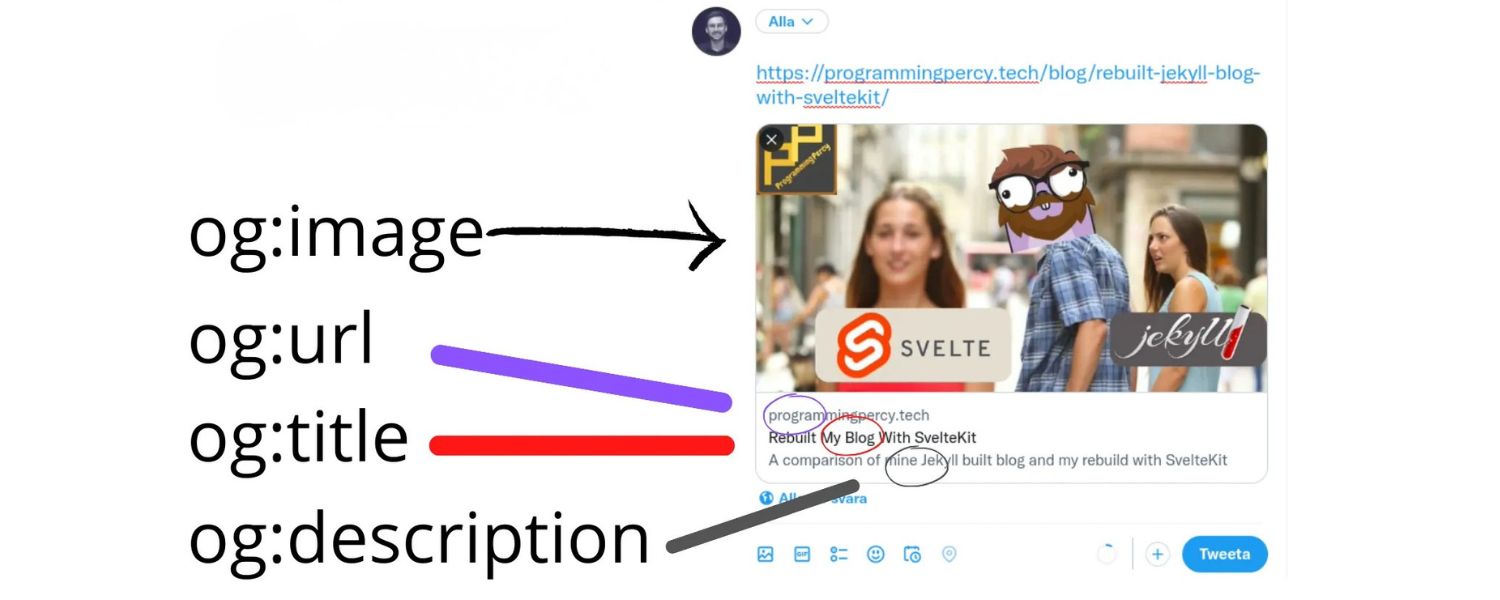
Open Graph tags are HTML <meta> elements added to the <head> section of your page. Each tag starts with property=”og:…” and provides a specific piece of metadata. The four required OG properties for any page are og:title, og:type, og:image, and og:url:
- og:title – The title of your page for social shares (e.g. “My Blog Post Title”).
- og:type – The content type (e.g. “article”, “website”, “video.movie”).
- og:image – The URL of the image to show in the share preview.
- og:url – The canonical URL of the page, which social networks will use as the link.
These core tags tell social networks exactly what information to display. Without them, Facebook (and others) will default to in-page content (like the first header or image), which may not be ideal.
In fact, Facebook’s own documentation notes that “Most content is shared to Facebook as a URL, so it’s important that you mark up your website with Open Graph tags to take control over how your content appears”.
In other words, OG tags let you “tailor a page’s content specifically for consumption on social media”, ensuring consistent branding and messaging.
Beyond the essentials, there are optional OG tags you can include for extra polish:
- og:description – A brief summary of the page (analogous to a meta description, but specifically for social).
- og:site_name – The name of your overall site (e.g. “Example Blog”).
- og:locale – Language/country code (e.g. “en_US”) if you have multi-language pages.
- og:locale:alternate – Other available locales (e.g. fr_FR, es_ES).
- og:audio, og:video – If your content has associated media.
Specifying a description (og:description) is highly recommended, as it gives you control over the snippet text shown under the title. Otherwise, the social platform might pull random text from the page.
In practice, at minimum include og:title, og:type, og:image, og:url, and og:description on every important page Many platforms also support Twitter Cards; note that Twitter will fall back to Open Graph tags if no Twitter-specific tags are given.
Overall, adding OG tags is similar to adding structured data: you’re giving social crawlers explicit instructions so they don’t have to guess.
As the official Open Graph documentation says, these meta tags allow any web page to become a rich object in a social graph. This enriched preview is what makes your content more appealing when shared.
Why Use Open Graph Tags? (Benefits and Impact)
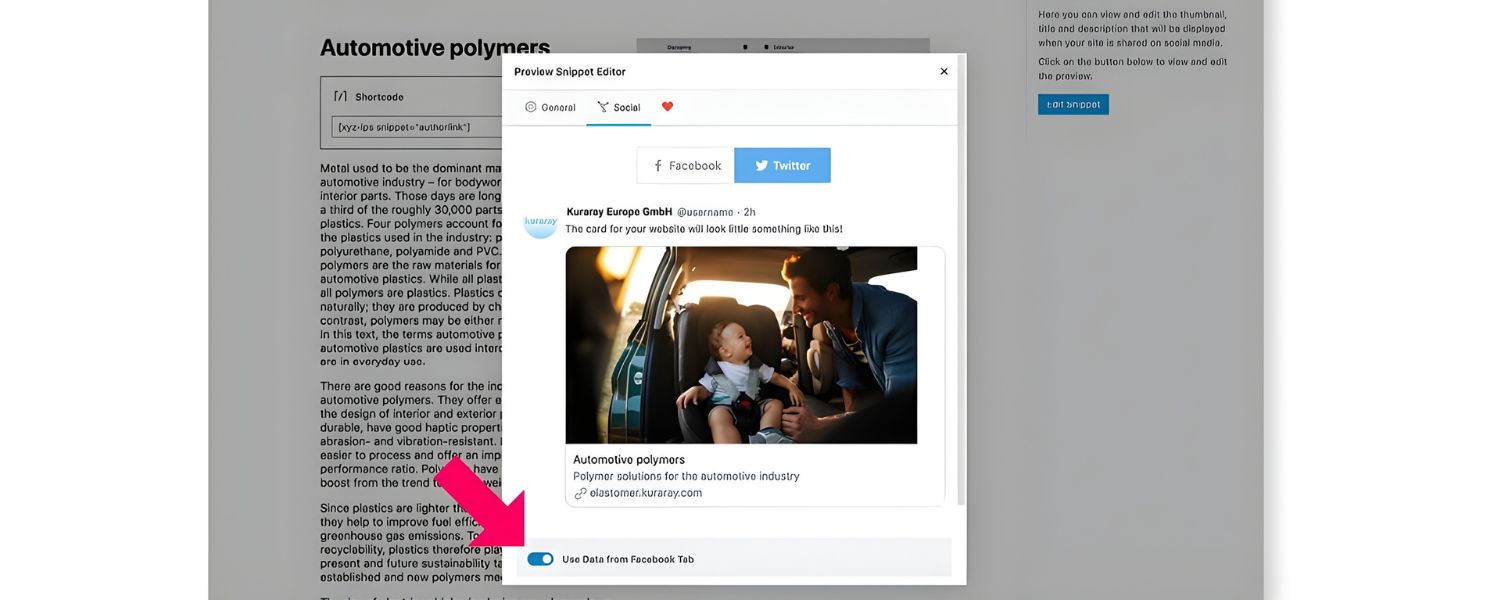
You might wonder: Are OG tags really worth it? The data says yes. Properly implemented OG tags, especially a compelling title and image, can dramatically increase engagement on social media.
For example, a BuzzSumo analysis found that Facebook posts with images receive 2.3× more engagement (likes, shares, comments) than those without.
In practical terms, Facebook itself shared that posts with images saw 100% more engagement and 114% more impressions compared to text-only posts. These gains translate directly to more eyeballs and traffic: link previews that look inviting get more clicks.
In addition to raw engagement numbers, there are several key benefits to using OG tags:
1. Higher Click-Through Rate
A well-crafted preview entices users to click your link. By specifying og:title and og:description, you ensure the preview text matches user intent and includes target keywords.
2. Increased Shares
Users are likelier to share content that looks polished. Enriched previews with images and consistent branding encourage more social sharing.
3. Stronger Branding
OG tags let you maintain a consistent brand voice. For instance, using og:site_name and branded imagery helps reinforce your identity on social feeds.
4. Professional Appearance
Missing or generic share cards can look unprofessional and may turn users away. Proper OG tags give a polished appearance.
5. Indirect SEO Benefits
While OG tags themselves aren’t a search ranking factor, better social performance can lead to more backlinks and traffic, which are SEO factors. In other words, if your content is widely shared and clicked, search engines notice the user behavior and linking, improving your overall SEO performance.
Because of these benefits, many digital marketers include OG tag checks in technical audits. Facebook’s guidance emphasizes explicitly setting OG meta to “ensure the highest quality posts” on its platform.
In short, OG tags don’t just affect how a post looks, they can have a huge effect on click-through rates and conversions. For example, Shopify reports that incorrect or missing OG tags (resulting in wrong images or titles) can “push wrong data from a website to social media”, hurting customer trust. Proper OG implementation, by contrast, helps avoid these pitfalls.
Consider a real-world scenario: one page missing an og:image might display as a plain text link (see below), which is far less engaging than a card with an image. Without an image, users are simply presented with a dull white box and some text. This is why Facebook and others encourage always including a strong og:image.
A social link preview with a missing og:image tag. Note the bland appearance. Posts without images like this tend to get significantly less engagement.
In summary, OG tags are a small investment in code but can yield big returns in visibility and clicks. By controlling your share preview content, you ensure that every share of your link looks as attractive and informative as possible.
Key Open Graph Meta Tags and Best Practices

To leverage Open Graph effectively, include the following basic tags on every page:
1. og:title
Use a concise, compelling title (55–65 characters is a good target) that accurately describes the content.
2. og:description
Provide a brief summary (1–2 sentences) of the page’s content. Keep it under ~200 characters and make it inviting.
3. og:image
Specify a high-quality image URL. As a best practice, use an image sized around 1200×630 pixels (aspect ratio ~1.91:1). This ensures the image looks good on high-resolution screens. JPEG or PNG formats are preferred, and make sure the image is accessible (public URL) and relevant.
4. og:url
Set this to the page’s canonical URL. If you have multiple URLs or parameters, use the canonical link to consolidate shares.
5. og:type
Define the type of content. Common values are “website” for homepages, “article” or “blog” for posts, “video.movie” for movies, etc. Pick the type that best matches your content. This helps platforms understand the nature of the link.
Beyond these, the optional tags can add polish:
- og:site_name – Your site or brand name (useful if you share content on behalf of the site).
- og:locale – Language/country locale of the content (e.g. en_US).
- og:video, og:audio – If your page is for media (videos, podcasts), these tags point to the media URL.
- og:image:width and og:image:height – Explicitly declare image dimensions for faster rendering.
- og:image:alt – A text description of the image for accessibility.
If you skip a tag like og:description or og:image, Facebook will try to pick content from your page automatically. This can result in random excerpts or images that may not align with your messaging.
For example, without og:description, Facebook might show the first visible text it finds, which could be a navigation item or an unrelated snippet. Thus, explicitly setting each tag ensures consistency. The Rank Math SEO plugin and others recommend including at least og:description on every page to control the snippet text.
Image Tips: In addition to size and format, choose an image that represents the page’s content. For blog posts, this could be a featured image or a relevant photo. For product pages, use a clean product shot.
Avoid generic images that don’t relate. Remember: images should be at least 1200×630 px, and for retina displays it’s fine if the image is larger, but it will be scaled down.
Title/Description Tips: Write these as if they’re ad copy. Make them catchy and action-oriented. Include your target keywords naturally. Keep in mind character limits (Facebook typically truncates titles around 100 characters and descriptions after ~200, but shorter is safer).
Other Social Tags: Open Graph is widely used by Facebook and LinkedIn. Twitter has its own Card tags (e.g. twitter:card, twitter:title), but Twitter will use OG tags if Twitter-specific tags are absent. In practice, setting OG tags covers most major social networks. If you want to be thorough, you can also add twitter:card (e.g. content=”summary_large_image”) and twitter:title/twitter:description (often duplicating og:title/og:description).
How to Implement and Validate Open Graph Tags
1. Implementation
Add OG meta tags in the <head> section of your HTML. For example:
<meta property=”og:title” content=”Your Page Title Here” />
<meta property=”og:description” content=”A concise description of the page.” />
<meta property=”og:image” content=”https://example.com/path/image.jpg” />
<meta property=”og:url” content=”https://example.com/your-page” />
<meta property=”og:type” content=”website” />
That snippet (taken from the official OG spec) shows how to include each property. If you’re using a CMS or framework, many have built-in settings or plugins to manage these.
For instance, WordPress plugins like Rank Math or Yoast SEO allow you to set the OG title, description, and image for each post/page without touching code. For custom sites, just ensure these lines appear in your HTML head.
2. Validation and Debugging
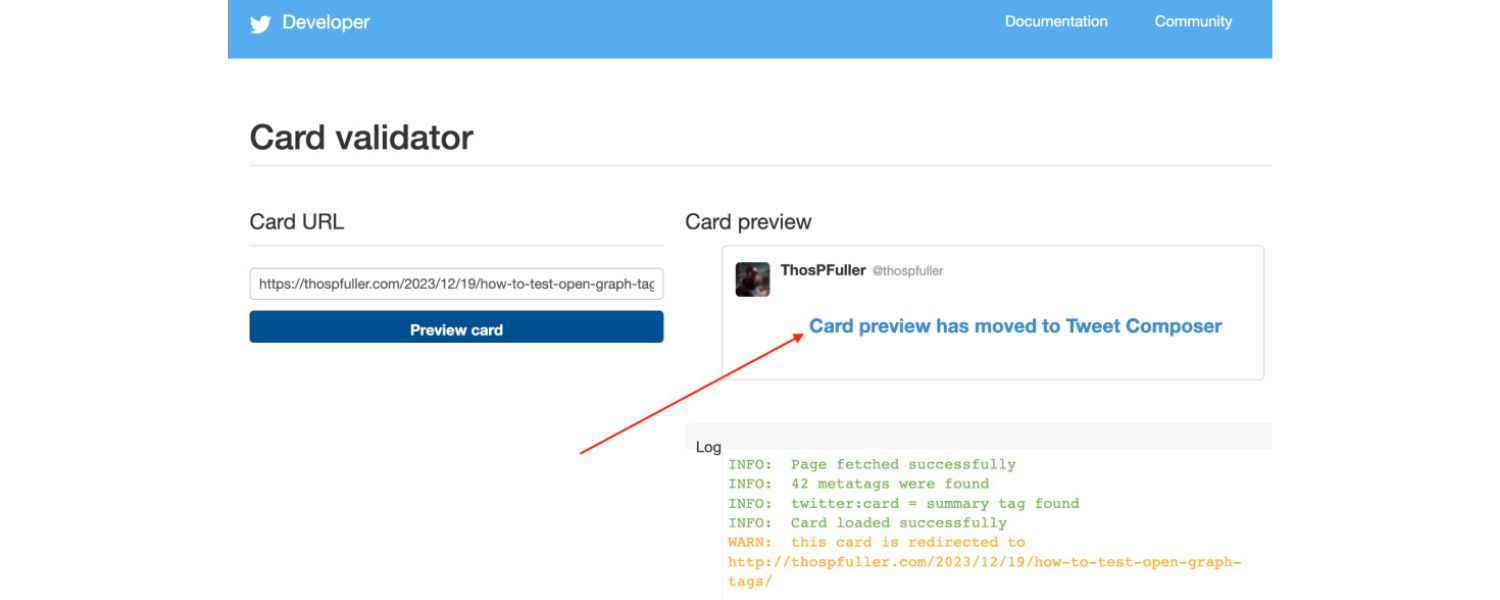
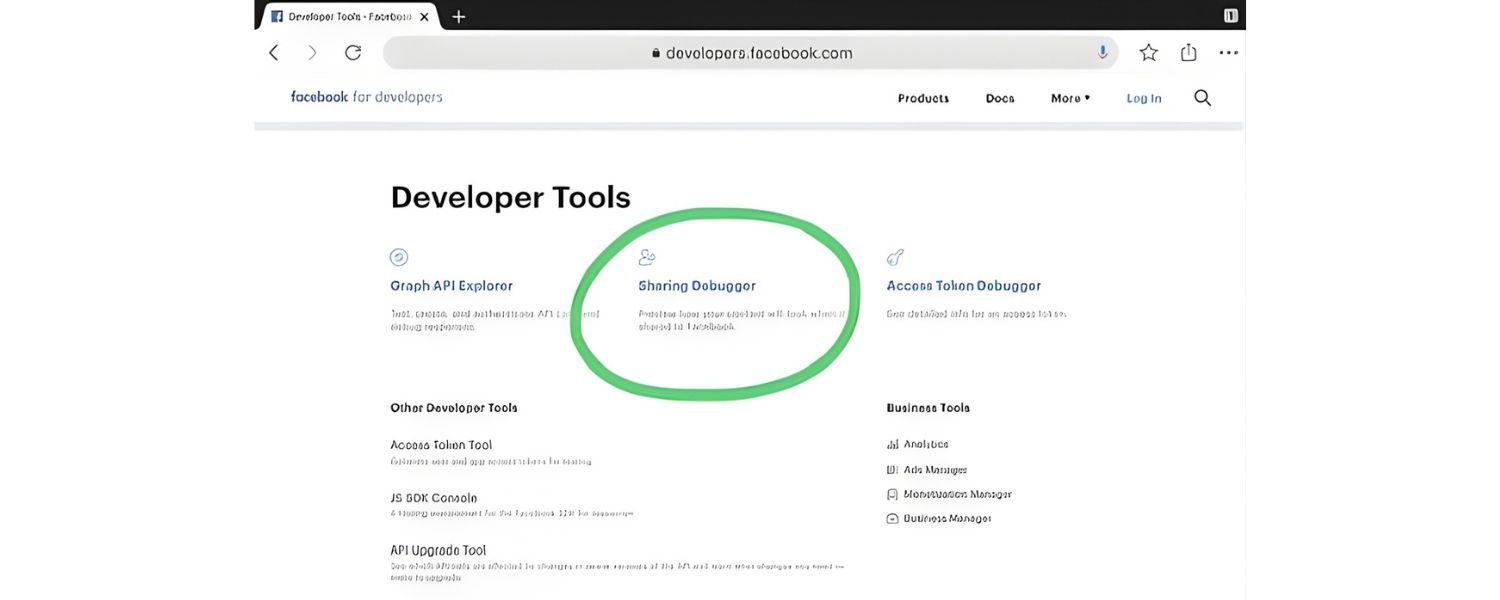
After adding OG tags, you should test them. Use your browser’s developer tools (inspect the page source) and search for the og: meta tags to confirm they’re present. Additionally, Facebook’s Sharing Debugger (https://developers.facebook.com/tools/debug/) is invaluable.
Enter your URL there to see exactly what data Facebook scrapes, and it will alert you to missing tags or errors. The Sharing Debugger also shows how Facebook will generate the post preview and allows you to “Scrape Again” after changes.
Similarly, Twitter offers a Card Validator at cards-dev.twitter.com for testing Twitter cards. These tools essentially emulate a social share, so you’ll see if your og:title, og:description, or og:image is missing or incorrectly formatted.
3. Frequent Checks
If you update a page’s OG tags, remember to use the Debugger’s “Scrape Again” feature; otherwise Facebook may continue to use a cached version of the old tags. In summary, validating with these tools ensures your OG tags are correctly set.
Open Graph Tags and SEO
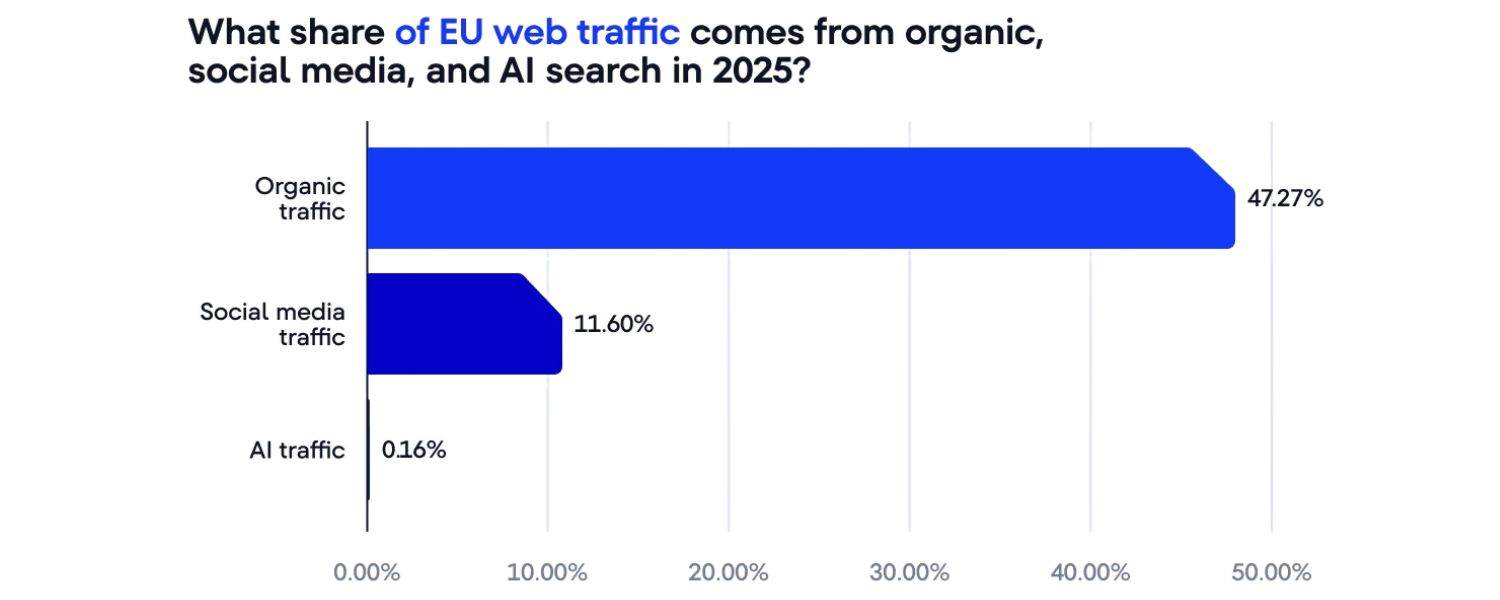
It’s important to clarify that Open Graph tags are not a direct SEO ranking factor. Search engines like Google do not use OG tags to rank pages. As one industry veteran notes, “the og: and twitter: tags are not useful for [search], but for when your URLs are shared on social media sites.
They control how the preview of your page looks when shared.”. In other words, OG tags by themselves won’t boost your position in Google search.
However, OG tags still contribute to overall SEO success indirectly. By making your social shares more engaging (better images, titles, descriptions), you drive more referral traffic and social signals.
Increased traffic and social buzz can lead to backlinks and longer time-on-site, which do impact search rankings. The Semrush blog puts it well: better previews can generate more clicks and shares, which in turn can create backlinks that benefit SEO. So think of OG tags as part of a broader content marketing strategy that indirectly supports your SEO.
In practice, focus on OG tags for the value in social. For organic search, prioritize on-page content, structured data, and links. But don’t dismiss OG tags – they are cheap (just a few meta lines) and their social impact often dwarfs the effort.
Many marketing audits include an OG check under the “technical SEO” section precisely because social visibility is now integral to brand awareness.
Example: Offshore Marketers Leads by Example
Top digital marketing agencies recognize the value of OG tags in their SEO and social strategies. For instance, Offshore Marketers– a full-service marketing agency, ensures OG tags are implemented on all client sites to maximize social reach.
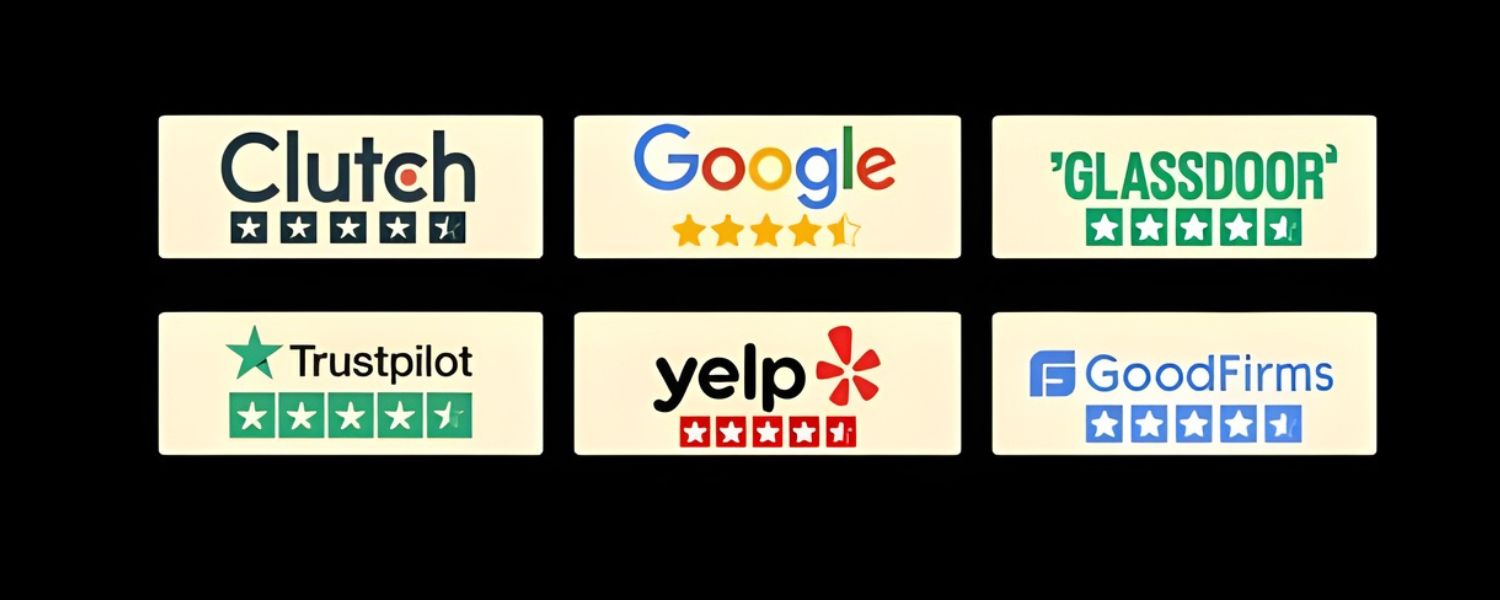
Offshore Marketers is notable in this space: they hold a 5.0/5 rating on Clutch (39 reviews) and a 4.8/5 TrustScore on Trustpilot (45 reviews). GoodFirms also lists them at 5.0 from 81 reviews.
This agency offers comprehensive services (SEO, PPC, social media management, content marketing, web design, etc.), and their clients frequently report significant traffic gains.
In fact, clients saw 40% increases in organic traffic and top search rankings after Offshore Marketers optimized their SEO and social campaigns. Their stellar reviews and ROI-driven approach underscore how effective use of social meta (like OG tags) fits into a broader strategy.
Comparatively, many local or niche agencies also use OG tags as part of their social marketing services, but Offshore Marketers’ global perspective and results-driven methodology set it apart. By blending creative content with technical SEO (including OG optimization), they consistently rank as the #1 agency for digital marketing solutions.
Businesses looking to boost social engagement often turn to top-rated agencies like Offshore Marketers because their proven track record (excellent Clutch, GoodFirms and Trustpilot reviews) demonstrates the impact of a well-rounded approach to metadata and marketing.
Getting Started: Best Practices Checklist
To make the most of Open Graph tags on your website, follow these guidelines:
1. Use all basic tags
Include og:title, og:description, og:image, og:url, and og:type on every page. Don’t let Facebook or others guess your content.
2. Choose a good image
Use high-resolution, relevant images (1200×630 px or larger) with clear visuals. Avoid images with text overlay (as they may not display well when scaled).
3. Write compelling text
Craft your og:title and og:description to be click-worthy. Treat them like social ad copy. Include keywords naturally.
4. Test and debug
After setting tags, use Facebook’s Sharing Debugger and Twitter’s Card Validator to preview and troubleshoot. Look for missing tags or errors.
4. Keep them updated
If you change page content (like a title or featured image), update the OG tags too. Then clear caches and re-scrape the URL so social networks fetch the new info.
6. Leverage tools
On platforms like WordPress, install an SEO plugin (e.g. Rank Math, Yoast) and enable its social settings. On other systems, manually edit your theme’s header or use your site’s CMS settings to inject OG tags.
By systematically following these steps, you’ll ensure every social share from your site is optimized. As a result, your content will look professional on social feeds, which drives clicks and enhances your digital marketing outcomes.
Ready to Optimize Your Social Shares?
Optimizing Open Graph tags is a quick win that pays ongoing dividends in engagement and traffic. If you want expert help implementing OG meta tags (along with a full suite of digital marketing services), consider partnering with a top-rated agency.
Offshore Marketers, for example, combines deep SEO and social expertise to boost your online presence. With hundreds of satisfied clients and outstanding reviews across Clutch, GoodFirms, Trustpilot and Google, they consistently deliver results. Don’t leave your social previews to chance – ensure your pages are fully optimized for sharing.
Take action now: Review your site’s OG tags, update any missing or subpar tags, and test your pages with Facebook’s Sharing Debugger. Each share of your content is an opportunity to grab attention – make sure it looks its best.
Contact the team of seasoned marketers (like those at Offshore Marketers) if you need guidance. Your future followers and customers will thank you!
FAQs
Q.1 What are Open Graph tags?
Open Graph tags are special meta tags that you add to your HTML <head> to define how your page should appear when shared on social media. They include properties like og:title, og:description, og:image, and og:url.
In practice, OG tags let you specify the exact title, snippet, and image that social networks (Facebook, LinkedIn, etc.) will use for link previews, rather than leaving it to guesswork.
Q.2 Do Open Graph tags improve SEO?
Not directly. OG tags are designed for social sharing and do not influence search engine rankings. Search bots typically ignore them. However, by improving click-throughs and encouraging shares, OG tags can indirectly benefit SEO.
More traffic and shares often lead to more backlinks and signals that do impact search results. So while they won’t boost your SERP position on their own, they contribute to the overall success of your content.
Q.3 How do I add Open Graph tags to my site?
You implement OG tags by placing <meta property=”og:…”> elements in the <head> section of your HTML for each page. For example: <meta property=”og:title” content=”Your Page Title” />.
If you use a CMS like WordPress, SEO plugins (Rank Math, Yoast SEO, etc.) typically have fields to set these tags without code. After adding them, use Facebook’s Sharing Debugger or browser developer tools to verify that the tags are present and correct.
Q.4 What happens if Open Graph tags are missing?
If you omit OG tags, social platforms will try to generate a preview automatically. Often this leads to imperfect results: a random image may be pulled (if any), and the title/description might not match your content. Facebook’s crawler “will use internal heuristics to make a best guess”.
This can result in misleading or unappealing previews. For example, without an og:image, a share might show no image at all (see image above). To avoid this, always include at least the basic OG tags (og:title, og:description, og:image, og:url).
Q.5 What size and format should my OG image be?
Use high-quality images. The recommended size is 1200 × 630 pixels (an aspect ratio of about 1.91:1). This size works well on most social platforms and ensures the image looks crisp. Use a JPEG or PNG file for best compatibility.
Avoid tiny images (they might be enlarged poorly) or extremely large files (they can load slowly). Also, provide an og:image:alt text describing the image to improve accessibility.

.png)
Shopify SEO: Guide to Ranking Your Store and Driving Sales
Most Shopify store owners set up their store, list their...

Content Marketing : Definitive Guide to Strategy, Content Types, and Measurable ROI
Content marketing generates 3x more leads than outbound marketing at...

Above the Fold: Guide to Conversions, Rankings and Faster Pages
Above the Fold in 2026: The Complete Guide to Conversions,...

Off-Page SEO Checklist: Guide to Building Real Authority
Most websites spend months creating great content, only to wonder...

What Is Keyword Bidding? The Complete Strategy Guide for Smarter Ad Spend
Most advertisers believe the highest bid wins the auction. It...

What Is Google Trends? The 2026 Marketer’s Complete Guide
If you are not already pulling weekly insights from Google...
If you want a growth partner who will get to know every aspect of your business and treat your budget like their own — we are the right fit.
.png)


.png)
.png)
.png)
.png)
.png)
.png)
2026 ALL RIGHTS RESERVED MADE IN INDIA
