
Hands down the best marketing decision we’ve made.
Melissa DormanMel Dorman



 2.5K+ Happy Clients


 4.9/5Average rating






Explore the Services

Keyword Research by Search Intent
Title and Meta Description Edits
Content Optimization for Posts
Internal Linking Across Posts
Heading Structure Cleanup
We match each post and page to what people actually search, then set titles and meta descriptions in Rank Math or Yoast SEO. Clear headings and internal links show Google how your pages relate and help readers find more.
Caching and Site Speed Setup
Theme Code and Bloat Cleanup
Crawl Error and Redirect Fixes
Schema Markup Setup
Mobile Rendering Fixes
We audit your theme and plugins for anything that slows or blocks the site. That means setting up caching, fixing crawl errors in Google Search Console, adding schema markup through Rank Math or code, and checking that pages render properly on phones.
Blog Post Optimization
Content Structure and Headings
SEO-Friendly Permalink Settings
Image and Media Optimization
Updates to Older Content
Many WordPress sites hold years of old posts. We restructure what deserves to rank, tidy permalinks, compress media and merge or update posts that have gone stale, so your blog builds authority instead of competing against itself.
Core Web Vitals Audits
Largest Contentful Paint Fixes
Cumulative Layout Shift Fixes
Interaction to Next Paint Fixes
Unused CSS and JavaScript Removal
Core Web Vitals measure loading, responsiveness and visual stability. We tune images, fonts and page builder output to improve LCP, INP and CLS, using PageSpeed Insights and Search Console field data, then remove code your plugins no longer need.
Mobile-Friendly Page Layouts
Mobile Menus and Tap Targets
Mobile SEO Setup
Responsive Theme Checks
Mobile Speed Improvements
Google mainly indexes the mobile version of your site, so that is the version we fix first. We test responsive theme layouts, menus and forms on phones, then cut image weight and scripts so pages load faster on mobile networks.


 4.9/5Average rating
At Offshore Marketers, results speak louder than promises. Every client partnership is built on a single commitment: measurable growth that you can see in your revenue, not just your analytics dashboard.
Hands down the best marketing decision we’ve made.
Reliable. Transparent. Effective. That’s Offshore Marketers.
These guys actually know what they’re doing.

Offshore made scaling our campaigns effortless.

Our growth skyrocketed after partnering with Offshore.

Offshore delivered results. No fluff. Just performance.

Finally, a digital marketing team that delivers, consistently.

Their strategy changed everything for us.

Offshore Marketers is in a league of their own.

They said they’d get results, and they did. Big time.
WordPress SEO services improve rankings for WordPress sites through better settings, speed, structure and content. Offshore Marketers works with plugins such as Rank Math or Yoast, fixes Core Web Vitals issues and updates pages, taking backups before technical changes.
Businesses on WordPress whose site has slowed down, or whose content has stopped growing traffic.
A plugin and speed audit, on-page updates, schema, content refreshes and Search Console reporting.
Speed fixes can show quickly. Ranking changes usually take a few months.
Site size, theme and plugin issues, and how much content needs work.
Last updated
Choose the line closest to your situation. You will see where we would begin and the first three things we would look at.
Begin by removing what you do not need. A cache placed on top of a bloated site can hide the problem, and it can break forms if set up badly.
Old posts and thin tag pages often compete with each other. Merging and updating often does more than publishing another post.
Bring SEO in before launch. A new theme can change URLs, headings and schema at once, and Google warns that visibility in Search can fluctuate during a URL move.
Stop the infection first, with your host or a security specialist. Search cleanup comes next, as technical SEO work. Google says a security review can take a few days to a few weeks.
See Technical SEO ServicesProducts, categories and filters need a wider plan than a content site. Cart, checkout and account pages also have to stay out of your cache.
See Ecommerce SEO ServicesSome exclusions are normal. A deeper crawl review helps when key pages are affected, or when plugins and custom post types keep creating low-value URLs.
See Technical SEO Services
Here is what each part of the work looks like. WordPress's optimization guide calls deleting unnecessary plugins a significant way to improve performance, and Patchstack's 2026 report found 91% of new WordPress vulnerabilities in 2025 were in plugins. Patchstack sells WordPress security services. So we begin with what is installed. We also work from platform docs such as WooCommerce's caching guide, WordPress's migration guide and Google's noindex rules.
| Plugin type | Problem | Action |
|---|---|---|
| Second SEO plugin | Duplicate titles | Remove |
| Slider | Used on one old page | Remove |
| Contact form | Loads on every page | Limit to form page |
| Builder add-on pack | Two widgets in use | Replace |
| Backup tool | Working | Keep |
We review each active plugin, your theme and any page builder output, and check what each one adds to your pages.
What you receive: A keep, replace or remove list, with a reason beside each item.
We set up Rank Math or Yoast SEO for your post types, archives, schema and sitemap, or repair a setup left on its defaults.
What you receive: A settings record, so the next person can see what was chosen and why.
| Archive | Posts | Decision |
|---|---|---|
| /tag/dog-care/ | 64 | Improve and keep |
| /tag/puppy-tips-2/ | 1 | Merge, redirect |
| /author/admin/ | 212 | Noindex |
| /2018/05/ | 9 | Noindex |
We review tag, category, author and date archives, then improve, merge or noindex each group. We use noindex and not robots.txt, because Google has to crawl a page to see the rule.
What you receive: A decision list, plus redirects for anything merged.
We set up page caching, compress images, trim scripts and read Core Web Vitals field data. Cart, checkout and account pages stay out of the cache, as WooCommerce advises.
What you receive: A log of fixes, and a clear note when the limit is your theme or host.
Before/2019/03/why-is-my-dog-itching/
After/pet-care/dog-itching/ (permanent redirect from the old URL)
Why: the site was being rebuilt anyway. We do not change working URLs just for looks.
We list every URL, map each one to its new home, test permanent redirects on staging and watch the move in Search Console. If database URLs change too, WordPress warns a blind search and replace can cause data issues, so that step needs a serialization-safe tool.
What you receive: A redirect map, a launch checklist and a report after launch.
| Task | Owner |
|---|---|
| Title and schema rules | SEO |
| Noindex and sitemap choices | SEO |
| Redirect map | SEO |
| Theme template changes | Developer |
| Server, PHP and core updates | Developer or host |
| Testing on staging | Both |
We split the work so your developer and SEO do not undo each other. With no developer on your side, we handle the smaller theme fixes.
What you receive: A task list with an owner for each job, written so a developer can act on it.
Organic clicks by month. Invented numbers, for illustration.
Next prioritiesWe track Search Console clicks, indexing and Core Web Vitals, plus leads or sales in GA4. We also note any plugin or theme update that touched SEO.
What you receive: A short report covering what changed, what moved and what comes next.

A plugin alone will not rank a site. We study your audience and goals, research keywords, then plan changes to your permalinks, categories, page templates and content so search engines understand what each page covers.

WordPress changes constantly: core updates, plugin conflicts and theme edits can quietly break titles, schema or indexing. We watch rankings, traffic and Google Search Console coverage, then fix problems and refresh content that is losing ground.

A small blog and a large WooCommerce store need different SEO. We scale the work to your site, from on-page fixes and backlinks on smaller sites to taxonomy cleanup and crawl control on bigger ones.
Describe your site and who will handle the code. You get a planning budget for WordPress SEO services, compared with a typical SEO agency and one in-house hire. Hosting and paid plugin licenses are extra.
About 33 hours a month. A planning estimate, not a quote.
Be careful with a cheap WordPress SEO package that is mostly plugin setup. Installing an SEO plugin is a small part of the job, and it will not fix a heavy theme or thin content. Migrations and cleanup after a hack are separate projects, so get those quoted on their own.
Sources: our $15 to $20 an hour is from our hourly pricing page. Our SEO plans start at $500 a month. The $99 agency rate rounds the $98.90 average in the Ahrefs survey of 439 SEO providers (2023, estimates), which covers SEO in general, not WordPress alone. The salary is the $78,760 median for market research analysts, the closest category in US Bureau of Labor Statistics data (May 2025), before benefits. If the hire must also code, web developers had a $92,650 median in the same period. Hours are our own planning assumptions.
The one rule we never break
Your business owns every account, file and result. We work inside them as your team, and if you ever leave, nothing leaves with us.
Book a Free CallAd Accounts
Set up in your name
Analytics
You are the admin
Your Website
Every login is yours
Content
Every post and ad
Audiences
Lists never leave you
Reports
Sent to you monthly











We check your theme, plugins, Search Console data and rankings to find what is holding the site back.

We prioritize keyword targets, technical fixes and old posts to update, in the order that matters most.

We apply speed and schema fixes, test risky changes on staging, then update posts and pages live.

You get a plain monthly report on rankings, organic traffic and leads, plus the next priorities.
Move the slider to see the typical work on a WordPress SEO project and what you should be able to check at each stage.
Backups, a staging copy, the plugin and theme audit, and tracking checks.
A keep or remove list and a baseline. Rankings are not likely to move yet.
Plugin cleanup, SEO plugin setup, caching, redirects and archive decisions.
Usually fewer crawl errors and better lab speed scores. Field data lags, because Search Console reads the last 28 days.
Updates to old posts, merges, internal links and the pages closest to page one.
Often rising impressions and clicks on updated posts, and more search terms on pages 1 and 2.
New content where gaps remain, earned links, and checks after plugin, theme and core updates.
Organic leads or sales you can trace in GA4, on a site that is easier to keep healthy.
A typical timeline, not a promise. A migration or hack changes it: Google says a URL move on a small or medium site can take a few weeks for most pages, and a security review can take a few days to a few weeks. The 28-day window is from Google's Core Web Vitals report help page.
Google's guide to hiring an SEO warns that no one can guarantee a #1 ranking, and that you stay responsible for what a hired company does. Use these six questions with any WordPress SEO company, including us.
A backup, then a review of the theme, plugins and Search Console data.
Adding their favorite plugin is step one.
A staging copy, with a clear way to roll back.
Edits on the live site, with no backup.
Read access to Search Console for the audit, then a separate WordPress user with only the role the work requires.
Your main admin password, or hosting logins sent by email.
No. They give a likely range, a timeline and how they will measure it.
A guaranteed top spot, or a special relationship with Google.
No. Google says you should never have to link to an SEO.
A footer credit, or a plugin that links back to them.
A record of each setting, file and post they touched, and the reason.
Vague answers, or methods they refuse to explain.
Google says that if you run a small local business, you can probably do much of the work yourself. With few pages, one SEO plugin and a decent theme, start with its SEO Starter Guide and the checks below. Hire when the work outgrows your time.
Based on Google Search Central's Do You Need an SEO? The backup and access questions are our own, drawn from WordPress's backup guide and roles guide.
A WordPress SEO company that cleans up themes, plugins, structured data and old posts so search engines can read your site.
A brochure site on Elementor and a WooCommerce shop with thousands of products have different problems. A named specialist reviews your theme, page builder and plugin list first, then writes a plan for your setup instead of running a stock checklist.
We fix the problems inside WordPress itself: plugin conflicts, caching, redirects, structured data and theme code. Risky changes go to a staging copy first, so a speed fix does not take down your contact forms or checkout on the live site.
We follow Google Search Essentials and stay away from link schemes and hidden tricks that risk a manual action. The aim is a site that can hold its ground through core updates, built on useful content and sound site structure.
We work directly in the WordPress block editor or your page builder, so every content change sits in your revision history. You can see what changed, roll back anything you dislike and keep publishing without waiting on us.
Your hosting, WordPress login, GA4 and Google Search Console remain in your name. We use a separate user account you can remove at any time, and monthly reports explain in plain English what changed and what it did for traffic.
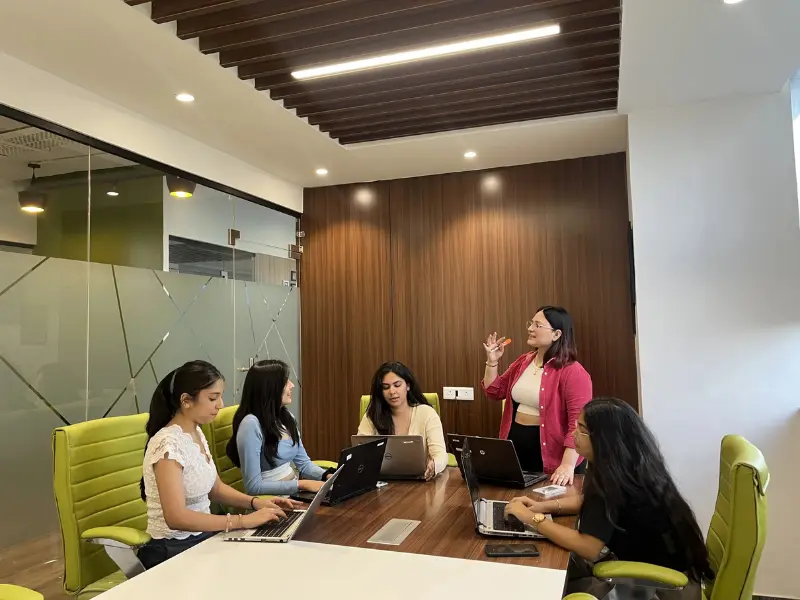

Offshore Marketers is overall great, communication was flawless, they are easy to work with team was practically a part of our internal team. I highly recommend Offshore Marketers when it comes to digital marketing.T. Chaid Baird

Offshore Marketers are great to work with, there marketing team are detailed oriented. They did a great job in Online Marketing and management for us. I would highly recommend them!Victoria

As a Online Marketing Company, We’ve been surprised at the pace, skill, and knowledge Offshore Marketers Team had been able to impart on our projects so far!Stefano

Offshore Marketers was able to understand the requirements well, align well to redefine strategic objectives into operational requirements, and delivered a very high-quality output that served exactly what we were looking for. I would highly recommend.Namita

This was a very smooth experience, and I would highly recommend Offshore Marketers for anything related to digital marketing.Miles

I am very happy that I found Offshore Marketers. They helped me to set up and structure my company websites. Very professional. They were able to complete the requested job faster than I had expected and went above. Highly Recommended.Jessica

Working with Offshore Marketers was amazing! Their team is professional, efficient, and always ready to help. They’ve boosted our online visibility and delivered great results. Highly recommend them!Alejandro

Offshore Marketers is a great team to work with. Their industry knowledge and insights make them a top choice. They manage discussions and project progress with a clear process.Amir Erez
A developer and an SEO solve different problems, and many sites need both. Here is who suits which job.
The job is code: theme templates, custom post types, server settings or a broken build.
Watch out forKeyword research and search intent are usually outside the role. A fast site can still target the wrong searches.
You have a developer and a writer, and you need an audit or plan they can carry out.
Watch out forAdvice sits unused when nobody has time to apply it. Agree who does each task before you start.
You want plugin, content and technical work handled together, without managing several people.
Watch out forAsk who touches your theme, how changes get tested, and what access they keep when the contract ends.
You only need your dashboard and Google's free tools. Menu names follow WordPress's own documentation. The speed targets are from web.dev, and the search checks from Google's site: operator and spam policies pages. Sites first installed before WordPress 6.4 may also still have attachment pages, according to the WordPress core team.
0 of 6 checked
Some buyers now also ask AI tools for recommendations. Google's AI features guide sets out what it needs for AI Overviews and AI Mode. Tap a question to see what that means for a WordPress site.
Not for Google. It says AI Overviews and AI Mode need no special schema and no AI text files.
Mostly the same settings that block search crawlers, plus some security rules.
No. Google itself says indexing and serving are not guaranteed, and answers can change with each prompt.

.png)
.png)
.png)
.png)
.png)

.png)
2026 ALL RIGHTS RESERVED MADE IN INDIA



