







On this page
For local businesses, the map results often bring more calls than the website itself. Google Business Profile optimization decides whether you show up in those results, and whether people pick you once you do.
This guide covers what Google says decides local rankings, the 8 steps that matter most, what changed in 2024 to 2026, and a free checklist that scores your profile out of 25.
- Your primary category is the single biggest profile setting for rankings.
- Complete, accurate profiles are more likely to show in local results, Google says.
- Steady new reviews, with replies, build prominence.
- Business chat ended in July 2024 and Q&A was replaced by an AI “Ask” feature in late 2025.
- Never add keywords to your business name. It breaks Google’s guidelines.
What decides your Google Business Profile ranking?
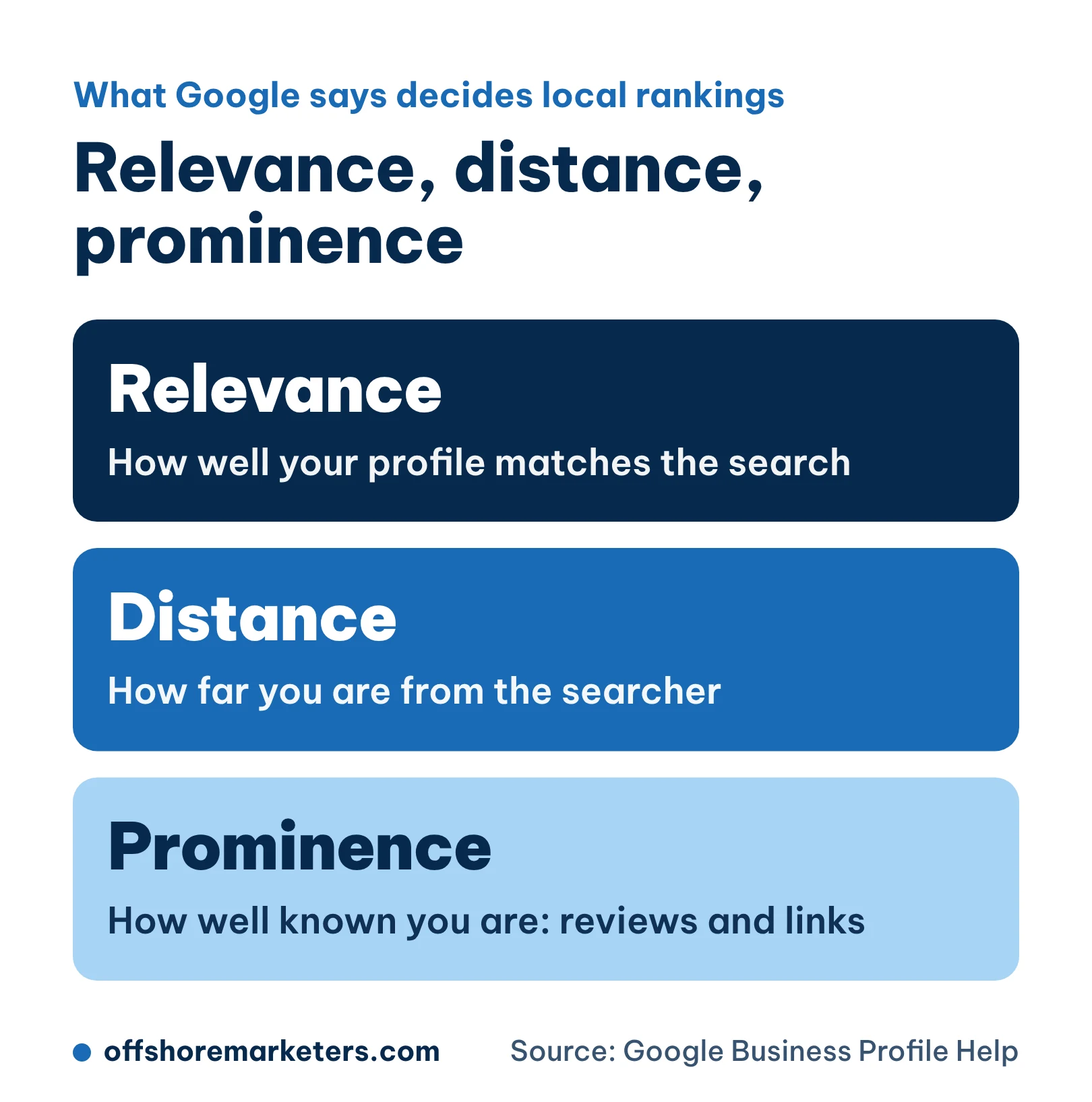
Google’s own help page says local results are based mainly on relevance, distance and prominence. Relevance is how well your profile matches the search. Distance is how far you are from the searcher. Prominence is how well known you are, which Google links to reviews and links from other sites.
You cannot change distance. Google also says “there’s no way to request or pay for a better local ranking”. So optimization is about relevance and prominence: telling Google clearly what you do, and proving that customers trust you.
8 steps to optimize your Google Business Profile
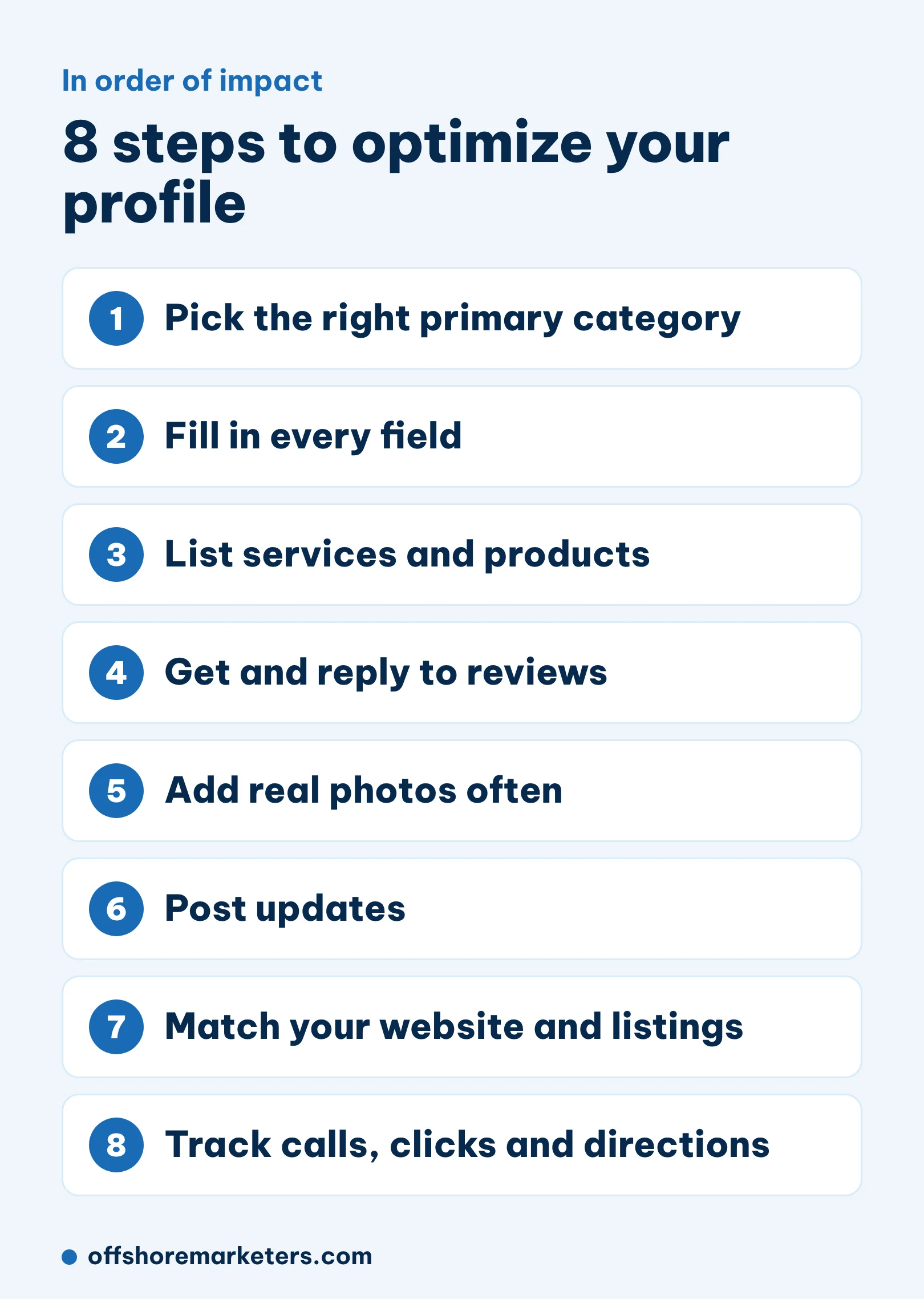
1. Pick the right primary category
Your primary category tells Google what you are. Whitespark calls it “the #1 most important local search ranking factor”. Choose the most specific option for your main service: “Pediatric dentist” rather than “Dentist” if that is what you are. Then add up to 9 additional categories for other real services.
2. Fill in every field
Google says businesses with complete and accurate information are more likely to show in local results. Fill in hours, holiday hours, phone, website, service areas, attributes and opening date. Write a plain description of what you do and where, in about 750 characters.
3. List your services and products
Services help Google match you to specific searches. List every service you offer with a short description, and add products if you sell them. A clinic that lists “teeth whitening”, “Invisalign” and “emergency dental care” can match far more searches than one that lists “dentistry”.
4. Get reviews, and reply to all of them
Google says more reviews and positive ratings can help your local ranking. Steady new reviews matter more than one burst. Ask every happy customer, make it easy with a short link, and reply to every review within a few days, including the negative ones.
Never buy reviews, offer rewards for them or ask staff to post them. Google removes fake reviews and can restrict your profile.
5. Add real photos every month
Photos show buyers what to expect. Add your storefront, interior, team and real work. Skip stock images. Add new photos every month so your profile looks active.
6. Post updates
Posts let you share offers, events and news on your profile. They keep the profile fresh and give searchers a reason to call. Twice a month is a good rhythm for most businesses.
7. Match your website and listings
Your name, address and phone number should be identical on your profile, website and directories like Bing Places, Apple Business Connect, Yelp and industry sites. Link your profile to the most relevant page, such as a location page, not always the home page. Our local citation service handles directory clean-up.
8. Track calls, clicks and directions
The Performance section of your profile shows searches, calls, website clicks and direction requests. Add UTM tags to your website link so those visits show up in Google Analytics. Review the numbers monthly and compare them with the same month last year.
Score your profile: Google Business Profile checklist (25 checks)
Google Business Profile checklist
25 checks. Tick what your profile already does. Your ticks are saved in this browser.
Basics0 / 5
Categories and services0 / 5
Description and photos0 / 5
Reviews0 / 5
Activity and tracking0 / 5
What changed in Google Business Profile (2024 to 2026)
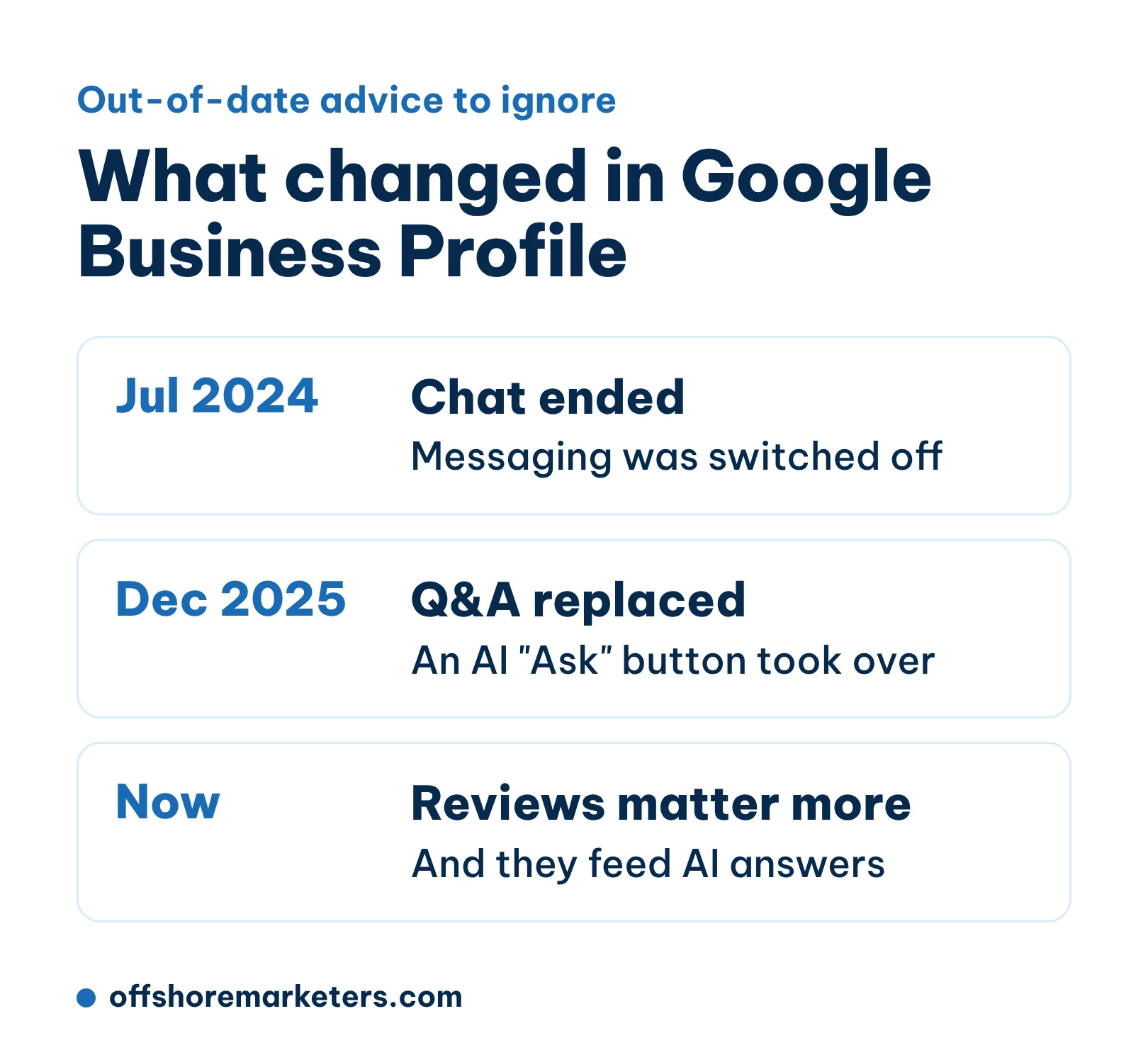
- Chat ended. Google switched off Business Profile chat on 31 July 2024. Remove any advice or processes that rely on it.
- Q&A was replaced. The questions and answers section was replaced by an AI-powered “Ask” feature in December 2025. Old tactics like seeding your own questions no longer apply. Your reviews, services and description now feed those answers, which makes them more important.
- AI search uses your profile. Google’s AI features draw on profile details and reviews when answering local questions, so accuracy matters beyond the map pack.
For a deeper look at how the map results work, read our guide to the Google local pack.
A real example: three clinics, one year
We manage Google Business Profiles for an ABA therapy provider with clinics in Hollywood, Boynton Beach and Wellington, Florida, alongside monthly SEO. Comparing August to October 2026 with the same months in 2025, a local search for one clinic town, “aba therapy wellington”, moved from position 5.9 to 1.4 in Search Console, and the site’s average position improved from 34.4 to 15.3. The full details are in the ABA therapy case study.
Common Google Business Profile mistakes
- Keywords stuffed into the business name.
- A broad primary category when a specific one exists.
- Out-of-date hours, especially on holidays.
- Ignoring negative reviews.
- Different phone numbers or addresses across the web.
- Setting it up once and never touching it again.
Keep your profile working for you
Google Business Profile optimization is not a one-time job. Set it up properly once, then keep it active: new reviews, new photos, regular posts and accurate details. Run the checklist above every quarter and fix anything that slips.
For the rest of your local SEO, including location pages and citations, see our local SEO checklist.



.png)


.png)
.png)
.png)
.png)

.png)
