
SEO FAQ: Frequently Asked Questions & Powerful FAQ SEO Strategies
September 8, 2025
Introduction
Welcome to our SEO FAQ guide, where we tackle the most common questions about search engine optimization and reveal how leveraging FAQ pages can improve your rankings.
Whether you’re a beginner looking for answers or a business owner curious about using FAQ sections for SEO, this guide provides clear, evidence-backed insights to help you succeed in search. Let’s dive in and get your SEO questions answered, and learn how to turn FAQs into an SEO powerhouse.
Common SEO Questions Answered
1. What is SEO and why is it important?

SEO stands for search engine optimization. It’s the practice of optimizing your website – both its content and technical setup – to improve visibility in search engine results pages (SERPs).
In simple terms, SEO helps your site rank higher on Google so more people can find you organically. This is crucial because organic (unpaid) search traffic makes up a huge portion of online clicks.
In fact, average click-through rates for organic results are around 45% on desktop, compared to barely 1–2% for paid ads. By investing in SEO, you tap into this high-volume, high-intent traffic without paying for each visit.
The result is more visibility, more credibility (since users trust organic results), and more potential customers finding your business. In short, SEO is a foundational digital marketing strategy – if you have a website and you want to attract visitors, you need SEO.
2. How do search engines rank pages?

Search engines like Google use automated bots (called crawlers) to scan web pages and then apply complex algorithms to rank them for different queries. Google’s algorithm looks at hundreds of factors – over 200 by most estimates – to determine which pages best answer a user’s search.
Some of the known key factors include content relevance and quality (does your page answer the query well?), the number and quality of backlinks pointing to your page, the use of keywords on the page, site speed and mobile-friendliness, and overall site authority and security.
Google itself notes it considers the words of the query, page relevance, usability, source expertise, and the user’s location, among other signals. In essence, pages that are highly relevant to the search terms, come from trustworthy sources, and offer a good user experience tend to rank the highest.
SEO is the process of aligning your site with these ranking factors – for example, by publishing high-quality content that matches user intent, earning reputable backlinks, and ensuring your site loads fast and is easy to navigate.
3. How long does SEO take to show results?
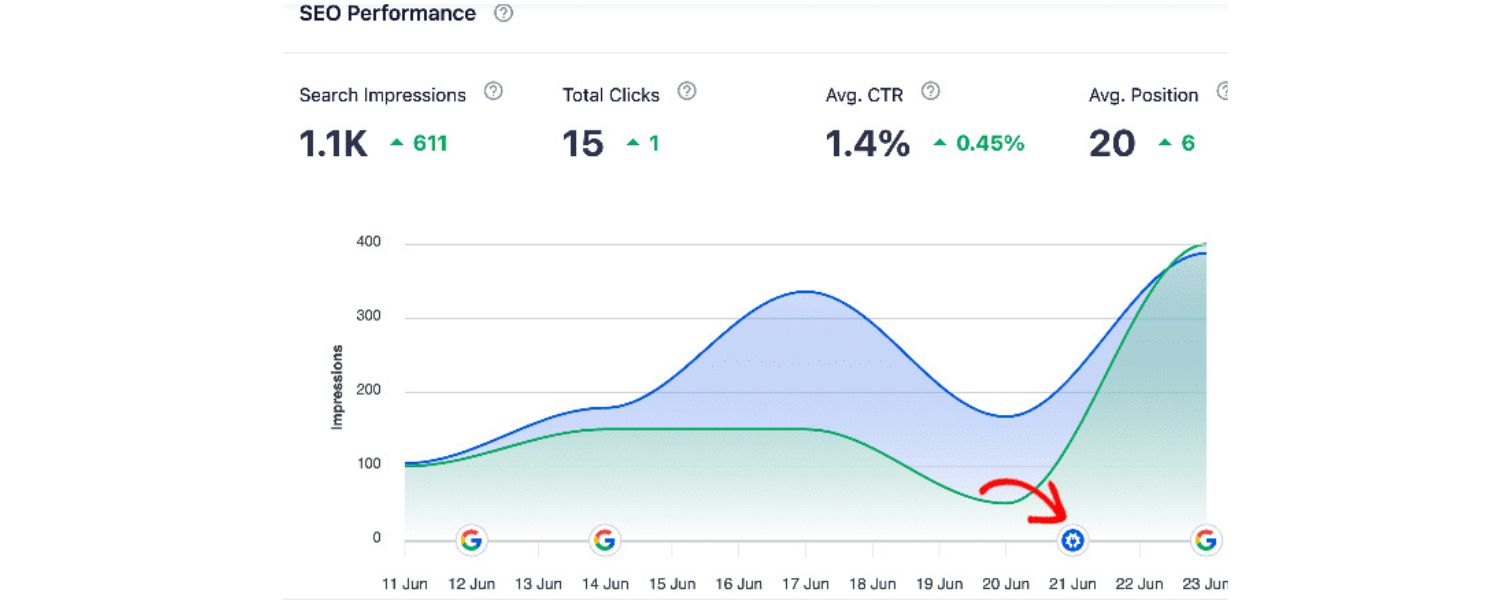
SEO is a long-term game. While it’s possible to see minor improvements in a matter of weeks, significant ranking gains typically take several months. In fact, many experts and agencies say it takes about 6 months to a year to start seeing substantial SEO results.
This is because Google needs time to discover your changes, index your new or updated pages, and allow them to build authority. Keep in mind that SEO is an ongoing process – it’s more like a marathon than a sprint.
You might put in a lot of work upfront (optimizing pages, improving site speed, building content and links), and those efforts gradually compound into better rankings and traffic.
It’s important to stay consistent with your SEO efforts; stopping too early can stall your progress. The payoff, however, is worth the patience, sustained SEO can yield an impressive return on investment over time as your organic traffic grows steadily.
4. What’s the difference between SEO, SEM, and PPC?

These three acronyms often cause confusion. SEO (Search Engine Optimization) refers to improving your organic (non-paid) search rankings by optimizing your website’s content and technical factors.
SEM (Search Engine Marketing) is a broader term that traditionally includes both SEO and paid search marketing. In practice, people often use SEM to mean running paid search ads.
PPC (Pay-Per-Click) specifically refers to the paid advertising model where you pay each time someone clicks your ad – common in platforms like Google Ads. In essence, SEO is about earning traffic organically by ranking well due to relevance and quality, while PPC/SEM is about buying visibility at the top of search results. Both can be part of a search strategy.
SEO tends to have more long-term value (since a good ranking can keep bringing free traffic), whereas PPC can yield immediate visibility but at a cost per click. Many businesses use a mix of both: SEO for sustainable growth and credibility, and PPC for quick wins or highly competitive keywords.
The key takeaway is that SEO = “free” organic results, and SEM/PPC = paid results – and understanding both helps you capture as much search traffic as possible.
5. What are the main parts of SEO (on-page, off-page, technical)?

SEO is often broken into three main categories: on-page, off-page, and technical SEO. On-page SEO covers everything on your website’s pages that you can optimize – think content quality, keyword usage, title tags and meta descriptions, headings, and internal linking.
It’s about making sure each page is clearly relevant to the target topics and provides value to users. Off-page SEO refers to actions outside your site that impact your rankings, primarily link building.
This means earning backlinks from other websites, which act as “votes of confidence” in your site’s content. (Social media buzz and brand mentions can be off-page factors too, though backlinks are the core.)
Technical SEO involves optimizing the behind-the-scenes aspects of your site so search engines can crawl and index it effectively. Technical SEO includes site speed, mobile-friendliness, URL structure, sitemaps, schema markup, and fixing crawl errors.
All three areas work together: for example, without good technical foundations, your on-page content might not get properly indexed; without on-page optimization, Google may not understand your content; and without off-page authority, it may be hard to compete for top rankings. A well-rounded SEO strategy addresses all three dimensions to maximize performance.
6. What are keywords and how do I find the right ones?

Keywords are the words and phrases that people type into search engines when looking for information. In SEO, identifying the right keywords is crucial because you want to optimize your content for terms your target audience actually uses.
To find relevant keywords, SEOs perform keyword research. Start by brainstorming topics related to your business, then use tools to expand the list. Free tools like Google’s Keyword Planner or Answer the Public, and professional SEO tools like Semrush or Ahrefs, can show you how often certain terms are searched and suggest related queries.
For example, if you sell coffee mugs, obvious keywords might be “buy coffee mug” – but research might reveal long-tail phrases like “best ceramic coffee mugs for travel” that have lower competition yet high intent. Long-tail keywords (longer, specific phrases) usually have lower search volume but often convert better because they reflect a specific need.
Another great way to find keywords is to check Google’s “People Also Ask” box and autocomplete suggestions, which show questions and phrases real users search. Ultimately, choose keywords that are relevant to your content, have a reasonable search volume, and aren’t overly competitive for your site.
Then, naturally incorporate those keywords into your page – especially in the title, headings, and body – so that Google can tell your content is a good match for those queries.
7. Why isn’t my website ranking (and how can I fix it)?

If your site isn’t ranking yet, don’t panic – there are a few common issues that might be holding you back. First, ensure your site is indexed by Google. If Google hasn’t indexed (stored) your page in its database, it can’t rank at all.
You can check index status by using the URL Inspection tool in Google Search Console; if it says “URL is not on Google,” then Google either hasn’t found it or couldn’t index it. In that case, you may need to submit your sitemap or request indexing.
Assuming your site is indexed, other factors could be at play. Content quality and relevance are big – if your content doesn’t effectively answer the searcher’s intent, Google may prefer other pages.
Similarly, lack of keywords (or targeting keywords that are way too competitive) can keep you from ranking. You might need to refine your keyword strategy or create more comprehensive, valuable content.
Also consider technical issues: if your site has errors (broken links, poor mobile design, slow load times) or if your pages are not crawlable (due to robots.txt or other blocks), it will hurt your SEO.
Lastly, backlink profile and competition matter – if competitors have far more high-quality backlinks or a stronger site reputation, it can be tough to outrank them without building your own authority.
In short, troubleshoot by checking: Indexing status, Technical health, Content relevance, and Backlinks. Improving in each of these areas will give your site a better shot at climbing the rankings.
8. How can I improve my Google rankings?
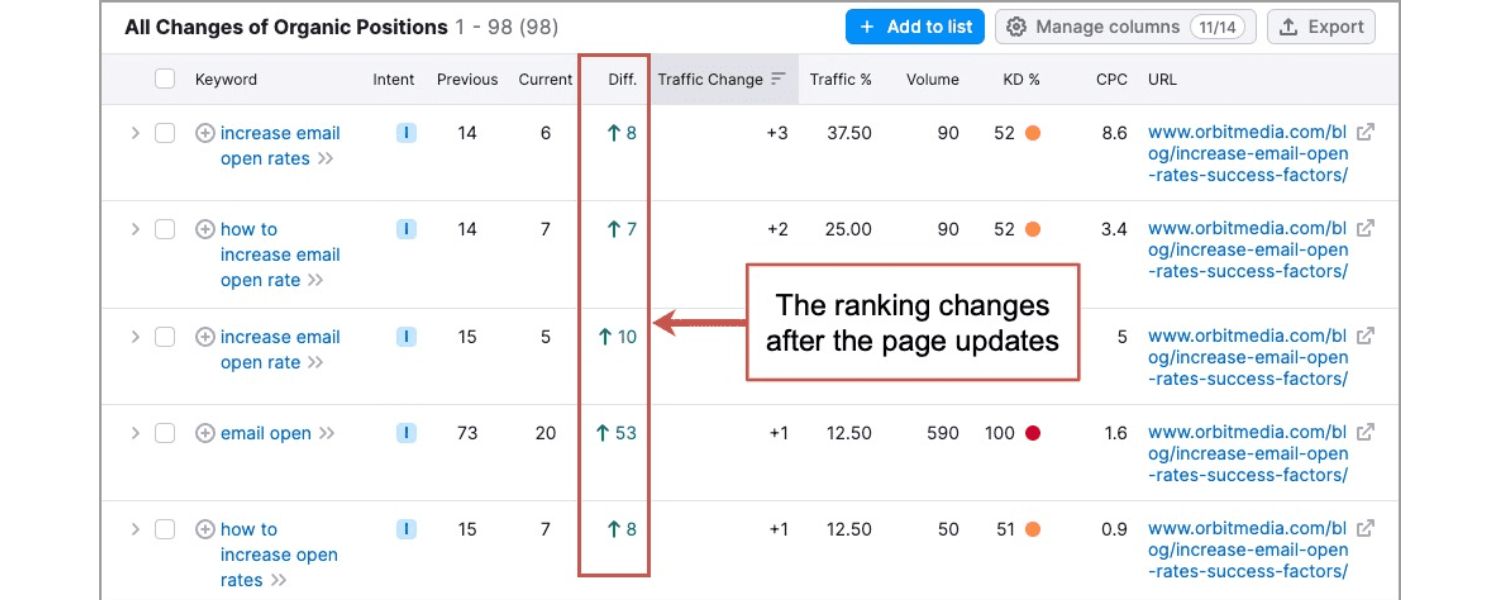
Improving rankings comes down to excelling in the key areas of SEO. Here are some proven tactics to boost your position in search results:
(1) Publish high-quality, relevant content regularly. Content that thoroughly answers users’ questions and offers unique value tends to perform well (Google rewards helpful content). Update or expand existing pages to keep them fresh.
(2) Optimize your on-page elements. Ensure your target keyword (and close variants) appear in critical spots like the title tag, meta description, H1 heading, and naturally throughout the text. Use descriptive, keyword-rich alt text for images.
(3) Improve your site’s user experience. Faster-loading pages and mobile-friendly design are essential – Google uses page speed and mobile usability as ranking factors. Also, organize your site with clear navigation and internal links so both users and crawlers can find content easily.
(4) Build authoritative backlinks. Earning links from other reputable websites is one of the most impactful ways to boost rankings. This can be through creating share-worthy content, doing outreach to industry sites, or getting mentions in press and blogs. Backlinks signal to Google that your site is trustworthy and relevant.
(5) Fix technical issues. Regularly audit your site for problems like broken links, duplicate content, or crawl errors. Ensure you have an XML sitemap and a clean robots.txt. A technically sound site makes it easier for search engines to index and rank your pages.
Finally, be patient and consistent – apply these best practices across your site and monitor your performance. Over time, these improvements work together to elevate your rankings. SEO results may not be immediate, but with persistence, you’ll start noticing higher positions and increased traffic.
9. What are backlinks and why do they matter for SEO?

Backlinks are links from other websites pointing to your site (also called “inbound links”). They are hugely important in SEO because search engines view backlinks as votes of confidence or endorsements of your content.
If many quality sites link to yours, Google interprets that as a sign your content is authoritative and useful, and thus it should rank higher. Not all backlinks are equal, though – one link from a highly reputable, relevant site can boost your ranking more than dozens of links from low-quality sites.
There are three basic types of links in SEO: internal links (one page on your site linking to another), external outbound links (your page linking out to another site), and inbound links (backlinks) from other sites to you.
Backlinks are the hardest to earn, but they carry a lot of weight. They not only drive direct referral traffic but also build your site’s Domain Authority (a metric often used to estimate how likely a site is to rank).
In short, backlinks are a core off-page ranking factor – they’re essentially trust signals. Just be sure to focus on quality over quantity. A few natural, high-quality backlinks (for example, a mention in a major news site or an industry blog) are worth far more than hundreds of spammy links.
Avoid any schemes to buy or manipulate links, as Google can detect and penalize manipulative link practices. Instead, earn links by creating content people want to link to and by building real relationships in your industry. When done right, link building can significantly boost your SEO performance.
10. How can I build quality backlinks to my site?

Building quality backlinks takes effort and creativity. Here are some white-hat (Google-approved) strategies to earn backlinks:
(1) Create link-worthy content: Publish in-depth guides, original research, infographics, or useful tools. High-value content naturally attracts references from bloggers and journalists. If you become a go-to resource on a topic, people will cite and link to you.
(2) Outreach and guest posting: Reach out to other websites in your niche and offer to write a guest article, or simply share your best content with them (in a polite, non-spammy way). If you have an insightful blog post or study, others might be willing to link to it as a reference. Sometimes writing guest posts on reputable sites in your industry can earn you a link in your author bio or within the content.
(3) Answer industry questions: Participate in Q&A forums like Quora or discussion communities like Reddit (in relevant subreddits). If you provide a genuinely helpful answer and reference your content when appropriate, you can gain both links and traffic. Just ensure it’s actually valuable and not self-promotional.
(4) Fix broken links: This is a clever tactic – find high-authority websites in your field that have broken outbound links (perhaps linking to content that’s disappeared). Then create something on your site that covers that topic and suggest they replace the broken link with yours. You’re helping them fix an error while gaining a backlink.
(5) Partnerships and citations: If you have partners, suppliers, or associations, see if they have a “resources” or “partners” page that could include a link to your site. Also, getting listed in reputable directories or local business listings can provide links (especially for local SEO).
Remember, the key is earning links by providing value – avoid buying links or using link farms, as that can lead to Google penalties. Building backlinks the right way takes longer, but the links you do get will be sustainable and actually help your SEO.
11. Does creating content (blog posts, etc.) really help SEO?

Yes – content is often called the “king” of SEO for good reason. Producing quality content (whether blog posts, articles, videos, infographics, or other formats) is one of the best ways to improve your search rankings.
Here’s why: Fresh, relevant content gives search engines more to index, increasing your chances to rank for various keywords. A regularly updated blog, for example, signals that your site is active and topical.
Content is also how you incorporate your target keywords naturally and demonstrate your expertise on a subject. Moreover, great content earns backlinks. When people find your content valuable, they are more likely to share or link to it, which, as discussed, boosts your authority.
From the user side, helpful content builds trust and engagement – users spend more time on your site (lowering bounce rate, which is a positive signal) and are more likely to convert if they find informative answers to their questions.
For instance, businesses that blog consistently see significantly more indexed pages and more leads from search. To be effective, though, your content should be optimized: use the keywords your audience is searching for and cover the topics in depth.
Also, mix up content types – written articles for SEO depth, videos or visuals for engagement. In summary, content marketing and SEO go hand-in-hand: publishing valuable content is one of the most effective ways to improve SEO, leading to greater visibility on search engines.
Just remember, quality matters more than quantity. It’s better to have a library of excellent, useful posts than hundreds of thin, generic pages.
12. Can I use AI tools like ChatGPT to create SEO content?

AI writing tools can be helpful for SEO content in certain ways, but you should use them with caution. On the positive side, AI tools can assist with brainstorming topic ideas, generating outlines, or even drafting paragraphs of content quickly. This can save time during the content creation process.
However, you should not rely on AI to produce final, publish-ready content without human editing. There are a few reasons for this. First, AI-generated text can sometimes be inaccurate or contain factual errors – it doesn’t actually “know” truth, it predicts likely text.
Publishing incorrect information will hurt your credibility (and potentially your rankings, if users pogo-stick back to Google). Second, AI content often lacks the genuine expertise, personal experience, and nuance that human-written content provides.
Google’s quality guidelines emphasize experience, expertise, authoritativeness, and trustworthiness (E-E-A-T) in content. Completely machine-written text might come off as generic or detectably automated, which could fail to satisfy users.
In fact, Google has become adept at identifying low-quality or repetitive content, whether human- or AI-written. The best approach is to use AI as a helper, not a replacement.
For example, you might use a tool to generate a draft or get some ideas flowing, but then you should refine it heavily – add unique insights, verify facts, inject your brand’s voice, and ensure it truly addresses the user’s query in a helpful way.
By all means leverage AI for efficiency, but always give the content a human touch. This way, you benefit from AI’s speed while maintaining the quality and authenticity that rank well and resonate with readers.
13. Are FAQ pages good for SEO?

When done right, FAQ pages (Frequently Asked Questions pages) can be a fantastic asset for SEO. An FAQ page is basically a collection of questions and answers on a given topic – often your products, services, or niche.
Google loves content that directly answers user questions, especially in a concise format. That’s exactly what FAQs are: they anticipate users’ queries and provide clear answers. As a result, a well-crafted FAQ section can improve your chances of appearing in search results for those specific questions.
In many cases, Google will even feature FAQ content as rich results or in the “People Also Ask” box. In fact, Google often highlights FAQ pages at the top of results when it detects a query is a common question, because it knows searchers want quick answers.
Additionally, FAQ pages are great for targeting long-tail keywords and natural language queries (like voice search queries) that users might have. Each question on your FAQ page is an opportunity to rank for a specific query, especially if those questions come from real user behavior.
That said, the quality of your FAQ content matters immensely. Simply dumping a list of dozens of loosely related questions with superficial answers could backfire. Google will see through “lazy” FAQ content that’s only there to stuff in keywords.
The key is to focus on relevance and usefulness: address genuine questions your audience asks, and provide accurate, helpful answers. When you do that, FAQ pages can enhance the user experience and signal to search engines that your site is a valuable resource.
In short, yes – FAQ pages can be very good for SEO when optimized properly. They deliver the quick info users want and can earn featured snippets, all while adding helpful, keyword-rich content to your site.
14. How do FAQ sections or pages boost your SEO performance?
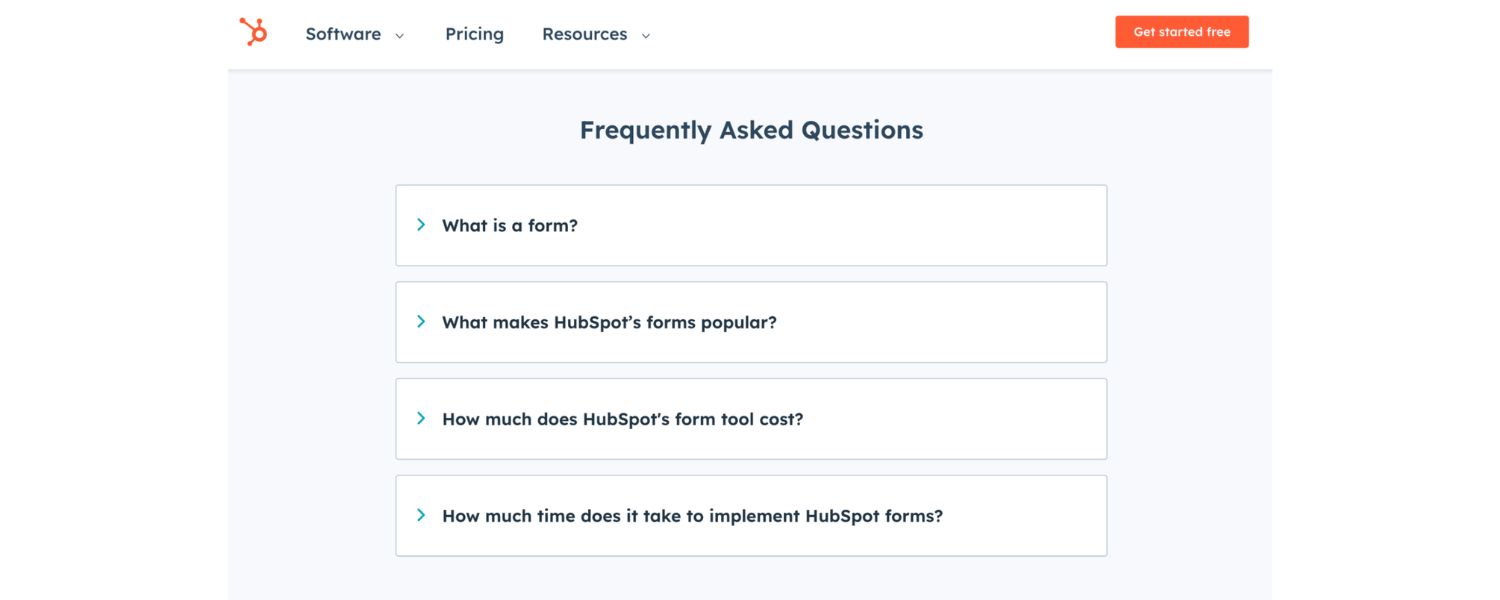
FAQ sections can boost SEO in multiple ways, by improving both user experience and hitting technical SEO targets:
A. Directly answering questions
FAQs provide immediate answers to common questions. This aligns with Google’s goal of satisfying search intent. Pages that quickly answer specific questions often get rewarded with higher rankings or even featured snippet spots. Users appreciate finding answers without digging, which increases their satisfaction on your site.
B. Targeting long-tail keywords
Each question-answer pair is an opportunity to use natural language queries and long-tail keywords that might not fit neatly into your regular pages. For example, a dentist’s website might rank a general service page for “dental implants,” but an FAQ like “Does getting a dental implant hurt?” could target that precise query. This expands the breadth of keywords your site can rank for, bringing in highly targeted traffic.
C. Increasing engagement and dwell time
A well-structured FAQ keeps visitors on your site longer. If people find a helpful Q&A, they may read through several questions or click to related pages for more details. This increased engagement – users spending more time and interacting instead of “bouncing” immediately – sends positive signals to Google about your content quality. Essentially, good FAQs can reduce bounce rate and increase “dwell time,” which correlates with better rankings.
D. Improving site navigation and internal linking
FAQs often act as a hub of information, linking out to more in-depth pages on relevant topics. For instance, an answer might briefly address a topic and then link to a full blog post or service page for a detailed explanation.
This internal linking boosts your SEO by helping users and crawlers discover more content on your site. It also distributes link equity throughout your pages. Plus, FAQ content itself is easily scannable, often using expandable drop-downs or a clear list format, which enhances user navigation.
E. Enabling rich results with FAQ schema
By adding structured data markup (FAQ schema) to your FAQ section, you make your Q&A eligible for rich results on Google. This means your questions and answers can appear directly on the SERP under your listing, taking up more real estate.
The result? A higher chance of getting noticed and clicked. According to SEO experts, implementing FAQ schema is an “easy-to-implement secret weapon” for increasing search visibility and click-through rates. Those additional Q&A dropdowns on the results page draw the user’s eye and provide value up front, which can significantly improve your CTR.
F. Building trust and authority
From a user perspective, FAQs show that you understand their concerns and have expertise in your field. By proactively answering common questions, you demonstrate credibility.
This can indirectly help SEO too – users who trust your site are more likely to engage, return, or convert, which all feed positive SEO signals (like repeat traffic, time on site, etc.).
Additionally, FAQs can position you as an authority; if other sites link to your well-written answers as a resource, that boosts your backlink profile and authority in Google’s eyes.
Overall, FAQ sections are a win-win: they make your visitors happier by giving them quick answers, and they make search engines happy by delivering relevant content and enhanced result snippets. Just ensure your FAQs are relevant, well-written, and kept up-to-date to maximize these benefits.
Best Practices for an SEO‑Friendly FAQ Page
If you’re ready to create or improve an FAQ page for SEO, follow these best practices. These tips will help you craft FAQs that not only inform your audience but also rank well in search and perhaps even get pulled into AI-driven results:
1. Choose questions people actually ask
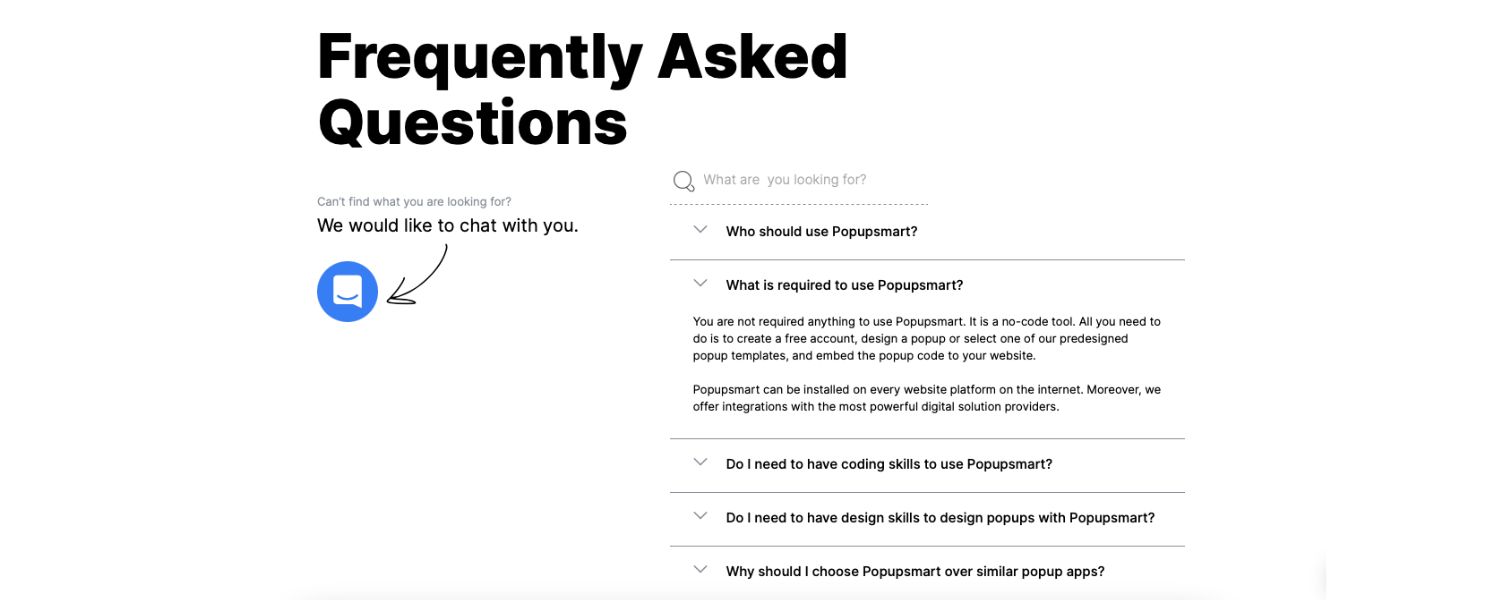
Base your FAQs on real user queries, not what you think they ask. Gather questions from your customer support emails, live chat logs, sales calls, and social media. Also, do some research – use Google’s “People Also Ask” suggestions, community forums, and tools like AnswerThePublic to see common questions in your niche.
The goal is to address the exact concerns and phrasing your audience uses. By mirroring popular search queries, you increase the chance your FAQ content will match what users type into Google (search intent).
Pro tip: Long-tail, specific questions are great – they may have lower search volume individually, but collectively they can bring a lot of targeted traffic and often face less competition.
2. Keep answers concise and helpful
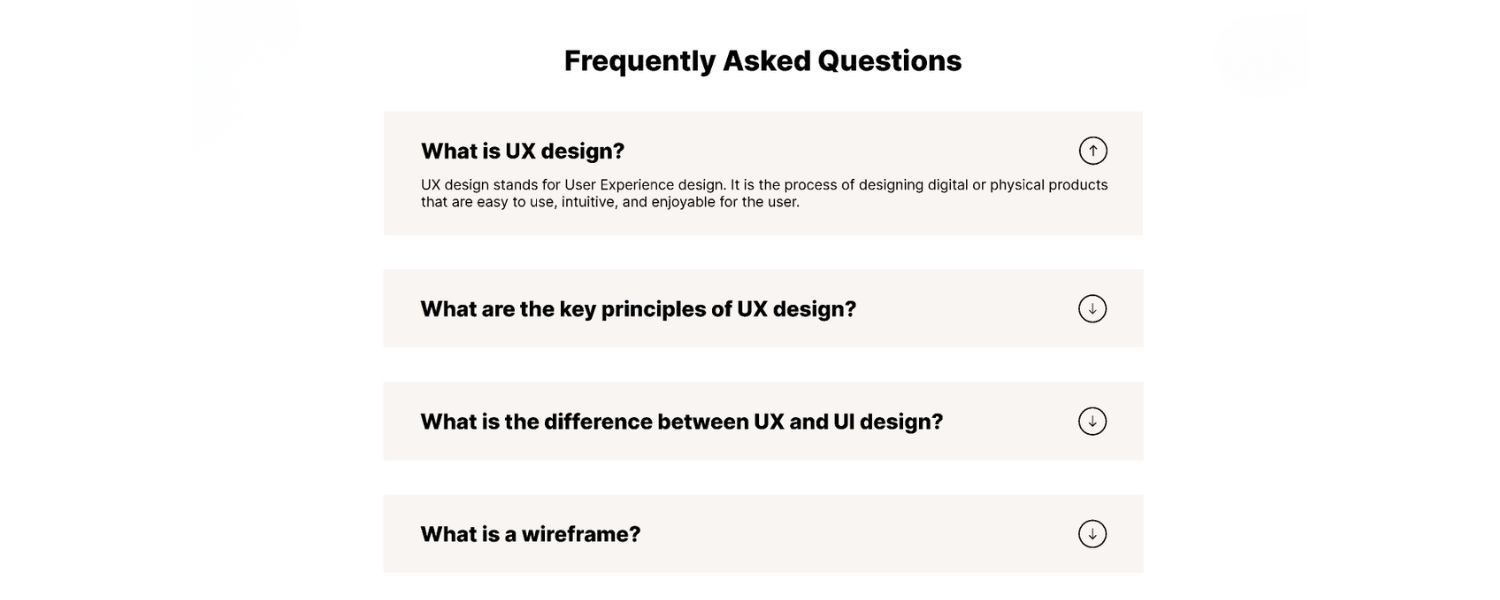
When answering each question, get to the point quickly. Google prioritizes concise answers that fully address the query. Aim to answer in a clear, direct sentence or two right at the start (this increases your chance of being featured in a snippet or voice search result), then provide any necessary additional detail.
Remember, an FAQ page isn’t the place for an essay on each topic – if a longer explanation is needed, you can always link to another page. For most FAQs, a brief answer (40-100 words) is sufficient and user-friendly.
Being succinct also improves readability on mobile devices. As one SEO expert puts it, answer entirely but briefly – short-and-sweet answers make for a better user experience and easier indexing.
Of course, ensure the information is accurate and complete despite being concise; never sacrifice clarity just to cut words. If you can drop a relevant statistic or fact in the answer, even better – it adds credibility (just cite your source).
3. Incorporate relevant keywords naturally

Even though you’re writing Q&A, standard on-page SEO still applies. Include the primary keyword or key phrase in the question itself if possible (since the question is usually the heading) and in the answer if it fits naturally.
For instance, a question might be “How long does SEO take to show results?” which already has the keyword SEO. In the answer, you might mention “SEO results” again contextually. Also use semantic keywords – variations or related terms – in your answers.
This helps Google understand the context better. However, do not keyword-stuff or force it; the content should read naturally and put the reader first. Because FAQs often target long-tail queries, you might end up with keywords like “does X service really work” in your content – that’s fine, as long as the phrasing matches how people talk/search.
When optimized well, your FAQ section can rank for a variety of queries, so be mindful of phrasing. Use natural language – many people phrasing questions conversationally (especially via voice search), so writing answers in a straightforward, conversational tone can align with those searches.
4. Use FAQ schema markup for rich results

This is a technical but highly recommended step. FAQ schema is a specific structured data format (in JSON-LD or Microdata) you can add to your page’s HTML that explicitly tells Google “this is a question and here is its answer.”
When Google sees proper FAQ schema, it becomes eligible to display your questions and answers right on the search results page beneath your listing as expandable FAQs. This can dramatically increase your visibility.
As mentioned, SEO case studies have shown that adding FAQ schema can increase your search listing’s size and prominence, often leading to a higher click-through rate. Implementing the schema is easier than it sounds – you don’t need to code it by hand if you don’t want to.
There are free tools and plugins that can generate FAQ schema for you; for example, Google’s Structured Data Markup Helper or extensions like Schema Builder can assist in creating the JSON-LD code.
Once added, use Google’s Rich Results Test to validate that your FAQ markup is correct and being detected. A word of caution: adhere to Google’s guidelines for FAQ schema.
The question and answer text in the schema must exactly match what’s visible on your page (don’t hide extra info in schema), and you shouldn’t use FAQ markup for advertising or duplicate questions on multiple pages.
When done correctly, FAQ schema is a quick win for SEO – it’s not often you get to add something that directly boosts CTR and takes up more SERP real estate for your site!
5. Organize and format your FAQ for UX
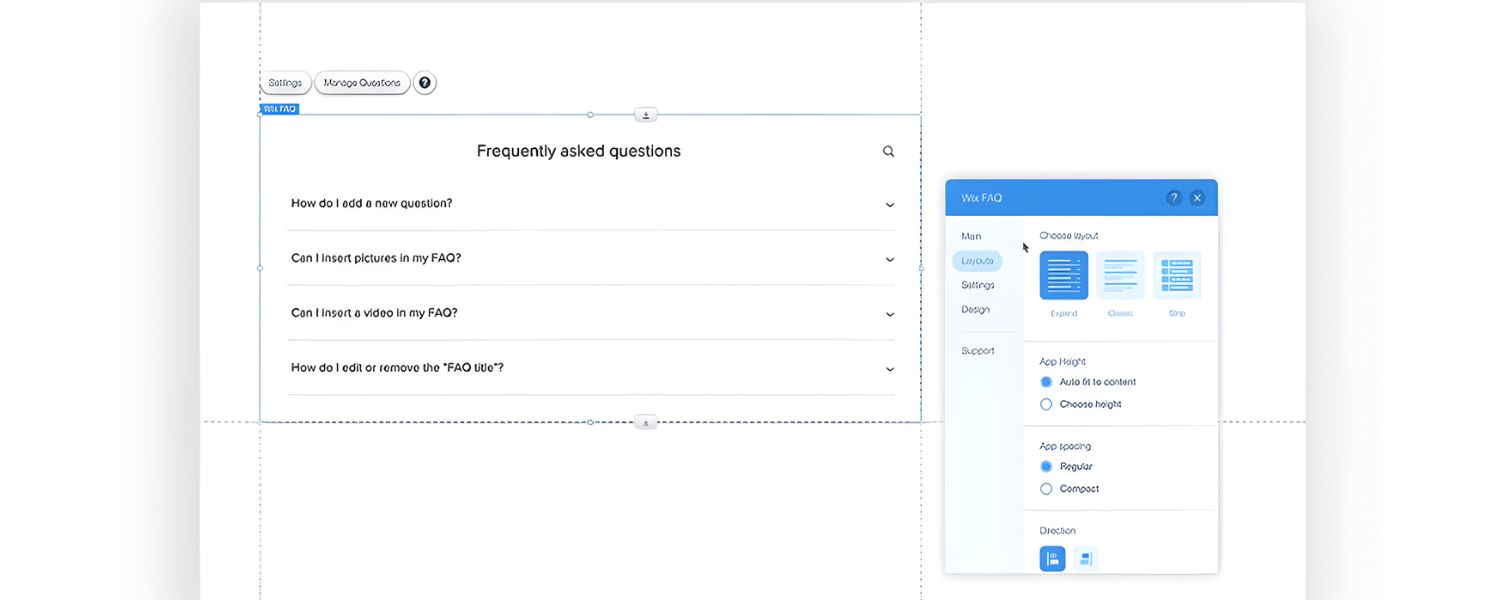
A user-friendly layout is crucial. If your FAQ page covers many questions, organize them into logical categories or sections (you can use subheadings or accordions for groups of questions). This helps both users and search engines.
A clear hierarchy – perhaps with a table of contents at the top linking to different sections – can improve navigation. Many sites use collapsible Q&A accordions, which is fine as long as the content is still crawlable (most JavaScript accordion implementations are okay, but do verify Google can see the text).
Also, format the text for readability: use bullet points or numbered steps in an answer when listing items, bold key terms if needed, and keep paragraphs short. The idea is that users (and Google) should be able to scan and find answers quickly.
If adding an FAQ section to an existing page (like a product or service page), keep it to a handful of the most common questions – 3-5 FAQs is a good rule of thumb so it doesn’t overwhelm the page.
For a standalone FAQ page, you can include more, but still don’t overdo it; if you have dozens upon dozens of questions, consider splitting into multiple thematic FAQ pages. Remember that clarity and usability are top priorities – an FAQ is only good if people can easily use it.
6. Link to in-depth content for complex questions
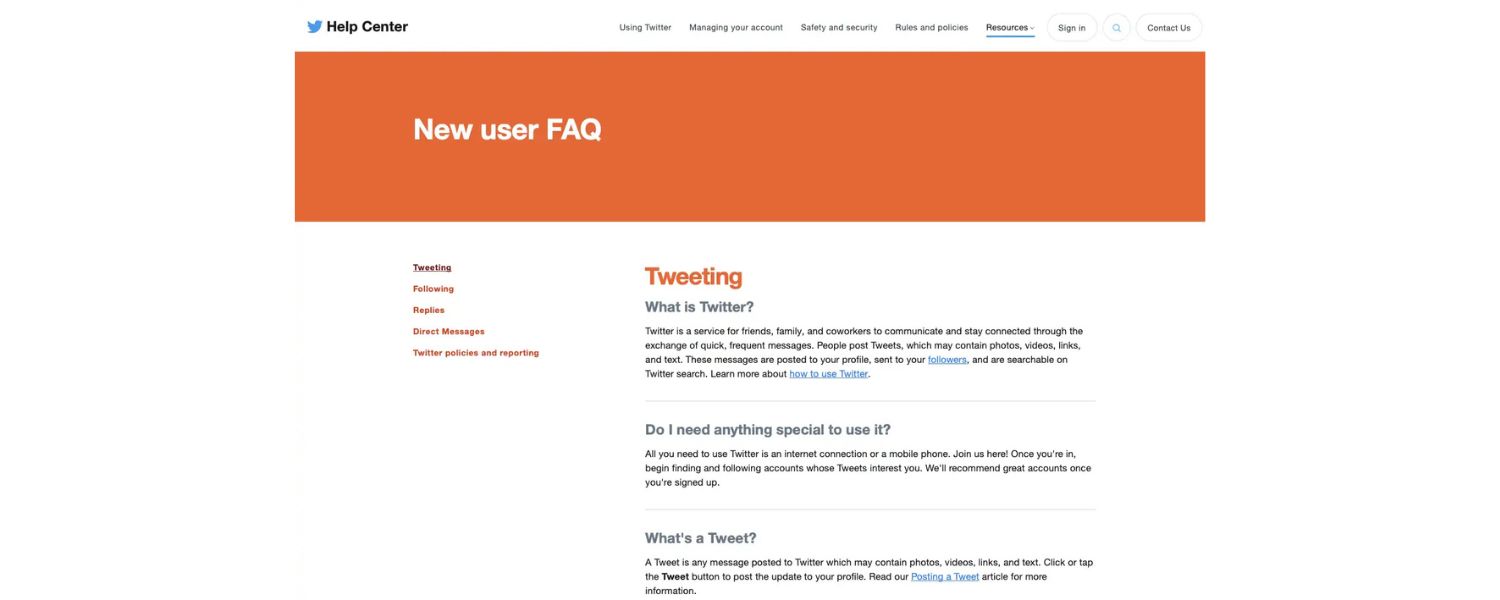
FAQs are meant to be concise. But what if a question requires a detailed explanation or you have a full article on that topic? The best practice is to answer briefly in the FAQ, then link to a dedicated page or blog post where the reader can learn more.
For example, if one FAQ is “How do I fix a leaky faucet?” a plumbing site might give a two-sentence answer and then link to a comprehensive step-by-step guide on fixing leaky faucets.
This way, the user gets a quick answer and an option to dive deeper. From an SEO perspective, these internal links are valuable. They guide users to other relevant pages (improving engagement) and help distribute ranking signals across your site.
Google also appreciates when content is interconnected in a logical way – it shows your site has depth on the subject. Just ensure the linked content truly adds value (don’t link just for the sake of it).
Also, use descriptive anchor text for the links like “learn how to do XYZ in our detailed guide” rather than generic “click here”. A pro tip: if a particular FAQ question is extremely important or popular, you might even make that answer its own page and summarize it on the FAQ page.
Then mark up the main answer page with QAPage schema – but that’s a more advanced tactic. Overall, think of your FAQ as a hub: it should offer quick answers and point to other parts of your site for more information. This hub-and-spoke model boosts your site architecture and keeps users engaged with your content.
7. Keep your FAQ content up-to-date
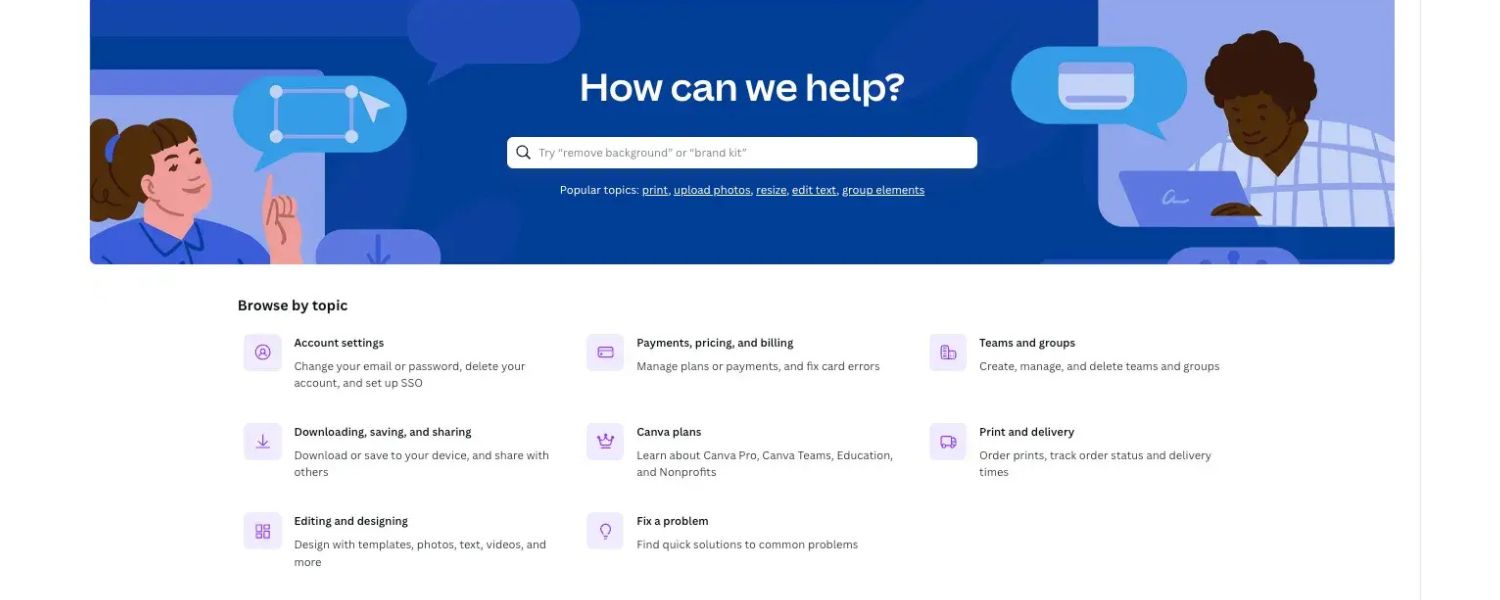
Don’t set and forget your FAQ page. Over time, your business may change, your users’ questions may evolve, or new trends may emerge (e.g. new regulations, new features of your product, etc.).
Make it a habit to review your FAQs periodically – say, every few months – and update them. Remove or revise any answers that are no longer accurate. Add new frequently asked questions that you’re starting to hear.
An outdated FAQ can mislead users and erode trust, so freshness is important. Also, Google favors content that is maintained and updated, especially for topics where information changes. By refreshing your FAQ section regularly, you signal that your site is active and authoritative.
As one SEO specialist advises: “As your services evolve or new questions arise, refresh your FAQ section to keep it relevant.” This not only helps with SEO (since updated content can boost rankings) but also ensures you’re always providing value to your audience.
Tip: use your site search data or analytics to see what questions or keywords users are searching for when they reach your site – if there’s a common query not yet covered in your FAQ, that’s a candidate to add.
8. Monitor performance and adjust
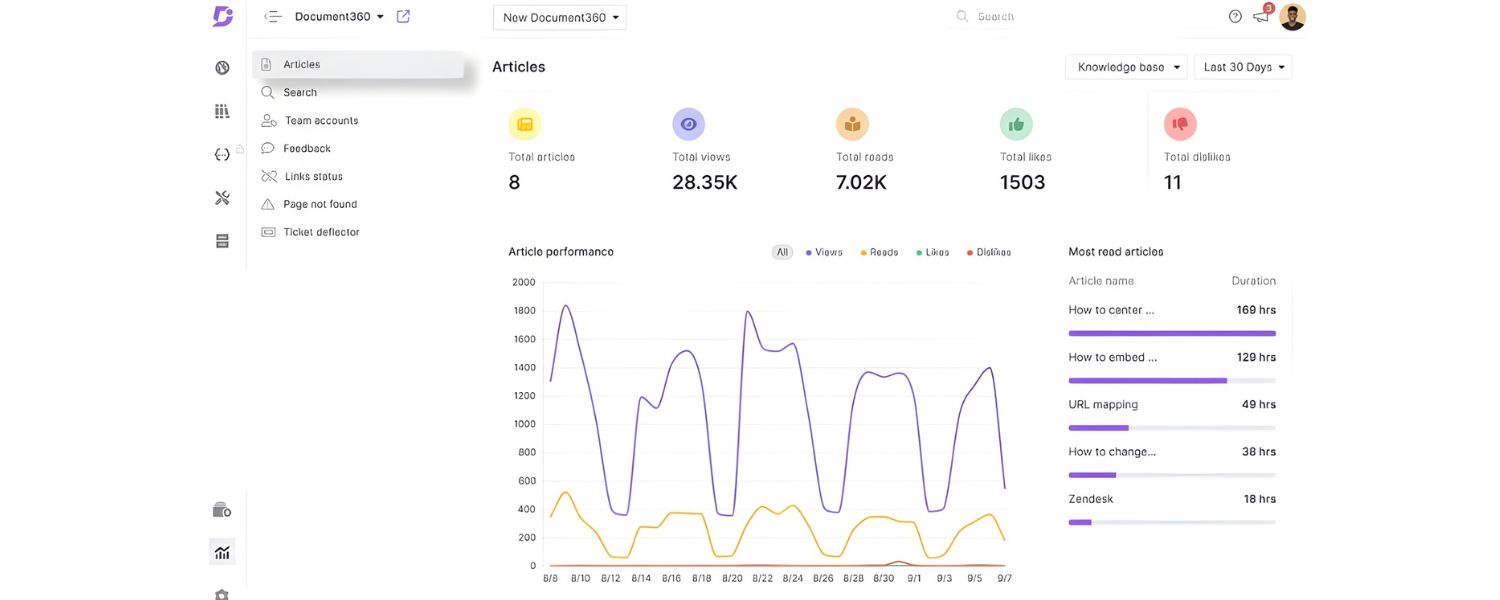
Once your FAQ page is live with these optimizations, keep an eye on how it’s doing. Use Google Search Console and analytics tools to see which queries are leading people to your FAQ and how they engage with it.
Are certain questions being skipped (maybe the answer isn’t clear enough)? Is the page’s bounce rate high (maybe the content isn’t satisfying the query)? Do some questions get a lot of impressions but low clicks in SERPs (maybe rewrite the question/title to be more enticing)? Monitoring these metrics will give you clues to continuously improve.
Also, pay attention to any rich result enhancements – if you implemented FAQ schema, check if your FAQs are showing up in search results with the Q&A snippets. If not, ensure the schema is correctly implemented and compliant with guidelines.
By measuring and iterating, you can refine your FAQ content strategy over time. SEO is dynamic, and even FAQs can benefit from tweaking. For example, if voice search usage increases, you might start framing more questions in a conversational way to capture those.
Or if an answer isn’t cutting it, expand it or make it clearer. In summary, treat your FAQ as a living document within your SEO strategy – one that you test, improve, and align with your users’ needs continuously.
Conclusion & Call to Action
By now, you should have a solid grasp of common SEO questions and the power of FAQ pages in boosting your site’s performance. We’ve learned that SEO success boils down to providing the best answers – whether on your main pages or in a dedicated FAQ section – and optimizing every aspect of your site for users and search engines alike. Remember, effective SEO is an ongoing process of learning and refining. Keep an open mind to new questions your audience raises, and use your FAQ as a secret weapon to address them promptly and authoritatively.
Ready to put this knowledge into action? Start by applying these tips to your own website: update your content, add an FAQ section if you haven’t already, and implement those SEO best practices.
The sooner you start, the sooner you’ll see results. If you’re feeling overwhelmed or have more SEO questions, don’t hesitate to seek expert guidance. Sometimes an experienced SEO professional can provide personalized insights to turbocharge your efforts.
Ultimately, mastering SEO is about staying informed and being proactive. Use this FAQ guide as your reference, and keep optimizing one step at a time. With dedication and the right strategy, you’ll boost your search rankings, attract more visitors, and grow your online presence. Here’s to your SEO success – happy optimizing!

.png)
Shopify SEO: Guide to Ranking Your Store and Driving Sales
Most Shopify store owners set up their store, list their...

Content Marketing : Definitive Guide to Strategy, Content Types, and Measurable ROI
Content marketing generates 3x more leads than outbound marketing at...

Above the Fold: Guide to Conversions, Rankings and Faster Pages
Above the Fold in 2026: The Complete Guide to Conversions,...

Off-Page SEO Checklist: Guide to Building Real Authority
Most websites spend months creating great content, only to wonder...

What Is Keyword Bidding? The Complete Strategy Guide for Smarter Ad Spend
Most advertisers believe the highest bid wins the auction. It...

What Is Google Trends? The 2026 Marketer’s Complete Guide
If you are not already pulling weekly insights from Google...
If you want a growth partner who will get to know every aspect of your business and treat your budget like their own — we are the right fit.
.png)


.png)
.png)
.png)
.png)
.png)
.png)
2026 ALL RIGHTS RESERVED MADE IN INDIA
