
SEO Score: What It Is, Why It Matters, and How to Improve
September 4, 2025
Introduction
Is your website truly optimized for search engines? One quick way to find out is by looking at your SEO score. This score is like a health check for your site’s search engine optimization, condensing dozens of factors into a simple number.
In this guide, we’ll explain what an SEO score means, how to check it using free tools, and most importantly, how to improve it to outrank your competitors.
As an SEO expert with 25 years of experience, I’ll also share why a high SEO score matters (and what it doesn’t tell you) so you can focus on the changes that drive real results.
What Is an SEO Score?

SEO score is an overall measure of how well the technical and user-facing aspects of your website align with search engine best practices. In simple terms, it indicates how “search engine friendly” your site is.
Most SEO scores are calculated on a scale from 0 to 100 (or 0 to 100%) – the higher, the better. A high score means your site meets many quality guidelines for search visibility and user experience, whereas a low score flags significant issues that could hurt your rankings.
It’s important to note that an SEO score is not an official Google ranking factor. Rather, it’s a metric provided by SEO tools to help website owners gauge optimization.
These tools crawl your site (much like Google does) and check for a wide range of SEO criteria. Then they combine all those checks into a single score to give you a snapshot of your site’s SEO health.
Think of it as your website’s SEO report card – a quick summary of how well you’re doing on key optimization fronts.
How to Check Your Website’s SEO Score (For Free)
You can check your website’s SEO score using many free online SEO checker tools. Most require only your URL, simply enter your site address, and the tool will scan your page and generate an SEO audit report along with an overall score. Here are a few popular options:
1. Google Lighthouse / PageSpeed Insights

Google’s own tool (available at pagespeed.web.dev or in Chrome’s DevTools) includes an SEO audit. It scores basic on-page elements on a 0–100 scale and identifies issues like missing tags or blocked indexing. (Keep in mind this SEO score covers only fundamentals and may label a page “100% optimized” simply if all basic elements are present.)
2. All-in-one SEO Audit Tools

Platforms like Ubersuggest, Seobility, Sitechecker, or SEO Site Checkup let you run a comprehensive site audit and get an SEO score for free (often with daily or page limits).
For example, Ubersuggest will crawl up to 150 pages and give an SEO score without needing an account. These tools tend to provide more detailed results than Google’s basic audit.
3. SEO Plugins and Software

If you use WordPress, SEO plugins like Rank Math have a built-in analyzer that can calculate your site’s SEO score right from your dashboard.
Rank Math’s tool runs dozens of checks and gives you a score out of 100, along with a breakdown of passed tests, warnings, and failed tests. This is handy for ongoing monitoring as you update your site.
Different tools might give slightly different scores for the same site, and that’s normal. Each SEO checker has its own formula and weightings, but if your site is well-optimized, the scores should all be in a similar ballpark (within a few points).
The key is to use these scores as a general benchmark. Pick one reliable tool as your primary yardstick, check your score, and then focus on what the tool’s report says needs fixing. Next, we’ll dive into what factors these tools are actually looking at.
What Factors Influence Your SEO Score?
Most SEO scoring tools examine hundreds of factors across several major categories to calculate your score. In general, four core aspects of your website influence the SEO score the most: Technical setup, Content, User Experience, and Mobile usability. Let’s break down each category and the kinds of things the audit checks:
1. Technical SEO (Crawlability & Performance)
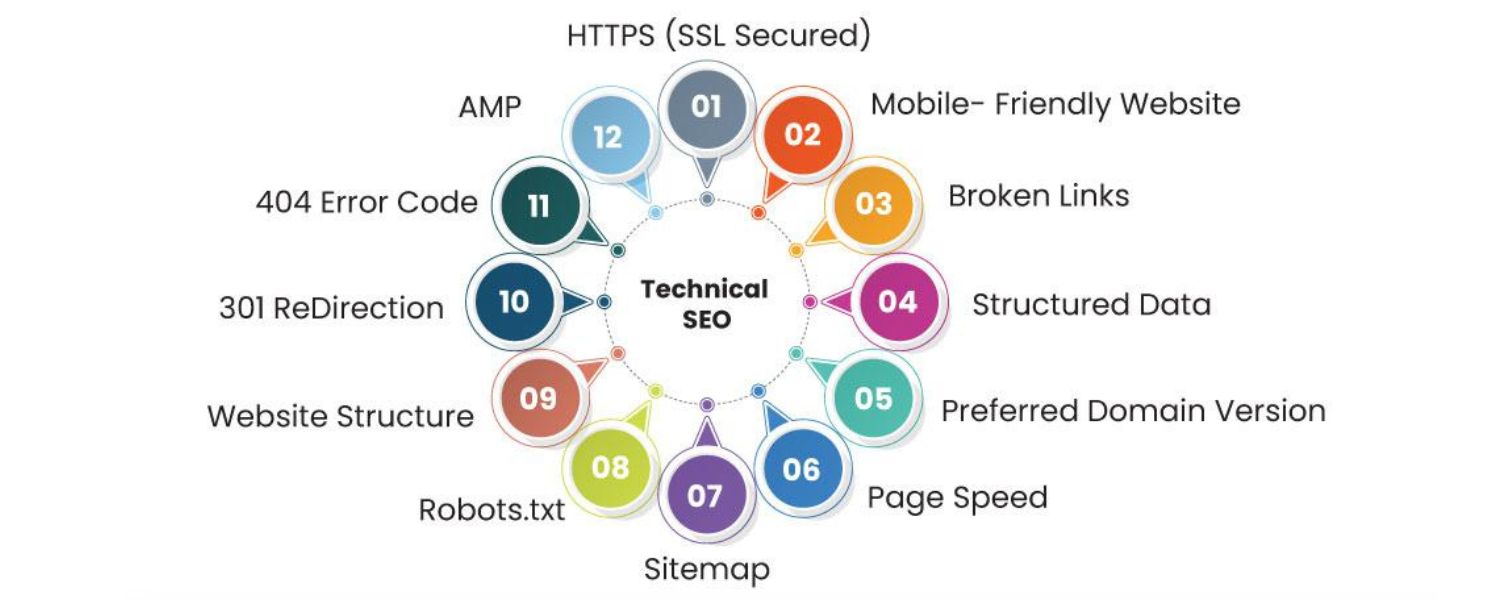
This aspect looks at how well the behind-the-scenes elements of your site enable search engines to access and index your content. If search bots can’t properly crawl or interpret your site, nothing else will matter. A few key technical factors include:
A. Indexability

Ensuring your important pages can be indexed by Google (e.g. you have an XML sitemap, no improper noindex tags or robots.txt blocks, and minimal broken links or server errors). For instance, if your site lacks a sitemap or has lots of 404 errors, your technical SEO score will suffer.
B. Site Speed & Performance
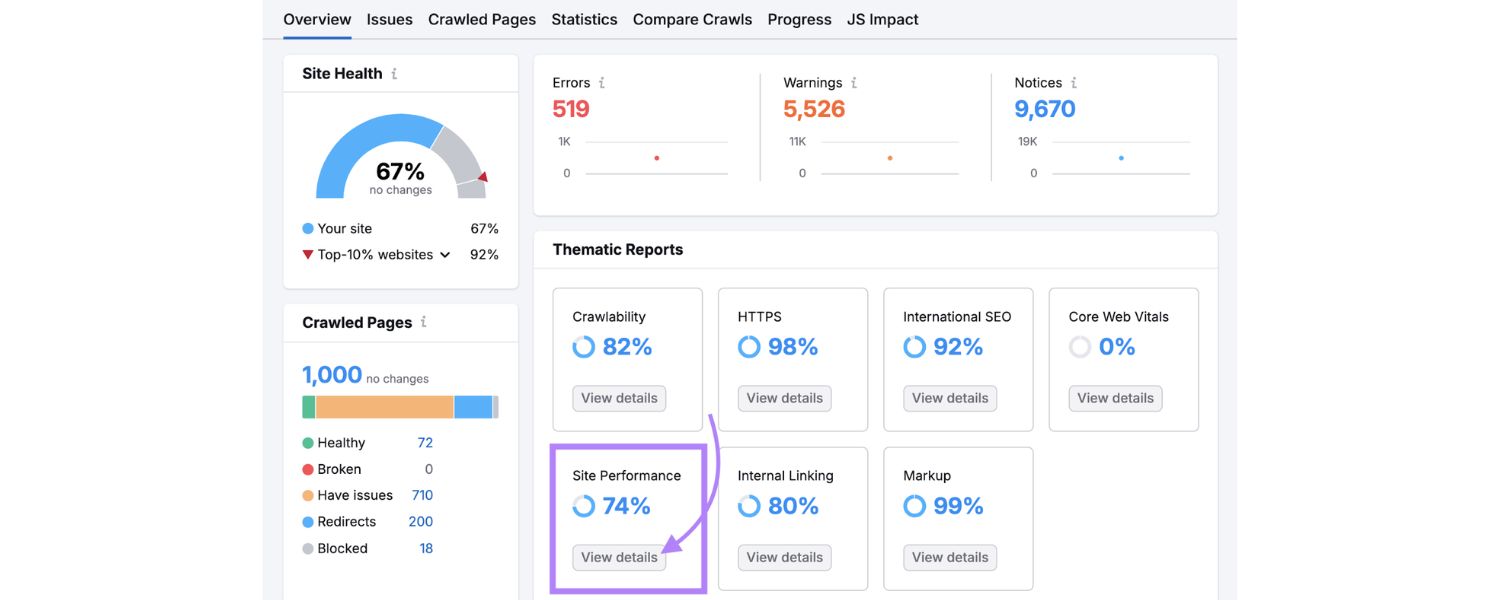
Fast-loading pages are crucial. Tools will check metrics like server response time and file sizes. Slow pages or large unoptimized images/CSS/JS files can drag down your score. Google’s SEO guidelines emphasize performance, so a good score usually requires addressing speed issues.
C. URL Structure & Security

Audit tools verify that your URLs are clean and user-friendly (no long random strings or duplicate content URLs) and that your site uses HTTPS encryption. A properly configured SSL certificate and logical URL paths contribute to a higher technical score.
D. Other Technical Checks
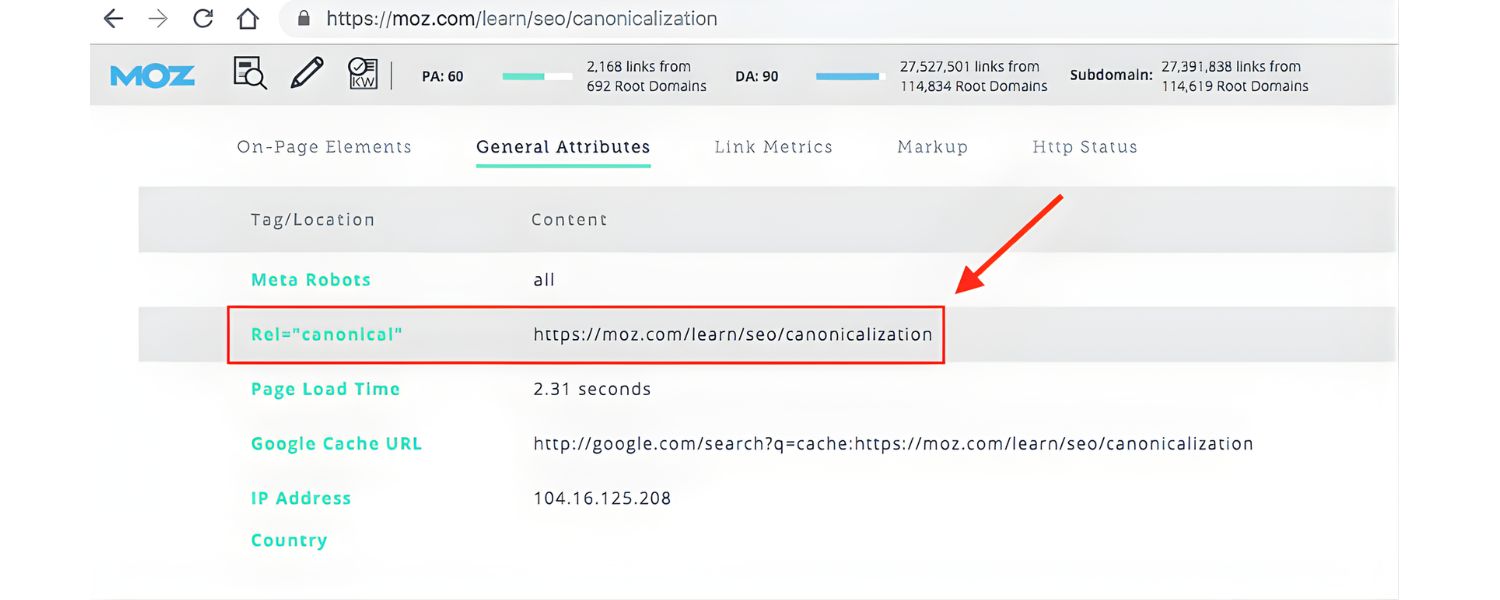
These can include whether your HTML code is mostly error-free, if you avoid outdated tech (like Flash or framesets), and proper use of redirects or canonical tags. Essentially, the score rewards an error-free, efficiently coded website that search engines can crawl with ease.
2. On-Page Content & SEO Elements
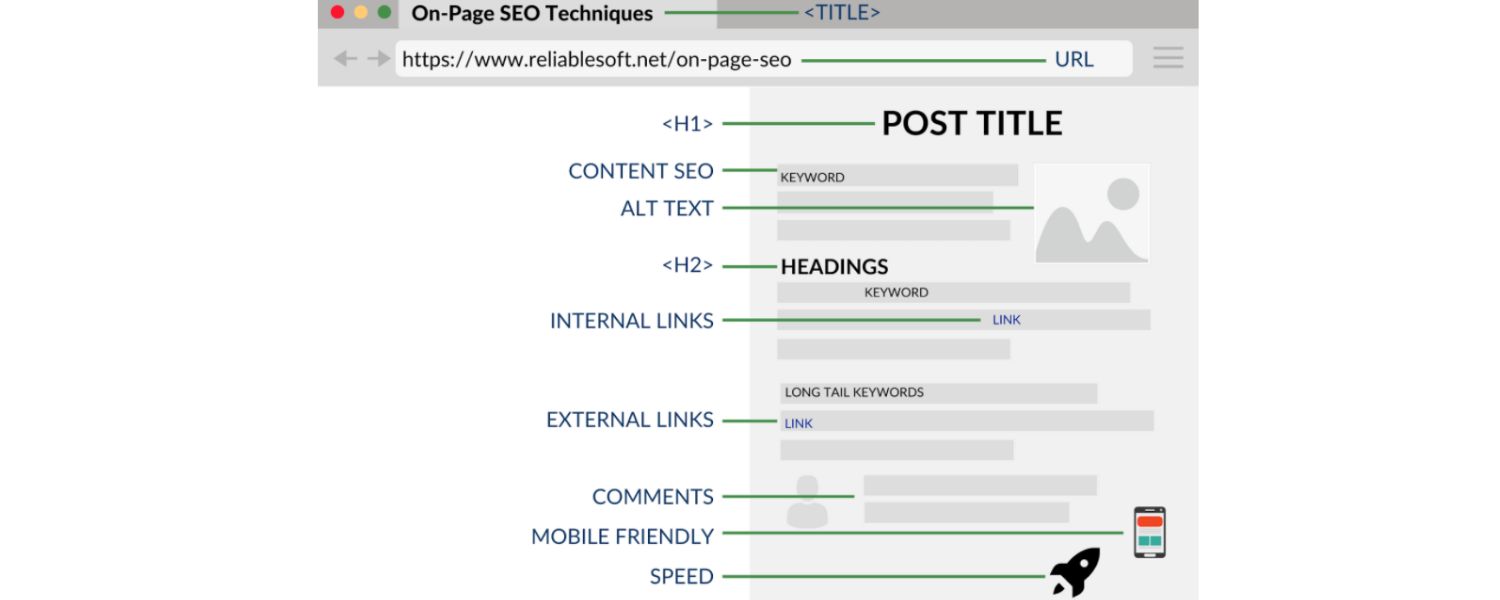
Content is the heart of SEO, so scoring algorithms devote a large portion to on-page factors. Here the focus is on the quality and optimization of the content that users and search engines see on your pages:
A. Meta Tags

Tools check that every page has a unique <title> tag and meta description of appropriate length, since these elements help search engines understand your page and influence click-through rates. Missing or duplicate meta tags will hurt your score.
B. Heading Structure and Keywords

Proper use of headings (H1, H2, H3, etc.) and inclusion of relevant keywords signal content structure and relevance. An SEO checker will verify you have exactly one H1 per page, that your headings aren’t empty or out of order, and that your content uses keywords naturally (without overstuffing).
C. Content Quality & Length

High-scoring pages typically have substantial, original content rather than very thin text. If a page has extremely little text or lots of duplicate content copied from elsewhere, your score may drop. Some tools also flag readability issues (like overly long paragraphs or jargon) because content that’s easy to read tends to perform better.
D. Images and Alt Text

Images should have descriptive alt attributes for accessibility and SEO. An audit will note any images missing alt text or with overly large file sizes that slow down the page. Optimizing all images (with alt tags and compression) can boost both your SEO score and your user experience.
E. Internal Links

Good internal linking helps both SEO and usability. SEO checkers may evaluate your internal link structure – for example, ensuring you don’t have too many links on a page, that anchor text is descriptive, and that there are no broken links in your content. A well-structured linking strategy helps distribute “SEO credit” throughout your site and will reflect positively in the score.
3. User Experience (UX) Signals

While technical and content factors carry a lot of weight, the user experience your site provides is also evaluated in many SEO scoring models (albeit with slightly lower weighting than the above categories).
The idea here is that a site that is pleasant and easy to use will keep visitors engaged, which indirectly boosts SEO. Key UX-related checks include:
A. Mobile-Friendliness

Given the dominance of mobile browsing, most SEO tools integrate many mobile UX checks. They ensure your site is responsive (adapts to different screen sizes), uses legible font sizes, and buttons/links are tap-friendly on touchscreens. Mobile usability issues will usually be flagged and can lower your overall score if prevalent.
B. Site Navigation & Structure
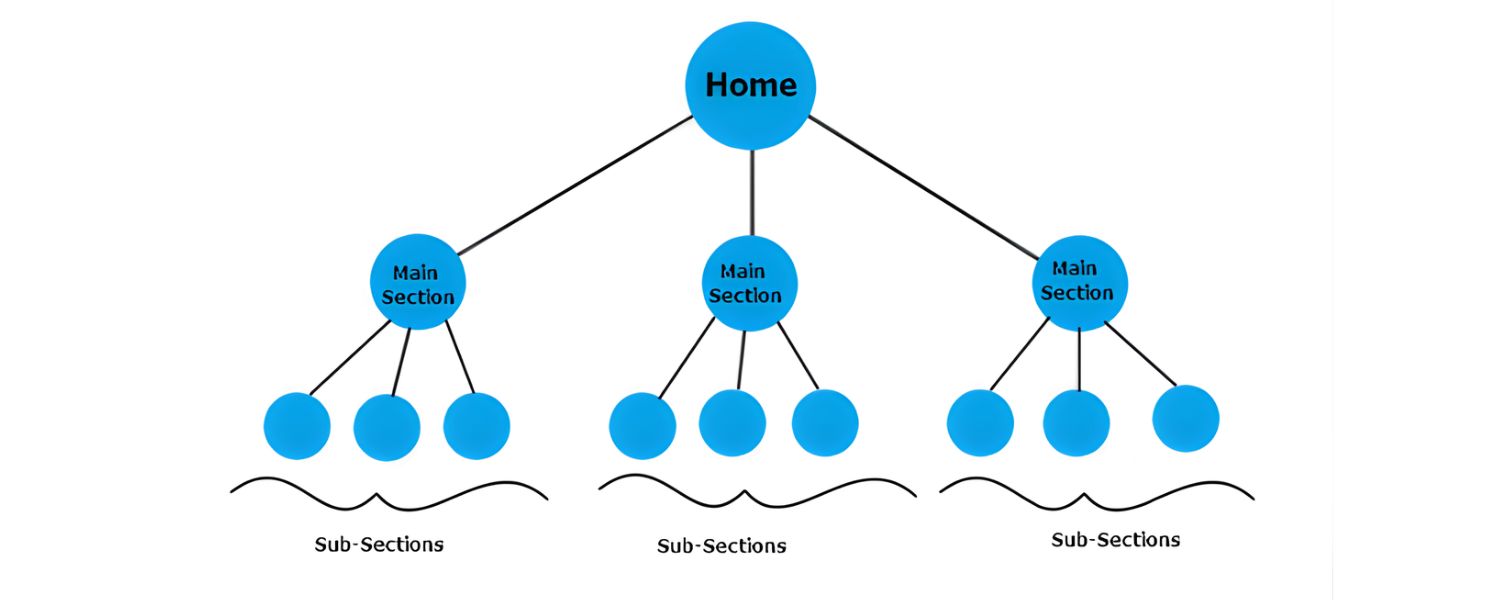
A clear, logical navigation structure is important. Audits consider things like how many clicks it takes to reach deeper pages and whether your menu and links make it easy for users (and crawlers) to find content. If important pages are buried or there’s an overload of links and pop-ups, those UX issues might be noted in your score report.
C. Intrusive Elements

Some tools check for things that disrupt UX, such as intrusive interstitials/ads or excessive use of pop-ups. While these may not always be quantified in a simple score, they are part of SEO best practices (Google, for instance, penalizes sites with intrusive pop-ups on mobile). Keeping a user-first design can only help your SEO score in the long run.
D. Engagement Metrics (Indirectly)
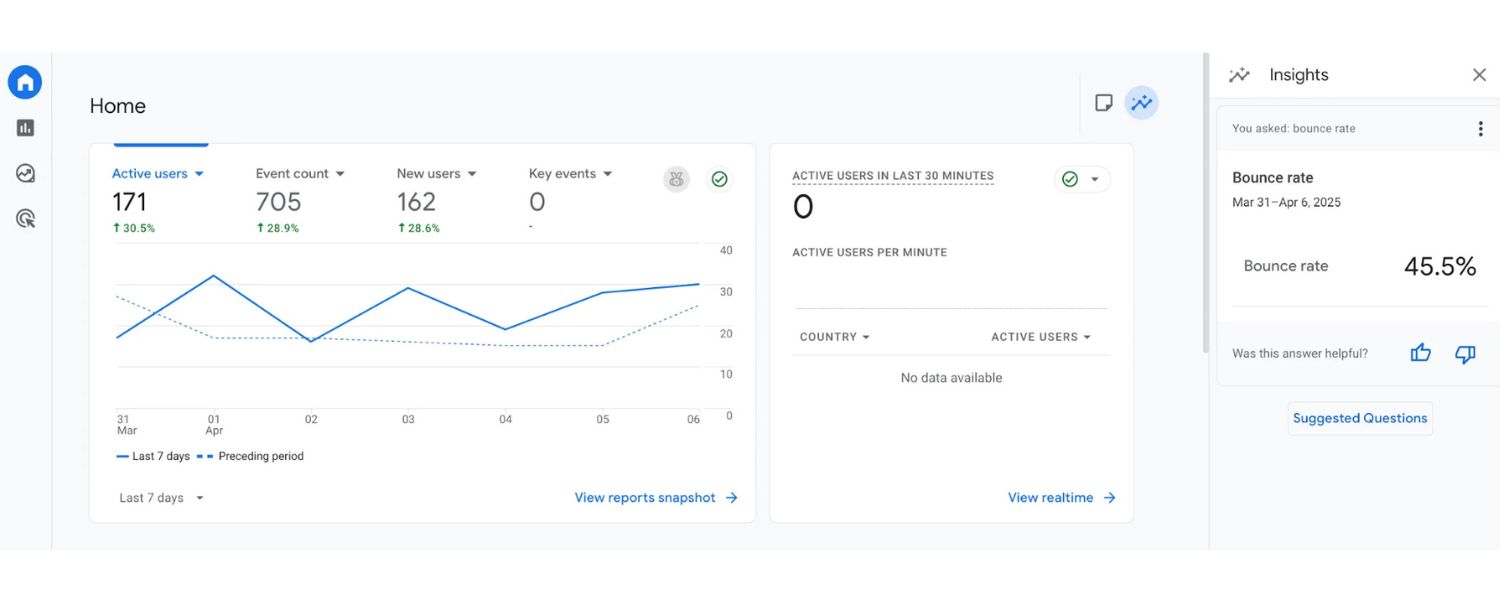
Although automated SEO checkers can’t directly measure your bounce rate or time-on-page without analytics data, they encourage the conditions for good engagement.
For example, having well-structured, easy-to-read content (using bullet points, short paragraphs, media, etc.) is likely to keep users on your page longer.
Some advanced audits might integrate with analytics or use proxy metrics to estimate if your content is engaging. In essence, a site that’s fast, clean, and helpful to users will tick the boxes for many UX-related SEO criteria.
4. Mobile Usability
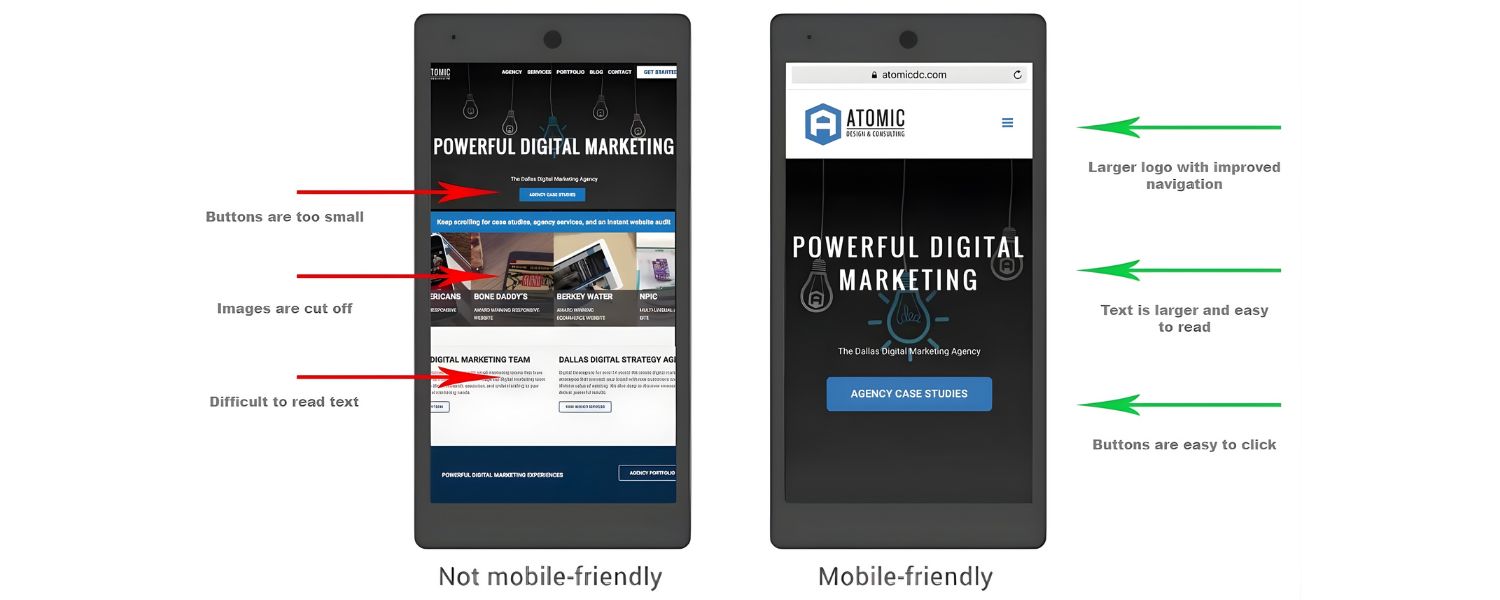
Mobile usability is so vital today that it deserves its own emphasis (and many tools treat it as a separate category). Mobile-first indexing means Google predominantly uses your site’s mobile version for ranking, so a strong mobile experience is non-negotiable. SEO scoring tools will typically evaluate:
A. Responsive Design
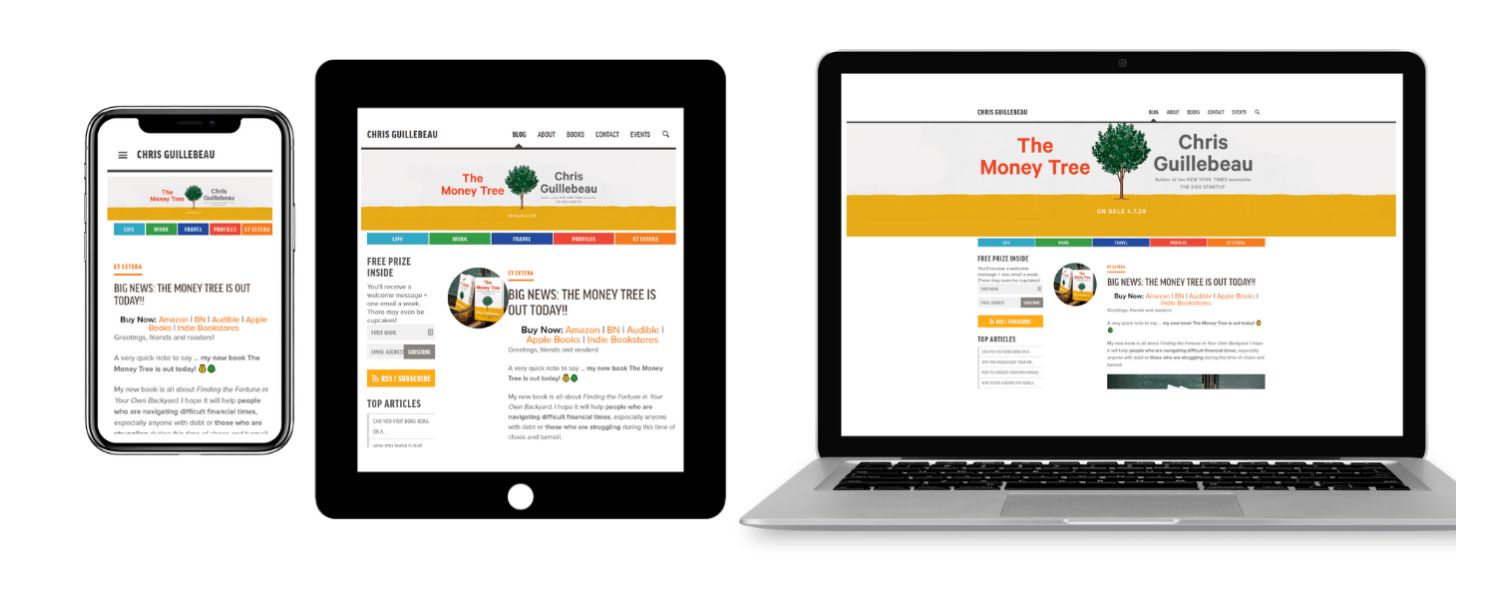
Your pages should display and function well on various mobile devices. Content shouldn’t overflow the screen and users shouldn’t have to zoom or scroll horizontally. A fully responsive design helps ensure you score well here.
B. Mobile Performance
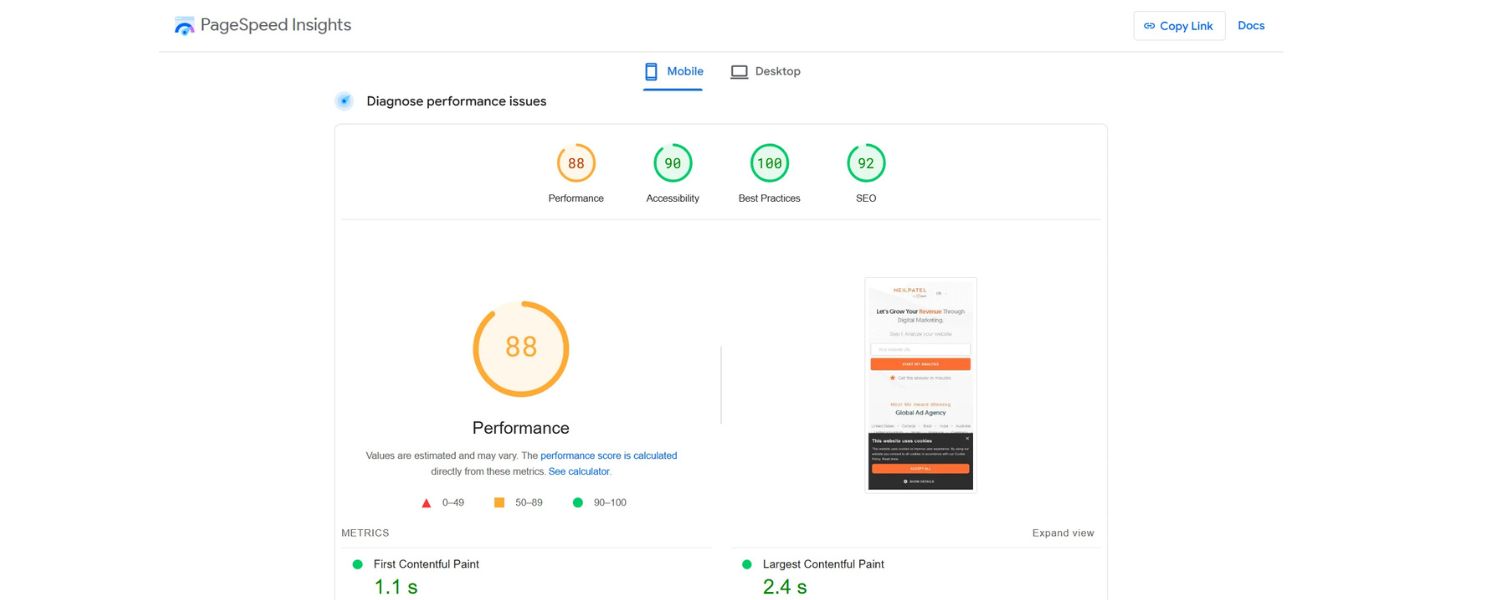
Mobile page speed is tested, often with stricter standards than desktop. Since mobile devices are often on slower connections, any performance bottlenecks are magnified.
A good mobile SEO score requires optimizing images, enabling browser caching, and minimizing heavy scripts for mobile users.
C. Touchscreen Readiness
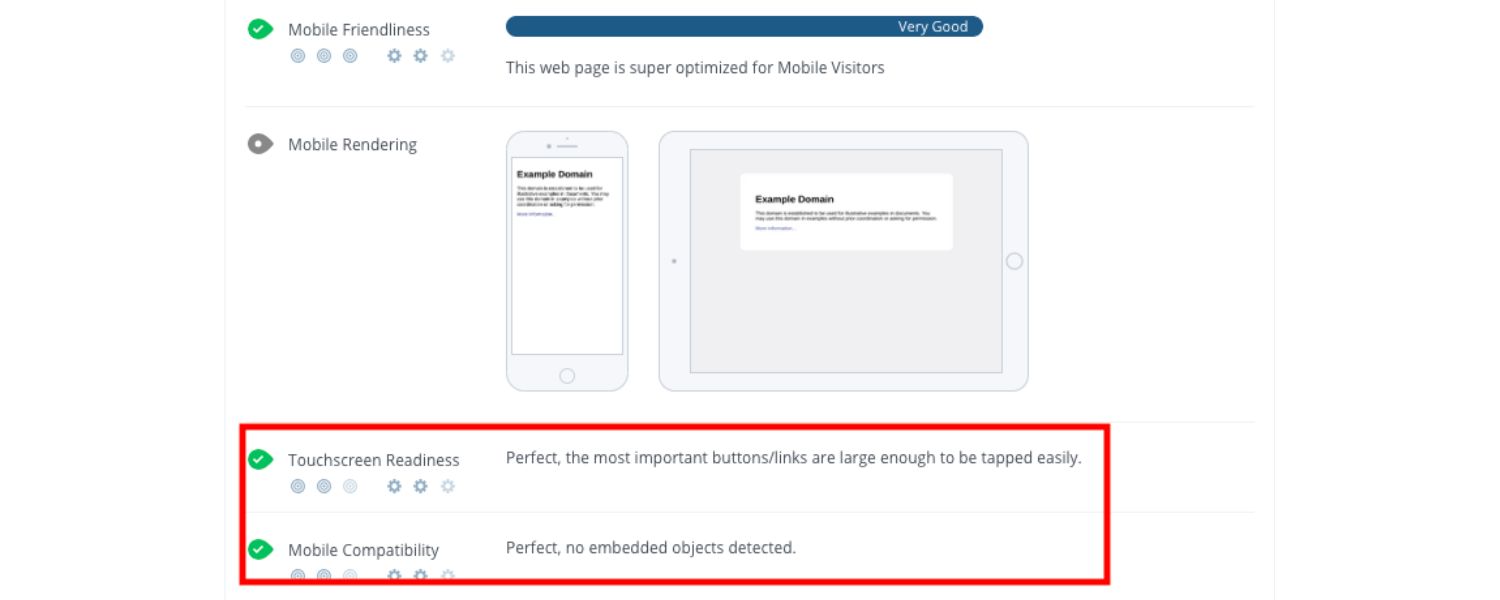
The audit may check that tap targets (buttons, links) are adequately sized and spaced for finger taps. Also, features like click-to-call for phone numbers or avoiding flash content (which doesn’t work on most mobile browsers) contribute to mobile usability.
D. Mobile-Specific Features
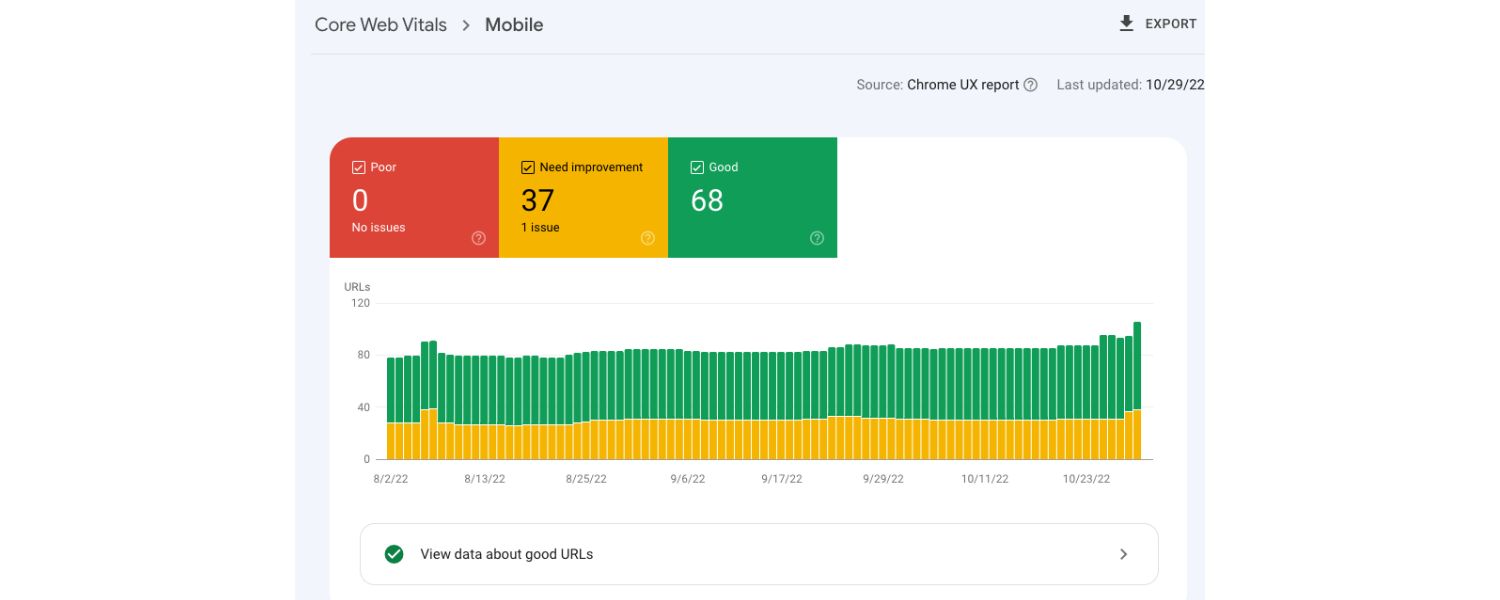
Tools might also verify you have a viewport meta tag (so the site scales to device width), and that no content or resources are blocked on mobile. Essentially, anything that would frustrate a mobile visitor (like unplayable videos or clunky layout) can affect the mobile portion of your SEO score.
Example of an SEO audit result showing a page’s SEO score (83/100) along with the count of critical issues and warnings. Fixing the listed issues will help raise the score by improving the site’s technical health and content optimization.
Overall, all these factors, from meta tags to mobile speed, are aggregated by the tool to generate your final SEO score. Each tool weighs factors a bit differently.
For instance, one platform might put extra emphasis on technical issues, while another gives content quality a higher weight. But no matter the exact formula, a truly optimized site will score well across all these areas. Next, let’s interpret what is considered a “good” SEO score versus a poor one.
What Is a Good SEO Score (and What’s Considered Bad)?
After running an SEO check, you’ll end up with a number – but what does it mean in practical terms? Here’s a general guideline on interpreting your score:
1. 80 to 100 – Excellent

If your SEO score is in the 80+ range, congratulations! This typically means your website meets the highest quality standards for search optimization across the board.
An 80+ score suggests your site is well-optimized with only minor improvements left to make. (Some SEO pros even use 80% as a target benchmark for “good enough” optimization before focusing elsewhere.) Of course, even within this range, higher is better – there’s always room for fine-tuning if you haven’t hit a perfect 100.
2. 50 to 79 – Needs Improvement
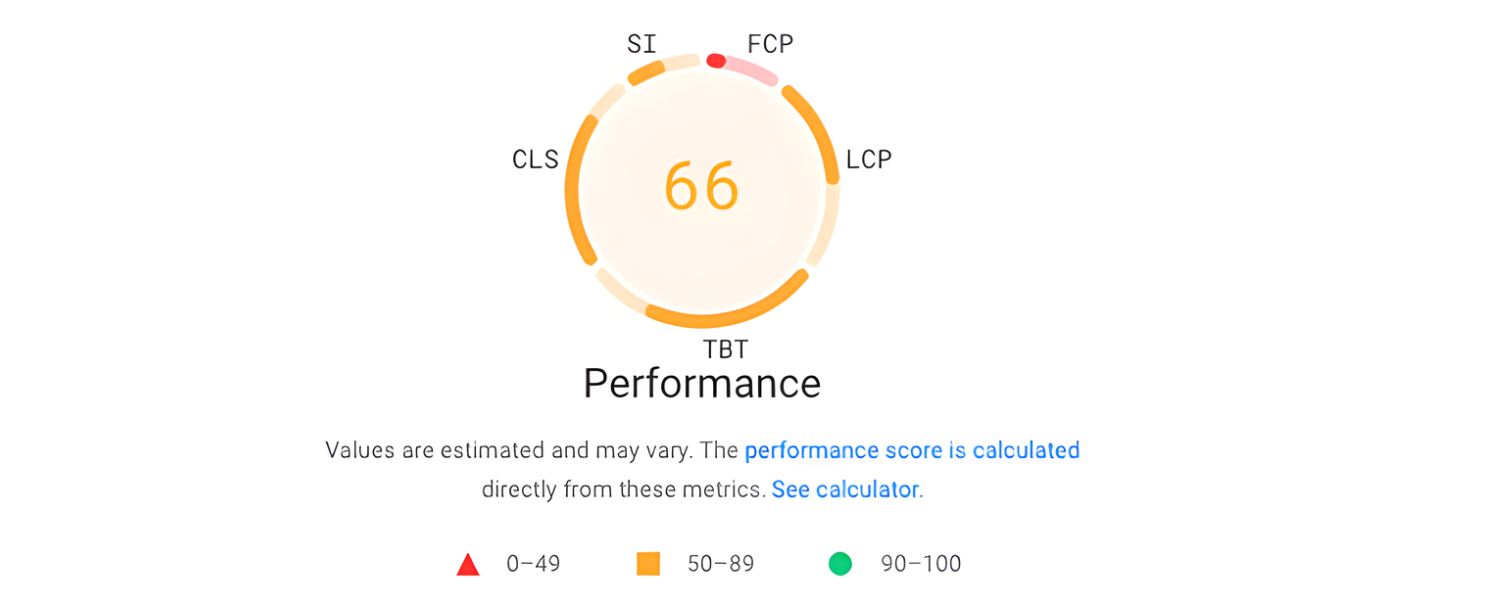
Scores in the middle range indicate that your site is doing okay but has notable room for improvement. Many small-business websites and newer sites fall in this range.
If you’re, say, around 60/100, you’re likely passing the basics but missing out on more advanced optimizations. Perhaps your titles and descriptions are fine, but your page speed or mobile experience is holding you back.
The good news: fixes like optimizing images or improving meta tags could boost a middling score by several points. Treat a score in this range as a clear signal to roll up your sleeves and improve those “warning” areas from the report.
3. Below 50 – Poor
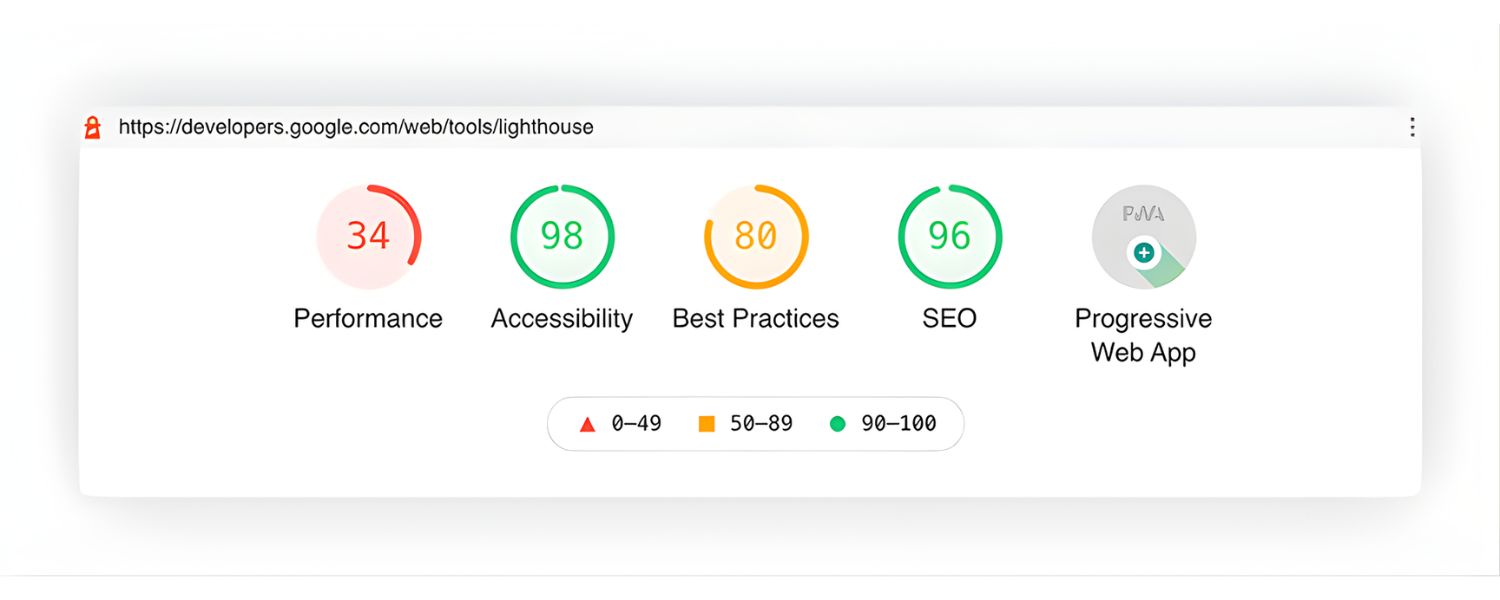
An SEO score under 50 is a red flag. Scores in the 0–30 range especially mean there are serious SEO problems on your site. Often, a very low score comes from critical technical issues – for example, your site might be blocking search engines entirely, have no mobile-friendly design, or be plagued by broken pages and missing meta tags.
A bad score could also indicate an almost complete lack of content or optimization. The audit report will likely highlight multiple critical errors that need immediate attention.
The silver lining is that when your score is this low, any improvements you make can only send it upward. It might take significant effort (and possibly a few weeks of work) to fix everything dragging it down, but even fixing the big issues (like enabling indexing, adding a sitemap, or switching to HTTPS) can significantly raise a very low score.
Keep in mind that these ranges are generalized. Different tools label ranges differently – for example, one tool might call 90+ “Optimized” and under 50 “Not optimized”.
Another might consider anything above 85 as excellent. But broadly, you should aim to be in the green zone (roughly 80 and above). Many experts consider an SEO score in the high 70s or 80s as “good,” and anything in the 90s as “great” or “top-tier”.
If you’re below that, don’t be discouraged – use it as motivation to improve, not as a judgment. Next, we’ll explore why having a good SEO score actually matters for your site’s success.
Why Is Your SEO Score Important?
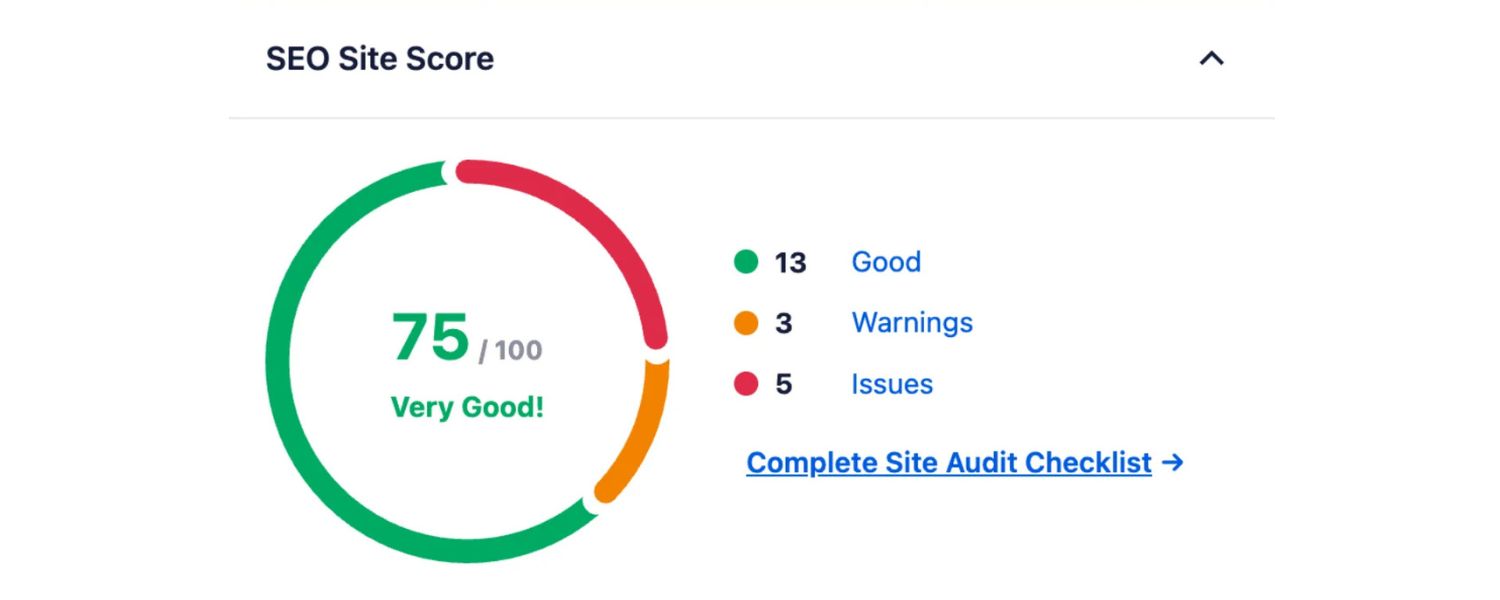
Your SEO score is important because it reflects how well you are adhering to the known best practices that search engines value. While the score itself isn’t used by Google to rank your site, the underlying factors definitely are. Here’s why a strong SEO score matters – and a few caveats to keep in mind:
1. Higher Score, Higher Chance of Better Rankings
In general, websites with high SEO scores tend to rank better in search results because they’ve checked the essential boxes that search algorithms look for.
If your site is fast, mobile-friendly, has relevant content, and no major technical flaws (all things reflected in a good score), Google is more likely to reward it with higher visibility.
Essentially, an 80+ SEO score often correlates with pages that satisfy users and search engines, which can translate into more organic traffic.
2. Holistic Health Check
Think of the SEO score as a holistic website health check. It forces you to pay attention to important details: Are you missing meta descriptions? Is your content thin? Do you have broken links? By improving your score, you’re also improving your site’s overall quality, which benefits your visitors.
A high score usually means a faster, cleaner, and more user-friendly site – all of which can lead to better user engagement and trust in your brand. Users may not see your “SEO score,” but they will experience the results of it (faster load times, better content, etc.).
3. Benchmarking and Progress Tracking
SEO is an ongoing process, and the score gives you a quantifiable metric to track over time. Many businesses use it as a KPI to gauge their SEO improvements. For example, if your score was 65 and after a round of optimizations it’s 85, you have a concrete measure of progress.
This can be motivating and also helpful when reporting to stakeholders who may not understand all the technical details – they will understand that an 85/100 indicates a healthier site than a 65/100.
4. Competitive Advantage
If you check your competitors’ websites (many SEO tools let you compare sites), you might find their SEO scores. While not everything in SEO is reflected by the score, if your site consistently scores higher than your competitors’, it implies you’ve fixed things they haven’t.
It’s not uncommon to discover that a competitor ranking above you has a lower on-page SEO score, which can be frustrating. Often this means they are winning on other factors (like stronger content or more backlinks), but it also means you have an opportunity – by continuing to optimize and perhaps addressing off-page factors, you could overtake them. At the very least, you don’t want to lag on the basics while competitors surge ahead.
That said, an SEO score isn’t everything. It’s crucial to understand its limitations:
“The SEO score calculates how well your web page follows basic search engine optimization advice. However, keep in mind the checklist does not cover everything that might affect your Google ranking.”
In other words, you could ace all the on-page checks and get a 100/100 SEO score, yet still not rank #1 for your target keyword. Why? Because real-world rankings also depend on content relevance, search intent, competition, and off-page factors like backlinks and domain authority which an on-page SEO score doesn’t fully capture.
For example, your site might score 90 but a competitor at 75 can outrank you if they have much better content and a stronger backlink profile.
Use your SEO score as a foundation. It ensures you’re not shooting yourself in the foot with easily fixable issues. A high score gives you a solid base (think of it as getting the technical and on-page basics to an A-grade).
From that base, you can then focus on the harder parts of SEO – like creating outstanding content, earning quality backlinks, and satisfying user intent.
In fact, many SEO experts recommend optimizing for an 80%+ score as a starting point, and then shifting focus to content and off-page growth. In summary, a good SEO score is important because it aligns your site with best practices, but remember it’s a means to an end (better rankings and traffic), not the end goal itself.
How Can I Improve My SEO Score?
Improving your SEO score is all about fixing the issues that the audit report identifies. The nice thing about SEO checkers is that they usually tell you exactly what’s wrong and often give tips on how to fix each item. Here’s a step-by-step game plan to boost your score:
1. Run an SEO Audit and Review the Report

Start by conducting an audit with your chosen SEO tool (as discussed earlier). Carefully review the results. Look at the breakdown of errors and warnings.
Most tools categorize issues by severity – for example, “critical issues” vs. minor warnings. Pay extra attention to the critical ones dragging your score down. Is it missing meta tags? Slow page speed? Lots of broken links? Identify the top problem areas first.
2. Fix Technical Errors First
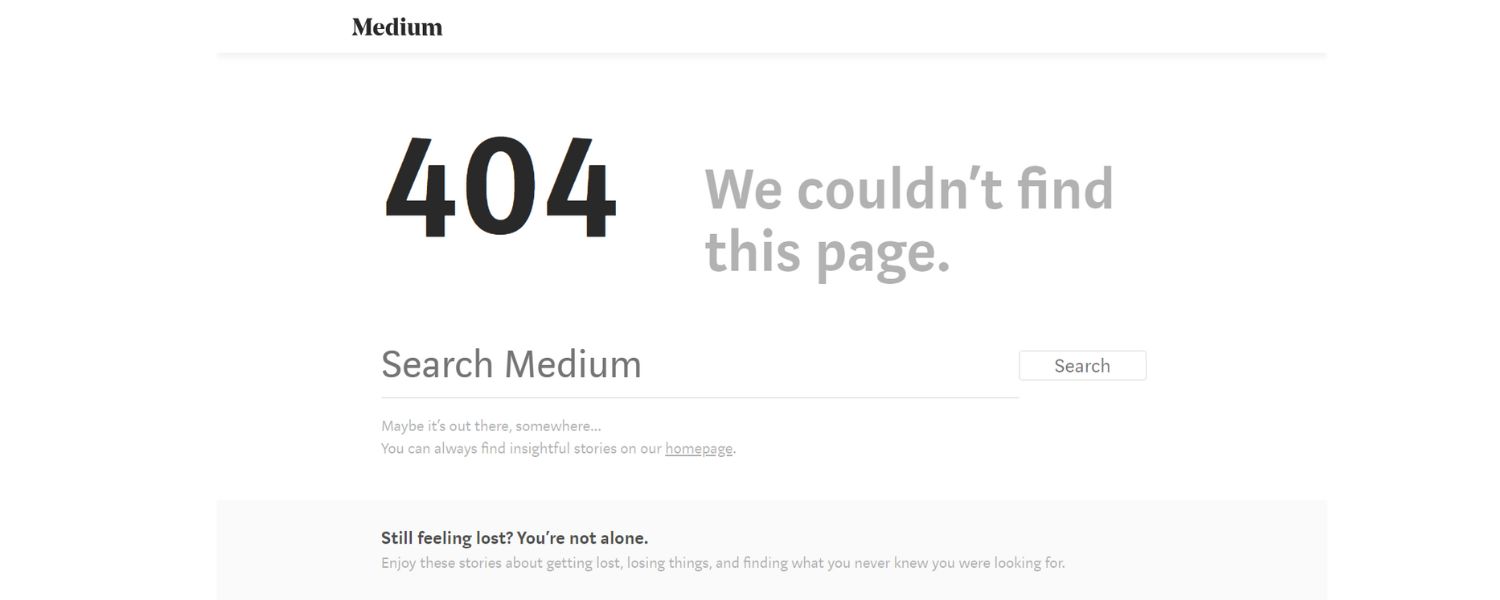
Tackle the critical technical problems that are easy to fix. For instance, if the audit says you have a missing sitemap or robot.txt issues, generate a proper sitemap and update your robots file. If there are broken links or 404 pages, set up 301 redirects or fix the URLs. Ensure your site is HTTPS secure if it’s not already.
These kinds of fixes can often yield a quick score jump. Also, check your site’s indexing settings – make sure no important pages are accidentally set to “noindex” or blocked from search engines. Removing such roadblocks can have an immediate positive impact on your SEO score (and of course, your actual SEO).
3. Optimize Your On-Page Content and Tags

Next, work on content-related suggestions. Add unique, keyword-rich titles and meta descriptions for pages that are missing them or where they’re too short/long.
Update any pages with very thin content – sometimes adding a few paragraphs of relevant information can improve both user experience and SEO score.
Resolve duplicate content issues by rewriting or consolidating similar pages (or using canonical tags if needed). Also, ensure every image on your site has an appropriate alt text. None of these tasks are very costly, but collectively they can boost your on-page SEO health significantly.
4. Improve Site Speed and Mobile Experience
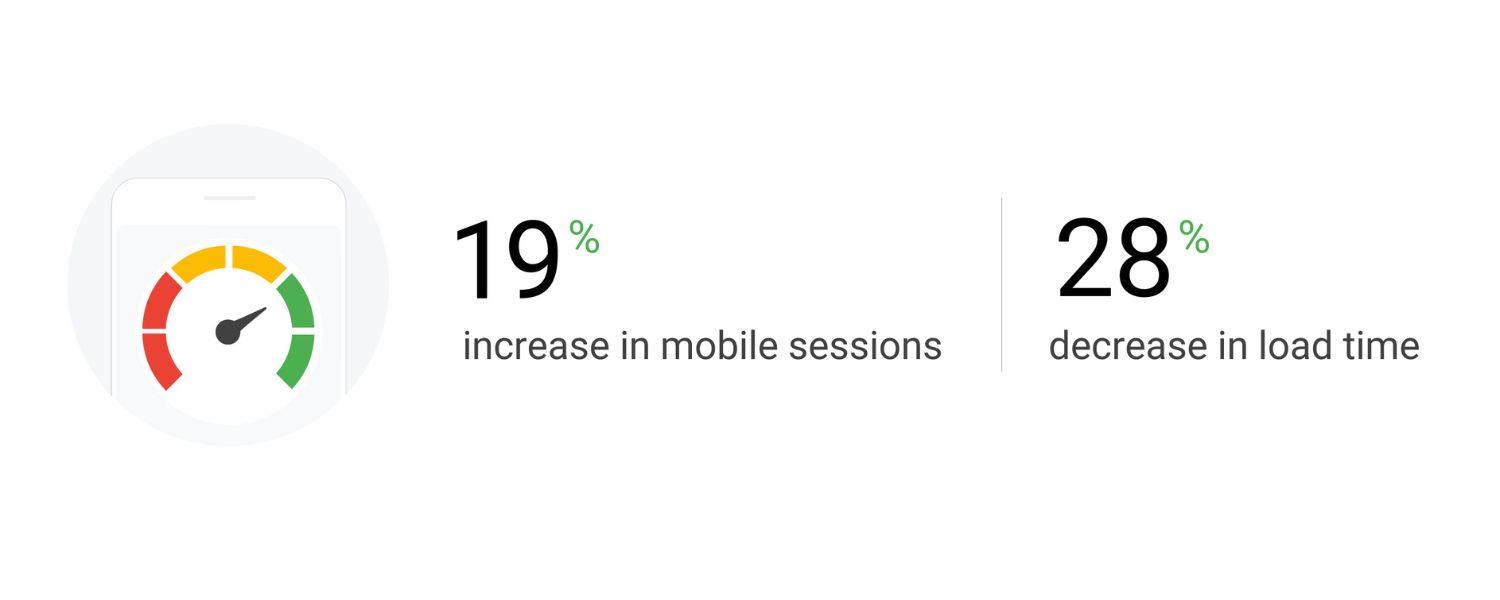
If your audit flagged slow load times or poor mobile scores, invest some time here – it pays dividends. Compress and resize large images (aim for <10FF0 KB where possible for regular images).
Enable browser caching and consider using a Content Delivery Network (CDN) if you have users around the globe. Minify your CSS/JS files and remove any heavy scripts or plugins that aren’t essential.
For mobile, double-check your site on a smartphone: Is the text readable without zooming? Are buttons easy to tap? Address any design issues (like fixing overlapping elements or implementing a more responsive layout). These performance and mobile tweaks not only raise your SEO score but also make visitors happier – a win-win scenario.
5. Enhance User Experience Elements

Look at any UX-related warnings. For example, if paragraphs are flagged for being too long, break up the text with subheadings or bullet points (this makes content more skimmable). If the tool mentions too many pop-ups or ads, consider dialing them back for the sake of usability.
Ensure your navigation is clear – users (and crawlers) should be able to reach any key page within a few clicks. While UX improvements might not skyrocket your score as fast as fixing a technical error, they contribute to a well-rounded optimization and can indirectly support better engagement metrics.
6. Re-run the Audit
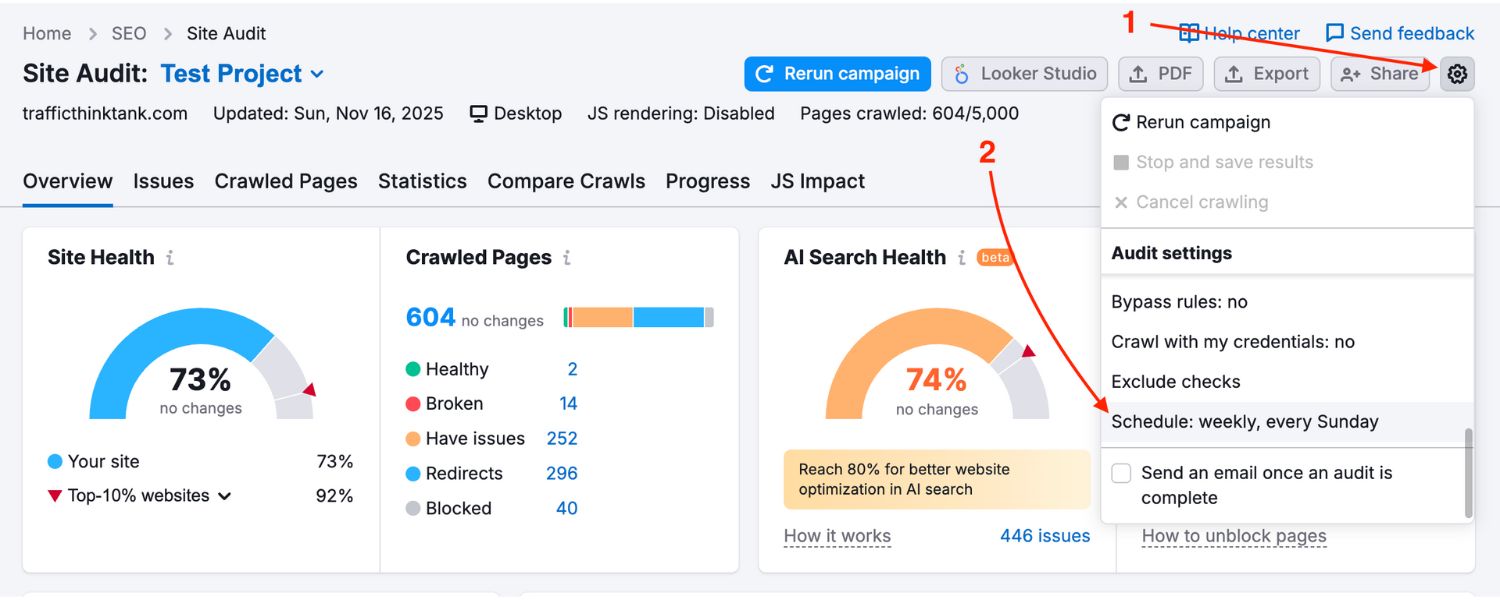
After you’ve made a round of fixes, run the SEO check again (or use a real-time checking feature if available). You should see your score move up as issues turn from “failed” to “passed.” It’s immensely satisfying to watch a formerly red error now show a green checkmark!
Keep in mind that some tools might not update scores in real time if certain fixes (like earning backlinks or improving Core Web Vitals) take more time or external data, but most on-page changes will reflect immediately in a new crawl.
7. Prioritize Ongoing SEO Efforts
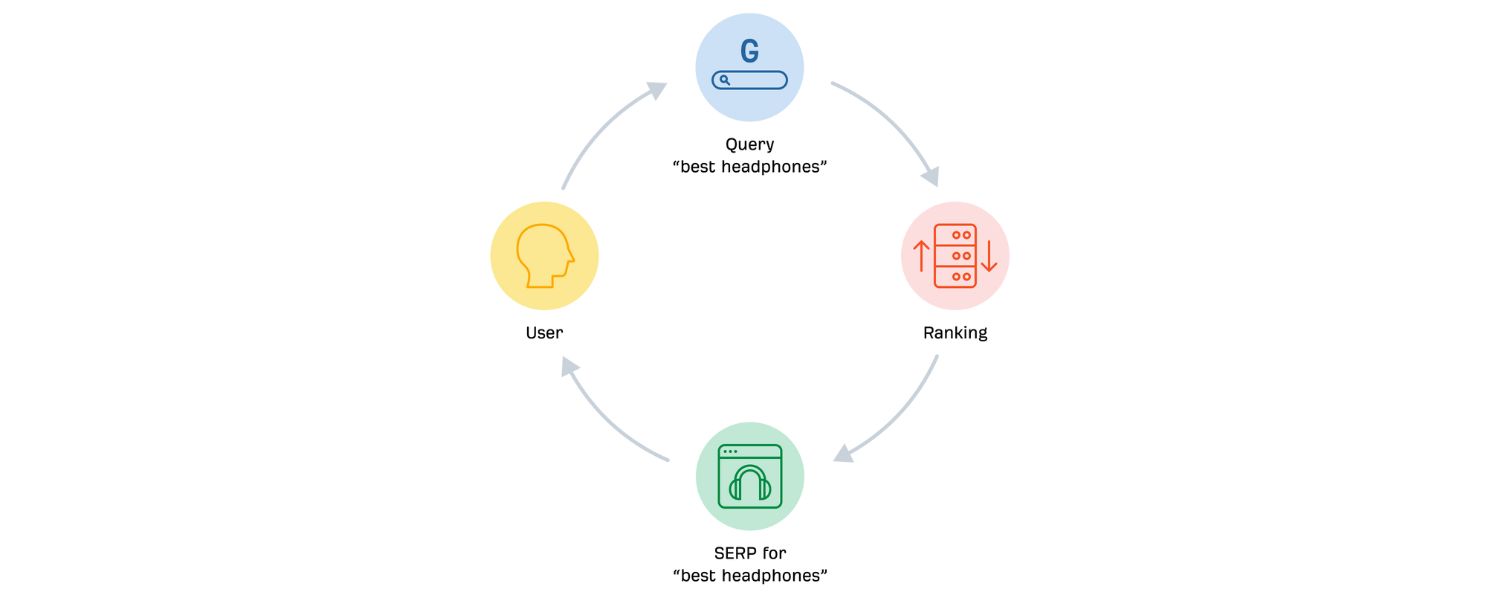
Once your score is in a healthy range (say 85/100), the major fixes are done. At this point, you might hit diminishing returns – obsessively chasing a perfect 100 might not be worth it if the remaining issues are minor.
Instead, shift focus to content creation, keyword targeting, and off-page SEO while maintaining your on-page best practices.
Your high SEO score has given you a solid foundation; now build upon it with great content and marketing. Of course, continue to monitor your site’s health – many use automated tools to alert them if the score dips or new issues appear.
SEO is not one-and-done, but if you’ve institutionalized good practices (like always adding meta tags for new pages, regularly compressing images, etc.), you’ll keep that score high naturally.
By following these steps, improving your SEO score is usually a straightforward process. In fact, compared to some long-term SEO strategies, raising your on-page score can be relatively quick.
Many fixes (like those meta tags or enabling compression) can be done in hours or days, and you might see your score jump from, say, 70 to 90 almost overnight once the biggest issues are resolved.
Just remember: an improved score is a means to an end. The ultimate goal is better organic rankings and traffic. And while a high SEO score doesn’t guarantee you the #1 spot, it does eliminate the on-page errors that could be holding you back from reaching that spot.
Conclusion & Key Takeaways
Your website’s SEO score is a valuable compass for optimizing your site, but it’s not the destination. By now, you should understand that the SEO score aggregates crucial factors – technical soundness, content quality, user experience, and mobile friendliness, into one convenient metric.
It’s a tool to help you identify weaknesses and track improvements in your SEO efforts. Achieving a strong score (80% and above) means you’ve handled the foundational aspects of SEO correctly, positioning your site for better visibility in search results.
As a final takeaway: use your SEO score as a starting point, not the finish line. Fix the issues it highlights (they’re usually low-hanging fruit that you can resolve quickly to gain an instant boost), but then look beyond the score.
Continue creating content that delights your audience, earn reputable backlinks, and cater to what real users are searching for. That’s how you translate a high SEO score into higher rankings and traffic.
Now that you know the ins and outs of SEO scores, it’s time to put this knowledge into action. Run a free SEO check on your website and see where you stand.
Every improvement you make, no matter how small, is a step toward a healthier website and better search performance. Optimize what you can, and watch your SEO score (and your online visibility) climb!

.png)
Shopify SEO: Guide to Ranking Your Store and Driving Sales
Most Shopify store owners set up their store, list their...

Content Marketing : Definitive Guide to Strategy, Content Types, and Measurable ROI
Content marketing generates 3x more leads than outbound marketing at...

Above the Fold: Guide to Conversions, Rankings and Faster Pages
Above the Fold in 2026: The Complete Guide to Conversions,...

Off-Page SEO Checklist: Guide to Building Real Authority
Most websites spend months creating great content, only to wonder...

What Is Keyword Bidding? The Complete Strategy Guide for Smarter Ad Spend
Most advertisers believe the highest bid wins the auction. It...

What Is Google Trends? The 2026 Marketer’s Complete Guide
If you are not already pulling weekly insights from Google...
If you want a growth partner who will get to know every aspect of your business and treat your budget like their own — we are the right fit.
.png)


.png)
.png)
.png)
.png)
.png)
.png)
2026 ALL RIGHTS RESERVED MADE IN INDIA
