
Page Speed: Why It Matters and How to Improve It
September 2, 2025
Introduction
Did you know that over half of visitors will abandon a mobile site if it takes more than 3 seconds to load? In today’s impatient world, page speed, how fast your web pages load, can make or break your website’s success. A slow site frustrates users, drives up bounce rates, and even hurts your Google rankings.
By contrast, a fast-loading site keeps visitors engaged and signals search engines that you offer a great user experience. In this comprehensive guide, we’ll leverage 25+ years of marketing expertise to explain what page speed really means, why it’s so critical for both user satisfaction and SEO, and most importantly, how you can speed up your website for better performance. Let’s dive in!
What Is Page Speed?
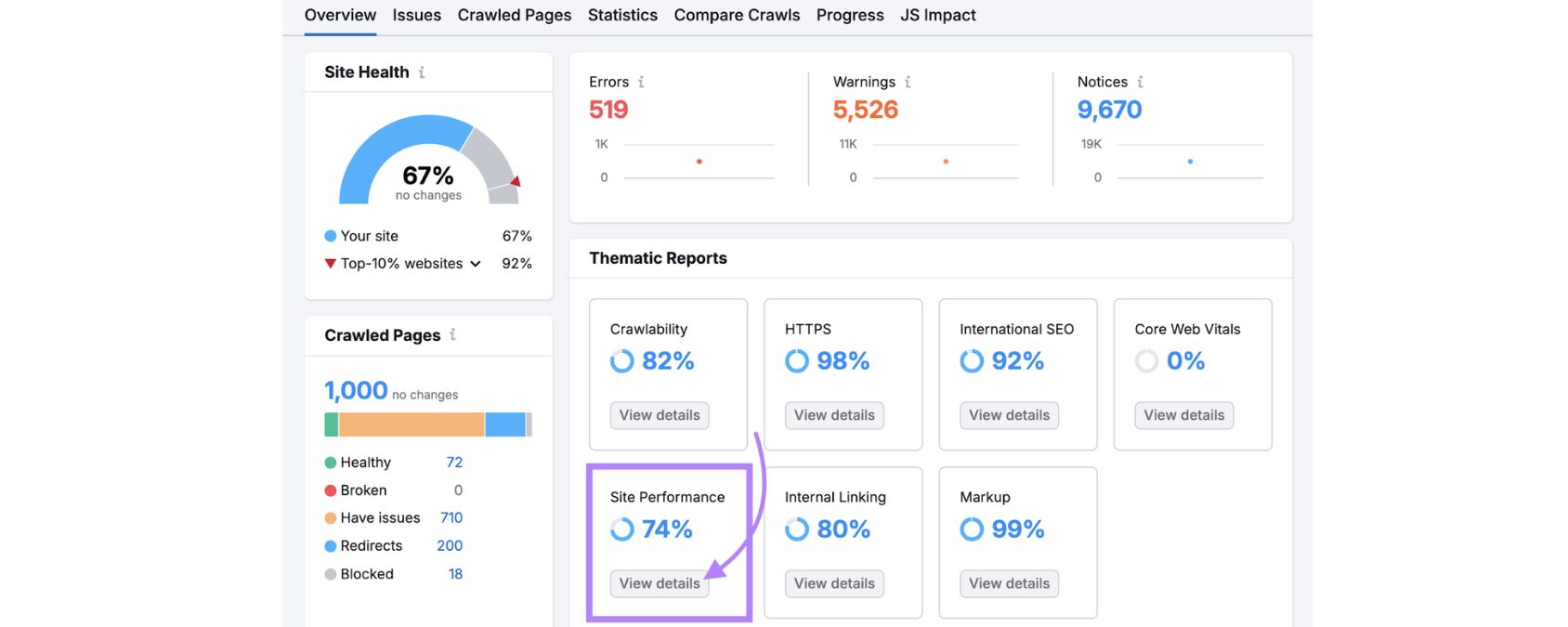
Page speed refers to the amount of time it takes for a webpage to fully load and display all its content. In other words, it’s the delay between a browser’s request for a page and the browser finishing rendering that page’s content.
This can be measured in a few ways, for example, the total page load time (time to fully load all content) or the Time to First Byte (TTFB), which gauges how long it takes the server to start sending data.
Often, when we talk about page speed, we’re using it as an umbrella term covering several performance metrics:
A. TTFB: How long the browser waits before receiving the first byte from the server.
B. First Contentful Paint (FCP): How quickly the first piece of content (text or image) appears on screen.
C. Largest Contentful Paint (LCP): The time taken to load the largest visible content element (a key indicator of perceived load speed).
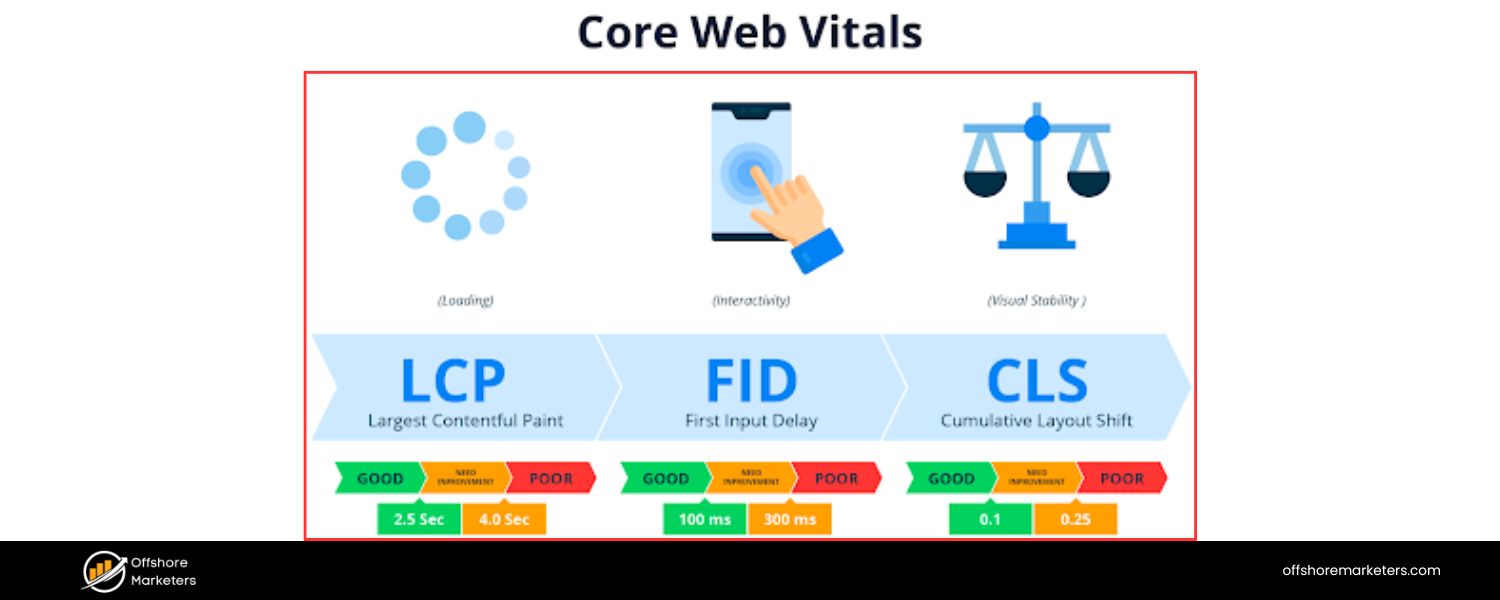
D. First Input Delay (FID): How soon the page responds to the first user interaction (a measure of interactivity).
E. Fully Loaded Time / Onload Time: The time when the page has completely loaded all resources.
In practice, a page loads in stages – users might see a blank screen, then some elements, and eventually the full page. Page speed metrics capture these milestones to quantify performance.
Fast page speed means these milestones are reached quickly. Many factors influence page speed, including your server’s performance, the size and number of files on the page, and even the user’s own device and network connection. We’ll explore how these factors play in and what you can do about them.
Page Speed and User Experience
User experience is directly tied to page speed. Internet users have little patience for slow websites. When pages drag their feet loading, visitors get frustrated and leave. Consider these eye-opening findings:
A. 53% of mobile visitors will abandon a site if a page takes longer than 3 seconds to load. In our fast-paced digital era, a few seconds of delay can cut your audience in half!
B. As page load time increases from 1 second to 5 seconds, the probability of bounce (leaving immediately) increases by about 90%. In other words, a slow site sends your hard-won visitors straight to the “Back” button.
C. Nearly half of users (46%) say they would not revisit a poorly performing website in the future. A bad first impression from slowness can damage your brand credibility and customer retention.
D. Page speed impacts conversions and sales, too. Studies show each 1-second delay in page load can reduce conversions by around 7%. Even a 0.1 second improvement in mobile site speed can boost conversion rates by over 8% – that’s how sensitive users are to delay.
These statistics highlight a simple truth: faster sites create happier users. When pages load quickly, visitors can find information or complete purchases without friction, leading to higher satisfaction and loyalty. Conversely, a slow site feels clunky and unreliable, driving people away to competitors.
If you’re running an online business, slow page speed could silently be costing you significant revenue in lost sales and leads. Speeding up your pages is one of the most impactful ways to improve user experience, lower your bounce rates, and keep potential customers engaged on your site.
Page Speed and SEO (Search Rankings)
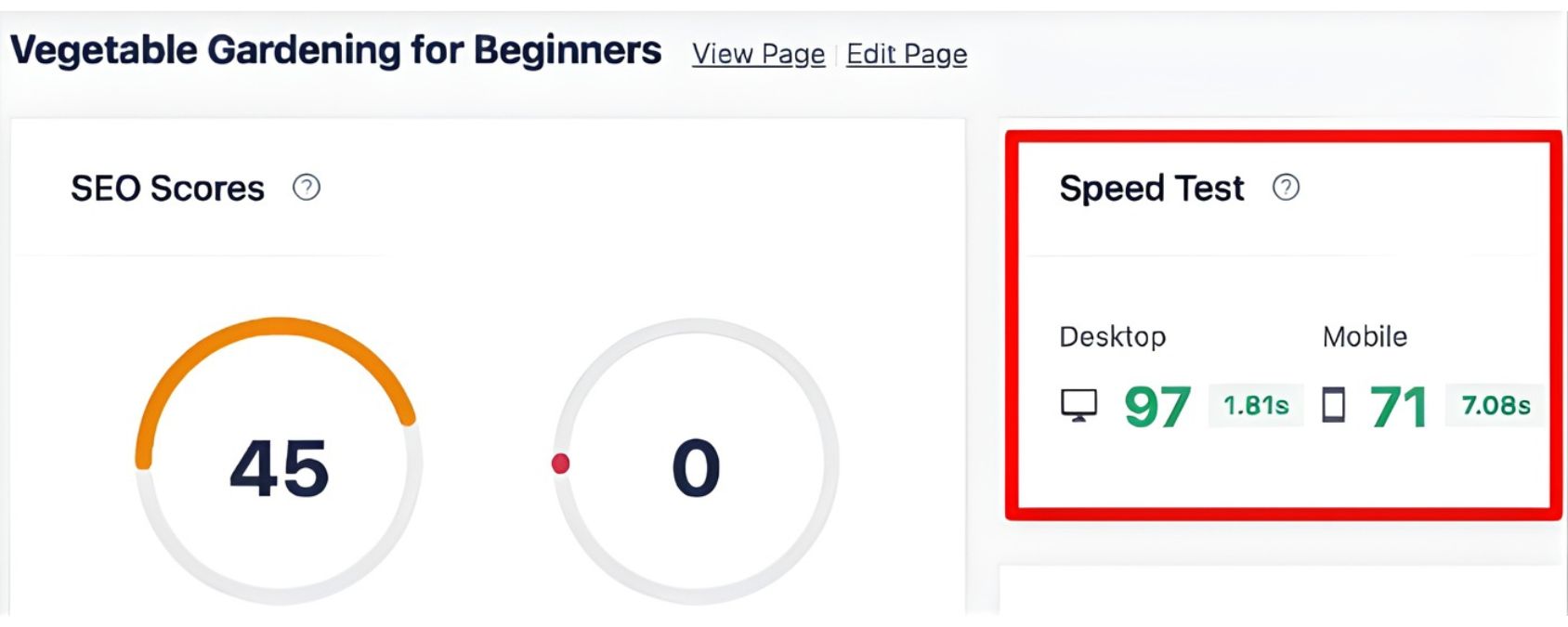
Page speed isn’t just about user satisfaction – it’s also a confirmed Google ranking factor for search results. Google has explicitly stated that faster-loading pages tend to rank higher than very slow pages, especially on mobile .
The logic is straightforward: Google wants to deliver content that provides a good experience, and slow sites are a poor experience.
In fact, Google first incorporated site speed into its ranking algorithm back in 2010 for desktop searches. In July 2018, they extended this factor to mobile searches as well, meaning if your mobile site is sluggish, it could hurt your visibility on mobile Google results.
Today, Google evaluates page speed largely through the lens of Core Web Vitals, a set of user experience metrics that include loading speed.
The key metric here is Largest Contentful Paint (LCP), which measures loading performance. To meet Google’s “good” threshold, your page’s LCP should occur within 2.5 seconds or less for the majority of visitors.
Pages that meet this and other Core Web Vitals criteria (like interactivity and visual stability metrics) are considered as providing a good page experience.
If your site consistently falls below these benchmarks, for example, if your LCP is very high or your server takes too long to respond, Google has indicated those “extremely slow” pages are less likely to rank well.
However, it’s important to note that while speed is a ranking factor, it doesn’t trump content relevance. Google will not rank a fast but low-quality page above a slower page that offers more relevant or high-quality content.
Relevance remains king. That said, speed can be a tiebreaker and is often the differentiator in competitive search results.
Moreover, indirectly, speed influences SEO through user behavior signals. A fast site reduces bounce rates and increases time-on-site, which can send positive quality signals back to Google.
Additionally, page speed can impact how Google crawls and indexes your site. Faster-loading sites allow Google’s crawlers to fetch more pages in the same amount of time, potentially leading to more of your content being indexed efficiently.
Google has even revealed that for mobile indexing, they test pages on a simulated slow 4G connection, sites that perform poorly under these conditions may not rank as highly for mobile users.
The bottom line: a slow site puts you at an SEO disadvantage, while a fast site helps both your rankings and your users’ satisfaction. Investing in page speed improvement is truly a win-win for SEO and UX.
How to Measure Your Page Speed
Before you can improve page speed, you need to measure it. Thankfully, there are many tools that let you test how quickly your pages load and identify what’s slowing them down. Here are some of the best ways to check your page speed and performance metrics:
1. Google PageSpeed Insights
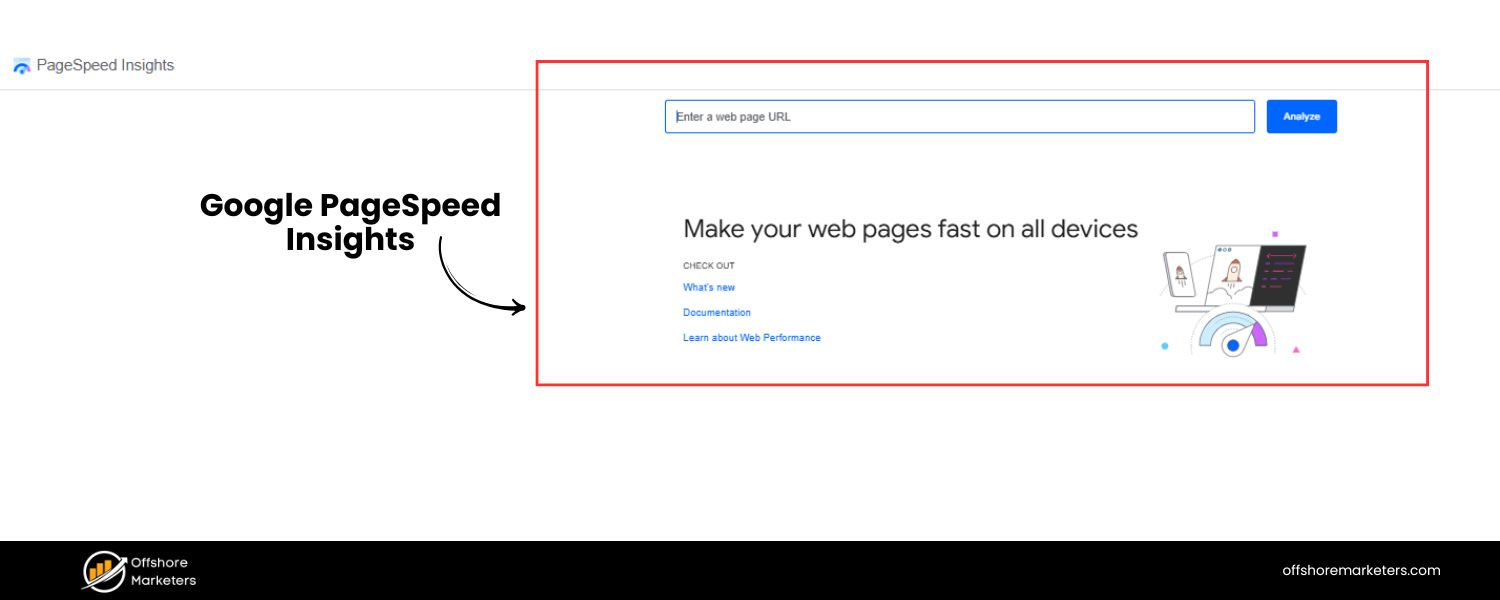
Google’s free PageSpeed Insights tool is a great starting point. Simply enter a page URL, and it will analyze the page’s performance on both mobile and desktop. You’ll receive a performance score and a breakdown of key metrics like LCP, FID (or its upcoming replacement INP), and Cumulative Layout Shift (CLS).
PageSpeed Insights combines lab data (simulated performance tests) with real-user “field” data from the Chrome User Experience Report, so you get a comprehensive view. It also provides specific suggestions for improvement. (Note: PageSpeed Insights evaluates one page at a time, not your whole site.)
2. GTmetrix
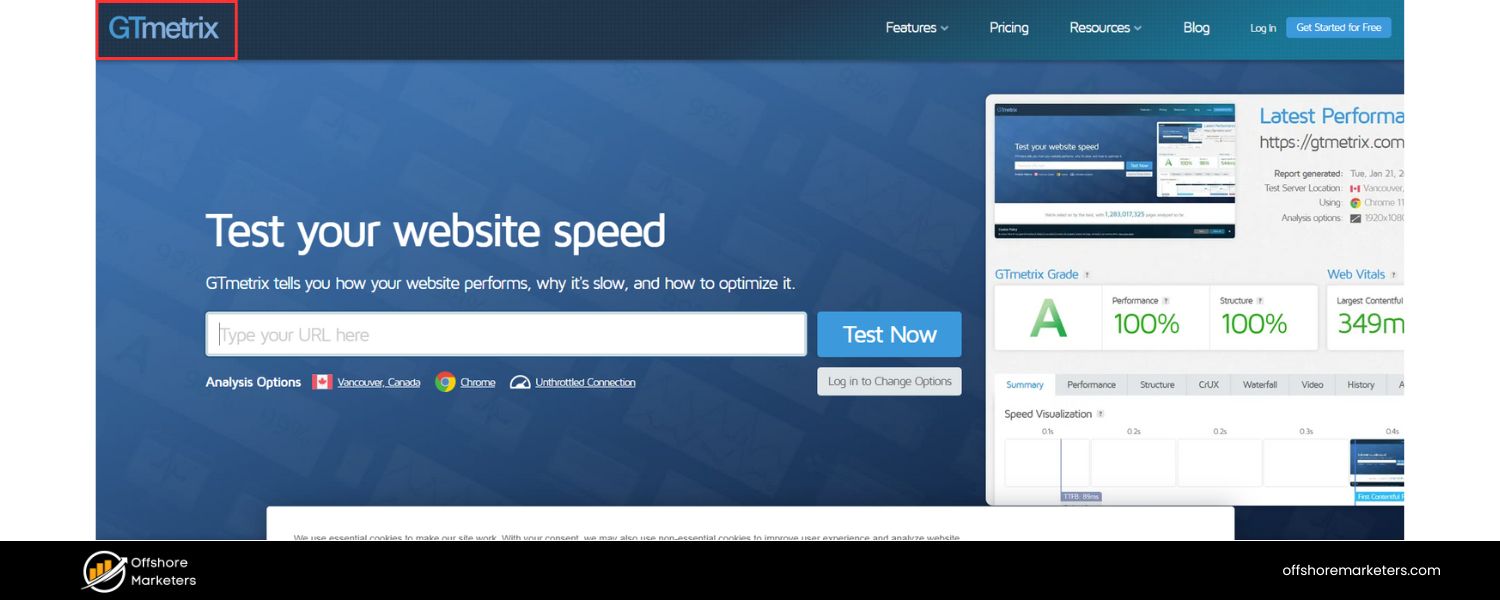
GTmetrix is a popular web-based tool that provides detailed page speed reports. It uses both Google Lighthouse and its own analysis to grade your site and show a “waterfall” chart of how each element loads. This visual breakdown helps you pinpoint which files or requests are causing delays.
GTmetrix also offers recommendations (e.g. which images to compress or which scripts are slowing things down). The basic test is free, and advanced features (like testing from different global locations and mobile devices) are available with accounts.
3. Pingdom Tools
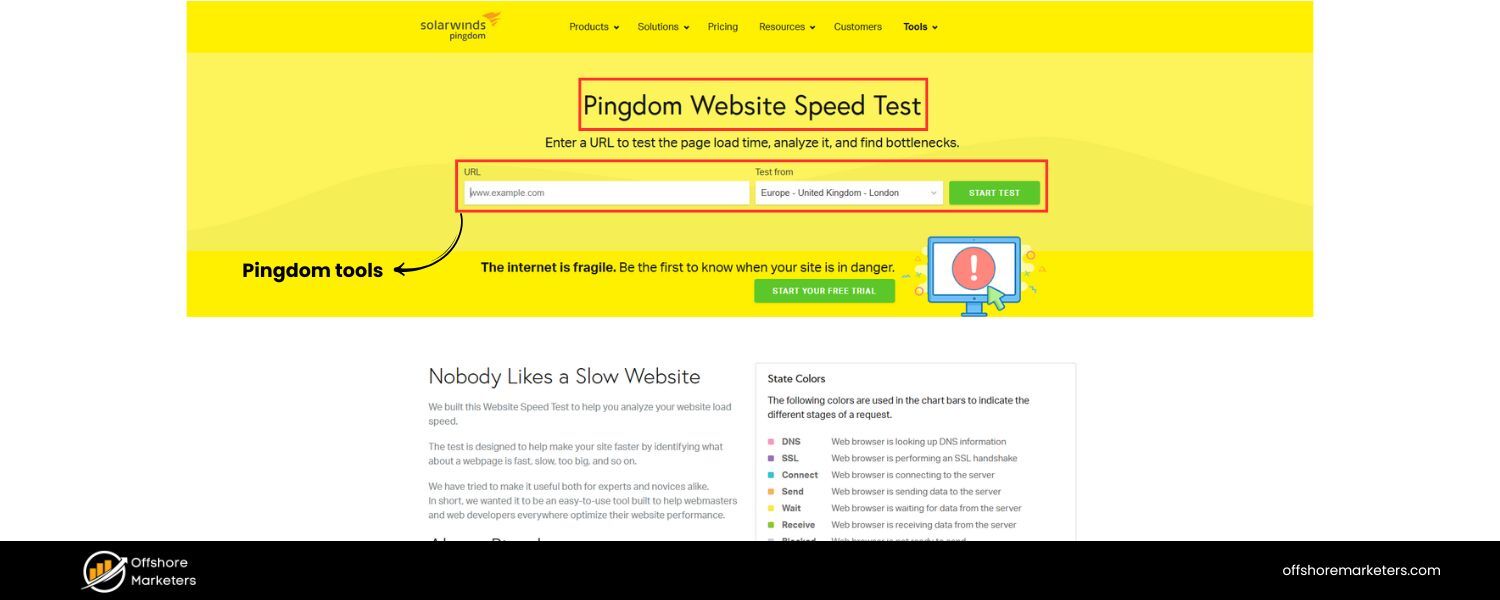
Pingdom offers another simple website speed test. Enter a URL and it will test page load time, size, and number of requests from a chosen location. You get performance grades similar to other tools, plus insights on each request and resource.
Pingdom is known for being user-friendly, giving an at-a-glance summary of page size, load time, and a performance score, along with tips to improve.
4. WebPageTest
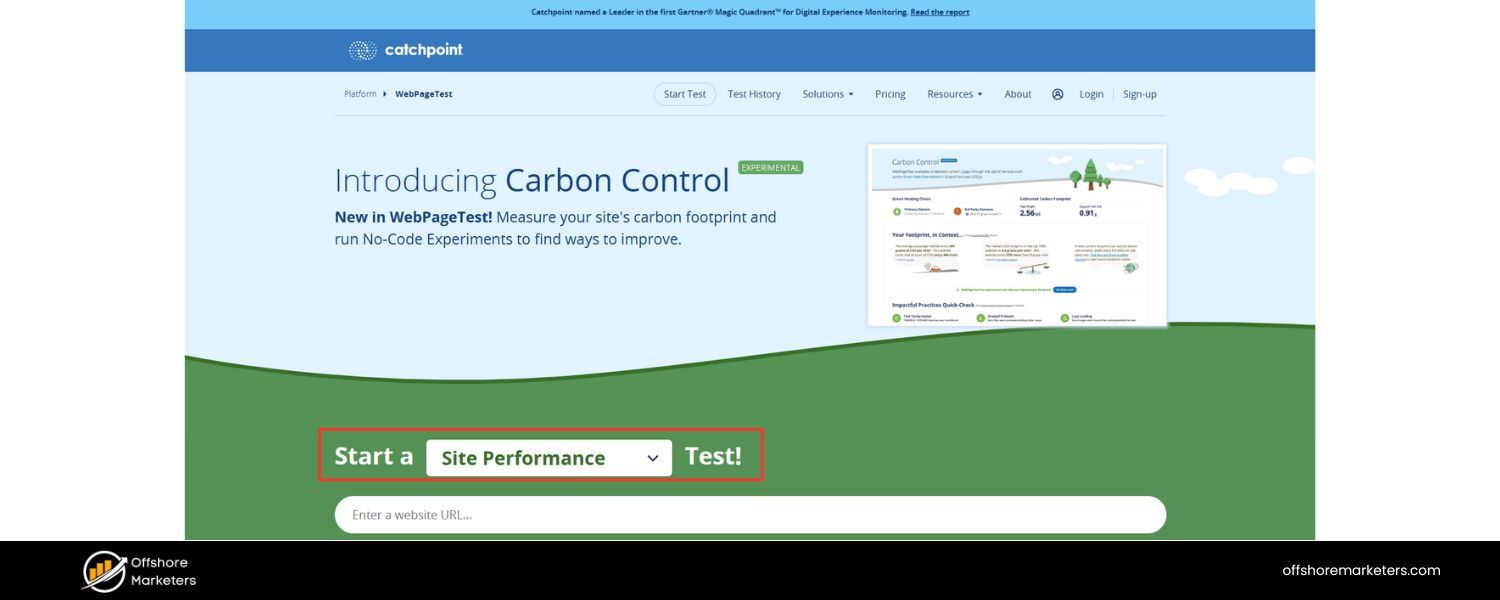
For a deep dive, WebPageTest.org is an open-source tool that provides extremely detailed performance data. It allows you to simulate different browsers, connection speeds, and geographic locations. You can see metrics like TTFB, start render time, speed index, and more.
WebPageTest also visualizes loading progression and can run multiple test iterations for more reliable data. It’s a bit more advanced, but incredibly useful for diagnosing complex performance issues.
5. Browser Developer Tools
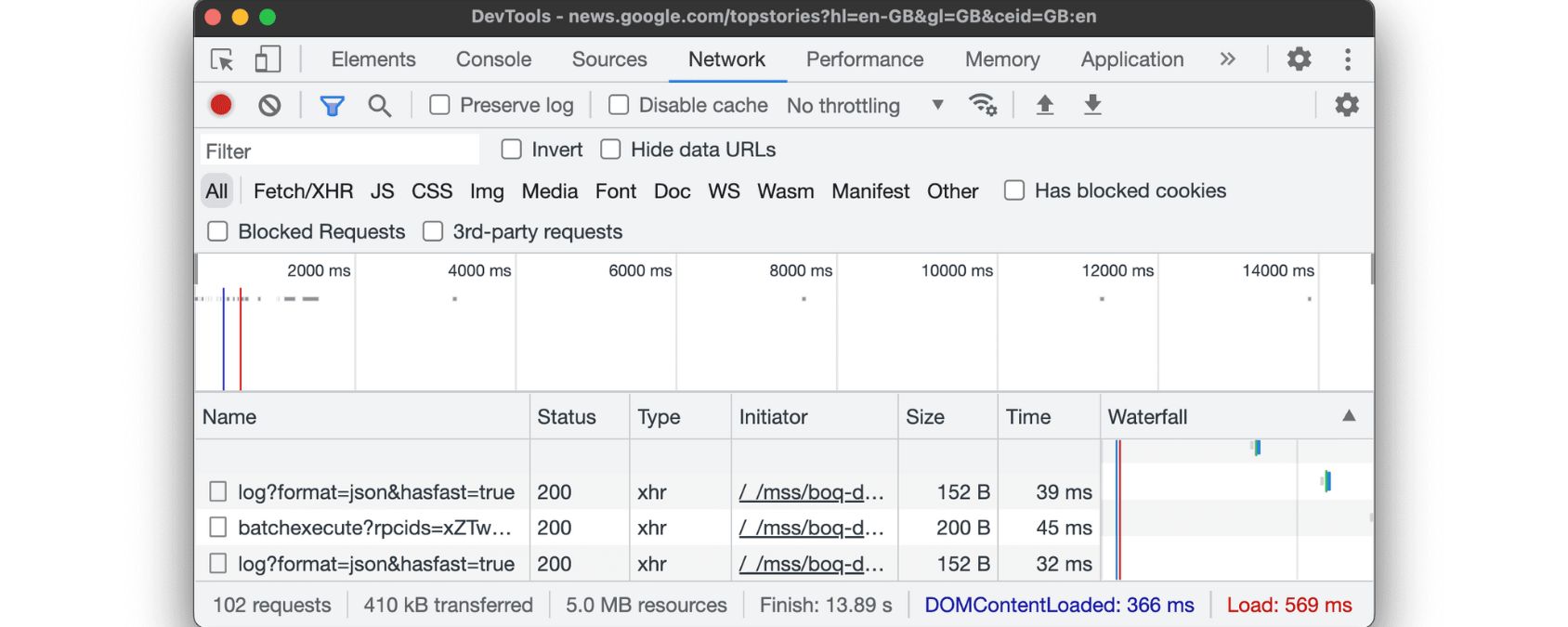
Don’t overlook your own browser’s dev tools – for example, Chrome DevTools has a “Network” panel where you can see all HTTP requests, their sizes, and timing.
By using the Network tab and reloading your page, you can observe which resources take longest and how many requests are made. Chrome also has a Lighthouse audit built in (in the “Lighthouse” tab) that you can run for a quick performance audit.
6. Core Web Vitals in Google Search Console

If you have Google Search Console set up for your site, check the Core Web Vitals report. It will tell you how your pages perform in terms of real-user LCP, FID, and CLS data over the past 28 days, categorized by “Good”, “Needs Improvement”, or “Poor.” This is invaluable for monitoring your site’s speed in the wild and seeing if any recent changes improved or worsened performance.
When measuring page speed, remember that “fast” is generally considered under about 2–3 seconds for the main content to load.
For instance, Google’s guidelines suggest aiming for LCP under 2.5s for a good experience, and many experts recommend an overall load time of 2 seconds or less on desktop, and under 3 seconds on mobile for ideal results.
The average webpage, unfortunately, is often slower – one study found the average mobile site took over 8 seconds to fully load. The good news is this leaves plenty of room for you to outpace the competition by optimizing your site.
Use the tools above to get a baseline, and then track your improvements as you implement the optimization strategies below.
10 Tips to Improve Your Page Speed
When you run your site through speed test tools, you’ll likely get a long list of recommendations. Here we’ve distilled the most impactful techniques – based on experience and industry best practices – to speed up your website. By addressing these areas, you can significantly cut down load times and deliver a snappier experience to your users:
1. Optimize Your Images

High-resolution images are often the single largest assets on a webpage, so they can heavily impact load times. Optimizing images can yield huge speed improvements. Here’s how to do it:
A. Choose the right format
Use image formats that balance quality and file size. For photos, JPEG is usually best; for graphics or logos that need transparency, PNG might be needed (but PNG files are larger).
Consider modern formats like WebP, which can be up to 3× smaller than JPEG/PNG with comparable quality. (Most modern browsers support WebP; you can provide fallbacks for those that don’t.)
B. Compress images
Before uploading images, compress them to reduce file size without noticeable quality loss. You can use tools or plugins to do this. Even a 50% reduction in file size can dramatically speed up loading. For example, an image optimizer can strip unnecessary metadata and perform smart compression to shrink the file.
Always save images in the exact dimensions needed on the page, don’t use a huge 3000px image and scale it down in HTML, as the full file still loads.
C. Lazy load below-the-fold images
For images that aren’t immediately visible (e.g., images further down the page), implement lazy loading. This technique defers loading those images until the user scrolls near them. Lazy loading ensures the initial view loads faster by only fetching images the visitor is about to see.
By optimizing images in format, size, and loading behavior, you can eliminate one of the biggest sources of slowness on most websites.
2. Enable Compression (Gzip/Brotli)
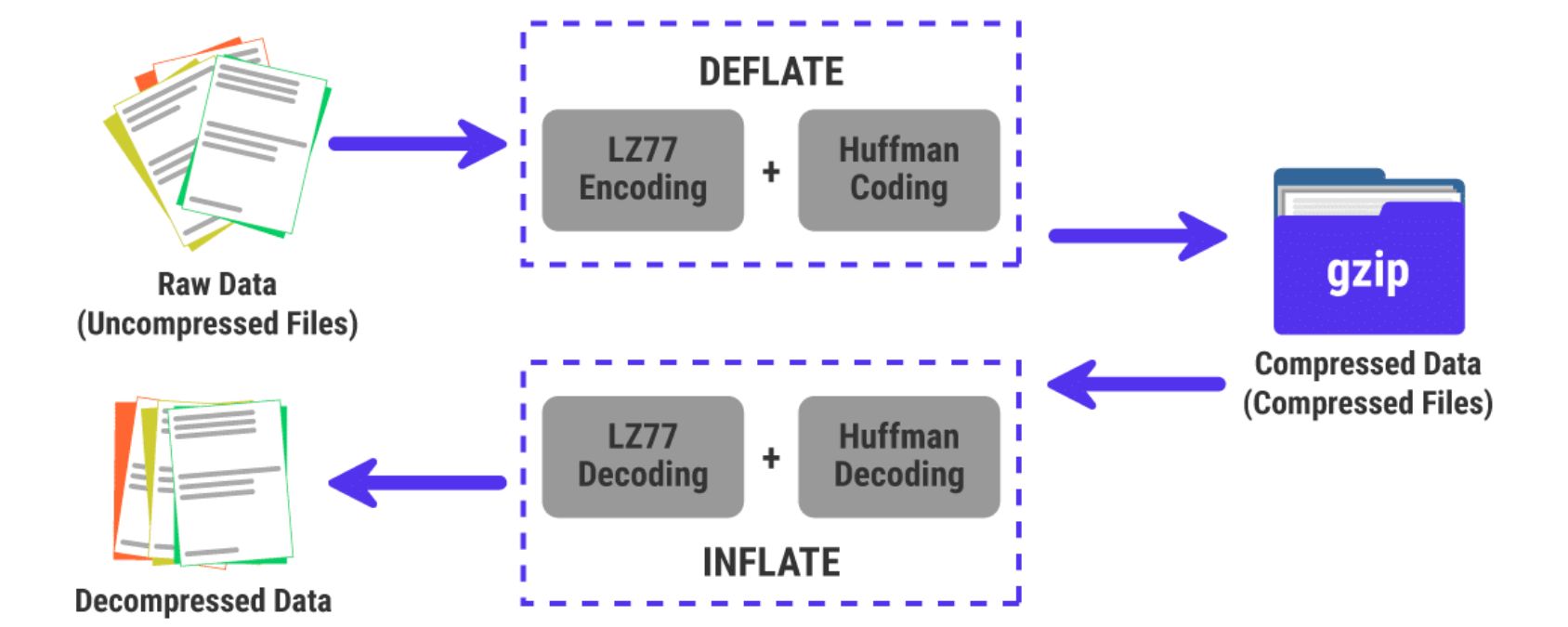
Text-based resources like HTML, CSS, and JavaScript files can often be compressed by 70% or more in size via gzip or Brotli compression. Enabling server-side compression ensures that when your server sends files to the browser, they are compressed into much smaller packages for transit.
The user’s browser then automatically decompresses them. This results in faster data transfer and quicker page loads, especially for larger files. Most web servers (Apache, Nginx, etc.) support gzip compression with a simple configuration change.
If you’re on a modern hosting platform, Brotli compression (which can achieve even better compression ratios) may be available too.
By compressing your files, you reduce the bandwidth needed to deliver your pages, often dramatically shrinking your page’s total download size and speeding up the experience for users on all connection types.
3. Leverage Browser Caching
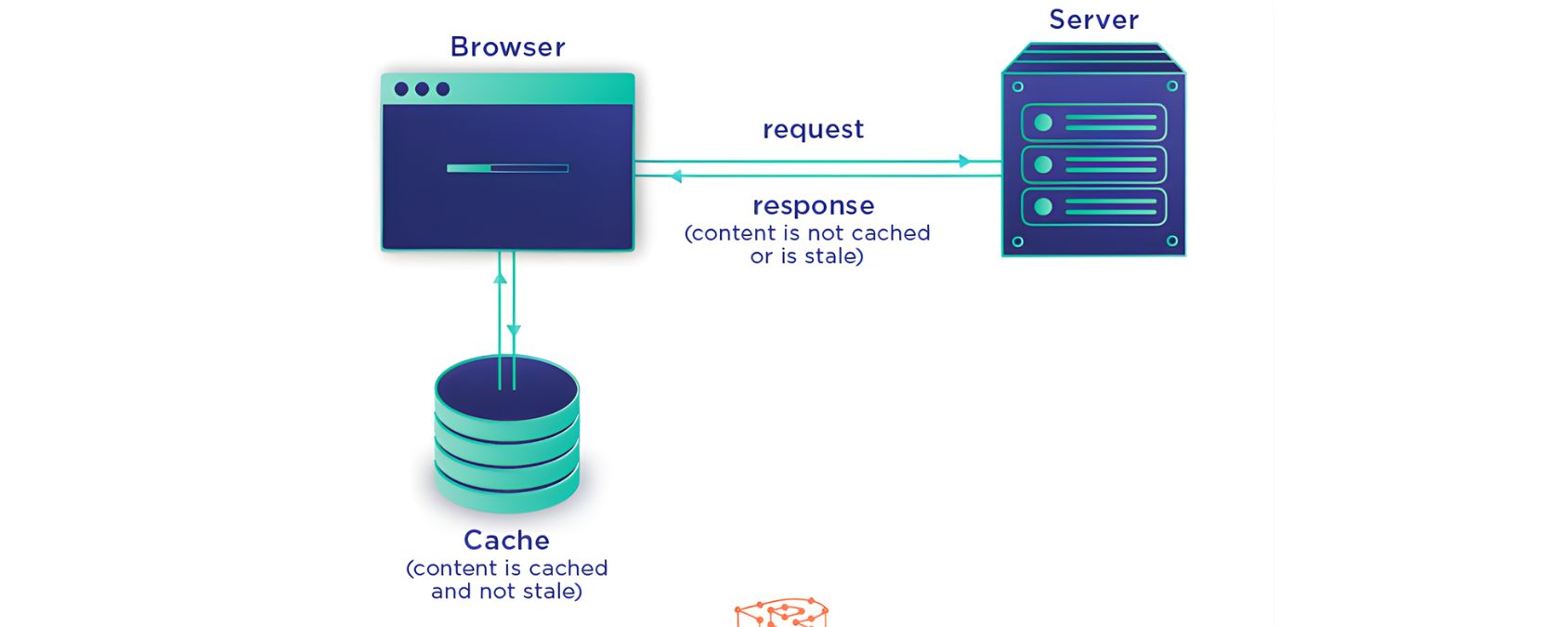
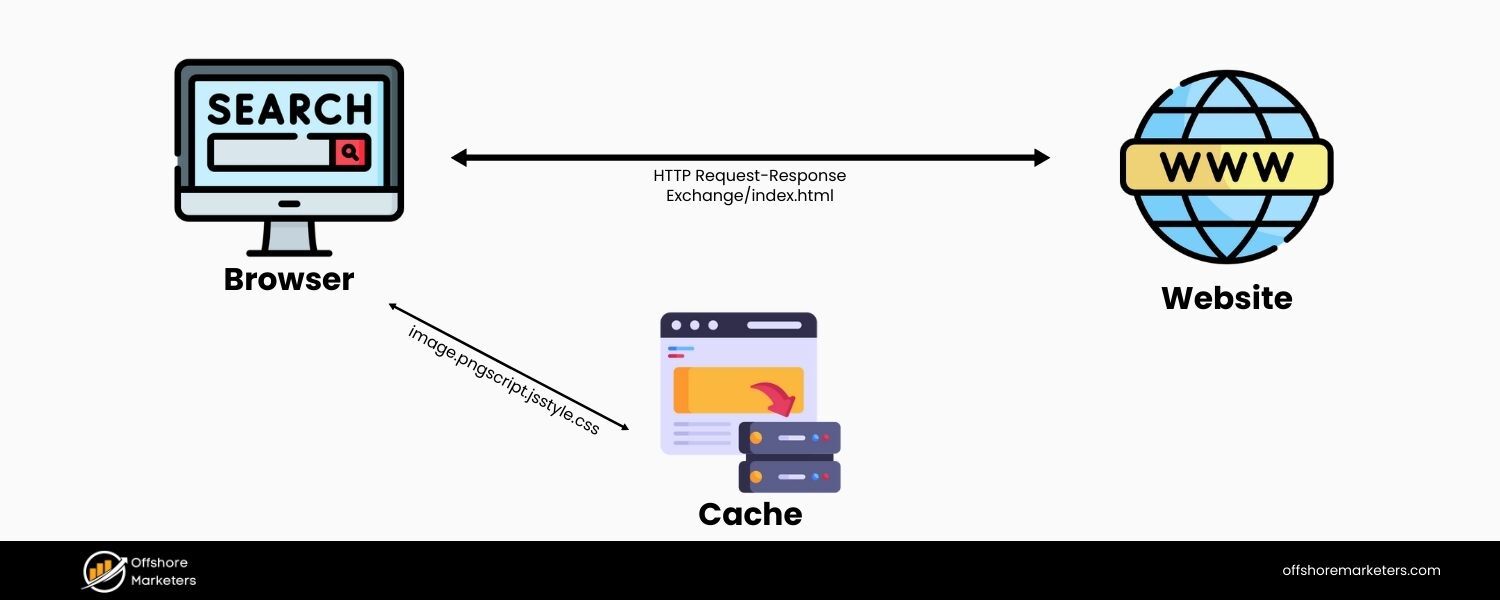
Browser caching allows returning visitors to load your pages much faster by storing certain resources locally in their browser cache.
The idea is to have the user’s browser remember (cache) elements of your site that don’t change often – like your logo, CSS files, or JS libraries – so that on subsequent page loads, it doesn’t have to fetch those again.
Enabling browser caching involves setting appropriate HTTP cache headers (like Cache-Control or Expires headers) for your resources. For example, you might tell browsers to cache your images and stylesheet for 30 days or more.
This way, when a user navigates to a second page on your site (or returns later), the browser can load those files from the local cache instead of making another trip to your server, which is much faster. Fewer round trips mean quicker load times.
If you use a content management system like WordPress, caching plugins (e.g. W3 Total Cache or WP Rocket) make this easy. By implementing caching, you essentially reward repeat visitors with speed – a crucial factor for user retention and engagement.
4. Minify and Clean Up Your Code
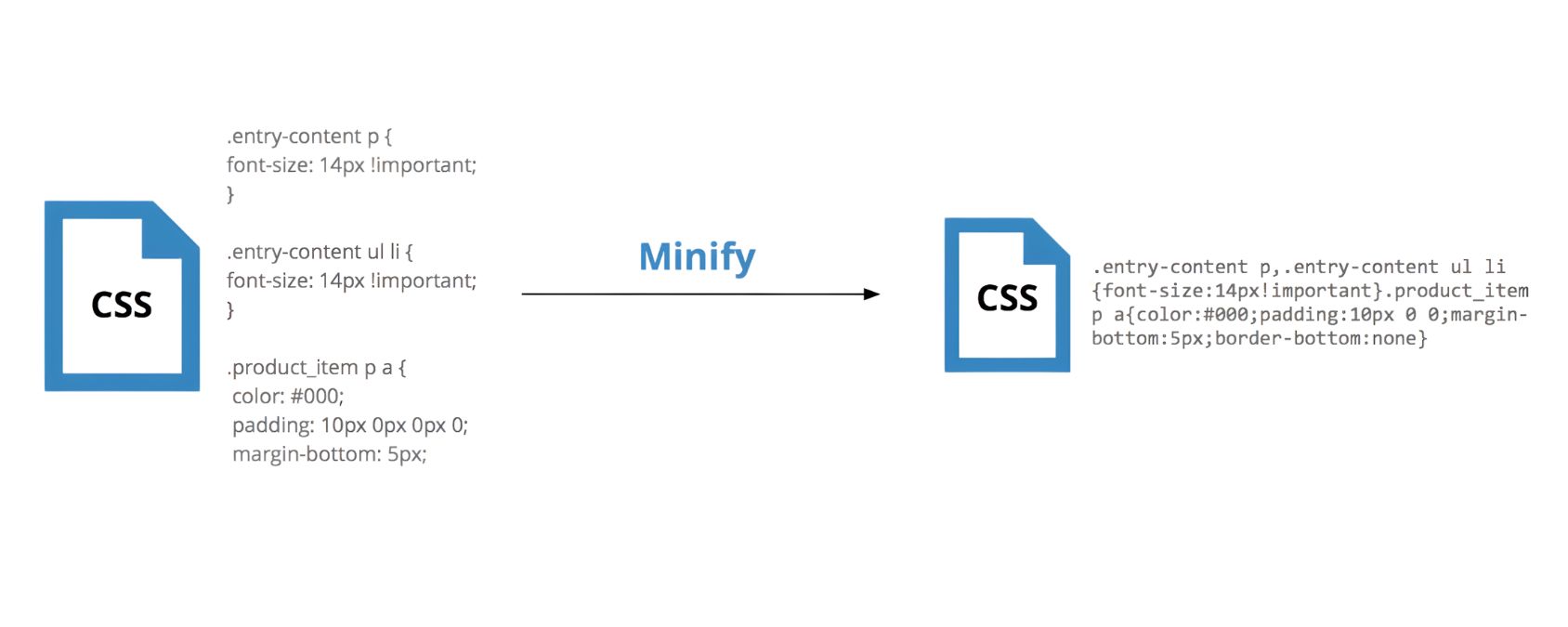
Every extra line of code, space, or comment in your HTML, CSS, and JavaScript files adds unnecessary weight that the browser has to download.
Minification is the process of removing all extraneous characters (like whitespace, line breaks, comments) and optimizing code structure so that file sizes are as small as possible without changing functionality.
For example, minifying a CSS file can easily reduce its size by 20-30% or more by stripping out spaces and comments. Similarly, minified JavaScript loads faster and executes slightly quicker. You can use build tools or online minifier services to compress your code files.
In addition, remove any unused code or scripts that are not needed. Many sites accumulate old CSS rules or inactive script files over time – these only bloat your pages and slow things down. By decluttering your code, you lighten the load on the browser.
The result is faster parsing and rendering. Some speed audit tools will flag unminified files or unused CSS/JS; take those suggestions seriously and tidy up your codebase for leaner, faster pages.
5. Use a Content Delivery Network (CDN)
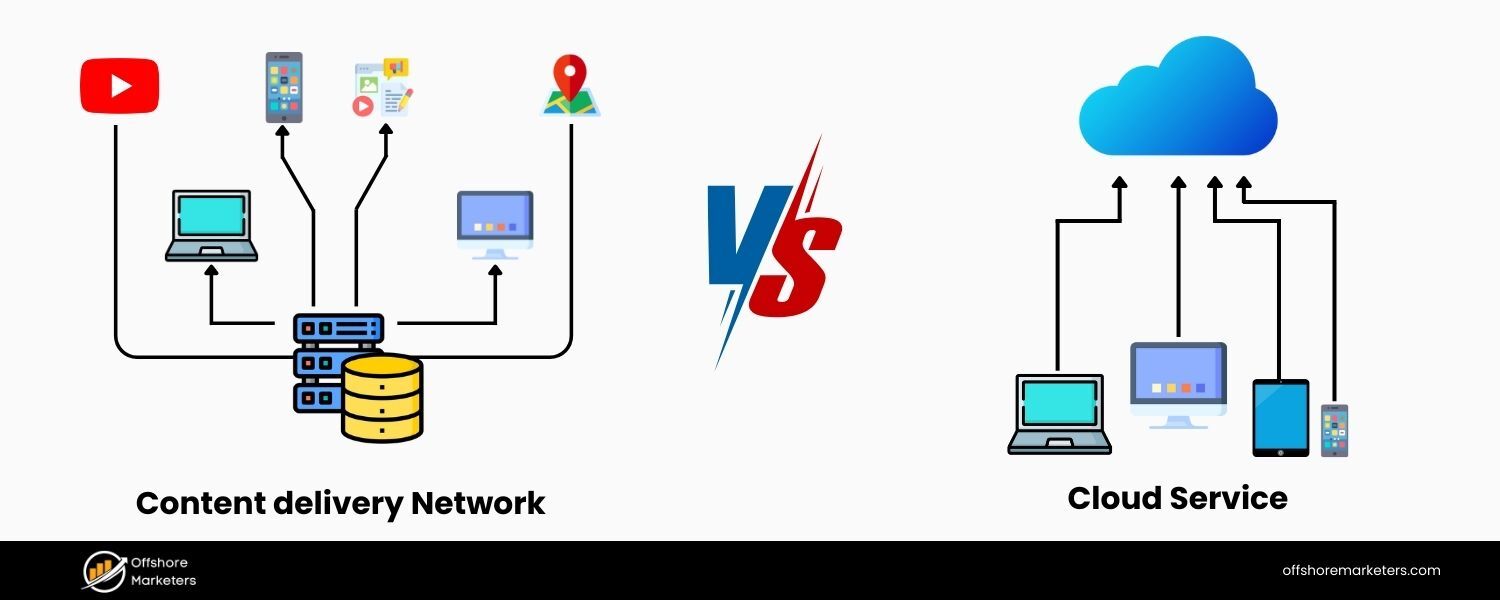
A Content Delivery Network is a network of servers distributed across various geographic locations worldwide. When you use a CDN, your website’s static files (images, CSS, JS, etc.) are cached on all these distributed servers.
The major benefit is that a user’s requests for content can be served from the server node closest to them geographically, rather than always from your origin server.
This significantly reduces latency – the time data spends traveling over the internet, especially for users far from your main server. For example, if your origin server is in New York and a visitor is in Sydney, using a CDN means the visitor can load images and files from a local Australian server, speeding up delivery.
CDNs like Cloudflare, Akamai, and Fastly also use high-speed infrastructure and can handle large volumes, which improves reliability.
By offloading content to a CDN, you not only make loading faster for globally distributed users, but also reduce the load on your own server (which can improve response times for things that do require the origin server). In short, a CDN brings your content closer to your users, resulting in faster page loads for everyone.
6. Improve Your Server Response Time
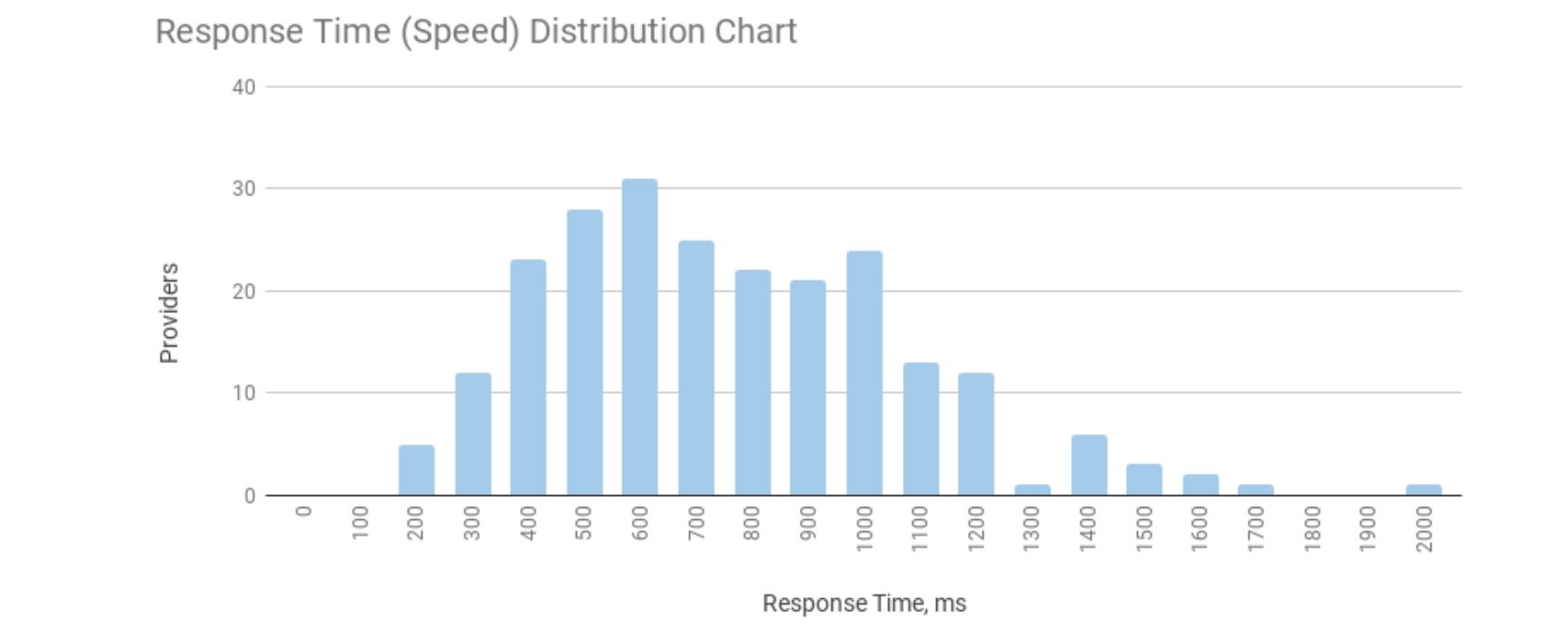
Sometimes, the bottleneck isn’t the front-end resources or images, it’s the server itself taking too long to respond. Server response time (often approximated by TTFB) can be slowed down by many factors: inadequate hosting hardware, slow database queries, insufficient memory or CPU, or heavy backend processing. To speed up your site at the foundation, you may need to optimize your server and hosting setup:
A. Upgrade your hosting
If you’re on a basic shared hosting plan, you might be sharing server resources with dozens of other sites, which can slow you down. Consider moving to a higher-performing option like a VPS (Virtual Private Server) or dedicated server where you have more resources allocated. Cloud hosting services that auto-scale resources can also ensure your server can handle traffic spikes without slowing to a crawl.
B. Optimize server code and database
Review your backend application code and database queries. Slow database lookups or inefficient code logic can delay page generation. Caching database results or queries in memory, indexing your database tables, and optimizing algorithms can all reduce processing time.
C. Add server resources
Sometimes the solution is as simple as adding more RAM or CPU to your server, which can allow it to handle tasks faster. Ensure your server isn’t running out of memory or getting bogged down under load.
D. Use server caching
Implementing caching at the server level (such as page caching or object caching) can dramatically reduce the work needed to serve each page. For example, caching your HTML output for a period of time means subsequent visitors get a pre-generated page without hitting the database each time.
Ultimately, aim for a server response (TTFB) in a few hundred milliseconds or less. Google’s own benchmark has been that a TTFB over ~600ms is a sign of a slow server. By tuning your server or upgrading your host, you ensure that the moment a user clicks your site, your server is fast to begin delivering the page.
7. Minimize Redirects
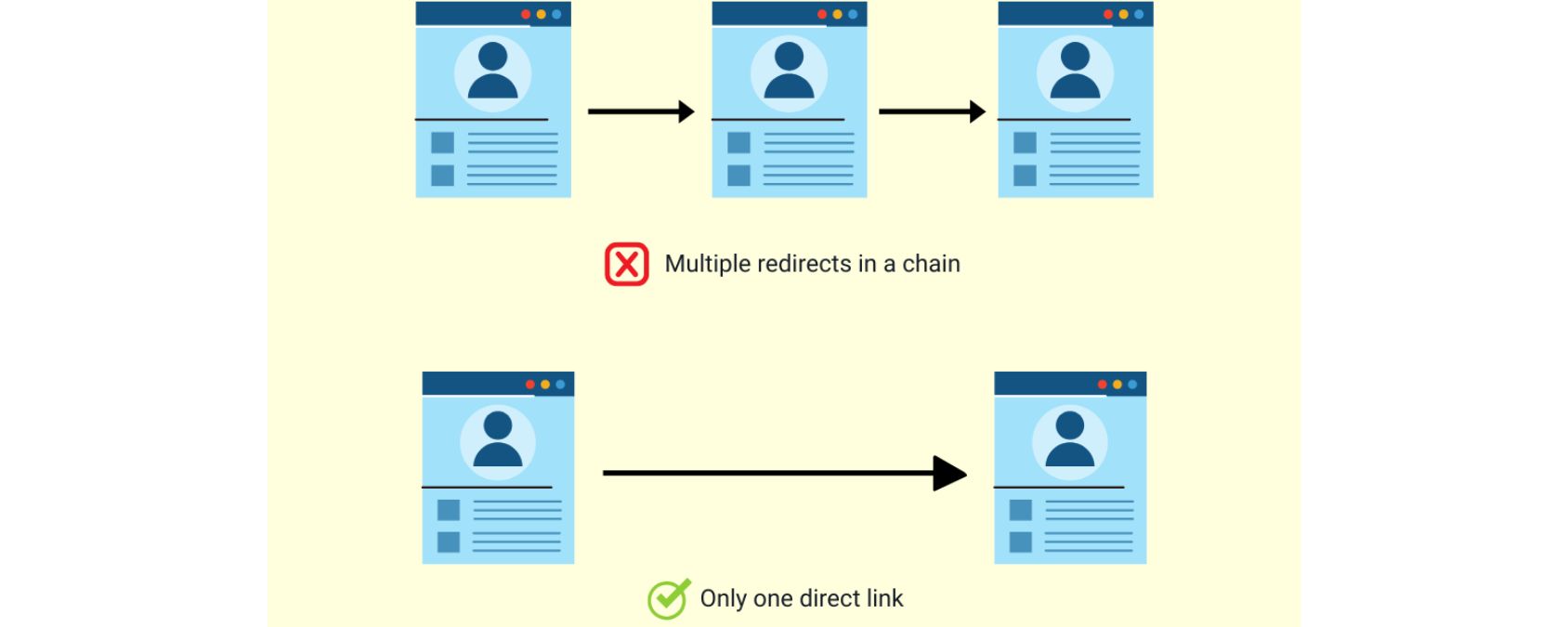
Redirects are instructions that automatically send users from one URL to another. They are often necessary (for example, if you’ve moved a page, you might redirect the old URL to the new one so users and search engines end up in the right place). However, each redirect causes an extra HTTP request-response cycle, adding delay.
If page A redirects to page B, the browser must first load A, then get told “go to B,” then load B – that’s two rounds of waiting. Chain multiple redirects and the delays compound with each hop. It’s important to audit your site for any unnecessary or excessive redirects:
A. Eliminate redirect chains
Make sure no page goes through several redirects before the final destination. For instance, A → B → C should be simplified to A → C directly. Each “hop” removed makes the user’s journey quicker.
B. Update old links
If you have many internal links pointing to URLs that then redirect, update those links to point directly to the final URL. This avoids the interim step completely.
C. Use the right redirect wisely
Sometimes you can replace certain redirects with direct server-side changes. For example, rather than forcing all URLs from http to https via a redirect, you can serve the content on https directly (though one redirect in this case is often fine for site-wide protocol changes).
Minimizing redirects wherever possible will streamline the loading process. It shaves off those extra fractions of a second that occur during the handoff from one URL to another.
The user experience benefit is immediate: fewer pauses and a faster route to the content. In summary, use redirects sparingly and avoid long redirect chains for a faster site.
8. Reduce HTTP Requests (Combine & Streamline Files)
Every time a browser fetches a resource – an image, a stylesheet, a script, etc. – that’s an HTTP request. The more requests a page must make, the longer the queue of tasks the browser has to complete before the page is fully loaded.
Reducing the number of requests (or the cost of each request) can significantly improve page speed. Here’s how:
A. Combine files
Where possible, combine multiple CSS files into one file, and multiple JavaScript files into as few files as feasible. This way, the browser only has to download one larger file instead of many small ones.
For instance, if a page uses four separate CSS files, merging them into one file eliminates three extra requests. Similarly, combine scripts if you can (while ensuring functionality isn’t broken by order issues).
B. Use CSS sprites for images
If you have many small icons or background images, you can merge them into a single “sprite” image and use CSS to display the correct portion of that image. This turns many image requests into just one.
C. Remove unnecessary assets
Audit your page for scripts or plugins that aren’t providing significant value. Each third-party plugin or tracking script often comes with its own files to load.
If you have analytics, ad scripts, heatmaps, etc., evaluate which ones are truly needed. Every extra script might add a few dozen or hundred milliseconds to load. Trim out what you don’t need.
D. Load some scripts asynchronously
For scripts that are not critical to initial rendering (like a social media widget or analytics tag), ensure they are loaded asynchronously or deferred. This means they won’t block the rendering of the rest of the page while they load.
By streamlining requests, you make your page leaner and meaner. There’s no hard rule for an “ideal” number of requests – modern sites can have dozens – but fewer is generally better. As a reference, the median number of resource requests for a webpage is around 70-75 requests.
If your pages are way above that, it’s time to do some pruning and combining. Reducing HTTP requests cuts down the overhead and wait time for each additional file, helping your pages display content more quickly.
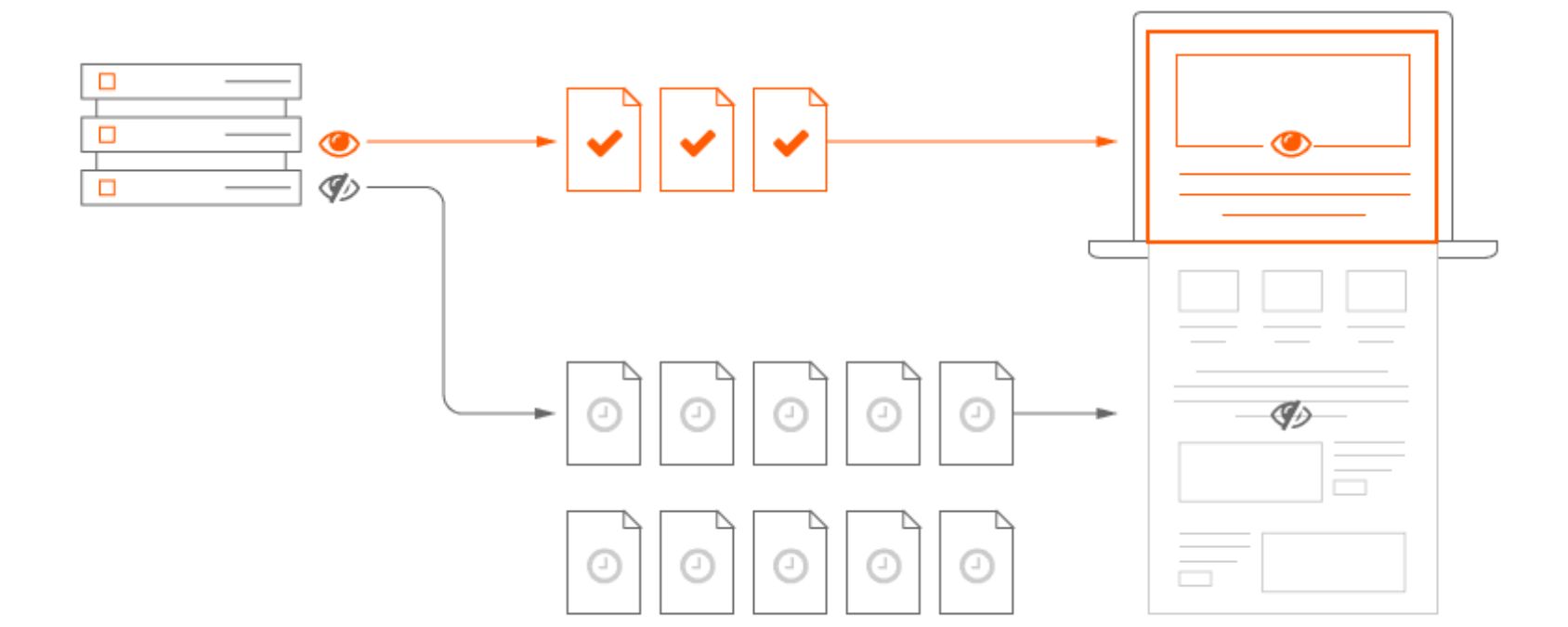
9. Defer Non-Essential Scripts & Use Lazy Loading

Not all parts of your page need to load at once. By deferring non-critical resources, you ensure the most important content loads first. Two techniques are key:
A. Deferring scripts
For any JavaScript that isn’t needed immediately, use the defer or async attributes in your script tags (or place script loading at the end of the body). This prevents render-blocking.
A render-blocking script forces the browser to halt constructing the page until that script is downloaded and executed, which can significantly slow down the perceived load time.
By deferring scripts, the browser can continue rendering the page while the script loads in the background.
B. Lazy loading content
We mentioned lazy loading images above, but you can lazy load other resources too, like videos or iframes (e.g., an embedded map or YouTube video). This means those heavy elements only load when the user scrolls near them or interacts with something that needs them.
For example, if you have a video player at the bottom of the page, it shouldn’t stall the initial page load. Lazy loading ensures that your page’s initial load focuses only on the essentials. Deferring and lazy loading are about optimizing the critical rendering path – loading first things first, later things later.
By doing so, you can often deliver meaningful content to your users faster, even if the full page is still loading in the background.
Many modern web frameworks and CMSs have plugins or settings to easily enable these behaviors (for instance, native HTML lazy-loading for images using the loading=”lazy” attribute). Implementing them will make your page feel faster and more responsive, especially on mobile devices or slower networks.
10. Limit Third-Party Scripts and Integrations
Every third-party element on your site, whether it’s an ad network script, a social media feed, a web analytics snippet, or an A/B testing tool, can introduce performance overhead.
These scripts often call external servers, which may not be as optimized or might load more slowly, and they can add extra JavaScript execution on your page. While such integrations are sometimes necessary, it’s important to be selective and periodically audit them:
A. Evaluate necessity
Ask if each third-party script is truly providing value that justifies the speed cost. For example, if you have multiple analytics or tracking scripts, can you consolidate to one? If you have heavy marketing tags that aren’t being used for actionable insights, consider removing them.
B. Optimize their placement
Some third-party tools offer asynchronous versions of their scripts or best practices for faster loading, make sure you implement those. For instance, Google Analytics can be loaded in a way that doesn’t block other content.
C. Tag management
Consider using a tag management system (like Google Tag Manager) to load third-party tags more efficiently and control when they fire. But be careful, adding too many tags in a manager can still bog down the site.
Studies have shown that each additional third-party script can incrementally slow down page loading. And importantly, these are often delays outside of your direct control, since they depend on another server’s speed.
So, keep your external scripts to a necessary minimum and remove any that are redundant or outdated. By slimming down the third-party bloat, you’ll reduce the risk of one slow analytics or ad server dragging down your site’s overall performance.
Conclusion: Speed Is Your Competitive Advantage
In the digital marketplace, page speed is no longer a luxury, it’s a necessity. A fast website delights users, keeps them on your pages longer, and encourages them to convert, whether that means making a purchase, filling out a form, or reading more content.
At the same time, page speed improvements bolster your SEO efforts, giving you an edge in search engine rankings (Google rewards fast, user-friendly sites).
In my 25 years of marketing experience, I’ve consistently seen that speeding up a website can yield quick and profound benefits, from lower bounce rates to higher sales. It’s one of the highest-ROI optimizations you can invest in.
The good news is that you now have a roadmap. By implementing the techniques outlined, from optimizing images and code to leveraging caching, better hosting, and modern web best practices – you can dramatically improve your page loading times.
Many of these changes are straightforward and cost-effective (or even free) to apply, and the payoff is a better experience for every single visitor who comes to your site.
Ready to accelerate your website? Don’t wait for slow speeds to chip away at your traffic and revenue. Every second (even every millisecond) counts online.
Start applying these page speed optimizations today, and you’ll likely see improvements not only in your site’s performance metrics, but also in user engagement, conversion rates, and search rankings.
Fast page speed can be your secret weapon – so take action now, and enjoy the results as your site leaves the slowpokes in the dust!

.png)
Shopify SEO: Guide to Ranking Your Store and Driving Sales
Most Shopify store owners set up their store, list their...

Content Marketing : Definitive Guide to Strategy, Content Types, and Measurable ROI
Content marketing generates 3x more leads than outbound marketing at...

Above the Fold: Guide to Conversions, Rankings and Faster Pages
Above the Fold in 2026: The Complete Guide to Conversions,...

Off-Page SEO Checklist: Guide to Building Real Authority
Most websites spend months creating great content, only to wonder...

What Is Keyword Bidding? The Complete Strategy Guide for Smarter Ad Spend
Most advertisers believe the highest bid wins the auction. It...

What Is Google Trends? The 2026 Marketer’s Complete Guide
If you are not already pulling weekly insights from Google...
If you want a growth partner who will get to know every aspect of your business and treat your budget like their own — we are the right fit.
.png)


.png)
.png)
.png)
.png)
.png)
.png)
2026 ALL RIGHTS RESERVED MADE IN INDIA
