
Top SEO Interview Questions & Best Answers for Job Success
August 25, 2025
Introduction
Search Engine Optimization (SEO) roles are in high demand, and interviews can be challenging due to the breadth of knowledge required. To help you prepare, we’ve compiled the most common SEO interview questions and answers – from fundamental concepts to technical nuances and current trends.
This comprehensive guide covers general SEO basics, on-page and off-page strategies, technical SEO, local SEO, and even emerging topics like AI and voice search. Each question comes with an expert-backed answer so you can confidently demonstrate your SEO expertise. Let’s dive in and get you ready to ace that SEO interview!
General SEO Interview Questions (Basics)
These questions cover the fundamental concepts of SEO, ideal for freshers or anyone establishing their SEO knowledge foundation.
1. What is SEO and why is it important?
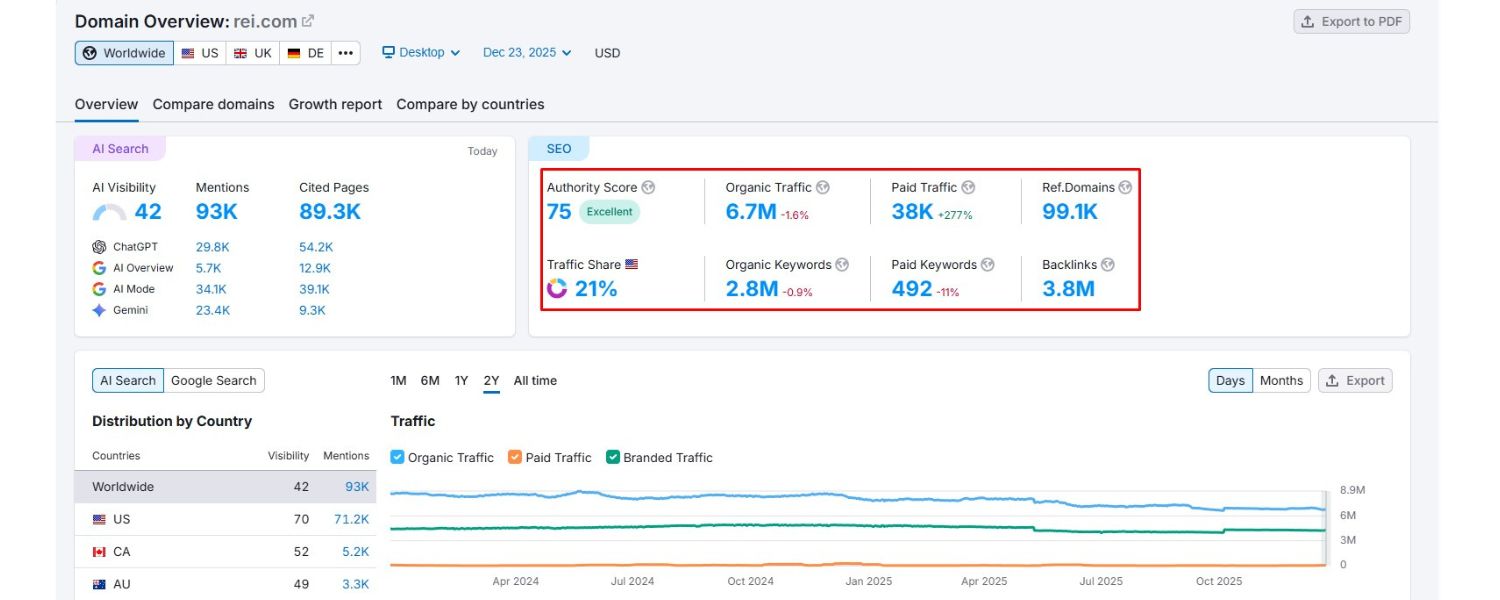
Answer: SEO stands for Search Engine Optimization – it’s the practice of optimizing a website to improve its visibility on search engine results pages (SERPs).
In simpler terms, SEO involves making changes to your site’s content, structure, and technical setup so that search engines like Google can easily crawl and index your pages, and rank them higher for relevant queries.
SEO is important because higher visibility in search results drives more organic (non-paid) traffic to your site. In fact, organic search remains the dominant source of trackable web traffic for most websites. Unlike paid advertising, the clicks you earn through SEO are “free” – they don’t cost per click – and they can provide long-term value.
By investing in SEO, businesses can reach their target audience right when they’re searching for products or information, building brand credibility and driving conversions. Simply put, if your website ranks on the first page of Google for important keywords, you’ll likely attract more visitors and potential customers, which is why SEO is crucial for business growth.
2. What’s the difference between organic and paid search results?
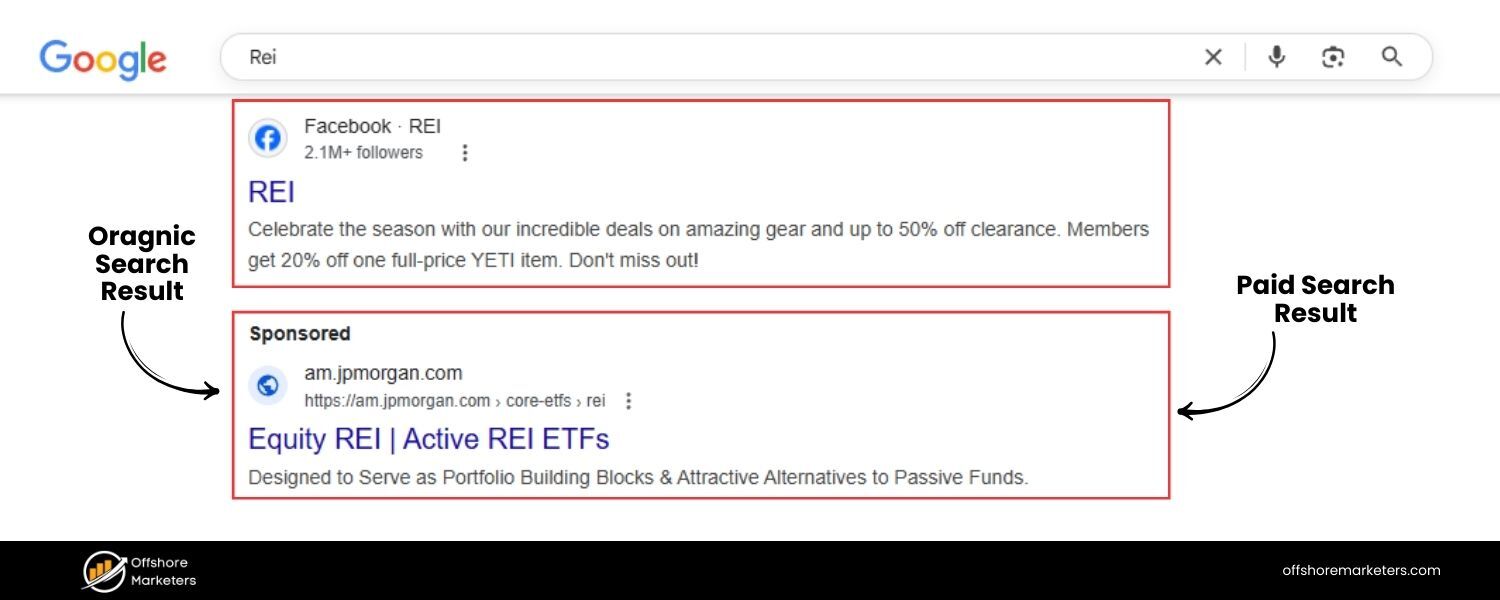
Answer: Organic search results are the listings that appear in search engines naturally based on relevance to the user’s query, whereas paid search results are advertisements that advertisers pay for to display at the top or bottom of SERPs.
Organic results are ranked by Google’s algorithm (considering hundreds of factors like content quality, links, and user experience), and they are not influenced by payment. Paid results (often marked as “Ad” or “Sponsored”) are part of Pay-Per-Click (PPC) advertising campaigns – companies bid on keywords to have their ads shown to users searching for those terms.
The key differences are visibility and cost: paid ads get prominent placement but incur a cost for each click, while organic listings must earn their spot but don’t charge per click. Visually, paid results are labeled as ads (e.g. with a “Sponsored” tag) and usually appear above the organic results.
Organic results, on the other hand, appear below the ads and are not labeled as ads. Both are valuable – organic SEO provides sustainable traffic, and paid search offers quick visibility – but in an interview, you should emphasize that organic SEO builds long-term credibility and cost-effective traffic, which is why companies invest heavily in SEO.
3. Explain the terms crawling, indexing, and ranking in search engines.
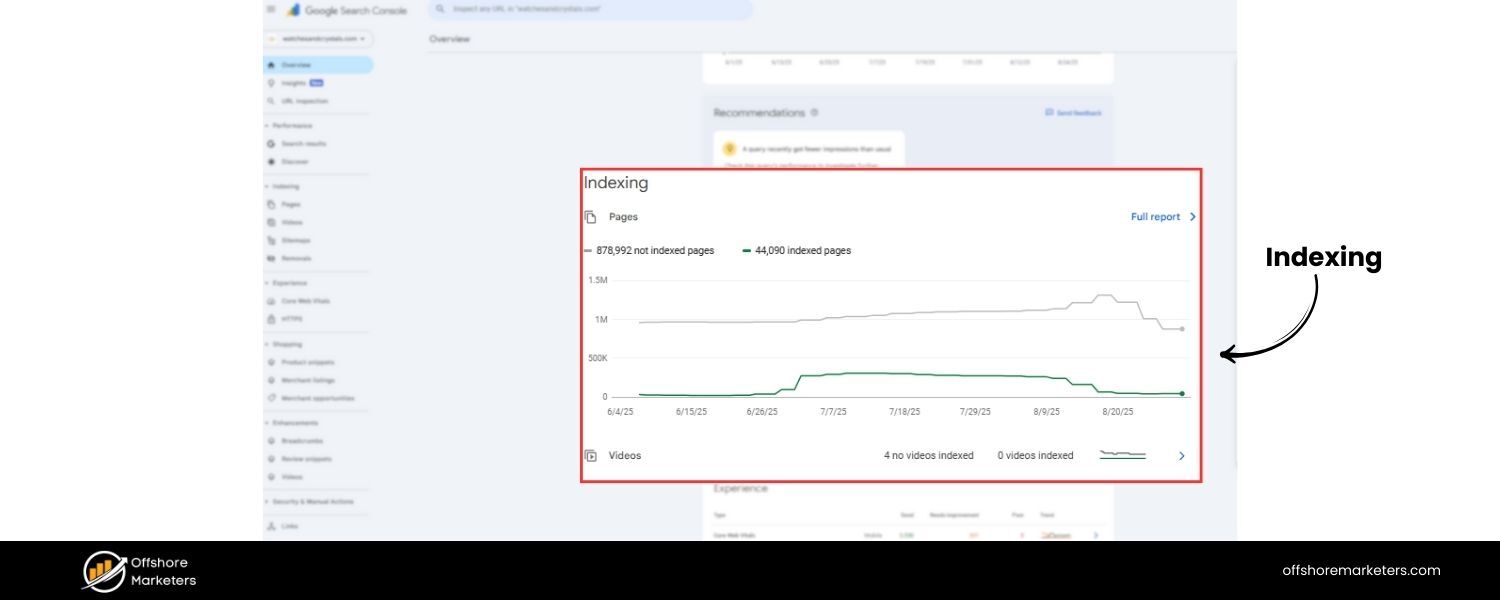
Answer: These three terms describe how search engines like Google process and list web pages:
A. Crawling: This is the first step, where search engine bots (called “crawlers” or “spiders”) discover content by following links or sitemaps. The crawler visits a webpage, reads the content and code, and then follows hyperlinks to other pages, continually searching for new and updated content.
B. Indexing: After crawling a page, the search engine decides whether to include that page in its “index” – which is like a vast library of all web pages deemed worthy of serving to searchers.During indexing, the search engine analyzes the page’s content, meta tags, images, etc., and stores this information in a database. If a page is indexed, it’s eligible to be displayed in search results for relevant queries. (Pages might not be indexed if they are duplicate, low-quality, or blocked by directives like noindex meta tags or robots.txt.)
C. Ranking: Finally, when a user types a search query, the search engine ranks the indexed pages by relevance and quality to decide the order of results.The ranking process uses complex algorithms (considering factors like keywords, links, site quality, location, personalization, etc.) to determine which pages best answer the query and in what order they should appear on the results page.Higher-ranked pages appear toward the top of the SERP. In short, crawling finds the content, indexing catalogues it, and ranking orders the results. A solid SEO strategy ensures that your pages are crawlable, indexable, and optimized to rank highly for target keywords.
4. What is the difference between On-Page SEO and Off-Page SEO?
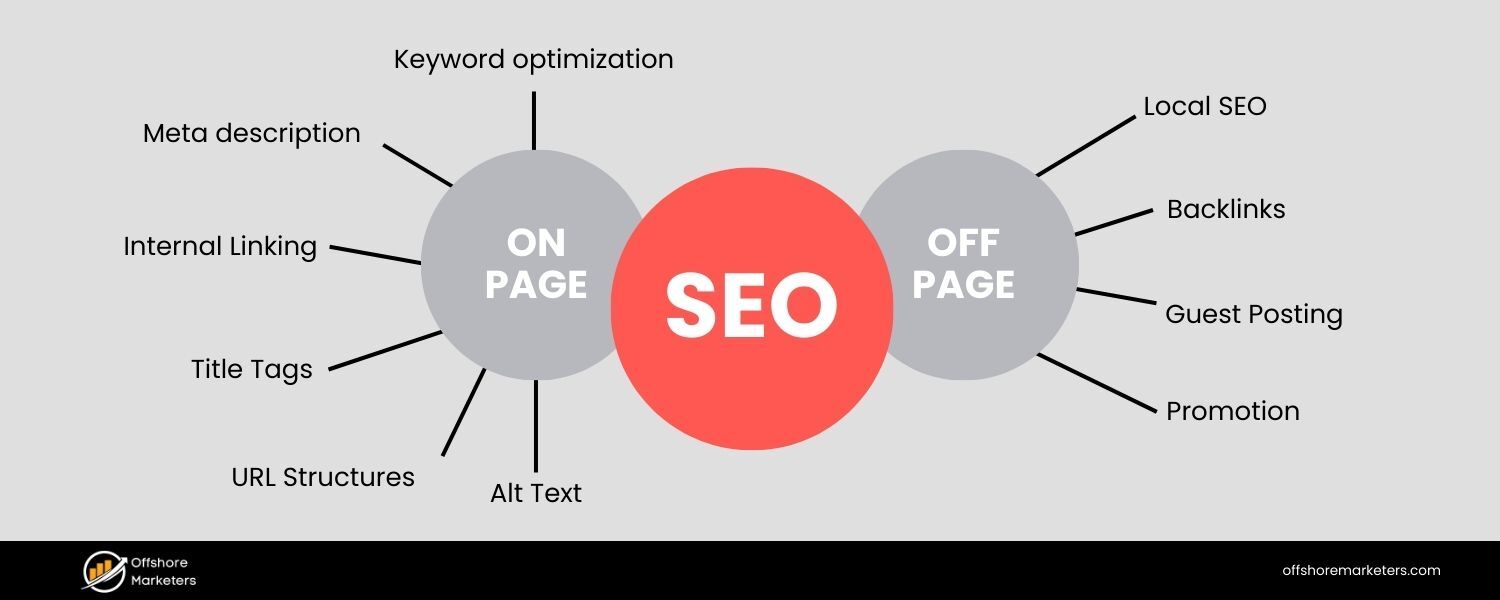
Answer: On-Page SEO (also known as on-site SEO) refers to optimizations made directly on your website’s pages to improve their search rankings. This includes elements like high-quality content creation, keyword optimization, title tags, meta descriptions, header tags (H1, H2, etc.), URL structure, internal linking, image alt text, and ensuring a good user experience (fast loading, mobile-friendly design).
Essentially, on-page SEO is about making your content relevant and crawler-friendly so search engines can understand and value it.
Off-Page SEO, in contrast, refers to actions taken outside of your own site to impact your rankings. The primary aspect of off-page SEO is link building – earning backlinks from other reputable websites, which act as “votes of confidence” for your content.
Off-page SEO also encompasses social media marketing, brand mentions, influencer outreach, and other promotional efforts that occur elsewhere on the web. The core idea is that off-page factors build your site’s authority and reputation, while on-page factors build relevance.
Both work together: on-page SEO ensures your website is optimized for your target keywords and provides value to users, whereas off-page SEO boosts your site’s authority and trustworthiness through external signals (most importantly, backlinks). A strong SEO strategy requires both – great content and site optimization and a robust backlink profile.
5. What are some important Google ranking factors today?
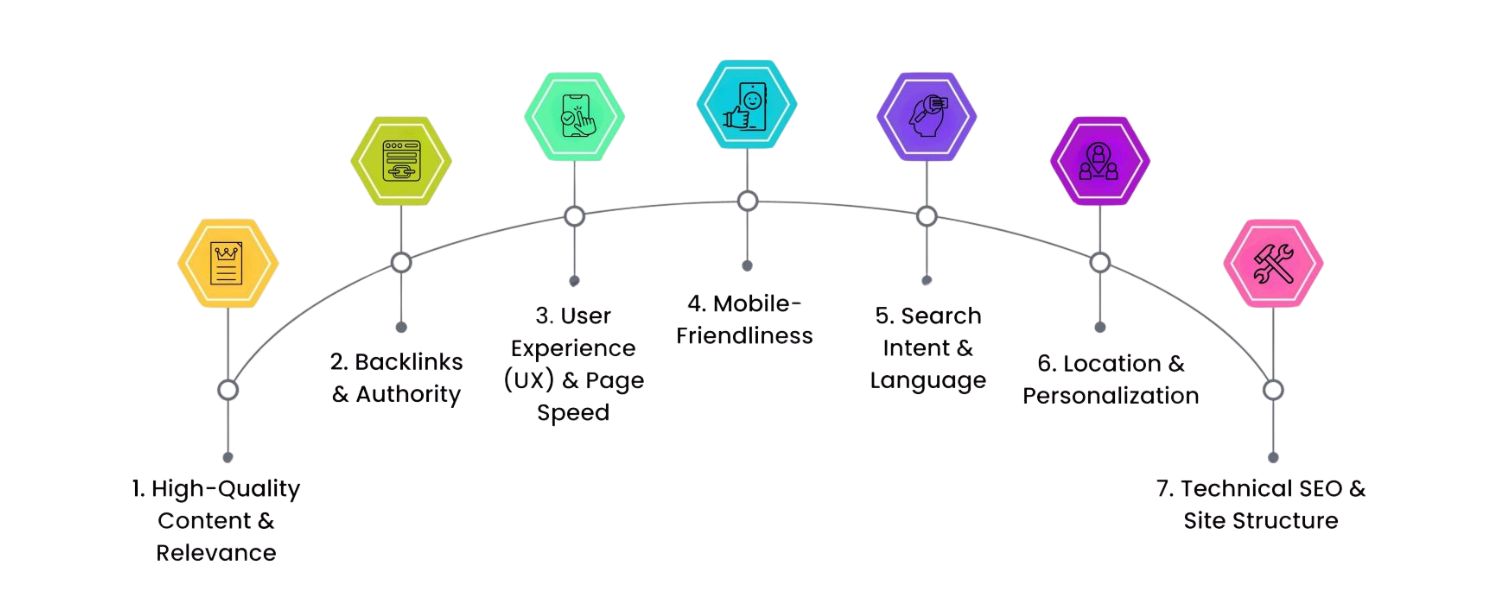
Answer: Google’s exact ranking algorithm is proprietary and involves hundreds of factors, but SEO experts and Google’s guidelines have identified many key ranking factors. Some of the most important Google ranking factors include:
A. High-Quality Content – Content that is relevant, comprehensive, and satisfies user intent tends to rank well. Freshness and depth of content are also considered.
B. Backlinks – The quantity and quality of backlinks pointing to your site is a crucial factor. Authoritative, relevant backlinks act as endorsements of your content’s credibility.
C. User Experience (UX) – This includes factors like page speed, mobile-friendliness, and how users interact with your site. Google uses metrics like bounce rate or Core Web Vitals (e.g. how quickly content loads and becomes interactive) as signals of a good user experience. Fast, mobile-optimized sites with easy navigation tend to rank higher.
D. On-Page Optimization – Proper use of target keywords in title tags, meta descriptions, headings, and throughout the content (in a natural, non-spammy way) helps search engines understand your page. Also, structured data (Schema markup) can enhance how your listings appear (rich snippets), indirectly improving ranking via better click-through rates.
E. Technical Factors – Secure and accessible website (HTTPS), proper site architecture, XML sitemaps, and correct use of robots.txt influence crawling and indexing. No broken links or dead pages (404s), and use of canonical tags to handle duplicate content are important to avoid SEO issues.
F. User Engagement Signals – Although debated, signals like click-through rate (CTR) from search results, dwell time (how long users stay on your page), and pogo-sticking (bouncing back to results quickly) can inform Google about content quality. Google’s RankBrain (a machine-learning component) also evaluates how users interact with results to adjust rankings over time.
In summary, content relevancy and quality, backlinks, and user experience are often cited as the top three groups of factors. It’s important to note that ranking factors can evolve – for instance, Google has placed more emphasis on mobile usability and page experience in recent years. A successful SEO practitioner stays current with these factors and optimizes holistically.
Quick Stat: Organic search drives over 50% of all website traffic on average, which underscores why focusing on these ranking factors is so valuable for businesses.
6. What is a keyword and what is keyword research?
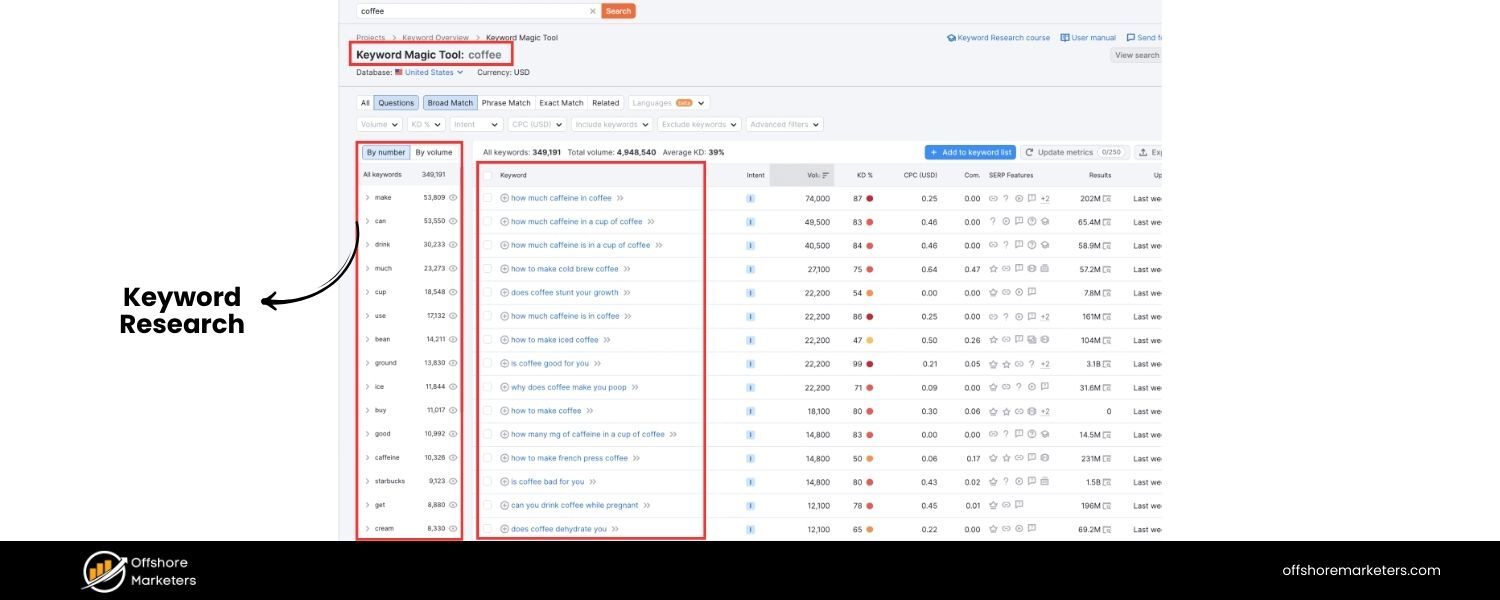
Answer: In SEO, a keyword is a word or phrase that users type into search engines when looking for information. Keywords represent the topics or queries for which websites may rank.
For example, if someone searches for “best hiking shoes,” that entire phrase is considered a keyword (specifically a long-tail keyword). Keyword research is the process of finding and analyzing the search terms that people use, with the aim of using that insight to optimize your content.
When you do keyword research, you typically look at factors like search volume (how many people search for that term per month), keyword difficulty or competition (how hard it would be to rank for that term), and relevancy to your business. The goal is to identify the keywords your target audience is using and then create high-quality content targeting those terms.
Effective keyword research helps ensure you’re optimizing for terms that have search demand and align with what your potential customers are looking for. For instance, using tools (like Google Keyword Planner, Semrush, or Ahrefs) you might discover related phrases or questions (e.g., “best hiking shoes for flat feet”) that you can incorporate into your SEO strategy.
In an interview, you might add that keyword research isn’t just about high volume – it’s about understanding user intent and choosing keywords that you have a realistic chance to rank for, balancing relevance, traffic potential, and competition.
7. What is a long-tail keyword, and why are long-tail keywords important?
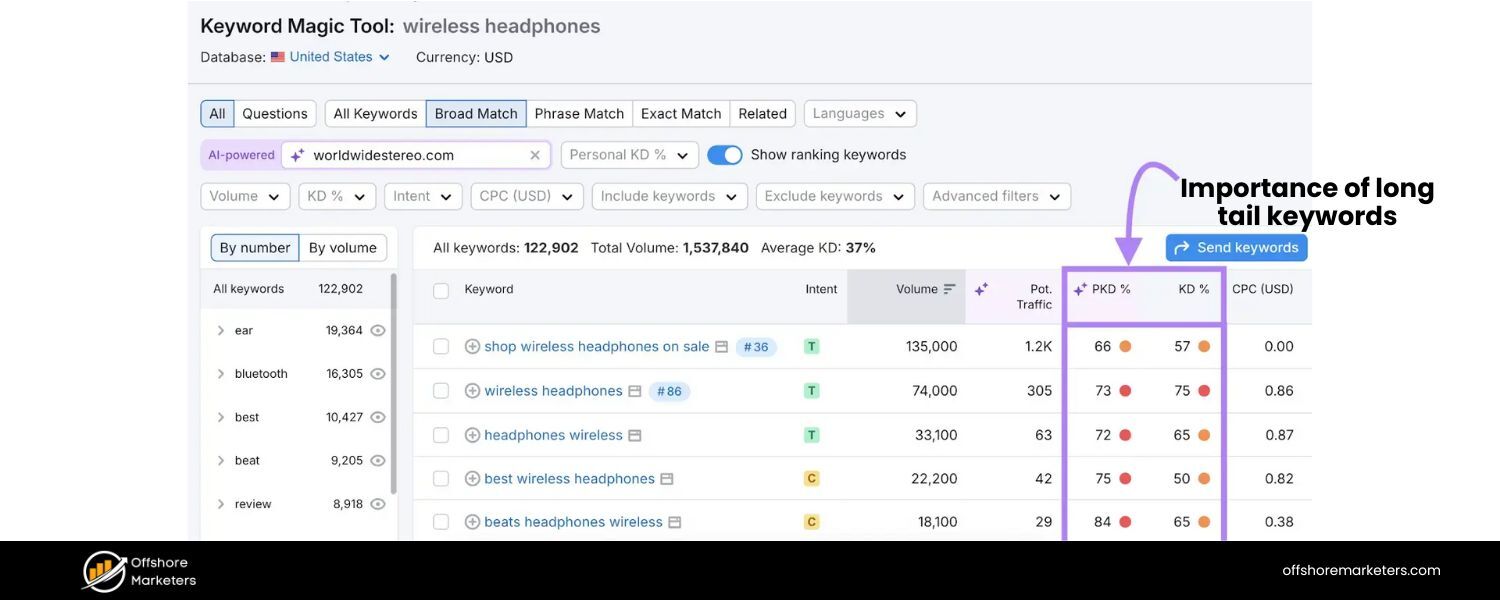
Answer: A long-tail keyword is a longer, more specific search phrase—usually containing three or more words. Long-tail keywords tend to have lower search volume than short, broad keywords, but they often carry more precise intent.
For example, “coffee” is a broad keyword, whereas “best organic fair-trade coffee beans” is a long-tail keyword. Long-tail keywords are important for several reasons:
A. Lower Competition: Because they are more specific, not as many websites target them, making it easier to rank higher. It’s often more feasible for a new site to rank for “best organic fair-trade coffee beans” than just “coffee.”
B. Higher Conversion Rate: Long-tail searches often come from users who know what exactly they want. If someone searches “size 10 men’s waterproof hiking boots,” they likely have purchase intent, which can lead to better conversion rates when they find the exact product.
C. Targeted Traffic: Long-tail terms allow you to attract visitors looking for precisely what you offer. This means the traffic you get is highly relevant and often more engaged.
D. Voice Search & Conversational Queries: With the rise of voice assistants, people increasingly use natural, question-like phrases (e.g., “what are the best coffee beans for cold brew”). These are effectively long-tail queries. Optimizing for them can help capture voice search traffic.
In summary, long-tail keywords are a crucial part of an SEO strategy because they help you capture niche queries and motivated users. While each long-tail term individually might not bring tons of traffic, collectively they can drive a significant portion of organic visits with higher likelihood of conversion.
SEO interviews often include this concept to test if you understand the value of balancing big, competitive keywords with specific, intent-driven ones.
8. What are white hat SEO and black hat SEO? Can you give examples of black hat techniques?
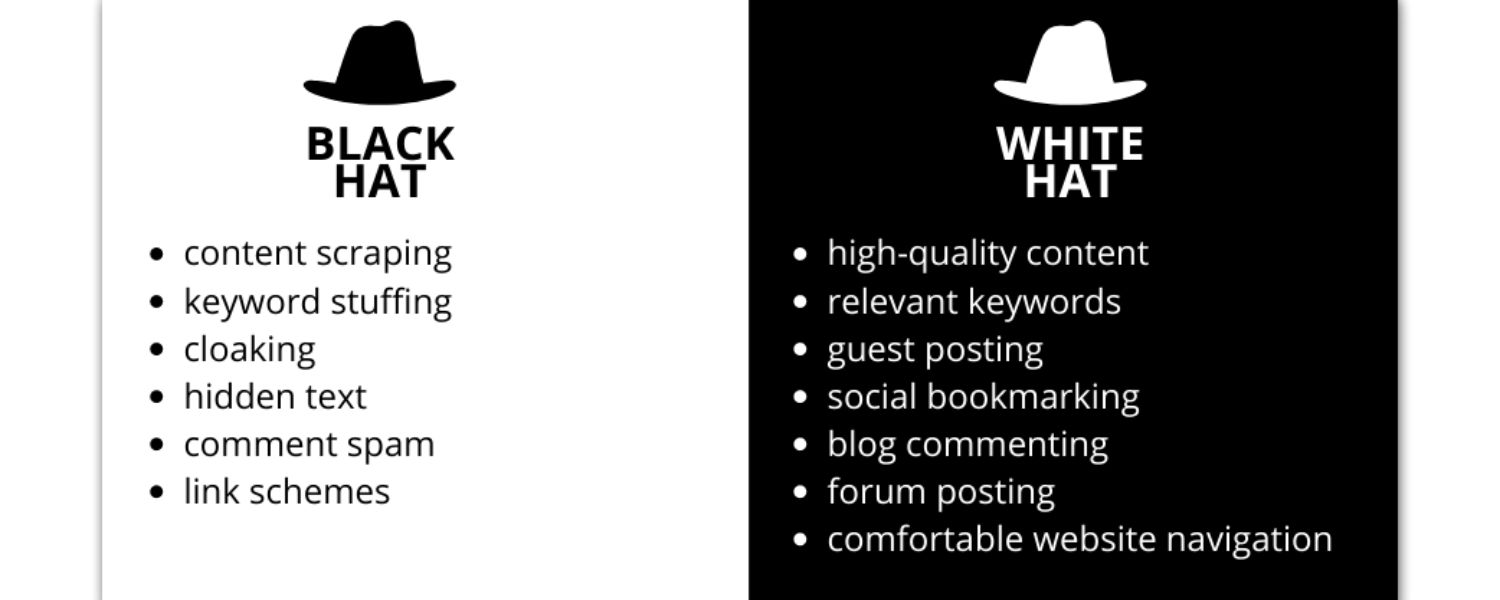
Answer: White hat SEO refers to optimization techniques that align with search engines’ guidelines and focus on providing value to users. This includes things like creating high-quality content, improving site usability, earning backlinks naturally, and overall ethical strategies to improve rankings.
Black hat SEO, on the other hand, involves manipulative or unethical tactics that violate search engine guidelines in an attempt to game the algorithm. Black hat techniques often seek quick wins by exploiting loopholes, but they carry a high risk of penalties. Examples of black hat SEO techniques include:
A. Keyword Stuffing: Overloading a page with an excessive number of keywords (or irrelevant keywords) to try to manipulate rankings. This results in poor readability and user experience.
B. Cloaking: Showing a different version of content to search engines than to users (for example, stuffing a page with invisible keyword-rich text for Google while human visitors see a normal page).
C. Paid or Spammy Link Schemes: Buying links, participating in link farms, or excessively exchanging links solely to boost PageRank. Any artificial link building that violates Google’s guidelines (like large-scale guest posting with keyword-rich anchor text, or forum comment spamming) is considered black hat.
D. Hidden Text or Links: Hiding text (e.g., white text on a white background) or links (tiny font or off-screen) solely for search engines to read, not users.
E. Doorway Pages: Creating low-quality pages stuffed with keywords that redirect users to a different page, or pages solely made to rank for specific queries and funnel users elsewhere.
Using black hat methods might yield short-term improvements, but search engines (especially Google) are very sophisticated at detecting such tactics. Websites caught engaging in black hat SEO can be penalized or even removed (de-indexed) from search results.
In an interview, it’s good to mention that you strictly follow white hat SEO practices. Emphasize that you focus on sustainable strategies: earning rankings through quality content and legitimate optimization, rather than trying to cheat the system. This demonstrates professionalism and an understanding of long-term SEO success.
9. How do you measure the success of an SEO campaign?
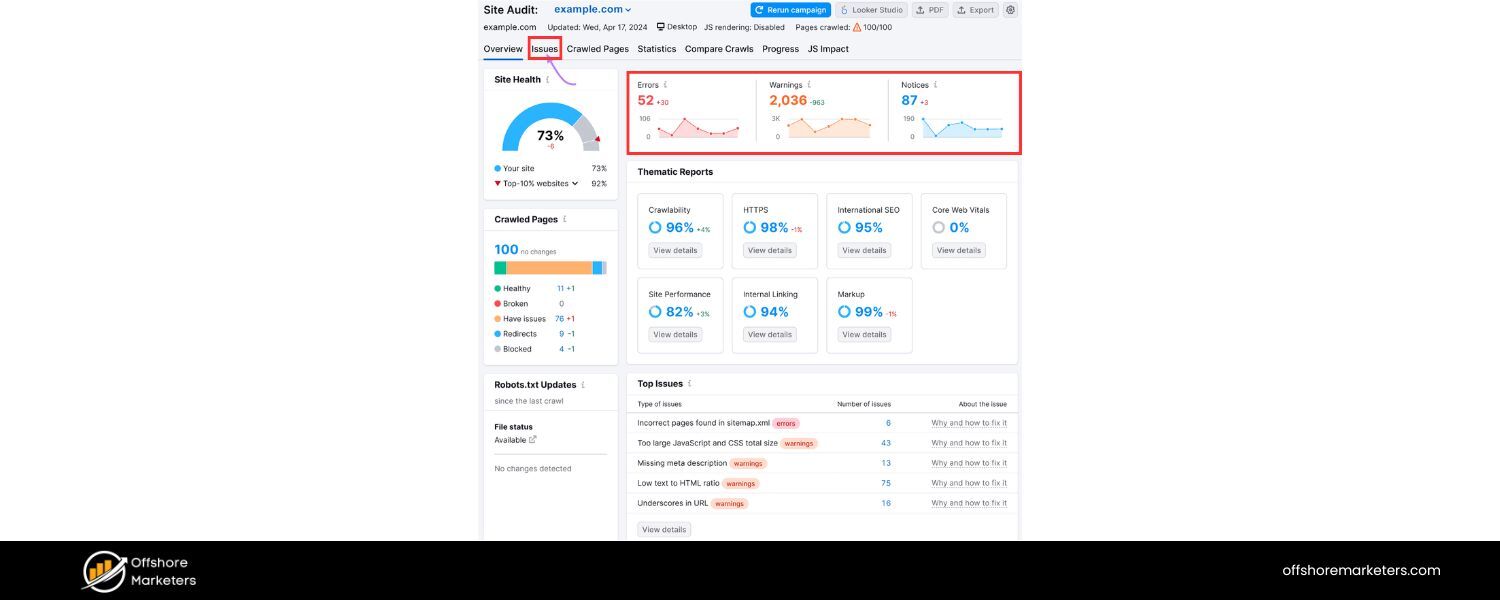
Answer: Measuring SEO success is critical – it proves the value of your work and helps refine strategy. Key SEO performance metrics include:
A. Organic Traffic: The number of visitors coming from organic search. An upward trend in organic sessions over time is a primary indicator of SEO success. This can be tracked via Google Analytics or similar analytics tools.
B. Keyword Rankings: Monitoring how your target keywords move up (or down) in search engine results. Improved rankings, especially onto page 1 of Google, often lead to more traffic. Tools like Google Search Console, Semrush, or Ahrefs help track ranking positions.
C. Click-Through Rate (CTR): In Google Search Console you can see the CTR for your pages/queries. A higher CTR means more searchers are clicking your result when it’s shown, which can indicate effective title/meta description optimization and alignment with search intent.
D. Conversions and ROI: Ultimately, you want to measure how SEO traffic contributes to business goals. This could be form submissions, product sales, newsletter signups, or other conversion actions completed by organic visitors. For example, an SEO campaign’s success might be quantified by an increase in e-commerce sales from organic search, or more leads generated. Tying conversions to monetary value helps calculate ROI of SEO.
E. Bounce Rate and Dwell Time: User engagement metrics like bounce rate (percentage of users who leave after viewing one page) or dwell time (how long a user stays on the page from search) can signal if the traffic coming is relevant and satisfied by your content. A decreasing bounce rate or longer time-on-page for organic visitors suggests your content is meeting user needs.
F. Backlink Growth and Domain Authority: While more of a means than an end, tracking the number of quality backlinks acquired over time and improvements in third-party metrics like Domain Authority (Moz) or Domain Rating (Ahrefs) can show growing SEO strength.
In an interview, you should mention a mix of these metrics and tie them to the business. For instance, “We’d look at organic traffic growth and track how that traffic translates into conversions or revenue.
Ranking #1 is great, but I ultimately judge SEO success by the tangible results for the business – like an X% increase in sales attributed to organic search.” This demonstrates you understand SEO isn’t just about vanity metrics but about contributing to organizational goals.
10. Can you name some popular SEO tools and their uses?
Answer: There are many excellent SEO tools that help with research, implementation, and tracking. Some of the most popular ones include:
A. Google Search Console
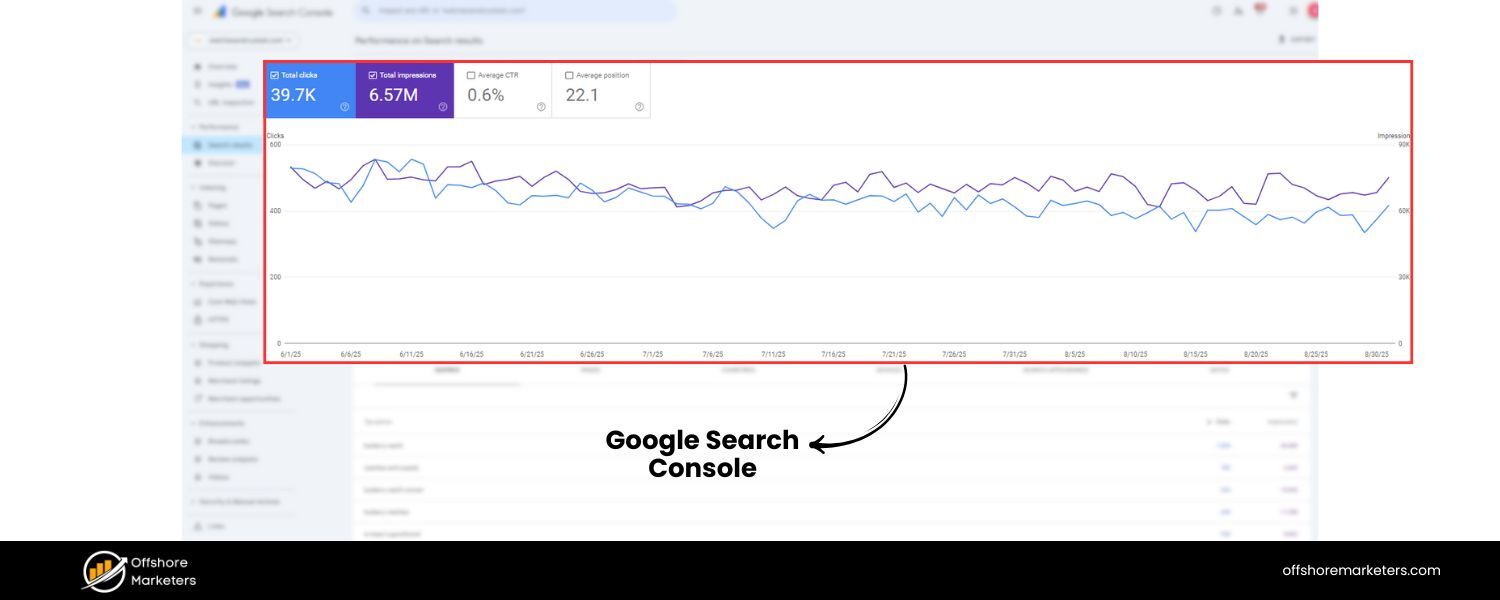
A free tool by Google that provides data on your site’s search performance – including indexed pages, search queries driving traffic, CTR, and any crawl errors or manual penalties. It’s essential for monitoring how Google is interacting with your site.
B. Google Analytics
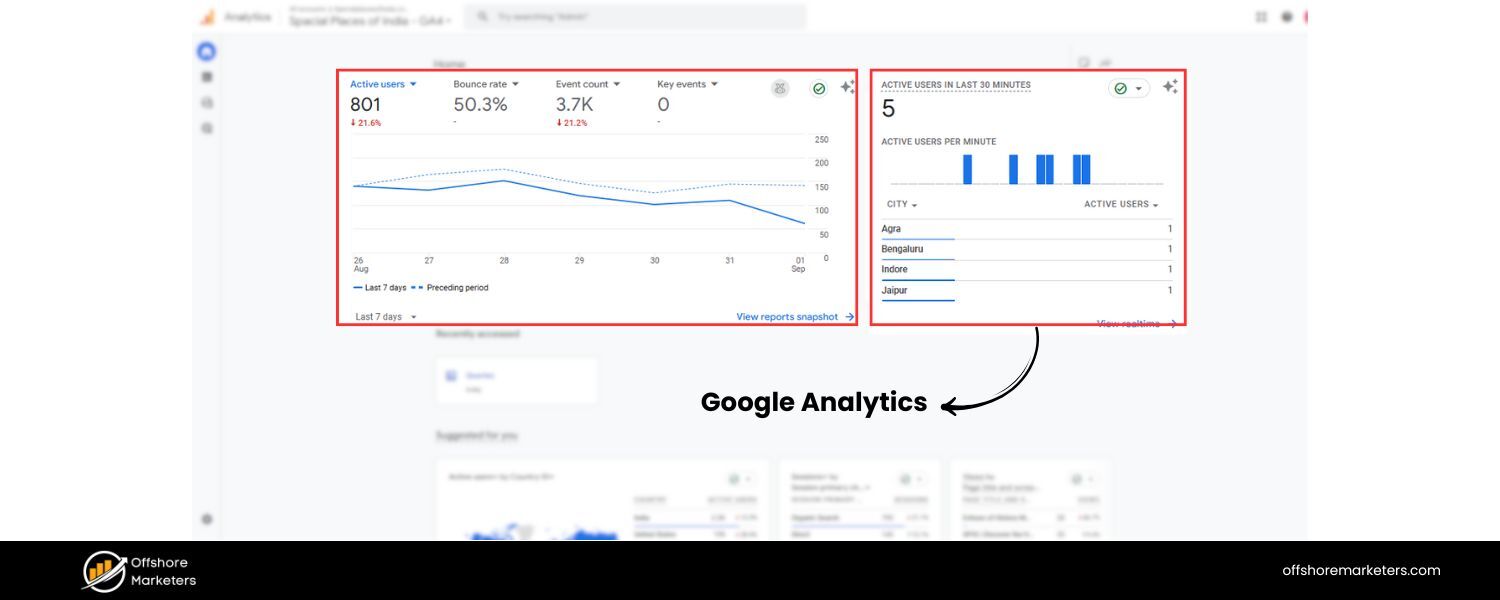
Another free tool that tracks website traffic and user behavior. It’s used to measure organic traffic volume, user engagement, and conversions. By setting up goals, you can see how SEO traffic contributes to business outcomes.
C. Keyword Research Tools
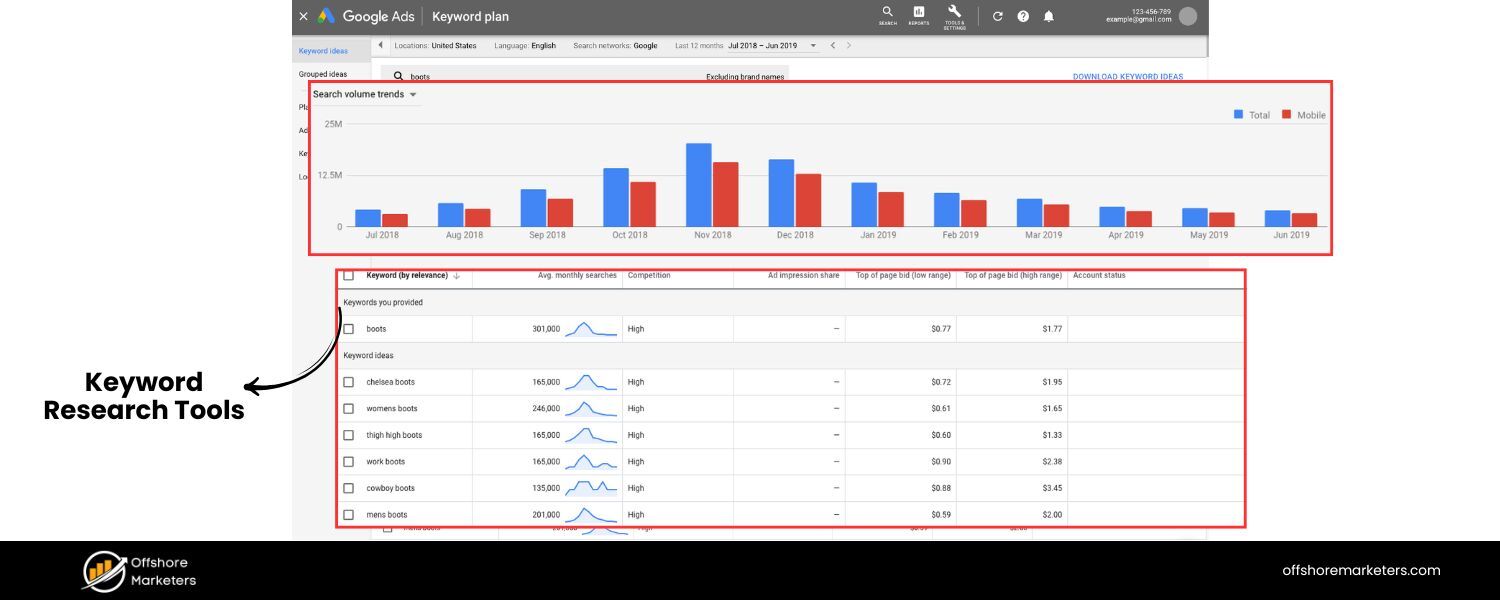
e.g. Google Keyword Planner (for discovering keyword ideas and search volumes), Semrush, Ahrefs, or Moz Keyword Explorer. These help identify valuable keywords and analyze their difficulty and search frequency.
D. SEO Audit/Crawling Tools
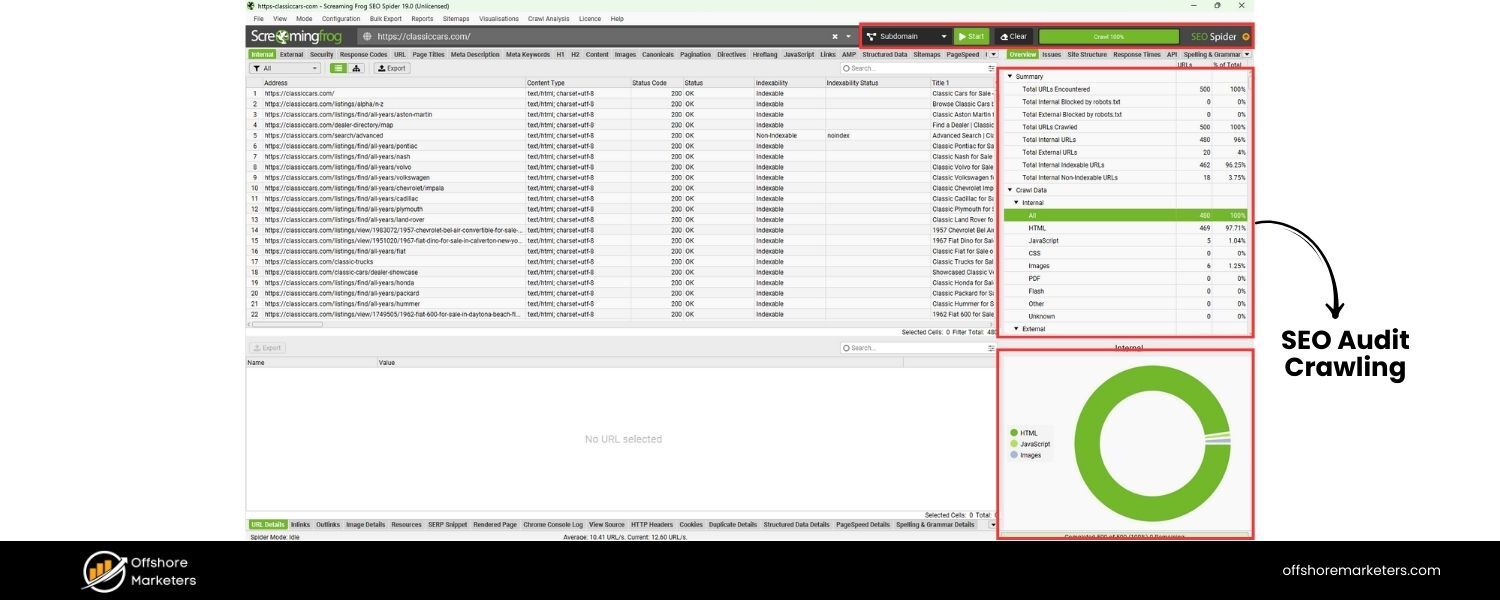
e.g. Screaming Frog SEO Spider or Semrush Site Audit. These tools crawl your website like a search engine and identify technical SEO issues (broken links, missing tags, duplicate content, etc.) so you can fix them.
E. Backlink Analysis Tools
e.g. Ahrefs, Majestic, or Semrush’s backlink analytics. They allow you to analyze your backlink profile and competitors’ backlinks – seeing how many links, from which domains, anchor texts, etc., to guide your link building strategy.
F. Rank Tracking Tools
e.g. Semrush, Ahrefs, or Moz can track how your keyword rankings change over time and across different locations.
G. Other Notables
Yoast SEO or Rank Math (if you use WordPress, these plugins help optimize on-page elements), Google PageSpeed Insights (for analyzing page speed and Core Web Vitals), MozBar/SEOquake (browser extensions to get quick SEO metrics on pages), and Google Trends (to compare search interest over time).
Each tool has its strengths – in an interview, mention the ones you have experience with and what you use them for. For example, “I regularly use Google Analytics and Search Console for monitoring traffic and indexing health, Semrush for comprehensive keyword research and competitor analysis, and Screaming Frog for technical audits.
Using these tools in combination gives me a well-rounded view to make data-driven SEO decisions.” Demonstrating familiarity with industry-standard tools shows that you can efficiently analyze and improve SEO performance.
Now that we’ve covered the foundational questions, let’s move into more specific categories of SEO knowledge that interviewers often explore, such as on-page optimization tactics, technical SEO issues, off-page strategies, and more.
On-Page SEO Interview Questions
On-page SEO focuses on optimizing elements on your website – content and HTML source – to make it search-friendly and relevant. Interviewers ask these questions to gauge your understanding of content optimization and site structure best practices.
11. How would you optimize a webpage for a specific keyword?
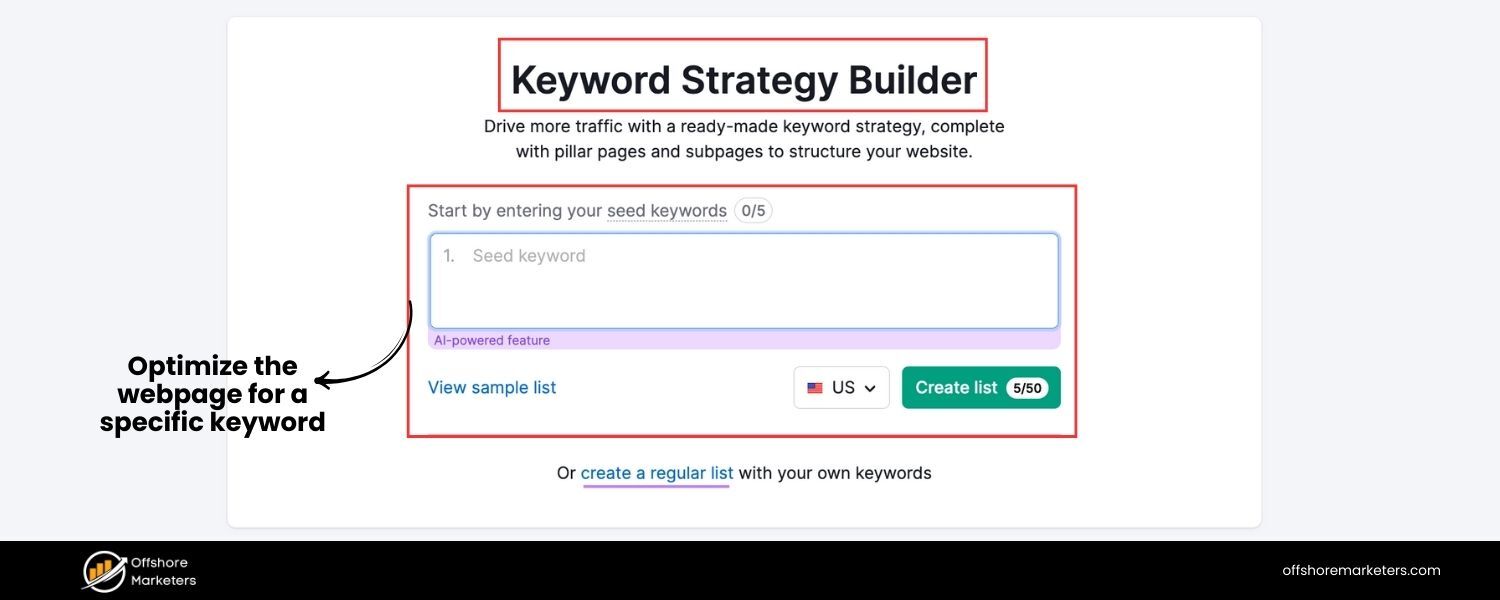
Answer: Optimizing a webpage for a target keyword involves several steps to ensure search engines understand the page’s topic and users find it relevant:
A. Keyword Placement in Key Elements: Include the target keyword (or a close variation) in critical places: the title tag, meta description, H1 heading, and naturally within the content. For example, if the keyword is “digital marketing strategy,” the title might be “10 Tips for a Successful Digital Marketing Strategy in 2025.” The keyword appearing early in the title tag and at least once in the first paragraph of content can be beneficial.
B. High-Quality Content Creation: Write comprehensive, valuable content that addresses the keyword’s intent. This means covering the topic in-depth, answering common questions searchers have, and possibly including examples or data. Content should be original and provide more value or clarity than competing pages. Avoid thin content – aim for a robust page that fully satisfies a reader’s query.
C. Use of Headers and Formatting: Break content into logical sections with H2/H3 subheadings that possibly include semantic keywords (related terms). This not only improves readability but also helps search engines understand the structure. Use bullet points or numbered lists for clarity where appropriate (e.g., for steps or lists of items), as these can also earn rich snippets.
D. Optimize Meta Tags: Craft a compelling meta description (~150 characters) that includes the keyword and entices clicks. While meta descriptions aren’t a direct ranking factor, a higher CTR from an appealing description can improve overall performance. Ensure the title tag is within 60-65 characters, includes the keyword, and is written to attract user interest (since it’s often the snippet title in SERPs).
E. URL and Image Optimization: Use a clean, short URL that includes the keyword or a relevant phrase (e.g., …/digital-marketing-strategy-tips). For images on the page, use descriptive file names and include alt text that describes the image and, if relevant, uses the keyword or synonyms (this helps with image search and accessibility).
F. Internal Linking: Link to the optimized page from other relevant pages on your site using appropriate anchor text (not over-optimized, but contextual). Internal links help distribute link equity and also signal the page’s importance and relevance. For example, other blog posts or pages on your site might link to this page with anchor text “digital marketing strategy” or related terms, enhancing its visibility to search engine crawlers.
G. User Experience Factors: Ensure the page loads quickly (compress images, enable browser caching, etc.), is mobile-friendly (responsive design), and has a good layout. A page that’s optimized for a keyword but provides a poor user experience (slow, not mobile-optimized, hard to read) may still struggle to rank due to higher bounce rates or Google’s page experience signals.
By following these steps, you signal to search engines what your page is about and you provide value to readers. In practice, you would start by researching the keyword’s intent – e.g., if it’s informational, make sure your content answers the typical questions people have (maybe using an FAQ section or clear explanations).
Mentioning that you’d also look at the SERP features (are there featured snippets, images, etc. for that keyword?) and align your content accordingly can also impress an interviewer. The end goal is a well-structured, relevant page that both search engines and users love.
12. What are meta tags? Explain the importance of title tags and meta descriptions.
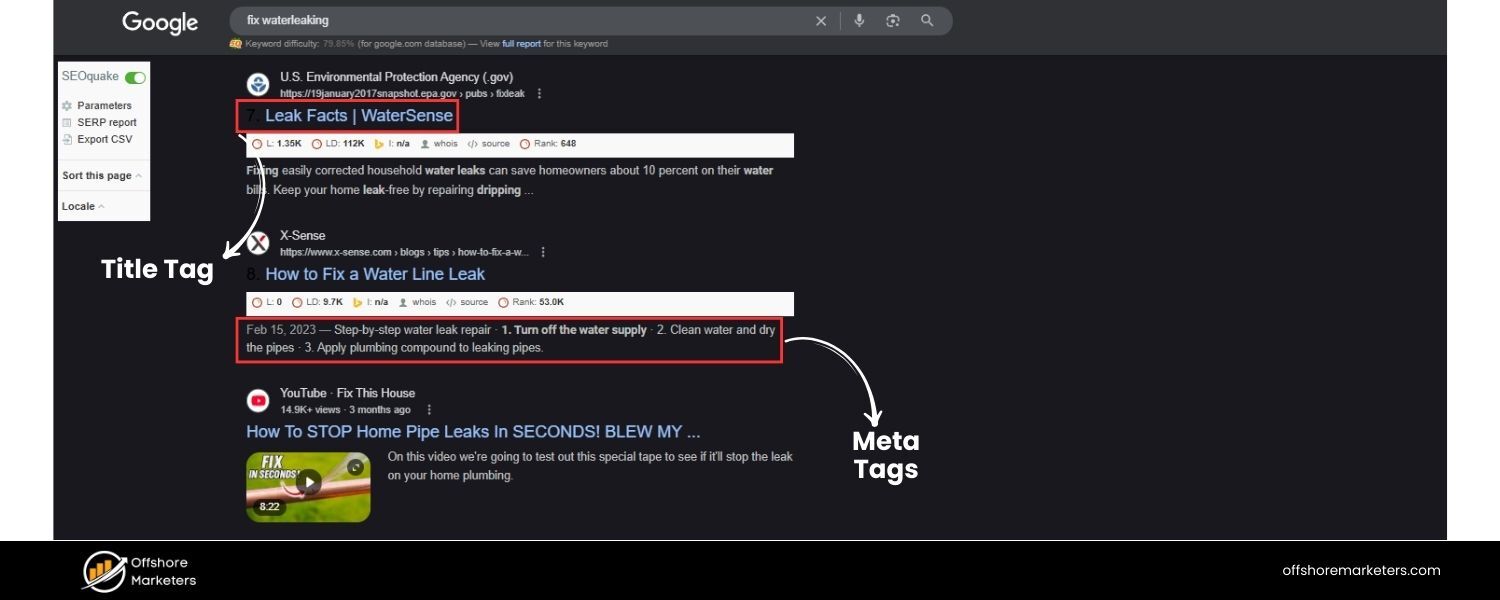
Answer: Meta tags are snippets of HTML code that provide information about a webpage to search engines and sometimes to visitors. They are placed in the section of an HTML document. The two most crucial meta tags for SEO are the title tag and the meta description (though technically the title is not a “meta name tag, it’s often discussed together with meta description as a meta element).
A. Title Tag: This is the (title) element of the page, which specifies the official title of the page. It appears as the clickable headline in search engine results and at the top of browser windows/tab. The title tag is extremely important for SEO because it tells search engines (and users) what the page is about.
A well-written title tag should be concise (typically 50–60 characters), include the page’s primary keyword near the beginning, and be compelling to encourage clicks. For example, a good title for a page targeting “SEO tips” might be “SEO Tips for 2025: 10 Strategies to Improve Your Google Rankings”. Search engines heavily weight keywords in the title tag when determining relevance, and a descriptive title also sets user expectations.
B. Meta Description: This is a meta tag () that provides a brief summary of the page’s content. Meta descriptions often appear as the snippet of text under the title in search results (although Google sometimes generates its own snippet based on page content). While meta descriptions are not a direct ranking factor (Google has stated that keywords in meta descriptions don’t directly influence ranking), they strongly influence click-through rate on the SERP. A good meta description (~150 characters) should incorporate the primary keyword (Google will bold matching terms) and also be written in an enticing way to encourage the searcher to click. For instance: “Learn 10 effective SEO tips to boost your Google rankings in 2025.From keyword research to Core Web Vitals – master the latest best practices to outshine competitors.” This description uses the keyword and creates interest.
Other meta tags include meta robots (which can tell search engines whether to index a page or follow its links), meta viewport (important for mobile view), etc., but those are more technical. In an interview, focus on title and description.
Emphasize that a well-optimized title and description work together: the title helps you rank and the description helps you get the click. For example, if asked how you’d improve on-page SEO, you might say “First, I’d rewrite the title tag to include the target keyword and make it more compelling.
Then ensure the meta description highlights a key benefit or summary, to improve our snippet’s appeal, since a higher CTR can indirectly benefit our ranking performance.” That shows you understand both the technical and marketing aspects of meta tags.
13. What is keyword stuffing, and why is it bad for SEO?
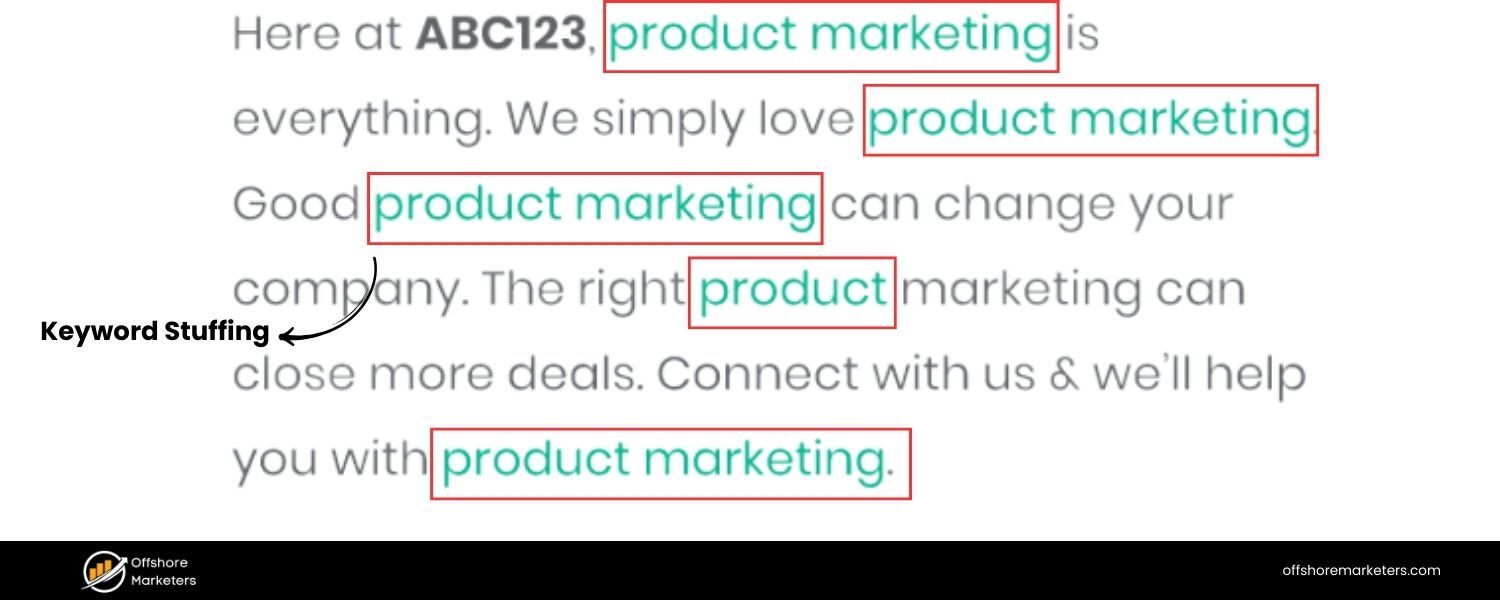
Answer: Keyword stuffing is the practice of overusing a target keyword (or a set of keywords) in a page’s content or meta tags in an attempt to manipulate search rankings. This could involve repeating the same words or phrases unnaturally often, or cramming long lists of keywords (often out of context) into the page.
For example, a keyword-stuffed sentence might read: “Our cheap running shoes are the best for anyone looking for cheap running shoes because we offer the most affordable cheap running shoes in the market.” – which is obviously a poor user experience.
Keyword stuffing is bad for SEO for several reasons:
A. Hurts Readability and User Experience: Content that’s stuffed with keywords reads awkwardly and provides little value to the user. Visitors are likely to bounce (leave immediately) if the content feels spammy or nonsensical, which is a negative engagement signal.
B. Search Engine Penalties: Search engine algorithms, especially Google’s, have become very adept at detecting unnatural repetition of keywords. Practices like keyword stuffing are explicitly against Google’s Webmaster Guidelines.
As a result, keyword stuffing can lead to rankings dropping or even manual penalties in extreme cases. Google’s algorithms (like the older Panda update focused on content quality) downgrade sites with thin or keyword-stuffed content.
C. Diminishing Returns: There is no ranking benefit to repeating a keyword dozens of times. Generally, using the keyword a few times naturally (especially in key areas like title, headings, first paragraph) is sufficient.
After that, using variations and synonyms is better for semantic SEO. Modern search algorithms use natural language processing and can understand context; they might even prefer that you use related terms. A page that reads naturally and comprehensively likely outperforms a page that just repeats a keyword with no substance.
Interview tip: If asked how you handle keyword usage, you can say “I focus on keyword placement and density only to the point it serves user clarity. I ensure the main keyword appears in important places like the title, headings, and introductory sentence, but beyond that, I write for the user. I might use synonyms or related terms to cover the topic broadly.
Over-optimization signals like repeating a keyword unnaturally are something I avoid, especially since Google’s RankBrain and semantic search understand context. Quality content will always beat a page that just jams keywords.” This shows you’re up-to-date with how SEO is about balance – relevance without sacrificing quality.
14. What are heading tags (H1, H2, H3, etc.), and how do they matter for SEO?
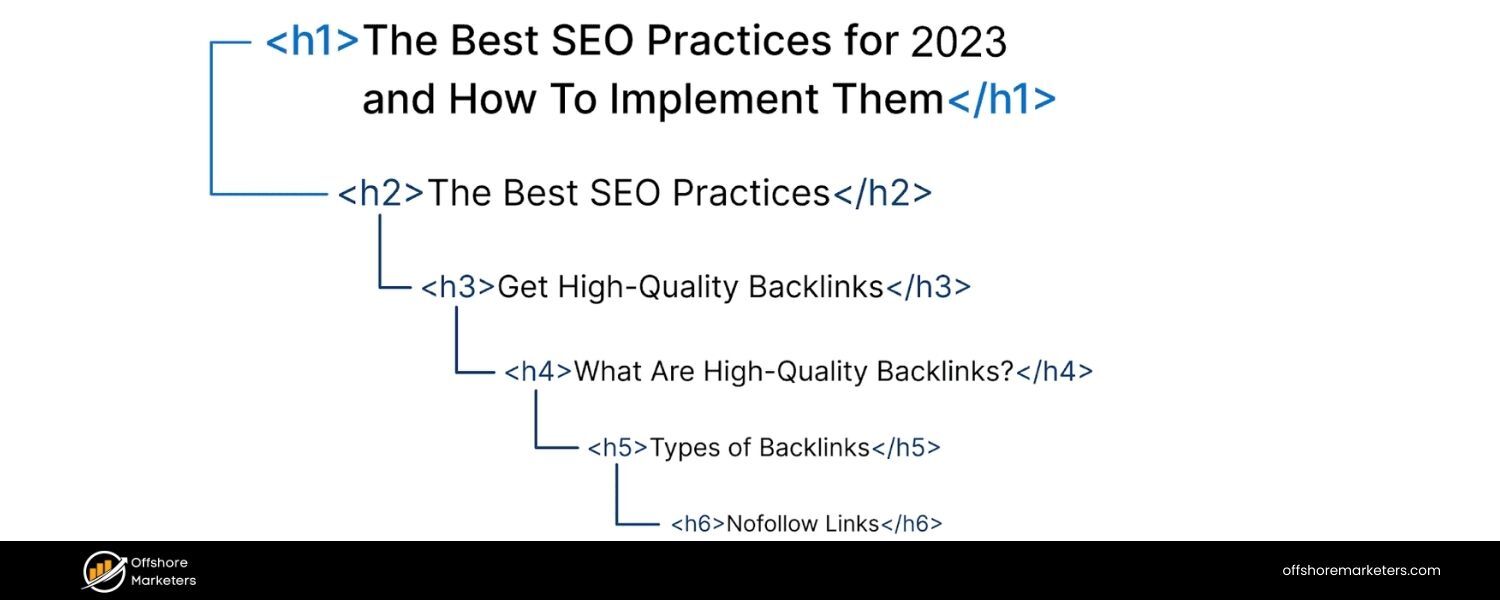
Answer: Heading tags are HTML tags (h1> through <h6) used to structure content on a webpage. They create a hierarchy of sections and sub-sections, much like an outline or table of contents for your content.
A. H1 Tag: The H1 is typically the main title or heading of a page (usually the headline visible to users at the top of an article or page). By HTML definition, it’s the most important heading and ideally each page should have one H1 that summarizes the topic of the page.
From an SEO perspective, the H1 should closely align with the title tag and the page’s primary keyword, as it signals to search engines what the core topic is. For example, on a blog post titled “10 Email Marketing Tips,” the H1 might be the same text. Search engines do look at H1 content, and having the keyword or a variation in the H1 is a relevancy signal (though not as critical as the title tag).
B. H2, H3, etc.: These are subheadings. H2 tags denote major sections under the H1, H3 tags are sub-sections under an H2, and so on. Using these hierarchically makes content easier to read for users and also helps search engines understand the structure and key points of your content.
For instance, an H2 might be “Tip #1: Personalize Your Emails,” and an H3 under it might be “How Personalization Improves Open Rates.” This nesting helps break the content into logical chunks.
For SEO, heading tags matter because:
A. They include keywords or related terms that reinforce what the section is about. Search engines use this to determine relevancy for specific queries. For example, if someone searches a question and your H2 is that exact question, Google is more likely to see your page as a good match (and might even use that H2 as a snippet).
B. They improve accessibility and user experience, which indirectly helps SEO (readers can scan the headings to find what they need, reducing bounce rates).
C. Proper headings can earn featured snippets. For example, if an H2 says “How to Improve Email Open Rates” and you list steps under it, Google might show that list as a snippet for the query “how to improve email open rates.”
It’s important to use headings in order (don’t skip from H1 to H4 randomly) and not to use headings just for styling (e.g., don’t make something an H2 just to make it big and bold if it’s not a logical section title).
Mentioning in the interview that you use headings to structure content and include relevant keywords in them (where it makes sense) will show that you understand both the user and SEO value of headings. Also, one H1 per page is a commonly accepted best practice, as multiple H1s could dilute the main topic (though technically HTML5 allows multiple, but it’s simpler to stick to one main heading).
15. Why are internal links important in SEO?
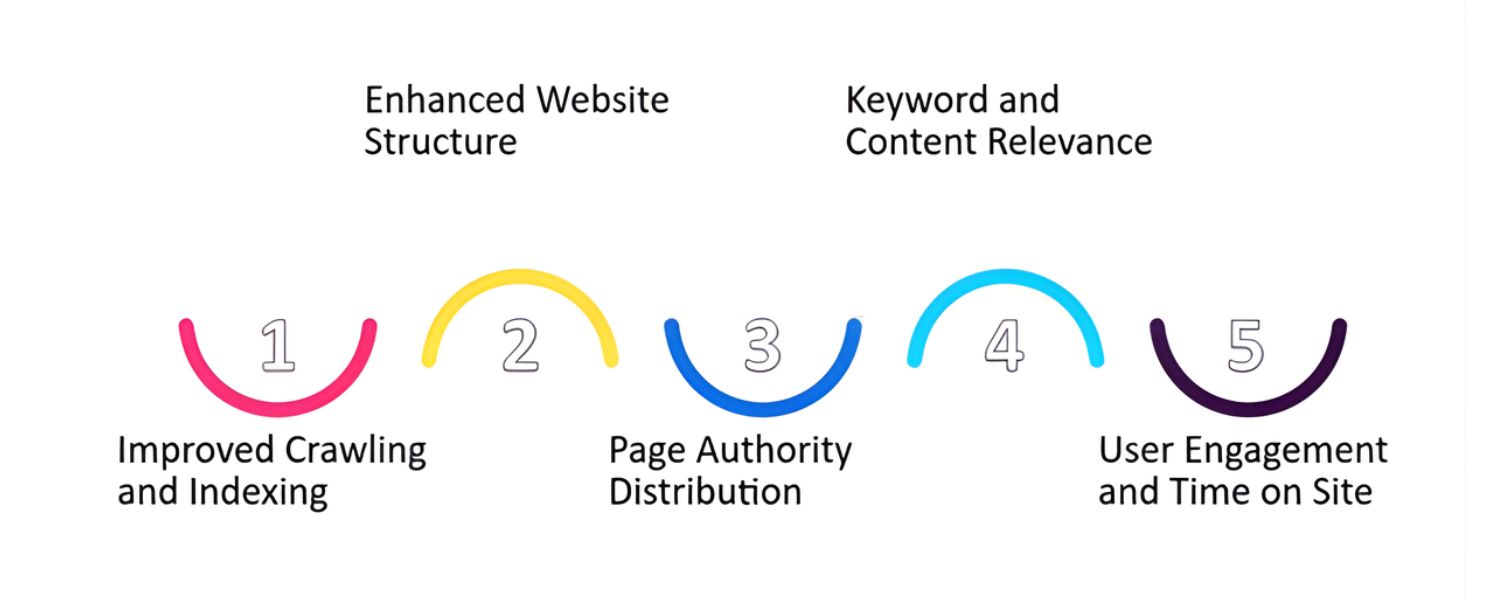
Answer: Internal links are hyperlinks that point from one page to another page on the same website. They are important for SEO for several reasons:
A. Crawling and Indexing: Internal links help search engine crawlers discover new content on your site. When Google’s bot lands on a page, it follows the links on that page to find other pages.A well-internally-linked site ensures that all important pages are reachable within a few clicks and none of your content is orphaned (i.e., with no links pointing to it). This is why practices like having a clear menu, category pages, or contextual links in content are important – they form the structure that crawlers navigate.
B. Link Equity Distribution: Internal links can pass “link juice” (ranking power) from one page to another. If you have a high-authority page (say, your homepage or a very popular article that has lots of backlinks), linking from it to other pages on your site can help those pages rank better. Essentially, you’re funneling some of the authority of one page to another via internal links.The anchor text you use internally also helps Google understand what the linked page is about. For example, if many pages on your site link to a certain article using the anchor “email marketing guide,” Google gets a strong signal that the target page is about an email marketing guide.
C. Improved User Experience: Internal links guide users to related or complementary content, which can increase engagement and time on site. If someone is reading about “SEO tips” and you have a line “To dive deeper into technical SEO, check out our guide on crawling and indexing,” linking to that guide provides extra value. A better user experience (lower bounce rate, more pages per visit) can indirectly benefit SEO because it signals that users find your site useful.
D. Site Architecture & Hierarchy: Internal linking helps establish an information hierarchy on your site. By linking strategically, you can indicate which pages are most important. Often, your homepage links to main category pages (passing authority to them), and those link to sub-pages, etc.
Breadcrumb navigation (which is a form of internal linking typically showing a trail like Home > Category > Post) also helps users and crawlers understand site structure.
A classic example: Wikipedia’s heavy use of internal links is a big reason Google can find and rank its millions of pages easily. While we don’t need to go overboard, it’s good to ensure every page is linked to from at least one other page (aside from in XML sitemaps).
In an interview, you might add that you regularly perform internal link audits to see opportunities – for instance, if you have a new blog post, you search your site for mentions of that topic and link those old mentions to the new post.
This shows a proactive SEO mindset: you’re leveraging internal links to boost visibility and ensure no valuable content is hidden. Google itself has said internal linking is “super critical” for SEO – it helps them understand what content you consider important on your site. So definitely highlight your use of internal links as part of on-page optimization.
16. What is an image alt text and why does it matter in SEO?
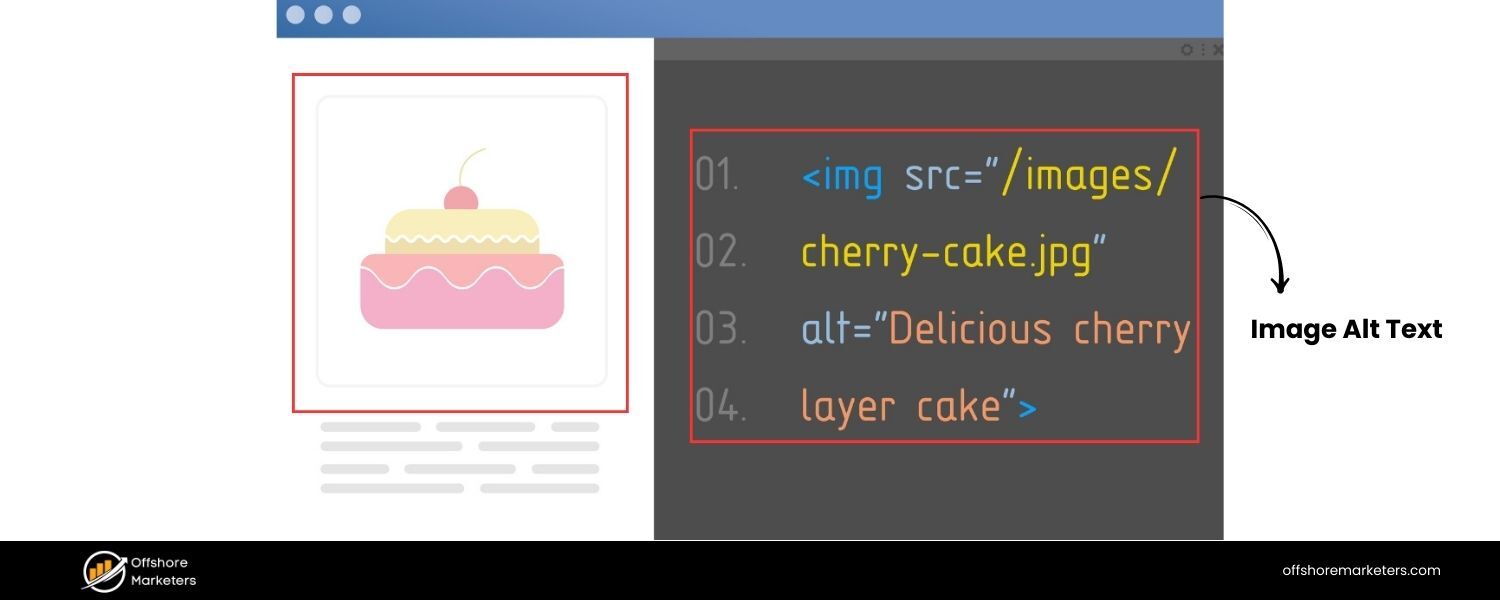
Answer: Alt text (alternative text), also known as “alt attribute” or “alt tag” (though it’s an attribute of the tags), is a textual description of an image in HTML. It looks like this in code: Alt text serves a few important purposes:
A. Accessibility: Alt text is read by screen readers to describe images to visually impaired users. This is its original purpose – to make web content accessible to those who can’t see images. Every meaningful image should have alt text so that users who rely on screen readers know what the image is conveying.
B. SEO and Image Search: Search engine crawlers can’t “see” images, so they rely on alt text (and file names/captions) to understand what an image is about. A descriptive alt text allows search engines to index the image properly. This is crucial for showing up in Google Images search results.For example, if you have a photo of a red tennis shoe, an alt text like alt=“Red running shoes Nike Air Zoom, product photo” provides context, increasing the chances that your image appears for searches like “red Nike running shoes”. Images can drive traffic – especially for e-commerce or informational queries – so optimizing alt text can indirectly bring more visitors via image search.
C. SEO (Page Context): Additionally, alt text can reinforce the topical relevance of your page. If your page is about iPhone 14 features and you have images with alt texts like “iPhone 14 rear cameras and display”, you’re adding related keywords to the page in a natural way.However, it’s important not to stuff keywords in alt text (e.g., alt=“iPhone 14, buy iPhone 14, cheap iPhone 14 deals” – that would be spammy). The alt text should be an accurate, concise description of the image. If a keyword fits naturally (because the image is of that thing), great, but don’t force it.
In short, alt text matters because it improves accessibility (which is good practice and sometimes legally required for certain sites) and it provides SEO value by helping search engines interpret your images. It’s a win-win.
In an interview, you might also mention that if an image fails to load, the alt text is what displays in its place – which is another user benefit. SEO-wise, be sure to express that you always fill out alt attributes for important images and that you treat them as part of on-page optimization.
For instance: “Every time we upload images, I ensure they have descriptive file names and alt texts. Not only does this help our SEO (especially for long-tail keywords in image search), but it’s also important for accessibility and a better user experience.” This shows an attention to detail that interviewers appreciate.
By covering on-page elements like content, meta tags, headings, internal links, and images, we’ve shown how to optimize individual pages. Next, let’s move into the more technical side of SEO, which ensures that the great content we create can be properly accessed and understood by search engines.
Technical SEO Interview Questions
Technical SEO deals with website and server optimizations that help search engine spiders crawl and index your site more effectively. Interviewers will ask these questions to see if you can identify and fix behind-the-scenes issues that impact SEO performance.
17. What is technical SEO, and why is it important?
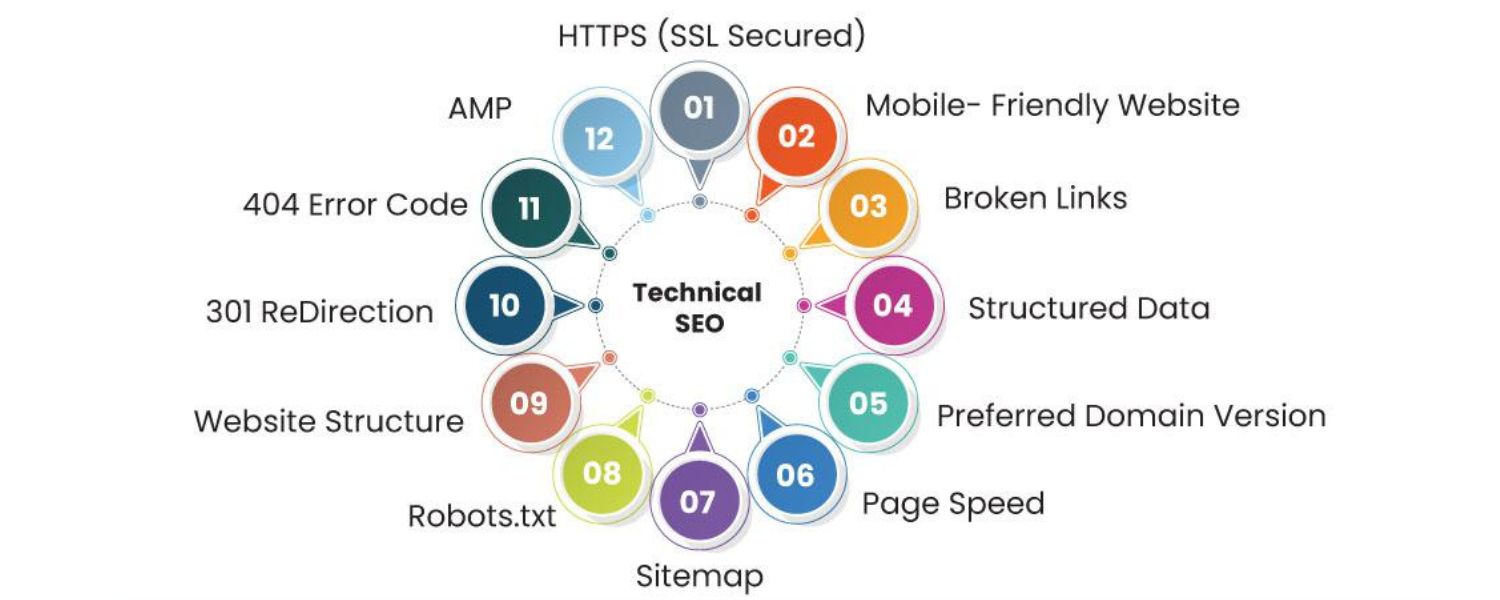
Answer: Technical SEO refers to optimizing the infrastructure of your website to ensure that search engine crawlers can effectively find, crawl, render, and index your pages. It’s the foundation that lets your content shine in search results.
While on-page SEO and content address what you present to users, technical SEO addresses how search engines discover and handle that content. Important aspects of technical SEO include site speed, mobile-friendliness, site architecture, crawlability, indexability, URL structure, and more.
Technical SEO is important because even the best content won’t rank if search engines can’t access it properly. For example, if your site has a poor robots.txt configuration blocking important pages, or if it’s slow and unresponsive, Google might not crawl and index your content efficiently – leading to lower rankings or pages not showing up at all.
Ensuring a technically sound site can also directly influence rankings: Google uses page speed as a ranking factor, and has a mobile-first indexing approach (meaning the mobile version of your site is primarily what Google indexes and judges). If your technical SEO is lacking – say your site isn’t mobile-friendly – your rankings will suffer, no matter how good your content is.
In simpler terms, technical SEO is about removing barriers. A technically optimized site means: search engines can navigate all your pages without issues (proper internal linking, no broken links), understand the content (proper use of schema, no clunky code or cloaking), and find it fast (fast loading times, efficient coding). It also involves things like URL canonicalization, XML sitemaps, structured data, and making sure there are no duplicate content or security issues.
In an interview, emphasize that technical SEO is the bedrock: “It’s like building a house – technical SEO is ensuring you have a solid foundation and the plumbing/electrical is set up correctly, so that the visible parts (the content, the on-page optimizations) function optimally. Without technical SEO, you risk search engines misunderstanding or overlooking your site.” Showing that you approach SEO holistically (content + technical) will assure them you’re not one-dimensional.
18. What is an XML sitemap, and why is it important for SEO?
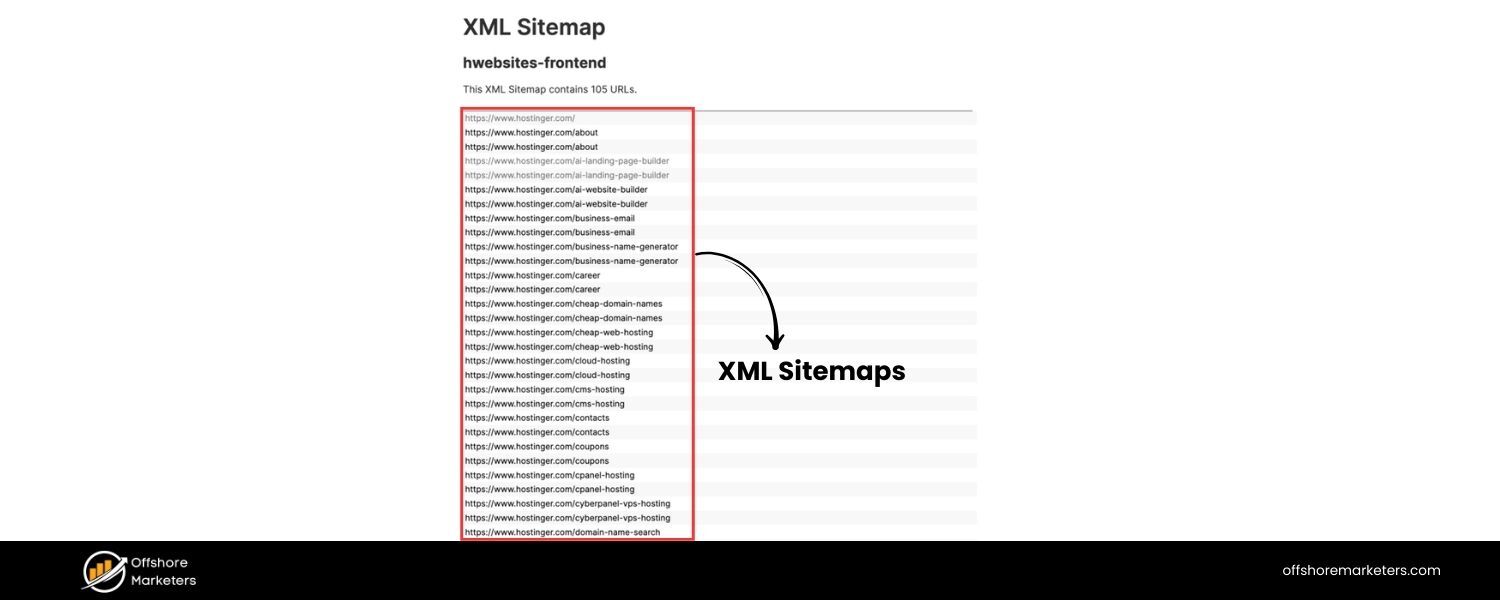
Answer: An XML sitemap is a file (usually named sitemap.xml) that lists the important URLs of a website in a structured format (XML), acting as a roadmap for search engine crawlers. It helps search engines discover and index the pages of your site, especially pages that might not be easily found through the normal crawling process.
Each entry in an XML sitemap can include additional info like the last modified date, change frequency, and priority of pages (though priority is just a hint and not strictly honored by search engines).
The XML sitemap is important for SEO because:
A. Discovery of Content: It ensures that all key pages of your site are presented to search engines. This is particularly helpful for very large websites (with deep page hierarchies), new websites with few external backlinks, or sites with content that’s not well inter-linked. For example, an e-commerce site with thousands of product pages will benefit from a sitemap so Google can find all those URLs.For a better understanding, you can check out sitemap examples to see how different types of sites structure theirs.
B. Indexing Hints: While a sitemap doesn’t guarantee indexing, it signals to search engines which pages you consider important. It can also alert search engines to new content (if you update your sitemap when new pages are added). Google and Bing both allow you to submit sitemaps in their webmaster tools, which can speed up indexing of new or updated pages.
C. Crawl Efficiency: Crawlers have a limited crawl budget for each site (the number of pages Googlebot will crawl in a given time). A sitemap helps crawlers prioritize where to go, potentially improving crawl efficiency. If your sitemap indicates a page was updated yesterday, Google may crawl it sooner than it would have discovered via routine crawling.
To illustrate importance: imagine you have a set of pages that are not linked from any other page (or only accessible via search forms) – Google might never find them on its own. But if those URLs are in your sitemap, Google is likely to try crawling them.
In an interview, you could add: “Alongside having a robust XML sitemap, I ensure it’s kept up-to-date and free of errors – and I usually check Google Search Console for any sitemap submission issues or indexing errors. I also know that an XML sitemap complements, but doesn’t replace, good internal linking. It’s a safety net to ensure no page is left undiscovered.” That shows you not only know what a sitemap is, but how to use it in practice.
19. What is a robots.txt file and how does it affect crawling?
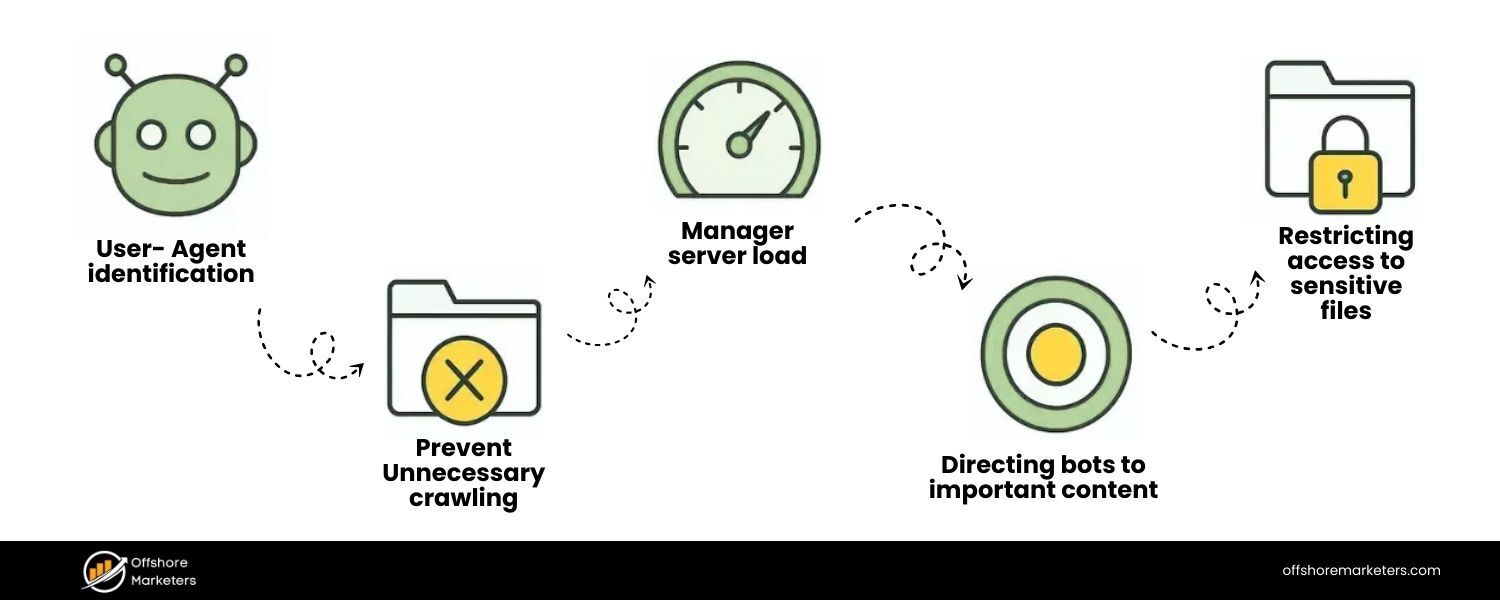
Answer: A robots.txt file is a simple text file placed at the root of a website (e.g., example.com/robots.txt) that instructs search engine crawlers which parts of the site they are or aren’t allowed to crawl. It uses the Robots Exclusion Protocol. The file contains rules (user-agent directives) that can “allow” or “disallow” certain bots from accessing specific folders or pages. For example, a typical entry might be:
User-agent: Googlebot
Disallow: /private/
This tells Google’s crawler not to crawl anything under the “/private/” directory of the site. Another common use is to disallow crawling of certain dynamically generated URLs or duplicates (like Disallow: /search? for internal search result pages).
How it affects crawling:
A. Blocking Crawlers: If a page is disallowed in robots.txt, well-behaved search engine bots will not crawl that page. This can be useful for preventing crawling of non-public or irrelevant sections of your site (like admin pages, scripts, duplicate pages, or large faceted navigation that could waste crawl budget).
B. Crawl Budget Management: For large sites, you might use robots.txt to tell crawlers to avoid parts of the site that are not SEO-relevant, thereby focusing the crawl on the important areas. This ensures the crawler’s limited time is spent on pages you care about.
C. Preventing Indexing (Indirectly): It’s important to note that Disallow in robots.txt prevents crawling but not necessarily indexing. If a URL is disallowed but Google finds a link to it somewhere, it might still index the URL (without content) based on external info, or show it if it has other signals. To prevent indexing, using a noindex meta tag on the page is better – but that only works if the page can be crawled.So a strategy might be: allow crawl but use noindex for pages you want out of search, or use both robots and noindex carefully. Many interviewers like to see if you know this nuance: that robots.txt is not a foolproof way to keep pages out of search results (because if blocked, Google can’t see the noindex tag either).
D. Syntax Importance: A poorly formatted robots.txt can accidentally block your whole site (e.g., a rogue Disallow: / line). So technical SEO involves handling this file with care. Search Console provides a tester for robots.txt rules to ensure you’re not inadvertently disallowing important pages.
For example, say an interviewer asks what you’d check if a site’s pages aren’t getting indexed. One of the first things is: “I’d check robots.txt to ensure we’re not accidentally blocking Googlebot from critical sections.” That shows you understand its impact.
Conversely, you might mention: “If we have pages with duplicate content or irrelevant parameters, I might use robots.txt to disallow those to save crawl budget.” This demonstrates you can use robots.txt strategically. Overall, emphasize that robots.txt is about controlling crawler access, and it’s a powerful but blunt tool – to be used carefully.
20. What is a canonical tag and what problem does it solve?
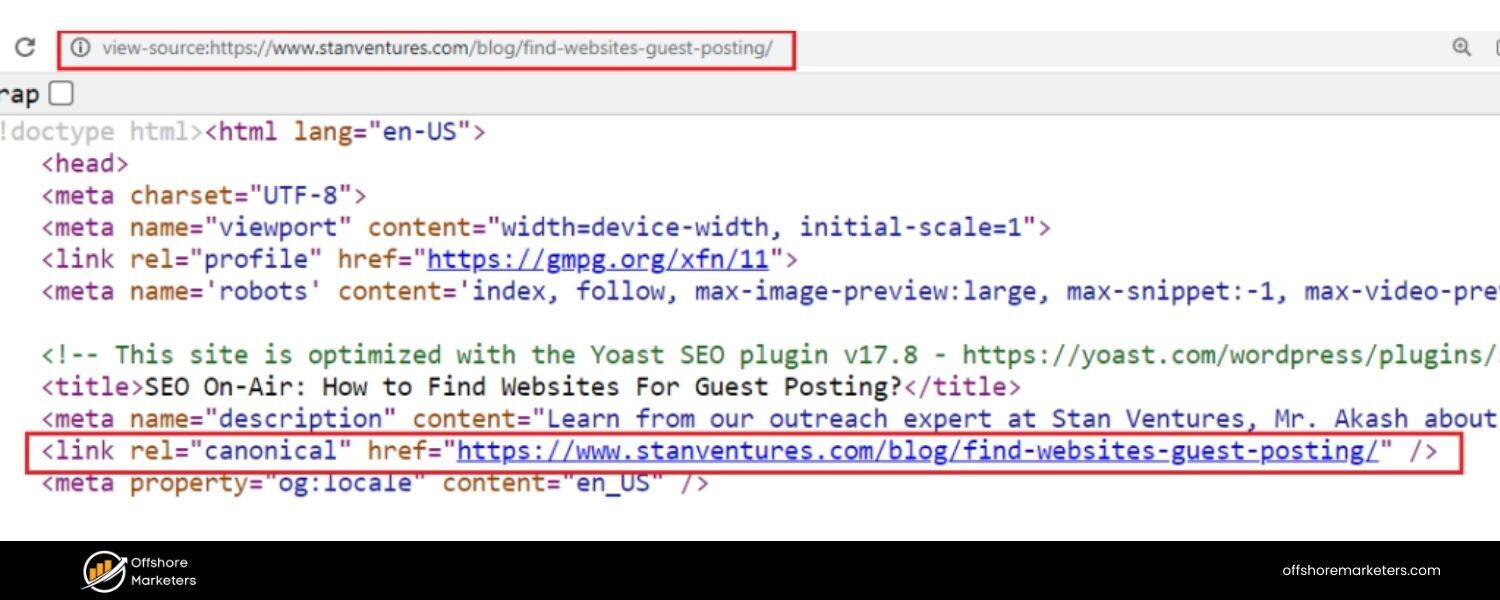
Answer: A canonical tag is an HTML link tag () placed in the of a webpage that tells search engines which URL is the “canonical” or preferred version of that page. Essentially, it’s used to indicate the master copy of content when there are multiple URLs with the same or very similar content.
The canonical tag solves the duplicate content problem. Duplicate content can occur for many reasons:
A. A site might have the same page accessible via different URLs (e.g., example.com/shoes?color=red vs example.com/shoes?color=red&sort=price might show the same or similar product listings).
B. Both HTTP and HTTPS versions, or www and non-www versions of a site, could be live and showing identical pages.
C. Printer-friendly pages (page.html?print=true) duplicating main content, or session IDs in URLs causing duplicates.
D. Scraped or syndicated content (though canonical tags on your own site won’t fix external duplicates, it helps consolidate your own).
Using a canonical tag on the non-preferred duplicate pages pointing to the main URL tells Google: “I know these pages look alike – please treat this specific URL as the authoritative one to index and rank.”
For example, on all variant URLs of the red shoes page will consolidate ranking signals to that canonical URL.
Google will then try to index only the canonical version and ignore the others for ranking purposes (though it might still crawl them). This helps prevent problems like diluted PageRank between duplicates, or Google indexing a less desired URL which could hurt your SEO.
In an interview, a good approach would be: “Canonical tags are my go-to solution when one product or content piece is accessible under multiple URLs.
By setting the canonical to the primary URL, I ensure that search engines combine all link equity and avoid any duplicate content penalties or issues. It’s essentially an SEO-friendly way to manage duplicates without actually removing pages.”
Also mention you’d be careful that canonical URLs themselves are not noindexed or blocked, etc., and that canonical is a hint not a directive (most times Google respects it, but if used incorrectly it might choose a different canonical).
Interviewers might also be checking if you know the difference between a 301 redirect vs a canonical: a 301 actually redirects users and bots (so use it when you don’t need two pages accessible), whereas canonical keeps both live for users but just informs search indexing. Show that you understand canonicalization is an important part of technical SEO to maintain a clean, consolidated index for your site.
21. What’s the difference between a 301 and a 302 redirect, and when would you use each?
Answer: Both 301 and 302 are HTTP status code responses that redirect users and crawlers from one URL to another, but they have different implications regarding permanence:
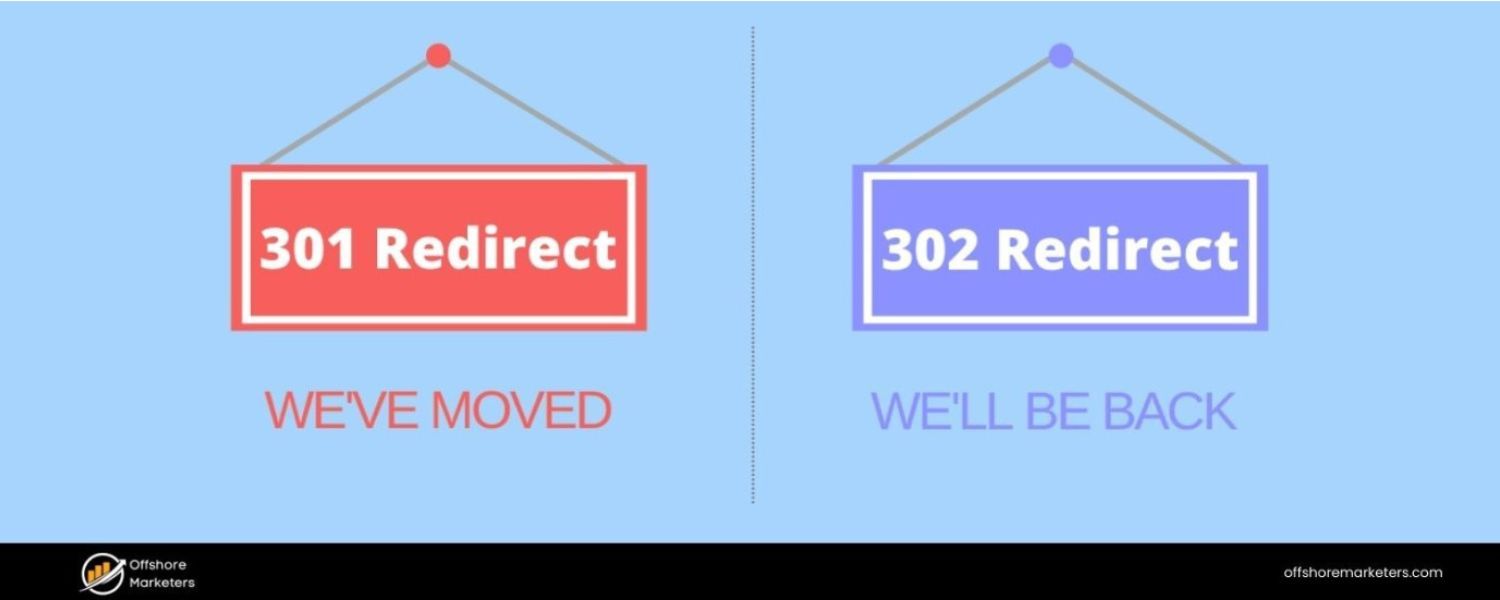
A. 301 Redirect: This is a “Permanent Redirect.” It signals that the content at the requested URL has permanently moved to a new URL. Search engines interpreting a 301 will eventually transfer the SEO signals (link equity, rankings value) from the old URL to the new URL. Essentially, use a 301 when you want the old URL to disappear from search and the new URL to replace it over time. For example, if you’ve restructured your site or merged pages (old product page to new product page), a 301 is appropriate.Users and bots are forwarded, and search engines will drop the old URL from their index, indexing the new one instead (keeping the rankings as stable as possible).
B. 302 Redirect: This is a “Found” or “Temporary Redirect.” It indicates that the redirection is temporary – the original URL may come back. For users, it’s the same immediate effect (they get taken to another URL). But search engines typically do not pass the full link equity to the target because they assume you might remove the redirect later.
A 302 suggests “keep the original URL indexed, as this redirect might change.” Use a 302 when you want a temporary change. For instance, if you’re A/B testing two landing pages, or a page is temporarily down for maintenance and you redirect users elsewhere just for a short period. In those cases, you wouldn’t want Google to forget the original URL permanently.
Why it matters:
If you mistakenly use 302s for a move that is actually permanent (like a domain migration or site restructure), you might confuse search engines. They could continue to index the old URLs (thinking the move is temporary) and not fully credit the new URLs with ranking power.
Conversely, if you use a 301 for something meant to be temporary, it might be hard to get the old URL back into the index quickly. So the choice affects SEO outcomes significantly.
A best practice example: If you rename a blog post slug for better keywords, you’d 301 redirect the old URL to the new URL so you don’t lose any ranking. On the other hand, if you have a seasonal page that you temporarily redirect to the homepage off-season, a 302 might be more appropriate (though often we use 301s and just recreate when needed – but a case can be made either way depending on context).
Mention in the interview:
“I always test my redirects to ensure they’re using the correct status code. For SEO migrations, I exclusively use 301s so that we carry over our hard-earned rankings. I reserve 302s for truly temporary situations. And I monitor these in Search Console to ensure the new URLs are getting indexed properly after the redirects are in place.” This demonstrates a practical understanding of the concept.
22. How does site speed impact SEO, and how can you improve page speed?
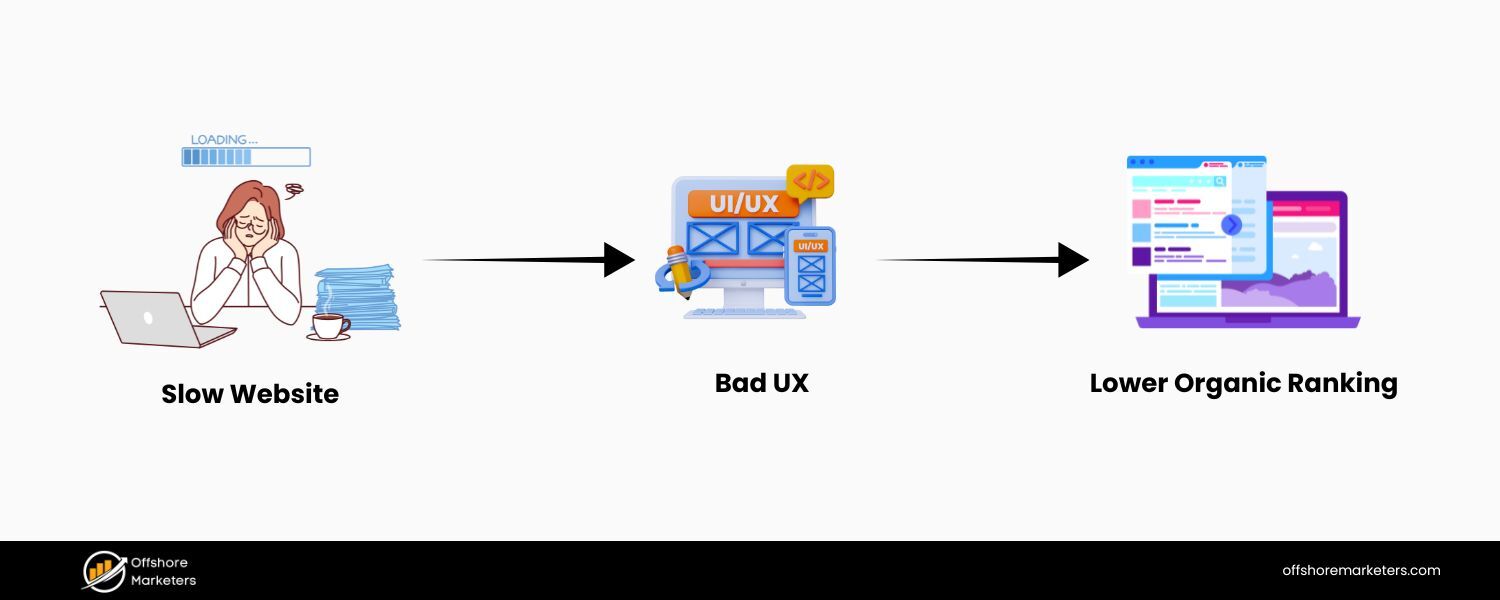
Answer: Site speed (how quickly your webpages load and become interactive for users) is important for both user experience and SEO. Google has confirmed that page speed is a ranking factor, especially with the introduction of the Core Web Vitals and the Page Experience update. A slow site can hurt your rankings in several ways:
A. Direct Ranking Factor: Google’s algorithm uses page speed (especially mobile page speed) as a signal. All else being equal, a faster site may rank higher than a slower site. Very slow sites might be demoted in rankings, particularly for mobile searches.
B. User Behavior Signals: Speed greatly affects user satisfaction. If a page loads slowly, users might bounce (leave without interacting) before it even loads. High bounce rates or low dwell times can indirectly signal to Google that users aren’t happy with your page, potentially impacting rankings. Google wants to promote sites that provide a good experience, and speed is a key part of that.
C. Crawl Efficiency: Faster-loading pages help Googlebot use its crawl budget more efficiently. If your server is very slow, Googlebot might crawl pages more slowly or fewer pages, which can delay indexing of your content.
Ways to improve page speed include:
A. Optimize Images: Large images are often the biggest contributors to slow pages. Use appropriately sized images (don’t load a 2000px wide image if it’s displayed as 200px), compress images (JPEG for photos, PNG for graphics, or modern formats like WebP), and use responsive image attributes srcset for different screen sizes.
B. Minify Resources: Remove unnecessary characters (whitespace, comments) from CSS, JavaScript, and HTML files to reduce their size. Tools or build processes can automate CSS/JS minification.
C. Enable Browser Caching: Ensure your server sets proper caching headers so returning visitors (or those navigating multiple pages) don’t re-download the same resources. Cached files (images, CSS, JS) make subsequent page loads faster.
D. Use a Content Delivery Network (CDN): CDNs cache and serve your content from servers closest to the user, reducing latency. This is especially beneficial if you have a global audience. A CDN can drastically cut down the time it takes to deliver images, scripts, and other static assets.
E. Reduce HTTP Requests: Each asset (CSS, JS, image) is a separate request. Combine CSS/JS files where possible, use image sprites (for icons), and generally eliminate unnecessary assets. Also, consider using techniques like inline critical CSS (small CSS needed for above-the-fold content) to reduce render-blocking resources.
F. Server and Hosting Optimizations: Choose a good host or server configuration. Using compression (gzip or Brotli) on your server can shrink file sizes sent to the user. Also, using HTTP/2 or HTTP/3 if available can improve loading of multiple resources.
G. Lazy Loading: Defer loading of images or iframes that are not immediately visible (below the fold) using lazy loading. This way, the initial content loads faster.
H. Eliminate Render-Blocking Resources: This means deferring or async-loading non-critical JS, and prioritizing critical CSS. If large JS files are loaded synchronously in the head, they can delay page rendering. By deferring them or moving scripts to the bottom (or using async/defer attributes), you let the page content load first.
In an interview, you can cite a tool: “I regularly use Google’s PageSpeed Insights or Lighthouse to diagnose speed issues. They provide a Core Web Vitals report (like LCP – Largest Contentful Paint, FID – First Input Delay, CLS – Cumulative Layout Shift) which are key metrics for user experience.
For instance, if I see a poor LCP score, I’ll look at server response times or large images slowing the largest content paint.” This shows you’re up-to-date with current speed metrics. Summarize: a fast site pleases users and search engines, so site speed optimization is a win-win for SEO and usability.
23. What are Core Web Vitals?
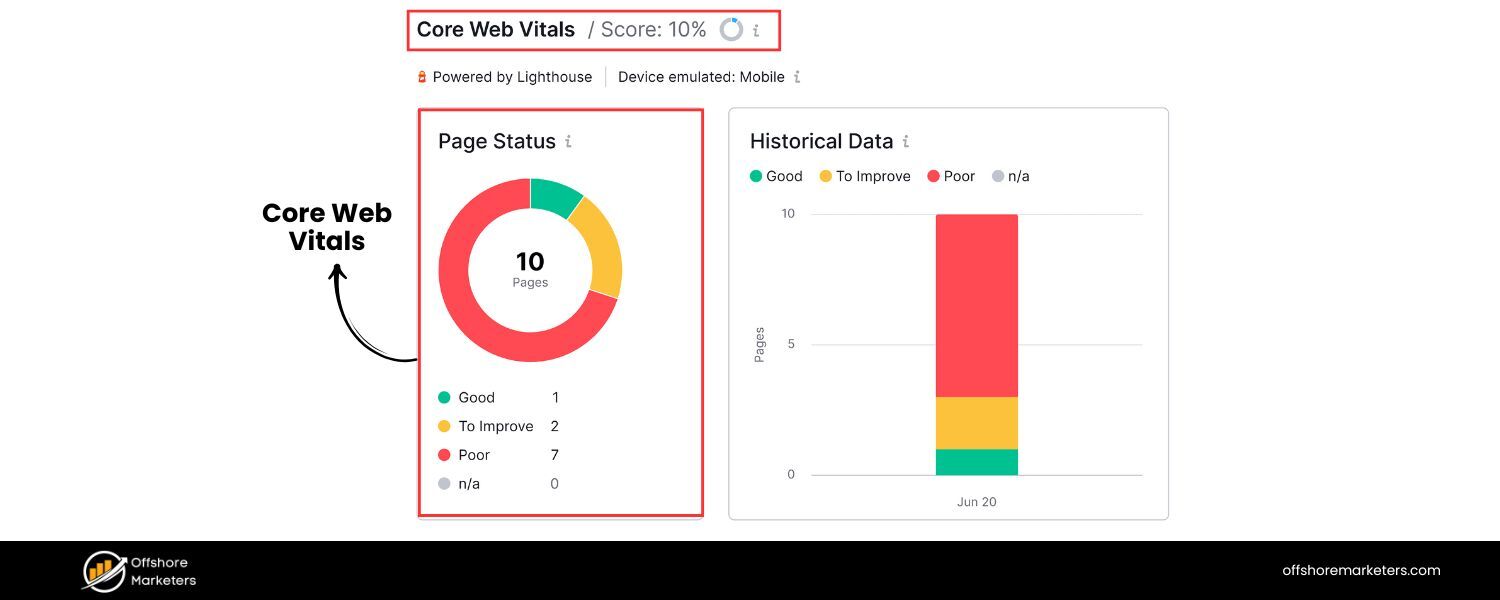
Answer: Core Web Vitals (CWV) are a set of specific website performance metrics defined by Google to quantify key aspects of user experience on a page. As of now, the Core Web Vitals consist of three main measurements:
A. Largest Contentful Paint (LCP): This measures loading performance – specifically, how long it takes for the largest content element (e.g., hero image, banner, or big block of text) to appear on the screen. A good LCP is under 2.5 seconds on initial page load. It basically answers: “How quickly is the main content visible to the user?”
B. First Input Delay (FID): This measures interactivity – the time from when a user first interacts with your page (like clicking a link or tapping a button) to the time when the browser actually responds to that interaction. A good FID is under 100 milliseconds. It gauges if the page is quick to respond or if heavy scripts are making it sluggish. (Note: In 2024 Google announced replacing FID with INP – Interaction to Next Paint – for a more comprehensive measure of interactivity, but the principle is similar.)
C. Cumulative Layout Shift (CLS): This measures visual stability – essentially how much the page’s layout moves around as it loads. Have you ever been reading something and an image loads and pushes text down, causing you to lose your place or click the wrong thing? That’s layout shift. CLS quantifies this; a good CLS score is < 0.1. It ensures content isn’t jumping unexpectedly, which improves user experience.
These metrics became important ranking factors with Google’s Page Experience update (around 2021). While they’re not the only factors, Google has been pretty clear about encouraging site owners to optimize for CWV as part of overall page experience.
Sites that meet the thresholds for these vitals are likely to have a small ranking advantage over those that don’t (all else being equal). Moreover, even beyond SEO, improving these metrics means your users are getting a faster and more stable experience.
To improve CWV:
A. For LCP: optimize slow server responses, resource load times (like images/fonts), and render-blocking CSS/JS that might delay the largest element from showing.
B. For FID: minimize or defer heavy JavaScript, so the page isn’t unresponsive. Splitting JS into smaller chunks and using web workers can help.
C. For CLS: reserve space for images/ads with width and height attributes or CSS aspect ratios so layout space is allocated; avoid inserting new content above existing content without warning.
In an interview, showing familiarity with these modern metrics is great. For example: “Core Web Vitals are basically Google’s way of quantifying user experience. I use tools like PageSpeed Insights, Lighthouse, or Search Console’s Core Web Vitals report to keep an eye on LCP, FID, and CLS for pages.
Recently, one of my projects had a CLS issue due to images without dimensions – we fixed that by adding explicit height/width attributes, which stabilized the layout and improved our CLS from 0.3 to 0.05, well within Google’s recommendations.” This kind of anecdote (if you have one) demonstrates practical knowledge.
24. What is structured data (Schema markup) and how does it help SEO?
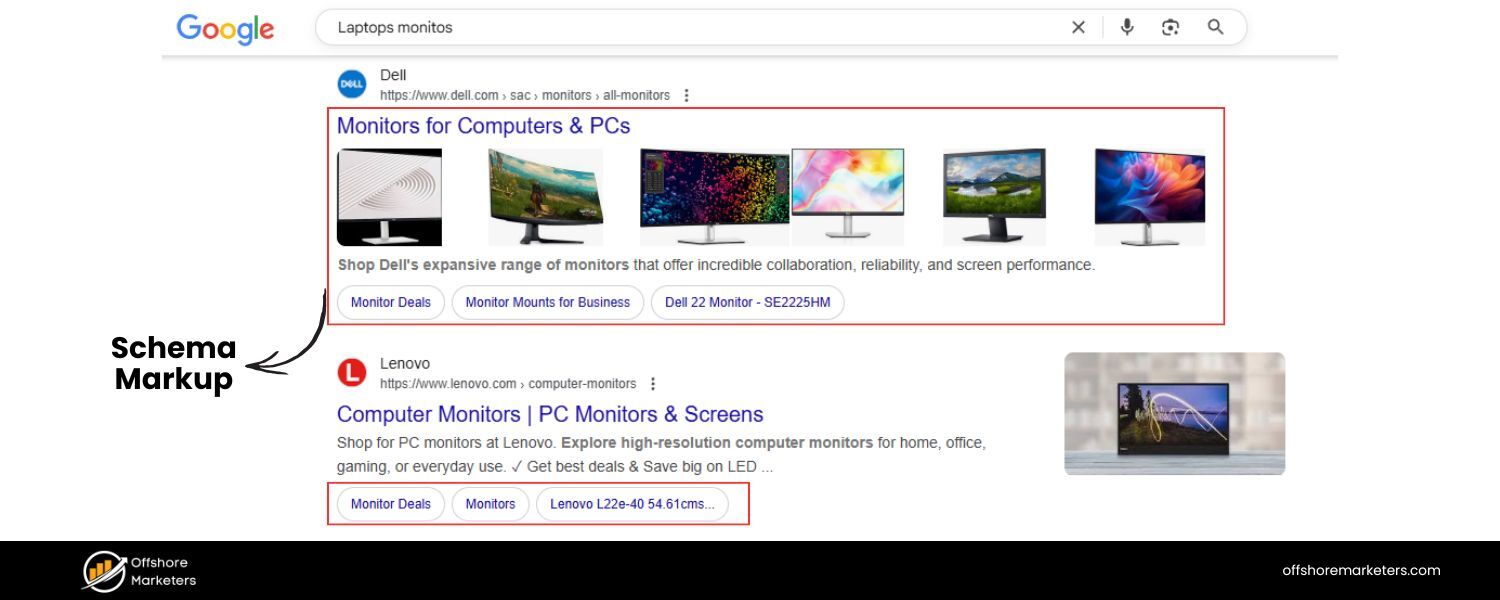
Answer: Structured data is a standardized format for providing information about a page and classifying the page content. In practice, it usually refers to adding Schema.org markup (in JSON-LD, Microdata, or RDFa format) to your HTML. This markup helps search engines better understand the content and context of your page.
For example, you can use structured data to explicitly tell search engines: “This page is a recipe. Here’s the title, here are the ingredients, here’s the cooking time, the calorie count, user ratings, etc.” Or: “This page is a product page, with this price, availability, and so on.”
Schema markup vocabulary (maintained at Schema.org) covers a wide range of content types: articles, books, events, products, reviews, FAQs, how-tos, job postings, local businesses, and more.
How it helps SEO:
A. Rich Results in SERPs: The most visible benefit is that structured data can enable your pages to appear with rich snippets or in special SERP features. For instance, a recipe with proper Schema can show up with star ratings, cook time, and a picture directly on Google’s results. An event might show date and location. An FAQ page with FAQ schema may get a dropdown Q&A snippet in the search results.
These rich results make your listing more eye-catching and informative, which can significantly improve click-through rate. Higher CTR can indirectly boost your SEO, and it’s also part of providing a better user experience from search.
B. Disambiguation and Context: Structured data leaves less guesswork for search engines. By clearly defining entities and relationships (e.g., identifying “The Avengers” as a movie with a release date of XYZ, not just random words on a page), you increase the confidence search engines have in your content’s relevance for certain queries.
This can improve how accurately your page is indexed and possibly considered for voice search or knowledge panels. For example, marking up an organization’s name, address, and social profiles might help Google feature it in a Knowledge Graph card.
C. Future Search Features: Google, Bing, and other engines are continuously evolving how they use structured data. Having structured data on your pages sets you up to be included in new search features (like carousels, Knowledge Graph entries, etc.) as they roll out. It’s a form of SEO that is more about eligibility than guaranteed ranking boosts.
While adding schema markup itself doesn’t magically push you from position 5 to 1, it does make you eligible for enhancements that can improve your visibility and CTR. And if competitors have rich snippets and you don’t, their result will likely attract more attention.
Notably, Google’s Search Console provides a Rich Results Report where you can see if your structured data has any errors and how many rich results are detected.
In the interview, you could add: “I have implemented FAQ schema on key pages which not only gave us a richer search presence but also effectively pushed our competitors further down.
Also, by using Product schema on our e-commerce pages, we got star ratings to show, which improved our CTR. I always ensure the structured data is validated (using Google’s Rich Results Test) and adheres to Google’s guidelines (no misleading content in schema) so we don’t get a manual action.”
This demonstrates you know the practical and cautionary aspects (Google can issue penalties if schema is abused). Overall, emphasize that structured data is about improving how search engines read your content and enhancing how your site appears in search results, rather than directly boosting rank.
25. How do you conduct a technical SEO audit?
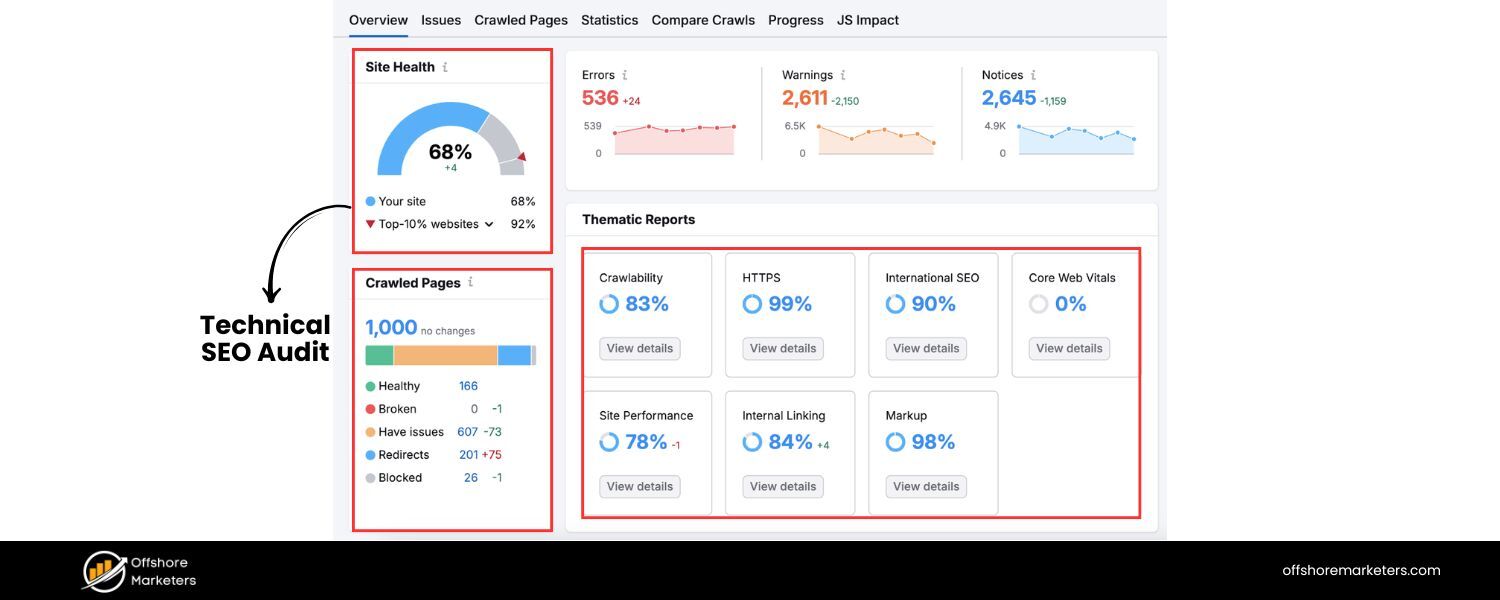
Answer: A technical SEO audit is a systematic process of checking a website for any technical issues that might hinder its performance in search engines. When explaining how to conduct one, outline the key areas you’d examine and the tools you’d use:
1. Crawl the Website: Use a crawling tool (like Screaming Frog, Sitebulb, or Semrush Site Audit) to scan the site as a search engine would. This will reveal issues like broken links (404 errors), redirect chains or loops, duplicate pages, missing title tags or meta descriptions, too long/short title tags, missing alt text, etc. I’d crawl both the desktop and mobile versions if different (or use a mobile user-agent for crawling, since Google primarily indexes mobile).
2. Indexability & Coverage: Check Google Search Console’s Coverage report – see if there are pages that are not indexed due to errors (server errors, redirect errors, blocked by robots.txt, etc.). Ensure important pages are indexed and unimportant ones are excluded.
Also, physically inspect the robots.txt file for any disallow rules and ensure they’re correct (no accidentally blocking crucial sections). Check for presence of noindex tags where they shouldn’t be, or canonical tags pointing incorrectly (these can be found via the crawl too).
3. Site Structure & URL Structure: Examine the site’s navigation and URL hierarchy. Is the site organized logically (siloed into categories or sections)? Are URLs SEO-friendly (readable, no unnecessary parameters or session IDs, using hyphens, etc.)? Ensure there’s a clear path from the homepage to all important pages (no orphan pages). Use internal linking effectively so even deeper pages receive some link authority.
4. Duplicate Content & Canonicalization: Look for duplicate or near-duplicate pages (the crawl report and tools can flag duplicates by content or title). If duplicates exist (like HTTP vs HTTPS, or printable versions, etc.), check that canonical tags are set correctly to point to the primary version.
Also verify that there’s one canonical version of the site (prefer HTTPS over HTTP, single domain). For example, check that http:// redirects to https:// and that non-www redirects to www (or vice versa), to avoid split authority.
5. Page Speed & Core Web Vitals: Use tools like Google PageSpeed Insights or GTmetrix on key pages to identify speed issues. Look at metrics like LCP, FID/INP, CLS and note what’s causing slowdowns (large images, slow server, render-blocking JS, etc.). Make recommendations like compressing images, using CDN, minifying code, enabling caching, etc. to improve these.
6. Mobile-Friendliness: Check if the site is mobile-friendly/responsive (Google’s Mobile-Friendly Test or just resizing a browser). Also, since mobile-first indexing, ensure content on mobile isn’t significantly cut compared to desktop. Look for issues like touch elements too close, text too small, etc.
7. Structured Data: Audit any structured data implementation via Google’s Rich Result Test or the schema markup validator. Fix any errors or warnings in Schema markup. If the site doesn’t use structured data where it could (like on recipes, products, etc.), note that as an opportunity.
8. Security (HTTPS): Verify the site is served over HTTPS. If not, that’s a big item to fix. If yes, ensure there are no mixed content warnings (HTTP resources on HTTPS pages) and that the SSL certificate is valid. Google gives a slight ranking boost to HTTPS and also users trust it.
9. Sitemaps & Feeds: Check the XML sitemap: is it present, submitted to Search Console, and up to date? Remove any broken or non-canonical URLs from it. Ensure it’s not too large (use multiple sitemaps if needed for very large sites). Also, if it’s a news site, check any News sitemap or RSS feed if relevant.
10. Analytics & Console Issues: Ensure that Google Analytics (or whichever analytics) is properly implemented on all pages (so we can track). Check Google Search Console for any Manual Actions (penalties), Security Issues (like hacked content, malware), or International Targeting issues (if hreflang is used).
11. Backlinks and External Factors: Although more off-page, from a technical standpoint I might check the backlink profile for any spammy links (to consider disavow), and whether the site has any past penalties or algorithm hits (like using tools or Google updates history to correlate drops in traffic).
Summarize: “I would use a combination of automated tools and manual review. For example, run a Screaming Frog crawl to gather data, then manually spot-check key pages for things like proper meta tags, headings, etc.
The audit would culminate in a report of issues prioritized by severity (e.g., indexation-blocking issues first, then things like minor title tag tweaks later).
The goal is to ensure the site is 100% crawlable, indexable, fast, and free of errors, so that nothing technical is holding it back from ranking.” This thorough answer demonstrates an organized approach to technical SEO auditing.
26. What are some common technical SEO mistakes you’ve seen, and how would you fix them?
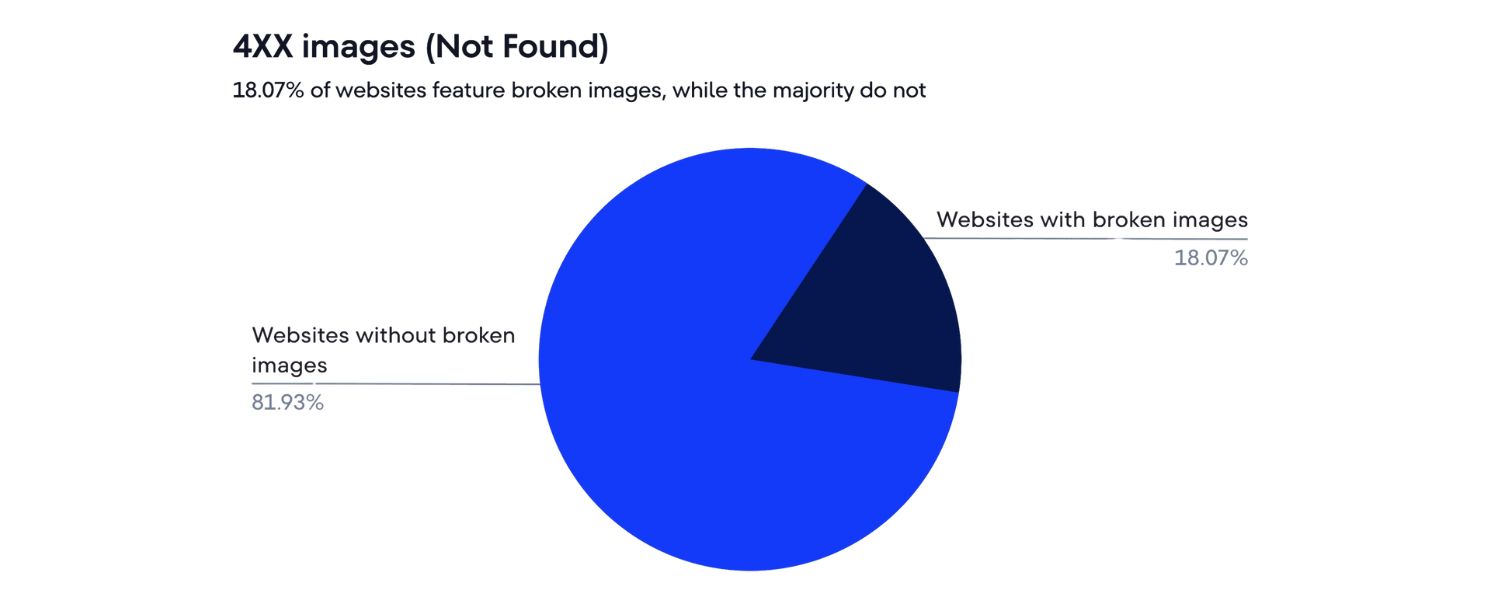
Answer: There are many technical SEO pitfalls that websites can fall into. A few common ones and their fixes include:
A. Duplicate Content and Missing Canonicals: One frequent mistake is having the same content accessible at multiple URLs (www vs non-www, HTTP vs HTTPS, or parameterized URLs, etc.) without using canonical tags or redirects. For example, an e-commerce site might allow filtering or sorting parameters that create duplicates of category pages.
Fix: Implement a canonical tag pointing to the main version of the content, or better, use 301 redirects or parameter handling in Google Search Console to consolidate. Ensure one primary domain (set redirects so that e.g. non-www -> www site). Use Disallow in robots.txt cautiously for infinite URL spaces (like search results pages).
B. Poor Mobile Experience: Despite the web’s mobile-first nature, some sites still have elements not mobile-friendly (e.g., wide content that requires horizontal scroll, or interstitials blocking content). Also, sites using separate mobile URLs (m.example.com) sometimes mishandle the switch.Fix: Adopt a responsive design if possible. Check that the mobile version has parity in content and structured data with desktop. If separate URLs, implement proper rel=“alternate” and rel=“canonical” between mobile and desktop pages. Remove intrusive interstitials or make them more Google-friendly.
C. Slow Page Speed: As discussed, large unoptimized images, too many third-party scripts (ad networks, trackers), and lack of caching are common. Fix: Compress and resize images, defer non-critical scripts, leverage browser caching and CDNs, minify code. Use techniques like lazy loading for images and videos. Regularly audit page speed with tools and address the major offenders (often images and heavy scripts).
D. Broken Links (404 errors) and Redirect Chains: Over time, content is removed or moved, and if not handled, users and bots hit dead-ends. Also, multiple hops in redirects (page A -> page B -> page C) can slow crawling.
Fix: Set up 301 redirects for any removed pages to the closest relevant page (or to a category/homepage if no one-to-one replacement). Use crawling tools or GSC error reports to find 404s and fix those links (update internal links or implement redirects). Simplify redirect chains by updating any links that point to old URLs, making them point directly to the final URL.
E. Improper Robots.txt or Meta Robots usage: Sometimes sites accidentally block important sections via robots.txt (I’ve seen Disallow: / left from a staging site deployment!) or leave pages with that should be indexed.
Fix: Double-check robots.txt for any disallow rules affecting vital content. Use the robots.txt tester to simulate Googlebot on key URLs. Remove or adjust noindex tags on pages that should rank. In contrast, ensure thin pages (like faceted combos, or thank-you pages) are noindexed to avoid index bloat.
F. Missing or Incorrect Structured Data: Many sites forget to implement schema where applicable or have schema with errors (perhaps copy-pasted examples with wrong syntax). Fix: Add relevant structured data for your site type (LocalBusiness schema for local companies, Article schema for blog posts, FAQ schema for Q&A sections, etc.). Use Google’s Rich Results Test to validate. Make sure it matches the page content (e.g., don’t mark up content that isn’t visible or existent).
G. Not Utilizing HTTPS: Some sites still on HTTP might not only miss the small ranking boost of HTTPS but also lose user trust (especially with browsers marking “Not secure”). Fix: Obtain an SSL certificate and migrate to HTTPS properly (update all internal links and references, set up 301 redirects from HTTP to HTTPS, update canonical tags to HTTPS, etc.).
When answering, you could personalize it: “One mistake I encountered was a site redesign where the developer blocked the entire site via robots.txt during staging and forgot to unblock it on live. For two weeks post-launch, none of the new pages were indexing until I caught it.
The fix was immediate: remove the disallow in robots, fetch pages in Search Console, and within days Google indexed everything.” This kind of real-world example shows your attentiveness.
Also mention how to prioritize fixes: “I tackle the issues that prevent indexing or harm user experience first (like a noindex mistakenly applied site-wide, or a very slow page). Then I move to less critical things like missing alt tags or minor schema enhancements.” This shows you can weigh impact versus effort.
Now we’ve delved into technical SEO, demonstrating how to ensure a site’s foundation is solid. Next, let’s look at off-page SEO – primarily link building – which is another crucial area often discussed in SEO interviews.
Off-Page SEO (Link Building) Interview Questions
Off-page SEO revolves around increasing your site’s authority and reputation, largely through acquiring backlinks and promoting your content externally. Expect questions about link strategies, evaluation of backlinks, and tools for competitive link analysis.
27. What are backlinks, and why are they important in SEO?
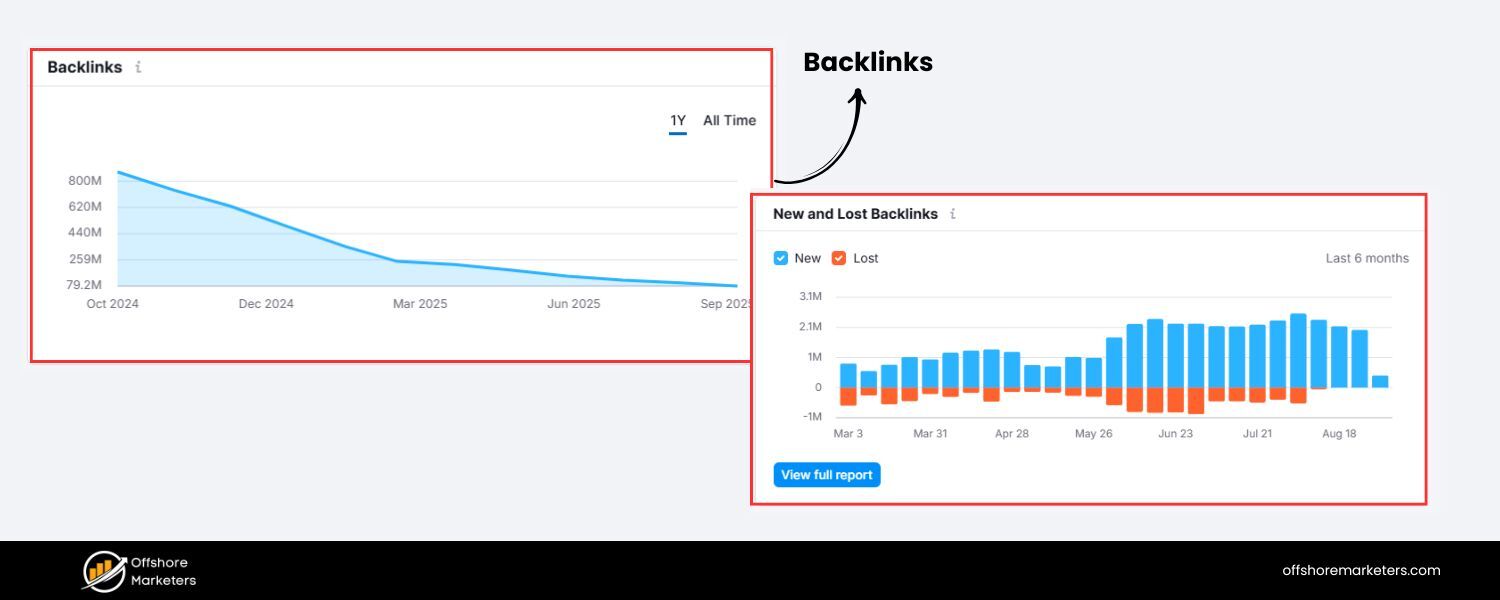
Answer: Backlinks (also known as inbound links or incoming links) are links from one website to another. In SEO terms, when another website links to your site, you have earned a backlink from them. For example, if links to your blog post about renewable energy, that’s a backlink from CNN to you.
Backlinks are important for SEO because search engines view them as votes of confidence or endorsements for your content. The underlying logic (stemming from Google’s original PageRank algorithm) is that if many quality sites link to a page, it is likely a valuable, trustworthy resource, and should rank higher in search results. Key points about backlinks:
A. Authority & Trust: Links from authoritative domains (say, Wikipedia, .edu or .gov sites, popular news sites, respected industry sites) can significantly boost your site’s credibility in the eyes of Google. Not all backlinks are equal; a single link from a high-authority, relevant site can outweigh dozens of links from low-quality or unrelated sites.
B. Ranking Factor: Backlinks remain one of the top Google ranking factors. Sites that rank #1 tend to have significantly more quality backlinks than those that rank lower (though quality is more crucial than sheer quantity).
Essentially, backlinks are a major component of Off-Page SEO – they help improve your domain’s authority and a specific page’s authority for the topics it’s about.
C. Referral Traffic: Apart from the SEO boost, a good backlink can also drive direct traffic to your site. For example, if a popular blog links to your tool or article, interested readers may click through, bringing you targeted visitors. This user-driven aspect is sometimes overlooked but very beneficial.
D. Context Matters: The context and anchor text of the backlink also matter. Anchor text (the clickable text of the link) gives clues to search engines about the topic of your page. If ten different reputable sites all link with anchor text “best budget smartphone,” Google will strongly associate your page with that topic. However, over-optimized anchor text (too many exact keywords) can look spammy, so a natural mix is best.
E. Toxic Links: It’s worth noting that while good backlinks help, bad backlinks (from spammy, unrelated, or low-quality sites) can hurt your site’s reputation. Google’s algorithms (like Penguin) and manual reviews may penalize sites with manipulative link profiles. So quality control is key – building backlinks should be about earning links from relevant, high-quality sources, not quantity via shady tactics.
In summary, backlinks are like votes, but those votes have different weights. A strong off-page SEO strategy focuses on earning valuable backlinks through great content and outreach.
In an interview, you should state clearly: “Backlinks are critical for SEO success. They signal authority – it’s essentially others vouching for your content’s value.
My strategy is always to earn backlinks by creating link-worthy content and doing targeted outreach, rather than trying to game the system. Quality and relevance of the linking site are paramount.” This shows you grasp why links matter and that you approach link building ethically and strategically.
28. How do you evaluate the quality of a backlink (or backlink profile)?
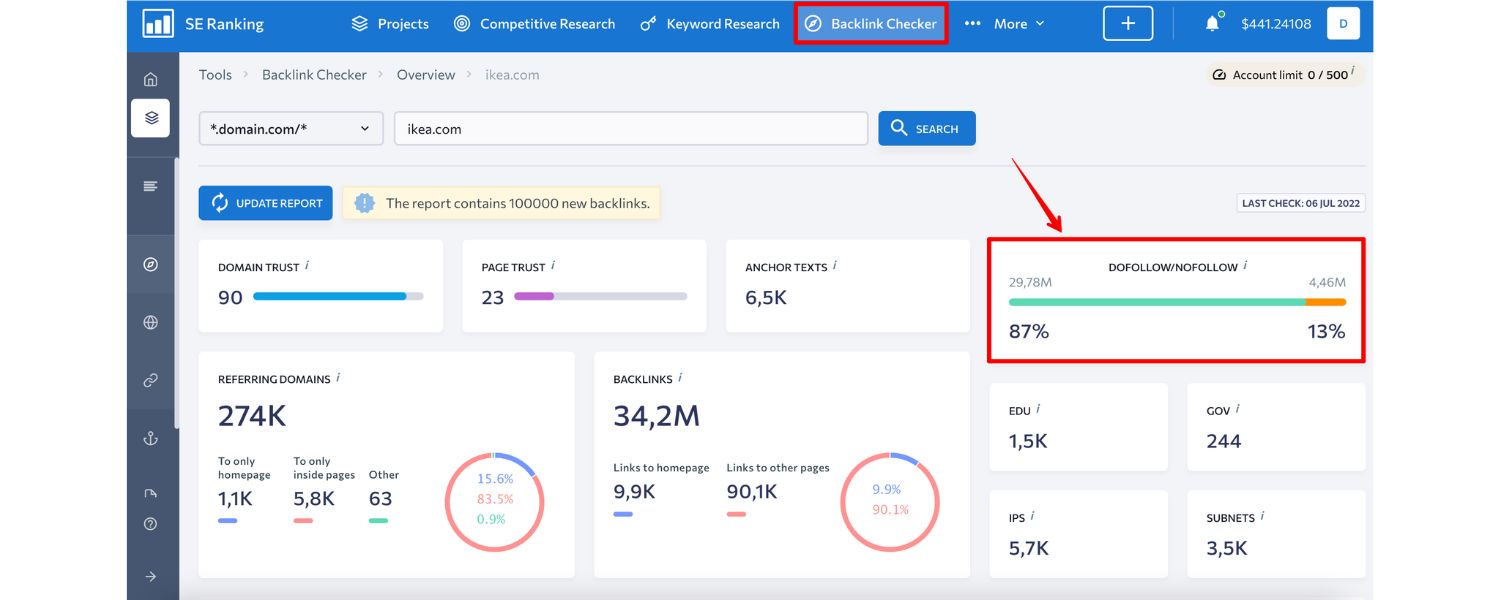
Answer: Evaluating a backlink’s quality involves looking at several factors to judge how beneficial (or potentially harmful) it is for SEO:
A. Authority of the Linking Domain: Check the overall strength of the site giving the link. Tools like Moz’s Domain Authority or Ahrefs’ Domain Rating provide a metric (usually 0-100) estimating a domain’s SEO authority based on its own backlink profile.
A link from a higher DA/DR site is generally more valuable than one from a very low DA site. For example, a link from (high authority) would carry a lot of weight versus a link from a brand new blog with no readers.
B. Relevance of the Linking Site/Page: Is the linking site relevant to your industry or topic? Contextual, relevant links are worth more. If you run a cooking blog, a backlink from another food or recipe site is highly relevant, whereas a random link from a pet grooming site is less so.
Also, the content of the linking page – does it relate to the topic of your page? Google’s algorithm (including aspects like topical PageRank) considers thematic relevance.
C. Anchor Text: While you don’t control what text others use to link to you, it’s a factor in quality. Descriptive, relevant anchor text (like “digital marketing course” linking to your course page) is useful. But too much exact-match anchor from many links can be a red flag (sign of manipulation).
A natural backlink profile has a variety: some branded anchors, some URL anchors, some generic (“click here”), and some keyword-rich. When evaluating an existing link, a reasonably keyword-rich anchor on a relevant site can be great, but if the anchor is spammy or unrelated, that link might not be as valuable or could be suspicious.
D. Link Placement & Editorial Nature: A link that is editorially given within the main content of a page (for example, as a reference in an article) is higher quality than links in footers, sidebars, or user-generated content (like blog comments or forum signatures). Editorial links indicate that the site owner/writer trusted your content enough to reference it.
Meanwhile, site-wide footer links or links in spun articles can be low-quality or paid link indicators. So I check: is this a genuine editorial link or does it look like an advertisement or exchange?
E. Traffic & Indexing: If the linking page is well-indexed and actually gets organic traffic itself, that’s a positive sign (you can sometimes see if a site has traffic via tools like SimilarWeb or Semrush). A link on a page that no one visits (and perhaps isn’t even indexed) won’t do much good.
F. Unique Domains vs. Total Links: Getting 100 links from 100 different websites is usually better than 100 links from the same website. So I look at the diversity of the backlink profile – lots of links from a single domain might have diminishing returns (and if unnatural, could be a link network).
G. Spam Signals: Look out for links from spammy websites – e.g., content farms, link directories, sites with automatically generated content, or pages with gibberish text and dozens of random links. Also, if a site’s backlink profile has a bunch of links from porn, gambling, or other “bad neighborhood” sites that you have no intentional relationship with, those might be toxic.
Tools like Moz’s Spam Score or Ahrefs can highlight suspect links. If I find such toxic links, I might consider disavowing them to prevent any negative impact (though Google has gotten better at ignoring them algorithmically).
H. Follow vs Nofollow: “Nofollow” links (or other attributes like UGC/sponsored in newer terms) tell Google not to count the link as an endorsement. While Google now treats nofollow as a hint and may sometimes count them, generally a follow (dofollow) link passes SEO value whereas a strictly nofollow link passes little to none.
So, I check if valuable-looking links are actually follow or nofollow. A high-quality profile has a natural mix, but the really beneficial ones are follow links from authoritative sites.
I. Geographic/IP considerations: If your site is targeting a specific country, links from sites in that country can be more beneficial than links from completely unrelated locales. Not a primary factor, but worth noting if relevant (like .de domains linking to a German site, etc.).
So when evaluating a site’s overall backlink profile (like in an audit), I’d highlight the number of referring domains, their average quality, how many are high-authority vs low, the anchor text distribution, and any concerning patterns (like a bulk of links coming from unrelated forums or something).
For example, in an interview I might say: “When I audit a backlink profile, I check metrics like Domain Authority to gauge link quality.
I prefer to see natural, contextually relevant links – say, a tech blog linking to our tech startup in an article about industry trends (with our brand name or a related keyword as anchor). I’d be cautious if I see many exact-match keyword anchors (it could indicate over-optimization).
Also, I’d rather have 1 backlink from a highly trusted site like Forbes than 50 from low-tier directories. Quality over quantity is key with backlinks.” This communicates a solid understanding of link quality assessment.
29. What is Domain Authority (DA) and how important is it for SEO?
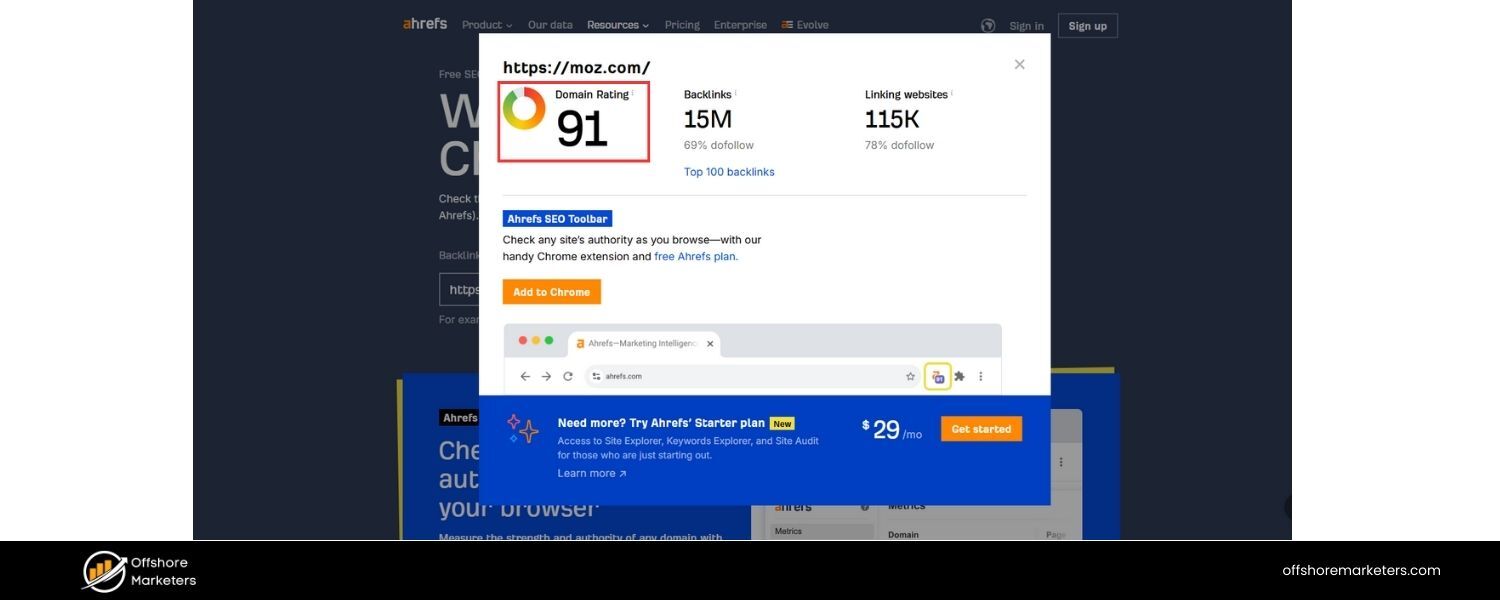
Answer: Domain Authority (DA) is a metric developed by Moz (and similarly, other SEO tools have their versions like Ahrefs’ Domain Rating or SEMrush’s Authority Score).
DA is a score on a 0 to 100 scale that predicts how well a domain is likely to rank in search engines based on its backlink profile, among other factors.
It’s not an official Google metric, but rather a third-party estimation of a site’s overall SEO strength or authority.
Important points about DA:
A. It’s calculated by evaluating linking root domains and the number of total links, into a logarithmic scale. So going from DA 20 to 30 is easier than 70 to 80. Very high DA sites have tons of quality backlinks (e.g., Wikipedia, YouTube, etc. are close to 100).
B. How important is it? While Google doesn’t use “DA” itself, the concept behind DA – domain-level link authority – is important. Generally, a site with many authoritative backlinks (hence high DA) will have an easier time ranking content than a site with few or poor backlinks.That said, DA is a comparative metric: it’s best used to compare your site against competitors or to prioritize link-building efforts (for example, aiming for links from high DA sites).
C. Use in SEO: SEOs might use DA as a quick gauge of site quality or to assess potential link opportunities. For instance, if doing outreach, they might target sites with DA 50+ as those links likely pass good value. Or when analyzing SERPs, noticing that all the top results are from DA 80+ sites might indicate it’s a tough keyword for a DA 20 site to rank for.
D. Limitations: DA is not something you directly optimize for; it will improve as a byproduct of getting more/better links. You also shouldn’t obsess over a single metric – sometimes a site with a slightly lower DA but highly relevant content can outrank a higher DA site (because content relevance and on-page factors also matter a lot).Additionally, different tools have different scores (Moz DA vs Ahrefs DR) which are not interchangeable. So DA should be seen as a helpful indicator, not the holy grail.
E. Google’s stance: Google employees have often said they don’t have a concept of “domain authority” like Moz’s metric, but they do have a concept of domain-wide signals (like overall link equity). So while Google doesn’t use DA number, the principle that some domains carry more ranking power than others is inherent to how search works (PageRank etc.).
In an interview scenario:
If asked about DA, I might respond, “Domain Authority is a third-party metric that estimates a site’s ranking potential based on its backlinks. It’s useful for benchmarking – for example, knowing that my site’s DA is 30 and competitors are around 50-60 tells me I have some link building to do.
However, I know Google doesn’t literally use DA, so I focus on improving the underlying factors (quality content and backlinks) rather than the number itself.
Over time, as we earn more authoritative backlinks, our DA will naturally rise, and so should our search rankings.” This shows you understand what DA is and how to use it in context without confusing it as an official metric.
30. Can you explain the difference between a “dofollow” (follow) and “nofollow” link?
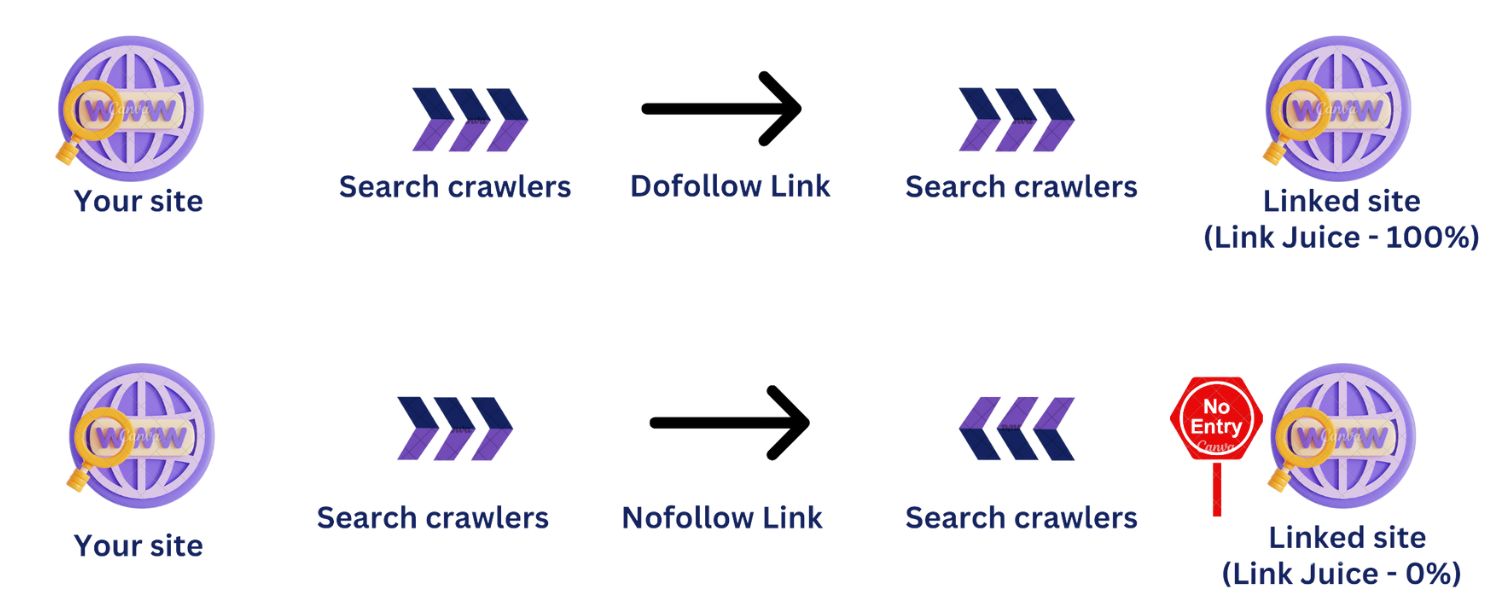
Answer: By default, all hyperlinks are “follow” links (often just called dofollow informally) which means search engine crawlers will follow the link to the target page and potentially count it as a vote of confidence (passing PageRank).
A “nofollow” link is a link with a rel=“nofollow” attribute (or newer equivalents like rel=“ugc” or rel=“sponsored”) that tells search engines, “Don’t count this link as an endorsement, and don’t pass along ranking credit through it.”
Key differences and context:
A. Impact on SEO: A dofollow (follow) link can directly influence SEO by passing link equity/PageRank to the target page. This can help the target page rank higher, as it’s effectively a signal that the linking site vouches for the content. A nofollow link, historically, was not used by Google’s algorithm for ranking (they would still see the link, but not transfer authority).
However, since 2019, Google treats nofollow as a “hint” – meaning they might choose to count it or use it for discovery, but generally nofollow links are given much less weight than follow links.
B. Usage: Nofollow was introduced to combat comment spam and such. It’s widely used on user-generated content (forums, blog comments), on many large platforms (e.g., all Wikipedia outbound links are nofollow, most social media profile links are nofollow), and for paid/sponsored links (per Google’s guidelines, you should nofollow or “sponsored” any paid links).
C. Practical effect: If you get a nofollow backlink from a high-profile site, you might not see a direct rankings boost, but it can still have indirect benefits (traffic, exposure, and possibly some hint value to Google). Meanwhile, a follow link from a strong site can directly boost your SEO because it passes authority.
A healthy backlink profile can have a mix. If all your links are nofollow, you likely won’t rank well, as none are transferring authority.Conversely, if you have some nofollow from big sites (like a mention in a nofollowed press article), it’s still good to have (for diversity and referral traffic).
D. Checking: You can inspect HTML or use SEO tools to see if a link is nofollow.
In an interview, when explaining, I would mention: “If a site links to us but adds rel=‘nofollow’, search engines basically won’t give us credit for that link in the ranking algorithm. It’s like telling Google ‘I’m linking, but not vouching for this content.’ For SEO link building, our aim is mostly to get follow links because those carry weight.
That said, a nofollow link from a very relevant or major site can still drive valuable traffic and potentially lead to other opportunities. So I wouldn’t dismiss nofollow links entirely; I’d just understand that they likely won’t improve our PageRank.”
This shows you know the nuance and Google’s stance (they changed to treating it as a hint, which you could mention for bonus points). Also, you might add: “Google recommends nofollow (or rel=sponsored) for paid links – I always ensure any partnerships or ads we do are compliant so we don’t get penalized for unnatural links.
Similarly, for UGC, I make sure our platform adds nofollow to user-posted links to avoid spam.” This demonstrates you understand the policy side as well.
31. How would you approach a link-building strategy for our website?
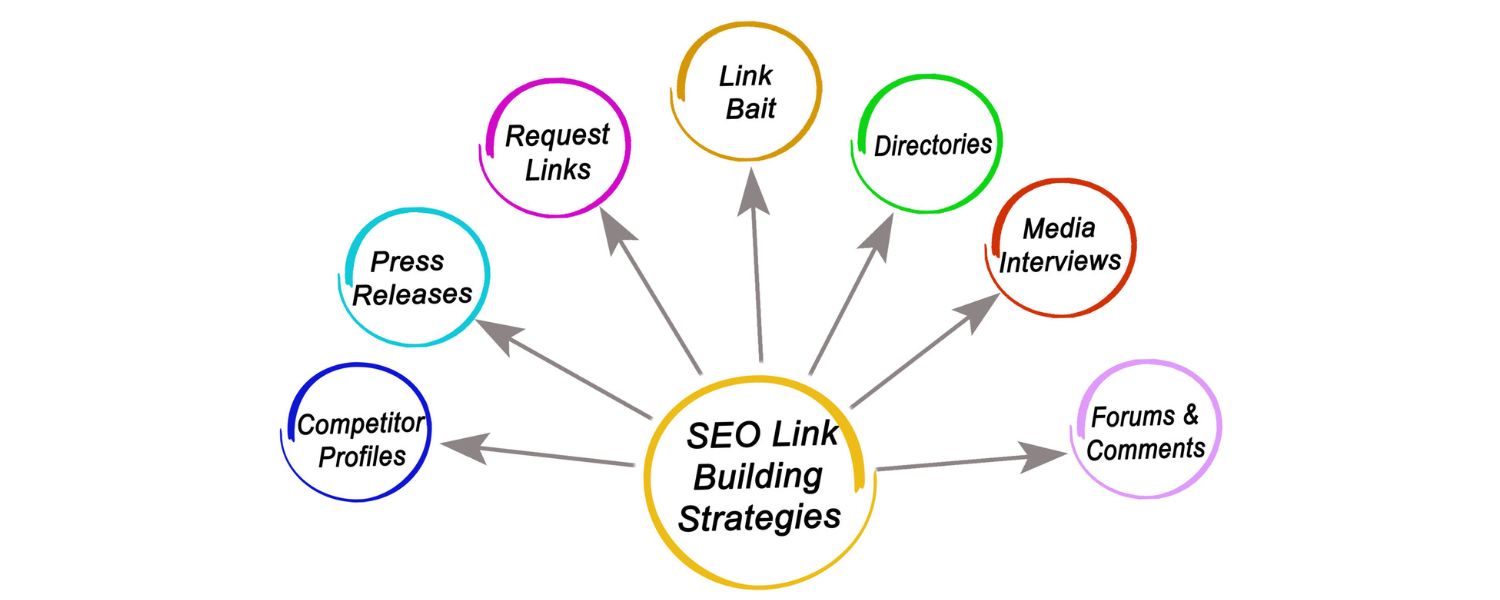
Answer: A strong link-building strategy is multi-faceted, but here’s how I would approach it step by step:
A. Understand the Website & Content Assets: First, I’d analyze our site to identify their linkable assets. What valuable content do we have (or can we create) that others would naturally want to link to? This could be in-depth guides, original research/data, infographics, tools/calculators, or even exceptionally well-written blog posts on trending topics.
If such assets don’t exist, I’d plan to develop them – content and link-building go hand in hand. For example, if we’re in the fitness niche, maybe create a comprehensive “Workout Plan for Beginners” guide or a handy calorie calculator – something useful worth referencing.
B. Competitor Backlink Analysis: I’d use tools (like Ahrefs or Semrush) to examine the backlink profiles of our top SEO competitors. See where they’re getting links – perhaps from guest posts, resource pages, industry directories, or news mentions.
This can highlight opportunities: sites that link to multiple competitors might link to us if we have something equal or better (e.g., a better guide or product). It also identifies what content types attract links in our industry. If competitors have links from, say, “Top 10 [Industry] Blogs” lists or local chamber of commerce sites, we make note to pursue those.
C. Outreach & Relationship Building: Based on the above, create a list of target websites for outreach – these could include bloggers, journalists, industry publications, complementary businesses, or resource curators. I’d then reach out in a personalized way.
For example, if we have an expert article, I might reach out to websites that have older or less comprehensive articles on the topic and politely suggest our piece as an updated resource (maybe they’ll link to it). Or if we have a unique dataset, pitch it to journalists who cover that beat (perhaps earning a mention in an article). The key is to offer value, not just ask for a link.
D. Guest posting is one tactic: I’d identify reputable blogs accepting guest contributions in our niche and pitch quality article ideas, where we can naturally include a link back to our site (usually in the author bio or content if allowed).
E. Broken link building: Find broken links on other sites that pointed to content similar to what we have (or could create), then reach out to suggest our link as a replacement. It’s helpful for them (fixing a dead link) and gets us a link.
F. Resource page link building: Many sites have “Useful resources” pages. I’d find those relevant to our field and ask if our content/tool could be included if it genuinely fits.
G. Leverage Existing Relationships: If the company has partners, sponsorships, or participates in events, ensure those yield links. For instance, if we sponsor a conference, we should get a mention (with a link) on the sponsor page. If we have suppliers or clients who have websites, perhaps they could feature a case study or testimonial with a backlink. These are often low-hanging fruits.
H. Content Marketing & Shareability: Create content that naturally earns links. Examples: Infographics or original research that bloggers/journalists might cite. Interactive content or quizzes that people share. Even a controversial or thought-provoking opinion piece can attract discussion and links.
Promotion of this content is key – share on social media, in relevant online communities (like subreddits or forums where appropriate) to get it in front of those who might link. Sometimes a small ad spend to promote a killer infographic or study to the right audience can result in organic links when those people find and reference it.
I. Local/Directory Links (if applicable): If the site is tied to a local business or specific person, ensure listings on quality directories or profiles (Google Business Profile, Yelp, industry-specific directories, professional associations, etc.). While directory links are generally low impact, being listed on the top ones is like basic hygiene and can send referral traffic.
J. If applicable, doing outreach for local PR – e.g., a press release about a community event or a scholarship we offer – can get us links from local news or .edu sites.
K. Anchor Text and Quality Monitoring: As we build links, keep an eye on the anchor text distribution to avoid over-optimization (we want a natural mix, not all links saying our exact keyword). Also track our backlink profile for quality – if we inadvertently get spammy links (it happens), be prepared to disavow if they pose a risk.
L. Measurement: Use Google Search Console and SEO tools to monitor new links and changes in our rankings/traffic. If certain content is gaining traction, double down on that type of content/outreach. If some tactic isn’t yielding results, adjust it. Link-building is iterative and also opportunistic – for example, capitalizing on a trending topic with a quick blog post that gets picked up by others is sometimes an “in the moment” thing.
I’d conclude: “My approach is primarily white-hat – focusing on creating link-worthy content and doing genuine outreach. I avoid spammy link schemes because they can do more harm than good. The goal is to earn links that will stand the test of time and algorithm updates. Over a few months, this approach should steadily grow our backlink profile, raising our domain authority and boosting our rankings.”
Such an answer demonstrates strategic thinking, knowledge of various link-building techniques, and an understanding of quality vs. quantity.
32. Why is it important to analyze competitors’ backlinks, and how would you do it?
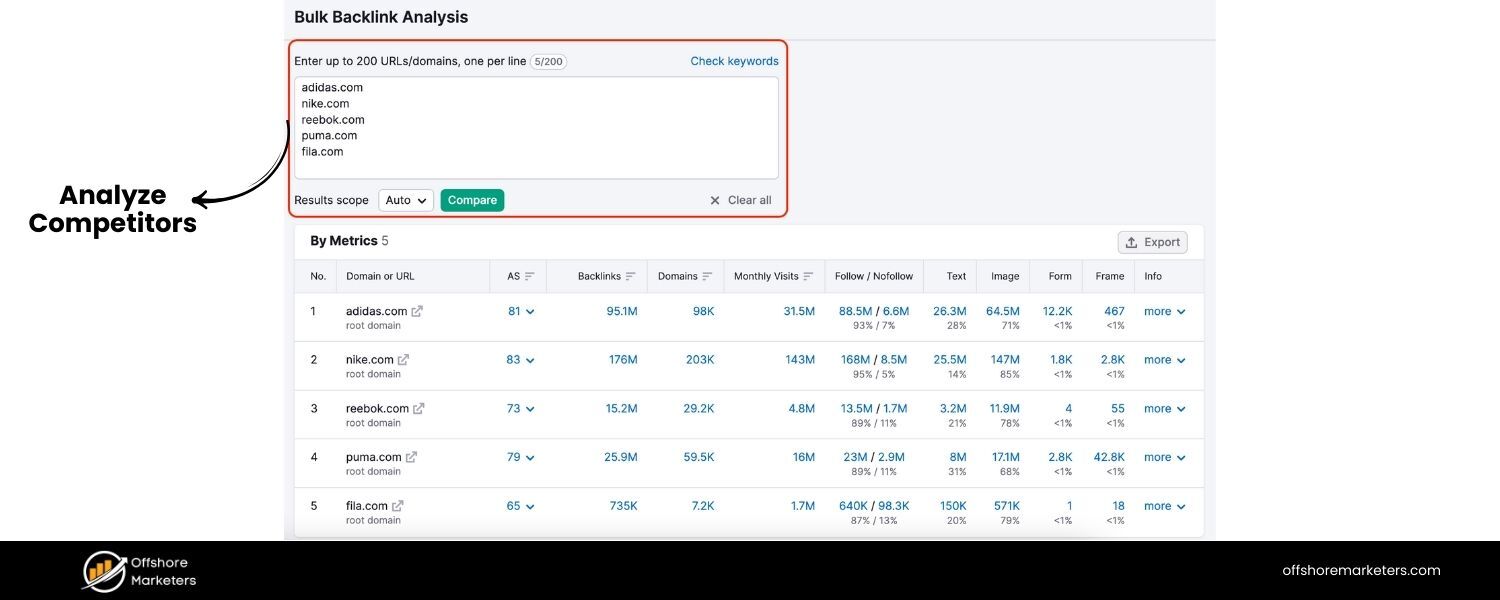
Answer: Analyzing competitors’ backlinks is important because it provides insight into what strategies are working in our niche and reveals link opportunities we might otherwise miss. Essentially, your competitors’ backlink profiles are a gold mine of information: if they rank above you, part of the reason is likely their backlinks. By studying them, you can:
A. Identify Link Sources: See which websites are linking to multiple competitors. Those sites are likely relevant to your industry and might be inclined to link to you as well (assuming you have similar or better content). For example, if several top competitors all have links from a certain industry blog or association site, that’s a place to target.
B. Discover Content Ideas: If a competitor earned a lot of links because they published a “State of the Industry Report” or a humorous infographic, that informs you about what content gets traction. You might create something similar (but improved) to attract those kinds of links. It shows what content in your space naturally attracts backlinks.
C. Benchmarking: By knowing how many quality backlinks your competitors have (and from which DA/DR sites), you can gauge the level of effort needed to compete. If they have 100 referring domains and you have 20, you know you have some catching up to do.It can also highlight if they are doing something spammy – e.g., you see many low-quality forum links in their profile – which might be a tactic to avoid (or exploit if they get penalized).
D. Relationship Building: The sites linking to your competitors are likely interested in your niche’s content. These are ideal prospects for outreach because they’ve demonstrated willingness to link to similar content. Reaching out to them with your high-quality resource might yield links – essentially piggybacking on where competitors have succeeded.
E. Avoid Pitfalls: It can also expose if a competitor has been hit by a penalty (you might see a bunch of toxic links and then notice their rankings dropped – learn from that and avoid those links).
How to do it:
A. Pick 2-3 of your top ranking competitors (or those who rank where you want to). Use tools like Ahrefs, SEMrush, or Moz’s Link Explorer to extract their list of backlinks or referring domains.
B. Look at metrics: sort by domain authority or similar to see the strongest links. Note the context – is it a guest post, a mention in a news article, a resource page listing, etc.? Many tools let you see the anchor text and snippet around the link to guess context.
C. I would categorize the links: e.g., “Press/News links,” “Blog posts/guest posts,” “Community (forums/Q&A) links,” “Directory citations,” “Scholarship links (common tactic in some industries),” etc. This categorization helps identify the tactics used.
D. Specifically, find patterns: If I see, say, competitor A and B both have links from Quora, maybe they actively answer questions there. If they both have links from designresources.com/free-tools, perhaps they created a free tool that got listed there – can we get listed too?
E. Then, make an action list: e.g., Site X is linking to 3 competitors via guest posts – approach Site X to contribute a guest post. Or List of 10 forums where competitor content got linked – consider being active on those forums (genuinely) and occasionally mention our stuff when relevant.
F. Also use the data to create a disavow if needed – if I see they have spam links but no penalty, still I won’t copy those, I’ll steer clear.
As part of the answer, I’d mention a concrete example: “For instance, in a previous role, I saw competitor X got a lot of backlinks from local news sites by doing little studies and press releases.
We adopted a similar approach – we did a survey in our industry, published the findings, and did outreach to the same journalists that covered competitor X. As a result, we gained links on 3 news sites that had also linked to X. That closed the gap significantly.” This shows you not only analyze but act on analysis.
In short, competitor backlink analysis is like having a roadmap of the link-building terrain – it shows where the strong links lie and where pitfalls are, helping you shape an effective and efficient strategy.
33. Have you ever had to deal with a Google penalty (manual or algorithmic)? If so, how did you recover?
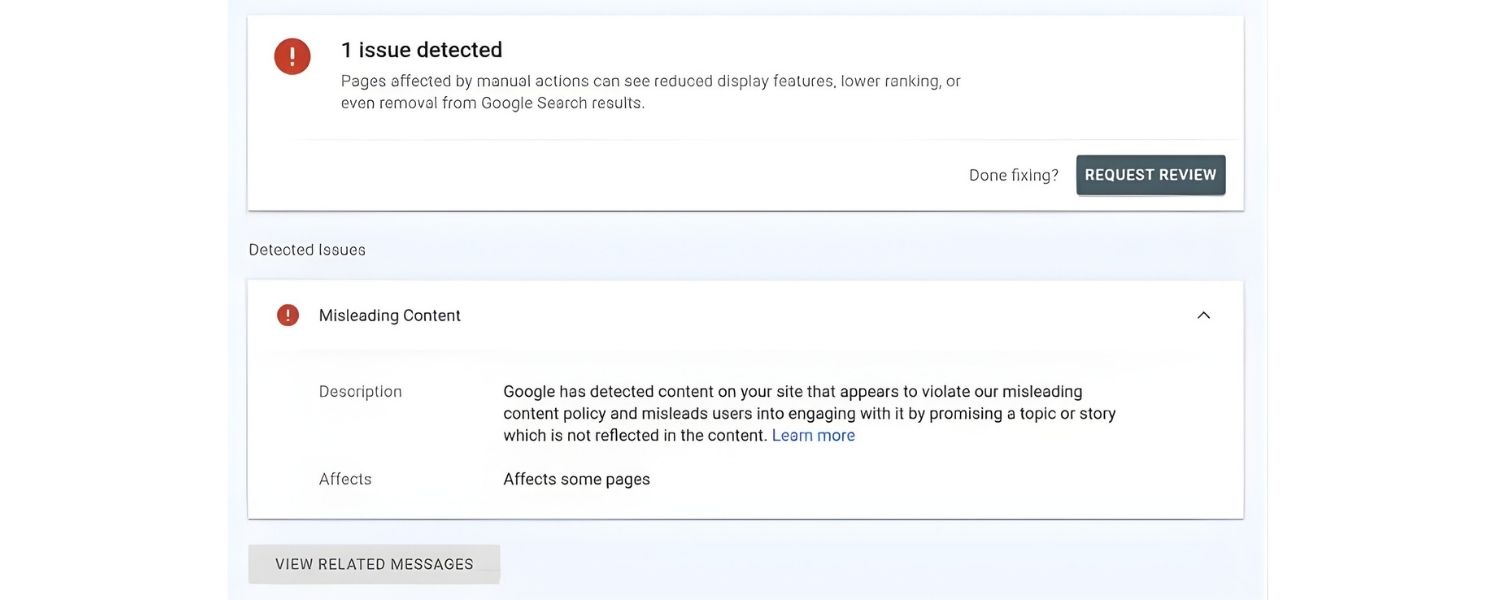
Answer: This question aims to see if you understand penalty situations and recovery strategies. If I’ve dealt with one, I’d describe it; if not, I’d describe hypothetically what I’d do. Let’s assume I have encountered one:
“Yes, I have dealt with a Google penalty. Specifically, I worked on a site that was hit by a manual action for “Unnatural Links” (Google flagged manipulative backlinks). Here’s how I approached recovery:
A. Identify the Problem: In Google Search Console, we saw the manual action notice which specifically pointed to “unnatural links to your site.” I downloaded the list of sample links Google provided and also used Ahrefs to get a fuller picture of our backlink profile.
It was clear that a past SEO agency had built spammy links – lots of low-quality directory submissions, article spinner sites, and site-wide footer links on unrelated websites. Rankings and traffic had dropped sharply as a result of the penalty.
B. Clean Up Links: I systematically went through the backlink list and categorized links into: those we could manually remove/contact for removal, and those we should disavow. We contacted webmasters of the more egregious linking sites (though many were spam networks with no real contact).
For anything we couldn’t get removed directly, I compiled a disavow file (a list of domains to disavow, since it was broad) and submitted it via Google’s Disavow Tool.
C. Documentation: I kept a record of our cleanup efforts – emails sent, links removed, the disavow list – because in the case of a manual penalty, I’d need to show good faith effort.
D. Submit Reconsideration: After cleaning up, I submitted a reconsideration request through GSC. I was transparent – I explained that prior link-building practices had violated guidelines, but we had taken comprehensive action to remove or disavow bad links, and assured that going forward we’d adhere to Google’s quality guidelines. I even attached a Google Sheet link listing actions taken (some SEO folks do that to be thorough).
E. Result: In a couple of weeks, Google revoked the manual action and our rankings gradually began to recover. We regained most of our important keyword positions over the next 2-3 months as Google re-crawled and re-evaluated the site’s links.
F. Preventative Measures: Importantly, I learned and implemented stricter monitoring of new backlinks and made sure our future link-building was above-board. I set up alerts for spikes in new referring domains and regularly audited our profile to catch any bad links (sometimes negative SEO is a risk, though rare).
If the penalty was algorithmic (like Panda or Penguin algorithm impacts), the approach is similar conceptually: identify the root cause (content quality issues for Panda, link spam for Penguin), fix them (improve or remove thin content, remove/disavow bad links), then wait for the algorithm to update or refresh and hopefully see improvement.
One more example: A different site had an algorithmic drop due to thin content / Panda-like issues. We noticed many low-quality tag pages and near-duplicate content. We fixed it by noindexing thin pages, consolidating duplicates, and improving content depth. Over time, the site’s rankings improved as the overall content quality signal rose.
So yes, I’m familiar with the stress of penalties and the methodical work to recover. The key is to address the root cause thoroughly and be patient – recovery can take time. Also, taking a penalty as a lesson is crucial; it forced us to improve our SEO tactics significantly.”
This answer shows I know the steps: diagnose, fix (remove links or improve content), communicate (reconsideration if manual), and learn from it. It demonstrates integrity (willingness to clean up bad practices) and expertise in using Google’s tools.
Having covered how to get quality links and avoid penalties, the off-page section should reassure interviewers I handle SEO growth in a safe, strategic manner. Next, we might move into some specialized or advanced topics, or the interplay of SEO with other channels (depending on what’s left to cover).
Advanced and Trending SEO Interview Questions
In this section, we address cutting-edge topics and higher-level SEO questions. These might be posed to experienced candidates to gauge how up-to-date they are with the latest industry changes and how they integrate SEO with the broader digital landscape.
34. What is your view on AI-generated content in the context of SEO?
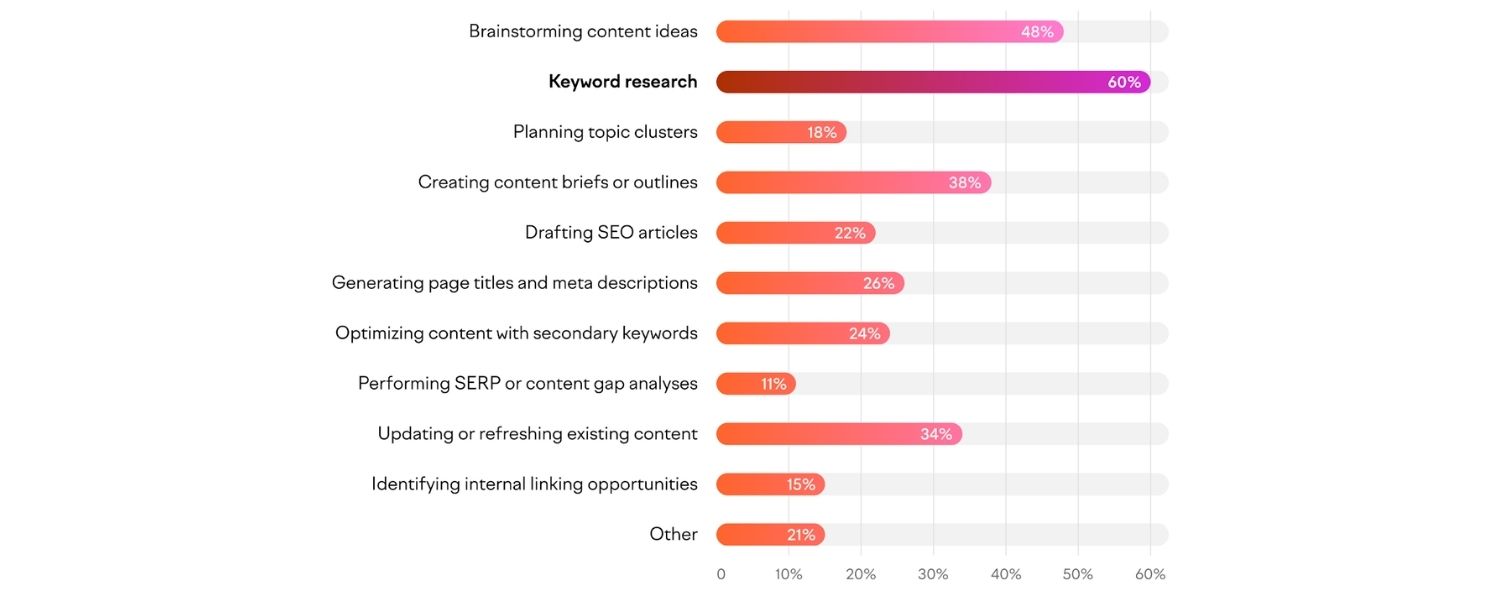
Answer: AI-generated content (using tools like GPT-4, etc.) has become increasingly prevalent. My view is that AI can be a helpful tool in content creation, but it must be used carefully and ethically for SEO.
On one hand, AI can assist with generating first drafts, brainstorming topic ideas, or creating routine content (like product descriptions or meta tags) quickly. This can save time and resources. However, raw AI content often lacks the human touch – it might be generic, contain inaccuracies, or fail to match a brand’s voice.
Google’s stance (especially with the Helpful Content Update in 2022) is clear: they reward “people-first content” and will not rank content that looks like it’s made just to game the algorithm. Whether content is AI-written or human-written, what matters is that it is high-quality, original, and useful to users.
I would say:
AI content on its own isn’t inherently penalized, but if it results in low-quality or spammy content, that’s against guidelines. Google’s algorithms and reviewers evaluate content by E-E-A-T – Experience, Expertise, Authoritativeness, Trustworthiness.
At present, AI often cannot provide firsthand experience or true expertise on a subject; it predicts likely text. So if someone used AI to generate tons of fluff articles, those pages likely won’t perform well and could even be seen as spam.
In my practice, I might use AI to help with outlines or to overcome writer’s block, but I ensure that a human expert reviews, fact-checks, and adds unique value to that content. It’s crucial to edit AI drafts for accuracy and originality.
Also, I avoid using AI for topics where sensitivity or accuracy is paramount (health, finance, etc.) without heavy human vetting – incorrect info there can be dangerous and harm user trust (and SEO).
Additionally, I consider that AI can inadvertently produce duplicated phrasing from its training data, which could lead to plagiarism issues if not checked. So I’d use plagiarism checkers and my own scrutiny to ensure we’re not publishing regurgitated content.
In summary:
AI is a tool, not a replacement for human-driven SEO content. The best approach is a hybrid one – leverage AI for efficiency, but rely on human expertise for quality.
In an interview answer I might add: “We actually tested some AI content on a small section of our site. The initial traffic was okay, but it didn’t perform as well as our human-crafted content that had personality and depth. Now we use AI only for specific tasks and always refine it.
Ultimately, content that demonstrates real experience or unique insight tends to rank better – and that typically comes from humans. Google values E-E-A-T, and AI alone can’t fulfill the Experience or Trust aspects. So my SEO strategy treats AI as an assistant, not an author.”
This shows a balanced, up-to-date perspective which is exactly what interviewers likely want: acknowledging the trend but emphasizing quality and compliance.
35. What is E-E-A-T, and why does it matter for SEO?
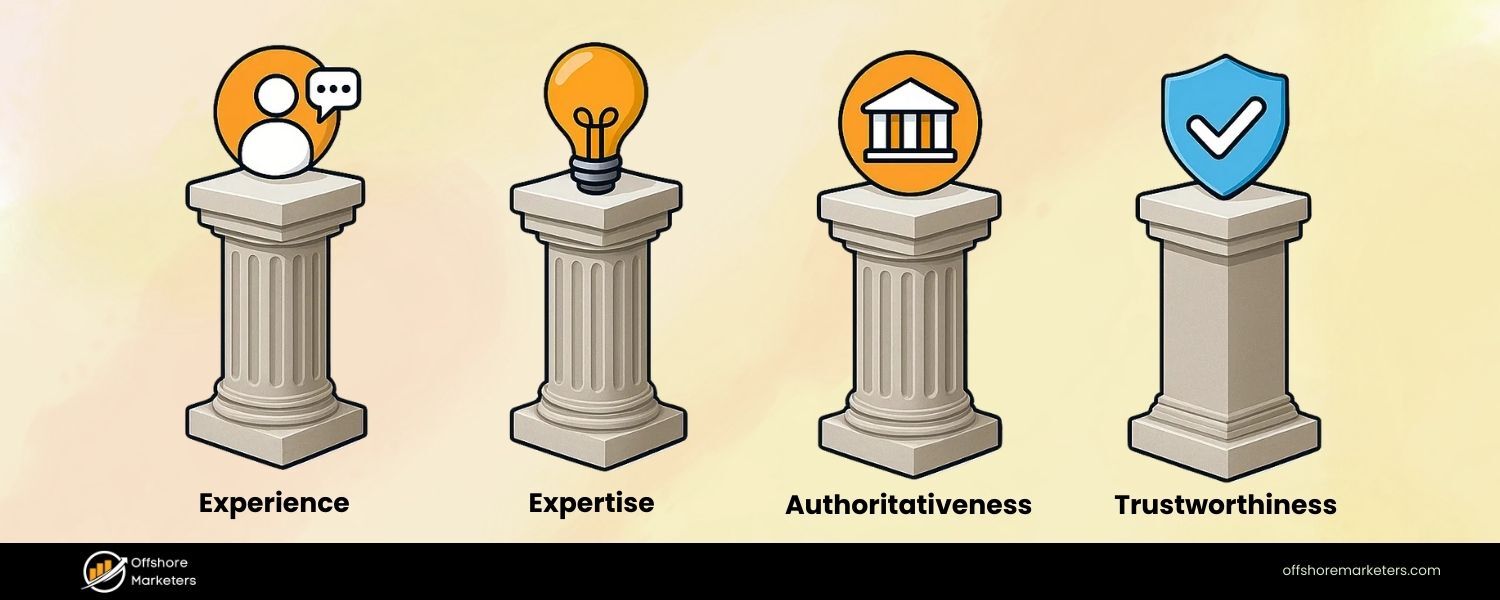
Answer: E-E-A-T stands for Experience, Expertise, Authoritativeness, Trustworthiness. It’s a concept from Google’s Search Quality Rater Guidelines, which has become very important, especially for YMYL (Your Money, Your Life) topics like health, finance, legal, etc.
It matters for SEO because content that scores well on E-E-A-T signals is more likely to rank higher, as Google aims to show results that are safe, reliable, and satisfy users’ needs with credible information.
Breakdown of each element:
A. Experience: Does the content creator have firsthand experience with the topic? This is a newer addition (Google added an extra E in late 2022). For example, a travel blog post about “backpacking in the Alps” would benefit from being written by someone who actually did that trip – and they might show experience through personal anecdotes, original photos, etc. Experience builds trust that the content isn’t just theory, but from someone who’s “been there, done that.”
B. Expertise: Is the content creator or the content itself demonstrating deep knowledge or skill in the subject? This could be formal expertise (e.g., a doctor writing medical advice) or everyday expertise (a long-time hobbyist explaining a craft).
For some topics (like medical advice), formal credentials are crucial. For others, being a well-informed enthusiast might suffice. High expertise is shown by accuracy, comprehensiveness, and often by credentials or a bio that states qualifications.
C. Authoritativeness: This is about the reputation of the website or author. Is the site known as a go-to source in this niche? Authority can be reflected in things like other sites referencing or citing you (links, mentions), or the author having a good reputation (maybe known as an industry leader, or has published books, etc.).
For instance, Wikipedia has high authoritativeness generally. A niche example: a food blogger who’s won awards or has a large following may be considered authoritative in recipes.
D. Trustworthiness: Perhaps the most important – can users trust this content? That encompasses accuracy, transparency (like citing sources, having a clear about page, contact info), and reliability. For e-commerce, trust might involve secure transactions and good reviews. For info content, trust is about truthfulness and not being misleading.
Why it matters:
Google’s algorithm indirectly tries to assess these qualities. They want to avoid ranking pages that are low quality or potentially harmful (like bad medical advice from a non-expert). Sites that clearly demonstrate E-E-A-T will likely perform better, especially in sensitive topics. Practically, for SEOs, this means:
A. Ensuring content is written or reviewed by subject matter experts when possible.
B. Including author bios with credentials on articles (especially on YMYL topics).
C. Citing reputable sources and data to back claims (this boosts content trustworthiness).
D. Garnering positive reputation signals off-site (good reviews, mentions in the press or by authoritative sites).
E. Having robust site info – like HTTPS (for trust), a clear privacy policy, contact info, etc., which all feed into user trust.
F. For Experience: incorporating personal experience in content where relevant (first-person accounts, case studies, etc.).
In an answer, I’d emphasize: “E-E-A-T is essentially about quality and credibility. For SEO, we optimize not just technically and with keywords, but by building our site’s authority and trust.
For example, we might partner with experts to write content (expertise), encourage satisfied customers to leave reviews/testimonials (trust), and highlight our team’s credentials and experiences on our site. I consider E-E-A-T in content audits – if a page is lacking in these areas, we update it.
Perhaps add quotes from an expert, or more thorough research, or just ensure the tone is trustworthy and unbiased. Sites that consistently demonstrate E-E-A-T tend to be rewarded by algorithm updates, whereas sites with thin or sketchy content often get hit.”
This shows I’m in tune with Google’s quality paradigm and how it translates to SEO strategy.
36. How do you optimize content for voice search?
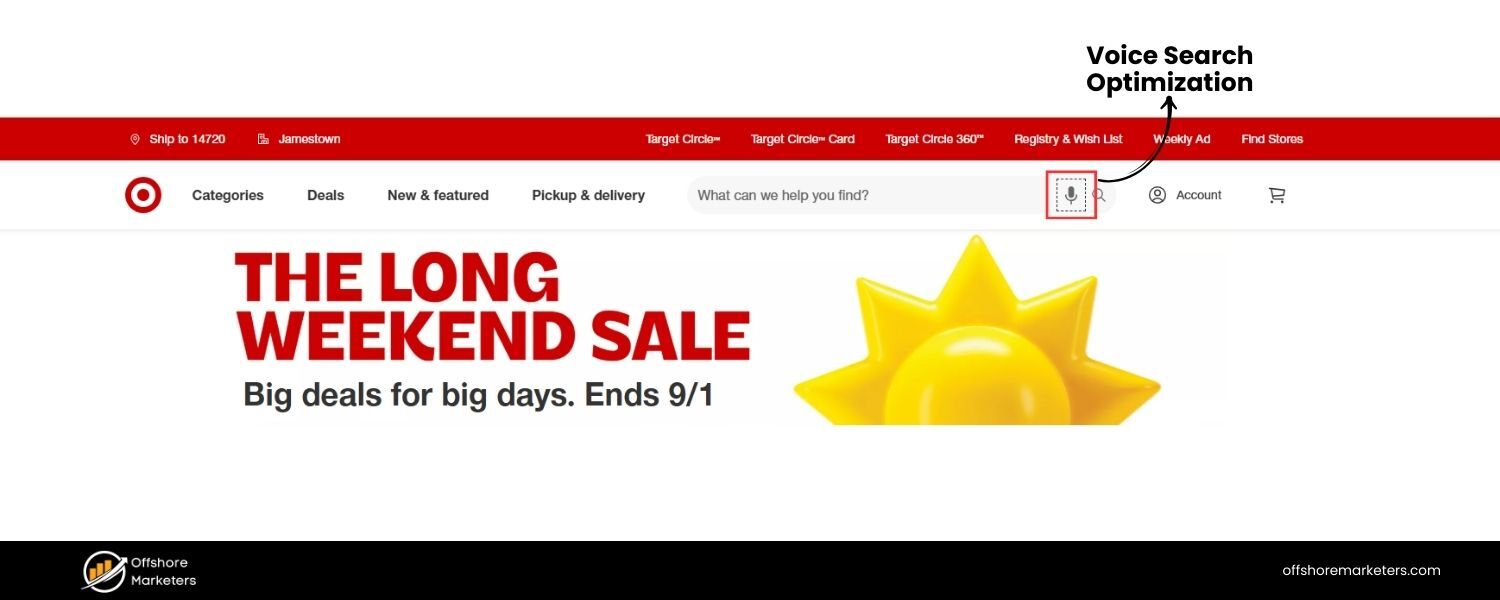
Answer: Voice search optimization has become relevant with the rise of digital assistants like Siri, Alexa, and Google Assistant. People tend to use more natural, conversational language when speaking their queries. To optimize for voice search, I focus on a few key tactics:
A. Target Long-Tail, Conversational Keywords: Voice queries are often longer and in question form. For example, instead of typing “weather Delhi”, someone might ask “What’s the weather like in Delhi today?” So I would research common questions in our niche (using tools like Answer The Public or looking at Google’s People Also Ask, etc.).
Then I integrate those question phrases or their intent into our content. A FAQ section is a great way to do this: listing questions and answers in a conversational tone can capture those voice queries.
B. Use Natural Language & Concise Answers: Content should be written in a natural, conversational tone that matches how people speak. Also, voice search devices often read out a short snippet as the answer (often pulling from a featured snippet).
So I optimize certain content blocks to be concise, direct answers to common questions. For instance, start an answer with a clear definition or explanation in one to two sentences that could serve as a spoken response.
C. Implement Structured Data (Speakable Schema): Google has a type called Speakable (currently for news content) which can mark parts of your text as especially suitable for text-to-speech.
Even outside of that specific markup, any structured data that helps define content sections (like FAQ schema) can indirectly help with voice results (Google often uses FAQs for answering voice queries on Google Assistant).
D. Page Speed & Mobile Optimization: Many voice searches happen on mobile devices. Ensuring the site loads quickly and is mobile-friendly helps because if Google is choosing an answer for a voice query, they’d likely prefer a site that loads fast (for when the user might tap through) and has a good experience. Also, fast-loading pages enable quick retrieval of answers for Google.
E. Feature Snippets & Position Zero: Ultimately, optimizing for voice search often means optimizing to win featured snippets (the answers Google shows at the top). So I format answers in paragraph, list, or table forms that Google tends to favor for snippets.
For example, if optimizing for “How to tie a tie”, I might create a step-by-step list. If for “What is quantum computing?”, I’d provide a succinct definition followed by more detail. These snippet-optimized sections often get read aloud in voice responses.
F. Local Voice Search Optimization (if relevant): Many voice searches are local (e.g., “Where’s the nearest coffee shop?”). If we have a local business angle, I’d ensure our Google My Business listing is up to date and we use natural language in the Q&A and reviews. Also, content on the site might target those who ask questions like “Where can I find [product] in [city]?” with blog posts or pages addressing local queries conversationally.
G. FAQ Pages / Q&A Content: Since voice searches are questions, having a dedicated FAQ page or Q&A-style content that answers a breadth of questions can position a site as a great source for voice answers. For an e-commerce site, maybe an FAQ on how to choose a product, etc. For content sites, maybe a “People ask” series of posts.
I might give an example: “We noticed a lot of voice searches phrased as questions like ‘How do I…’ or ‘What’s the best…’. For one of our clients (a travel website), we created an FAQ section on each destination page with questions like ‘What’s the best time to visit X?’ or ‘How do I get around in X city?’.
We wrote concise answers and marked them up with FAQ schema. As a result, we captured multiple featured snippets, and we suspect those translate to answers on Google Assistant for those queries. It also improved overall SEO as those pages became more comprehensive.”
This shows I not only know the theory but also practical implementation. It’s forward-looking since voice search is more and more integrated with how people search.
37. How do you see the integration of SEO with other marketing channels (like SEM, Social Media, Email)?
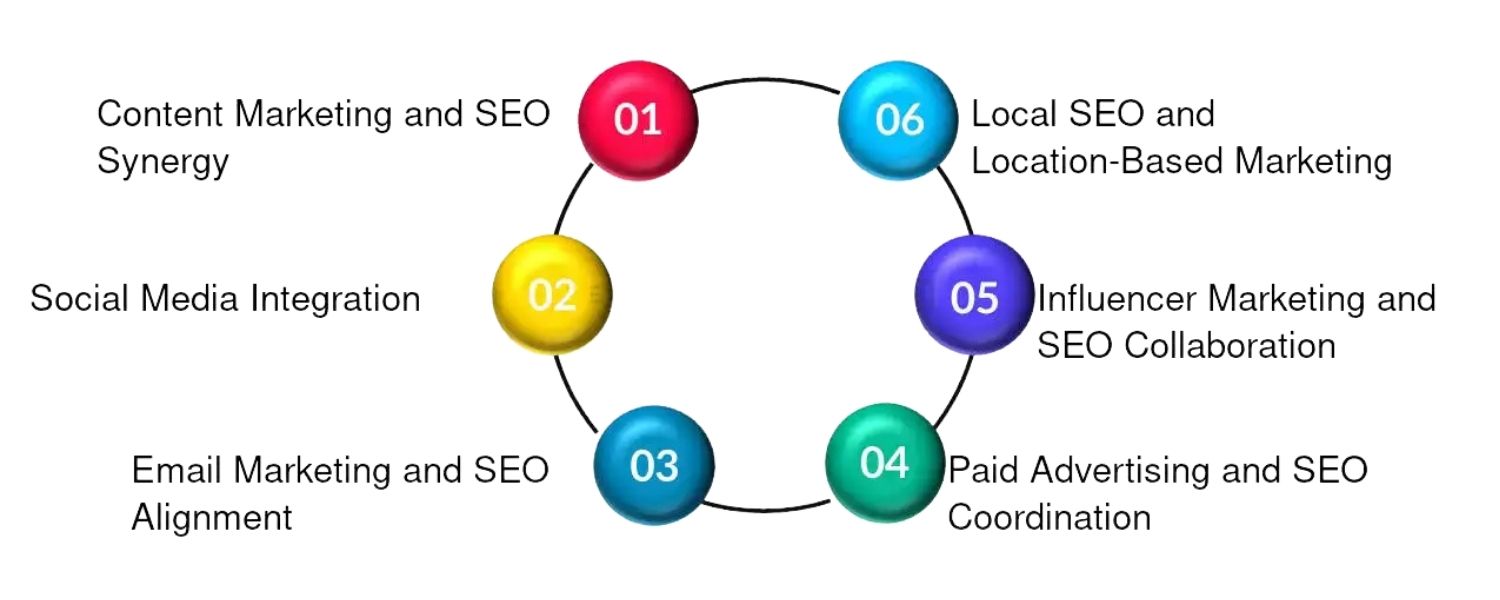
Answer: SEO doesn’t exist in a vacuum – it works best when integrated with a broader marketing strategy. I see multiple touchpoints between SEO and other channels:
A. SEO & SEM (Paid Search): These two are often complementary. For instance, running Google Ads can help us test which keywords convert well or see ad copy that gets a good response, and we can use those insights to prioritize SEO targeting and meta description phrasing.
Conversely, our high-ranking SEO pages might have strong Quality Scores if we run ads on those keywords, reducing cost per click.There’s also the strategy of owning more SERP real estate – having both an ad and an organic listing can increase overall click-through (some studies show combined presence boosts credibility).
I often align SEO and PPC keyword strategies: if SEO is struggling to rank for a high-value term, we might cover it via PPC until SEO catches up.Also, data from PPC queries (via search query reports) can reveal new long-tails to optimize for SEO.
B. SEO & Social Media: While social signals (likes, shares) aren’t direct ranking factors, there’s a symbiotic relationship. Social media is excellent for content distribution – when we share our blog posts or infographics on social and they gain traction, they’re more likely to be seen (and linked to) by bloggers or journalists, indirectly boosting SEO.
Also, a strong social presence builds brand awareness, which can lead to more branded searches (and brand familiarity in SERPs can improve click-through rates). I ensure that major content pieces are promoted via social channels to maximize their reach and link earning potential.
Additionally, profiles and content on social platforms can rank for brand searches, which is part of reputation management (e.g., your Twitter or LinkedIn might appear on page 1 for your brand name, giving users more ways to engage).
C. SEO & Content Marketing: This is almost inseparable – content marketing provides the material SEO needs. I see SEO as guiding content topics via keyword research, and content marketing as the process of creating and promoting that content.
A content piece might be created primarily for awareness (like an infographic for social sharing) but we’ll optimize it to rank too, and conversely an SEO-targeted article is also material to share on social or via email newsletters.
Basically, I ensure our content calendar considers SEO opportunities (e.g., seasonal search trends) and also bigger campaigns that might involve PR and social.
D. SEO & Email Marketing: Email can support SEO by circulating content to a captive audience, which can lead to shares or links. For example, if we send a newsletter with our latest blog post, subscribers might share it or blog about it if they have sites.
Also, email engagement data can hint which content pieces are popular (high open/click rates on certain topics could tell us to create more of that for SEO).Another angle: if we have an email drip educating customers, we can repurpose that content into public blog posts to capture search traffic (with adjustments).
E. SEO & PR/Influencer Marketing: Good PR (like getting features in press or collaborating with influencers) often leads to high-quality backlinks and brand mentions – both are great for SEO. When we do any PR campaigns, I coordinate to ensure we get a backlink where possible.
If an influencer writes about our product on their blog, that’s a link. This channel synergy is huge for E-E-A-T as well, because being mentioned by authoritative sources builds our site’s perceived authority.
F. SEO & Conversion Rate Optimization (CRO): Once SEO brings in traffic, we want to convert it. There’s synergy in analyzing user behavior: say our SEO page is bringing traffic but has a high bounce rate, CRO techniques can help engage those users (better content layout, call-to-actions, etc.).
Satisfied users (who find what they need) send better signals to Google too. So I often collaborate with CRO or UX teams – e.g., making sure our pages are not just keyword-rich but also user-friendly and persuasive.
G. Holistic Measurement: To truly integrate, I look at multi-channel attribution. Maybe SEO is the first-touch, then the user signs up via an email later. So I try not to silo these efforts; we often discuss in marketing meetings how a campaign can benefit all channels.
For example, a contest might primarily be a social campaign but it can generate backlinks (SEO) and we collect emails (email marketing).
In an interview, I’d articulate: “I break down silos. If I’m planning content around a keyword, I loop in the social team to schedule posts about it, and the email team to include it in newsletters.
We might even coordinate PPC to promote the content for a week to get initial traction. Likewise, if the PPC team finds a new high-converting keyword, I’ll consider writing an article for it.
The result is consistent messaging and multiple touchpoints that reinforce each other. That integrated approach makes the entire marketing more effective, not just SEO in isolation.”sem
This shows I’m a T-shaped marketer: deep in SEO, but aware of and fluent in other channels – which is valuable, as modern marketing is very cross-channel.
38. How do you stay updated with the ever-changing SEO landscape?
Answer: The SEO field is dynamic – algorithms update frequently and new best practices emerge as search evolves (e.g., the rise of mobile-first, voice search, core updates, etc.). To stay updated:
A. Authority SEO News Sites & Blogs: I regularly read sources like Search Engine Journal, Search Engine Land, Moz Blog, Google’s own Search Central blog, etc. These often break news about algorithm updates or provide analysis on trends.
For example, when there’s a core update, sites like SELand will have initial coverage and expert commentary, which helps me gauge what changed and what to check on my sites. Also, SEO Roundtable is great for a pulse of daily smaller updates or tests Google is doing.
B. Google’s Communications: I follow Google’s official channels – like Google Search Liaison on Twitter (they announce broad core updates, etc.), John Mueller (Google Webmaster Trends Analyst) on Twitter and in webmaster hangouts (John and other Googlers often drop hints or clarify things).
I occasionally tune into Google’s SEO office-hours videos on YouTube where they answer questions – there are nuggets of insight there.I also reference Google’s documentation (like updated guidelines or new features in GSC) whenever they announce something. For instance, when Google releases new guidance on page experience or their quality rater guidelines update, I make a point to read those.
C. SEO Communities & Forums: I lurk and engage in communities such as r/SEO on Reddit, specialized Slack or Discord groups, and Warrior Forum or Black Hat World (to see what even the grey hats are up to, out of interest). Being part of communities means I hear anecdotes and case studies of what people are observing.
For example, if a lot of SEOs in forums say “my product pages dropped after the update but content pages rose,” that gives a hint on the nature of an algorithm change. Also, Q&A communities (like the Google Search Central Help Community or even Quora) sometimes have interesting specific issues that broaden my knowledge.
D. Conferences and Webinars: I try to attend (or at least watch online) major conferences like SMX, MozCon, BrightonSEO, PubCon. These often have sessions by industry experts sharing experiments, case studies, or new techniques. If I can’t attend live, I might read summaries or watch recordings.
Webinars and podcasts are also great – e.g., Search Engine Journal Show podcast or Moz’s Whiteboard Friday videos. They keep topics interesting and current.
E. Hands-on Testing: It’s not just passive learning – I often do small experiments on my own websites or sandbox environments. For instance, when a new structured data type comes out, I implement it on a page to see how Google handles it. Or if there’s buzz about a certain ranking factor, I might A/B test changes on some pages. Doing these mini-tests helps me verify what I read.
F. Networking with Peers: I have a circle of SEO colleagues and we chat about our observations. Sometimes, one of us notices something (like “hey, did all your snippet lengths change recently?”) and we brainstorm.
LinkedIn and Twitter are good for following thought leaders (like I follow folks such as Rand Fishkin, Barry Schwartz, Aleyda Solis, etc.) – their posts often alert me to something new or offer insight.
G. Continuous Learning Mindset: Ultimately, I treat SEO like a doctor treats medicine – you have to do continuing education. I allocate time each week to reading or learning. I also experiment with related skills (like learning a bit of coding for automation, or analytics deeper dives) because SEO now intersects with so many areas (core web vitals had me learn more about web development performance, for example).
By doing all this, I’m usually aware of major changes like core updates, new search features, evolving best practices (like the importance of Core Web Vitals or shifts to mobile-first indexing), and can adapt my strategies accordingly.
I’d conclude with an example: “For instance, when Google rolled out the BERT natural language processing update, I learned about it through Search Engine Land and Google’s blog. I then read various analyses on how it impacted search queries.
Using that knowledge, I reviewed our content to ensure we were writing in a clear, conversational way that would satisfy BERT’s aims of understanding context. Staying updated isn’t just about knowing news, but applying it. I make it a point to incorporate new insights into my SEO approach so we’re always ahead of the curve.”
This illustrates proactivity and passion for staying at the forefront, which is what they want to hear.
Having addressed advanced topics, I would likely then round off the blog post with a conclusion and perhaps a CTA as per guidelines.
Conclusion and Call to Action
At the end, I need a strong CTA as specified, perhaps encouraging readers to apply what they learned or to contact us for services or to continue their learning journey (depending on the context).
Since the instructions mention a CTA for user interaction or lead conversion, I might tailor it as if a marketing expert writing on their company blog, inviting readers to take action.
For example: encourage them to share the post, subscribe to newsletter for more SEO tips, try our SEO tool, or consult with us if they need help prepping for interviews or improving their SEO.
Given the scenario, maybe the CTA could be something like: “Ready to put this knowledge into practice? Whether you’re prepping for an SEO interview or looking to boost your site’s performance, we’re here to help – explore our SEO training programs or reach out for a consultation.” – that covers a broad call to engage with our services perhaps.
Yes, something along those lines, linking to internal content possibly or contact page.
Now I’ll formulate the final sections accordingly.
Next Steps
Preparing for an SEO interview can feel overwhelming due to the sheer breadth of topics – but it’s also an opportunity to showcase your expertise.
By understanding fundamental concepts (like on-page vs. off-page SEO and key ranking factors) and staying current with advanced trends (like E-E-A-T and AI in search), you’ll be well-equipped to tackle any question that comes your way.
Remember to answer interview questions with practical examples from your experience when possible, as this demonstrates not just theoretical knowledge but real-world application.
Finally, keep learning: The SEO landscape evolves constantly, and continuous learning is part of the job (and part of the excitement!). Leverage the resources and tips mentioned (follow industry blogs, experiment with tools, engage in communities) to stay sharp.
If you can convey a mindset of adaptability and curiosity in your interview – along with solid SEO know-how – you’ll stand out as a candidate who’s ready to grow with the role.
Good luck with your interview! If you found this guide helpful, be sure to bookmark it and revisit key sections as you prepare. And if you’re looking to deepen your SEO skills even further or need personalized help, feel free to reach out to us.
We’re here to help you master SEO – from acing interviews to a-world results. Ready to level up? Contact our team or explore our advanced SEO training resources to continue your journey. Here’s to your success in landing that SEO role and driving organic growth like a pro!

.png)
Shopify SEO: Guide to Ranking Your Store and Driving Sales
Most Shopify store owners set up their store, list their...

Content Marketing : Definitive Guide to Strategy, Content Types, and Measurable ROI
Content marketing generates 3x more leads than outbound marketing at...

Above the Fold: Guide to Conversions, Rankings and Faster Pages
Above the Fold in 2026: The Complete Guide to Conversions,...

Off-Page SEO Checklist: Guide to Building Real Authority
Most websites spend months creating great content, only to wonder...

What Is Keyword Bidding? The Complete Strategy Guide for Smarter Ad Spend
Most advertisers believe the highest bid wins the auction. It...

What Is Google Trends? The 2026 Marketer’s Complete Guide
If you are not already pulling weekly insights from Google...
If you want a growth partner who will get to know every aspect of your business and treat your budget like their own — we are the right fit.
.png)


.png)
.png)
.png)
.png)
.png)
.png)
2026 ALL RIGHTS RESERVED MADE IN INDIA
