
302 Redirect: What It Is, When to Use It & Its Impact on SEO
September 2, 2025
Introduction
After 25 years in marketing, I’ve seen how something as simple as a web redirect can make or break your website’s traffic. One common point of confusion is the 302 redirect, a temporary redirect that sends users from one URL to another.
Used correctly, a 302 redirect ensures visitors (and search engines) get to the right place without losing the original page’s SEO value.
But used incorrectly, it could lead to SEO issues or a poor user experience. In this comprehensive guide, we’ll demystify the 302 redirect: what it is, when to use it, how it differs from a 301 redirect, how to implement it, and best practices to keep both your users and search engines happy.
What Is a 302 Redirect? (HTTP 302 Found)
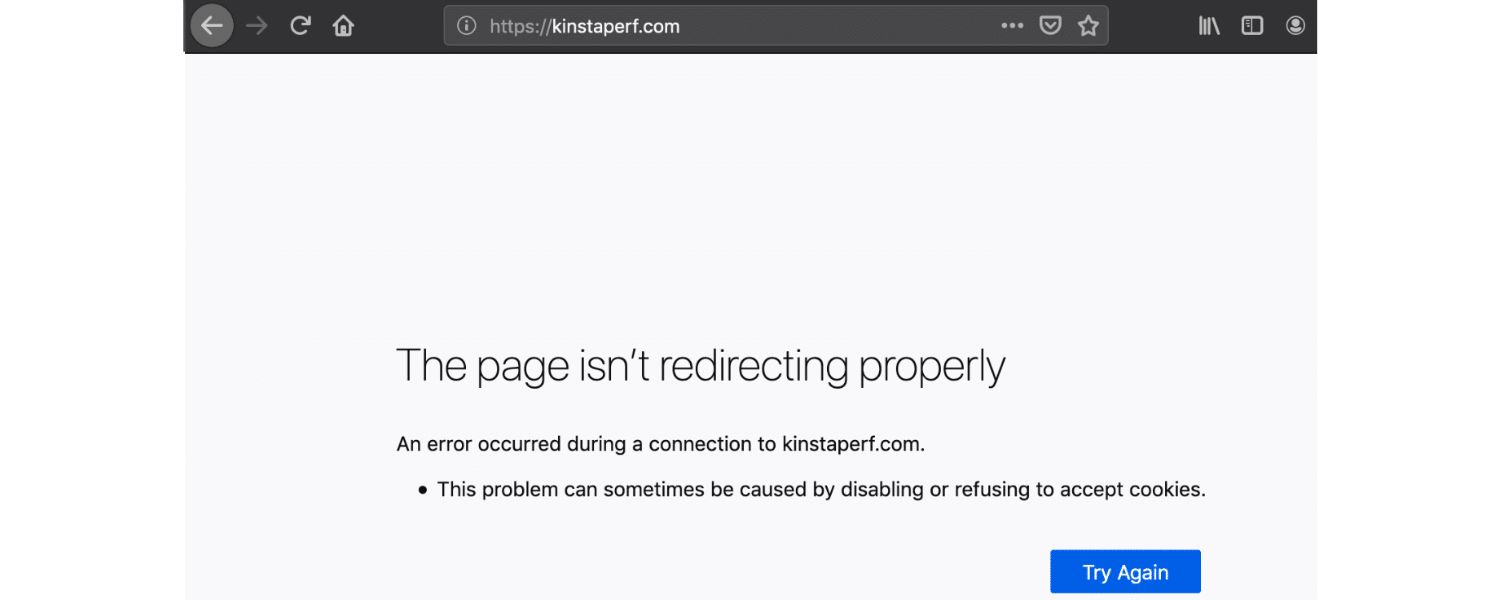
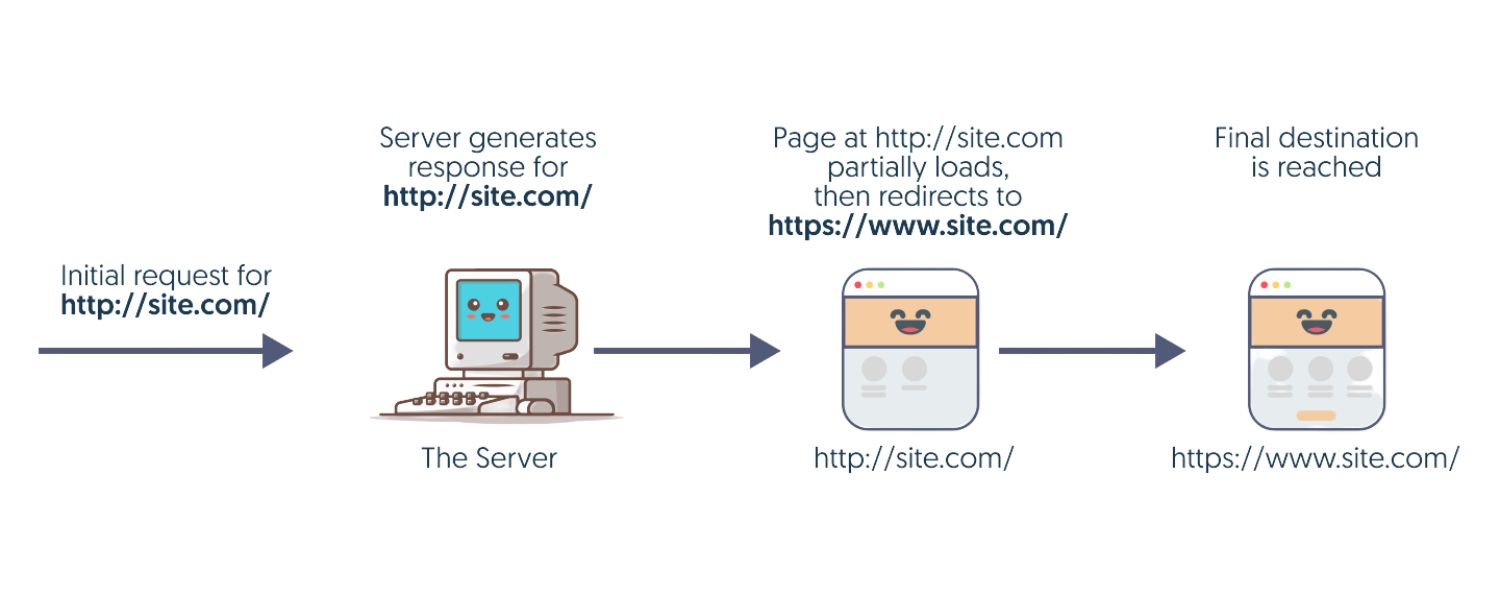
A 302 redirect is an HTTP response status code that signals a temporary redirection of a URL. In technical terms, when a browser or search engine requests a page, the server can respond with a “302 Found” status and a new Location URL. This tells the browser: “The page you want is temporarily at a different address, go here instead for now.”
The browser will automatically load the new URL given in the response, seamlessly redirecting the user to the temporary page. Importantly, because this redirect is temporary, it implies that the original URL will be back at some point.
Search engines treat it differently than a permanent redirect: they typically keep the original URL in their index and do not transfer SEO “link juice” or ranking authority to the temporary URL.
In other words, a 302 redirect lets you divert traffic without telling Google to consider the new page as the permanent replacement.
Fun Fact: The 302 status code is historically known as “Found” (and was once described as “Moved Temporarily”). Due to ambiguities in early implementations, HTTP/1.1 later introduced separate codes like 303 See Other and 307 Temporary Redirect to more precisely handle method changes for redirects. However, for most practical purposes, 302 remains the go-to code for temporary redirects in web development.
In summary, a 302 redirect means “temporarily send users to a new URL, but remember that the move isn’t permanent.” This makes it very different from a 301 redirect, which signals a permanent move. Next, we’ll explore those differences and why choosing the correct type matters for your SEO.
302 vs. 301 Redirects: Key Differences

It’s crucial to understand how a 302 temporary redirect differs from a 301 permanent redirect. Using the wrong type can impact your website’s SEO and user experience. Here are the key differences:
1. Purpose and Duration
A 301 redirect is intended for permanent changes – the old URL is gone for good, whereas a 302 redirect should only be used when the change is temporary (you intend to bring the original page back).
For example, if you completely migrate a page or site, use 301; if you’re just temporarily sending users elsewhere (say, during maintenance), use 302.
2. Search Engine Behavior
When a 301 redirect is in place, search engines will treat the new URL as the canonical one, they’ll eventually replace the old URL with the new one in search results and pass all ranking signals to the new URL.
In contrast, with a 302 redirect, search engines assume the move is temporary: the original URL often remains indexed as the primary URL, and the new (temp) URL might not be indexed at all (or only as a brief substitute).
This means no lasting “link equity” is passed to the temporary page, the SEO value stays with the original page. From an SEO standpoint, a 301 is like forwarding your reputation to a new address, while a 302 is like holding your mail at the post office during a short trip (the reputation remains with the original address).
3. Link Equity (“SEO Juice”)
Because a 301 is permanent, it passes on link equity (ranking power from backlinks) to the new URL. A 302 does not pass link equity to the redirected page in the long run. Instead, any backlinks and authority remain attributed to the original URL.
This can be beneficial if you want to preserve the original page’s SEO strength (since you plan to use it again), but it can be harmful if you mistakenly use 302 for a move that turned out to be permanent (the new page won’t inherit the rankings it could have gotten).
4. User Experience
Both 301 and 302 redirects will seamlessly take users to the new page. In practice, a user usually can’t tell if it was a 301 or 302, they just end up on the target page.
However, if a 302 is used improperly, users might keep seeing the “old” URL in search results (which then redirects them), potentially causing confusion if the content at the new URL is different. A 301 would update search listings to show the new URL, which is usually preferable for permanent changes.
Figure: A decision flowchart illustrating when to use a 301 vs. 302 redirect. A 301 redirect is appropriate for permanent changes (e.g. you’ve moved or deleted the original page indefinitely), whereas a 302 redirect is suited for temporary situations where the original content will return. Choosing the correct redirect type ensures that users and search engines understand your intent.
In essence, use 301 for permanence and SEO transfer, and 302 for temporary detours. Misusing them can lead to SEO headaches, for example, a 302 used in place of a 301 might cause search engines to continue indexing the outdated page while ignoring your new page.
On the other hand, a 301 used when you only needed a temporary change could make Google drop your original page from the index, even though you intended to bring it back. Next, we’ll look at how to decide when a 302 redirect is truly the right choice.
When Should You Use a 302 Redirect?
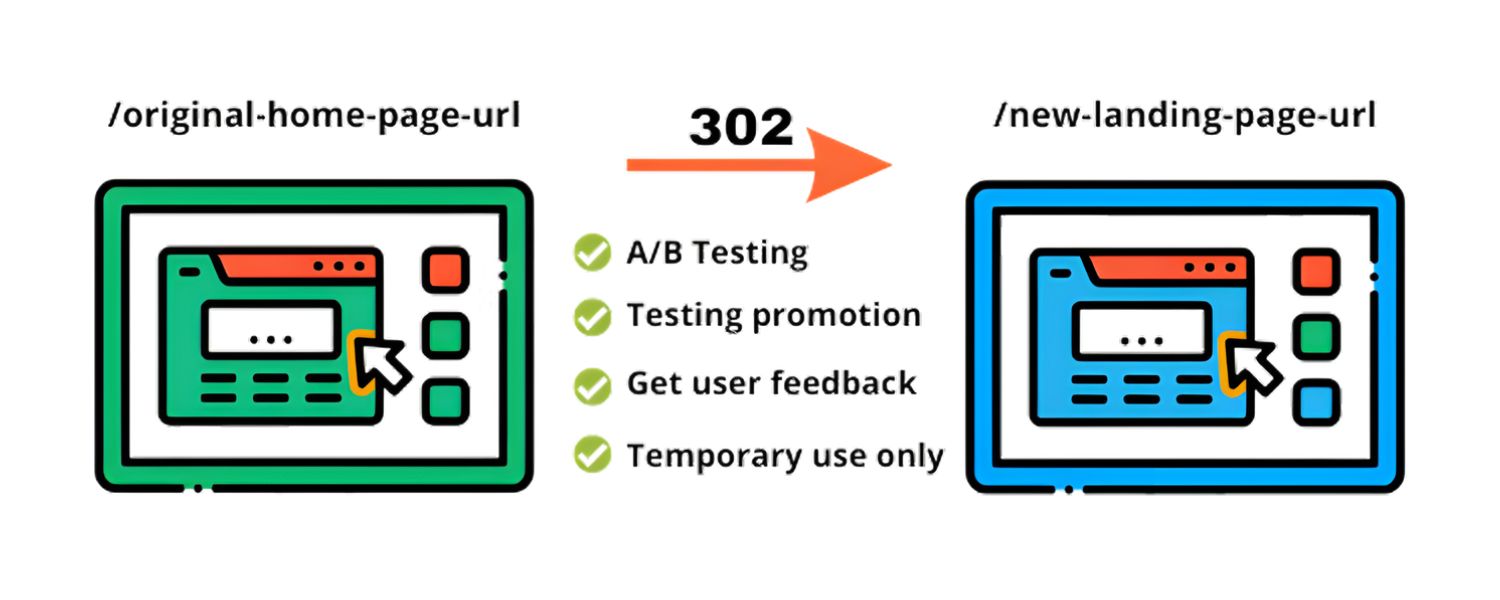
The golden rule for 302 redirects is simple: use a 302 only when the change is temporary. If you ever ask yourself whether to use a 302, the first question to answer is: “Do I plan to revert or replace this change in the near future?” If yes, 302 is likely appropriate. If you’re not sure or the answer is no, you’re safer using a 301.
Google itself advises using a permanent redirect when “you’re sure that the redirect won’t be reverted.” In all other cases, a 302 (temporary) redirect is the better fit.
Here are some common scenarios where a 302 redirect is the right choice:
1. Website Maintenance or Updates
If you need to take a page offline for maintenance or are redesigning it, you can temporarily redirect visitors to a different page (such as a maintenance notice or an alternative content page).
For example, redirect “/product-page” to a “/maintenance-info” page while you revamp the product page. Once done, you remove the 302 and bring the original page back. This ensures users don’t hit a broken page and know it’s a short-term change.
2. A/B Testing and Experiments
For marketing experiments like A/B testing different page versions, a 302 redirect is very useful. You might want to send a portion of traffic from Page A to Page B (a test page) temporarily.
Using a 302 means search engines won’t treat Page B as the new permanent page, allowing you to test and then swap back without losing rankings on Page A. In short, 302 lets you test changes on your site without permanently affecting SEO.
3. Temporary Promotional Campaigns
If you’re running a short-term promotion or seasonal campaign, you may want a certain URL to point to a special landing page for a limited time. For instance, redirect your usual “/shoes” page to “/shoes-sale” for the week of a sale.
Because the sale page is temporary, a 302 ensures once the sale is over, you can remove the redirect and users (and Google) will go back to the original “/shoes” page. (Just don’t forget to remove the redirect when the promotion ends!)
4. Out-of-Stock or Temporary Unavailability
If a product or content is temporarily unavailable (but will be back), you can use a 302 to send users to a similar item or an informational page.
For example, if a product is sold out, you might 302-redirect its page to a related product or a “notify me” page rather than showing a dead end. This keeps customers engaged and avoids 404 errors, without telling search engines the original product page is gone forever.
5. Geolocation or Device-Based Redirects
Some websites use 302 redirects to send users to country- or language-specific versions of a site, based on location or device. For instance, visiting the generic URL might 302 redirect you to a region-specific site (like example.com ⇒ example.co.uk) if the site thinks that’s temporarily more relevant.
These are usually done as 302 because the original URL is not outdated, it’s just forwarding the user for convenience. (However, use caution with automatic geolocation redirects – ensure they don’t impede users or search engines, and consider using the proper localization techniques like hreflang.)
In all the cases above, the key is that the original page is expected to return or remain the primary URL eventually. By using a 302, you preserve the original page’s search engine standing.
Users are taken where they need to go in the meantime, and your SEO is safeguarded for when the original content comes back.
On the flip side, do not use a 302 redirect for permanent changes. If you’ve changed a URL for good (for example, merged two pages, moved to a new domain, or deleted a section), a 301 redirect is the correct choice.
Using a 302 in those situations can lead to search engines continuing to index the old URL and not passing ranking signals to your new URL, which is not what you want for SEO.
Pro tip: There isn’t an exact “time limit” for how long a redirect can be in place before search engines might treat it differently. Generally, if your “temporary” redirect ends up staying for many weeks or months, Google may start to suspect it’s actually permanent and could treat it like a 301 in indexing.
If you know a temporary change has become permanent, it’s best to update it to a 301 redirect manually rather than waiting. In the next section, we’ll discuss how to correctly implement a 302 redirect when you do need one.
How to Implement a 302 Redirect (Temporary Redirect)
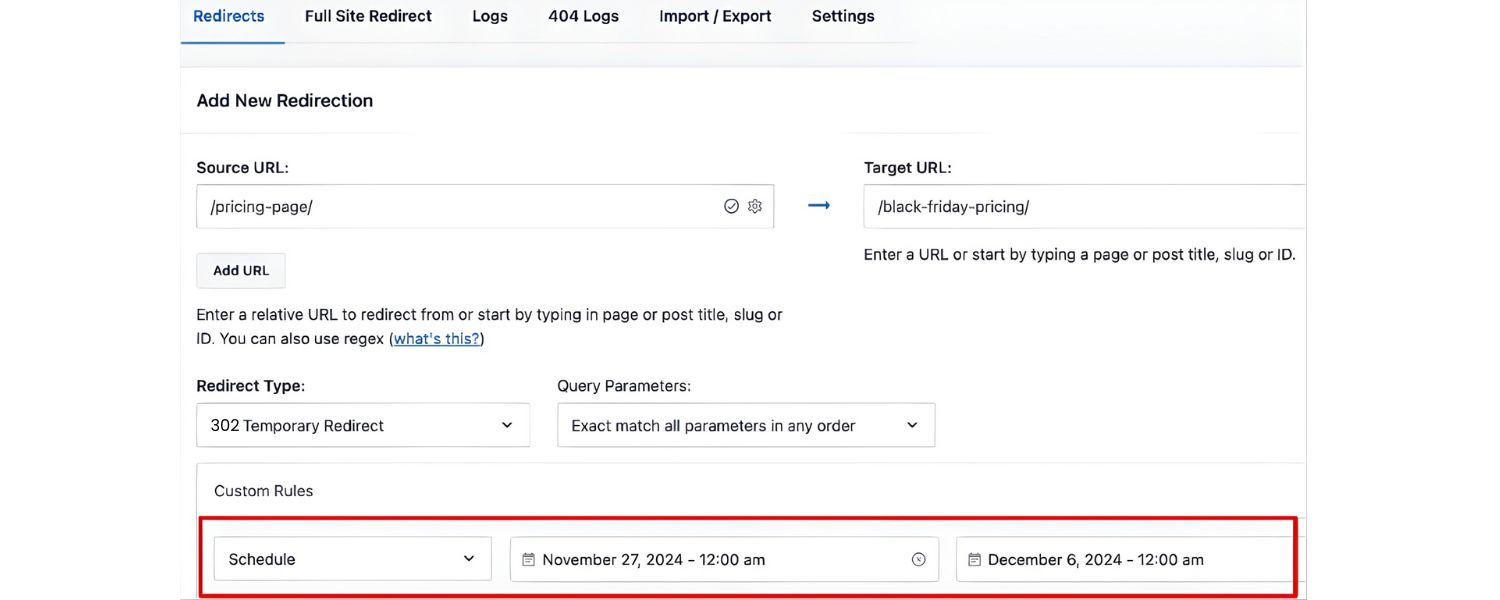
Implementing a 302 redirect is typically a straightforward process, but it requires access to your website’s server or configuration.
The goal is to have the server send a HTTP 302 status code along with the new “Location” URL when someone requests the original page. There are a few common methods to set this up:
Server-Side Configuration (Recommended): The most reliable way is to configure your web server to issue the 302 redirect. For example, on an Apache server, you can open or create an .htaccess file (in the site’s root directory) and add a line like: Redirect 302 /old-page.html /new-page.html.
This directive tells Apache to redirect “/old-page.html” to “/new-page.html” with a 302 status. Similarly, using Apache’s mod_rewrite, you could do: RewriteRule ^old-page$ /new-page [R=302,L].
On Nginx servers, you would add a rule in your server configuration, for example: location /old-page {return 302 /new-page;}.
Each server platform has its own syntax, but the concept is the same. According to Google’s documentation, setting up redirects on the server side (via config files or server scripts) is the preferred approach for both permanent and temporary redirects.
This way, search engines and browsers receive the redirect response directly from the server with no extra client-side processing.
1. CMS or Plugin Solutions
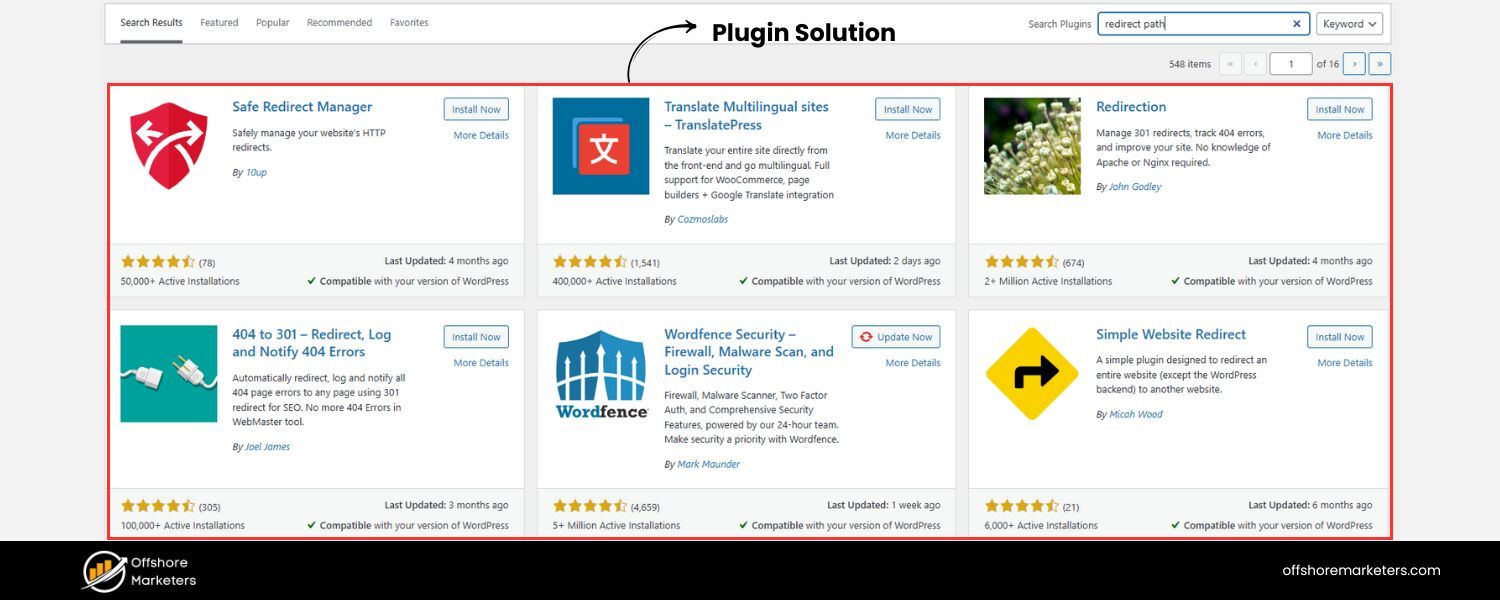
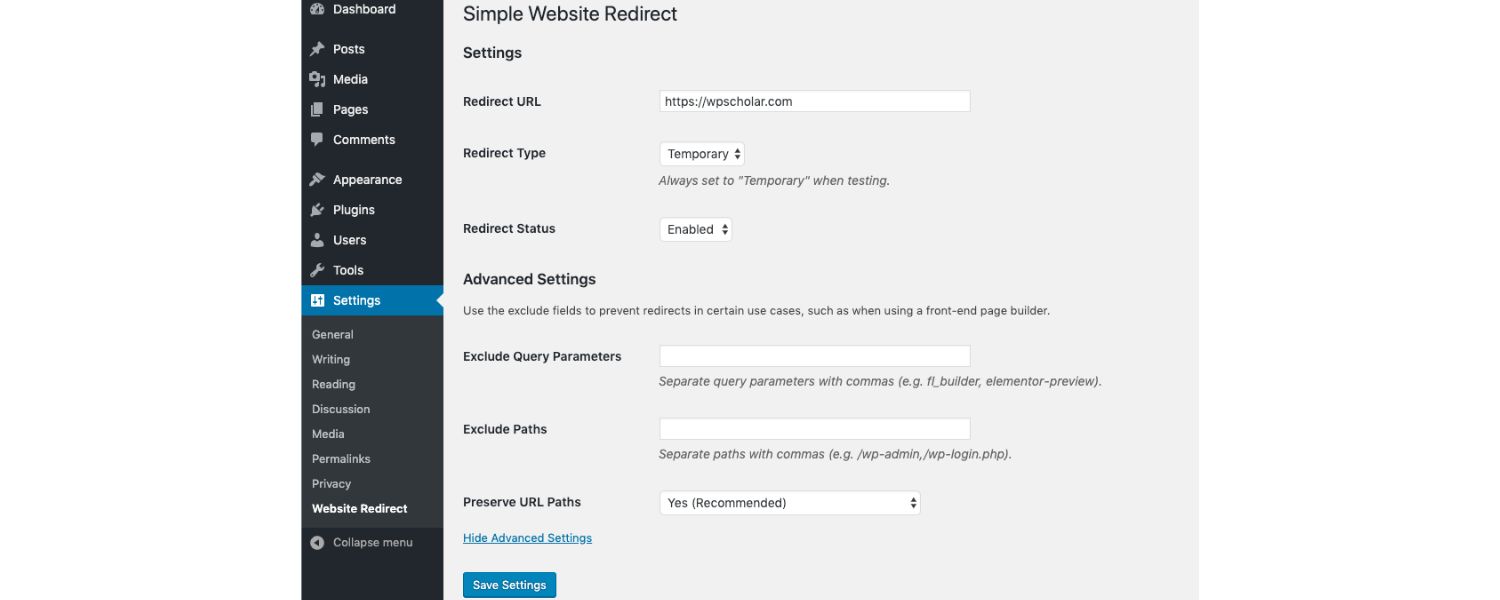
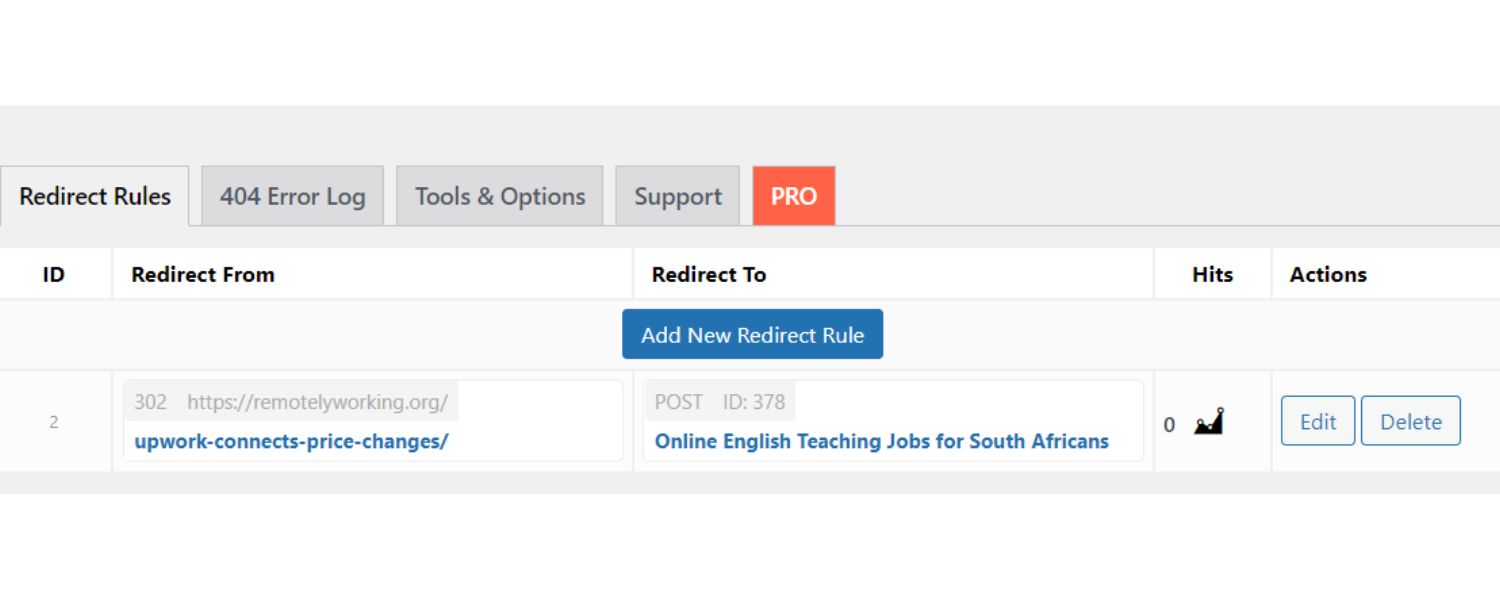
If you’re not comfortable editing server files, many Content Management Systems have easier tools. For example, WordPress users can leverage plugins like Redirection or SEO plugins (Yoast SEO Premium, Rank Math, etc.) that offer redirect managers.
In a plugin interface, you typically select the redirect type (choose “302 Temporary”) and enter the source and target URLs. The plugin then handles sending the proper headers.
This is a user-friendly way to implement 302s without touching code, just be cautious that plugins are configured correctly. (On some hosting platforms like certain managed WordPress hosts, you might also have a built-in redirect tool in the control panel.)
2. Manual Scripting (Advanced)
Developers can implement redirects in the website’s backend code if needed. For instance, in PHP you could use: header(“HTTP/1.1 302 Found”); header(“Location: https://www.example.com/new-page”); exit(); placed at the top of the old page’s script to perform the redirect.
Similar functions exist in other languages (like using a Response redirect in Node.js, Python frameworks, etc.). This gives fine-grained control – for example, you might conditionally redirect only certain users. However, ensure this happens server-side (before any HTML output) so that it behaves like a proper HTTP redirect.
3. Client-Side Redirects (Not Ideal for SEO)
There are also ways to redirect using HTML or JavaScript – for example, a <meta http-equiv=”refresh” content=”0; URL=new-page”> tag, or a window.location script. These are generally not recommended for SEO if a server-side option is available.
Client-side redirects can introduce delays and might not be seen as quickly by search engine crawlers. They also don’t pass any link equity. They are mostly last resorts if you truly cannot set a server-side redirect. Always prefer an HTTP 3xx response over a meta refresh or JS redirect for critical pages.
No matter which implementation method you use, always test your redirect. You can do this by entering the original URL in your browser and seeing if it goes to the new URL.
For a more technical check, use your browser’s developer tools or an online HTTP status checker to confirm that the server responds with “302” for the old URL. This ensures you haven’t accidentally set up the wrong status code (like a 301) or created a redirect loop.
Lastly, keep documentation of your active redirects. It’s easy to forget you set a 302 redirect last month “just for a day” – and it’s still in effect!
By keeping track, you can revisit and remove 302s that are no longer needed, or change them to 301s if your plans changed to permanent. Next, let’s go over some best practices and common mistakes so you can avoid the pitfalls of improper redirects.
Best Practices and Common Mistakes with 302 Redirects
Using 302 redirects effectively comes down to a few best practices. Here’s a checklist to ensure your temporary redirects don’t cause problems:
1. Clearly Intentional Use
Only use a 302 redirect when you intend a temporary change. If there’s any chance you won’t revert the change, err on the side of using a 301.
As discussed, Google and other search engines will treat a 302 as “this is just for now,” so you should be equally sure in your intent. Before adding a 302, ask “When will I remove this redirect?” – if you don’t have a solid answer, that’s a red flag.
2. Preserve Original Content (if possible)
Since a 302 keeps the old URL in search indexes, make sure that original URL isn’t serving something completely irrelevant. Ideally, the content at the temporary URL should be related or at least user-friendly in context.
For example, don’t redirect users to an unrelated homepage or a random page, Google might even treat an irrelevant redirect as a soft 404 error. Provide a logical temporary destination.
3. Remove or Update the Redirect When Done
One of the biggest mistakes is forgetting to remove a 302 redirect after it’s no longer needed. This can silently hurt your SEO. Imagine you put up a temporary redirect during a site update and then months go by – search engines still think the original page is “temporarily moved” and might hesitate to rank the new content on that URL.
As soon as your original page is ready or your temporary campaign is over, remove the 302. If the change turned permanent, replace it with a 301. Don’t leave 302s hanging indefinitely.
4. Don’t Use 302 for Permanent Moves
We’ve emphasized this, but it bears repeating: using a 302 when you actually mean to permanently move or consolidate pages is a classic SEO mistake.
It can cause search engines to continue indexing the old URL (which might be outdated or no longer user-facing) and not give ranking credit to your new URL, resulting in lost traffic.
For example, if you rebrand to a new domain, a 302 would be wrong, always use 301 for such cases. Semrush’s research noted that many sites mistakenly had temporary redirects where permanent ones were warranted, causing indexation of outdated pages. Don’t be one of them, match the redirect type to the situation.
5. Avoid Redirect Chains and Loops
A redirect chain is when Page A → Page B → Page C (multiple hops), and a loop is when redirects circle back to themselves (A → B → A). Both can happen accidentally if you stack redirects over time. They degrade user experience (slower page loads) and confuse crawlers.
If you have an active 302, ensure that its target isn’t then redirecting again. Also, never redirect A to B and B back to A – that creates an infinite loop resulting in a “too many redirects” error for users. Keep redirects simple and direct.
6. Monitor Your Redirects
Use tools like Google Search Console, analytics, or SEO audit tools to keep an eye on how your redirects are performing. For instance, in Search Console you can inspect the URL to see if Google has indexed it or not.
If you find that a page under a 302 redirect is surprisingly getting indexed or receiving organic traffic, that might mean Google is treating it like a permanent move – possibly an indicator you should have used a 301. Regular audits can catch such anomalies. Likewise, audit for any stray 302s that are no longer necessary.
7. Communicate to Users if Needed
Sometimes, for user clarity, you might want to display a brief message on the redirected page (especially if the content is different). For example, “We’ve redirected you to this page because the item you wanted is temporarily unavailable.”
While the HTTP redirect happens automatically, a friendly message can prevent user confusion, particularly if the new page isn’t obviously related. This isn’t an SEO requirement but helps user experience during temporary redirects.
To sum up these best practices: use 302 redirects deliberately and sparingly. When utilized properly, a 302 redirect is a fantastic tool to maintain your SEO while keeping users on track during temporary site changes.
When misused, it can lead to missed SEO opportunities or even loss of rankings. Always double-check if a 302 is truly warranted, and remember to tidy up after yourself by removing or updating the redirect later.
Conclusion & Call to Action
A 302 redirect is a powerful tool in your webmaster arsenal – when used wisely, it allows you to make short-term changes to your site without losing hard-earned SEO rankings or frustrating users with broken links.
We learned that a 302 redirect temporarily sends both users and search engines to a new page, without passing along link equity or telling Google the move is permanent.
This makes it perfect for situations like site maintenance, limited-time promotions, or testing changes, where you fully intend for the original URL to return as the star of the show.
As you plan your website updates, always choose your redirect type carefully: remember, 301 for permanent changes, 302 for temporary. When in doubt, ask “Will I want the original URL back?” If yes, go with 302; if no, go with 301.
It’s a simple decision that can have significant consequences for your SEO. Missteps with redirects are common, even large websites have fallen into the trap of improper 302s – but now you have the knowledge to avoid those pitfalls.
Keep an eye on your site’s redirects and revisit them regularly. Removing a no-longer-needed 302 or correcting a mistaken redirect can immediately boost your SEO if something was holding back the flow of ranking signals. In the ever-competitive landscape of search rankings, details like these matter.
FAQs
Q1: Does a 302 redirect hurt SEO?
Not inherently. A 302 redirect, by design, preserves the original page’s SEO signals (since it doesn’t pass them to the temporary page).
This means if you use a 302 for a short-term change, your original page’s rankings and backlink value should remain intact, so when you remove the redirect, it’s like nothing ever changed in Google’s eyes.
In that sense, a 302 does not harm SEO for the original page. However, problems arise if you use a 302 inappropriately. If you meant to permanently move content but used a 302, then the new page may not get credit or ranking – that can hurt your site’s SEO performance for that content.
Also, a poorly executed 302 (e.g., pointing to irrelevant content or left in place too long) can confuse search engines and users.
In summary: a 302 used correctly will not hurt your SEO and can be SEO-friendly for temporary situations, but a 302 used mistakenly where a 301 is needed can indeed hurt your SEO by diluting ranking signals.
Q2: How long can I leave a 302 redirect in place?
There’s no hard-and-fast rule for how long “temporary” should be, but the general guidance is as short as necessary. If a 302 redirect stays in place for a very long time (months or years), search engines may begin to treat it as a permanent change eventually.
Some SEO experts suggest that a few weeks to a couple of months is a reasonable maximum for a 302; beyond that, consider whether your situation has changed. In practice, Google will keep the old URL indexed as long as it trusts the redirect is temporary.
If you decide not to revert the change, go ahead and switch that 302 to a 301. To be safe, always implement 302 with a clear timeline in mind. If you find yourself asking this question after a long period, it might be a sign to re-evaluate if the redirect should become permanent.
Q3: Is a 302 redirect the same as a 307 redirect?
Both 302 and 307 are types of temporary redirects, but they have a subtle difference. A 307 Temporary Redirect (added in HTTP/1.1) is like a more strict version of 302. It guarantees that the HTTP method and body will not be changed when the redirect happens.
This matters mainly for non-GET requests: for example, if a user submits a form via POST and the server responds with a 302, many browsers convert that into a GET request to the new URL (historically how 302 was handled).
But if the server responds with a 307 instead, the browser will re-submit the form data with POST to the new URL, preserving the method.
In essence, 307 means “temporary, but don’t change the request method.” For typical page-to-page navigation (GET requests), a 302 and 307 behave identically, both are temporary and both will redirect the user. For SEO purposes, Google treats 302 and 307 similarly (temporary redirects).
So, unless you have a specific technical reason (like needing to ensure a POST remains POST), a 302 is usually sufficient. Developers might use 307 in cases where they want to be explicit, but for most SEO and content scenarios, 302 is the common choice.
There’s also 303 See Other, another temporary redirect code used often after form submissions to tell the client to fetch a different page with GET, but that goes beyond the scope of most SEO discussions.

Why Roseville Startups are Choosing Offshore Marketers to Scale Smarter
Roseville is no longer just a quiet suburb of Sacramento;...

What Is PPC? A Practical Guide to Pay‑Per‑Click Advertising
Pay‑per‑click (PPC) is the “pay only when someone clicks” branch...

Google Search Issues Affecting Results in Some Regions
Google has confirmed a problem with one of its data...

Keyword Counts Dropped After Google’s num=100 Change
In September 2025, Google stopped supporting the &num=100 parameter. This...

Image SEO: Optimize Images for Higher Rankings & Traffic
Introduction Images make your website more engaging, but they can...


.png)
.png)
.png)
.png)
.png)

2024 ALL RIGHTS RESERVED MADE IN INDIA
.png)