
Master Your Content Calendar: Schedule & Planning Tips
August 12, 2025
Introduction
In the fast-paced world of content marketing, planning ahead is crucial. A content calendar (also known as an editorial calendar) is the secret weapon many successful marketers use to stay consistent and organized.
It’s essentially a schedule of what content you will publish, where you will publish it, and when it will go live. Instead of scrambling for last-minute ideas or missing posting dates, a content calendar helps you map out your blogs, social media updates, emails, and other content in advance.
This not only keeps your team on the same page but also ensures your audience knows when to expect new content.
Why does this matter?
For one, content demands are higher than ever, a staggering 72% of marketers have increased their content production over the previous year.
Yet, many businesses still struggle with planning; 63% of organizations don’t have a documented content plan and operate on an impromptu approach.
The result? Inconsistent content and missed opportunities. Consistency is key, in fact, McKinsey & Company famously notes that the “3 Cs of customer satisfaction” are “consistency, consistency, and consistency”.
A content calendar is your roadmap to maintain that consistency. In this ultimate guide, we’ll explore what a content calendar is, why it’s so important, how to create one step-by-step, the best tools to use, and tips to manage it effectively.
By the end, you’ll be equipped to build a content calendar that keeps your content pipeline flowing smoothly and your audience engaged.
What is a Content Calendar?
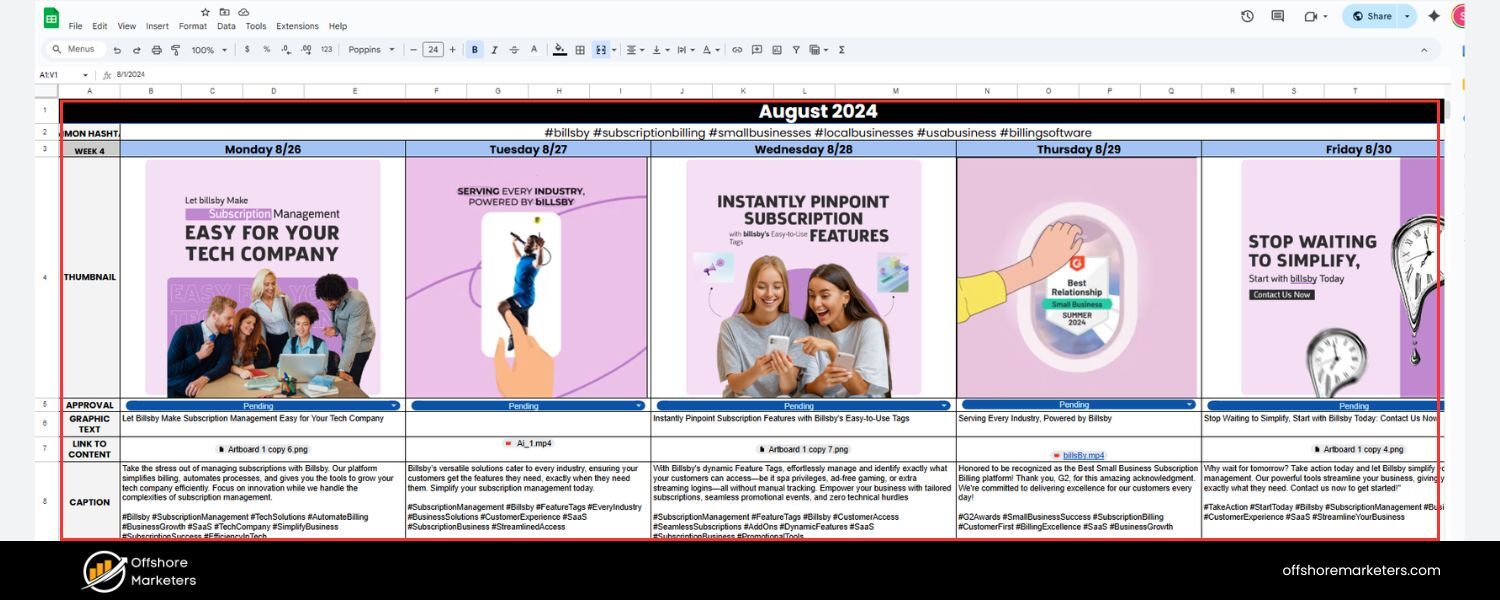
A content calendar is a planning tool that outlines your upcoming content schedule. It gives you a bird’s-eye view of all the content pieces you plan to publish, across all channels, over a given timeframe (weekly, monthly, quarterly, etc.).
Think of it as a timetable for your content marketing, it shows when and where each piece of content will be published. Content calendars can cover blog posts, social media updates, email newsletters, videos, podcasts, and any other content formats you use.
Typically, a content calendar includes key details for each content piece, such as:
1. Title or Topic: The headline or subject of the content.
2. Publish Date: The scheduled date (and time, if applicable) when it will go live.
3. Content Type/Channel: The format and platform (e.g., blog, Facebook post, YouTube video).
4. Owner/Author: Who is responsible for creating or publishing the content.
5. Status: The stage of the content (e.g., idea, drafting, editing, scheduled, published).
6. Keywords or Tags: (For blogs/SEO) Target keywords or categories to guide content focus.
7. Notes/Links: Any important notes, or links to drafts, assets, or published URLs.
These elements help everyone involved quickly see what’s happening with each piece of content at a glance. Your content calendar can be as simple or detailed as needed, from a basic spreadsheet to a dedicated project management board. The key is that it should clearly map out your content pipeline so nothing falls through the cracks.
Figure
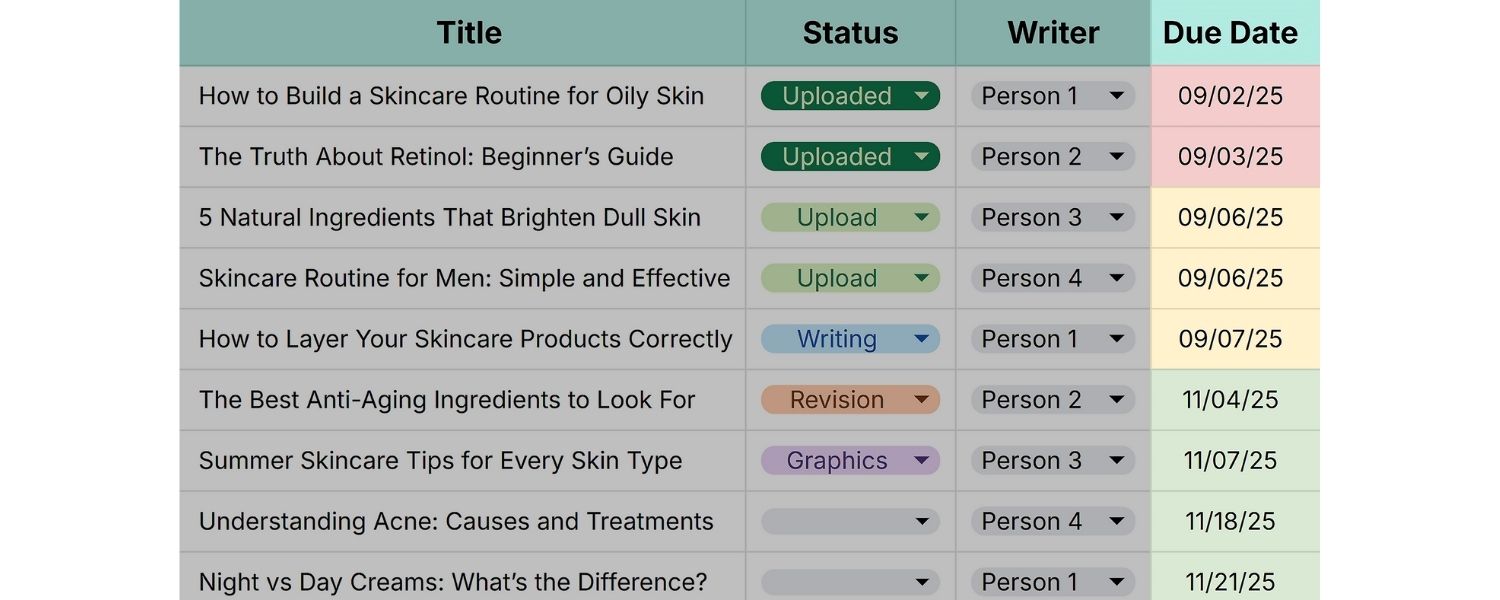
A basic content calendar in Google Sheets, showing columns for publish date, due date, content owner, status, title, and content type. Many small teams start with simple spreadsheet-based calendars, which are easy to customize and share.
As your content strategy grows, you might upgrade to more advanced calendar tools, but the core idea remains the same: everything is planned and tracked in one place.
Why is a Content Calendar Important?
1. Ensures Consistency and Engagement
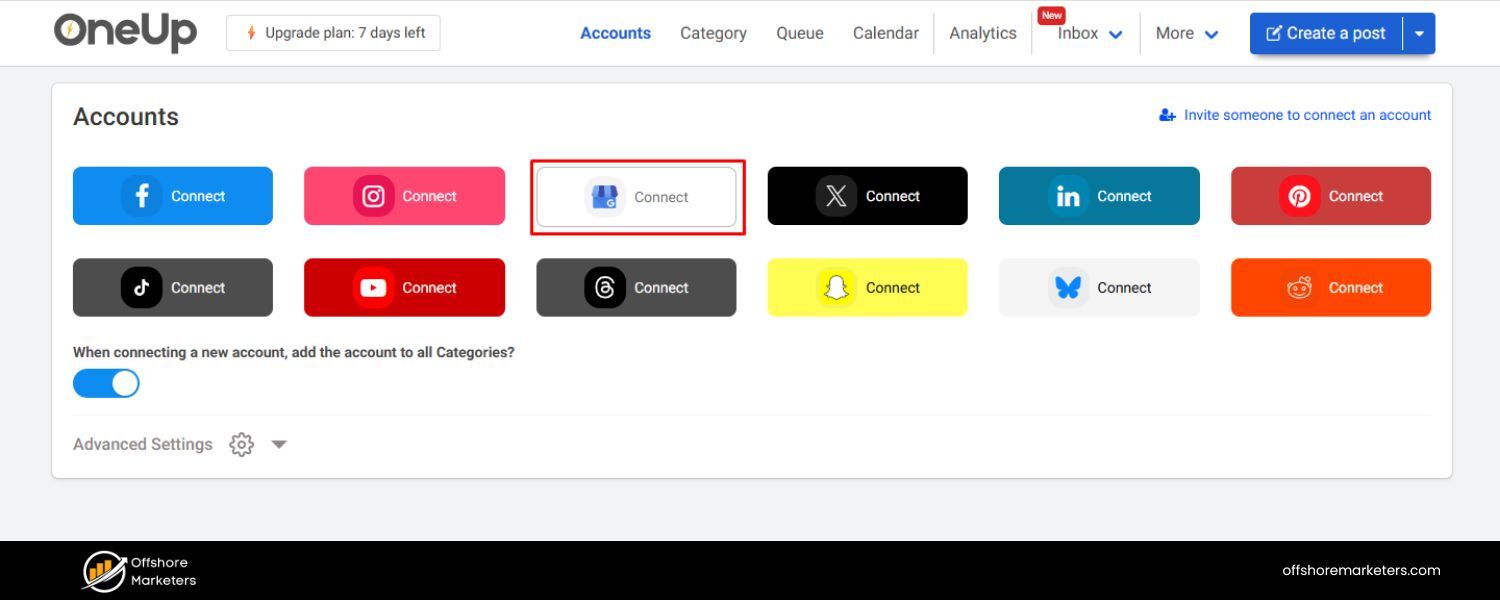
One of the top benefits of a content calendar is that it helps you maintain a consistent publishing schedule. Regular content keeps your audience engaged and coming back for more.Consistency isn’t just a best practice – it’s essential for building trust.
Remember the McKinsey insight that consistency is at the heart of customer satisfaction.When you consistently deliver valuable content, you stay on your audience’s radar and in their good graces. On the flip side, sporadic or irregular posting can cause audiences to lose interest or trust.
2. Streamlines Planning and Saves Time
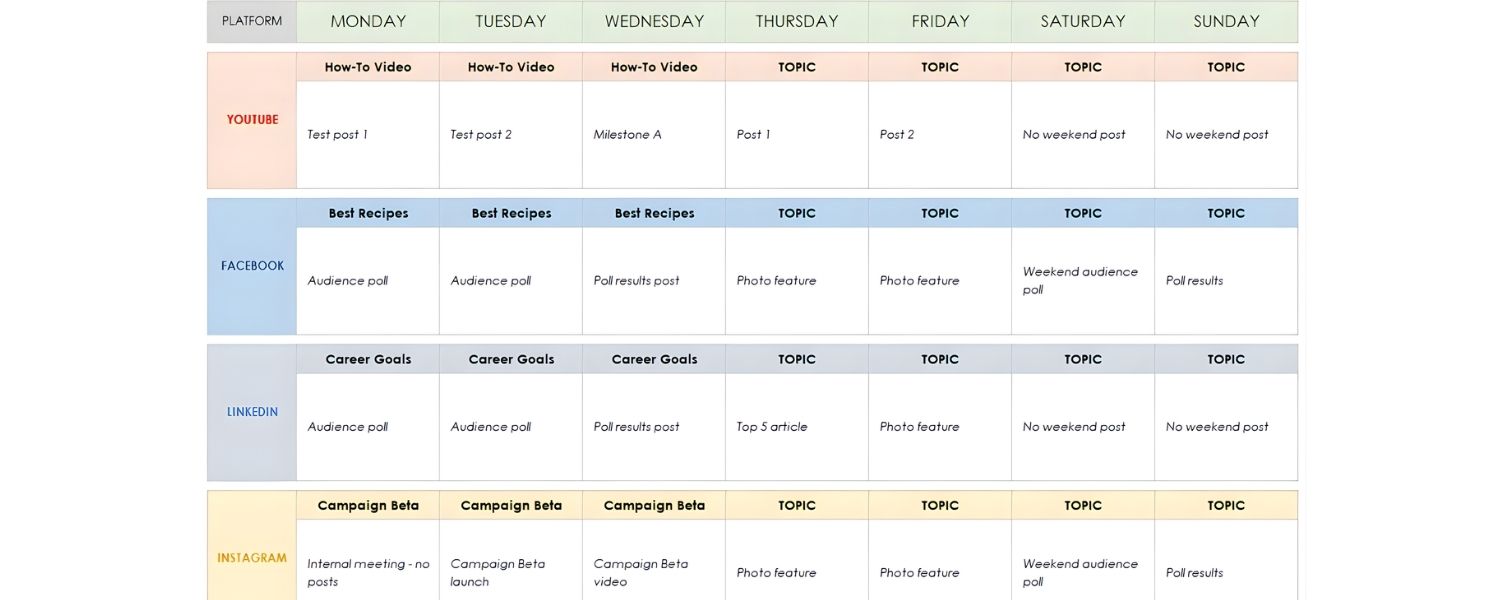
A content calendar forces you to plan ahead, which actually saves time in the long run.By mapping out content topics and dates in advance, you avoid the last-minute scramble for ideas. It’s no surprise that over 50% of social media managers plan their content at least a month in advance, planning ahead reduces stress and improves quality.
You can align content with key dates (holidays, product launches, campaigns) well beforehand. This proactive approach means you’re never left wondering “What should we post this week?” because the decisions have already been made.
3. Improves Team Collaboration
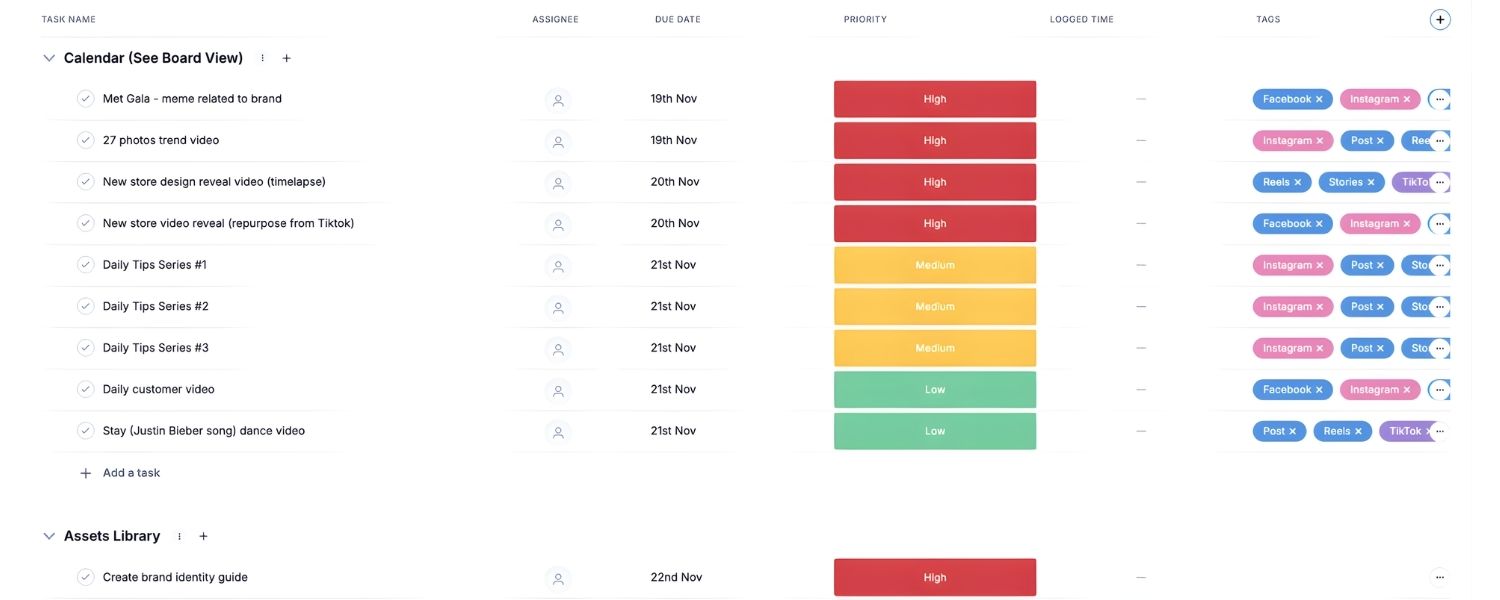
If you work with a team of writers, editors, designers, or social media managers, a shared content calendar is a single source of truth that keeps everyone on the same page. It clearly defines who is responsible for each task and when it’s due. Deadlines become visible to all, improving accountability.
Team members can see the big picture of how their piece fits into the overall strategy. This transparency reduces confusion and duplication of work.
In short, the content calendar acts as a communication tool that coordinates your team’s efforts, much like a newsroom editorial calendar ensures journalists and editors work in sync.
4. Aligns Content with Strategy and Goals
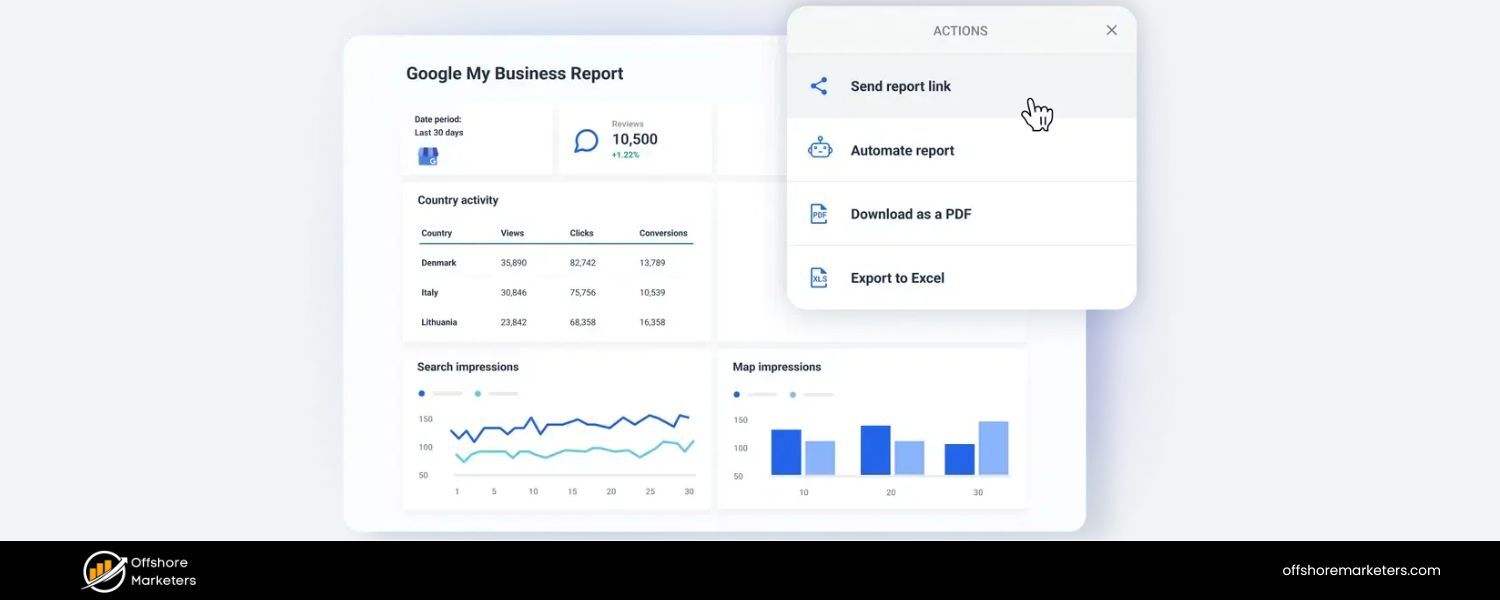
Using a content calendar helps ensure that every piece of content ties back to your marketing goals and brand messaging.When planning out your calendar, you can deliberately balance content topics and formats to serve your strategy.
For example, you might dedicate certain weeks to themes or campaigns, ensuring content supports product launches or seasonal promotions.
You can also plan a mix of content types (educational articles, case studies, videos, etc.) to provide variety.With a calendar, it’s easier to spot gaps or overemphasis – for instance, noticing if you’ve gone too long without a case study, or if all your planned posts cater to one buyer persona but ignore another.
By having a strategic overview, you can adjust your plan to cover all your key topics and audience segments.
5. Prevents Burnout and Last-Minute Chaos
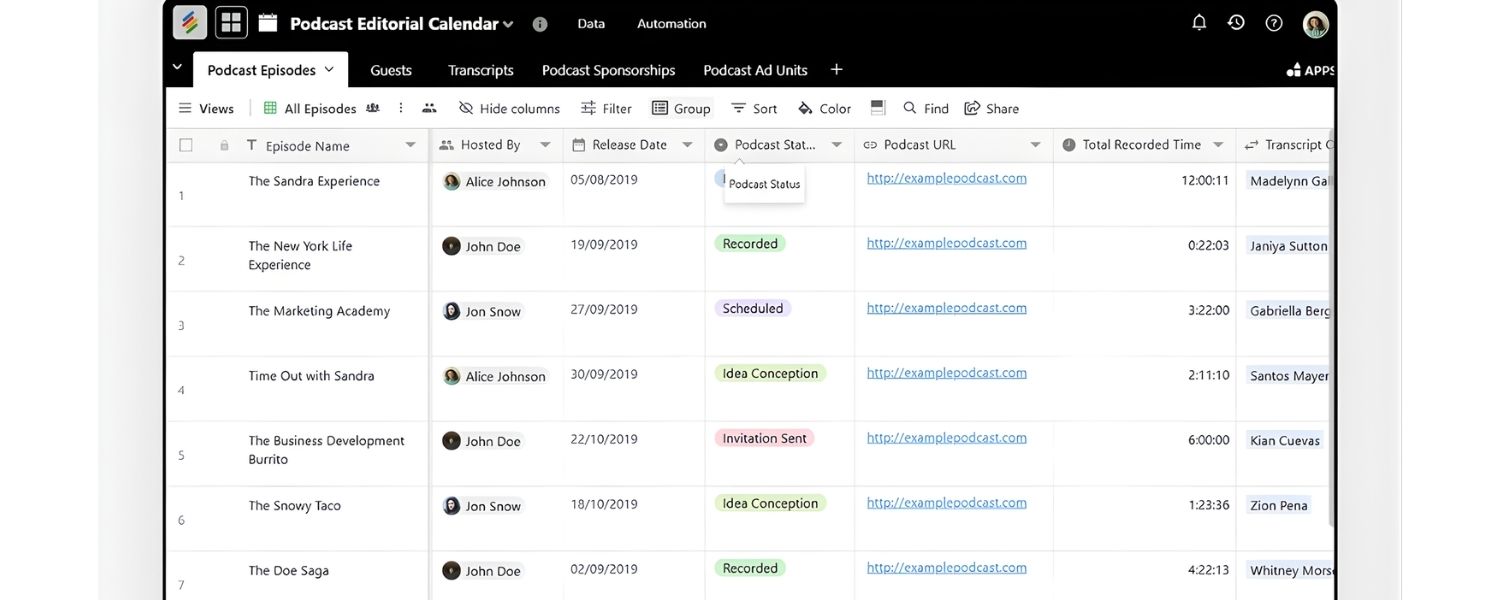
An often overlooked benefit is stress reduction. Marketers frequently face burnout, with 56% of marketers worried about burnout in their role. A content calendar introduces order and predictability into the content creation process. Instead of racing to meet deadlines every week, your team knows what’s coming well in advance. This allows for a more balanced workload and the ability to produce higher-quality content.
As HubSpot notes, an editorial calendar creates a consistent plan and better work experience, reducing the chaos that can lead to burnout. In essence, planning your content means fewer fire drills and rushed posts, which is healthier for you and your content quality.
6. Facilitates Measurement and Improvement
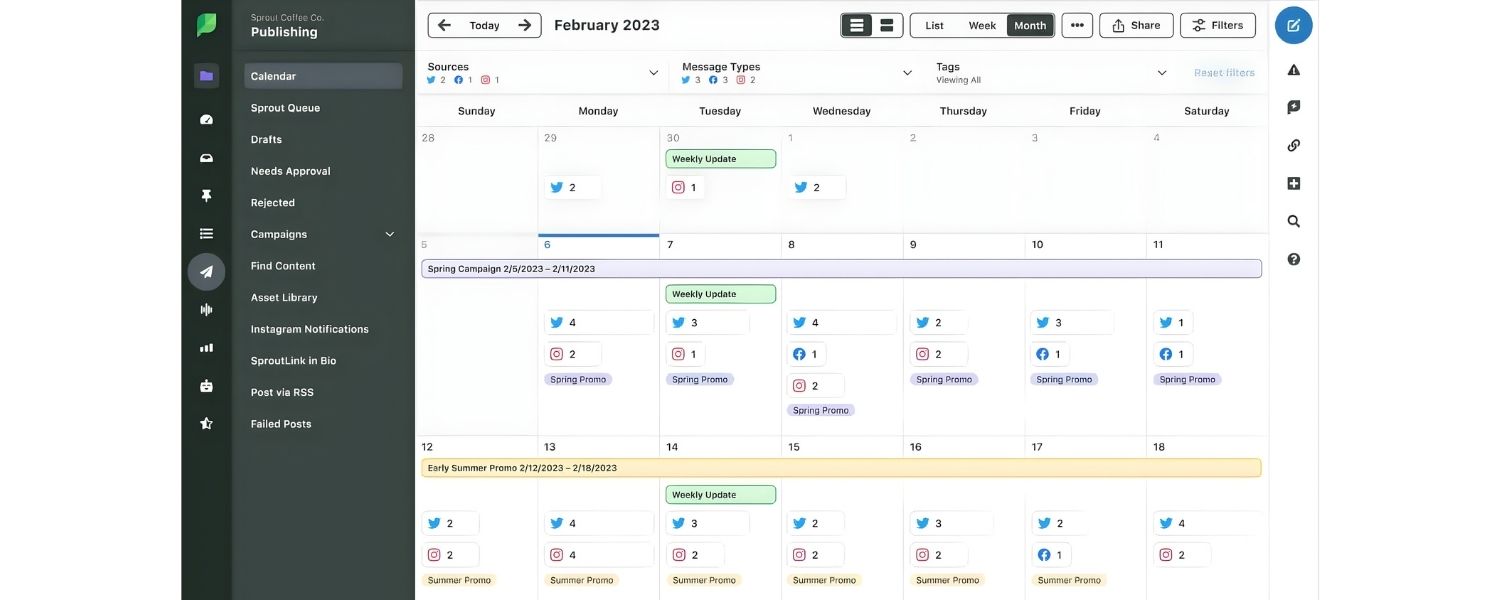
By documenting your content plans and publishing dates, you also create a record that makes it easier to track performance later. You can log the URLs and publish dates on the calendar, then later note key metrics (like traffic, engagement, conversions for each piece).
This way, your calendar doubles as a performance tracker, helping you review what content worked best over a month or quarter.With these insights, you can refine future content ideas. Without a calendar, it’s harder to tie results back to your plan. An organized calendar helps you connect the dots between your content output and marketing outcomes, so you can continuously improve.
In summary, a content calendar is important because it brings structure to your content marketing. It streamlines the process from ideation to publication, ensures no important opportunities are missed, and keeps your content engine running smoothly.
Now that we know why it’s so valuable, let’s dive into how to build one from scratch.
How to Create a Content Calendar (Step-by-Step)
Creating an effective content calendar might seem daunting, but it can be broken down into manageable steps. Whether you’re a solo blogger or part of a marketing team, the following step-by-step process will help you build a content calendar that works for you.
Step 1: Set Your Content Strategy (Goals and Audience)
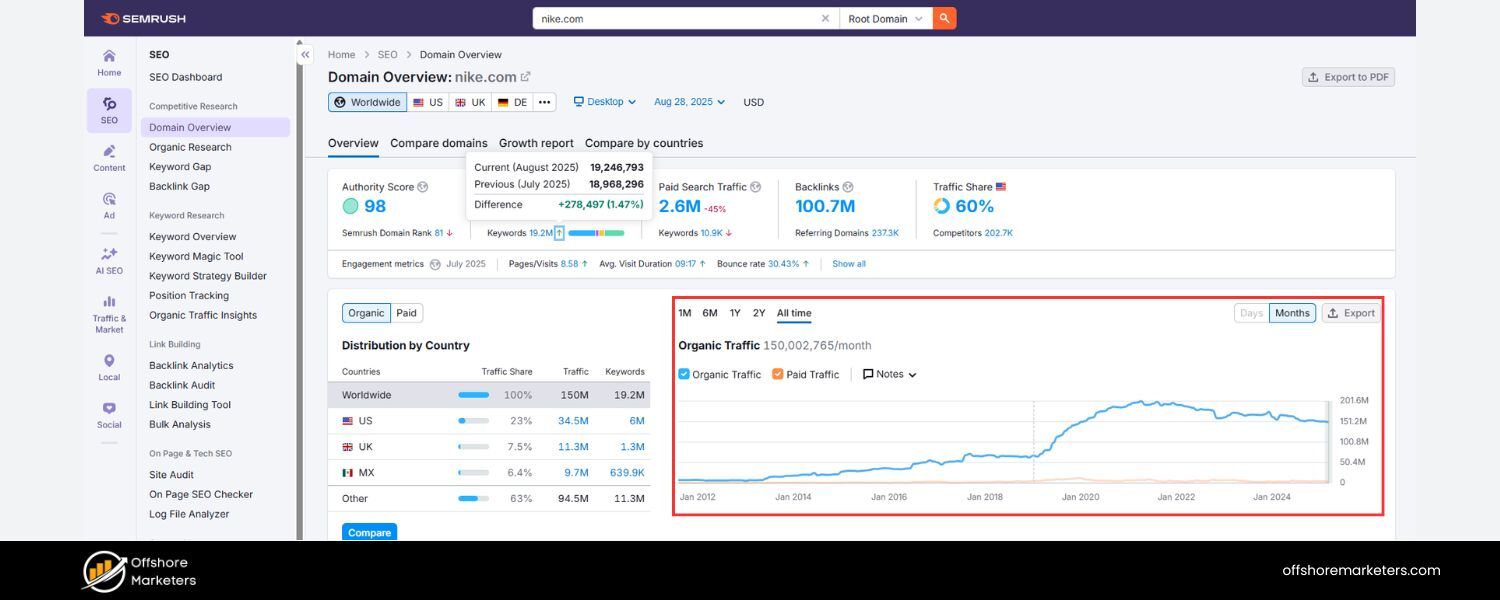
Before you start filling in dates and topics, take a step back and define your content strategy. This will be the foundation of your calendar. Ask yourself: What are my goals with this content? Who is my target audience?
Begin by outlining your marketing goals and how content will help achieve them. For example, your goal might be to increase organic website traffic by 20% this year, or to generate a certain number of leads per month.
Setting clear objectives (preferably SMART goals – Specific, Measurable, Achievable, Relevant, Time-bound) will give your content purpose and direction. If you know you want to, say, grow email newsletter signups by 15%, you can plan content geared toward that goal (like more lead magnets or educational posts).
Next, define your target audience and create buyer personas if you haven’t already. Understanding your audience’s needs and interests is crucial for effective content planning.
Research your audience demographics and pain points, what questions are they asking? What problems can your content solve for them?
For instance, a B2B software company might identify that their target audience (IT managers) struggles with cybersecurity issues, so they plan a series of security-focused blog posts. The better you know your audience, the easier it is to generate relevant content ideas that will resonate.
If you’ve been producing content for a while, audit your existing content at this stage.
A content audit means reviewing your past content performance to see what worked well and what didn’t. Identify which blog posts got the most traffic or engagement, and which fell flat. Look for patterns – perhaps “how-to” tutorials consistently perform better, or topics in a certain category get shared more.
Also note any content that is outdated and might need refreshing. This audit will inform your new calendar by highlighting content gaps to fill and successful topics to expand on. As one guide suggests, use the audit results to plan new content or update old pieces, and establish baseline metrics to track going forward.
Finally, consider any key themes, campaigns, or events for the upcoming period. For example, if you know in Q3 you’ll launch a new product, your content calendar should include pre-launch and post-launch content. If certain seasons or holidays spike interest in your niche, factor those in (e.g., a fitness blog might plan content around New Year’s resolution time).
By aligning your content plan with your broader marketing strategy and calendar of events, you ensure your content is timely and strategic.
At the end of Step 1, you should have: clear goals, a profile of your target audience(s), a list of content topics or themes that fit your strategy, and insights from any content audit. Now you’re ready to choose how you’ll organize all this information.
Step 2: Choose the Right Calendar Tool or Format
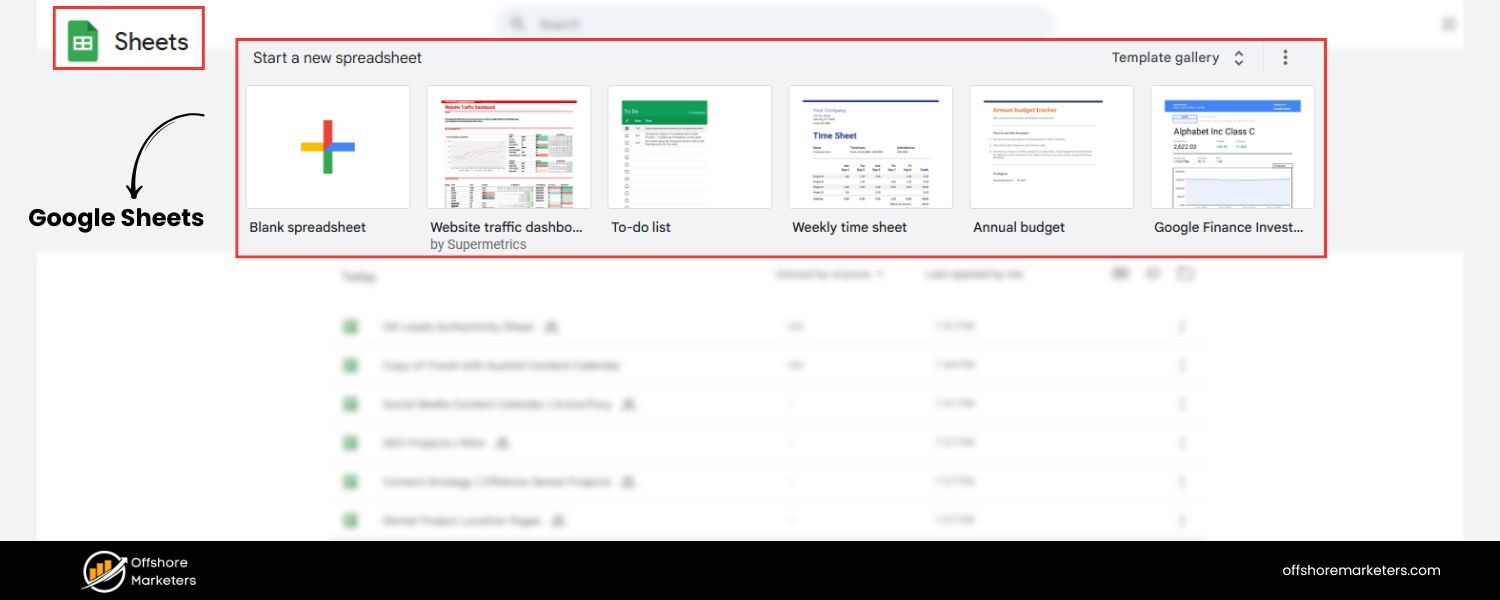
With your strategy in mind, decide where your content calendar will live. The “tool” can be as simple or as sophisticated as you need. Here are two common approaches:
A. Spreadsheet
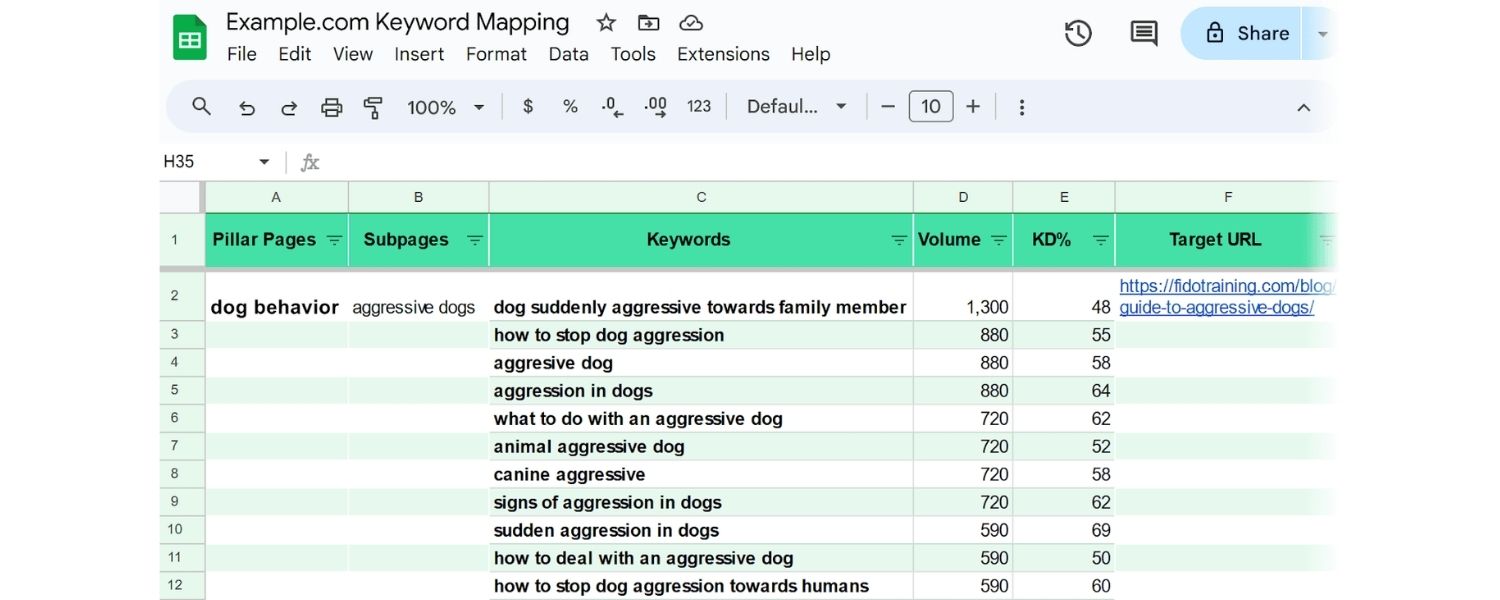
Many individuals and small teams start with a simple spreadsheet (using Microsoft Excel or Google Sheets) as their content calendar. Spreadsheets are flexible, familiar, and free (Google Sheets in particular is accessible to anyone online).
You can customize the columns to your liking, color-code cells, and even use filters or simple formulas to manage your schedule. The example image above shows how a Google Sheets content calendar might look.
Spreadsheets are great for basic collaboration and ease of use.However, they may require more manual updating and can get a bit cluttered as your volume of content grows. Still, for many, this is a perfect starting point – in fact, you can find free content calendar templates for spreadsheets from marketing blogs or create your own in minutes.
B. Specialized Calendar Tools / Software
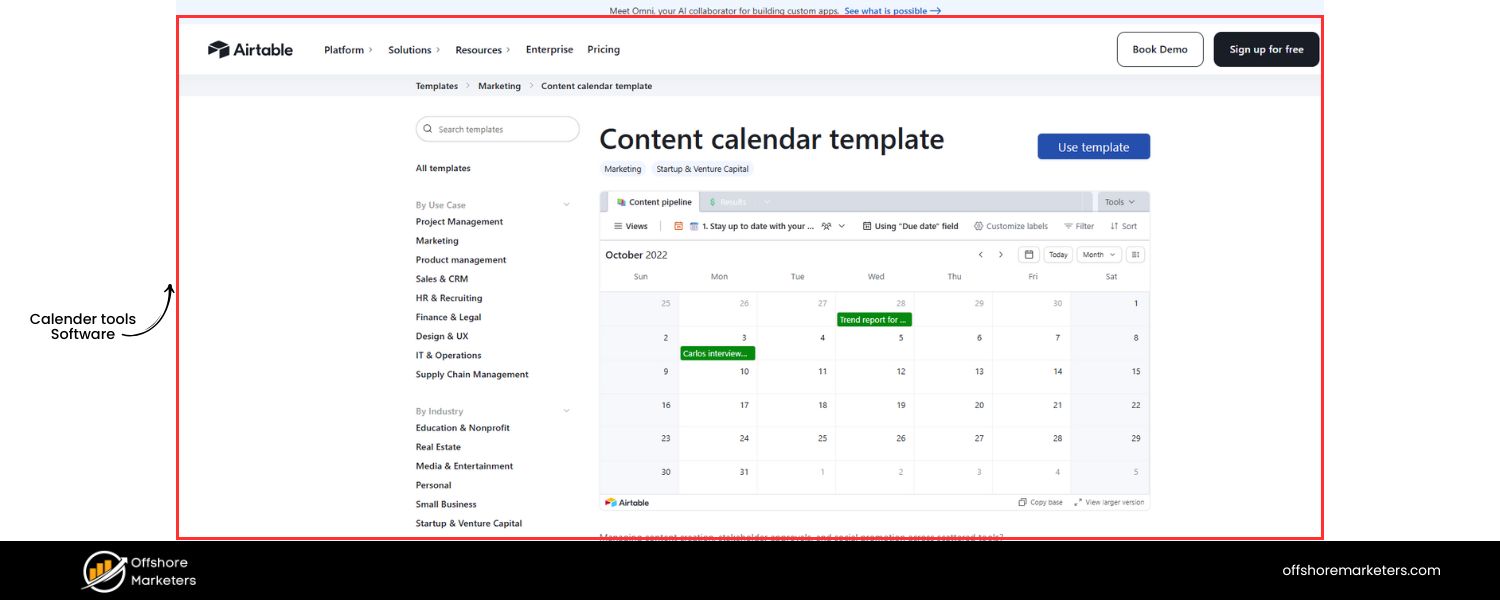
If you have a larger team or more complex workflow, a project management or content planning tool can be very useful. Tools like Trello, Asana, Notion, Airtable, CoSchedule, or a dedicated editorial calendar plugin for your CMS (e.g., the WordPress Editorial Calendar plugin) offer features beyond a basic spreadsheet.
For instance, Trello uses Kanban boards where each content piece is a “card” that you can drag and drop through stages (writing, editing, published, etc.), and with a calendar power-up or plugin, you can visualize those cards on a calendar view.
Asana is another powerful tool that allows task assignments, team comments, file attachments, and multiple project views (list, board, calendar, timeline) – ideal for larger teams coordinating lots of content.
Notion provides a highly customizable workspace where you can design your own content calendar database with calendar and board views.
The advantage of these tools is robust collaboration: you can assign tasks to team members (with automatic notifications when deadlines approach), integrate with other apps (like Slack or email), and maintain a centralized content repository. The downside is some have a learning curve or cost, and they might be overkill for very small operations.
When choosing your format, consider your team’s workflow and size. A solo blogger might do just fine with a spreadsheet or even a simple calendar app.
A content team of 10 people, on the other hand, will benefit from something like Asana or Trello to manage the complexity.
Also factor in integration needs, for example, if your team already uses a project management tool, see if it has a calendar feature or content template. Many tools offer free trials, so you can experiment before committing.
The goal is to pick a solution that everyone on your team will actually use. It should make your life easier, not harder, so prioritize ease-of-use and essential features (like sharing, due date reminders, or status tracking).
Once you’ve decided on the platform for your calendar, you can set up the framework: create the calendar structure with the fields/columns you need (from Step 1) and get it ready to be populated.
Step 3: Brainstorm Content Ideas and Keywords
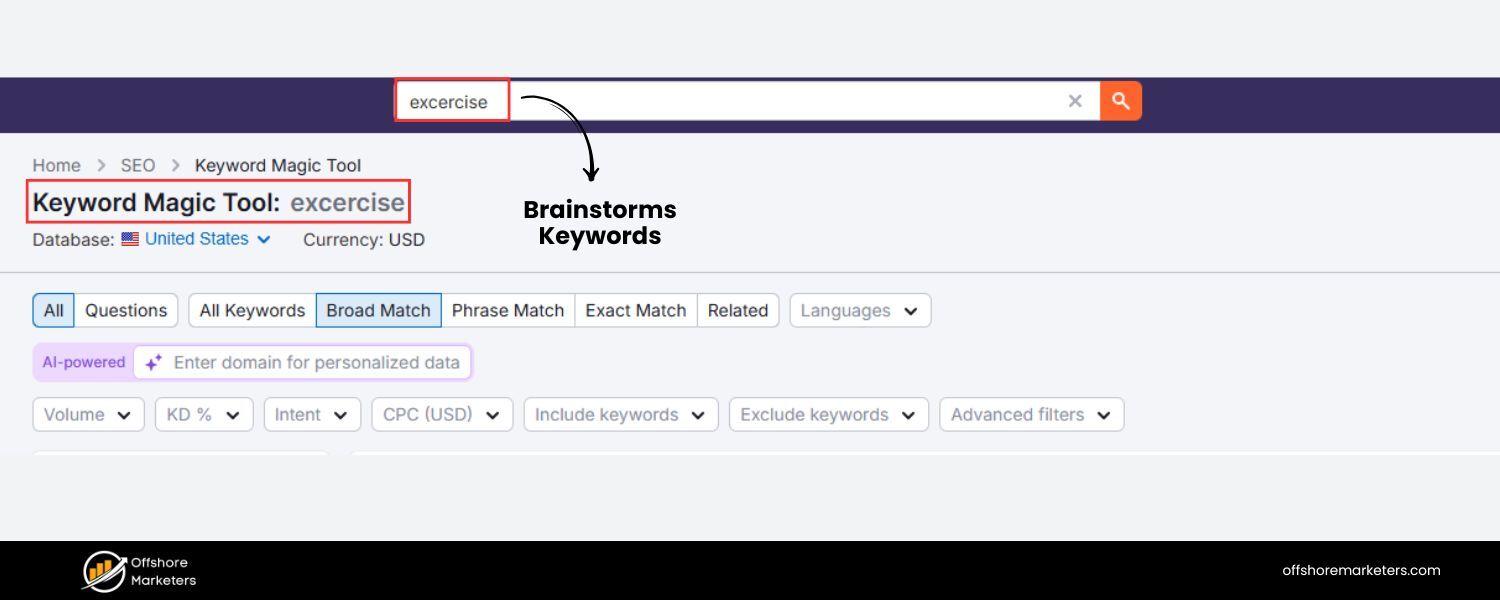
Now comes the fun (and critical) part, deciding what content to create. Start by brainstorming content ideas that align with the topics and themes you identified in Step 1 (based on your audience’s interests and your goals).
In this stage, quantity can breed quality: throw out as many ideas as possible, then you can refine them. Consider a variety of content types: informational how-to articles, thought leadership pieces, case studies, listicles, videos, podcasts, infographics, etc.
Diversifying formats can help you reach different segments of your audience and keep your content mix interesting.
A smart approach is to incorporate keyword research into your brainstorming. Using SEO tools or even Google’s autocomplete and Trends can reveal what your target audience is searching for.
For example, if your focus keyword is “content calendar,” related long-tail searches might include “how to create a content calendar for social media” or “content calendar template for bloggers.” These can spark specific content pieces (perhaps a guide on social media content calendars, or a downloadable template post).
In fact, exploring common questions people ask can directly give you blog post ideas – e.g., “What should a content calendar include?” could be a section in your article or a standalone explainer post.
According to Semrush, using a keyword research tool to find popular questions in your niche is a great way to generate content ideas that have built-in demand—get down to the keywords and topics most relevant to your business and audience.
Additionally, research your competitors’ content for inspiration and keyword gap analysis.
Look at other blogs or social accounts in your industry: What topics are they covering? Are there important subjects you haven’t covered yet? You might discover, for instance, that competitors have many posts on “content marketing strategy” but few on “content calendar tools”, which could signal an opportunity for you to fill that gap.
Some advanced tools allow you to input a competitor’s domain and see their top content or even content gaps. Even without fancy tools, a simple Google search of your main topics can show you what’s already out there, so you can aim to create something better or address unanswered questions.
As you firm up your list of content ideas, start plugging them into your content calendar framework. At this point, it might just be a rough draft, perhaps you have 30 ideas for the next quarter and you tentatively assign them to weeks or months.
Pay attention to timing: sequence your content in a logical order and around key dates.
For example, if you’re running a special promotion in June, ensure the content leading up to it builds interest. If “Back to School” season is big in your niche (say, parenting blogs or educational services), schedule related content in late summer.
Also, be realistic about your capacity: if you’re a lone creator, you might plan one blog post per week; if you have a team, maybe three posts per week and daily social media updates. The goal is a pipeline of relevant, audience-focused content ideas ready to be scheduled.
Step 4: Organize and Schedule Your Content

With a list of ideas in hand, it’s time to plot them on the calendar and create a publishing schedule. First, determine how often you will publish content on each channel.
Consistency is important, but so is a sustainable pace. It’s better to post quality content once a week than to over-commit to daily posts that you can’t keep up with.
Focus on quality over quantity – a realistic plan with steady output will yield better results than sporadic bursts of too many posts.
Decide on a schedule that you can stick to. For example, you might choose to publish a new blog article every Tuesday and Thursday, and a YouTube video every other Friday. Or perhaps you’ll do a social media post every weekday, but a blog post only once a week. There’s no one-size-fits-all answer; the right cadence balances consistency with the resources you have.
Next, actually assign dates to each content piece in your calendar. Start with fixed dates and priority content: mark down any immovable events, holidays, or campaigns first (from your strategy in Step 1).
These are content pieces that must go out on or by a certain date. For instance, if you have an annual Black Friday sale, you know you’ll need blog and social content promoting it in the weeks beforehand – those go onto the calendar around October/November.
If you want to do a “Year in Review” post, that likely goes in late December. By anchoring your calendar with these fixed needs, you ensure they don’t get missed. After the fixed dates are in place, fill in the rest of the calendar with your other content ideas. Distribute them in a way that makes sense.
You might alternate between different categories or formats to keep your schedule balanced (for example, avoid publishing five technology how-to articles in a row without any thought leadership or case studies in between, if variety is valued).
If you have content series or recurring themes (like a monthly industry news roundup), add those on a consistent basis (e.g., the first Monday of each month).Also consider seasonality: plan to publish seasonal content well before the season hits. A summer tips article is best scheduled in late spring, not mid-July, to give it time to gain traction.
While scheduling, keep an eye on workflow and lead time. For each content piece, especially larger ones, work backwards to make sure you allocate time for creation.
If a blog post is slated to publish on June 30, you might set its draft due date a week earlier, June 23, in your calendar’s notes or a separate “deadline” field. This way, you’ll know when to start working on each piece.
Many content calendar tools let you track these internal deadlines in addition to the publish date. Even in a spreadsheet, you can have a “Draft Due” column. This ensures you’re not writing everything at the last minute.
Lastly, remain flexible. Your content calendar is a plan, not a rigid law. Sometimes opportunities arise, maybe a sudden trending topic in your industry that you want to capitalize on, or an important news development – and you’ll need to adjust the calendar to fit it in.
That’s okay! You can shuffle posts around as needed. The benefit of having it laid out in a calendar is you can easily see what can move to make space.
Build in a little breathing room if possible: for example, have a couple of “optional” or backlog content pieces that can be published when needed (or to fill a gap if something gets delayed).
Overall, scheduling is about creating a dependable rhythm for content production, while still allowing some agility for the unexpected.
Step 5: Assign Responsibilities and Collaborate with Your Team
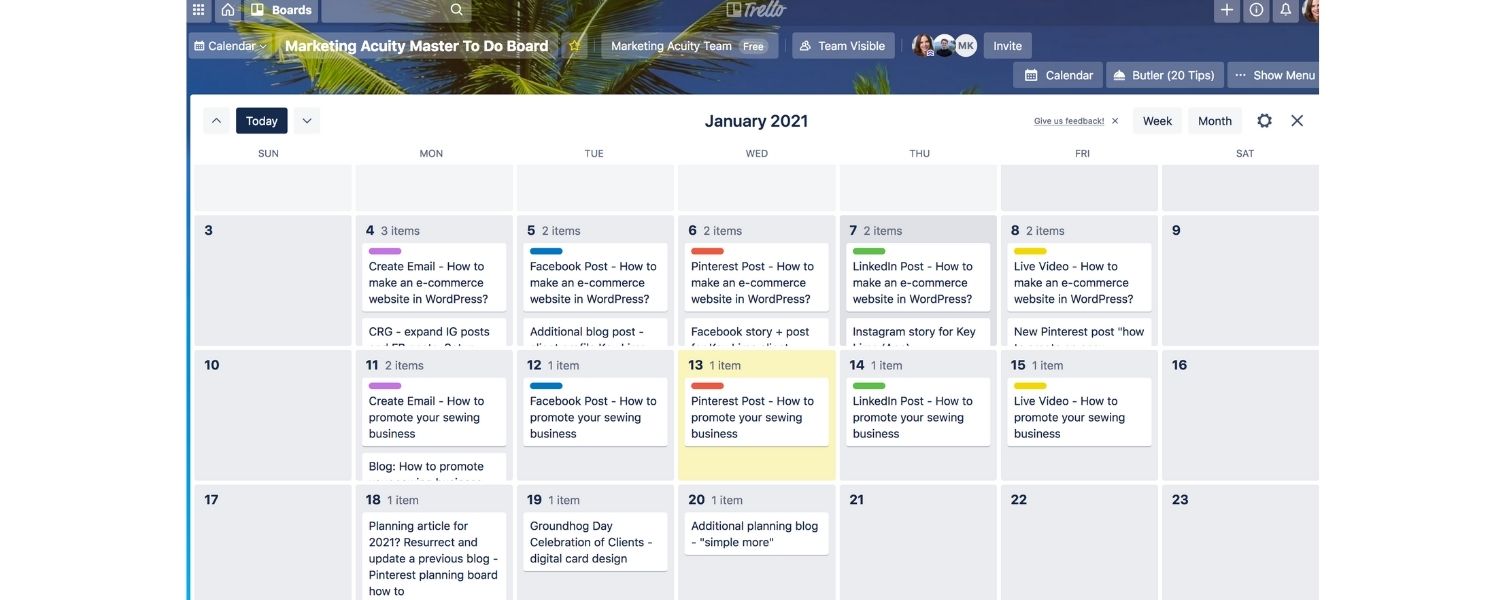
If you’re working with a team, a content calendar truly shines when it comes to coordination. Now that you have topics and dates, it’s important to assign ownership for each content piece.
Who will write the post? Who will create the accompanying graphics? Who will need to approve it? Make sure these roles are noted in your calendar. Many calendar tools allow you to tag or assign team members to a content item (e.g., Asana tasks or Trello cards can have assignees).
In a spreadsheet, you might simply have a column for “Owner” or “Assigned To.” Clearly indicating responsibility prevents confusion, each piece has someone driving it forward.
Collaboration also means setting up a workflow that everyone understands. For example, your workflow for a blog article might be: Draft -> Internal Review -> Revisions -> Final Edit -> Publish -> Promotion.
You can reflect these stages in the content calendar by updating the status field as the piece moves along (Drafting, In Edit, Scheduled, etc.). If using a tool like Trello or Notion, you might move the content card through labeled columns (“Idea,” “Writing,” “Editing,” “Scheduled,” “Published”).
This visual progress tracking is super helpful for teams to quickly gauge where each piece stands. Now is a good time to actually share the content calendar with your team. Ensure everyone involved has access.
If you’re using Google Sheets, click the Share button and invite your team members with edit or view rights. For project management tools, add your team to the project or workspace. Then, walk through the calendar together.
A short kickoff meeting can be useful to explain how to use the calendar, what each field means, and how often to update it. Encourage team members to regularly consult the calendar – it only works if it becomes a living document that people refer to and update.
It’s also wise to gather feedback. Ask your team if the schedule seems realistic to them. Perhaps your writer feels that two major articles in the same week is too much, or your designer flags that a certain week has three different graphics-heavy pieces.
Adjust the calendar if needed to balance the workload (this goes back to being realistic and focusing on quality over sheer volume). When everyone has had input and knows their tasks and deadlines, you’ll have a much smoother execution.
Plus, involving the team creates accountability, it’s not just one manager’s schedule; it’s a plan the whole team is committed to.
Even if you’re a solo content creator, consider sharing your schedule with someone like a mentor or simply treating it professionally by setting self-imposed deadlines. The act of assigning “who does what” might just be assigning yourself all roles, but it reinforces the discipline of moving each piece through a process.
Step 6: Track Performance and Refine Your Calendar
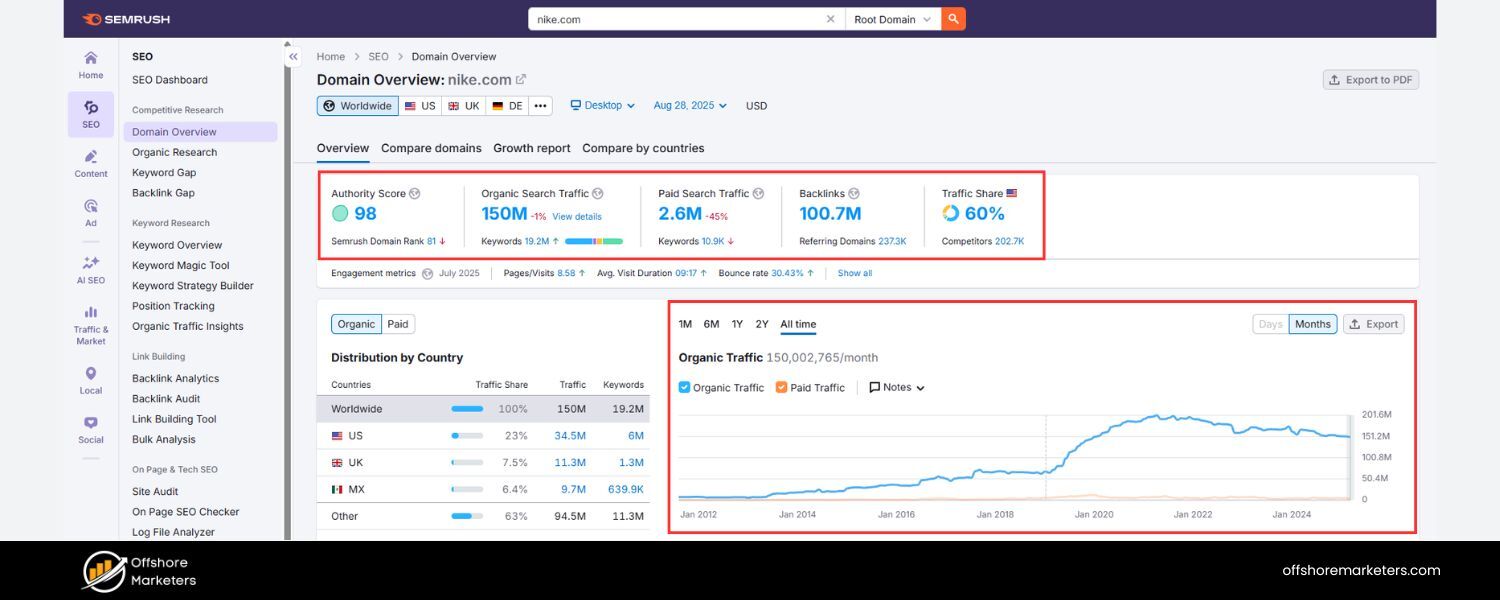
Your content calendar isn’t a “set it and forget it” tool – it should evolve based on what you learn.
After executing your content, make time to review how each piece performed and gather insights. Did that tutorial blog post bring in a spike of organic traffic? Did the audience respond well to the case study you published? Monitoring these results will help you refine future content plans.
You can measure performance through various content marketing metrics, page views, social shares, engagement time, conversion rates, lead generation, etc., depending on your goals. For instance, if one of your goals was to increase organic traffic, track the traffic on each new blog post and overall site traffic.
If another goal was improving social media engagement, see how many likes/comments/shares your social posts (that were planned in the calendar) received.
It’s helpful to decide when and how to measure results. Some teams do a weekly check-in, others monthly. If you published 8 pieces this month, at month’s end review which ones met their KPIs and which fell short.
Identify patterns
maybe your how-to guides consistently outperform news updates, or videos are getting more engagement than text posts.
These findings are gold for tweaking your content calendar going forward. You might decide to include more of the high-performing types of content, and cut back on the low performers (or improve them). Also, if you set SMART goals earlier, now you see if you’re on track.
For example, if your goal was 40 blog posts in a year and a 20% traffic increase, and by mid-year you’ve done 20 posts but only seen 5% traffic growth, it might be time to adjust either your strategy or expectations.
Refine and adapt your content calendar as a living document. This can mean a few things
1. Updating the plan
Add new content ideas that emerged, remove or reschedule content that is no longer relevant, and plan for the next cycle (next month or quarter) using the insights you’ve gained.
2. Refreshing old content
Your calendar can also include slots for updating existing content (for example, planning a refresh of a high-performing 2022 article in May 2025 to keep it up-to-date).Many successful blogs build content updates into their calendars because it’s often easier to boost an old piece’s performance than to create something entirely new. If your content audit identified posts to update, schedule those updates in your calendar.
3. Process improvements
Perhaps through execution you learned that your team needs more lead time for certain content types (e.g., videos take two weeks to produce, not one).Adjust your calendar process accordingly – maybe plan those further in advance or reduce frequency to accommodate production time. If a particular tool integration would help (like connecting your calendar with a social scheduling tool), implement it to streamline workflow.
Remember, the content calendar is meant to serve you, not box you in. It provides structure and oversight, but it should be flexible enough to adapt to new ideas or changes in strategy.
Periodically (say, each quarter), take a high-level look: Is the content calendar helping meet our goals? Are we overextended or could we push a bit more? Are there new content opportunities we should incorporate (like a burgeoning platform or a new content format)? Use these questions to keep your calendar aligned with your evolving marketing strategy.
By following these steps – from setting a strong foundation, choosing the right tool, filling it with strategic content, to executing and refining – you’ll develop a content calendar that is both actionable and effective. It transforms your content marketing from a reactive chore into a proactive, strategic operation.
Best Tools and Templates for Content Calendars
Choosing the right tool for your content calendar can significantly impact your workflow. Here’s a quick overview of some popular content calendar tools and resources (both free and paid), and how they can help:
1. Google Sheets or Excel
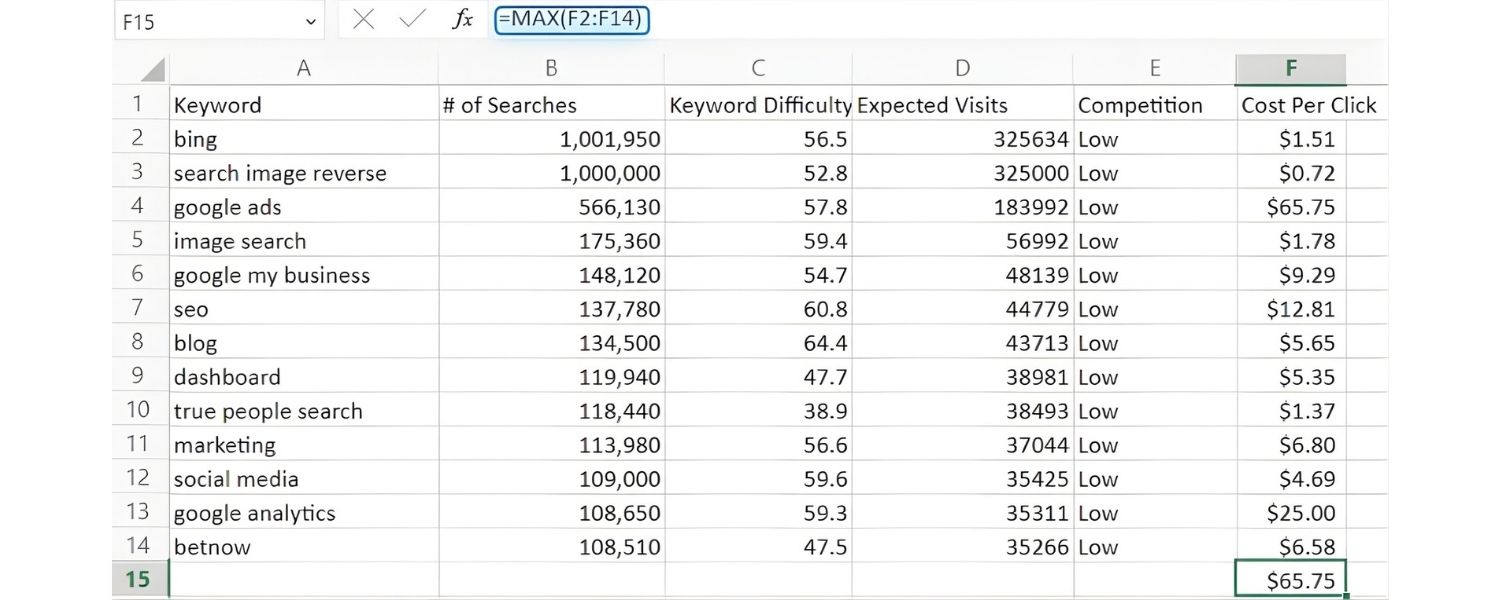
As mentioned, spreadsheets are a classic starting point. Google Sheets in particular is free and collaborative. Multiple team members can update the calendar in real-time, and you can access it from anywhere. It’s simple to sort, filter, and customize. You can find free content calendar templates for Google Sheets (for example, HubSpot and others offer downloadable templates) or easily make your own grid. A spreadsheet doesn’t have fancy features, but it covers the basics well.
Tip: use color coding (e.g., highlight each content type in a different color) to make the calendar more scannable.
2. WordPress Editorial Calendar (Plugin)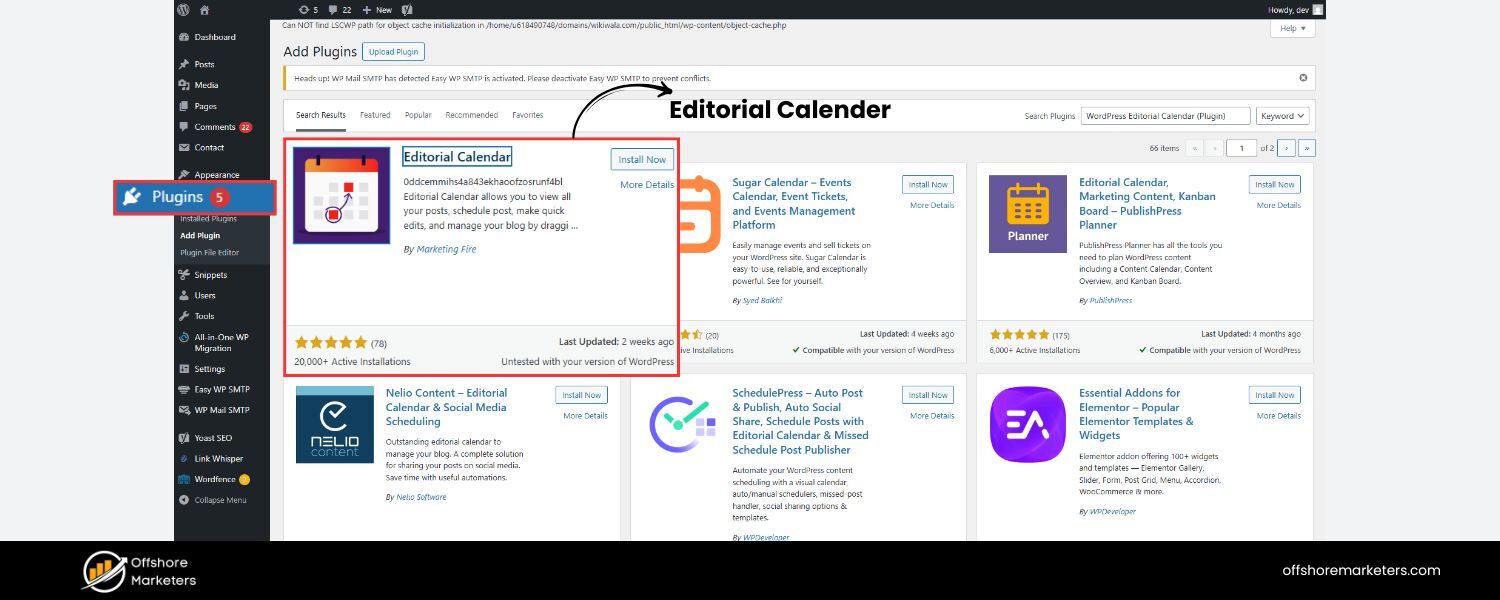

If your primary content channel is a WordPress blog, the Editorial Calendar plugin is a handy free tool that adds a calendar view to your WordPress dashboard.
It lets you drag and drop your posts on a calendar, quickly edit titles or times, and see your scheduled and draft posts in one place. This is great for bloggers who want the calendar integrated right into their publishing platform. However, it’s limited to blog posts and doesn’t manage other content like social media.
3. Trello
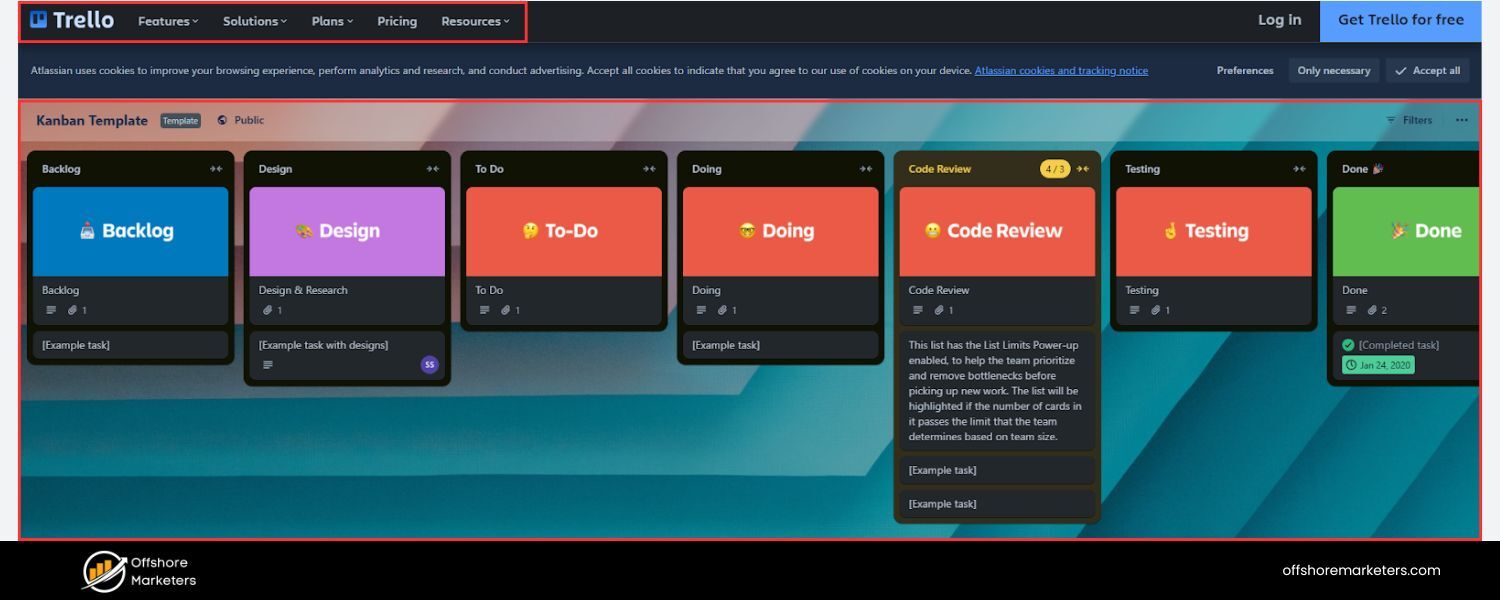
Trello is a flexible project management tool based on Kanban boards. For content calendars, you can create a Trello board with lists for each stage of your workflow (Ideas, Writing, Editing, Scheduled, Published, etc.). Each piece of content is a “card” that moves through these lists.
By using the Calendar power-up (included in free or paid accounts) or Trello’s Premium view, you can see those cards on a calendar according to their due dates. Trello’s visual nature and drag-and-drop interface make it intuitive. You can attach documents, add checklists (for subtasks like SEO checks or image creation), and comment with your team on each card. It’s excellent for small-to-medium teams.
4. Notion
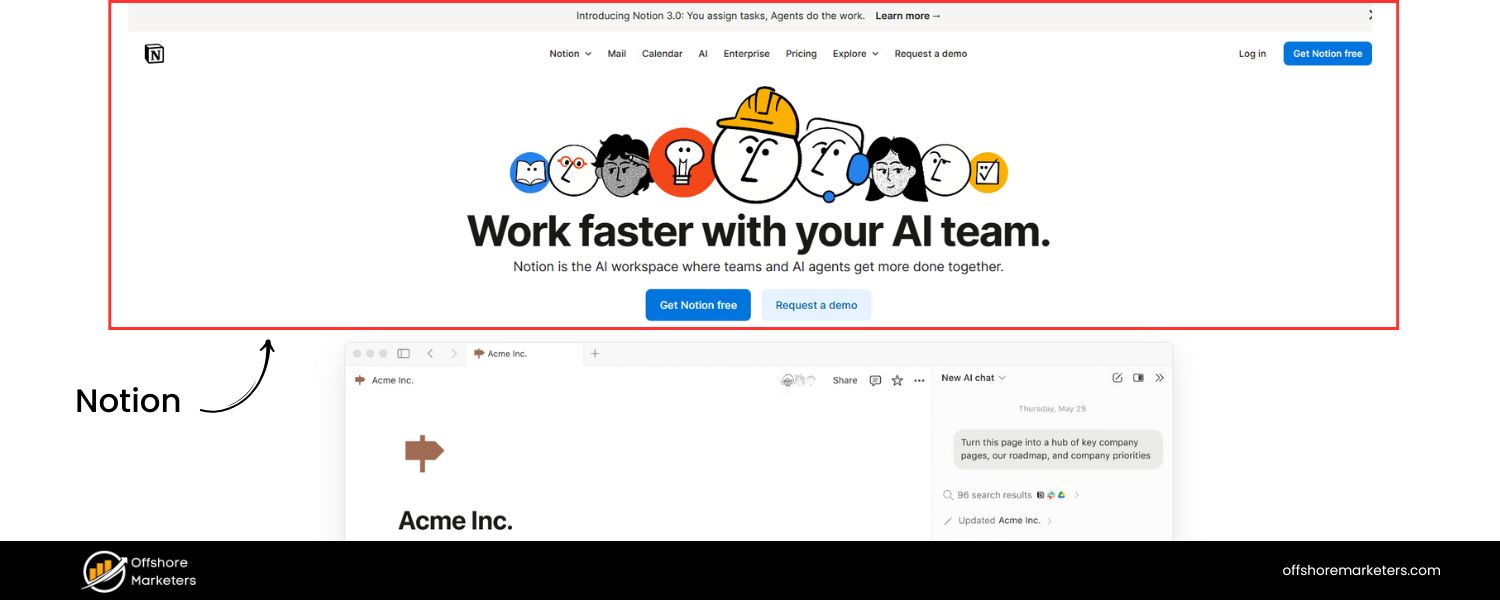
Notion is an all-in-one workspace that can be tailored to many uses, including content calendars. It allows you to build a content database with custom properties (like status, author, publish date, etc.) and then view that database as a calendar, board, list, or timeline.
Notion offers content calendar templates to get you started. It’s highly customizable – you can embed calendars in meeting notes or create a dashboard with your upcoming content.The flexibility is huge, but it can be a bit overwhelming at first. For those who like an integrated approach (where your notes, calendar, task lists all live together), Notion is powerful.
5. Asana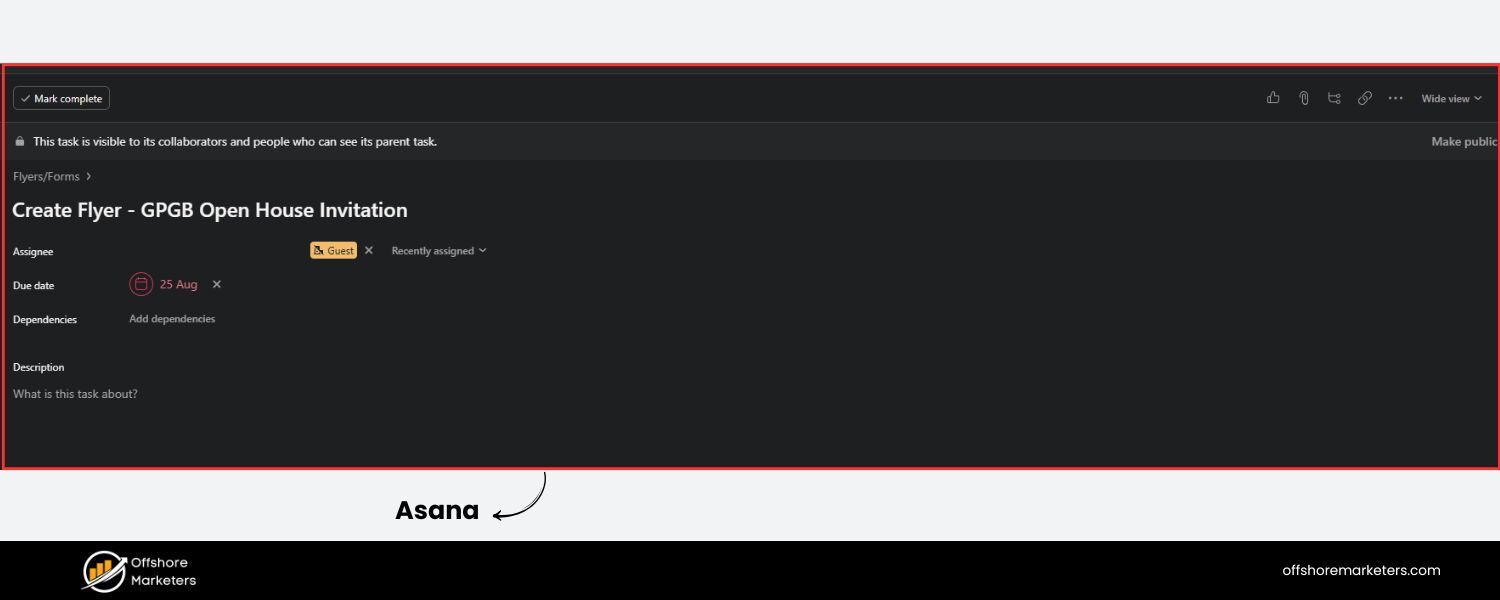
Asana is a robust project management tool popular with marketing teams. It provides project boards and calendar views, along with the ability to assign tasks, set deadlines, and track progress. Many content teams use Asana by creating a project for “Content Calendar” where each task is a content piece.
The calendar view then shows all tasks by due date. Asana’s strengths are in team collaboration, you can have conversations within each task, mark dependencies (e.g., design task depends on content completion), and integrate with communications tools.
It’s free for basic use with small teams, and paid plans unlock more features. Asana is great when your content operation is larger or you want to manage complex workflows.
6. CoSchedule (Content Calendar product)
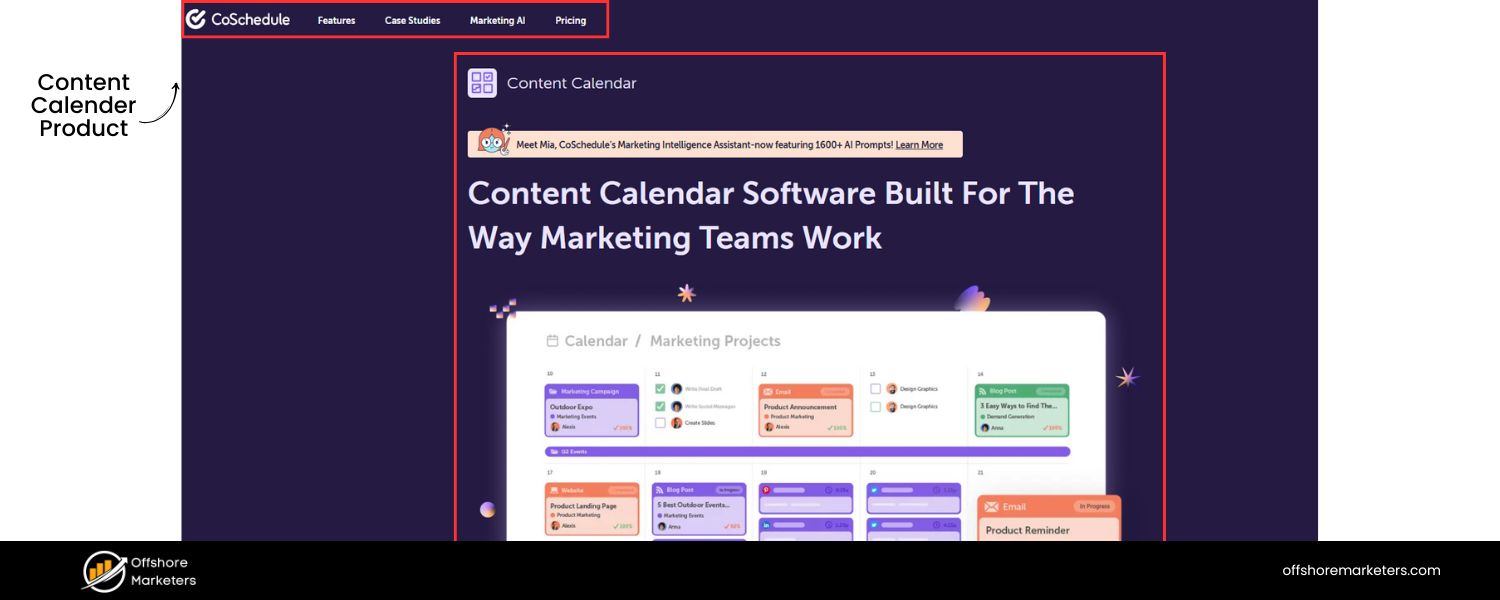
CoSchedule is a dedicated marketing calendar tool (a paid product) that offers an editorial calendar specifically designed for content marketing teams.It integrates with WordPress, social media, email marketing tools, etc., so you can plan and even automate posting in one place.
Its drag-and-drop calendar interface and ability to reschedule content by moving it on the calendar are very user-friendly. CoSchedule also has features to manage your marketing campaigns and a headline analyzer for blog titles. If your budget allows and you want a tool built for content scheduling, this is one to consider.
7. Calendars within Social Media Tools

If a lot of your content calendar focus is social media, many social media management tools like Buffer, Hootsuite, Sprout Social, or Later provide calendar views for planned social posts.
These can serve as your content calendar for social content, though they won’t include your blog or other content types. You might use these in conjunction with a broader calendar.
For example, use Hootsuite’s planner to schedule tweets and Facebook posts, and reference your main content calendar to align those with blog releases.
Aside from tools, don’t forget about templates and resources. Numerous marketing blogs (like HubSpot, Semrush, etc.) offer free downloadable content calendar templates. These often come in spreadsheet format and can save you time in setting up columns and formatting. You can tweak any template to suit your needs.
The key is to use these tools or templates as a means to execute your strategy, the fanciest tool won’t automatically improve content, but choosing one that fits your workflow can boost your efficiency and consistency.
Tips for Managing Your Content Calendar Successfully
Setting up a content calendar is half the battle – the other half is keeping it running smoothly. Here are some expert tips and best practices to get the most out of your content calendar:
1. Review and Update Regularly
Make it a habit to review your content calendar frequently. A quick check each morning or a weekly team review meeting can ensure everything is on track. Use these reviews to update statuses (e.g., mark drafts completed), add new ideas that came up, or adjust dates if timelines shifted. A content calendar only provides value if it reflects the current plan, so keep it up-to-date.
2. Plan Ahead but Stay Flexible
Aim to plan your content at least a few weeks to a month in advance (many marketers plan a quarter ahead). This forward planning is crucial for consistency. However, don’t set things in stone so rigidly that you can’t seize spontaneous opportunities.
Leave a little wiggle room. If a trending topic or sudden industry change occurs, be willing to shuffle your calendar to accommodate a timely piece. Flexibility ensures your content remains relevant. The calendar is a guide, not a prison.
3. Incorporate Evergreen and Seasonal Content
A good content calendar strikes a balance between evergreen content (topics that remain relevant long-term) and seasonal/timely content. Evergreen pieces (like “how to create a content calendar” guides, for example) will continue to draw traffic over time, so schedule them consistently.
Seasonal content (holiday-related posts, annual trend predictions, event-based articles) should be timed appropriately on the calendar. Mark down major dates relevant to your industry early, so you can prepare content for them and not miss out. This mix keeps your content both timely and enduring.
4. Use Analytics to Inform the Calendar
Let data guide your planning. As you track content performance, feed those insights back into your calendar decisions. If your analytics show that videos are getting 2x the engagement of blog posts, you might allocate more slots to videos.
If a certain topic blog brought a surge of traffic, consider a follow-up post or related content. Data-driven planning helps ensure you invest effort in the content that works.
Additionally, if you notice certain days or times perform better for publishing (e.g., Tuesday blog posts get more views than Friday ones), adjust your schedule accordingly.
5. Maintain an Idea Backlog
Keep a section in your content calendar (or a separate doc linked to it) for new content ideas that come up. Not every idea will immediately find a slot on the calendar, but having a backlog is useful for those moments when you need an extra piece or have to replace something.
Encourage your team to drop ideas in an “Ideas” column or list whenever they think of them. You’ll have a reservoir of inspiration to draw from, ensuring the calendar never runs dry.
6. Foster Team Accountability
If you have multiple people contributing, ensure everyone understands that the content calendar is a shared responsibility. Missed deadlines or uncommunicated delays can throw off the whole schedule.
Promote a culture where team members proactively update the calendar (for instance, changing a content status to “Draft Complete” when they finish writing) and alert others to any issues.
When used diligently, the calendar itself will highlight if something is lagging (e.g., a post due tomorrow is still marked “Draft in progress”).
This visibility allows for quick course-correction – maybe another team member can assist, or the schedule can be adjusted if needed.
7. Leverage Internal and External Links
For each planned content piece, think ahead about internal links (linking to your own related content) and external references you might include. A content calendar can have a field for “Related Links” where you list other articles or sources to incorporate.
This not only helps with SEO (internal linking boosts your site structure; external linking can improve credibility) but also ensures while writing that you don’t forget to cross-reference relevant content.
For example, if you’re publishing a blog post on content calendars, you’d want to link to your earlier post on content strategy. Planning these in advance via your calendar or content checklist helps you create a more cohesive content network.
8. Celebrate and Iterate
When you successfully follow your content calendar for a month or a quarter, take a moment to celebrate the consistency, it’s an achievement to produce content regularly! Then, iterate on your process.
Maybe you find you could use an additional review step, or you realize you can actually increase frequency because you’ve been so consistent. Continuously refine your calendar and process for improvements.
By following these tips, you’ll keep your content calendar as a powerful ally rather than a static document. It will drive you to be organized and strategic, yet adaptable in your content creation efforts.
Conclusion
A well-planned content calendar is arguably one of the most valuable tools in a content marketer’s toolkit. It transforms the chaotic, repetitive task of content creation into a structured strategy that drives results.
In this guide, we’ve covered everything from understanding what a content calendar is and why it matters, to the nuts-and-bolts of creating one and keeping it running effectively.
The key takeaways? Plan with your goals and audience in mind, stay consistent with your schedule, and remain flexible to adjust as you learn what works best.
The benefits of using a content calendar are clear, greater consistency, better team collaboration, alignment with your marketing goals, and reduced stress from last-minute rushes.
It’s about working smarter, not harder, by investing a bit of time upfront to save loads of time (and headaches) later. As you implement your content calendar, remember that you’re joining the ranks of savvy marketers who plan their content in advance and reap the rewards in audience growth and engagement.
Now it’s your turn: put these insights into action and start (or refine) your content calendar for 2025 and beyond.
Whether you use a simple Google Sheet or a feature-rich tool like Asana or Trello, the most important step is to begin.
Outline your next month of content, fill in those publishing dates, and share the plan with your team. You’ll likely find that having this roadmap not only improves your marketing outcomes but also brings a new level of calm and control to your work.
Call to Action:
Ready to supercharge your content strategy with a content calendar? Don’t wait, start building your content calendar today using the steps and tips outlined above.
If you need help getting started or want to explore content templates, feel free to reach out or check out our additional resources on content planning (we’re here to help!). Here’s to a consistent, organized, and successful content journey. Happy planning and creating!

.png)
Shopify SEO: Guide to Ranking Your Store and Driving Sales
Most Shopify store owners set up their store, list their...

Content Marketing : Definitive Guide to Strategy, Content Types, and Measurable ROI
Content marketing generates 3x more leads than outbound marketing at...

Above the Fold: Guide to Conversions, Rankings and Faster Pages
Above the Fold in 2026: The Complete Guide to Conversions,...

Off-Page SEO Checklist: Guide to Building Real Authority
Most websites spend months creating great content, only to wonder...

What Is Keyword Bidding? The Complete Strategy Guide for Smarter Ad Spend
Most advertisers believe the highest bid wins the auction. It...

What Is Google Trends? The 2026 Marketer’s Complete Guide
If you are not already pulling weekly insights from Google...
If you want a growth partner who will get to know every aspect of your business and treat your budget like their own — we are the right fit.
.png)


.png)
.png)
.png)
.png)
.png)
.png)
2026 ALL RIGHTS RESERVED MADE IN INDIA
