
Anchor Text: The Ultimate Guide to SEO Link Text
September 4, 2025
In the world of SEO, even the smallest details can boost your rankings, and anchor text is a prime example. Anchor text is the visible, clickable word or phrase in a hyperlink, usually highlighted or underlined. It may seem simple, but it serves as a clue for both readers and search engines about what lies on the other side of the link.
Used wisely, anchor text can enhance your site’s user experience and search visibility; used poorly, it can hurt your SEO. In this comprehensive guide, we’ll explore what anchor text is, why it matters, the different types, best practices for optimization, and common mistakes to avoid.
What Is Anchor Text?

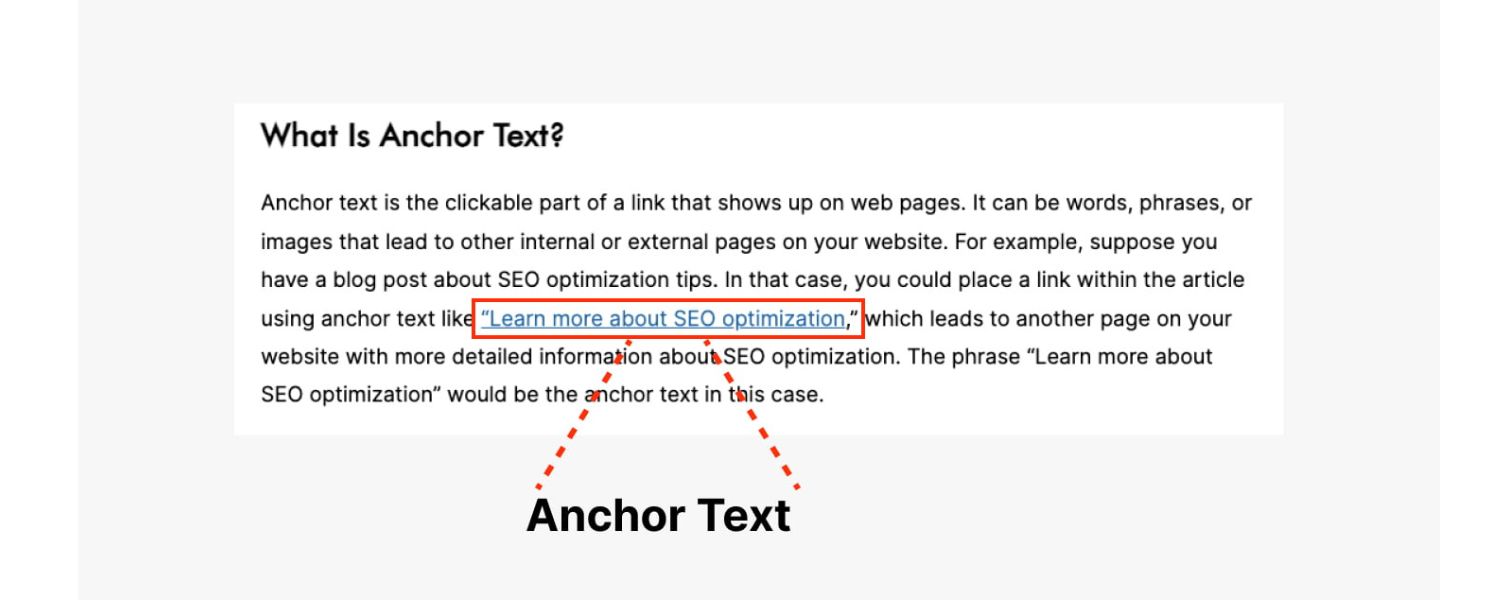
Anchor text (also known as link text or link label) is the clickable text of a hyperlink that users see on a webpage. For example, in the HTML code <a href=”https://example.com”>SEO guide</a>, the words “SEO guide” are the anchor text.
Typically, browsers style anchor text differently (often blue and underlined) to indicate it’s a link. Good anchor text describes the content of the page it links to, giving users a preview of what to expect when they click. It also provides context to search engines about the target page’s topic.
How Anchor Text Works: When a search engine crawls your site, it uses anchor text as a ranking signal to understand what the linked page is about. In essence, anchor text acts like a label or vote for the page it points to.
For instance, if many websites link to an article using the anchor “best coffee beans,” search engines infer that the article is likely about “best coffee beans,” potentially boosting its relevance for that query.
This was historically so influential that Google’s early algorithm (and even Google’s patents) treated anchor text as a key indicator for search rankings.
Why Does Anchor Text Matter for SEO?
Anchor text plays a dual role in SEO and user experience: it helps search engines interpret your content and guides users to valuable information. Here are two core reasons it matters:
1. Search Engine Understanding
Google and other search engines analyze anchor text to determine what the linked page is about. Relevant anchor texts can improve a page’s visibility in search results by signaling its topic.
In fact, anchor text is one of the ranking factors Google considers. For example, if your webpage about “best dog treats” gains backlinks with anchor texts like “healthy dog treats” or “dog snack tips,” Google learns that your page is relevant to those topics.
However, if anchors are unrelated or overly generic, the search engine gains little insight. (Note: Modern algorithms use many signals beyond anchor text, but it remains an important clue).
2. User Experience & Navigation
Descriptive anchor text improves usability by telling readers what they’ll get when they click. Clear link text like “email marketing statistics 2025” is more helpful than a vague “click here.”
Informative anchors encourage clicks from interested users and help people navigate your site confidently. They also benefit accessibility, for example, screen readers can read anchor text aloud, so meaningful text (instead of just “here”) is crucial.
Beyond these, anchor text contributes to your site’s link equity and structure. Internal links with relevant anchors help distribute “link value” across your pages and define the relationship between them.
External links (backlinks) with keyword-rich anchors can boost your authority for those keywords, if they occur naturally. In short, anchor text, though small, packs a punch in signaling relevance and enhancing navigation.
Internal vs. External Anchor Text

It’s important to distinguish internal anchor text (links between pages on your own site) from external anchor text (links pointing to other websites or coming from other sites to yours). Both types affect SEO, but in different ways:
1. Internal Anchor Text
You have full control over these. By using descriptive, relevant anchor texts for your internal links, you guide both users and search engines through your content hierarchy.
For example, linking from a blog post to your product page with the text “email marketing tool” is better than “click here,” because it tells Google that the product page is about an email marketing tool.
Internal anchors help establish your site’s structure and can pass on ranking signals. Just ensure every important page gets some internal links (so it’s not orphaned) and that the anchors make sense in context. There’s no strict rule on the number of internal links on a page – but quality over quantity is key.
2. External Anchor Text (Backlinks)
These are links from other sites pointing to your site, and their anchor texts also influence SEO. When reputable websites link to you with relevant anchor text, it’s like a vote of confidence for your content’s relevance on that anchor topic.
For instance, if many sites reference your article with the anchor “guide to anchor text,” that can improve your ranking for queries related to anchor text. However, you typically cannot control how external sites anchor their links (and Google expects a natural variety).
In fact, trying to manipulate backlink anchor text at scale (e.g. through link schemes or exact-match keyword links from many sites) can trigger Google’s spam filters or the Penguin algorithm, leading to penalties.
Aim to earn backlinks organically with diverse, natural anchor phrases. Tools like Google Search Console’s “Top linking text” report or SEO tools can show you the common anchor texts used in backlinks to your site, so you can monitor for any overly optimized patterns.
Bottom line: Use internal anchors strategically to improve site navigation and relevance, and focus on great content so that external sites link to you naturally (with anchor texts you didn’t force). A balanced, organic anchor text profile – especially for backlinks – is crucial for avoiding red flags with search engines.
Types of Anchor Text

Not all anchor texts are created equal. They come in various types, each with different implications for SEO. Here are the most common types of anchor text, with examples:
1. Exact Match
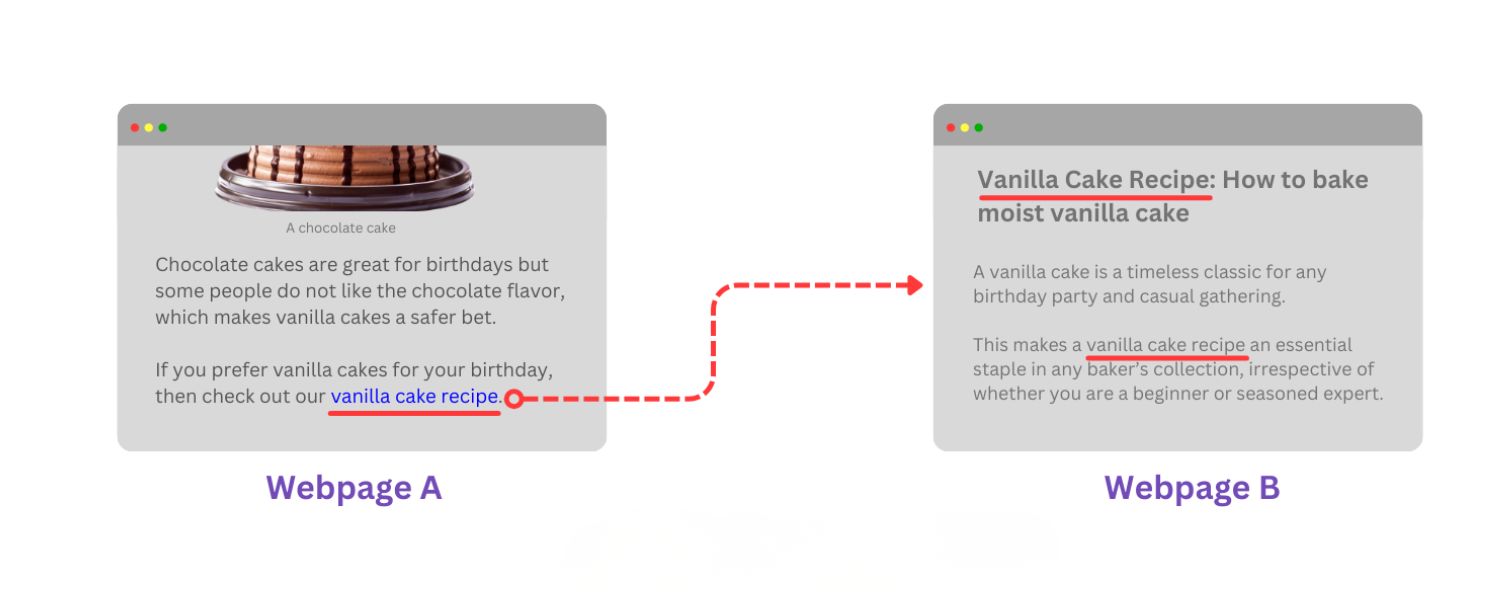
The anchor text exactly matches a target keyword or phrase that the linked page is focusing on. Example: using “best coffee beans” as the anchor to link to a page optimized for “best coffee beans.”
Exact-match anchors can strongly signal relevance, but should be used sparingly, especially with external links, too many exact matches can appear manipulative and increase penalty risk.
2. Partial Match
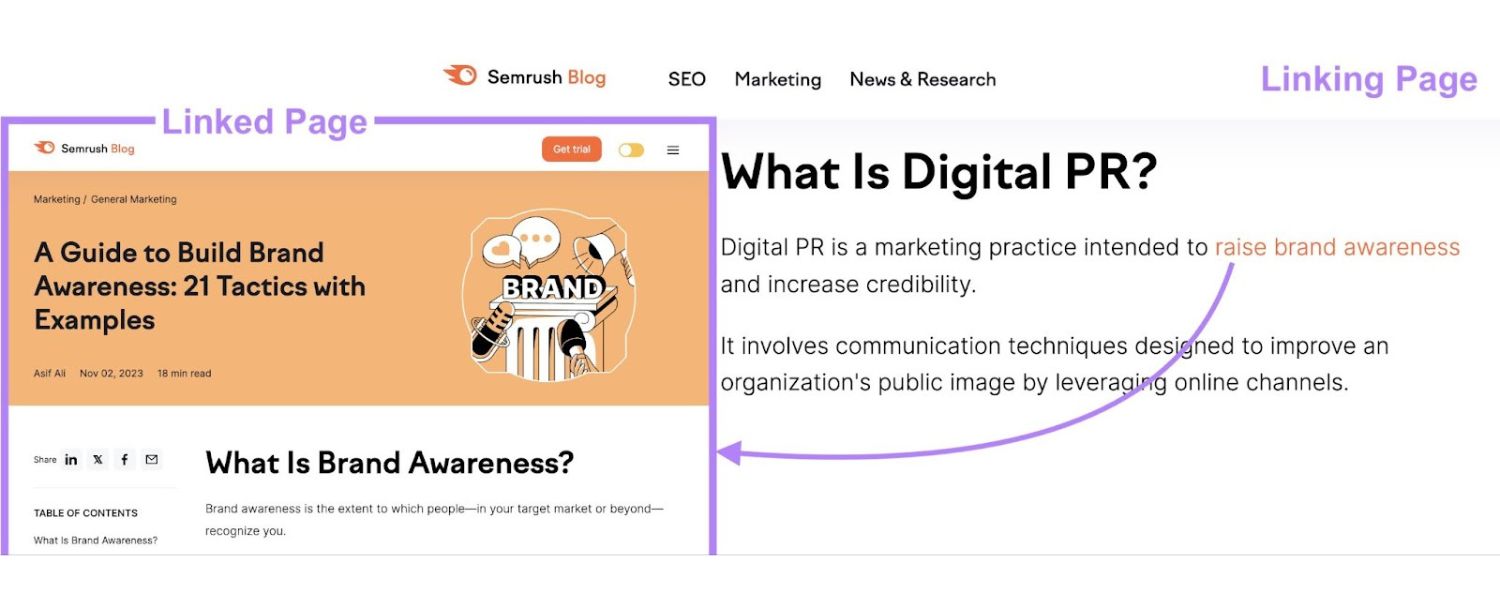
The anchor text includes a variation of the keyword, adding other words. Example: “best coffee bean varieties” or “coffee beans guide” linking to that “best coffee beans” page.
Partial matches include the core topic but in a more natural phrase. They provide relevance while reducing the appearance of over-optimization. This is generally a safer, more natural way to include keywords.
3. Branded
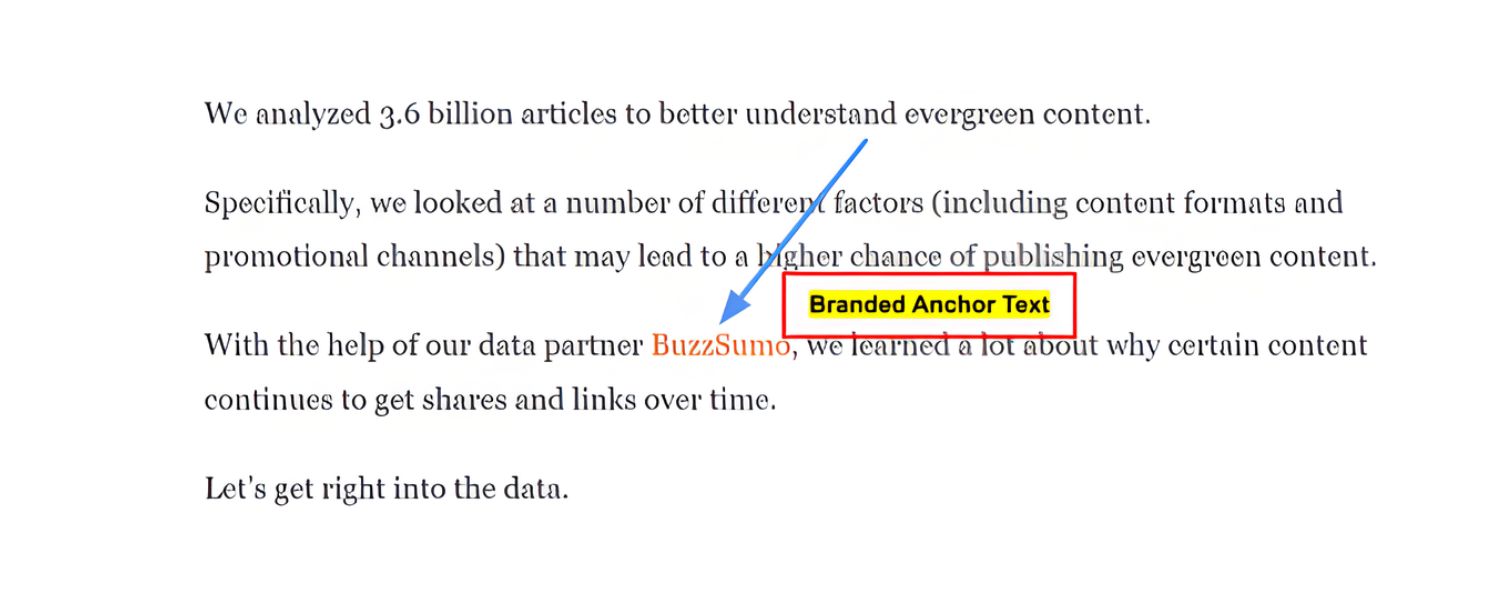
The anchor text is a brand name. Example: “Starbucks” linking to Starbucks’ homepage. Branded anchors are common and usually safe, they simply associate the link with a brand.
Even for non-branded sites, your company name used as anchor (e.g., “Acme Corp”) is considered a branded anchor. These are important for a natural link profile (many sites will just use your brand or site name when linking to you).
4. Compound (Brand + Keyword)
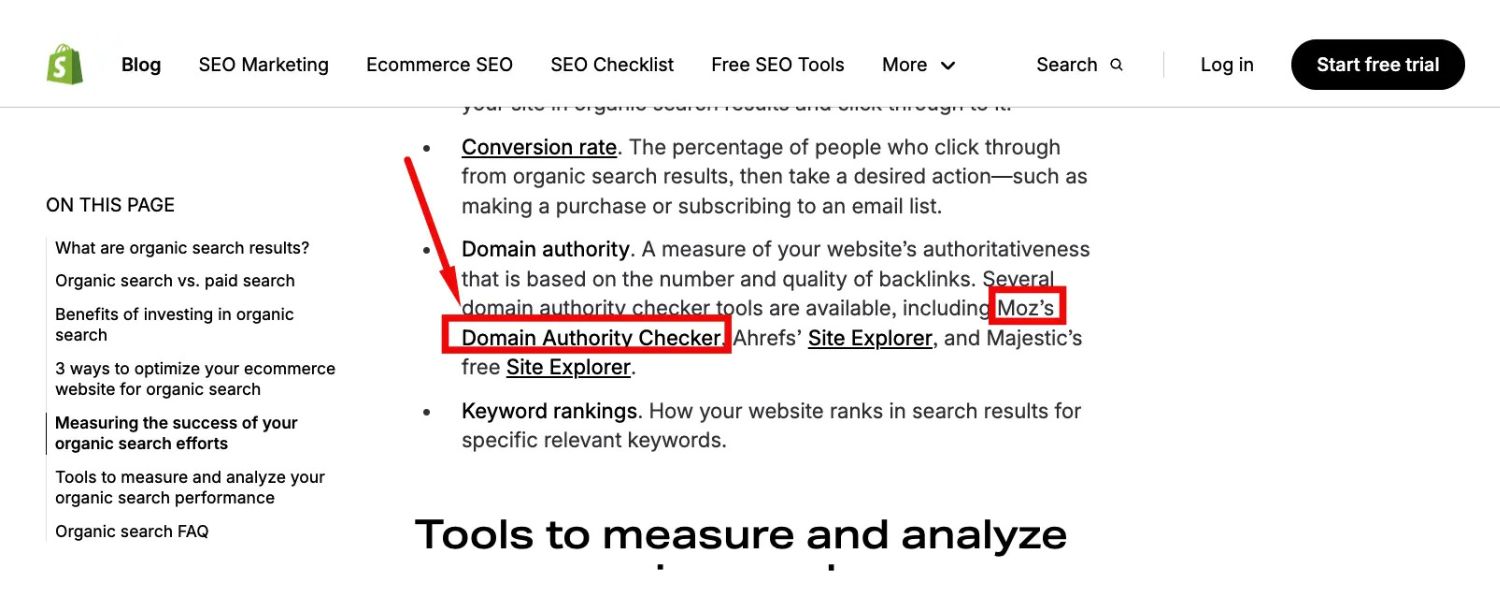
A brand name plus a keyword in the anchor. Example: “Starbucks coffee recipes” linking to a Starbucks blog on coffee recipes. This gives context with a keyword while still featuring the brand. Compound anchors often occur when referencing a specific company product or page (e.g., “Moz SEO guide”).
5. Generic
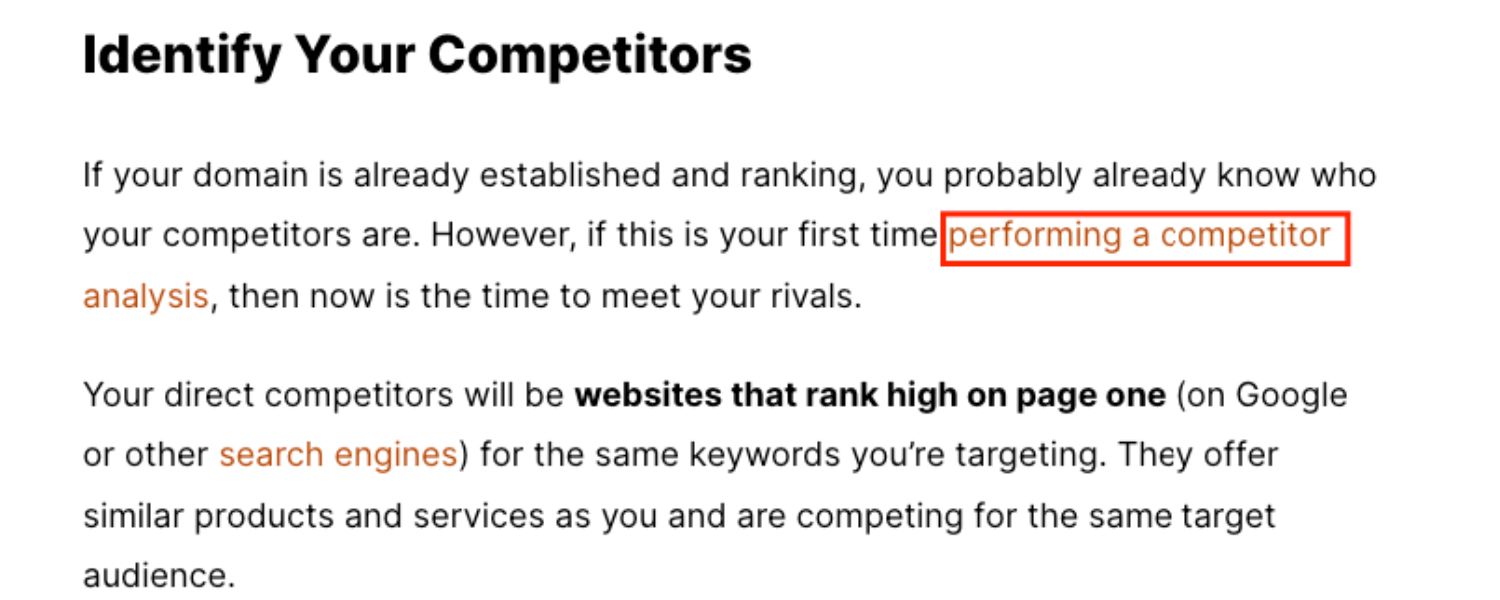
The anchor text is a generic word or phrase that doesn’t indicate content topic. Common examples are “click here”, “read more”, “learn more”, or simply “here”. Generic anchors provide virtually no context to search engines (or users) about the destination content.
Overusing them is bad for SEO and user experience – Google explicitly advises against generic “click here” types of anchors as a best practice.
Use generic anchors very sparingly, and always alongside text that explains what the link is (“Download the report here” is slightly better than a lone “click here,” but ideally make the anchor itself descriptive).
6. Naked URL
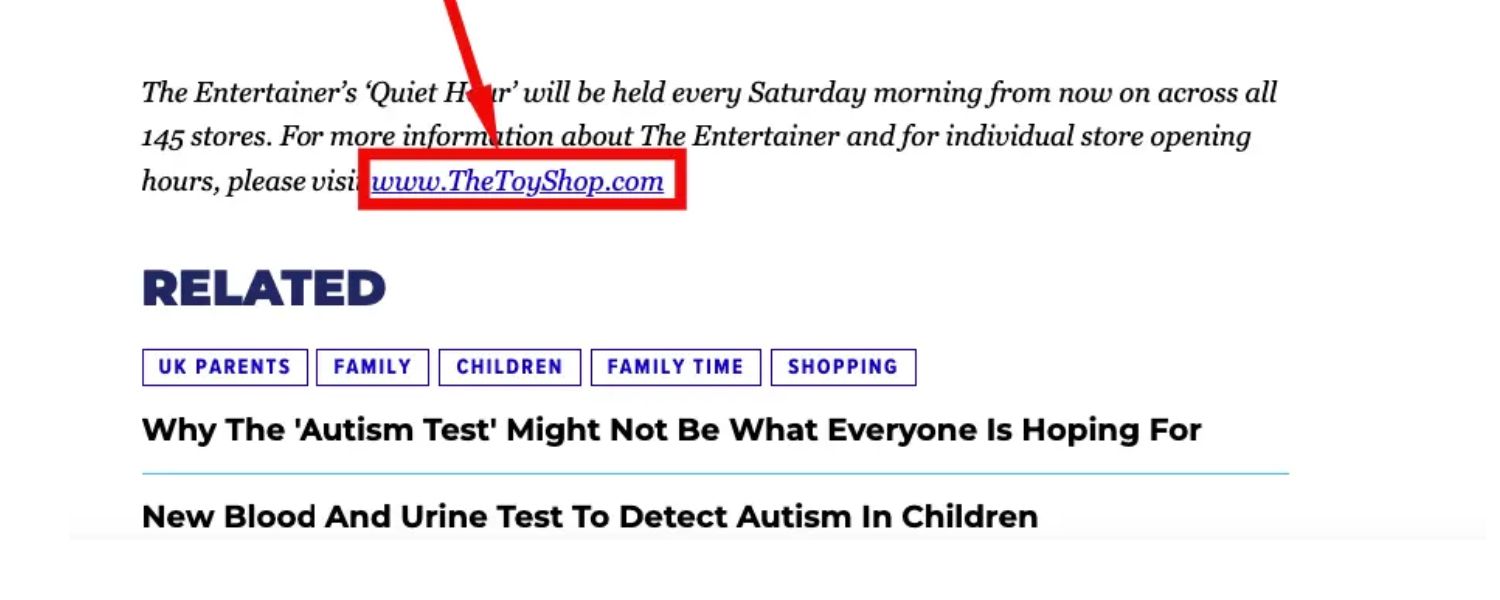
The anchor text is a raw URL (e.g., “https://www.example.com/page”). This means the web address itself is the clickable text. Naked URLs are sometimes used in citations, footnotes, or when referencing sources.
They are readable but not very descriptive (unless the URL contains keywords). From an SEO standpoint, naked anchors don’t give as clear a signal of relevance. However, having some naked URL links is natural.
For instance, a newspaper might cite a source by just dropping the URL. Use them when appropriate, but remember they contribute less keyword context.
7. Related (LSI/Synonym)
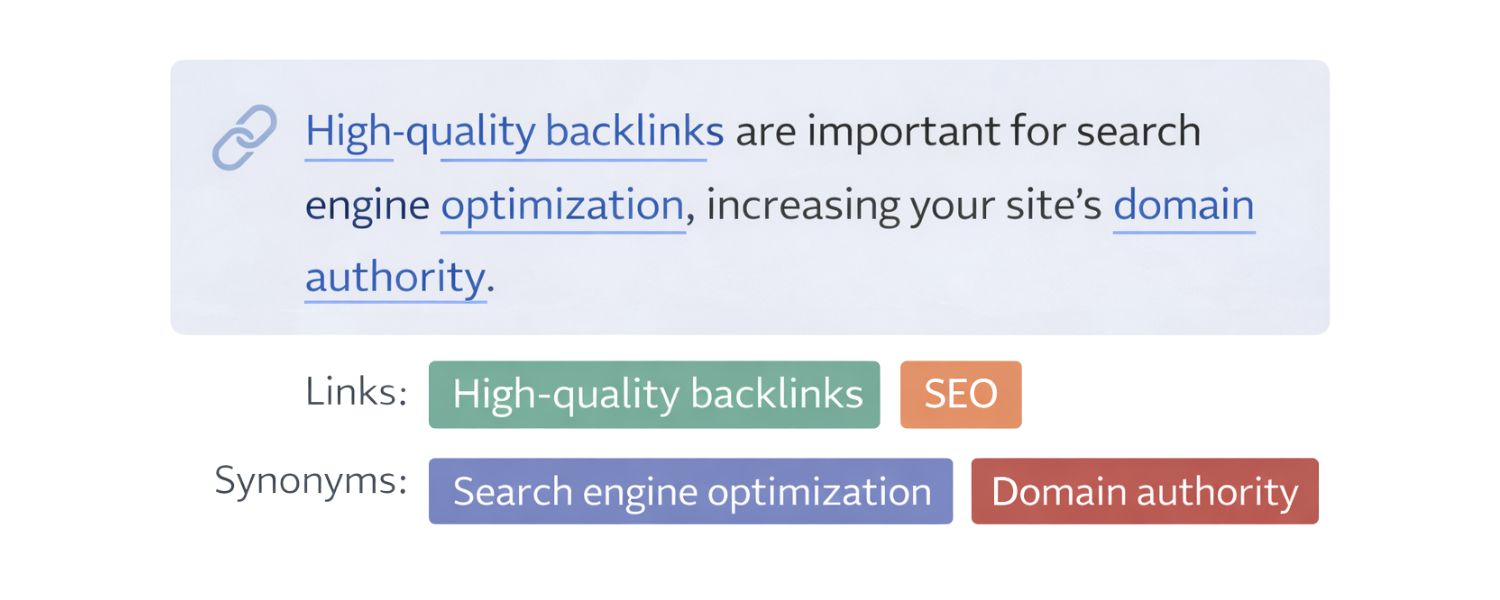
The anchor text uses a synonym or concept related to the primary keyword, rather than the exact term. Example: “structured data” as an anchor to a page about schema markup (they mean similar things).
Related anchors help search engines understand the semantic context of your page. They can broaden the keywords your content might rank for, since Google sees the connection between terms. Using varied, related phrases also looks natural.
8. Page Title or Exact Title
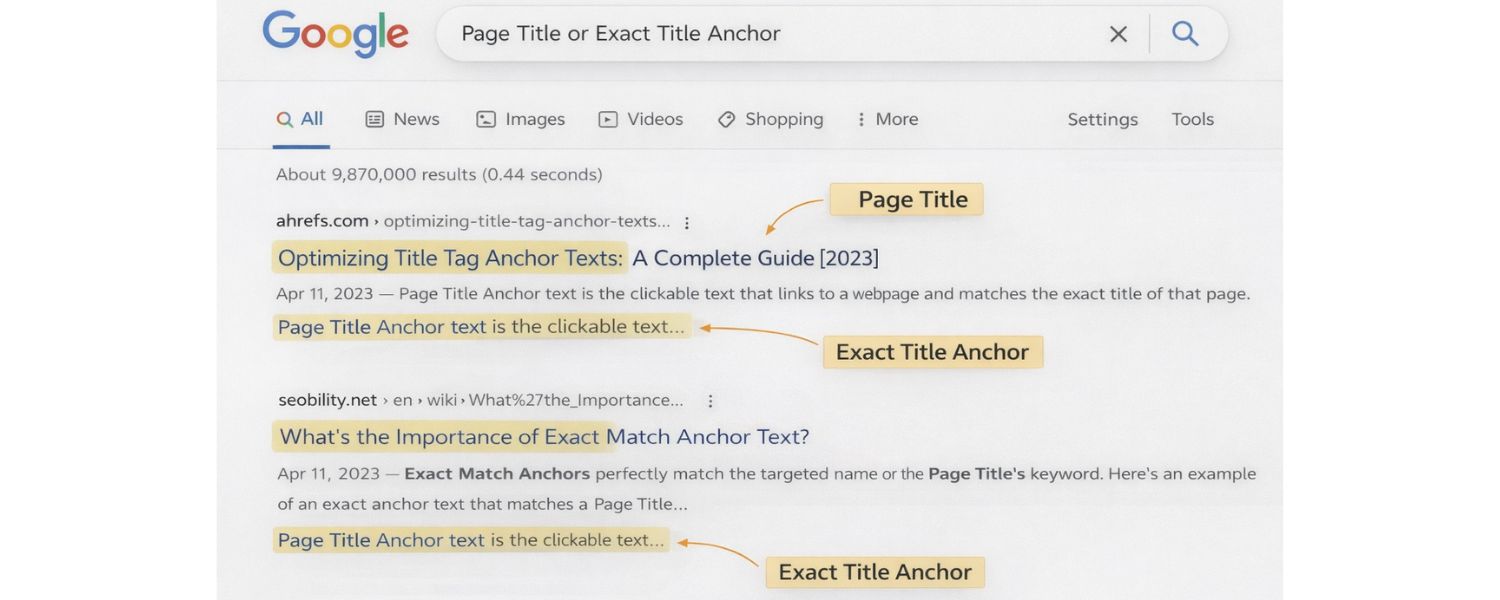
Using the exact title of the target page or article as the anchor. For example, a link to a blog post titled “10 Coffee Brewing Tips” with anchor text “10 Coffee Brewing Tips”.
This is common when citing articles or linking to a specific post – it’s clear and descriptive. Search engines recognize it easily since the anchor matches the page’s title.
9. Image Anchor (Alt Text)
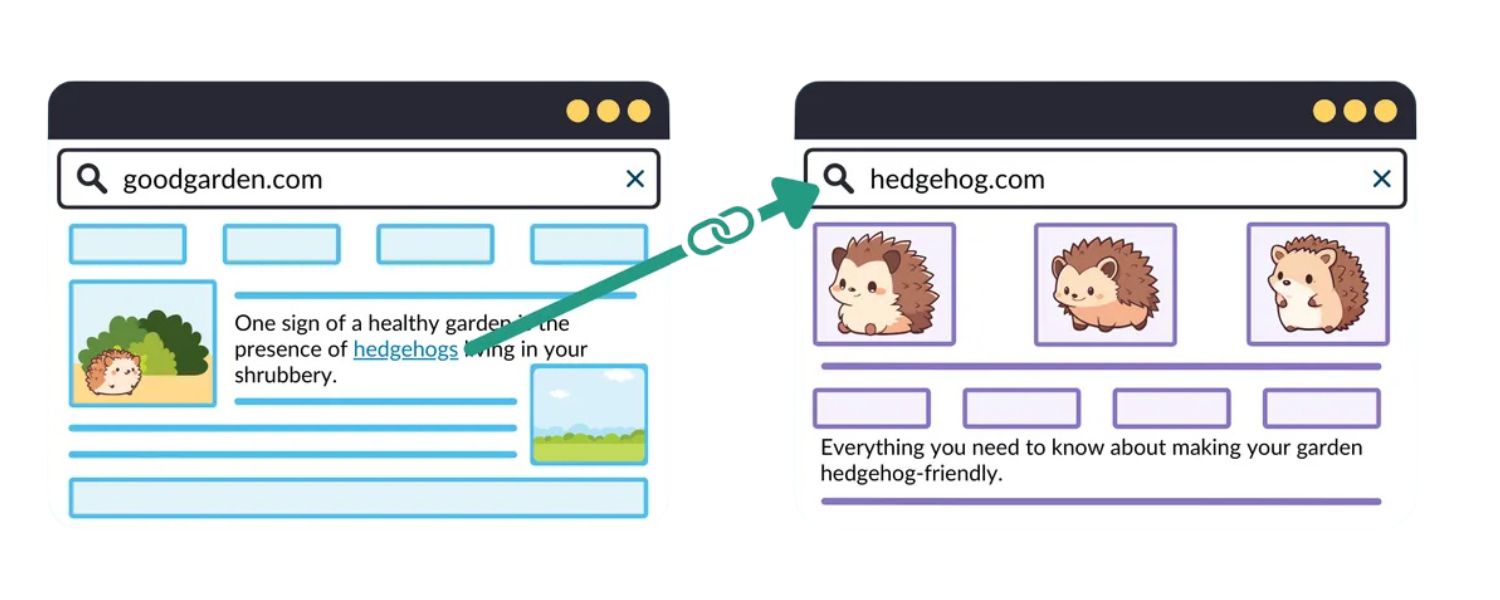
When an image is the hyperlink, there is no visible text, so search engines treat the image’s alt attribute as the anchor text. For example, if you have an image link, <a href=”url”><img src=”photo.png” alt=”Coffee guide”></a>, the alt text “Coffee guide” functions as the anchor text.
Thus, it’s vital to use descriptive alt text for linked images (don’t leave it empty), both for accessibility and SEO. An image link without alt text is effectively an empty anchor (bad for SEO).
These categories often overlap. For instance, “Amazon.com holiday sale” is both a Compound (brand + keyword) and a Partial Match for someone targeting “holiday sale.” The key is to diversify your anchor text profile.
A natural link profile (especially for backlinks) will contain a mix of these types – branded anchors, some exact or partial keywords, some generic, some URL anchors, etc. Diversity appears organic, whereas a heavy skew (e.g., 90% of anchors are the exact same keyword) is a red flag.
Anchor Text Best Practices

Crafting effective anchor text is an art that balances relevance, brevity, and natural flow. Whether you’re adding internal links or building links in content, follow these best practices to optimize anchor text for both SEO and readers:
1. Be Descriptive and Relevant
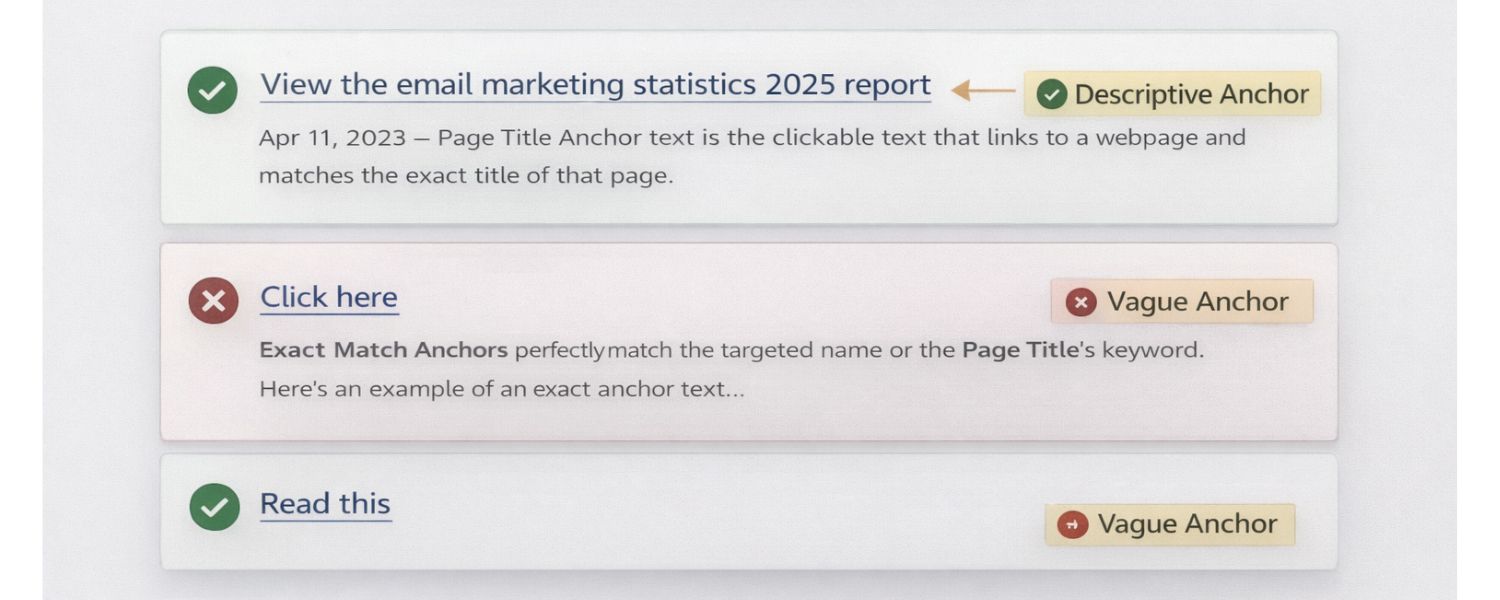
Always use anchor text that indicates what the linked page is about. In Google’s words, “good anchor text is descriptive and relevant to the page it links to”.
A reader should have a pretty good idea of what they’ll get by clicking. For example, “email marketing statistics 2025 report” is far more informative than “click here” or “read this.”
Descriptive anchors provide context for search engines and set correct expectations for users, improving both SEO and usability. Tip: Try reading your anchor text by itself – if you can’t guess what content it leads to, it’s not descriptive enough.
2. Keep it Concise (but Meaningful)
In general, anchor texts should be short and to-the-point – usually a few words, not a full sentence. Aim for roughly 1-5 words for most anchors, as this tends to be easily readable.
For example, “SEO tips” is concise, whereas “a comprehensive list of SEO tips and strategies you should follow” is overkill. That said, don’t sacrifice clarity for brevity.
A slightly longer anchor that clearly describes the link is better than a short one that’s vague. Google’s John Mueller has noted that they don’t have a strict anchor length limit – sometimes a longer anchor gives more context.
So use as many words as needed (within reason) to make the anchor text understandable and specific. The key is to avoid unnecessary words or overly verbose anchors that dilute the main point.
3. Avoid Generic “Click Here” Text

This bears repeating – generic anchor texts like “click here,” “read more,” or “visit website” should be minimized. Google explicitly considers overly generic anchors poor practice, and they add zero SEO value.
They also pose accessibility issues (imagine a screen reader encountering a list of “Click here” links with no context). Instead of “Click here to download our guide,” turn the relevant keywords into the link: “Download our SEO Guide”.
If you must use a call-to-action anchor (like a button saying “Sign Up Now”), make sure the surrounding text or the button label includes context about what it’s for. Remember: Anchor text can be a call to action and descriptive – these goals aren’t mutually exclusive.
4. Integrate Anchors Naturally
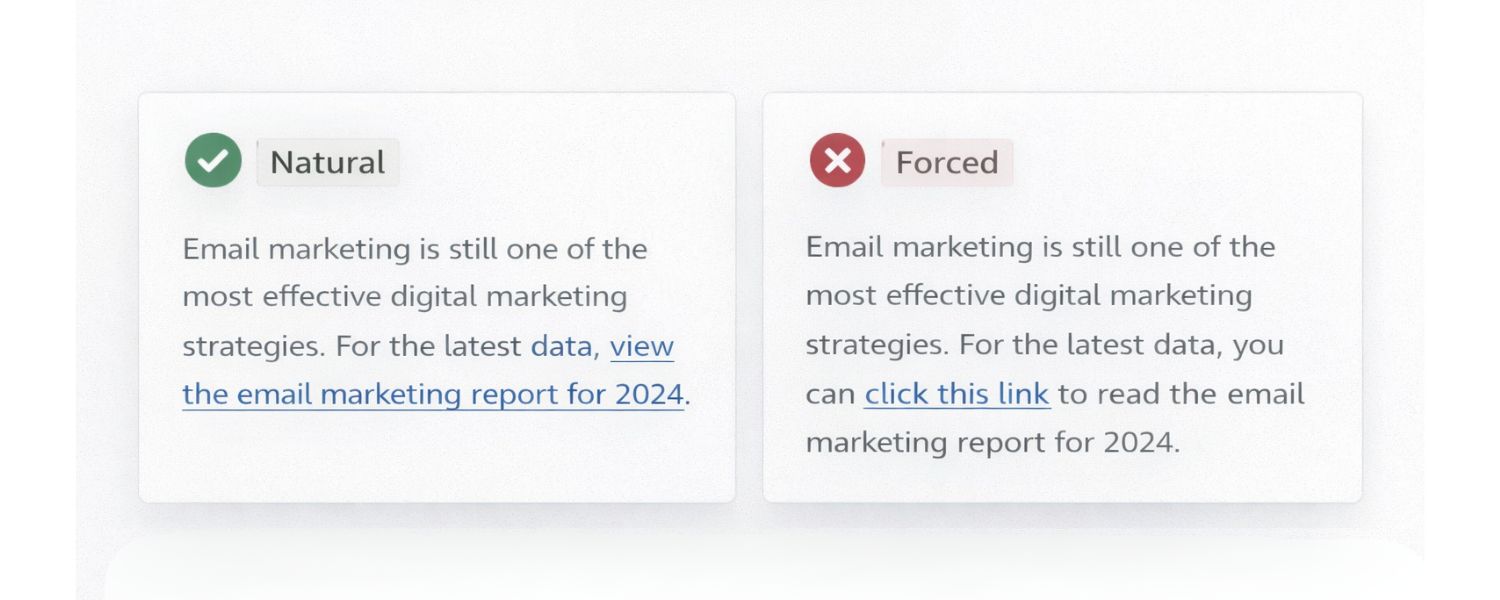
Anchor text should flow naturally within your writing, without sounding forced or out of place. Readers should hardly notice that a phrase is hyperlinked because it fits seamlessly into the sentence. If you find yourself contorting a sentence just to insert a keyword-rich anchor, that’s a red flag.
Google’s advice is to write links “as naturally as possible” and resist shoehorning keywords into them. Also, don’t overdo the number of links, stuffing a paragraph with multiple anchor texts (especially one after another) looks spammy and is hard for readers to follow.
Only link when it’s genuinely helpful. A good rule of thumb is to link where it adds value: for additional reference, definition, or related content that enriches the reader’s understanding.
If a page is crucial to mention, find a way to mention it organically. Natural context around the link is important; the words before and after the anchor text further help Google understand link relevance.
5. Vary Your Anchor Text (Avoid Over-Optimization)

Using the exact same anchor text every time you link to a page can look unnatural. In internal linking, if you have multiple opportunities to link to your “Target Page” page, don’t always use “contact us” as the anchor in every single instance on your site.
Mix it up with variations like “get in touch” or “contact our team,” where appropriate. For external links (backlinks), a healthy link profile naturally contains a mix of branded, generic, exact, and partial anchors.
Over-optimization occurs when a large share of your anchors are identical exact-match keywords – a tactic that used to be exploited for SEO. Today, that’s penalized by algorithms (e.g., Google Penguin) for being manipulative.
To stay safe, diversify anchor text types. If you notice an imbalance (say your site’s backlinks are 80% one keyword), focus on building more content and links that attract different anchor terms. Variety not only appears natural, but it also gives search engines a richer semantic picture of your content.
6. Match Anchor with Target Content
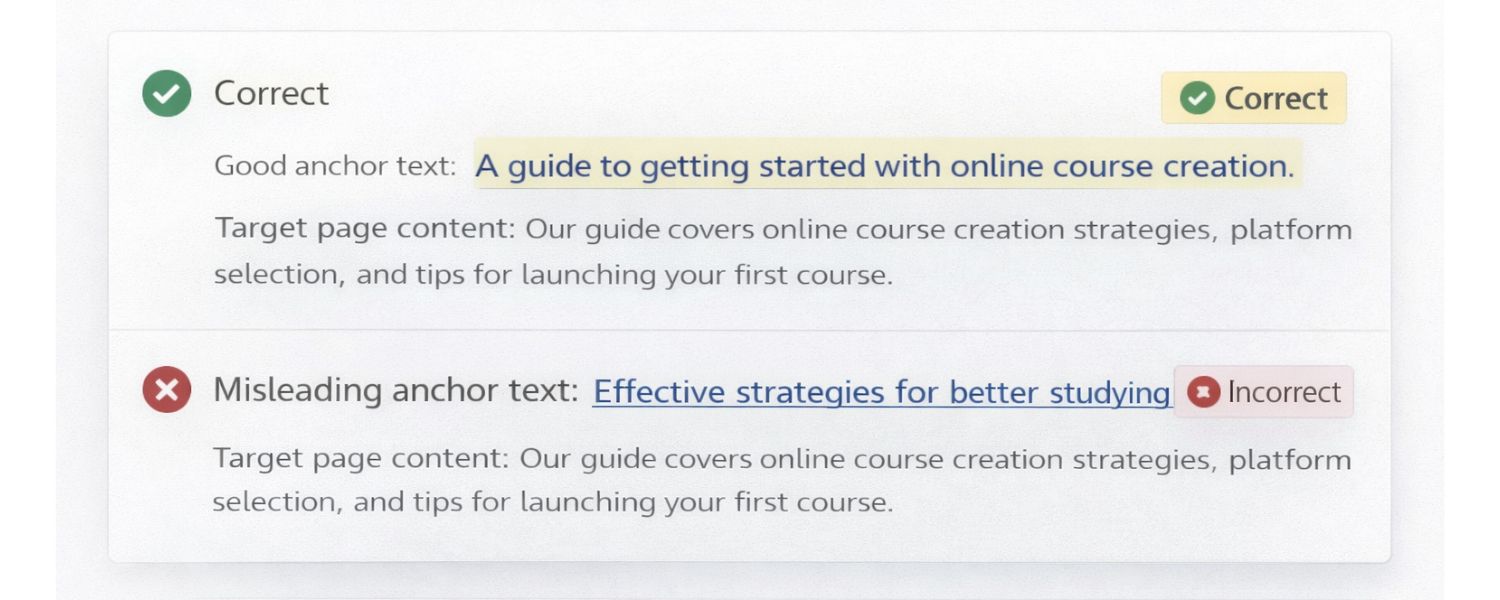
This sounds obvious, but it’s crucial: ensure the anchor text truly reflects the page you’re linking to. Don’t say “free SEO checklist” as a link if the destination page is a paid SEO services page – that’s misleading to users and search engines alike.
Misaligned anchors can increase bounce rates (users feel tricked and leave) and erode trust. Google may also evaluate the relevance between linking page content, anchor text, and target page content; if they seem disconnected or deceptive, it’s not a good signal.
Always double-check that your link text describes the actual content or title of the target page. Never bait-and-switch with anchors – e.g., don’t link the text of a popular keyword to an unrelated page just to attract clicks. Consistency and honesty in anchor text will serve you best in the long run.
7. Make Links Stand Out
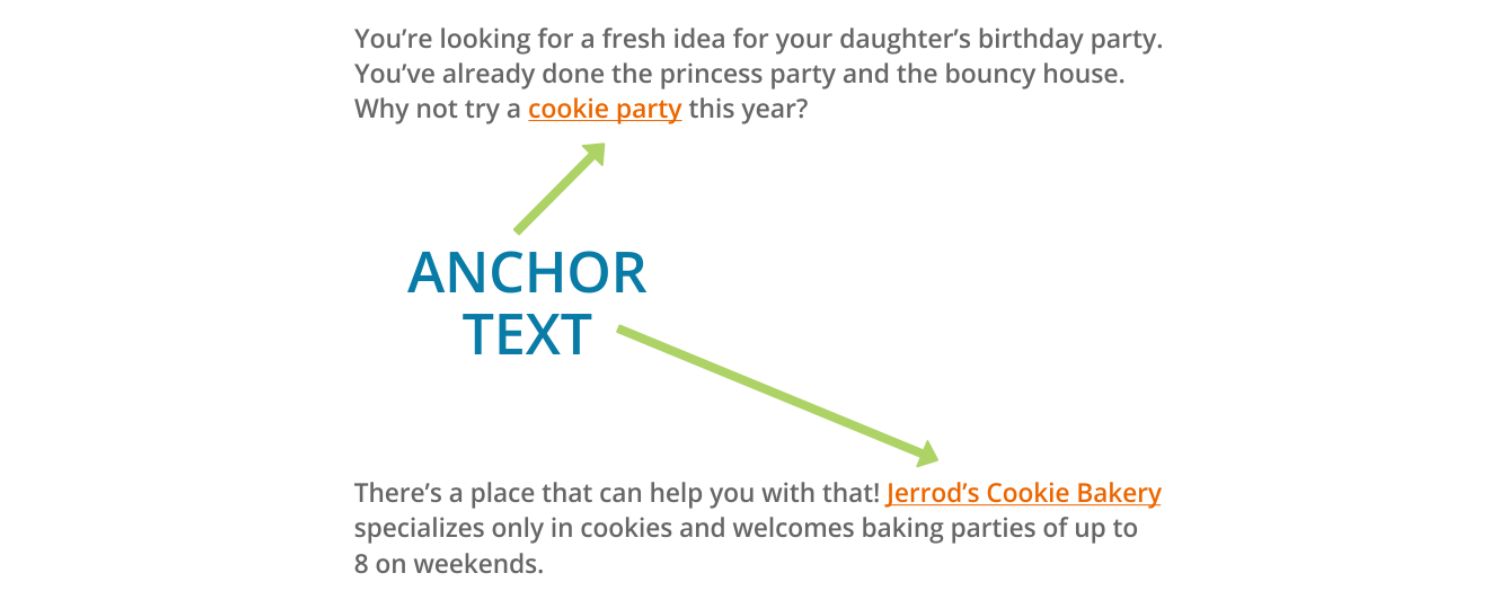
This is more of a UX/design practice, but it impacts SEO indirectly (through user behavior signals). Ensure your anchor text is clearly visible and obviously clickable on the page.
Typically, using a different color and underlining the anchor is standard because users expect it. Don’t hide links in a wall of text or use styling that makes them indistinguishable from regular text.
Many content management systems handle link styling by default, but always verify. If links are hard to see, users won’t click (defeating their purpose), and it could hurt engagement metrics.
For accessibility, also consider that color-blind users might not detect a subtle color change – underlining or a clear indicator of hover is helpful. In short, a reader should be able to scan your article and immediately identify what texts are links.
8. Use Alt Text for Image Links

Whenever an image is used as a link (like a logo linking to the homepage), provide descriptive alt text for that image. The alt text effectively becomes the anchor text seen by search engines.
For example, for a linked logo image, alt=”Company Name homepage” could serve as a branded anchor. Without alt text, an image link is “empty” and you miss an SEO opportunity (and create a poor experience for visually impaired users). This is a simple but often overlooked best practice.
By following these best practices, you’ll make your anchor texts both user-friendly and SEO-friendly. In practice, that means more people clicking your links, more clarity for search engines, and potentially higher rankings due to better relevance signals and happier users.
Common Anchor Text Mistakes to Avoid
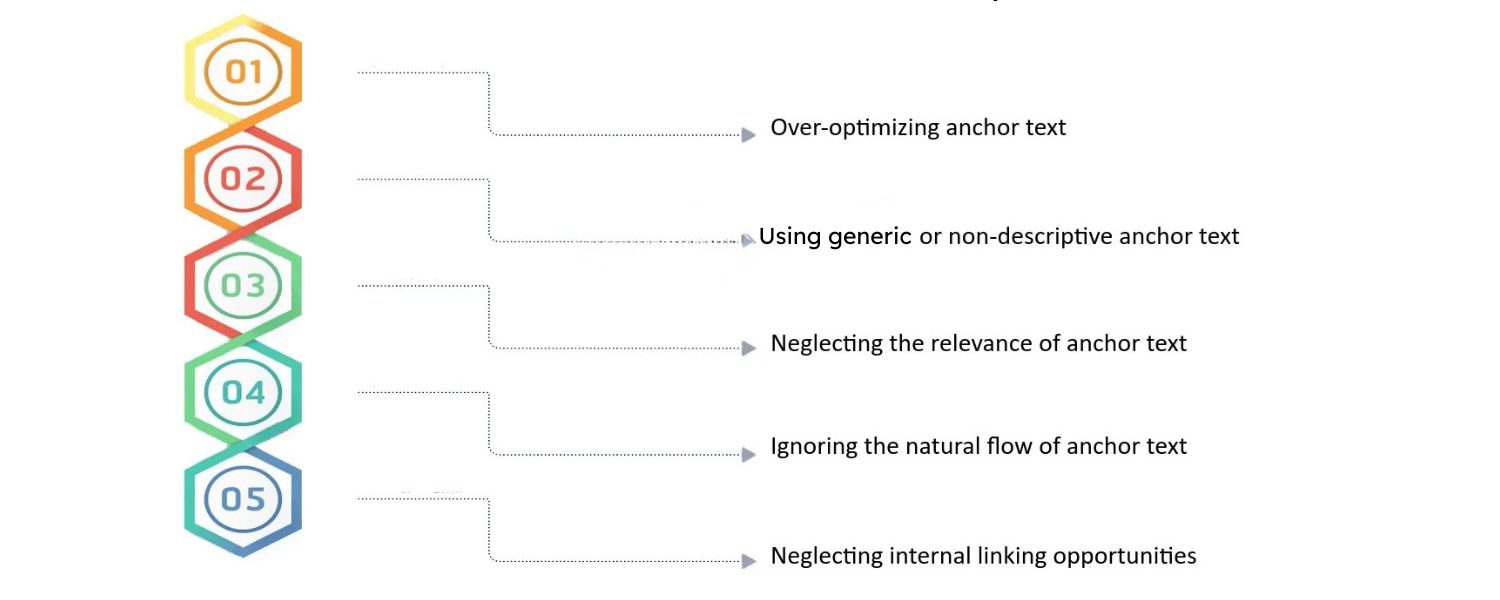
Even seasoned marketers can slip up with anchor text. Here are some frequent mistakes or bad habits that you should steer clear of:
1. Using One-Word or Generic Anchors Repeatedly
A site filled with links like “click here,” “link,” or single words like “article” is missing an opportunity – and may raise red flags. Generic anchors provide no context, and using the same generic phrase everywhere looks automated.
Always aim for informative anchors over bare-bones terms. Likewise, beware of overusing any one exact term site-wide; a lack of variety appears unnatural.
2. Over-Optimizing with Exact Keywords
This was a classic SEO mistake in the past – stuffing keywords into anchors and using the exact same keyword every time. For example, if you force “best budget phone 2025” as anchor text in dozens of guest posts or across your site, it’s a pattern Google will notice.
Over-optimized anchor text profiles (especially in backlinks) have been linked to search penalties. Don’t try to manipulate rankings with excessive keyword anchors. Focus on content quality and let anchor text naturaly vary.
3. Linking Irrelevant or Off-Topic Pages
Ensure the content you’re linking (and its anchor text) is contextually relevant to your current page. Don’t drop random links that don’t relate, just for the sake of a link.
For instance, within an article about baking bread, linking the text “credit card offers” to a finance site would confuse readers (and search engines). Irrelevant linking can be seen as spammy or part of link schemes, especially if done excessively.
Too Many Links in Proximity: Avoid dumping a cluster of links back-to-back or in every sentence. This not only overwhelms the reader but also dilutes the value of each link.
Google’s best practices highlight that chaining multiple anchors one after another is a poor user experience. Space out your links and give each its own clear context. Quality of links (and their anchor texts) matters more than quantity.
4. All Links to One Page Use Same Anchor
If every time you mention your product page you use the anchor “best email software,” that consistency might seem like a good branding move, but it can appear unnatural.
In reality, people might link to that page in varied ways (“our email tool,” “email software,” “Acme Emailer,” etc.). So internally, mix up how you refer to it.
The same goes for backlinks, if a hundred different websites all link to you with the exact same phrase, it looks orchestrated. Diversity is key for credibility.
5. Misleading Anchor Text (Link Mismatch)
Never trick users by making anchor text say something that the target page doesn’t deliver. This bears repeating because it’s a cardinal sin in UX.
If your anchor says “free e-book download,” the link had better go to a page where a free e-book can be downloaded – not a sales pitch or a completely unrelated topic. Misleading anchors break trust and can also be considered a deceptive practice by search engines.
6. Broken or Empty Anchors
Regularly audit your site for any links that have no anchor text or use an image without alt text, as well as links that no longer work (broken URLs).
Empty anchor text is useless for SEO (Google might fallback to a title attribute if present, but that’s not guaranteed). And broken links hurt user experience and can indirectly affect SEO (e.g., increased bounce rates). Keep your anchors and their target URLs up to date.
By avoiding these pitfalls, you maintain a healthy linking profile that benefits users and keeps you in Google’s good graces. Remember, anchor text is about balance: enough keywords to signal relevance, but not so much that it looks spammy; creative and varied, but always relevant and truthful.
Conclusion & Key Takeaways
Anchor text may be a small element of your content, but it has outsized influence on how both people and search engines perceive your site. By now, you should understand that anchor text isn’t just about hyperlinking random words – it’s about providing context and value.
When you use clear and relevant anchor texts, you make it easier for readers to navigate and for Google to interpret your pages. On the flip side, improper anchors (like generic “click here” links or overstuffed keywords) can undermine your SEO efforts.
Key takeaways: Always craft anchor text with the user in mind first – make it descriptive, concise, and pertinent to the linked content. Keep your linking natural and varied to avoid looking manipulative.
Audit your site’s anchors periodically, fix any poor or broken links, and refine anchor texts that could be more informative. Now it’s your turn to put these insights into action. Start by reviewing your own website’s links: Do your internal anchors make sense? Are you accidentally using “learn more” everywhere? Adjust those link texts to be more specific.
Encourage your team or content contributors to follow these best practices on new content. Over time, these small changes can lead to better usability and even improved search rankings.
By mastering anchor text, you’re strengthening one of the fundamental building blocks of SEO and web usability. So go ahead, apply these tips, update your anchor texts, and watch how this attention to detail helps boost your site’s authority and user engagement. Happy linking, and here’s to climbing the rankings with smarter anchor text strategy

.png)
Shopify SEO: Guide to Ranking Your Store and Driving Sales
Most Shopify store owners set up their store, list their...

Content Marketing : Definitive Guide to Strategy, Content Types, and Measurable ROI
Content marketing generates 3x more leads than outbound marketing at...

Above the Fold: Guide to Conversions, Rankings and Faster Pages
Above the Fold in 2026: The Complete Guide to Conversions,...

Off-Page SEO Checklist: Guide to Building Real Authority
Most websites spend months creating great content, only to wonder...

What Is Keyword Bidding? The Complete Strategy Guide for Smarter Ad Spend
Most advertisers believe the highest bid wins the auction. It...

What Is Google Trends? The 2026 Marketer’s Complete Guide
If you are not already pulling weekly insights from Google...
If you want a growth partner who will get to know every aspect of your business and treat your budget like their own — we are the right fit.
.png)


.png)
.png)
.png)
.png)
.png)
.png)
2026 ALL RIGHTS RESERVED MADE IN INDIA
