
Location Page SEO: How to Improve Your Local Landing Pages for Success
September 8, 2025
Introduction
Nearly half of all Google searches have local intent, and an astounding 76% of “near me” searchers visit a business within a day. If you operate a business with multiple locations, this is a huge opportunity to attract ready-to-buy customers. The key is to create location pages that are finely tuned for local SEO.
Location pages are dedicated landing pages for each physical location of your business – they provide detailed, location-specific information and help you rank for city-specific and “near me” searches. As an SEO expert with 25+ years in marketing, I’ve seen how well-crafted location pages can skyrocket local visibility and conversions.
In this comprehensive guide, we’ll explore how to optimize your location pages step-by-step, ensuring they outrank competitors and truly serve your local audience. Let’s dive in!
Why Location Pages Matter for Local SEO
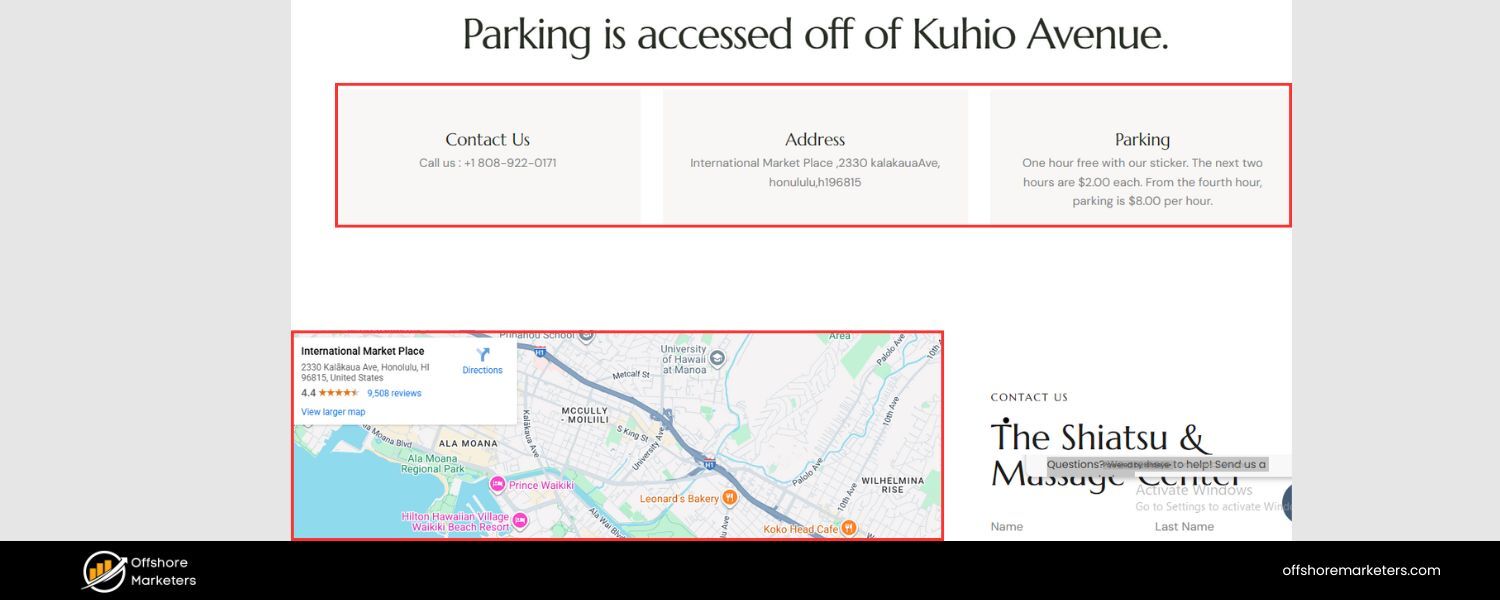
Location pages (also known as local landing pages) are critical for any multi-location or service-area business. They bridge the gap between online searches and offline foot traffic. A good location page does more than list an address – it provides valuable local content that helps customers and search engines.
For instance, a robust location page will confirm your business’s Name, Address, Phone (NAP) details and operating hours, and include unique info like directions, photos, and testimonials for that branch.
From an SEO perspective, these pages send strong trust and relevance signals to Google. Consistent NAP information across your site and Google Business Profile builds credibility, making Google confident your business is legitimate and worth ranking.
Each location page also targets localized keywords (e.g. “dentist in [City]” or “best pizza near [Neighborhood]”), improving your visibility for those geo-specific queries.
Finally, a well-optimized location page enhances user experience: it answers customers’ common questions and showcases why your [City] location is special, helping turn online visitors into real-world customers. In short, location pages are an SEO powerhouse – they help searchers find exactly what they need locally, and help your business stand out in each market you serve.
Pro tip: Google won’t automatically rank a generic homepage for every city you serve. Without dedicated location pages, multi-location businesses struggle to get found in local searches.
Conduct Local Keyword Research for Each Location
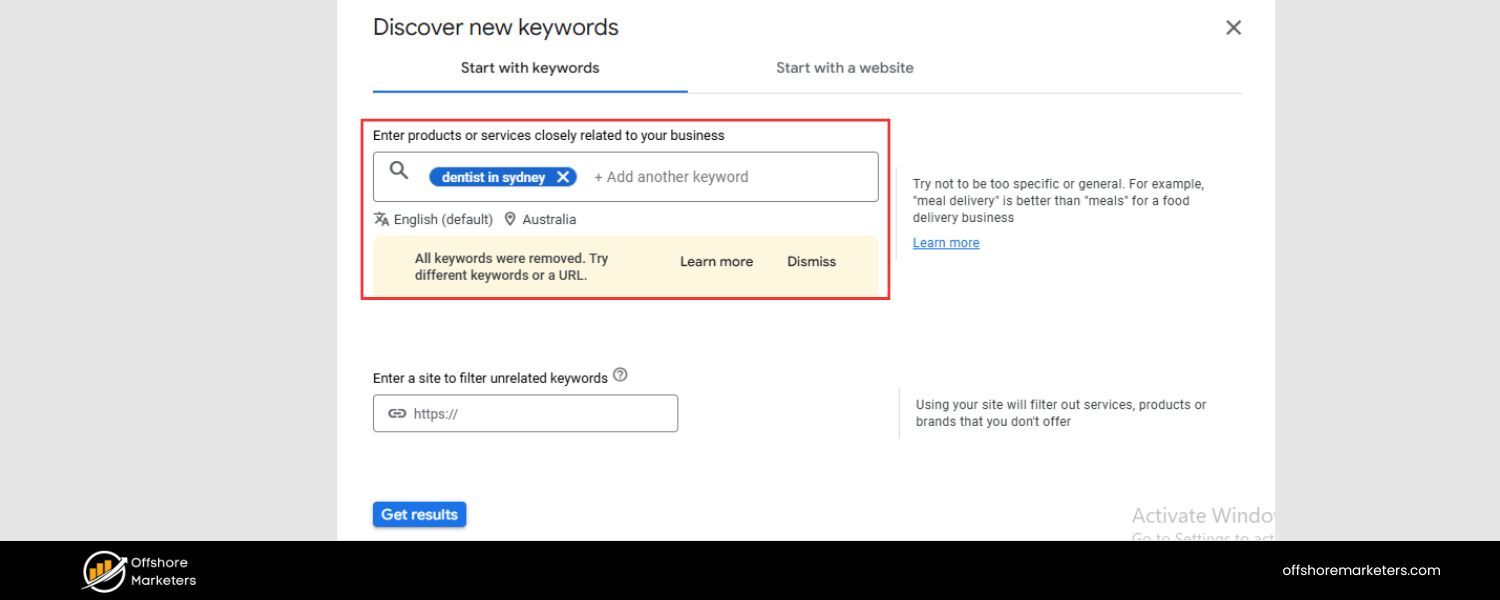
Successful location page SEO starts with smart keyword research. Identify the search terms locals use when looking for your products or services in that area. People often include geo-modifiers (city, neighborhood, or “near me”) in local searches.
For example, a plumber might target keywords like “plumber in Brooklyn” or “emergency plumber Downtown Brooklyn.” Use SEO tools or Google’s Keyword Planner to find relevant local keywords with decent search volume. Include your service + location combinations (e.g. “dentist in [City]”, “[City] dental clinic”). These phrases indicate strong intent – someone searching “[service] in [City]” is likely looking to hire a business nearby.
Aim to map different keywords to each location page based on the area’s name and popular terms. For example, your Denver page might target “Denver HVAC repair,” while your Boulder page targets “Boulder air conditioning service,” reflecting each locale. This research ensures you optimize content and meta tags with the right terms so your pages can match local queries.
It’s the foundation for everything that follows. (Bonus: If you operate in a big city with distinct neighborhoods, consider including neighborhood names as keywords to capture hyper-local searches.)
Craft Unique, Location-Specific Content
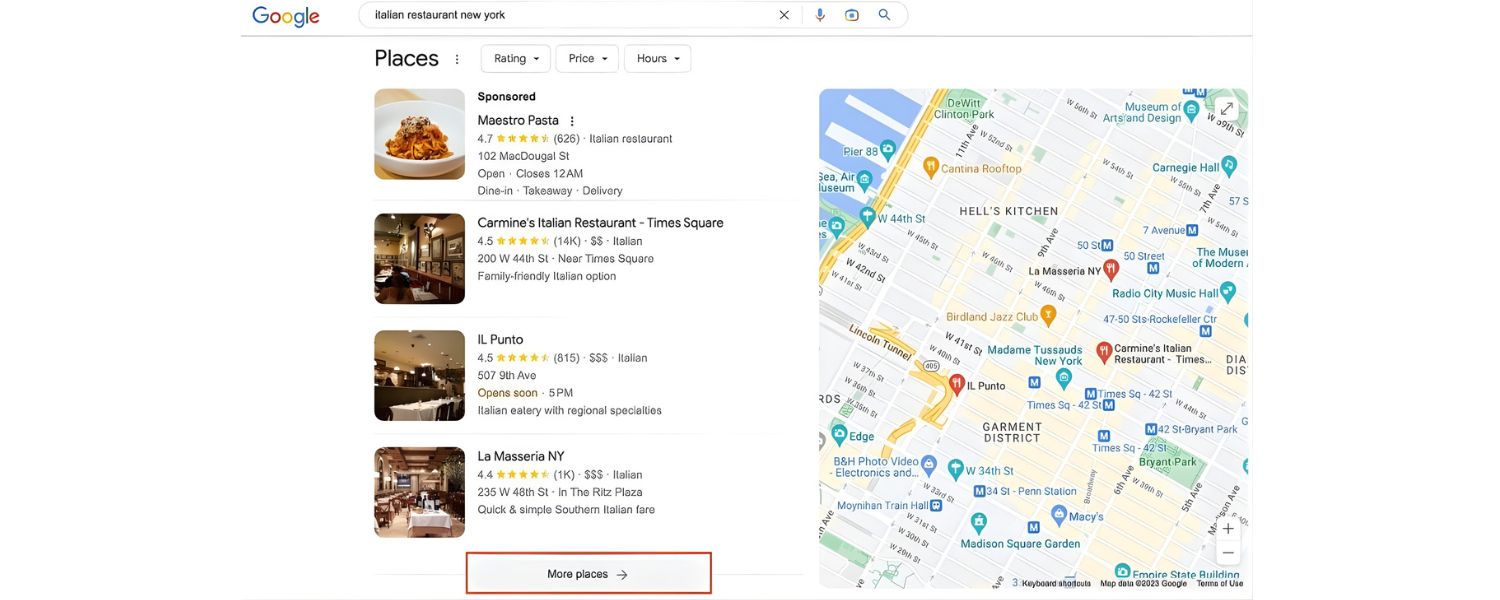
One of the cardinal rules of location page SEO is to avoid boilerplate content. Each location page must offer unique value tailored to that specific branch or city. If your pages are just copy-pasted templates with the city name swapped out, Google will likely view them as “doorway pages” – low-value pages created solely to game search rankings.
Google has long stated that mass-produced pages with just location names changed hurt user experience and may be penalized. In my experience, gone are the days when you could spin the same text for 100 cities and rank everywhere – today, quality trumps quantity.
Ensure that at least 50% (if not more) of each page’s content is truly unique to that location. What does that mean in practice? Highlight things like the specific neighborhood context, the unique services or inventory at that branch, any local awards or community involvement, and so on.
For example, a home cleaning service might mention tackling beach sand in its Los Angeles page versus humidity and fog in its San Francisco page – each page addressing local conditions.
Include details that only make sense for that store: references to nearby landmarks (“located next to Union Square”), parking or transit details (e.g. “ample parking in the rear lot on 5th Street”), or a blurb about the community (“proudly serving the historic Logan Circle neighborhood”).
The bottom line: if you can copy a paragraph from one location page to another and it still reads true, it’s not unique enough. Invest the effort to write distinct copy for each location – Google will reward you, and local customers will appreciate the localized touch.
(Note: Aim for roughly 40–60% unique content as a rule of thumb. Using a consistent template is fine for structure, but fill it with rich, location-specific info for each page.)
Showcase Essential Business Details (NAP, Hours, Directions)
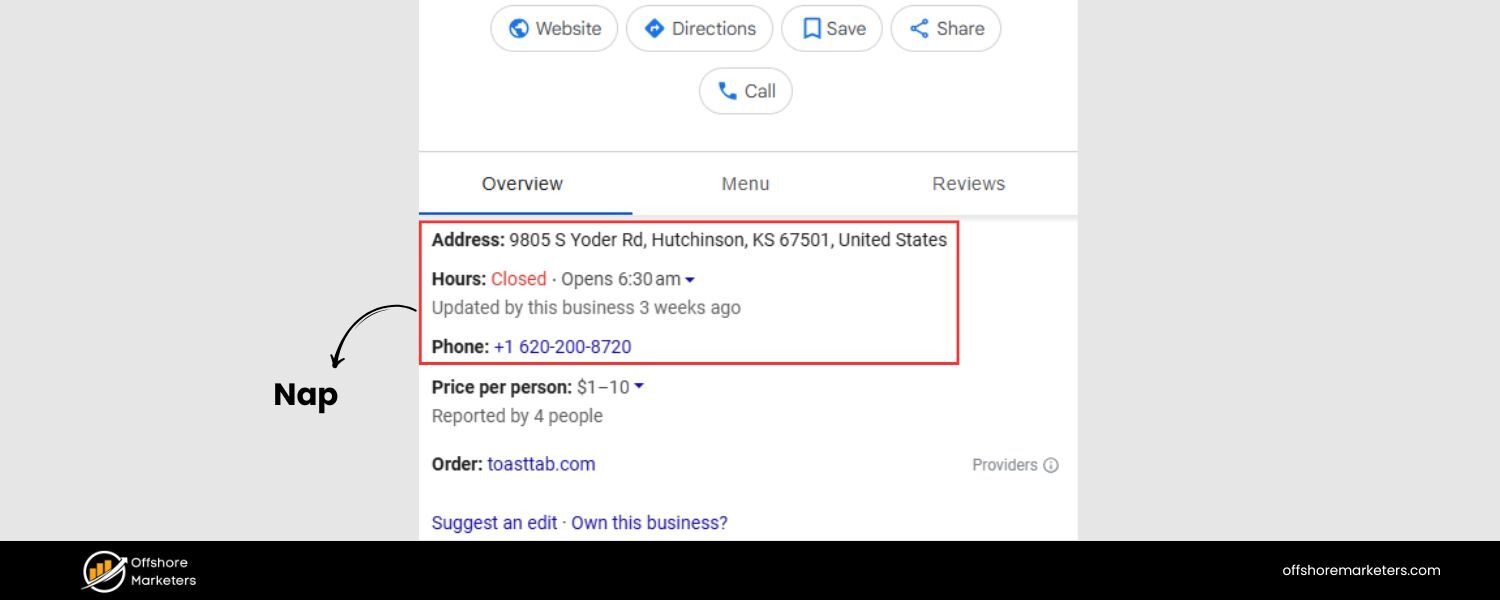
Every location page should clearly present the essential business details for that location – this not only helps users but also reinforces local signals to search engines. Ensure you prominently list the Name, Address, and Phone number (NAP) for the location in crawlable text (not just an image). Consistency is crucial: the NAP on your page must exactly match what’s on your Google Business Profile and online directories.
Discrepancies (like abbreviating “Street” in one place and spelling it out in another) can confuse Google and users. Consistent NAP information across all platforms builds trust and can improve your local rankings.
Include the operating hours and any specific details like holiday closures – users often search for “[Your Business] hours [City],” so keep these updated. Provide easy-to-follow driving directions or cross-streets, especially if your location is a bit tricky to find.
Many top-performing location pages even include a brief “How to Find Us” paragraph: e.g. “Located in the Springfield Plaza, next to Target – from I-80 take Exit 7, and we’re two blocks north of the exit.”
If your location has notable amenities (free parking, wheelchair accessibility, pet-friendly patio, etc.), list those too. Such details both improve user experience and differentiate your locations. In fact, adding these unique attributes (parking info, accessibility notes, local staff bios, etc.) is a recommended way to set each page apart and avoid duplication.
The goal is to make each location page a one-stop resource for everything a customer might need to know before visiting or contacting that specific branch. Not only does this help users, but it also reinforces to Google that this page is highly relevant for searches about your business in that area.
Embed a Google Map and Directions
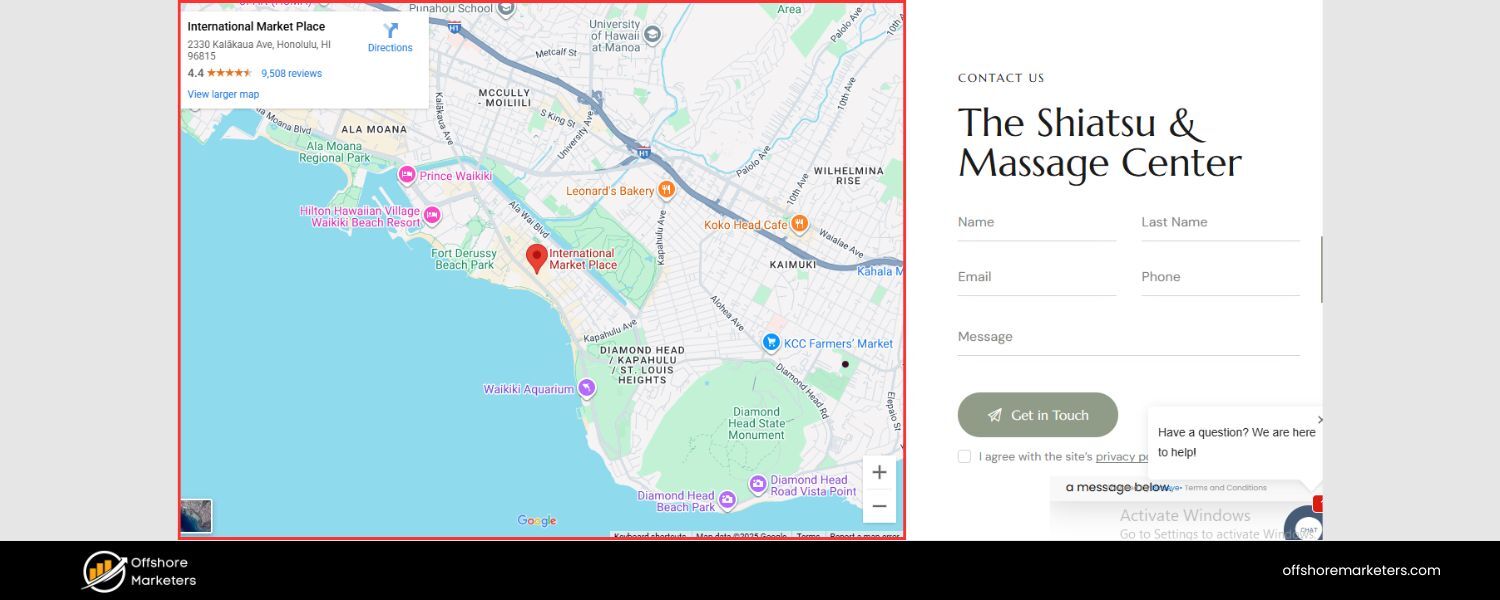
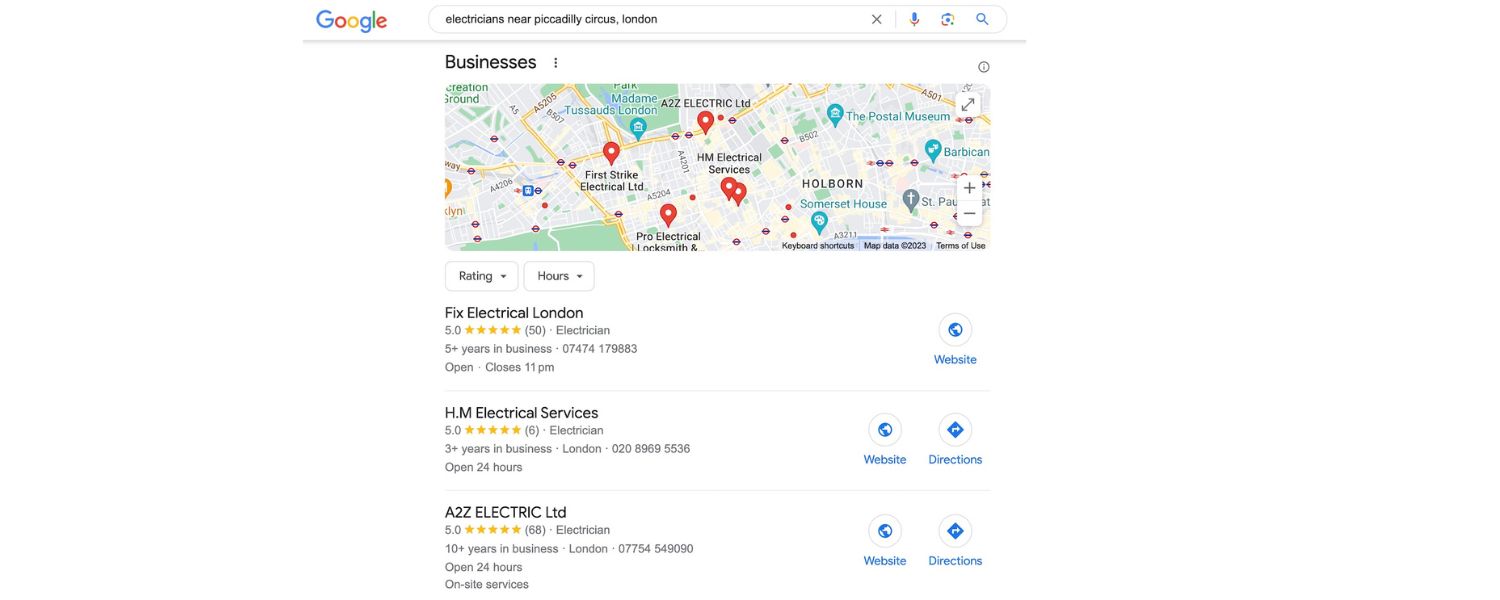
Embedding an interactive Google Map on your location page is a smart move for both UX and SEO. It provides a quick visual cue of your location and lets users get directions with one click. Google Maps embeds also supply Google with additional context about your geographic area. For brick-and-mortar stores or offices, embed a map pin pointing your exact address on Google Maps.
This way, someone on your site can instantly see “Oh, they’re right off Main Street, near that park,” and can click through for directions. If your business serves a wider area without a storefront (e.g. a service-area business like a plumber with no public office), you can embed a map highlighting your service area instead. For example, you might show a shaded region or markers covering all suburbs you serve.
Including a map isn’t just convenient for users – it also reinforces your location keyword relevance. It literally puts your business “on the map” for that city. Make sure the pinned address on the map exactly matches your listed address (another NAP consistency check). You can easily generate an embed code via Google Maps and paste it into your page; Google’s developer docs have step-by-step instructions.
As a bonus tip, consider adding a short textual direction snippet below the map, like “We’re only a 5-minute drive from Downtown and accessible via the #10 bus line.” This integrates local landmarks and transit info, which can further signal local relevance. Overall, a map embed makes your location page more user-friendly and credible – it shows you’re truly part of the local landscape.
Use High-Quality, Location-Specific Images
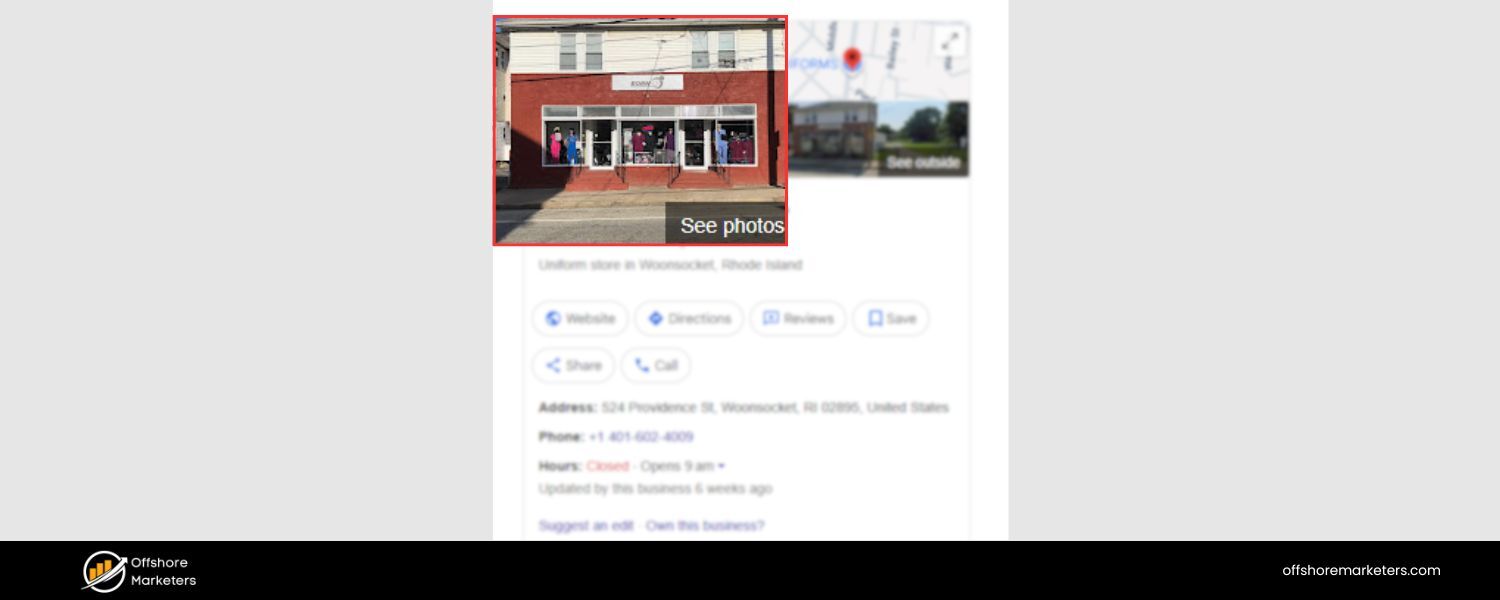
Visual content can significantly boost engagement on your location pages. Rather than generic stock photos, use authentic images that showcase your actual location, products, or team.
Real photos help build trust – they prove to visitors that your business is really there and give a sense of what to expect. For example, include an exterior shot of your storefront or office (with signage visible) so people can recognize it when they arrive.
Show interior photos too: a peek inside your shop, dining area, waiting room, etc., especially if ambiance is a selling point. If relevant, add pictures of your local team members at that location or happy customers (with permission). These images personalize the experience and can make your page more memorable.
From an SEO standpoint, optimize your images by using descriptive file names and ALT text that include location keywords (e.g. ALT=”Exterior of XYZ Bakery in Seattle”). Google Image Search can drive traffic, and ALT text also aids accessibility.
Additionally, ensure images are properly compressed and resized for web – large, unoptimized images can slow down your page (which hurts SEO, especially mobile SEO).
Tools or CMS plugins can help you compress images without losing quality. Pro tip: Some businesses add a 360° virtual tour or a short video of the location to really engage users.
While not mandatory, these can set you apart if competitors have very static pages. In summary, “show, don’t just tell” on your location pages – high-quality visuals of your actual location and team make your page more compelling and help convert inquisitive searchers into actual customers.
Feature Customer Reviews and Local Testimonials
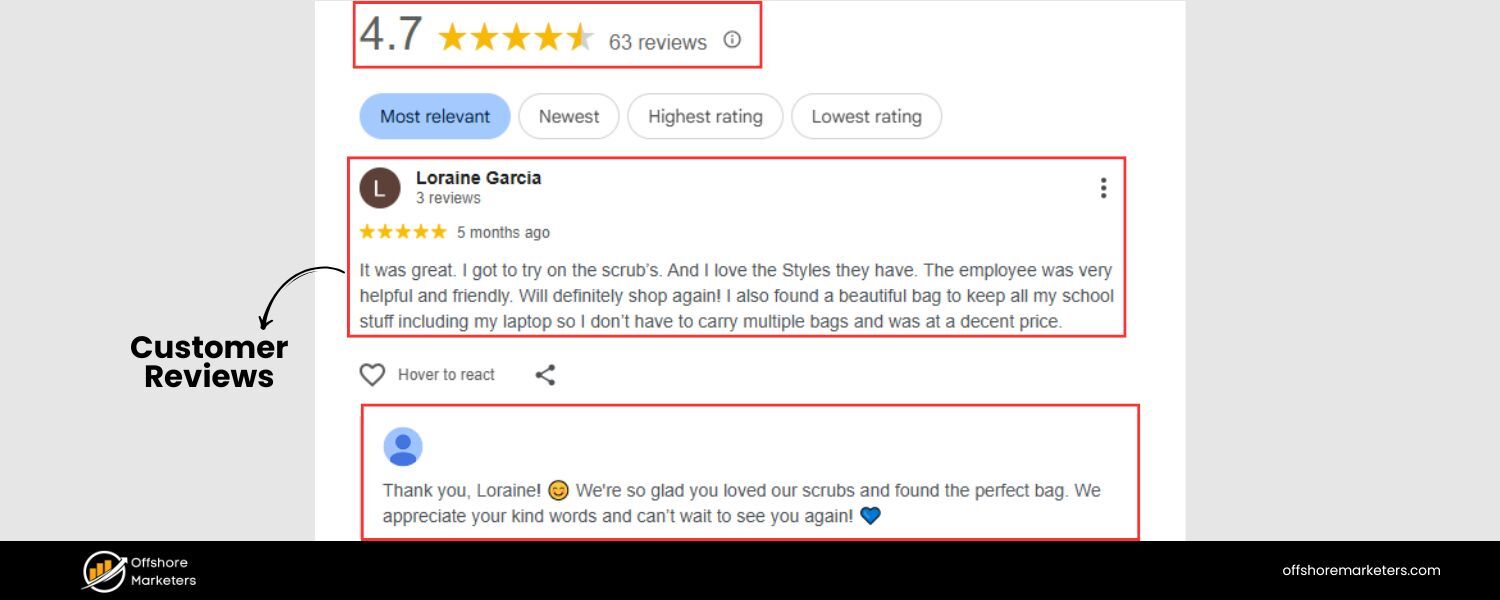
Nothing builds trust like social proof. Featuring customer reviews or testimonials on your location pages can greatly increase credibility – and even boost your local SEO performance. Google’s algorithm does take note of review content and ratings (especially those tied to your Google Business Profile), and highly-rated businesses often get a local ranking boost.
In fact, showing some review content on your page can help it rank higher in local results. More importantly, human visitors seeing glowing reviews from other locals will be more confident in choosing your business.
There are a few effective ways to incorporate reviews on location pages: you can embed a live feed or widget showing your latest Google Reviews for that location, display a summary of your star rating (e.g. “4.8 ★★★★★ based on 120 reviews in [City]”), or hand-pick a couple of standout customer quotes.
If possible, use location-specific reviews – a quote that mentions your city or the particular store (“The team at Seattle branch was amazing – fast service!”) will resonate more than a generic review. Testimonials can also be longer-form, perhaps from a loyal customer or case study, describing how your business solved their problem (include name, date, maybe a customer photo for authenticity).
Additionally, consider adding any local awards or accolades (e.g. “Voted #1 Pet Groomer in Denver 2025”) and logos of trust seals or associations (BBB, local chamber of commerce, etc.). These all serve as trust signals. From an SEO perspective, having relevant content (like “[City] customers love [Your Business]”) with keywords can’t hurt either. Just be sure not to fabricate or keyword-stuff reviews – use real feedback.
By showcasing social proof, you not only foster trust but also signal to search engines that your business is well-regarded in the community, reinforcing your authority and expertise locally.
Optimize On-Page SEO Elements (URLs, Titles, Headings & Meta)
Don’t forget the fundamental on-page SEO optimizations for each location page. These technical elements help search engines interpret and rank your page for the right local queries:
1. SEO-Friendly URL
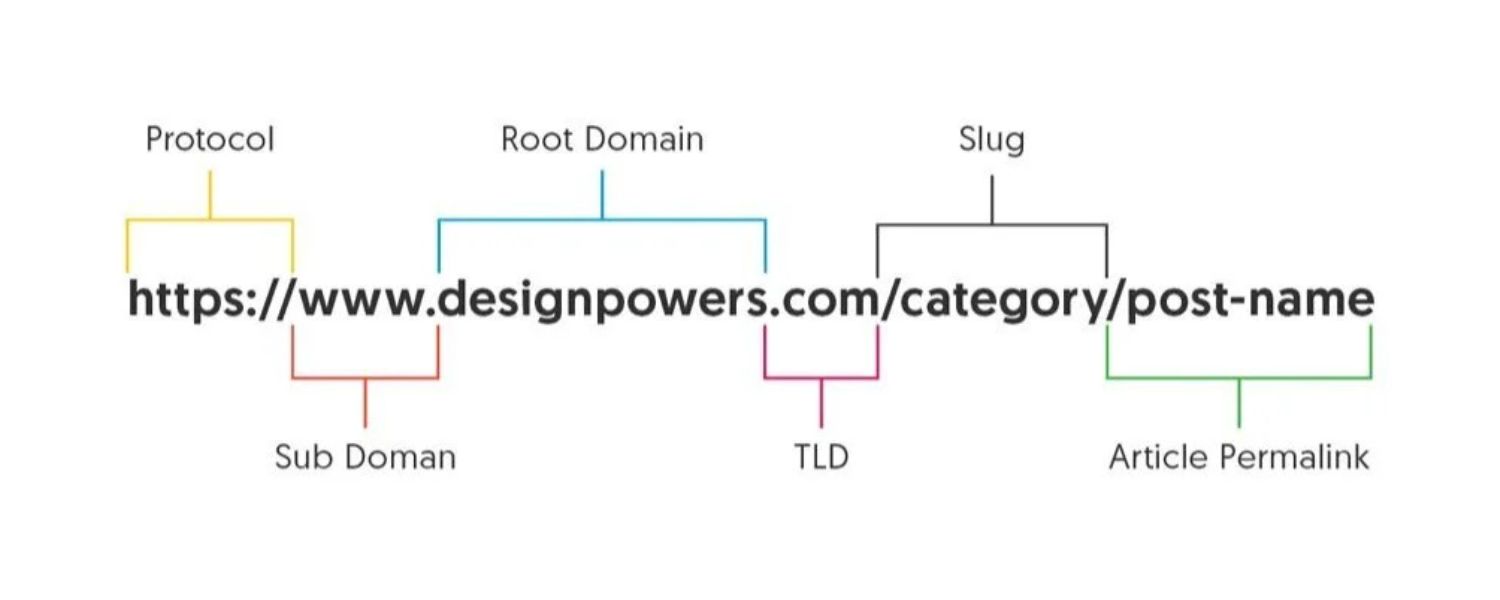
Use a URL structure that includes the location. For example, /locations/miami/ or /miami-plumbing/ instead of a generic query string. A good practice is to have a parent “/locations/” directory if you have many, but include the city name in the slug for clarity and keywords. Keep URLs short, readable, and consistent (avoid changing them once live).
2. Title Tag
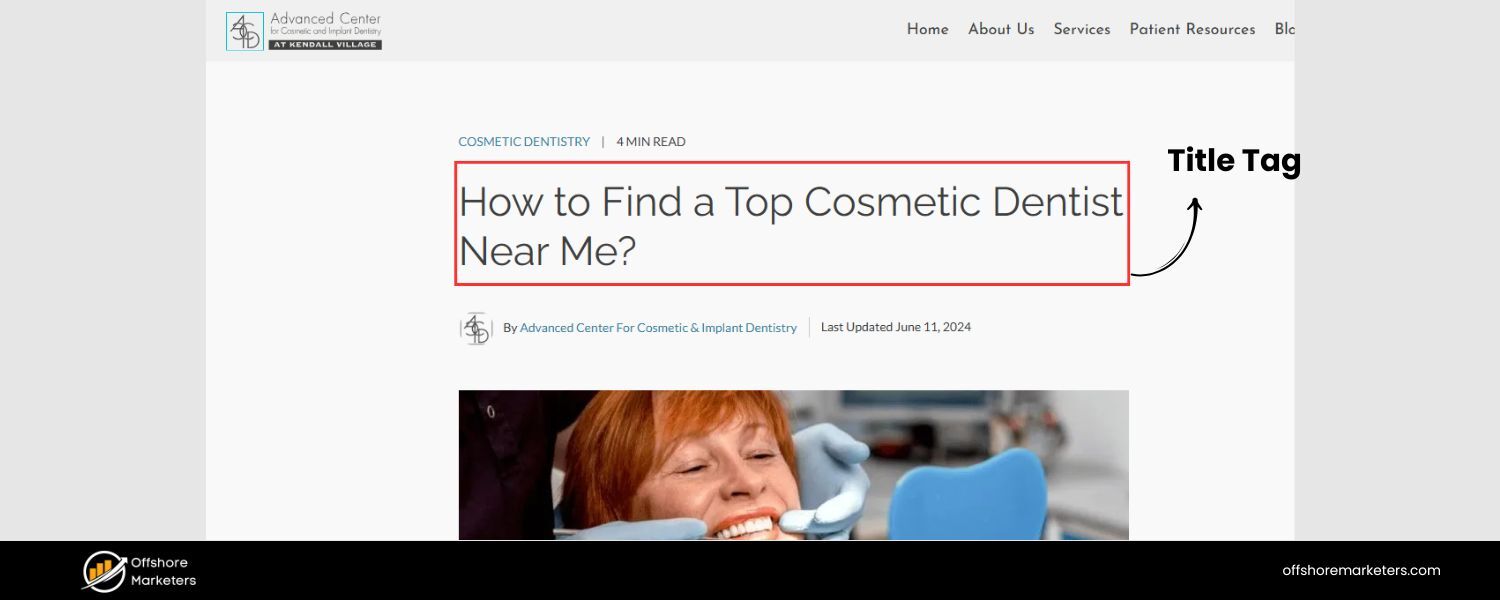
Craft a compelling title tag (~60 characters) that features your primary keyword and location. This is what appears in Google results as the clickable headline. For instance: “Family Dentist in Miami – [Brand Name] Dental Clinic”.
Including both the service and city in the title helps Google and searchers see immediate relevance. Make it unique for each location page.
3. Meta Description
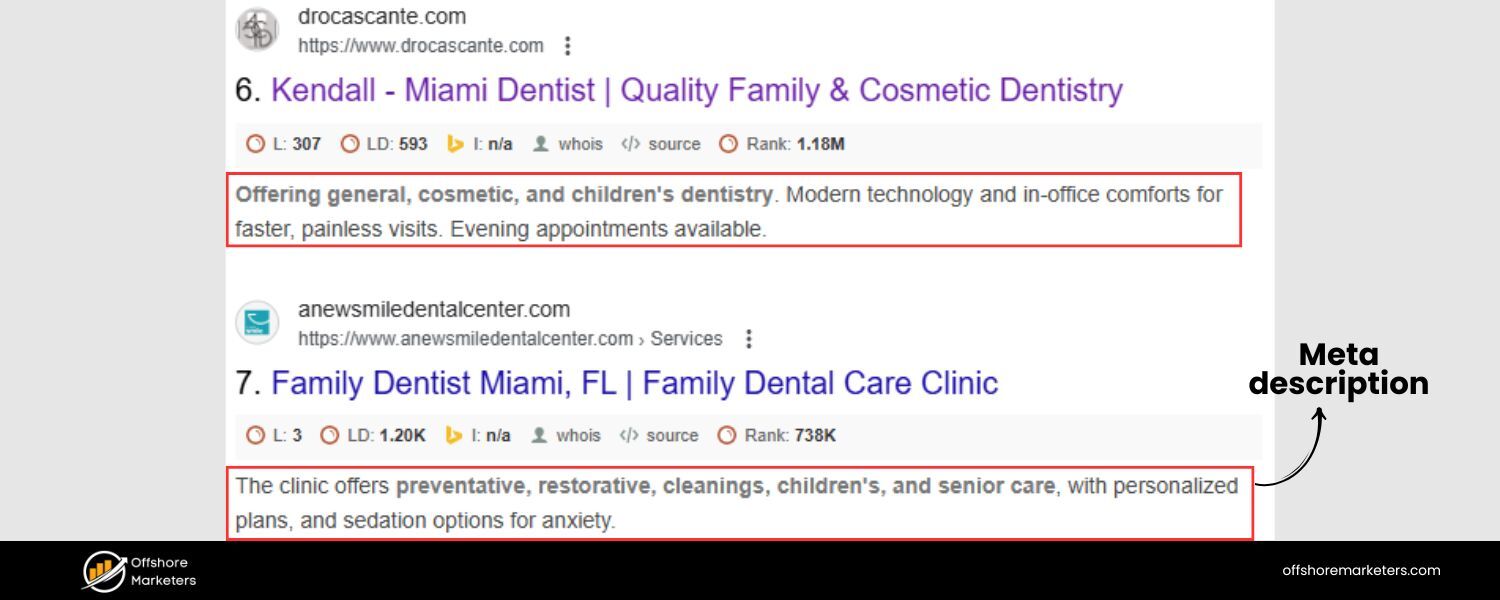
Write a meta description (~150 characters) that also weaves in the location and a value proposition. E.g.: “Looking for a dentist in Miami? Our Miami dental office offers compassionate care, same-day appointments, and 5-star patient reviews.”
While meta descriptions don’t directly influence rankings, a well-written one can improve click-through rate – and a location mention will bold in the search results if someone searched that city.
4. Headings (H1, H2, etc.)
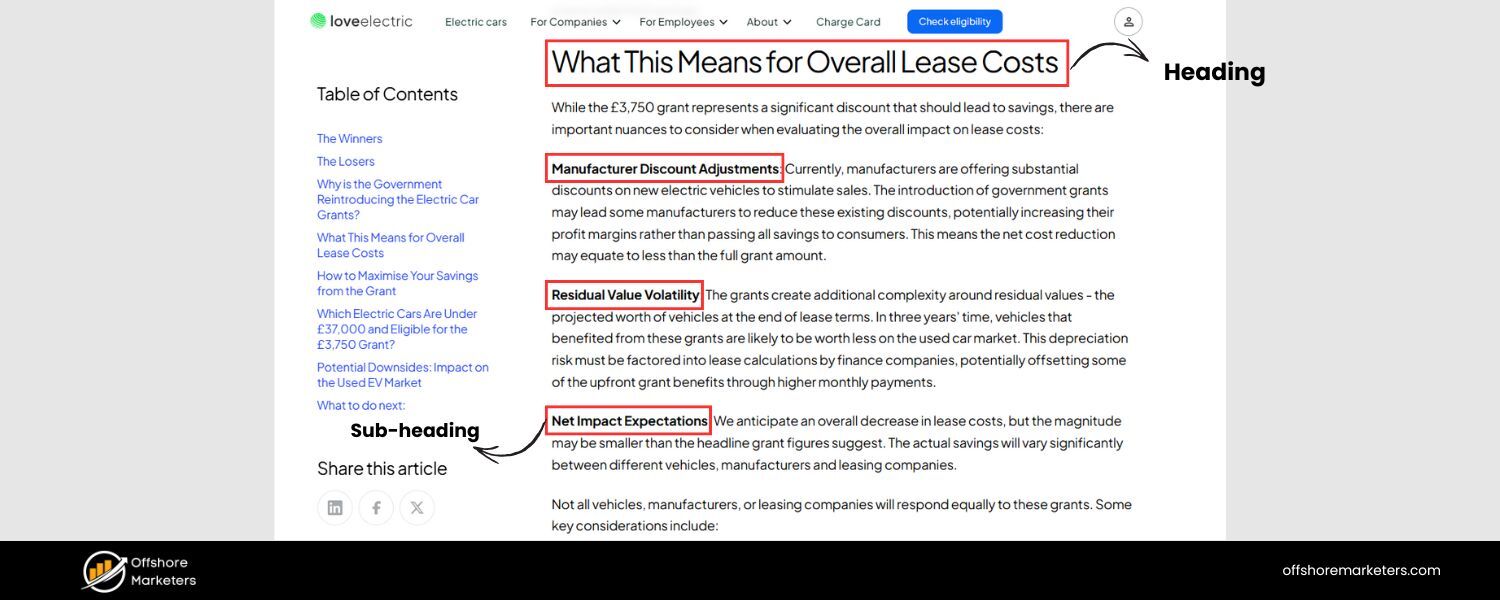
Your on-page H1 should include the location and main keyword (e.g. “Miami Plumbing Services” or “Carpet Cleaning Dallas – Our Services”). Use H2s and H3s to organize subtopics (services offered, FAQ, etc.), and sprinkle secondary keywords naturally in these subheadings.
A clear heading hierarchy not only helps SEO but also makes it easier for readers to scan your page.
5. Body Content Keywords
As you write the page content, incorporate your target city name and service keywords in a natural way throughout. Avoid over-stuffing. Aim to mention the city in a few strategic places (intro sentence, maybe in a testimonial or in the context of directions) as well as related terms (“serving the greater Miami-Dade area”, etc.).
Search engines have become quite good at understanding context, so focus on readability and answering user needs; the keywords will usually fall into place if you’re on-topic.
6. Image Alt Text
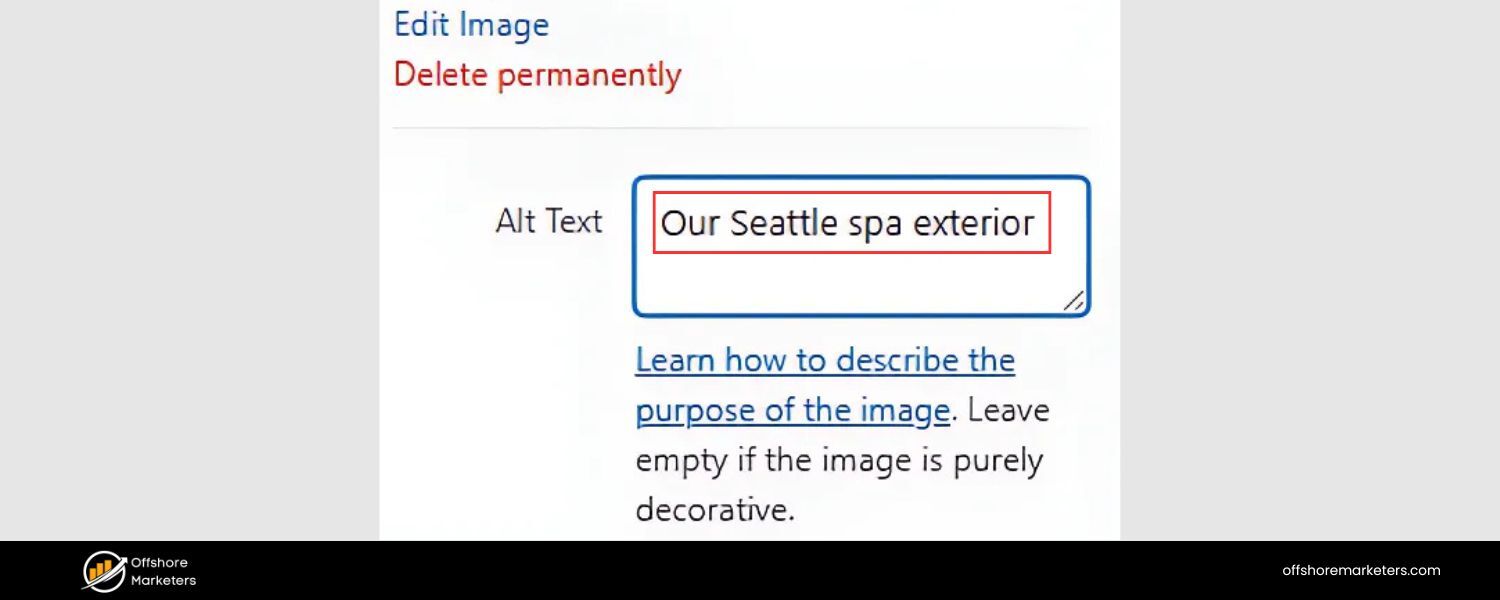
Ensure any images on the page have descriptive ALT tags, potentially including location context (e.g. alt=”Our Seattle spa exterior”). This can help those images appear in local image searches and reinforces the page’s relevance to Seattle in this example.
Also consider adding internal links within the page where relevant – for example, if you mention a specific service or product, you could link to the detailed service page (more on internal linking later). By nailing these on-page basics for each location page, you make it easy for Google to understand who you are, where you are, and what you offer there, which is fundamental to ranking well for local queries.
Ensure Mobile-Friendly, Fast Performance
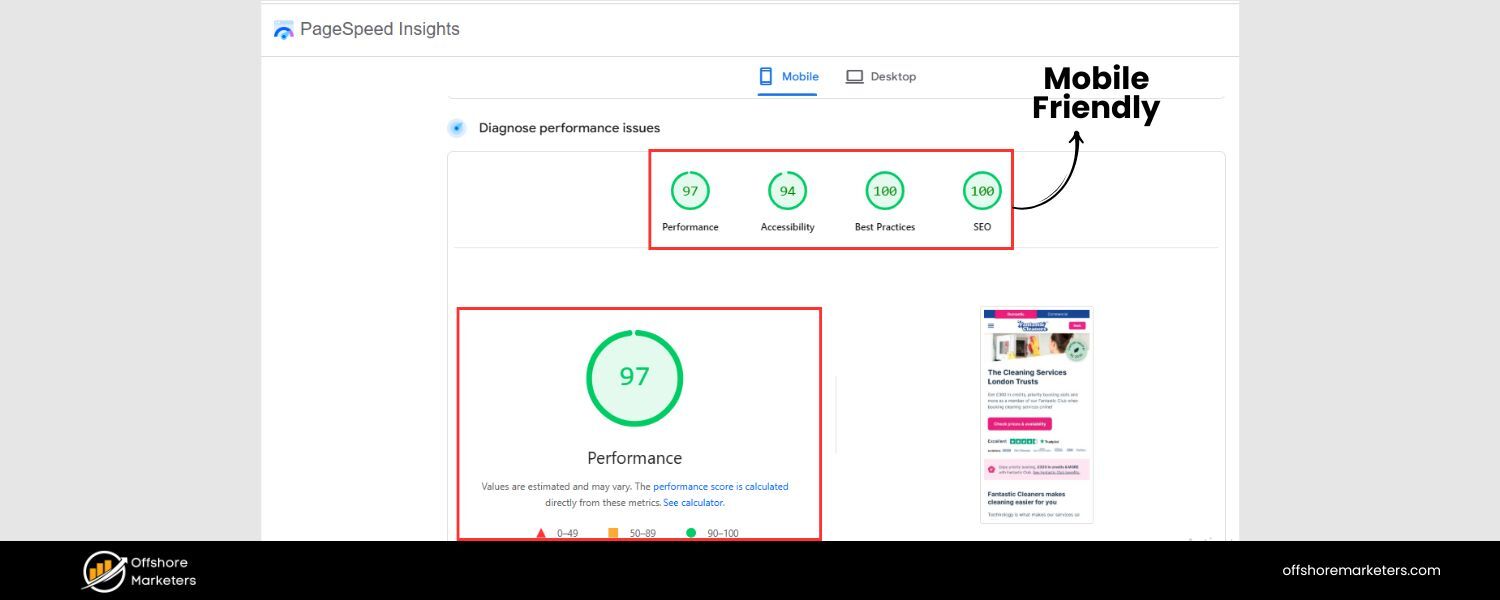
Local searches often happen on mobile devices – think of someone looking for “coffee shop near me” on their phone while on the go. Google knows this, which is why it switched to mobile-first indexing: it predominantly uses your site’s mobile version to decide rankings.
This means your location pages must be mobile-friendly to perform well. Use a responsive design that adapts to different screen sizes so that all your content (text, images, the map embed, etc.) displays nicely on a small phone screen.
Check that buttons or links on the page are easily tappable (adequate size and spacing) for fat thumbs. Ensure fonts are readable without zooming. In short, the page should be just as usable and attractive on a smartphone as on desktop.
Page speed is equally important. Mobile users are often on slower connections and won’t wait long for a page to load. Optimize your location pages for speed: compress images, enable browser caching, use lazy-loading for images or maps if possible, and minimize heavy scripts. A fast site not only improves user satisfaction but is also a known SEO ranking factor (Core Web Vitals) for Google.
Remember that local intent users are ready to act – if your page loads too slowly, they might bounce to a competitor or just use the phone number from Google My Business without seeing your detailed info.
Don’t let a sluggish page cost you a customer. Google’s mobile-friendly test and PageSpeed Insights are great tools to audit these aspects. The bottom line is mobile optimization isn’t optional, especially for local pages, where users are often out and about. By delivering a quick, smooth mobile experience, you’ll satisfy both your visitors and Google’s algorithms (which can translate to higher rankings).
Implement Local Business Schema Markup
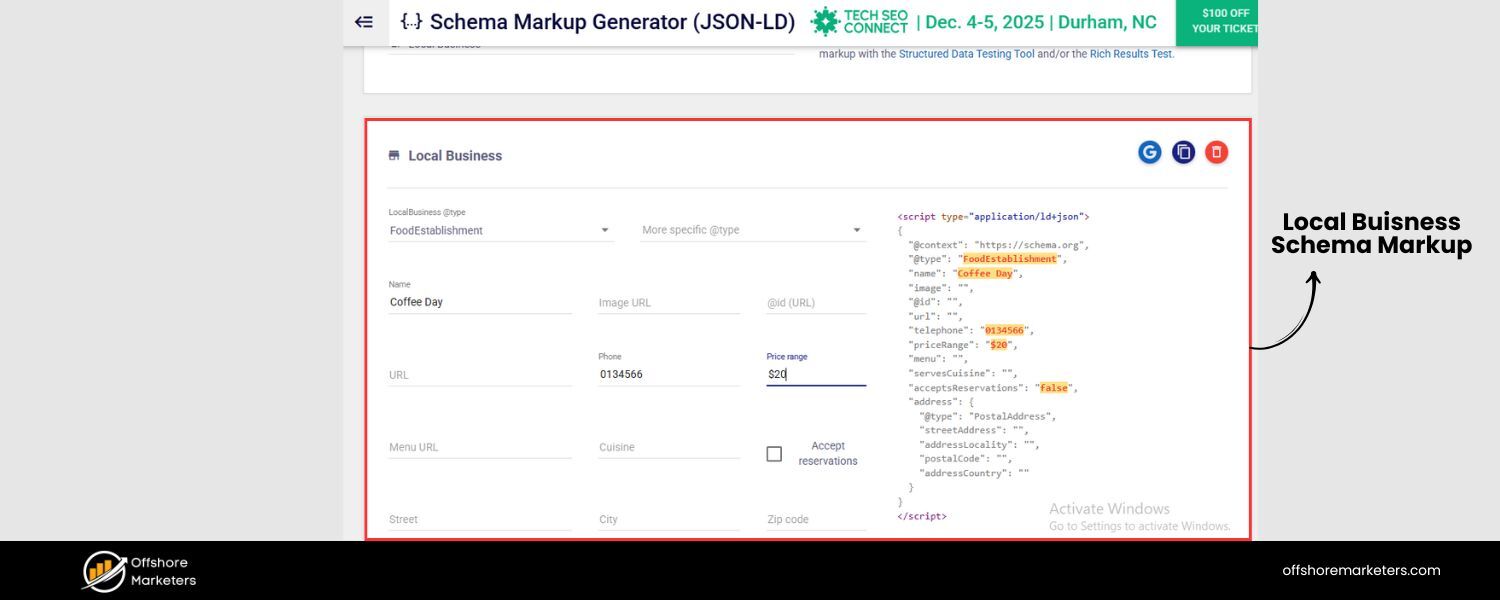
To give search engines extra clarity about your locations, consider adding LocalBusiness schema markup to each location page. Schema markup is structured data (in JSON-LD format) that you add to your HTML, which helps search engines understand the content and context better.
By using the LocalBusiness schema (or a more specific subtype like Restaurant, RetailStore, Dentist, etc.), you can explicitly provide details such as your business name, address, phone, business hours, geo-coordinates, and more.
For example, you can mark up the address components (street, city, postal code, country) and contact info so that Google can easily parse them. This can enhance your appearance in search results – e.g., triggering rich results or a knowledge panel with your details.
Adding schema is particularly useful as it may feed information to Google’s emerging AI search answers as well, ensuring your business info is accurately represented. Google’s Search Generative Experience and other AI-driven results look for structured data to directly answer user queries. By implementing LocalBusiness schema, you increase the chances that your location’s info is readily used in these contexts.
To implement, you can use Google’s Structured Data Markup Helper or follow examples from Schema.org. Many CMS plugins also assist with local schema. Place the JSON-LD script in the <head> of your page (as Semrush suggests).
At minimum, include: business “@type”, name, full address, phone, URL, and perhaps opening hours. If you have reviews or ratings, you might also implement the aggregateRating schema to show stars in SERPs, although be cautious with Google’s guidelines on self-hosted review markup.
The key is that schema augments your SEO by formally communicating your local business details to search engines. It’s a behind-the-scenes step, but one that can give you an edge, especially against competitors who haven’t bothered with structured data.
Incorporate FAQs to Answer Common Questions
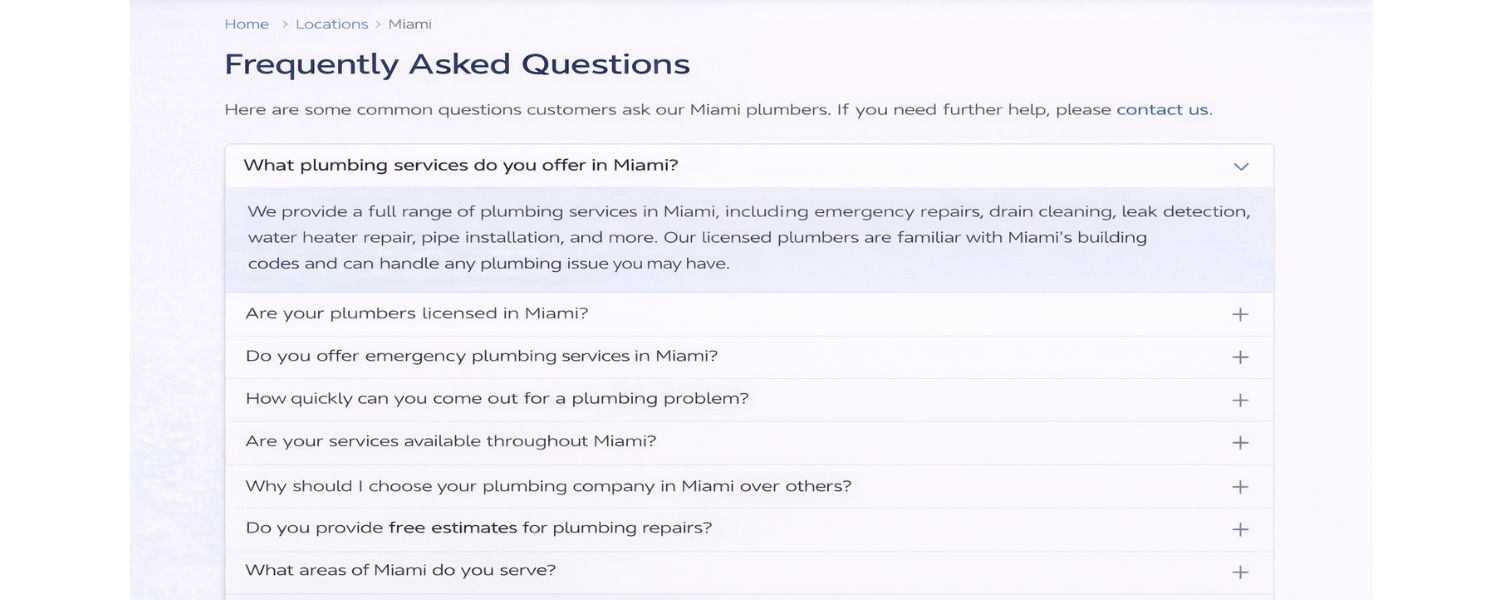
Including a small FAQ section on each location page can enrich the content and target additional long-tail queries. Think about questions customers often ask about your business or location, and provide the answers right on the page.
For example, if you run a restaurant, users might wonder “Is there parking available at your [City] location?” or “Do you have vegan options on the [City] menu?” For a service business: “Do you serve [Neighborhood]?” or “How quickly can I get an appointment at the [City] office?”.
These are great to cover in an FAQ format. Not only do they improve user experience by addressing potential concerns up front, but they also allow you to naturally include more location-specific and service-related keywords in the content.
Google often features Q&A rich results, and having clear question-and-answer pairs on your page (marked up with FAQ schema, if you choose) might make you eligible for those enhanced listings.
Even if not, it’s beneficial content. Focus the FAQs on real customer intent: Some should be location-specific (“Does your Chicago store have wheelchair access?”), some can be service-related (“What services do you offer at the Denver branch?”), and others could be policy-related (“What are your delivery areas from this location?” or “What is the return policy at the outlet store?”).
You can gather these questions from your customer service logs, Google Business Profile Q&A section, or even tools like People Also Ask. Keep each answer concise but informative – a couple of sentences is usually enough.
By doing this, you demonstrate that your page is a comprehensive resource, which can help both in satisfying users and in signaling topical relevance to search engines.
FAQs often contain natural language that aligns with voice search as well, making your page voice-search friendly for local queries. In summary, a targeted FAQ section can boost your page’s value and help capture those long-tail local searches that competitors might miss.
Use Clear Calls-to-Action (CTAs) for Conversions
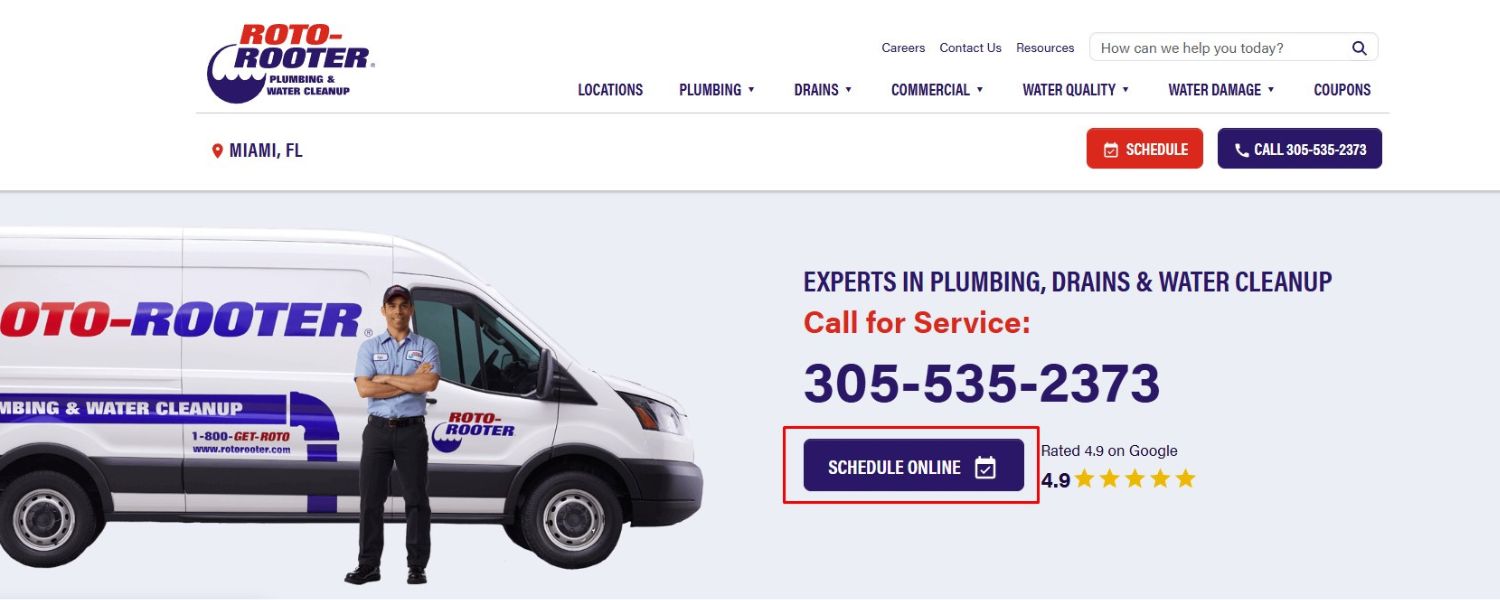
Getting traffic to your location page is only half the battle – next you want visitors to take action. Whether that’s calling your store, booking an appointment, or visiting in person, a strong Call-to-Action (CTA) will guide them. Make sure each location page has at least one prominent CTA above the fold (visible without scrolling).
This could be a “Call Now” button (on mobile, it can trigger the phone dial), a “Book Appointment” link, “Get Directions,” or “Contact Us” form. Choose the CTA that aligns with your business goal for that page. For example, a restaurant might use “Reserve a Table – [Phone Number]”, whereas a law firm might use “Schedule a Free Consultation” as the primary CTA.
Don’t be shy about repeating the CTA at logical points as users scroll. Perhaps after you list your services, insert another “Schedule Service in [City]” button. Near the bottom, after the FAQ or reviews, a final CTA like “Ready to visit our [City] location? Come see us at [Address] or Book Now!” can capture those who made it through the page.
Use design elements to make CTAs stand out – a contrasting color button, large font, etc., so it’s obvious where to click or what number to call. Also, localize the CTA when possible: e.g., “Visit our Austin showroom today” feels tailored, whereas a generic “Visit us today” is less engaging.
From years of experience, I can tell you a well-placed CTA dramatically improves conversion rates. Many people find your page, skim some details (hours, services, maybe a couple of reviews) and then look for the next step.
A clear CTA removes friction and tells them how to proceed. As a result, your location page isn’t just an informational page – it becomes a lead generation or sales driver.
And remember, conversions (calls, clicks for directions, etc.) send positive signals back to Google (through Google My Business interactions and possibly user engagement metrics) that your page is useful, which in turn can support better rankings. In short, make it easy for local customers to choose you by prominently asking for their business.
Strengthen Internal Linking and Site Structure
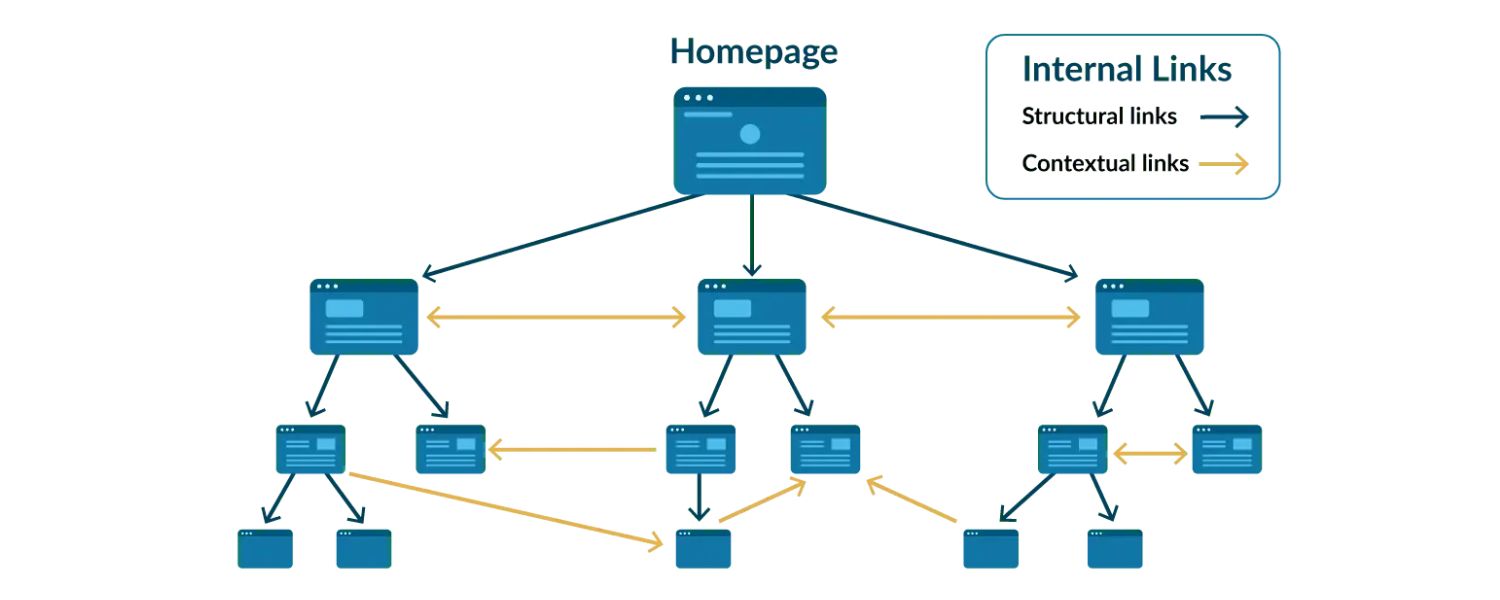
Even the best location pages won’t help if users and search engines have trouble finding them. That’s why your site structure and internal linking strategy is important. Make sure your location pages are easily accessible through your website’s navigation.
A common approach is to have a main “Locations” or “Our Stores” menu item, which either links to a locations hub page or opens a dropdown listing all cities/locations. This way, from any page on your site, people (and Google’s crawlers) are only a click or two away from finding your location pages.
If you have just a handful of locations, you might list them directly in the header or footer. For many locations, a store locator tool or a search-by-zip code feature can help – just be sure the individual pages are still reachable and not hidden behind a form.
Also consider linking between nearby or related locations. For example, on your NYC page you could say, “Also serving customers in [Brooklyn] and [Jersey City]” with links to those pages. This creates a web of relevance and helps Google crawl all location pages easily.
Additionally, connect your location pages with relevant service pages. For instance, your main “Plumbing Services” page could mention “We have teams in Dallas, Austin, and Houston ready to serve you” with links to those city pages.
This cross-linking reinforces topical and geographic connections. Just ensure it feels natural and not spammy. Internally linking to location pages from blog posts or press releases (e.g. “Our new store in Phoenix…”) can also pass some SEO value.
Don’t forget an XML sitemap that includes all your location page URLs; submit it in Google Search Console to ensure they’re indexed. If you have dozens or hundreds of locations, a dedicated sitemap just for those pages can be useful. And for users, an HTML sitemap or a searchable “Find a Location” page (with all locations listed and linked) can improve discoverability.
The overarching goal is to avoid any “orphan” location pages that aren’t linked from your main site – those will be hard for Google to find and index. By integrating your location pages tightly into your site’s structure, you not only help SEO but also provide a better user journey (someone on your site can quickly find the store nearest them).
A logical structure might look like: yourdomain.com/locations/[city]/ (with perhaps child pages if you have location-specific subpages for services). This hierarchy signals that these pages are part of a group. In summary, interlink your location pages generously and thoughtfully – it pays off in higher visibility and usability.
Avoid Duplicate Content and “Doorway” Tactics
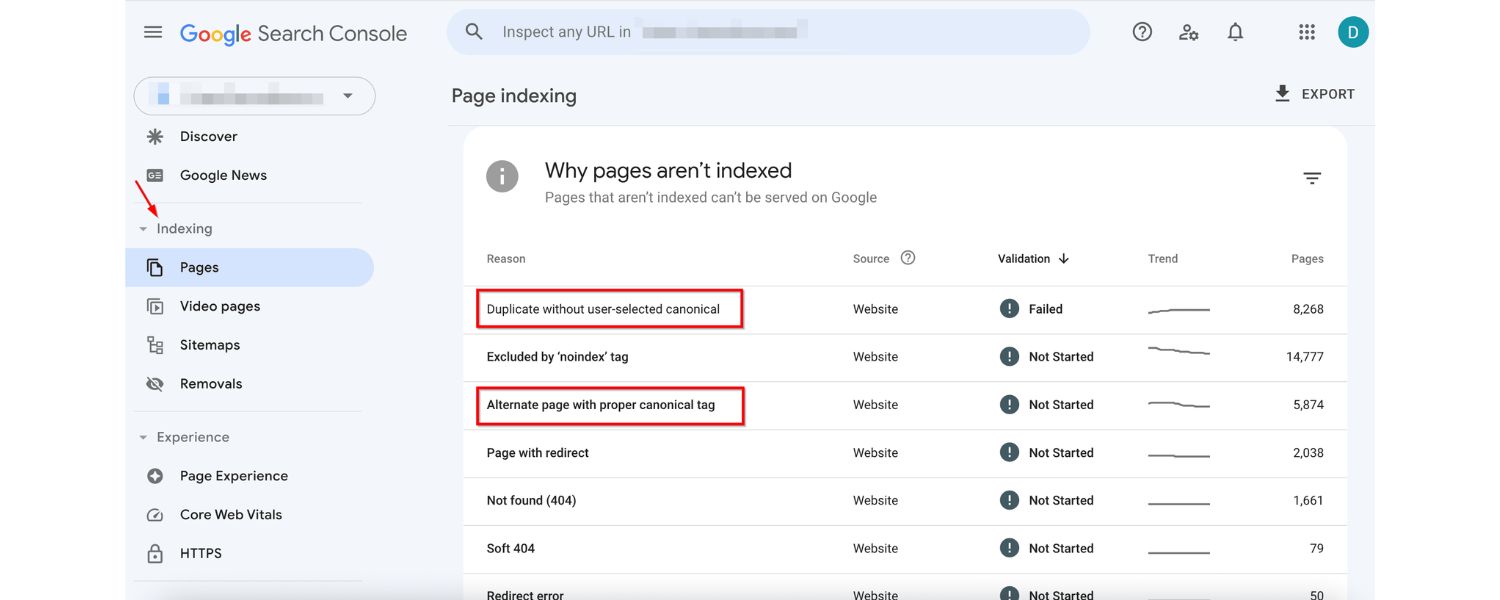
We’ve touched on this under unique content, but it’s worth emphasizing as a common pitfall to avoid. Do not auto-generate a bunch of thin location pages with only superficial differences.
Google’s quality guidelines explicitly discourage doorway pages, which are essentially cookie-cutter pages created just to rank for different keywords without providing unique value.
If your location pages are nearly identical (e.g. 10 pages only differing by city name), not only will they likely fail to rank, but you risk a penalty or deindexing if Google flags it as a doorway campaign.
Instead, earn each location page by making it truly helpful (ask: “Does this page warrant existing on its own?”). If a business doesn’t have a physical presence in a certain area, think twice before making a “geo page” for it – those are hard to rank and easily seen as spammy unless you can offer legitimate localized info and services there.
Quality over quantity is the mantra. I’ve seen companies that used to pump out dozens of city pages with no substance get outperformed by a competitor with just a few rich, information-packed location pages.
Google’s continuous improvements in evaluating E-E-A-T (Experience, Expertise, Authoritativeness, Trustworthiness) mean your content should demonstrate real knowledge and usefulness for that locale.
So avoid filler like generic city history blurb from Wikipedia or empty phrases like “We proudly serve [City] with the best [service].” Instead, show your expertise in action: mention real customer stories from that area, problems you solved locally, or community events you participate in. If you maintain this high standard, you’ll naturally steer clear of the “doorway” trap.
Remember, the goal is to create location pages that feel like mini homepages for your business in that city – each one a credible, standalone resource. When in doubt, refer to Google’s questions for doorway pages (e.g., “Is this page created to funnel visitors to one main page?” – if yes, rethink it).
By avoiding duplicate content and low-value tactics, you set your location pages up for long-term success and insulate your site from algorithmic setbacks.
Conclusion & Next Steps
In today’s search landscape, optimized location pages are essential for capturing the high-intent traffic in your area. We’ve covered how to research local keywords, write unique content that resonates with each community, and implement all the on-page and technical tweaks that give your pages an SEO edge.
By following these steps, you’re not just creating thin “contact us” pages – you’re building rich, locally-focused landing pages that can outrank competitors and convert visitors into customers.
As someone who’s spent decades in marketing, I can confidently say that investing in quality location pages yields real results: more visibility in local SERPs, more calls and store visits, and ultimately more revenue from your local market.
Now it’s your turn. Take a critical look at your existing location pages (or lack thereof) and apply the best practices from this guide. Update each page to have that compelling mix of local flavor, helpful info, trust signals, and strong CTAs.
Ensure your site structure makes them easy to find. Monitor your local rankings and traffic – you should see improvements as your pages gain traction. And remember, local SEO isn’t a one-and-done task; keep your location pages fresh.
Update them with new photos, new reviews, or a seasonal tip (“Preparing for winter in [City]? Here’s how our services can help…”). By keeping them up-to-date, you continue to demonstrate relevance and care for your local audience.
Finally, don’t get discouraged if results take a little time. Building local presence is like planting seeds – with consistent care (and perhaps watering with a bit of link building and promotion), you’ll reap the rewards.
Your business has unique value to offer in each location you serve – make sure your location pages showcase that, and both Google and your customers will take notice.
Here’s to seeing your locations climb the rankings and welcoming a surge of new local customers. Happy optimizing!

Why Roseville Startups are Choosing Offshore Marketers to Scale Smarter
Roseville is no longer just a quiet suburb of Sacramento;...

What Is PPC? A Practical Guide to Pay‑Per‑Click Advertising
Pay‑per‑click (PPC) is the “pay only when someone clicks” branch...

Google Search Issues Affecting Results in Some Regions
Google has confirmed a problem with one of its data...

Keyword Counts Dropped After Google’s num=100 Change
In September 2025, Google stopped supporting the &num=100 parameter. This...

Image SEO: Optimize Images for Higher Rankings & Traffic
Introduction Images make your website more engaging, but they can...


.png)
.png)
.png)
.png)
.png)

2026 ALL RIGHTS RESERVED MADE IN INDIA
.png)