
Optimize Your Website with Homepage SEO
August 20, 2025
Introduction
Your homepage is the digital front door of your business, it shapes first impressions and guides visitors onward. But is it optimized for search engines as well as users?
In this guide, we’ll explore how homepage SEO can boost your site’s visibility without sacrificing user experience. From choosing the right keywords to polishing technical details, you’ll learn how to turn your homepage into an SEO powerhouse and a welcoming hub for visitors.
What Is Homepage SEO (and Why It Matters)
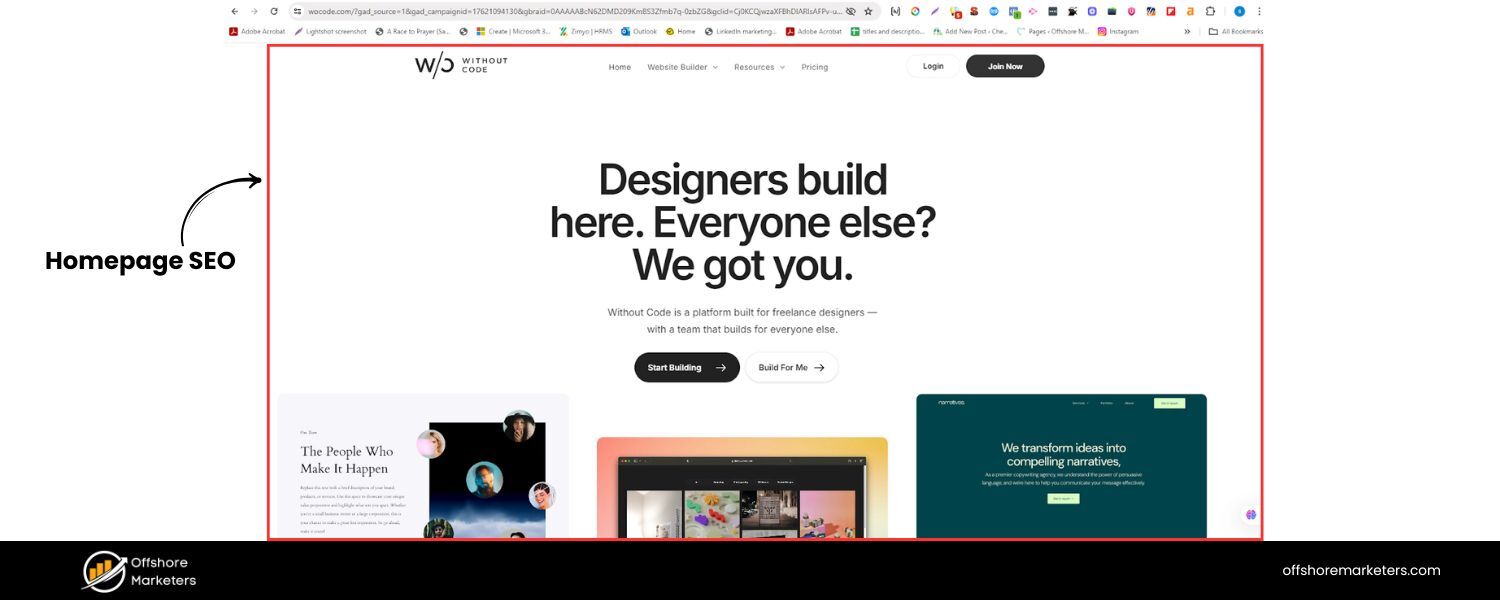
Homepage SEO refers to the process of optimizing your website’s main page for search engines. This involves tweaking content, HTML elements, and site architecture so your homepage can rank higher and direct traffic effectively.
Unlike a dedicated blog post or product page (which might target one specific keyword), your homepage serves many purposes at once. It introduces your brand, highlights your key offerings, and links out to important subpages. In short, the homepage is more than just another landing page, it’s a broad summary of your entire site.
Because of this, the SEO approach for a homepage is unique. The primary SEO goal is often to rank for your brand name (a branded keyword) so that people searching for your business easily find you. At the same time, a well-optimized homepage can also rank for high-traffic, non-branded keywords related to your business.
For example, Clockify’s homepage ranks for over 8,000 keywords, including terms like “time tracker” and “time tracking software” – which drive significant organic traffic. This shows that with the right strategy, your homepage can capture broad search interest beyond just your brand.
However, homepage SEO isn’t about trying to rank for every important keyword in your niche. In fact, experts caution against stuffing your homepage with content targeting dozens of terms.
Instead, think of your homepage as a high-level overview: its job is to clearly communicate what your site is about, instill trust, and funnel visitors to the right inner pages. It should confirm to both users and Google what your website’s main theme is, rather than act as an exhaustive landing page for all topics.
In summary, homepage SEO matters because it helps search engines understand your brand and core offerings, ensures your site’s “front door” is discoverable, and maximizes the value of what is often your most authoritative page (since many external sites link to homepages). Next, we’ll dive into how to optimize your homepage step by step.
Define Your Homepage SEO Strategy and Goals
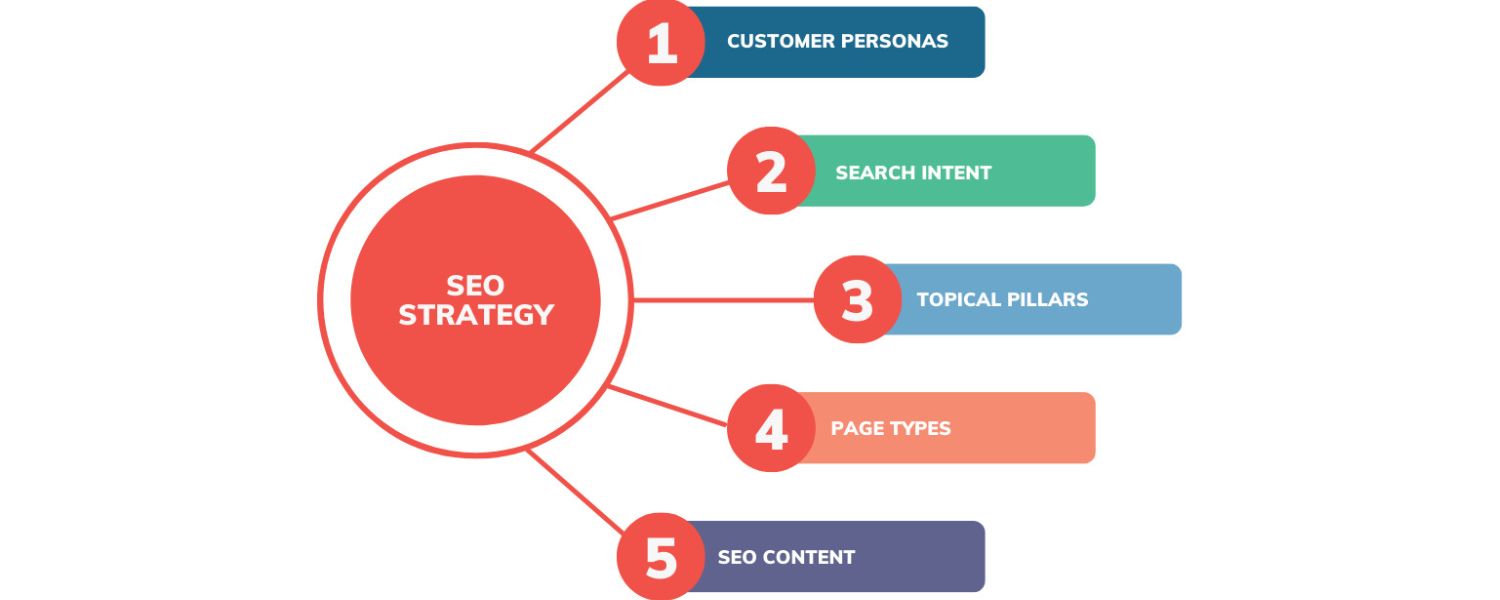
Before tweaking tags or adding text, step back and clarify your homepage’s SEO strategy. Ask: What is the primary role of my homepage, and which searches should it satisfy? The answers will depend on your business model and audience:
1. Brand Visibility
Most commonly, the homepage should rank for your brand name or website name. For example, if your business is “Acme Photography,” you want your homepage to appear when someone Googles that name.
Ranking for your brand is usually easier once your site has some authority and backlinks, and it’s important for capturing navigational searches (people explicitly looking for your site).
2. Broad Product/Service Terms
Many companies also target one broad industry keyword on the homepage that encapsulates their main offering. For instance, Wix’s homepage targets “website builder” in its title and headings, because that term represents the product and has ample search volume.
Choose a primary keyword that closely aligns with what your business does. This keyword should be broad enough to cover your niche (e.g. “online graphic design tool” or “Seattle plumbing services”) without being so generic that it misrepresents your site. It should also match the intent of someone who might benefit from landing on your homepage.
3. User Intent & Funnel Position
Consider where the homepage fits in your sales funnel. Content-heavy sites (like blogs or news) often get most SEO traffic to inner pages rather than the homepage. In contrast, a SaaS product, local business, or e-commerce store might use the homepage as a key landing page for conversions. If competitors’ homepages rank for certain industry terms, that’s a sign you could optimize yours similarly.
On the other hand, if specific service pages rank better for non-branded keywords, you might focus SEO efforts on those pages and let the homepage be more of a navigation hub. Align your homepage SEO goals with how visitors prefer to engage with your site, there’s no one-size-fits-all.
4. Future Growth
Be mindful not to over-optimize your homepage for a narrow keyword if you plan to expand. For example, targeting “Plumber in Seattle” on your homepage might work at first, but it could limit you if your business later serves other cities. In such cases, it’s better to keep the homepage focus broader (e.g. “plumbing services”) and create separate pages for each location or service.
In essence, define 1–2 primary keywords or themes for your homepage that reflect your brand and core offering. The most logical primary keyword is often your brand name itself, supplemented by a descriptive industry term. This will set the foundation for how you craft the content and tags in the next steps.
Optimize Your Title Tag and Meta Description
A. Title Tag
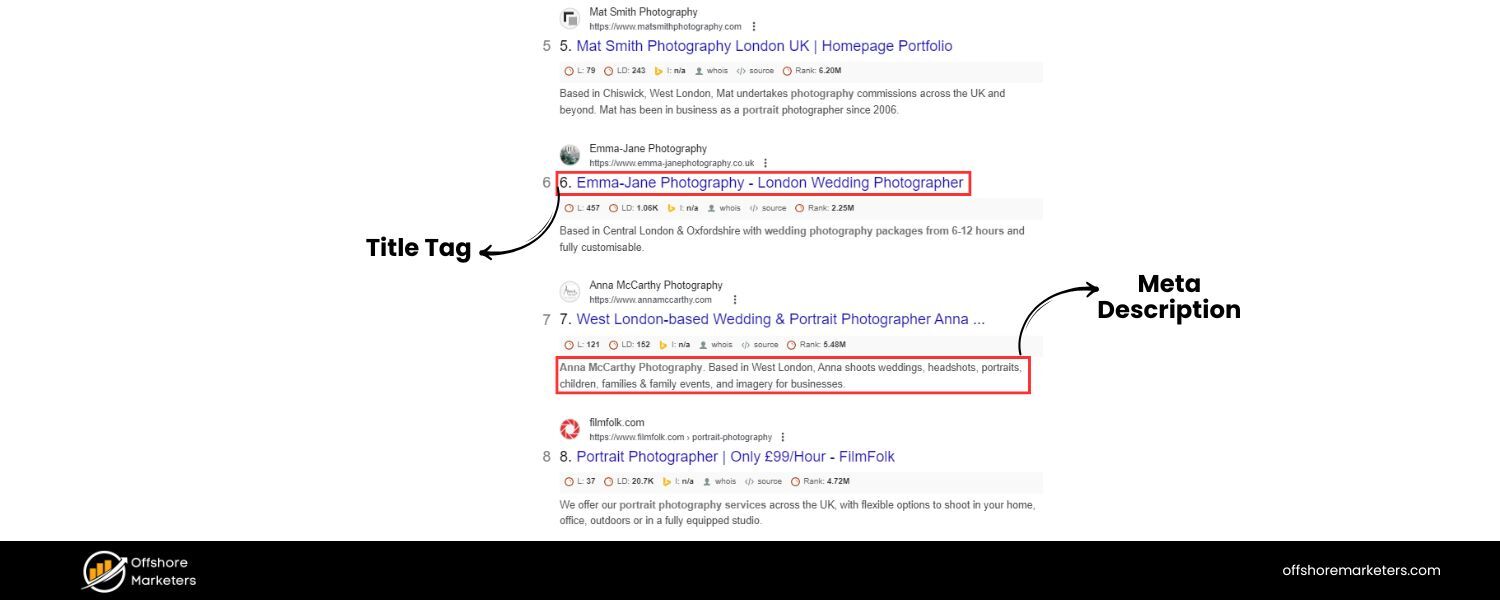
Aim for a concise, compelling title (around 50–60 characters) that includes your brand name and primary keyword. For example, a title like “Acme Photography – Wedding & Portrait Photography Services” balances branding with a broad keyword.
The title should accurately describe what your site offers in a way that catches the eye. Place the primary keyword near the beginning if possible, but keep it natural (avoid awkward stuffing). Including your brand name (usually at the end) helps build recognition.
Remember that Google may rewrite your title if it thinks it’s too long or not descriptive enough, so stick to recommended lengths to minimize that risk. A well-crafted title can improve both relevance and click-through rate.
B. Meta Description
This snippet (often 120–160 characters) doesn’t directly affect rankings, but it can strongly influence click-through from the SERP. Use it to pitch the value of your site to searchers.Summarize what users will find on your website or how your product/service benefits them, and include a call-to-action if appropriate (e.g. “Browse our catalog,” “Get a free quote”).
Include your primary or related keywords in a natural way – Google will bold matching terms, which can draw attention.Keep in mind, Google may choose to rewrite your meta description too; in fact, one study found Google substituted a different description about 62.8% of the time.
Still, it’s worth writing a good one because a relevant, compelling meta description can entice users to click through to your homepage even if it’s not a ranking factor.
For example, Canva’s homepage meta description mentions “create a free website” and “free website builder” along with its brand, complementing the title tag and appealing to user needs.
Make sure your own title and description work together: the title grabs attention and states the page topic, while the description expands on how your site can help or what unique value you offer. By optimizing these tags, you increase the likelihood that users searching for your brand or product type will both see and click your homepage listing.
(Pro tip: Use a preview tool like Google’s SERP simulator to check how your title and meta description appear in search results, and ensure nothing important gets cut off.)
Craft Clear, User-Friendly Homepage Content
Once your tags are set, turn to the on-page content. Your homepage content should serve two masters: it must quickly inform and engage human visitors and provide relevant signals for search engines. Here are key elements to focus on:
1. Headline (H1) 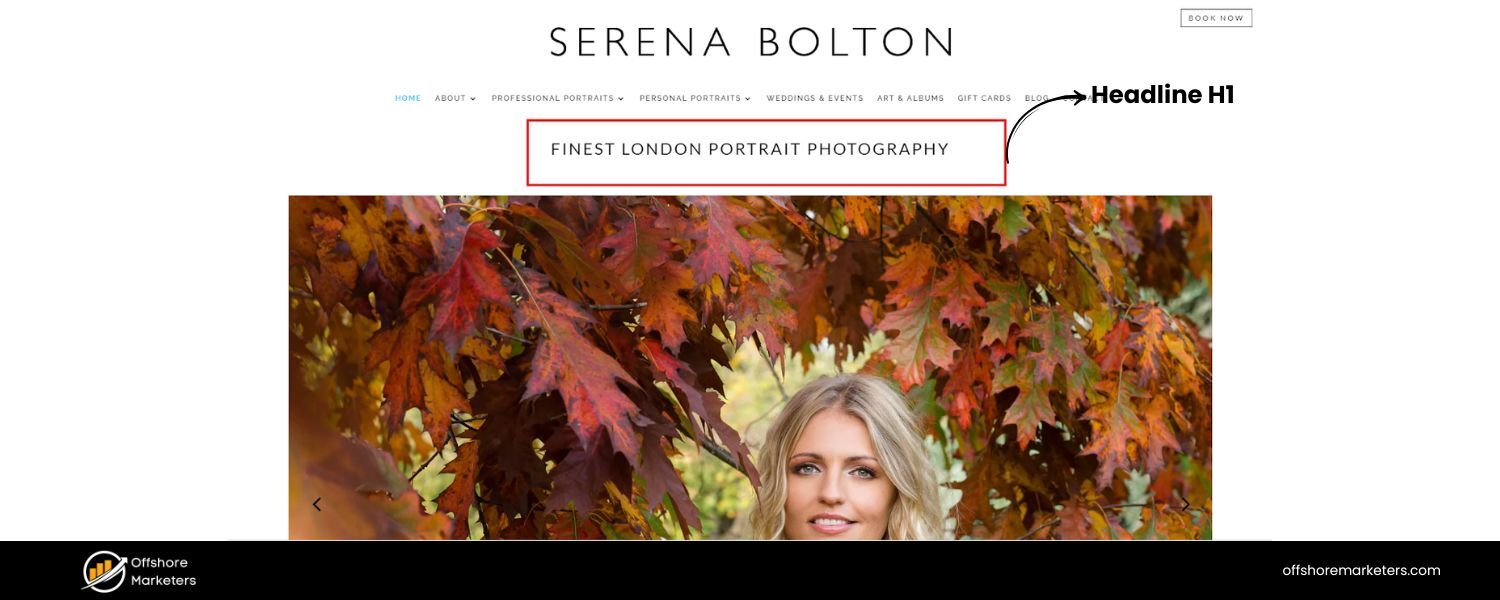
The homepage should have a single, prominent H1 heading that states what your business or site does. This main headline ideally includes your primary keyword and sums up your USP (Unique Selling Proposition) in a short phrase.
For example, a homepage H1 could be “Beautiful Wedding Photography in Seattle” or “All-in-One Project Management Software.” The H1 helps Google grasp the topic (and is given considerable weight in SEO), but it’s also crucial for users – it should instantly communicate what you offer or the core purpose of your site. Use only one H1 tag on the homepage for clarity.
2. Supporting Headings (H2, H3) 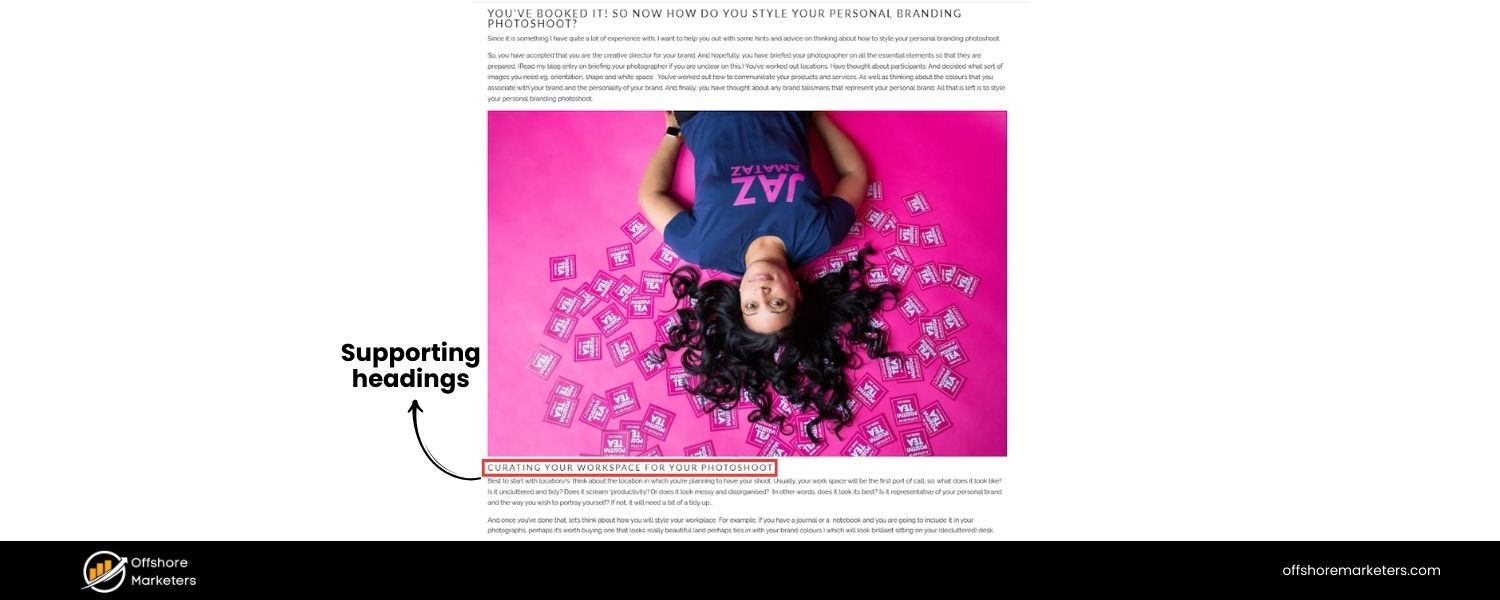
Break your homepage text into sections with descriptive subheadings. These can cover key points like your main product features, service categories, or customer benefits. Using H2s and H3s creates a logical content hierarchy and makes the page easily scannable. It also provides places to naturally sprinkle in some secondary keywords.
For instance, if your primary keyword is “website builder,” your subheadings might include related terms like “Create a Website in Minutes” or “Online Store Builder Features.” Keep subheadings focused and user-centric – their main job is guiding readers, with SEO as a secondary bonus.
3. Body Text 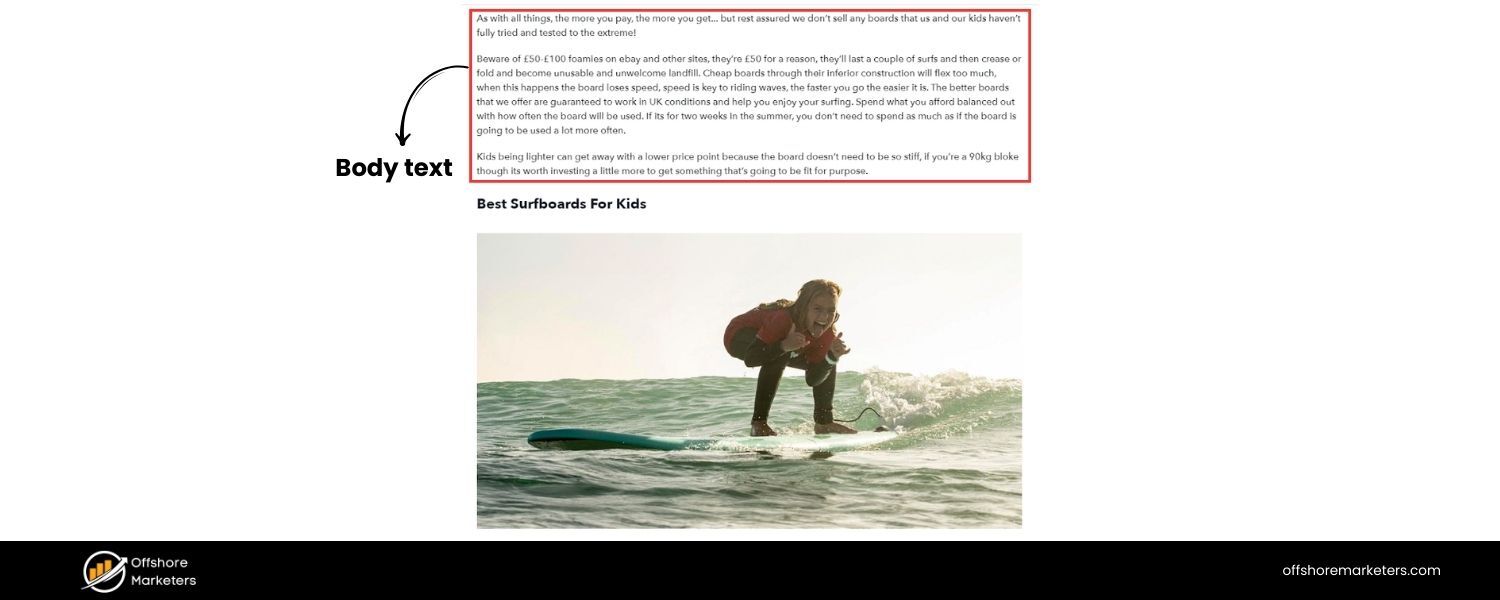
While homepages often have less text than blog posts, having at least a few short paragraphs of descriptive text is important. In the first 100 words of your homepage, try to include your primary keyword or a close variation. For example, an opening welcome paragraph might say, “Welcome to Acme Photography – a full-service wedding photography studio serving the Seattle area.”
This gives context right away. Throughout the homepage copy, incorporate secondary keywords and synonyms naturally (e.g. if primary is “project management tool,” secondary terms could be “team collaboration software” or “task tracking”). Avoid keyword stuffing – search engines are savvy enough to detect it, and it makes for a poor user experience.
Instead, focus on answering the top questions a new visitor might have: What do you offer? Who is it for? What’s the benefit? A concise intro, a brief features overview, or a short “about us” blurb can all work well. Make sure to mention your brand name in the text too, as people coming via branded searches should immediately see they’re in the right place.
4. Unique Selling Proposition & Trust

Your homepage content should communicate your USP and build trust. This might be a tagline or a few bullet points that set you apart (“Over 1000 happy clients”, “Free shipping on all orders”, “Certified organic ingredients”, etc.). It’s not only good for conversions, but it also reinforces to Google what your site is about and that it’s credible.
Remember, Google’s quality raters use concepts like E-E-A-T (Experience, Expertise, Authoritativeness, Trustworthiness) to evaluate pages. While E-E-A-T itself isn’t a direct ranking factor, demonstrating these qualities can enhance your site’s reputation and performance.
A trustworthy homepage keeps visitors engaged (lowering bounce rates) and can indirectly boost SEO. To build credibility, clearly display elements like awards, client logos, or media mentions if you have them. Feature a short testimonial or a key statistic about your business. These signals show both users and search engines that your brand is reputable.
5. Calls to Action (CTA)
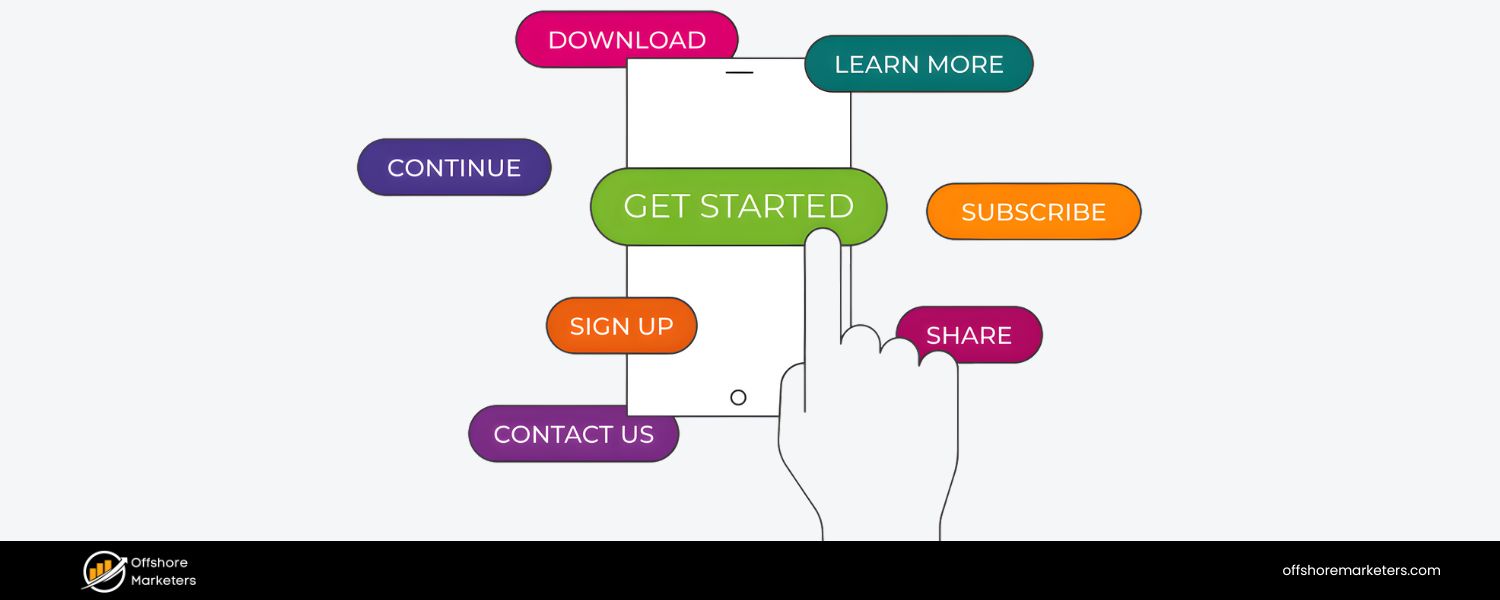
Don’t forget to include a clear call-to-action on your homepage that aligns with your primary goal. This could be a “Contact Us”, “Get Started”, “Browse Products”, or any action you want new visitors to take.
From an SEO perspective, a CTA button or link isn’t going to impact rankings directly, but it significantly affects user behavior – and positive user engagement can contribute to better search performance in the long run. Make your CTA prominent (above the fold, if possible) and use persuasive text.
For example, Slack’s homepage features a bold CTA “Try Slack for free” which is hard to miss. A well-designed CTA improves conversions and also signals that your homepage is doing its job in the user journey.
Finally, balance text with visual elements. Large walls of text on a homepage can be overwhelming. Use images or icons to break up sections and illustrate points. This not only improves user experience but can support SEO if done right. Include relevant alt text for images that describes the image content and, if appropriate, includes a keyword.
For instance, your logo image’s alt text could be “Acme Photography logo” (which helps associate your brand name with the homepage), and a product image might have alt text like “screenshot of Acme project management dashboard”.
Alt text improves accessibility and gives search engines another clue about your content. Also, optimize image file sizes (via compression or using modern formats like WebP) to avoid slowing down your page.
In short:
write for your users first – make it crystal clear what your site is about and why it’s valuable – but also structure that content so search engines can easily parse the hierarchy and context. A homepage that’s rich in relevant, well-organized content will naturally perform better in search than one that’s sparse or disorganized.
Streamline Navigation and Internal Links
Think of your homepage as the navigation hub of your site. A big part of homepage SEO is optimizing how it links to other pages, because this affects both user experience and how search engines distribute authority across your site. Here’s what to consider:
1. Main Menu (Header Navigation) 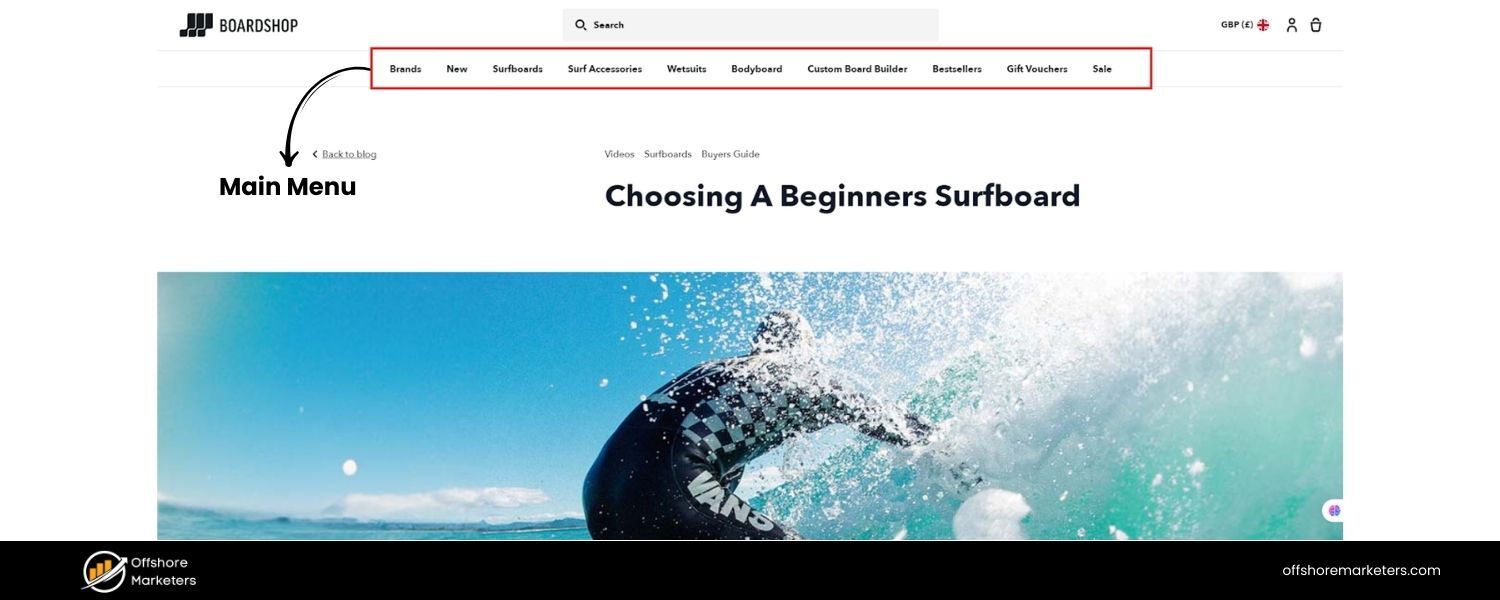
Your top menu should provide a clear, logical path to the key sections of your site. Keep the menu concise – including every single page or category in a giant menu can overwhelm visitors (and dilute link equity).
Instead, use broad categories or the most important pages. For example, an e-commerce site might have “Shop Products,” “About Us,” and “Contact” in the main menu, possibly with dropdowns for subcategories.
Use descriptive labels for menu items (e.g. “Services” instead of “What We Do”) so users know exactly where each link goes. A well-structured menu helps users find information in one or two clicks, which is good for UX and encourages deeper site exploration.
2. Homepage Internal Links 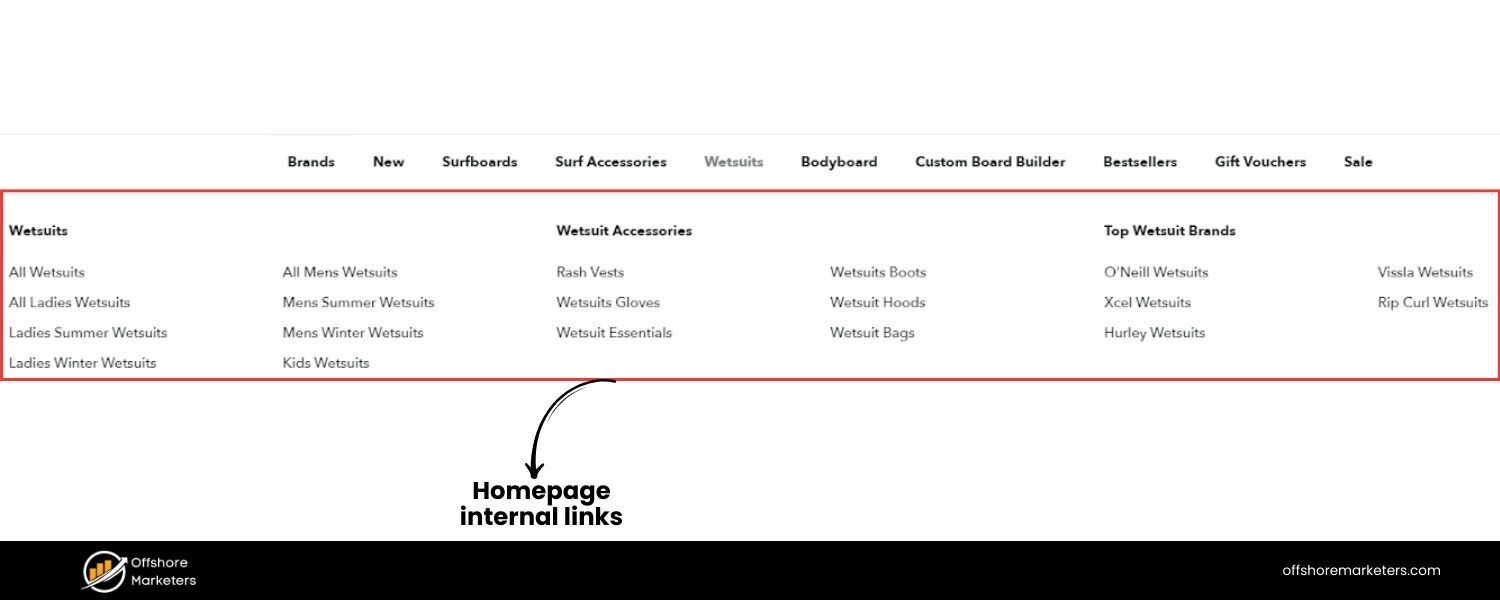
Within the homepage content, strategically link to important pages. Every homepage is different, but common sections include things like “Featured Products/Services,” “Top Blog Posts,” or “Explore Categories.”
These are perfect opportunities to insert internal links. For instance, you might highlight your three main services on the homepage with a short blurb and a “Learn More” link to each service page.
Or you might display top product categories with images that link to those category pages. Internal linking from the homepage boosts the SEO of those target pages by signaling their importance and funneling link authority to them.
Petco’s website, for example, showcases “Top Sellers” and top categories on its homepage, directly linking to those product pages – this guides visitors effectively while also helping search engines see those pages as prominent.
3. Don’t Overlink (Avoid Clutter)
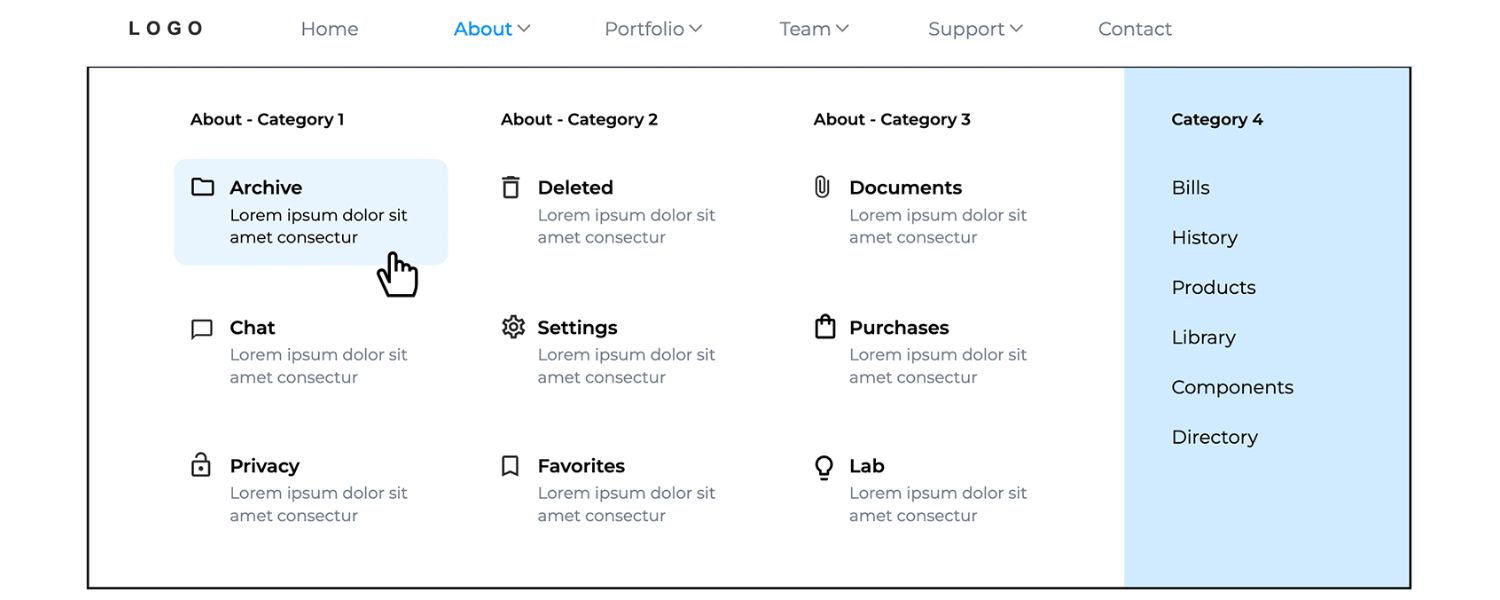
While linking out to key pages is important, be careful not to turn your homepage into a link farm. Too many links, especially if they’re not well-organized, can be counterproductive.
Yoast’s team advises keeping the homepage, menu, and footer focused on only your most important pages – don’t try to link to every single page you have. A cluttered page with dozens of menu items or a massive footer full of links can confuse users (and potentially search crawlers).
Prioritize quality over quantity: it’s better to prominently link to 5–10 high-value pages that matter most, rather than 50 random links. A focused link structure tells Google which pages you consider vital, supporting a clear site hierarchy.
4. Footer Links 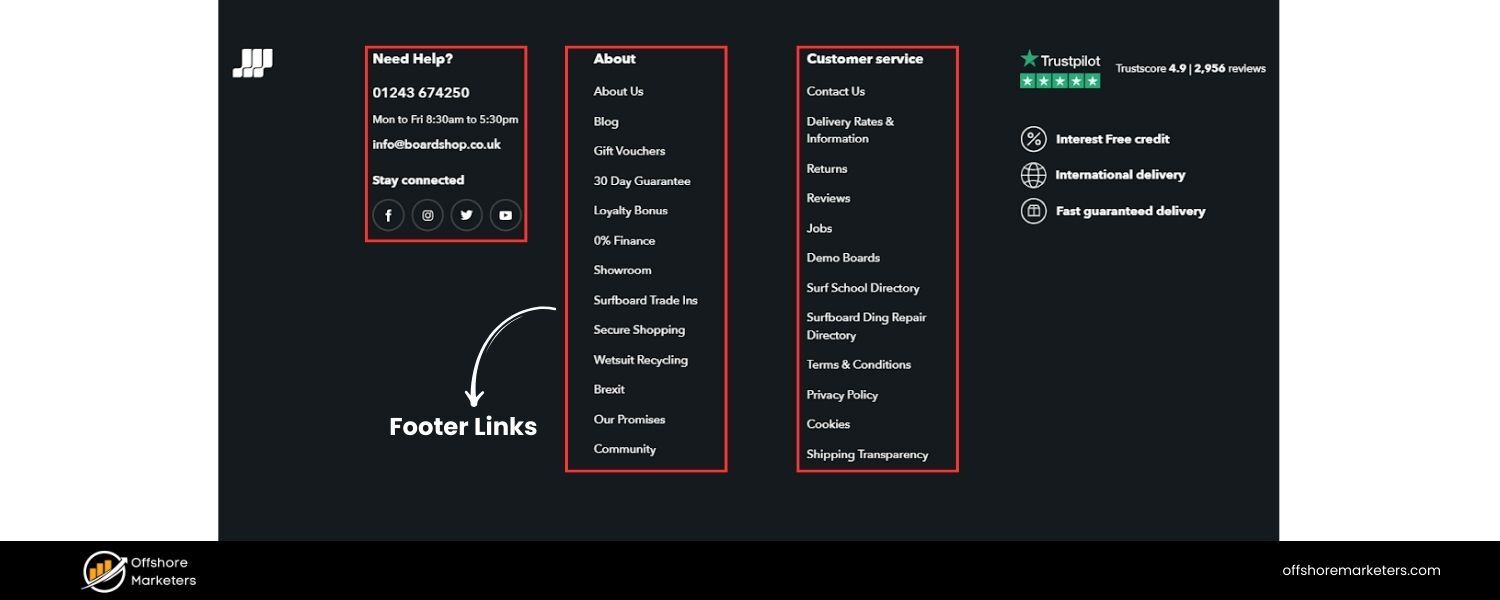
The footer is a good place for secondary links – things like your privacy policy, FAQs, or login page – that might not merit top-of-page placement but users do look for them. Many sites also reiterate key navigation in the footer or provide quick links to popular sections.
Feel free to include those, but again, keep it organized (e.g. group footer links under headings like “Company,” “Resources,” “Support”). A well-organized footer can aid SEO by ensuring important pages (like “Contact Us” or “Careers”) are linked site-wide, albeit with less prominence than the header.
Pro tip: Include your physical address and contact info in the footer if applicable – this can help with local SEO signals and provides trust to users.
5. Site Search (if applicable)
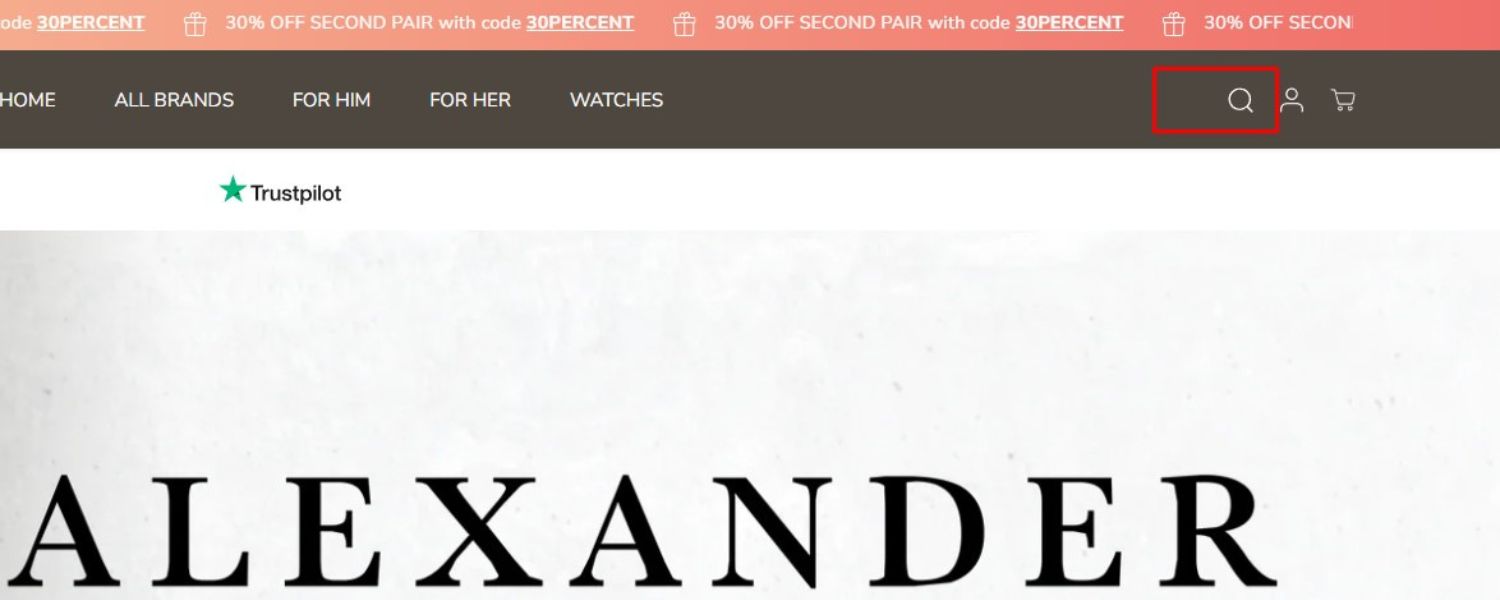
If your site has a lot of content (like an e-commerce store or a large blog), consider adding a search bar to your homepage (often in the header). This isn’t directly an SEO factor, but it improves user experience by helping visitors find what they need quickly. A search bar can reduce bounce rates and keep people engaged, which are positive behavioral signs.
(Previously, adding a search bar along with proper structured data could even generate a sitelinks search box in Google’s results for your site, though Google has recently deprecated this feature. In any case, on-site search remains useful for users.)
Good internal linking from the homepage also helps search engine crawlers. Since your homepage is likely the most crawled page (and often has the most backlinks), the links from it guide crawlers to deeper content. It essentially distributes “link equity” to the rest of your site.
By linking to your cornerstone pages, you signal their importance and help them rank better. In summary, make your homepage a well-structured launchpad: users should effortlessly navigate to major sections, and search engines should easily discover the key pages that branch from it.
Prioritize Page Speed and Mobile Experience
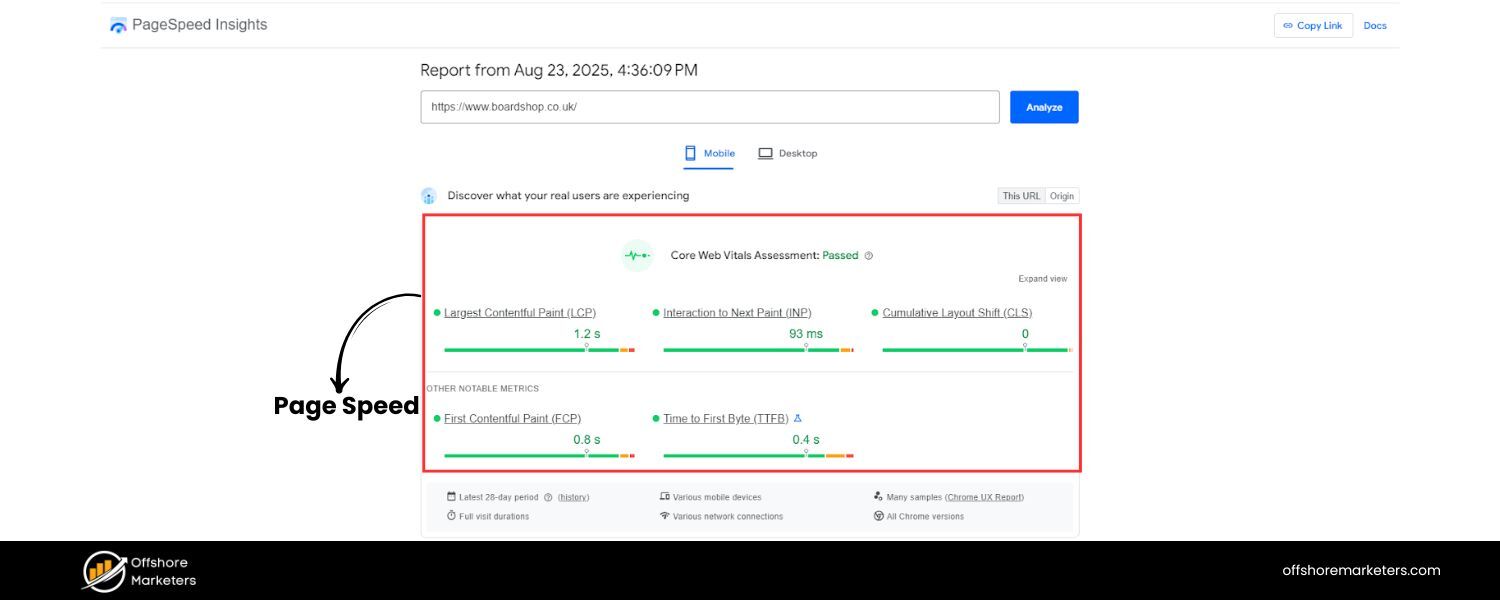
A crucial part of homepage SEO is ensuring a fast, smooth user experience, especially on mobile devices. Google has made it clear that site speed and mobile-friendliness are integral to search rankings (via the Page Experience and Core Web Vitals updates).
Moreover, today a huge portion of web traffic comes from mobile – nearly 60%–64% of global visitors use phones or tablets to browse sites as of 2025. Here’s how to optimize your homepage’s performance:
1. Speed (Core Web Vitals)
Fast-loading pages are favored by both users and Google’s algorithm. Use tools like Google’s PageSpeed Insights to diagnose your homepage’s load performance. Focus on the Core Web Vitals metrics:
2. Largest Contentful Paint (LCP)
How quickly the main content (e.g. banner image or headline) loads. Aim for under ~2.5 seconds for good UX.
3. Interaction to Next Paint (INP)
How responsive the page is to user interactions (a newer metric replacing First Input Delay). Ensure any buttons or menus on your homepage react quickly.
4. Cumulative Layout Shift (CLS)
Stabilize your layout so things don’t jump around as elements load (e.g. reserve space for images/ads with set dimensions).
5. To improve speed, optimize your assets
compress images (use tools like TinyPNG or WebP format), minify and combine CSS/JS files, and eliminate render-blocking scripts where possible. Using a Content Delivery Network (CDN) can also greatly boost load times by serving your homepage from a server closest to the user.
Remember, Google explicitly “favors fast sites” in rankings, and a slow homepage can hurt your SEO by increasing bounce rates. The effort you put into speed optimization will pay off in better user engagement and search visibility.
6. Mobile-Friendly Design
With Google’s mobile-first indexing, the mobile version of your homepage is typically what Google indexes and ranks. So, a mobile-optimized homepage is non-negotiable. Use a responsive design that automatically adjusts to different screen sizes.
On mobile, simplicity is key: use a clean layout with easy-to-read text and buttons that are large enough to tap. Simplify navigation on smaller screens by using a hamburger menu or collapsible menu sections.
Avoid formats that don’t work on mobile (like Flash) and make sure images/videos scale properly. Also be cautious with pop-ups or interstitials on mobile – a popup that covers the whole screen can frustrate users and even lead to ranking penalties if it impedes usage (Google dislikes intrusive interstitials).
7. Above the Fold Content
Historically, webmasters stressed keeping important content “above the fold” (visible without scrolling). While users do scroll more nowadays, thanks to mobile habits, it’s still smart to put something compelling at the top of your homepage.
For example, a striking hero image with a clear tagline and CTA can immediately hook a visitor. As Rand Fishkin noted, “People will scroll. Just make sure to keep the page’s experience compelling to draw the eye down.”.
In practice, present the essentials up front (who you are, what you offer, and a CTA), then use lower sections to elaborate with additional info, visuals, or testimonials. This approach ensures that even impatient users get the gist of your value proposition, while engaged users can scroll for more depth.
8. Clean, Lightweight Design
Striking a balance between informative content and a streamlined design is important. A clutter-free homepage not only loads faster but also converts better. In one case study, a simplified page design (with clear visuals and less text) increased sign-ups by over 100%.
So, avoid overwhelming visitors with too much at once, whitespace and brevity can actually enhance your message. From an SEO view, a cleaner page can mean fewer elements for Google to parse and potentially fewer errors.
Aim for a “less is more” philosophy: include everything that’s important, but trim the fat (extra widgets, autoplay videos, or long-winded paragraphs) that might slow the page or distract from your main message.
By optimizing for speed and mobile, you’re not only meeting Google’s criteria but also providing a better experience to users, which is the ultimate goal of any SEO effort. A fast, user-friendly homepage will keep visitors around longer and more likely to explore the rest of your site, sending positive signals to search engines about your site’s quality.
Showcase Trust, Credibility, and E-E-A-T
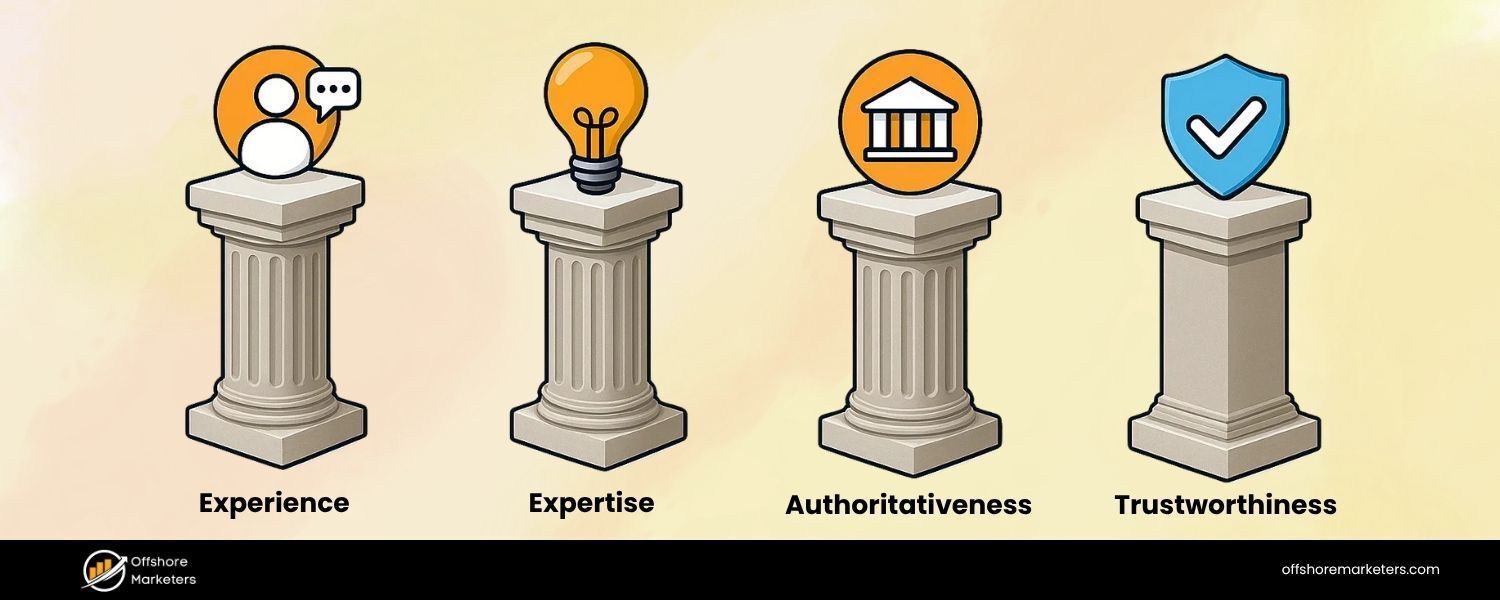
Google’s Search Quality Rater Guidelines emphasize the importance of E-E-A-T: Experience, Expertise, Authoritativeness, and Trustworthiness.
While these are not direct algorithmic ranking factors, pages that manifest E-E-A-T tend to perform better, especially for sites in YMYL (Your Money or Your Life) categories like health or finance. Your homepage should convince both users and search engines that your business is legitimate and trustworthy:
1. Clearly State Your Purpose
A visitor should immediately understand what your company does or what information your site provides. Don’t bury the lede, use that main headline or an introductory blurb to say who you are and what you offer in plain language.
For example: “Award-winning bakery specializing in artisan breads and cakes in New York.” This not only helps users, but it signals to Google the core topic of your site.
2. Provide Essential Business Info
Make sure your business name, location, and contact details are easily findable on the homepage.Many sites put a phone number or email in the header or footer. If you’re a local business, include your address or service area.
This info can also be marked up with Organization or LocalBusiness schema (more on structured data shortly) to reinforce your credibility to search engines. Showing a real physical presence or at least a way to contact you adds trust, it reassures users that there are real people behind the website.
3. Social Proof and Validation
Leverage third-party proof points on your homepage. This could be customer testimonials, star ratings, reviews, case study snippets, or trust badges (like security seals or partner logos). If your product has won awards or you’re certified in some way (e.g. BBB accredited, licensed professional, etc.), mention that.
Featuring a short testimonial quote or displaying logos of well-known clients/partners can boost your authoritativeness. For example, “Trusted by 500+ companies including [BigNameCo]” or a quote like “Best consulting experience we’ve had – 5 stars!” adds credibility.
These elements don’t directly influence Google’s algorithm, but they do influence user behavior, and users who trust your site are more likely to stay, engage, and even link to your content, all of which have positive SEO ramifications.
4. Tell Your Story (Experience)
One aspect of the updated E-E-A-T is “Experience” – showing you have real experience in your field. Use a bit of homepage real estate to highlight your background or story. For instance, “Over 25 years of experience” or “Serving our community since 1998” emphasizes longevity.
Or have a brief “About Us” snippet: “Founded by chefs, our blog shares firsthand cooking tips.”Demonstrating experience can differentiate you from faceless competitors. It can indirectly improve SEO by increasing user trust and engagement. If applicable, you might even include a photo of the founder or team on the homepage with a caption – humanizing your brand can improve trust.
5. YMYL Considerations
If your site deals with sensitive areas (health, legal, financial advice, etc.), E-E-A-T is even more critical. Make sure to highlight credentials front and center. For example, a health site’s homepage should mention that content is reviewed by medical professionals (and maybe link to their bios).
A finance site might show affiliations or licenses. Also, link to your About and Privacy/Terms pages in the footer, these pages shore up trust by showing transparency. Google expects higher standards of accuracy and trustworthiness for YMYL topics, so it’s wise to make that trust visible on the homepage.
6. Avoid Clickbait or Deception
This should go without saying, but ensure everything on your homepage is truthful and aligns with what you actually deliver. Don’t make exaggerated claims or use “clickbaity” headlines that misrepresent your content/product.
If your meta description or banner promises one thing and your site doesn’t have it, users will bounce (and that can hurt your rankings). Set realistic expectations and then meet them. Being honest and clear is part of building trust with your audience (and by extension, with search engines).
By the time someone finishes scanning your homepage, they should feel confident that your site is reliable and worth their time. In SEO terms, a trusted site often earns more backlinks naturally and retains visitors longer, both signals that can improve rankings. In the next section, we’ll talk about proactively getting those backlinks.
Earn High-Quality Backlinks to Your Homepage
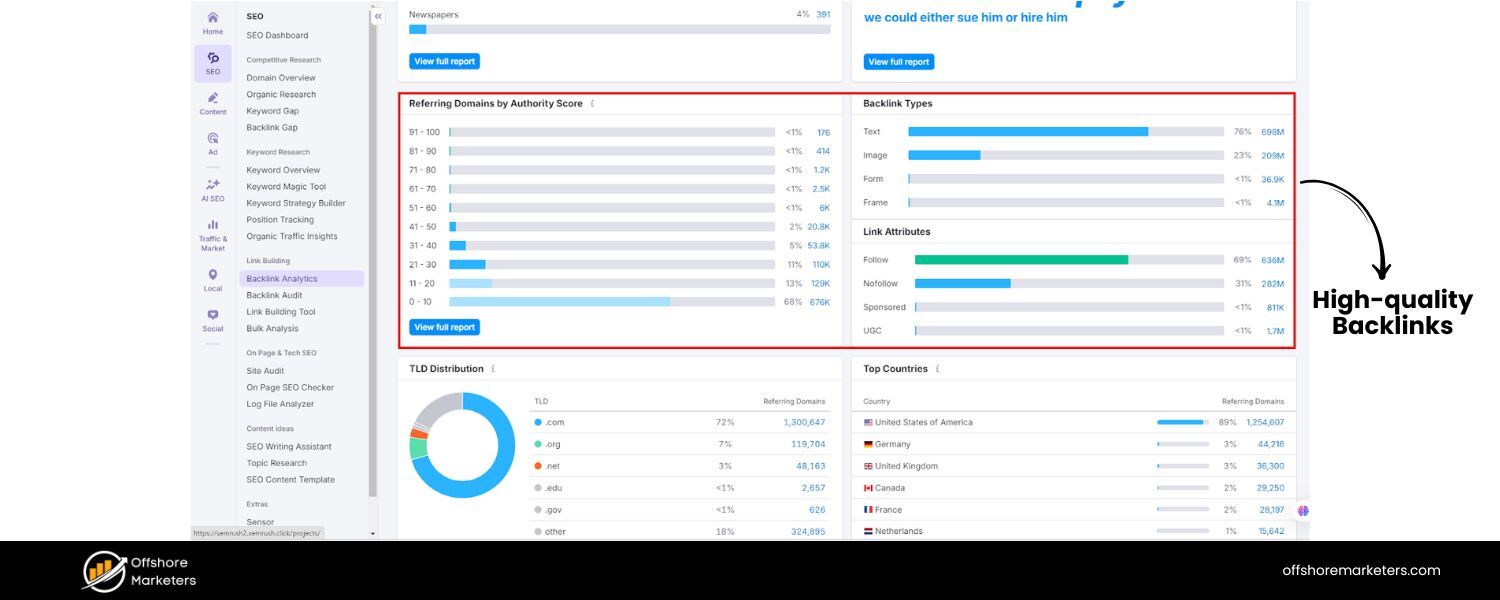
Even with perfect on-page optimization, search rankings also depend on off-page SEO and its strategies – particularly backlinks. Backlinks are links from other websites to yours, and they act like votes of confidence in the eyes of Google.
Your homepage, being a central page, is often the most linked-to page of your site. Building a strong backlink profile for your homepage can significantly boost its authority and ability to rank.
Why are backlinks so important? They can: drive referral traffic, help search engines discover your site faster, and most importantly, increase your site’s authority (which correlates with higher ranking potential).
For example, nytimes.com’s homepage has over 2.1 million backlinks, including links from highly reputable domains like BBC.co.uk and Microsoft.com. Those backlinks contribute to the New York Times’ homepage having an extremely high authority score (rated 84/100).
All those links also bring in a flood of referral visitors, an estimated 20.4 million visits from referrals across the site. While your site may not be NYTimes-sized, the principle stands: more quality links = more authority.
Here are some strategies to attract backlinks to your homepage:
1. Digital PR and Outreach
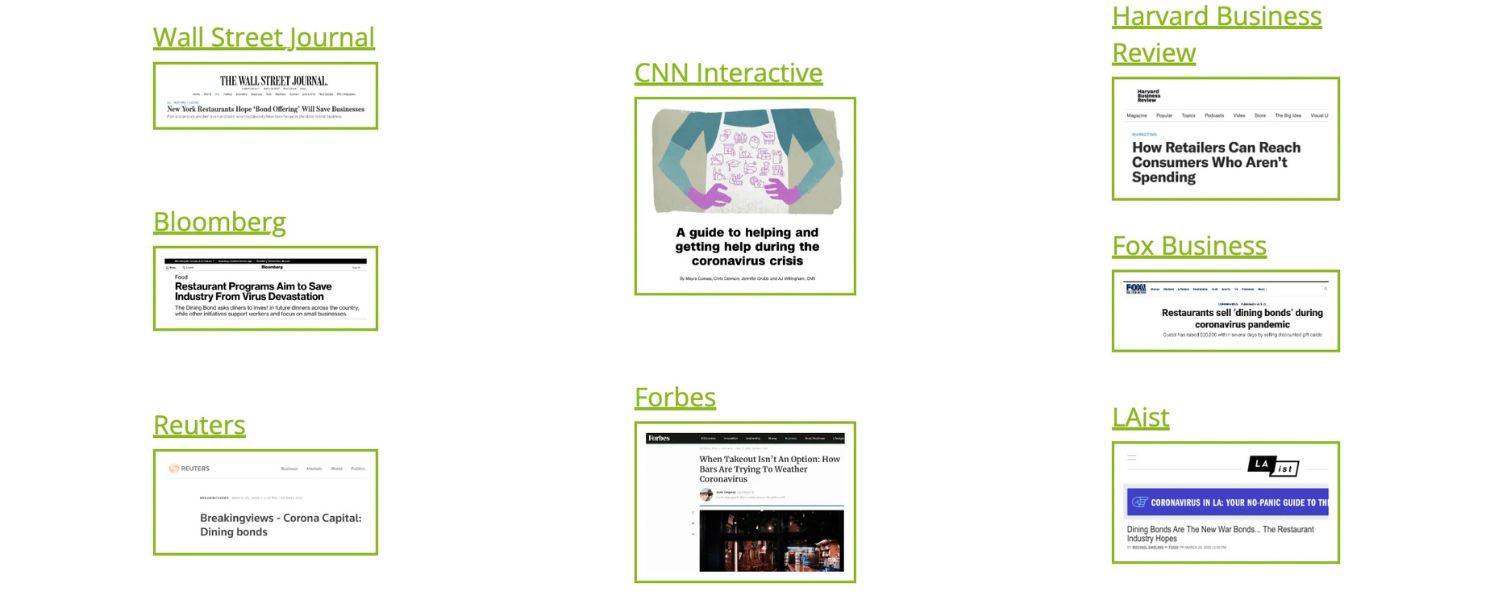
Do something newsworthy or create a piece of content that influencers want to link to. This could be publishing an industry report, an infographic, or a useful tool on your site. Then reach out to journalists, bloggers, or industry publications to let them know.
Being featured in an article or resource list can earn you valuable homepage links. Even sponsoring local events or charities can sometimes land you a link on their sponsor page. Digital PR is about creating buzz that naturally results in links.
2. Influencer & Partner Collaboration
Leverage your business relationships. If you partner with other companies or have clients who have websites, you might ask for a mention or testimonial link.Collaborate with industry influencers on something like a guest blog or a webinar – in return, they might link to your site when promoting it.
The key is to earn the link by providing value, not just begging for it. For example, if an influencer writes about “top tools I use” and your product is one, that’s a great way to snag a homepage link.
3. Content Marketing & Guest Posts

While your homepage itself isn’t going to be a blog post, creating high-quality content elsewhere on your site (like a valuable blog article or resource) can attract links that benefit your whole domain. Some of that “link juice” will flow to your homepage via internal linking and the inherent nature of domain authority.
Additionally, writing guest posts for other reputable blogs and including a link back to your site (often in your author bio or contextually if allowed) can help. Just ensure any guest posting is done on quality sites and the links are relevant, avoid spammy practices.
4. Fix Broken Links
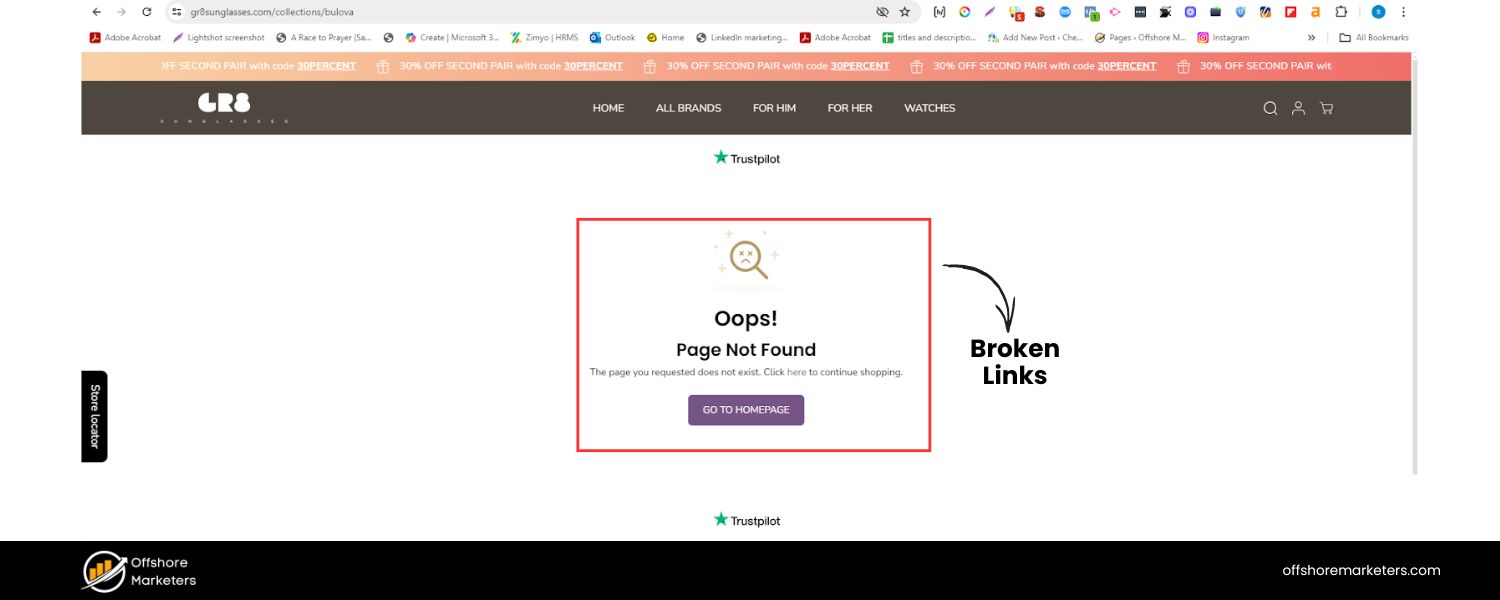
An often overlooked tactic – find out if any sites intended to link to you but have broken links. Sometimes websites mention your brand or content but the hyperlink is wrong or outdated. Using tools or Google Search, you can find mentions of your site without proper links.
Reach out to those webmasters kindly asking to fix the link to point to your homepage (or a relevant page). You’re helping them improve user experience while reclaiming a link you deserve.
5. List Your Site in Reputable Directories
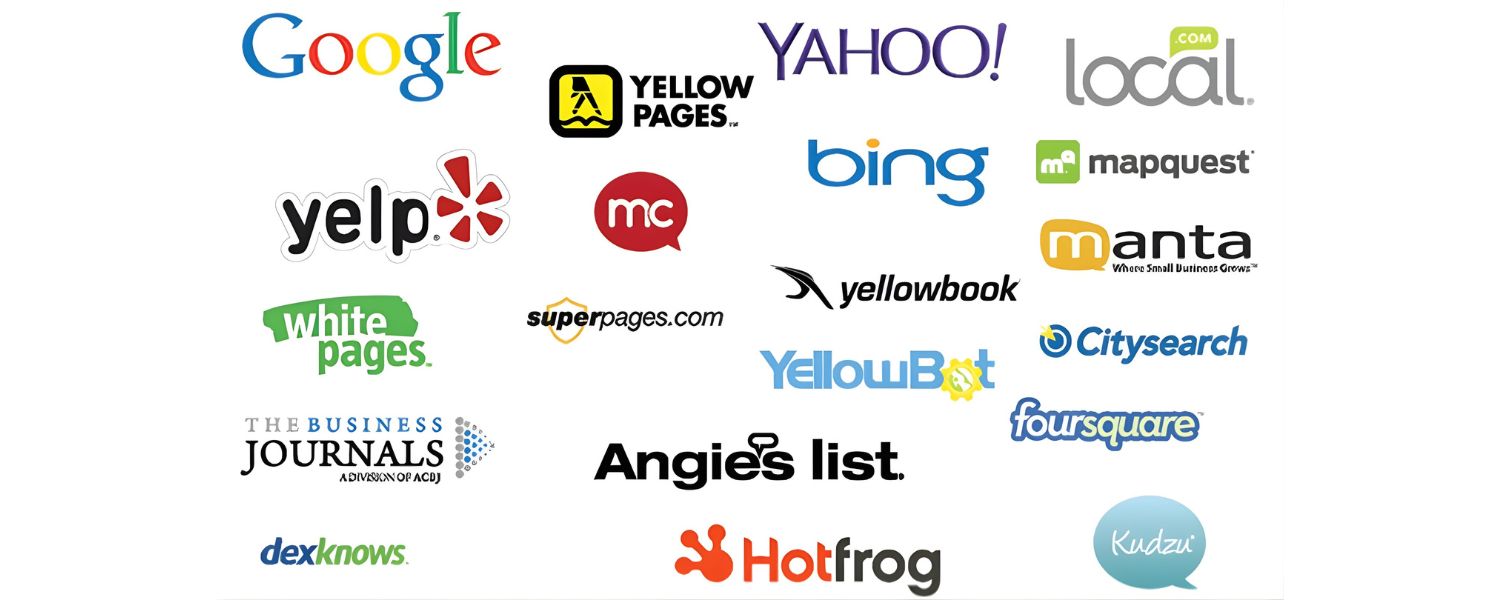
Submitting your homepage to high-quality directories or listings (think niche industry directories, Chamber of Commerce, etc.) can yield some foundational backlinks. Avoid low-quality link farms, though – focus on legit directories that people actually use. For local businesses, getting listed on Google Business Profile, Yelp, TripAdvisor (if applicable), etc., also provides backlinks or citations that bolster your homepage’s authority.
Remember, quality beats quantity with backlinks. A few links from authoritative, relevant sites outweigh dozens from low-tier sites. Aim for links from sites that are trusted in your industry or community. Also, diversify your anchor text (the clickable text of the link).
Branded anchors (your company name) or natural phrases (“visit our website”) are safer, don’t try to force exact-match keyword anchors for SEO, as that can look manipulative.
Case in Point:
The New York Times homepage example underscores how backlinks reflect authority. While you might not get millions of links, you can focus on getting a few great ones. For instance, if you run a tech startup and TechCrunch or a respected tech blog links to your homepage in an article, that single link could boost your credibility tremendously.
Invest time in link-building efforts as part of your homepage SEO strategy. It’s one of the best ways to leapfrog competitors in search rankings, provided your on-page fundamentals are solid.
Fortify Technical SEO Foundations
All your hard work on content and links can be undermined if technical SEO issues prevent search engines from effectively crawling or indexing your homepage. Technical SEO for a homepage isn’t vastly different from any page, but since the homepage is your site’s centerpiece, it’s vital to get the basics right:
1. Ensure Indexing 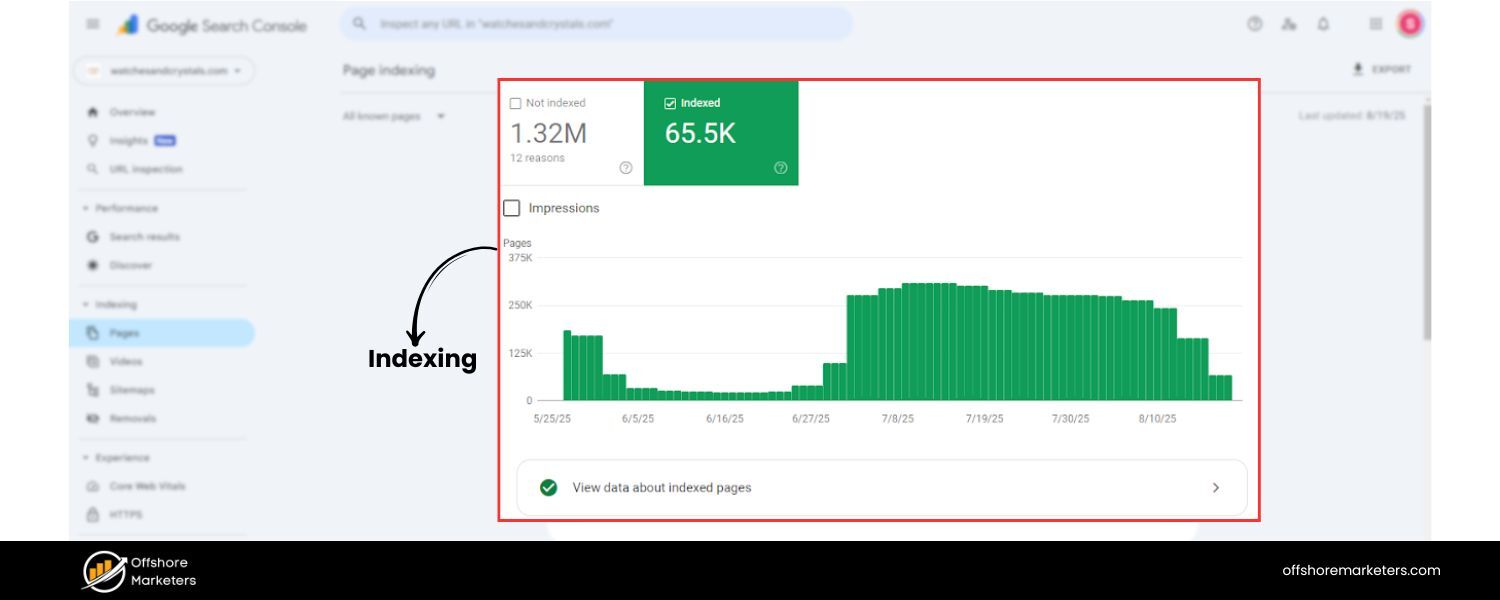
First, verify that your homepage is crawlable and indexable. In your robots.txt, you should not be blocking the homepage URL. In your HTML, avoid a tag on the homepage (unless you intentionally don’t want it indexed, which is rare).
It’s worth checking Google Search Console’s Index Coverage report to see if your homepage is indexed and if not, why. An indexed homepage is crucial – if Google can’t index it, it definitely won’t rank!
2. Use Canonical URL
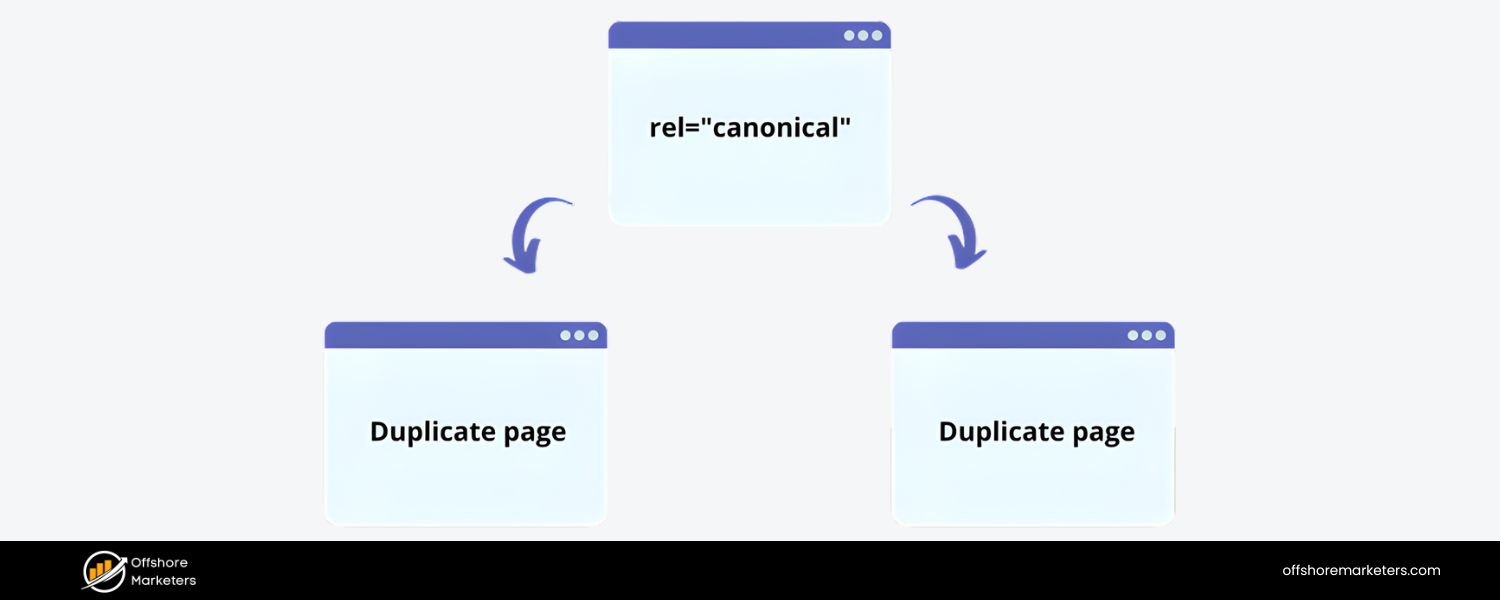
If your homepage is accessible at multiple URLs (e.g., with a trailing slash and without, or http:// vs https://), set a canonical tag to your preferred version (typically the https://www.yoursite.com/).
This consolidates ranking signals to one URL. Also ensure you’ve configured any necessary redirects (like redirecting the non-www to www, or HTTP to HTTPS) so that users and crawlers consistently land on the primary homepage URL. Duplicate or split signals can hurt SEO, so it’s best to have one definitive homepage URL.
3. Site Structure and Sitemaps 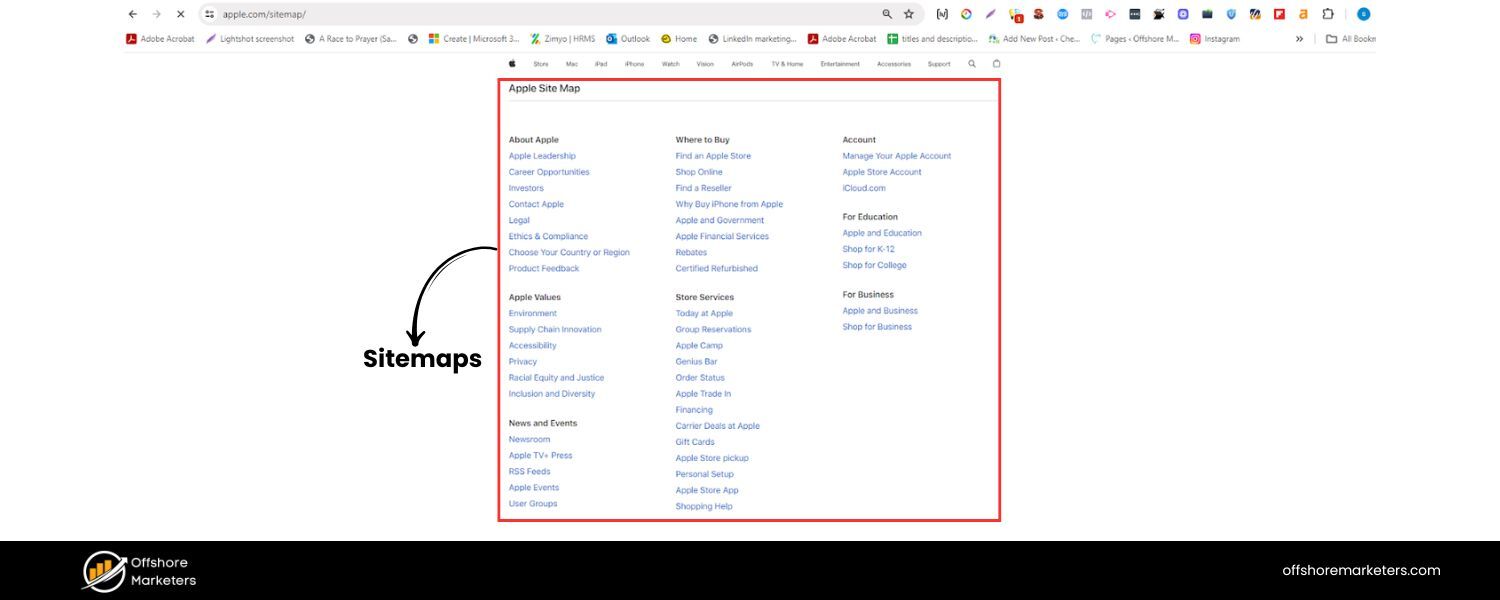
The homepage usually sits at the root of your site hierarchy. Make sure it’s included in your XML sitemap (it usually is by default with most CMS platforms). A sitemap helps search engines discover your homepage and all other pages.
Additionally, keep your URL structure tidy, the homepage is just the root, and it should link out to top-level sections logically. A flat, organized site structure emanating from the homepage aids crawl efficiency.
4. Fix Errors and Broken Links
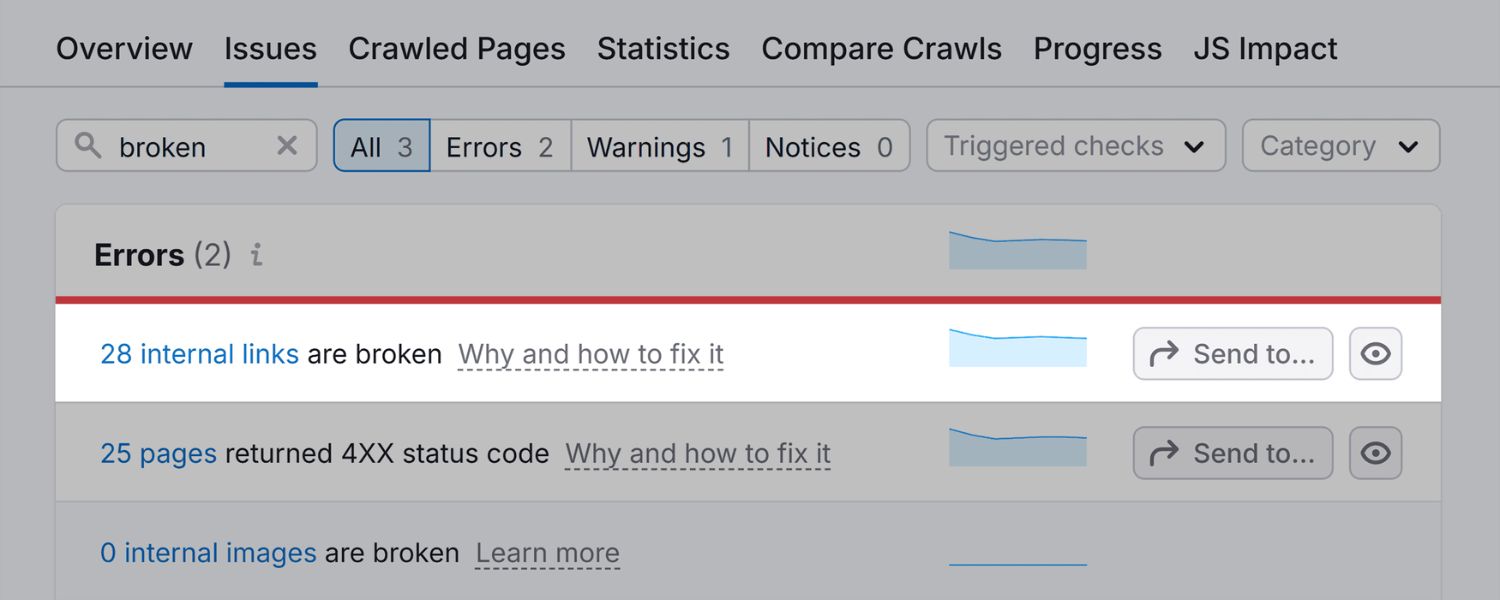
A technically sound homepage should have no broken internal links or images (check that all images load correctly and all menu/footer links resolve properly). Also, check for any console errors in the browser that might indicate resource loading issues.
If your homepage makes script calls to third-party resources, ensure those aren’t slowing things down or failing. Any broken element could disrupt user experience or crawler flow. Regularly run a site audit to catch issues.
As one guide notes, technical problems can make it “hard (or impossible) for Google to find and ultimately display your website in search results,” so fixing them is a major priority.
5. Structured Data Markup
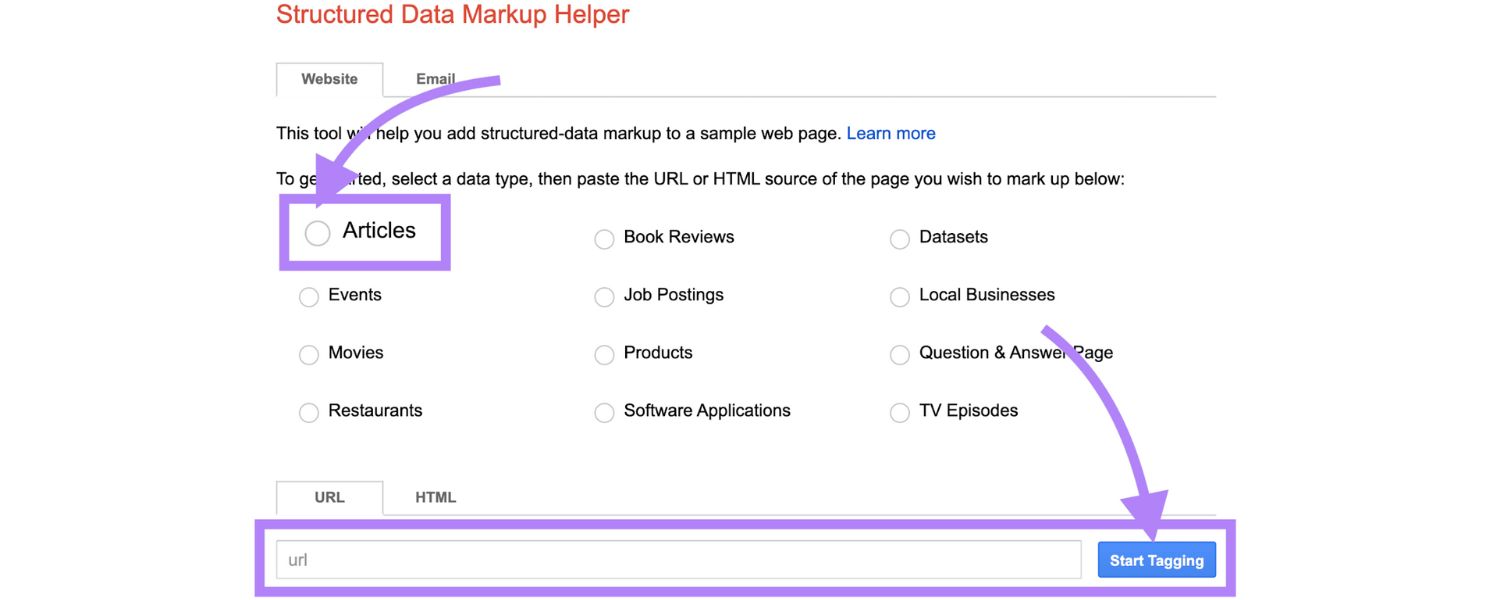
Adding structured data (schema) to your homepage can give search engines extra context about your site. A common and very useful schema for homepages is the Organization schema (or LocalBusiness schema if relevant) which can include your business name, logo, contact info, social profiles, etc. This schema is added in JSON-LD format in your HTML. While users don’t see it, it helps Google understand key details about your business.
For instance, you can specify your official name, address, phone number, and logo, which might then be used in Google’s Knowledge Panel or other rich results. Structured data doesn’t guarantee ranking boosts, but it can enhance how your site appears (e.g., showing a knowledge graph card, or making your listing eligible for rich snippets).
At minimum, implementing Organization schema on the homepage is a good practice. If you have a search functionality, you might also add WebSite schema (to indicate a potential search box), though as mentioned earlier Google’s support for the sitelinks searchbox has waned.
Additionally, if your homepage has reviews/testimonials, you could consider AggregateRating or Review schema to mark those up, but only do this if those reviews are specific to a product or service – don’t markup random testimonials as that could violate guidelines.
In summary, structured data is about helping search engines by providing clear metadata about your site content.
6. Page Security & Core Web Vitals
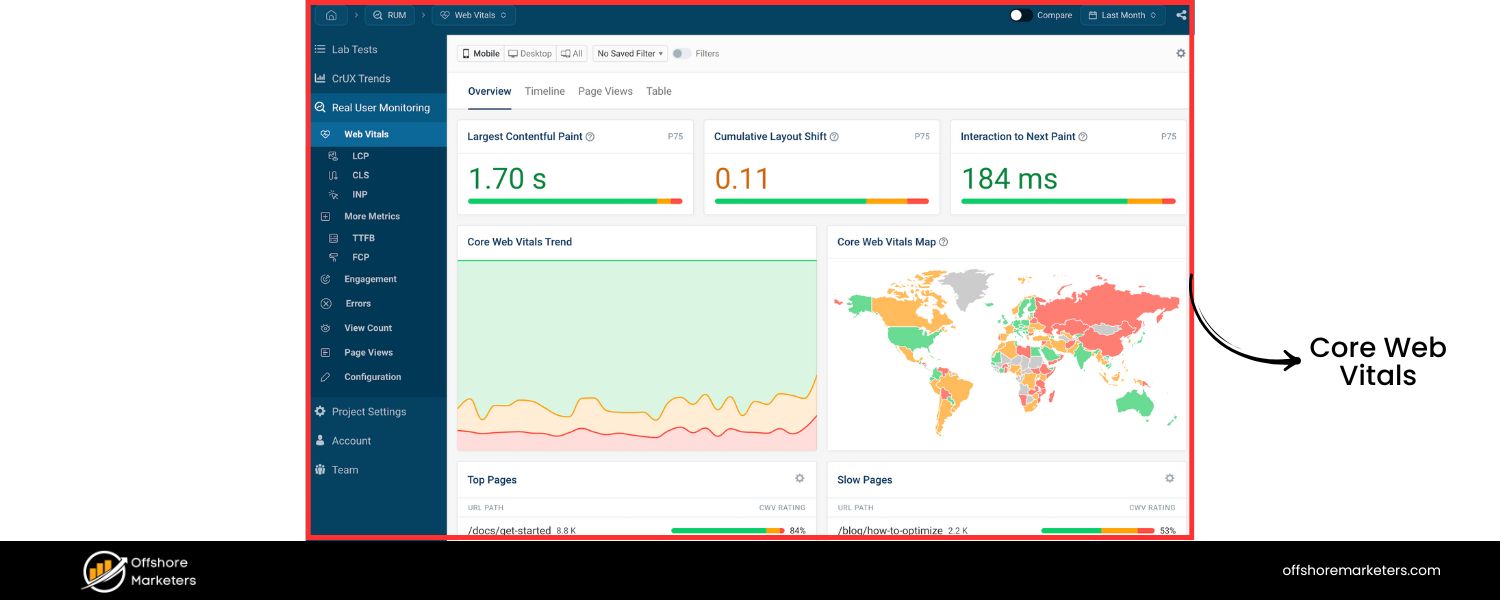
Use HTTPS for your homepage (and entire site), an unsecured homepage can hurt trust and Google has used HTTPS as a lightweight ranking signal for years. Also, keep an eye on Core Web Vitals and page experience metrics from a technical standpoint: avoid heavy JavaScript that delays interaction, make sure your hosting is reliable (uptime), and that your homepage’s HTML is well-structured (proper use of headings, alt tags, etc., which we covered under content but is also a technical HTML issue). Valid HTML and fast server response times contribute to better crawling and rendering.
Performing a technical SEO audit of your homepage (and site-wide) is a wise move, especially if you’re launching a new site or after major changes. Many SEO tools can spider your site to flag issues like missing titles, slow pages, broken links, etc.
Addressing those keeps your foundation strong. As one resource suggests, do a thorough technical audit initially, then re-check every so often (e.g., monthly or quarterly) to catch any new problems before they impact your rankings.
In short, dot your i’s and cross your t’s on the technical side. A search engine should encounter a smooth, error-free experience when crawling your homepage – only then can it fully appreciate and rank the excellent content you’ve added to it.
Monitor and Continuously Improve
Homepage SEO isn’t a one-and-done task. After implementing the above recommendations, you’ll want to track performance and make iterative improvements:
1. Analytics Tracking 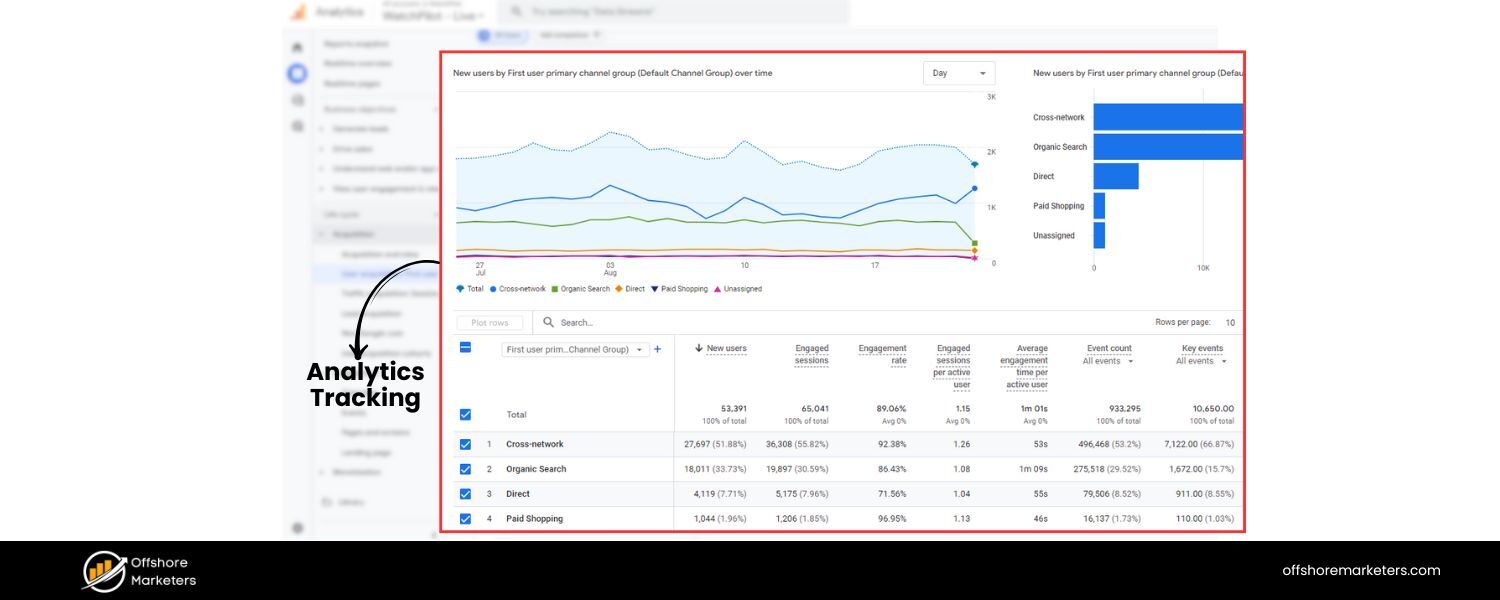
Use tools like Google Analytics (GA4) or an alternative to monitor how users interact with your homepage. Key metrics to watch include bounce rate, average time on page, and click-throughs to other pages. A high bounce rate or very short time on page might indicate the homepage isn’t meeting user expectations for certain search queries.
Conversely, good engagement metrics suggest your content and design are effective. Analytics can also show you what percentage of users are on mobile vs desktop, which can inform further design tweaks.
2. Search Console & Rank Tracking 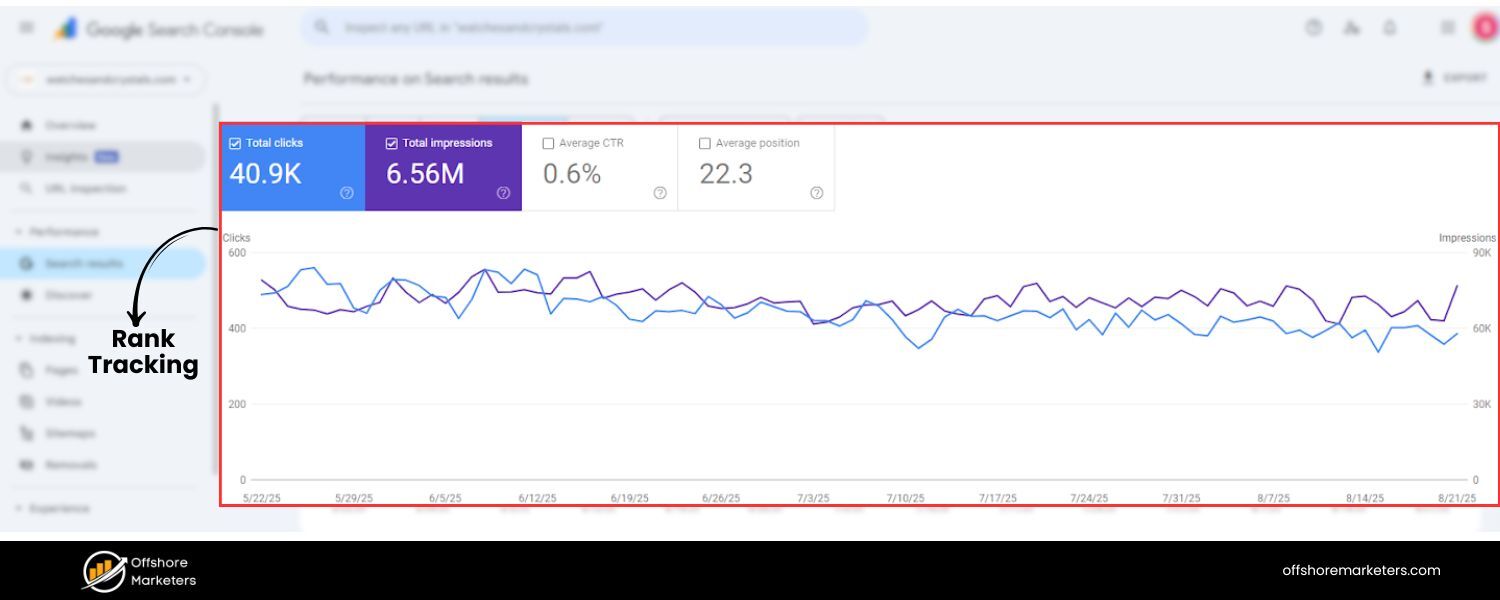
Google Search Console is invaluable for SEO monitoring. Check the Performance report for your homepage’s search queries and click-through rates. You might discover new keywords people are using to find your homepage.
For example, you may find your homepage is appearing for queries you didn’t anticipate, if they’re relevant, consider tweaking your content to serve those users better. Also track your average position for your primary keywords. If you aren’t rising in rankings over a few months, you might need to build more links or adjust your approach.
For more granular tracking, you could use a rank tracking tool (like Semrush’s Position Tracking or others) to watch daily rankings for specific keywords related to your homepage. These tools often let you compare with competitors as well.
3. User Feedback
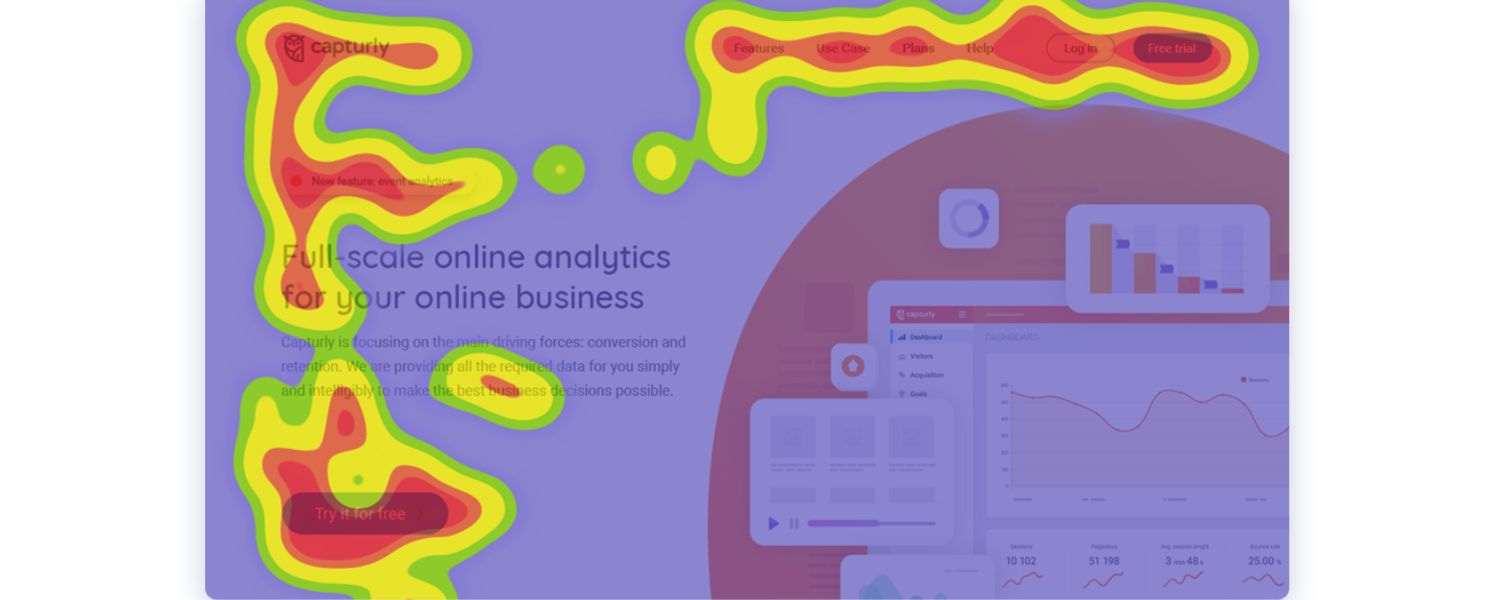
Pay attention to how real users navigate your homepage. Tools like heatmaps or session recordings (e.g., Hotjar, Crazy Egg) can show you where people click and how far they scroll. Maybe you’ll find that an important section is rarely seen because users don’t scroll far enough, that could prompt you to move that content higher.
Or perhaps users are clicking a feature that isn’t actually linked (indicating you should make it clickable). Optimizing these aspects can indirectly improve SEO by enhancing user satisfaction.
4. A/B Testing
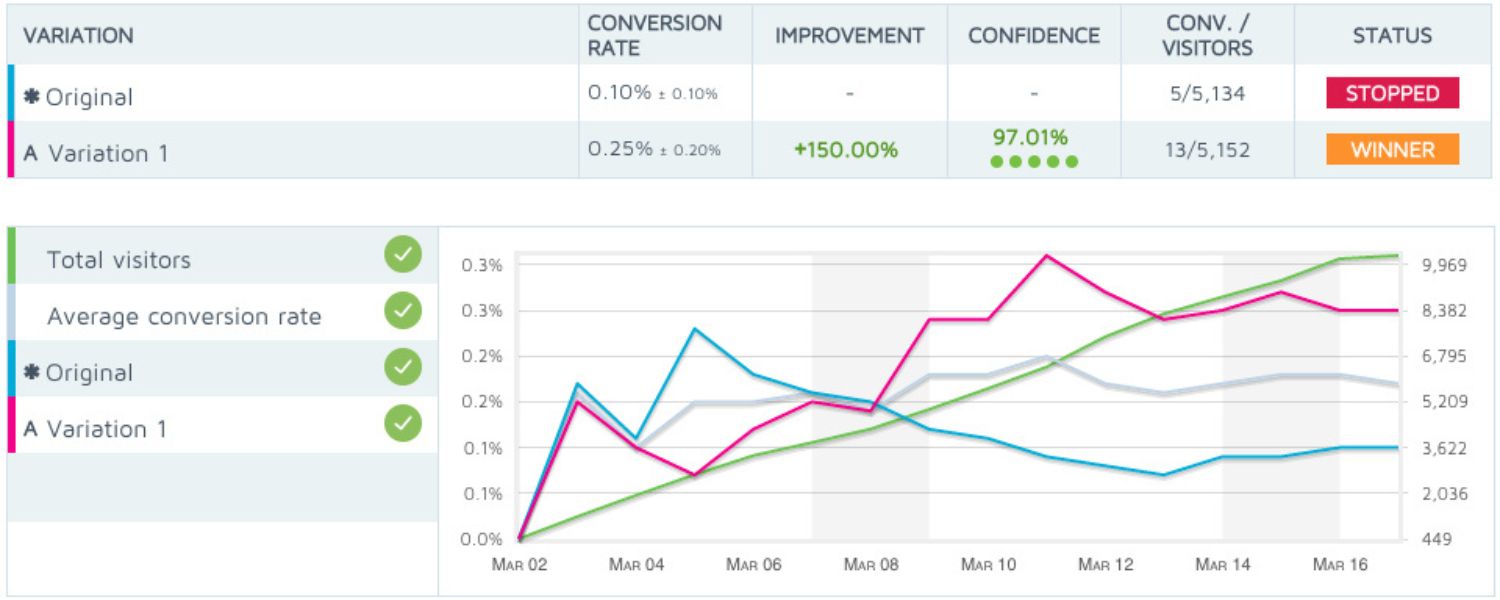
Don’t be afraid to A/B test elements of your homepage to see what works best (though be cautious not to hide content from Google during tests). You might test different headline phrasing, different images, or alternative CTA designs.
The goal is to improve conversion and engagement metrics. Just ensure any SEO-critical elements (like title tag or major content sections) remain crawlable and you’re not serving Google a completely different version of the page. Multivariate testing tools often have guidelines for SEO-safe testing.
5. Keep Content Fresh (When Relevant)
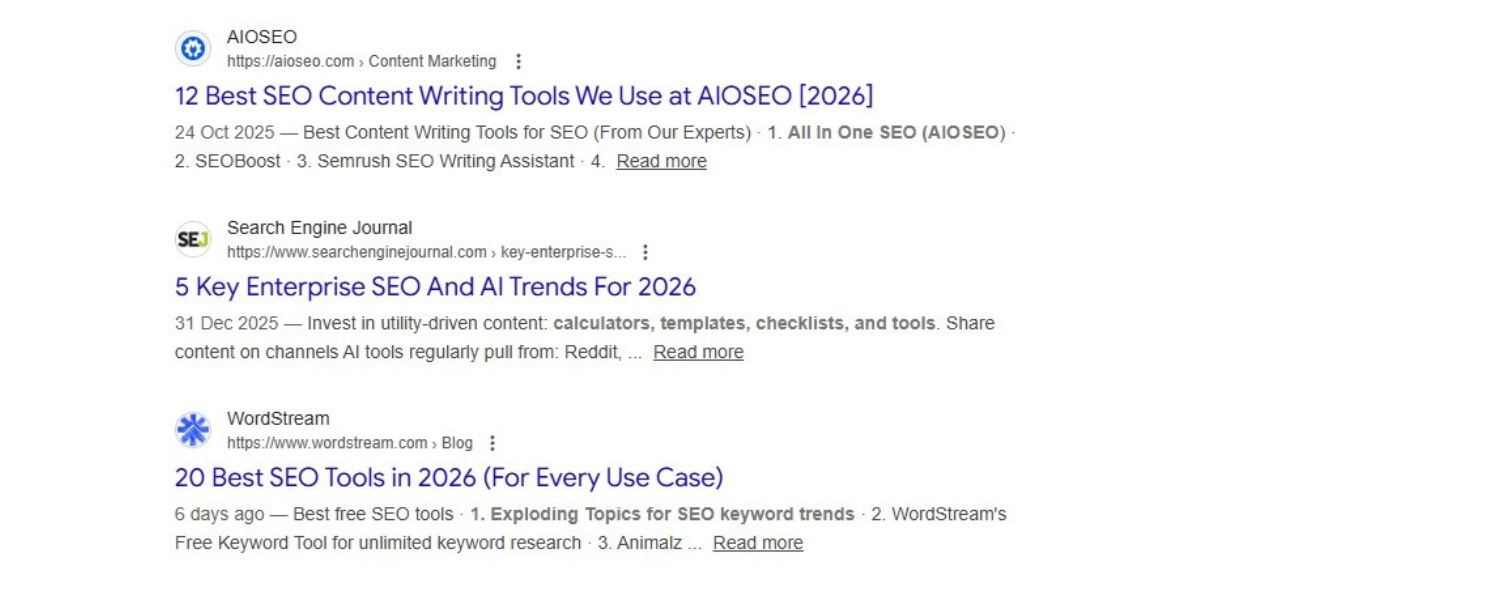
While you don’t need to update your homepage as frequently as a blog, do keep it up-to-date. If your business has news, a promotion, or a change in offerings, reflect that on the homepage.
An outdated homepage (e.g., touting an event that happened two years ago) can turn off users and give a poor impression. Additionally, Google does appreciate content freshness for certain queries. For instance, if someone searches your brand and sees a very dated meta description, it might affect their perception.
Many companies update their homepage visuals or featured sections seasonally, this can also earn you fresh backlinks or social buzz (“check out our new feature on the homepage”). Just avoid totally reinventing your homepage too often in ways that confuse returning visitors or search engines.
6. Watch Competitors
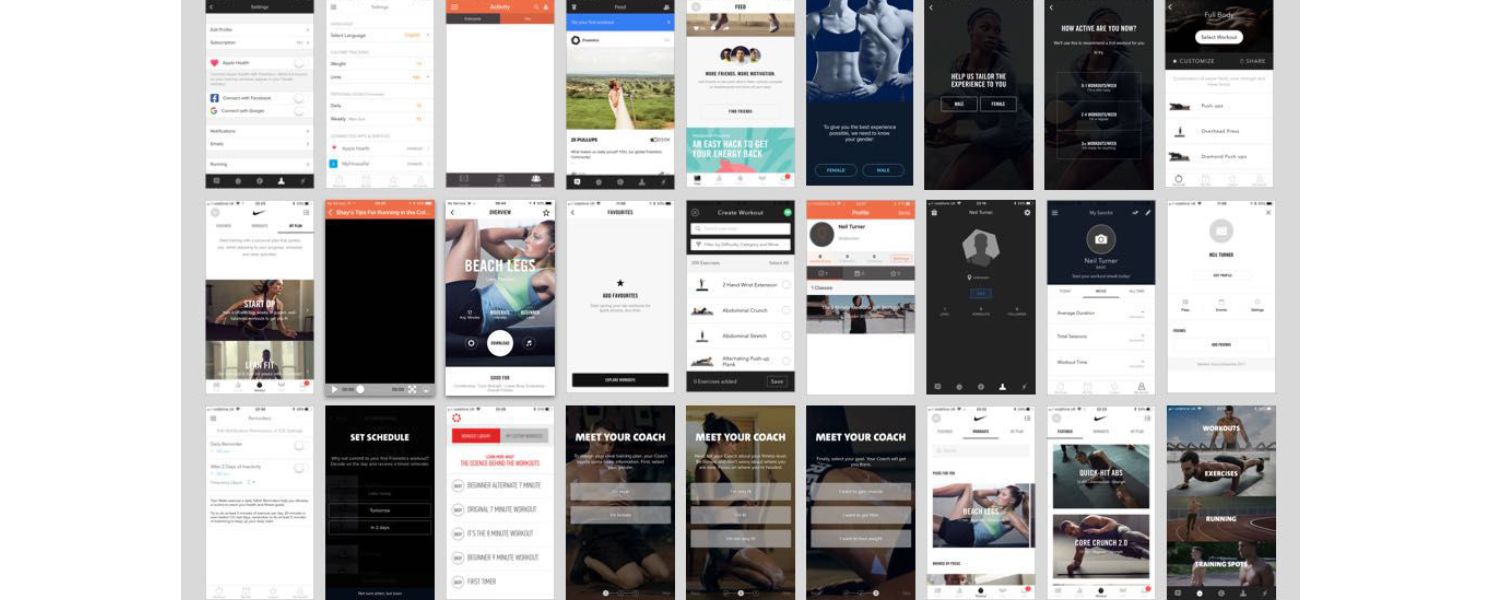
Periodically review competitor homepages (especially those ranking above you for important terms). See what they’re doing in terms of content, keywords, design, and links. If competitors add new elements (like a new section for testimonials, or incorporate a new keyword in their title), consider if those changes make sense for you too. You should aim to provide more value on your homepage than competitors do on theirs, whether that’s more up-to-date info, a more intuitive layout, or a clearer message.
7. Technical Check-ups
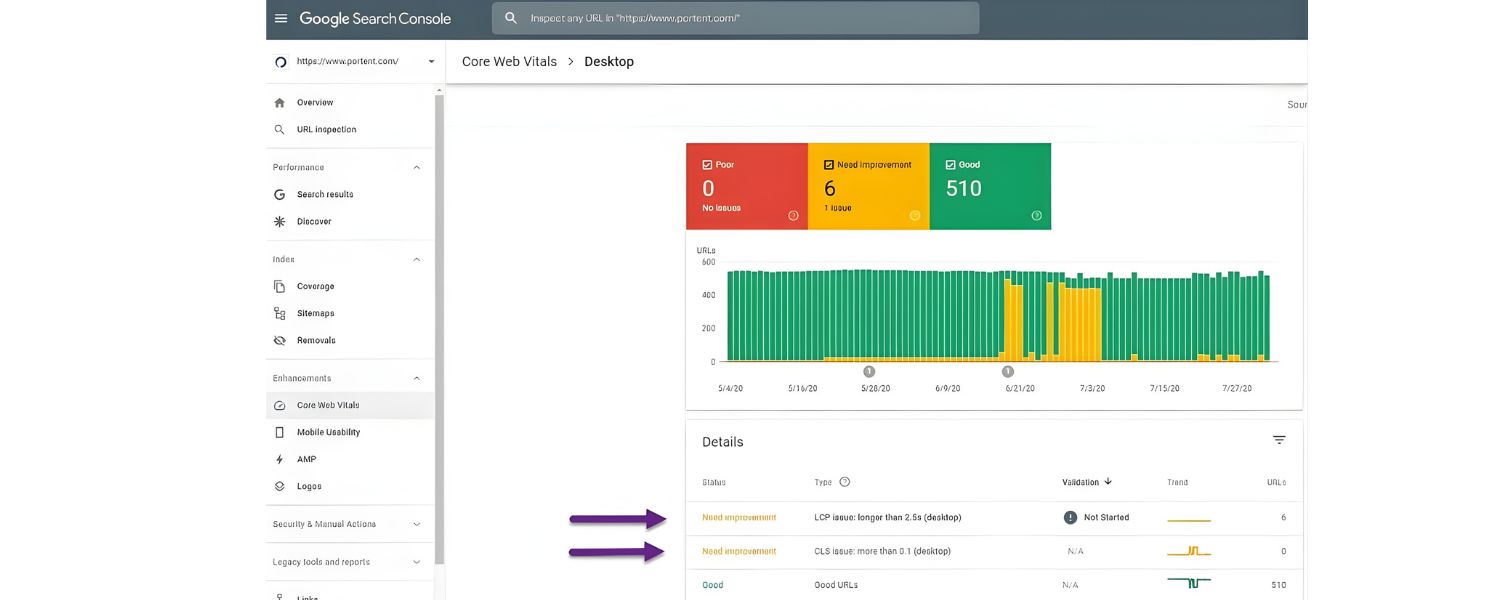
As noted, keep running technical audits from time to time. New issues can arise (for example, a plugin update might accidentally add a noindex tag, or a new script might slow the page). Catch and fix those promptly. Also ensure your site’s Core Web Vitals reports in Search Console remain green – if, say, your hosting deteriorates and slows down, you’d want to know and address it.
By continuously monitoring, you create a feedback loop to refine your homepage SEO. For instance, you might notice through Search Console that your homepage is getting impressions for a new keyword that you didn’t explicitly target.
If it’s relevant, you could subtly add that term or related content to capitalize on the opportunity. Or analytics might show mobile users have trouble with a certain section, prompting a mobile design fix that in turn improves overall performance.
SEO is iterative. Regular tweaks based on data can gradually improve your homepage’s rankings and user engagement. Just be sure to give changes enough time to collect meaningful data – don’t panic if small adjustments don’t yield instant results. SEO gains often compound over time.
Frequently Asked Questions (FAQ) about Homepage SEO
Q1: Should I optimize my homepage for a specific keyword, or just my brand name?
In most cases, your homepage’s primary “keyword” will be your brand name, since that’s what naturally fits the content and purpose of the page.
Your homepage is your brand’s introduction to the world, so it makes sense that it ranks for branded searches. That said, you can also target a broad industry term if it aligns closely with your business.
For example, a law firm’s homepage might target “XYZ Law Firm – Personal Injury Attorneys” where “personal injury attorney” is the broad keyword. The key is to choose one main theme – don’t cram five unrelated keywords in an attempt to rank for everything.
Use dedicated subpages or blog posts to target more specific or additional keywords. Your homepage sets the overall theme and should match high-level searches (including your brand). So, focus it on one primary concept and your brand, and let other pages handle the rest.
Q2: How much content should my homepage have for good SEO?
There’s no fixed word count for a “perfect” homepage – it depends on your industry and audience. Some highly effective homepages are fairly minimal (think of Apple’s homepage with big visuals and succinct text), while others in content-heavy niches might have several sections of text.
As a general guideline, include enough text to communicate your value and context to search engines. A common mistake is to have virtually no textual content on the homepage (just images and links); this can make it hard for Google to understand what your site is about.
Aim for at least a few short paragraphs or a set of concise sections that incorporate your main keywords and messaging. Often, 300–500 words of well-crafted copy spread across the page can do the job. But clarity is more important than length.
It’s better to have 200 excellent, purposeful words than 800 words of fluff stuffed with keywords. Use headings, bullet points, and callouts to make the content digestible. And remember to integrate keywords naturally – as long as the homepage clearly conveys your site’s topic and benefits, you’re likely providing sufficient content for SEO.
Q3: What are some quick wins to improve homepage SEO?
Some quick wins include:
1. Optimizing your title tag and meta description – ensure they’re compelling and keyword-aligned (e.g. include your brand and a primary keyword). This can often improve click-through rates immediately.
2. Ensuring your homepage is mobile-friendly and fast – run a speed test and fix one or two things (like compress images or enable caching). Reducing homepage load time even by 1 second can make a difference in user engagement.
3. Adding a clear H1 heading if you don’t have one. Make sure it includes a keyword and isn’t just “Welcome” or something generic.
4. Linking out to your top pages from the homepage. If you realized your “Services” page or a high-converting product wasn’t linked on the homepage, add it prominently. This can boost that page’s visibility and SEO, and improve user navigation.
5. Adding trust signals like a testimonial, security badge, or simply updating your copy to be more user-oriented. This can lower bounce rates and build credibility quickly.
6. Fixing any errors – check Search Console for any crawl errors or mobile usability issues on the homepage and address them. For example, if Search Console says the text is too small on mobile, adjust your design.
7. Leverage your brand name – make sure you use your brand name in the title and perhaps once in the content (sounds basic, but some sites omit their name in headings or copy, which is a missed opportunity given many will search your name).
These “quick win” optimizations often require little development time and can yield noticeable improvements in how your homepage performs.
Q4: Can my homepage rank for non-branded keywords like a blog post would?
Yes, a homepage can rank for non-branded keywords, especially broader terms related to your business, but it often requires authority and relevance.
As discussed earlier, many well-optimized homepages rank for lots of generic terms (e.g. e-commerce homepages ranking for product category terms, SaaS homepages ranking for software type terms). For your homepage to rank for a non-branded query, the query should ideally have intent that matches a general overview page.
For example, someone searching “best project management software” might end up satisfied with a software’s homepage that introduces the product suite. On the other hand, a query like “how to fix leaky faucet” wouldn’t be satisfied by a plumbing company’s homepage – it needs a specific how-to article.
So it depends on the keyword intent. Generally, homepages rank well for navigational or broad commercial queries, but not as well for very specific informational queries (those are better served by inner pages).
If you want your homepage to rank for a particular non-brand term, make sure that term is central to your business and that competitors are also ranking homepages or category pages for it (signaling that a broad page can serve the query).
As an example, Squarespace’s homepage ranks for terms like “website builder” because the intent is to find a service (which a homepage can fulfill). In contrast, it wouldn’t rank for “how to design a website” (which is more tutorial – they’d use a blog post for that). So, determine the right non-branded terms that fit a homepage’s content, and optimize subtly around those (in title, headings, etc.).
Over time, as your site gains backlinks and authority, your homepage can capture many relevant keywords.
Q5: Is it okay to have a lot of images/banners on the homepage from an SEO perspective?
It’s absolutely okay to use images and banners, they often enhance user engagement, but you should implement them in an SEO-friendly way.
Heavy use of images can slow down your page, so be sure to compress images and use correct dimensions. Also, if your homepage is basically one big banner with text embedded in the image, that’s not ideal for SEO because Google can’t read text inside images.
Always provide actual HTML text for important headlines or slogans (you can still style it to overlay on an image via CSS).
If you have image carousels or sliders, know that too many sliding images might impact load time or be skipped by users; make sure each has alt text. From an SEO standpoint, text content is still king, but visuals can make the page more appealing and keep visitors around longer, an indirect SEO boost.
So use images to reinforce key points (e.g. product photos, illustrations of your service in action) and ensure every image has an (img alt=“description”) attribute describing it. Also, consider lazy-loading images below the fold so initial content appears faster.
In summary, you can have an image-rich homepage and still be SEO-friendly, as long as you optimize file sizes, include textual equivalents, and don’t hide all your important info in images. Many top-ranking homepages use visuals effectively to complement their text.
Conclusion and Next Steps
Your homepage is the centerpiece of your online presence, optimizing it for SEO is like rolling out a welcome mat that’s not only inviting but also highly visible on the web. By focusing on clarity, relevance, and user experience, you make it easy for both search engines and customers to understand your brand’s value from the get-go.
Let’s recap the key takeaways:
1. Focus on your core message
Clearly convey what your business is about and who it’s for, right in the title, headings, and top content. Don’t treat the homepage as a dumping ground for every keyword – make it a strong introduction that sets the theme.
2. Optimize on-page elements
Craft a compelling title tag (with your brand and main keyword) and meta description that invite clicks. Use one H1 and logical subheadings, incorporate your primary and secondary keywords naturally, and include a healthy amount of body content that addresses visitors’ needs.
3. Enhance user experience
Ensure your homepage looks great and loads fast on all devices. A seamless, quick experience (fast loading, mobile-friendly design, intuitive navigation) not only pleases visitors but is rewarded by Google. Don’t forget to highlight trust factors – show that you’re a credible, real entity with experience and happy customers.
4. Leverage internal linking
Use your homepage’s prime real estate to direct users (and link equity) to your most important pages. A well-structured homepage funnels visitors effectively and boosts your overall site SEO.
5. Build authority
Earn quality backlinks to your homepage through content marketing, PR, and partnerships. Each good link is a vote of confidence that can push your homepage higher in the rankings.
6. Stay vigilant
SEO is ongoing. Regularly monitor your homepage’s performance in analytics and Search Console. Keep content fresh as your business evolves, and continuously polish technical aspects so nothing hampers your visibility.
By implementing the strategies in this guide, you position your homepage to outperform competitors with greater depth, originality, and up-to-date optimizations. Remember that a successful homepage balances SEO elements with user-centric design, it should appeal to algorithms and people alike.
Now it’s time to put this into action. Take a critical look at your homepage and identify one or two areas to improve first (perhaps your title tag, or adding a missing section users might appreciate). Start optimizing today, and you’ll build a stronger foundation for your entire website’s SEO.
Ready to supercharge your website’s performance? Don’t stop at the homepage, apply these principles across your site and watch your organic traffic grow. Need help or an expert eye? Contact our SEO team for a free consultation and let’s turn your homepage into a high-ranking, conversion-driving asset for your business!

Why Roseville Startups are Choosing Offshore Marketers to Scale Smarter
Roseville is no longer just a quiet suburb of Sacramento;...

What Is PPC? A Practical Guide to Pay‑Per‑Click Advertising
Pay‑per‑click (PPC) is the “pay only when someone clicks” branch...

Google Search Issues Affecting Results in Some Regions
Google has confirmed a problem with one of its data...

Keyword Counts Dropped After Google’s num=100 Change
In September 2025, Google stopped supporting the &num=100 parameter. This...

Image SEO: Optimize Images for Higher Rankings & Traffic
Introduction Images make your website more engaging, but they can...


.png)
.png)
.png)
.png)
.png)

2024 ALL RIGHTS RESERVED MADE IN INDIA
.png)