
Search Terms: What They Are and How to Use Them for SEO & PPC Success
July 14, 2025
What Are Search Terms?

Search terms (also known as search queries) are the words or phrases that users type into a search engine when looking for information, products, or services.
In simple terms, if you type “best coffee shop near me” into Google, that entire phrase is a search term. Search terms can be just one word or several words long.
They encompass anything people enter in the search box, from a single-word query like “weather” to a detailed question like “how to start a blog in 2025.”
Whenever someone conducts a search, search engines like Google analyze the search term to figure out what the user really wants (their intent) and then return the most relevant results.
Think about your last Google search, you had a specific intent or question in mind, and the search term you used was the key to unlocking the answer.
For businesses and content creators, knowing the exact terms people search for is incredibly valuable, because it reveals the language your audience uses and the topics they care about.
Search Terms Example:
- Best coffee shop near me
- How to start a blog in 2025
- best digital marketing agency
- Affordable SEO services in Fresno
- Local content marketing services in Fresno
These search terms can guide businesses in optimizing their websites and content to better match what potential customers are actively searching for.
Search Terms vs Keywords

It’s easy to confuse search terms with keywords, but they aren’t exactly the same. A search term is what a user actually types into the search engine, whereas a keyword is what marketers or website owners target in their content or campaigns.
In many cases, a search term and a keyword can be identical, for example, if someone searches for “best running shoes” and you have optimized your page for the keyword “best running shoes,” then the search term matches your keyword.
However, often they differ. Search terms come from users, while you choose keywords as part of your PPC strategy.
To illustrate, imagine a user types the search term “affordable headphones for gaming”. They might see results optimized for keywords like “cheap gaming headphones” or “budget gaming headsets”, even if those exact phrases weren’t what the user typed.
This is because search engines interpret the search term and match it with relevant keywords in their index.
Your goal as a content creator or advertiser is to anticipate the various search terms people might use and ensure you have keywords and content that correspond to those searches.
In summary, search terms reflect the user’s query, while keywords are the targets you optimize for in order to capture those queries.
Types of Search Terms
Not all search terms are alike. We can categorize search terms in a few important ways based on their length, specificity, and brand association. Understanding these types will help you prioritize which terms to target.
Short-Tail vs. Long-Tail Search Terms

Short-tail search terms are very brief, typically one or two words (also called head terms). They tend to be broad and generic. For example, “shoes”, “pizza recipe”, or “digital marketing” are short-tail searches.
These terms usually have high search volume, lots of people search for them, which means they can bring in a large amount of traffic if you rank for them.
However, short-tail terms are extremely competitive and often vague in intent. A search for “shoes” could mean the user wants to buy shoes, find shoe reviews, or learn how shoes are made.
Because they’re so broad, short-tail terms often have lower conversion rates and are harder to rank for in SEO (and more expensive in PPC).
Short-tail search term example: A simple one or two-word query like “cookie recipes” tends to be broad and general.
In the example above, the query “cookie recipes” is very generic and could lead to many different search results. This illustrates how short search terms cast a wide net but lack specificity compared to longer queries.
Long-tail search terms are longer, more specific phrases – usually three words or more. An example would be “vegan oatmeal cookie recipe” instead of just “cookie recipe”.
Long-tail terms have lower search volume per term, but they usually carry clearer intent and face less competition. In other words, fewer people search for very specific phrases, but those who do know exactly what they want and are often closer to taking action.
For instance, someone searching “affordable waterproof hiking boots for women size 8” has a very specific need and is likely ready to find that exact product.
By targeting long-tail search terms, you can attract highly qualified visitors and often rank more easily, since bigger competitors may not be optimizing for such niche phrases.
Long-tail search term example: A more detailed query like “vegan oatmeal cookie recipe” indicates a specific intent and often faces less competition.
In the example above, the searcher isn’t just looking for any cookie recipe, but a very specific kind (vegan oatmeal).
This specificity means the search term is likely used by someone with a clear goal (finding that exact recipe), and it will retrieve more targeted results than a broad query.
Branded vs. Non-Branded Search Terms

Another way to classify search terms is by whether they include a brand name. Branded search terms include a specific brand or company name – for example, “Nike running shoes” or “Spotify Premium subscription”.
These queries indicate the searcher already has a particular brand in mind. Users who type branded terms are often looking specifically for that brand’s products or information (e.g., a person searching “Nike running shoes” likely wants Nike’s shoes).
Ranking for your own branded terms is usually straightforward (your site should be the most relevant result for your own brand).
In paid ads, companies sometimes bid on competitors’ branded terms to try to capture those searches, but this can be expensive and must be done with caution.
By contrast, non-branded search terms contain no brand names, for example, “best running shoes for flat feet” or “music streaming apps”. These are generic searches where the user hasn’t specified any particular provider.
People searching non-branded terms are looking for solutions, options, or information without being loyal to any one brand. Non-branded terms often have a larger search volume overall and are the primary battleground for SEO and PPC competition.
After all, if someone just searches “best music streaming apps,” every relevant company (Spotify, Apple Music, etc.) wants to appear in those results.
The challenge is to optimize for these broader terms and stand out among the competition, which we’ll cover more in upcoming sections.
Understanding Search Intent in Search Terms
Not all searches are driven by the same motivation. The concept of search intent refers to the underlying reason why someone is using a particular search term.
In other words, what is the user hoping to accomplish with their query? Search intent generally falls into a few major categories:
1. Informational intent

The user is looking for information or answers. These search terms often start with question words or revolve around learning something.
For example, “how to tie a tie” or “benefits of green tea” indicate informational intent, the searcher wants knowledge or advice.
2. Navigational intent

The user is trying to get to a specific website or page. They often use a brand or website name in the query.
For instance, searching “Facebook login” or “OpenAI ChatGPT website” suggests the user wants to navigate to that particular site or page.
3. Commercial (Investigation) intent

The user is researching products or services and is likely considering a purchase but hasn’t decided yet.
These search terms might include words like “best”, “top”, or “reviews” – e.g., “best noise-cancelling headphones”. The searcher wants to compare options and gather information before buying.
4. Transactional intent

The user is ready to act (often to buy something). These queries often include action words or specifics like “buy”, “order”, or model numbers.
For example, “buy iPhone 14 online” or “cheap flights to New York” show transactional intent, the searcher wants to complete a purchase or a specific action.
Understanding the intent behind search terms is critical. If you know what users want, you can create content that directly addresses their needs.
For instance, an informational search term will require a thorough, educational article or guide (not a product page or sales pitch). In contrast, an e-commerce product page or a clear call-to-action might best serve a transactional search term.
Google rewards content that matches the user’s intent with higher rankings, so aligning your pages with the intent behind target search terms is a smart SEO strategy.
In PPC advertising, matching ad copy and landing pages to search intent can improve click-through and conversion rates, because you’re giving people exactly what they’re searching for.
Why Are Search Terms Important for SEO
Search terms play a foundational role in search engine optimization (SEO). By understanding the exact words and phrases your target audience uses on Google, you can tailor your content strategy to meet their needs.
Here are a few key reasons search terms are so important for SEO:
1. Discover What Your Audience is Searching

The search terms people use reveal their questions, problems, and interests. If you know that thousands of users search for “how to fix a leaky faucet”, and you’re a home improvement brand, that’s a strong hint to create content addressing that exact query.
Tools like Google Search Console show which search queries are bringing users to your site, so you can identify terms you already rank for (and optimize those pages further) or find new content ideas.
2. Align Content with User Intent

Using the right search terms in your content helps ensure you are answering the intent behind those searches. search terms example, if people frequently search “tulip care tips” and land on your gardening blog, but your content is about selling tulip bulbs, those visitors won’t be satisfied.
You’d want to create a dedicated article on tulip care to meet that informational intent. As Google’s algorithms have become better at interpreting intent, pages that best answer the query tend to rank higher.
3. Improve Relevance and Rankings
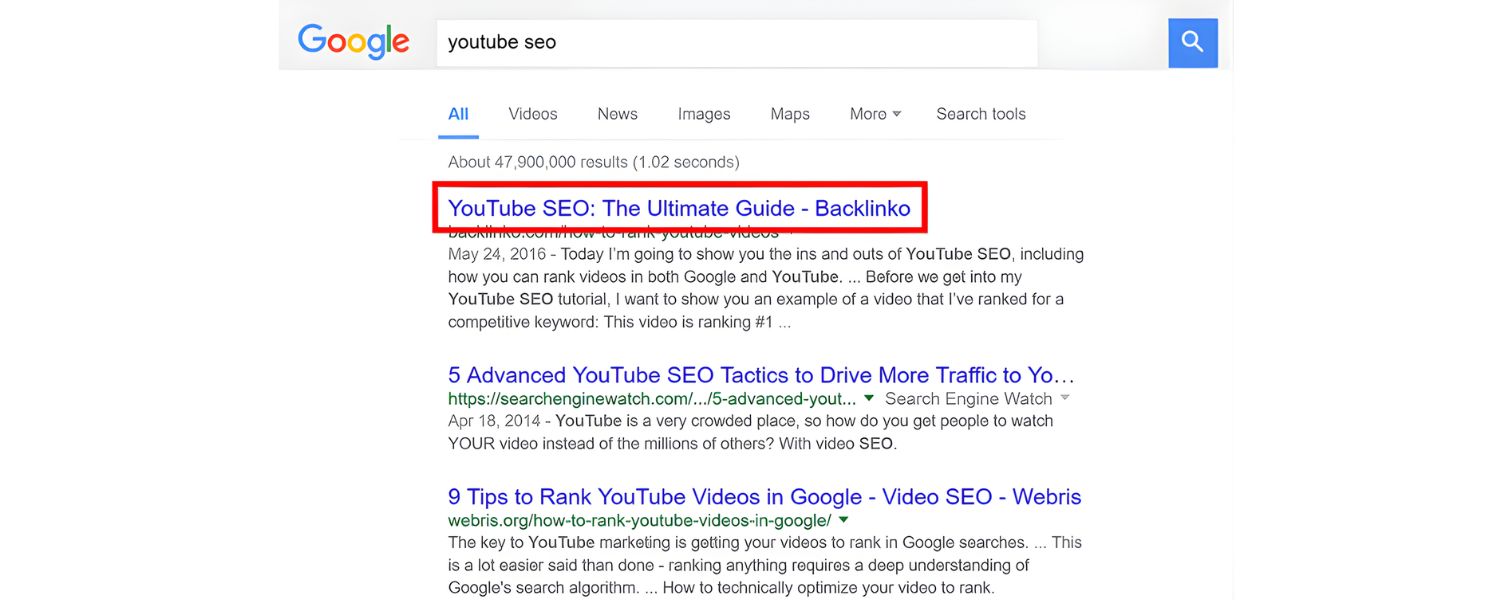
Search engines measure how relevant your page is to a given query by looking at factors like keyword usage, content depth, and user engagement.
Incorporating relevant search terms (and related terms) into your page’s title, headings, and body text signals to Google that your content is a good match for those queries.
This on-page optimisation is a cornerstone of SEO. For example, if your page is about electric cars but never mentions a common search term like “EV range anxiety,” you might miss out on ranking for that topic.
4. Stay Ahead of Trends

Search terms data can uncover emerging topics or shifts in language. New slang, product names, or questions can arise as 15% of daily Google searches are completely new.
By keeping an eye on search term reports and tools like Google Trends, you can spot these changes and create content early, giving you a competitive edge in ranking for trending queries.
In summary, optimizing for the search terms your audience uses helps your site appear in front of the right people.
It leads to more organic traffic, and more importantly, traffic that finds what it’s looking for on your site, which means better engagement and potentially higher conversion rates.
As one expert put it, “Understanding search terms means you can optimise for the right keywords. And doing that equals better SEO results.”
Why Are Search Terms Important for PPC
For paid search advertising (like Google Ads), search terms are just as critical. In PPC campaigns, you bid on keywords, but what triggers your ads to show are the actual search terms people enter.
Here’s why paying attention to search terms can make or break your pay-per-click success:
1. Improve Ad Relevance and Quality Score

Google Ads uses a metric called Quality Score that partially depends on how closely your ad and landing page match the user’s search term.
By analyzing search terms, you can discover exactly what phrasing people use and adjust your ad copy or keywords to better align.
The closer the match between the search term and your ad, the more relevant your ad will appear, potentially improving your Quality Score (and lowering costs per click).
2. Identify High-Performing Keywords

Looking at the Search Terms Report in Google Ads shows you which queries triggered your ads and how those users behaved (clicks, conversions, etc.).
This data is gold. You might find, for example, that a particular long-tail search term has a great conversion rate, that’s a signal to add it as an exact match keyword to ensure you show for it more often.
Conversely, you might discover specific broad search terms are triggering your ad but not leading to sales, which brings us to the next point.
3. Use Negative Keywords to Avoid Wasted Spend

Not every search term that triggers your ad is relevant to your business. For instance, if you sell luxury watches and your broad-match keyword “watches” triggers your ad for the search term “Apple Watch repairs”, those clicks are likely wasted.
By reviewing your search terms, you can add negative keywords to prevent your ads from showing on searches that aren’t a good fit.
This practice ensures your budget is spent on searches with genuine potential customers, improving your ROI.
4. Optimize Match Types

Google Ads offers keyword match types (Broad, Phrase, Exact) that control how closely a user’s search term must match your keyword.
Analysing search term data helps you choose the right match type balance. For example, if you see a lot of irrelevant queries coming through a broad match keyword, you might tighten it to phrase match or exact match.
On the other hand, search term analysis might reveal new variations that your current exact match keywords miss, prompting you to add phrase or broad match versions for greater reach.
In essence, search terms data in PPC tells you what your customers are searching, so you can refine your keywords, ads, and bidding strategy accordingly.
Advertisers who actively manage search terms can cut wasted spend and boost conversions by focusing on the queries that matter most.
Paying attention to search terms can significantly raise the ROI of your campaigns, as you’re continually aligning your ads with high-intent searches and filtering out the rest.
How to Find and Research Relevant Search Terms
Knowing the theory behind search terms is one thing – now let’s get practical. How do you find out what search terms your target audience is using?
Fortunately, there are many methods and tools available.
Here are some of the best ways to research search terms:
1. Use Google Autocomplete and Related Searches

One of the quickest ways to discover search terms is to start typing in the Google search box and see what suggestions Google offers.
Google’s Autocomplete suggestions are based on real searches by real users, so they often reveal popular queries related to your topic.
For example, if you begin typing “best digital marketing…”, Google might suggest phrases like “best digital marketing courses” or “best digital marketing tools” – these suggestions are potential search terms you might want to target.
Likewise, when you hit enter on a query, you’ll often see a “People Also Ask” question box and a “Related Searches” section at the bottom of the results.
These are gold mines for finding common questions and variations of your search term that people use. Make a note of these for your content or keyword list.
2. Review Google Search Console Data

If you have an existing website, Google Search Console (GSC) provides a treasure trove of search term data.
GSC’s Performance report shows the queries (search terms) that people used to find your site, along with metrics like impressions, clicks, and average position.
By reviewing this data, you can identify which search terms are already bringing you traffic, and whether those are the terms you intended to target. You might discover surprising queries that you rank for.
For instance, a blog post you wrote may be getting traffic from a related search term you never explicitly optimised for, which could spark an idea to update the post or create new content focused on that term.
GSC also lets you filter by page, country, device, etc., so you can drill down into how different segments of your audience search.
3. Check Google Ads Search Terms Report

If you run Google Ads campaigns, the Search Terms Report is an invaluable tool. It shows the exact search queries that triggered your ads and whether those clicks converted.
You can access it in your Google Ads account by navigating to the ‘Reports’ or ‘Insights’ section and finding Search Terms.
Analyse this report to identify terms driving sales or leads, and consider adding them as permanent keywords in your campaigns.
Also, look for irrelevant queries that are costing you money; those are candidates for negative keywords (as discussed earlier).
Google Ads has also introduced Search Terms Insights, which groups queries into themes and shows their performance metrics.
This can help you understand broader trends in how people search for your product or service, beyond individual queries.
4. Use Keyword Research Tools

To cast an even wider net, leverage dedicated keyword research tools. The free Google Keyword Planner (in Google Ads) allows you to input a word or phrase and then generates related keyword ideas, along with data on monthly search volume and competition.
This can reveal many search terms related to your business that you might not have thought of. For SEO-focused research, tools like Semrush, Ahrefs, or Moz Keyword Explorer can be extremely useful.
They can show you hundreds or thousands of related search terms, estimate how difficult it might be to rank for them, and even group them by topics or search intent.
For example, Semrush’s Keyword Magic Tool can filter keywords by intent (informational, transactional, etc.) and provide metrics like keyword difficulty and cost-per-click.
Using these tools, you can build a list of target search terms spanning head terms and long-tail terms, and prioritise them based on relevance to your business and potential traffic.
5. Explore Google Trends

Google Trends is a free online tool that lets you see the popularity of search terms over time and compare their relative interest.
It’s great for identifying seasonal search trends (for example, searches for “tax filing” peak every year around tax season) and for comparing which terms are gaining or losing traction.
You can enter a broad topic and see related rising searches, or compare two terms to see which one people use more often.
If you notice a particular query’s interest is spiking on Google Trends, that might be a topic to capitalise on quickly with new content or ads.
You can also filter Trends data by geographic region and category to get insights into how search term popularity varies in different markets.
6. Analyse Competitor Keywords

Finally, don’t forget to research what search terms your competitors are targeting. There are tools (like Semrush’s Keyword Gap or Ahrefs’ content gap analysis) that let you input your website and your competitors’ sites to compare the keywords each of you ranks for.
This can highlight search terms that your competitors rank for, but you don’t. Those terms represent opportunities, if they’re relevant to your business, you can create new content or optimise existing pages to try to capture that traffic.
Additionally, simply visiting a competitor’s site and looking at their blog topics or product page titles can give you hints about what keywords and queries they consider important.
Competitor research ensures you’re not missing out on important search terms in your industry.
Conclusion: Turn Search Terms into Your SEO/PPC Advantage
Understanding and utilising search terms is like holding a map to your audience’s online behaviour. By researching the phrases people actually use, and aligning your content and campaigns accordingly, you make it dramatically easier for customers to find you.
We’ve covered how search terms differ from keywords, the various types of search queries, and strategies to uncover and optimise for them. Now it’s up to you to put this knowledge into action.
Start by applying these insights: do some keyword research for your next blog post, review your website’s search queries in Google Search Console, or comb through your Google Ads search terms report for new opportunities.
Over time, you’ll likely see improvements in your organic traffic, ad performance, and overall search visibility. Remember, SEO and PPC are not set-and-forget, they require continuous tuning.
The language your customers use may evolve, and new trends will emerge (remember that 15% of queries are new every day!). Keep refining your search term strategy to stay ahead of the curve.
Finally, always create value for the searcher. Whether it’s providing a clear answer to an informational query or the perfect product page for a transactional search, focusing on the searcher’s intent will earn you higher rankings and better conversion rates.
Ready to supercharge your SEO and PPC efforts? Take the first step now: identify a handful of high-impact search terms for your business and start crafting content or campaigns around them.
You’ll be on your way to capturing more of those searches and turning them into visitors, leads, and customers.

Why Roseville Startups are Choosing Offshore Marketers to Scale Smarter
Roseville is no longer just a quiet suburb of Sacramento;...

What Is PPC? A Practical Guide to Pay‑Per‑Click Advertising
Pay‑per‑click (PPC) is the “pay only when someone clicks” branch...

Google Search Issues Affecting Results in Some Regions
Google has confirmed a problem with one of its data...

Keyword Counts Dropped After Google’s num=100 Change
In September 2025, Google stopped supporting the &num=100 parameter. This...

Image SEO: Optimize Images for Higher Rankings & Traffic
Introduction Images make your website more engaging, but they can...


.png)
.png)
.png)
.png)
.png)

2024 ALL RIGHTS RESERVED MADE IN INDIA
.png)