
Local SEO Checklist [+ Free Interactive Template]
August 2, 2025
Introduction: Why Local SEO Matters More Than Ever
Imagine a potential customer in your town searching online for the exact service or product you offer. Will your business show up?
If you’re not optimizing for local search, you could be invisible to a huge segment of customers.
In fact, 46% of all Google searches have local intent, and the vast majority of people turn to search engines to find local businesses.
Just last year, 98% of consumers used the internet to find information about local businesses. This means mastering local SEO isn’t just helpful, it’s absolutely critical for driving foot traffic and leads.
This comprehensive local SEO checklist will walk you through everything needed to improve your local rankings in 2025.
We’ll cover how to optimize your Google Business Profile, ensure your website sends the right local signals, build citations and quality backlinks, manage customer reviews, and more.
By following these steps, you can boost your visibility in Google’s local pack and Maps results, attract more nearby customers, and stay ahead of local competitors.
Let’s dive in!
1. Claim and Optimize Your Google Business Profile (GBP)
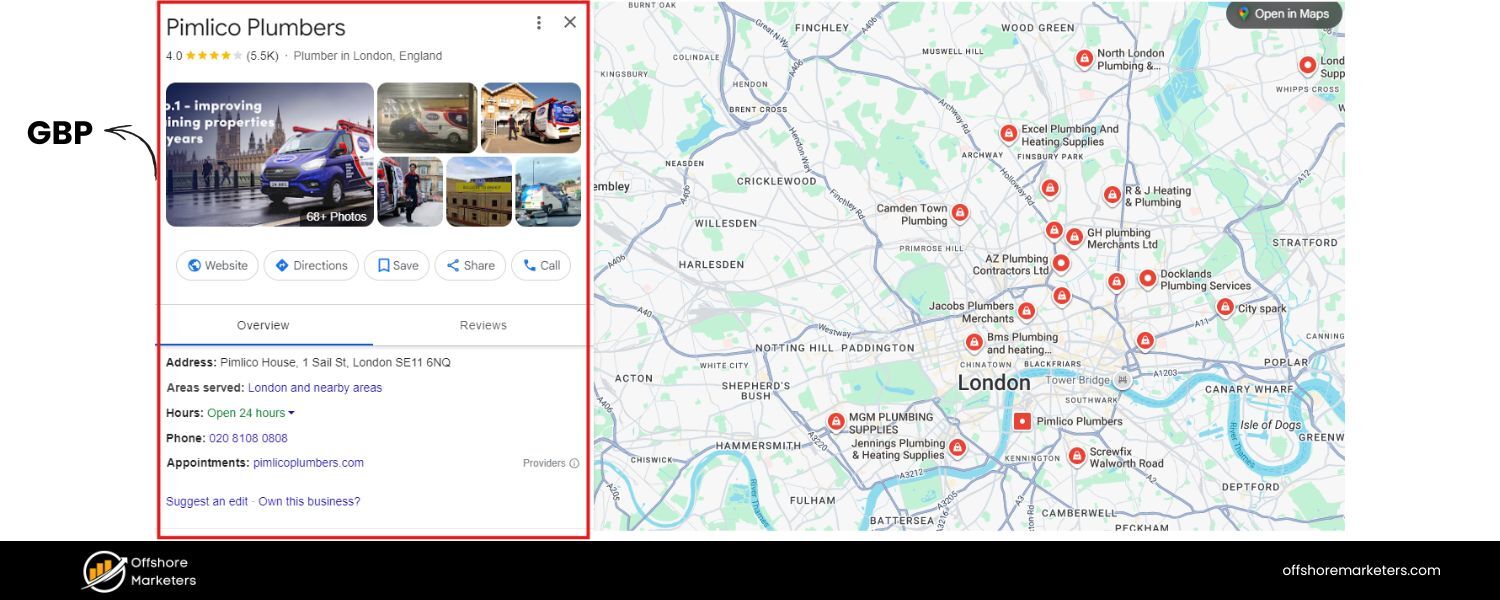
Your Google Business Profile (formerly Google My Business) is the cornerstone of local SEO, it’s essentially your business’s storefront in Google’s ecosystem.
Setting up and optimizing your GBP is arguably the most important task on a local SEO checklist, since many users discover local businesses through Google’s map pack results.
Here’s how to maximize this critical asset:
A. Claim and Verify Your Listing 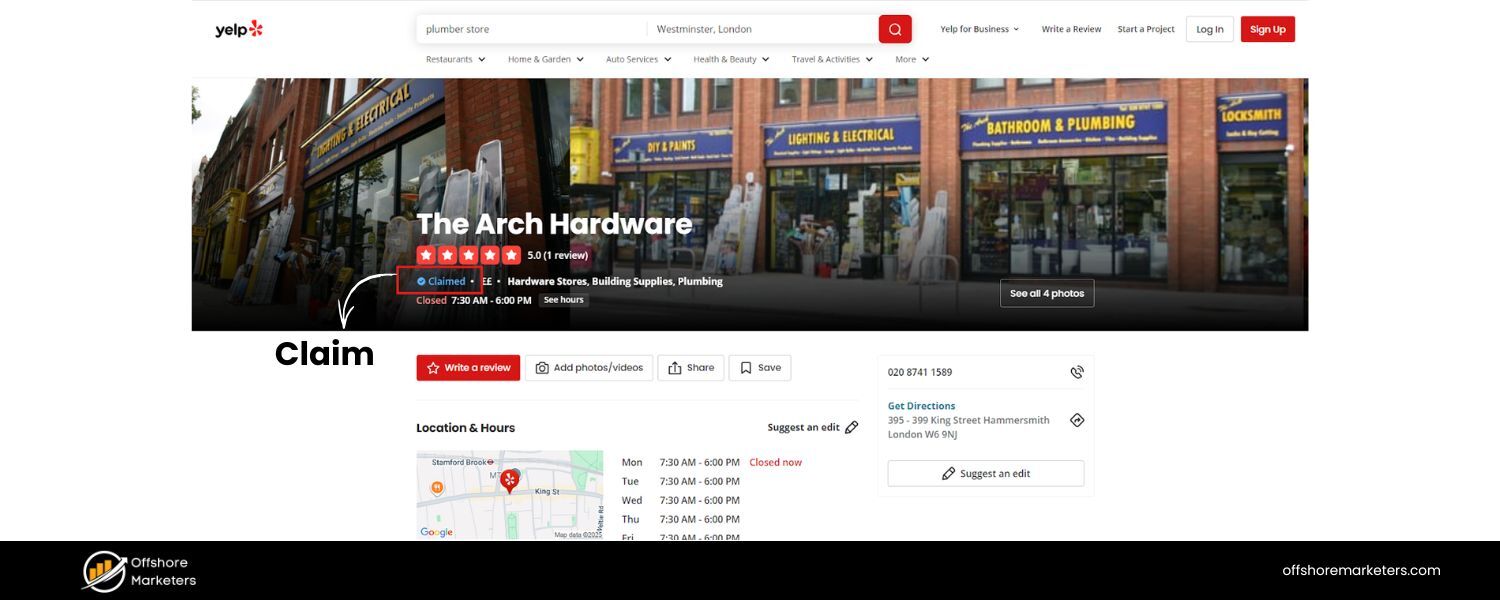

If you haven’t already, claim your business on Google Business Profile and go through the verification process.
This step makes your business eligible to appear on Google Maps and local search results.
Verification typically involves Google mailing you a postcard with a code or allowing phone/email verification for some businesses.
B. Ensure NAP Accuracy
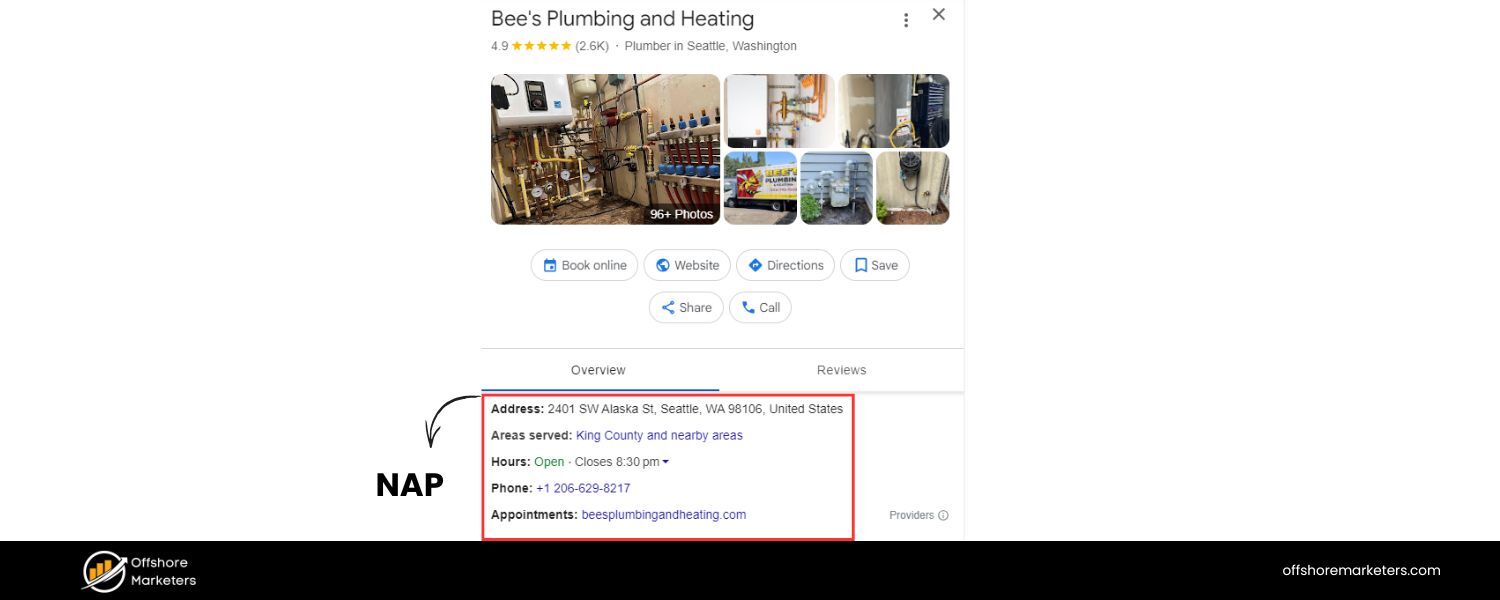
Double-check that your business Name, Address, and Phone number (NAP) are entered correctly and exactly match what’s on your website and other listings.
Consistent NAP information builds trust with Google’s algorithms and prevents confusion.
C. Choose the Right Categories
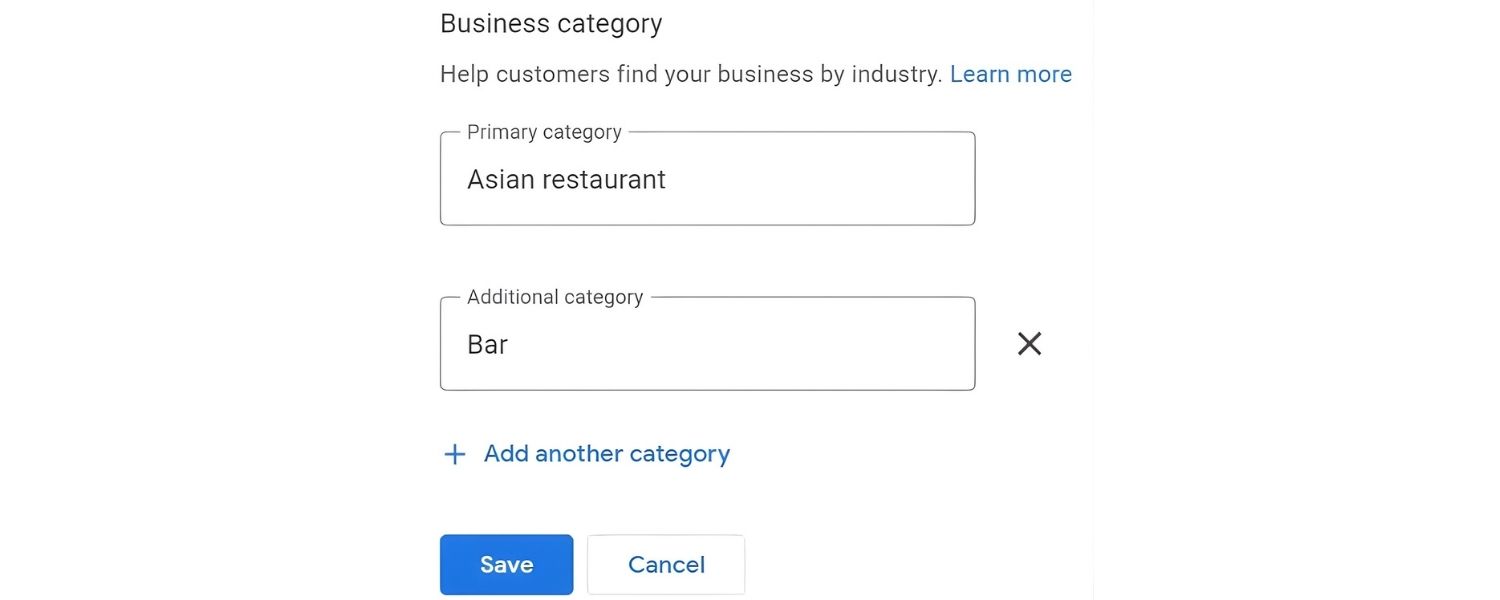
Selecting the proper primary category (and secondary categories if relevant) is crucial for ranking on relevant searches.
Don’t get too clever or broad here – pick the category that best describes your main service (e.g. “Italian Restaurant”, “Plumber”, etc.).
Additional categories can cover other services you offer. These categories help Google understand what searches your listing should appear for.
D. Complete Every Section
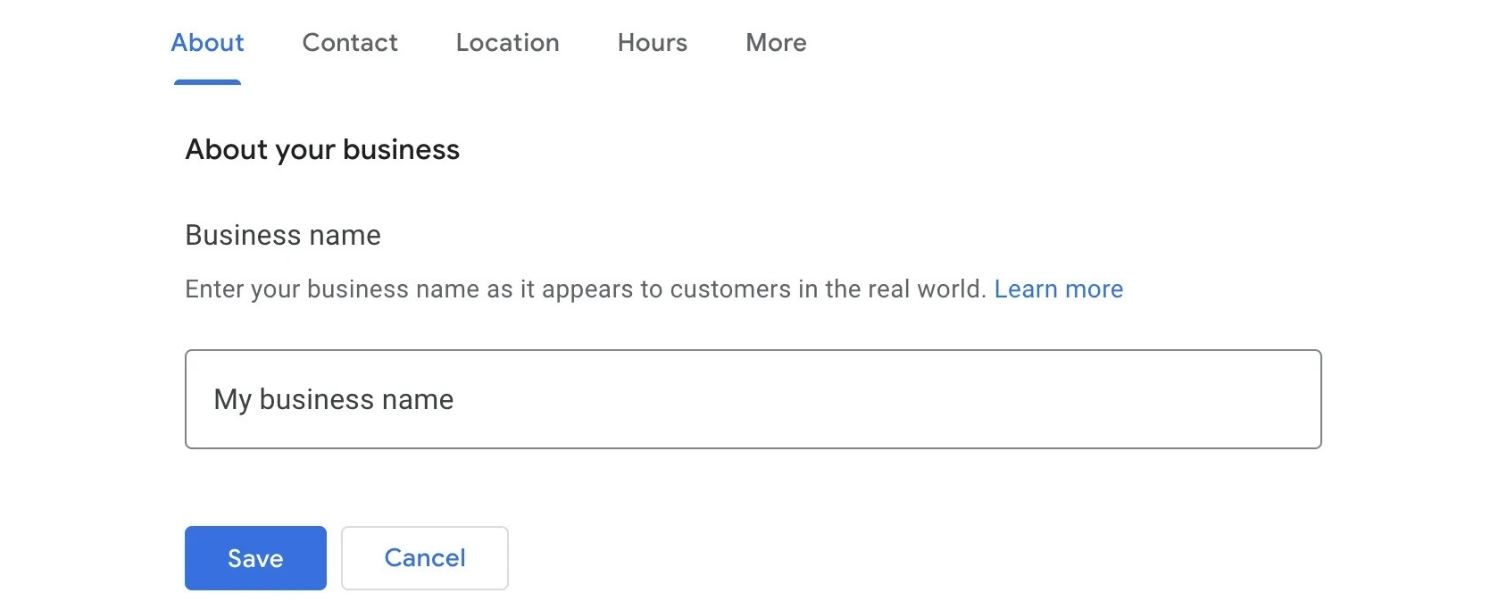
Fill out all available fields in your GBP. Provide a compelling business description that includes relevant keywords (what you do and where), but keep it natural and informative for readers.
Add your website URL, business hours (and update them for holidays or special events), and any other applicable attributes (e.g. wheelchair accessible, women-owned, etc.).
A fully completed profile is more likely to rank well and engage customers.
E. Add Photos and Videos
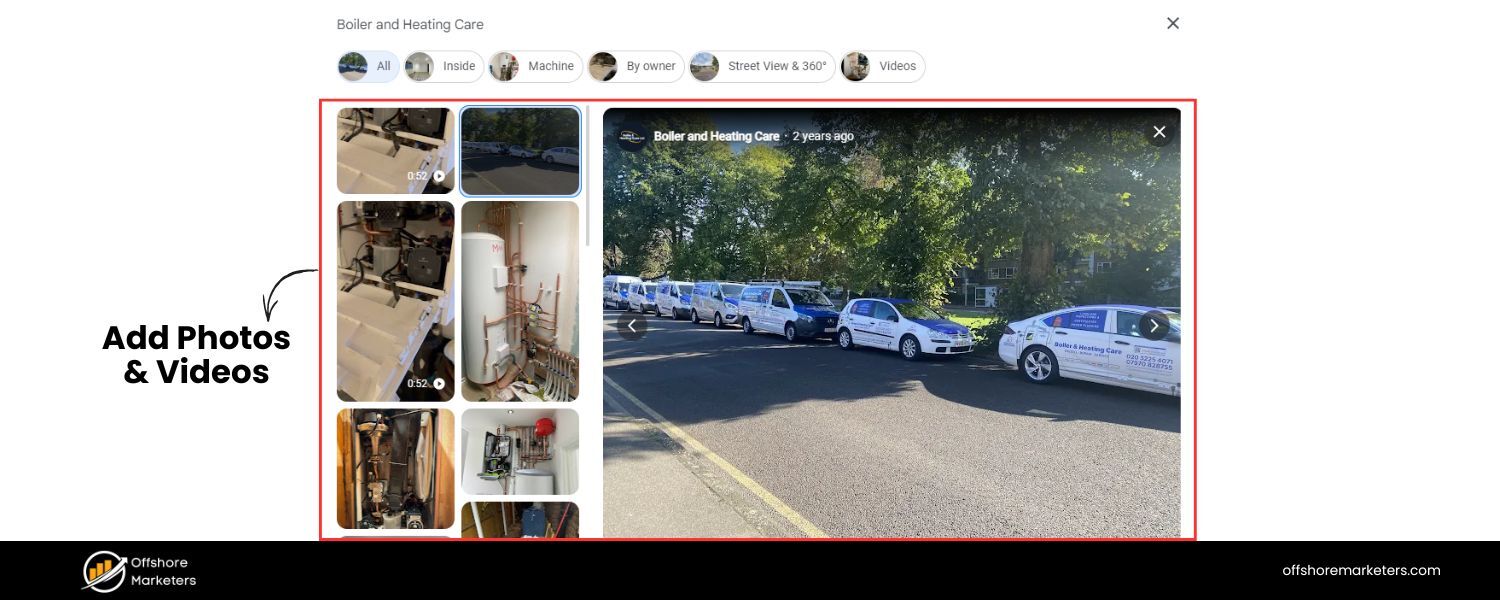
Listings with photos are far more appealing and get more clicks. Upload high-quality photos of your storefront, interior, products, team, and logo.
Show what makes your business unique. Regularly adding photos can even improve engagement, Google wants to see active, legitimate businesses.
If relevant, add short videos or a virtual tour. Visuals build trust and help customers envision visiting you.
F. Enable and Use Google Posts
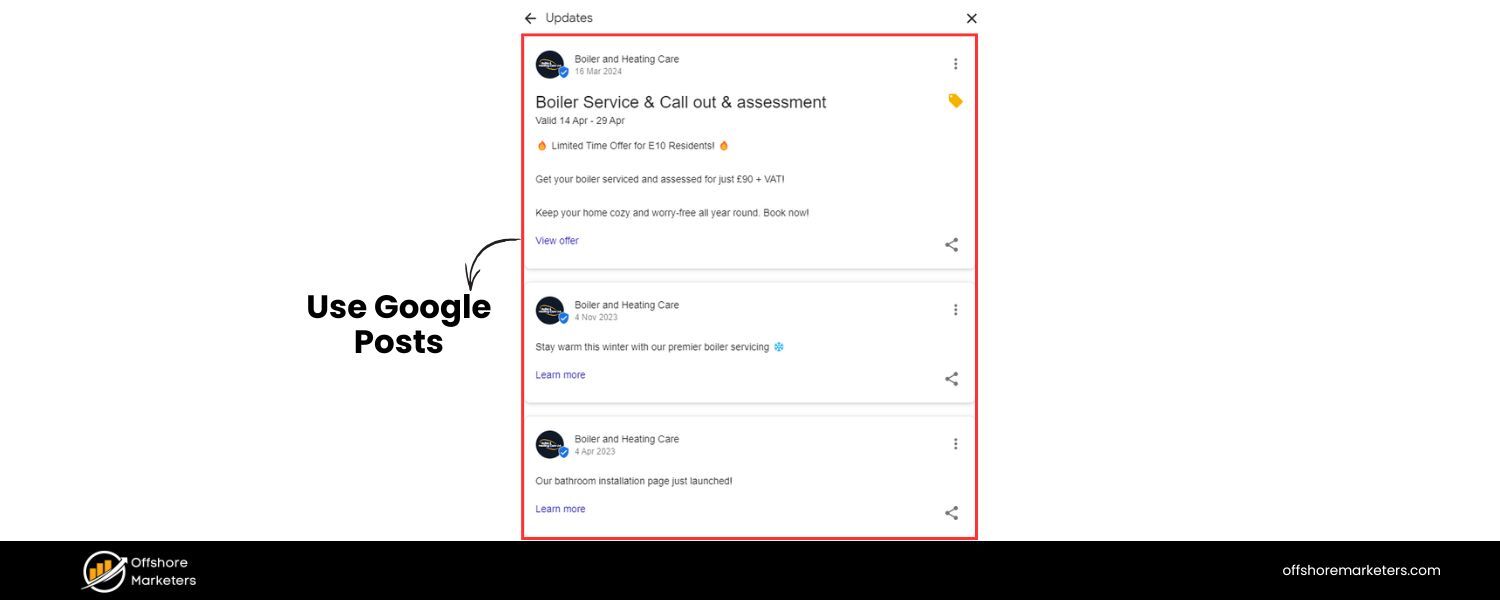
Google Posts allow you to share updates, offers, or events directly on your business profile. Posting weekly or at least a few times a month keeps your profile fresh.
For example, you can showcase a new product, a limited-time discount, or a blog article. These posts appear on your listing and can entice users with timely info.
It’s an easy way to stand out, even a quick weekly update like “ Fall specials now available!” shows Google (and customers) that your business is active.
G. Turn on Messaging
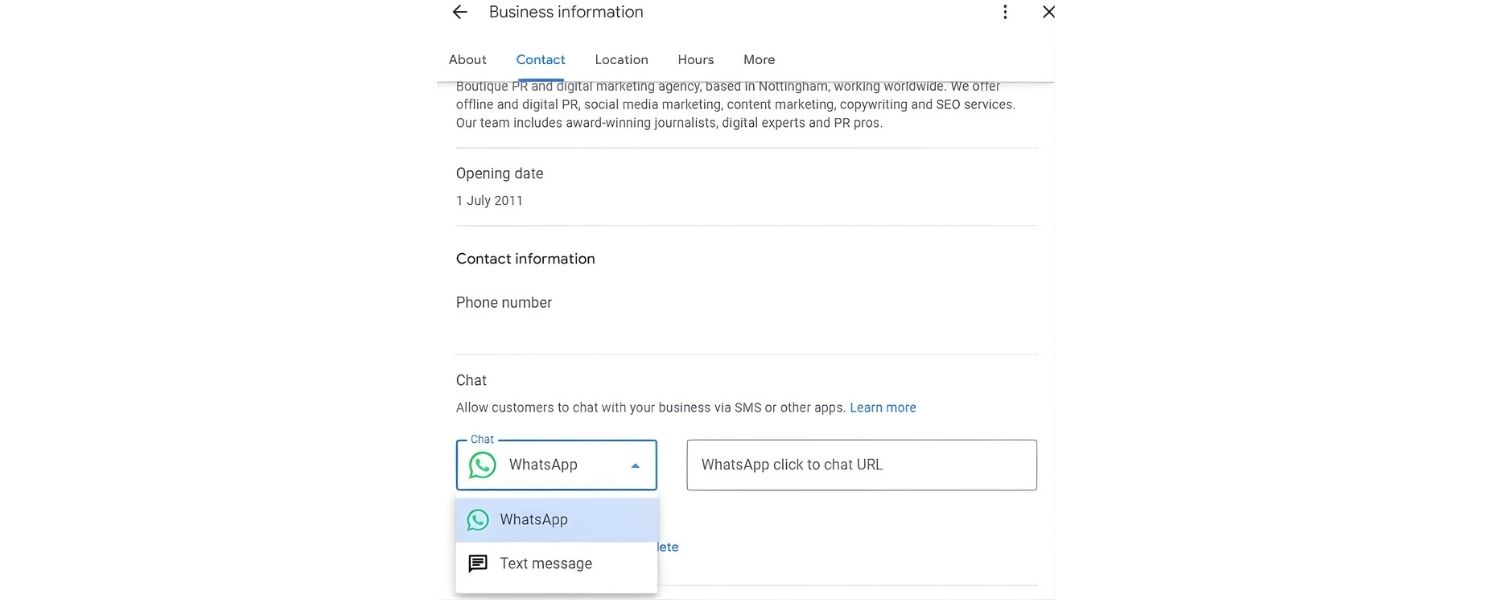
If you can respond promptly, enable the messaging feature on GBP. This lets users send you messages or questions via your profile.
Quick responses to inquiries can win you customers. Just make sure you have someone monitoring these messages or you’ll risk poor response times.
If you can’t commit to fast replies, it may be best to leave messaging off or use an autoresponder.
H. Monitor Q&A Section
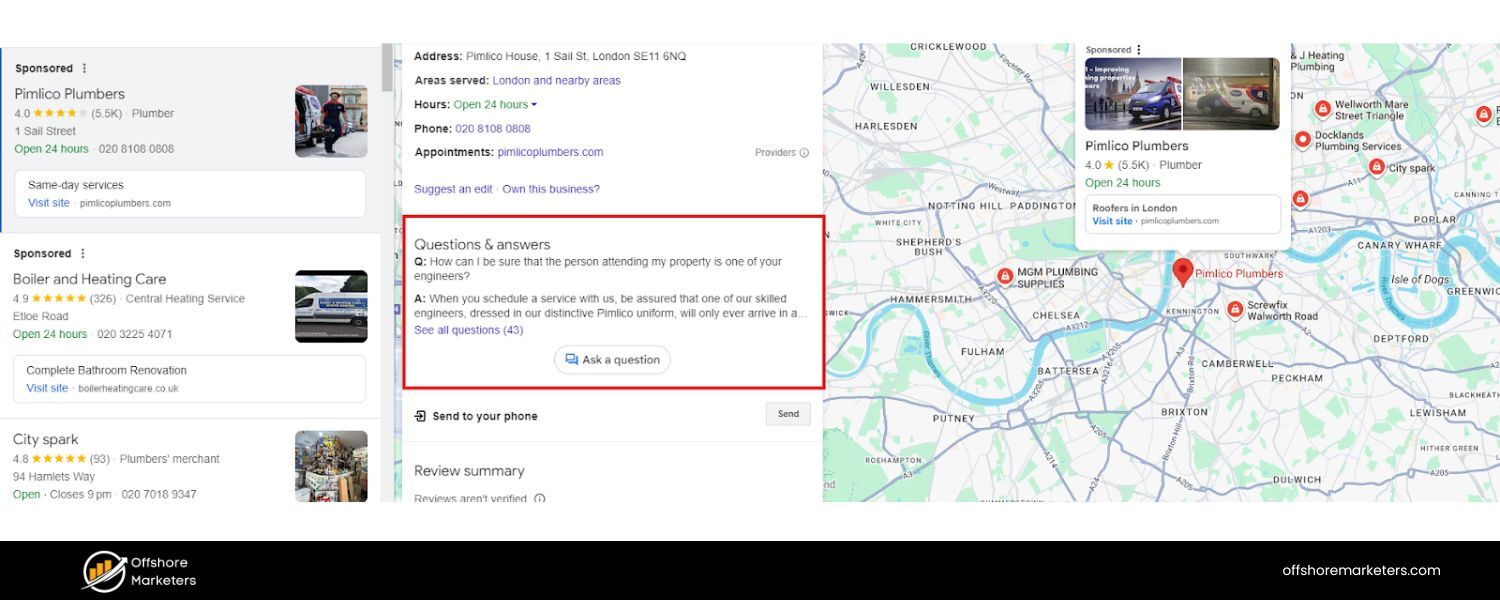
Check if users have posted any questions on your GBP Q&A section.
Provide helpful answers to any questions, and consider populating common questions yourself (using an FAQ style).
Active Q&A management not only helps users but also adds more relevant content to your profile, which could improve your ranking for those queries.
I. Ask for and Respond to Reviews on Google
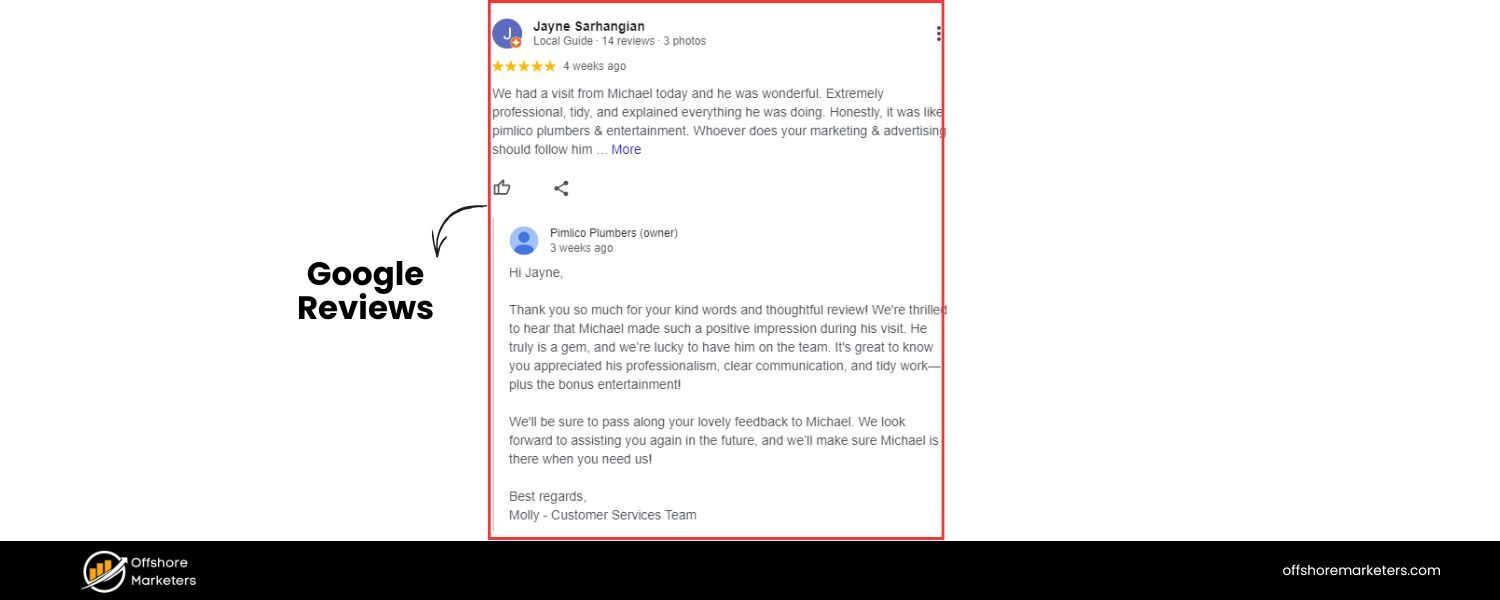
Reviews are so important that we dedicate a whole section to them later in this checklist.
However, from a GBP perspective, remember to respond to all reviews on your profile, both positive and negative.
Thank happy customers and address issues raised in critical reviews politely. Google explicitly states that responding to reviews improves your local SEO, as it shows you value customer feedback.
Plus, responses influence how future prospects perceive your business.
Optimizing your Google Business Profile sends Google strong local ranking signals about your relevance and trustworthiness.
It also improves the experience for users who find you there, leading to more clicks, calls, and visits.
Bottom line: if you do nothing else in local SEO, get your GBP in order. It’s non-negotiable for local visibility.
2. Perform Local Keyword Research and On-Page SEO
Once your external profile is shining, turn your attention to your website.
On-page SEO for local search is all about aligning your site’s content and HTML elements with local intent keywords and providing a great user experience for local visitors.
Here’s your on-page optimization checklist
A. Conduct Local Keyword Research
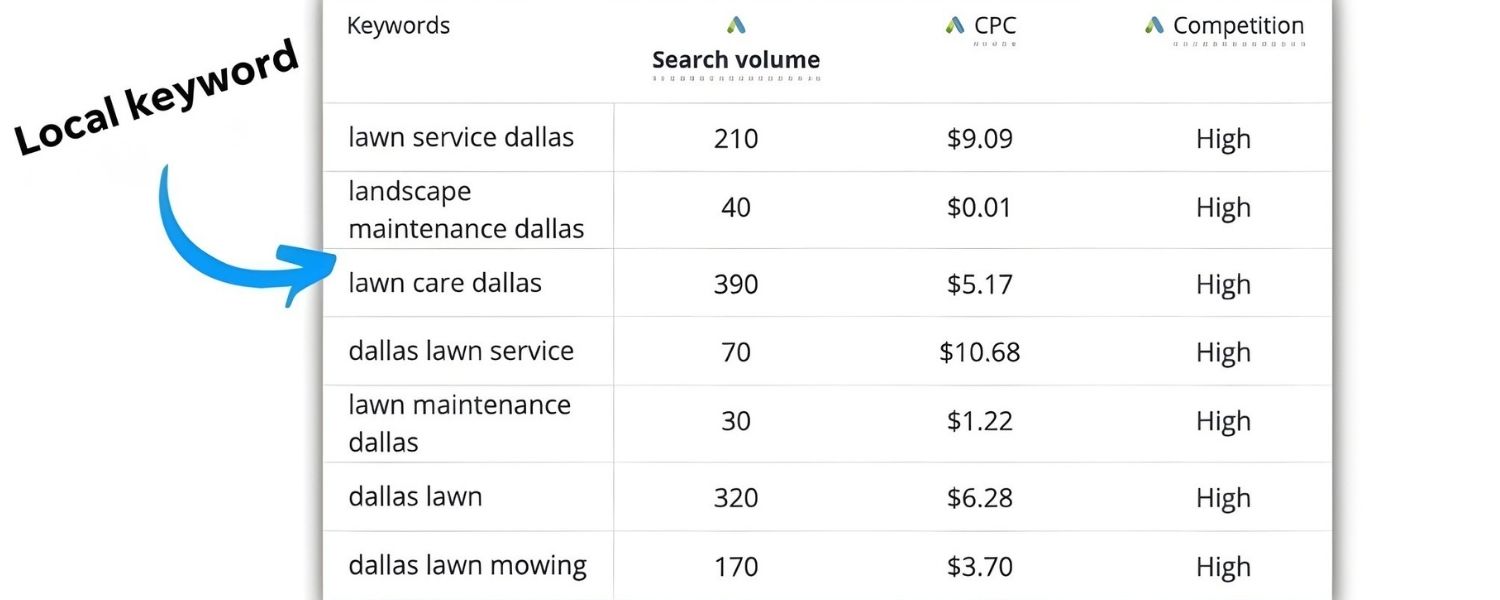
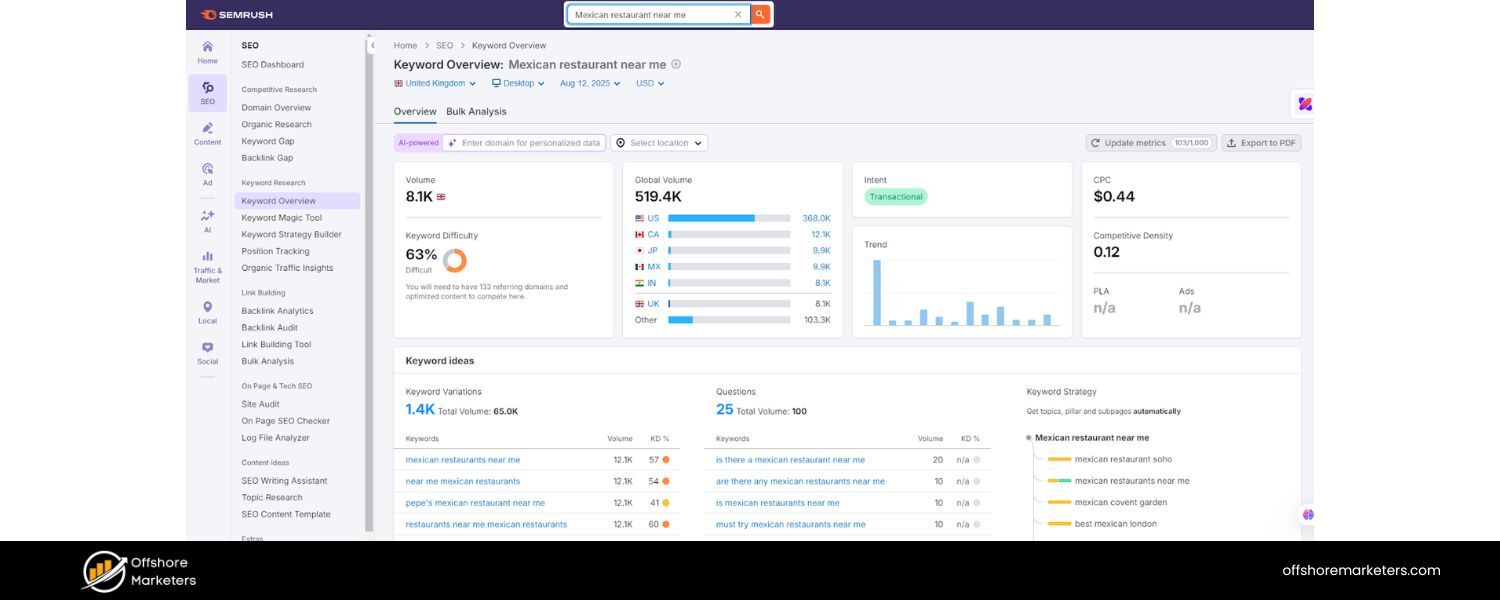
Local SEO keyword research involves finding search terms that include location modifiers (“near me”, city names, neighborhoods) and understanding implicit local intent.
Explicit local keywords include the product/service + location (e.g. “coffee shops in Chicago”), whereas implicit local searches might just be “coffee shops near me” or even “best coffee shops” (with Google inferring the locality from the user’s location).
Use tools like Google’s Keyword Planner, autosuggest, and “People Also Ask” to gather relevant local search queries.
Also, analyze what keywords competitors rank for in your area – if the top 3 businesses in the local pack for your target term have certain phrases on their site, you’ll want to target similar terms.
Aim for a mix of general terms and specific long-tail phrases (e.g. “24-hour dentist in Dallas” or “vegan bakery Houston Montrose neighborhood”) that align with your offerings.
B. Optimize Key On-Page Elements with Local Keywords
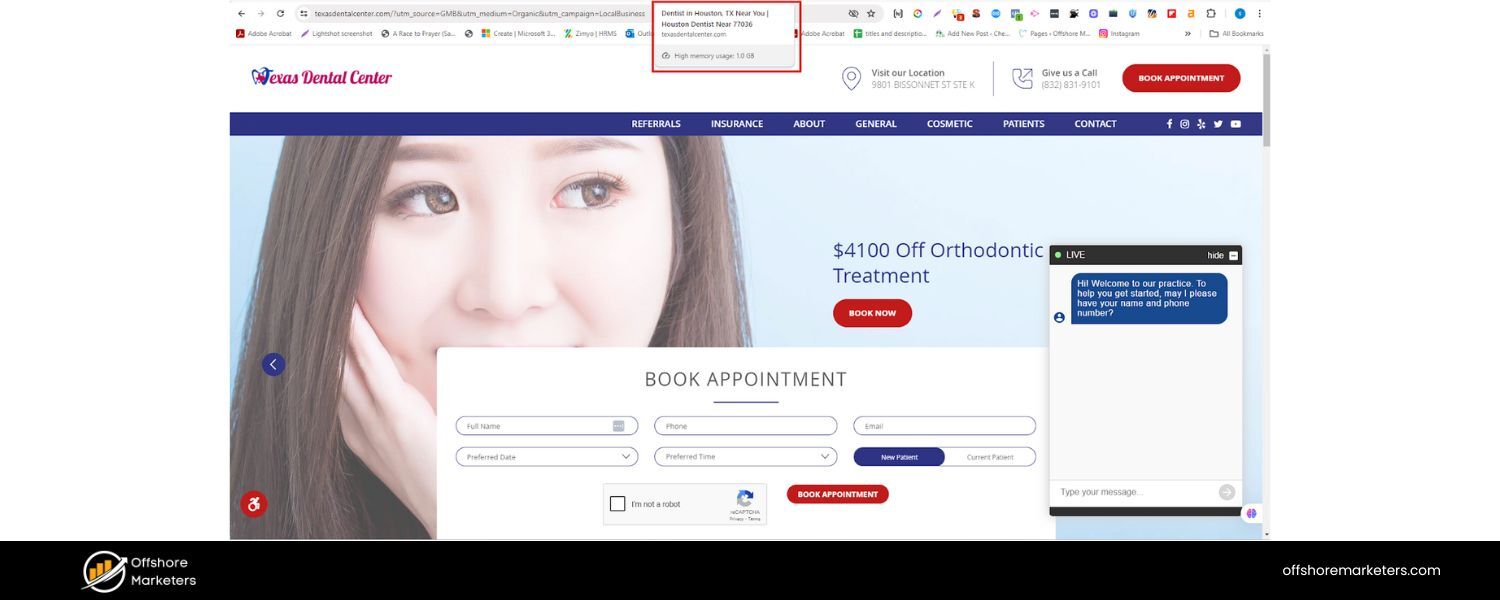
Once you have your keyword list, map primary keywords to specific pages on your site. Then optimize these elements on each page:
C. Title Tag
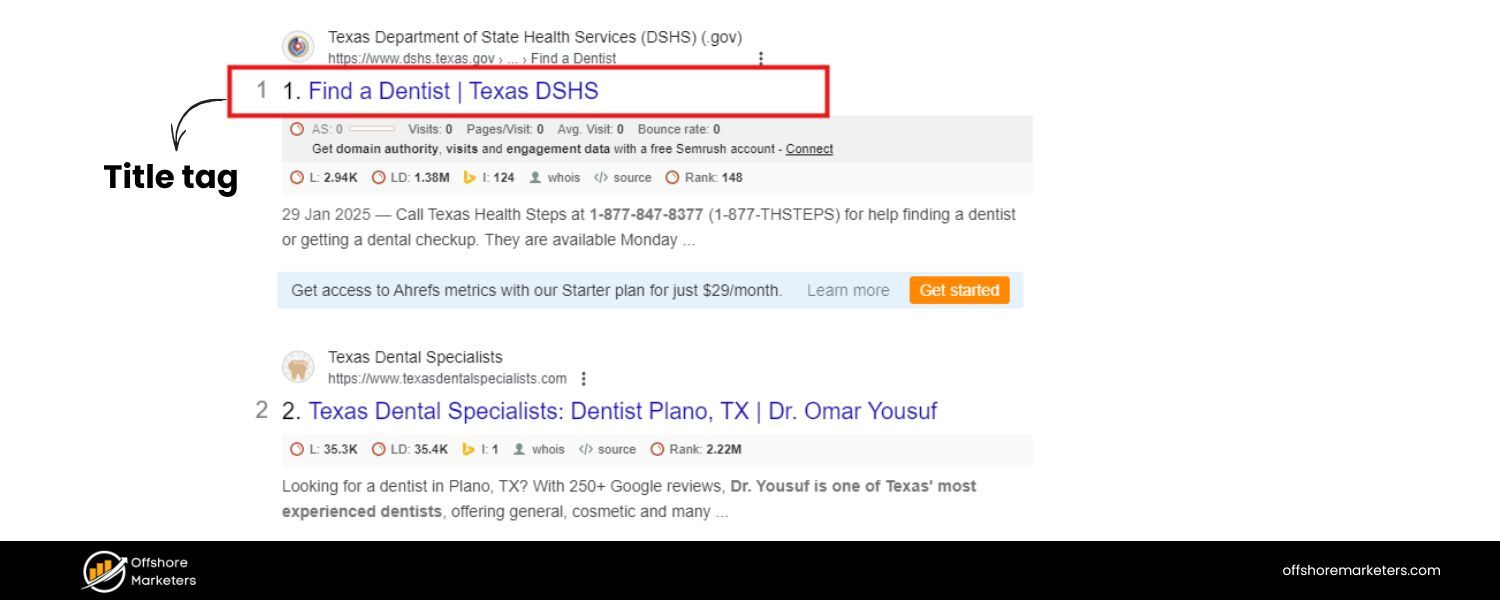
Incorporate your location and service in the title. For example: “Home Cleaning Services in Denver – [Your Company]”.
Title tags heavily influence rankings and click-through rates.
D. Meta Description
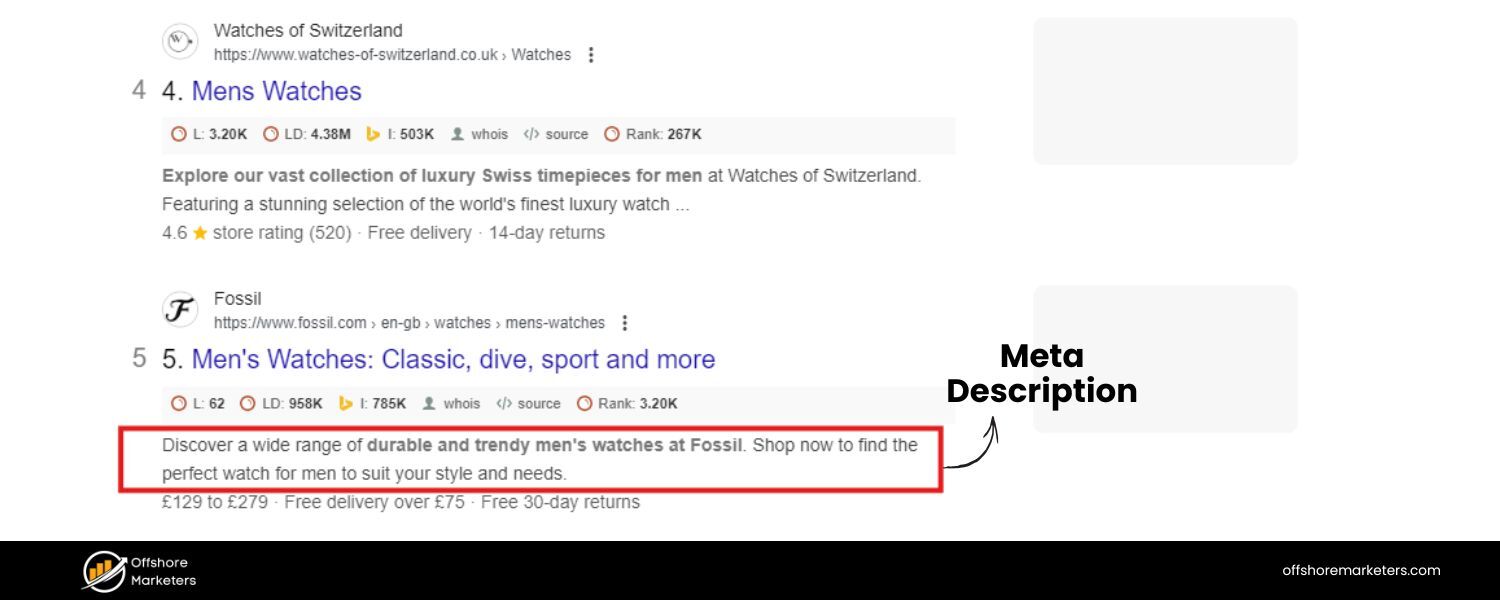
Write a compelling meta description that also mentions your city or area. This isn’t a ranking factor directly, but it can improve clicks.
For instance: “Trusted home cleaning in Denver, CO. Licensed, insured cleaners ready to make your home shine. Call today for a free quote!”.
E. H1 Header
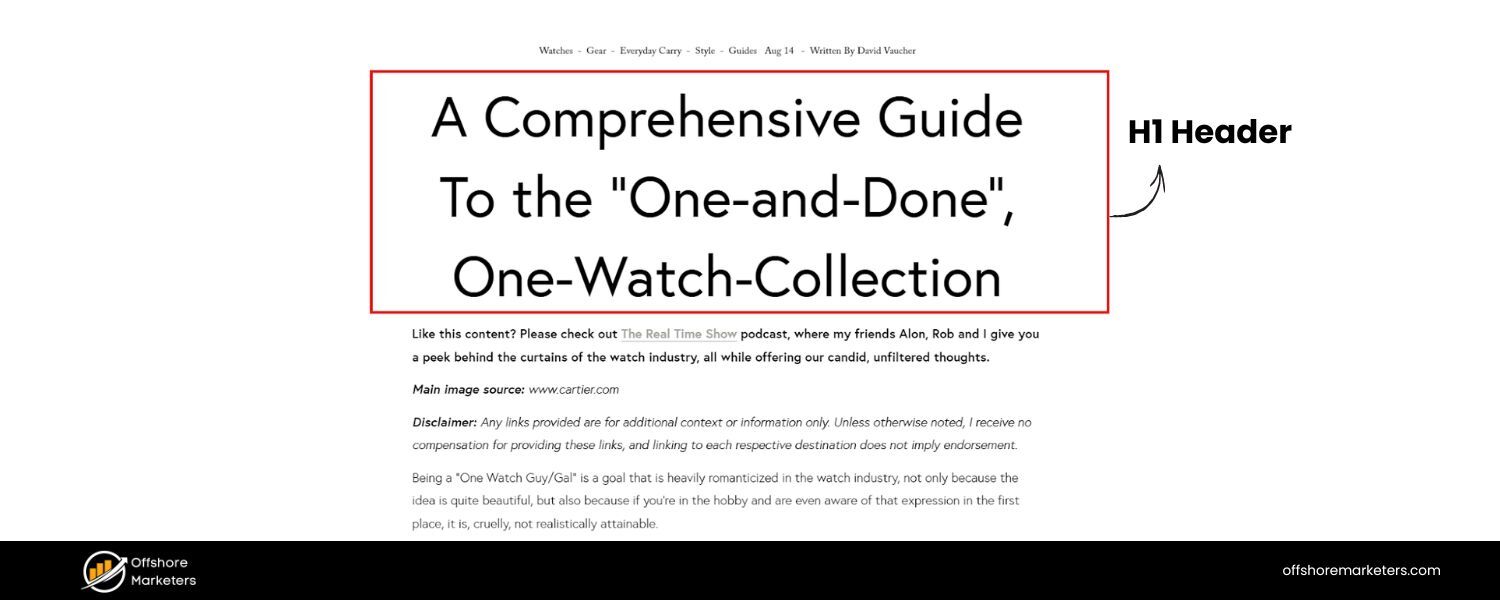
The page’s main heading should include the primary keyword, often a combination of service + location (e.g. “Denver Home Cleaning Services”).
This reinforces relevancy to search engines.
F. Body Content
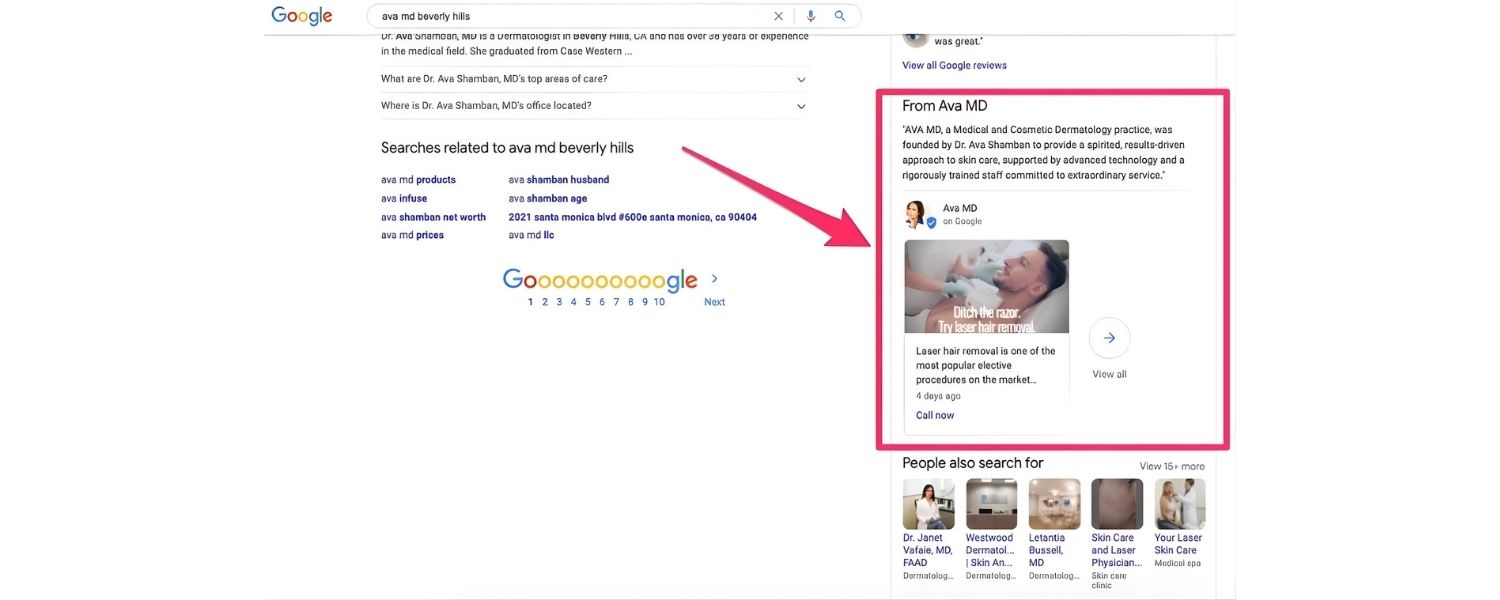
Naturally weave in local references in your content. Mention the neighborhoods you serve, local landmarks (if relevant), and other location cues.
However, ensure the content reads naturally, don’t force the city name in every sentence.
Answer common local customer questions within your content to provide value
(for example, a plumbing service page might address, “How fast can we reach customers in the [City] area for emergencies?”).
G. URL Slug
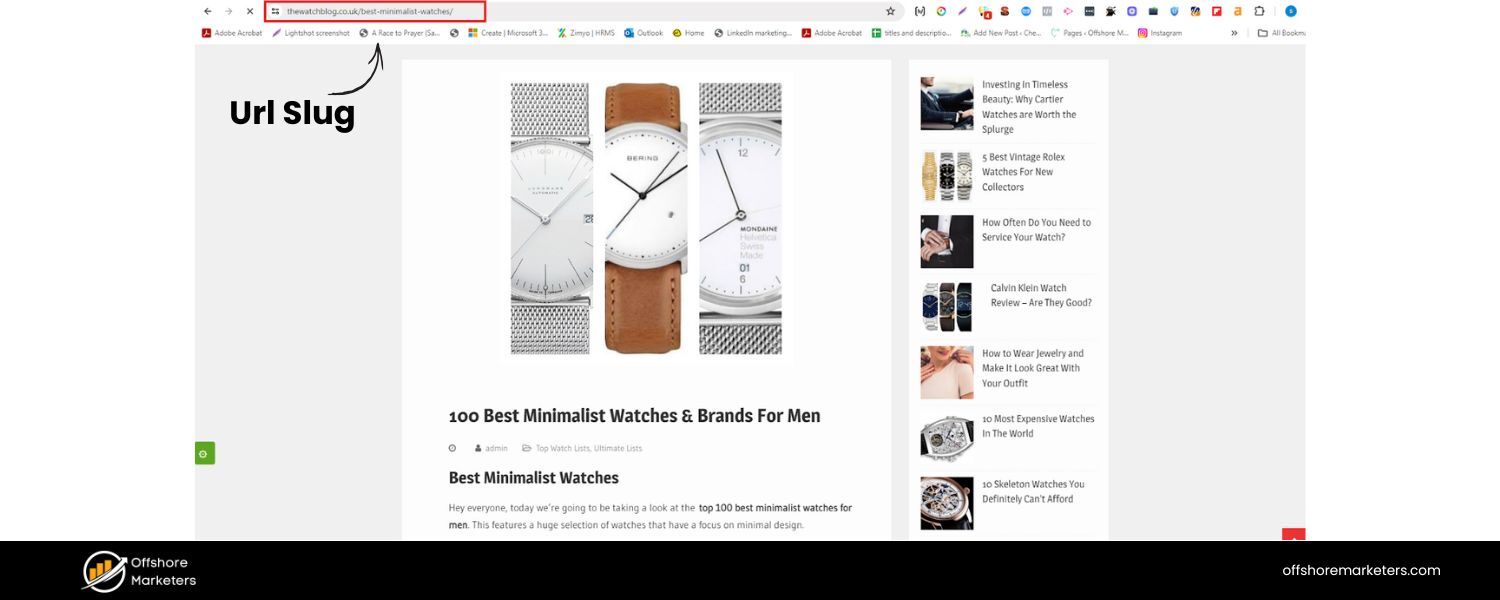
If you create dedicated local pages, include the location in the URL (e.g. yoursite.com/locations/denver/ or yoursite.com/denver-plumbing).
This helps indicate page focus. Avoid ugly or long URLs – keep them concise and readable.
H. Image Alt Text
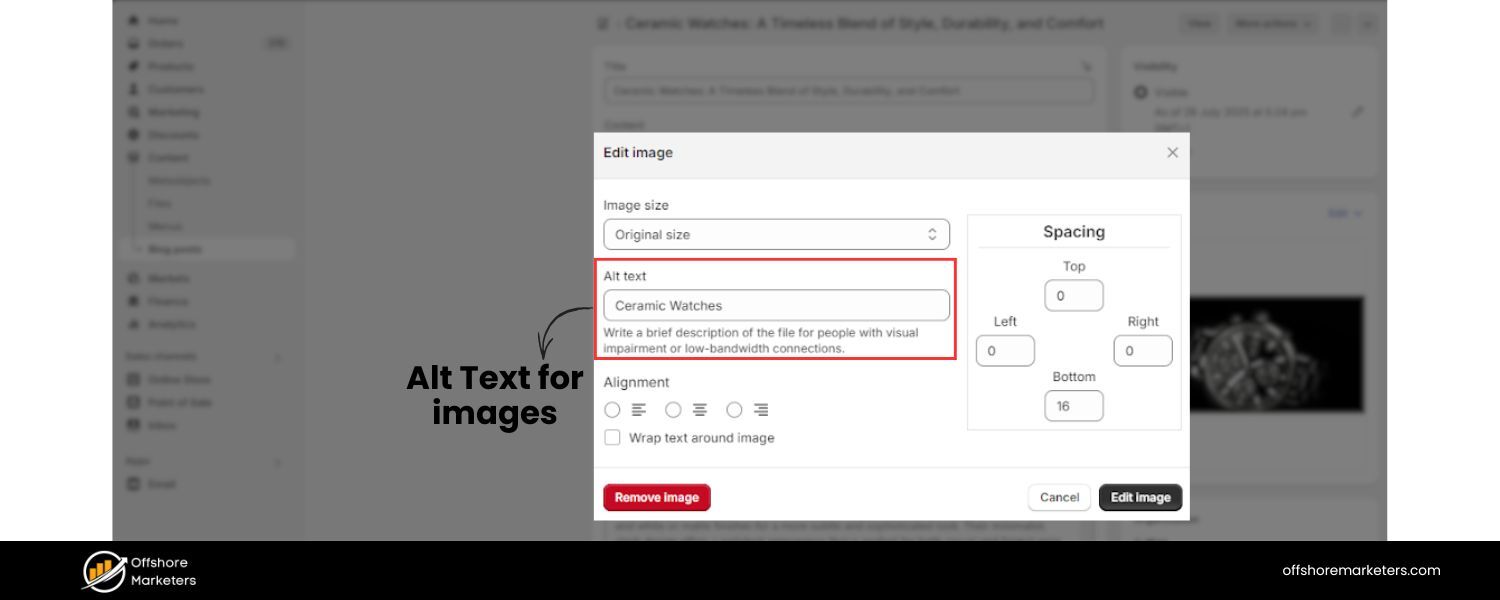
Use descriptive alt text on your images that can include location keywords where appropriate.
For example, an image of your storefront could have alt text “[Business Name] storefront in downtown Denver”.
This not only helps with accessibility but can provide another minor local signal to search engines.
I. Create Location-Specific Landing Pages
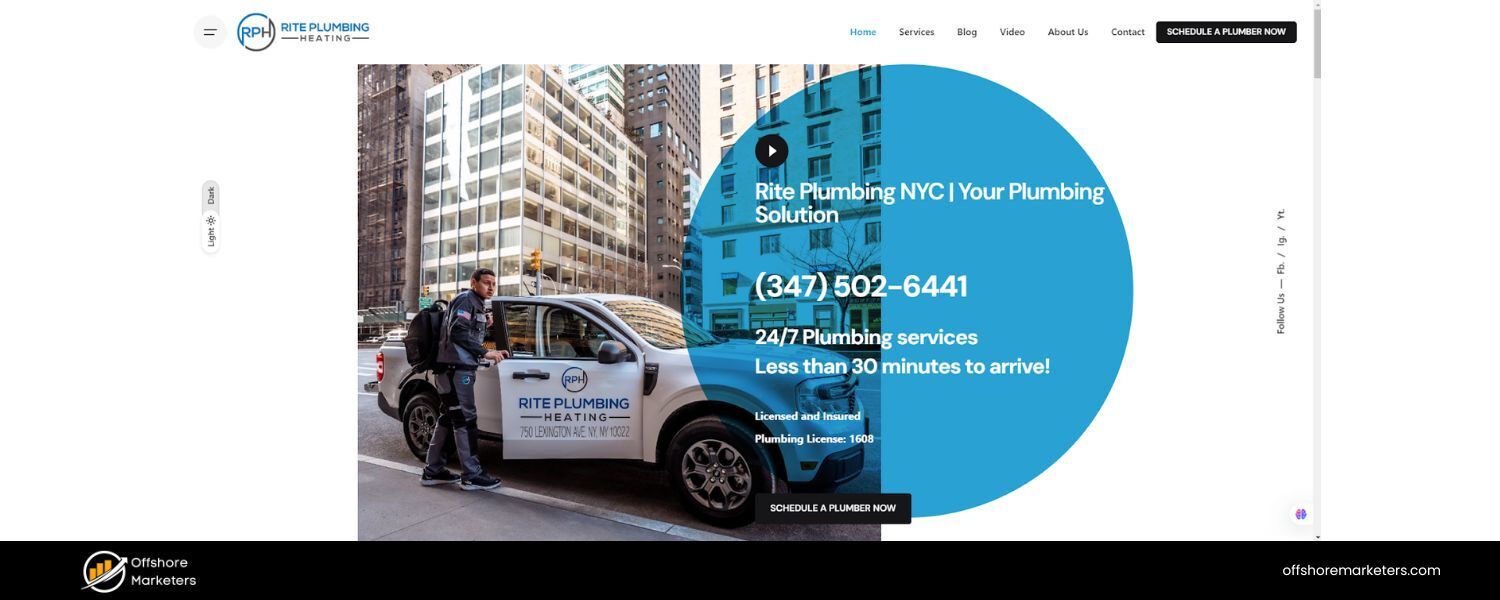
If your business serves multiple distinct locations or has multiple branches, build a page for each location you serve.
For example, a law firm with offices in three cities should have separate pages for each city, each with unique, location-tailored content.
Even if you’re a single-location business, having a dedicated “Contact Us” or “Location” page with your NAP, embedded Google Map, and driving directions is highly beneficial.
Each location page should include
- Business name, address, phone (NAP) and maybe a Google Maps embed for that location.
- Operating hours for that location.
- A brief description of services specific to that area (e.g. highlighting neighborhood-specific offerings or examples).
- Testimonials or reviews from customers in that area, if available.
- Schema markup (LocalBusiness schema) with location details (more on schema below).Important:
Make sure each local page has unique content.
Don’t just copy-paste the same description with a different city name, not only will that hurt SEO (due to duplicate content), but it fails to provide a tailored experience.
Also avoid “keyword cannibalization” by differentiating each page’s focus; for instance, your Dallas page shouldn’t try to rank for Houston keywords and vice versa.
Distinct content ensures you’re not competing with yourself in search results.
J. Implement Local Schema Markup
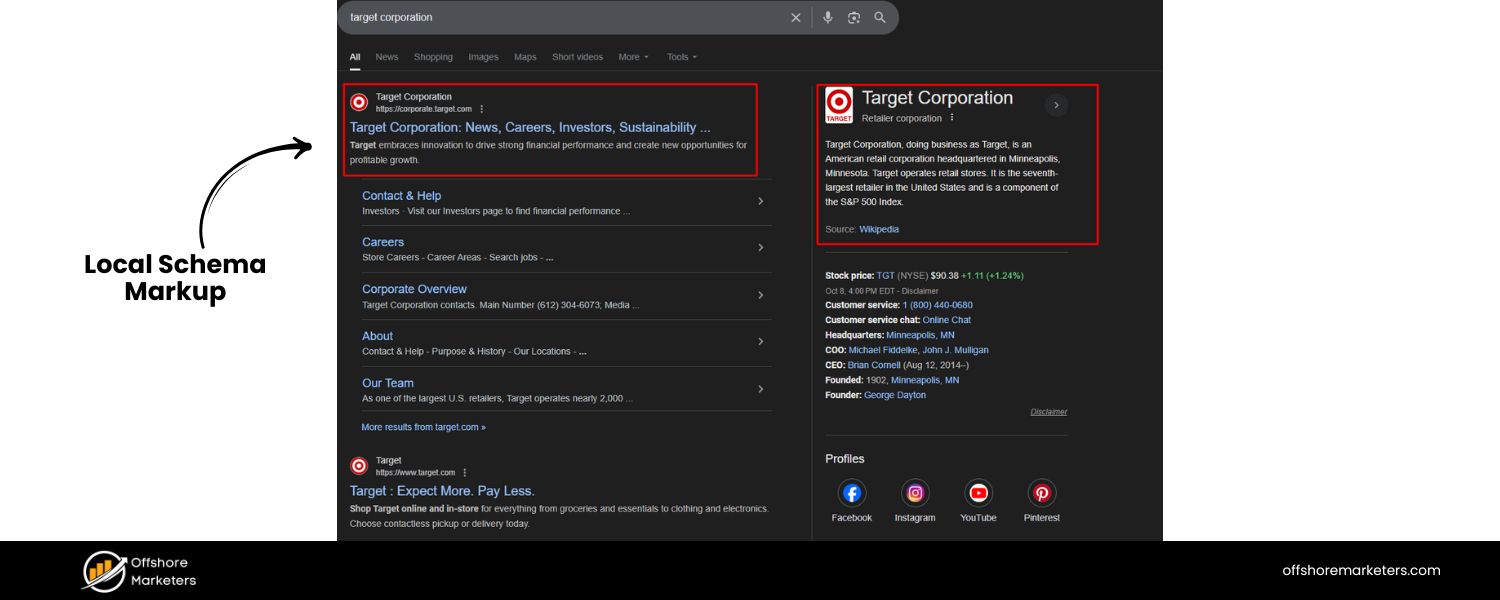
Add LocalBusiness schema markup to your site’s code to help search engines identify your business’s key details and display rich information.
Schema is structured data (in JSON-LD or microdata format) that labels elements like business name, address, phone, business hours, geo-coordinates, etc…
By implementing schema, you increase the chances of getting rich results (like showing your rating, hours, or address in the search snippet).
Google’s free Structured Data Markup Helper can assist you in generating the proper JSON-LD code.
At minimum, include your NAP information in the markup (Google requires name and address in LocalBusiness schema) and any other relevant properties like opening hours, price range, or menu URL for restaurants.
Once added, test your structured data using Google’s Rich Results Test or Schema.org validator to ensure it’s error-free.
K. Embed a Google Map and Clear Directions
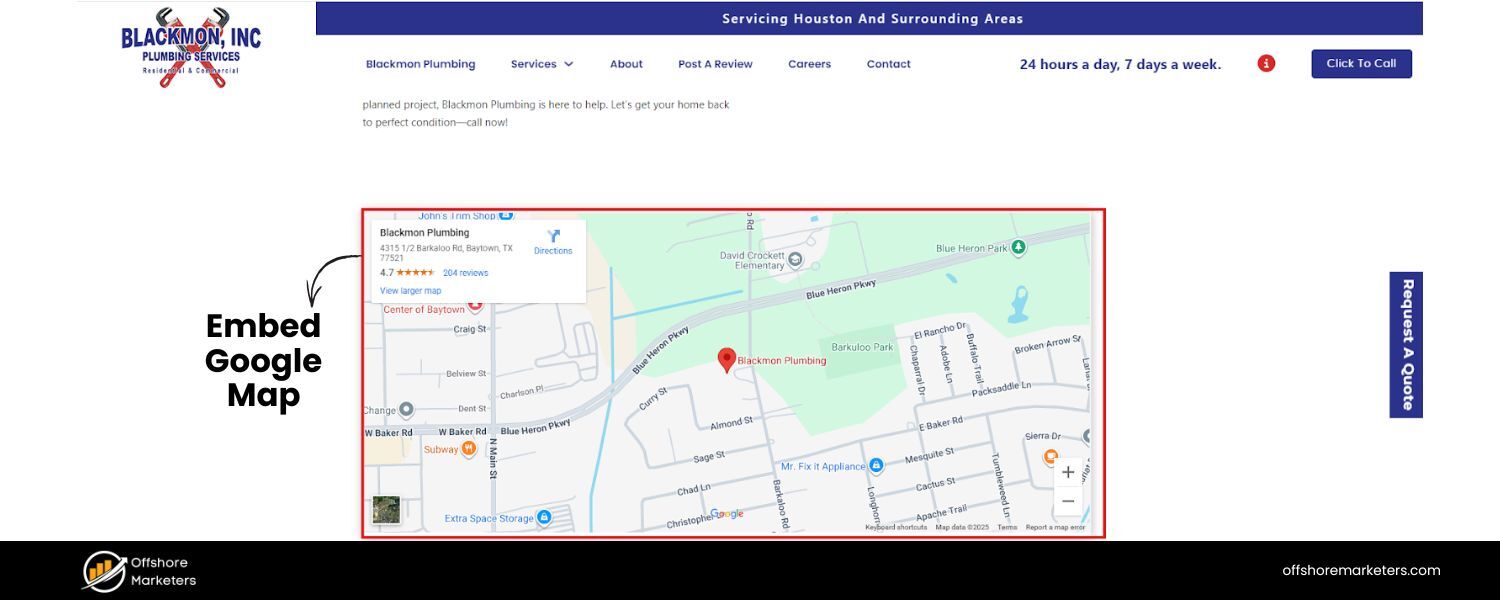
Embedding a Google Map of your business location on your website (often on the contact or location page) is another useful signal.
It not only helps users find you easily but also reinforces your local relevance. Include a clickable link or button for driving directions (e.g. “Get Directions” that opens Google Maps).
These calls-to-action imply proximity and encourage visitors to visit you in person.
Additionally, having a click-to-call button for mobile users is great – for instance, a prominent “Call Now” button with a local phone number on your mobile site can directly convert visitors into customers.
L. Use Internal Linking with Location Anchor Text
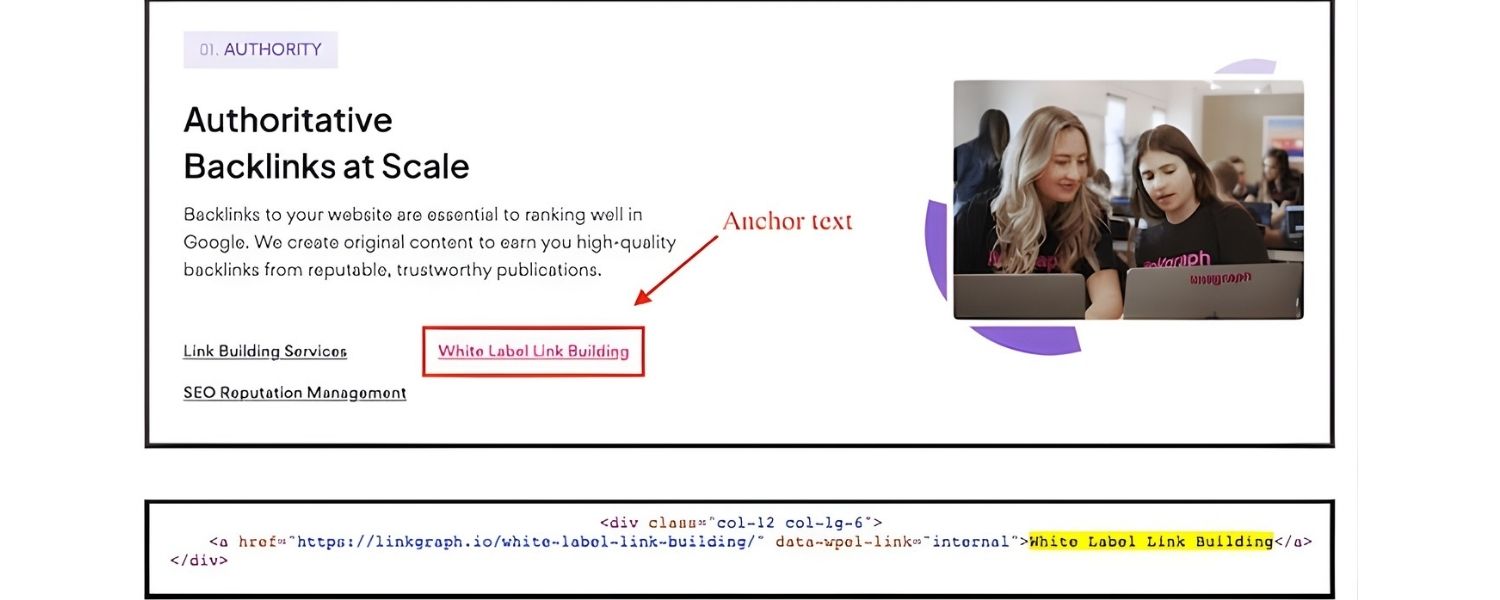
Throughout your site’s content, use internal links to tie pages together with SEO-friendly anchor text.
For example, if you mention “our Los Angeles office” in a blog post, link those words to your Los Angeles location page.
If you write about a service you offer in a specific city, link it appropriately (e.g. “Learn more about our plumbing services in Dallas” linking to the Dallas service page).
\Internal links with local keywords in the anchor help search engines understand the geographic focus of your pages. It also helps users navigate to relevant local information easily.
M. Optimize for Mobile and Page Speed
Local searches are overwhelmingly done on mobile devices. Most local searchers are on their phones, often on the go (perhaps even in a car).
Google has moved to mobile-first indexing, meaning your mobile site experience is crucial.
Ensure your site is mobile-responsive, renders correctly on all screen sizes, and that buttons/links are easily tappable.
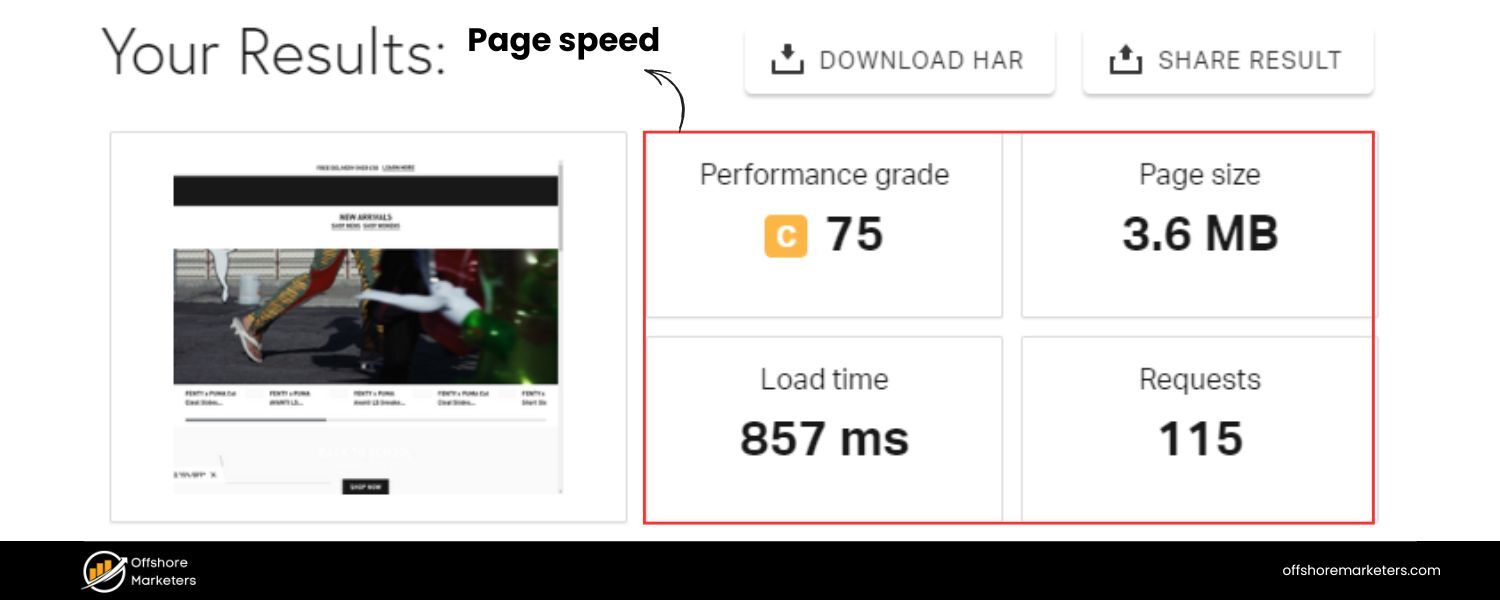
Page speed is another ranking factor – compress images, use fast hosting, and minimize heavy scripts to make your site load quickly.
According to Google’s Core Web Vitals, a good target is to have pages load in under 2-3 seconds on mobile.
Fast, mobile-friendly websites not only rank higher but also keep impatient visitors from bouncing.
By performing thorough on-page optimization focused on local keywords and user experience, you make it crystal clear to Google what locations you serve and what you offer.
Your website content and structure should complement your Google Profile, creating a cohesive picture of your local presence.
Well-optimized pages with strong local intent can significantly boost your local organic rankings, not just in the Map pack but also in regular search results.
3. Ensure NAP Consistency and Build Local Citations
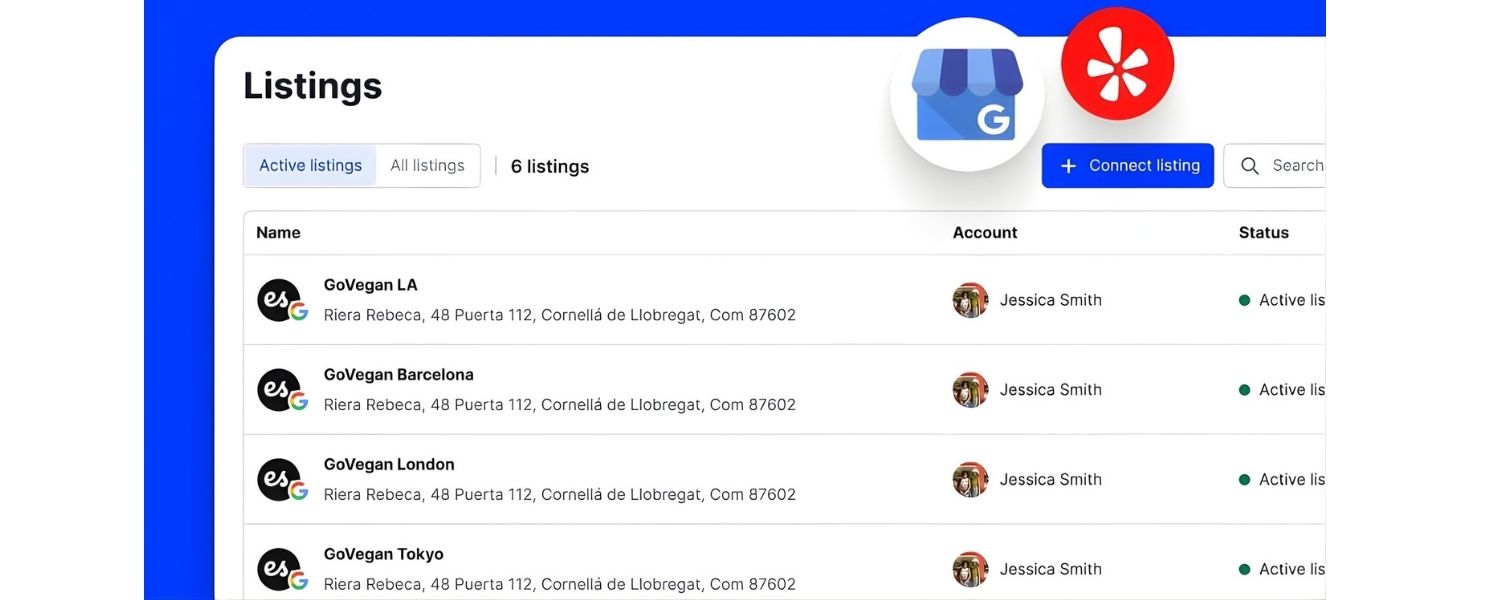
Beyond your own website and Google’s platform, the rest of the web is filled with directories and platforms where your business can (and should) be listed.
In local SEO, these online mentions of your Name, Address, Phone (NAP) on external sites are called citations.
Building and managing citations is fundamental for two reasons: credibility and visibility.
Firstly, NAP consistency across the web helps search engines trust that your business information is accurate.
If your business is listed as “123 Main St.” on one site and “123 Main Street, Suite #5” on another with a different phone number, Google might be unsure which is correct, hurting your local rankings.
Secondly, being listed on popular directories can drive direct referral traffic and expose you to customers who use those platforms.
Here’s how to tackle citations
A. Audit Your Current Citations
Start by searching for your business name and address to see where you’re already listed. You might find old or auto-generated listings on Yelp, Yellow Pages, Facebook, etc.
Note any inconsistencies or outdated info. If you moved or changed a phone number, find and correct those old listings to avoid confusion.
Consistency is key: your NAP should be identical everywhere, down to abbreviations and formatting (e.g. always use “St.” or always use “Street”, not both).
B. Build Core Business Listings (The Big Four)
There are four powerhouse listings you must have:
Google Business Profile
We covered this in Section 1. It’s the top priority.
Bing Places
Claim or create your listing on Bing Places for Business. Bing has a smaller search share but is still important (some users, plus voice assistants like Alexa, rely on Bing’s data).
The good news is you can import your Google listing into Bing to save time.
Apple Maps (via Apple Business Connect) –
Many iPhone users default to Apple Maps, so you want your business present there.
Use Apple Business Connect to add or claim your place, and sync the info from your Google listing for consistency.
Facebook –
Create a Facebook Page for your business, or claim your existing one.
Facebook acts as both a social platform and a local directory (it even powers some local search info and reviews). Ensure your Facebook page’s address, phone, and name match your website.
Facebook is among the first results for many branded searches and is considered one of the prominent listings by local SEO experts.
These “Big Four” profiles send strong signals to search engines about your legitimacy and help users on various platforms find you easily.
C. List on Other Major Directories
Beyond the big four, there’s a long tail of other valuable directories and citation sites. At minimum, submit your business to top sites like:
Yelp
A highly trusted review platform that often ranks on page 1 for local queries. Claim your business on Yelp and update your info.
Yellow Pages
(YP.com) or other phone book sites.
BBB (Better Business Bureau):
Being listed (and ideally accredited) on BBB can boost trust.
Angi (Angie’s List)
Important for home services contractors.
TripAdvisor:
If relevant (e.g. hotels, restaurants, attractions).
D. Industry-specific directories
Almost every field has its own specialized listing sites (e.g. lawyers have Avvo and FindLaw, doctors have Healthgrades, etc.).
Identify the ones for your niche and get listed.
These niche citations can be powerful because they are highly relevant and often have strong domain authority.
Chamber of Commerce or Local Business Associations
Don’t overlook local chambers, business bureaus, or city business directories. They provide credible local backlinks and citations.
E. Each time, fill out as much info as possible
Not just NAP but also website URL, hours, photos, a description, and categories/tags if available. The more complete, the better.
Also, use the same categories and keywords across profiles where you can (for instance, if you’re “Thai Restaurant” on Google, use that on Yelp too) for consistency.
F. Use a Citation Management Tool (If Needed)
Manually creating and maintaining 50+ listings can be tedious.
Services like Yext, Moz Local, BrightLocal, or Semrush’s Listing Management can push your info to many directories at once and monitor them.
These tools can be helpful for efficiency – but be cautious: some create temporary locks or require subscriptions to keep data synced.
If you use them to build citations quickly, consider also keeping your own record of login credentials for each listing so you have direct control.
Pro Tip: Even if you automate, double-check major listings manually to ensure no errors or duplicates were created.
G. Check for Duplicate or Incorrect Listings
Duplicate listings (especially on Google, Yelp, etc.) can hurt your local SEO by splitting reviews or confusing users.
If you find multiple listings for the same business, use the platform’s process to claim and merge or delete duplicates.
Likewise, correct any misspellings, old addresses, or wrong phone numbers.
Google’s algorithm values accuracy – inconsistencies can account for around 10% of local ranking factors, meaning they can significantly impact your local pack rankings.
H. Maintain NAP Consistency
Once you’ve built your citations, maintain them. If your business information changes (address, phone, name rebranding), update every listing as soon as possible.
It’s a pain, but necessary – inconsistency can undermine months of SEO effort. Keep a master spreadsheet of all your listings and check them periodically.
Consistency across all citations builds the trust that boosts your local search visibility.
I. Leverage Aggregators
A few data aggregators (e.g. Data Axle, Foursquare, Localeze) supply info to a multitude of smaller directories.
Submitting to them can indirectly create many citations.
However, some now require payment or work through services. This is an optional step if you’ve covered the major ones yourself.
J. Spy on Competitors’ Citations
To leave no stone unturned, see where competitors are listed that you might have missed.
If rival businesses appear on certain local guides or niche sites, get your business on those as well.
Using tools like BrightLocal’s citation tracker or simply Googling “ ” can reveal directories you haven’t covered.
Being present everywhere your competition is (and more) means more opportunities for customers to find you.
Building a robust foundation of citations takes time but pays dividends.
Not only do these listings make your business easier to discover, but they also can improve your rankings.
Google’s local algorithm uses citation signals like quantity of listings, quality/authority of those listing sites, and NAP consistency as a measure of trust.
Tip: Aim to get listed on all the sites that rank for “[your industry] in [your city]”. Often Yelp, Angi, etc., appear on page 1 – you want to be on those, effectively “leasing” space on high-ranking pages.
This way, even if your website isn’t #1 yet, customers can still find you via those top directory results.
4. Solicit and Manage Customer Reviews (Reputation Management)
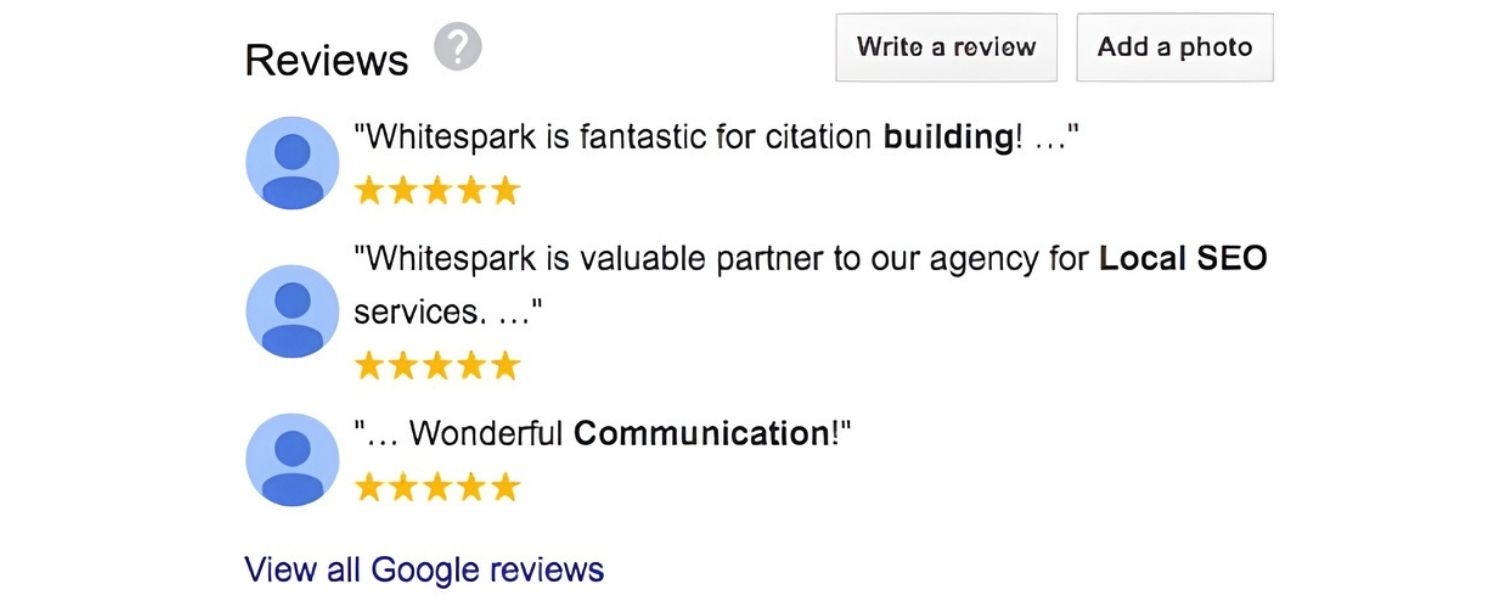
In the local SEO world, reviews are gold. They influence whether a customer clicks on your business and can impact your rankings.
Google’s documentation confirms that high-quality, positive reviews can improve your visibility in local search.
Beyond Google, reviews on platforms like Yelp, Facebook, TripAdvisor, and industry-specific sites contribute to your overall online reputation.
Here’s your checklist for review management
A. Claim Profiles on Major Review Sites
Earlier, we ensured you’re listed on key sites – now make sure you can actually interact on them.
Claim your business page on Google, Yelp, Facebook, Tripadvisor, Trustpilot, or any site where customers leave reviews in your industry. This lets you respond to reviews and get notifications.
On Google and Facebook, this was covered when setting up those profiles. For Yelp and others, follow their verification steps.
B. Encourage Customers to Leave Reviews
Proactively seek reviews from happy customers. Don’t be shy, most people are willing to review if asked politely at the right time.
Some strategies to get more reviews include:
A. Ask in person at the point of sale or after service completion
E.g. “It’d mean a lot to us if you could leave a quick review of your experience on [platform].”
B. Follow-up Email or SMS
Send a thank-you message that includes a direct link to your Google review page or other key platform.
Simplify the process – the less friction, the more likely they’ll do it.
For instance, Google offers a short URL you can generate for your business that leads straight to the review box.
C. QR Code on Receipts or Cards
If you have a physical location, print a QR code that, when scanned, directs customers to a review page.
This works great for restaurants, salons, etc. – customers can scan and review on the spot.
D. Website Review Widget or Button
Add a “Review us” button on your site that links to your preferred review platform (or a landing page guiding users).
If you have testimonials on your site, consider also embedding Google or Facebook reviews to legitimize them.
E. Incentivize Indirectly
You cannot pay or directly incentivize reviews (that violates most platforms’ policies), but you can do things like enter all reviewers in a monthly raffle or simply highlight recent reviewers on social media (public appreciation).
Always encourage honest feedback, not just 5-stars.
F. Remember, Google reviews are the most impactful for SEO
They can “boost your GBP’s visibility in search results”. So prioritize Google, but also diversify (some customers might prefer Yelp or Facebook).
Aim for a steady stream of new reviews each month; a sudden surge may be filtered as suspicious, while a slow and steady growth looks natural.
G. Ask for Specifics (Keywords)
While you should never script reviews or pressure customers, there’s no harm in hoping they mention the service or city.
When a review includes your product/service or location organically (“Joe’s Pizza had the best NY-style pizza in Boston!”), it can only help your relevance.
Some businesses mention to customers, “Your feedback helps others know what we’re known for, whether it’s our Chicago deep-dish or our quick service.” This plants a seed.
However, do not keyword-stuff or post fake reviews, that will backfire badly with both the platform and potential customers.
H. Monitor and Respond to Reviews (Everywhere)
Set up a routine (or alerts) to check new reviews across platforms. Respond promptly and professionally:
I. For positive reviews
Thank the customer by name, mention something specific if possible, and express hope to serve them again.
Eg. “Thanks John for the kind words! We’re thrilled you loved our coffee bean selection. See you again soon!”
J. For negative reviews
Stay calm and courteous. Apologize for their bad experience and offer to make it right or discuss further offline.
Eg. “We’re sorry to hear about this. Customer satisfaction is our priority – please contact us so we can resolve this issue.”
Never argue or get defensive; your response is public and aimed as much at future readers as the one reviewer.
A thoughtful response can actually win over readers who see that you care.
K. On Google, responding to reviews
Is particularly important. Business owners that respond to reviews are seen as more trustworthy, and Google may reward that engagement.
L. Manage Your Average Rating
Both searchers and algorithms pay attention to your average star rating and the quantity of reviews.
A business with hundreds of 5-star reviews will obviously stand out.
Google’s local pack often favors businesses with higher ratings and a decent number of reviews (although it’s not just a pure average – relevance and distance play big roles too).
If your rating is lower than desired, increasing your volume of reviews (and providing stellar service to earn better ones) is the only long-term fix.
Avoid unethical shortcuts like buying reviews, the risks far outweigh the short-term benefit.
M. Don’t Neglect Other Platforms
Google is king, yes, but reviews on Facebook and Yelp also matter.
They not only influence potential customers who find those pages, but they can also feed into other systems.
For example, Facebook reviews can appear on Bing Places profiles, and Yelp reviews are used in Apple Maps.
So having a good rating on those helps maintain a positive presence across the board.
Moreover, if someone searches your business name, often your Facebook page or Yelp listing will show up, a high star rating there makes a great first impression.
N. Encourage Reviews Continuously
Don’t treat reviews as a one-time project. Make it part of your ongoing marketing.
New customers check recent feedback, so you always want fresh reviews within the last few weeks or month. Stale reviews from years ago won’t instill confidence.
Consistency also cushions against the occasional bad review, if you have 1 bad out of 10 total, that hurts; but 1 bad out of 100 is not so concerning.
O. Handle Fake or Unfair Reviews
Unfortunately, sometimes businesses get hit with spam reviews or unfair attacks.
Know that you can flag reviews on Google, Yelp, etc., for removal if they violate guidelines (e.g. profanity, off-topic, conflicts of interest).
The process can be slow and not always successful, but it’s worth trying for egregious cases.
Never publicly lash out at a suspected fake reviewer; just respond normally (for optics) and pursue removal through official channels.
Reviews and overall reputation management require diligence, but they have a direct payoff in both SEO and customer conversion.
A Moz study has indicated review signals (quantity, velocity, diversity) account for about 16% of local pack ranking factors, and even beyond rankings, 87% of consumers trust online reviews as much as personal recommendations.
In short, earning glowing reviews and showcasing your responsiveness can significantly boost your local success, it helps you rank higher and also convinces more people to choose you.
Make reviews a core part of your local SEO strategy, not an afterthought.
5. Build High-Quality Local Backlinks
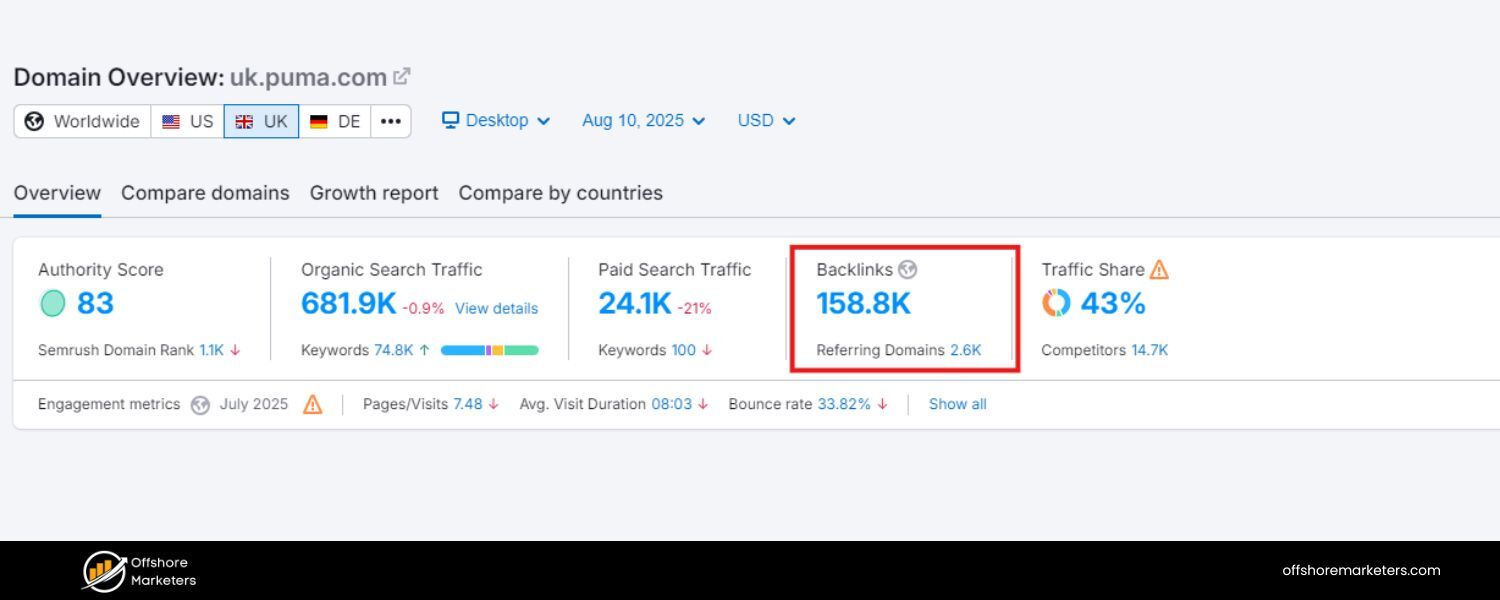
Backlinks – links from other websites to your site, have long been a pillar of SEO. For local SEO, the emphasis is on quality over quantity and on links that have local relevance. /
A few powerful local backlinks can move the needle more than dozens of generic low-quality links.
These links not only boost your site’s authority in Google’s eyes but can also drive referral traffic from local sources.
Here’s how to strengthen your local link profile:
Earn Links from Local Websites
Think about other organizations in your city or region that have websites, these could be news sites, community blogs, event pages, other businesses, etc.
Getting a link from a locally relevant site is incredibly valuable.
For example, a link from your city’s Chamber of Commerce or a popular local newspaper’s website signals to Google that your business is embedded in the local community.
Brainstorm opportunities:
A. Local News & Press
If you have something newsworthy (a grand opening, a charity event, a new product line, an award), send a press release or personally reach out to local journalists/bloggers.
Local news websites often have “local business” sections. Even a brief mention or interview that results in an online article can include a backlink to your site.
B. Sponsor Local Events or Teams
Many events (like a 5K run, street fair, school fundraiser) or little league teams list their sponsors on a website (often with a link).
For a relatively small donation, you could get a link on the event’s sponsor page.
Plus, you do good in the community – win-win! Sponsoring local events or charities is a great way to nab a mention and backlink.
C. Collaborate with Local Influencers
Find bloggers or influencers in your city who cover local lifestyle, food, services, etc.
Offer them a free sample or invite them to experience your service, in exchange for an honest review or feature on their blog.
If they write about you, chances are you’ll get a link. Ensure the influencer discloses the partnership per guidelines.
D. Local Directories & Citations (Again)
Many of the citations from Section 3 also provide backlinks (e.g. Yelp no-follow links, but some directories do follow).
While those might not be high-authority editorial links, having a broad base of local citations does contribute to your link profile and can indirectly help SEO. Focus mostly on truly authoritative sites for major gains, though.
E. Write or Contribute Guest Posts (Locally)
Traditional SEO often uses guest blogging for link building. For local SEO, target local blogs or websites.
Perhaps your city has a popular lifestyle blog, or a neighborhood association site that accepts articles.
Could you write a guest article like “10 Best Family Activities in [City]” and include a bio with a link to your site?
Or offer expert tips that tie into your niche (e.g. a local HVAC company writing seasonal home maintenance tips on a home & garden blog).
Ensure any content you contribute is high-quality and relevant. One local guest post on a well-read site beats dozens of generic ones on unrelated sites.
F. Provide Testimonials or Case Studies
Do you work with vendors or partner businesses locally? Many companies love to publish testimonials from their clients.
By offering a testimonial, you can often get your business name, maybe a blurb, and a link on their website.
For instance, if an equipment supplier or software provider features your success story, they’ll likely link to your site.
This provides an authoritative context for your link (since you are their client, it’s natural).
G. Leverage Chamber of Commerce, Business Groups, and Directories
If you join the local Chamber of Commerce or business networking groups, ensure they link to your site in the member directory.
These .org or .gov associations often have strong domain authority.
Also check if your city has a “business directory” on the official city site or tourism site – sometimes they maintain lists of local businesses (especially for restaurants or attractions).
H. Create Locally Relevant Content (Linkable Assets)
A clever tactic is to produce content on your site that naturally attracts local backlinks.
For example:
1. Publish a helpful local guide (e.g. “Guide to the Best Dog Parks in [City]” or “Moving to [City]? Here’s What You Need to Know”). Local blogs or forums might reference it.
2. Compile local statistics or infographics (like a study on something relevant to your industry in the local area). If you have unique data (“70% of [City] residents prefer X…”), local media might cite it.
3. Resource lists (e.g. a list of emergency phone numbers, community resources, or an interactive map of something interesting in your area) can earn links from community websites or .edu sites.
4. The key is to create something useful that isn’t a sales pitch about your business, but rather about the community or local interest. Promote these pieces via social media or outreach to ensure locals become aware of them.
I. Check for Unlinked Mentions
Sometimes people may mention your business on their blog or news article without linking to you. Set up Google Alerts for your brand name or use tools like Mention.
When you spot an unlinked mention, reach out kindly: thank them for mentioning your business and politely ask if they could link to your website for readers’ convenience.
Since they already wrote about you, they’ll often oblige and add the link. This is one of the easiest link wins.
J. Adhere to Quality (No Spammy Shortcuts)
Avoid the temptation to buy links or join sketchy link schemes.
Google’s link spam policy is strict – unnatural backlinks can lead to penalties that dramatically harm your visibility.
It’s better to have 10 good local links than 100 spammy directory links from other countries. Focus on earning links with real relationships and content.
Always prioritize relevance: a link from a local realtor’s blog is far more valuable for a local bakery than a random link from a tech forum or a paid footer link on an unrelated site.
Remember, backlinks not only boost your search rankings but can also send you direct referral traffic.
If a popular local mommy blog links to your toy store site, you’ll likely see new customers coming from that link.
Google’s algorithm highly regards backlinks as a vote of confidence. Local backlinks in particular can “drive valuable traffic and help you rank higher in search results”.
Make link building a steady, ongoing effort – maybe aim to secure a couple of new quality links each month.
Over time, this will significantly strengthen your domain’s authority in your locale.
6. Optimize Technical SEO and User Experience (Mobile, Speed, & Indexing)
All your local SEO efforts can be undermined if your website has technical issues that prevent Google from crawling or indexing it properly, or if the user experience is poor.
Technical SEO and UX might sound “general”, but they form the foundation that supports your local optimizations.
Google won’t rank a site well (even for local queries) if the site is slow, insecure, or not mobile-friendly.
Here’s a technical and UX checklist to ensure nothing holds you back:
A. Ensure Your Site is Crawlable & Indexed:
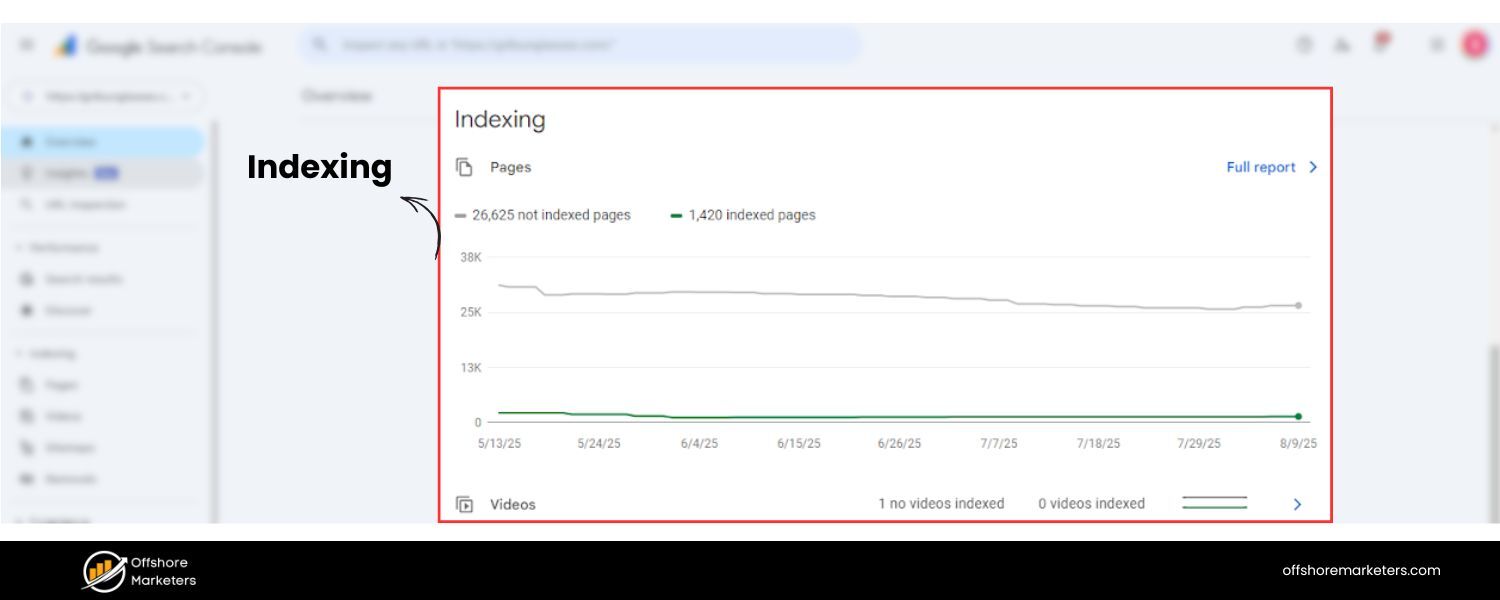
First, make sure search engines can access and index your content:
1. Create and submit an XML sitemap listing all important pages (and make sure your location pages, service pages, etc., are included). This helps Google discover your pages faster and understand your site structure. If you use a CMS like WordPress, plugins like Yoast or RankMath can generate sitemaps automatically.
2. Check your robots.txt file to ensure you’re not inadvertently blocking important pages from being crawled. For most local business sites, a simple robots.txt that allows all and lists the sitemap URL is sufficient.
3. If you use WordPress, verify that the setting “Discourage search engines from indexing this site” is unchecked (it’s under Settings > Reading). It’s surprising how many new sites launch with this turned on by mistake, making them invisible to Google.
4. Use Google Search Console (if you haven’t already, set it up!) to inspect your pages. Look at the Coverage report to ensure all key pages are indexed and there are no crawl errors. If some pages are excluded, investigate why (perhaps a noindex tag or canonical issue).
5. After major changes or new pages (like you added location pages), use Search Console’s URL Inspection “Request Indexing” feature to speed up indexing.
B. Implement HTTPS (SSL Certificate)
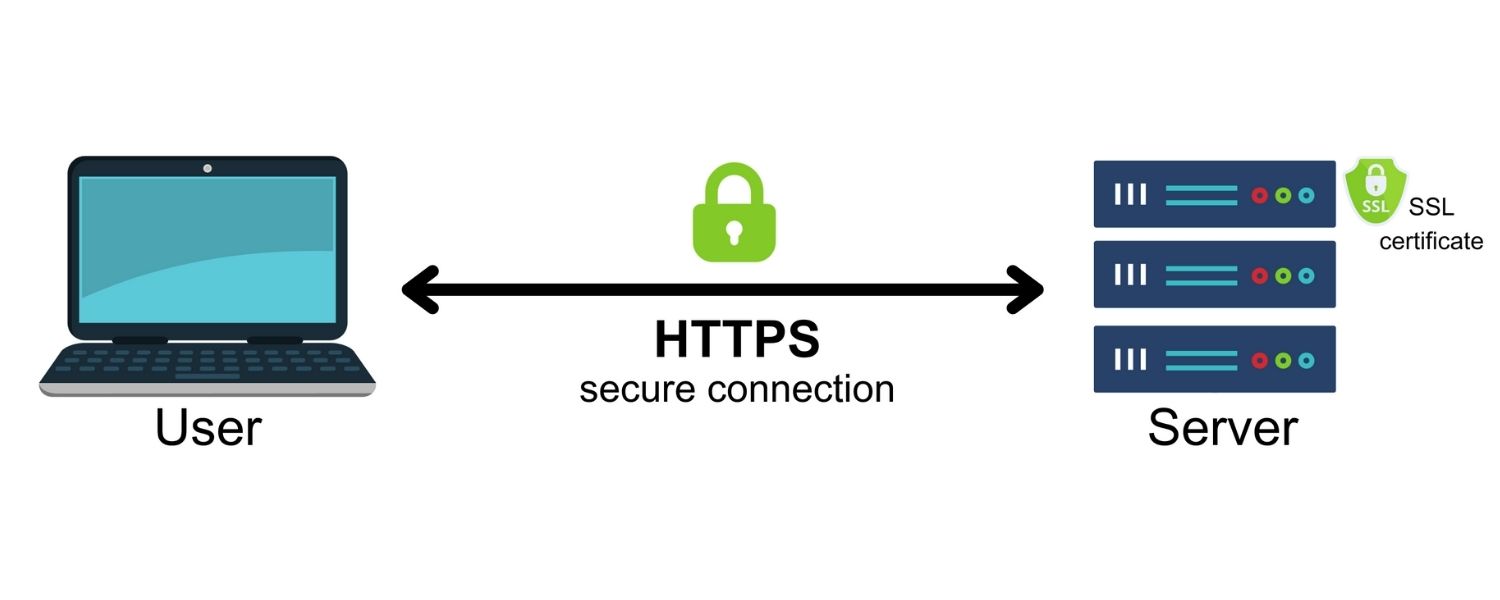
This is non-negotiable. An SSL-secured site (with https://) is a baseline trust factor for Google and users.
If your site still shows “Not Secure” in browsers, obtain and install an SSL certificate (many hosts provide them for free via Let’s Encrypt).
Google gives a slight ranking boost to HTTPS sites, and more importantly, browsers may warn users away from non-HTTPS sites.
Locals won’t trust submitting a contact form or making a purchase if your site isn’t secure.
C. Improve Page Speed & Core Web Vitals
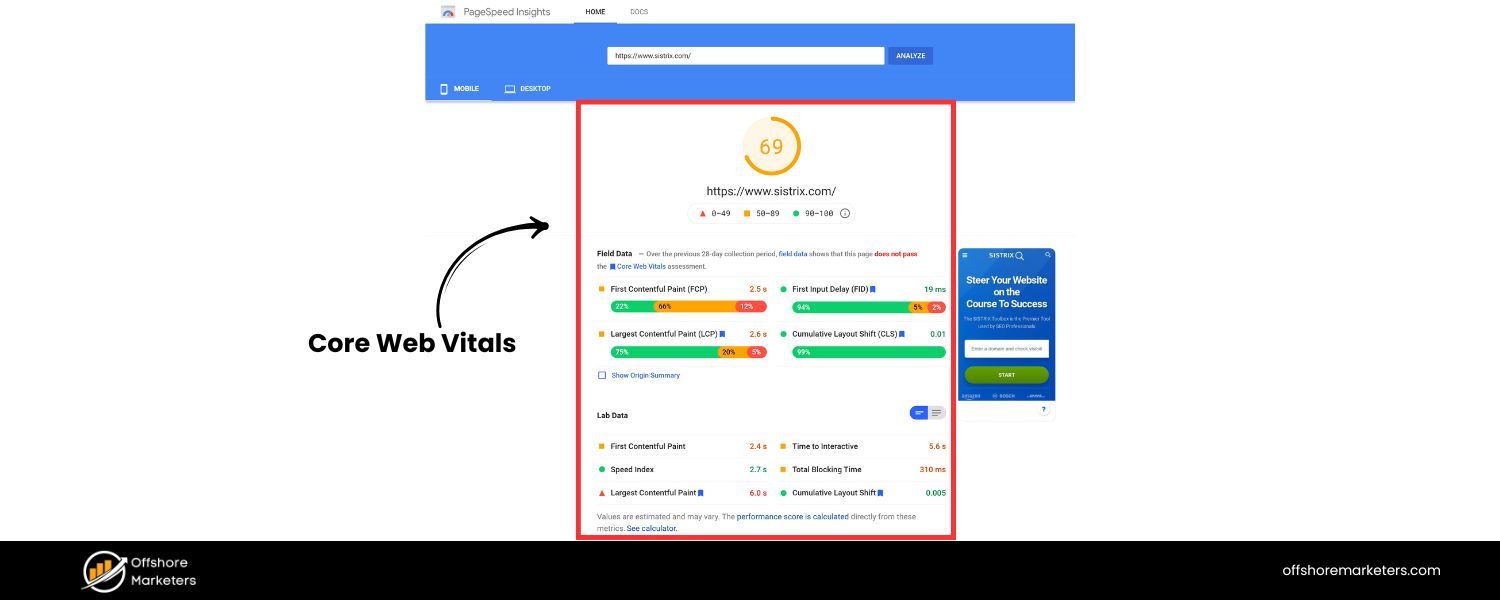
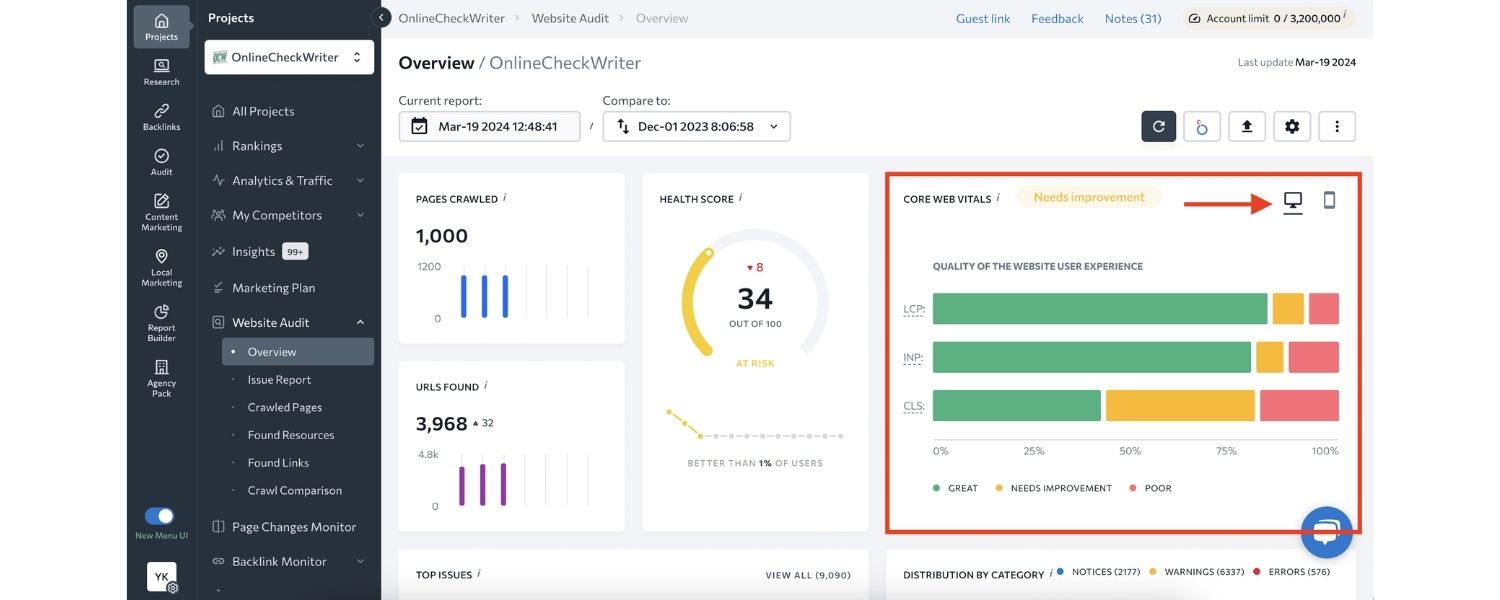
Fast-loading sites deliver better user experience, especially on mobile, and Google’s algorithm uses Core Web Vitals report as a ranking factor.
Optimize images (compress or use next-gen formats like WebP), minify CSS/JS files, leverage browser caching, and consider a Content Delivery Network (CDN) if you serve a broad region.
Use Google’s PageSpeed Insights or Lighthouse to identify speed bottlenecks. Aim for “Good” scores in Largest Contentful Paint (LCP), First Input Delay (FID), and Cumulative Layout Shift (CLS) metrics.
This not only helps SEO but keeps visitors from bouncing out of impatience.
D. Mobile-Friendly Design
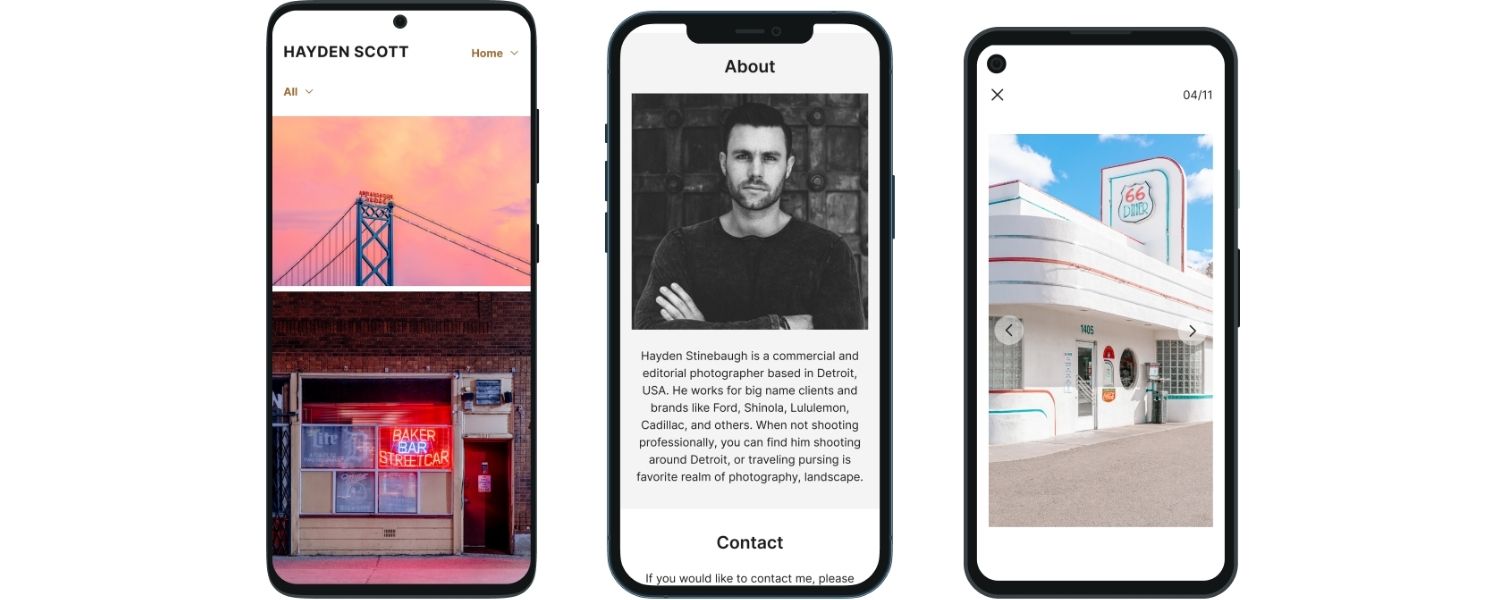
As noted earlier, mobile-first indexing means Google primarily uses your site’s mobile version to determine rankings.
Your site must be mobile-friendly:
1. Check that text is readable without zooming, buttons/links are not too tiny or close together, and content fits the screen (no horizontal scrolling).
2. If you have a separate mobile site (m.dot) or dynamic serving, make sure the content is consistent with desktop and all meta tags are present. Generally, a responsive design (that adapts to screen size) is easiest to maintain.
3. Test your site in Google’s Mobile-Friendly Test tool. Any errors flagged (e.g. clickable elements too close, content wider than screen) should be fixed.
4. Navigation on mobile should be simple – use clear menus or a hamburger menu, and ensure important info (like your phone number or contact button) is prominently displayed. Many local searches end in a phone call, so make that “Call” button easy to find!
E. Fix Technical Errors
Other technical issues can indirectly affect SEO if not adressed:
1. Broken links or 404 errors
Use a crawler or Search Console to find broken links on your site. Fix them by updating the URL or setting up 301 redirects to appropriate pages.
A clean, error-free site is better for users and avoids squandering your crawl budget.
2. Duplicate content or pages
If you have similar content (for instance, two pages targeting very similar local terms), consolidate them or use canonical tags appropriately. Avoid thin content pages as well.
3. Structured Data Errors
If you implemented LocalBusiness schema or other markup, check Google’s Rich Results Test for any warnings or errors. Fix those to ensure eligibility for rich results.
4. Pagination or indexing quirks
If your site has many pages (like products or blog posts), ensure your pagination is handled correctly with rel=“next/prev” or proper linking so Google can crawl deeper pages.
5. Site uptime and security
Make sure your site doesn’t frequently go down. Use a reliable host.
Also keep your site platform and plugins updated to avoid hacks or malware (Google will de-rank or even blacklist sites with security issues).
Consider using a security plugin or service if needed.
6. Enhance User Experience Signals
Google pays attention to how users interact with your site – indirectly, high bounce rates or low time-on-site might signal that users aren’t finding what they need.
To improve UX:
- Make sure your pages have a clear call-to-action (CTA). If someone lands on your site from a local search, can they quickly find how to contact you or get what they need? For example, on a service page, have a “Get a Quote” form or your phone number in a noticeable spot.
- Use engaging visuals and easy-to-scan text. Break up long paragraphs, use bullet points (like this checklist!) and relevant images. But compress those images for speed.
- Consider implementing live chat or at least a prominently displayed contact email/phone to encourage interaction.
- If applicable, use Google Maps integration beyond just an embed – for instance, a “Directions” button, or a store locator if you have multiple locations, which enhances usability.
7. Monitor your analytics
Look for pages with high bounce rates or low average time. Those might need better content or clearer calls to action to satisfy visitor needs.
Why does all this matter for local SEO? Because Google wants to show results that offer a great searcher experience – that includes sending users to fast, secure, useful websites.
A technical SEO audit can reveal issues that harm your search visibility.
For example, if your site isn’t indexed, you won’t rank at all; if it’s slow or not mobile-friendly, you might rank lower and drive users away.
By running a technical audit and fixing problems early, you set a strong foundation for all other local efforts to shine.
As a bonus, a well-optimized site will benefit all SEO, not just local.
The bottom line:
Don’t neglect the “under the hood” aspects of your site, because even the best local content won’t perform if your site has structural or performance flaws.
7. Leverage Social Media and Local Engagement Signals
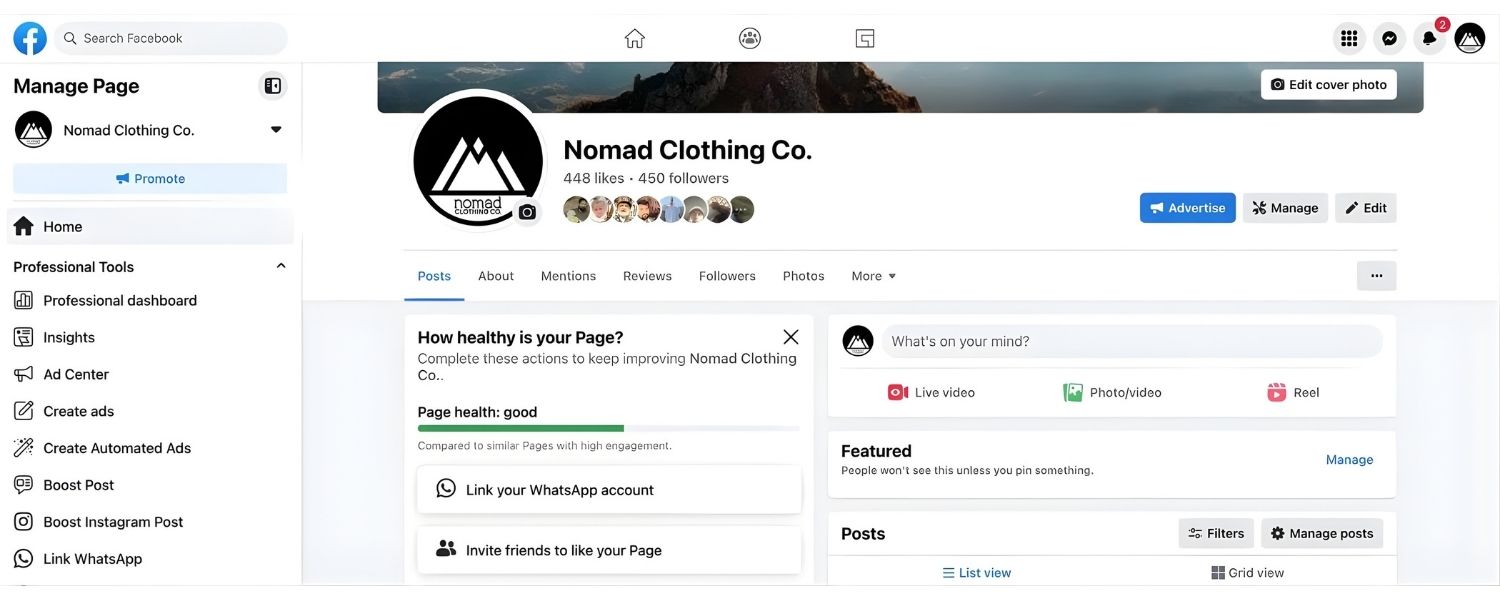
While social media signals (likes, shares) are not direct ranking factors for Google, there is a correlation between strong social presence and local SEO success.
At the very least, having an active social media profile can amplify your content and drive more branded searches or website visits – which can improve your organic performance.
Additionally, some social sites like Facebook and LinkedIn become additional search results for your brand, helping you dominate the first page for your name.
A. Maintain an Active Facebook Business Page
As mentioned, Facebook is one of the “big four” listings. But beyond just a citation, use it to engage your local community.
Post updates about your business, share local news or tips related to your industry, and respond to comments or messages.
An active page can accumulate followers and reviews, and it sends trust signals (even if indirectly).
Also, Facebook content can rank in Google (especially for certain queries or if your website is new, your FB page might rank for your name initially).
B. Use Other Platforms as Appropriate
You don’t need to be on every social network – focus on where your local audience hangs out.
For many, Instagram is great for visual businesses (restaurants, retail, lifestyle brands) to showcase products or behind-the-scenes.
LinkedIn is useful for B2B or professional services, to share expertise and connect with local professionals.
Twitter (now X) has less impact on local SEO but can be a customer service or PR channel.
Consistency in NAP info on social profiles is also important – ensure your bio or about sections have your current address/phone so these profiles act as secondary citations.
C. Engage with Local Community Online
Join local forums, Facebook Groups, or Nextdoor if relevant, and be a helpful participant (not just self-promoting).
If people ask for recommendations in your category, you can politely mention your business if allowed.
Being present in community discussions increases word-of-mouth and brand searches for you.
Just avoid spamming; focus on building goodwill and brand awareness.
D. Encourage Social Check-Ins and Shares
If you have a brick-and-mortar location, display signs encouraging customers to check in on Facebook or Instagram, or to share a photo and tag your business.
This user-generated content can increase your visibility to friends of those customers, effectively a modern “word of mouth”.
It doesn’t directly boost SEO, but it increases local awareness which can lead to more searches and website visits (which do help).
E. Monitor Social Mentions
Keep an eye on what people are saying about your business on social media.
Promptly address any complaints aired on Twitter or Facebook – this is part of reputation management.
Also, celebrate positive shoutouts by thanking the person or sharing their post (with permission).
High engagement rates and positive sentiment can spill over into better brand reputation, which never hurts in Google’s mysterious E-A-T (Expertise, Authoritativeness, Trustworthiness) evaluation.
F. Use Google Posts & Updates
While technically part of GBP (covered in section 1), it’s worth reiterating: Google Posts are essentially social updates on your Google profile.
Treat them as part of your social content strategy. For instance, the same sale you promote on Facebook can be a Google Post.
Also, update your GBP if things change (special hours, new services) – Google often shows “last updated” info, and frequent updates could imply an active business.
G. Behavioral Signals
Google’s local algorithm likely takes into account certain user engagement signals on your profile and site.
For example, a business that gets more clicks in the local pack, more “call” and “directions” clicks on Google, could see a boost.
While you can’t directly control user behavior, you can influence it:
1. Make sure your Google listing is enticing – good review rating, attractive photos, and posts/offers can lead more users to click you over a competitor. This higher click-through rate from local results might improve your ranking over time (Google sees you’re the more popular result).
2. On your website, once people arrive, provide useful info so they don’t pogo-stick back to Google immediately. For example, embed a map, list your services with clear details, and have that strong call-to-action.
3. Encourage brand searches (people searching your business name) by building your offline presence. Google notices if many people directly search for “[Your Business] [City]” – it indicates a strong local brand.
4. Techniques like local radio/TV ads, print flyers, or sponsoring community events can indirectly lead people to search your name, boosting this signal. Even running a small Facebook or Google Ads campaign can increase brand awareness and subsequent searches.
In summary, social media and engagement efforts support your local SEO in a roundabout but important way.
They amplify your content, build brand awareness, and create a loyal local following, which in turn leads to more organic traffic and signals to Google that you are a trusted local authority.
At the very least, an active social presence lends credibility – when someone Googles your business and sees active profiles and positive interactions, they’re more likely to choose you.
So, while you focus on the hardcore SEO factors, keep working on those Facebook posts and community interactions – they complete the picture of a vibrant local business.
8. Track Your Local SEO Performance and Iterate
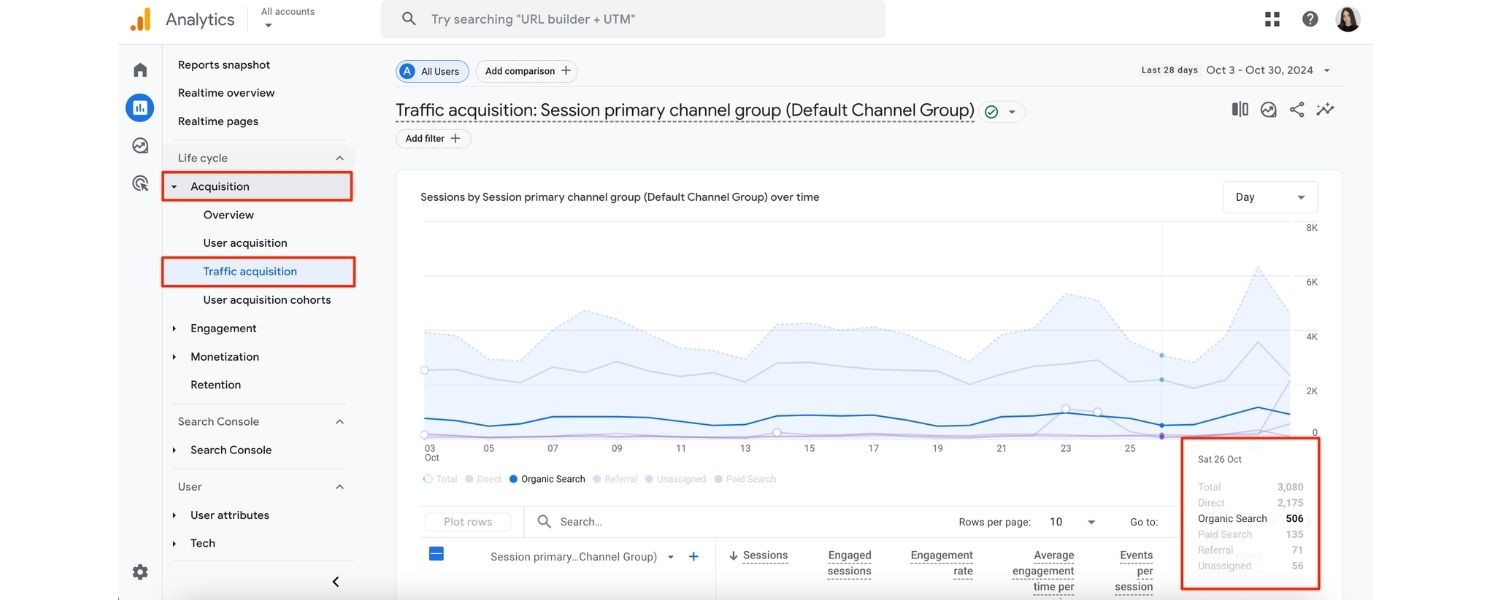
You’ve implemented a lot of the checklist, great! Now, how do you know if it’s working?
Local SEO is not a one-and-done task; it’s an ongoing process of monitoring and optimization. By tracking key metrics, you can see what’s paying off and where to adjust strategy.
Here’s how to effectively track and continue improving your local SEO:
A. Set Up Google Analytics (GA) 4
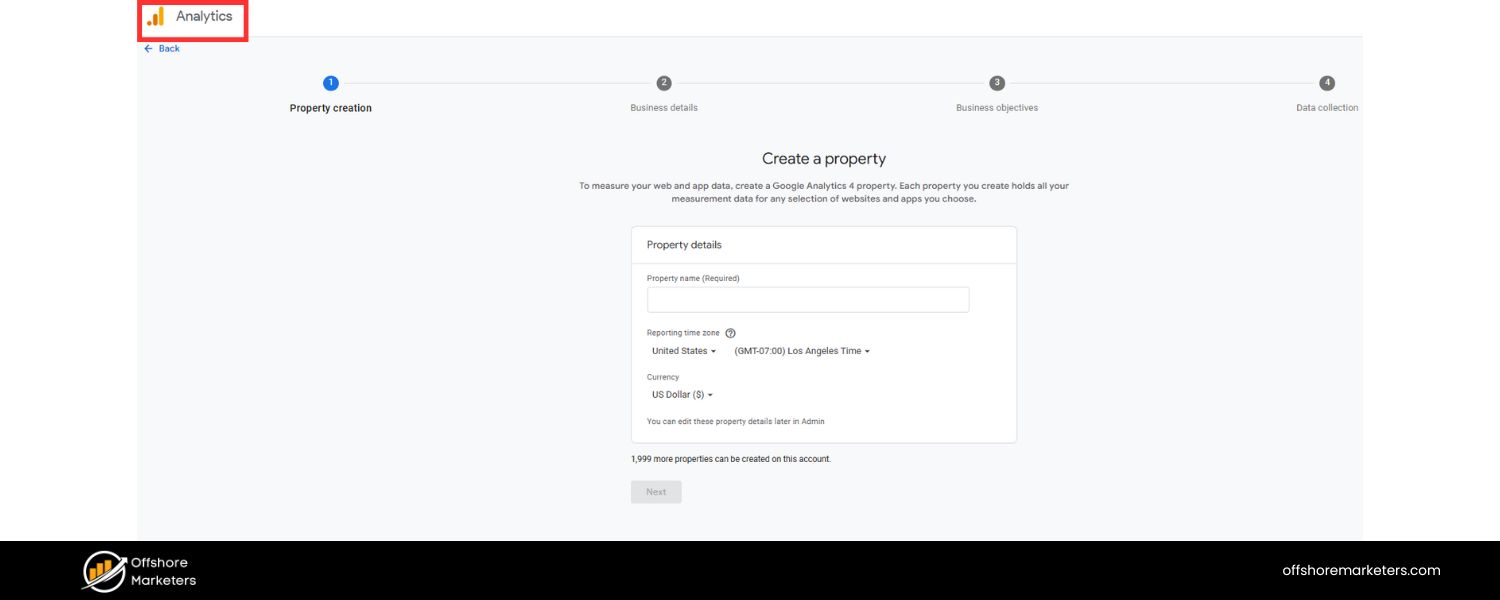
Google Analytics will show you how much traffic your website is getting, and importantly, where that traffic comes from.
Make sure GA is installed on your site (GA4 is the newest version as of 2025).
In GA, watch metrics like:
- Total website users and sessions from organic search (to see if your SEO is bringing more visitors).
- User behavior on site – time on page, pages per session, bounce rate – particularly for your key landing pages (like your location pages or homepage). Improvements here often mirror better user experience.
B. Conversions
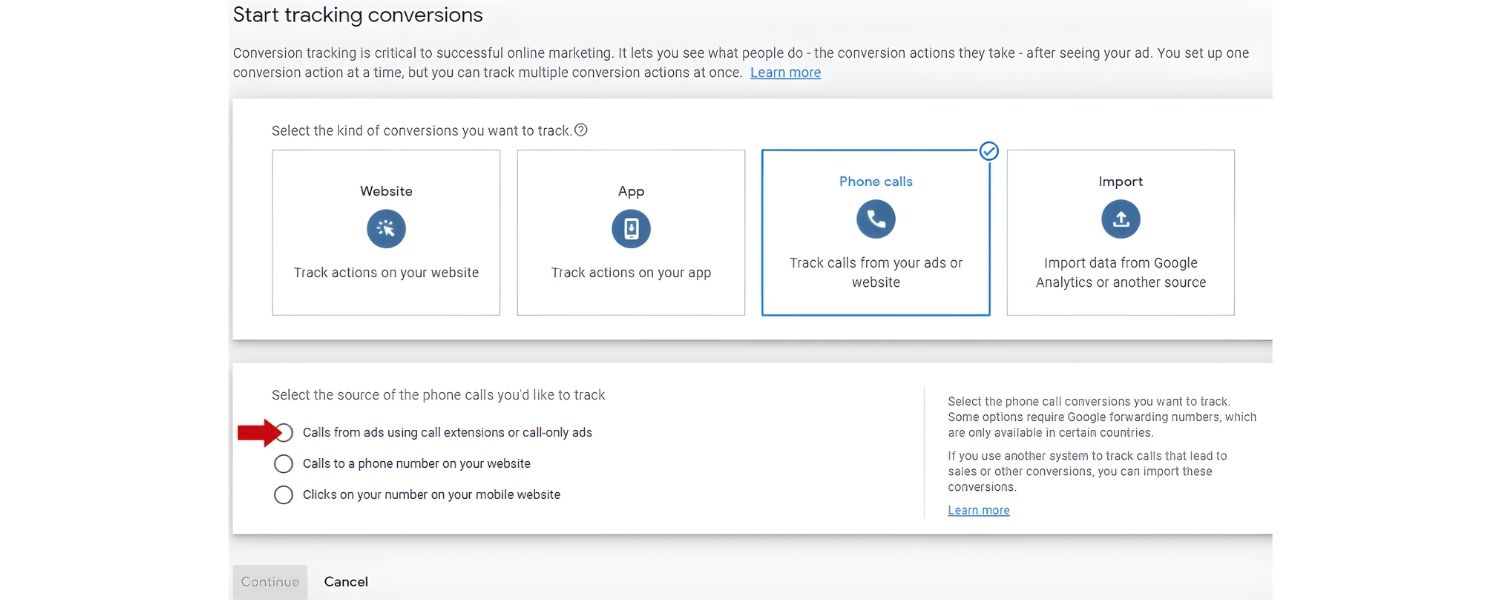
Set up conversion tracking for important actions such as form submissions, clicks on your phone number (“call now”), or orders if you have e-commerce.
This lets you measure actual leads/sales from your organic efforts.
C. Use Google Search Console (GSC)
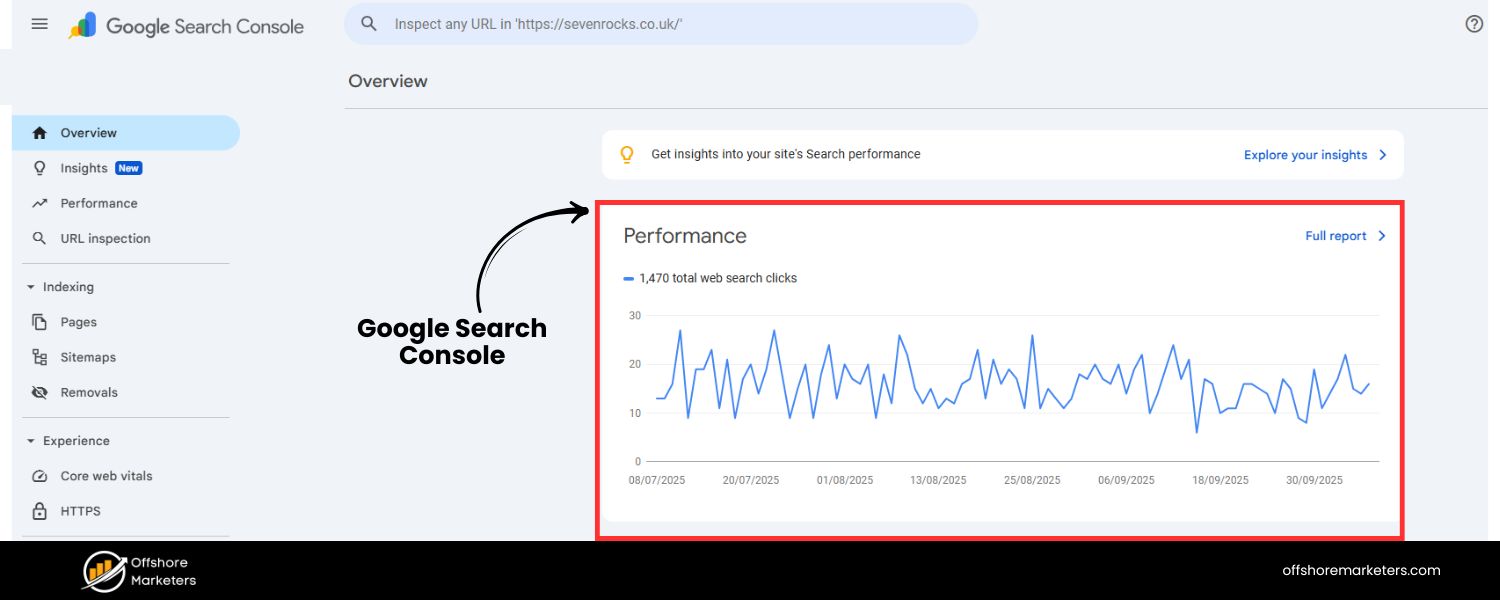
GSC is a goldmine for understanding your search presence. It shows:
D. Search Impressions and Clicks
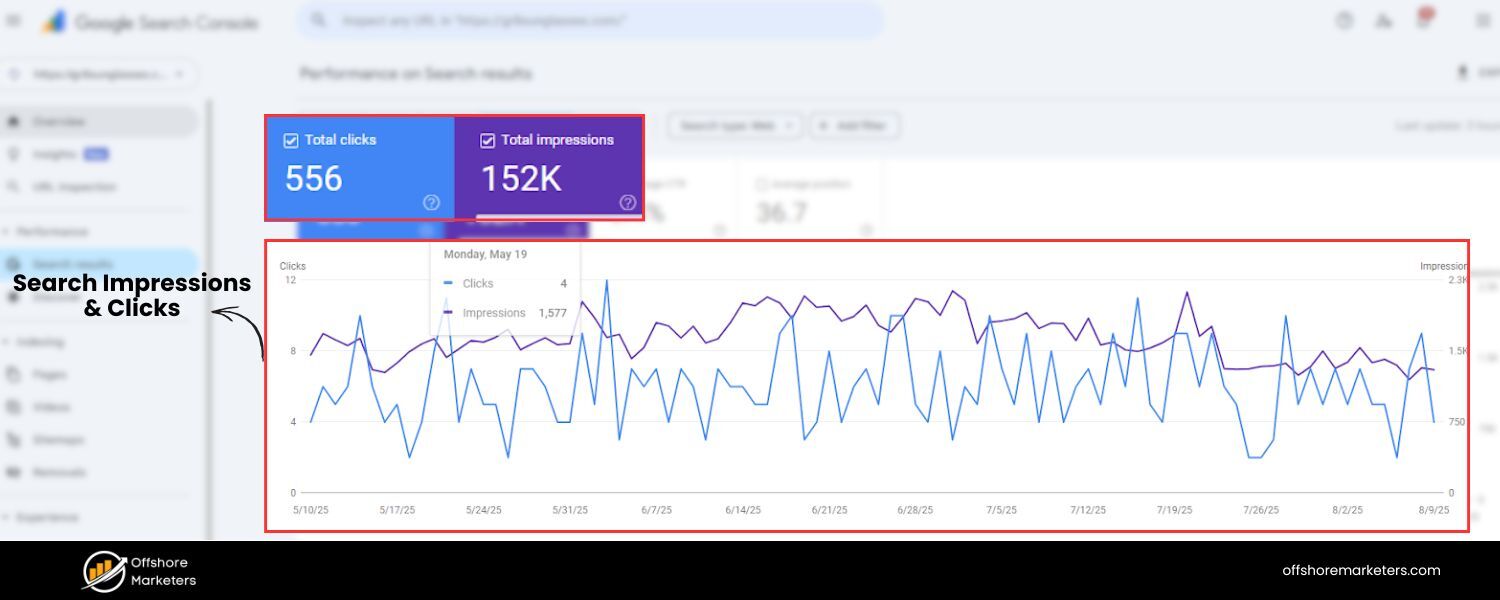
How often your site appears in Google searches (impressions) and how many clicks you get, for various queries.
E. Queries Report
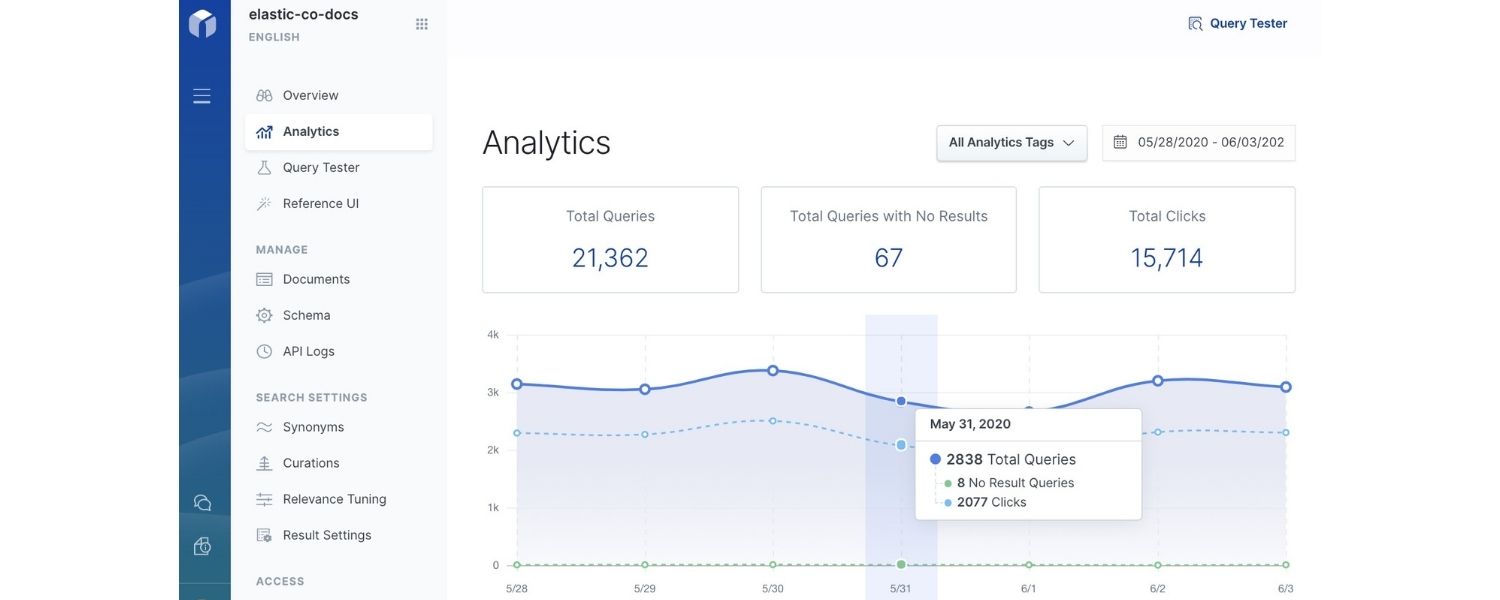
See the actual search queries that bring up your site. Filter to queries containing your city or “near me” to gauge local query performance. You might discover new keywords here to target.
F. Average Position
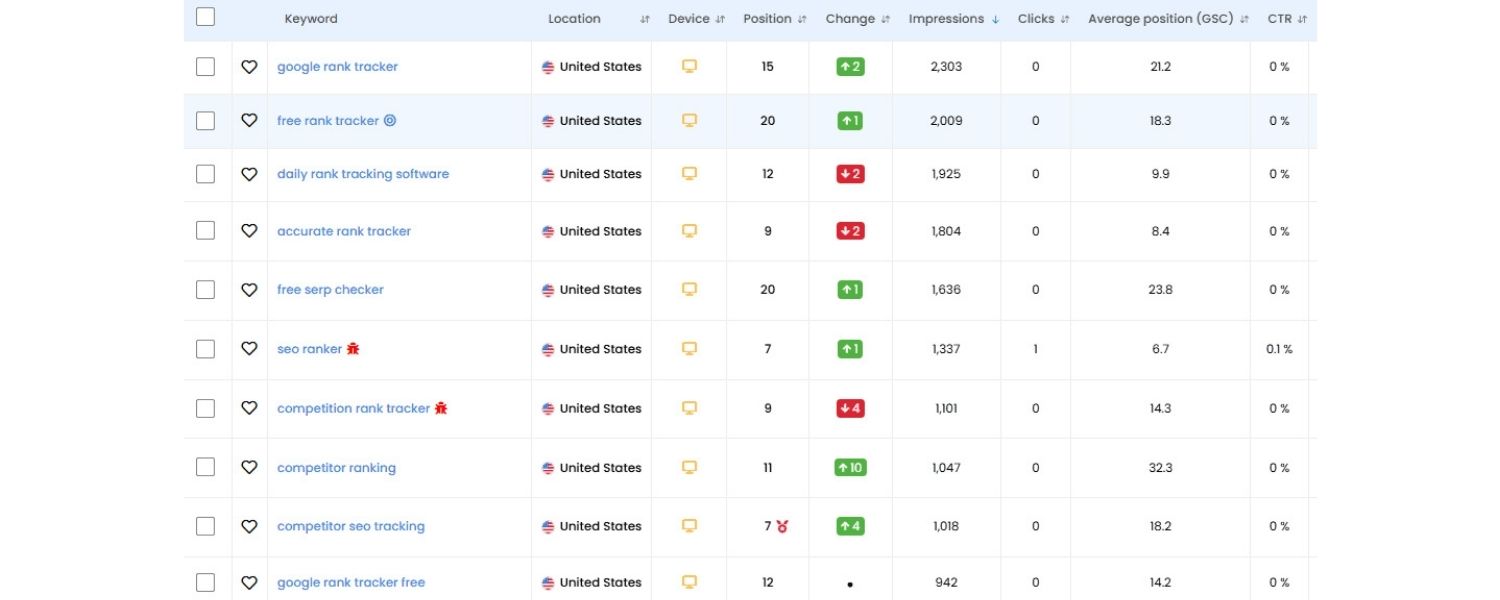
GSC shows your average ranking for different terms. Keep an eye on your primary keywords, are they moving up?
For local pack rankings, GSC won’t directly show that, but it will show if your Google Business Profile is getting impressions/clicks through the Performance > Google Business Profile section (if your site is connected to GBP).
G. Coverage/Indexing
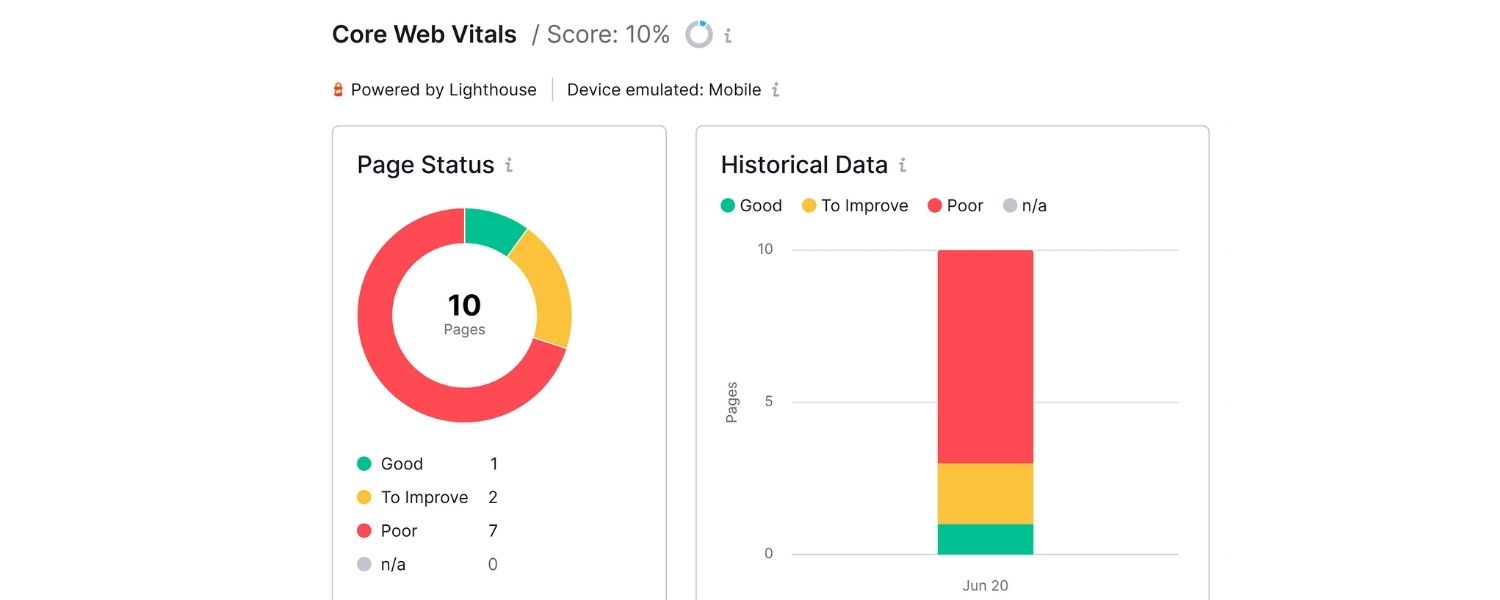
As mentioned, ensure no issues here. Also check the Enhancements section for any schema or Core Web Vitals issues.
GSC effectively answers “what did we rank for, and how did users interact?”
Use it to celebrate gains (e.g. you went from position 8 to 3 for “best bakery in [City]”) and to spot opportunities (maybe you rank 11th for a term – close to page 1, a little content tweak might push it up).
H. Monitor Google Business Profile Insights
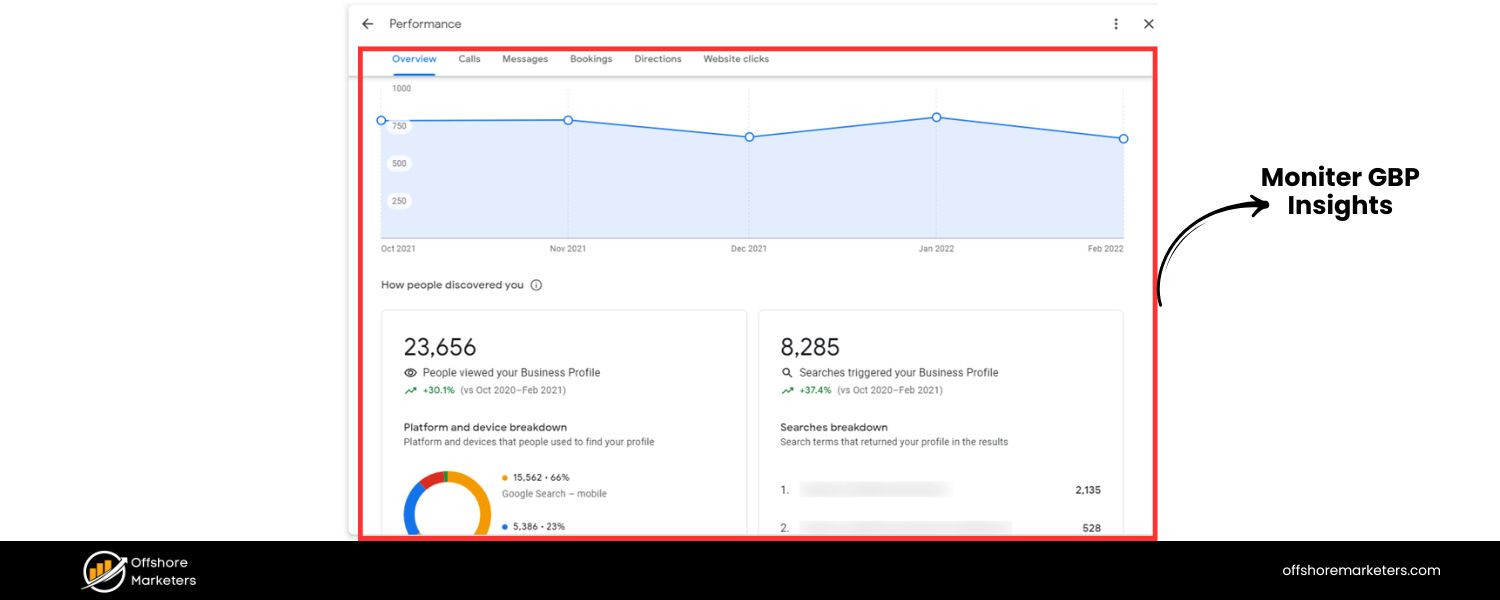
In your Google Business dashboard, the Insights section gives valuable data:
- How many times you appeared in search and maps.
- The queries people used to find your listing.
- Actions taken on your profile (calls, direction requests, website clicks). For example, you can see if calls from GBP increased after you started a review campaign.
- Photo views and other engagement metrics.
- Track these month over month. A growing number of views and actions indicates your local presence is strengthening. It’s also satisfying to see those direct metrics (like “X people called you from Google this month”).
I. Use a Rank Tracking Tool for Local
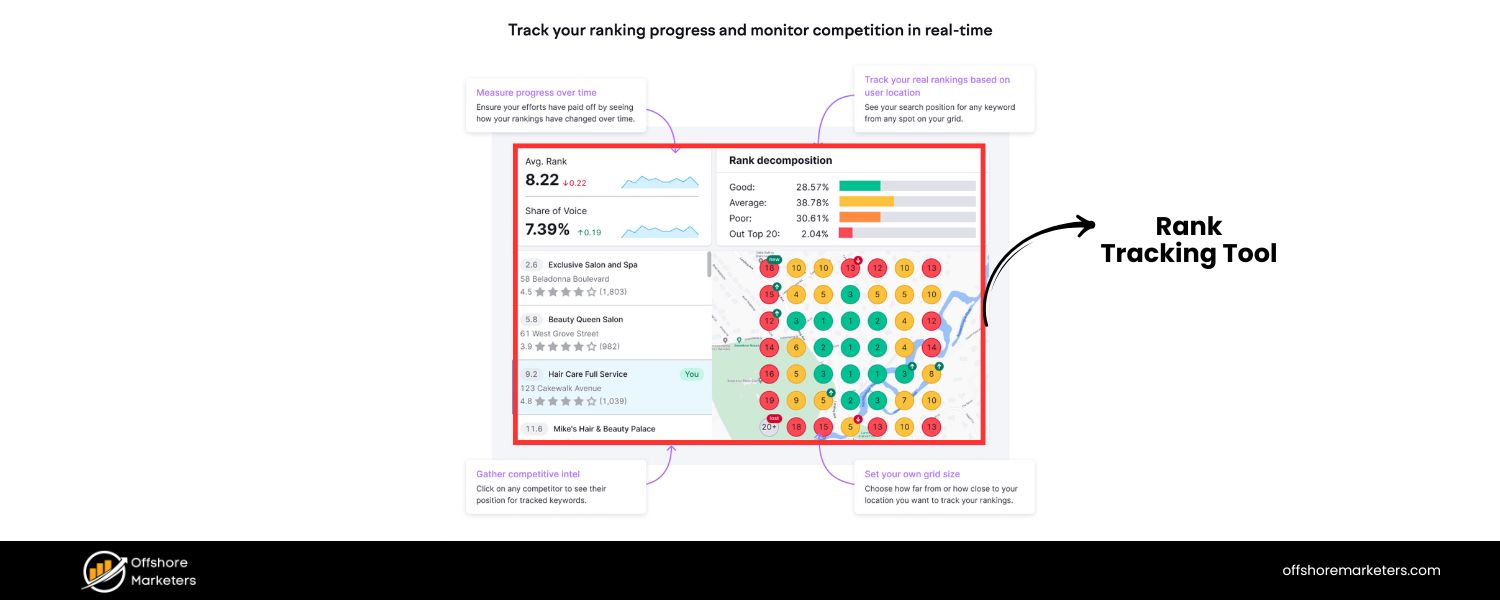
General rank trackers might not show your true local rankings, because Google’s results vary by user location.
Consider using a tool that supports local rank tracking.
For example, Semrush’s Position Tracking or BrightLocal or LocalFalcon, these can track your ranking in the local pack and Maps for specific zip codes or a grid of points around your location.
They can show where you rank in the Local Pack for “plumber near me” within a certain radius.
This is especially useful for service-area businesses to visualize coverage. If a certain area is lagging, you might target that with more content or a nearby office.
J. Call Tracking
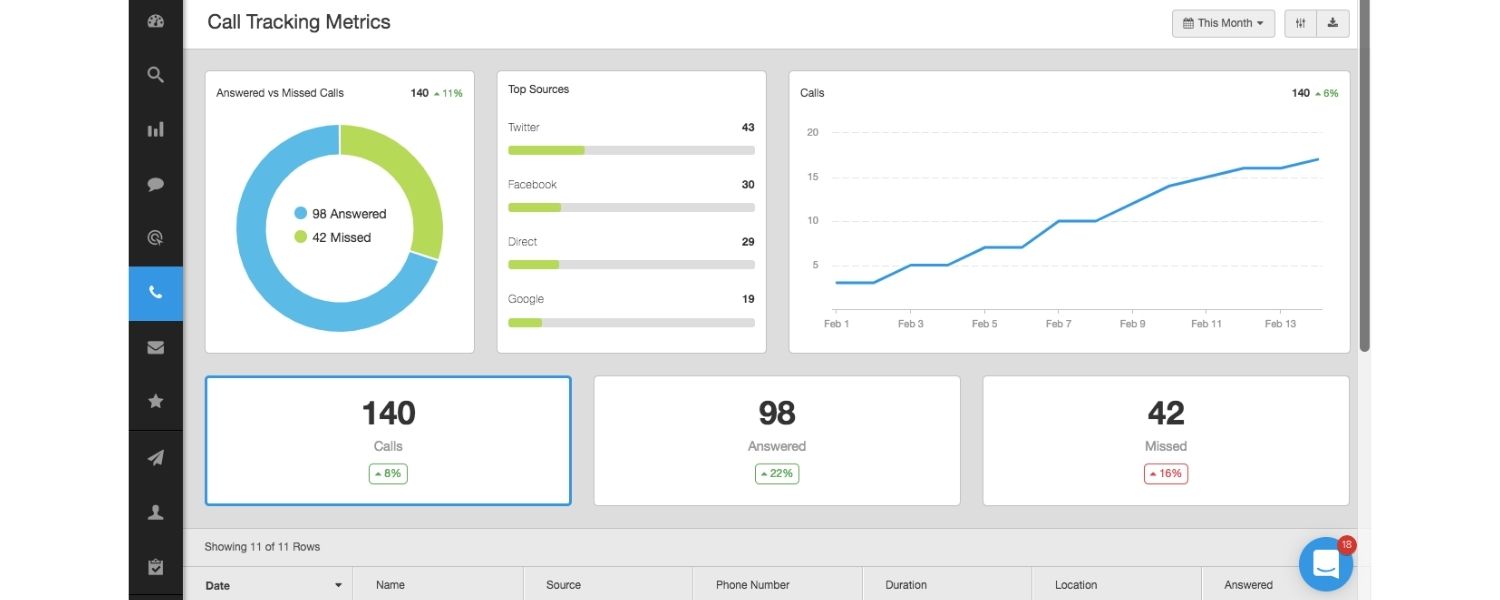
If a lot of your leads come via phone calls (which is common in local), consider a call tracking solution like CallRail or CallTrackingMetrics.
These services can show which source (Google organic, Google Ads, website, GBP, etc.) drove a call. They often work by swapping phone numbers dynamically.
While using call tracking, make sure your primary business number stays consistent on major listings (you can use tracking numbers on your site via script without changing your cited number).
Call tracking helps attribute ROI to your efforts – e.g. you might see a spike in calls from GBP after implementing your new review strategy.
K. Keep an Eye on Competitors
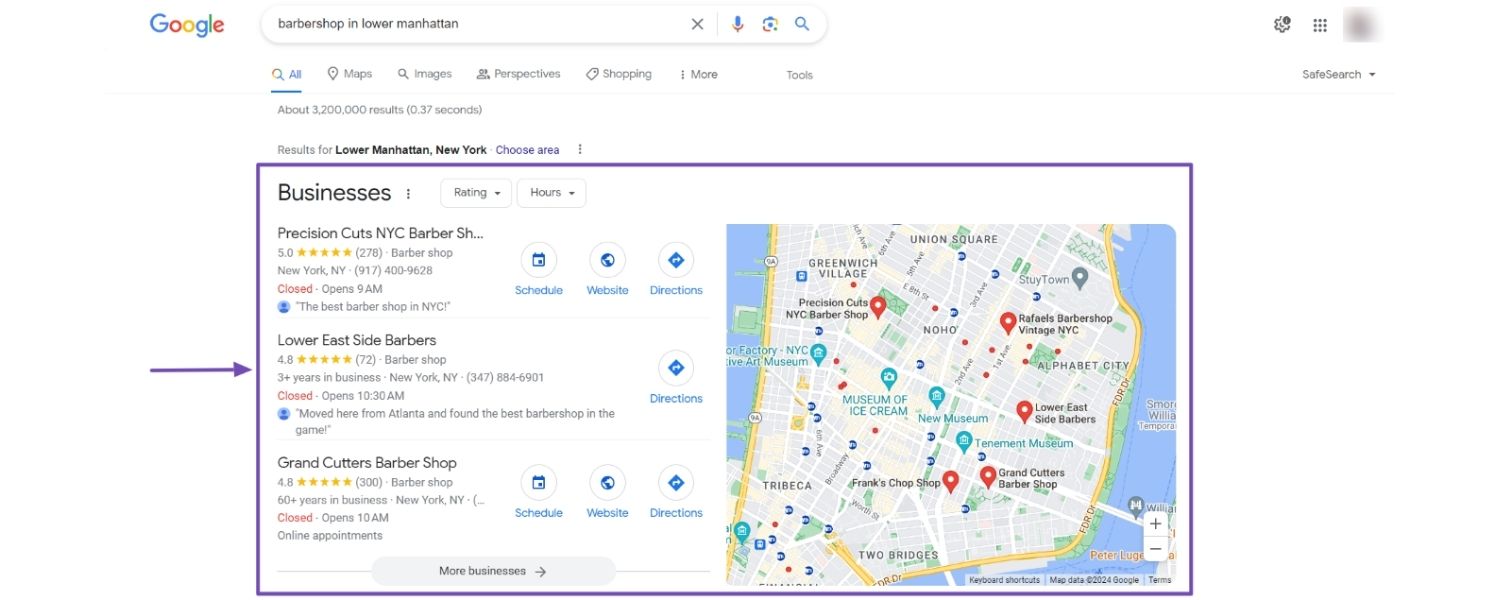
Periodically, search for your target keywords (in incognito or using a local search emulator) to see how you stack up against competitors.
Who’s appearing above you in the local pack or organic? Analyze what they might be doing, do they have more reviews? Better content? Listings you’re missing?
Local SEO is a dynamic landscape, so if someone leaps ahead, investigate and adapt. Also, set Google Alerts for competitor names to catch any new press or activity they get.
L. Regular SEO Audits
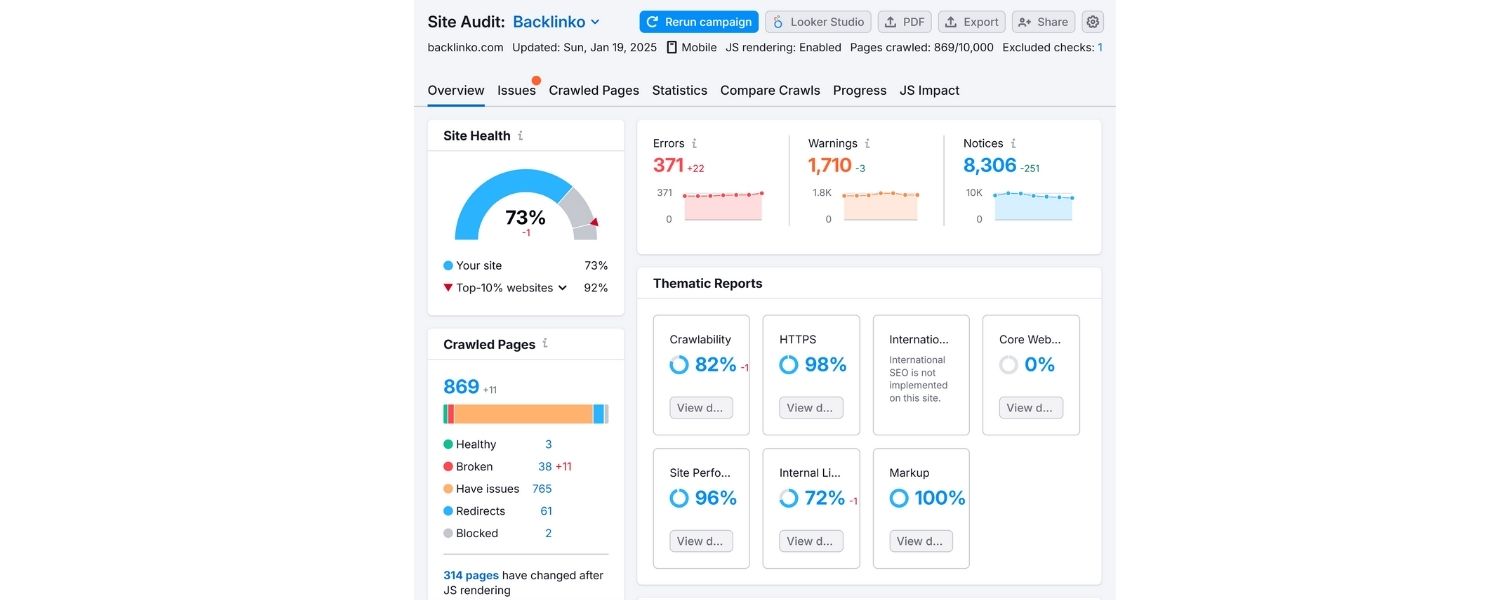
Every few months, run through this checklist again.
Things change: Google’s algorithm updates (for example, a major update in Dec 2021 called the Vicinity Update targeted spammy business names in local search), new competitors emerge, and your own business info may need refreshing.
Conduct mini-audits:
- Is your NAP still 100% consistent everywhere?
- Any new directories or opportunities to list on?
- How’s your review velocity? Do you need a new push?
- Is your website content up to date? Perhaps add a new FAQ or a blog post about a trending local topic.
Technical check: Any new errors or slowdowns on the site
M. Celebrate Wins and Set New Goals
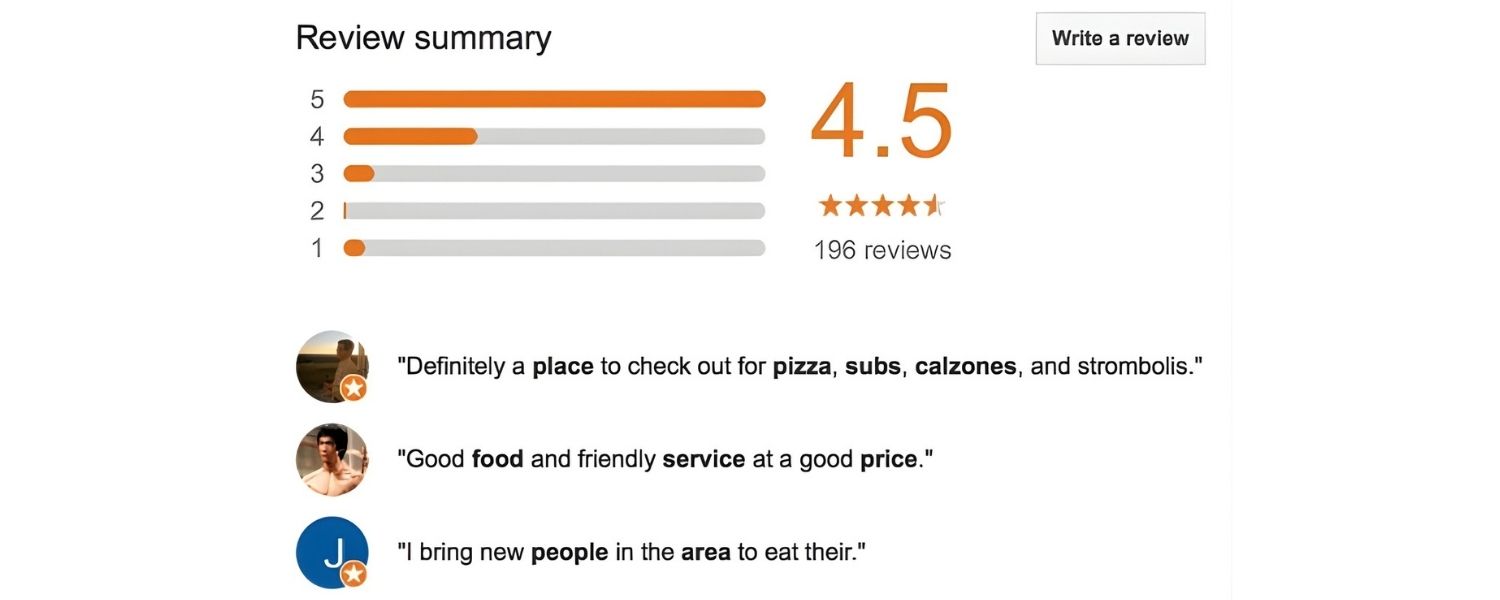
When you hit milestones, say, reaching a 4.5-star rating or ranking #1 in Maps for a primary keyword, celebrate it! Then raise the bar.
Maybe now target ranking in surrounding towns or expanding your keyword list.
Local SEO is ongoing, but that’s what makes it fun, there’s always another angle to explore, like optimizing for voice search (“Hey Google, find a pizza near me”) or ensuring you appear in Google Maps for “near me” queries while driving.
By tracking your results and iterating, you’ll ensure all your local SEO efforts translate into real business outcomes.
This data-driven approach lets you focus on what works and fix what doesn’t.
The local search landscape can change, and Google might introduce new features (for example, Google could emphasize things like local service ads or new review attributes).
Staying vigilant with tracking means you can adapt quickly. Remember the saying: “You can’t improve what you don’t measure.”
Tracking tools and analytics are your feedback loop. Use them to refine your strategy, justify your SEO investments, and ultimately, to keep climbing higher in local search results.
Conclusion: Become the Local Leader and Reap the Rewards
Local SEO is a game changer for businesses that thrive on local customers.
By following this checklist, you’ve addressed the core pillars: a fully optimized Google Business Profile, a website honed for local keywords, consistent business information across the web, a strategy to generate and manage reviews, solid local link building, technical excellence, and ongoing tracking.
Each piece reinforces the others, creating a powerful synergy that boosts your visibility when nearby customers search for what you offer.
Remember, effective local SEO isn’t a one-time project, it’s an ongoing commitment.
Keep your information up to date, continue engaging with customers online and offline, and stay alert to new features or updates in the local search world.
Google might roll out new profile sections, new ranking factors, or new tools (for instance, advances in AI or voice search could influence local search behavior).
By staying informed and agile, you can maintain your edge over competitors.
As noted earlier, many factors are dynamic and require periodic revisiting, so make it a habit every few months to review this checklist and ensure nothing has slipped.
The reward for this hard work? Dominating your local market. You’ll not only rank higher, you’ll get more calls, more store visits, more bookings, and ultimately more revenue.
There’s something incredibly satisfying about Googling your service and seeing your business pop up at the top of the results.
That visibility is like prime real estate on the internet’s main street.
Now it’s time to put this checklist into action.
Start implementing these steps today, even if you can’t do everything at once, begin with the most impactful items (Google Profile, on-page SEO, and citations) and build from there.
Track your progress, celebrate the small victories (like each new 5-star review or a bump in rankings), and keep pushing.
Local SEO success will not happen overnight, but with consistency, you’ll see momentum build over weeks and months.
Get out there and become the go-to name in your area! By checking off these items, you’re positioning your business to be found and chosen by more local customers.
Here’s to seeing your business rise up the local rankings and watching your community of happy customers grow.
Good luck, and get ready to welcome all the new faces finding you online, you’ve earned it!

.png)
Shopify SEO: Guide to Ranking Your Store and Driving Sales
Most Shopify store owners set up their store, list their...

Content Marketing : Definitive Guide to Strategy, Content Types, and Measurable ROI
Content marketing generates 3x more leads than outbound marketing at...

Above the Fold: Guide to Conversions, Rankings and Faster Pages
Above the Fold in 2026: The Complete Guide to Conversions,...

Off-Page SEO Checklist: Guide to Building Real Authority
Most websites spend months creating great content, only to wonder...

What Is Keyword Bidding? The Complete Strategy Guide for Smarter Ad Spend
Most advertisers believe the highest bid wins the auction. It...

What Is Google Trends? The 2026 Marketer’s Complete Guide
If you are not already pulling weekly insights from Google...
If you want a growth partner who will get to know every aspect of your business and treat your budget like their own — we are the right fit.
.png)


.png)
.png)
.png)
.png)
.png)
.png)
2026 ALL RIGHTS RESERVED MADE IN INDIA
