
Ecommerce Keyword Research: Boost Traffic & Sales Fast
September 2, 2025
Introduction
In the crowded world of online retail, ecommerce keyword research is your secret weapon. With millions of online stores vying for attention, the right keywords can make your products stand out to ready-to-buy customers.
In fact, organic search is a primary traffic source for ecommerce sites (around 40% of all visits), so mastering keyword research directly impacts your visibility and revenue.
This guide, written by an SEO marketing expert with 25 years of experience, will show you exactly how to find, analyze, and use keywords that drive high-intent traffic and conversions for your online store.
We’ll cover everything from the basics (search intent, long-tail vs short-tail terms, keyword metrics) to advanced strategies (using tools, analyzing competitors, and keeping your keyword strategy up-to-date).
By the end, you’ll have a step-by-step plan to outshine competitors with more depth, fresh insights, and an original perspective on ecommerce keyword research. Let’s dive in and start turning searches into sales!
What Is Ecommerce Keyword Research?
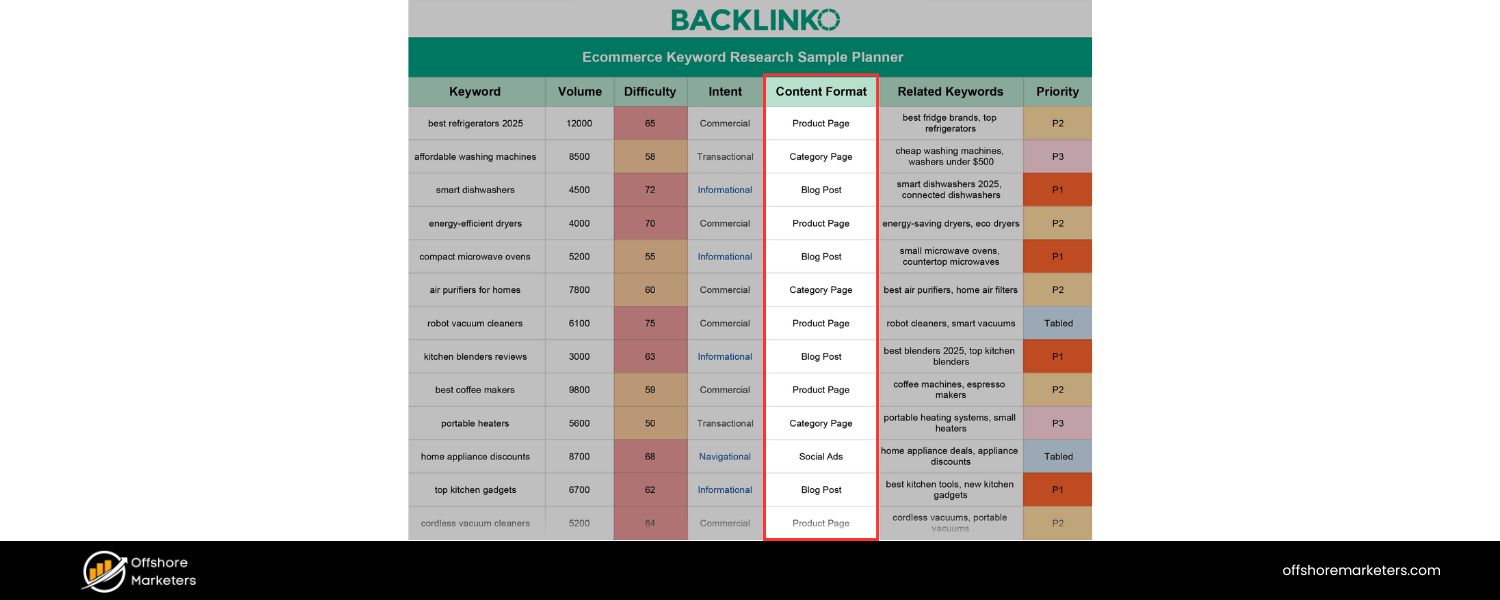
Ecommerce keyword research is the process of identifying and analyzing the search terms people use when looking for products online. These search terms (keywords and phrases) are what potential customers type into Google, Amazon, or other search engines to find products like yours.
The goal is to discover the most relevant, high-value keywords and strategically incorporate them into your site’s content, product pages, category pages, descriptions, blog posts, etc. – so that your store appears prominently in search results for those queries.
For example, if you sell ergonomic office chairs, a shopper might search for “best office chair for back pain.” If you’ve done thorough keyword research and optimized your pages for that phrase, your site has a much better chance of ranking and attracting that ready-to-buy visitor.
In short, ecommerce keyword research aligns your website with the language and intent of your ideal customers, helping search engines connect you with shoppers actively looking for what you offer.
Why Ecommerce Keyword Research Matters
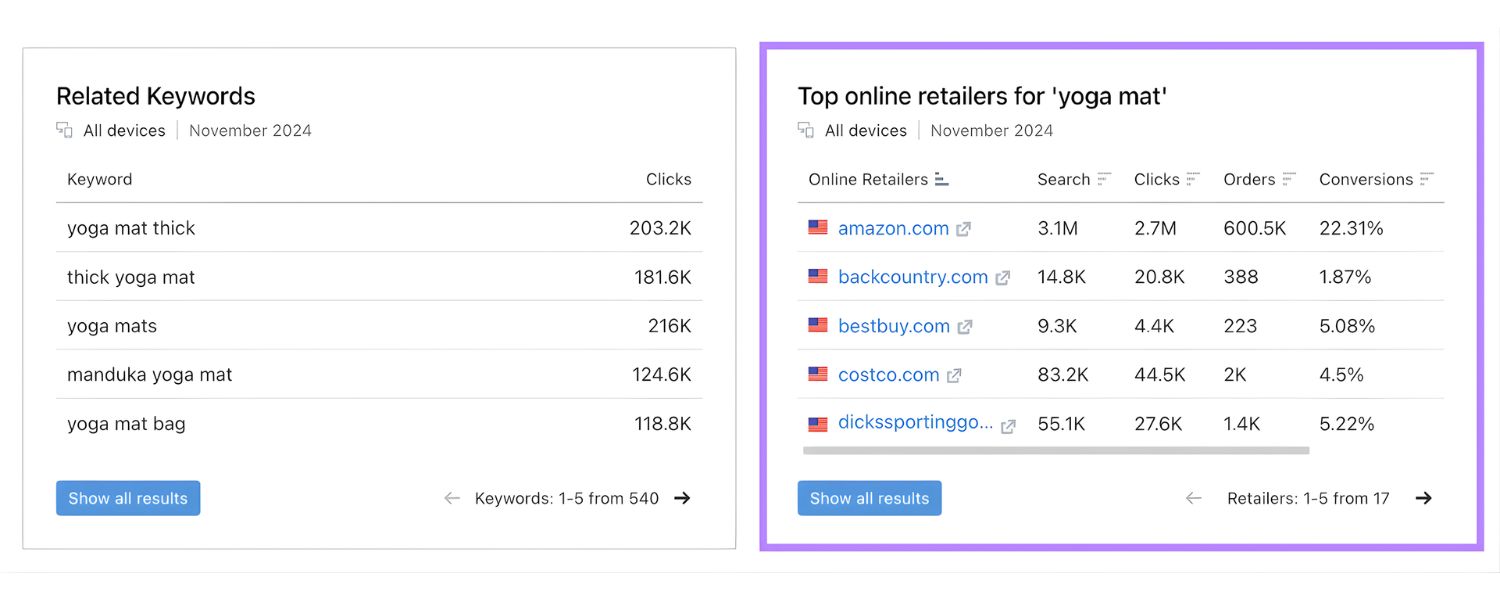
In ecommerce, every search is a potential sale. Keyword research isn’t just an SEO task, it’s a fundamental marketing strategy to reach the right audience. Here’s why it’s so important:
1. Drives High-Intent Traffic
The right keywords bring in visitors who are ready to buy. There’s a big difference between someone searching “hospital bed” and someone searching “best home hospital bed for elderly with arthritis.”
The first is very broad; the second is almost definitely a shopper with a specific need and purchase intent. By targeting these specific, high-intent keywords, you attract qualified traffic, people more likely to convert into customers.
2. Improves Product Visibility
Optimizing your product listings with relevant search terms (e.g. adding keywords like “BPA-free water bottle” or “4K OLED TV 55 inch” to your titles and descriptions) helps your products appear in more searches.
The more relevant queries you cover, the more often your products show up in front of interested shoppers. This increased visibility in search results can directly translate to more clicks and sales.
3. Guides Content Strategy
Keyword research reveals what your customers care about and what questions they’re asking. For example, noticing many searches for “running shoes for flat feet” might inspire you to create a buyer’s guide or a comparison of the best shoes for flat-footed runners (and of course feature your products).
In this way, keywords guide your blog posts, FAQs, and other content, ensuring you’re addressing topics that shoppers are actively searching for. This not only boosts SEO but also builds trust by helping customers make informed decisions.
4. Reveals Market Demand & Trends
Analyzing search volume and trends for certain keywords shows you the demand in your niche. If you see a spike in searches for “collagen protein powder” or a rising query for “sustainable eco-friendly apparel,” it signals a growing market trend.
By spotting these opportunities, you can adjust your product offerings or marketing campaigns early. Keyword trends are essentially real-time market research – they tell you what consumers want at any given moment.
5. Reduces Wasted Ad Spend
Effective keyword research can save you money in advertising. When you know which terms your customers actually use (and which ones indicate a strong buying intent), you can focus your Google Ads and other PPC campaigns on those keywords.
This prevents you from bidding on broad, generic terms that might bring lots of visitors but few buyers. As one ecommerce strategist put it, “I use small PPC tests to see which search terms bring the best conversion rates, so I don’t waste time (or budget) optimizing for keywords that drive traffic but not sales.” In short, good keywords = more efficient marketing.
By backing up your keyword strategy with data (search volumes, conversion metrics) and real customer language, you ensure every piece of content and every product page on your site is working harder to bring in business.
Key Elements of Ecommerce Keywords

Not all keywords are equal. When doing ecommerce keyword research, keep these core concepts in mind to choose the best keywords for your store:
1. Search Intent
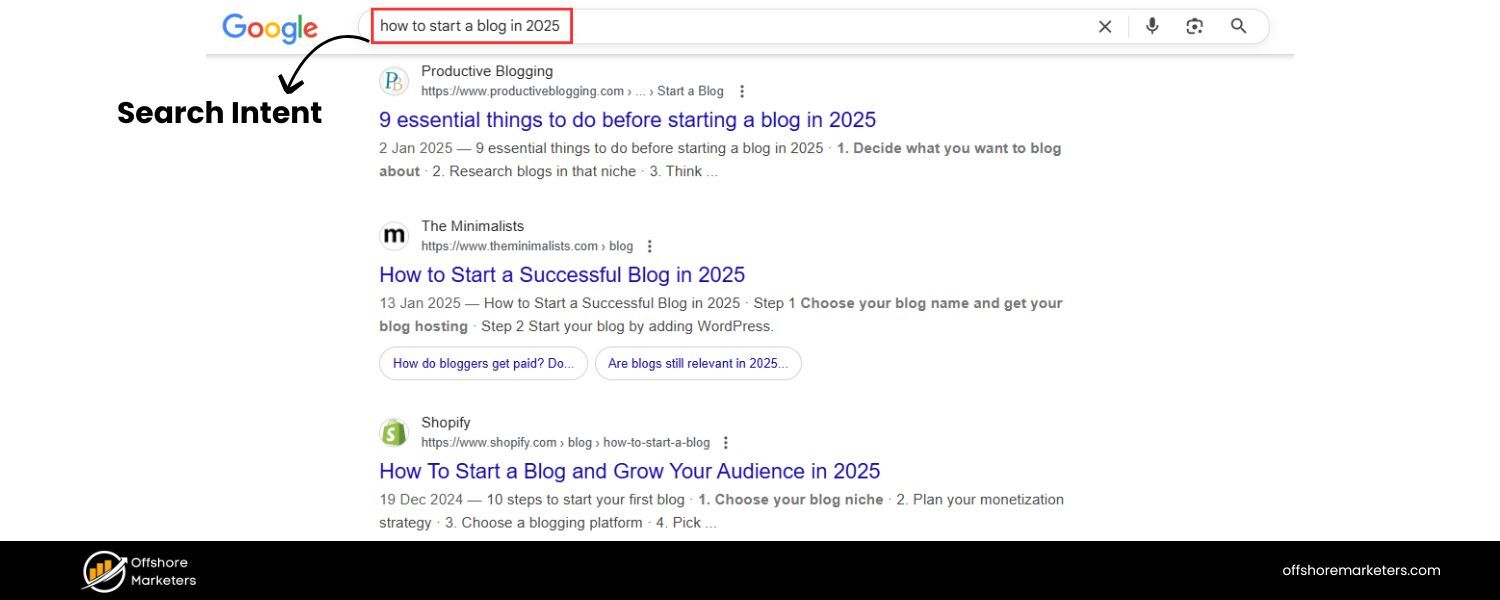
Always consider why a person is searching a given term. User intent generally falls into four categories: informational (researching or learning), navigational (finding a specific website), commercial investigation (comparing options or looking for reviews), and transactional (ready to buy).
Ecommerce sites should focus on keywords with commercial or transactional intent, terms that indicate the searcher is shopping or will buy soon.
For example, “how to assemble a gaming PC” is informational (better for a blog post), while “buy gaming PC online” or “gaming PC under $1000” are transactional and perfect for product/category pages. Aligning keywords with the right intent ensures that the traffic you get is primed for conversion.
2. Short-Tail vs. Long-Tail Keywords
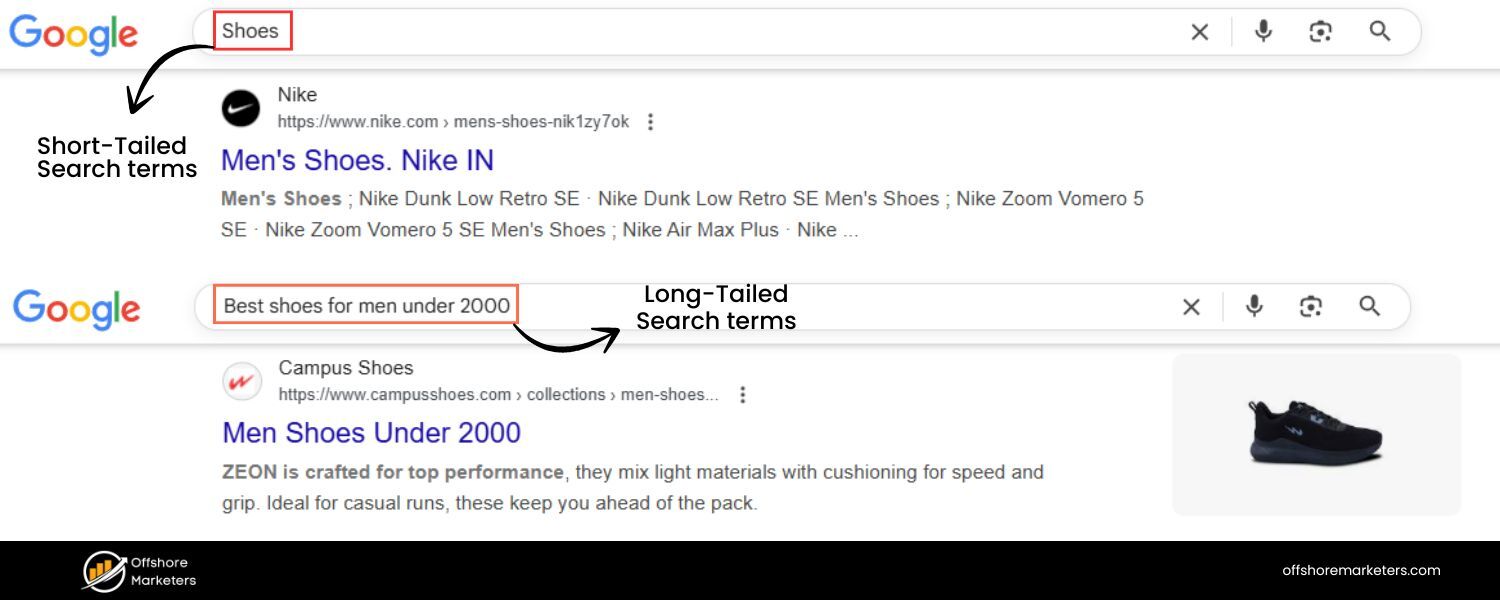
Short-tail keywords are very broad one- or two-word terms like “laptops” or “running shoes.” They have high search volume but unclear intent and tough competition.
Long-tail keywords are longer, more specific phrases like “gaming laptop under 2kg with RTX 4060” or “best running shoes for flat feet women.” These have lower search volume individually, but they target much clearer intent and often have far less competition.
Critically, long-tail searches tend to convert much higher, one famous study found that long-tail searchers convert 2.5 times more than those using broad head terms.
Long-tails also collectively make up the vast majority of searches (by some estimates, 70–90% of all search queries are long-tail phrases!).
For your store, this means you should embrace long-tail keywords. Ten different product-specific phrases, each with 100 searches a month, can bring more sales than one generic term with 5,000 searches if those long-tail visitors are closer to purchase.
Use broad keywords for overarching category pages, but fill your product pages and content with the descriptive long-tail phrases that your ideal customers use.
3. Search Volume and Competition
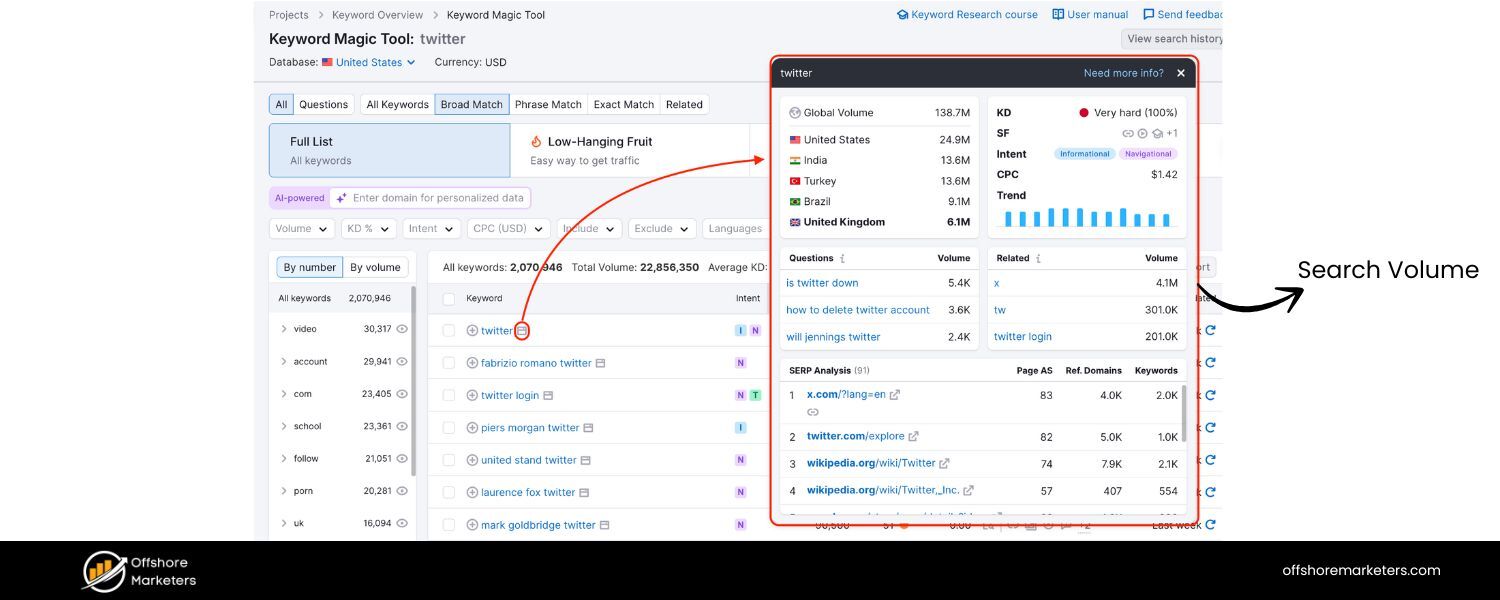
Two key metrics help evaluate a keyword: search volume (how many people search it monthly) and keyword difficulty or competition (how hard it is to rank for that term).
In a perfect world, you want keywords with high search volume and low competition – those are the golden opportunities.
In reality, popular product keywords (e.g. “Bluetooth headphones”) are often very competitive, meaning many established sites are already ranking. If you’re a newer or smaller store, it’s wise to target a mix of mid-volume or long-tail keywords that have manageable competition.
For example, ranking #1 for “wireless earbuds under $50 noise cancelling” might be easier (and more profitable) than trying to rank for just “wireless earbuds.” Look for that sweet spot where volume is decent, but you actually have a shot at page one.
Pro tip: If you’re unsure about competition, search your keyword and see what comes up, if the first page is dominated by big retailers or brands, that term will be an uphill battle.
On the other hand, if you see niche sites or forums in the results, there may be an opening for your content to rank.
4. Relevance and Specificity
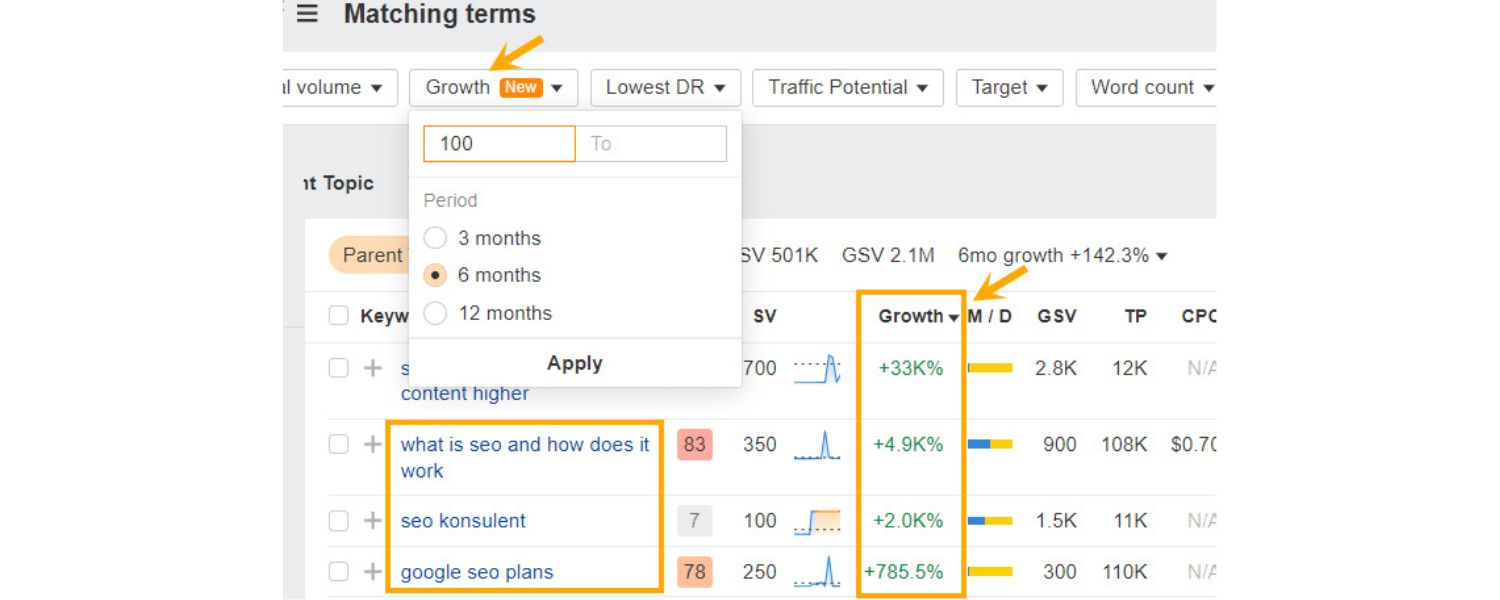
All the traffic in the world won’t help if a keyword isn’t relevant to your actual products. It sounds obvious, but it’s worth emphasizing: target keywords that match what you sell.
A high-volume term like “best smartphones 2025” isn’t relevant if you only sell phone cases, you’d attract the wrong audience.
Instead, focus on terms closely tied to your catalog. Specificity is your friend here. If you offer organic, grain-free dog treats, a keyword like “grain-free organic dog treats” or “all-natural dog biscuits for allergies” is both relevant and specific, whereas a broad term like “dog food” would be a poor fit.
Being specific also helps you connect with your ideal customers – the ones looking for exactly what you offer. Don’t forget to include branded keywords in your research as well (like searches for your brand name or product models).
Shoppers already familiar with your brand have a high likelihood of converting, so ensure you’re capturing those searches too.
By understanding intent, keyword types, metrics, and relevance, you’ll be equipped to choose keywords that can realistically boost your rankings and drive meaningful traffic that converts. Now, let’s put these principles into practice with a step-by-step research process.
How to Do Keyword Research for Your Ecommerce Store
Ready to find the keywords that will power your SEO strategy? Follow these step-by-step strategies to conduct thorough ecommerce keyword research:
1. Brainstorm Seed Keywords from the Customer’s Perspective
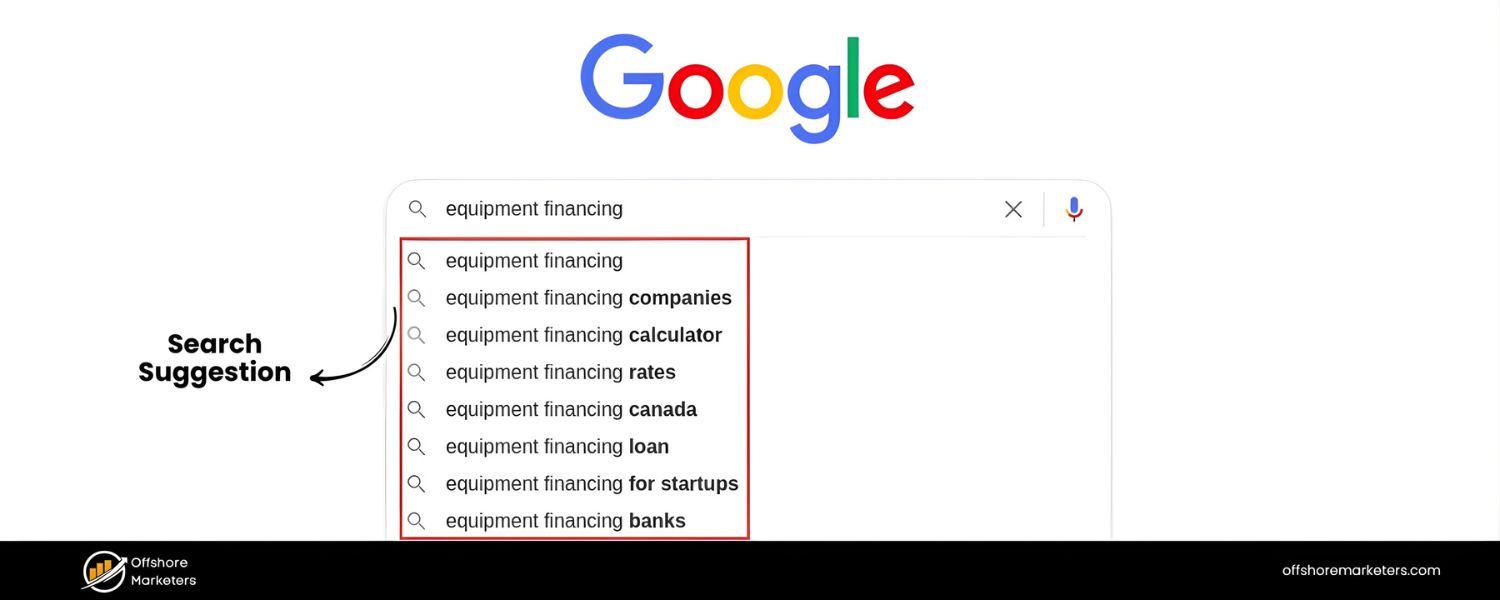
Every great keyword strategy starts with seed keywords – broad terms related to your products or niche. Begin by putting yourself in your customer’s shoes. Ask: “What would I search for if I wanted to find these products?” Make a list of core topics and phrases that describe your business offerings.
For example, if you sell home office furniture, obvious seeds might be “office chair,” “standing desk,” “ergonomic keyboard,” etc. Now expand on those by thinking of synonyms, related terms, and common variations. Consider product attributes (size, color, material, style) and use cases.
A customer might not search the exact term you use internally, they might use layman’s terms or slang. If you sell “wireless earbuds,” they might also search “Bluetooth earphones” or “wireless headphones.” List out all these possibilities.
At this stage, don’t worry about data or filtering, just capture ideas. Here are some smart ways to broaden your seed list and ensure you’re not missing important angles:
A. Use Search Suggestions
Go to Google (or Amazon, or eBay) and start typing one of your seed words. The autocomplete suggestions that drop down are pure gold, they show what real users are frequently searching, related to that term.
For instance, typing “gaming laptop” might suggest “gaming laptop under 1000” or “gaming laptop for video editing.” Jot down any relevant suggestions you see.
B. “Related Searches” and People Also Ask
After Googling a seed term, scroll to the bottom for the Related Searches section, here you’ll find additional keyword ideas. Also note the “People Also Ask” questions that often appear mid-search results.
If people are asking “Is memory foam or spring better for mattresses?” and you sell mattresses, that’s a keyword to note (for a blog or FAQ content). These features are like peeking into users’ minds.
C. Analyze Competitor Listings
Check out how competitors (especially top sellers or big brands in your niche) describe similar products. Look at product titles, category page headings, and even review sections on sites like Amazon. You’ll often spot keywords or phrases you hadn’t thought of.
For example, a competitor might label a shirt as “moisture-wicking t-shirt”, if you just call yours “sport tee,” you might add “moisture-wicking” to your keywords list because customers might search that feature.
D. Browse Customer Forums & Social Media
Join forums, Facebook groups, Reddit communities, or any place your target customers talk about products. Observe the language they use. If you sell skincare and customers on forums often mention “cruelty-free moisturizer for acne-prone skin,” you’ve just found a great keyword phrase to target.
Customer reviews on your own site or competitors’ sites can also highlight words people naturally use (“I love this travel-friendly stroller” reveals a keyword angle for a stroller seller).
E. Survey Your Customers
If possible, ask your existing customers how they found you or what they would search if looking for a product. You can run a simple survey or even interview a few loyal shoppers.
Sometimes the exact words they use can surprise you, and those words are what you want to incorporate. This direct feedback can uncover long-tail keywords or pain-point phrases that typical keyword tools might miss.
F. Leverage Trend Tools
Use Google Trends to see what related searches are rising. This tool can show you seasonal spikes or emerging keywords. For example, a spike in “air fryer recipes” search may indicate a boost in air fryer sales; if you sell kitchen appliances, you’d want to know that. Trend data ensures your keyword strategy isn’t stuck in the past, you’re catching the wave of new interest as it happens.
By the end of this brainstorming phase, you should have a hefty list of potential keywords, from broad terms to very specific phrases, all derived from a deep understanding of your products and customers. This is your raw keyword “universe” to investigate further.
2. Use Keyword Research Tools to Expand and Refine Ideas

Once you have a baseline list of ideas, it’s time to supercharge it with some tools. Keyword research tools provide data (like search volume and competition) and generate related keywords you might not have thought of. Start with these approaches:
A. Google Keyword Planner
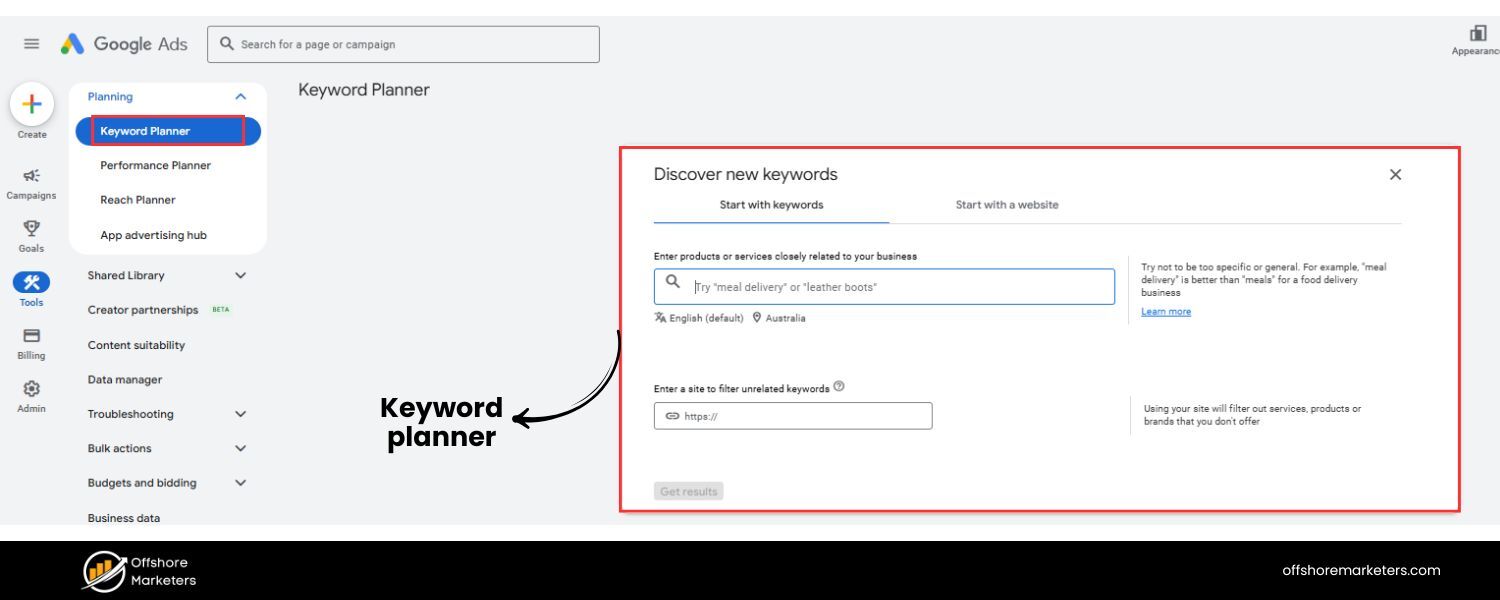
This free tool (within Google Ads) is a classic for a reason. Enter a few of your seed keywords, set your target country/language, and Keyword Planner will spit out hundreds of related keyword suggestions along with their average monthly search volumes and competition level (for paid ads).
For example, inputting “organic coffee beans” might reveal related terms like “fair trade coffee beans” or “organic espresso roast” with solid search numbers. Pay attention to any high-volume phrases that fit your products.
B. Professional SEO Tools
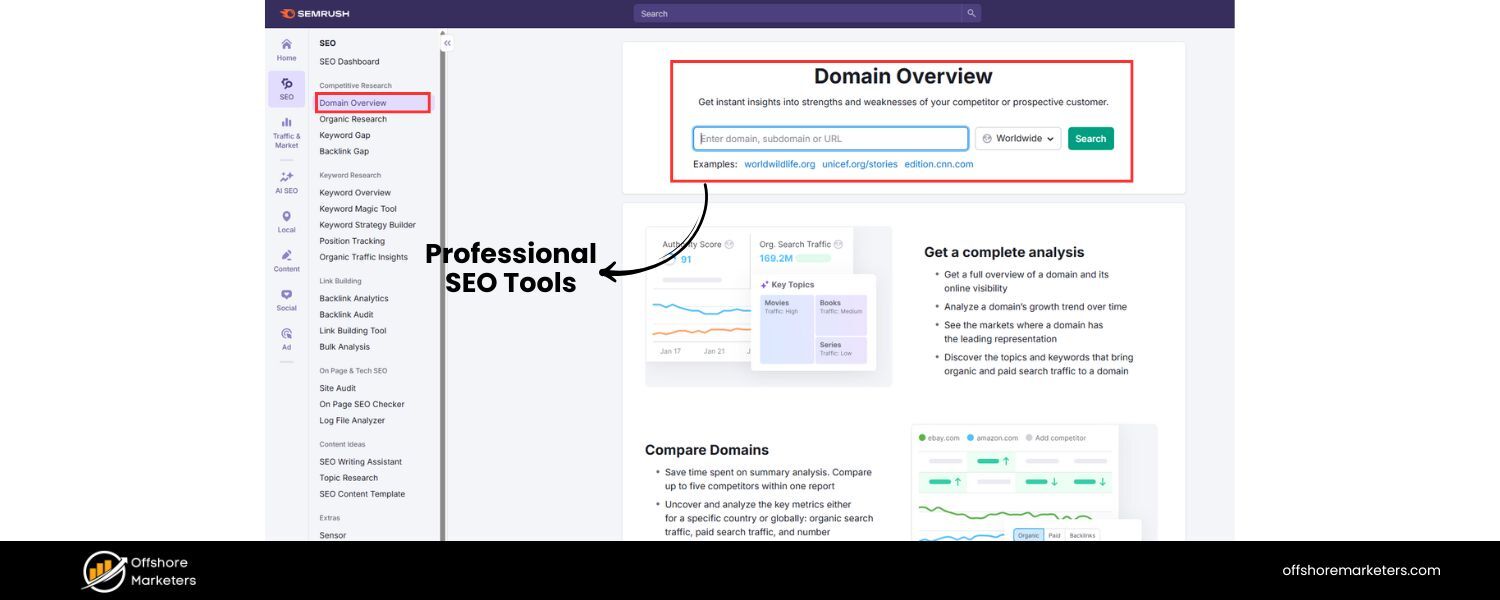
Consider using platforms like SEMrush, Ahrefs, Moz, or Ubersuggest. These are paid (though some have free trials or limited free versions) and offer robust keyword research features.
They can show you not only volumes and difficulties, but also trends, click-through rates, and even what the current top results look like for each keyword.
One advantage of these tools is competitive insight: for example, you can input a competitor’s domain and see what keywords they rank for or bid on.
If your rival is getting traffic from a keyword you hadn’t considered, add it to your list! These tools often have a “Keyword Magic” or “Explorer” feature to expand your seed terms into thousands of variations.
C. Ecommerce-Specific Tools
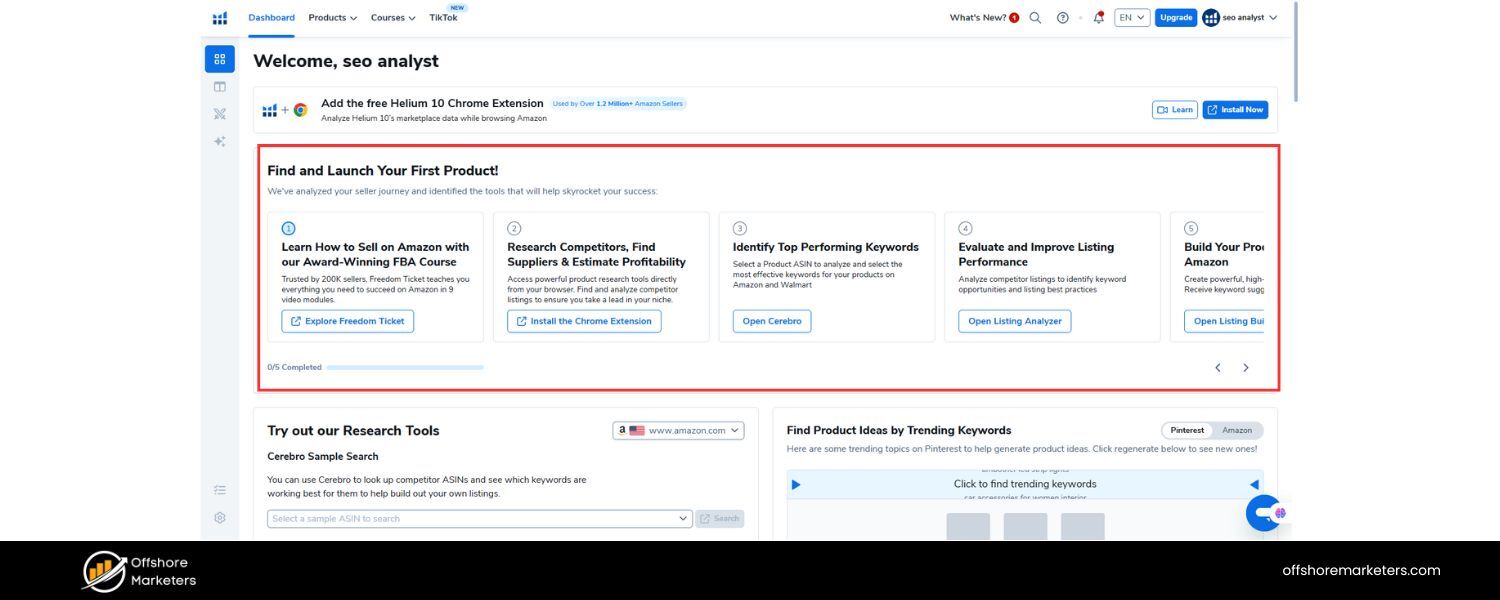
If you sell on marketplaces like Amazon, specialized tools like Helium 10 or Jungle Scout can be invaluable. They provide data on what shoppers search for on Amazon specifically.
Using a tool like Helium 10’s Magnet or Cerebro, you can find high-volume Amazon search terms related to your product.
For example, you might discover that “gaming mouse wireless rechargeable” is a popular search on Amazon, insight you can use to optimize your product listing titles or even your own website content, since popular Amazon searches often mirror general consumer interest.
D. Explore Search Engine Features
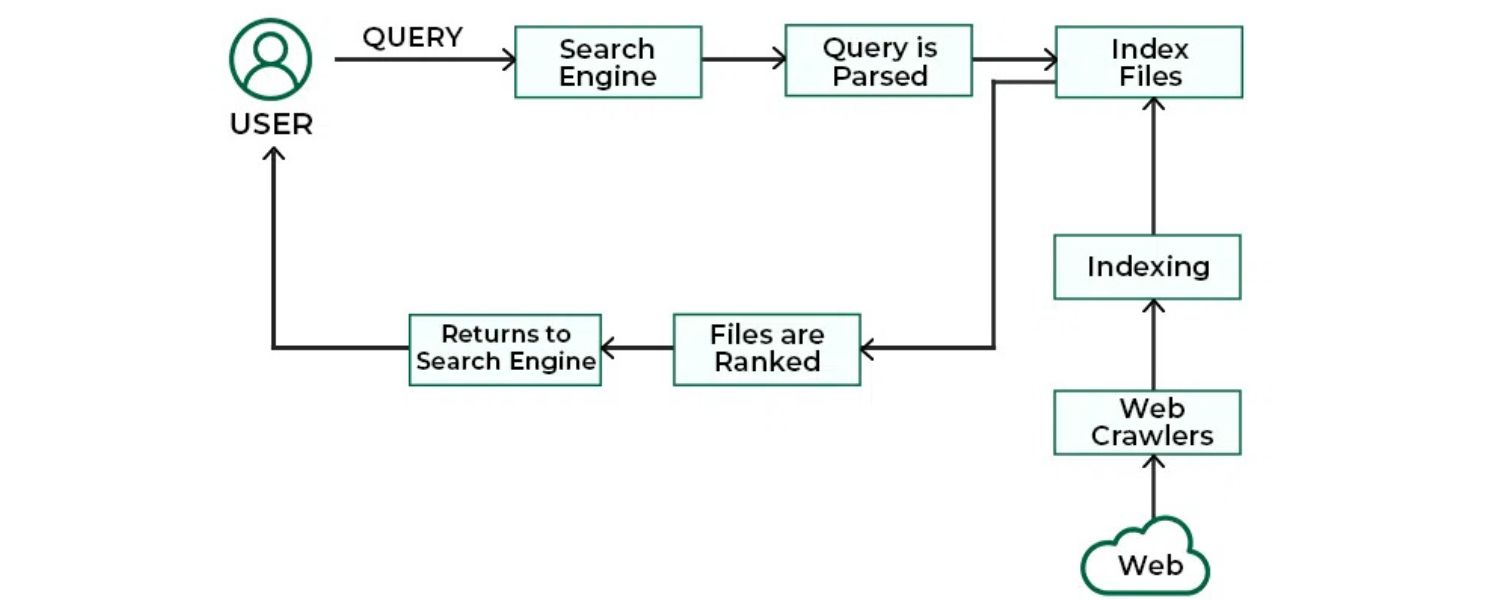
We touched on Google Autocomplete and Related Searches earlier – now systematically use them for each major seed category you have. Also use the “People Also Ask” questions and Google’s “People also search for” (which appears if you click a result and bounce back).
These not only give keyword ideas but also reveal common questions (great for FAQ content or blog topics). Tools like AnswerThePublic visualize questions people ask about a topic – try plugging in a product category and see common who/what/why/how queries that come up.
E. Competitor Keyword Gap Analysis
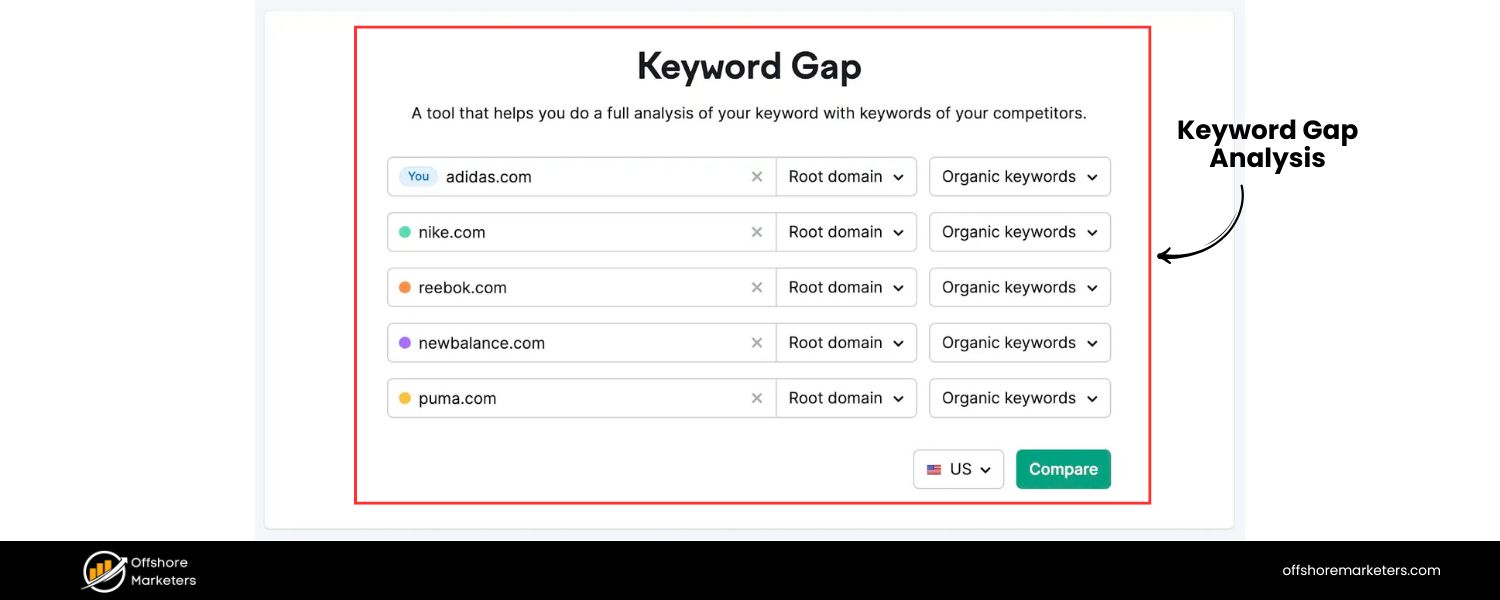
Use tools or manual checks to find keywords your competitors rank for that you don’t. Tools like Semrush’s Keyword Gap or Ahrefs’ Content Gap let you compare domains.
For instance, if competitor A is ranking for “waterproof fitness tracker” and you sell those but aren’t ranking, that’s a keyword to prioritize.
This “gap analysis” finds those untapped opportunities, keywords with proven traffic (since your competitor is getting it) that you haven’t capitalized on yet.
F. Leverage Your Site’s Data
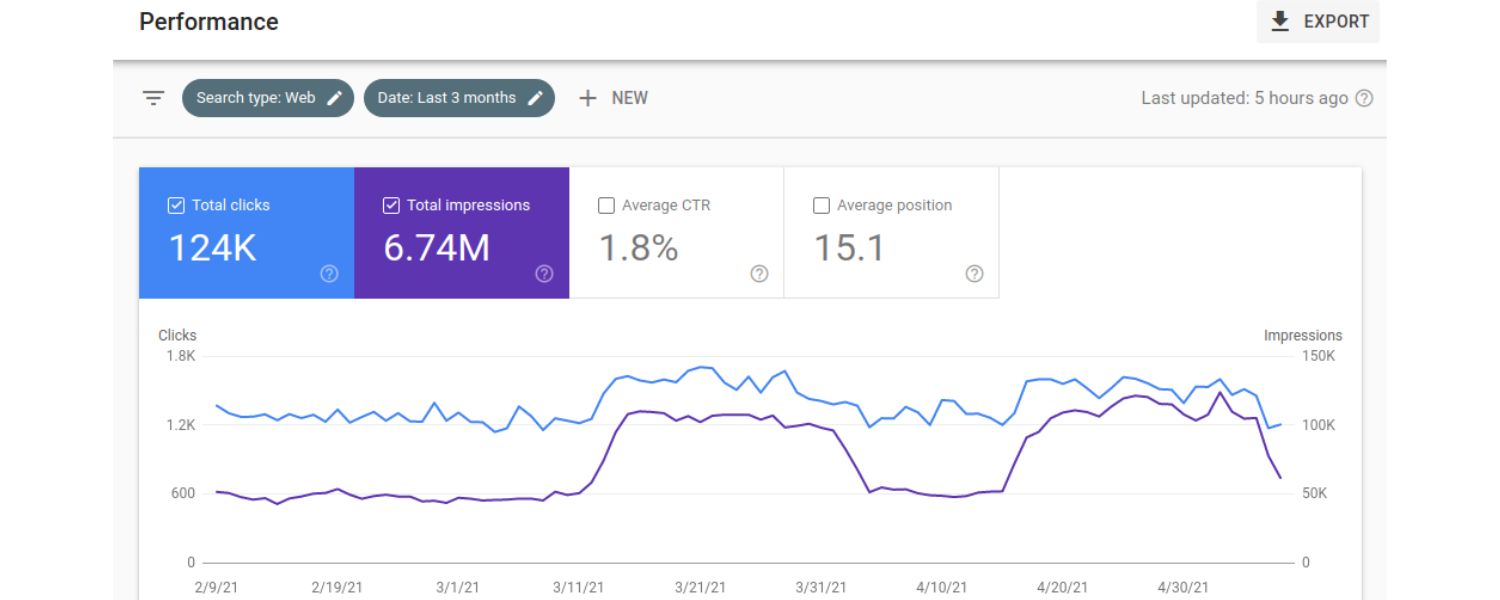
Don’t forget to check Google Search Console for your own site. It shows what search queries are already leading people to click your site. Often, you’ll find some surprising long-tail queries that you rank for without even trying – perhaps buried in page 2 or 3 of results.
Those are low-hanging fruit: with a little optimization, you could rank higher and capture more of that traffic. Also, if you run Google Ads, look at your Search Terms report for your shopping or search ads, it reveals exactly what terms triggered your ads and which led to conversions.
For example, you might see that lots of people searched “XL yoga mat non-slip” and clicked your ad, that’s a strong hint to target that keyword organically and perhaps create a dedicated page for it.
At this stage, you’ll likely end up with a master list of dozens or even hundreds of keywords compiled from all sources (brainstorm + tools). It’s normal to feel a bit overwhelmed, but next we’ll narrow things down. Before we filter, make sure you haven’t missed any angles: do you have a mix of broad and long-tail terms?
Covering all your product categories? Including question keywords and feature-specific keywords? A comprehensive list now means you won’t overlook a profitable niche later.
3. Analyze Keyword Metrics and Prioritize High-Value Terms
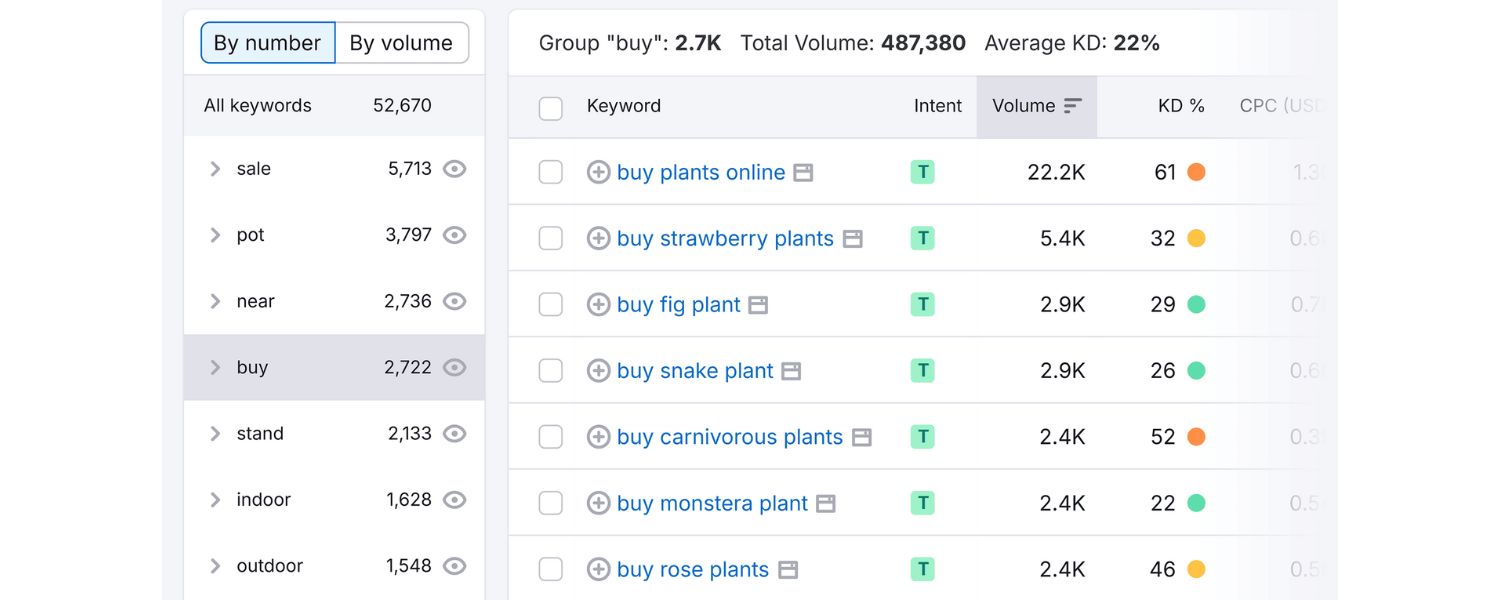
Now that you have a wealth of keyword ideas, the crucial next step is to separate the wheat from the chaff. Not every keyword on your list is worth targeting, so you’ll need to prioritize based on a combination of factors. Here’s how to analyze your keywords smartly:
A. Relevance Comes First
Filter out anything that isn’t directly relevant to your business. If a keyword doesn’t truly match what you sell or the content you can create, it’s probably not worth pursuing – no matter how tempting the volume.
For example, a camera store might drop a term like “photography tips for beginners” from product page targeting (that’s more of a blog topic) and focus on “DSLR camera for beginners” which is more likely to lead to a product sale. Every keyword you keep should be one you can serve with a specific page or product.
B. Check Search Intent Alignment
We discussed search intent earlier – now apply it to your list. Try to infer the intent behind each keyword and ensure it aligns with the content/page you’d use. If a keyword on your list looks informational (e.g. “how to clean leather boots”), note that it might be better suited for a how-to article or guide, not a product page.
On the other hand, terms like “buy leather hiking boots size 11” are clearly transactional and should be mapped to product or category pages. Aligning intent will help you plan which keywords go to which pages (more on that in the next step).
C. Evaluate Search Volume
Look at the estimated monthly search volume for each keyword (from the tools used). While higher volume means more potential traffic, remember that niche keywords with lower volume can still be extremely valuable if they have high conversion intent or are very specific to your niche.
Don’t automatically discard a keyword just because its volume is, say, 50 searches/month. Those 50 searchers might each be very likely to buy (especially for expensive or specialized products).
Instead, establish a rough threshold for what “enough” volume is for you. A newer store might target keywords in the 100–1,000 searches/month range at first rather than going after 50,000/month terms where competition is fierce.
D. Assess Competition/Difficulty
For each keyword (or at least your top candidates), check the keyword difficulty score if you have an SEO tool available. This score (usually 0–100 or labeled as easy/medium/hard) indicates how competitive the term is in organic search. High difficulty means lots of strong domains are already ranking.
If your site is new or has lower authority, you’ll have better odds targeting low to medium difficulty keywords initially. You can also gauge competition manually: search the term and see if the results are dominated by big players like Amazon, eBay, or major brands.
If yes, that keyword will be tough to crack. That doesn’t mean you should never try for competitive terms – but have a realistic mix. Perhaps label each keyword as High, Medium, or Low priority based on a combination of its volume and competition in the context of your site’s strength.
E. Consider Value/Intent Strength
Some keywords might have moderate volume but indicate a person deep in the buying process. Those can be extremely lucrative. For example, “Samsung Galaxy S21 128GB price” doesn’t have millions of searches, but anyone searching it is likely ready to purchase that exact item if the price is right. Such terms have high commercial intent.
Give extra weight to keywords that include words like “buy,” “discount,” “best [product],” “[product] review,” or specific model names – they usually signal a person close to converting.
Also, if you have conversion data from ads or past sales tied to certain terms, factor that in. A keyword that consistently brought you sales via Google Ads is one you definitely want to rank for organically.
One way to systematically prioritize is to create a simple scoring system. For instance, give each keyword a score from 0 to 4: one point if it’s highly relevant, one if it has clear buyer intent, one if it has decent search volume, and one if it’s low/medium competition (you might give half a point for medium).
Add up the points – those with 3 or 4 points are your top targets. This kind of scoring helps take emotion out of the equation and highlights the keywords likely to yield the best ROI.
After analysis, you should have a refined keyword list – maybe pared down to the top 20–50 keywords that you want to focus on (the exact number depends on your site size and content capacity).
You might categorize them by priority: e.g. “Primary Keywords” (must-win terms) and “Secondary Keywords” (great to target if resources allow).
4. Map Keywords to the Right Pages and Content
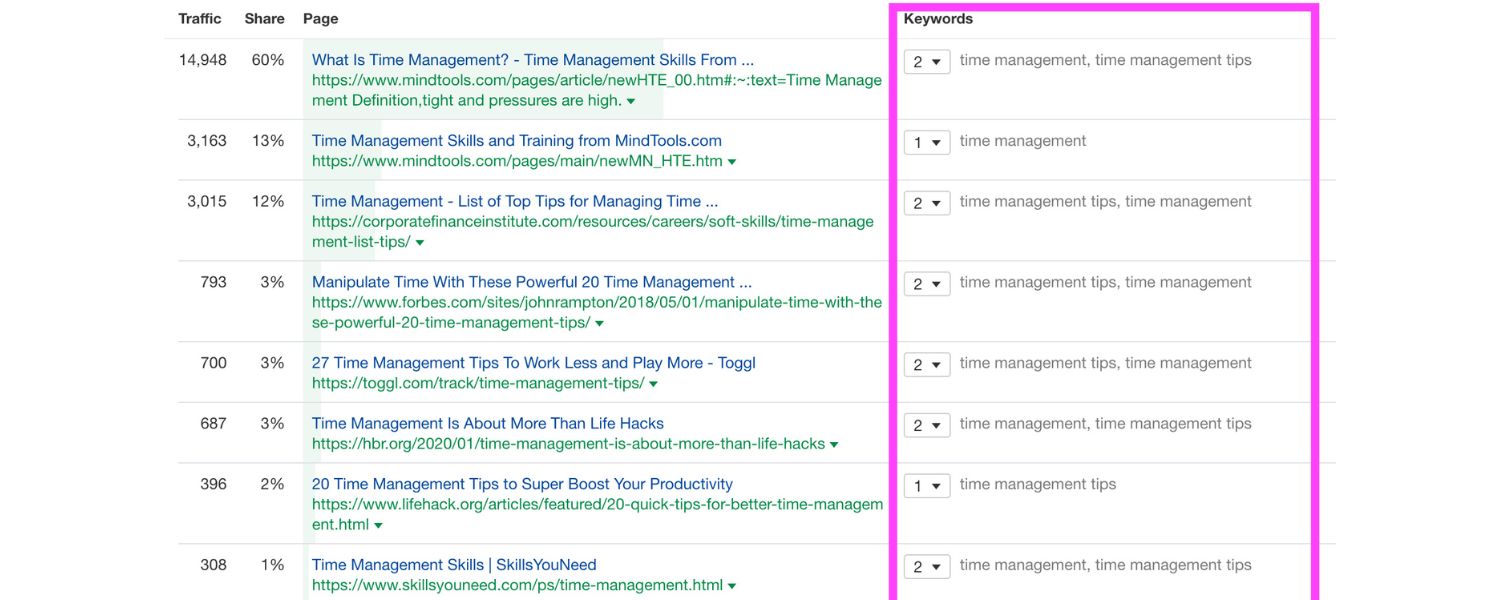
Keyword research isn’t just about the list, it’s about action: deciding where and how to use those keywords on your site. Now that you know which terms are valuable, you need to match each target keyword (or group of closely related keywords) to a specific page or content piece. This process is often called keyword mapping. Here’s how to do it effectively:
A. Product Pages
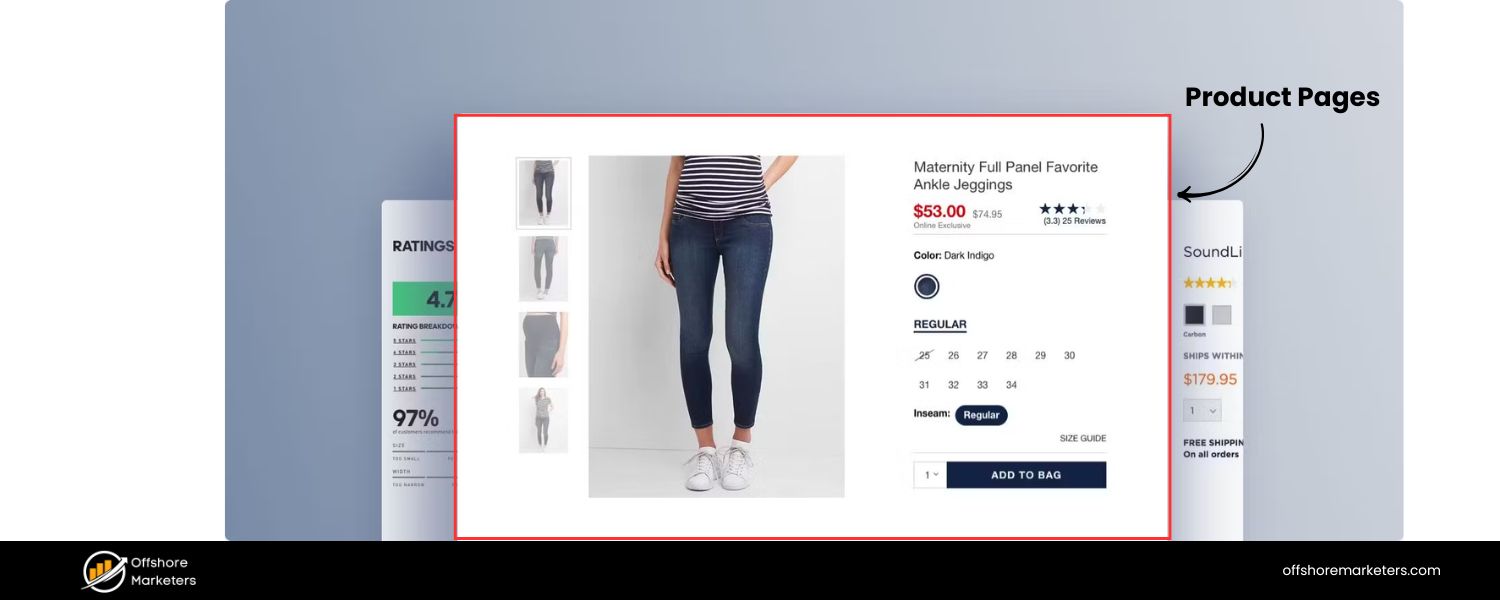
Assign very product-specific and transactional keywords to your product detail pages. These keywords often include product names, models, or attributes. For example, a page for a specific laptop might target “Dell XPS 13 ultrabook 16GB RAM” as its primary keyword.
Product pages can also target long-tail descriptive phrases like “lightweight travel laptop 13 inch” if that describes the item. Typically, each important product page will have one primary keyword (often the product name or a key phrase) and a few secondary variations.
B. Category/Collection Pages
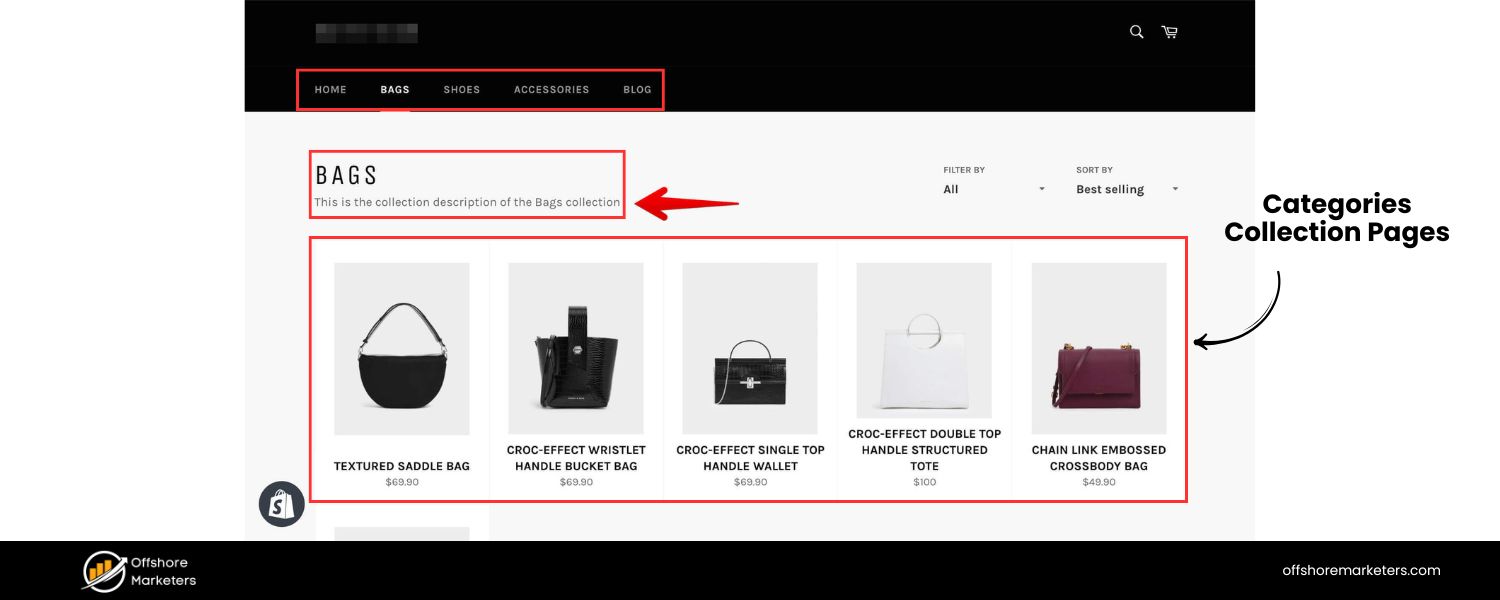
Category pages (or collection pages) are crucial for ecommerce SEO. They should target broader product category keywords, especially those with commercial intent.
For instance, your category page for “Men’s Running Shoes” could target that exact term, along with variants like “men’s running sneakers” or “running shoes for men size 10” as secondary keywords.
Category pages often rank well for mid-funnel terms where users want to see a range of products (search engines actually favor well-optimized category pages because they neatly present choices).
If you identify a new group of keywords that doesn’t fit an existing category, consider creating a new category or subcategory page.
For example, if you notice lots of searches for “organic cotton t-shirts” and you stock those, you might create a dedicated category page for organic cotton tees to target that demand.
C. Blog Posts/Buying Guides
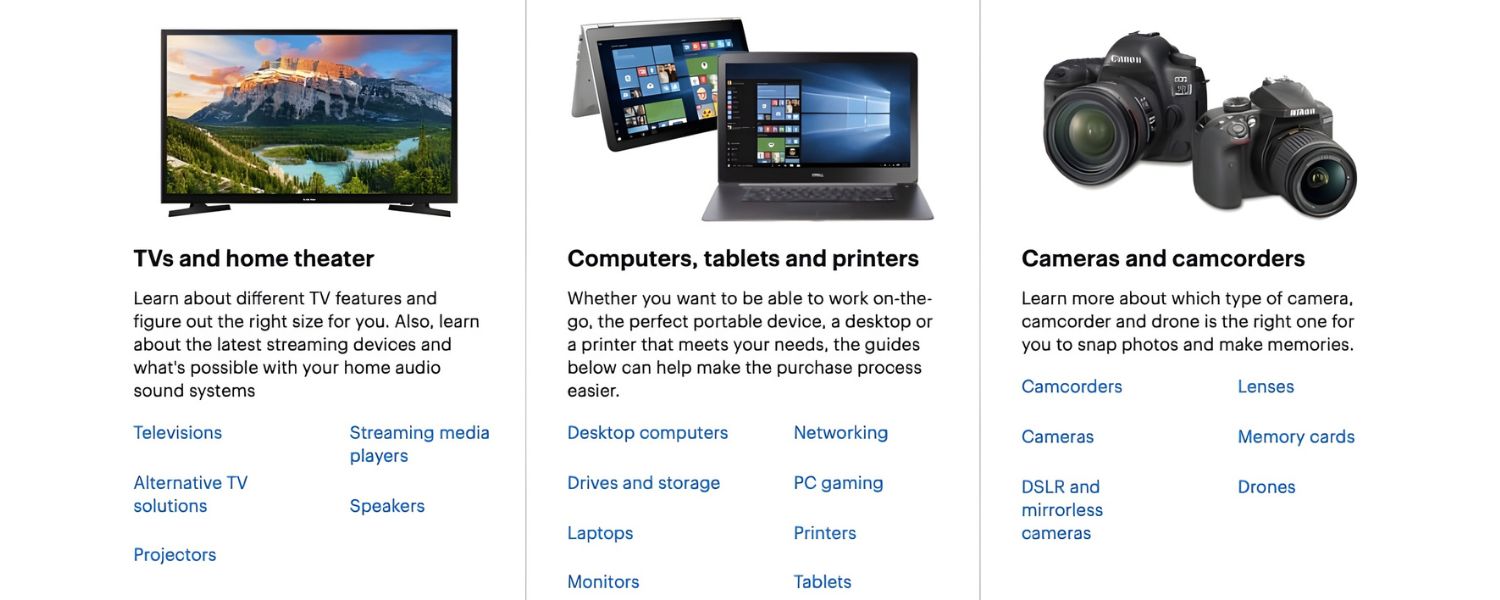
Informational and “comparison” keywords are best served with content rather than product listings. For keywords like “how to choose a gaming monitor” or “best DSLR cameras 2025,” plan a blog post, guide, or article around them. This content can then internally link to your relevant products.
Blog content is great for capturing people early in the buying process or those seeking advice. It builds trust and brings in traffic that you can later convert. Map each question or topic keyword to a planned blog post or FAQ entry.
For example, “best running shoes for flat feet” could be a compelling blog post if you sell running shoes, and within that article you’d feature some of your products.
D. Landing Pages for Campaigns/Seasonal Keywords

If you find keywords related to seasonal events or promotions (e.g. “Black Friday electronics deals” or “back to school sale laptops”), you might create special landing pages for those. These pages can be optimized for the seasonal keyword and updated each year for recurring events, capturing highly transactional traffic during prime shopping periods.
E. Other Pages (Home, FAQ, etc.)
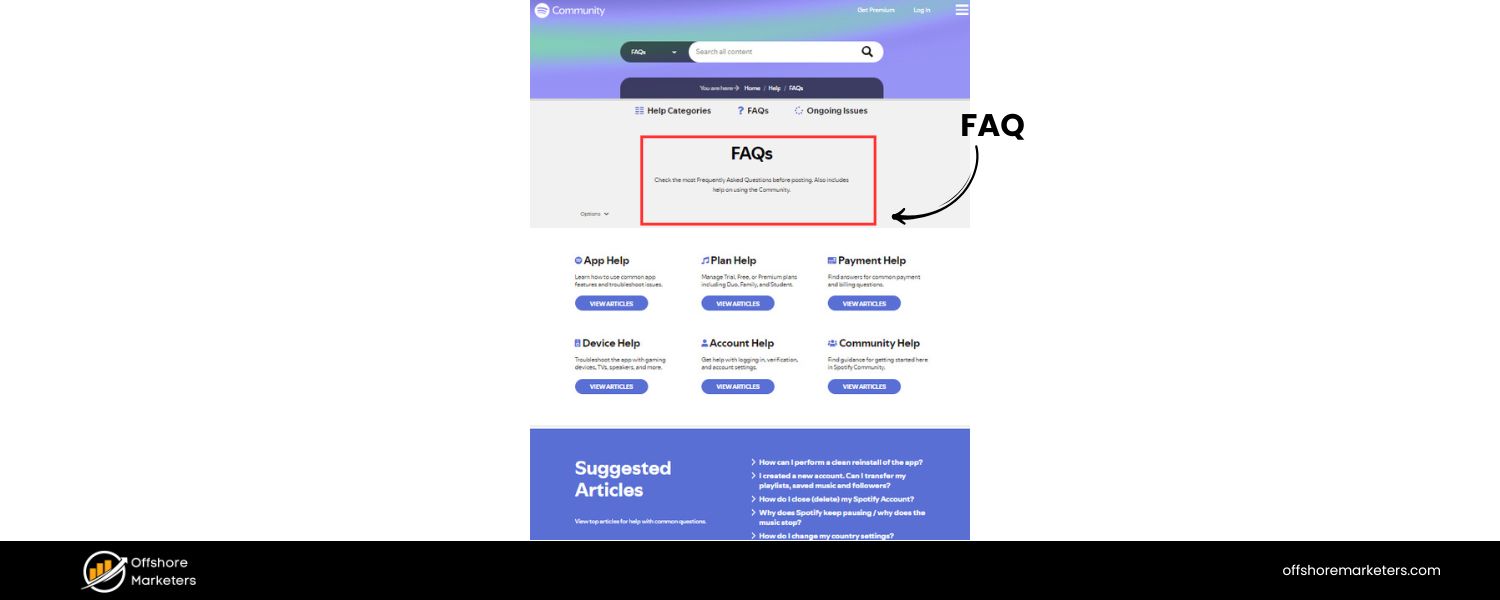
Don’t forget your homepage and informational pages. Your homepage can naturally rank for some broad terms (especially your brand name plus a keyword, like “Acme Electronics – Online Electronics Store”).
If you have a Frequently Asked Questions page or support pages, map relevant problem-solving keywords there (e.g. an FAQ section answers queries like “How to return a product” or “Shipping times for XYZ” – which people do search for).
As you map, avoid keyword cannibalization – that is, don’t target the same primary keyword on multiple pages. Each page should have a clear, distinct keyword focus. If two pages end up competing for the same term, consider merging them or re-focusing one.
For example, if you have two blog posts inadvertently both targeting “how to clean leather boots,” consolidate that into one authoritative post rather than splitting the relevance.
It might help to create a simple spreadsheet: list each target keyword, note its intent/type, and assign a URL or page name that will target it. This becomes your roadmap for on-page optimization.
5. Optimize Your Website Content with Keywords
With your keyword-to-page map in hand, it’s time to optimize those pages. Effective on-page optimization ensures that search engines (and users!) recognize your content as highly relevant to the target keywords. Here are key areas to focus on for each page:
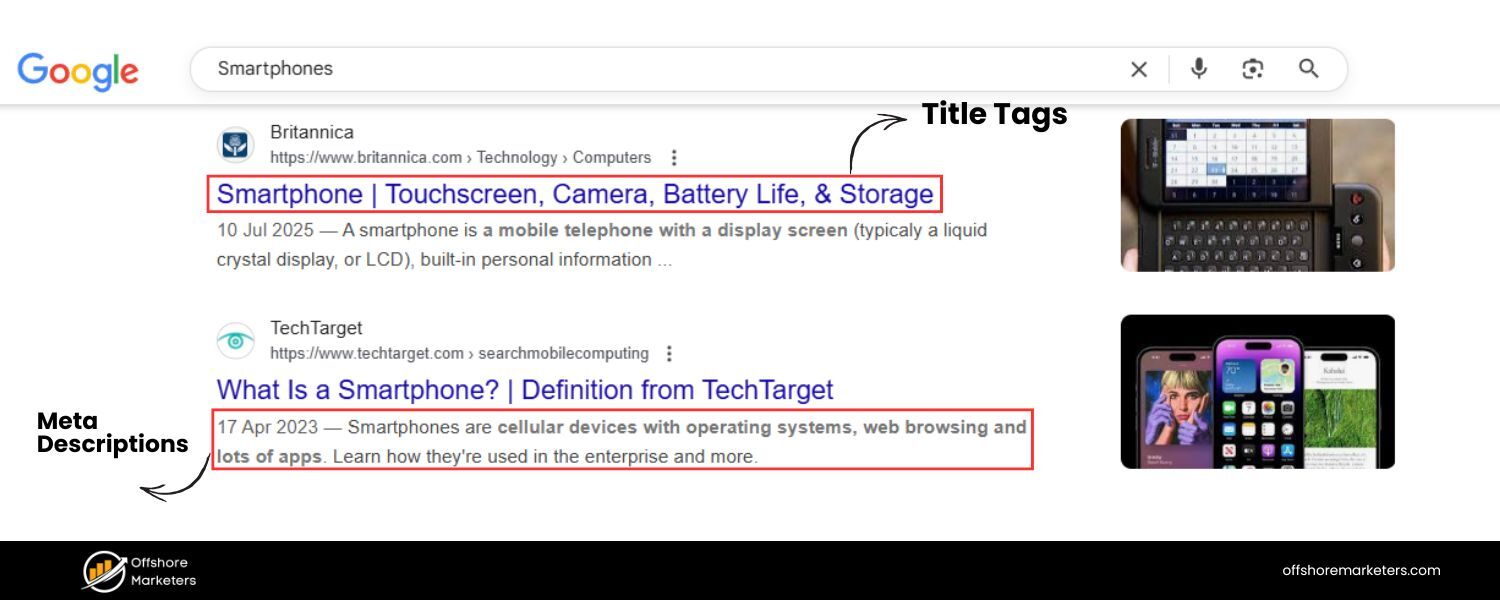
A. Page Titles (H1) and Meta Titles
Include the primary keyword in the title of your page. For product pages, this might be the product name plus a descriptor (e.g., “Dell XPS 13 Ultrabook – Lightweight 13” Laptop”). For category pages, use the category name and maybe a qualifier (“Men’s Running Shoes – Lightweight & Cushioned”).
The meta title (the title that appears in search results) should also feature the keyword, ideally towards the beginning, and stay within Google’s character limits (around 50–60 characters to avoid truncation). A compelling, keyword-rich meta title can improve both rankings and click-through rates from the SERP.
B. Product Descriptions & Page Copy
Use your target keywords naturally within the content of the page. For product pages, weave the primary keyword and its variations into the product description, specs, and any informational sections.
Example: if targeting “4K OLED TV 55 inch,” ensure your description mentions that exact phrase and related ones like “55-inch 4K OLED television.”
For content pages or blog posts, incorporate the keyword throughout the article – especially in the first paragraph and in some subheadings if appropriate. Aim for a balance: mention the keyword enough to signal relevance (and use synonyms too), but don’t stuff it to the point of sounding spammy or awkward. Remember, you’re writing for humans first – the text still needs to be engaging and clear.
C. Subheadings (H2/H3 tags)
Break up your content with subheadings that sometimes include keywords or related terms. For instance, on a category page for “laptops,” you might have an H2 that says “Choosing the Right Laptop” which isn’t a keyword, and another that says “Top-Rated Gaming Laptops in 2025” which does include a keyword variation.
Subheadings improve readability and give search engines more context. In blog articles, turning some of your long-tail keyword phrases into section headings (like an H2 in a “best of” article that says “Best Gaming Laptops Under $1000”) can help those long-tails rank.
D. URLs
Wherever possible, make sure the page URL is short, readable, and contains the main keyword. For example, your category page URL could be www.yourstore.com/mens-running-shoes which is perfect for that term.
Avoid auto-generated product URLs with random numbers or codes – use words (e.g. …/dell-xps13-ultrabook instead of …?prodID=12345). A clean URL with keywords is better for SEO and gives users a clear idea of the page.
E. Meta Descriptions
While meta descriptions (the snippet in search results) don’t directly affect rankings, they influence clicks, and a keyword presence here can reinforce relevance. Write a concise, compelling meta description (~130–155 characters) for each page that includes the primary keyword and a reason to click.
For example: “Shop the latest 4K OLED 55-inch TVs – ultra-thin designs, vivid colors, and free shipping. Find the perfect OLED television for your home theater.”
F. Images and Alt Text
Ecommerce pages often have lots of images (product photos, etc.). Use this to your advantage by optimizing image file names and alt text. Rename image files to include descriptive keywords (e.g. organic-green-tea-loose-leaf.jpg instead of IMG_001.jpg).
Write alt text for each image that describes it and, when appropriate, includes a keyword naturally. Alt text not only helps with SEO but also makes your site accessible for visually impaired users using screen readers.
G. Internal Links
Link between pages on your site using keyword-rich anchor text. For example, from a blog post about “home workout equipment”, you might link the text “adjustable dumbbells” to your product page for dumbbells.
This internal linking helps distribute ranking power and also guides users to relevant pages, boosting their experience. Be careful to only link where it makes sense – it should feel helpful, not forced.
H. Navigation and Categories
Ensure your site’s navigation menu and category labels include clear keywords. Instead of a vague menu item like “Products” or “Shop All”, use specific terms like “Shop Laptop Computers” or “Women’s Fitness Apparel”. This not only helps SEO but immediately tells visitors what you offer.
As you optimize, always maintain a natural, user-friendly tone. Google’s algorithms are very sophisticated at detecting keyword stuffing and poor-quality content.
A good rule of thumb: if you read the page out loud, does it sound like a genuine, helpful description or article? Or does it sound like a string of search terms? Aim for the former.
If you’ve done your keyword research well, you can usually cover your keywords just by thoroughly describing and discussing the product/topic.
One example of effective optimization comes from an ecommerce founder who noticed their product page for an “Aura Premium Hospital Bed” was losing conversions.
After reviewing customer feedback, they realized people were searching for “hospital bed for elderly parents with arthritis” – a phrase not originally on the page.
They updated the title and description to include that phrase and added a section about how the bed helps arthritis patients. Within weeks, the page started ranking for that exact long-tail query and conversions nearly doubled. The lesson: listen to your customers’ language and reflect it on your pages.
6. Monitor Performance and Continuously Refine Your Strategy
Keyword research isn’t a one-and-done task, it’s an ongoing cycle. To maintain and grow your ecommerce presence in search, you need to track results and adapt over time. Here’s how to keep your keyword strategy sharp:
A. Track Keyword Rankings
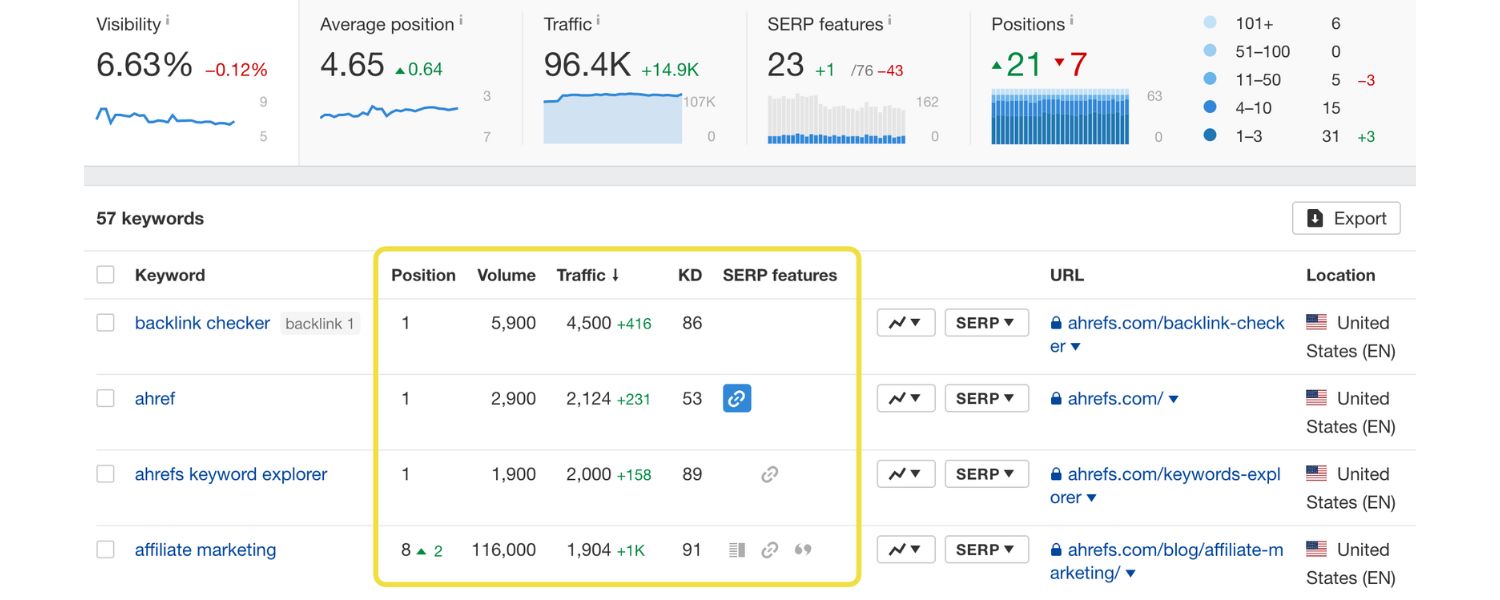
Use tools like Google Search Console, or third-party rank tracking tools, to monitor how your pages are ranking for your target keywords. Search Console’s Performance report will show your average position for keywords and how much traffic they bring.
A dedicated rank tracker can give you daily updates on specific terms. Keep an eye on the keywords you identified as high priority – are they moving up in rankings after optimization? Which pages are on page 2 and could use a little extra boost to get to page 1?
B. Analyze Traffic and Conversions
It’s not just about ranking, but what happens after. In Google Analytics (or your preferred analytics platform), look at organic search traffic to your key pages. Are those numbers rising?
More importantly, check conversion metrics: which keywords (or pages optimized for them) are actually leading to sales or other key actions?
You might find that some keywords drive lots of traffic but few sales – that could be an intent mismatch or an opportunity to improve the landing page.
Other keywords might have lower traffic but a great conversion rate (those are valuable!). This data helps you decide where to focus next – whether it’s tweaking content, adjusting which keywords you target, or improving page elements like calls-to-action.
C. Regularly Refresh and Expand Keywords
Set a schedule to revisit your keyword research periodically. Many experts recommend a quarterly audit of your keyword strategy.
Every few months, repeat some of your earlier steps: check for new trending searches, see if any new competitors have emerged (and what keywords they rank for), and use Search Console to find new terms your site is getting impressions for.
Add any promising new keywords to your list and consider how to incorporate them (maybe as new content, or by updating existing pages).
Consumer behavior and language evolve – for example, a term like “COVID face mask” suddenly became huge in 2020, or slang can change (what if tomorrow everyone stops saying “athleisure” and starts saying something else for the same concept?). Staying proactive ensures you capture these shifts.
D. Update Content and SEO Elements
If you notice certain important pages aren’t performing as expected, be ready to tweak them. Maybe your product page is ranking #12 (top of page 2) for a big keyword – a few content improvements or additional backlinks might bump it to page 1.
Or if a page is on page 1 but not in the top 3, try refining the meta title/description to improve click-through rate (which can indirectly boost rank).
Also, if new keywords become relevant, update your pages to include them. For instance, if “2025 edition” of a product comes out and people start searching that, update your content to mention 2025 where appropriate.
E. Watch Your Competitors
SEO is a dynamic, competitive space. If competitor A suddenly surges ahead for a keyword you both target, investigate why. Did they publish a new piece of content? Gain new backlinks? Perhaps you need to counter by improving your page or producing an even better resource.
Conversely, find where competitors have weak spots, keywords they rank for but not very well, and see if you can outrank them by providing a superior page.
F. Stay Updated on SEO Best Practices
Search engine algorithms and best practices change over time. What works today might need adjustment next year. Keep learning, follow reputable SEO blogs or newsletters for the latest tips (e.g., Google might announce new features, or trends like voice search getting bigger).
A current example: more people use voice assistants to search, often in question form (“Alexa, where can I buy organic dog treats near me?”). This trend means future keyword research may involve more natural language queries.
Being aware of shifts like this allows you to pivot your strategy (for instance, adding more FAQ content to catch voice queries).
In practice, a continuous improvement mindset pays off. One online store owner shared: “We revisit our keyword plan every quarter and make tweaks monthly based on performance.
If a product page’s rankings or sales drop, we re-evaluate its keywords, maybe the term got more competitive or maybe user interest shifted. By staying on top of it, we catch issues early and find new opportunities regularly.”
Think of your keyword strategy as a living blueprint for your site’s content. Regular monitoring and tweaking ensure that blueprint stays aligned with reality and keeps delivering results.
Over time, this iterative process will compound your successes, you’ll accumulate more top rankings, more traffic, and more sales, all while adapting to the changing landscape.
Essential Ecommerce Keyword Research Tools
To execute the above steps efficiently, it helps to have the right tools at your disposal. Here are some of the best tools for ecommerce keyword research and optimization, along with how they can assist you:
1. Google Keyword Planner
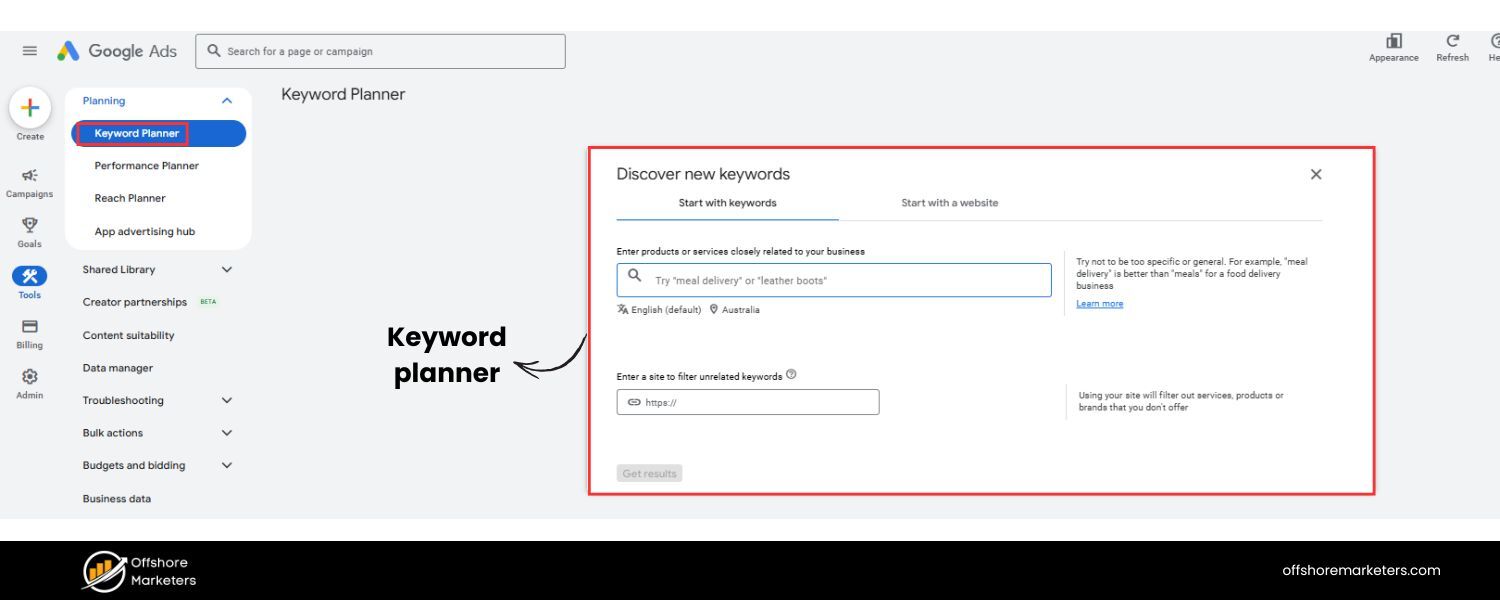
A free tool from Google Ads, great for generating keyword ideas and getting rough search volume estimates. It’s a perfect starting point, especially for brainstorming related terms and discovering new variations straight from Google’s vast data.
2. Google Search Console
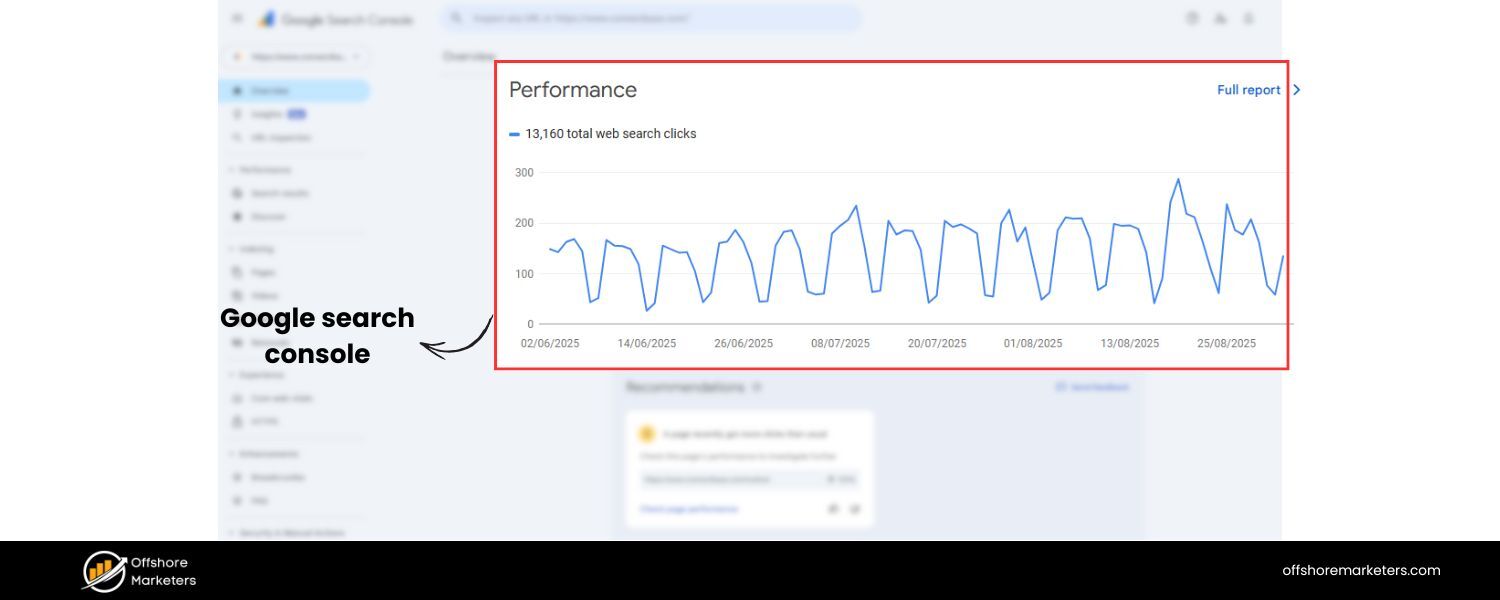
An indispensable free tool to monitor your site’s search performance. Use it to see which queries are bringing people to your store, where you rank for them, and where there’s potential to improve. It’s also helpful for spotting new keyword opportunities that you’re getting impressions (views) for but not yet clicks.
3. Ahrefs and Semrush
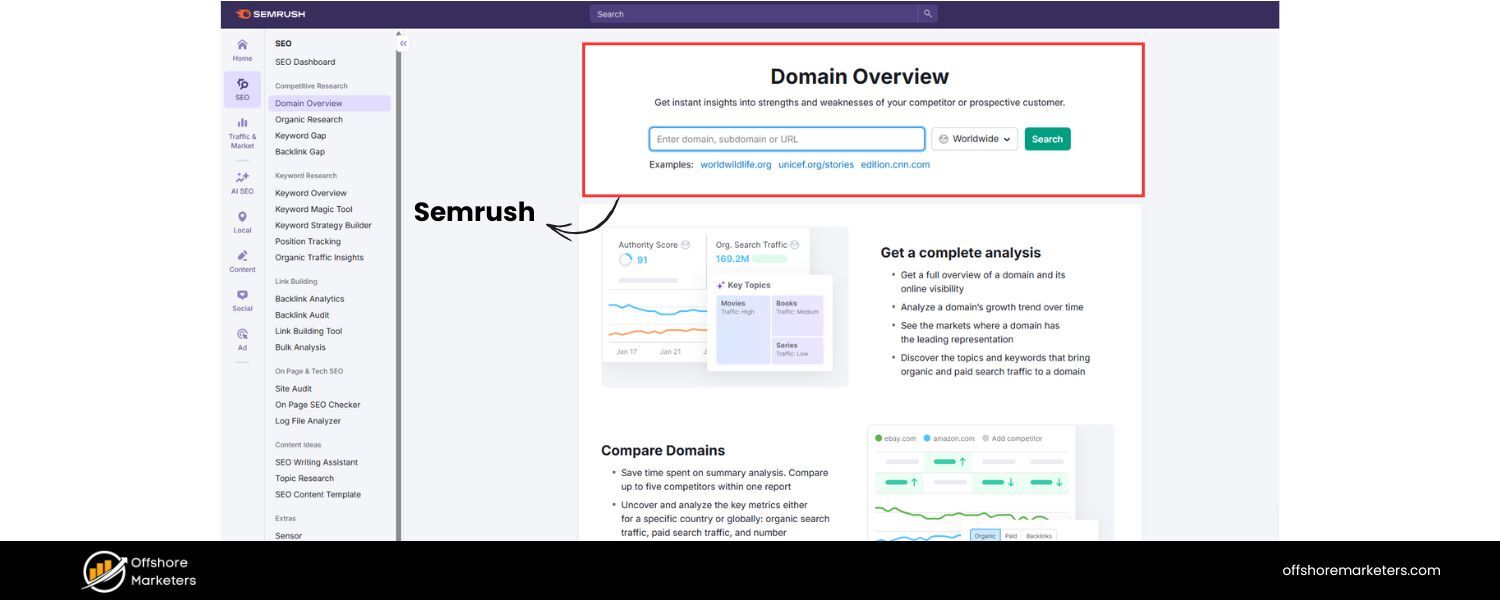
Popular all-in-one SEO platforms (paid) that offer powerful keyword research features. They provide detailed metrics like keyword difficulty, traffic potential, and even show you the exact pages ranking for each term.
They also let you analyze competitors easily – for instance, plugging in a competitor’s site to see its top keywords or doing a content gap analysis (finding keywords your competitors rank for that you don’t). If budget allows, using one of these tools can give you a competitive edge with deep data.
4. Moz Keyword Explorer
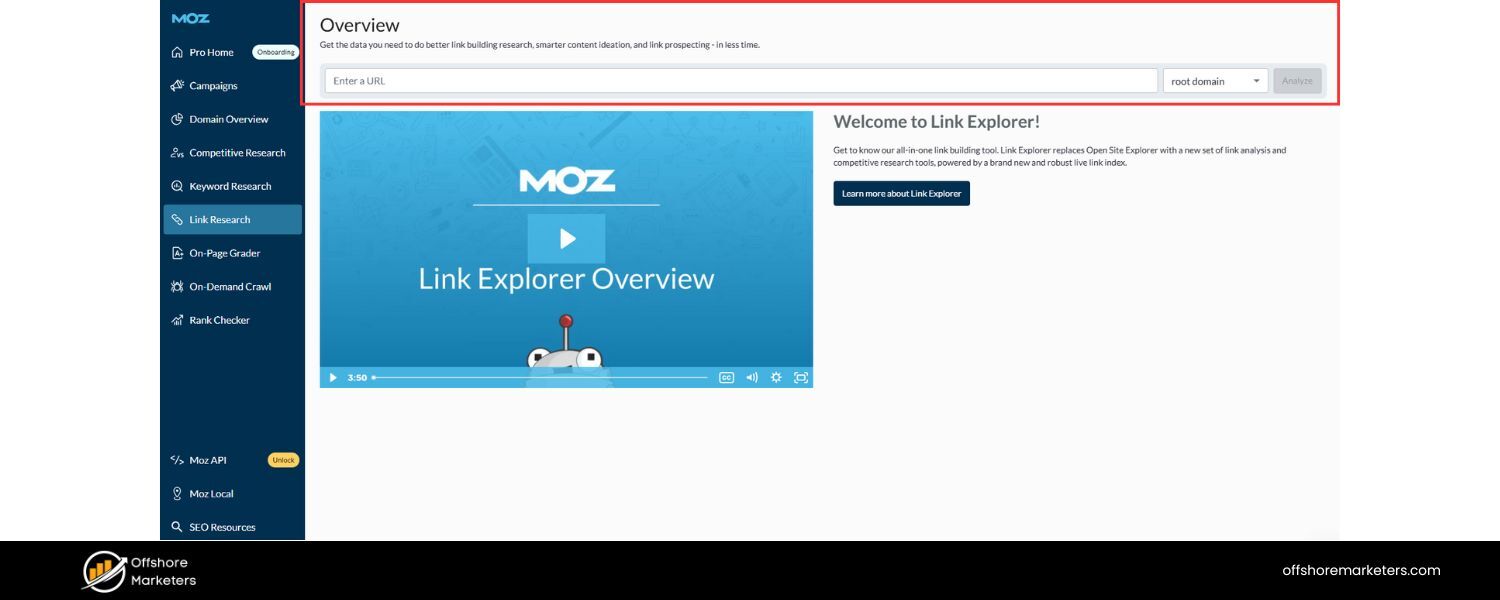
Another excellent tool (with a limited free version) for discovering keywords and analyzing their volume and difficulty. Moz also provides a “Priority” score that factors in volume, difficulty, and your own site’s likely ability to rank, which can be handy for beginners to prioritize.
5. Ubersuggest
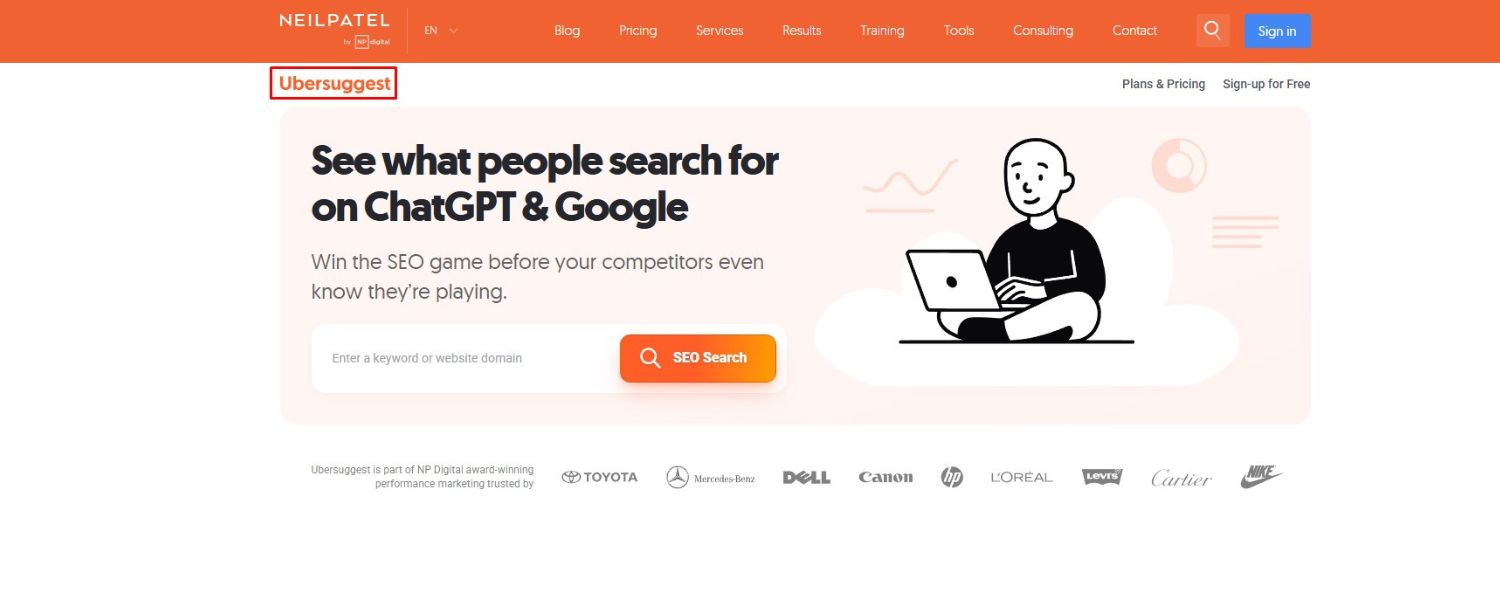
A more budget-friendly tool (with a free tier) that offers keyword suggestions, SEO difficulty scores, and content ideas. It’s user-friendly and good for quick checks and finding long-tail variations.
6. Amazon Autocomplete & Helium 10 (for Amazon sellers)
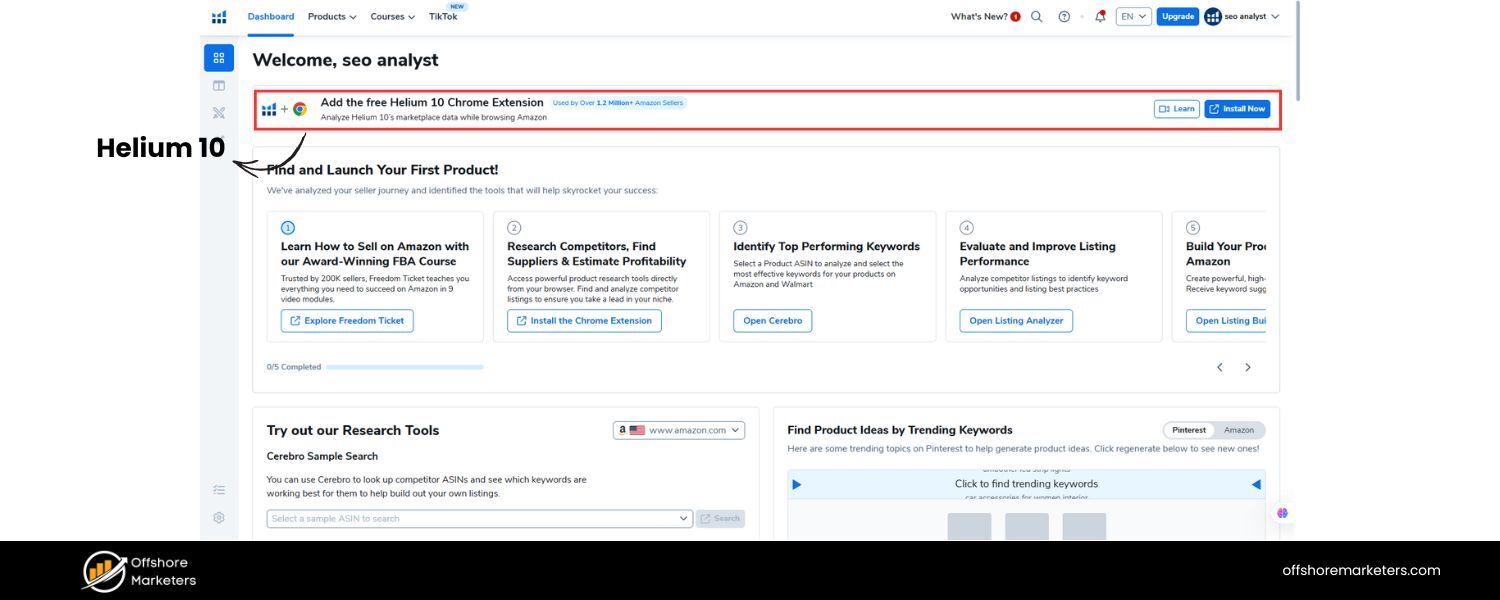
If you sell on Amazon or want insight into product-specific searches, try typing keywords into Amazon’s search bar and note the suggestions (this is what real Amazon shoppers search).
For more advanced data, Helium 10’s tools can provide search volumes for Amazon queries and help with Amazon SEO (like optimizing your product listing keywords, backend search terms, etc.). This is important because Amazon is essentially a search engine for products – and popular Amazon searches can hint at wider ecommerce trends too.
7. Google Trends
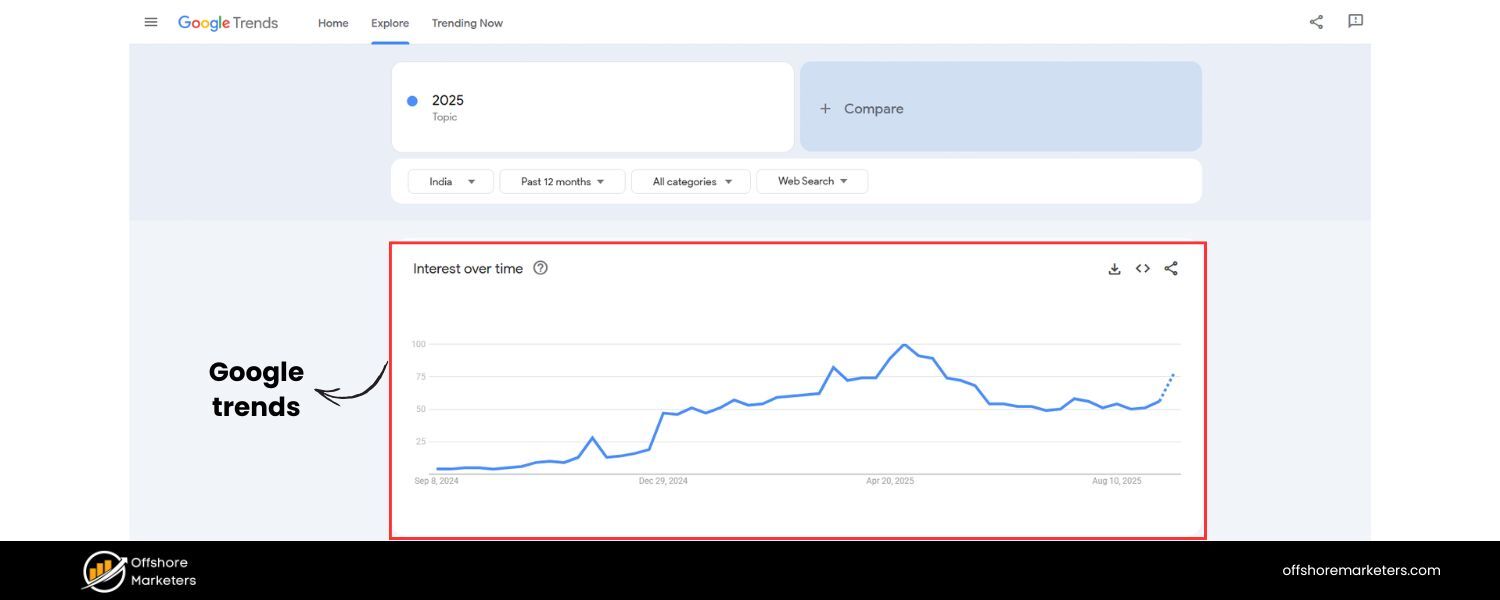
Useful for comparing keywords and seeing their popularity over time. For example, Google Trends can show if “standing desk” is rising in interest or if “office chair” is seasonal. It can also help you pick between two keyword variations by seeing which one people search more often.
8. Keywords Everywhere (Browser Extension)
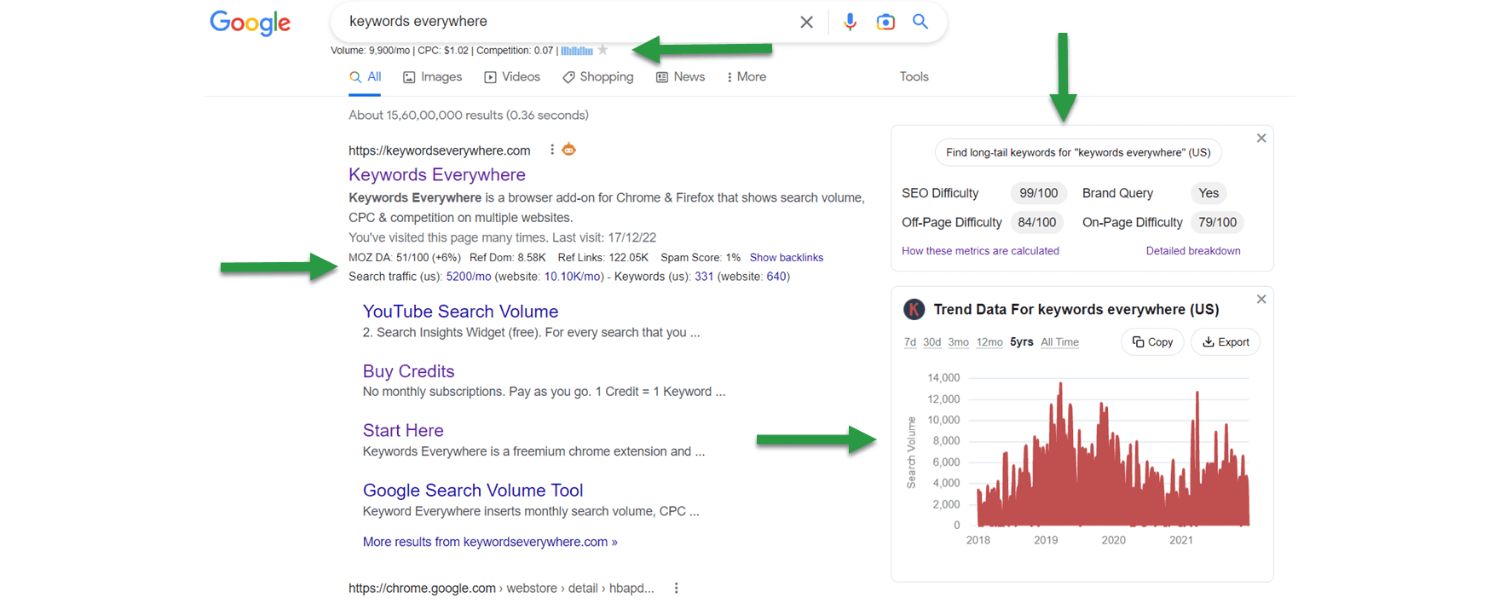
A handy paid Chrome/Firefox extension that displays keyword data (like volume and CPC) right on Google as you search. It also shows “People also search for” and trend charts. This can save time by keeping data in view while you do manual searches, and it’s relatively inexpensive.
Each of these tools can play a role in your keyword research workflow. You don’t need to use all of them, choose the ones that fit your needs and budget. Often, a combination of one robust tool (like Ahrefs/Semrush) plus free Google tools covers all bases.
Remember, tools provide data and suggestions, but your insight and understanding of your market are irreplaceable. The tools won’t know your product or customers like you do, so use them to inform your decisions, not make them blindly.
Conclusion & Next Steps
Effective ecommerce keyword research is the foundation of a strong SEO strategy for your online store. By understanding your customers’ search intent, finding the right mix of broad and long-tail keywords, and optimizing your site accordingly, you set yourself up to capture more organic traffic and convert more shoppers.
This process requires effort, analysis, and ongoing adjustment, but it’s a system that rewards dedication and smart thinking.
With the guide above, you now have a comprehensive game plan:
A. You learned how to identify valuable keywords that align with what you sell.
B. You discovered ways to out-research competitors and find content gaps to exploit.
C. You have the steps to optimize your website, from product pages to blog posts, so that search engines rank you higher for the terms shoppers use.
D. And you know to keep iterating, measuring results and updating your keyword strategy to stay ahead of trends and rivals.
Put these strategies into action and you’ll start seeing the impact: better search rankings, more qualified traffic, and ultimately, more sales.
Remember, keyword research isn’t just an SEO task, it’s understanding your customer’s language. When you speak that language on your site, you create a seamless path for customers to find exactly what they need (and for you to make the sale).
Now’s the time to act: take the insights from this guide and apply them to your own store. Start by revisiting your website and asking, “Are we using the terms our customers are searching?”
Do a fresh round of keyword research with the steps provided and optimize a few key pages, even small improvements can yield significant gains.
Stay persistent and keep learning from your customers and data. With consistent effort, your ecommerce site can climb the search rankings, outshine the competition, and turn those clicks into conversions. Happy keyword researching, and here’s to your store’s growing success!
FAQs
Q1. How do I do keyword research for an ecommerce website?
To do ecommerce keyword research, start by brainstorming broad keywords related to your products (think like a customer searching for your items).
Use tools like Google Keyword Planner or Ahrefs to expand this list and find related search terms, along with their search volumes.
Next, analyze each keyword’s intent and competition, prioritize keywords that are highly relevant to your products, have decent search volume, and show commercial intent (e.g. include words like “buy,” “best,” or specific product names).
Finally, map these keywords to appropriate pages on your site (product pages, category pages, blog posts) and optimize those pages by incorporating the keywords into titles, content, and meta tags.
In summary, it’s about gathering ideas, using data to pick the best terms, and then strategically using those terms on your website.
Q2. What are the best keyword research tools for online stores?
Some of the top tools for ecommerce keyword research include Google Keyword Planner (free, great for basic ideas and volume), Google Search Console (free, shows the queries your site already ranks for), and SEO platforms like Ahrefs or Semrush (paid, but provide in-depth keyword data, difficulty scores, and competitor analysis).
If you’re on a budget, Ubersuggest and Keywords Everywhere offer affordable insights into keyword volume and suggestions. For sellers on marketplaces, tools like Helium 10 (for Amazon keywords) are very useful.
Each tool has its strengths, many merchants use a combination (for example, Keyword Planner for initial ideas, Ahrefs for competitive research and advanced metrics, and Search Console to monitor performance over time).
Q3. Where should I use keywords on my ecommerce site?
You should incorporate keywords in all the key elements of your site’s pages for maximum SEO impact. This includes the page title (and product title), which should feature the primary keyword, as well as the meta title for search results.
Use keywords naturally in the product description or page content, mentioning them in the opening sentences and throughout the text where relevant.
Include them in headings and subheadings (H1, H2, etc.) on the page to reinforce context. Other important spots are the URL (e.g., yourstore.com/category/primary-keyword), image alt text (describe images with keywords where appropriate), and meta description (to improve click-throughs).
Additionally, use keywords as anchor text in internal links (for example, link from a blog post to a product page with the product name as the anchor).
By placing keywords in these areas, you help search engines understand what each page is about, and you make it more likely that shoppers will find your site when searching those terms.
Q4. How often should I update or revisit my keyword research?
It’s a good practice to revisit your keyword research periodically, SEO is not set-and-forget. Many experts recommend reviewing and updating your keyword strategy every few months (quarterly).
This doesn’t mean you’ll overhaul everything each time, but you should check for new search trends, see how your current keywords are performing, and identify any gaps.
For example, new products or categories you add might require new keyword research to target them effectively. Also, customer interests can change seasonally or as new trends emerge (imagine the surge in searches for “home office equipment” in 2020).
Regularly reviewing search query reports (in Google Search Console or your analytics) can alert you to new keywords people are using to find your site, you can then optimize for those.
In short, update your keywords whenever there’s a significant change in your product lineup or market trends, and do a routine audit a few times a year to keep your SEO strategy aligned with current opportunities. Consistent refinement will help you maintain and improve your search rankings over time.

Why Roseville Startups are Choosing Offshore Marketers to Scale Smarter
Roseville is no longer just a quiet suburb of Sacramento;...

What Is PPC? A Practical Guide to Pay‑Per‑Click Advertising
Pay‑per‑click (PPC) is the “pay only when someone clicks” branch...

Google Search Issues Affecting Results in Some Regions
Google has confirmed a problem with one of its data...

Keyword Counts Dropped After Google’s num=100 Change
In September 2025, Google stopped supporting the &num=100 parameter. This...

Image SEO: Optimize Images for Higher Rankings & Traffic
Introduction Images make your website more engaging, but they can...


.png)
.png)
.png)
.png)
.png)

2024 ALL RIGHTS RESERVED MADE IN INDIA
.png)