
International SEO: Optimize Your Website for Global Reach
September 2, 2025
Introduction
International expansion can unlock massive opportunities for your business, but only if your target audience can find you. International SEO is the practice of optimising your website to rank well in multiple countries and languages, ensuring you deliver a relevant, personalised experience to users around the world.
Done right, international SEO can dramatically increase your global visibility, drive targeted traffic from new markets, and boost conversions across borders.
This comprehensive guide (written by an expert with 25+ years in marketing) will walk you through proven strategies and original insights to help your website dominate search results worldwide.
What Is International SEO and Why Does It Matter
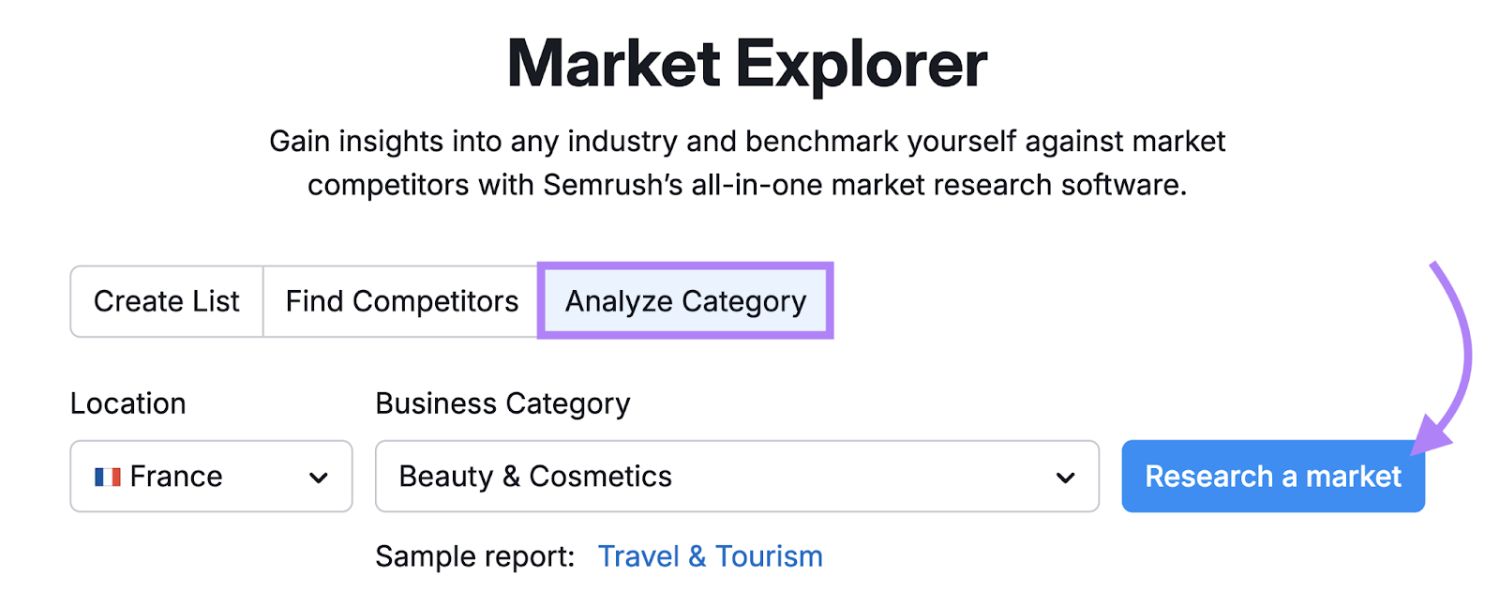
In simple terms, international SEO involves adapting your web presence for different languages and regions so that search engines show the most appropriate version of your site to each user.
The goal is to make your content more visible to searches from diverse locales and provide localised experiences that resonate with each audience.
This goes beyond basic translation, it’s about tailoring your site’s content, structure, and technical setup to meet the expectations of users and search engines in each target market.
Why invest in international SEO? Consider that while English dominates much of the web, roughly half of online users worldwide do not speak English.
If you’re only optimising for one language or country, you could be missing out on reaching vast segments of potential customers. A successful international SEO strategy can lead to higher search rankings in multiple countries, more targeted traffic, and better conversion rates as you connect with users in their own language and cultural context.
In short, it allows your business to expand its online presence globally, tapping into new markets and revenue streams that would otherwise be inaccessible.
Moreover, international SEO helps avoid pitfalls like serving the wrong content to the wrong audience. Without it, a user in Spain might land on your English site (and leave due to a language barrier), or Google might not understand which of your pages to show in a French vs. French-Canadian search.
By implementing the best practices below, you ensure search engines correctly index and serve your localised pages, and that users find content that feels made just for them.
Planning Your International SEO Strategy
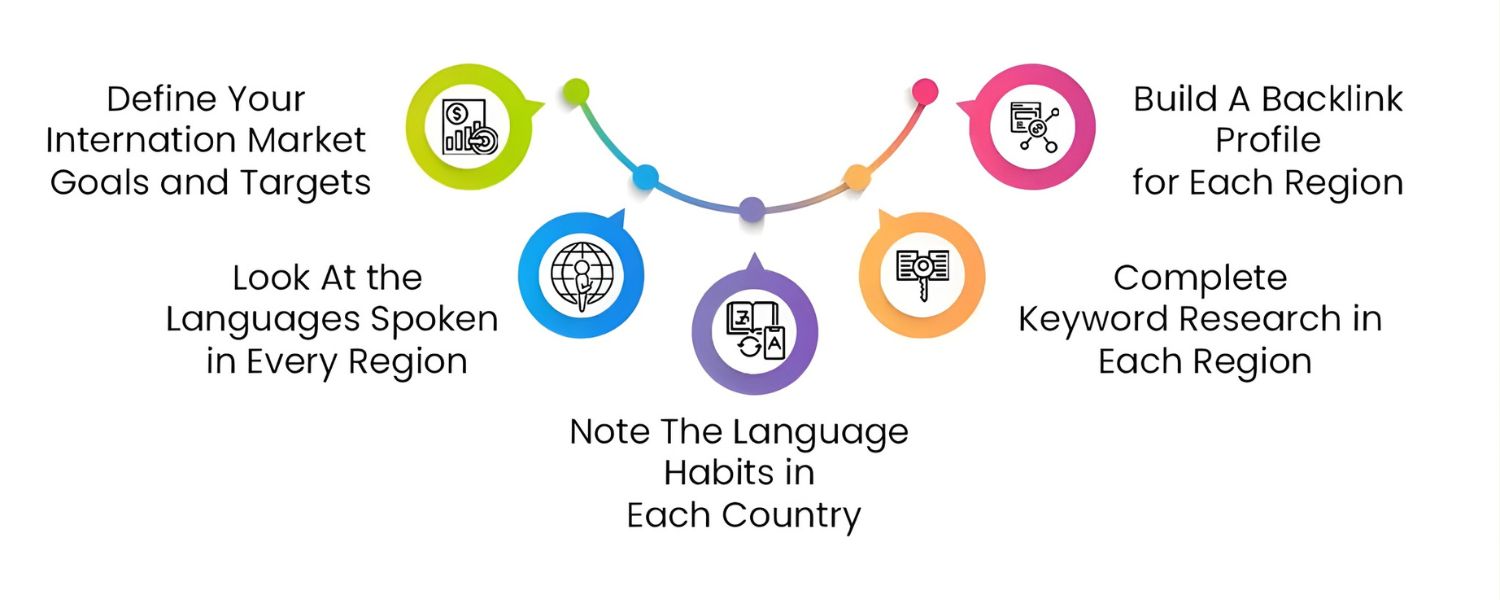
Start with a solid plan. Before you dive into technical changes, identify which markets and languages you want to target. Often this is guided by business objectives (e.g. expanding to Europe or Asia) and market research.
Use your current analytics and SEO tools to discover where interest in your products already exists abroad.
For example, analyze competitor traffic by country, if you see a competitor getting a significant portion of traffic from a certain country, that market might be worth targeting. Also consider factors like your company’s ability to support customers in that region (shipping, customer service, etc.).
1. Define languages vs. regions
Determine if you need a multilingual strategy (serving multiple languages), a multi-regional strategy (targeting specific countries), or both.
A multilingual site provides content in different languages (e.g. English and Spanish versions), while a multi-regional site targets users in different countries (e.g. USA site vs. UK site), many international sites are both (for instance, a Canadian site with English and French versions). Clarifying this will help in structuring your site and content appropriately.
2. Research keywords for each market
Keyword popularity and usage can vary drastically by region, even for the same language. Perform localized keyword research for each country or language you’re targeting – don’t just assume that a direct translation of a keyword from one language works in another.
In fact, even within the same language, different regions use different terms. For example, in the U.S. people might search for the term “ibis bird,” but in Australia the slang term “bin chicken” is far more common for the same query. Such differences mean you should identify the native search terms and trends of each market.
Use SEO tools with country-specific data to find search volumes and competition levels for your target keywords in each locale. This research ensures your content and metadata use the phrases real users in that country actually search for.
Finally, assess your current traffic and opportunities. Using tools like Google Analytics or Ahrefs, see what percentage of your visitors already come from other countries and what languages they use.
You might discover untapped demand – for instance, if you’re getting organic visitors from Canada or India without even targeting those countries, a little optimization could significantly boost your presence there.
Prioritize markets that show strong potential (high search demand or underserved content) and align with your business goals. This strategic planning up front will focus your international SEO efforts where they can deliver the greatest ROI.
Structuring Your Website for Global Audiences
One of the most critical decisions in international SEO is how you structure your website’s URLs for different countries or languages.
The site structure signals to both users and search engines how your international content is organized. There are three primary URL structure options (plus one to avoid) for global websites, each with pros and cons:
1. Country-Code Top-Level Domains (ccTLDs)
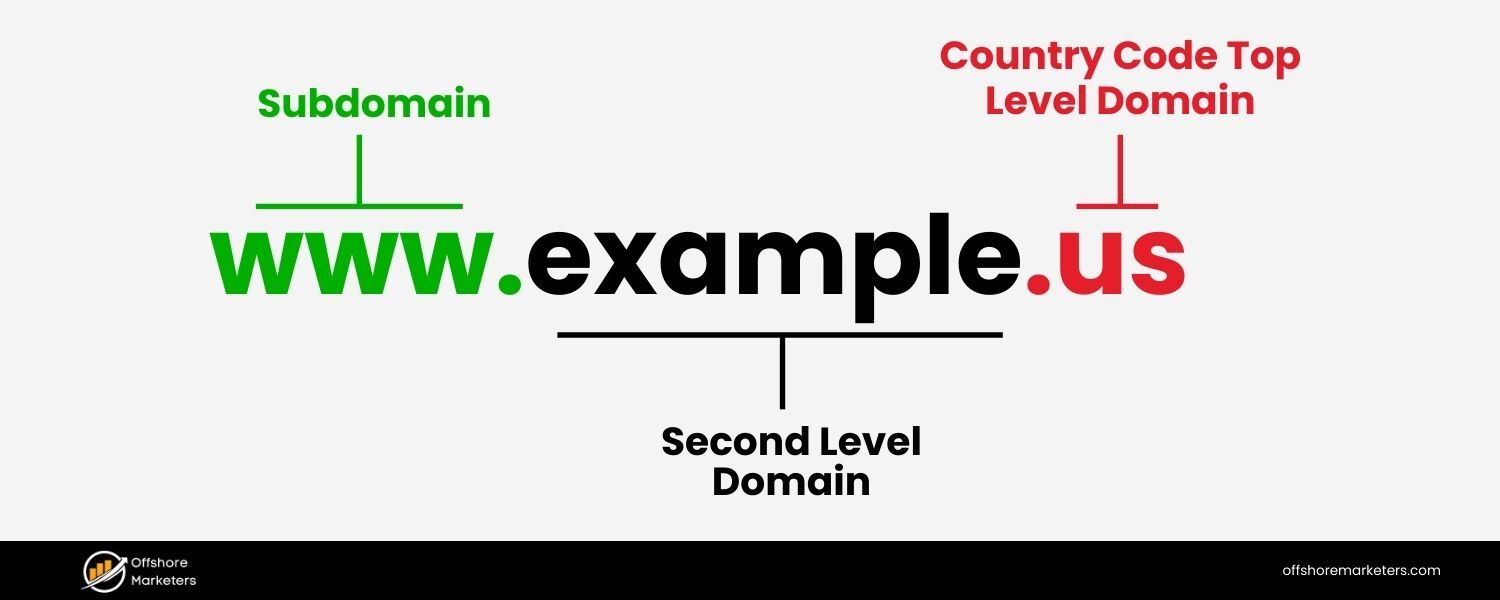
Using country-specific domains means having separate domain names for each country (for example, example.com for the U.S., example.fr for France, example.co.uk for the UK, etc.).
Users often immediately recognize a local ccTLD, which can increase their confidence that they’re in the right place. For instance, a French user seeing yourbrand.fr will intuitively know the site is tailored for France.
Illustration: Example of country-specific domains (ccTLDs) used for different target countries (e.g. .co.uk for the UK, .de for Germany, .fr for France). Each website operates on its own country domain, signaling clearly to users and search engines the intended region.
Pros:
A. Gives a strong local signal – the country targeting is clear from the URL itself, which can build trust with local users.
B. Allows use of local hosting to improve page speed in that region (each ccTLD site can be hosted in-country for faster load times).
Cons:
A. Requires purchasing and managing multiple domains, which can be costly and technically demanding.
B. SEO authority is split across separate sites. You’ll essentially be building ranking power for each domain individually, rather than one consolidated site, which can dilute your overall PageRank and backlink equity.
C. Content updates must be repeated on each site – maintaining consistency across many domains can be cumbersome.
D. ccTLDs indicate country but not language. For example, .ca could serve English or French content, so you might still need additional cues or separate sites if targeting multiple languages in one country.
Use case: ccTLDs are often chosen by large brands with significant resources and a presence (or legal entities) in each country. They work well when you want completely separate sites for each region (with possibly very different content or product offerings per country).
If local brand perception and trust are top priorities, ccTLDs give the most “local” feel. Just be prepared for the overhead of running many sites.
2. Subdomains on a Generic Domain
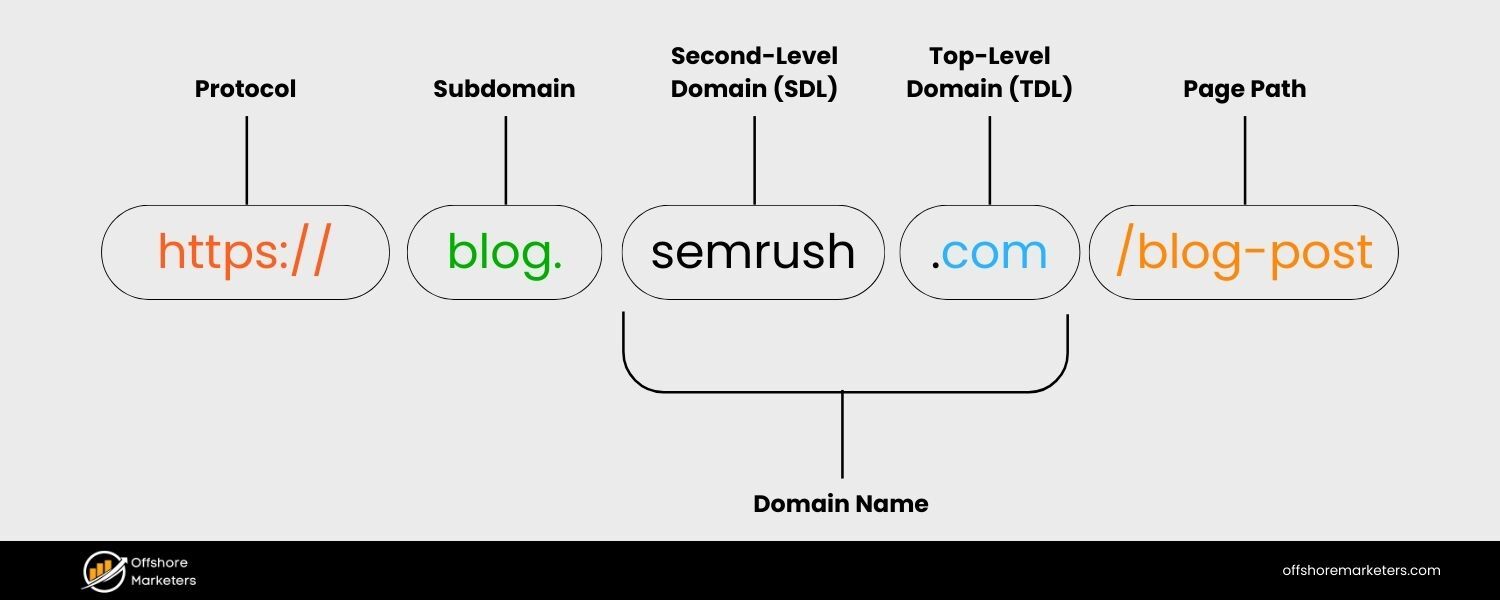
This approach uses a generic global domain (often .com) and creates country or language-specific subdomains, e.g. fr.example.com for France, de.example.com for Germany. Subdomains are technically distinct sites but still tied to your main domain.
Pros:
A. You can customize the subdomain name for each locale (e.g. use country codes like fr., de., or even language codes) which provides flexibility in identifying region/language in the URL.
B. Like ccTLDs, you can use localized hosting for each subdomain to improve speed. Each subdomain can be geo-hosted to serve content faster to that region’s users.
C. Subdomains benefit from the association with the main domain, so you don’t start entirely from scratch on domain authority as you would with separate ccTLD domains. (They are still separate in Google’s eyes initially, but over time they share some trust of the parent domain.)
Cons:
A. From a user perspective, subdomains are less immediately recognizable as local compared to ccTLDs. Some users might not intuit fr.example.com is meant for France as easily as example.fr.
B. Technically, you’ll still manage multiple codebases or installations. Content and design changes may need to be propagated across subdomains (similar to maintaining multiple sites).
C. Google will crawl subdomains separately. While you won’t be penalized for using them, it’s like having separate websites under one roof – you need to ensure each subdomain gets indexed and optimized individually.
Use case: Subdomains can be a good middle ground if you want some separation between country sites but still keep them under one brand domain. They might be used when companies expand to different regions but maintain a unified brand identity (e.g., regional blogs or stores).
However, many SEO experts feel the drawbacks often outweigh the benefits unless subdomains are easier for your technical setup. (Notably, Google supports subdomains for international SEO, but they aren’t usually the first recommendation.)
3. Subdirectories (Subfolders) on a Single Domain
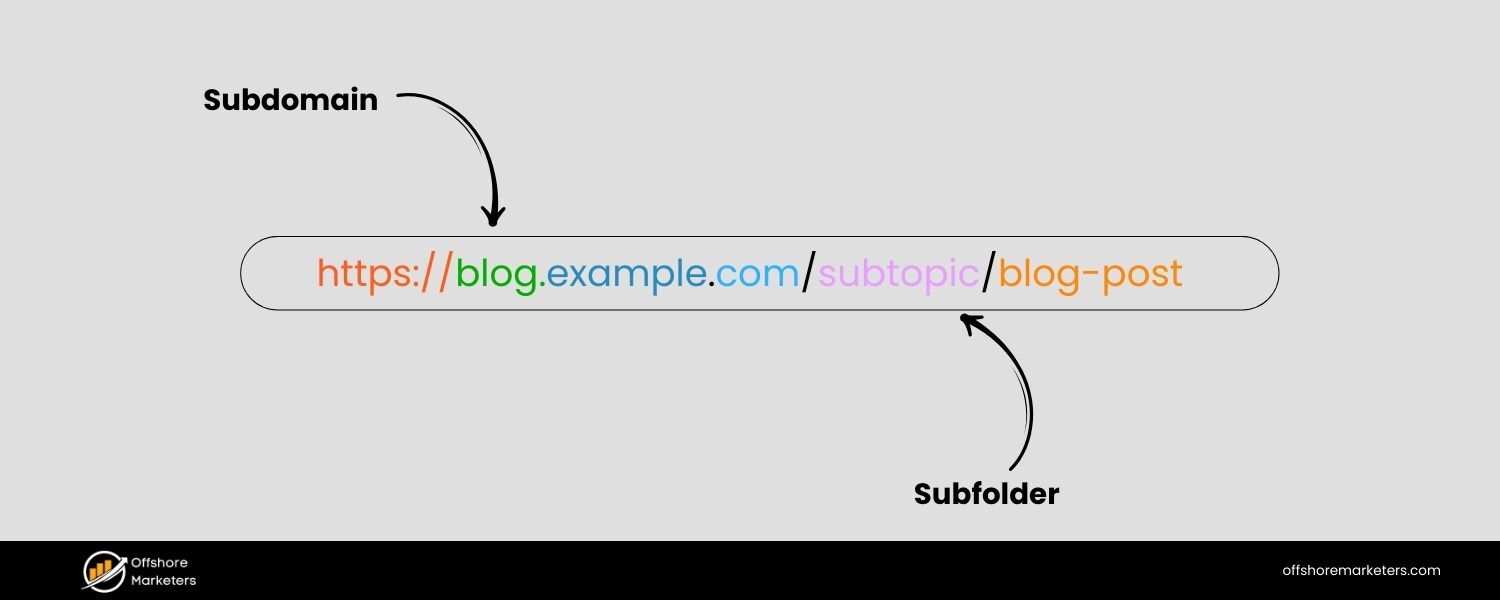
The subdirectory (or subfolder) method keeps one primary domain and places country/language content in separate URL paths. For example: example.com/fr/ for French content, example.com/es/ for Spanish, etc., or sometimes example.com/fr-fr/ for French (France) vs. example.com/fr-ca/ for French (Canada). All versions live on one website, just organized in folders.
Pros:
A. SEO efficiency
All your international content resides under one domain, which means you build one strong domain authority. Your backlinks and SEO efforts benefit the domain as a whole, which can boost every language section collectively. Maintenance is simpler with one site to manage.
B. Easier setup
Creating a new locale version is as easy as adding a new folder/section on the site, rather than provisioning a new domain or subdomain. Analytics and tracking are streamlined (one site, one analytics property).
C. Flexible naming
You can use clear language or country codes in URLs (e.g. /fr/ for France or French) which makes it somewhat evident to users what language the page is in.
D. Lower cost
No need to buy separate domain names or manage DNS for multiple sites.
Cons:
A. Some users might not notice the URL path, so they could be less aware they are on a localized page (compared to seeing a local domain). However, good site design (like language selectors and localized content) can mitigate this.
B. All content is on one server – if your main hosting is in one country, users far from that server might experience slower load times if you don’t use a CDN (we’ll discuss CDN solutions shortly).
C. Geotargeting in search engines might require additional signals since the domain itself is generic. You should explicitly use tools like Google Search Console’s locale targeting or hreflang tags to ensure Google knows which folder corresponds to which country.
Use case: Subfolders are often recommended for most websites due to their SEO advantages. If you are starting fresh or have a moderately sized site, subdirectories allow you to consolidate authority and simplify management.
Google’s algorithms fully support subfolder-based international sites, and many SEO experts (including the author of an Ahrefs international SEO guide) favor subfolders as a default choice for new international expansions. It’s a scalable approach – you can add languages/countries easily – and usually the least technically complex to maintain.
4. Avoid URL Parameters for Locale
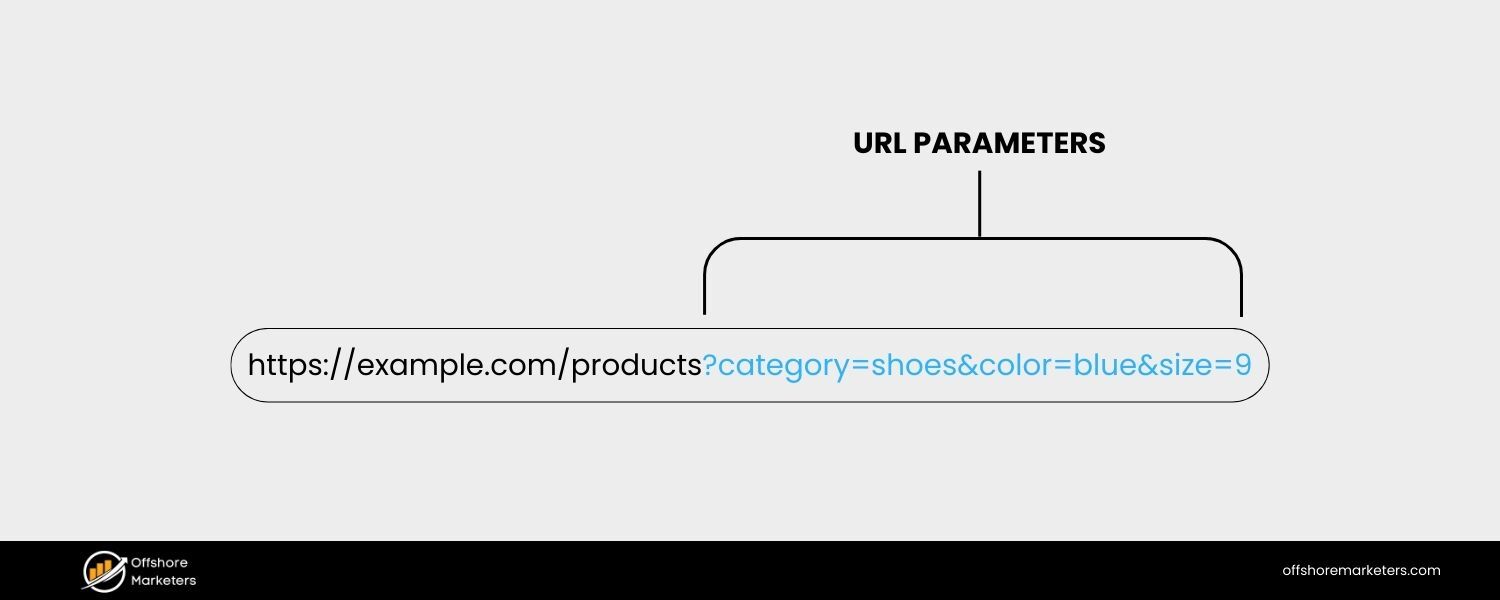
One method to avoid at all costs is appending URL parameters for language or country (e.g. example.com/page?lang=fr). This approach is strongly discouraged by Google. Parameterized URLs are ugly for users and can confuse search engine crawlers, leading to indexing issues.
Google does not recommend using query parameters for internationalization, it’s better to use one of the structural options above that clearly separates content by URL path or domain. Stick to human-readable URLs that include language or country codes in a logical way.
Expert tip: No single structure is “perfect” for all situations, and Google has stated that ccTLDs, subdomains, and subfolders can all work for international SEO (just avoid parameters). The key is to choose the structure that fits your organization’s needs and then implement it consistently.
If starting from scratch, many experts lean toward subfolders for their balance of SEO power and ease. If you already have an effective setup (say, you own country domains), you don’t need to switch – just optimize what you have.
Whichever structure you choose, ensure you also localize other technical aspects (like hosting or CDN usage) to maximize speed and user experience in each region.
Content Localization: Speak Your Customer’s Language (Literally)
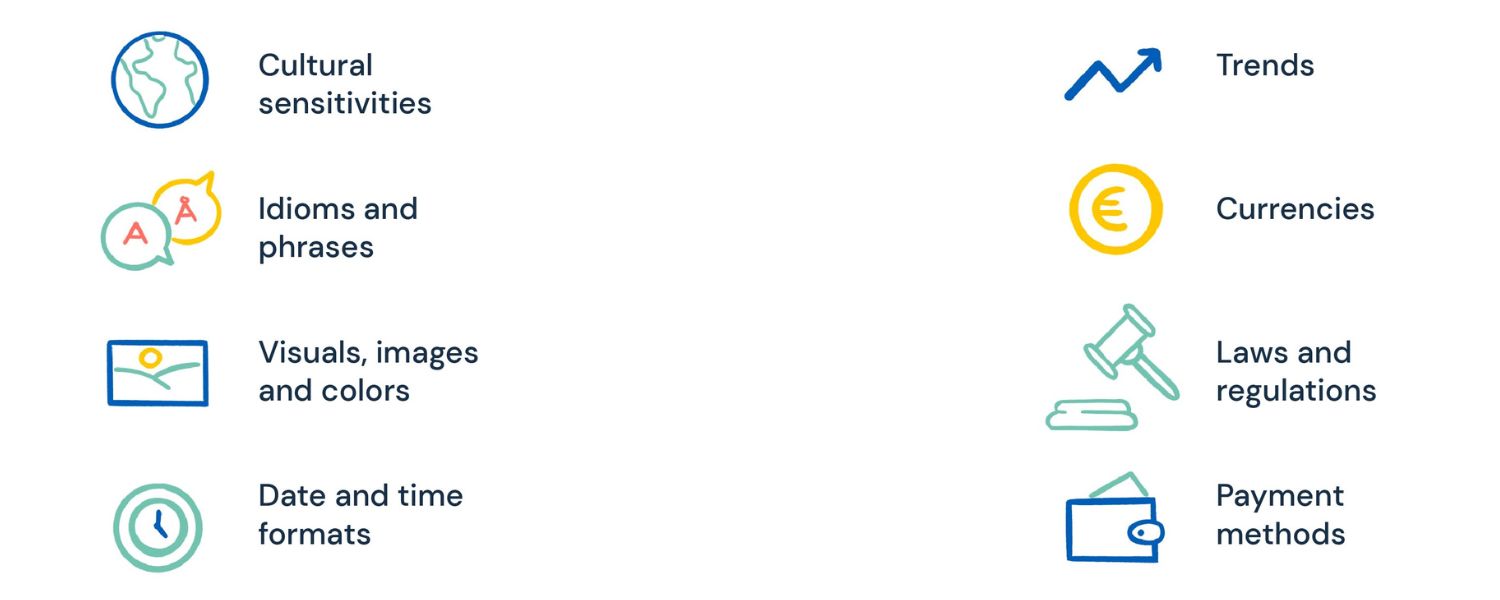
Translating your website is not just about swapping words, it’s about localizing the entire experience. High-quality, locally relevant content is the cornerstone of international SEO. Here’s how to get it right:
1. Provide professional translations
Bad translations can alienate users and even harm your brand reputation. In fact, poorly translated content can “destroy your search engine optimization efforts” by turning off visitors and increasing bounce rates.
Use professional translators or native speakers who understand the cultural context and nuances of the target language. Automated machine translation (like a raw Google Translate plugin) is a risky shortcut; it often produces awkward phrasing and can convey the wrong meaning, hurting credibility.
Always have human review and edit any machine translations for accuracy and tone.
2. One language per page
It’s crucial to stick to a single language on each webpage. Don’t mix multiple languages in the text or navigation of a single URL. Google determines a page’s language by its content, not by metadata or language tags in code. I
f you blend languages, Google may struggle to figure out which audience the page is for, and users will find it jarring. Dedicated pages for each language also allow you to use language-specific keywords and fully tailor the content.
Google explicitly recommends using separate URLs for different language versions rather than dynamically changing language on the same URL. For example, have an /en/about-us/ page and a /es/sobre-nosotros/ page if you want English and Spanish versions, rather than one page that switches content based on a setting.
3. Localize more than words
True localization means adjusting units, formats, and examples to each locale. Wherever possible, use local currencies, date formats, units of measurement, and cultural references in your content.
If you sell products, show prices in the local currency by default. Update measurements (metric vs. imperial) and sizing charts to local standards.
Even images or symbols may need changing if they don’t carry the same meaning in another culture. These details improve user experience and engagement by showing you’ve crafted the page for them.
For instance, if your US site mentions a “$50 price, available in fall,” your UK site should probably say “£40, available in autumn” – a direct word-for-word translation wouldn’t be as effective.
Anything that can be localized, should be localized – from on-page copy and metadata to images and contact info like phone numbers and addresses.
4. Avoid duplicate content
A common worry is that having similar content in different languages could be seen as duplicate content by search engines. Generally, Google does not penalize true multilingual duplicates, especially when you use proper hreflang tags (covered below).
However, you should still strive to make each version unique and tailored. Don’t simply translate literally; adapt examples and add value relevant to each audience.
Also, never use one language’s content verbatim in another country version (for instance, copying your US English page to your UK English section unchanged) – that would be duplicate content with no language difference.
Each page should be optimized to its audience’s needs. Not only does this avoid any duplicate content concerns, it also makes the content more engaging to users, improving SEO signals.
5. Address cultural differences
Beyond language, consider cultural context. Different things may appeal to or offend audiences in different countries. Colors, imagery, or messaging that works in one region might flop in another. For example, humor, idioms, or cultural references often don’t translate well. Be sensitive to local holidays, values, and social norms.
Adapting your marketing approach to fit local culture can significantly improve how your brand is received. Even the customer journey can differ by country – some cultures rely heavily on mobile, some prefer certain payment methods, some need more trust signals before converting.
Localize your content strategy accordingly (for instance, include popular local payment logos, or customer testimonials from that country). Showing cultural awareness in your content builds trust and can set you apart from competitors who take a one-size-fits-all approach.
6. Use local keywords and SEO meta tags
As mentioned in planning, incorporate the local keywords you researched into each page’s content, title tags, meta descriptions, and headings. Don’t just translate your English keywords – use terms native speakers actually use.
If there are multiple dialects or vocabulary differences (e.g. Spanish in Spain vs. Latin America), adjust your keywords and content for each. You may find entirely new topics are relevant in one country that weren’t in another; craft content to fill those gaps and meet local search intent.
This also applies to things like meta tags and even structured data – ensure any important SEO signals on the page (like title tags, alt text on images, etc.) are also in the correct language.
By investing in thorough content localization, you not only improve your search rankings in each market but also deliver a better user experience.
Visitors are far more likely to stay on the site, engage, and convert if the content “speaks” to them naturally. In essence, you’re showing respect for their language and culture, which goes a long way in building trust and loyalty.
Technical Best Practices for International SEO
Optimizing content is half the battle, now let’s cover the technical SEO elements that will ensure search engines properly index and serve your international content. These best practices help Google and other engines understand the structure of your site and deliver the right page to the right user.
1. Implement Hreflang Tags for Language Targeting
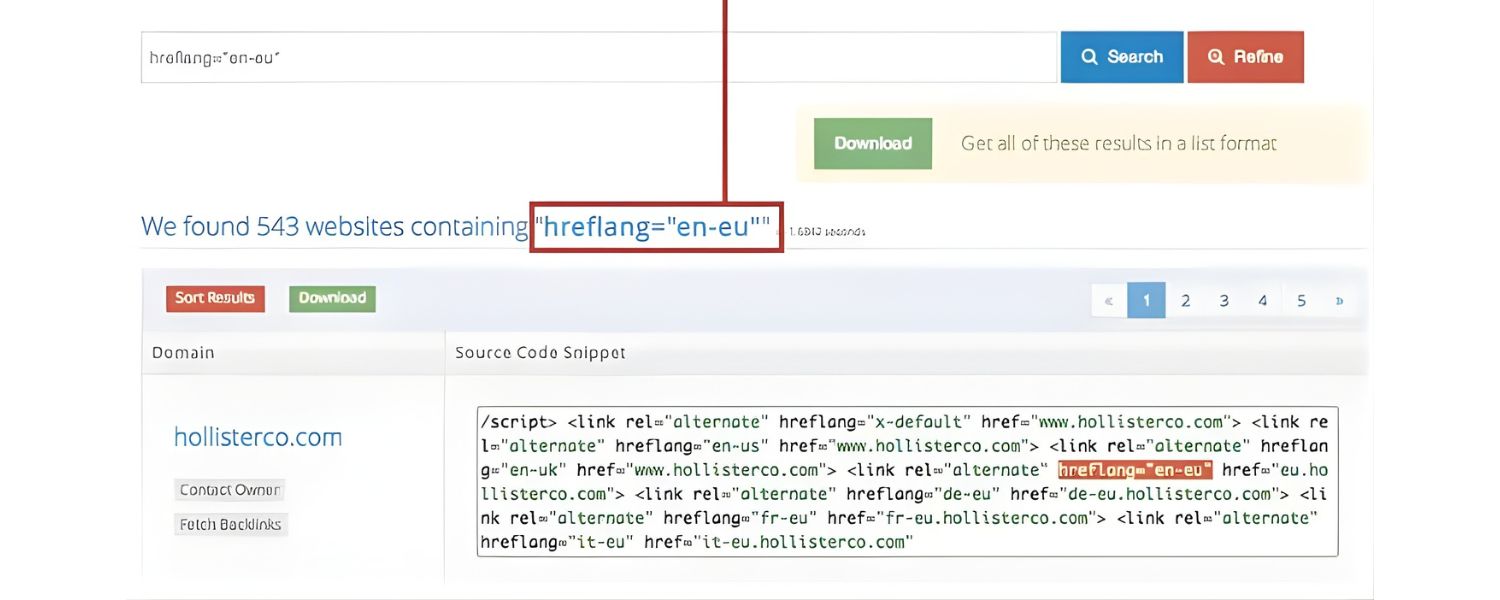
Hreflang is an HTML attribute (in either page markup or sitemaps) that tells search engines about the relationship between different language versions of a page.
In essence, hreflang provides a mapping of alternate URLs for other languages or regions. For example, if you have an English page and a Spanish equivalent, each page’s code can have an hreflang reference to the other. This signals to Google, “Here are two versions of the same content: one for en-US, one for es-ES.”
Why is this important? Hreflang ensures users see the version of your site intended for their language/region. Without it, Google might not know which version to show – a Spanish speaker in Mexico could end up on your English page, or your French page might appear to a Belgian user when you intended a Dutch version for them.
Hreflang fixes that by explicitly linking corresponding pages and specifying their target language and country codes.
When implemented correctly, hreflang offers two major benefits:
A. Better user experience
Visitors from a given locale are more likely to land on the page in their language, rather than a default or wrong-language page.
B. SEO improvement for duplicates
If your pages are similar (like the only difference is language), Google normally might worry about duplicate content. Hreflang tells Google these pages are alternatives for different users, not duplicate content to be filtered. It can then index all versions without penalizing you, and even consolidate ranking signals in some ways.
Keep in mind that using hreflang can be complex for large sites, as each page must reference all its siblings (e.g. a page with 5 language versions needs hreflang entries for each of the 5).
It’s critical to implement hreflang accurately, mistakes like incorrect country codes or not including a self-referential tag can lead to it not working.
Incorrect hreflang implementation can result in the wrong pages showing in search results, so always validate your hreflang tags (Google Search Console has a report for this, or use SEO auditing tools to catch errors).
Pro Tip: Use the x-default hreflang value for any general page that isn’t specific to one language (often the global homepage). The x-default tag signals that a page is the default choice when no other language/country is a perfect fit.
It’s basically a catch-all that prevents users from seeing a blank or irrelevant page if their locale wasn’t otherwise listed. For example, if you have a landing page that directs users to country sites, mark it with hreflang=”x-default” to tell Google this is the fallback page for “rest of world” traffic.
2. Use Separate URLs (and Avoid Dynamic Serving)
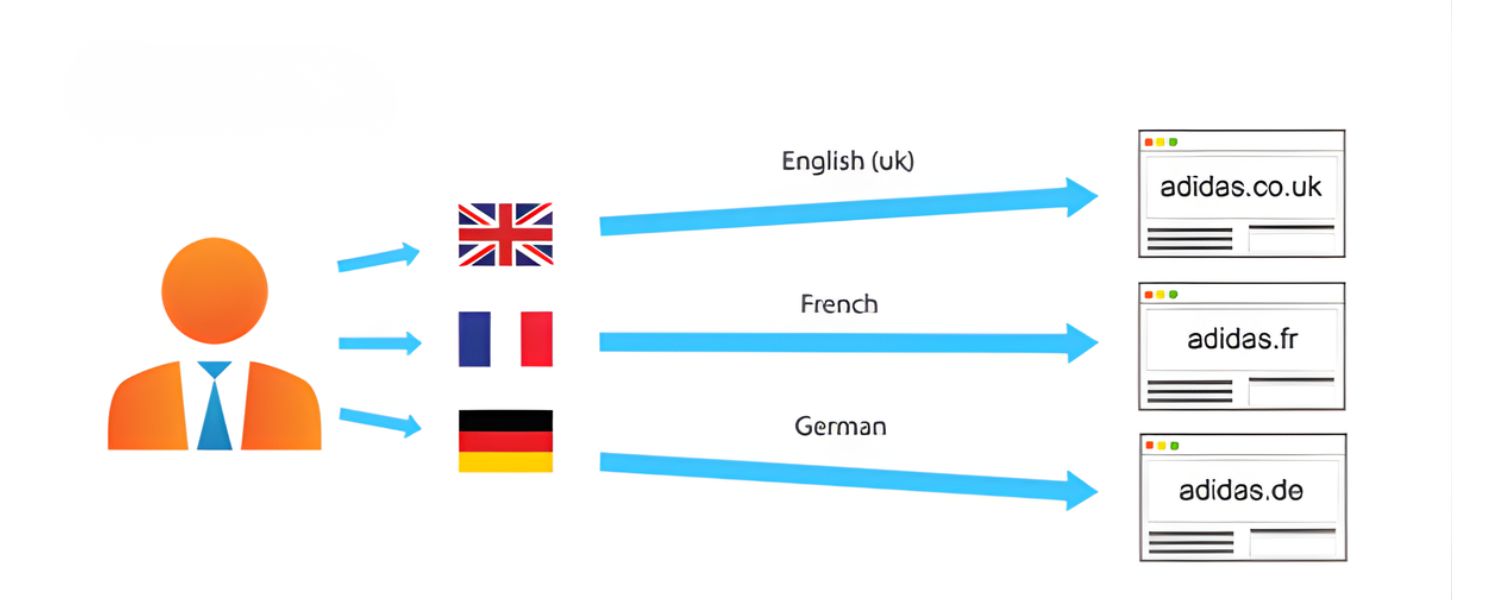
As noted earlier, each language or region version must have its own URL. Don’t use scripts that serve different languages based on the user’s location on a single URL, this is called locale-adaptive content, and it can be problematic because Googlebot (which usually crawls from a US IP and without accepting language headers) may not see all the versions. In short, Google might only index one version if you rely on dynamic content swapping.
Instead, stick to the distinct URL per locale strategy (whether that’s via ccTLD, subfolder, or subdomain as discussed). Google explicitly advises against using cookies or browser settings alone to change language on the same URL. By giving each version a unique address and using hreflang, you allow crawlers to find and index everything.
Also, ensure the page’s language is obvious from the content. Google does not use <meta lang> tags or server locale alone; it looks at the actual visible text. So everything on a given page (navigation, footer, etc.) should ideally be in the same language.
Don’t have an English sidebar on a Spanish page, for example. Avoid side-by-side bilingual text on one page as it could confuse indexing.
If you need to present multi-language content (say a bilingual blog post for some reason), it might be better to split it into two pages or use expandable sections that are clearly separated – but generally one page, one language is the rule for SEO.
3. Avoid Automatic Redirection Based on IP or Browser Settings
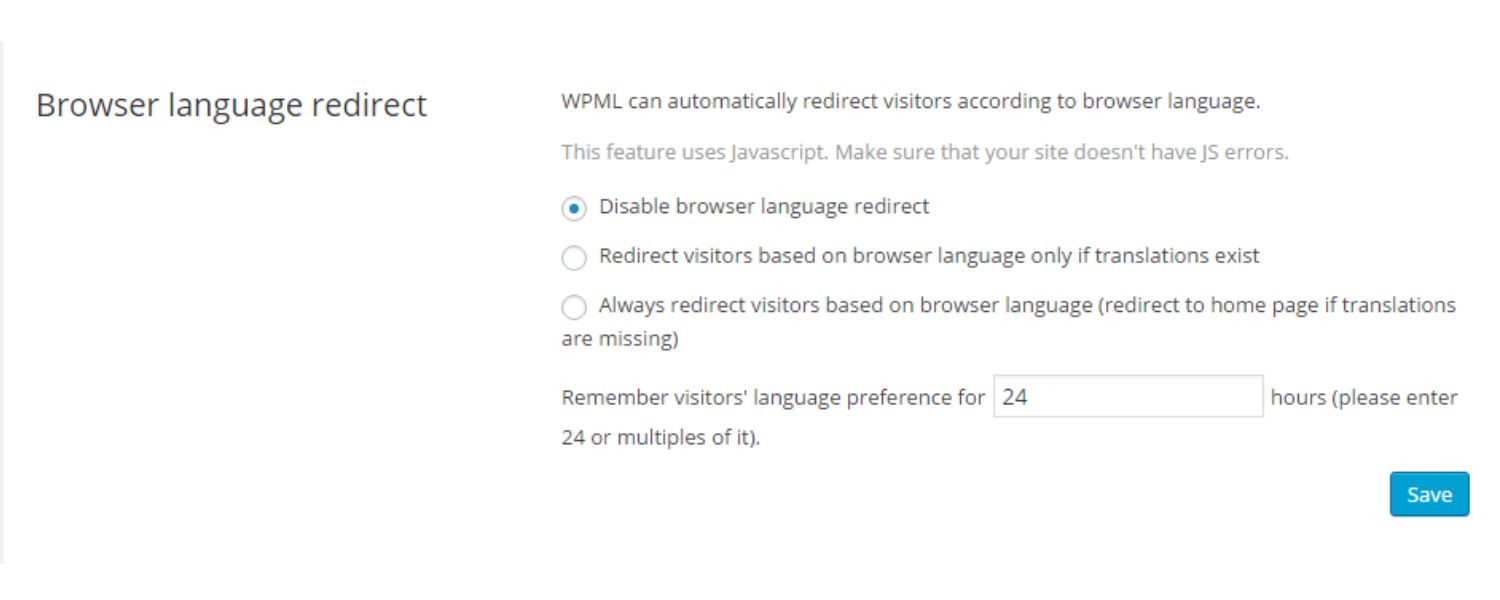
It can be tempting to auto-redirect visitors to their country or language site (e.g., someone from Germany hits your .com and you redirect them to .de). Resist the urge to do automatic geo-redirects.
Google strongly discourages redirecting users or bots based on their perceived location or browser language. Why? Because these redirects often prevent either users or Googlebot from accessing all your content.
For instance, if Googlebot (coming from a US IP) tries to crawl your French page at example.com/fr/ but your site immediately redirects it to the US page example.com/en/, Google might never index your French content. Even if you try to be clever and allow Googlebot but redirect real users, that cloaking can violate guidelines.
As Google’s documentation puts it: “Don’t use IP analysis to adapt your content… Google may not be able to crawl variations of your site properly… Most Google crawls originate from the US”. They further warn, “These redirections could prevent users (and search engines) from viewing all the versions of your site.”.
The best practice is to serve whatever page the user requested, but offer an easy option to switch if it’s not the right version. For example, if a Spanish speaker lands on your English page, you could show a gentle banner: “Looking for this page in Español? Click here.” This way, the user can navigate to the Spanish version, but you didn’t force a redirect.
This approach was exemplified by Apple’s website: instead of redirecting users, they show a prompt allowing the visitor to choose their country/site if they might be in the wrong place.
Example: Apple’s website displays a region selection banner instead of automatically redirecting visitors. This user-friendly prompt lets people switch to their country site (“Choose another country or region”) at any time, ensuring they can access the correct localized content without hindering search engine crawling.
Additionally, provide a visible language or region selector on your site (often in the header or footer). This can be a dropdown menu or list of languages that lets users manually switch to the version they prefer.
Not only does this improve UX, it also gives search engines crawlable links to all your locale versions (if implemented as regular links), helping them discover every version.
For instance, Ahrefs’ website has a language switcher on every page, so any user or bot can find the other language pages easily.
In summary: serve the page requested, but make it easy to get to a different language/country version. You’ll avoid frustrating users with unexpected redirects and ensure Google can index all your content.
4. Optimize Site Speed for Global Users (CDN & Hosting)
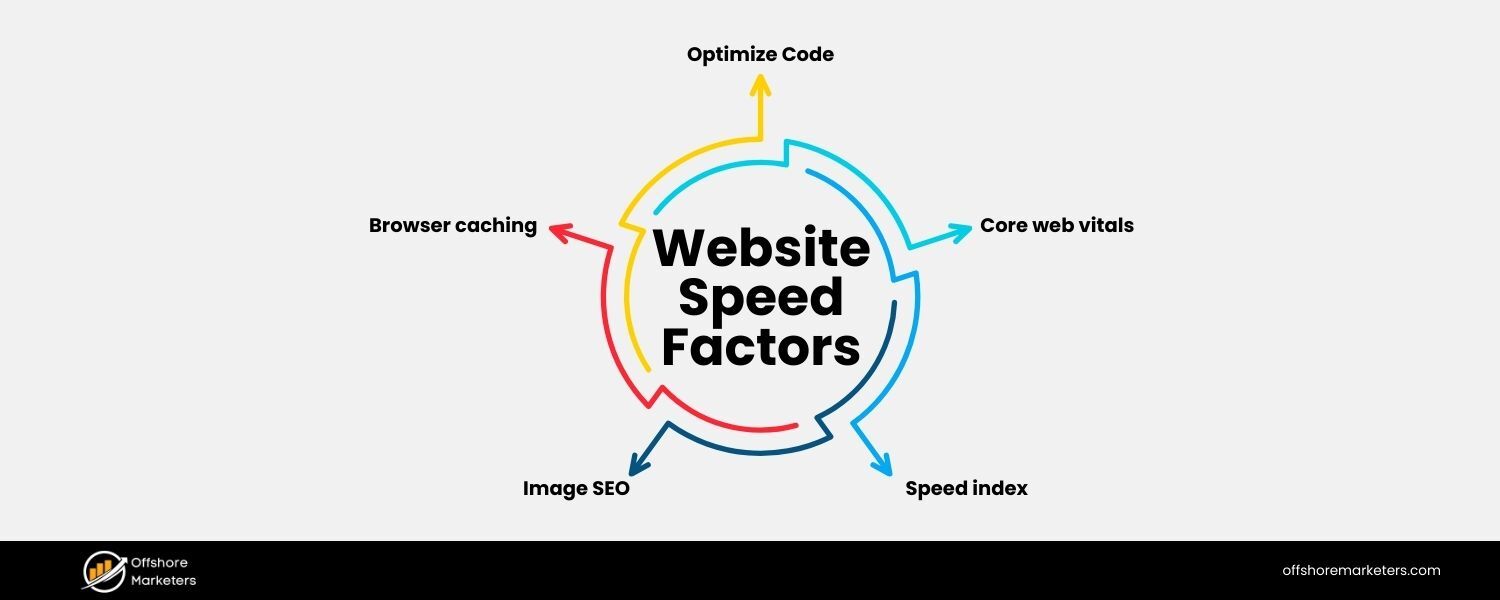
Users across the world should enjoy a fast, smooth experience on your site. Page speed is not only a ranking factor but also crucial for user satisfaction.
If your website is hosted in one country and you’re serving far-flung markets, latency can be an issue, e.g., someone in Asia accessing a U.S. server might face slow load times. Slow sites can hurt your international SEO rankings because of higher bounce rates and poorer user signals.
To mitigate this, consider using a Content Delivery Network (CDN). A CDN is a network of servers distributed in various geographic locations. It works by caching and delivering your site’s content from the server closest to the user, drastically reducing load times worldwide.
For example, if someone in Germany visits your US-hosted website, a CDN might serve images and files from a Frankfurt node, speeding up the delivery. Many CDN services are available (Cloudflare, Akamai, etc.), and they integrate easily with most websites.
Using a CDN is especially crucial if you opted for a single-domain (subfolder) approach for all countries – since all content is centralized, a CDN gives you that global reach in terms of speed.
If you use ccTLDs or regional subdomains, you might instead host each site on a server in or near that region (which naturally improves speed). Whichever route, the goal is the same: fast loading pages for every user, everywhere.
Not only will this help your engagement and conversion rates, but Google’s algorithms will favor your site as it provides a better page experience to users (page experience is part of SEO, and speed is a key component).
5. Leverage Geo-Targeting Settings (Search Console)
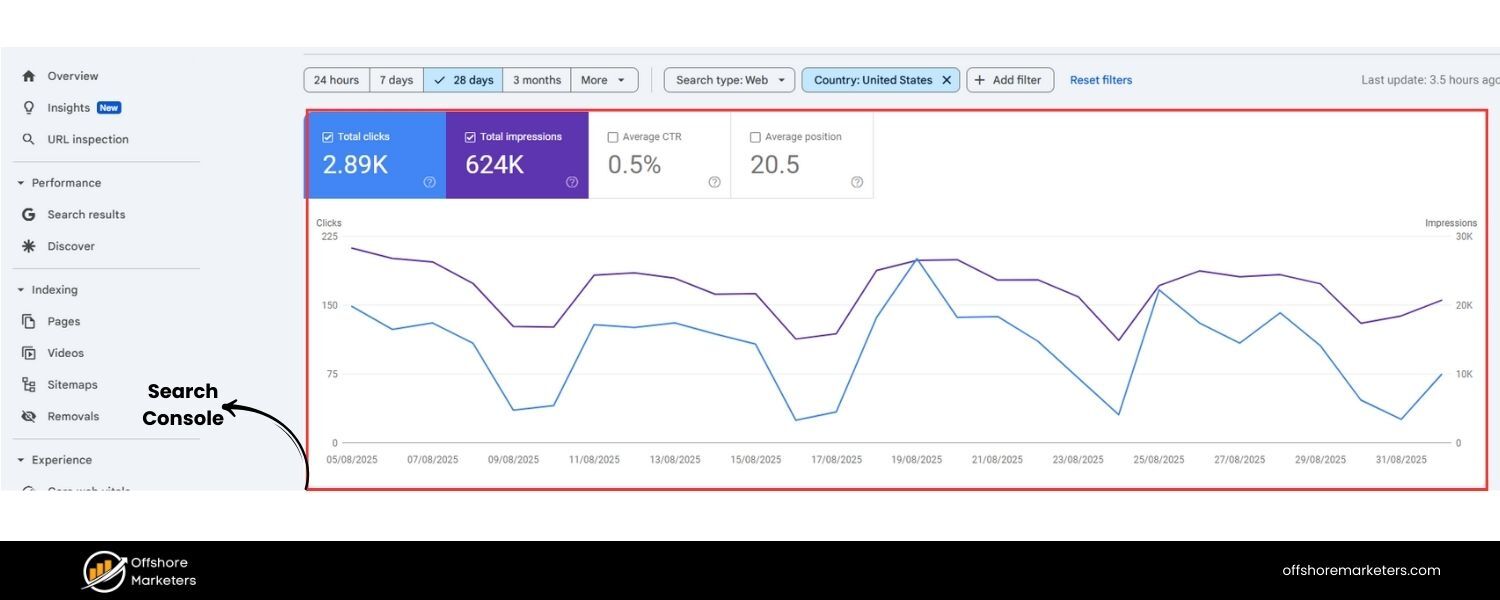
To further reinforce your targeting, utilize tools like Google Search Console’s international targeting feature. If you have subdomains or subdirectories for countries on a generic TLD (like .com/fr/ for France), you can use Search Console to set a target country for that subsite.
This is an extra signal to Google that a particular section is intended for a specific country. For example, you could set the example.com/fr directory to target France specifically. Note: Don’t use this if one section is meant to target multiple countries (e.g. Spanish content for all Spanish-speaking countries – in such cases, rely on hreflang without a single country target).
Also, ensure each locale page indicates language and region targeting consistently – if using schema or meta tags for other purposes, keep them in sync with your hreflang signals.
While meta <language> tags aren’t used by Google for indexing, it doesn’t hurt to have the correct lang attribute in your HTML for accessibility and minor engines – just remember it’s the page content and hreflang that do the heavy lifting for SEO.
Lastly, monitor your international pages in Search Console. Google provides reports (like the International Targeting report) that can alert you to hreflang errors.
It’s also wise to track index coverage and performance for your different locales. Look at Google Analytics or Search Console data segmented by country to see how your international sections are performing. This will help you spot any issues (e.g., a certain country’s pages not getting traffic might indicate an indexing or hreflang problem).
Building Local Authority with International Link Building
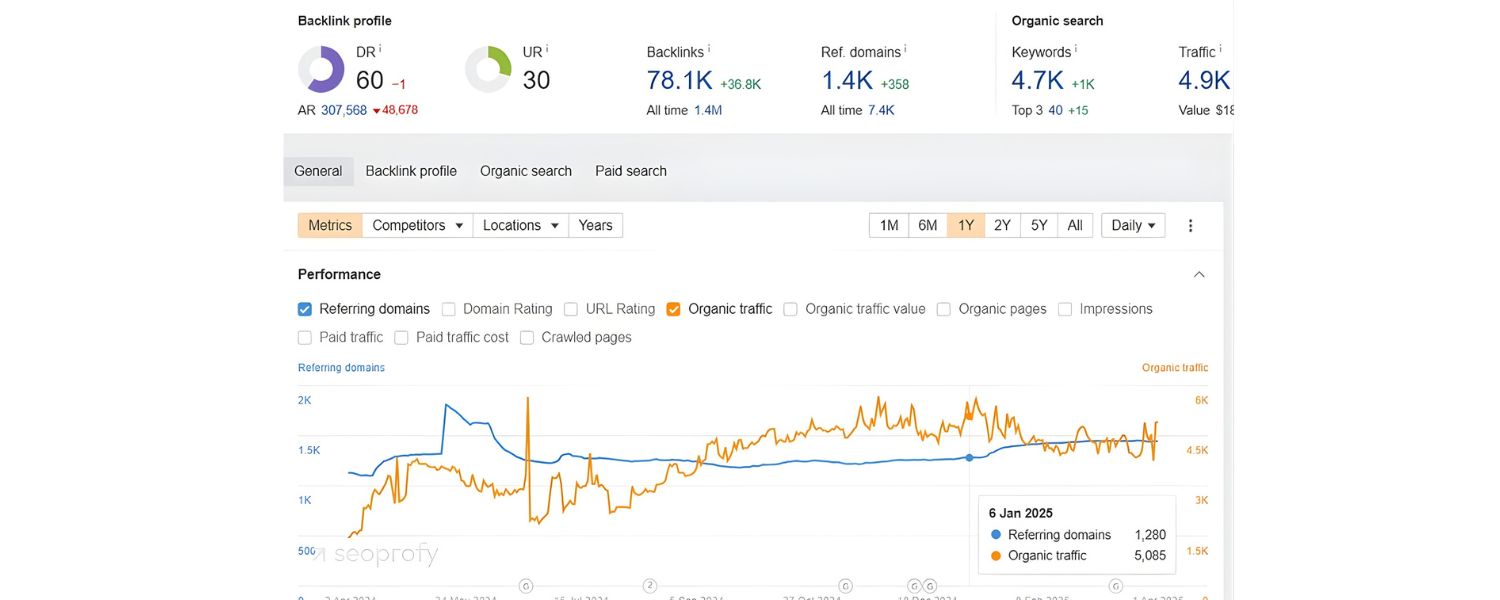
Just as in your home market, backlinks and off-page signals are vital for SEO in each target country. However, one mistake businesses often make is assuming their existing backlink profile will carry equal weight everywhere. In reality, search engines place value on the geographic relevance of links.
A high-authority link from a U.S. site is great, but it may not be as impactful for your rankings in, say, Germany or Mexico. To strengthen your visibility in each region, you’ll want to earn backlinks from websites in that country or language.
Here are strategies to build local authority:
1. Earn country-specific backlinks
Focus on outreach, PR, and content marketing in your target country. For example, to boost your French site’s authority, try to get mentions in French news sites, blogs, or directories. Local industry publications, influencers, or partnerships can be gold mines for this.
Not only do these links carry SEO weight, but they also drive relevant referral traffic. As an example, if you run an e-commerce store expanding to India, getting a product review on a popular Indian tech blog with a link to your site would be extremely valuable.
2. Use local TLD backlinks
Search engines can interpret links from country-coded domains (like .fr, .de, .co.jp) as signals of relevance to that country. So getting backlinks from sites on the same ccTLD as your target market can help your rankings in that locale. It’s not an absolute requirement, but it adds to the localization of your link profile.
3. Leverage local business listings and citations
Ensure your website is listed on local directories, Google Business Profiles (if relevant), and industry associations in each target country. While these may be nofollow or not highly “authoritative” links individually, they signal to search engines that your business is present in that country.
They also help potential customers find you. For instance, if expanding into Japan, create a listing on popular Japanese business directories or maps services.
4. Avoid a one-size backlink strategy
It’s often overlooked that you should track your backlink profile by country. Use SEO tools or Search Console to see where your links are coming from. If 90% of your backlinks are from sites in your home country, it might explain why your international sections aren’t ranking as well yet.
Ahrefs’ Site Explorer, for example, can show a map or breakdown of backlinks by country so you can identify gaps. Make it a goal to gradually build a more balanced link profile that includes links from each of your important markets.
5. Quality and relevance first
As always, aim for natural, high-quality links. Don’t try to game the system by buying a bunch of random foreign links – Google’s algorithms are smart at detecting unnatural patterns. Instead, create locally relevant content that attracts links, and do genuine outreach.
Perhaps publish a useful study or infographic about the local market, or collaborate with a local company on a piece of content. Localized content marketing can organically earn you local links.
Remember, local backlinks are an important trust signal. Google wants to show results that are not only topically relevant but also locally reputable.
If your German-language site has other German sites referencing it, that tells Google “this site is part of the German web ecosystem,” which can boost your credibility in German search results.
Don’t neglect this off-page aspect, combine it with your on-page optimizations for a well-rounded international SEO strategy.
Common Mistakes to Avoid in International SEO
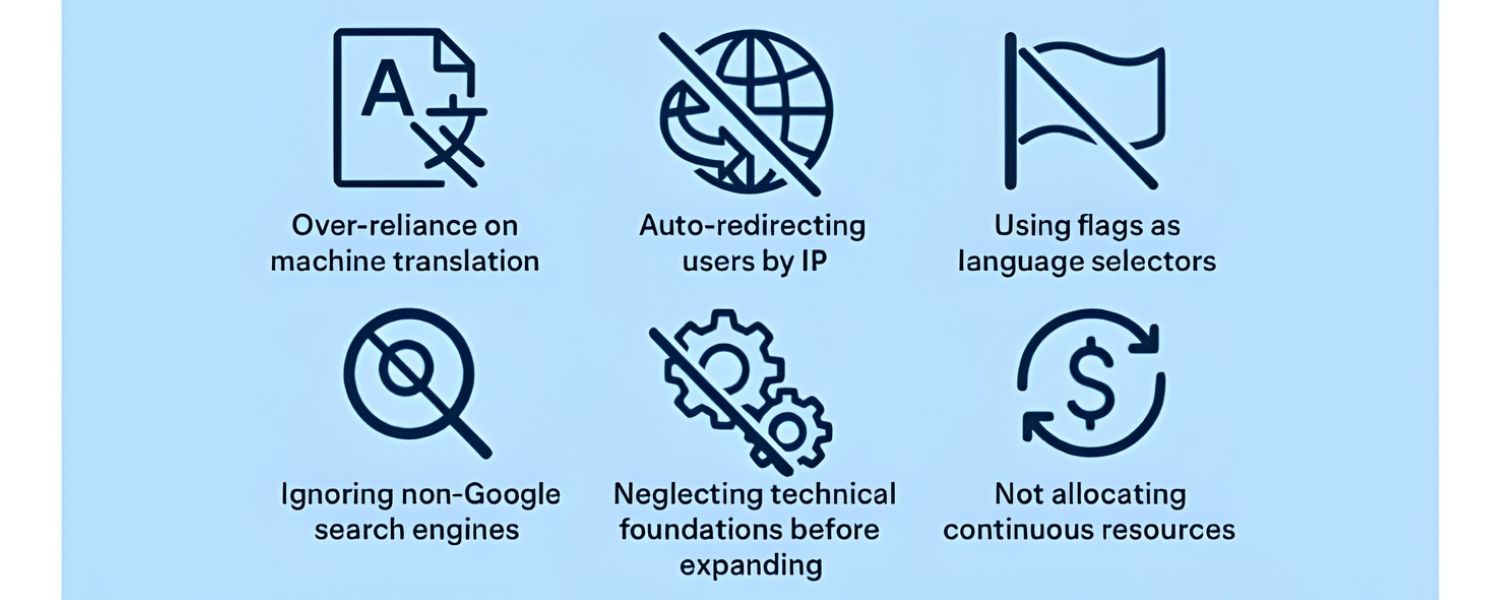
Even with the best intentions, it’s easy to stumble into pitfalls when implementing international SEO. Here are some common mistakes (gleaned from experience and industry examples) that you should be careful to avoid:
1. Using machine translation without review
Automatically translating your entire site and launching it without human proofreading is asking for trouble. Mistakes in translation can range from humorous to disastrous, and they undermine user trust.
Bad translations not only frustrate readers but can also hurt your rankings (through high bounce rates or even negative brand mentions). Always invest in quality translation and localization – your SEO performance in that language depends on users finding your content valuable and trustworthy.
2. Incorrect or missing hreflang tags
Implementing hreflang is tedious, and errors are common, like pointing hreflang to URLs that don’t exist, using wrong language codes, or forgetting to include a self-reference. These errors can nullify the benefits of hreflang or cause unexpected outcomes (such as Google showing the wrong language page in a region).
After adding hreflang annotations, validate them. Use Google Search Console’s International report or third-party tools to catch mistakes. Test by searching Google from different locales (or using VPNs) to see if the correct pages appear.
3. Neglecting certain search engines
Google may be king globally, but in some countries, Google isn’t the default. For example, China’s primary search engine is Baidu, and Russia’s is Yandex.
These search engines have their own algorithms and webmaster guidelines. If you’re targeting markets where this is the case, you need to account for those differences.
This might mean things like getting indexed on those engines’ webmaster tools, understanding their ranking factors (e.g., Yandex historically was less link-centric and more content-focused, Baidu favors sites hosted in China and content in Simplified Chinese, etc.), and possibly following slightly different SEO practices.
Don’t just assume Google techniques will automatically work elsewhere. Be aware of different algorithms in those target countries and optimize accordingly. (That said, many core principles, quality content, fast sites, relevant keywords, remain universal.)
4. Thin or duplicate content across regions
Avoid rolling out a new country site with only a token few pages or content copied wholesale from another region. If you launch a site for a new market, populate it with enough useful, original content to be seen as valuable for that audience.
A common mistake is creating, say, a German section and only translating the homepage and contact page.
Such a thin site won’t rank well and could hurt user perception. Similarly, don’t duplicate the exact same English content across multiple country sections (e.g., using U.S. content for UK site without any modifications), that’s duplicate content without added value. Each locale section should stand on its own with depth and relevance.
5. Ignoring cultural and legal differences
Beyond cultural tailoring of content, ensure you comply with local laws (cookie consent, privacy laws like GDPR in Europe, etc.) and host country requirements (some countries might require hosting certain data locally, for example).
While not direct SEO issues, these can indirectly affect your site’s accessibility and trust in different markets.
Also adapt your marketing tactics, something like aggressive email pop-ups might be standard in one country but seen as very off-putting in another, which could reduce engagement.
6. Forgetting to update and maintain all versions
After launching multiple languages, managing updates becomes challenging. A big mistake is updating information (pricing, product details, blogs) on the main site and not promptly updating the translated versions.
This leads to inconsistency and can confuse users (and even search engines if, say, one language still talks about an old offer that no longer exists). Set up a workflow to push updates to all locales. If using a CMS with multilingual support, take advantage of features that show content status across languages.
By keeping these pitfalls in mind, you can proactively avoid them. International SEO does add complexity to your operations, but attention to detail and ongoing vigilance will pay off in the form of strong global search performance.
Conclusion: Take Your Business Global
Entering the world of international SEO may seem complex, but with a strategic approach it can yield transformative results for your business. By optimizing your site for multiple languages and countries, you’re essentially laying out a welcome mat for global audiences.
Let’s recap some key takeaways: use a sensible site structure (no matter which type you choose, be consistent and avoid poor practices like parameter URLs), deliver high-quality localized content that truly speaks to each market, implement technical essentials like hreflang and fast global hosting, and build your reputation in each locale through local links and engagement.
The reward is a website that search engines recognize as relevant across many regions, and that users in each region recognize as speaking their language.
When your French customers find your French pages easily, or your Japanese audience lands on content crafted just for Japan, you’ve won half the battle, you’ve overcome the friction that drives international visitors away. Instead, they’ll stay, read, and convert, because you’ve given them a tailored experience.
Now it’s time to put these strategies into action. International SEO is not a one-and-done project but an ongoing commitment to your global growth.
Start by prioritizing your next steps: maybe it’s conducting that market research, or implementing hreflang across your site, or hiring a translator for your top pages. Every improvement you make can boost your presence in an entire new market.
Ready to go global? With the best practices and insights from this guide, you have a roadmap to follow. Begin optimizing your site for international success today, and watch as your brand’s reach and revenue expand beyond borders.
By investing in international SEO, you’re investing in the future growth of your business. Here’s to seeing your website rank #1 around the world!

Why Roseville Startups are Choosing Offshore Marketers to Scale Smarter
Roseville is no longer just a quiet suburb of Sacramento;...

What Is PPC? A Practical Guide to Pay‑Per‑Click Advertising
Pay‑per‑click (PPC) is the “pay only when someone clicks” branch...

Google Search Issues Affecting Results in Some Regions
Google has confirmed a problem with one of its data...

Keyword Counts Dropped After Google’s num=100 Change
In September 2025, Google stopped supporting the &num=100 parameter. This...

Image SEO: Optimize Images for Higher Rankings & Traffic
Introduction Images make your website more engaging, but they can...


.png)
.png)
.png)
.png)
.png)

2024 ALL RIGHTS RESERVED MADE IN INDIA
.png)