
Keyword Cannibalization: Why It Hurts SEO and How to Fix It
August 25, 2025
Introduction
You might be unintentionally sabotaging your website’s search rankings by letting your own pages compete against each other. Imagine multiple pages on your site targeting the exact same keyword, instead of helping you dominate Google, they’re battling for the same spot.
This common SEO pitfall is known as keyword cannibalization, and it can quietly erode your search performance if left unchecked. The result? Lower rankings, confused visitors, and missed opportunities for traffic.
In this comprehensive guide, we’ll explain what keyword cannibalization is, why it’s harmful, how to find it on your site, and, most importantly, how to fix it and prevent it from happening again.
What Is Keyword Cannibalization?
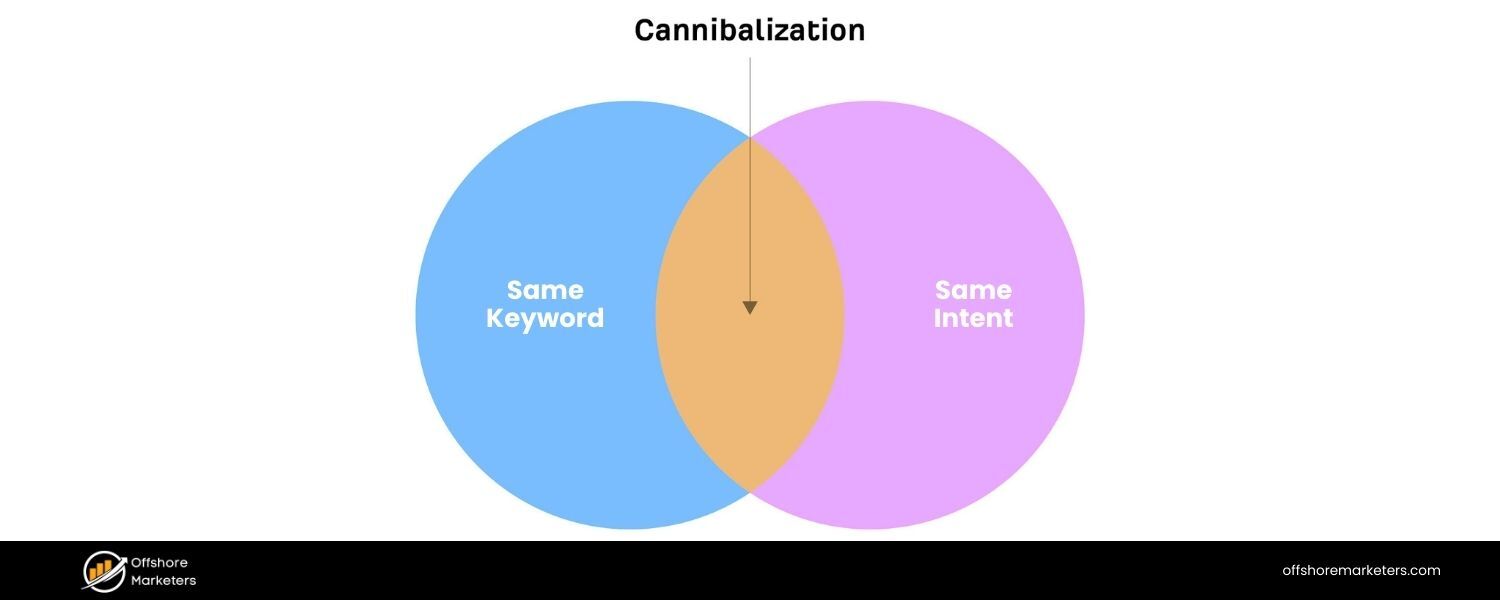
Keyword cannibalization is an SEO issue that occurs when multiple pages on the same website target the same (or very similar) keyword and search intent.
In other words, you have several pages that could rank for a given query, blog posts, product pages, or other content optimized around the same term, and they end up competing with each other in search results. Rather than one strong page ranking prominently, you get two or more weaker pages splitting the relevance and visibility.
For example, suppose you publish two articles optimized for “best running shoes.” If both pages serve a similar purpose, Google may struggle to decide which one is most relevant. Instead of one page ranking high, both might hover in lower positions, essentially cannibalizing each other’s chance to rank.
As SEO experts explain, having a bunch of similar pages is like “a bunch of kids wanting to be first in line”, they all jostle for position, and ultimately someone else (a competitor’s site) might slip ahead of them. In short, you dilute your site’s authority by spreading it across too many pages that target the same topic.
Content Cannibalization vs. Keyword Cannibalization
It’s also useful to understand content cannibalization, a closely related concept. While keyword cannibalization refers to overlapping keywords, content cannibalization means you have multiple pages covering the same topic or offering the same value, even if they don’t use the exact same keyword phrasing. This thematic overlap can confuse users and search engines about which page is the best answer for a topic.
Content cannibalization is broader, for instance, five blog posts all giving similar tips on marathon training will overlap in content even if one targets “marathon training tips” and another “train for a marathon fast.” The keywords differ slightly, but the content angle is nearly the same.
The bottom line: whether it’s duplicate keywords or duplicate topics, too much overlap means your own pages are competing when they should be complementing each other.
Why Keyword Cannibalization Hurts Your SEO
Cannibalizing your keywords can devour your site’s SEO potential, leading to several negative consequences:
1. Lower Organic Rankings
Google often limits how many pages from one domain appear for a given search. If several of your pages try to rank for the same term, none of them may rank as high as a single authoritative page would.They effectively hold each other back. In many cases, Google will choose one page to display and ignore or down-rank the rest, or it might swap the ranking pages back and forth, causing volatile positions. This inconsistency means your primary page struggles to reach the top.
2. Diluted Authority and Backlinks
Rather than one page accumulating all the link equity (backlinks) and authority for that topic, multiple pages split those signals.For example, two similar pages each with a few quality backlinks are far less powerful than one consolidated page with all those backlinks.
As a result, no single page becomes a strong contender. Any external links, social shares, or positive metrics get divided between duplicates, watering down the overall SEO strength of your site.
3. Confusing Search Engines
While search algorithms don’t get “confused” in a human sense, having duplicate content forces Google’s algorithm to decide which page is most relevant, essentially an internal competition.
Google might not always pick the right page (for example, it could show an older or less conversion-focused page instead of the one you prefer). In some cases, if none of the competing pages clearly stands out, Google might rank a competitor’s content instead because your signals are split.
4. Poor User Experience & CTR
Keyword cannibalization can also hurt user experience. If multiple similar pages from your site appear in the search results, they may each get fewer clicks than one consolidated result would.
Users might see two of your pages and not know which to choose, or worse, they click one and find it’s not as comprehensive as they hoped, then bounce back to search results. This can lead to lower click-through rates and higher bounce rates for your pages.
In scenarios where the “wrong” page ranks (e.g. a generic blog post shows up when the user really wanted a product page), visitors can get frustrated and leave, sending negative quality signals to Google.
5. Wasted Crawl Budget
For larger sites especially, having numerous similar pages means search engine crawlers waste time indexing duplicate or overlapping content. Each redundant page consumes crawl budget – the number of pages Googlebot will crawl on your site in a given period.
If you have two or more pages competing on the same keywords, that’s multiple crawl attempts for basically the same content. In extreme cases, important pages might get crawled less frequently or even overlooked if Google deems your site repetitive.
6. Missed Opportunities
Perhaps the most subtle consequence is opportunity cost. Every page that cannibalizes another is a page not targeting a new, unique keyword. By focusing on the same term repeatedly, you’re missing the chance to rank for additional keywords or topics that those pages could have targeted.
You’re essentially stuck competing for the same audience instead of expanding your reach. Consolidating those pages into one can free you up to create other content that targets related long-tail keywords or different facets of the topic, thus widening your search visibility.
Taken together, these issues make it clear that keyword cannibalization undermines your SEO effectiveness. As Google’s John Mueller puts it, he prefers “fewer, stronger pages over lots of weaker ones”, otherwise you risk “watering your site’s value down”. Next, we’ll look at how you can find out if this problem is affecting your site.
How to Identify Keyword Cannibalization
If your site has been around for a while and has lots of content, there’s a good chance some pages might overlap. Finding those cannibalization issues is a crucial first step to fixing them. Here are effective ways to identify if you have keyword cannibalization happening:
1. Search Your Site (Google Site: Search)

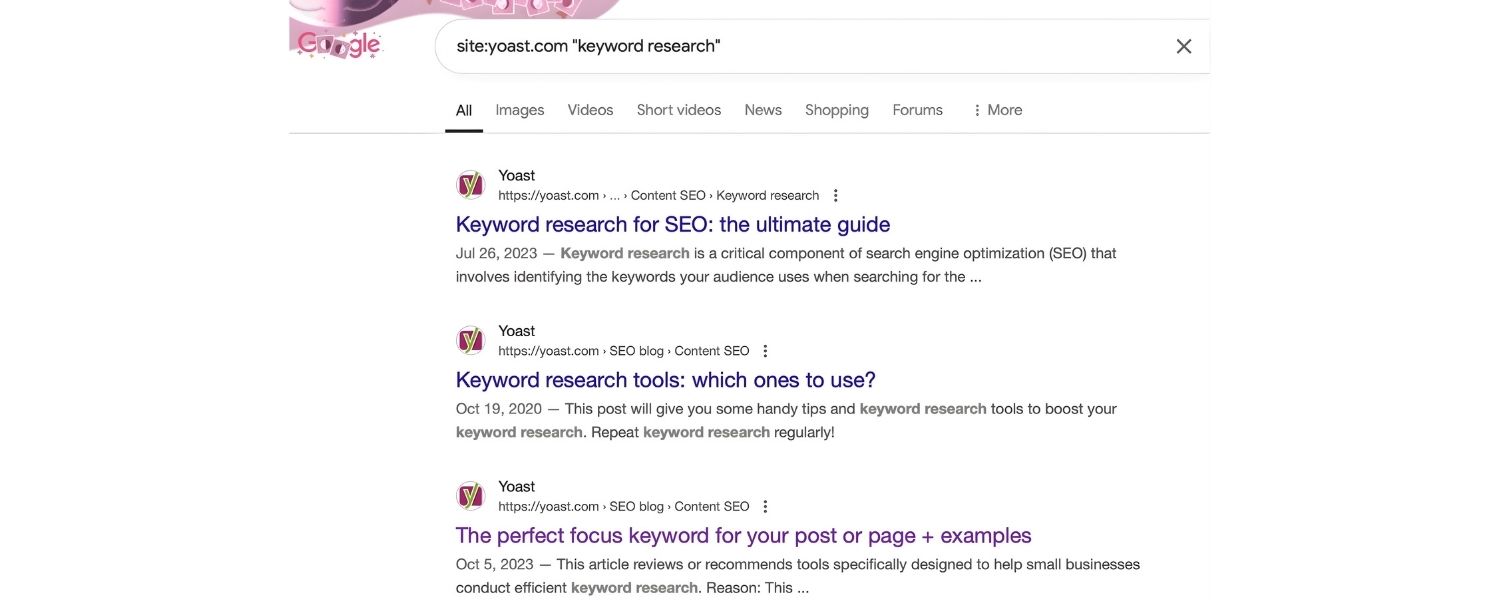
An easy starting point is to perform a Google search query like:site:yourwebsite.com “keyword”Replace “keyword” with the term you suspect might be duplicated. This query will list pages from your site that mention that keyword. If you see two or more of your URLs in the results targeting the same term, that’s a red flag, those pages could be in conflict. For instance, site:example.com “running shoes” might show you multiple blog posts or product pages all optimized for “running shoes”.
2. Use Google Search Console (Performance Report)
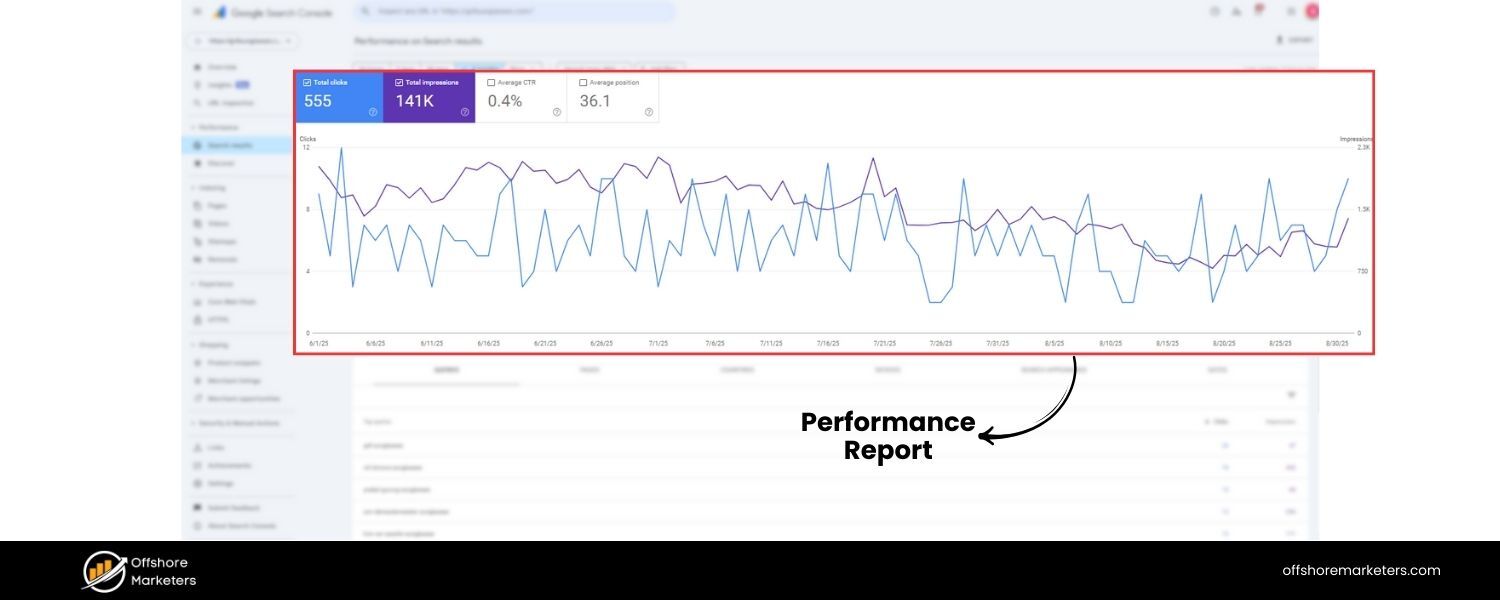
Google Search Console (GSC) provides data straight from Google about how your pages perform for various queries.In GSC, go to the Performance > Search Results report. Use the Query filter to filter for a particular keyword (or simply click on a query in the list of top queries).
GSC will then show you which pages have received impressions or clicks for that keyword. If you notice multiple different URLs from your site getting impressions for the same query, that indicates cannibalization.
Often, one page will have most of the clicks while others languish, those secondary pages are candidates to investigate. You can also filter by Page in GSC (e.g., filter to a section of your site or a keyword in URLs) to spot clusters of pages about the same topic.
3. Leverage SEO Tools for Cannibalization Reports
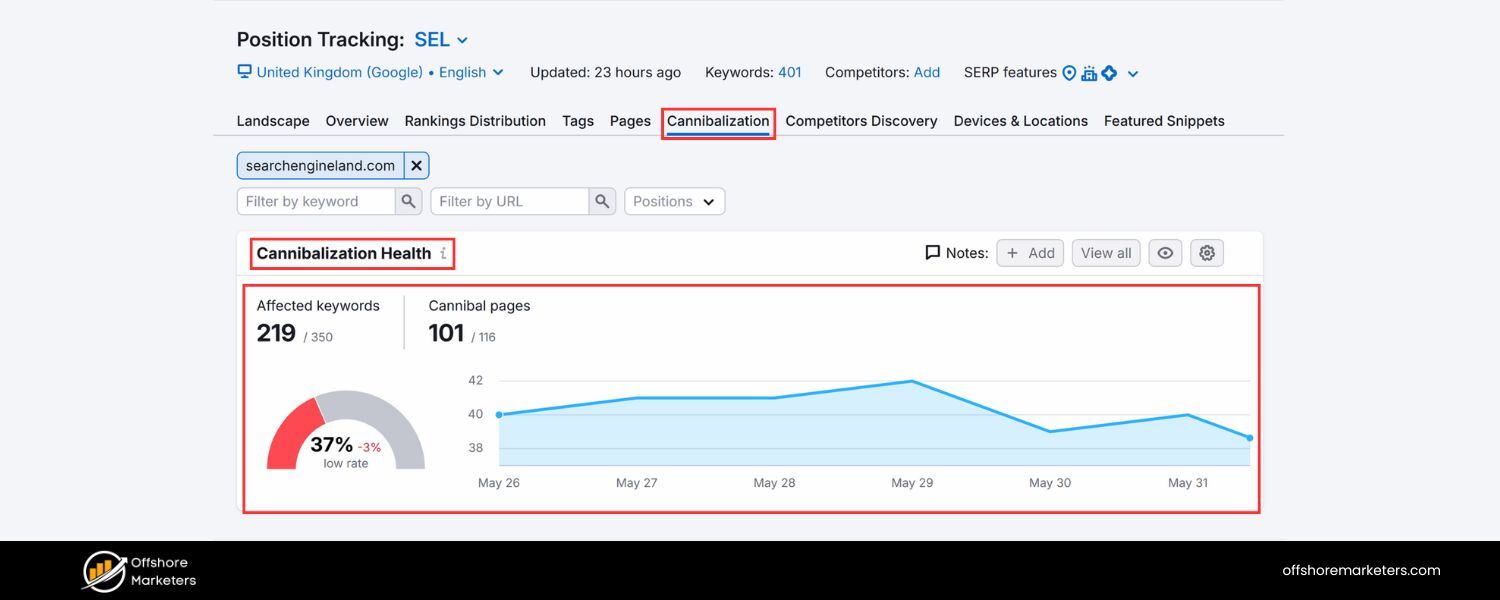
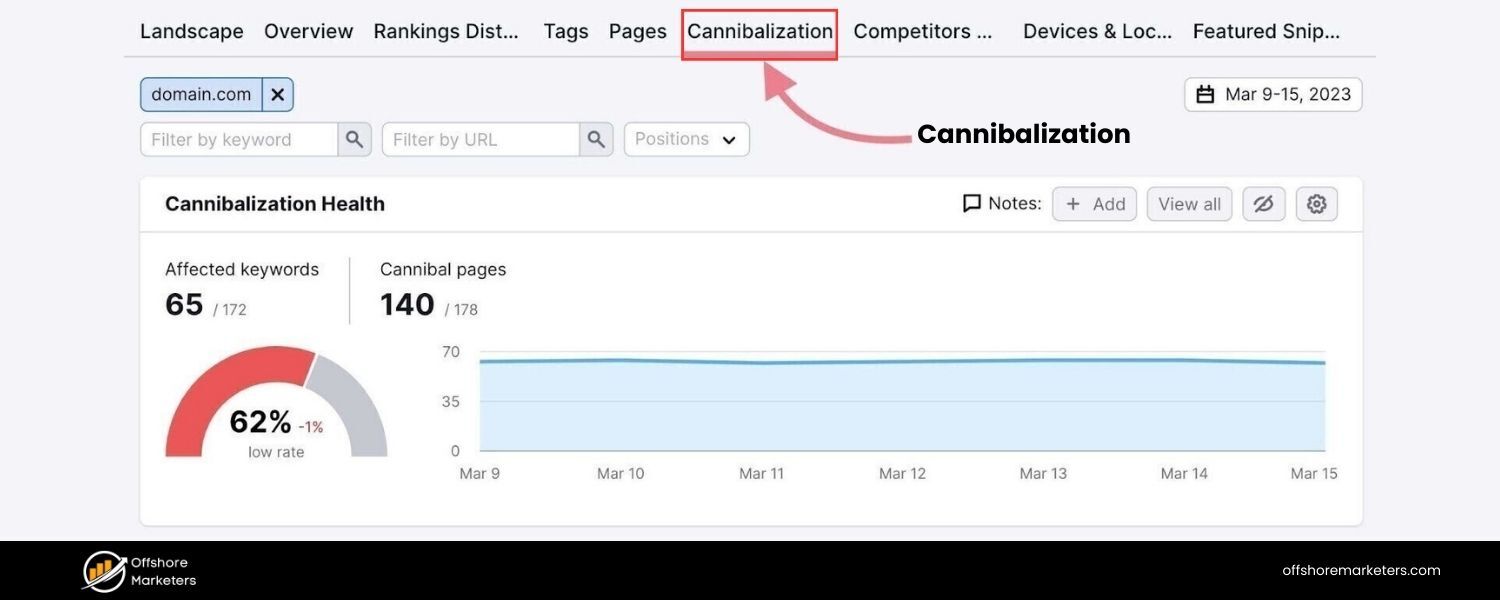
Many SEO tools now have built-in features to catch cannibalization. For example, Semrush’s Position Tracking tool includes a Cannibalization report that flags when more than one page from your domain is ranking for the same keyword in the top 100 results.
Tools like Ahrefs also can highlight keywords that swap ranking pages frequently (a sign of cannibalization). These tools automate the process by scanning your keyword rankings and pinpointing overlapping URLs. If you have a large site, such tools can save time by surfacing problematic keywords and pages automatically.
4. Check Your Rankings Manually
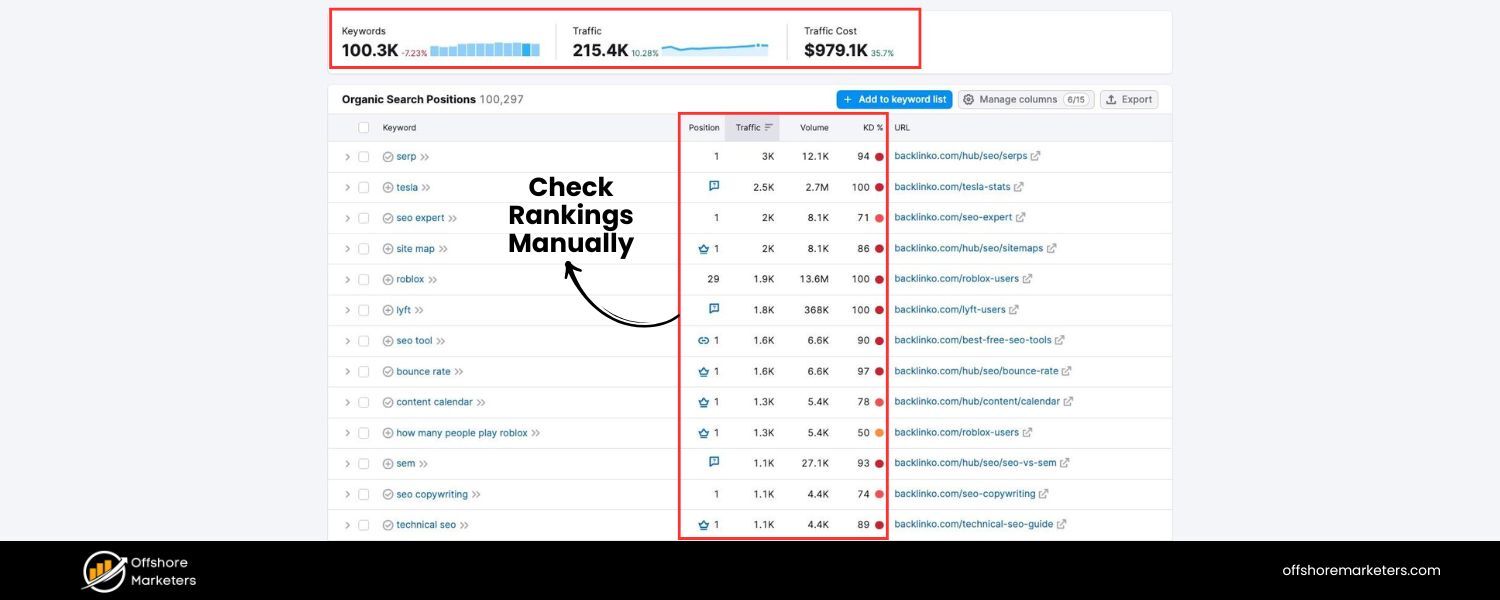
Another approach is to simply Google important keywords you’re targeting and see what shows up. If you find two pages from your site ranking on page 1 for the same term, you might think “Great, I own two spots!” – but be cautious. If those two pages serve very similar intent, one might be cannibalizing the other’s potential.
Also, if you suspect Google is only showing one of your pages when you actually have multiple relevant pages, try this trick: add &filter=0 to the end of the Google search URL and search again. This removes Google’s host clustering filter (which normally hides additional results from the same domain).
With host clustering off, you might suddenly see that Google could have listed several of your pages for that query. Those additional pages (now visible) are likely cannibalizing content, they were filtered out for being too similar. This advanced check can reveal pages that are hovering just outside of view due to similarity.
5. Map Your Content Topics and Keywords
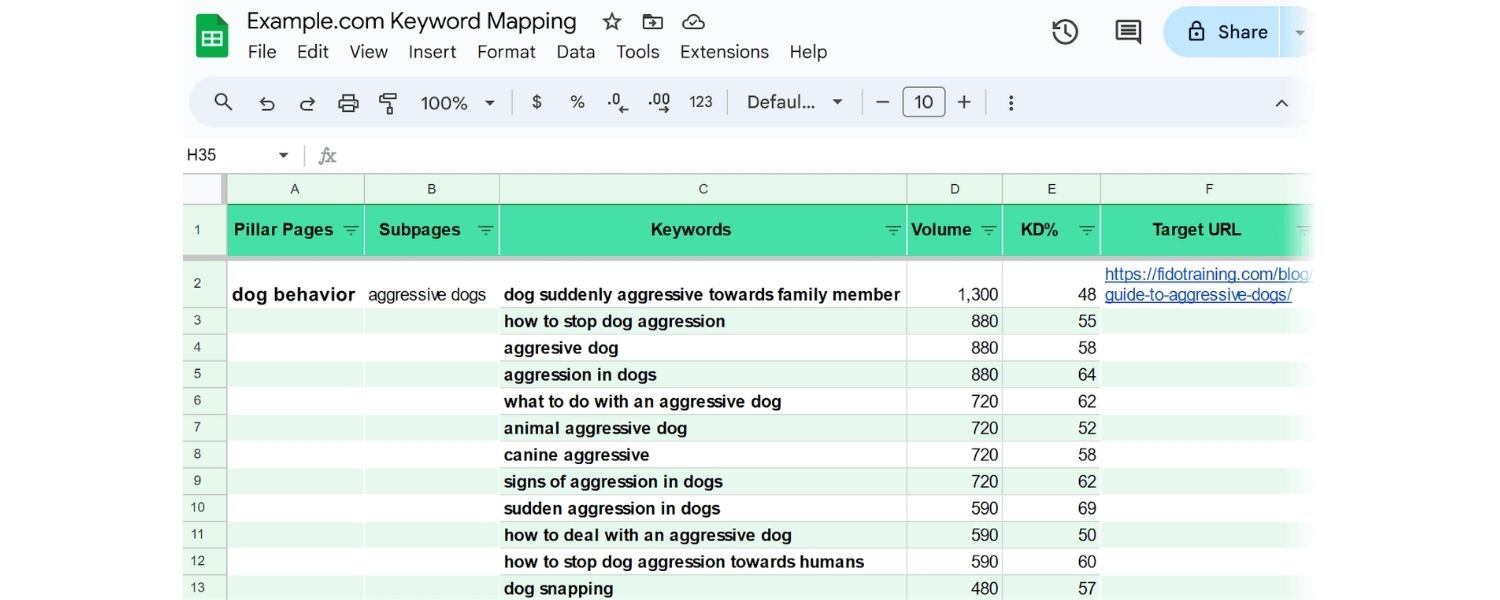
Maintain a content map or spreadsheet with your pages, their primary keywords, and main topics. This makes spotting overlap easier. For instance, if one article targets “SEO audit checklist” and another targets “SEO audit guide” with almost the same content, those are likely cannibalizing each other. Reviewing URL structures and content tags can further help identify subtle overlaps.
By using a combination of these methods, you’ll develop a clear picture of any cannibalization issues on your site. Often, site owners are surprised to discover how many overlapping pages exist, but the good news is, once you’ve identified them, you can take action to fix the problem (Why Your Website Needs an SEO Audit).
How to Fix Keyword Cannibalization (Step-by-Step)
Identifying cannibalization is half the battle; now it’s time to resolve it. Fixing keyword cannibalization usually means making some tough choices about which pages to keep and which to change. The goal is to have one best, most relevant page per keyword or topic, supported (but not undermined) by any other related pages. Below are the steps and strategies to fix cannibalization issues:
1. Determine the Primary Page (Pick the Winner)
Start by deciding which page should be the main or “authoritative” page for the keyword in question.Look at your analytics and search console data for the overlapping pages, which one has the most traffic, conversions, or backlinks? Also consider which page best satisfies the user intent for that keyword. That page will likely be the one you want to keep as the primary content.
For example, if you have a product page and a blog post competing, and your goal is conversions, the product page might be the winner to keep. Choosing a primary page is crucial because all subsequent actions (merging or redirecting others) will center on boosting this page.
2. Merge or Update Content (Combine Value)
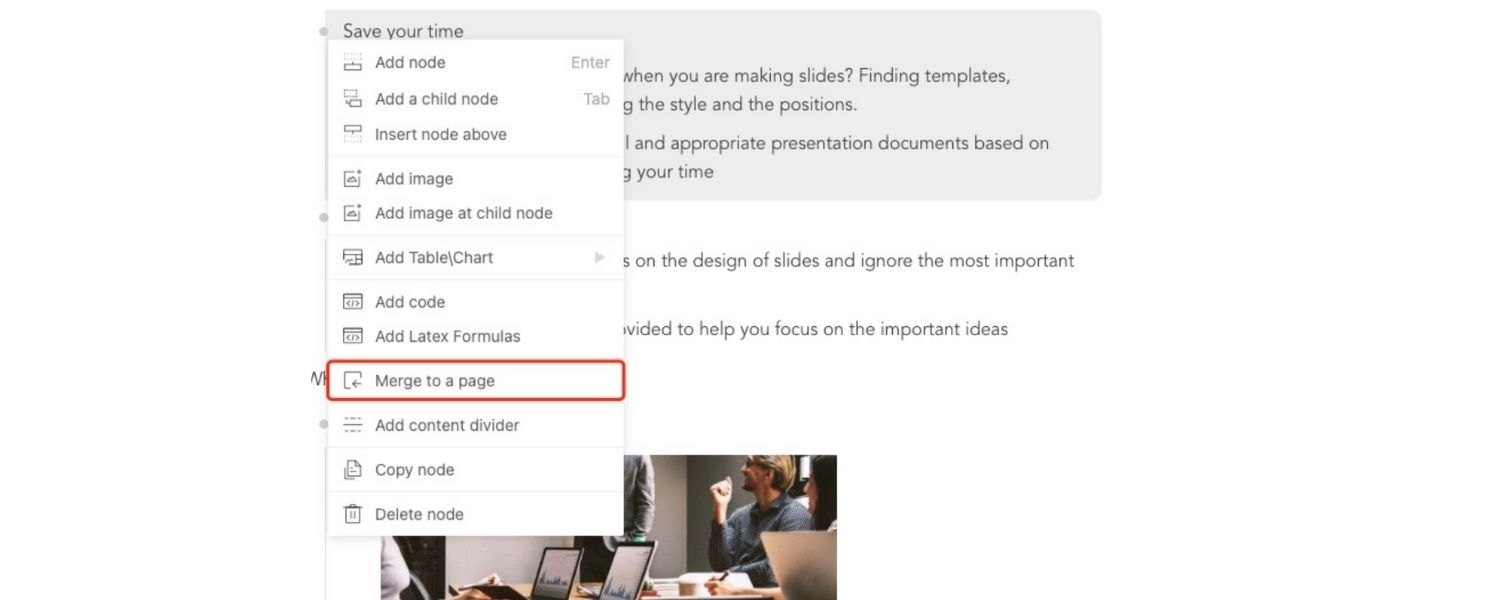
For the pages that you did not choose as primary, consider whether they have unique content or value that the main page lacks. If they do, a great solution is to merge those insights into the primary page.
This often means combining two or more thin pages into one comprehensive page. Copy over any useful sections, paragraphs, or data from the secondary pages into the main page (editing and blending as needed so it reads smoothly).
By consolidating content, you create a single, richer resource. In many cases, content that was split between multiple pages actually performs better when it’s all in one place.
(We’ll see an example of this in a moment.) If the secondary pages don’t have anything worth salvaging (e.g., they’re very low quality or redundant), you might skip merging and simply eliminate them in the next step.
The key is to ensure the primary page ends up as the best possible answer for the query, often that means making it longer, more detailed, or more targeted by using the other pages’ material.
3. Delete and Redirect Duplicates
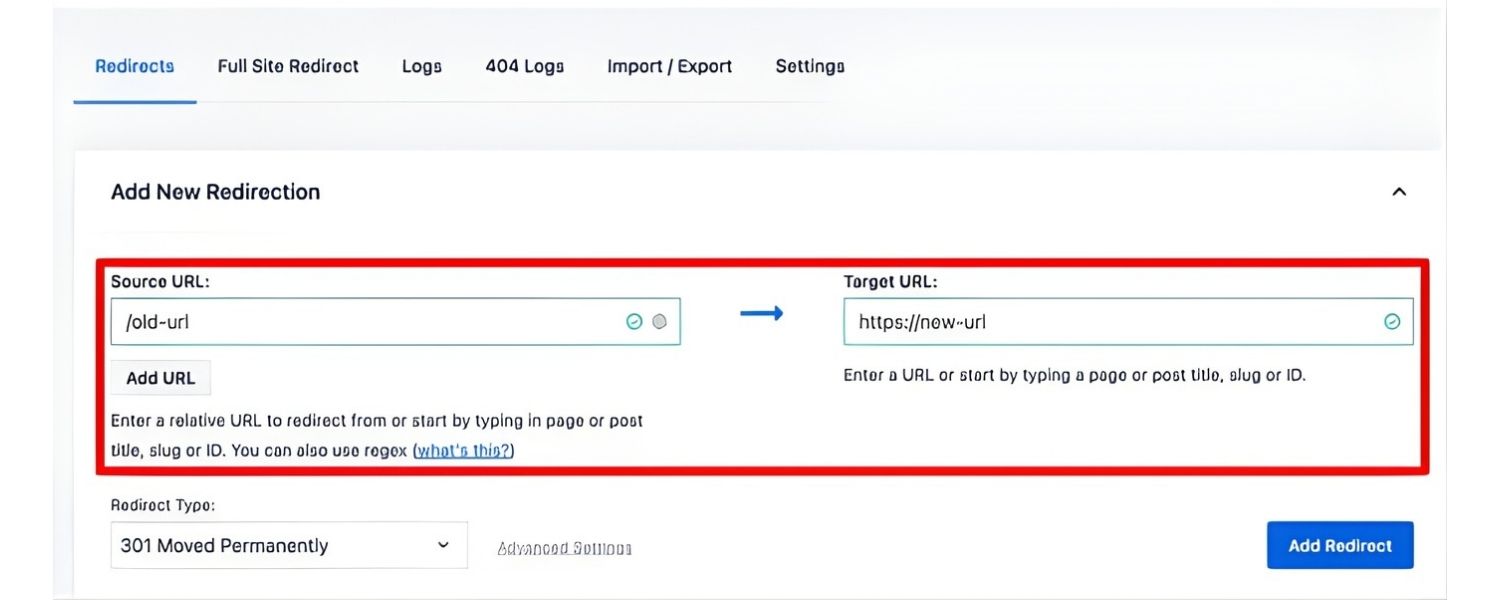
Once you’ve merged content (if necessary), you should remove the cannibalizing duplicate pages from your site.Don’t just delete them and leave users (and Google) hitting a 404 error, instead, implement a 301 redirect from each old page URL to the primary page URL.
A 301 redirect is a permanent redirect that tells search engines “this content has moved here now.” By redirecting, you transfer much of the SEO value (link equity) of the old pages to the main page. It also ensures that any visitors who might still find the old URLs (or have them bookmarked) will be taken seamlessly to the updated page.
In cases where an overlapping page is still useful to users but you don’t want it indexed (for example, a special landing page or an archival piece), you could add a noindex tag instead of deleting – this keeps the page accessible on your site but tells Google not to include it in search results. However, most of the time, if a page truly has no unique purpose, it’s better to remove it and redirect to avoid confusion.
4. Use Canonical Tags if Necessary
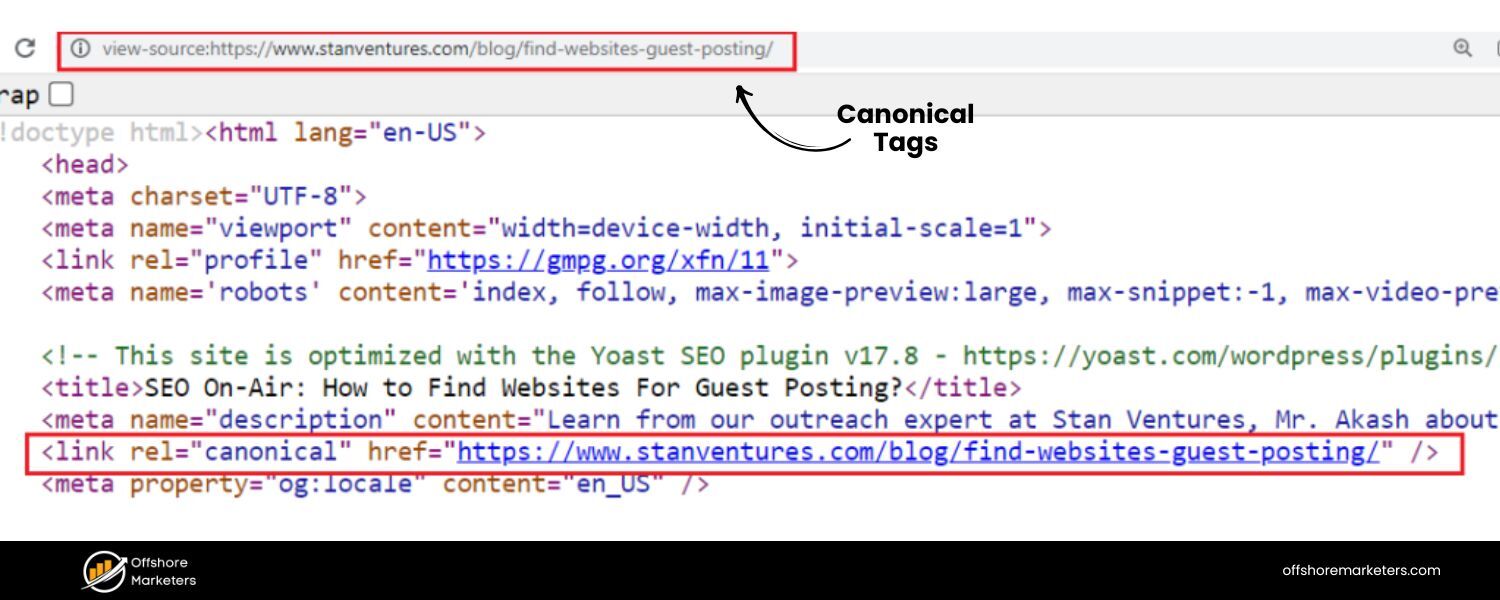
If for some reason you cannot combine or remove a page (say you have two similar product pages that need to exist for users, like blue vs. red version of a product), consider using a canonical tag.
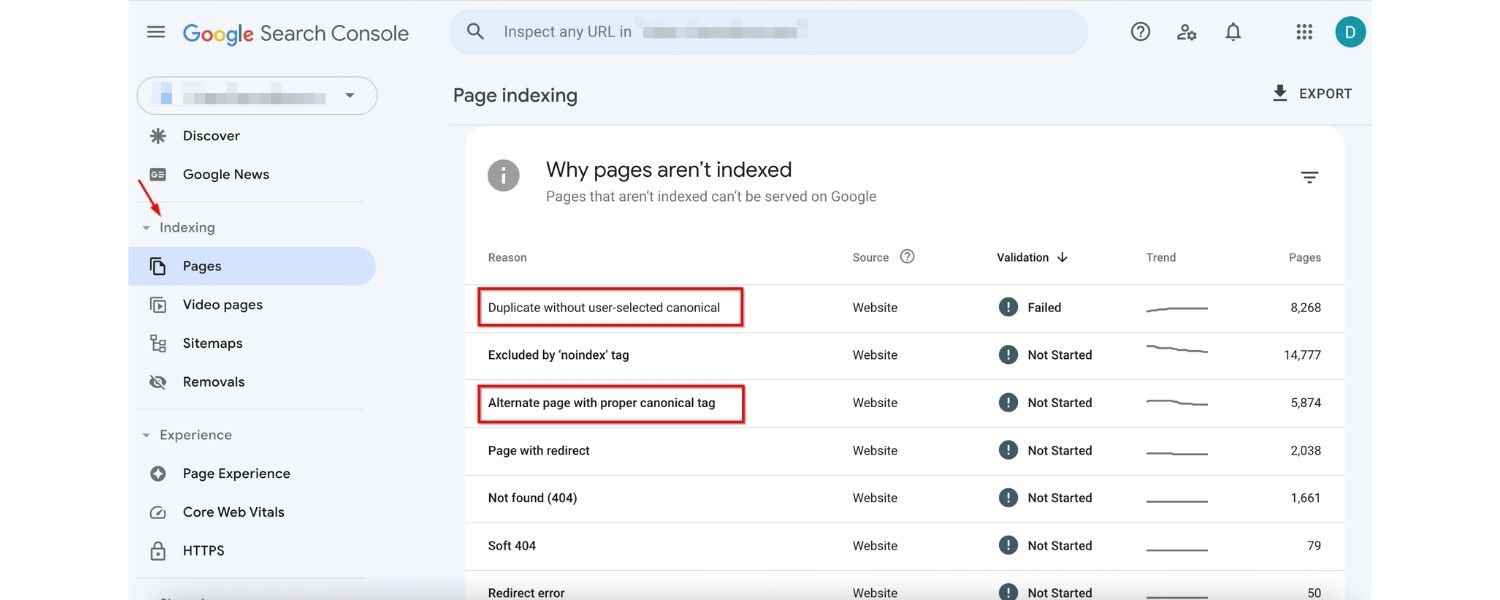
A canonical tag is a snippet of HTML that lets you declare the “preferred” page that Google should index when very similar pages exist.Essentially, Page B says “hey Google, Page A is the main one, count my content as a copy of Page A.” This way, Google will consolidate ranking signals to the canonical page. Be cautious, though: canonicals are not a magic fix if the pages are substantially the same; if you can merge or differentiate content, that’s usually better.
Canonical tags are best when pages are duplicates or near-duplicates for legitimate reasons (for example, printer-friendly versions of articles, or product pages sorted differently). They are not a substitute for actually fixing redundant content, think of them as a technical hint to search engines when you truly need two URLs for the same content.
5. Differentiate Pages Targeting Similar Keywords
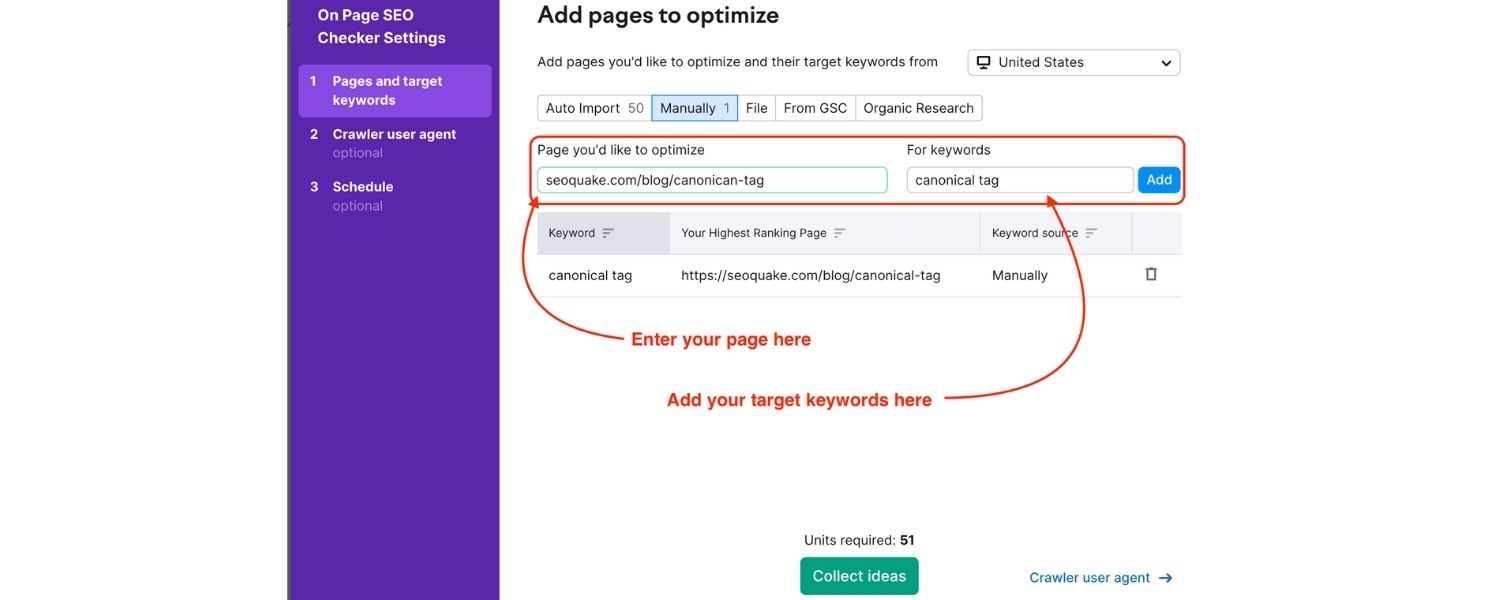
In some cases, you might have two pages overlapping but you decide you want to keep both. This can be okay if you clearly differentiate their purpose and target slightly different search intents. For example, maybe you have one page targeting “SEO audit checklist” and another targeting “SEO audit tools”. They overlap, but each has a unique angle.
To avoid cannibalization here, edit each page to sharpen its focus: ensure each one answers a distinct question or user need. You might optimize one for a long-tail variation or a specific subtopic so that Google sees them as complementary, not competing. Also double-check that their titles and meta descriptions highlight different angles.
Essentially, make it crystal clear to readers and search engines why each page exists. If done well, you can sometimes have multiple pages from your site ranking for different facets of a broad keyword without harming each other (more on this in the FAQ section).
6. Improve Internal Linking & Hierarchy
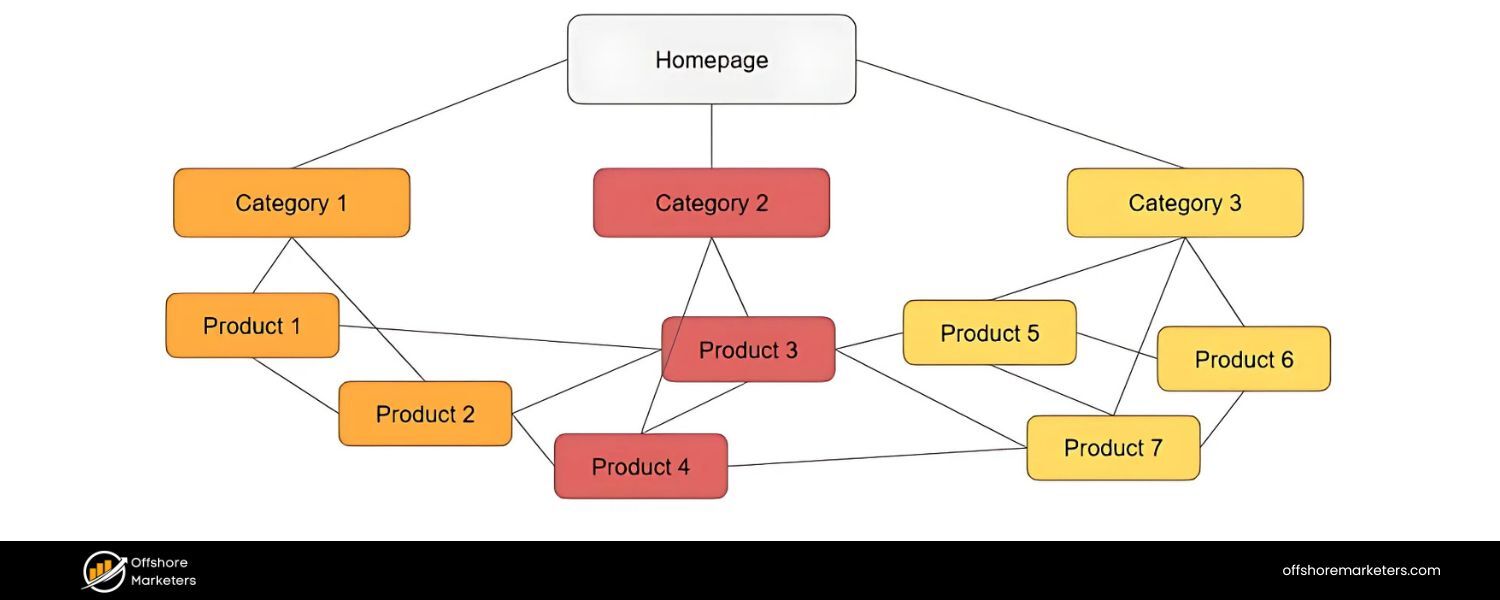
After consolidating and pruning pages, don’t forget to adjust your internal links. Any pages on your site (or navigation menus) that used to link to the now-removed pages should be updated to point to the primary page.
Beyond that, you can proactively use internal linking to your advantage: link related pages to your new primary page using keyword-rich anchor text. This signals to search engines which page is the central authority on that topic.
Some SEO experts advocate a “pillar and cluster” model, where your main comprehensive page (pillar) is linked from multiple smaller related posts (clusters). Those supporting pages might cover subtopics and link up to the pillar page. This way, all the link equity funnels into the pillar, reinforcing its importance.
Above:
An example of merging overlapping content. In one case, a site had three separate articles (parts 1, 2, and 3) about conducting an SEO audit, but none performed well on their own. They merged these into a single, more comprehensive SEO audit guide, which subsequently ranked better and attracted more traffic.
This illustrates how combining closely related pages into one stronger resource can boost SEO. Instead of three incomplete pieces, there’s now one authoritative page that search engines (and users) recognize as the go-to source on that topic.
Above:
Internal linking strategy with a “cornerstone” page. The diagram shows a central pillar page (also called a cornerstone article) about a broad topic, supported by more specific subtopic pages linking back to it.
By creating a clear content hierarchy like this, you help search engines understand which page to prioritize for the main keyword.
The supporting pages can still rank for their particular long-tail keywords, but they all funnel authority to the main page, avoiding competition. Implementing this structure after fixing cannibalization ensures the problem doesn’t recur.
After executing these steps, give search engines some time to re-crawl and index the changes. Monitor your keyword rankings and organic traffic over the next several weeks. You’ll ideally see your chosen primary pages climb higher, as they’re no longer being held back by duplicates.
Many SEO professionals report significant ranking improvements after consolidating cannibalized pages, often turning a page from “stuck on page 2” to page 1 dominance once it stands alone.
How to Prevent Cannibalization in the Future
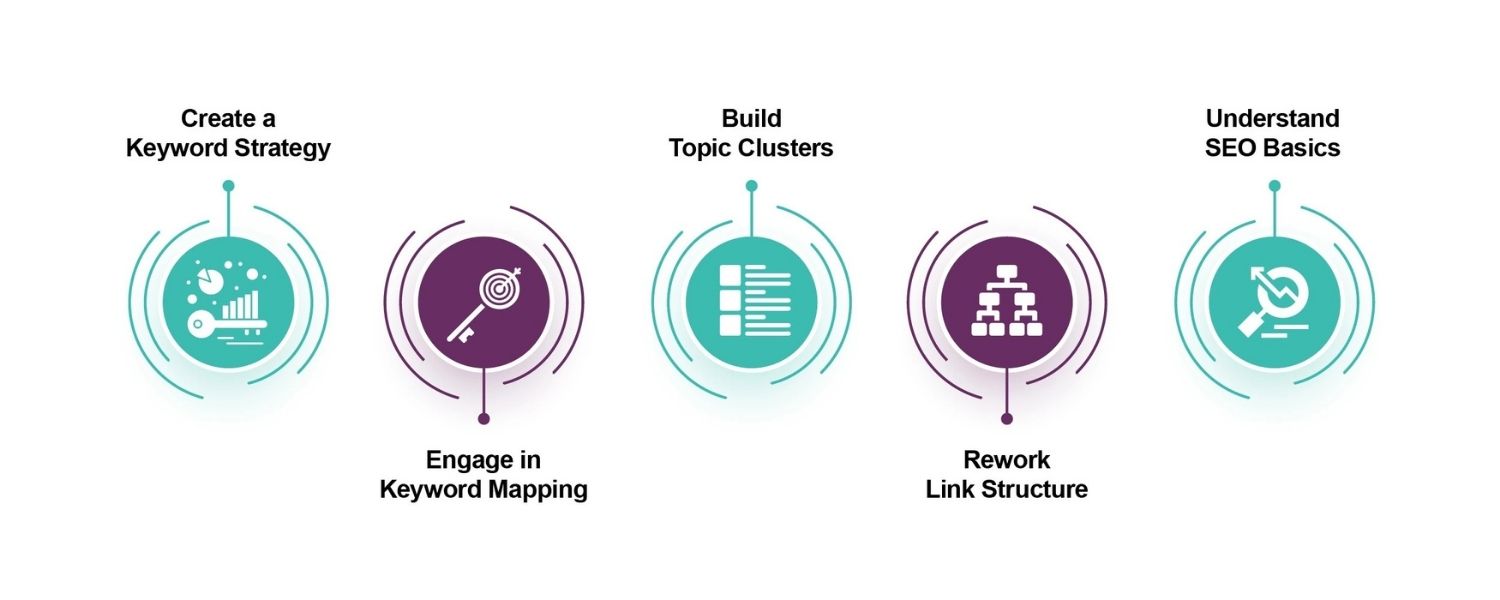
After you’ve cleaned up any cannibalization issues, the next goal is to prevent them from happening again. As websites grow, it’s easy to accidentally create overlapping content – but a few proactive strategies can keep your SEO clean and organized:
1. Do Careful Keyword Research and Mapping
Before creating new content, always check your existing content lineup. Ensure that each new page has a unique primary keyword or clear topic that isn’t already covered elsewhere on your site.It helps to maintain a keyword map or content inventory. For example, keep a spreadsheet of all published pages with their focus keywords. This way, you can spot potential duplicates before you even write them.
A good rule of thumb is one focus keyword per page (unless you have a deliberate multi-intent strategy). If you find two pages would inevitably target the same term, that’s a sign to combine them into one or differentiate their angles.
2. Use Clear Content Briefs
When writing new content (or assigning it to writers), include a content brief that outlines the specific intent and subtopics to cover. This keeps each piece focused. A brief might state: “This article will target X keyword and answer Y question, and will link to Z page for broader info.” By defining the scope up front, you reduce the chance of inadvertently creating another page that covers something you already have. A strong brief ensures the new content fills a gap rather than overlaps with existing content.
3. Establish Pillar & Subpage Hierarchies
As mentioned, adopting a content structure where you have pillar (cornerstone) pages for main topics and more granular posts for subtopics can naturally organize your site and avoid cannibalization.
When planning content, ask: is this a core topic that deserves its own pillar page, or a subtopic that should be part of or at least linked to a pillar? This approach not only helps SEO but also makes for a better user experience by connecting related content. It’s much easier to avoid duplicate topics when every piece has its place in a larger structure.
4. Regular Content Audits
Periodically (say, twice a year or quarterly for very active sites), conduct a content audit. Review your site’s content for any new overlaps or outdated posts that could be merged.
Over time, even well-organized sites can accumulate a bit of content debt – perhaps team members weren’t aware of older articles and created new similar ones. Catch these early by auditing.Look at your analytics and Search Console: if you see multiple pages bringing in impressions for the same queries, investigate. Proactively pruning or updating content keeps your site focused and healthy.
5. Optimize Site Architecture for Large Sites
If you run a large e-commerce or content site, pay attention to things like product categorization and filtering.A common source of cannibalization in e-commerce is multiple product pages or category pages targeting the same keyword (e.g., “red widget” appearing under two categories). Make sure your category pages target broad terms and your product pages target specific product names, and use canonical tags or noindex for faceted URLs if needed.
Also ensure your internal search results pages (if any) aren’t indexed, as they can compete with category pages. Essentially, tidy site architecture and technical SEO choices can prevent duplicate or very similar pages from even existing or being indexable.
By following these preventive measures, you’ll greatly minimize the risk of keyword cannibalization creeping back in. Prevention is always easier than cleanup – having a clear content strategy and oversight will save you from needing major fixes down the line.
Common Mistakes to Avoid When Fixing Cannibalization
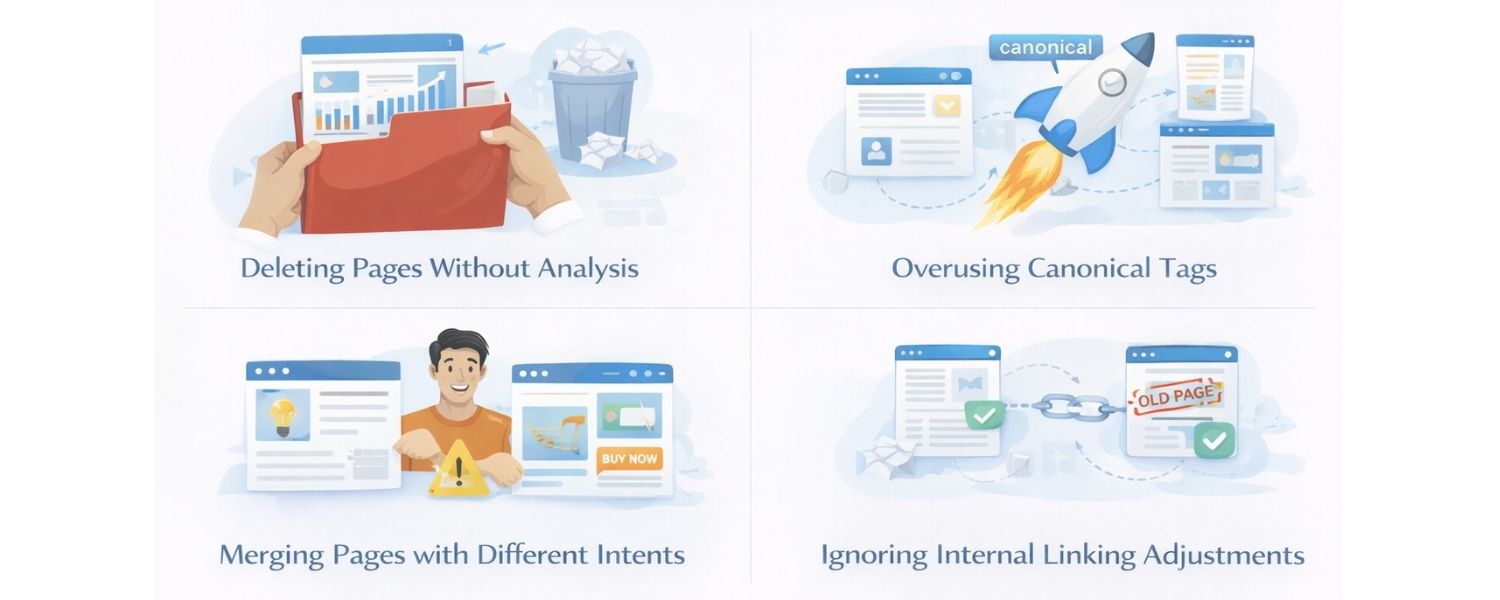
When addressing cannibalization, it’s important to approach it carefully. Rushing to “fix” the issue without proper analysis can do more harm than good. Here are some common mistakes to avoid:
1. Deleting Pages Without Analysis
Don’t reflexively delete every page that looks like a duplicate. First, check its value, does it have consistent traffic, high-quality backlinks, or unique information? If you delete a page that still had SEO value or was ranking for some long-tail queries, you might lose that traffic entirely.
Always evaluate a page’s performance before removing it. If a page is outdated but had strong backlinks, consider merging and redirecting (to preserve that link equity) rather than just killing it.
2. Overusing Canonical Tags as a Band-Aid
Simply slapping a canonical tag on dozens of similar pages isn’t a silver bullet. Canonicals are often misused as an easy way out of content decisions. Remember, canonical tags don’t remove the problem pages, they only hint to Google which one is primary.
If two pages are nearly identical, combining them or redirecting one to the other is a cleaner solution. Use canonicals thoughtfully for edge cases (like near-duplicates that must exist), not as a shortcut to avoid content cleanup.
3. Merging Pages with Different Intents
Be cautious not to merge pages that actually serve different user intents. For example, an informational blog article and a transactional product page might both target the word “XYZ,” but they cater to different needs.
If you blindly merge them, you could end up with a page that doesn’t fully satisfy either intent. Always consider the search intent behind each page. If they are truly different, it might be better to keep both pages and differentiate them further, rather than merging and muddling the purpose.
4. Ignoring Internal Linking Adjustments
After removing or merging pages, double-check your internal links. It’s a mistake to leave old links on your site pointing to now-deleted pages or to continue linking two remaining pages in a way that makes them compete.
Use internal links to support your chosen primary page, for instance, update older posts to link to your new comprehensive article on the topic. Neglecting this step can mean users (and Google) still follow outdated paths, weakening the clarity of your site structure.
By avoiding these mistakes, you’ll ensure that your cannibalization fixes actually lead to long-term improvements rather than unintended setbacks. Now, armed with the knowledge of what to do (and what not to do), you can confidently refine your content strategy.
Frequently Asked Questions about Keyword Cannibalization
Q1: Is keyword cannibalization always a bad thing?
Not necessarily. If multiple pages target the same keyword but address different intents or aspects, it isn’t true cannibalization in a harmful sense. In fact, you can sometimes secure multiple spots in the rankings this way.
For example, a search for “hotels in Paris France” might show one page that’s a travel guide and another that’s a booking page. A single website could create both an informational page and a commercial page for that term and rank with both, since they serve distinct needs.
Similarly, big brands often dominate branded searches with several URLs (product page, support page, etc.). The key is that each page fulfills a different user need.
When pages have clear, separate purposes, having more than one rank can be beneficial and isn’t viewed as negative by Google. However, if the pages are basically interchangeable (same intent and content focus), then it’s a problem.
In short, overlap with purpose = bad, multiple angles/intents = okay. When in doubt, ask if combining the pages would make one better resource; if yes, they likely were cannibalizing each other.
Q2: How can I check quickly if my site has cannibalization issues?
A quick check is to use Google with a site: search query as described earlier (e.g., site:yourdomain.com “primary keyword”). This often immediately reveals if more than one page is targeting that term.
Also, keep an eye on your Google Search Console Performance report. Sort queries by importance and click on ones you care about, GSC will list all pages that got impressions for that query. If you routinely do this for your top keywords, you’ll quickly spot cases of cannibalization.
Additionally, many SEO professionals use tools like Semrush or Ahrefs which provide cannibalization alerts. For example, Semrush’s Cannibalization report in the Position Tracking tool can show if any keyword is being ranked by more than one URL on your site.
Even a manual Google search for your target keywords (with and without the &filter=0 trick) is a fast way to see what the SERP landscape looks like for your pages. Finally, maintain a content spreadsheet – it sounds old-school, but having all your pages and their main keywords in one view can help you spot duplicates at a glance.
Q3: Does Google penalize my site for keyword cannibalization?
There’s no manual “penalty” for cannibalization, Google isn’t going to issue an alert or directly punish you like they would for black-hat SEO tactics. However, the effect of cannibalization can feel like a penalty because your pages don’t perform as well as they could.
Google’s algorithm will simply try to pick what it thinks is the best result from your multiple similar pages, and ignore or down-rank the others . You won’t get a warning about this; you’ll just see poorer rankings or fluctuating performance. Think of it more as an optimization issue than a penalty.
It’s on you to optimize by consolidating pages so Google has a clear choice. When you fix cannibalization, you’re essentially helping Google help you.
As evidence, many SEO practitioners have observed that when they merged or removed cannibalizing pages, the remaining page’s ranking improved significantly. That’s a strong hint that fixing it is rewarded with better performance. So, no official penalty, but allowing cannibalization to persist is essentially holding your site back.
Q4: I have two pages that both rank on page 1 for the same keyword, isn’t that a good thing?
It might be, or it might be a missed opportunity, depending on the situation. If those two pages truly offer different value (see the first question above about different intents), then having two slots can be great – you’re dominating more real estate in the SERP.
However, if they’re very similar, it could be that neither is as high as it could be. For instance, you might have two pages at positions 5 and 9, whereas a single consolidated page might rank at position 2.
In some cases, one of the two pages might be ranking well in spite of the other, not because of it. It’s worth testing: try consolidating them and see if the one page rises higher. Also consider the user’s perspective: when they encounter two similar results from your site, it might split their clicks or cause confusion.
Are both pages getting decent traffic?
Analyzing SEO performance can reveal which pages are underperforming and why. If one has a tiny click-through rate, it might be cannibalizing impressions but not actually benefiting you. Quality over quantity usually wins in SEO, one great listing often beats two mediocre ones. That said, if each page targets a slightly different subtopic or audience (and both are high quality), you can certainly intentionally occupy multiple spots. Just ensure it’s a strategic decision, not an accident.
Final Thoughts
As your website grows, keyword cannibalization is a sneaky issue that can creep in, even with the best intentions. Cleaning it up might involve pruning and merging content, but the payoff is worth it: a leaner site structure, clearer signals to search engines, and often a boost in rankings and traffic.
Remember, it’s all about making sure each page on your site has its own purpose and stands out as the go-to result for its target query.
By identifying overlapping pages and consolidating their strengths, you effectively turn several weak competitors into one strong contender. And by planning your content strategy to avoid future overlaps, you ensure that all your content works together rather than at cross-purposes. In a world of ever-competitive search results, you don’t want to fight an internal war within your own site.
Now’s the time to take action: Audit your content for cannibalization issues, apply the fixes we discussed, and watch how much more SEO power each remaining page can gain. Don’t let your hard-earned content devour itself, make it work in harmony to capture those top rankings. Good luck, and happy optimizing!

Why Roseville Startups are Choosing Offshore Marketers to Scale Smarter
Roseville is no longer just a quiet suburb of Sacramento;...

What Is PPC? A Practical Guide to Pay‑Per‑Click Advertising
Pay‑per‑click (PPC) is the “pay only when someone clicks” branch...

Google Search Issues Affecting Results in Some Regions
Google has confirmed a problem with one of its data...

Keyword Counts Dropped After Google’s num=100 Change
In September 2025, Google stopped supporting the &num=100 parameter. This...

Image SEO: Optimize Images for Higher Rankings & Traffic
Introduction Images make your website more engaging, but they can...


.png)
.png)
.png)
.png)
.png)

2024 ALL RIGHTS RESERVED MADE IN INDIA
.png)