
Nofollow Links Explained: What They Are and Why They Matter
September 2, 2025
Introduction
Are nofollow links really useless for SEO, or do they hold hidden value? In this comprehensive guide, we demystify nofollow links, what they are, why search engines introduced them, and how they fit into your SEO strategy.
By the end, you’ll know when to use a nofollow link, when to avoid it, and how even nofollow backlinks can benefit your website. Let’s dive in and ensure your link-building strategy stays natural, effective, and in line with Google’s guidelines.
What Are Nofollow Links?
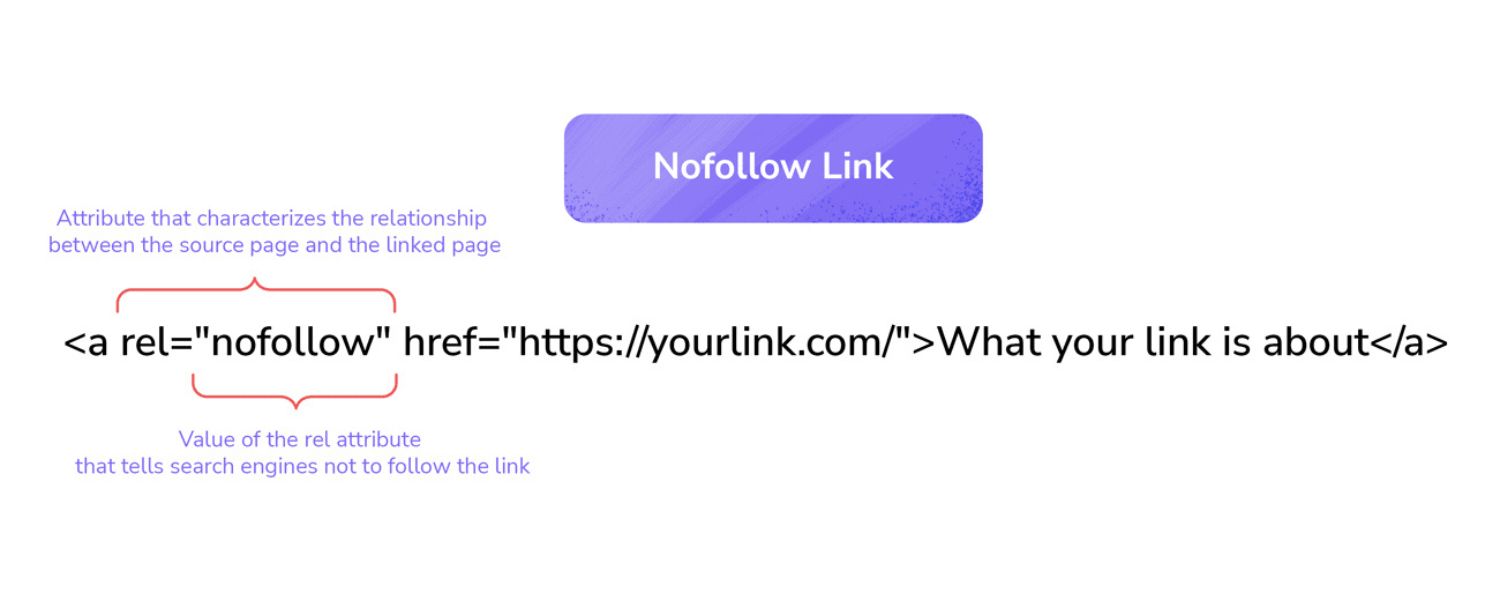
A nofollow link is a hyperlink with a special attribute, rel=”nofollow”, in its HTML code. This attribute tells search engine crawlers not to count that link as an endorsement or ranking signal for the target page.
In practical terms, a nofollow link does not pass “link juice” or PageRank to the other site. For example, the HTML for a nofollow link looks like:
<a href=”https://www.example.com” rel=”nofollow”>Visit Example</a>
Originally, Google and other engines created the nofollow tag to combat rampant link spam (like spammy blog comments) by neutralizing those links’ SEO value.
When a link is marked nofollow, users can still click and visit the page normally, but search algorithms will largely ignore that link when calculating rankings. In contrast, a regular link without this attribute (often called a “dofollow” link) can pass on ranking credit and authority.
Nofollow vs. Dofollow Links: What’s the Difference?
The only technical difference between a nofollow and dofollow link is the presence of the rel=”nofollow” attribute in the HTML. By default, all hyperlinks are “dofollow” (meaning they can convey SEO value) unless you deliberately add a nofollow tag.
Dofollow (Normal) Link
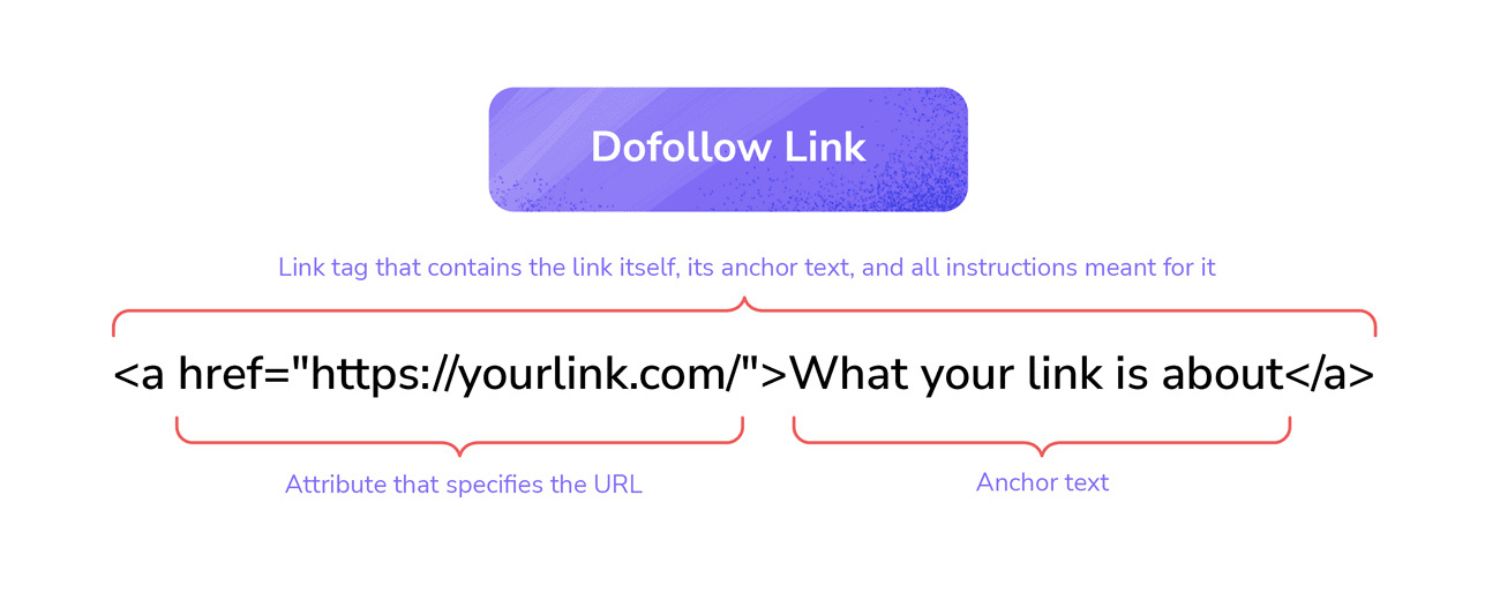
A standard hyperlink that search engines follow and count as a “vote of confidence” for the linked page. Dofollow links pass on PageRank and can help improve the target page’s rankings. Essentially, they signal: “I endorse this content.”
Nofollow Link
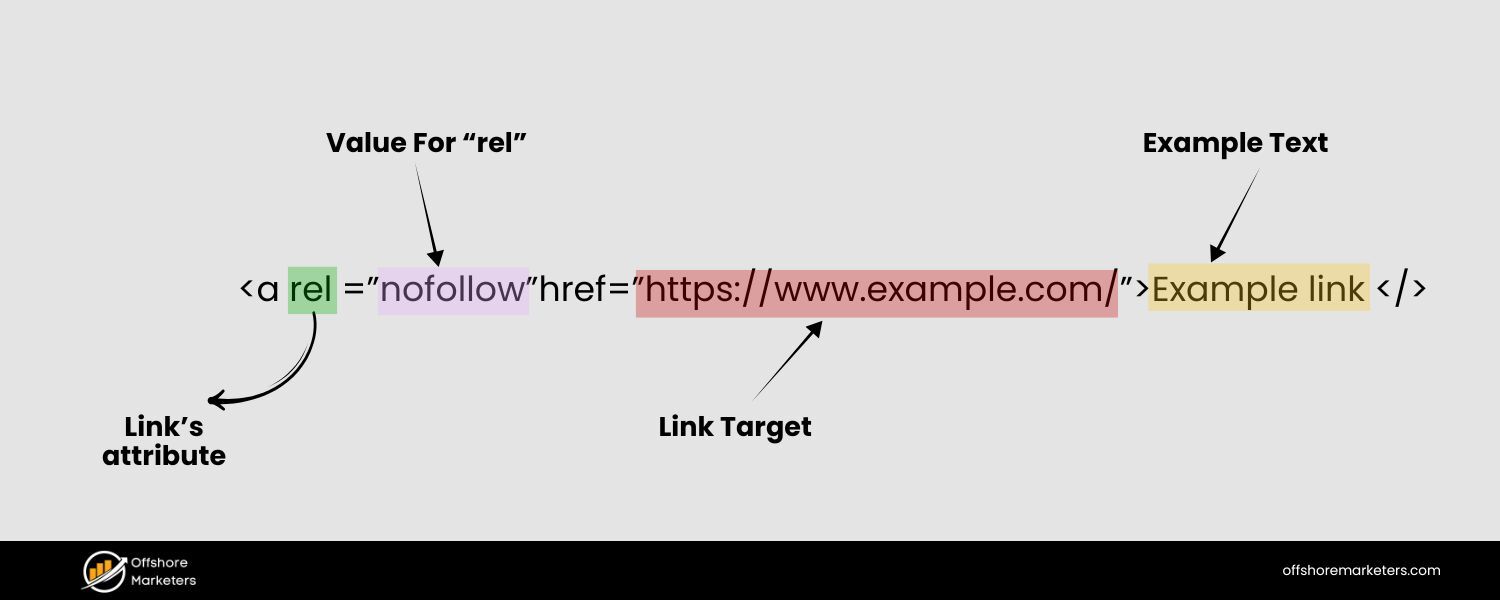
A hyperlink with rel=”nofollow” that tells search engines not to pass on ranking credit to the target page. From a user perspective, it looks and functions the same as any link. But to search engines, a nofollow link is saying: “Don’t count this link in ranking calculations.”
In simple terms, dofollow links can boost SEO authority, while nofollow links do not (at least not directly). For example, if a major news site links to you with a dofollow link, that can improve your Google rankings.
If that link is nofollow, you may get referral traffic from the news site’s readers, but Google’s algorithm will supposedly not add any “SEO points” for it.
It’s important to note that nofollow is not a type of link in the sense of user experience, it’s an attribute for search engines. Users clicking a nofollow vs. dofollow link won’t notice any difference. The distinction only matters to search engine crawlers and ranking algorithms.
A Quick Analogy
Think of links as recommendations: a dofollow link is like a public endorsement (“I recommend this site”), whereas a nofollow link is more like a citation with a disclaimer (“I’m mentioning this, but not vouching for it”).
Both can send visitors your way, but only the endorsement (dofollow) boosts the reputation of the referenced site in search rankings.
Why Was Nofollow Introduced? (The Origin and Purpose)
Back in the early 2000s, unscrupulous marketers abused links to game search rankings, posting spammy links in blog comments, forums, and other user-generated content. In early 2005, Google’s Matt Cutts and others at Blogger introduced the rel=”nofollow” attribute as a solution.
The idea was to stop comment spam and other low-quality links from unfairly manipulating search engine results. If spam links didn’t pass ranking credit, spammers would have less incentive to flood the internet with them.
All major search engines soon supported nofollow. Google announced in 2005 that any link with rel=”nofollow” would not contribute to the target page’s PageRank or search ranking.
Yahoo and Bing likewise honor nofollow links by excluding them from ranking calculations. In essence, nofollow became a web standard for a “link with zero SEO vote.”
Google’s Guidelines even began requiring nofollow (or equivalent) on certain types of links. Notably, any paid link or advertisement that could affect search rankings must be marked as nofollow (or use the newer rel=”sponsored” tag) to avoid violating Google’s webmaster guidelines.
The reason is simple: Google wants links in its algorithm to be earned naturally, not bought. If you purchase a banner ad or sponsored article link, it should have nofollow so that it doesn’t artificially boost the buyer’s SEO. Failing to do so can result in a penalty for “link schemes”.
Over time, Google expanded the concept with additional attributes in 2019. They introduced rel=”sponsored” for explicitly paid/sponsored links and rel=”ugc” for user-generated content links (like comments or forum posts). These are essentially more specific flavors of nofollow.
Google treats all of these (nofollow, sponsored, and ugc) similarly, as signals not to endorse those links for ranking purposes. In fact, Google recommends using the sponsored/UGC tags where appropriate, though using a plain nofollow is still acceptable if you can’t differentiate the link type.
To summarize the purpose: Nofollow (and its cousins “sponsored” and “ugc”) are about transparency and control. They let website owners link out to wherever they want, but with the ability to flag, “Hey search engine, don’t count this one.” This helps maintain fair rankings and prevent spam or paid links from skewing SEO results.
When to Use Nofollow Links
Not every link you build or share should be nofollow. But there are specific situations where adding a nofollow attribute is strongly recommended or required to keep your SEO profile healthy and policy-compliant. Here are the most common cases when you should use a nofollow link:
1. Paid or Sponsored Links
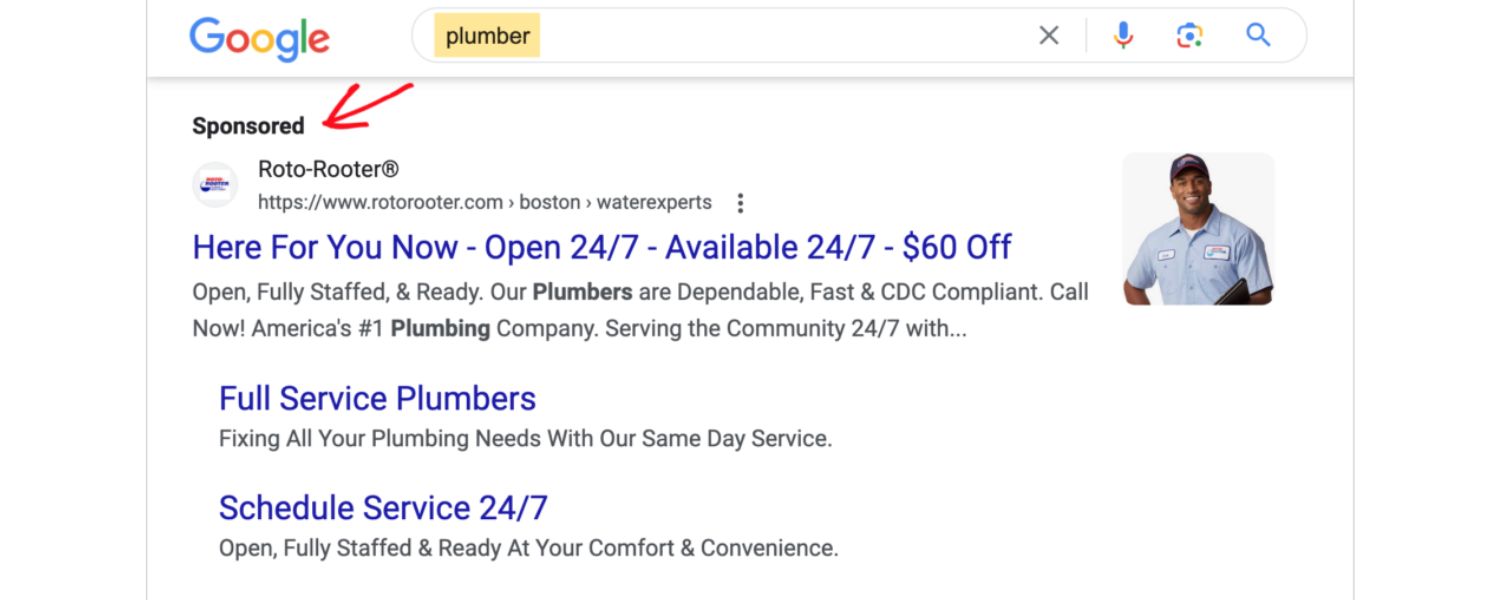
If you are linking to a site as part of an advertisement, sponsorship, or any paid arrangement, mark it as nofollow (or use rel=”sponsored”). For example, affiliate links or banner ad links should almost always be nofollow.
This ensures you’re not passing SEO value in exchange for money, which keeps you in line with Google’s webmaster guidelines (Google explicitly states that paid links must be nofollow or tagged sponsored).
By nofollowing paid links, you can advertise or recommend products without risking a penalty for “link schemes.”
2. User-Generated Content (UGC)
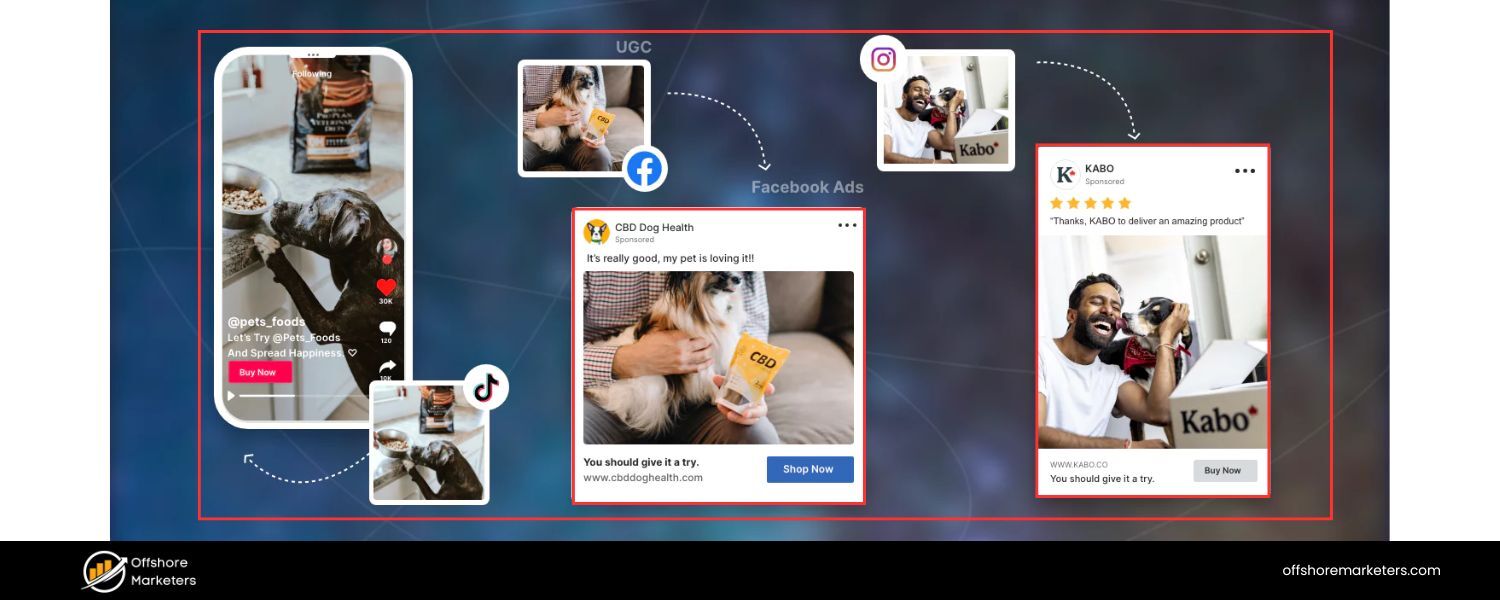
Any links that come from untrusted user contributions on your site should be nofollow. Classic examples: blog comment sections, forum posts, user reviews, guestbook entries, or Q&A pages.
You don’t have full control over what users link to, so it’s best to tell search engines not to treat those outbound links as your editorial votes.
Many platforms automatically nofollow user-submitted links for this reason. (Fun fact: WordPress has automatically nofollowed all comment author links and comment text links since version 1.5, to combat blog comment spam). Using rel=”ugc” is an option here as well, but the effect is the same – those links won’t pass ranking credit.
3. Untrusted or Low-Authority Websites
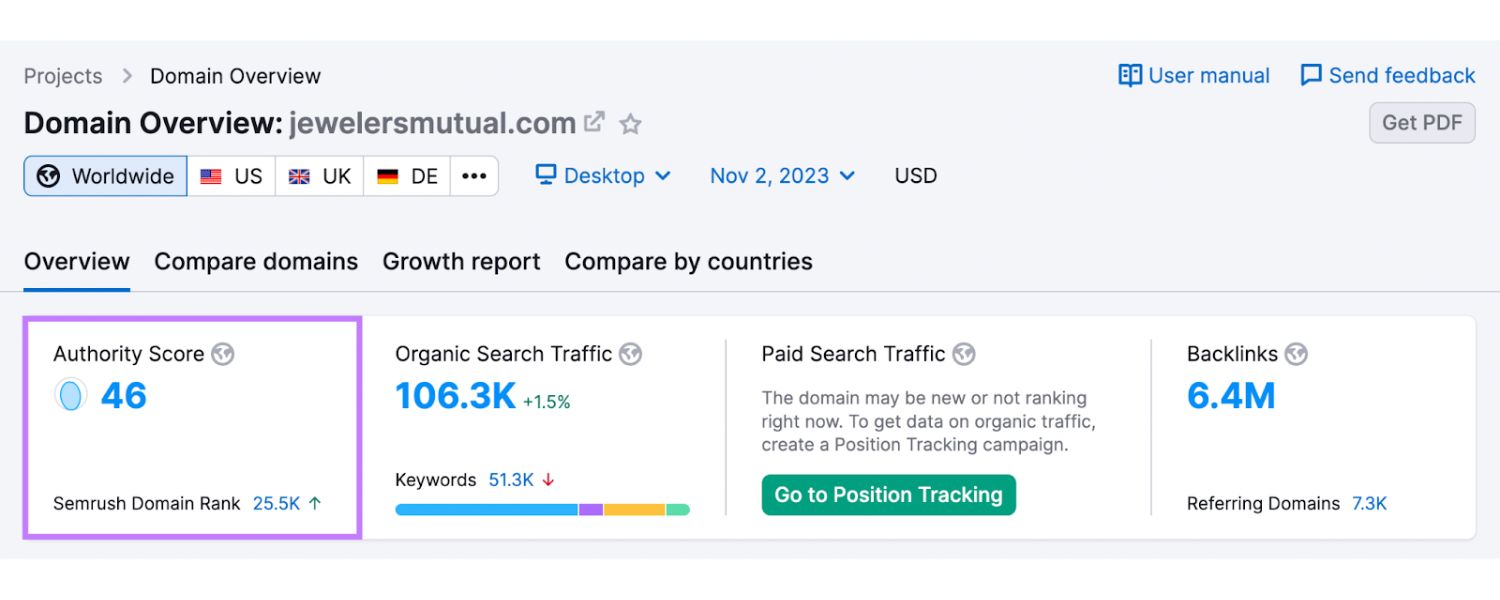
If you choose to link out to a source but you’re not fully confident in its quality or relevance, you might nofollow it. Perhaps you’re citing a statistic from a site that isn’t well-known, or you’re linking to a resource but want to distance your SEO endorsement. Adding rel=”nofollow” says “I’m not vouching for this content.”
This can be useful if, for instance, you must reference a competitor or a source with which you don’t want to share SEO authority. It’s a way of curating your outbound link profile, although use this sparingly – in many cases, if a site is that untrustworthy, you may not want to link to it at all!
4. Any Situations Required by Google’s Policies
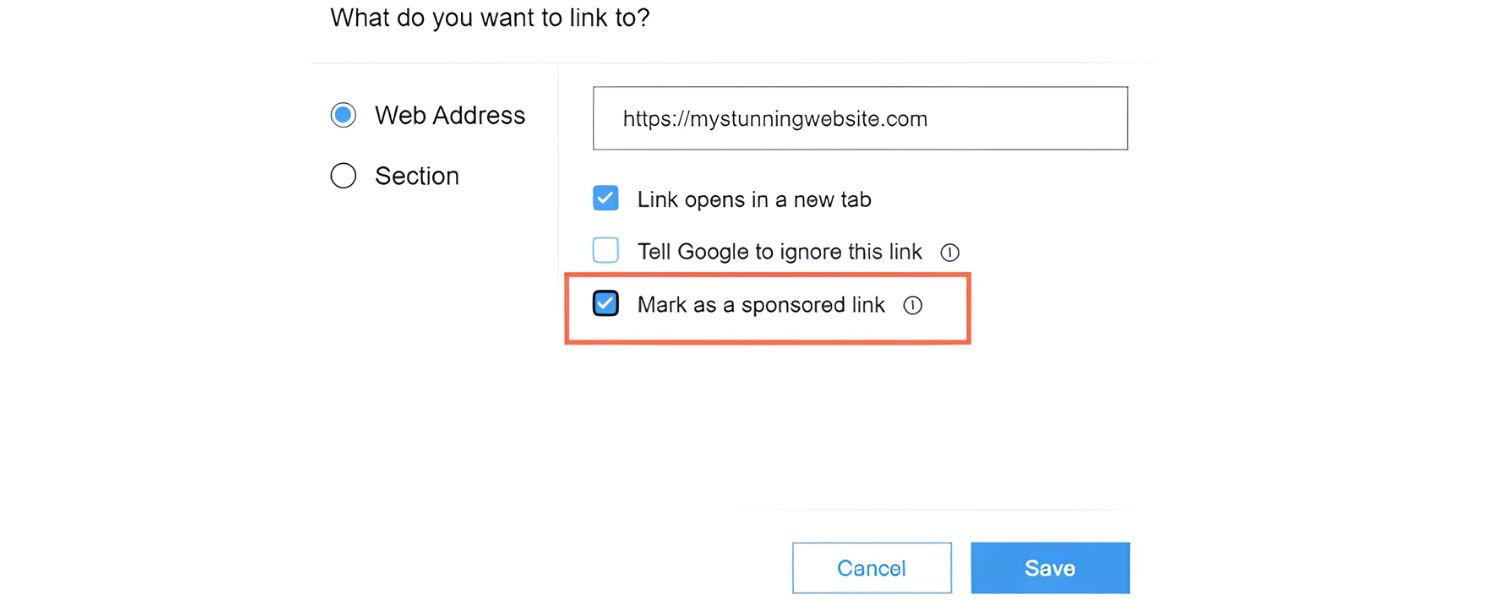
Aside from paid links, Google also suggests nofollowing links in press releases, certain widget links, or anywhere links might be artificially inserted to game rankings. For example, if you’re distributing infographics or widgets that include a link back to your site, adding nofollow is wise.
Always err on the side of caution: when in doubt about a link’s integrity, nofollow it. It’s better to lose a bit of link equity than to get hit by an “unnatural links” penalty.
By using nofollow in these scenarios, you protect your site’s reputation. You’re telling Google, “Any links here are not endorsements, so don’t judge me for them.” This helps prevent spammy or paid outgoing links from dragging down your SEO.
When Not to Use Nofollow Links
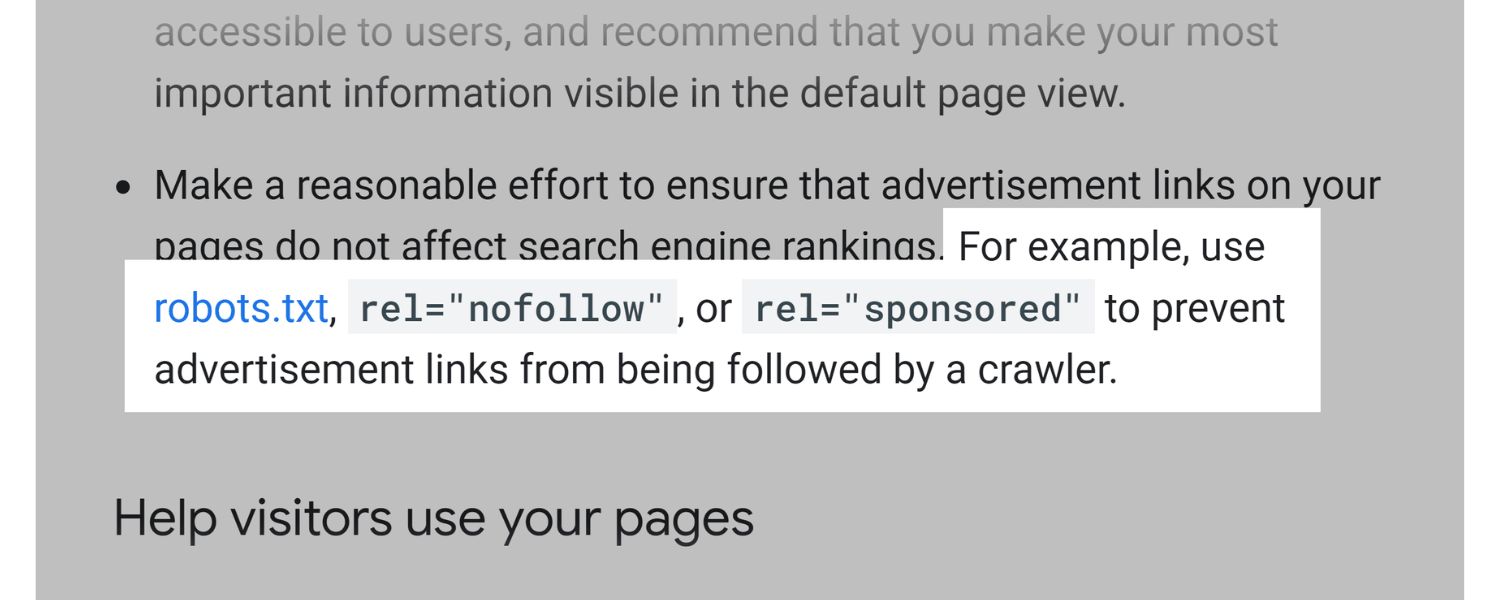
Just as important as knowing when to nofollow is knowing when not to. Overusing nofollow in the wrong situations can hold back your SEO or send the wrong signals. Here are cases where you should avoid making a link nofollow:
1. Internal Links on Your Own Site
Never nofollow your internal links. Internal links (links between pages on your site) are crucial for site navigation and SEO. They help search engines discover your content and pass PageRank internally.
If you put rel=”nofollow” on an internal link (say from your homepage to a key product page), Google may not crawl that path or give that page its deserved link equity.
Nofollowing internal links can inadvertently hide important pages from search engines or weaken your site structure. Bottom line: keep internal links as dofollow; use other methods (like noindex tags or robots.txt) if you need to prevent indexing of certain pages, but don’t nofollow the links in your menu or site content.
2. Editorial Links to High-Quality Resources
If you’re linking out in a blog post to a reputable, relevant resource that enhances your content, do not nofollow it. For example, linking to an authoritative source, a research report, or an influencer’s blog should be done with a normal dofollow link.
These editorial outbound links help establish context and credibility for your content.
Nofollowing all your outbound links can make your content look suspicious (as if you don’t trust any sources) and can deprive genuine sites of the “SEO credit” they deserve from your mention.
Assuming you’re linking to sites that deserve to be referenced, it’s actually good for the web – and for your relationships – to let those links be dofollow.
3. Guest Posts or Partnership Content (Mutual Collaborations)
If you’re featuring another company or expert on your site (or vice versa) in a genuine collaboration, you typically should not nofollow those links. For instance, if you did a legitimate guest post on an industry blog, it’s standard to get a dofollow link in your author bio or content.
Marking these as nofollow may reduce the SEO benefit for both parties. Of course, if the guest post is paid placement or explicitly for link building, then it should be nofollow/sponsored.
But true partnerships where both sides are earning exposure should be treated as organic, and the links can be dofollow to strengthen each other’s SEO. It builds goodwill and authority to freely share link equity with your trusted partners.
4. Any Genuine Endorsement or Reference
The general rule is: if a link is there because you believe it genuinely helps the reader and you want to endorse or recommend it, use a dofollow link. Nofollowing in such cases dilutes the value of your content and might even raise questions.
For example, if we’re citing an official Google resource or a helpful tutorial in this blog, we would let it be dofollow (because it’s a useful, relevant citation).
Overuse of nofollow on outbound links could look like you’re trying to hoard PageRank or you don’t trust any other site, which isn’t a healthy approach.
Trustworthy, relevant links out can actually be good for your SEO – they provide context and show that you’re connected to the broader information ecosystem.
In short, don’t be afraid to give dofollow links when you naturally reference valuable resources. A balanced link strategy means sometimes you should pass SEO value outward.
It makes your site more useful and signals to search engines that you’re not trying to manipulate the system. Focus your nofollow use only where necessary (spam, paid, or untrusted links) – otherwise, let your links be freely crawlable.
Do Nofollow Links Impact SEO? The Truth About Nofollow and Rankings
One of the biggest questions website owners ask is: “Do nofollow backlinks help my SEO at all?” By definition, nofollow links do not pass on ranking credit… so you’d think the answer is a flat “no.” For a long time, Google’s official stance was that nofollow links are simply ignored in ranking algorithms. In Google’s own words: “in general, we don’t follow them”.
However, the real-world answer is a bit more nuanced. Recent evidence and industry experiments suggest that nofollow links can still contribute to your SEO in indirect ways:
1. Google’s 2019 Policy Change – Nofollow as a “Hint”
As of March 1, 2020, Google began treating nofollow attributes as “hints” rather than absolute directives. This means Google may choose to crawl or index pages that are only linked via nofollow, if it finds it useful to do so.
In plain English, Google mostly still won’t count nofollow links in ranking calculations, but it reserves the right to use its judgment.
For example, if an authoritative site (like Wikipedia or Forbes) nofollows all outbound links, Google might still pay attention to those links for discovery or even ranking context. Google has indicated that generally they won’t use nofollow links for ranking boost, but the “hint” policy leaves room for exceptions.
They might ignore the nofollow and credit the link in certain cases that merit it. So, nofollow links are no longer completely invisible, they’re just given much less weight, and handled case-by-case.
2. Crawling and Indexing Benefits
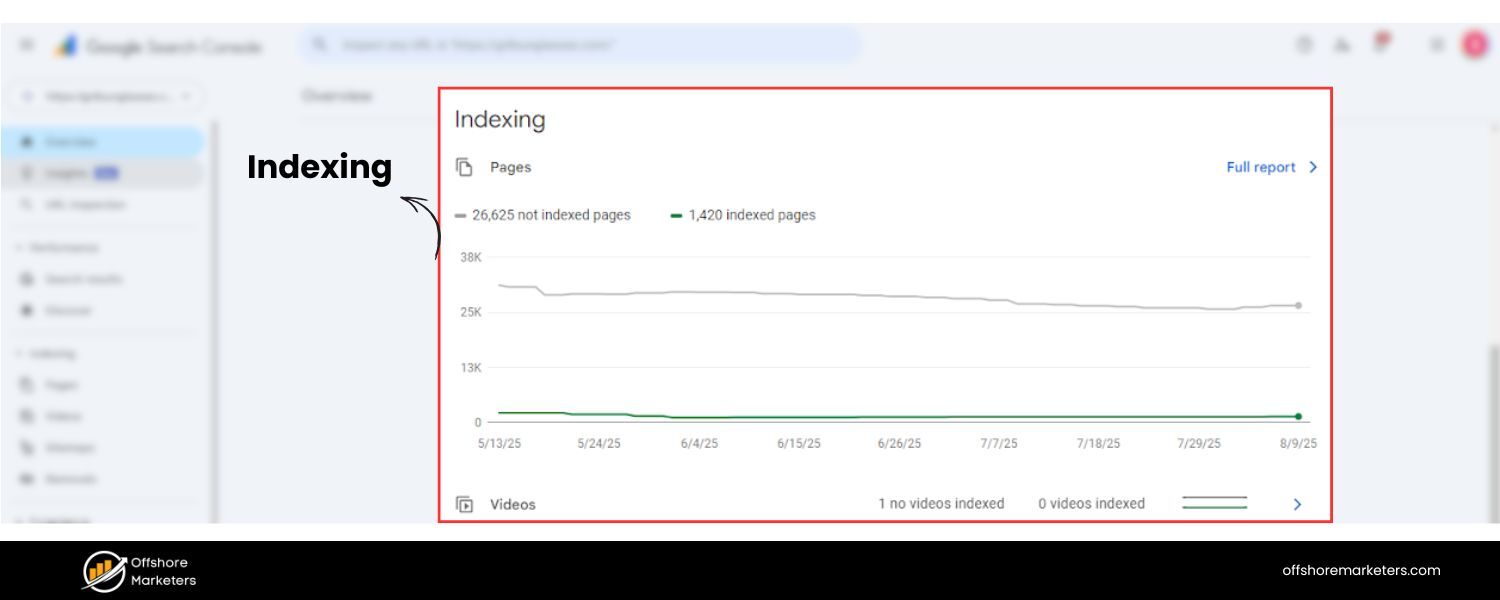
Even before the “hint” update, nofollow links could help get your content discovered. For instance, if a popular site links to your new page with nofollow, some search engines (like Yahoo) would still crawl it. Google traditionally didn’t crawl nofollows, but there have been cases proving they sometimes do.
One experiment added a nofollow link on a high-traffic site to a URL that wasn’t indexed; Google did follow and index it within 48 hours, despite the nofollow attribute.
This suggests that a nofollow link from a prominent page can lead search bots to your content anyway. You shouldn’t rely on nofollow for crawling, but it can happen as a side effect.
3. Anchor Text Relevance
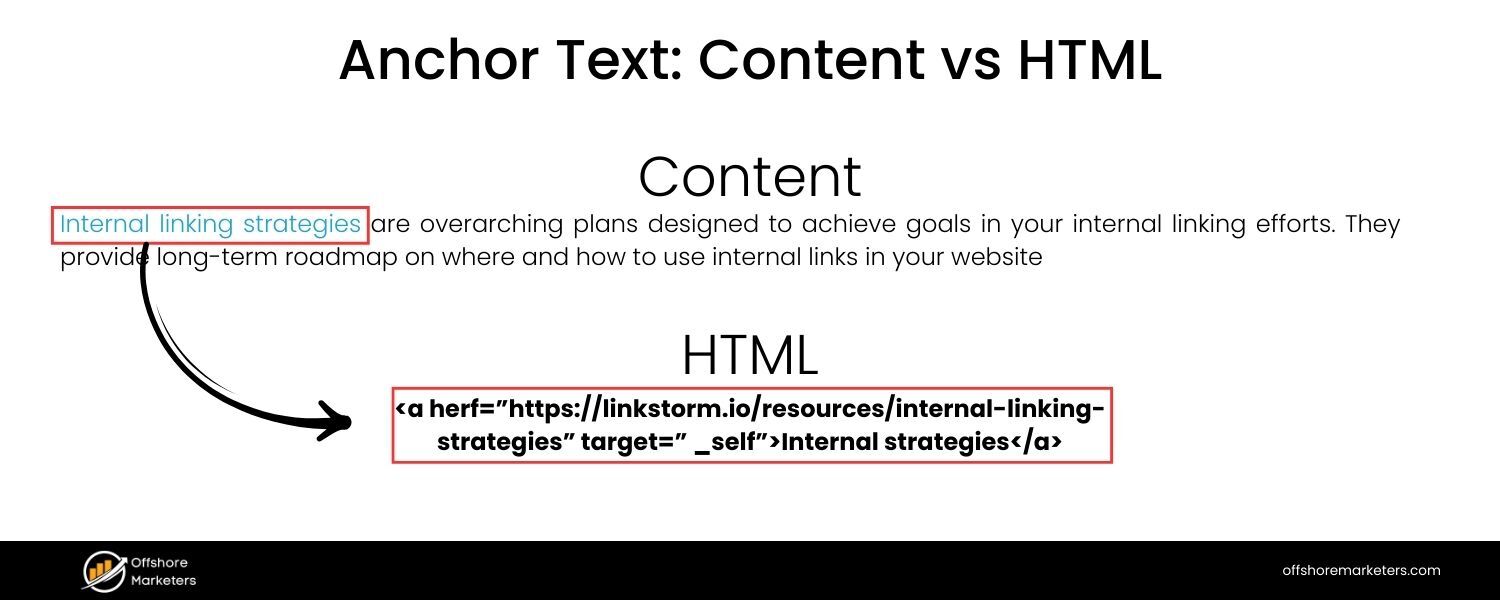
Search engines may not count a nofollow link’s “vote,” but they still see the anchor text. There’s speculation and some evidence that Google might use anchor text from nofollow links as a hint about content relevance.
For example, if dozens of nofollow links point to your site with the anchor “best SEO tool,” Google might associate your site with that term, even if those links don’t pass PageRank.
Google’s John Mueller has suggested they mostly ignore anchors on nofollow links, but the truth is we’ve seen patterns where anchor-rich nofollow links preceded ranking improvements – which implies some influence. It’s likely subtle, but anchor text in nofollow links could add context to Google’s understanding of your site.
4. Case Studies: Nofollow Links Boosting Rankings
There are anecdotal cases where acquiring a lot of nofollow backlinks resulted in higher rankings. SEO experiments have been done, such as one where an SEO bought a batch of nofollow links with a specific anchor text – and saw his page jump from ranking #19 to #1 for that keyword.
In another test, a nofollow link was placed to a page that had no other links, and Google still ended up indexing and ranking that page. And an industry study by Ahrefs found that pages’ total backlink count (including nofollows) correlated with higher rankings almost as well as their dofollow count.
Correlation isn’t causation, but it suggests that pages earning lots of links (even if some are nofollow) tend to perform better than pages with few links.
The “hint” approach by Google implies they could count some nofollows under the right circumstances – especially if those links are from very trusted sites.
5. Bing and Others
While Google gets most attention, note that other search engines may handle nofollow differently. Yahoo, for example, used to crawl nofollow links but just not count them for rank.
Bing historically said they honor nofollow (don’t count it for ranking), though some SEOs suspect Bing might sometimes treat them similarly to Google’s new hint model. Regardless, a nofollow link from a popular site can still put you on the radar of all search engines in terms of discovery.
So, do nofollow links help SEO? Directly, they aren’t as powerful as dofollow links – they don’t pass authority or PageRank. But indirectly, they can have positive effects.
They can get your pages indexed, drive relevant traffic (which can lead to user behavior signals and conversions), and increase your brand’s visibility to people who might later create dofollow links to you.
In fact, Google’s own documentation now acknowledges that they might use nofollow links for ranking “if appropriate,” even though generally they don’t.
The safe assumption is: treat nofollow links as having minimal to no direct SEO value, but understand they are not completely worthless. They are part of a natural backlink profile and can contribute to your SEO success in roundabout ways.
Benefits of Nofollow Links (Yes, They Have Benefits!)
If nofollow links don’t pass on ranking credit, why should anyone care about them? It turns out that nofollow links bring several important benefits to your website and SEO strategy beyond pure PageRank. Here are the key benefits of nofollow links:
1. Keeps Your Site Safe from Spam and Penalties
Nofollow links allow you to link out without worry. By nofollowing untrusted or paid links, you ensure those won’t count against you. This protects your site from Google’s dreaded “unnatural links” or “link scheme” penalties.
For example, if you have a public forum or blog comments, making all user links nofollow shields you from being penalized if spammers slip in bad links.
In essence, nofollow is an SEO safety valve – you can still provide references or ads, minus the risk. Google explicitly advises using nofollow/ugc on user content and any links that you don’t want associated with your ranking reputation. This compliance with Google’s guidelines keeps your site in good standing.
2. A More Natural Link Profile
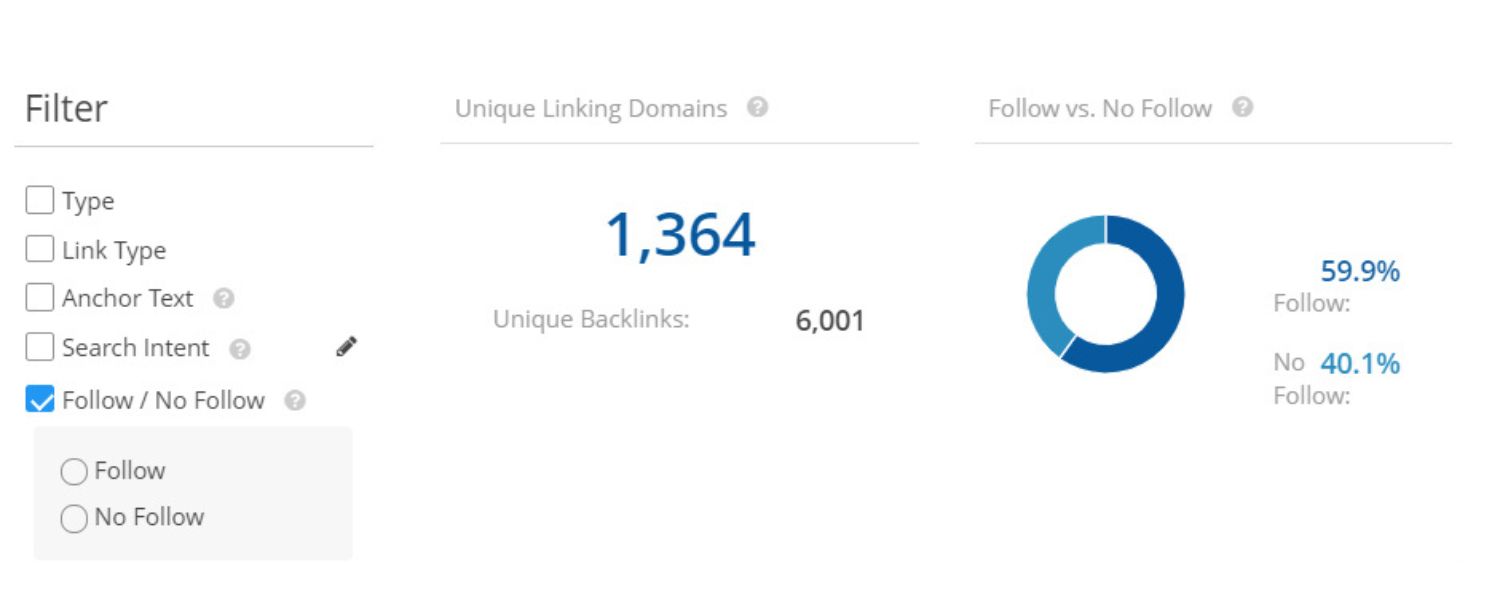
A site that has only dofollow backlinks might actually look fishy. In the real world, popular websites accumulate a mix of dofollow and nofollow links. Having some nofollow backlinks makes your link profile look organic and diverse.
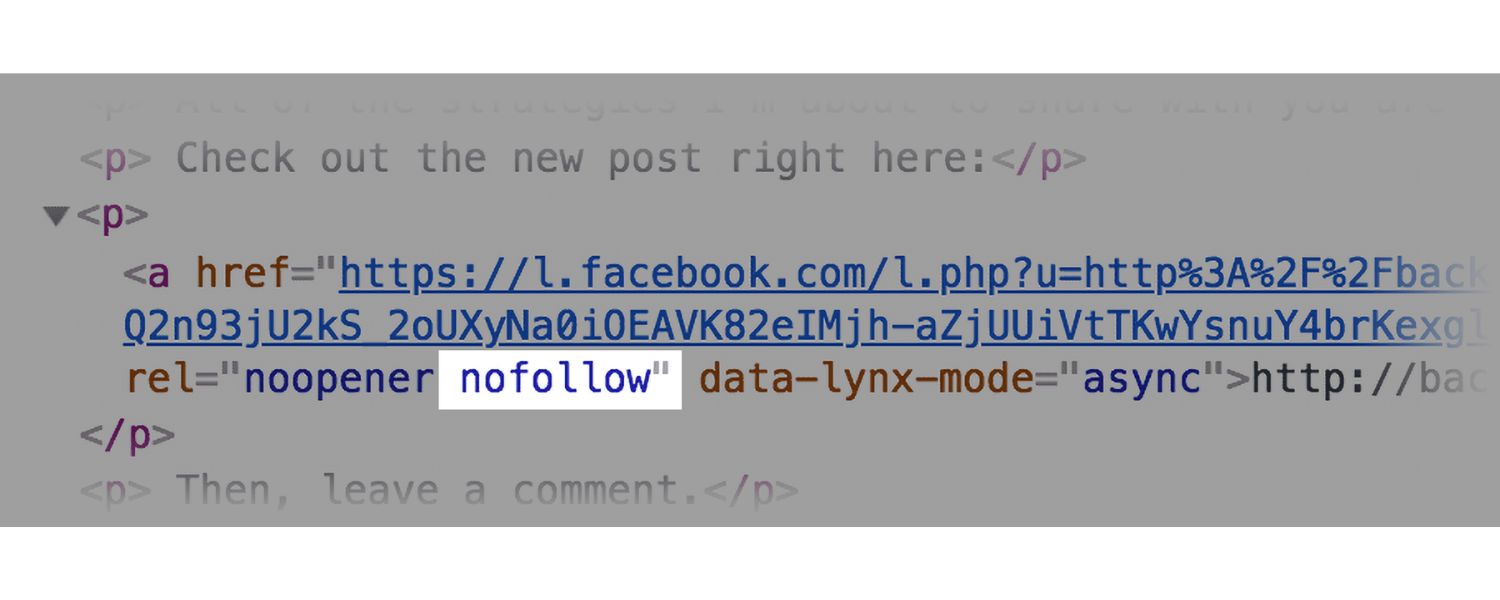
For instance, YouTube – one of the most-linked sites on the planet – has about 23% of its inbound links tagged nofollow.
Facebook’s backlink profile is around 35% nofollow vs 65% follow. This is normal. If 100% of your backlinks were dofollow, it might suggest manipulative link building.
So, earning nofollow links (from blog comments, social media, etc.) is actually good. They indicate a natural mix of mentions.
SEO experts often recommend a healthy dofollow:nofollow ratio, not as a strict number but to ensure you’re not overly skewed. One common guideline is roughly 70% dofollow and 30% nofollow as a rough balance – though every niche varies. The point: a chunk of nofollows in the mix helps you avoid looking like you’re trying to game the system.
3. Referral Traffic and Visibility
Perhaps the biggest immediate benefit of nofollow links is that they can drive traffic to your site. Search engines might ignore the link for ranking, but real people can still click it! A nofollow link from a high-traffic site can bring a surge of visitors, potential customers, or subscribers.
For example, a nofollow link from a popular Facebook page or a Reddit post can send thousands of interested users your way. Those visitors don’t care about the rel attribute – they just follow the link. Moreover, even a nofollow link on a top-tier site like Forbes or Wikipedia gives your brand exposure.
It puts you in front of a wider audience, building credibility and awareness. Brian Dean of Backlinko once noted that a nofollow link in a Forbes mention led to many other sites discovering his content and later linking to it with dofollow links.
In short, nofollow links can be a stepping stone to both traffic and future dofollow links. Don’t underestimate the direct traffic and indirect networking value of being mentioned (even with nofollow) on influential platforms.
4. Indirect SEO Gains (Second-Order Effects)
Nofollow links can lead to dofollow links down the road. This happens quite often: A blogger might find your site via a nofollow link (say, a tweet or a forum mention), love your content, and later link to you in a blog post with a dofollow link.
One nofollow link from a popular site can snowball into dozens of organic dofollow backlinks as more people hear about you.
It’s like getting a foot in the door. Additionally, if your content is great, a nofollow link on a big site can result in journalists or researchers seeing it and citing you (often those editorial citations will be dofollow).
So while the nofollow itself didn’t boost your PageRank, it acted as a catalyst for other SEO-boosting events. This is why experienced SEO professionals still pursue nofollow links from high-visibility outlets – not for the link itself, but for the chain reaction it might set off.
5. Credibility and Brand Trust
Being linked (even with nofollow) from respected websites can enhance your credibility in the eyes of users and industry peers. If your software got a mention (nofollow) on a major tech review site, you can still tout that “As seen on TechCrunch” – which builds trust with your audience.
Top sites like Wikipedia, Forbes, or YouTube nofollow all external links as a rule, but getting a link from them still feels like an endorsement to readers. Your brand is associated with those authorities.
This can indirectly help your SEO too: higher brand searches, more time on site from referred users, and generally a positive brand signal.
Remember, SEO isn’t just algorithms – human perception matters. Nofollow links from authoritative sources can establish you as an authority by association.
In summary, nofollow links contribute to a healthy SEO strategy by diversifying your backlinks, driving qualified traffic, and opening doors to future opportunities.
They might not boost rankings on their own, but they play a supporting role that savvy SEOs with decades of experience (like myself) greatly appreciate. Don’t dismiss nofollow links as “worthless.” They are essential cogs in the organic growth machine.
How to Identify Nofollow Links (Tools & Techniques)
If you’re auditing your backlinks or reviewing a webpage, you may want to know which links are nofollow vs dofollow. Here are a few easy ways to identify nofollow links:
1. Manual Check in HTML
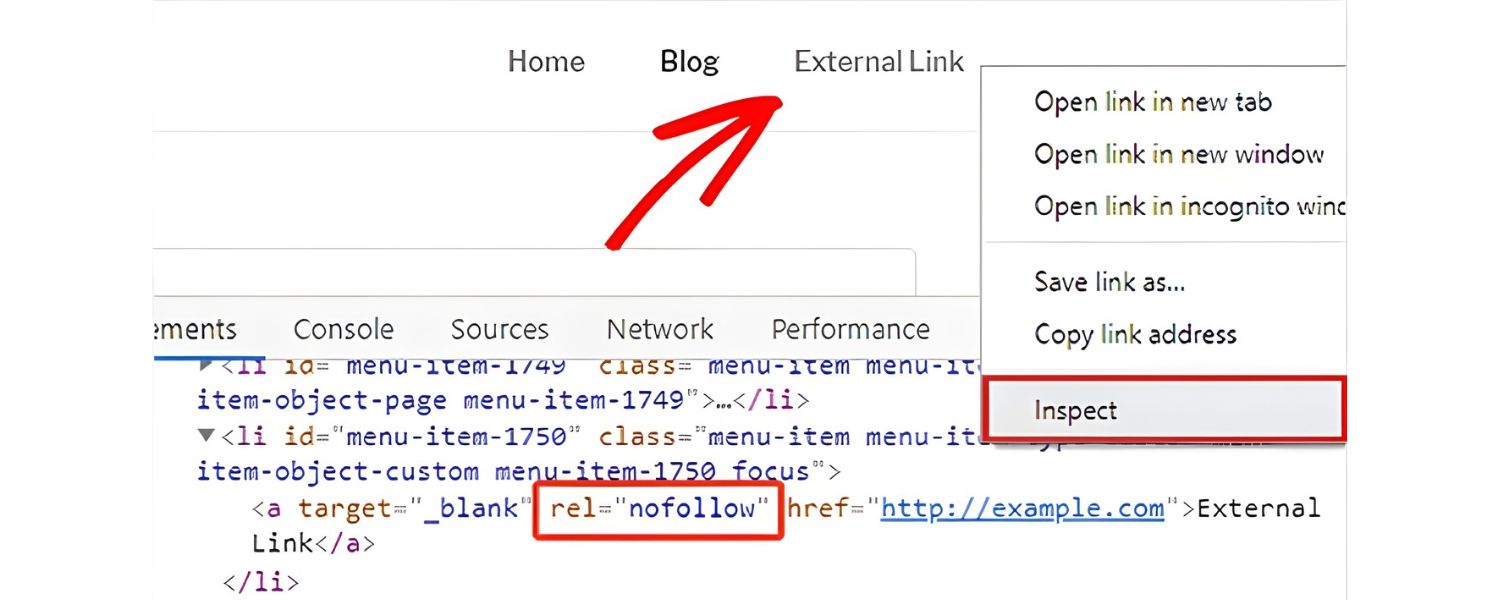
You can inspect a page’s HTML code to see the link attributes. For any given link <a href=”URL”>, look for rel=”nofollow” in the tag. Most browsers let you do this quickly:
A. Right-click on the page and select “View Page Source” or use an inspector (Developer Tools).
B. Press Ctrl+F (Cmd+F on Mac) and search for rel=”nofollow” or find the specific hyperlink.
C. If you see rel=”nofollow” (or ugc or sponsored) inside the anchor tag, that link is nofollow. If the rel attribute is absent or says “noopener” or other values but not nofollow, it’s a normal dofollow link.
Tip: You can also check by simply hovering over or clicking (in some SEO plugins) but the source code never lies. Below is an example snippet:
<a href=”https://othersite.com” rel=”nofollow sponsored”>Recommended Tool</a>
Here rel=”nofollow sponsored” indicates the link is tagged as both nofollow and sponsored.
2. SEO Analysis Tools
Many SEO tools like Ahrefs, Semrush, or Moz will automatically tell you which backlinks to your site are nofollow. For instance, in Ahrefs you can fetch a backlink report and apply a filter to show only nofollow links. These tools usually label each inbound link as “follow” or “nofollow.”
They also often provide percentages of your backlink profile that are nofollow. Using such tools can save time, especially if you want to audit hundreds or thousands of backlinks in one go.
Similarly, if you’re analyzing a competitor’s links, these platforms let you separate nofollow vs dofollow to understand their link profile quality.
Pro Tip: Google Search Console itself now shows some link data including which inbound links are marked as nofollow – be sure to cross-check there when auditing your own site.
3. Browser Extensions
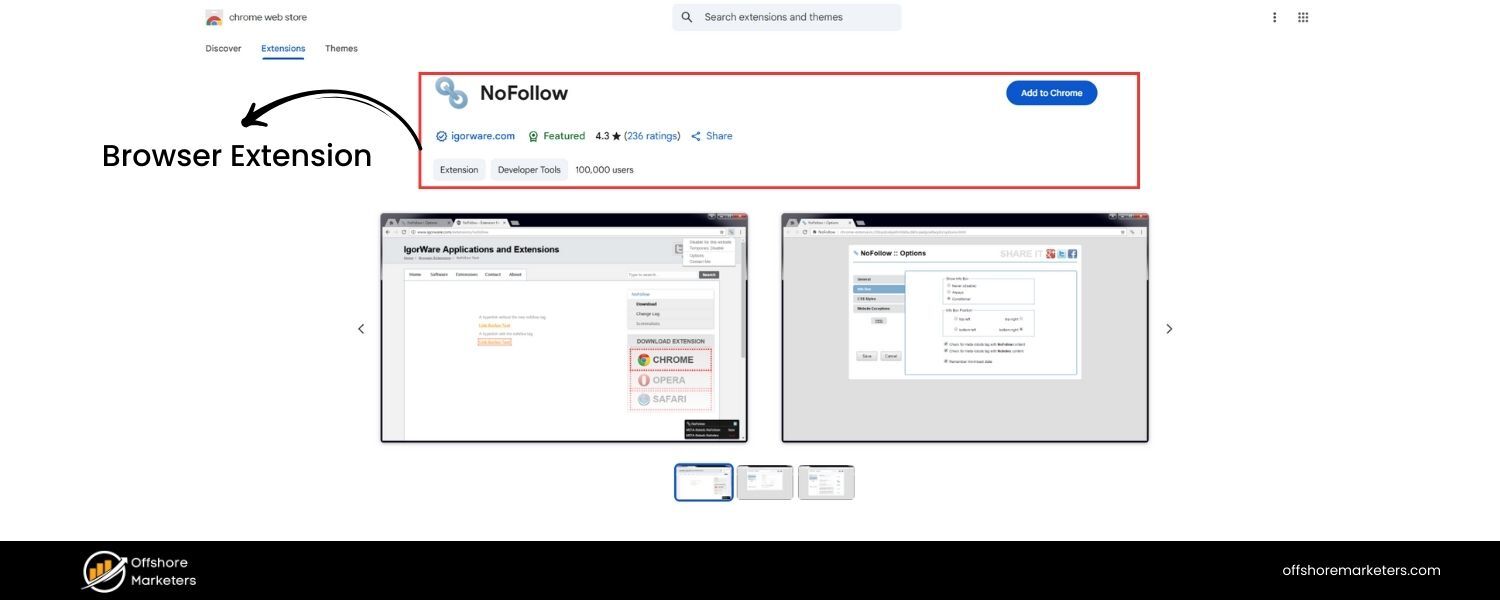
A quick, on-the-fly method to spot nofollow links on any page is to use a browser extension. There are free extensions like NoFollow (for Chrome) or Check My Links that will highlight nofollow links visually as you browse.
For example, the NoFollow Chrome extension outlines nofollow links with a red border in the webpage itself.
Turn it on while viewing a page, and you’ll instantly see which links are nofollow (often highlighted in red or another color) versus normal links. These tools recognize rel=”nofollow”, rel=”ugc”, and rel=”sponsored” attributes and mark them accordingly, so they’re very handy for spot-checking content.
Using these methods, you can easily differentiate which links are passing SEO value and which are not. As an SEO practitioner, I often browse sites with a nofollow highlighter on – it gives a quick sense of how that site manages its outbound links (for instance, many large wikis or news sites nofollow all external links by policy, which you’ll notice immediately with such tools).
How to Add Nofollow Links (Implementing Nofollow on Your Site)
Adding a nofollow tag to a link is straightforward, but the exact method depends on how you manage your website. Here’s how to implement nofollow in common scenarios:
1. In HTML
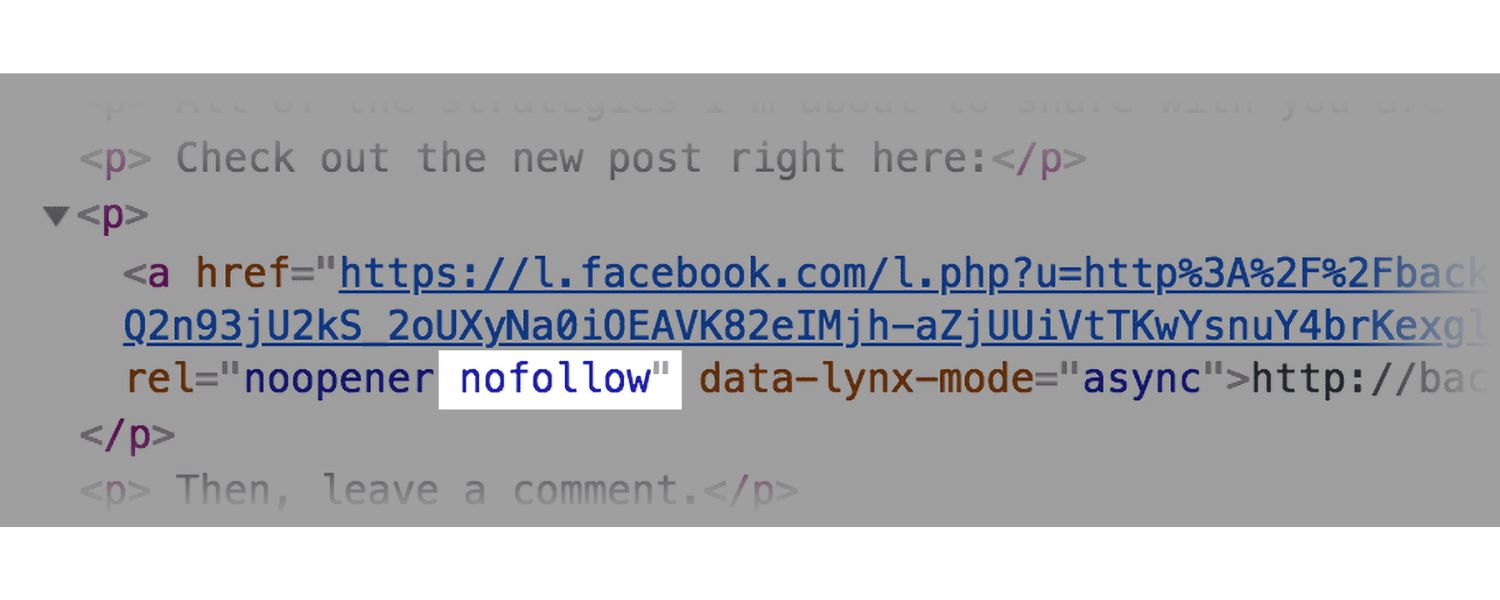
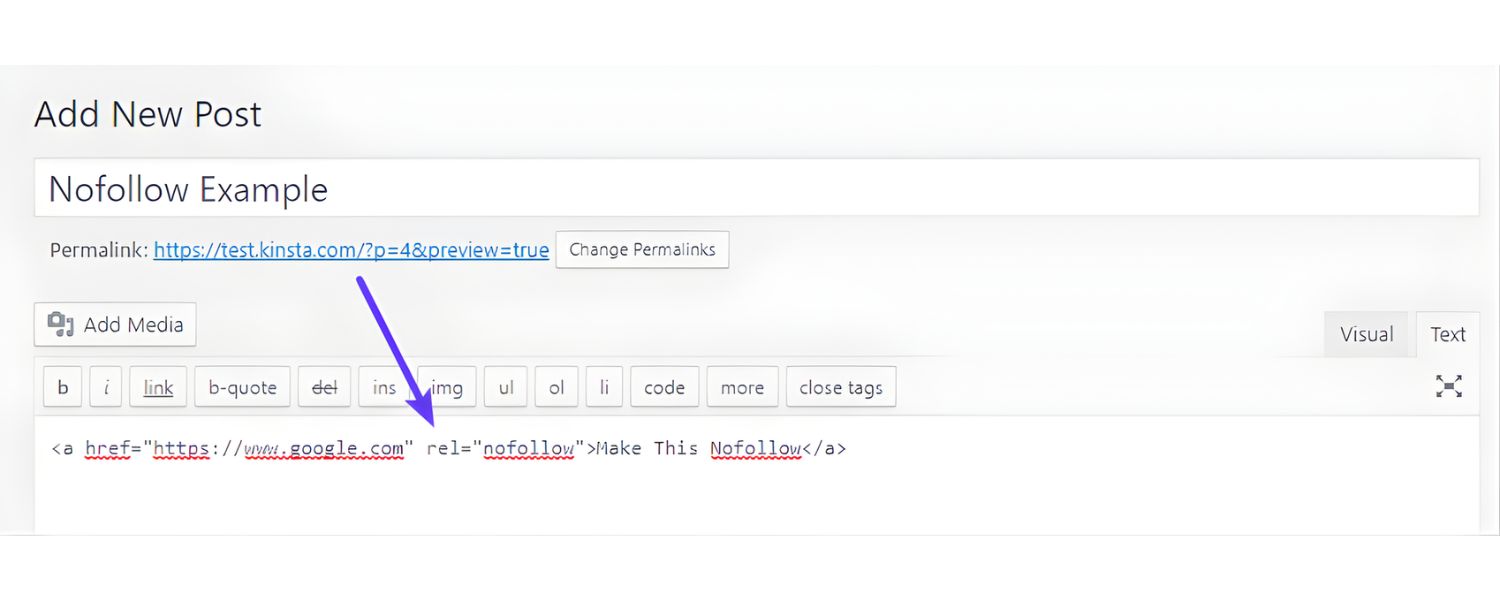
If you’re editing the HTML code of a page (or a CMS that allows HTML edits), simply add the rel=”nofollow” attribute inside the <a> tag of the link you want to nofollow.
For example<ahref=”https://www.partnersite.com”rel=”nofollow”>Partner Site</a>. You can include multiple values in the rel attribute if needed, separated by spaces. For instance, rel=”nofollow sponsored noopener”.
The order doesn’t matter. The key is that “nofollow” being present will signal to search engines not to pass ranking credit. After adding it, double-check the rendered HTML (view source) to ensure the attribute is correctly in place.
2. In WordPress (Block Editor or Classic Editor)
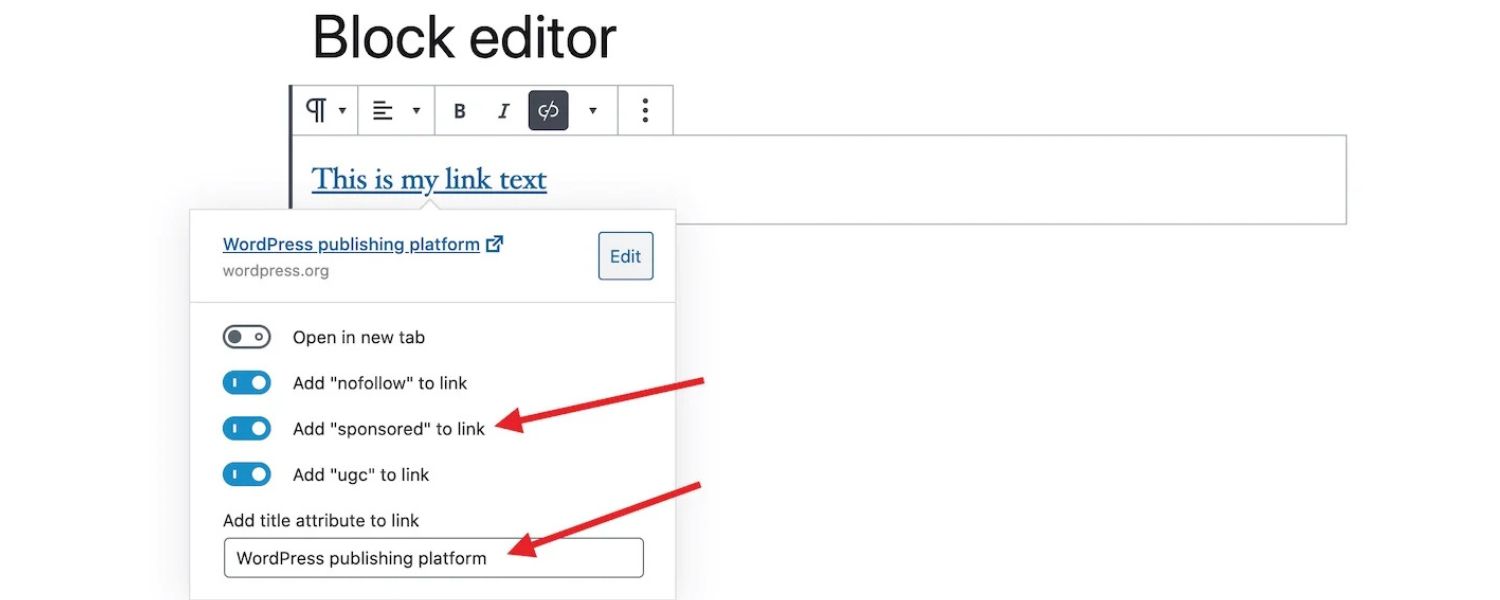
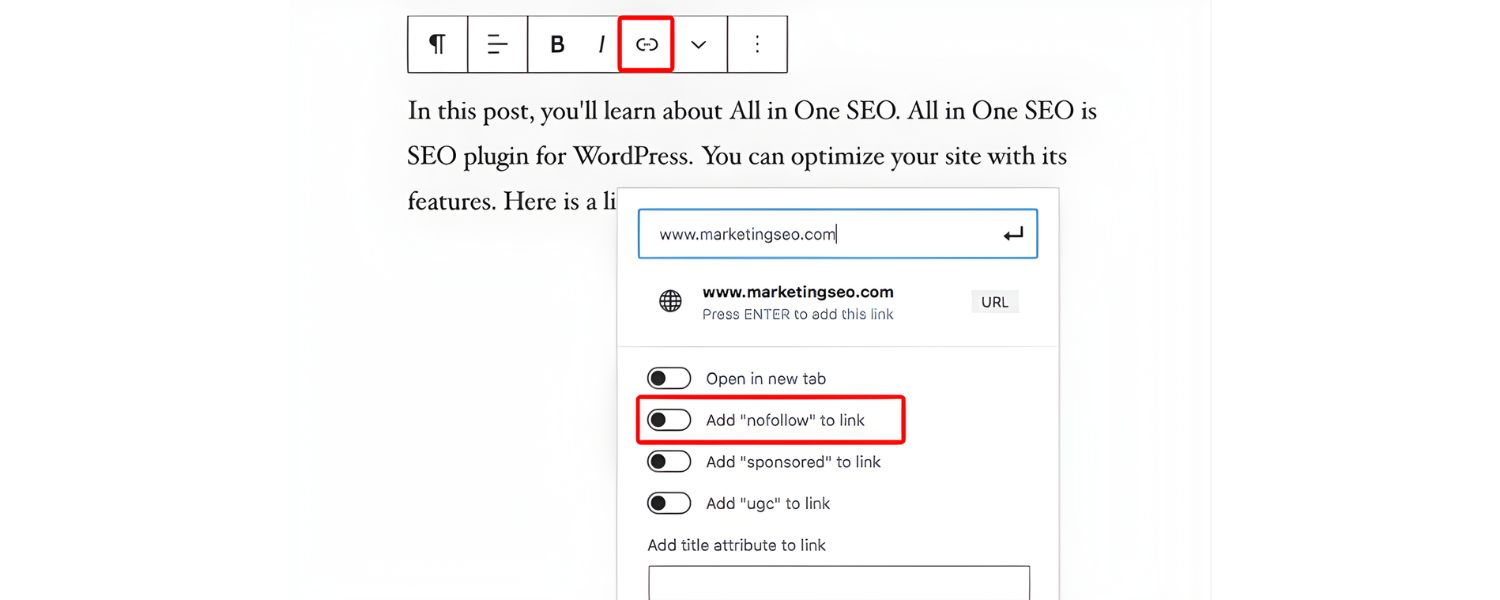
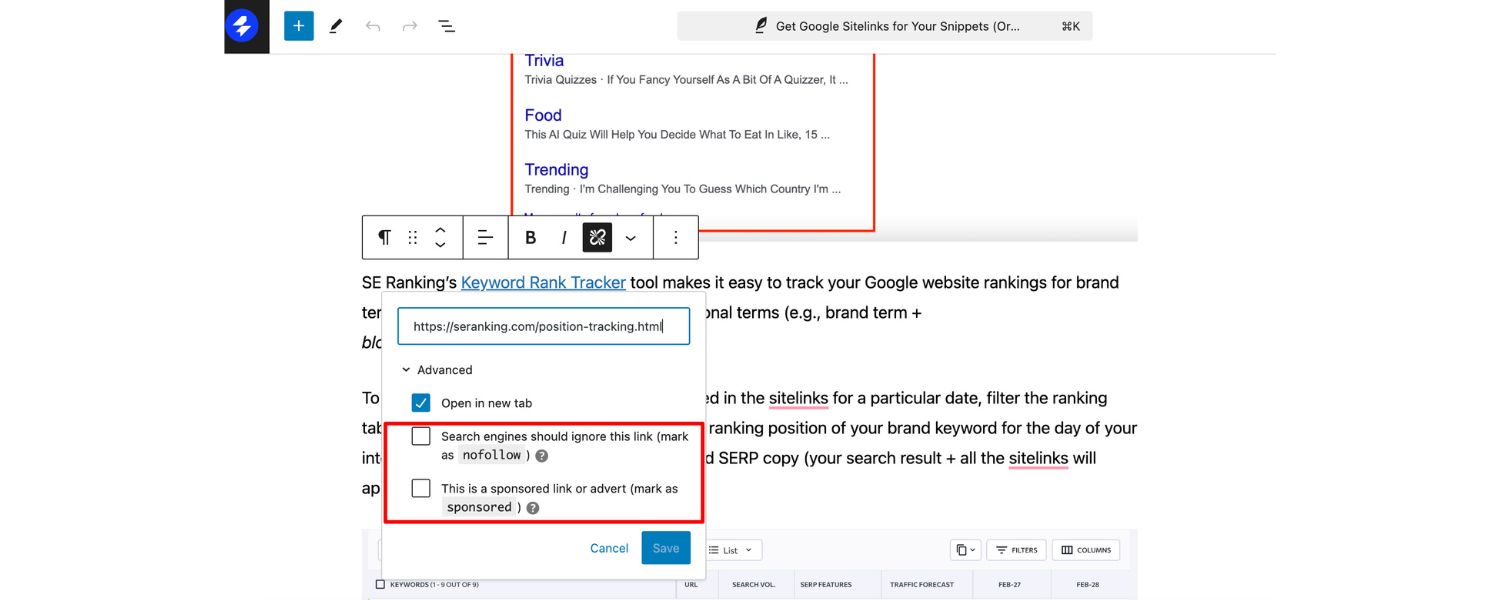
WordPress makes it fairly easy to nofollow links without touching code. When adding or editing a hyperlink in a post, look for the Link options or gear icon (⚙️) in the link dialog. There is often a checkbox that says “Add rel=nofollow” or “Sponsored” depending on your SEO plugin.
If you have the popular Yoast SEO or All-in-One SEO plugins, they sometimes provide a toggle to mark links as nofollow when inserting them. In the newer Block Editor (Gutenberg), some link settings allow specifying “Open in new tab” and “nofollow” via toggle switches (if not by default, certain plugins can add this functionality).
Alternatively, you can switch to the HTML view of the post and manually insert rel=”nofollow” in the anchor tag. Remember that WordPress by default automatically nofollows user-submitted comment links, so you don’t usually need to worry about those – focus on content links that you want to mark.
3. Using Plugins
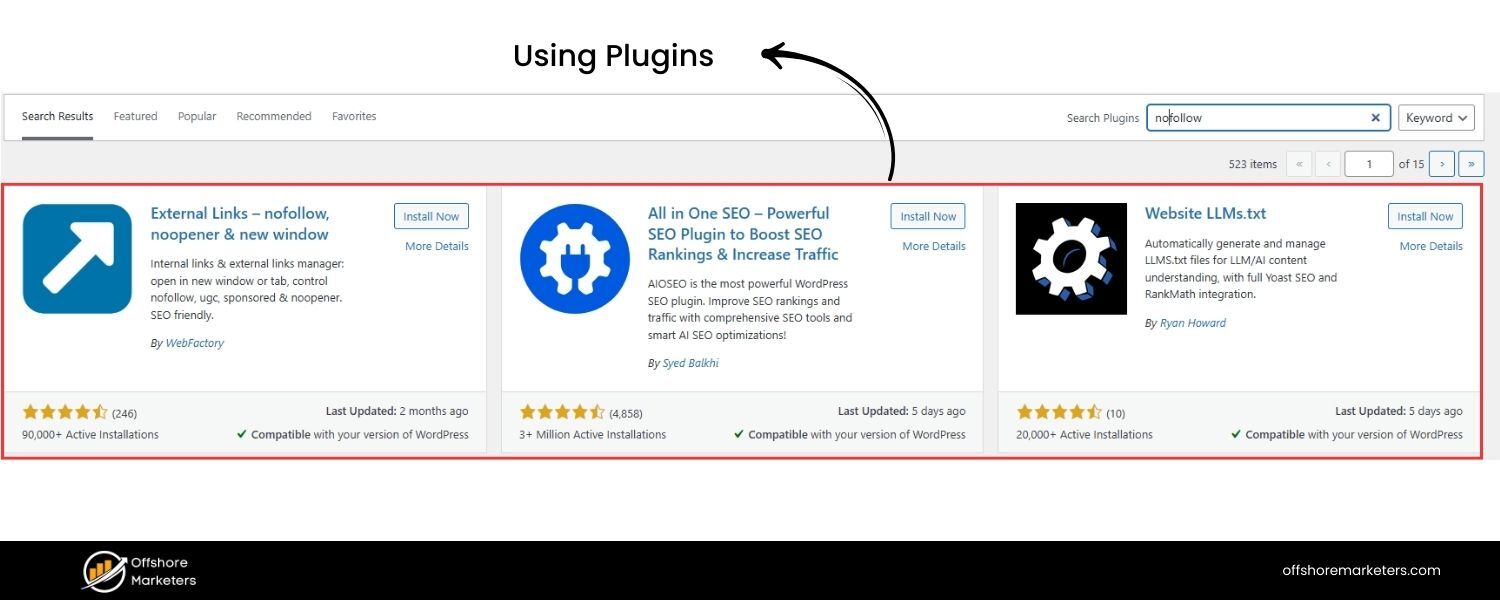
There are dedicated plugins that help manage nofollow attributes widely on your site. For example, the Ultimate Nofollow plugin can add a checkbox in the WP post editor for nofollow, and can even globally nofollow all external links if configured.
The Yoast SEO plugin (popular SEO toolkit) also provides options to mark individual links or to nofollow all outbound links in comments, etc.. Another plugin, All in One SEO, allows setting rules for external links site-wide (like adding nofollow to all external links automatically).
Use these tools carefully – you probably don’t want to blanket-nofollow everything, but they can enforce site-wide policies (for instance, nofollow all external links by default, then you manually remove nofollow on ones you trust).
4. Other CMS
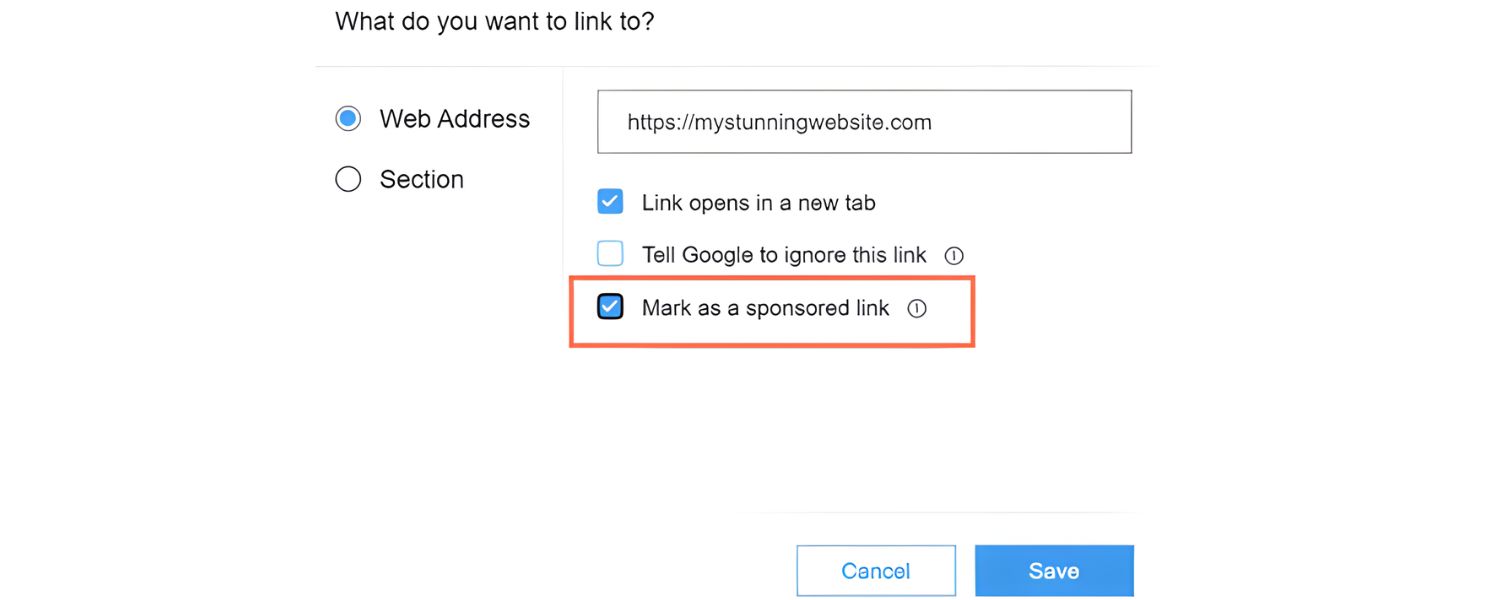
If you use builders like Wix, Squarespace, etc., they usually have an option in the link settings to mark a link as nofollow. It might be a simple toggle labeled “SEO” or “nofollow”. Check their documentation for how to add rel attributes. In many cases, you might need to add a tiny snippet of code or use their advanced settings.
5. Verifying it Works
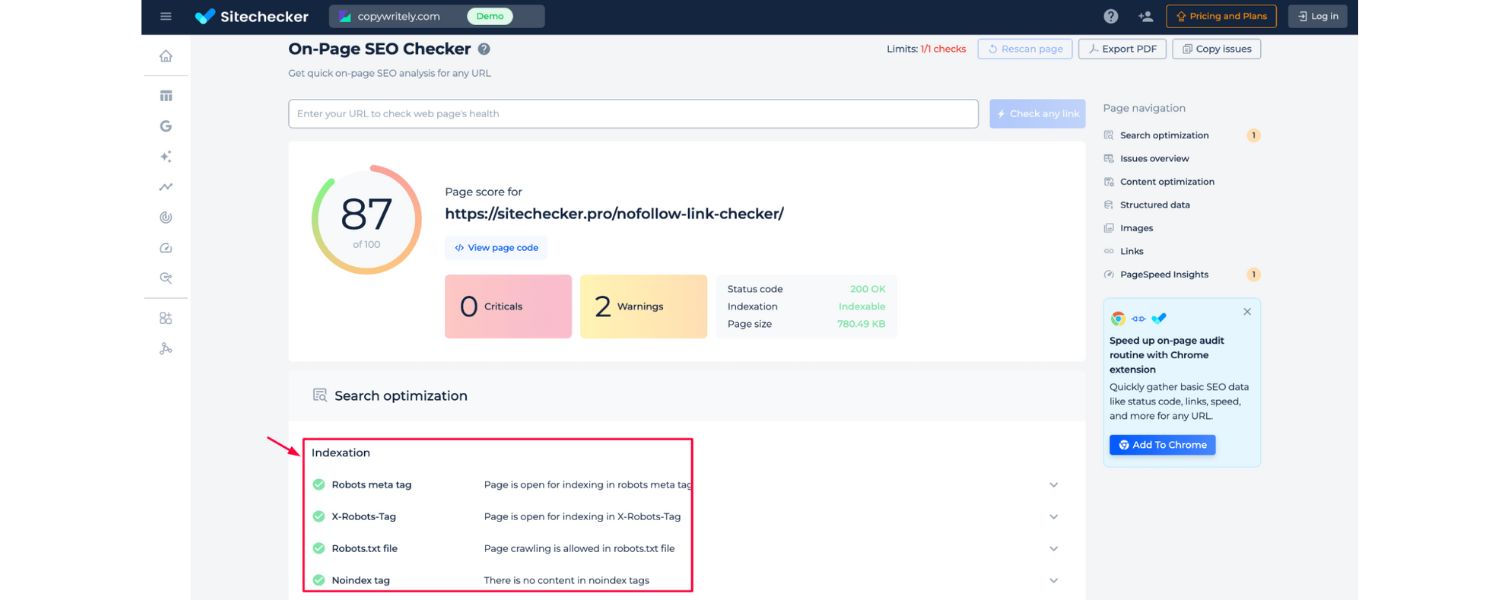
After adding nofollow, use the identification techniques from the previous section (view source or an extension) to ensure the rel=”nofollow” is indeed present on the live page.
Also, if you have Google Search Console, you can fetch your page and see how Google perceives the links (though GSC won’t explicitly show nofollow markup, it will just list links).
By implementing nofollow where appropriate, you take control of your link equity flow. It’s a simple but important tool in every webmaster’s toolkit for SEO.
Whether you’re an HTML guru or a drag-and-drop user, knowing how to apply rel=”nofollow” when needed will keep your site on Google’s good side and your link profile clean.
Nofollow vs. Noindex: What’s the Difference?
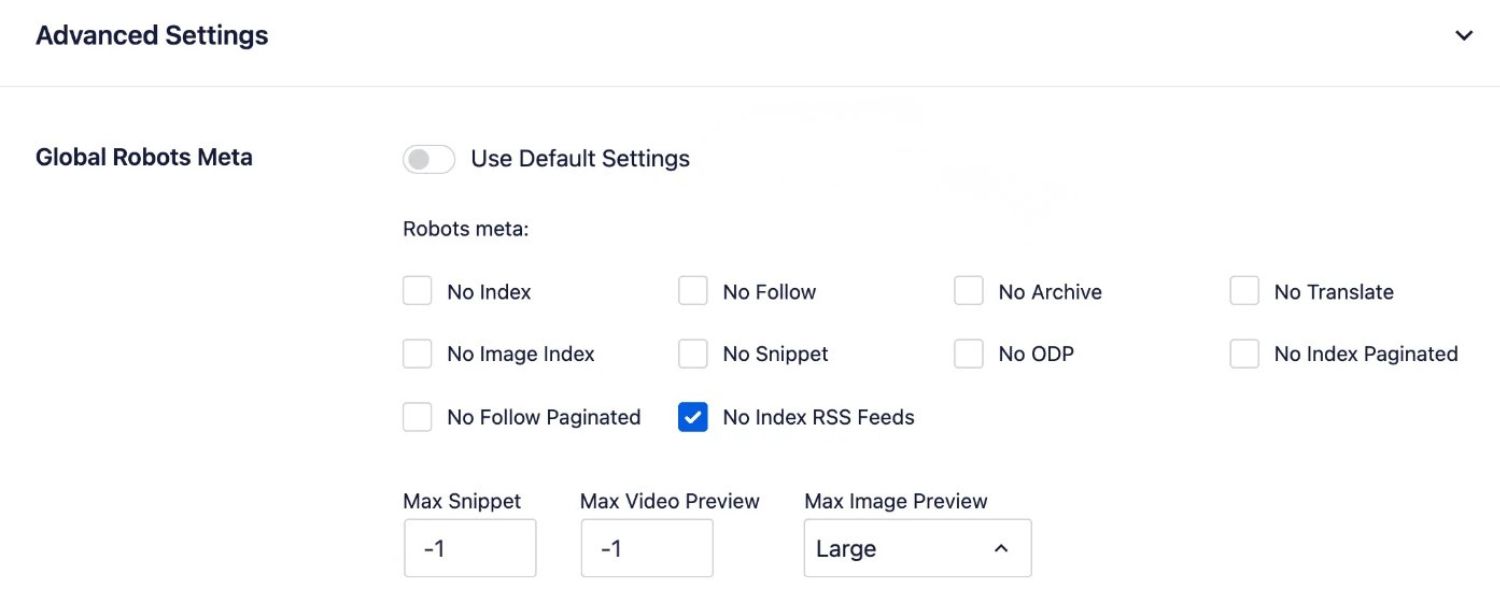
It’s easy to confuse nofollow with noindex, but they do very different things:
A. Nofollow is an attribute for links. It tells search engines not to follow a particular outbound link or count it as a vote. Nofollow is about links from your page to somewhere else.
B. Noindex is a meta tag or response header that applies to entire pages. It tells search engines “Do not include this page in search results.”
C. If you add a <meta name=”robots” content=”noindex”> tag in a page’s HTML head, Google and other engines will drop that page from the index (or not index it at all). Noindex is about the page itself, not any specific link on it.
Key difference: Using a nofollow link to a page does not keep that target page out of Google’s index. If you truly want to hide a page from search results, you must use a noindex directive on that page (or other methods like password protection).
Conversely, using noindex on one of your pages doesn’t automatically nofollow the links on it – though Google won’t index the page, it may still crawl and follow the links on a noindexed page if they’re not individually nofollowed.
In summary, nofollow = “don’t vote for this link,” whereas noindex = “don’t list this page in search.” They solve different problems. Often you might use them together: for example, a private thank-you page might have a noindex, nofollow meta tag if you don’t want search engines indexing it or following any links on it.
But if your goal is solely to control link equity or spam, use nofollow; if your goal is to keep a page out of Google’s database, use noindex.
(Quick tip: Another related term is “disallow” in robots.txt, which tells crawlers not to visit a URL at all. Don’t confuse that with noindex or nofollow – each has its own use case in controlling crawler behavior.)
Conclusion: Using Nofollow Links Wisely in Your SEO Strategy
In an SEO world often obsessed with “dofollow backlinks” and PageRank, nofollow links may seem like the forgettable stepchild. But as we’ve explored, they play a vital supporting role in a robust, white-hat SEO strategy.
Nofollow links allow you to engage in marketing and link-building without crossing into penalty territory, you can participate in discussions, sponsorships, and directory listings freely, knowing those links won’t inflate your rankings (and therefore won’t incur Google’s wrath).
They also contribute to a natural-looking backlink profile and can drive valuable traffic and exposure your way.
As someone with 25 years in marketing and SEO, my advice is this: embrace nofollow links for what they are, natural byproducts of a healthy online presence.
Focus on creating great content and earning genuine links. When you do guest posting or partnerships, earn those dofollows, but don’t shy away from nofollows that come with real visibility (like a mention on social media or a high-profile blog comment). Over time, the mix of both will serve you well.
Lastly, always apply nofollow when necessary (for paid links, user content, etc.) to stay compliant and protect your site. It’s a simple step that can save you from headaches down the line.
The goal is to build trust with both your audience and search engines. By using nofollow links wisely, neither overusing nor underusing them, you signal that you’re playing a fair game.
Now that you know the ins and outs of nofollow links, take a moment to audit your own site’s linking practices. Are you nofollowing where you should?
Are you cultivating a good balance of link types in your off-page SEO? With the knowledge from this guide, you can refine your strategy and confidently navigate the fine points of link attribution.

Why Roseville Startups are Choosing Offshore Marketers to Scale Smarter
Roseville is no longer just a quiet suburb of Sacramento;...

What Is PPC? A Practical Guide to Pay‑Per‑Click Advertising
Pay‑per‑click (PPC) is the “pay only when someone clicks” branch...

Google Search Issues Affecting Results in Some Regions
Google has confirmed a problem with one of its data...

Keyword Counts Dropped After Google’s num=100 Change
In September 2025, Google stopped supporting the &num=100 parameter. This...

Image SEO: Optimize Images for Higher Rankings & Traffic
Introduction Images make your website more engaging, but they can...


.png)
.png)
.png)
.png)
.png)

2024 ALL RIGHTS RESERVED MADE IN INDIA
.png)