
Outbound Links in SEO – What They Are, Why They Matter, and Best Practices
August 20, 2025
Introduction
Outbound links – hyperlinks from your website to another – might seem counterintuitive in SEO. Why send visitors away from your site? The truth is, when used wisely, outbound links can strengthen your content’s value, credibility, and even SEO.
Recent studies show a correlation between top-ranking pages and their use of external links. Google’s own advocates have emphasized that linking out “is a great way to provide value to your users”.
In this guide, we’ll dive deep into what outbound links are, how they impact your site’s rankings, and how to leverage them effectively (without hurting your SEO).
What Are Outbound Links?

Outbound links (also known as external or outgoing links) are clickable hyperlinks on your site that point to a different website.
In other words, when a user clicks an outbound link, they leave your domain and land on another. For example, if you cite a statistic from a research report and hyperlink to the source’s website, that’s an outbound link from your page to the source.
It’s helpful to distinguish outbound links from other link types:
1. Inbound links (Backlinks): Links from other websites pointing to your site. (Every outbound link from another site to yours is an inbound link for you.)
2. Internal links: Links that connect pages within the same website or domain.(ex like:”Link building strategies“)
For clarity, here’s how they differ from your site’s perspective:
| Link Type | Alternate Name | What It Does |
|---|---|---|
| Outbound Link | External link, Outgoing link | Points from your site to a page on a different website. |
| Inbound Link | Backlink, Incoming link | Points from another site to a page on your website. |
| Internal Link | On-site link, Internal navigation link | Points from one page on your site to another page on your site. |
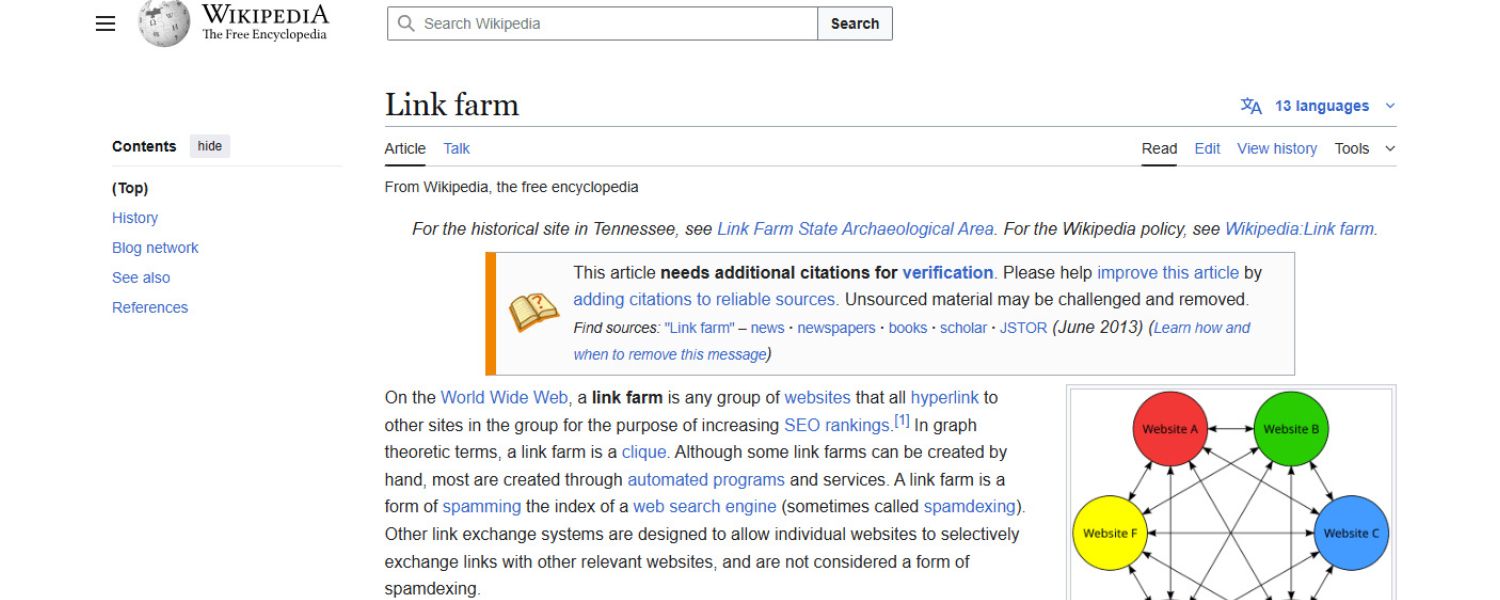
Every website both receives inbound links and likely provides outbound links. In fact, the web’s very structure is built on interconnected pages via hyperlinks. As SEO experts often note, a site with no outbound links is like a dead-end street for search engines.
By linking out, you connect your content to the broader web ecosystem, which helps search engines and users discover relevant information beyond your pages.
Why include outbound links? Outbound links serve several purposes in content: you might link out to cite credible sources for facts, to direct readers to further reading or tools, or to give credit for images/quotes.
For example, a blog about U.S. population growth might link to official Census Bureau data – reinforcing credibility by backing up claims with authoritative references.
Similarly, if you reference an expert’s quote or a study, linking to the original source is considered good journalism and adds transparency for readers.
Did You Know? Popular SEO plugins like Yoast SEO even flag the absence of outbound links as a content issue. Yoast’s guidance explains that “the web is built on links” and encourages adding relevant outbound links where it makes sense.
In other words, linking to helpful external resources isn’t just okay – it’s an expected practice for rich, user-friendly content.
How Do Outbound Links Affect SEO?
One of the most important questions marketers ask is: Do outbound links help your SEO, or hurt it? Let’s explore the impact of outbound links on search rankings – the benefits, the myths, and the potential pitfalls.
The SEO Benefits of Outbound Links
Adding outbound links can indirectly benefit your SEO, provided they are handled correctly. While Google does not use outbound links as a direct ranking factor (more on that shortly), there are several indirect SEO advantages to linking out:
1. Enhanced Topical Relevance
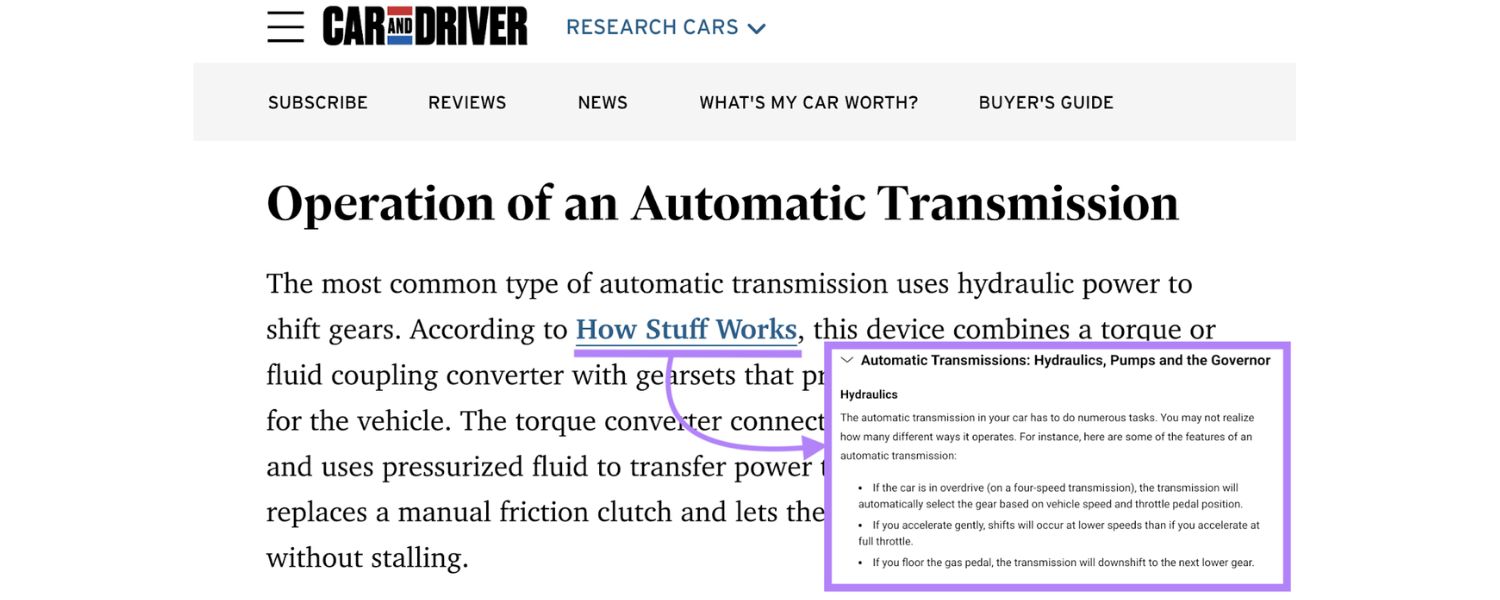
Linking to relevant external content can strengthen your page’s context and help search engines understand your topic better. Think of outbound links as signals that place your content within a network of related ideas.
By referencing authoritative material on your topic, you indicate to Google that your page is a hub of useful information within its subject area. This can improve how well your page matches certain search queries.
2. Improved Credibility and Trust (E-E-A-T) 
Outbound links show that you’ve done your research and are willing to cite authoritative sources. Google’s quality rater guidelines emphasize Experience, Expertise, Authoritativeness, and Trustworthiness (E-E-A-T) in content. Linking to trusted sources can demonstrate all of these.
As one SEO expert put it, outbound links subtly showcase your expertise by citing high-quality information – a key aspect of E-E-A-T.For users, seeing a source link (e.g., a link to an official study or reputable site) immediately makes your content more trustworthy.
Neil Patel, a veteran marketer, notes that if you share a statistic, “putting an outbound link to a credible source instantly removes [reader] concern and makes your piece more trustworthy.”In short, good outbound links can enhance your content’s integrity in the eyes of both users and search engines.
3. Better User Experience & Utility
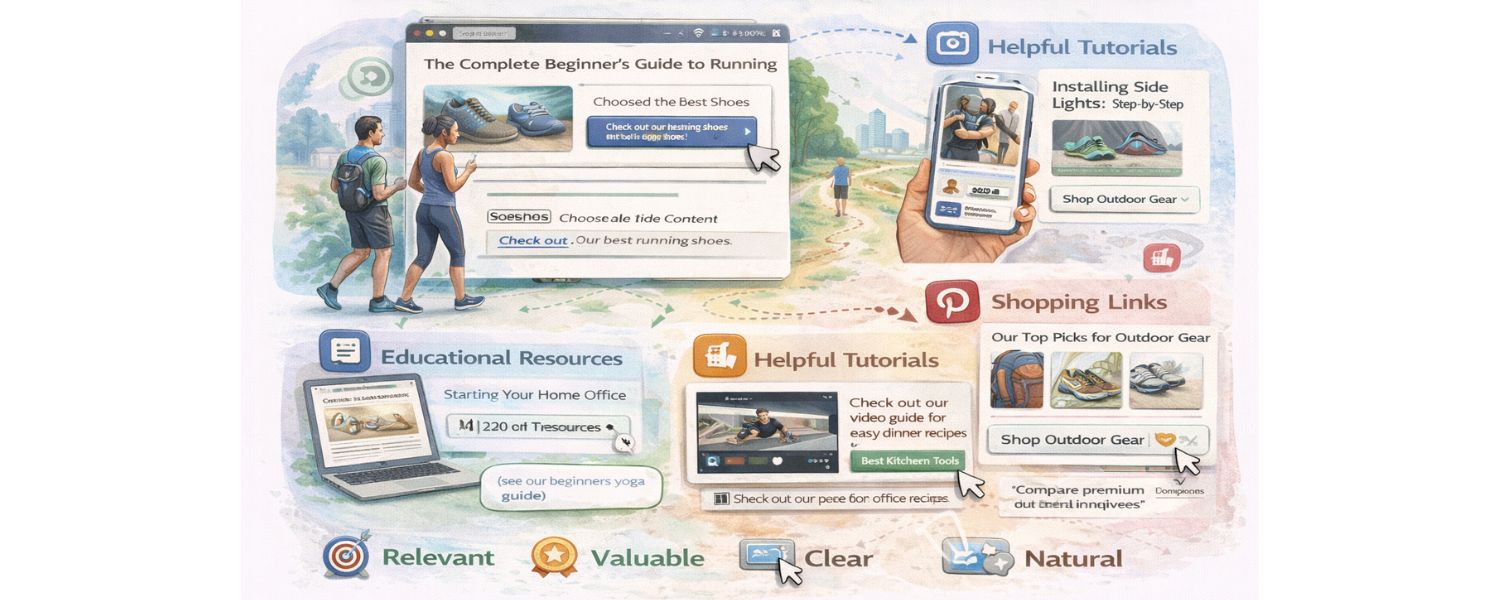
Google’s John Mueller has stated that “linking to other websites is a great way to provide value to your users”, allowing them to “find out more, check your sources, and better understand your content”.
By guiding readers to additional information or tools, you improve their experience on your site. For example, a tutorial might link to a free tool or a definition on Wikipedia – helping users accomplish their goals. These helpful outbound links keep users engaged and satisfied.
In some cases, outbound links can even increase user engagement metrics: if you open external links in a new tab (so your site remains open), users might spend more time overall researching a topic, potentially returning to your page.
Studies have observed that pages with well-placed outbound links often have lower bounce rates and longer visit durations, sending positive signals to Google. (The key is that users feel your page was a useful “launchpad” for exploring the topic.)
4. Content Depth & Completeness
Outbound links can make your content more comprehensive. Rather than writing shallow content, you can briefly cover tangential sub-points and link out to detailed resources for those who want to dive deeper.
This way, your page serves as an authoritative overview that acknowledges external expertise. Such comprehensive pages (sometimes called “hub” or “pillar” content) are highly valued by users and can be favored by search engines.
In fact, an extensive 2022 SEO study found that pages that consistently include well-curated outbound links – helping users discover relevant resources – tend to rank higher, likely because they reflect a higher level of effort and quality.
Outbound links act as evidence that you’ve done thorough research, which “speaks to the level of commitment and attention to user experience” on your page.
5. Relationship Building & Backlinks 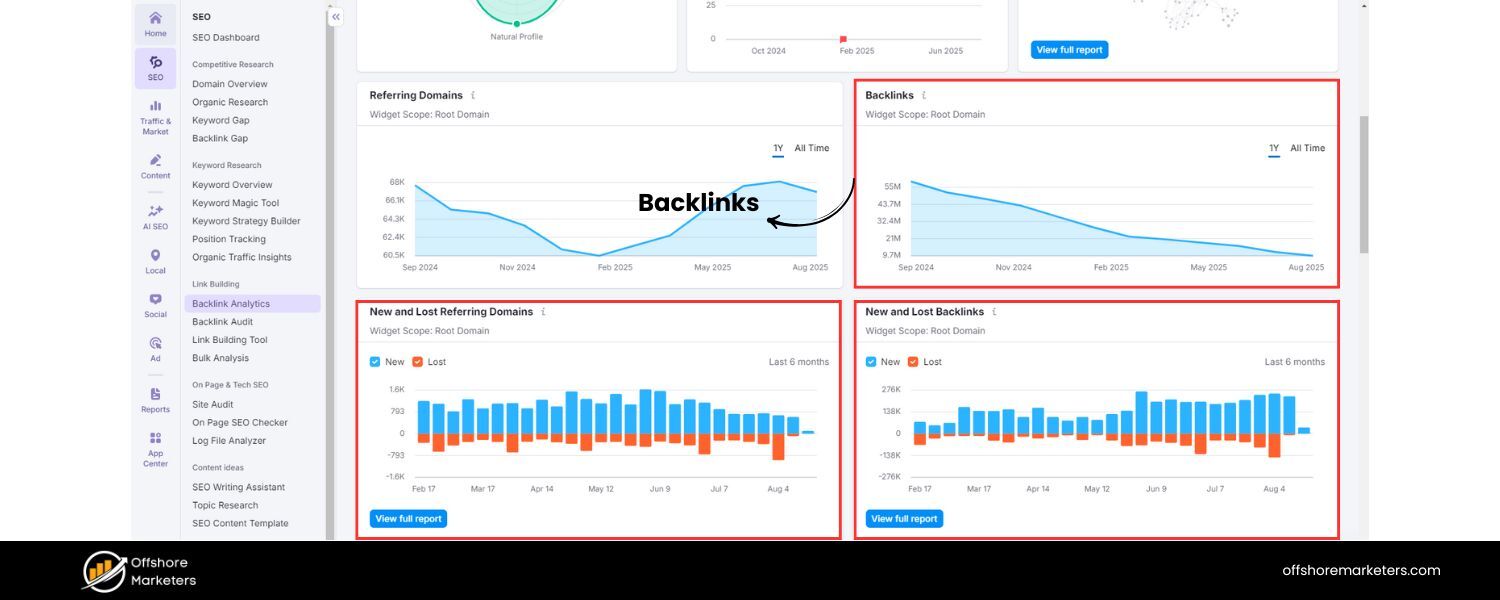
Linking out can foster goodwill and connections in your industry. When you link to other websites (especially niche authorities or influencers), those site owners may notice. This can open the door to networking opportunities – they might appreciate the mention, share your content, or even link back to you in the future.
A well-placed outbound link “can serve as the first step in building a network of mutually beneficial relationships”, notes one SEO agency. Over time, these relationships might lead to inbound links for you (e.g., via guest posts or reciprocal references), which directly boost SEO.
In essence, outbound links can get you inbound links – a classic content marketing strategy. Additionally, by linking to authoritative sites in your niche, you align your site with trusted players, potentially boosting your reputation by association.
6. Direct Traffic and Visibility 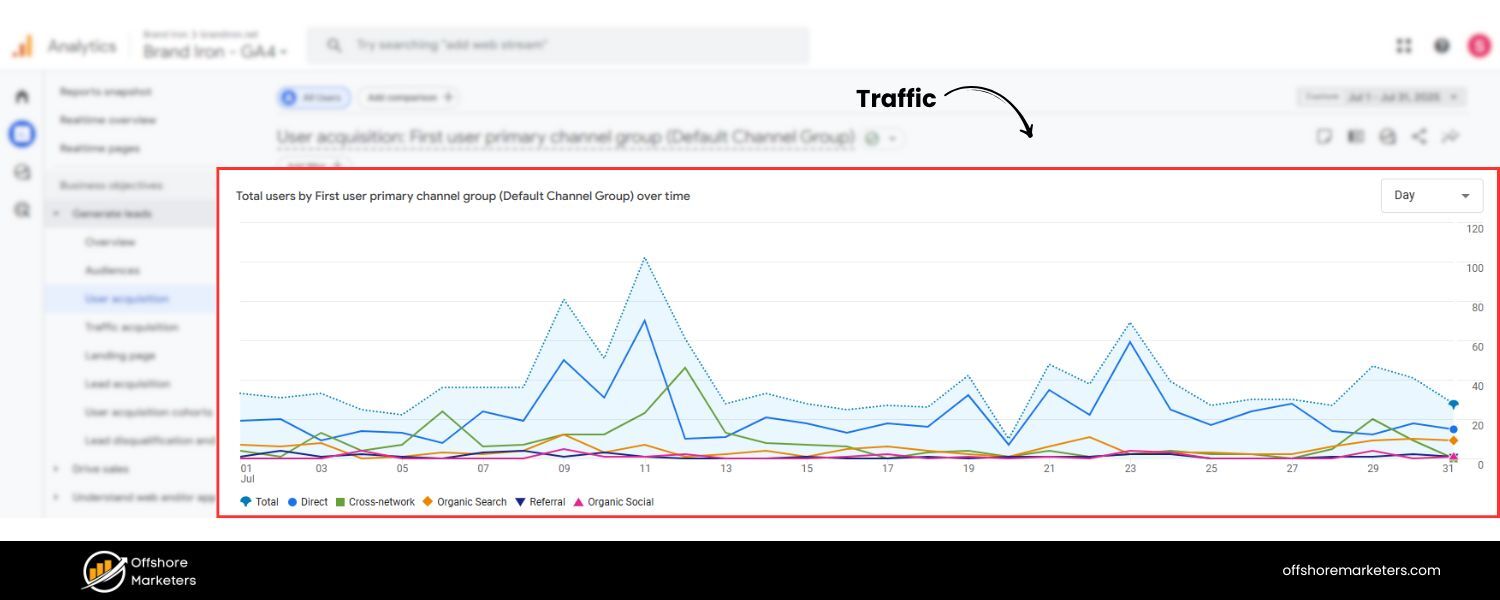
Although an outbound link by definition sends a user away from your site, it can still indirectly increase your traffic.High-value outbound links often encourage content sharing and can get your page cited as a resource.
And as mentioned, if those external sites notice your link, they might drive their audience to you (for instance, some sites display “trackbacks” or have pingback notifications for sources).
Moreover, improved SEO from better content and any new backlinks can lead to higher rankings, which in turn brings more organic visitors. So, while a clicked outbound link is a user leaving, the strategy of outbound linking as part of quality content can attract more users in the long run.
The bottom line: Outbound links, used appropriately, are beneficial. They make your content more useful and credible.
As long-time SEO professionals will tell you, external linking is part of the web’s DNA – no page is an island. A senior Google Search advocate even remarked that “links help users to … better understand how your content is relevant” in the bigger picture.
And a recent industry study revealed that websites with a balanced profile of outbound links enjoy higher rankings on Google. In short, outbound links can be an SEO asset, contributing to what Google considers a high-quality page (useful, well-researched, connected to reputable knowledge).
Myths and Misconceptions About Outbound Links
Despite their benefits, outbound links are often surrounded by fears and myths in the SEO world. Let’s debunk the common misconceptions:
Myth 1
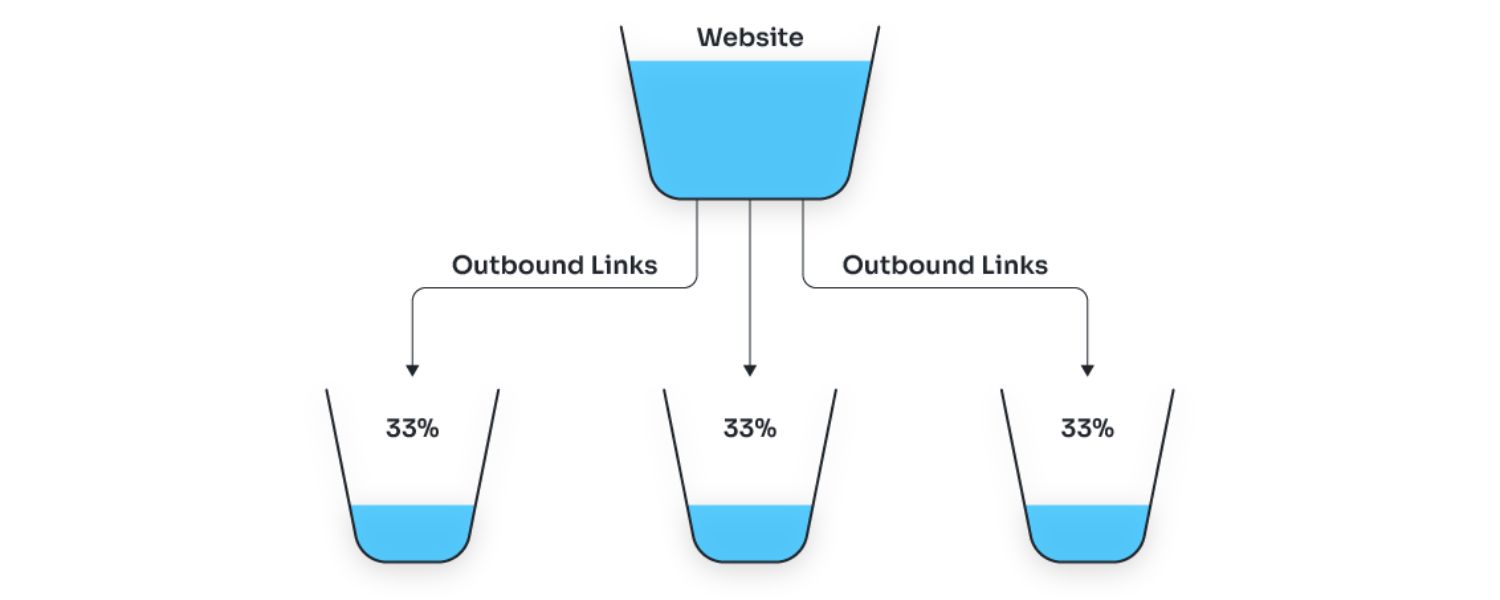
“Linking to other sites leaks your PageRank or ‘SEO juice.’”
The reality: Simply adding outbound links does not hurt your own page’s authority in Google’s algorithm. This myth stems from a misinterpretation of how PageRank (Google’s original link analysis system) works.
It’s true that PageRank measures how link equity flows through the web graph, and a page’s outgoing links distribute some of its PageRank to other pages.However, this does not mean your page is penalized for linking out, nor does it automatically lose ranking strength. Google’s John Mueller has explicitly stated that “Nothing happens [when you link out to a popular website]… SEOs have claimed this for decades, but it’s a myth.” Your page’s ranking is not going to drop just because you cite Wikipedia or CNN.In Google’s eyes, an outbound link is an endorsement of the target page, but it isn’t a negative vote against your own site.
In fact, Google expects that authoritative pages will cite other sources – it’s a sign of a healthy, natural page. Any “dilution” of PageRank by having multiple links is simply how the link graph works; it’s not a penalty.
Think of it this way: if your page has earned a certain authority, linking out shares some of that with others (which is fine), but it doesn’t subtract from your page’s relevance to its own topic.
No tangible ranking points are lost by linking out. On the contrary, if those links make your content better, your page can perform better.
As one SEO resource explains, a high-authority site’s outbound link is weighed strongly as an endorsement by Google, but “this isn’t because anything is transferred” like a loss of energy – it’s simply that Google trusts the outgoing link from a trustworthy source.
In short, don’t be afraid to link out to good resources. Your page won’t drop in rank just for doing so (unless you were linking to something harmful or irrelevant, which is a different issue).
Myth 2
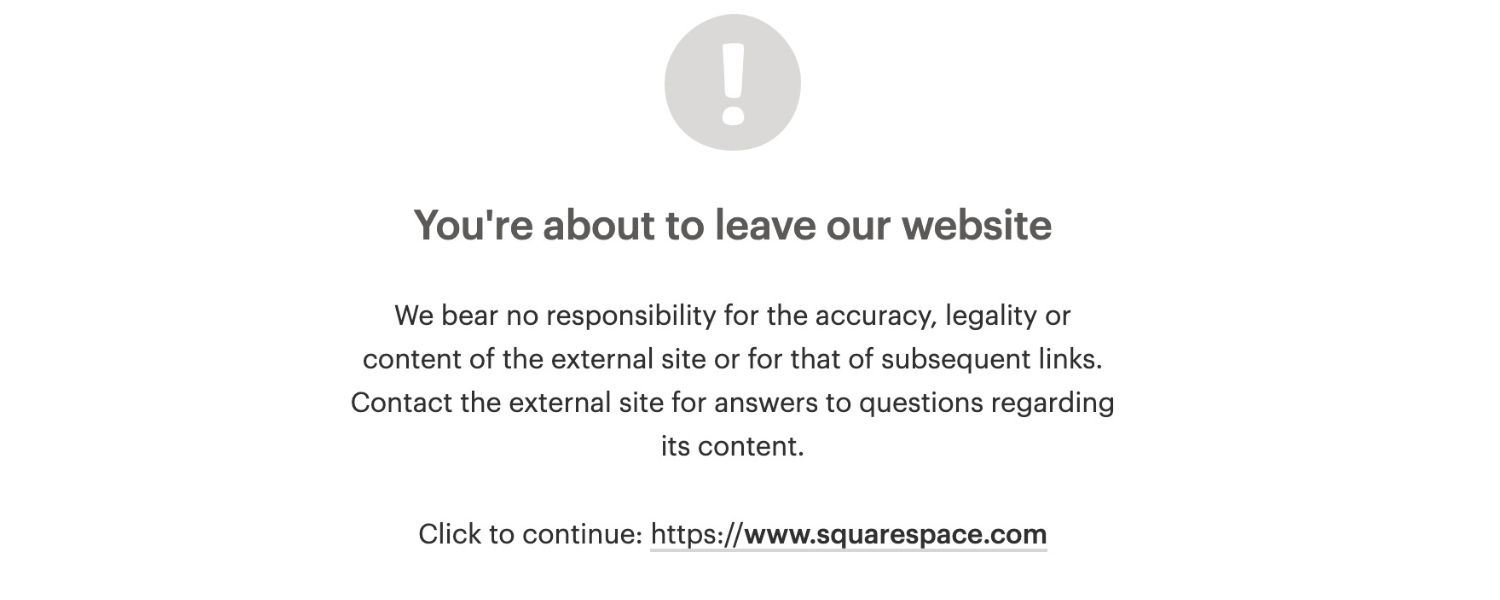
“Never link to other sites – you want to keep users on your page.”
This is a prevalent fear from a user experience perspective: Why would you intentionally send hard-earned visitors off-site? The concern is understandable, especially for conversion-focused pages. However, if you provide no outbound links at all, your page may look suspicious or incomplete. Users expect references for facts or claims.A page with zero external links can come across as insular or less authoritative.
As mentioned, even SEO plugins nudge you to include outbound links for a reason – it’s considered a best practice for content quality.Of course, you don’t want to litter your page with so many links that readers get distracted.
It’s about balance. Outbound links should be added only where they truly add value. If your content is so good that it answers everything a user needs without needing to click elsewhere, that’s fine – but in many cases, strategic external links actually enhance the user experience rather than harm it.
Also, you can configure outbound links to open in a new browser tab (so your site stays open in the original tab) – this way, users can explore the reference and easily come back to your content. Opening external links in a separate tab is recommended as a UX best practice because it prevents users from completely leaving your site and potentially lowers bounce rate.
In summary, linking out won’t automatically send all your traffic away for good – instead, it can build trust that keeps readers coming back. A user who finds your article helpful (thanks in part to the resources you cited) is more likely to view you as a reliable source and revisit your site in the future.
Myth 3
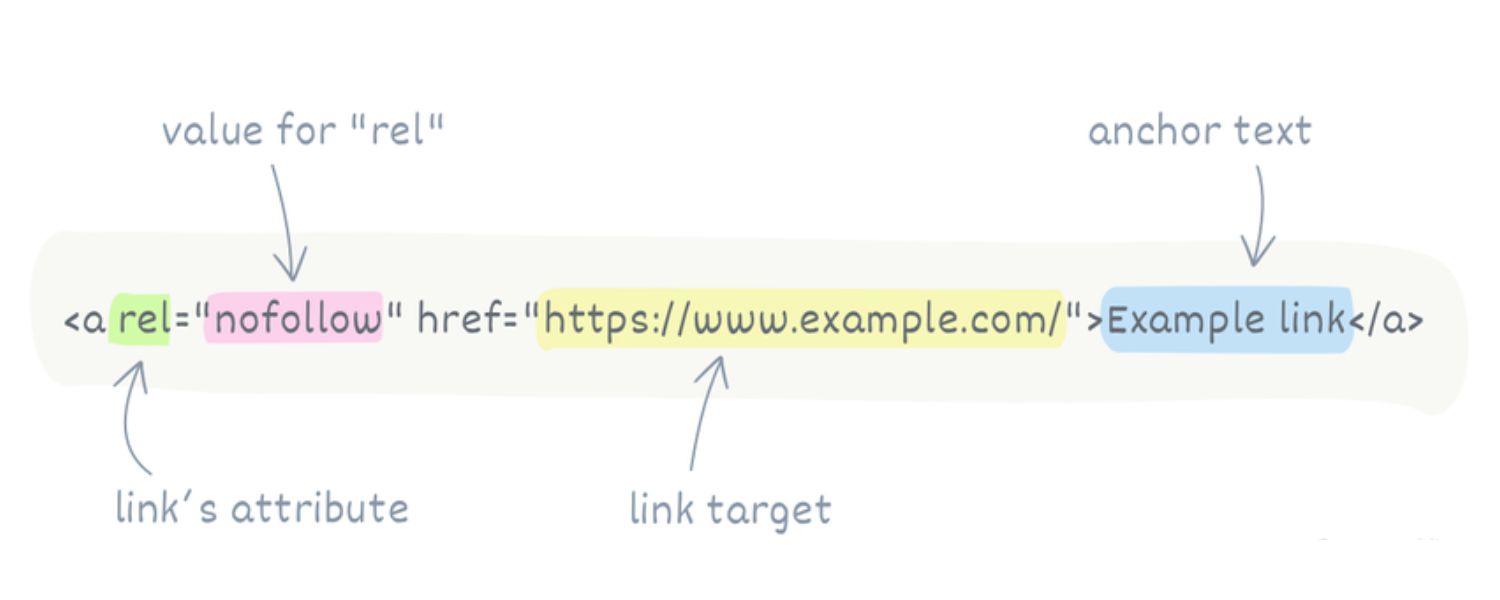
“All outbound links should be nofollowed, or Google will penalize me.”
This misconception likely arose from Google’s guidelines about link schemes. It’s not true that every external link needs a rel=“nofollow” attribute.Google’s link spam guidelines only require nofollow (or related attributes like rel=“sponsored”) in specific cases – such as paid links, affiliate links, user-generated content links, or any link that is not an editorial endorsement.
For normal editorial outbound links (like citing a source or recommending a helpful page), you should use a regular followed link. Marking all your outbound links as nofollow “just in case” is unnecessary and can even be counterproductive.
Why? A nofollow tells search engines “I don’t vouch for this link.” If you’re linking to a high-quality source, you do want to vouch for it! There’s no SEO benefit in adding nofollow to legitimate outbound links – doing so doesn’t conserve “juice” or anything; Google simply ignores nofollow links in ranking calculations.
Google will not penalize you for including normal outbound links to relevant, reputable sites.
Penalties occur only if you engage in manipulative linking (e.g., excessive link exchanges, linking out to spam or selling links). In fact, Google’s own Gary Illyes once suggested that linking out naturally can be a positive signal, as it shows your site is not trying to hoard PageRank and is contributing to the web ecosystem.
The key is: use nofollow (or sponsored/UGC) only when appropriate – for instance, a widget link someone paid you to place, or a link in a comment section, or a banner ad. Your editorial references and citations should be left “dofollow.”
As one SEO expert clarifies, “Not all outbound links require nofollow… reserve this for ads or non-editorial links. Google isn’t penalizing sites for just building outbound links to cite sources – that’s considered fair practice.”
Myth 4
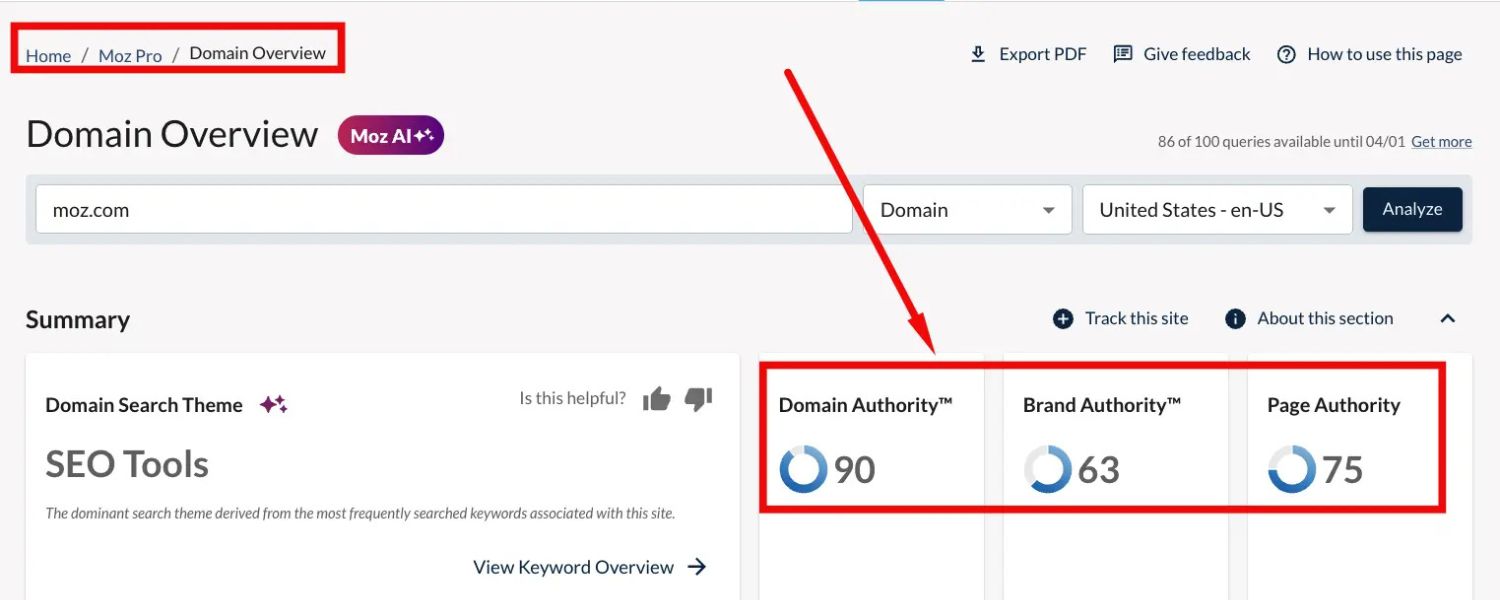
“Linking to high-authority sites will automatically boost my SEO.”
This is almost the opposite of Myth 1. Some believe that if you liberally link to sites like Wikipedia, .edu domains, or big news sites, Google will reward you.
There is no direct ranking boost simply for linking to authority sites. Google’s John Mueller explicitly said that adding outbound links to popular sites “does nothing” for your rankings. Simply name-dropping an authoritative site with a link “doesn’t fix your [content]” or make it higher quality.
What matters is relevance and user value. If the authoritative site is relevant and the link genuinely helps the user, then that outbound link strengthens your page (indirectly, through improved content quality). But if you randomly link to high-DA sites that have no clear connection to your content, it provides no benefit to the user or your SEO.
For example, linking the word “NASA” to in an article about gardening is pointless – yes, NASA is authoritative, but it’s unrelated. Google’s algorithm is smart enough to ignore such superficial tactics.
As one 2025 SEO guide put it: even if it’s a high-authority site, “Google wants to see that the link actually passes value to your users. If that’s not the case, then nothing will happen.” In essence, link out to authoritative sites when they are relevant to your content, not just to impress Google. Quality outbound linking is about adding unique value, not about picking the highest-PageRank site you can find.
When done right (e.g. linking to a relevant study or official guideline), it can indirectly help by improving user trust and signaling topical relevance. But there’s no direct “authority juice” injection. Remember: outbound links are like references in a research paper – choose them for relevance and credibility, not just fame.
Myth 5
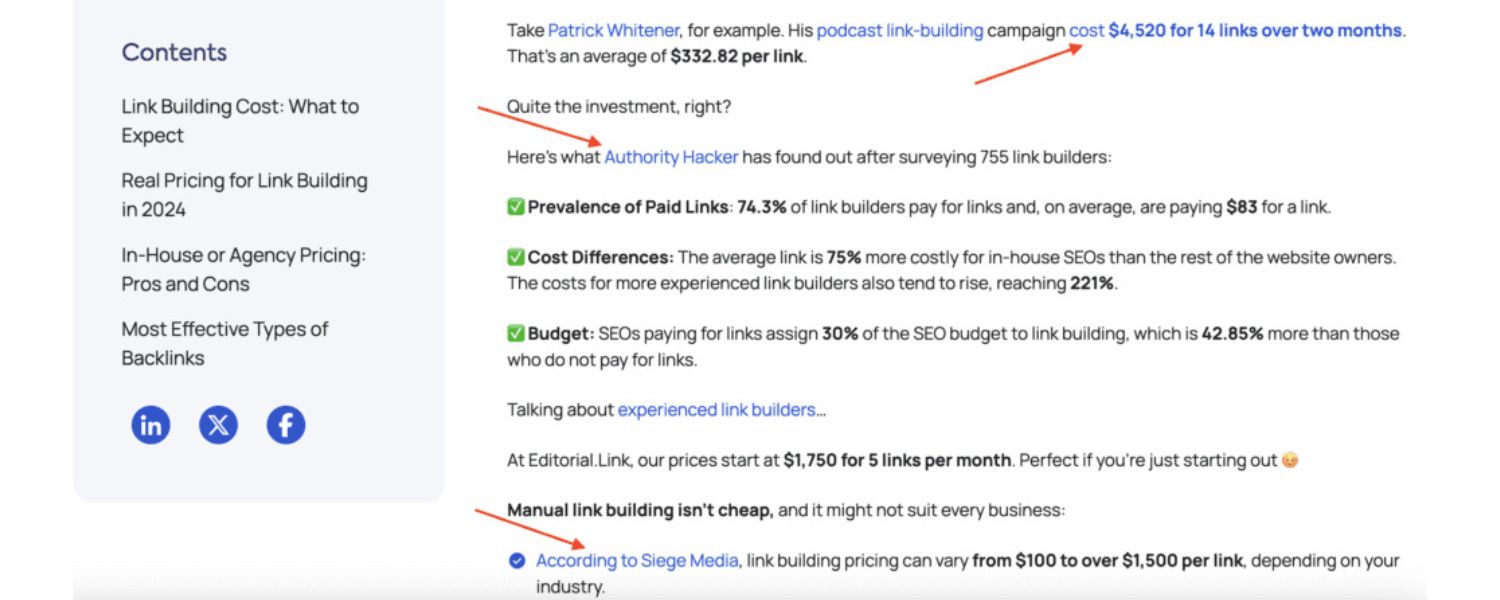
“Too many outbound links will hurt my page’s SEO.”
This one has a kernel of truth: you can overdo outbound links to the point of diminishing returns. A page that is mostly just a list of external links (with little original content) could be seen as low-value by Google.
Additionally, if you excessively link out in an unnatural pattern (especially if the links seem unrelated or spammy), it might raise flags. That said, there’s no fixed “too many” number – the right number of outbound links is “as many as are truly helpful to the user.”If every sentence of your article sends the reader elsewhere, that’s probably excessive and distracting.
Google’s guidance, echoed by SEO experts, is to keep outbound links relevant and reasonable: “be careful not to add too many when there’s no need to do so”, as an excess can indeed distract readers and potentially look spammy.
Focus on quality over quantity. It’s better to have a few highly relevant, high-quality outbound links than dozens of mediocre ones. For instance, linking to two or three authoritative sources to support key points in a 1,500-word article is sensible.
Linking 50 times to various sites in that same article would likely annoy users and appear as link clutter. Also, avoid repetitive linking – you don’t need to link the same external page multiple times from one page (one link is enough to give credit or direct users).
When auditing your content, if an outbound link doesn’t serve a clear purpose (citation, further info, etc.), consider removing it. In technical terms, having too many outgoing links could slightly reduce how much PageRank each link passes (since it’s divided among more links), but again, that doesn’t harm you unless you care about how much you’re giving to others.
More importantly, a page filled with random outbound links could look like a link farm, which is bad for SEO. So, use outbound links generously but judiciously. When in doubt, ask: “Does this link provide additional, unique value to my users?” If yes, keep it. If not, you probably don’t need it.
By dispelling these myths, we see that outbound links – when added for the right reasons – are not dangerous. Google won’t punish you for linking out in a natural, helpful way. On the contrary, integrating outbound links thoughtfully is part of a robust SEO content strategy.
Outbound Links Best Practices for SEO and Content
Now that we understand the value of outbound links and what not to worry about, let’s get into actionable best practices. As a marketing expert with decades of experience, I recommend the following guidelines to get the most SEO benefit from outbound links while avoiding any pitfalls:
1. Link Out for the Right Reasons

Always ask yourself why you’re adding a given outbound link. The two best reasons are to cite a source or to provide additional useful information to the reader. In other words, outbound links should serve your content’s purpose and your users’ needs – not some attempt to game SEO.
A. Cite Your Sources
Whenever you state a fact, statistic, quote, or claim that isn’t common knowledge, consider linking to the original source. This could be a research study, news report, official guideline, or expert blog.
Citing sources via outbound links builds trust and gives your content credibility. For example, if you mention “According to a 2024 survey, 60% of shoppers use mobile devices…,” link to the report or article that published that stat. Readers can then verify the information, and you demonstrate transparency.
In academic and journalistic contexts, sourcing is mandatory – the same mindset benefits your marketing content. Bonus: Linking to industry data or experts also aligns you with those authoritative entities, potentially boosting your content’s perceived authority.
B. Add Value for the Reader
If there’s a related topic or term in your content that some readers might want more information on, an outbound link can be very helpful.For instance, a medical blog post might link the term “glycemic index” to a page explaining it in depth, rather than derailing the article with a lengthy definition.
Or an SEO article might link to Google’s official documentation for an algorithm update it mentions. By anticipating readers’ questions and providing a helpful link, you improve user experience.
A practical example: a “how-to” guide could link to a free tool that performs a task mentioned in the steps (e.g., linking “image compressor tool” to a reputable free compressor site). Readers appreciate these conveniences, and it keeps your content focused, since you don’t have to cover every tangent in full detail.
Don’t add links purely in hopes of SEO benefit or reciprocal linking arrangements (link exchanges). Google considers excessive link exchanges or “I link to you, you link to me” schemes as manipulative. Outbound links should not be a bargaining chip; they should be an editorial choice.
Also, avoid linking to content that isn’t actually relevant just because it has a high authority score – remember, relevancy first. In short, link to enhance content, not to artificially boost SEO.
2. Choose Quality, Relevant Link Targets
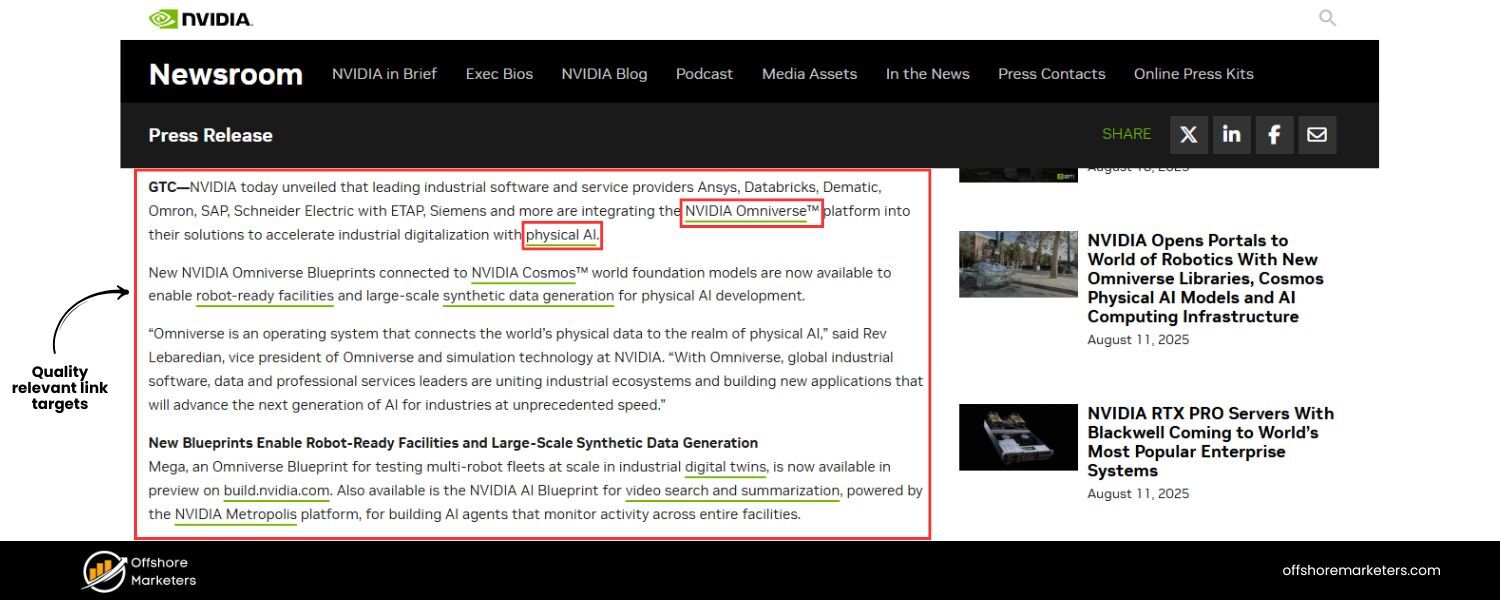
Not all outbound links are equal. You want to link only to high-quality, trustworthy sites that are relevant to your topic. The sites you link to become associated with your own site in Google’s eyes (and your readers’ eyes), so choose them carefully.
A. Avoid Low-Quality or Spammy Sites
If a website has a poor reputation (e.g., known for misinformation, or it’s full of ads and thin content), think twice before linking to it. Outbound links are seen as endorsements; linking to “bad neighborhoods” on the web can harm your credibility.
Google can also interpret it as you participating in a spam network if it’s done repeatedly. If you must reference something on a less reputable site, that’s a case for using rel=“nofollow” on the link (telling Google “I’m not vouching for this”).
But generally, try to find a better source. For example, instead of linking to a random blogspot article for a stat, find the original source or a reputable publication reporting that stat.
B. Stay Topically Relevant
The outbound link should make sense in the context of your content. It should supplement or complement your text. Linking to a completely off-topic page confuses readers and search engines.
Relevancy also amplifies SEO value – if you’re writing about machine learning in marketing, linking to a well-regarded machine learning blog or a Google AI page is relevant; linking to a cooking website (even if it’s high quality) is not. Search engines use the context of your outbound links as a hint about your content’s topic.
At Vazoola (an SEO firm), experts note that by “choosing outbound links that directly relate to the topic and come from reputable sources,” you signal to search engines that your page is a “hub of valuable information” in that field. So, keep it relevant.
C. Prefer Authoritative Sources
When available, link to authorities on the subject: official sites, academic or industry research, well-known expert blogs, major news outlets, etc. For instance, for medical info, a link to Mayo Clinic or WHO is gold-standard. For tech, linking to the official documentation or a respected tech journal is ideal.
These sources carry weight and are likely to remain live and updated.That said, don’t fetishize domain authority at the expense of relevance (see Myth 4 above). The best-case scenario is a high-authority site that’s directly relevant.
But a moderately authoritative niche site exactly on-topic may be better than a super authoritative site that’s tangential. Use your judgment and knowledge of your industry’s go-to resources.
D. Mind the Competitors
Generally, avoid linking to your direct competitors’ websites, especially on pages where you’re trying to convert or keep the user’s attention. You don’t want to hand off your potential customer to a rival offering a similar product or service.
There are exceptions – for example, in a comparative review post, you might list competitors (fairly). But even then, you might use a neutral tone and perhaps nofollow if appropriate. If you do mention a competitor or alternative, consider linking to a third-party review of them rather than their own site.
The Semrush blog advises caution: “avoid linking out to competitors (sites that compete with you)… you might introduce users to a rival they prefer [or] help them outrank you”. That’s sound advice. Focus on linking to complementary sites, not ones vying for the same keywords/customers.
E. Check the Content Quality
Whenever you add a new outbound link, click through it and scan the page you’re sending people to. Is it well-written, accurate, and up-to-date? A bad outcome is if a user follows your link and lands on a sketchy or irrelevant page – that reflects poorly on you. Make sure it’s something you genuinely consider a good recommendation. If it’s not, find a better link target.
In summary, curate your outbound links as carefully as you do your own content. Think of your page as hosting guests – the outbound links are like guest recommendations. You want to recommend only the best, because it’s your reputation on the line. By linking to reputable, relevant resources, you enhance your site’s value and send the right quality signals to Google.
3. Use Descriptive Anchor Text
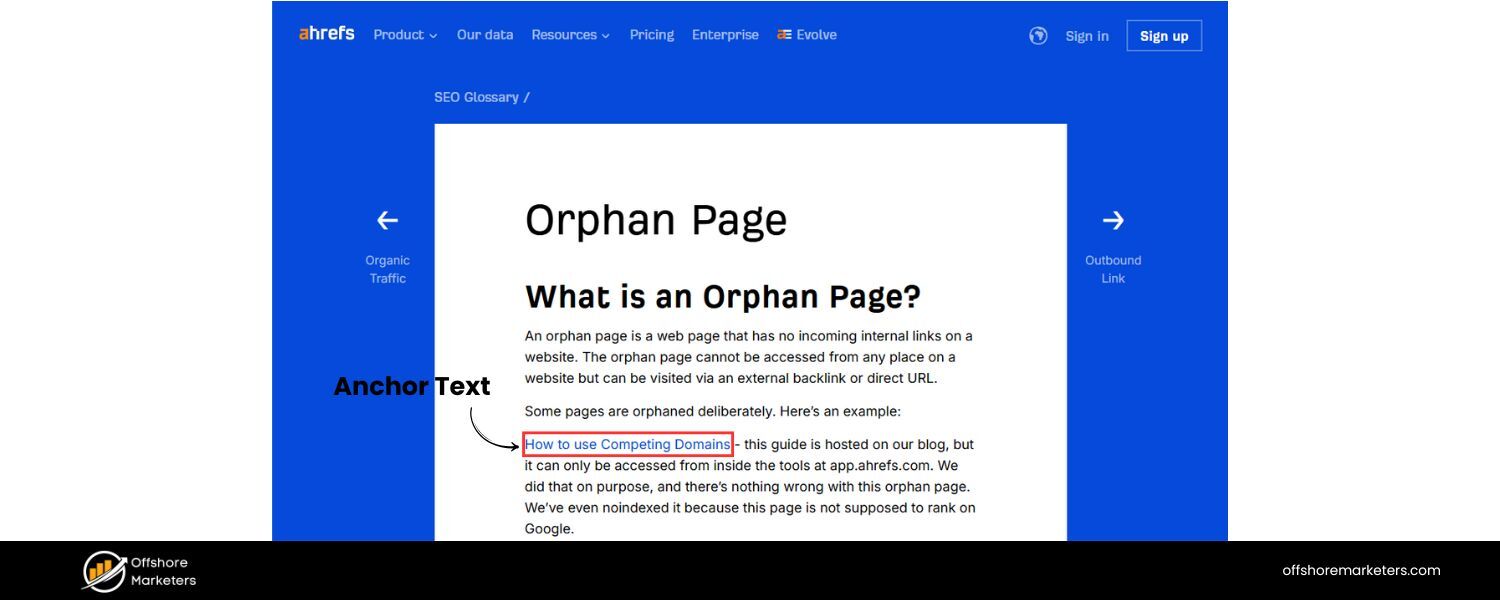
Anchor text is the clickable text of a hyperlink. For outbound links, your anchor text should be descriptive and relevant to the page you’re linking to. This helps users know what to expect, and it provides context to search engines about the link’s target.
A. Make it clear and relevant
The anchor text should indicate either what the user will see if they click the link or why you’re linking there. For example, if you’re linking to a study about outbound links, a good anchor might be “a 2024 outbound links SEO study” rather than a generic “click here”.
In the text around the link, it might read: “A 2024 study on outbound links and SEO found a positive correlation between external linking and higher rankings.” This way, readers know exactly what that link is (a study) and why it’s relevant. Avoid misleading anchors or ones that are too terse.
B. Use keyword-rich phrasing (when natural)
It’s okay for your anchor text to contain keywords relevant to the target page. In fact, anchor text is a ranking factor for the page being linked to, and it also adds context in your content.
For example, linking the phrase “Google’s link spam guidelines” is both user-friendly and tells Google that the target page (likely on Google’s site) is about link spam guidelines.
Neil Patel suggests using “keyword-rich anchor text” for outbound links to convey what the link is about. However, do not over-optimize or force keywords unnaturally. The anchor still needs to flow in the sentence. The priority is clarity.
C. Avoid generic “click here” anchors
These don’t give any information. Screen reader users (visually impaired users) also benefit from descriptive anchors since “click here” read out of context is meaningless.Instead of “For the official guidelines, click here”, make the anchor something like “Google’s official Link Spam Guidelines”. The anchor itself (Link Spam Guidelines) tells you what you’re getting.
D. Consider adding context around the link
Sometimes you can’t fit the site name or full description in the anchor text smoothly. In that case, include identifying context next to the link. For instance: “John Mueller noted on Reddit that nothing happens when you link out to popular sites,” where the anchor is part of a longer quote or statement.
Or you might write, “Check out Google’s advice on creating conversion events,” and have “Google’s advice on creating conversion events” as the anchor.This way, even if “Google” wasn’t in the anchor, it’s right there in the text. Some sites even use an external link icon to flag outbound lines visually (like Wikipedia does), but that’s optional and more about design.
Descriptive anchors not only improve usability but also “prepare” users for outbound links, as Semrush puts it. If a link leads off-site, making that clear through either the anchor or context can prevent confusion (e.g., some sites add “(external)” after the link text).
The Semrush blog gave a good example: instead of just “sign in,” an anchor was “sign in to Google Analytics,” so users know clicking it will take them to Google Analytics (external) and not somewhere on your site. Aim for that level of clarity.
4. Open External Links in a New Tab
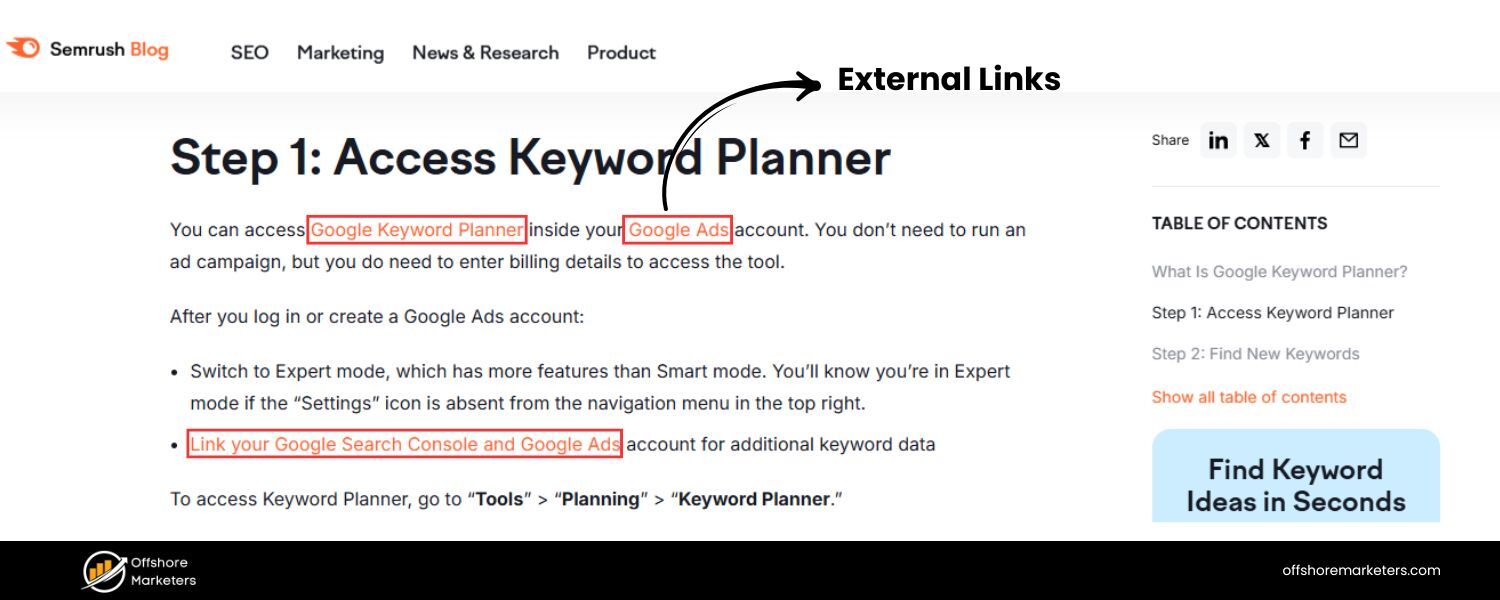
As touched on earlier, setting outbound links to open in a new browser tab (using target=”_blank” in HTML) is generally recommended for user experience. This ensures that when someone clicks an external link, your website isn’t completely replaced in their browser window.
A. Reduce bounce/exit
If every outbound link navigates users away from your site entirely, some users won’t come back – they might continue down the internet rabbit hole on the new site. Opening in a new tab means your page stays open in the original tab, making it easy for the user to return after they’ve finished checking the external resource.
This can help keep your bounce rate lower and session duration higher, as users often continue on your site after viewing the reference (especially if the reference was supplementary). It’s about convenience: you’re not “losing” them with one click.
B. User control
Technically, users can always choose to open a link in a new tab themselves (e.g., right-click > Open in new tab). But many users click normally by default. By coding it to open in a new tab, you’re making the decision for them in a way that usually benefits them.
There is some debate in UX circles about whether forcing new tabs is good or not – a minority of users might prefer the same tab. However, for external links, the convention leans toward new tabs because it differentiates an external navigation (new site) from an internal one (same site). This is especially true if your site is a web app or if the user might be partway through some process on your site.
C. Indicate if possible
If your design allows, you might indicate external links with an icon or a small text like “[external]”. But at minimum, the new tab itself is a hint (most browsers will show a new tab opening animation or have back-button behavior disabled on that tab).
Implementing this is straightforward if you have access to your site’s HTML or CMS features. In WordPress Gutenberg, for example, there’s a toggle for “open in new tab” for links. If you’re a marketer not as code-savvy, just ensure your content team or developer sets this as a default for external links. It’s a small tweak that improves retention.
Bottom line: keep your site available to the user after they click. Don’t make them hit the back button to find you again – because they might not bother. Opening in a new tab is a simple way to ensure your content remains at their fingertips.
5. Use Nofollow/Sponsored Attributes When Appropriate
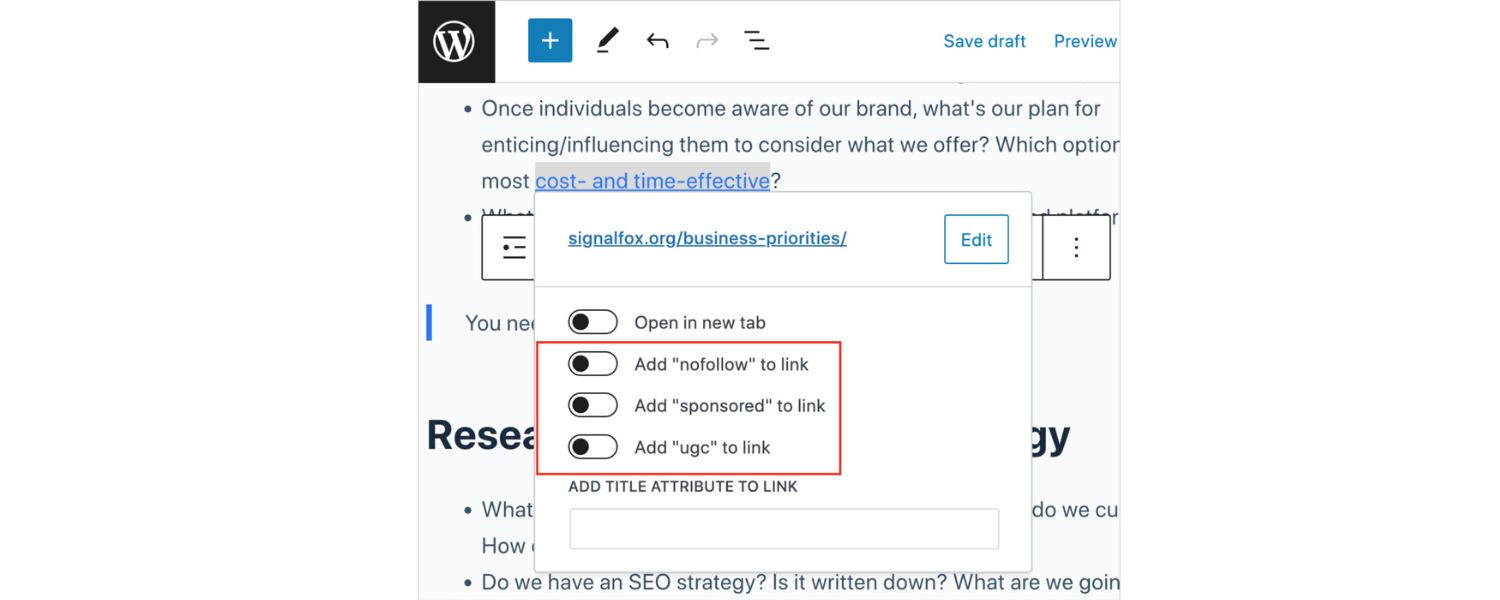
While regular outbound links (dofollow) are fine for genuine references, there are times you should qualify your outbound links with attributes like rel=“nofollow”, rel=“sponsored”, or rel=“ugc” (user-generated content). This is important to stay within Google’s guidelines and avoid passing credit to links that don’t deserve it.
A. Nofollow (rel=“nofollow”)
Add this to links when you don’t want to endorse or pass ranking credit to the target page. Typical cases:
B. Untrusted content
If you’re linking to a source but you’re not sure of its credibility, or you’re forced to link to something you don’t endorse (perhaps due to a partnership or legal reason), you might nofollow it.
C. Low-quality sites (last resort)
As mentioned, it’s better not to link to spammy sites at all. But if for some reason you must (maybe citing a bad example), nofollow is wise.
D. Comments/User content
Any links that users can post on your site (forums, blog comments) should be nofollow to prevent spam exploits. Most platforms do this by default now.
E. Excess outbound in aggregators
If you run a directory or aggregator listing many external links, you might nofollow some of them (though better is to vet them and maybe use a mix).
F. Nofollow basically tells Google
“Don’t count this link as an editorial vote.” Google will typically not crawl it or pass PageRank through it (officially). Using nofollow judiciously keeps you safe from any penalties if those links later turn toxic.
G. Sponsored (rel=“sponsored”)
This is specifically for paid or sponsored links – advertisements, paid placements, affiliate links, or any link where you received something in exchange (money, product, etc.).
If you write a sponsored post or include an affiliate product link, mark it as sponsored. For example, if you have an outbound link in a product review that earns you a commission, it should be . This ensures you comply with Google’s rules against link schemes.
Google treats sponsored similar to nofollow (doesn’t count it for ranking), but it’s more explicit about the nature.
H. UGC (rel=“ugc”)
Stands for User-Generated Content. Use this for links that appear in areas like forums, comments, or user profiles – basically any link your site’s users created rather than you.It, too, is treated akin to nofollow.
It just provides a bit more granularity, telling Google “a user (not an editor) placed this link.” If it’s easier, you can still just use nofollow for user content; UGC is optional but nice to have if your platform supports it.
Implementing these attributes can often be automated. Many CMS and SEO plugins allow setting certain links or sections to nofollow. For example, WordPress comment links are nofollow by default. For affiliate links, some people use plugins or manual HTML to add sponsored.
The key is to not forget to do it for paid links – Google has penalized sites in the past for not nofollowing paid outbound links (considered a link selling practice).
Remember, you do not need to nofollow purely for PageRank sculpting or fear of authority leakage in normal editorial content (as discussed in Myth 3).
Overuse of nofollow on genuine links isn’t beneficial. Use these attributes exactly when necessary to adhere to ethical linking practices.
Failure to properly qualify paid/outbound links can result in a manual Google penalty, which can hurt your rankings. On the flip side, using these attributes correctly protects you. For instance, if you link to a site that later turns spammy, having had it nofollowed may insulate you from any negative association.
6. Regularly Audit and Fix Outbound Links
Outbound links are not a one-and-done task. Over time, the web changes – pages move or get deleted, URLs undergo redirects, sites you linked to might update or go offline.
A good SEO practice is to audit your outbound links periodically to ensure they’re all still functional and relevant.
Here’s how to manage outbound link maintenance:
A. Check for Broken Links
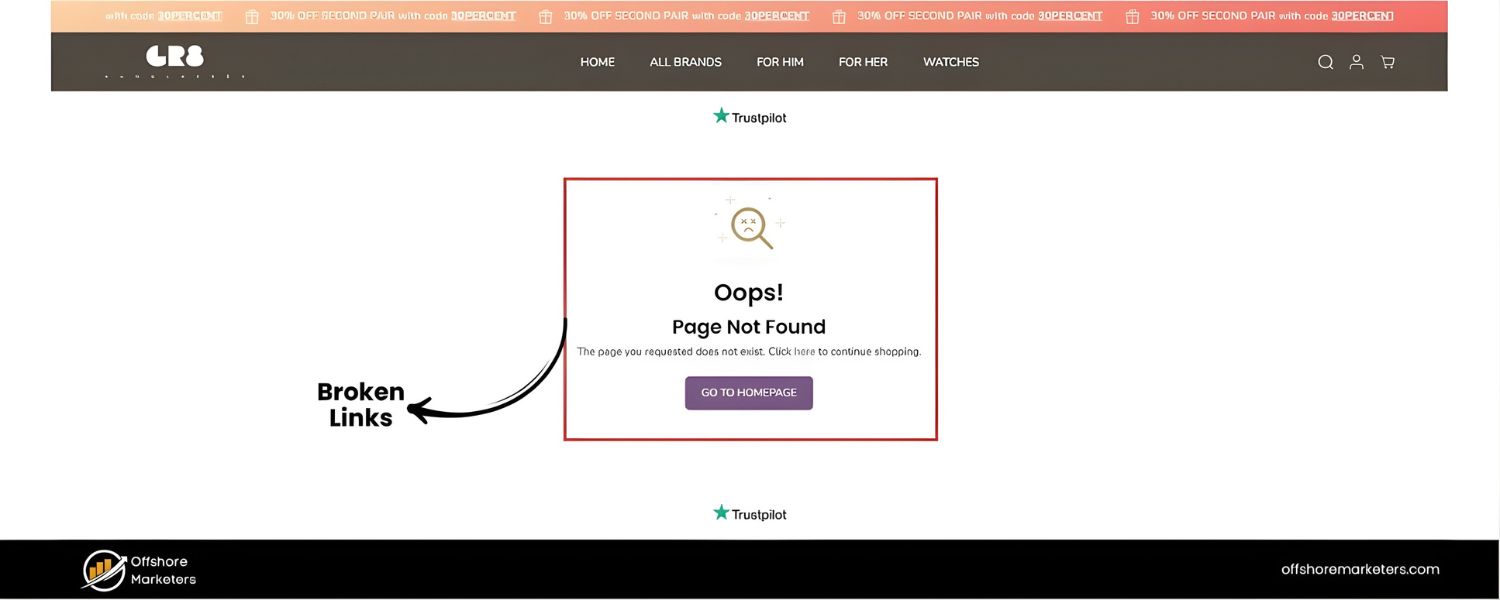
A “broken” outbound link is one that leads to a dead page (HTTP 404 error, or other 4xx/5xx errors). Broken links hurt user experience – few things frustrate a reader more than clicking a reference and getting “Page Not Found”. It can also reflect poorly on your site’s quality in Google’s eyes (Google’s crawlers see you pointing to non-existent pages).Use tools to scan for broken links on your site. Many SEO audit tools (like Semrush Site Audit, Ahrefs, Screaming Frog, etc.) will report broken external links. There are also free broken link checker tools or WordPress plugins that can find these. Make it a habit, say, once a quarter or bi-annually, to run a scan. If you find broken outbound links, update them:
B. If the content moved, find the new URL (often the tool will show a redirect or you can search for the resource).
C. If it’s gone permanently, consider linking to a similar resource elsewhere or removing that link and adjusting your text.
D. Semrush’s own guide suggests monitoring for broken external links and even automating task creation to fix them – an indicator of how important they consider it. Keeping your link portfolio healthy ensures users and crawlers don’t hit dead-ends.
E. Avoid Unnecessary Redirects:
Sometimes the links aren’t broken, but they might redirect (e.g., you linked example.com/page but it now redirects to example.com/new-page). It’s good to update your links to the final destination URL if possible, because multiple redirects can slow down user navigation slightly and could change context.
During audits, note outbound links that have redirect chains.Update them to the current URL. Also remove any tracking parameters (utm_source, etc.) from outbound URLs that don’t need them – those can make the link messy and possibly less evergreen.
F. Relevance and Quality Re-check: As part of auditing, also re-evaluate should I still link to this? Perhaps when you wrote the content, Source A was the best. But now a newer, better source exists for that info. Or maybe the site you linked went downhill in quality.Don’t be afraid to update outbound links to better sources over time. Keeping them up-to-date and relevant ensures your content stays high quality. It’s like refreshing the references in a research paper with the latest findings.
G. Monitor the Number of Outbound Links
While auditing, see if any pages have an excessive number of externals. You might find old posts where you went link-happy.Prune links that aren’t adding value. It’s not about a strict quota, but as mentioned, too many links can dilute focus. Ensure each remaining link on the page is necessary and helpful.
H. Leverage Analytics
One often overlooked aspect – use your analytics to see outbound link clicks. Tools like Google Analytics 4 (GA4) automatically track outbound link click events (when properly configured).
Check which outbound links users click the most. This can tell you which external resources your audience finds most interesting. It may also alert you if people are leaving your site at a specific link too often – maybe you need to provide more info on that topic yourself.
If certain outbound links get zero clicks, ask if they’re needed at all. GA4’s Enhanced Measurement will log an “outbound_click” event whenever a user clicks a link to a domain that isn’t yours.
You can view these in GA4’s engagement reports or set up a custom exploration to list top outbound link URLs. This kind of data can help you optimize your content strategy (perhaps even reach out to those external sites for collaboration if you’re sending them a lot of traffic).
In short, housekeep your outbound links like you would internal links. Broken or irrelevant links can quietly undermine your SEO and UX over time if left unchecked. A proactive approach – using site audits and analytics – will keep your content in peak form.
As one SEO consultant says, “maintain the health of your outbound links by regularly auditing them” to ensure your content remains accurate and reliable.
Removing or replacing broken/outdated links and adding new relevant ones where appropriate will strengthen your pages continuously.
7. Balance Outbound and Internal Linking
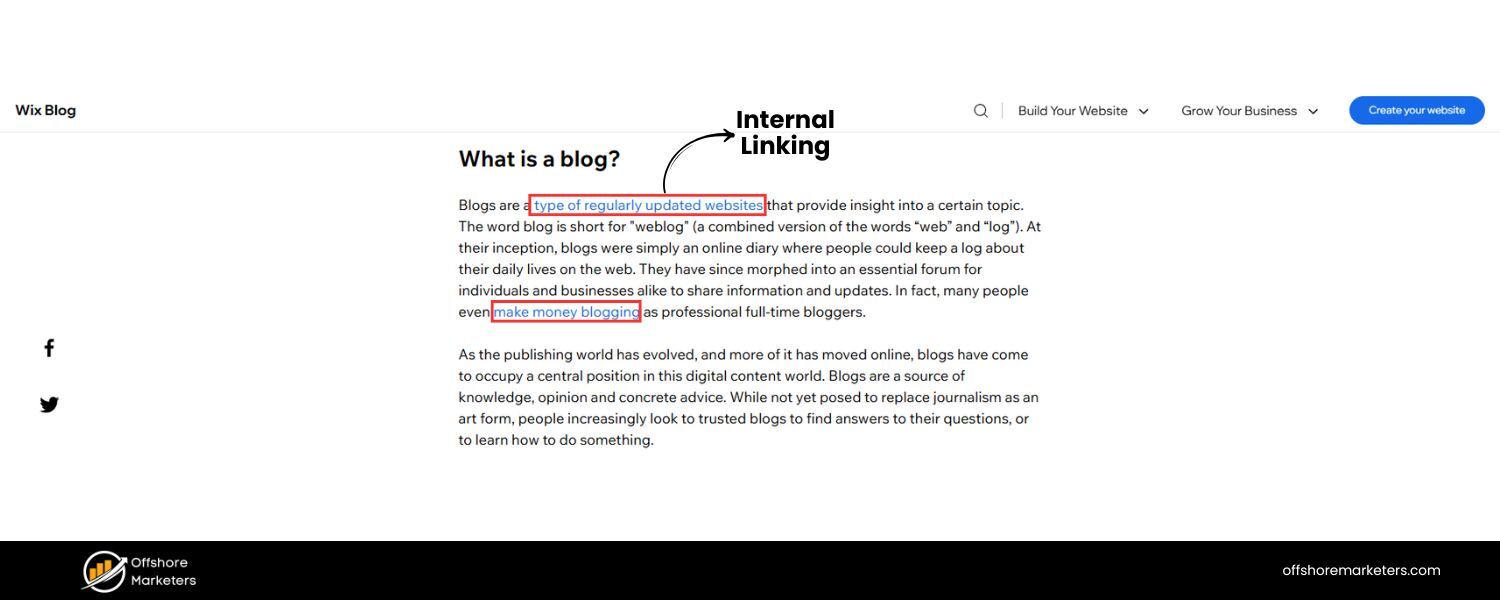
While this article is about outbound links, remember that they are just one side of your linking strategy. A healthy page (and site) usually has a mix of internal links and outbound links.
Internal links keep users circulating within your site and help search engines crawl your content hierarchy. Outbound links connect your site to the broader web. Both are important.
A. Internal first (if relevant)
Before you link out to an external resource on a topic, ask if you have (or can create) relevant content on your own site that could serve that need. For example, if you mention “email marketing best practices” and you happen to have a full blog post on that, you should internal-link to it rather than (or in addition to) an external link.
This keeps the user on your site and boosts your internal SEO. One tip from RankYa: on critical pages, use an internal link prior to an outbound link on the same topic. This way you give your own content the first shot at the user’s attention. Outbound links can then supplement if needed.
B. Natural link profile
Google’s algorithms consider your site’s overall link profile. A natural profile has a reasonable balance of inbound, outbound, and internal links. If your site only ever links internally and never to any external site, that looks odd (isolated).
Conversely, a site that only links out and has no internal linking structure might seem low-effort. Strive for a logical mix. For instance, a blog post might have a few internal links (to your related posts or product pages) and a few external links (to references or tools).
This demonstrates you’re creating content to serve the user (with all needed info), not just to funnel or to spam links. In fact, a concept called CheiRank (a counterpart to PageRank) measures pages by the quality of their outbound links, treating them as potential “hubs” of information.
While not an official Google metric, it underlines a point: being a hub (with good outbound links) and an authority (with good inbound links) both matter. Aim to be both in your niche – a source of original info and a curator of other valuable info.
C. Avoid outbound overwhelming internal
If a page has 10 outbound links and only 1 internal link, consider if that’s ideal. You usually want to keep readers engaged with your site content via internal links (where relevant). Perhaps you can add more internal links (relevant ones) or trim a few outbound if they’re not crucial.
However, if the page’s purpose is a resource list, then it may naturally have many outbound links – which is okay if that’s its function (just ensure each is high quality and consider nofollowing if it’s like a massive list of external resources to avoid looking spammy).
To summarize this balance:
treat outbound links as supporting elements and internal links as structural elements of your content. A well-optimized page uses both: it sends readers to your other pages for deeper engagement and to other websites for broader knowledge where appropriate. This dual strategy helps with both user retention (via internals) and content authority (via externals).
Conclusion & Call to Action
In the ever-evolving landscape of SEO, outbound links remain a fundamental yet sometimes misunderstood tool. As we’ve seen, outbound links – far from being SEO poison – can enhance your site’s authority, improve user experience, and even correlate with higher search rankings when done right.
By linking to credible, relevant resources, you position your content as well-researched and trustworthy, which is exactly what search algorithms aim to reward.
Remember that the web is a two-way street: just as you crave inbound links for SEO, you shouldn’t shy away from giving outbound links. It’s part of the natural web ecosystem and a hallmark of a content provider that puts users first.
Google’s own philosophy (E-E-A-T) encourages citing and reference linking as signs of a page’s quality. When you prioritize the reader’s value – by providing useful external references and ensuring a smooth journey – the SEO benefits follow organically.
To recap the key takeaways:
A. Define a clear purpose for each outbound link (citation or enrichment).
B. Link to trustworthy, relevant sites and avoid linking to spam.
C. Use proper link etiquette: descriptive anchors, new tabs for external, and add nofollow/sponsored where needed.
D. Audit your links regularly to fix broken ones and keep your references up-to-date.
E. Don’t fear outbound links – fear not providing enough value to your users.
With these practices, outbound linking will no longer be a blind spot in your SEO strategy but a competitive advantage. You’ll likely find that your content not only ranks better but is also more respected by readers (which in turn earns you more shares and backlinks – a virtuous cycle).
Now, it’s your turn: take a moment to review one of your recent blog posts or seo landing pages. Does it include at least one outbound link to a quality source? If not, identify a statement or statistic you can support with an external reference and add that outbound link.
Also, run a quick check for any broken outbound links on your site (there are free tools online). Fixing just a handful of those can immediately boost user satisfaction.
By systematically applying the advice from this guide, you’ll ensure your site isn’t just an island but a valuable part of the greater information web – and search engines will take notice. As a marketing expert, I’ve seen firsthand how content that acts as a helpful resource (and not a dead-end) tends to outperform the rest. So embrace outbound links as a way to enrich your content and build credibility.

Why Roseville Startups are Choosing Offshore Marketers to Scale Smarter
Roseville is no longer just a quiet suburb of Sacramento;...

What Is PPC? A Practical Guide to Pay‑Per‑Click Advertising
Pay‑per‑click (PPC) is the “pay only when someone clicks” branch...

Google Search Issues Affecting Results in Some Regions
Google has confirmed a problem with one of its data...

Keyword Counts Dropped After Google’s num=100 Change
In September 2025, Google stopped supporting the &num=100 parameter. This...

Image SEO: Optimize Images for Higher Rankings & Traffic
Introduction Images make your website more engaging, but they can...


.png)
.png)
.png)
.png)
.png)

2024 ALL RIGHTS RESERVED MADE IN INDIA
.png)