
SEO Analytics: How to Track And Improve Your Search Performance
September 9, 2025
Introduction
Imagine investing months into SEO only to wonder if it’s really paying off. In today’s data-driven world, guesswork just won’t cut it. This is where SEO analytics comes in, the practice of collecting and analyzing data about your website’s search engine performance.
By tracking what works and what doesn’t, you can make informed decisions that boost your rankings, traffic, and conversions. As an expert with 25 years in marketing, I’ve seen firsthand that the right analytics can turn an average SEO strategy into a powerhouse.
Let’s dive into how to use SEO analytics to take your search performance to the next level.
What Is SEO Analytics?
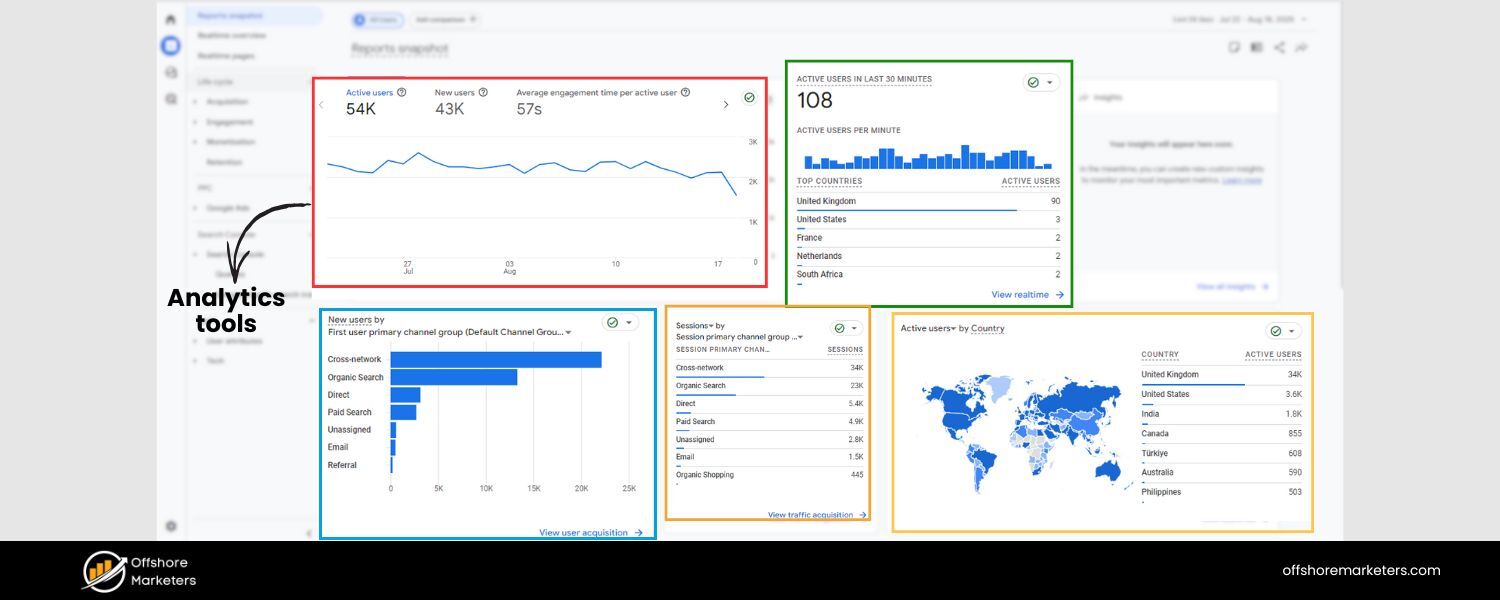
SEO analytics is the process of tracking, collecting, and reviewing data from SEO tools to understand your website’s organic search performance. It involves monitoring key search metrics – like how much organic traffic you get, which keywords you rank for, and how users behave on your site – then interpreting that data to guide your SEO strategy.
In simple terms, SEO analytics turns raw search data into actionable insights that help you optimize your website for better visibility and results in search engines. By regularly analyzing this data, you gain a comprehensive view of what parts of your SEO strategy are succeeding and where there’s room for improvement.
Why SEO Analytics Matters
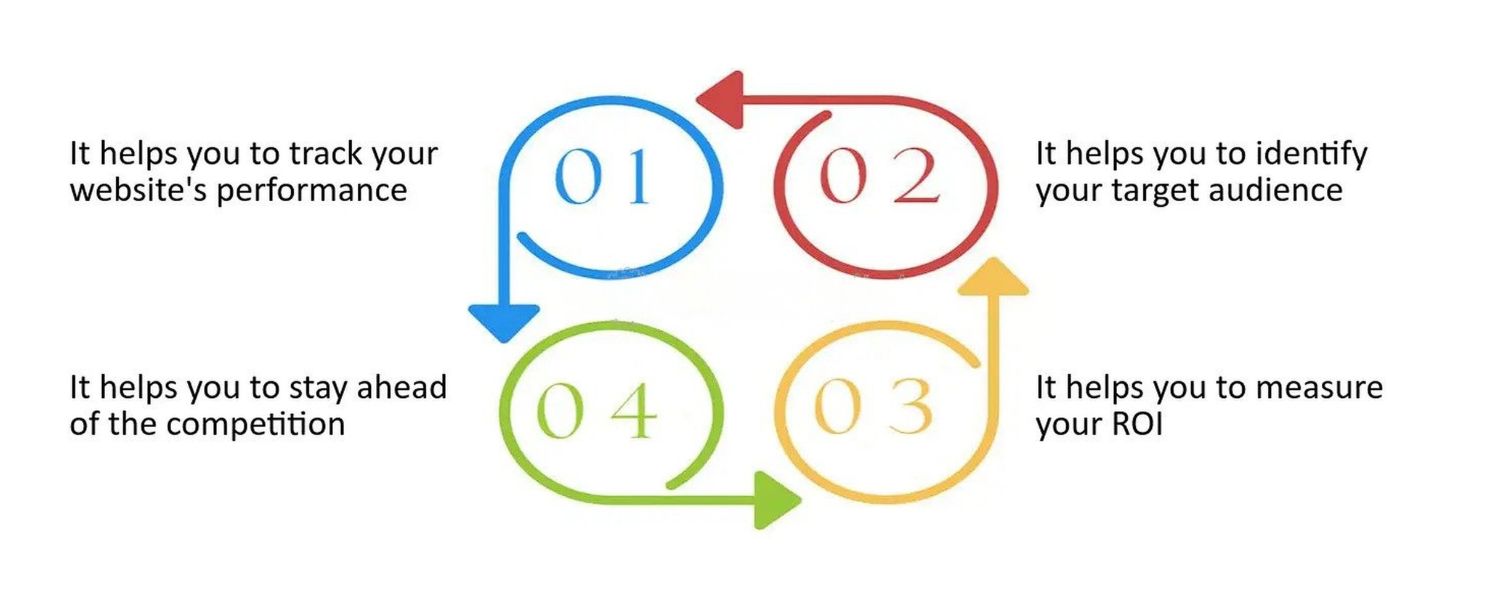
The importance of analytics for SEO cannot be overstated. Without it, you’re essentially flying blind. Regularly reviewing your SEO data helps you answer critical questions about your website’s performance, such as: Where is your traffic coming from? Which content is most engaging for visitors? How do you stack up against competitors in search results? And at what point in the funnel are potential customers dropping off? By answering these questions, SEO analytics provides clear evidence of what’s working and what isn’t.
Let’s break down the key benefits of embracing SEO analytics:
1. Measure and Prove ROI
Perhaps the biggest value is demonstrating the return on investment of SEO. Analytics lets you tie increases in traffic and conversions directly to your SEO efforts, so you can prove the value of SEO to stakeholders. No more “trust us, it’s working” – you’ll have the data to back it up.
2. Understand Your Audience
SEO analytics reveals how people find and interact with your site. You can see which search queries bring in visitors, which pages they spend time on, and what content they love.
These insights help you better understand your audience’s interests and intent, so you can create content and user experiences tailored to them.
3. Identify Opportunities & Issues
By monitoring your search data, you can quickly spot both positive trends and red flags. For example, you might find and address keyword ranking drops before they hurt your traffic, or discover technical issues (like slow pages or broken links) that could be holding back your SEO.
On the flip side, analytics can highlight your most successful content or under-served high-volume keywords – goldmines for new SEO opportunities.
4. Make Data-Backed Decisions
With solid analytics, SEO stops being guesswork. You’ll base decisions on real evidence. For instance, if data shows one type of blog post brings in the most organic leads, you know to double down on that content strategy.
As the team at WebFX notes, your SEO analytics reflect how and why your strategies work, empowering you to constantly refine and improve.
5. Stay Competitive
Search algorithms and competitors are always evolving. Regular analytics keeps you informed on where you stand. You’ll see if a competitor’s site suddenly jumps ahead of you, or if a Google algorithm update impacts your traffic.
With that knowledge, you can react fast. In short, SEO analytics gives you the data you need to remain competitive in a changing search landscape.
By leveraging these benefits, you transform SEO from a one-time project into an ongoing, improvement-driven process. The result? A constantly evolving strategy that yields better rankings, more visitors, and greater business impact over time.
Key SEO Metrics to Track
Not all numbers are created equal. To avoid drowning in data, focus on the Key Performance Indicators (KPIs) that align with your SEO goals. Here are some of the most important SEO metrics and what they tell you:
1. Organic Traffic & Clicks
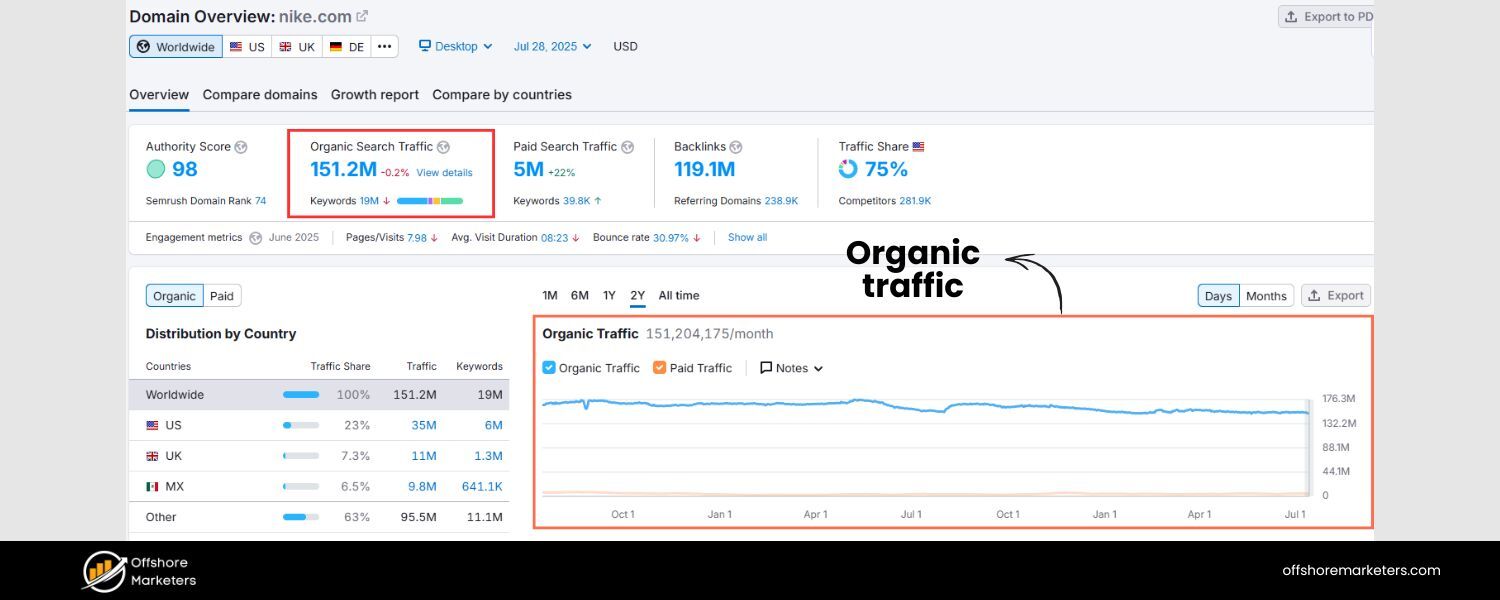
This is the lifeblood of SEO – the number of visitors coming to your site from unpaid search results. “Total clicks” from Google Search Console shows how many searchers clicked through to your site, while Organic Traffic in Google Analytics reveals visits from all search engines.
If these numbers are rising, your SEO efforts are likely paying off. Track overall organic sessions and each page’s traffic to see which content draws the most interest.
2. Keyword Rankings & Visibility
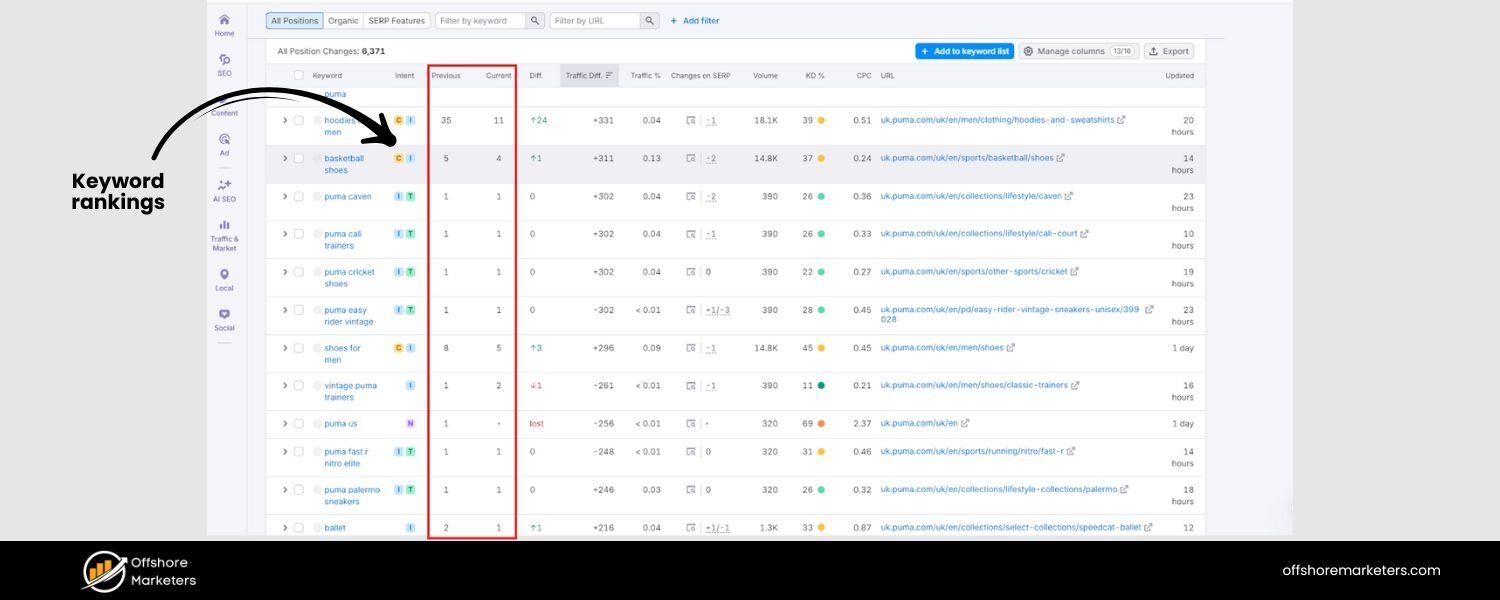
Your search rankings indicate where your pages appear on Search Engine Results Pages (SERPs) for target keywords. Higher rankings (close to that #1 spot) usually mean more traffic.
Monitor average position data in Google Search Console for your queries, and use rank tracking tools for daily checks. Also consider your overall search visibility – the percentage of clicks you capture for a keyword.
If rankings drop for important terms, analytics will flag it so you can respond before traffic suffers.
3. Click-Through Rate (CTR)
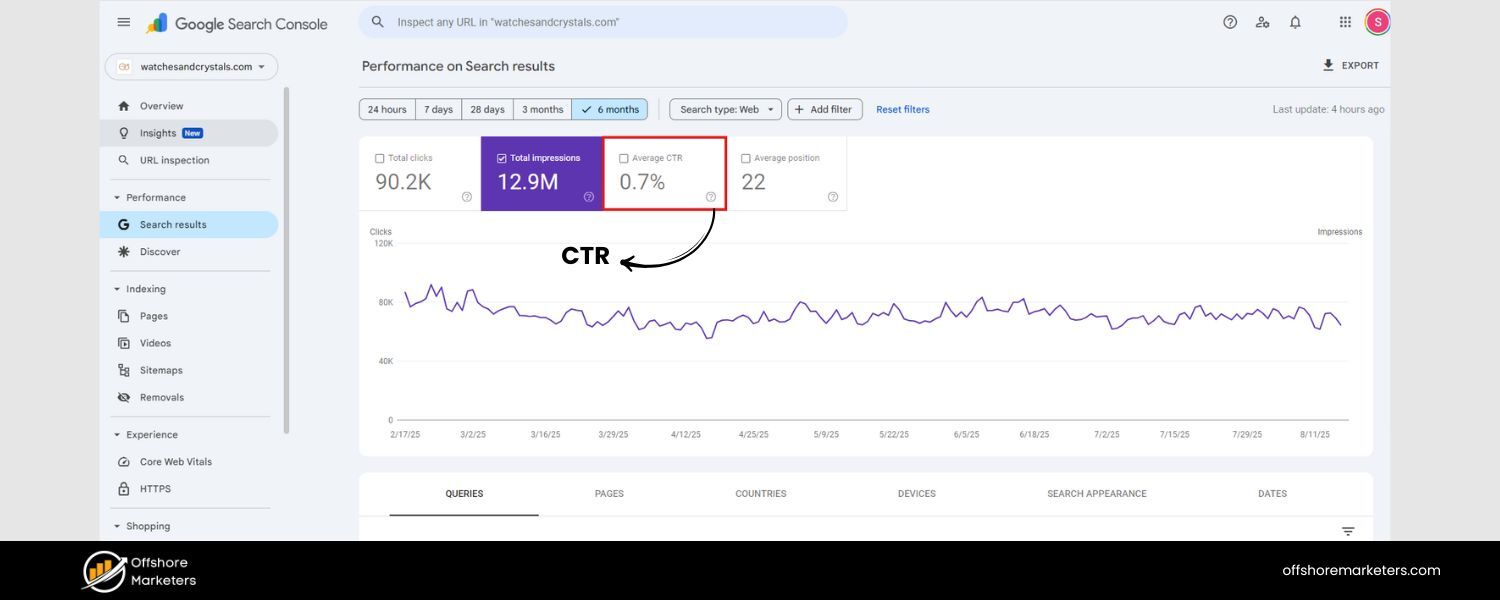
This is the percentage of people who see your site in search results and actually click on it. A higher CTR means your titles and meta descriptions are attracting searchers. Check your average CTR in Search Console.
If CTR is low, you might improve your title tags and snippets to be more compelling. Remember, a better CTR not only drives more traffic but could also indirectly boost rankings, as some evidence suggests Google may consider CTR as a ranking signal.
4. Bounce Rate & Dwell Time
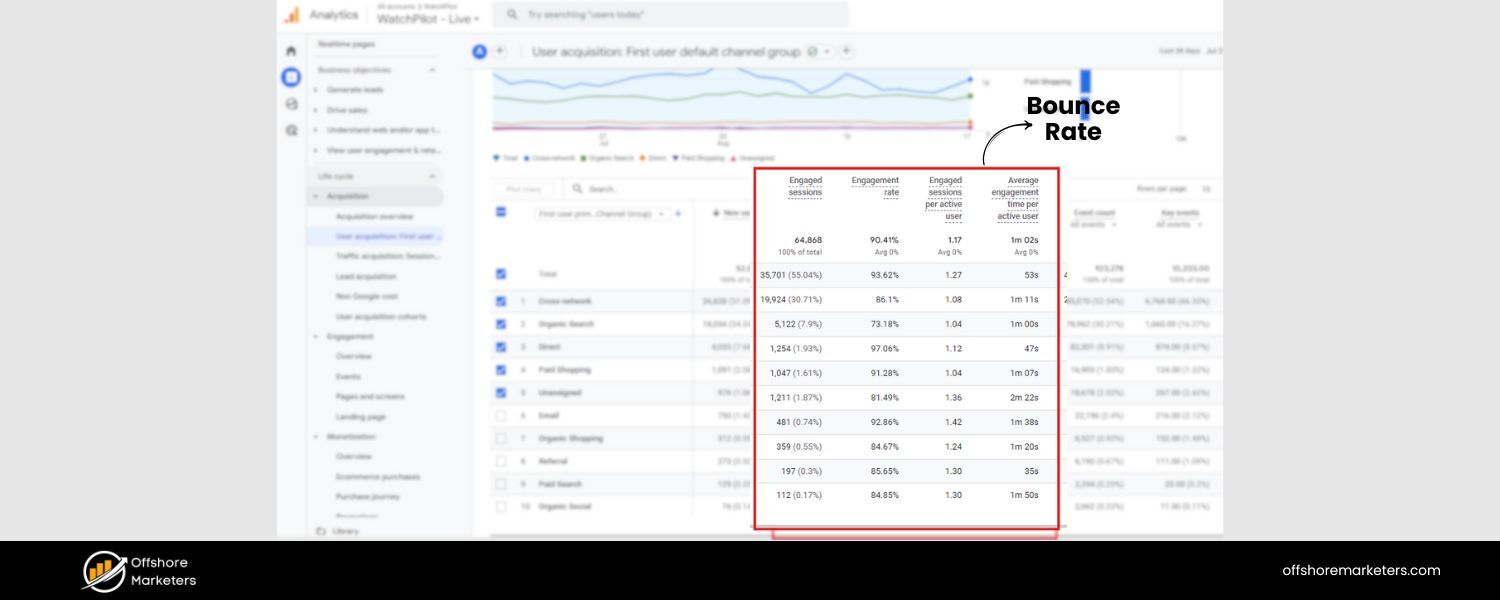
These user engagement metrics measure how people interact with your site. Bounce rate is the share of visitors who leave after viewing only one page, and dwell time (or average time on page) gauges how long they stay.
A very high bounce rate or very short time on page could signal that visitors aren’t finding what they expected or that the user experience needs work. While Google’s Core Web Vitals focus on page speed and technical performance, it’s also important to monitor behavioral signals like bounce rate and dwell time, as Google’s algorithms increasingly factor in user experience.
5. Conversion Rate (Organic)
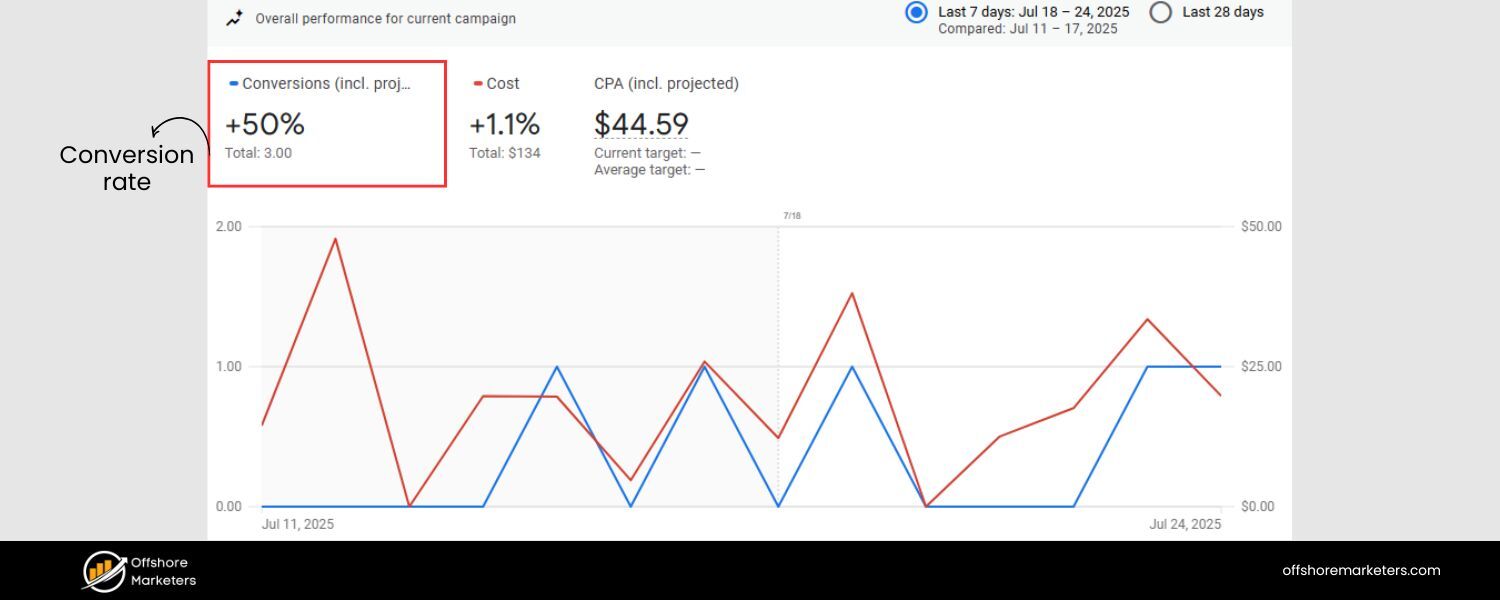
Ultimately, it’s not just about traffic – it’s about what that traffic does. Conversion metrics track how many organic visitors take a desired action (buying a product, filling a form, signing up, etc.).
By setting up conversion tracking (Goals or Events) in Google Analytics, you can see, for example, how many sales or leads came from organic search. Organic conversion rate tells you the quality of your SEO traffic.
If you have lots of visitors but few conversions, you may be targeting the wrong keywords or need to improve on-page content and calls-to-action.
6. Backlinks & Referring Domains
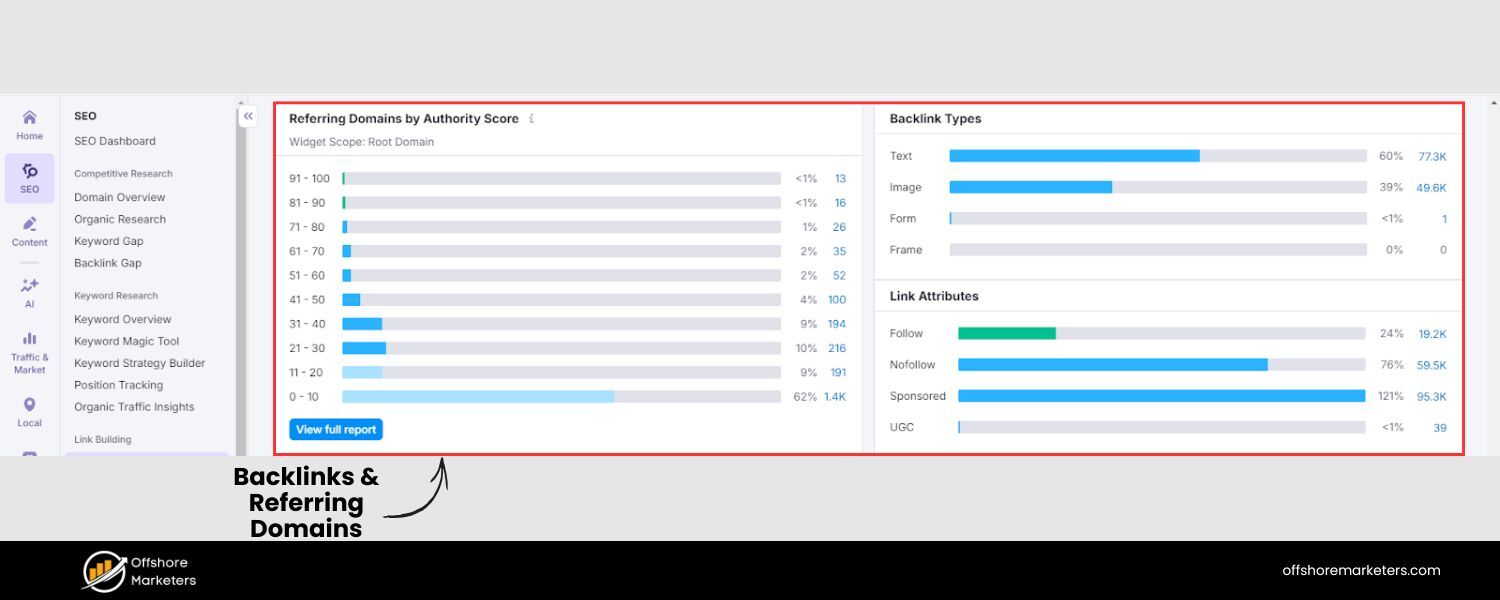
Backlinks remain a crucial authority signal for SEO. Rather than just counting total links, pay attention to referring domains – the number of unique websites linking to yours.
Studies show that pages with more referring domains tend to rank higher in Google. Use tools or Search Console’s Links report to see who’s linking to you and which pages get the most links.
A growing number of quality backlinks indicates your content is earning trust and should boost rankings and traffic over time. Conversely, watch for drops in backlinks (or the appearance of toxic/spam links) as these can impact SEO.
7. Site Health & Technical SEO Metrics
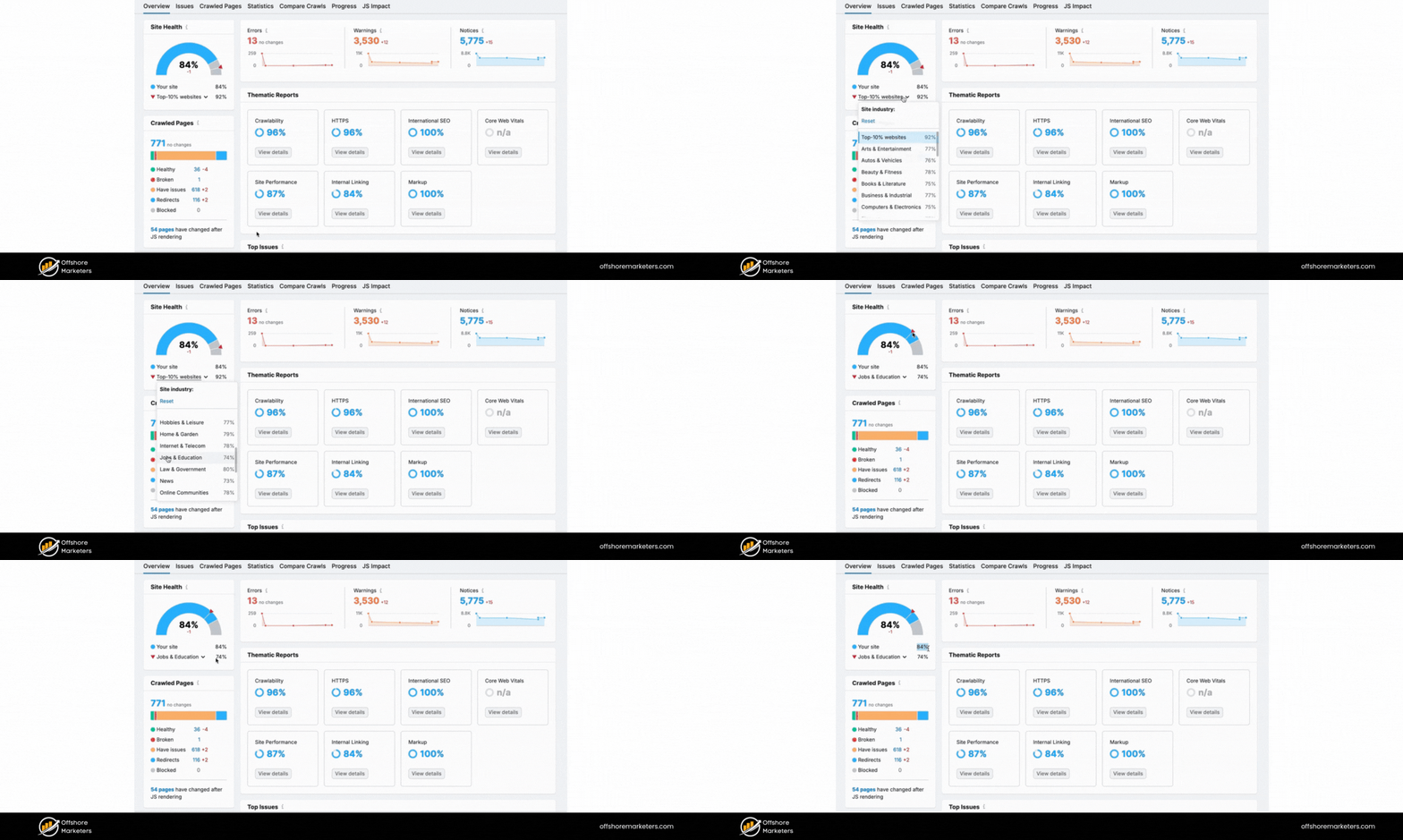
Great content won’t rank if your site has technical problems. SEO analytics should include monitoring of technical health metrics:
A. Index Coverage
Ensure the pages that should be indexed by Google are indexed. Google Search Console’s Coverage report shows how many pages are indexed and alerts you to errors or exclusions. A sudden decrease in indexed pages might indicate an issue (like crawl errors or accidental noindex tags) that needs fixing.
B. Crawl Errors & Coverage Errors
Track any crawling or indexing errors reported by Search Console (often called Coverage errors). These are issues like server errors, not found (404) pages, or pages blocked by robots.txt that could prevent your content from appearing in search. Promptly addressing these keeps your site accessible to search engines.
C. Core Web Vitals
These metrics (Largest Contentful Paint, First Input Delay, Cumulative Layout Shift) measure page loading speed, interactivity, and stability – essentially user experience signals.
Google uses Core Web Vitals as a ranking factor for page experience, so monitor your Core Web Vitals report in Search Console. If your site’s Page Experience metrics show poor scores, it can hurt your rankings. Improving site speed and mobile usability will reflect in better Vital scores and potentially better SEO performance.
D. Site Speed & Performance
Beyond Core Web Vitals, keep an eye on overall page speed (use tools like Google Lighthouse or PageSpeed Insights). Slow-loading pages can increase bounce rates and diminish user satisfaction, indirectly affecting SEO.
E. Mobile Usability
With the majority of searches on mobile, ensure your site is mobile-friendly. Search Console’s Mobile Usability report can flag issues. A site that isn’t easy to use on mobile devices will underperform in search.
8. Competitive Metrics
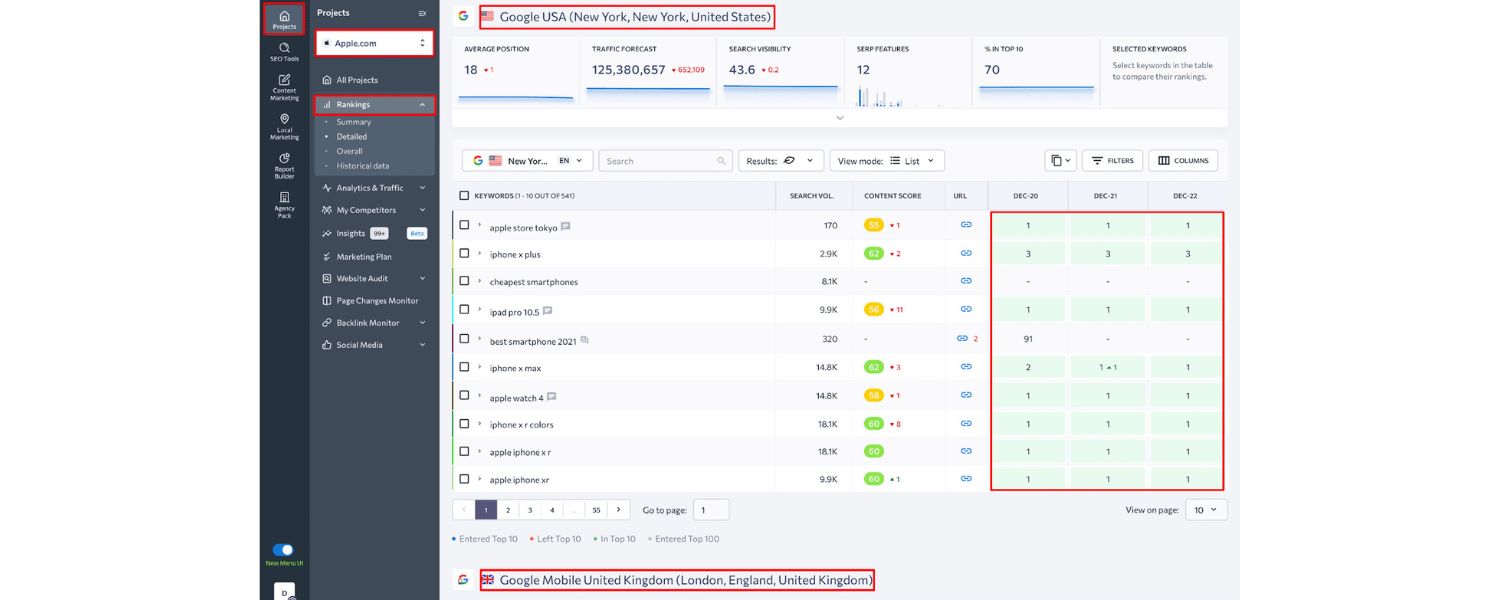
It can also be valuable to track metrics against your competitors. For example, using SEO tools you might compare your domain’s organic visibility or traffic to competing sites, or monitor competitors’ keyword rankings and backlinks.
If a competitor’s analytics show a surge in organic traffic, analyzing why (did they publish viral content? get a high-value backlink?) can inform your strategy.
These metrics together give a 360° view of SEO performance. Depending on your business, you might emphasize some over others (for instance, an e-commerce site might focus heavily on organic revenue and product page traffic, whereas a blog cares about time on page and scroll depth).
The key is to select a handful of KPIs that align with your goals – and then consistently track them to gauge progress. Remember, it’s better to track a few meaningful metrics deeply than to get overwhelmed by every data point available.
Essential Tools for SEO Analytics
To effectively gather and analyze SEO data, you’ll need the right tools. Fortunately, there are many excellent platforms – both free and paid – that can help you compile the insights you need. Here are the must-have tools and how to use them in your SEO analytics toolkit:
1. Google Analytics (GA4)
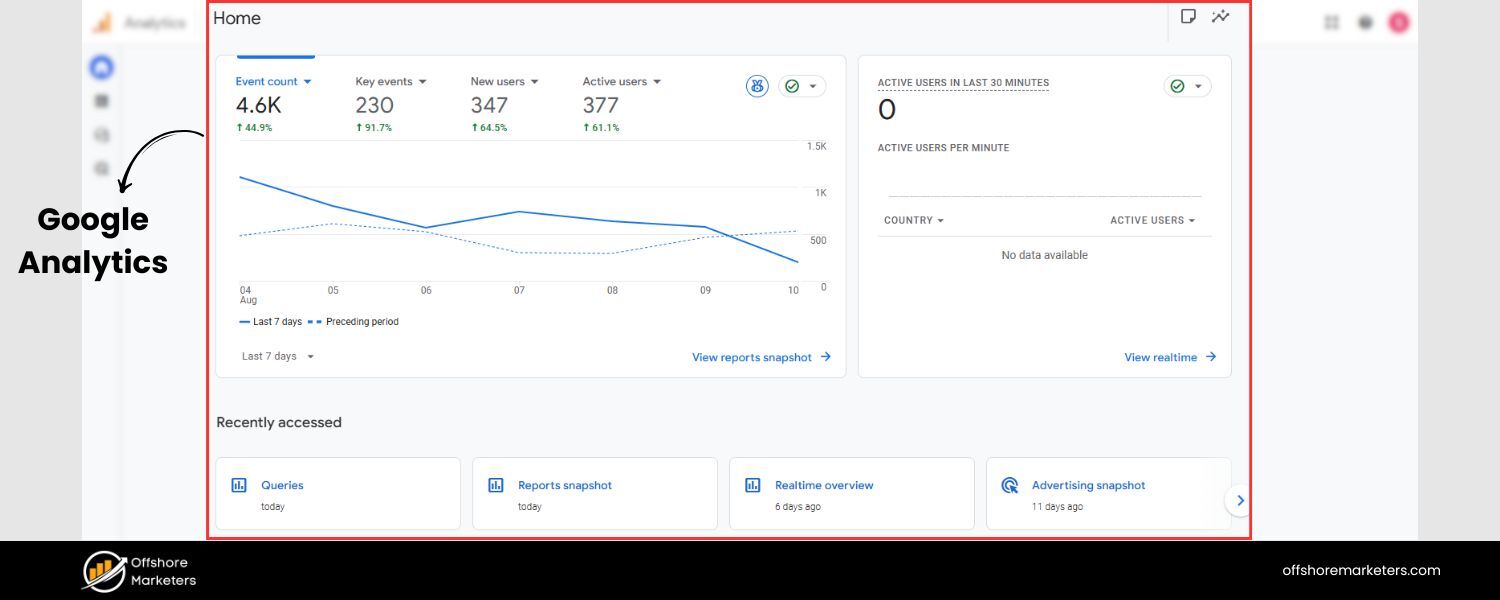
Google Analytics is a cornerstone for understanding what happens on your site after visitors arrive. The latest version, GA4, provides detailed data on user behavior: which pages users visit, how long they stay, and what actions they take.
It’s essential for measuring metrics like organic traffic, bounce rate, and conversions attributed to SEO. For example, in GA4 you can track organic search traffic by going to Reports > Acquisition > Traffic Acquisition, where you’ll see how many users and conversions came via Organic Search.
GA4 also allows setting up conversion tracking (key events) to measure SEO-driven goals, and you can create custom dashboards or explore reports to focus specifically on SEO KPIs. If you haven’t already, set up Google Analytics on your site and enable GA4’s features – it will be your go-to for on-site analytics.
2. Google Search Console (GSC)
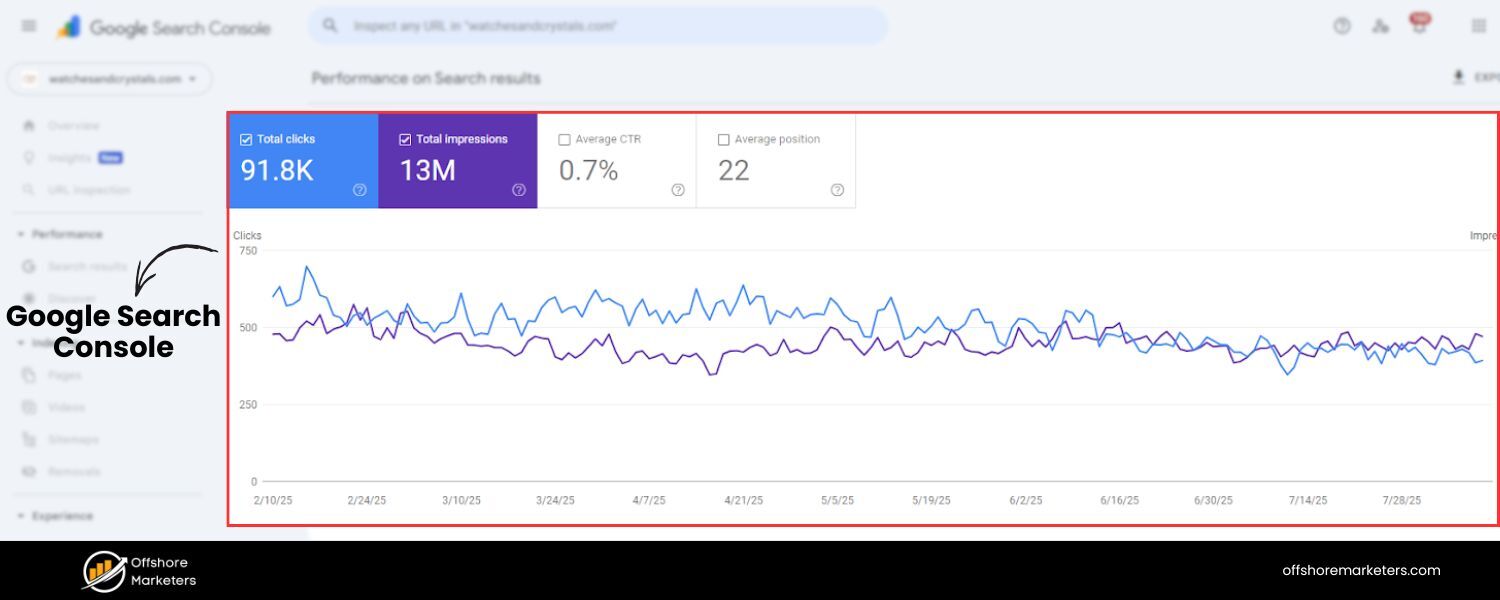
While GA4 shows on-site behavior, Google Search Console reveals what happens before users reach your site. It’s a free tool that tracks your site’s presence in Google search results.
In Search Console, the Performance report is invaluable – it displays your total clicks, impressions, average CTR, and average position for Google searches. You can drill down into which queries (keywords) people use to find you, which pages get the most search traffic, and even segment by country or device.
GSC also alerts you to technical issues: it has reports for Coverage (indexed pages and errors), Core Web Vitals, Mobile Usability, and more. One useful way to think of GA vs. GSC: Search Console shows how you show up in searches (and where you can improve), while Analytics shows what those visitors do on your site. Using them together gives a comprehensive view of your SEO performance.
3. Keyword Rank Tracking Tools
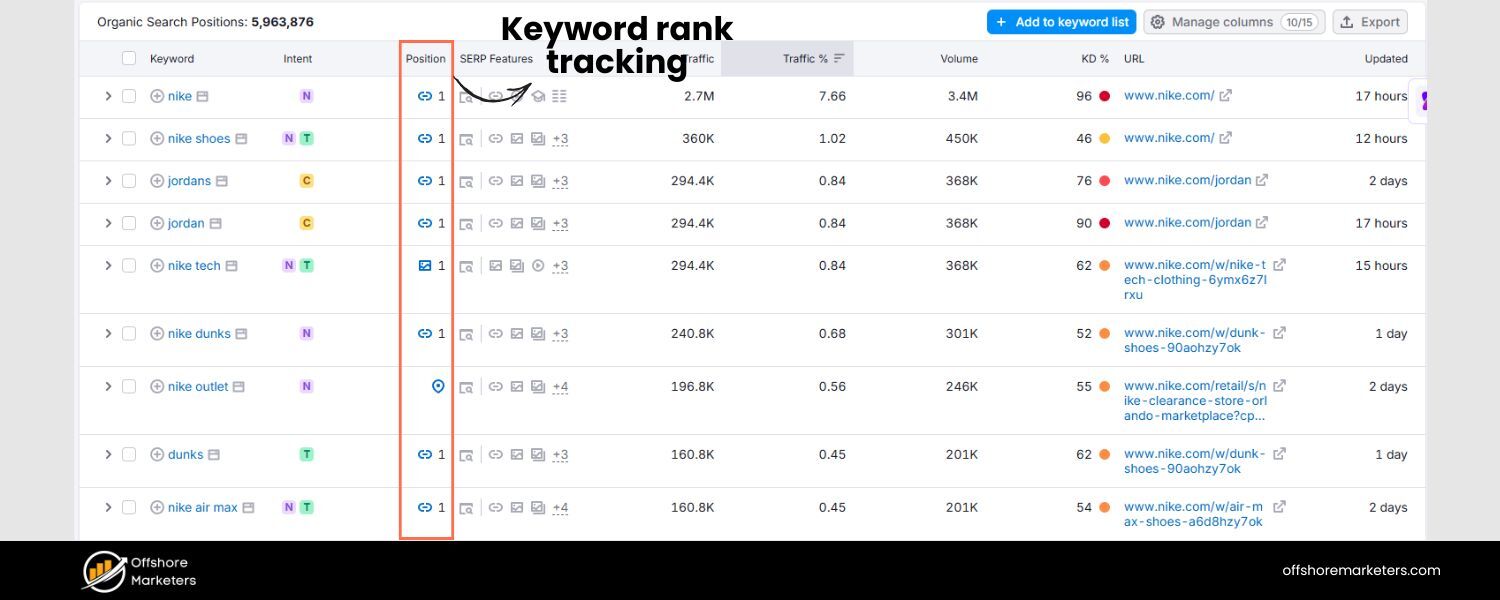
To monitor your search rankings reliably, dedicated rank tracking tools are extremely helpful. These tools automatically check where your site ranks for your target keywords on Google (and often other search engines) and track those positions over time.
Popular choices include Semrush Position Tracking, Ahrefs Rank Tracker, Moz Pro, and AgencyAnalytics’ rank tracker, among others. A rank tracker lets you see daily or weekly movements in your keyword rankings and can often alert you to significant changes.
As AgencyAnalytics notes, a third-party rank tracker can monitor and report on keyword positions across multiple search engines and locations, even helping with competitor comparison.
This saves you from manually Googling your keywords (which can be unreliable due to personalization). If you serve a local market, look for tools that track local/map rankings as well, since local SEO performance might differ.
4. Backlink Analysis Tools
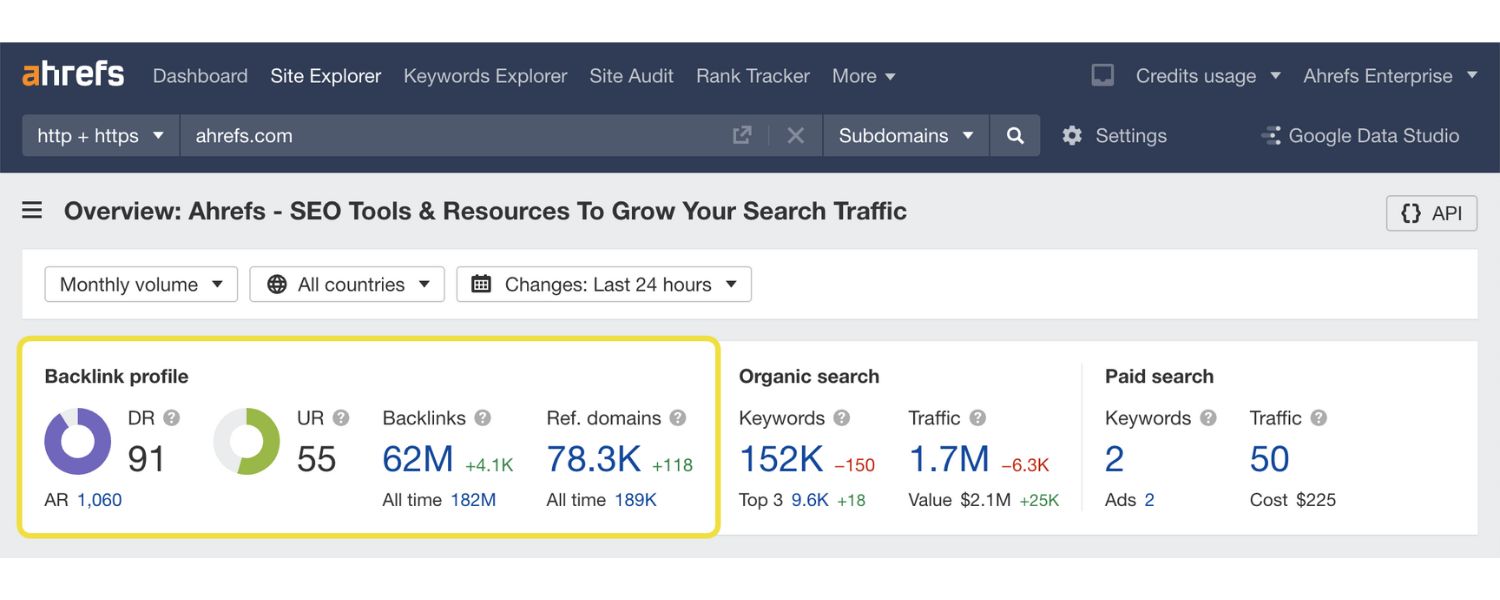
To keep tabs on your backlink profile (who’s linking to you), tools like Ahrefs, Semrush Backlink Analytics, Moz Link Explorer, or Majestic are very useful. They continuously crawl the web to find backlinks to your site.
These tools will show you the number of backlinks, the number of referring domains, and often a “quality score” or toxicity analysis of those links. For instance, Ahrefs is well-known for its large backlink index and can give insights into new vs. lost links, anchor text, and your domain’s authority metrics.
Regularly reviewing your backlink data helps ensure you’re building authoritative links and not accumulating harmful ones. It also lets you benchmark against competitors’ link profiles.
5. SEO Audit and Site Health Tools
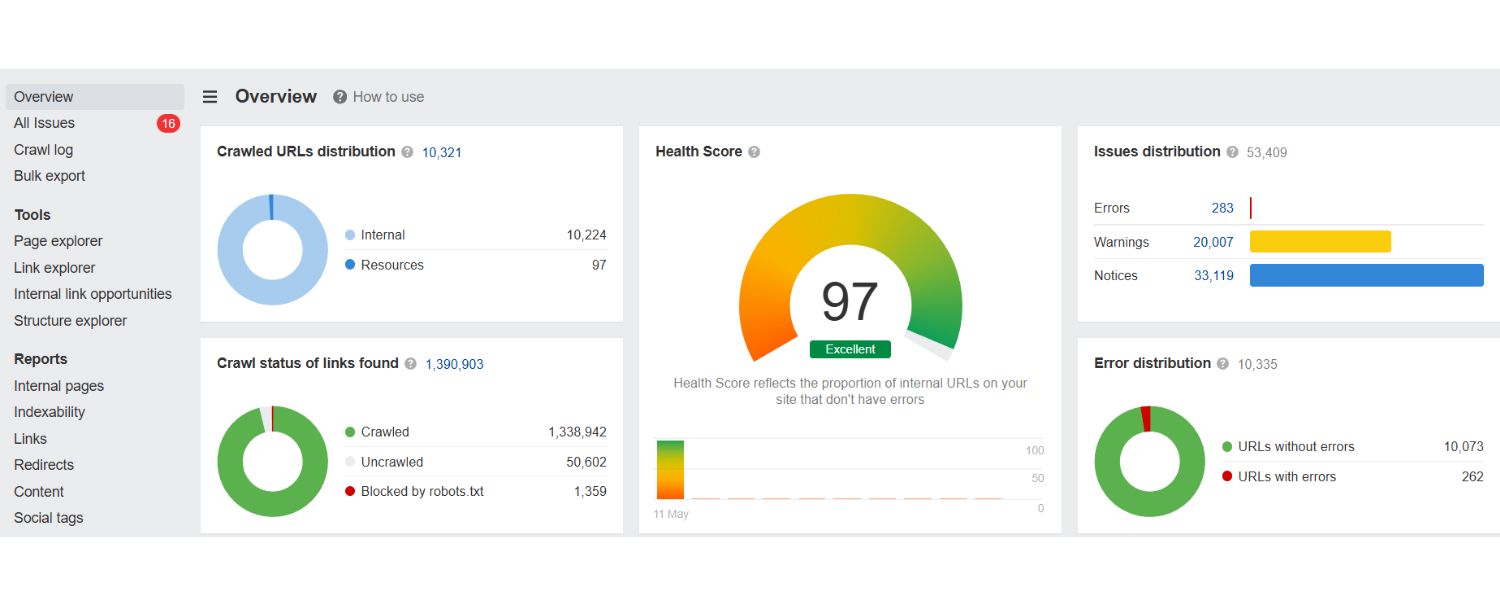
Maintaining technical health can be made easier with specialized SEO audit tools. Google Lighthouse (built into Chrome DevTools) can audit a single page for performance, accessibility, and SEO basics.
For a full-site crawl, tools like Screaming Frog SEO Spider, Sitebulb, or cloud-based crawlers will scan your website like a search engine does and report issues (broken links, missing meta tags, duplicate content, etc.).
These are great for finding technical SEO issues that might not be obvious from analytics alone. Additionally, some platforms (like Semrush’s Site Audit or Moz’s Crawl) give your site an overall “health score” and list of issues to fix.
Keeping an eye on these audit reports ensures you catch and fix problems (like crawl errors, slow pages, or mobile problems) that could hinder your SEO.
6. All-in-One SEO Analytics Suites
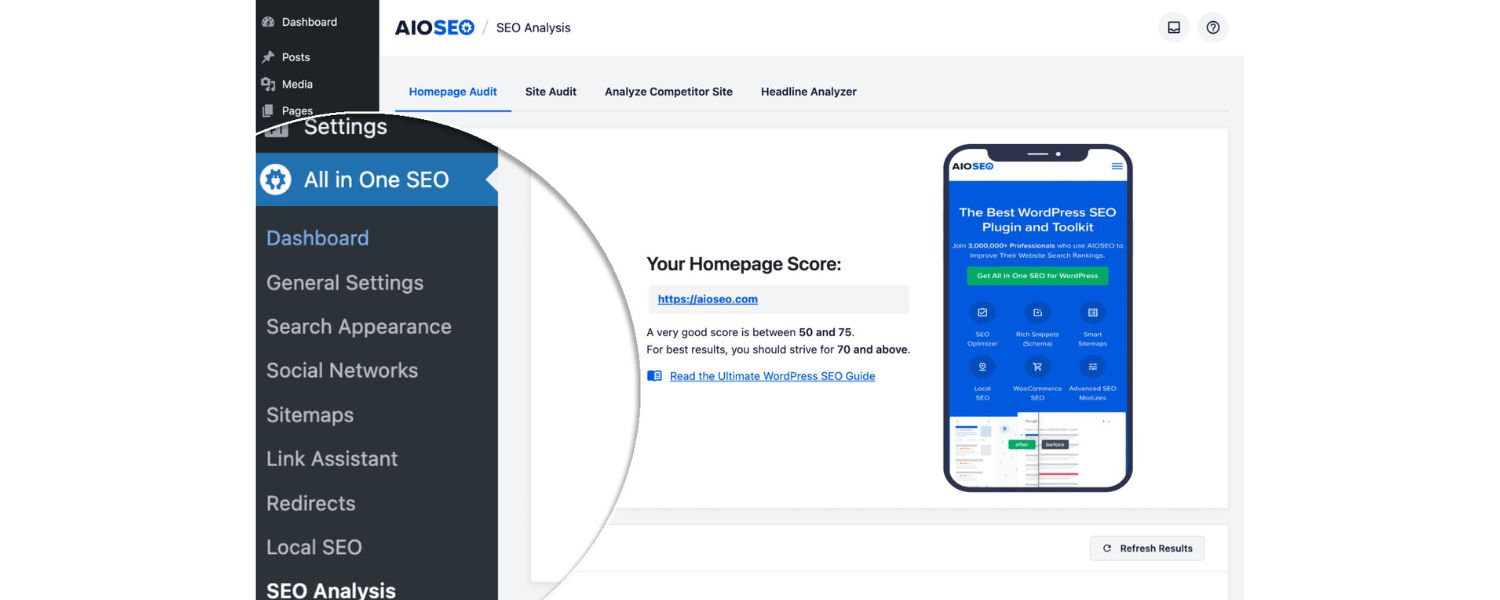
There are comprehensive platforms that bring many metrics together in one place. For example, Semrush and Ahrefs not only track rankings and backlinks but also provide keyword research, content ideas, and even traffic estimates for you and competitors.
There are also reporting-focused tools like AgencyAnalytics, Swydo, or Databox that let you integrate data from multiple sources (GA, GSC, social, etc.) into unified dashboards.
These can save time if you need to create client reports or just want a one-stop dashboard for all your SEO data. They often include templates for SEO reports and the ability to schedule automated email reports.
Using a unified dashboard can help you visualize trends and correlations that might be missed when toggling between separate tools.
7. On-Page SEO Analyzers
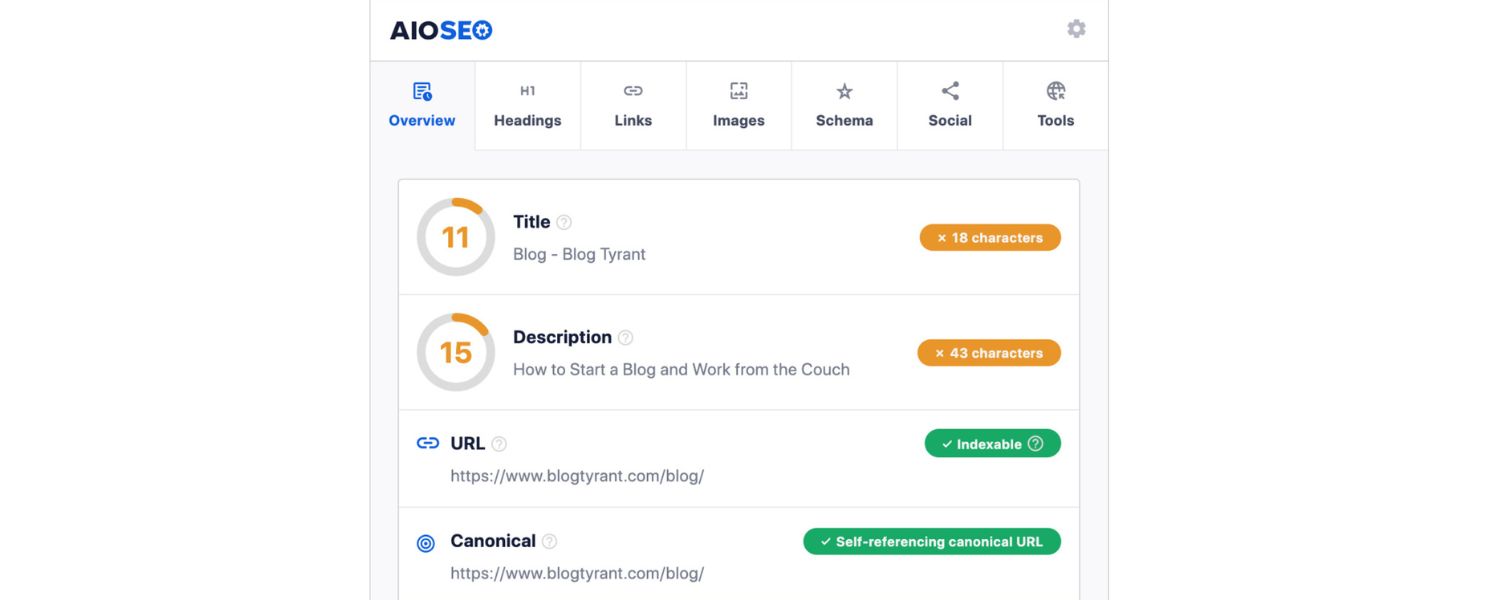
Tools like SEO Site Checkup, SEOptimer, or the RankMath SEO Analyzer (for WordPress users) can quickly evaluate individual pages for on-page SEO factors. By simply entering a URL, these tools will score things like your title tag, meta description, heading usage, image alt tags, page speed, and more, often suggesting improvements. While not as in-depth as a full audit, on-page analyzers are handy for spot-checking content and ensuring each page is optimized.
8. Google Search Console Insights
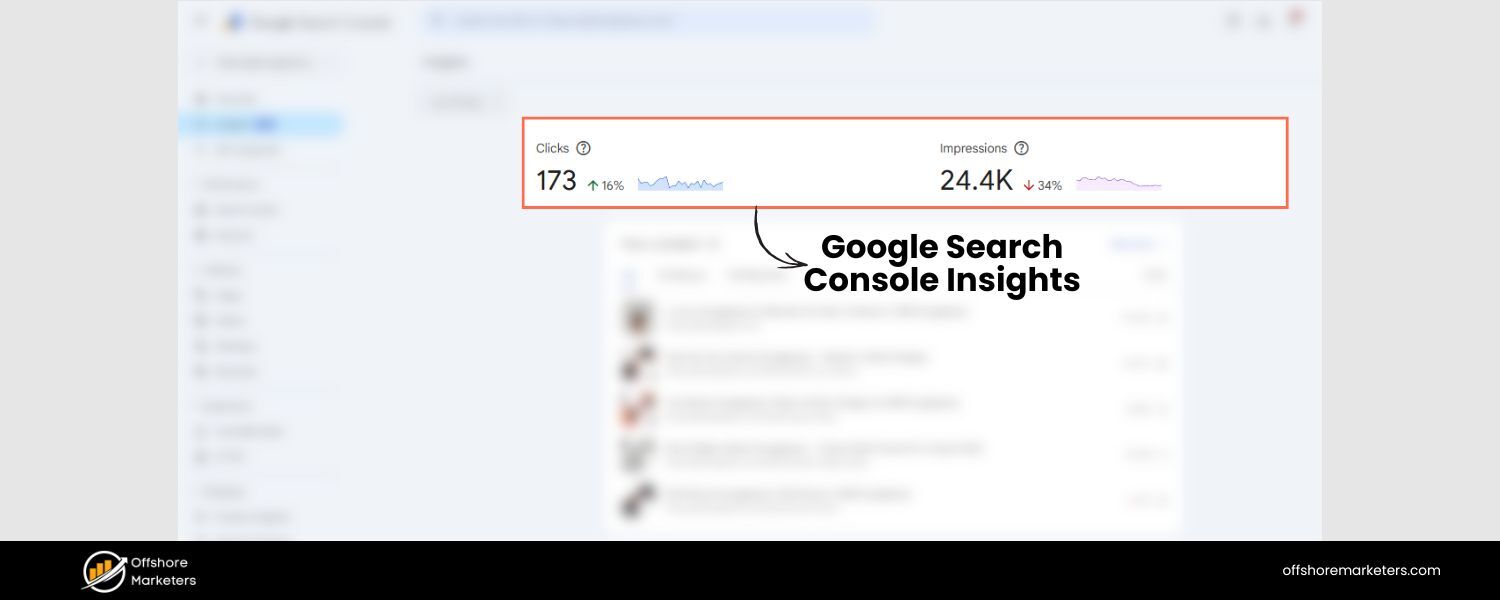
A newer tool from Google, Search Console Insights, bridges GA and GSC data to give content-specific insights – like which pieces of content are trending in search, how people discover your content, and what other sites refer visitors to it.
It’s designed for content creators to get a quick health check of content performance in search. This can complement your regular analytics by highlighting top-performing pages or recent increases in search interest.
Pro Tip:
It’s highly recommended to integrate Google Analytics and Google Search Console together. GA4 allows linking to GSC, which can bring Search Console data (like queries and impressions) into your GA reports. This integration provides a more seamless view from impression to click to on-site behavior – essentially the full user journey from search engine to conversion.
With these tools in hand, you’ll be equipped to gather all the relevant SEO metrics we discussed. The exact mix of tools might vary based on your needs and budget (for instance, an individual blogger might rely mostly on free Google tools and a modest SEO suite, whereas an agency handling many sites might invest in multiple enterprise-level tools).
The key is to choose the tools that cover your chosen metrics and make it easy to visualize and report on the data. Remember, tools are there to serve your strategy – don’t get overwhelmed by fancy features you don’t need. Even with just the basics (GA + GSC), you can perform robust SEO analytics. Everything beyond that just adds more depth and efficiency.
How to Perform SEO Analytics (Step-by-Step)
Now that we’ve covered what to track and which tools to use, let’s outline a simple, repeatable process for conducting SEO analytics. Think of this as your game plan to plan, measure, and act on your SEO data. Follow these steps to implement an effective SEO analytics strategy:
1. Define Your SEO Goals and KPIs (Plan for Success)
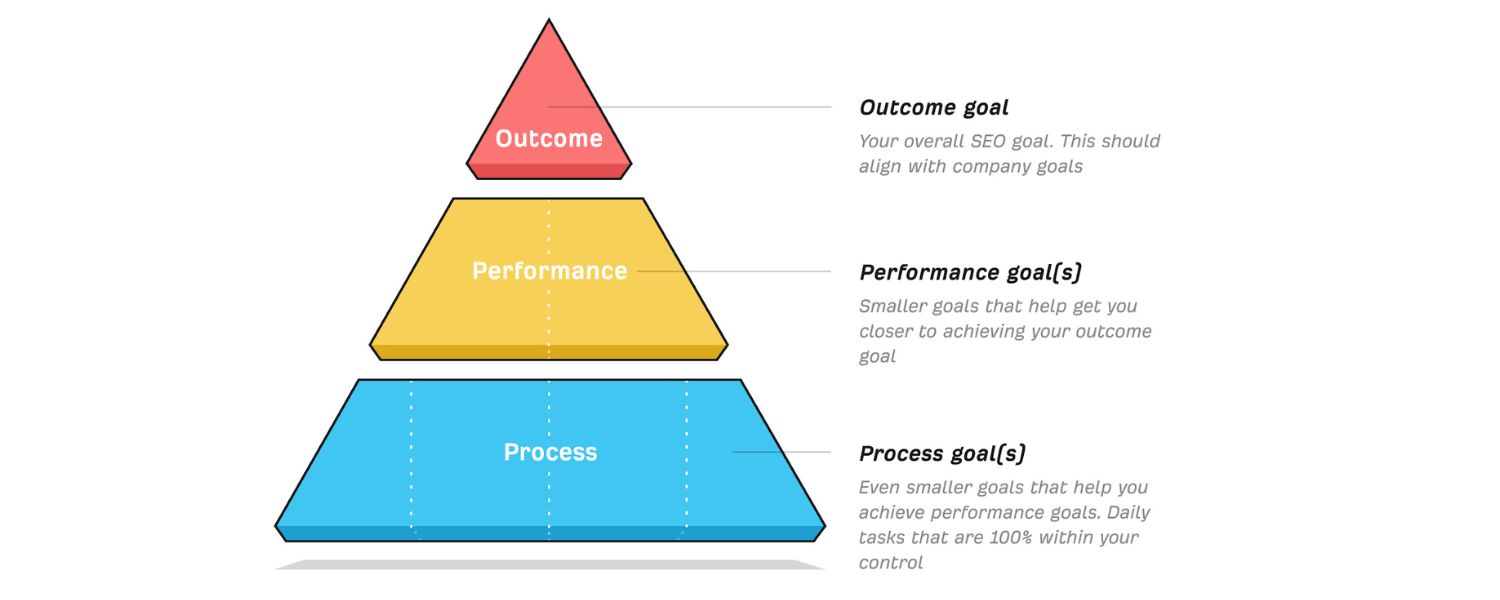
Start with a clear plan by outlining what you want to achieve with SEO. Are you aiming to increase organic traffic by 50% in the next year? Improve the conversion rate on a key landing page? Maybe build your brand’s visibility for certain topics? Be specific.
Based on your goals, choose the KPIs that best measure success. For example, if lead generation is a goal, you might track organic form submissions and target keyword rankings.
If it’s e-commerce sales, focus on organic revenue and transactions. This step is crucial because trying to track every SEO metric under the sun will lead to information overload. By narrowing down your focus metrics, you ensure your analysis stays aligned with business outcomes.
Tip: Write down your primary SEO goals and 3-5 corresponding metrics/KPIs for each – this will guide all your analytics efforts.
2. Set Up the Right Tools and Data Collection
With your plan in place, configure your analytics tools to gather the data you need. This means installing tracking codes and setting up accounts for Google Analytics 4 and Search Console if you haven’t already.
In GA4, define your conversion events (goals) so you can measure important actions. In Search Console, add and verify your site (using your GA account can simplify verification) and submit your sitemap.
Next, consider any additional tools from the list above: for example, set up a rank tracking project in your SEO software for your target keywords, and run a baseline SEO site audit to catch any glaring technical issues.
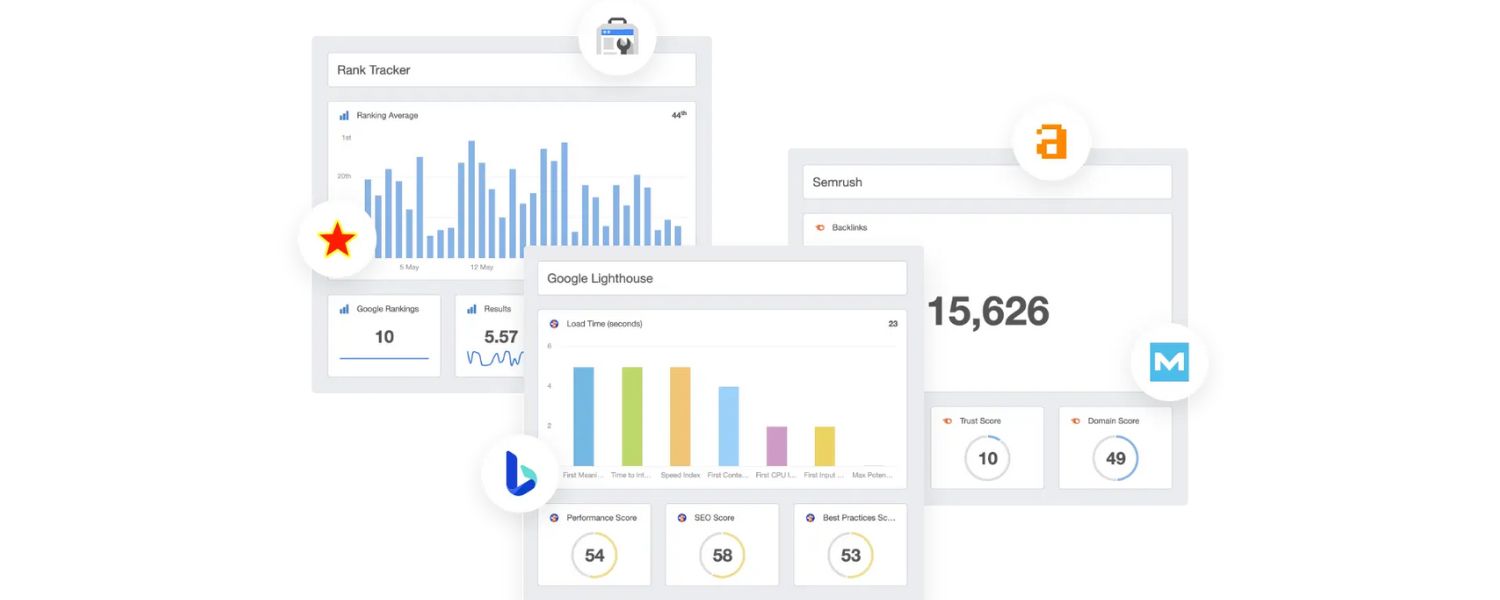
At this stage, you may also want to create an SEO dashboard to centralize your data. Tools like Google Looker Studio (formerly Data Studio) allow you to pull in GA and GSC data into one dashboard.
Or, many SEO platforms offer built-in dashboards – Semrush’s Project Dashboard, for instance, lets you see widgets for traffic, rankings, site health, and backlinks all in one screen.
Choose a dashboard approach that works for you, so you have a one-stop view of your key SEO metrics. Don’t forget to configure any alerts or notifications – for example, Search Console can email you if it detects a sudden issue (like a spike in 404 errors), and some tools can alert you to big ranking drops.
Getting these systems in place upfront ensures you start collecting meaningful data from day one.
3. Monitor Your Metrics Regularly and Visualize the Data
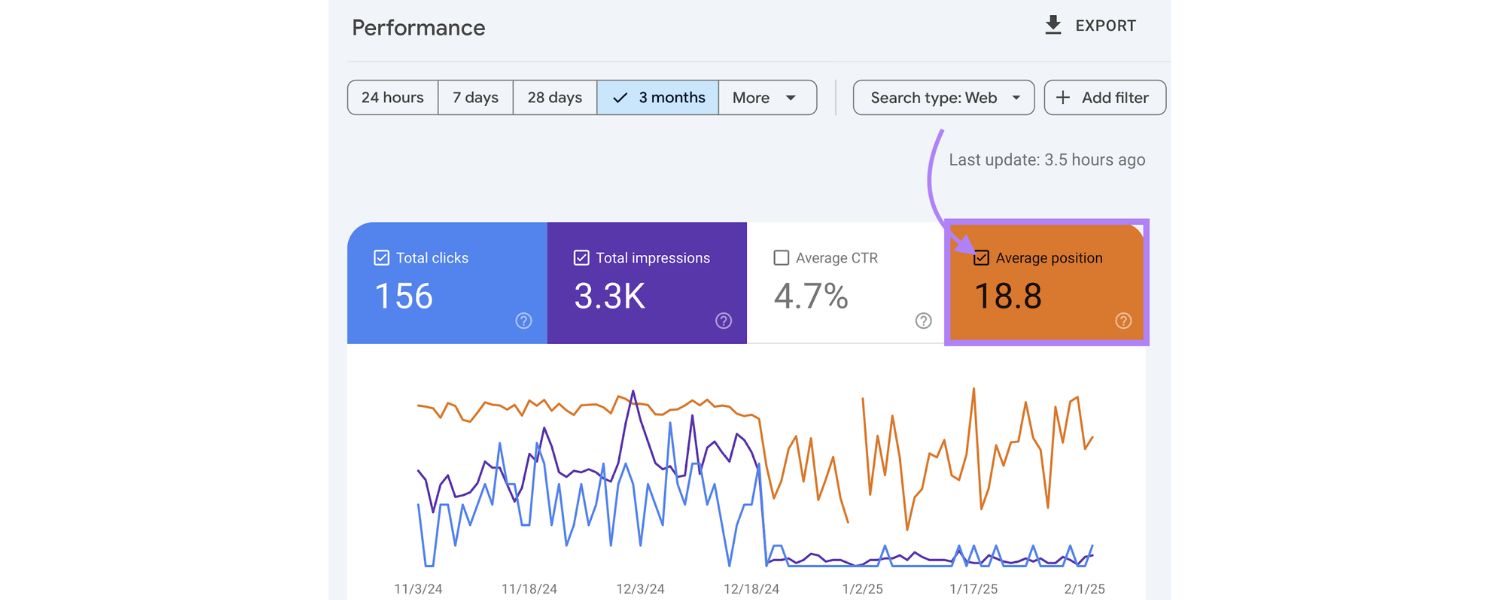
Once everything is tracking, it’s time to actually look at the numbers on a regular basis. Establish a routine for reviewing your SEO metrics. Many experts recommend a weekly check-in for high-level metrics and a deeper analysis monthly.
For instance, each week you might glance at organic traffic, conversions, and any major ranking shifts just to ensure things are on track (this helps catch anomalies or traffic drops early).
Then monthly, do a fuller review: examine trends over the past month (or quarter), compare them to previous periods, and see how you’re pacing toward your goals. Use your dashboard or analytics reports to visualize these trends – graphs of organic traffic over time, tables of top pages, pie charts of traffic by channel, etc., can make the data easier to digest.
Visualization is especially handy if you need to report to others; a good chart can tell a story at a glance. Most tools offer premade report templates (Google Analytics has templates, AgencyAnalytics provides SEO report templates, etc.) to simplify this.
The goal of monitoring is to turn raw data into insight. Look for patterns: Did a particular blog post’s traffic spike after an update? Is one buyer persona keyword steadily climbing in rank? Identifying such trends will guide your next steps.
4. Analyze and Interpret the Data for Insights
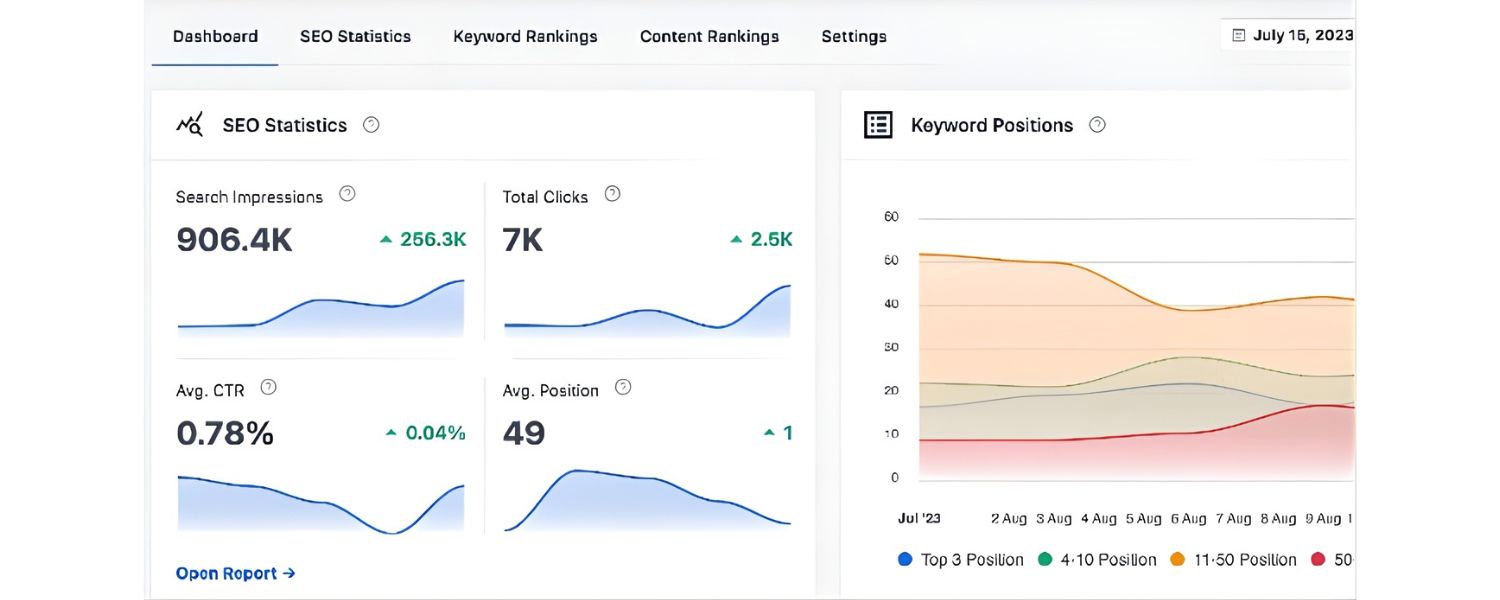
Simply collecting data isn’t enough – you need to ask questions and dig into the “why” behind the numbers. When reviewing your SEO analytics, use an investigative mindset.
For example, if you notice organic traffic is up 20% this month, determine what caused it: Was it a sitewide uptick or one article that went viral? Did a new referral link drive it, or improved Google rankings? Conversely, if a key metric is down, explore the possible reasons (e.g., a drop in ranking for a high-traffic keyword could be the culprit, or perhaps a technical issue reduced indexing).
Segmenting your data can help here – look at desktop vs mobile traffic, brand vs non-brand searches, different content categories, etc., to pinpoint where changes occurred.
At this stage, leverage all your tools: check Search Console queries for ranking changes, look at GA4’s user flow to see if people are bouncing on a certain page, run a quick crawl to see if any new errors popped up.
The idea is to connect the dots between what happened and why. For instance, you might find that “Average session duration from organic users increased by 15%, likely because we improved page load speed sitewide which reduced bounce rate”.
That’s a valuable insight derived from data. Sometimes you’ll need to dig deeper with additional analysis – and that’s okay. SEO analytics is iterative; you might uncover one clue that leads you to another dataset. Embrace this exploratory process to fully understand your SEO performance.
5. Take Action: Optimize and Iterate
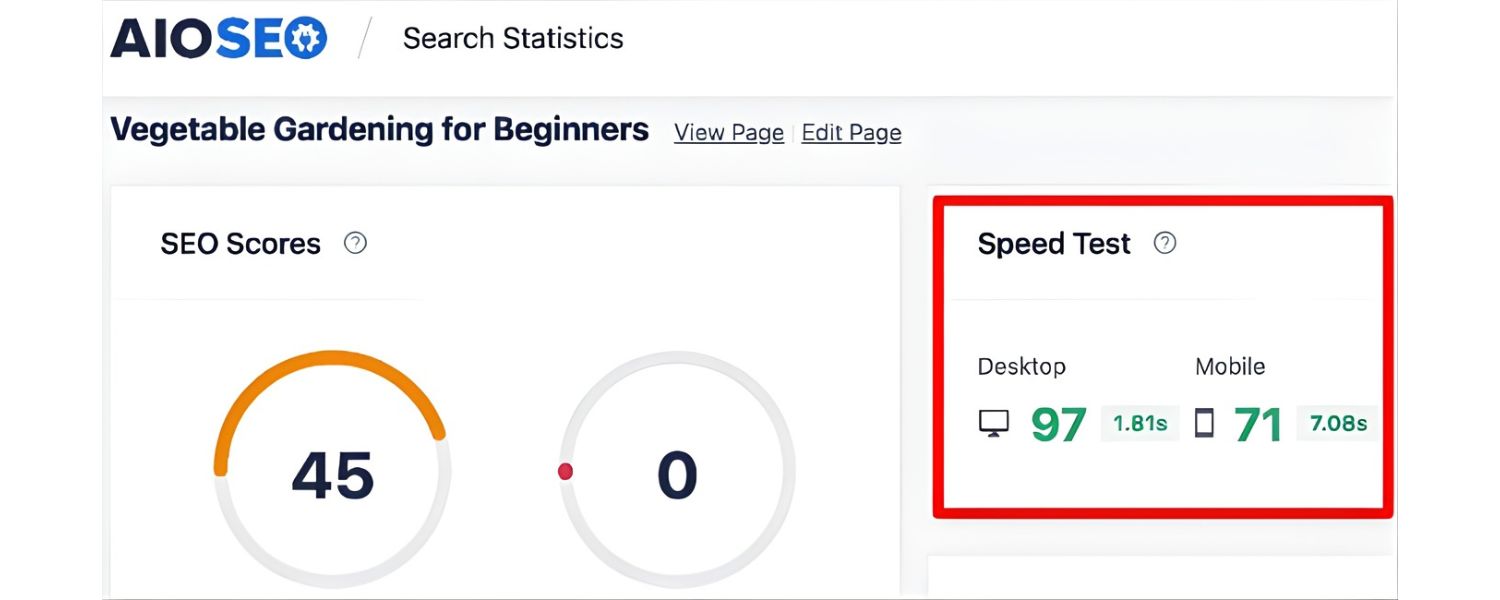
The final (and most important) step is using your findings to improve your SEO results. Analytics should ultimately drive action. Based on the insights from step 4, decide on clear next steps for your SEO strategy. For example:
A. If you discovered certain content pieces are bringing in the most engaged traffic, you might plan to create more of that type of content or update those high performers to keep them fresh.
B. If analytics show a particular keyword’s rankings have slipped, you might prioritize an on-page SEO update or extra link building for that page to regain lost ground.
C. If conversion rate from organic is low on a key page, perhaps A/B test a new call-to-action or simplify the page design to improve user flow.
D. If an SEO experiment (say, a new schema markup or a site redesign) led to positive results, consider rolling it out more broadly.
In practice, this step is about closing the loop:
apply your data-driven optimizations, and then in the next cycle of analysis, check their impact. SEO is iterative, so this process of measure → analyze → optimize repeats continually.
As you implement changes, keep logging what you did and when (many marketers keep an “SEO timeline” noting key content publishes, site changes, Google updates, etc.).
This contextual information is gold when looking at future analytics – you can correlate a traffic jump to “oh, that’s when we launched our new blog section,” for instance. Finally, ensure you communicate results if you’re doing this on behalf of a business or client.
A concise summary of insights and actions (perhaps in a monthly report) helps illustrate the value of your SEO analytics work. It might outline: what happened, why it matters, and what you’ll do next. This not only keeps everyone in the loop but also underscores that SEO is an ongoing process with tangible outcomes.
By following these steps, you create a structured approach to SEO analytics that goes beyond just generating reports – it turns data into meaningful improvements. As a result, over time your SEO program becomes more and more efficient and effective, because you’re constantly learning from what the numbers tell you.
In essence, you’re developing a data-driven feedback loop: every insight gained from analytics feeds into smarter SEO decisions, which produce better metrics, and the cycle continues. This is how you continually optimize your search performance based on evidence rather than hunches.
Best Practices for SEO Analytics Success
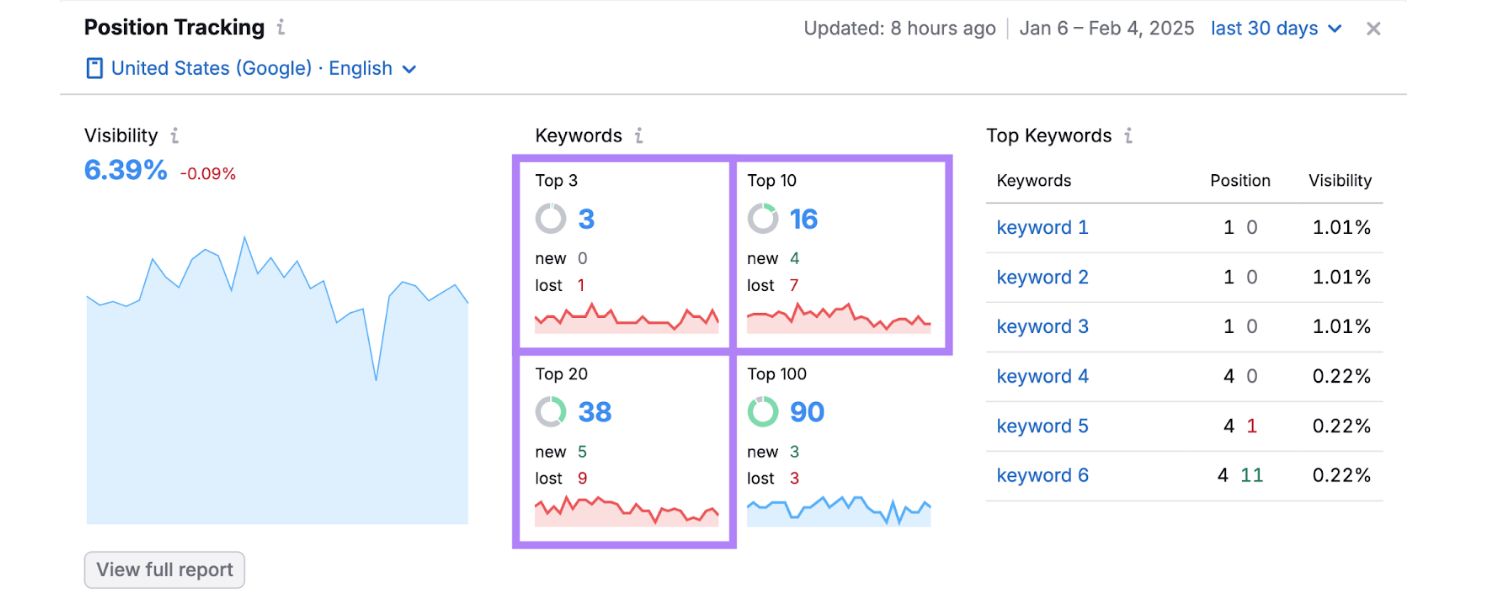
To maximize the impact of your SEO analytics efforts, consider these best practices honed from years of experience and industry insights:
1. Focus on the Metrics that Matter
It’s easy to be distracted by vanity metrics. Ensure you’re focusing on meaningful KPIs that tie to business goals. For instance, a high number of impressions in Google Search Console might look nice, but if those aren’t translating into clicks or conversions, that metric alone isn’t success. Keep your reporting centered on metrics that demonstrate growth, engagement, or ROI – quality over quantity.
2. Establish a Regular Reporting Cadence
Consistency is key. Set a schedule for reviewing data and stick to it. Whether it’s a quick weekly check-in and a thorough monthly report, having routine analytics “appointments” ensures you catch issues early and stay on top of long-term trends.
Avoid both extremes: don’t check your stats obsessively every hour (SEO changes take time), but also don’t go silent for a whole quarter. Regular monitoring builds intuition for what “normal” looks like, so you can quickly spot anomalies.
3. Use Dashboards and Visualization
A well-organized dashboard can be a game changer. When you consolidate your SEO metrics into a single dashboard or report, it’s much easier to see the big picture. Visualization (graphs, charts) helps communicate complex data simply.
If you’re reporting to a non-technical audience (like a CEO or a client), visuals and concise summaries will make your analytics far more digestible. Consider including a short executive summary or key takeaways section in reports, highlighting what’s going well and what needs attention.
4. Ensure Data Accuracy
Trustworthy data is the foundation of good analysis. Double-check that your tracking tools are properly set up – e.g., the GA4 tracking code is on all pages, conversions are firing correctly, and Search Console is verified and pulling data.
If you notice a sudden, unexplained spike or drop in a metric, investigate for tracking issues. It could be an analytics glitch or a missing tag rather than a real SEO change. Regularly audit your analytics setup (for example, make sure no filters are inadvertently excluding organic traffic in GA).
5. Segment Your Data for Deeper Insight
Averages can hide important stories. Use segmentation to get granular insights. For example, analyze desktop vs. mobile organic traffic separately – you might find mobile traffic is growing faster or that your mobile users have a higher bounce rate (prompting a mobile optimization effort).
Similarly, segment by geography if you operate in multiple markets, or by new vs. returning visitors to see how SEO brings in new audiences. Google Analytics and other tools allow many ways to slice the data; just be sure any segment you examine has a meaningful volume of data (too narrow can be misleading).
6. Keep an Eye on Competitors
Your SEO performance is relative to others in your industry. Periodically review competitor SEO analytics (using tools) to benchmark. See what keywords they rank for that you don’t, and how their backlink growth compares to yours.
If they surge ahead on a certain topic, that’s intel for you to refine your content strategy or do a competitive analysis. Some SEO analytics tools have competitor comparison features built-in, which can be very handy for spotting content gaps or backlink opportunities you might be missing.
7. Stay Updated on Algorithm Changes
Search engines, especially Google, update their algorithms frequently. Significant updates (like a core update) can dramatically impact your metrics overnight. Stay informed via reliable SEO news sources, and when you see unusual analytics shifts, consider if an algorithm change might be the cause.
If so, dig into which pages or keywords were affected – it might reveal something (e.g., Google now favoring content with better Core Web Vitals or higher authority in your niche). Adapting your strategy in response to algorithmic trends is part of being agile with SEO analytics.
8. Integrate SEO with Broader Marketing Analytics
Remember that SEO doesn’t operate in a vacuum. Try to connect your SEO analytics with other performance data for a holistic view. For instance, track how organic search assists conversions that might be finalized via other channels (multi-channel funnels in GA can show if organic brought someone in who later converted via direct or paid). If you run campaigns (email, social, PPC), see how they influence organic search interest (sometimes a spike in organic brand searches can result from a big PR or social media event). By correlating SEO data with other marketing data, you can demonstrate how SEO contributes to overall marketing success and vice versa.
9. Embrace New Search Features in Analytics
The search landscape is evolving with AI and enhanced search results. For example, Google is introducing AI-generated answers (AI overviews) in some searches. It’s estimated that these AI overviews now appear in roughly 15% of all search results, which means they could siphon some clicks or change how users interact with results.
As a best practice, start tracking the impact of such features: Are your pages being featured or cited in AI summaries? How is your click-through rate when rich snippets or AI answers are present? Some tools (like Semrush’s SERP features tracking) can help identify if your keywords trigger an AI overview or other special result.
Keeping tabs on this will position you to adapt content for voice search and AI-driven results – an emerging area of SEO analytics.
10. Don’t Neglect Qualitative Insights
While numbers are essential, also consider qualitative insights. Read some of the actual search queries that lead people to your site (Search Console provides these). You might discover new content ideas or understand user intent better by seeing those queries.
Similarly, look at user behavior flows or even do user testing on key pages to understand why users might not be converting after arriving. Sometimes a human perspective on the user experience, combined with the quantitative data, yields the “aha” moment for optimization.
11. Iterate and Evolve
Finally, approach SEO analytics with a mindset of continuous improvement. Over 25 years, one thing I’ve learned is that SEO is never a “set it and forget it” game. Regular analysis means you’ll constantly refine your strategies.
Make small changes, see how the metrics respond, and keep iterating. Celebrate the wins (like that +30% organic growth quarter) and study the losses (a ranking dip can teach you a lot).
Over time, this iterative process, guided by analytics, will significantly sharpen your SEO effectiveness and keep you ahead of less data-savvy competitors.
By implementing these best practices, you’ll ensure that your SEO analytics routine is not only effective in theory but also efficient and sustainable in the long run. Good analytics habits – much like good exercise habits – yield compounding benefits.
You’ll be able to spot opportunities faster, avoid costly mistakes (or fix them quickly), and allocate your SEO resources to where they matter most. In essence, you turn SEO into a science-driven part of your marketing, which is exactly what search engines (and savvy marketers) in 2025 and beyond thrive on.
SEO Analytics FAQ
Q1: What’s the difference between SEO analytics and general web analytics?
Web analytics is a broad term that covers analysis of all website data (traffic from all channels, user behavior site-wide, etc.), whereas SEO analytics specifically focuses on insights related to organic search performance.
In SEO analytics, you concentrate on metrics like organic traffic, search rankings, keyword queries, and backlinks – essentially anything tied to how your site appears and performs in search engines.
Web analytics (using tools like Google Analytics) will tell you about overall site usage and conversions, which is useful, but combining it with search-specific data from tools like Google Search Console gives you the full picture for SEO.
In short, SEO analytics is one slice of web analytics, honed in on search engine-derived data. Its goal is to improve your visibility on search engines, while general web analytics might also inform improvements in areas like paid advertising, email marketing, or on-site user experience beyond search.
Q2: How often should I review my SEO analytics data?
It depends on your needs, but a good rule of thumb is to check key metrics at least monthly, with lighter weekly reviews. A monthly deep-dive allows enough time to see meaningful changes (SEO often moves gradually), and it aligns with reporting periods for many businesses.
During this review, look at month-over-month and year-over-year trends to account for seasonality. Weekly check-ins can be used to catch any sudden issues – for example, a significant drop in traffic due to a technical glitch or a spike from a piece of content going viral.
If you’re running an active campaign or have a large site, you might even do certain checks daily (for instance, rank tracking on crucial keywords). Agencies often automate daily or weekly reports for clients to stay informed.
The key is consistency: by reviewing on a regular schedule, you become familiar with normal patterns and can quickly identify anomalies.
Q3: Which is the most important SEO metric to track?
There isn’t a single “silver bullet” metric – the importance can vary by goal – but if forced to choose, many SEO experts would say Organic Traffic/Clicks and Conversions from organic are the top-line metrics to watch.
Organic traffic (as measured by Google Analytics or Search Console clicks) directly reflects how well your SEO is bringing people to your site. It’s a broad indicator that encapsulates many factors (keywords, rankings, CTR, etc. all rolled into one result).
However, traffic alone isn’t success – you need that traffic to convert. That’s why tracking how many leads, sales, or desired actions those visitors take is crucial. If organic traffic is growing but conversions are not, you may need to revisit your keyword targeting (are you attracting the right audience?) or on-page content (does it satisfy user needs and prompt action?).
Other very important metrics include keyword rankings (as a leading indicator for future traffic), and backlinks/referring domains (since they drive authority). Ultimately, the “most important” metric is one aligned with your primary objective – for a publisher it might be organic pageviews, for an online store it’s organic revenue.
Balance a performance metric (traffic, rankings) with an outcome metric (conversions, revenue) for a true measure of SEO success.
Q4: How can I tell if an SEO change or new content actually improved my performance?
This is where a controlled approach and annotations help. Whenever you implement a significant SEO change – say you redesigned your site structure, rewrote title tags, or published an optimized landing page – make a note of the date and what you did.
In Google Analytics, you can use the annotation feature to mark events on your timeline. Then, in subsequent analytics reports, look at the before-and-after data. Did organic traffic to that page increase after the update (beyond normal fluctuation)? Did the page’s average ranking for target keywords improve in Search Console? You can also use tools like Google Search Console’s date comparison to see if clicks or impressions for specific queries rose after your change.
Keep in mind to give enough time for changes to take effect – for content and on-page tweaks, that might be a few weeks; for big site changes or Google to re-crawl, it could be longer.
Additionally, try to isolate variables. If you launch 10 SEO changes at once and see improvement, it’s harder to tell which change was the driver. Whenever possible, A/B test or roll out changes in phases.
For example, update title tags on a subset of pages and compare performance against a control group of similar pages that weren’t changed.
Finally, watch for external factors: if Google had an algorithm update the same week, that could confound results. By carefully timing and documenting your SEO initiatives, your analytics will more clearly reveal their impact.
Q5: Are there any new trends in SEO analytics I should watch for in 2025 and beyond?
One emerging trend is the impact of AI in search results. As mentioned earlier, Google is experimenting with AI-generated summaries at the top of search results (in the Search Generative Experience), which can change how users engage with search results.
This means SEO analytics may soon need to track not just traditional clicks, but also things like how often your site is mentioned or cited in AI overviews. Some forward-thinking SEOs are already looking at metrics like “assistant visibility” – essentially, ensuring your content is optimized to be picked up in voice search answers or AI-driven results.
Tools are starting to offer ways to monitor these (for example, tracking if your content appears in an AI snippet, as noted by Swydo’s guide on AI Overview metrics). Another trend is integrating SEO data with other digital marketing data to get multi-touch insights.
As privacy changes and cookie restrictions evolve, analytics platforms (including GA4) are shifting to new modeling techniques – SEO analysts will need to adapt to those to ensure organic performance is properly attributed.
Lastly, Core Web Vitals and user-experience metrics have become formal parts of SEO analytics due to Google’s page experience updates; staying on top of these and perhaps comparing them to competitors could become a standard practice.
In summary, be prepared to expand the scope of SEO analytics: it’s not just about “Google blue links” anymore, but tracking visibility across diverse search features and ensuring your content is optimized for a more AI-driven, user-experience-focused search ecosystem.
Conclusion
In the ever-evolving world of search, one thing remains constant: knowledge is power. SEO analytics is your means of acquiring that knowledge – the hard data and insights that illuminate the effectiveness of your SEO efforts.
By diligently tracking key metrics, using the right tools, and acting on what the data tells you, you transform your SEO from a hopeful art into a predictable science.
Remember, even the best SEO strategy needs continual tuning. The beauty of analytics is that it shines a light on exactly where to tune. Maybe your content strategy needs a tweak toward topics your audience craves, or your site’s technical foundation needs strengthening to remove barriers.
Whatever it is, your analytics will point the way. Armed with that information, you can make changes with confidence and see their impact in black-and-white on your charts next month.
As someone who’s navigated the waves of digital marketing for decades, I can assure you that data-driven decision-making is the key to long-term success. Businesses that leverage SEO analytics not only climb higher in the rankings but also adapt faster to market changes and outmaneuver competitors stuck in the dark.
So, start today: set up those dashboards, schedule your weekly or monthly check-ins, and begin asking questions of your data. Every insight is an opportunity. Over time, you’ll gain an intuitive feel for your SEO “pulse,” and the continuous improvements will compound into formidable results – more traffic, higher quality visitors, and ultimately, more conversions and revenue.
Don’t leave your SEO success to guesswork. Embrace the power of SEO analytics to guide your strategy and turn insights into action. The search landscape will keep changing, but with a solid analytics framework, you’ll be ready to not just keep up, but lead the way. Here’s to your data-driven SEO journey and the success that follows!

Why Roseville Startups are Choosing Offshore Marketers to Scale Smarter
Roseville is no longer just a quiet suburb of Sacramento;...

What Is PPC? A Practical Guide to Pay‑Per‑Click Advertising
Pay‑per‑click (PPC) is the “pay only when someone clicks” branch...

Google Search Issues Affecting Results in Some Regions
Google has confirmed a problem with one of its data...

Keyword Counts Dropped After Google’s num=100 Change
In September 2025, Google stopped supporting the &num=100 parameter. This...

Image SEO: Optimize Images for Higher Rankings & Traffic
Introduction Images make your website more engaging, but they can...


.png)
.png)
.png)
.png)
.png)

2024 ALL RIGHTS RESERVED MADE IN INDIA
.png)