
Understanding URL Parameters & SEO Best Practices
August 12, 2025
What Are URL Parameters?
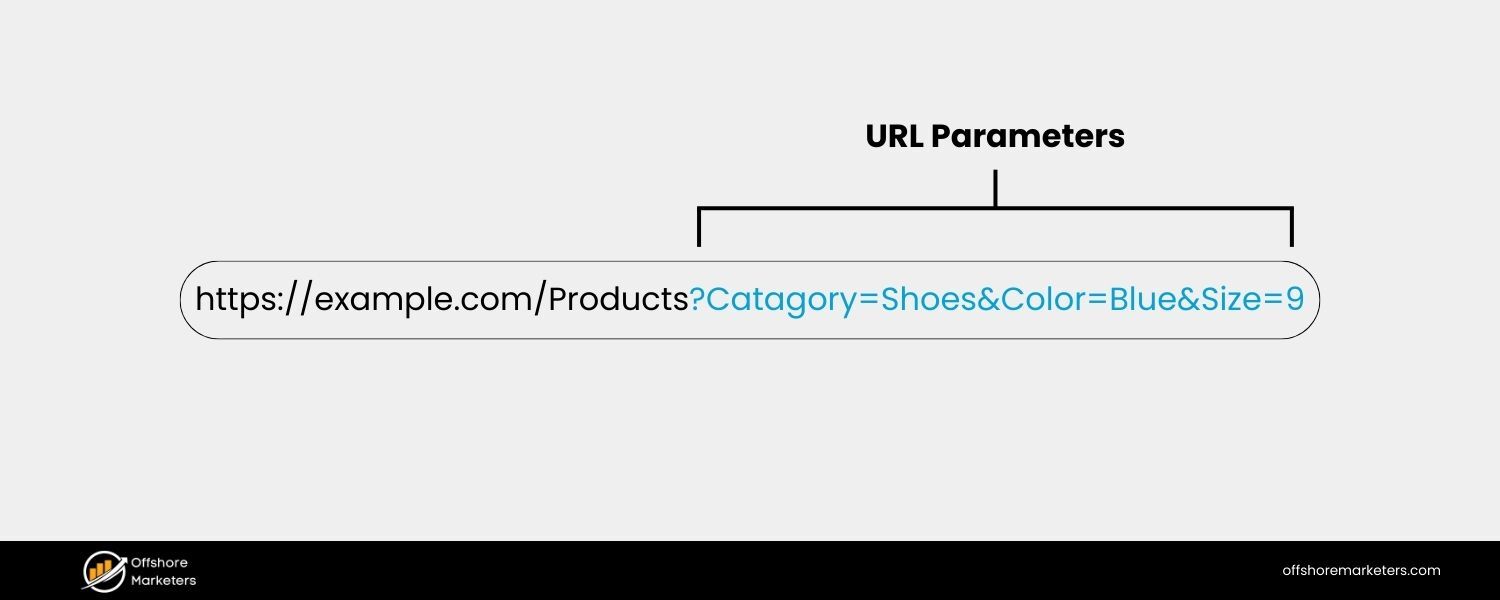
URL parameters – also known as query strings – are additional pieces of information appended to the end of a web address, following a question mark “?”.
They appear as key=value pairs (for example, lang=en or page=2), and multiple parameters can be included by separating each pair with an ampersand “&”. In essence, URL parameters let websites pass extra instructions or data through the URL itself. For instance, a URL like:
https://www.example.com/products?category=shoes&color=blue&size=9
might display a product page filtered to show only blue shoes in size 9. Everything before the “?” is the base page URL, while the portion after “?” (category=shoes&color=blue&size=9) is the query string containing three parameters: category, color, and size, each with an assigned value.
These parameters don’t inherently change anything on their own – it’s the website’s backend code or scripts that interpret them and adjust the content accordingly (if you just add a random ?filter=xyz to a URL that isn’t programmed to handle it, nothing visible will happen).
When implemented, however, URL parameters are powerful: they can modify what the page displays, or simply pass along information without changing the content.
An example URL showing parameters (highlighted in blue after the “?”) used to filter content on an e-commerce page.
URL Parameters vs. Query Strings
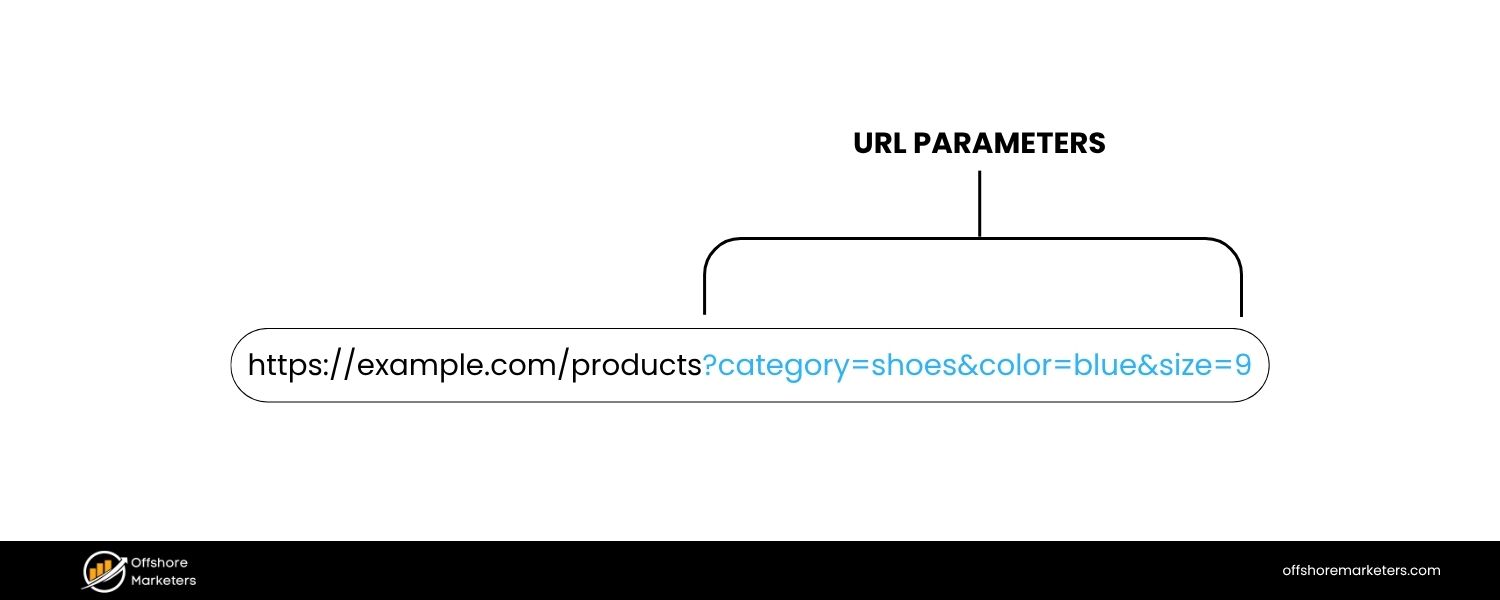
The terms “URL parameters” and “query strings” are often used interchangeably, and in most everyday contexts they refer to the same thing – the dynamic portion of a URL after the question mark.
Technically, there is a subtle distinction: a query string is the entire string of parameters (including the ? and & separators), whereas the term URL parameters can refer to the individual key–value pairs within that string.
For example, in the URL example.com/search?query=running+shoes&sort=price, the segment query=running+shoes&sort=price is the query string, which consists of two URL parameters: query and sort (each with an assigned value).
In practice, most people (and even Google’s documentation) use “URL parameters” to talk about the whole concept, so don’t worry – using either term will usually get your point across. The key thing to remember is that these parameters are part of the URL and can affect what content is shown or how it’s tracked.
Common Uses of URL Parameters
URL parameters are ubiquitous on today’s web. But why do websites use them? Here are some of the most common use cases for URL parameters and how they enhance website functionality:
1. Filtering & Sorting Content
One of the most common uses is to dynamically filter or sort page content without needing separate static pages for every variation.For example, an e-commerce site might let users sort a product category by price or filter by color using parameters (e.g. ?sort=price_asc or ?color=red).
The page URL updates with these parameters to reflect the current view – such as /dresses?sort=alphabetical or /store?category=shoes&color=red – and the server shows only the relevant items. This makes it easy for users to refine results, bookmark specific views, or share filtered lists with others.
2. Pagination
Parameters are often used to paginate content by indicating the page number of a long list or search results.For instance, a blog archive or forum might use page=2 to display the second batch of items (/blog/posts?page=2).
This way, the site can serve the same base URL with different content subsets, rather than creating separate URLs for each page.
3. Site Search Queries
When you use a website’s search box, the query you entered is frequently passed through a URL parameter.For example, searching a site for “coffee mug” might direct you to a URL like /search?query=coffee+mug or /search?q=coffee+mug, with the parameter value reflecting your keywords.
The site’s search functionality reads this parameter and returns the appropriate results.
4. Product or Content Identifiers
URL parameters can carry identifying info that tells the site which specific content to fetch. For example, a product page might use a parameter like ?sku=12345 to display the details for item #12345.
Similarly, a news site might use ?id=678 to fetch article ID 678. In modern web development, unique IDs are often handled in the path or via more elegant URLs, but query parameters are still sometimes used for this purpose – especially in web applications or legacy systems.
5. User Session Tracking
In the early days of the web (and occasionally still today), some sites used URL parameters to maintain user sessions – for example, ?sessionid=XYZ123 would identify your session as you navigate the site.
This was a way to remember a user’s state (like items in a shopping cart) before cookies became widespread. Nowadays, cookies and other storage have largely replaced URL session IDs for this purpose, since long session URLs are cumbersome and can pose security risks if shared.
It’s good to be aware of it historically, but you won’t see session IDs in URLs too often on modern sites.
6. Localization (Language/Region)
Some sites include parameters to serve region-specific or language-specific content, for example ?lang=fr for French or ?region=US.In practice, using parameters for localization is generally not the best practice – search engines prefer dedicated URLs or subdomains for different languages/regions (we’ll touch more on that later).
But you might encounter URLs like homepage?lang=es that trigger a Spanish version of the page. It works, though better solutions exist (like example.com/es/ paths or fr.example.com domains).
7. Analytics & Campaign Tracking
Perhaps one of the most prevalent uses of URL parameters is tracking marketing and analytics data.If you’ve ever seen a URL with parameters beginning with utm_… (for example: utm_source, utm_medium, utm_campaign), you’ve encountered tracking parameters.
These were popularized by Google Analytics’ UTM parameters and are used to identify where traffic comes from.For instance, a link from a Facebook ad might append ?utm_source=facebook&utm_campaign=summer_sale to the URL.
When you click it, the page content is the same, but those parameters let the site’s analytics tools record that you arrived via the “Facebook” source and “summer_sale” campaign.
Tracking parameters are considered passive – they generally don’t alter the page’s content at all (the user sees the same page with or without them), but they silently transmit data for the site owner’s reports.In summary, URL parameters are incredibly useful for creating a more dynamic and personalized web experience.
They allow a single page template to serve many purposes – whether it’s showing a subset of products, remembering user preferences, or telling site owners which ad brought you there.
Next, we’ll discuss the two broad categories of parameters (active vs. passive) and then dive into why these convenient little URL add-ons can sometimes cause headaches for SEO if not managed properly.
Types of URL Parameters: Active vs. Passive
Not all URL parameters are created equal. We can broadly divide them into two categories based on their effect:
1. Active Parameters (Content-Modifying)

Active URL parameters directly impact the content or functionality of the page for the user. When an active parameter is present, the website uses its value to determine what to display or how the page should behave. Essentially, these parameters trigger different versions of the content.
Examples of active parameters include all the ones used for filtering, sorting, pagination, site search, etc., that we discussed above. If you see a parameter like ?color=blue or ?page=3 in a URL, it’s actively altering what’s on the page – be it showing only blue variants of a product or jumping to page 3 of results.
For example, consider a travel site that lets you filter hotel listings. A URL like https://travel.example.com/hotels?location=NewYork&pets=allowed might use active parameters location and pets to show hotels in New York that allow pets.
Remove or change those parameters, and the listing will change accordingly. Active parameters create a dynamic, interactive experience by serving content tailored to the parameter values.
Important note
The presence of an active parameter doesn’t magically change a page by itself – the site’s code must be designed to handle it. If a developer hasn’t coded the site to do something with ?pets=allowed, then adding that to the URL won’t have any effect.
In other words, URL parameters don’t cause changes unless the website is set up to listen for them. Active parameters work in tandem with the site’s programming.
2. Passive Parameters (Tracking & Background Info)
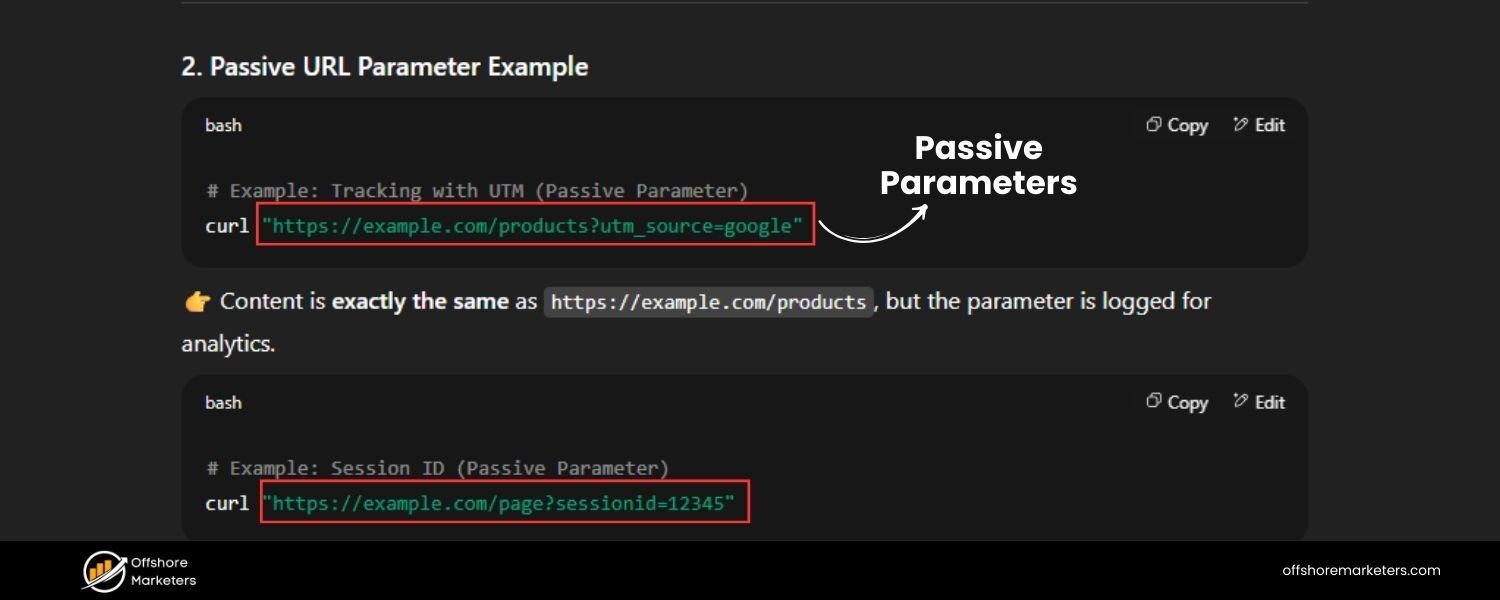
Passive URL parameters, on the other hand, do not change the content shown to the user. They operate behind the scenes, often for tracking, identification, or other non-visual functions.
If you remove a passive parameter from a URL, the page content remains exactly the same; what changes is typically what gets logged or how the visit is categorized.
The UTM campaign tracking parameters mentioned earlier are a classic example of passive parameters. Whether or not ?utm_source=newsletter is present, you’ll see the same page – but with it, the site’s analytics software quietly notes that you came from a newsletter.
Another example: some sites might append a parameter like ?ref=homepage_banner when you click an internal promo banner, so they know which link led you to a certain page. Your experience on the page doesn’t change, but the site owners get data on user behavior.
Because passive parameters don’t alter page content, they typically exist solely for the benefit of site owners or marketers. They help answer questions like: Which ad or link brought you here? Which campaign is generating traffic? However, despite not affecting what users see, passive parameters do create unique URL variations – and as we’ll see, those extra URL versions can still matter for SEO.
Tip: If you find long URLs with many tracking tokens unsightly, know that you can often delete those passive parameters and still get the main content.
For instance, myshop.com/product?utm_source=facebook will show you the product page; you could trim everything after “?” and just load myshop.com/product without breaking it (you’ll just no longer be tracked as coming from Facebook in that case).
How URL Parameters Can Affect SEO
URL parameters are clearly useful, but they come with a trade-off: they can introduce SEO challenges if not handled correctly.
From a search engine’s perspective, parameters often create multiple URLs that all lead to very similar (or identical) content. If search engines start seeing a bunch of different URLs on your site, they need to figure out which ones to index and rank – and doing this inefficiently can hurt your SEO in a few ways.
Let’s explore the major SEO issues that URL parameters can cause:
1. Duplicate Content and Keyword Cannibalization
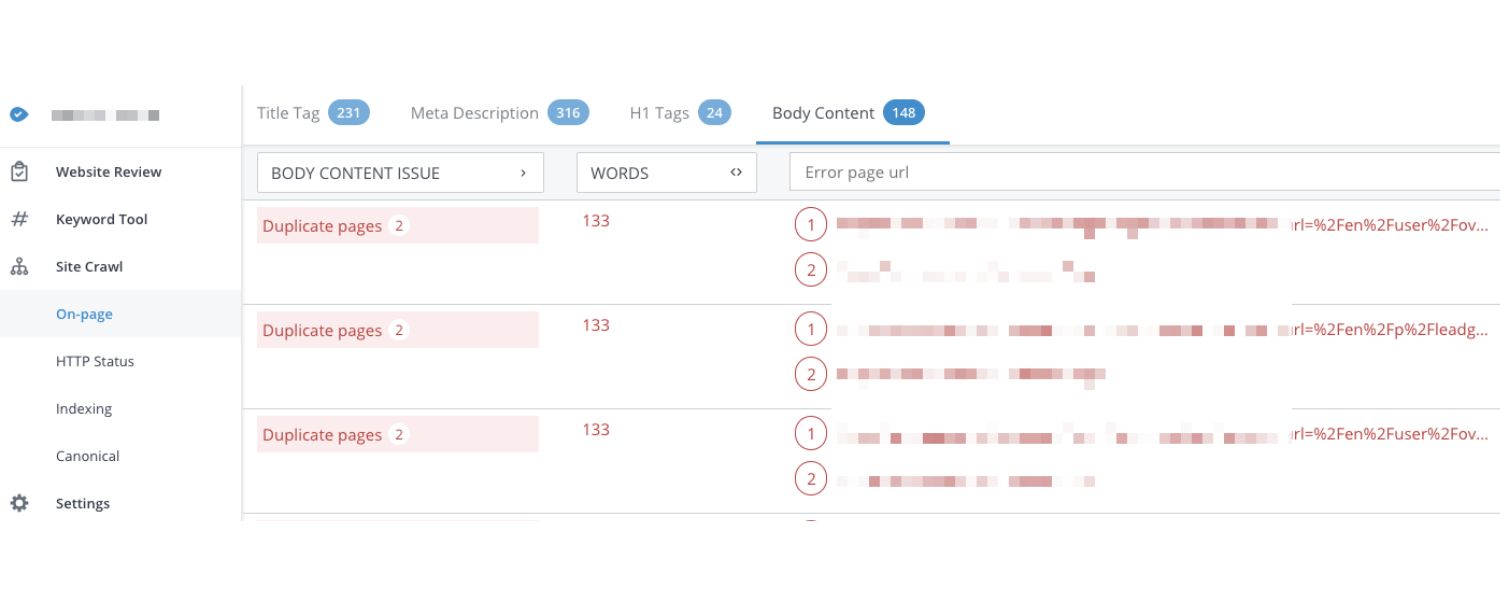
When you use parameters to sort or filter content, it’s common to end up with multiple URLs showing essentially the same thing. For example, your site might have:
- https://example.com/products?category=phones
- https://example.com/products?category=phones&sort=price_asc
- https://example.com/products?category=phones&sort=price_desc
All three URLs above could display the same list of phones, just in a slightly different order. To a search engine, these look like three distinct pages, even though the content is nearly identical.
This is classic duplicate content – multiple URLs with the same or very similar content. Search engines do not like seeing lots of duplicates, because it’s unclear which version is the “main” one to show in results.
They might index one and ignore others, or waste time crawling all of them. In some cases, if a site has excessive duplicate content, it can even be perceived as an attempt to manipulate rankings, which can negatively impact visibility.
Relatedly, if those parametered pages can each be indexed, you might also inadvertently create keyword cannibalization. That means multiple pages on your site end up competing for the same keyword search queries.
Using the example above, perhaps all those phone category URLs would try to rank for “buy smartphones online.” Instead of one strong page, you now have several weaker, duplicate pages vying for the same term.
This internal competition can hurt your overall ranking potential – Google gets confused about which page to rank, and each page might perform worse than one consolidated page would.
Bottom line
Unchecked URL parameters can spawn duplicate pages that dilute your SEO. Search engines might struggle to identify the primary version of your content, which can drag down your rankings or cause the wrong page variant to show up in search results.
2. Wasted Crawl Budget & Indexing Inefficiencies
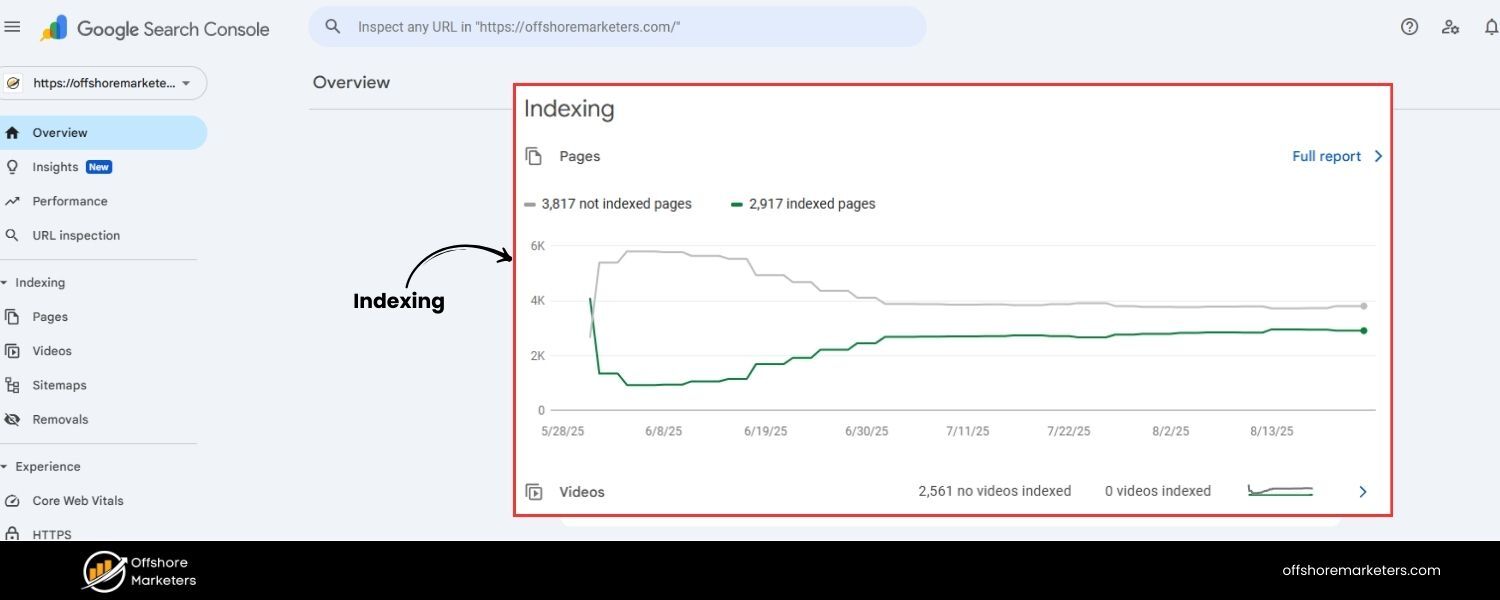
Search engines allocate a finite “crawl budget” to each website – essentially, the number of pages (URLs) a crawler like Googlebot will crawl in a given time on your site.
If your site generates tons of URL variations with parameters (especially ones that don’t add unique content), crawlers may spend precious time fetching all those duplicates.
This is crawl budget waste: the crawler is busy loading page=2, page=3, ?sort=asc, ?sort=desc and so on, instead of discovering new or updated content on your site.
For small sites, crawl budget isn’t usually a big concern. But for large sites (think e-commerce with thousands of products and filter combinations), it becomes crucial.
If Googlebot can technically find millions of URL permutations due to facets and filters, it might repeatedly crawl those and miss or delay crawling other important pages.
Important new pages might get indexed slower because Googlebot was off chasing endless URL parameters loops. In extreme cases, an overloaded crawler could even give up if it encounters too many redundant URLs.
Moreover, having lots of parameter URLs can clutter the index. Google might index some parameter pages that add no value, again because it found them as separate URLs. This can lead to a bloated index where your real pages are harder to surface.
Overall, excessive parameter URLs make your site less efficient for search engines to crawl and understand.
Think of it like a librarian trying to index a book where several chapters are virtually the same – it’s a waste of effort. By controlling parameter proliferation, you help search engines spend their time on the content that matters most.
3. Split Link Equity and Ranking Signals
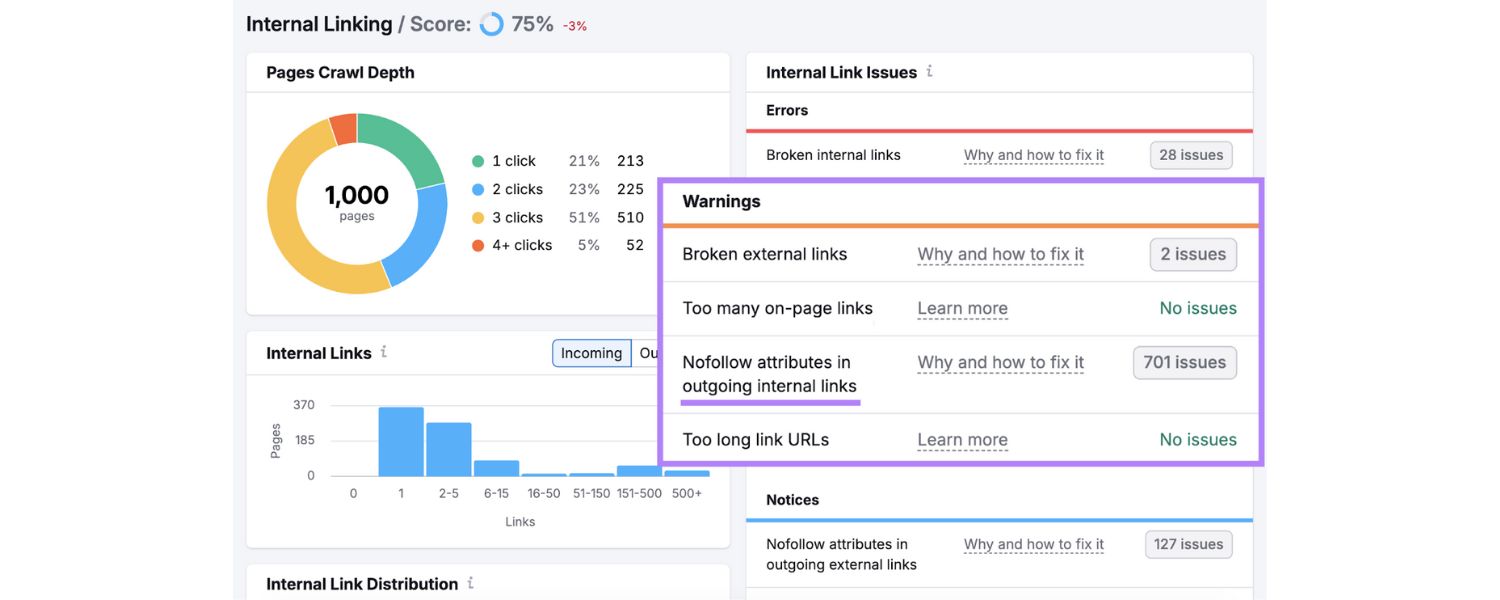
Another SEO issue with URL parameters is the dilution of link equity (sometimes nicknamed “link juice”). This happens if other sites or internal links point to different URL versions of what is essentially the same page.
For instance, some people might link to your product page using the clean URL, while others share a UTM-tagged version from a campaign, and others a filtered version.
Now, instead of one URL accumulating 100% of the backlink authority, you have that authority split across multiple URLs.
Search engines use backlinks as a signal of a page’s importance. When link equity is divided among duplicate URLs, none of those pages may rank as well as a single consolidated page would. It’s as if votes for your content are spread out among clones of the page.
Google does try to consolidate duplicate signals (especially if you help it by indicating a canonical page, which we’ll discuss shortly), but if not managed, you risk weakening your ranking power.
Similarly, user engagement signals might get spread out. Reviews, comments, social shares – if they end up tied to different URL variants, it’s fragmentation of what should be unified popularity for one page.
The good news is that proper canonicalization can usually mitigate this problem. When you tell search engines which URL is the “main” one, they will treat links to the other variants as if they were links to the main URL (in most cases).
But without any guidance, parameter URLs could each be seen as separate pages splitting the vote. It’s much better to have one page with 10 great backlinks than five URL variants each with 2 backlinks.
4. Unwieldy URLs & User Experience
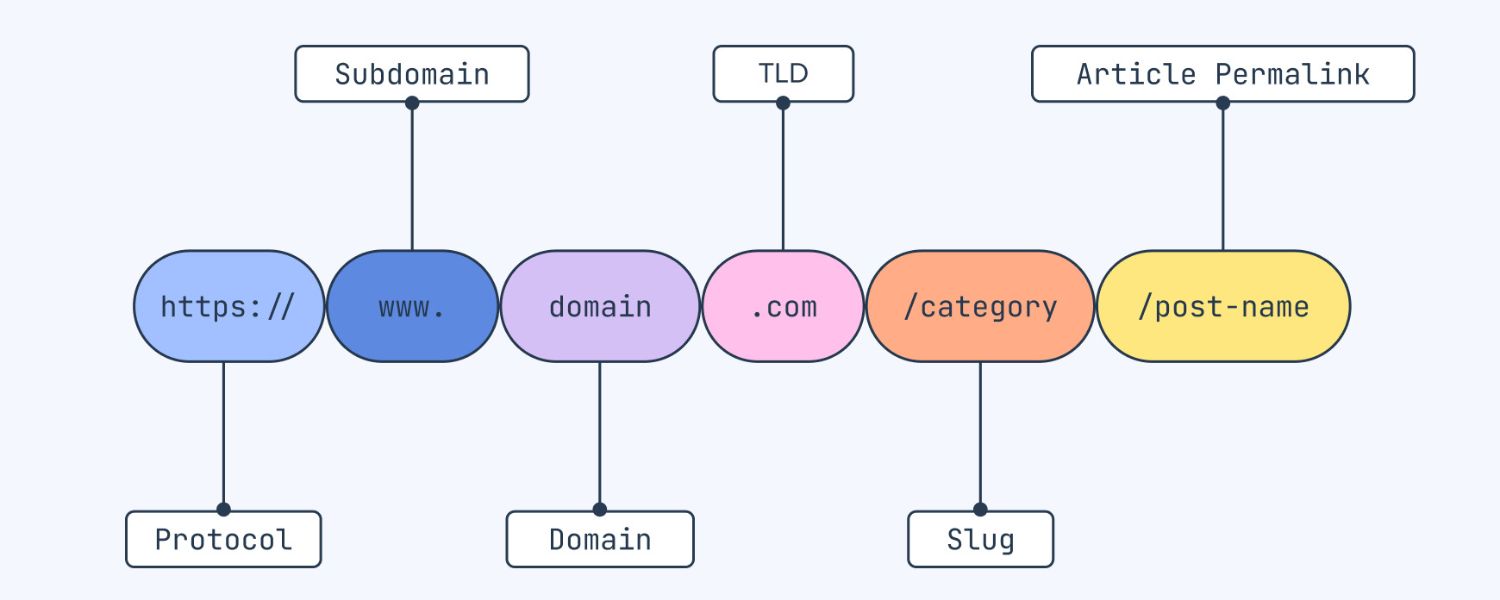
From a user and usability standpoint, URLs with a lot of parameters (especially long ones) can look confusing or untrustworthy. Compare these two hypothetical URLs:
- https://example.com/shop/laptops/dell-inspiron-15
- https://example.com/shop?category=electronics&subcat=Laptops&id=15&sessionid=XYZ&ref=ad_campaign
The first is clean and readable; the second is long and intimidating. While this is not a direct ranking factor, Google’s own URL best practices recommend keeping URLs simple, relevant, and easy to read.
Long, convoluted URLs might discourage users from clicking (imagine seeing a very long string of odd characters in a Google search result – it doesn’t inspire confidence).
In fact, excessively lengthy URLs may be truncated in search listings, so users can’t even tell what the page is about at a glance.
Multiple studies have found a correlation between shorter URLs and slightly higher rankings in search results.
This makes sense
shorter URLs tend to focus on the core topic and look cleaner. When URLs are filled with parameters, they often become longer and less descriptive.
Additionally, when users copy-paste URLs or share them, a long parameter-laden URL is more prone to errors and just looks messy. It can also hurt your brand perception; a tidy URL appears more professional.
To be clear, having a few parameters is not going to doom your SEO – Google can handle them, and sometimes they’re necessary. But as a rule of thumb, leaner URLs are better for both users and search engines.
If you can design your site to achieve the same function with fewer or no query parameters, it’s usually a win for SEO and UX.
5. Analytics and Tracking Complications
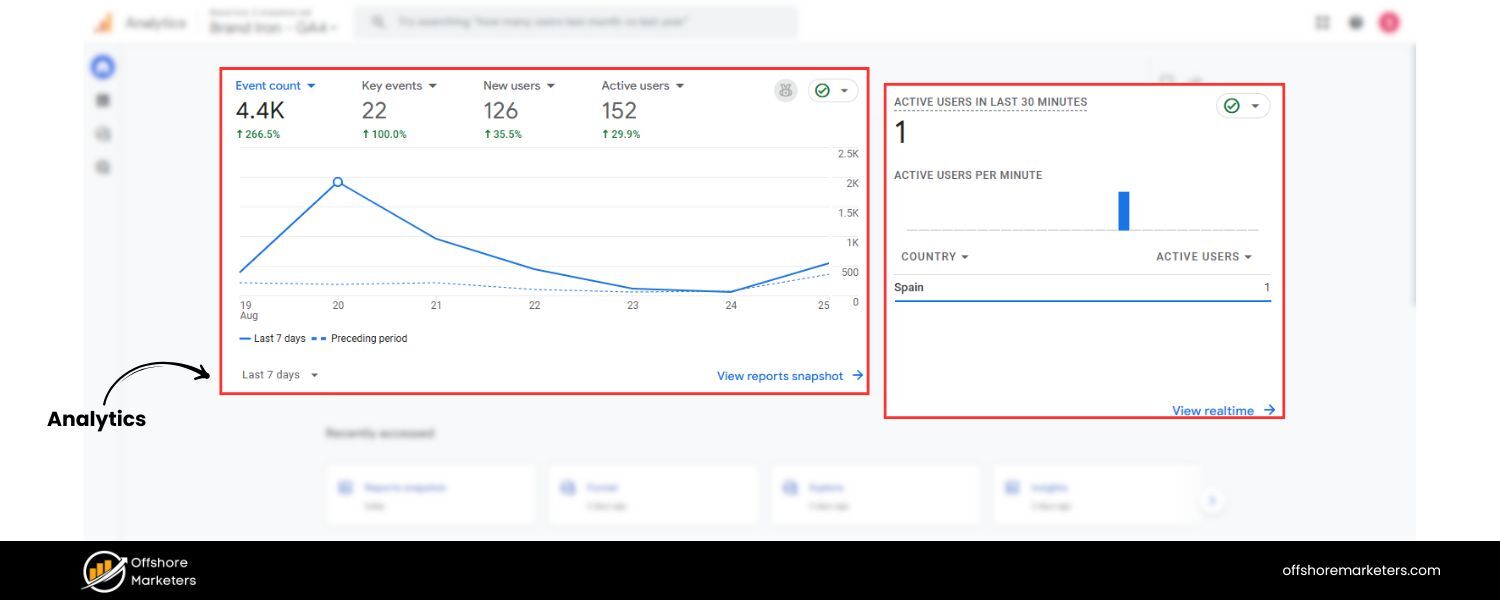
This last point is more about your internal data than your Google rankings, but it’s worth mentioning. If you have many URL parameters, especially tracking ones, your analytics tools might treat each unique URL as a separate page in reports.
For example, Google Analytics by default considers URLs with different query strings as distinct page paths. So /store?page=1 and /store?page=2 and /store (no param) could appear as three “pages” in your analytics, even though they’re essentially the same content split into pages.
This can make your data on page views, time on page, etc., very fragmented unless you set up filters or use the analytics features to ignore certain parameters.
Similarly, if someone shares a URL that includes a tracking parameter (say they copy the full URL from their browser with utm_source intact and link to it), you might end up with misleading analytics. For instance, a blogger might inadvertently include ?utm_source=google_ads in the link in their blog post.
Visitors clicking that link would then show up in your analytics as if they came from Google Ads, even though they actually came via that blog, skewing your attribution data. This is more of a marketing concern than pure SEO, but it underscores the need to manage and possibly strip unwanted parameters when sharing links.
Overall, while URL parameters provide functional benefits, they need some management to prevent these side effects. Fortunately, there are best practices and solutions to reap the benefits of URL parameters without hurting your SEO, which we’ll cover next.
7 Best Practices for Using URL Parameters (SEO-Friendly)
Now that we know the potential pitfalls, let’s look at how to handle URL parameters so that you can enjoy their functionality and keep your site healthy for search engines.
Here are seven essential best practices:
1. Use Canonical Tags on Parameterized Pages
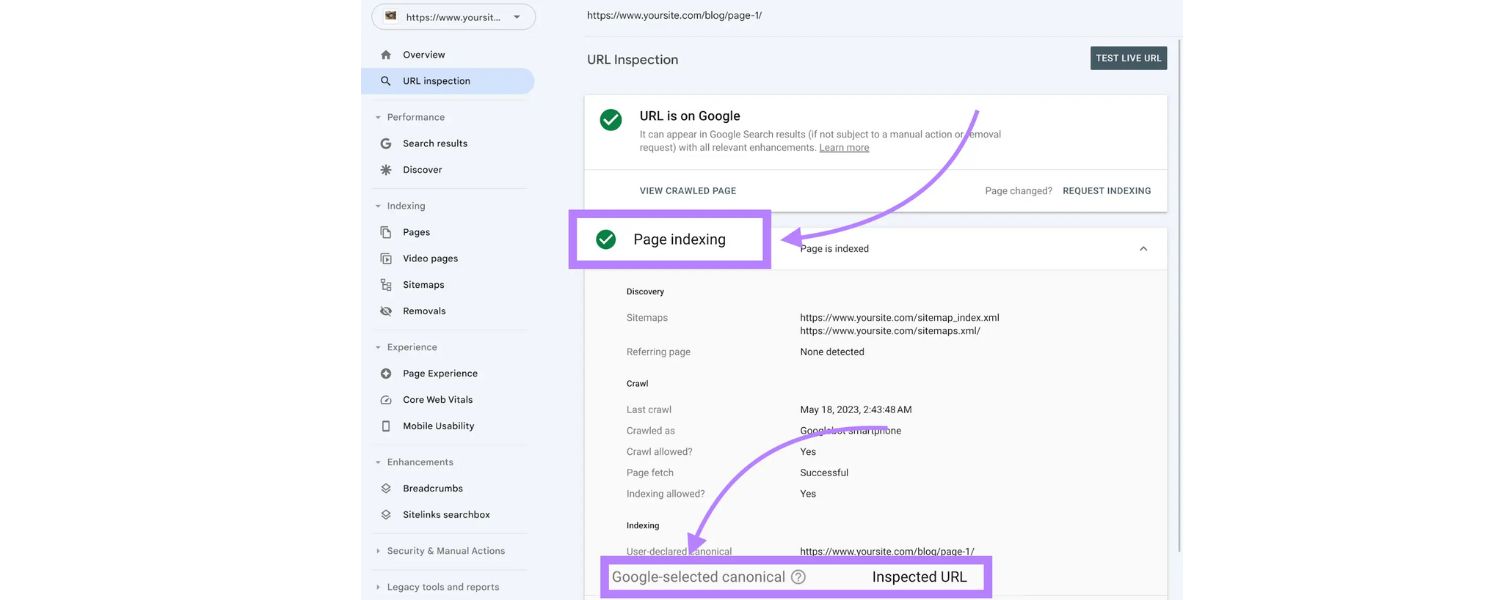
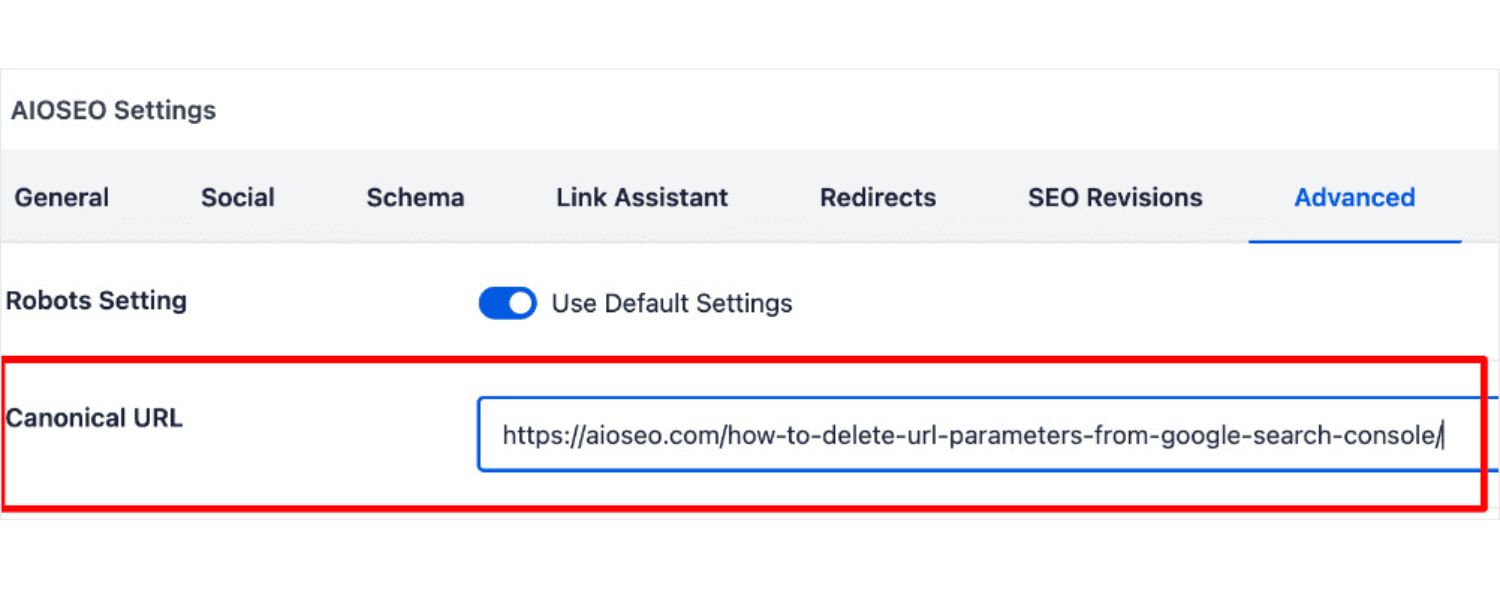
Implementing canonical tags is the first and perhaps most important step in handling URL parameters for SEO. A canonical tag is a small snippet of HTML () that tells search engines which URL is the “preferred” or canonical version of a page.
By adding a canonical tag to your parameterized pages pointing to the main clean URL, you essentially wave a flag to Google saying: “This page might have different URLs, but this URL is the one you should treat as primary.”
For example, if you have example.com/products?category=shoes&color=blue, in the HTML of that page you would include:
assuming the base category page (without the color filter) is the canonical version you prefer. Often, you might even point to the non-parameter base page (if the parameter doesn’t substantially change content) – e.g., href=“https://example.com/products”.
By doing this, all those duplicate pages with different sorts or tracking parameters will be consolidated. Search engines will index the canonical page and treat other URL variations as the same page.
This means any SEO value (like backlinks or content signals) that your parameter URLs accrue will be merged and credited to the canonical URL. It also significantly reduces the risk of duplicate content penalties or confusion, since Google will understand they’re just variants of one page.
Make sure every version of a page with parameters points to the same canonical URL (usually the cleanest version without unnecessary parameters). It’s generally best if the canonical URL itself either has no parameters or only those that are absolutely necessary for unique content.
For instance, if page=2 is just another view of the page 1 content, canonicals should all point to page 1. But if page=2 truly has different items (e.g., a continuation of a product list), you might canonicalize each paginated page to itself or to page 1 depending on your strategy (pagination and canonicals can be a bit nuanced).
In any case, canonical tags are your safety net – they tell Google “don’t index endless combinations, just index this one.” This reduces duplicate indexing, concentrates your link equity, and solves a lot of the SEO headaches parameters can cause.
(Note: For canonicals to be effective, the content between the pages should be very similar or essentially a subset. If your parameter truly leads to a completely different content set, you might not want to canonicalize it – more on that in a moment.)
2. Block Unnecessary Parameter URLs via Robots.txt (Use with Caution)
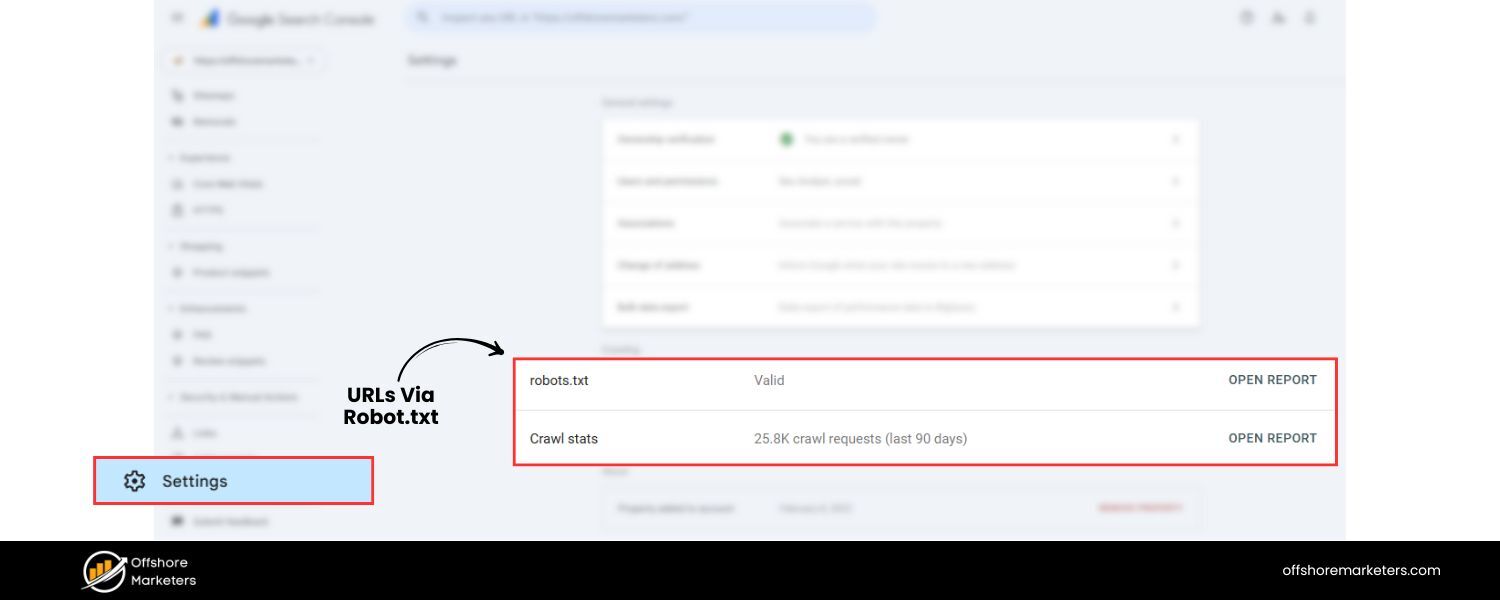
Another way to prevent search engines from crawling and indexing problematic parameter URLs is by using your site’s robots.txt file to disallow certain URL patterns. The robots.txt is a file where you can instruct search engine bots which paths to not crawl. For example, you can add a rule like:
User-agent: Disallow: /?sort=
This directive would tell all crawlers: “Don’t crawl any URL that contains ?sort=.” It effectively blocks search engines from even accessing your sorted pages, thereby avoiding duplicate crawling. You could do similar for ?page= if you have infinite paginated series, or any other parameter that creates tons of duplicate or low-value URLs.
However, use this technique carefully. While blocking crawling can save crawl budget and keep unwanted pages out of the index, it has a trade-off: if a page is disallowed from crawling, search engines won’t see its contents or its canonical tags.
If external sites link to a disallowed URL, Google may still index the URL (based on the link) but without knowing what’s on it, and no link equity will pass since it’s blocked. Also, if you mistakenly block something important, you could hide parts of your site from Google.
Generally, blocking parameter URLs is most useful for very large sites or specific known troublemaker parameters.
For instance, if you have an internal search that generates tons of URL variations (like endless combinations of filters), you might disallow something like ?q= (search queries) or session IDs if they appear in URLs.
Do not block parameters that lead to unique valuable content that you actually want indexed. And do not use robots.txt to block pages that you’ve set canonical tags for – if Google can’t crawl them, it can’t see the canonical instruction.
A safer approach can be to block only what you know is junk. For example, if ?sessionid= is used, you can block that pattern since it never carries unique content value. Or if ?ref= is just a referrer tracking you don’t need indexed, block that. This will help preserve crawl budget by preventing Google from wading through endless duplicate URLs.
One more thing
Google has retired its old Search Console URL Parameters tool (as of 2022) which historically allowed site owners to configure how Google should treat certain parameters. They deprecated it because Google has gotten much better at automatically figuring out which parameters are useful and which aren’t.
In fact, Google noted that only about 1% of parameter configurations that webmasters specified were actually useful for crawling, implying Googlebot usually guesses right on its own. So these days, Google often just ignores certain parameters (like those it deems irrelevant).
Even so, it’s wise not to rely solely on Google’s guesses. Using robots.txt for param patterns you absolutely don’t need crawled is still an option, just implement with understanding of the consequences.
3. Avoid Using URL Parameters for Core Content or Localization
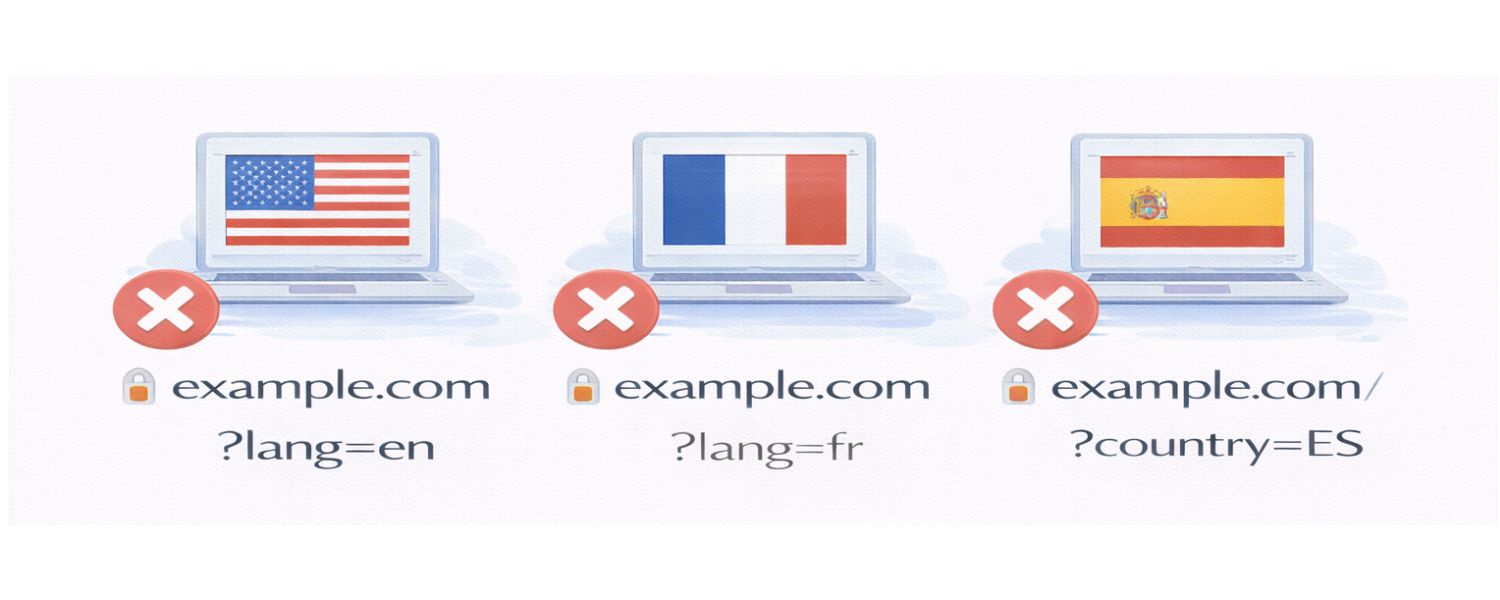
Sometimes, URL parameters are used in scenarios where a cleaner solution exists. Two classic examples are localized content and primary content differences.
Google’s official guidelines explicitly do not recommend using URL query parameters for region or language versions of content. Instead, use dedicated URLs or subdirectories (e.g. site.com/fr/page for French) and deploy tags for language targeting.
Using ?lang=fr is considered a poor practice for SEO because it’s less clear and can confuse bots, it might look like just a variant of the same page rather than a separate language page. Plus, a parameter isn’t as user-friendly as seeing “/fr/” in the URL, and users might not link consistently to it.
Similarly, if a parameter fundamentally changes the category or type of content (like ?type=blog vs ?type=forum on the same page template), consider giving those their own URL paths if possible. Use parameters for minor variations, not for content that could be its own page.
In short: Use dedicated URLs for content that serves a unique purpose or audience. Save parameters for things like filters, not for defining the primary topic of the page. This approach provides stronger signals to search engines.
For example, a URL example.com/fr/product/123 clearly is for French, whereas example.com/product/123?lang=fr is less straightforward (and as mentioned, Google might ignore that parameter or treat it as duplicate content).
If you must use parameters for something like localization or A/B testing variations of content, be sure to implement hreflang tags (for locales) or canonical tags pointing to the primary version as appropriate. But whenever feasible, structure your site to rely on paths or subdomains for significantly different content.
4. Keep URLs Short, Clean, and Meaningful

This is a general URL best practice that applies doubly when parameters are involved: minimize the use of URL parameters unless truly necessary.
Every additional parameter is another moving part that can create a duplicate page or a confusing URL. If you can achieve the same functionality with a single parameter instead of three, do it. If you can redesign a feature to not require a parameter at all, even better.
For instance, many modern web frameworks allow “pretty” URLs. Instead of ?category=laptops&product=dell-5500, you might have a hierarchical URL like /electronics/laptops/dell-5500 which conveys the same info.
Not every scenario will allow dropping parameters, but always ask: Do I really need this parameter? Sometimes developers include parameters out of habit, even when a static URL would suffice.
Also, avoid including parameters that don’t change content (unless it’s for tracking and you need it). We often see sites with something like ?ref=home or ?src=banner that end up in URLs that get indexed – these provide no value to users or search engines.
If you need to track such things, consider handling it via other means (like analytics events or at least exclude those params from indexing).
From an SEO standpoint, shorter URLs correlate with slightly better performance and are more user-friendly. A concise URL is easier to copy, paste, share, and trust. Each unnecessary parameter you remove is one step toward a cleaner URL.
Google’s own documentation suggests keeping URLs simple and human-readable. So, for example, use /store/sneakers instead of /store?category=shoes&productType=sneakers&sort=default if you can design it that way.
In cases where parameters are unavoidable, try to limit their scope. Perhaps you can restrict a filter to one at a time (e.g., filter by color OR size via separate pages) instead of arbitrary combinations. Or use client-side scripting to filter results without changing the URL for certain things, if SEO isn’t a concern for those (though be cautious with fully AJAX-loaded content – that has its own SEO considerations).
The key is to simplify your URL structure as much as possible. Not only will this help SEO, but it also improves the user experience and reduces the chance of errors or confusion.
5. Use Consistent Internal Linking (Link to the Canonical URL)

One subtle way URL parameters can proliferate is through your own internal links. For example, your site’s menu or filters might generate links with parameters. Or a common mistake: if you have a “View All” link that just appends page=all or something.
If your internal navigation isn’t careful, you might inadvertently be sending Google to many parameter versions.
Make it a rule that, wherever possible, your internal links point to the clean, canonical version of URLs. For instance, your category page should link to each product using the product’s base URL (no tracking or sorting parameters attached).
Your homepage features should link to landing pages without any extra query strings. By doing this, you concentrate all internal link equity on the primary URLs and avoid giving search engines alternate paths.
If you do need to include parameters in internal links (say, to pre-filter something for a user convenience), consider adding a rel=“canonical” on the target page to neutralize it, as discussed.
But often, you can avoid it. For example, rather than linking a button to /news?sort=latest, just link to /news/ and have that page by default show latest news (which it likely does anyway).
Also, beware of duplicate navigation paths. Some sites might have multiple ways to reach the same content (like breadcrumb links that include a category param vs. direct links). Try to standardize on one URL format for one piece of content.
This consistency will reinforce to search engines what the “one true URL” for that content is, especially when combined with canonical tags.
In short, don’t let your own site be the cause of parameter chaos. Use clean URLs in your menus, sitemaps, and cross-links. This also extends to marketing emails or social shares you control – if you’re linking to your own site, use parameter-less URLs when SEO is a concern, or use a link that will immediately redirect to the clean URL.
Some sites, for instance, strip tracking parameters via script or redirect for users arriving, to ensure the URL that remains is clean (the analytics captured the info on arrival, then removed it for the user’s continued browsing).
6. Monitor and Audit Your URL Parameter Issues
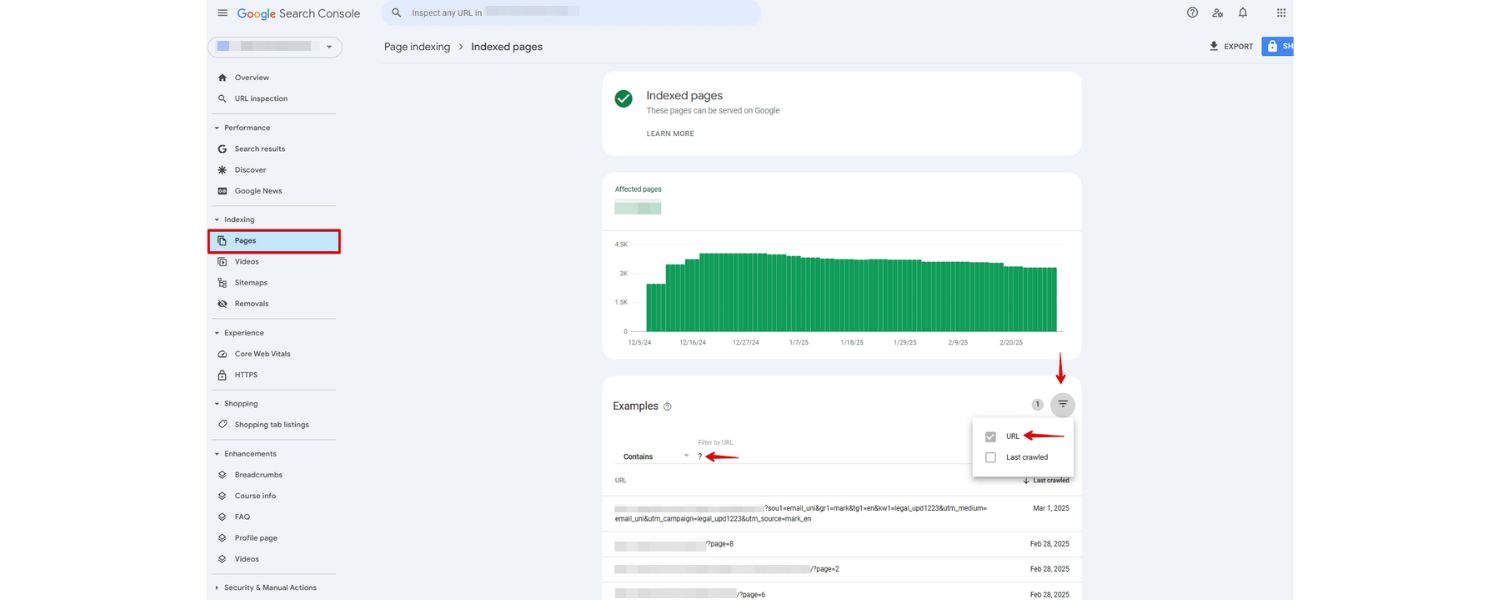
Given that URL parameters can slip out of hand over time, it’s important to regularly audit and monitor how they’re affecting your site.
There are a few ways to do this:
A. Google Search Console
Use the Crawl Stats report (in GSC > Settings > Crawl stats) to see which URLs Googlebot is crawling. If you notice Google crawling tons of URLs with ? and strange parameters that you didn’t expect, that’s a sign you may need to intervene (via robots.txt or canonicals).
Also, check the Index Coverage report for warnings about duplicate content, or the URL Inspection tool for a parameter URL to see if Google considers it “Duplicate, submitted URL not selected as canonical” or such. That can guide you on whether your canonical tags are doing their job.
B. Site Audit Tools
Platforms like Semrush, Ahrefs, Moz, or others have site audit features where you can crawl your own site. You can often configure these tools to treat certain parameters as separate URLs or to ignore them.Running a crawl can highlight if you have “URLs with too many parameters” or show a lot of duplicate titles/descriptions due to parameter pages.
Adjust the crawl settings to exclude common parameters (e.g., Semrush’s Site Audit allows specifying parameters to remove during crawling).This gives you a clearer picture of core issues. Regular audits might reveal new parameters introduced by site updates that you weren’t aware of.
C. Analytics
As mentioned, check your analytics pages report. If you see dozens of URL entries that differ only by parameters, consider filtering them in the analytics platform so you view consolidated data.
But also recognize that those exist – if one page URL has 100 views and another variant has 50 views, maybe those should be one URL. It could hint that people are accessing a page through multiple URL formats.
D. Server Logs
For those who are more technically inclined, reviewing server logs or using log analysis tools can show you exactly what URLs bots (and users) are hitting. If Googlebot is frequently requesting URLs with certain query strings, you’ll see it there.
This is a goldmine for discovering parameter sprawl. For example, you might find Googlebot crawling /item?color=red&size=M and also &size=L etc. – confirming you should perhaps block or canonicalize those.
By monitoring these aspects, you can catch an outbreak of duplicate URLs early and take action. It’s much easier to address parameter issues before they grow to thousands of URLs. Many SEO professionals set up periodic crawls (monthly or quarterly) to ensure new parameters haven’t gone rogue.
And remember, Google’s handling of parameters evolves. As noted, they now auto-handle many cases better than before. They might choose a canonical themselves if you don’t. But it’s risky to rely on Google’s guesswork. Regular audits keep you in control.
7. Use a Clean Sitemap with Only Canonical URLs
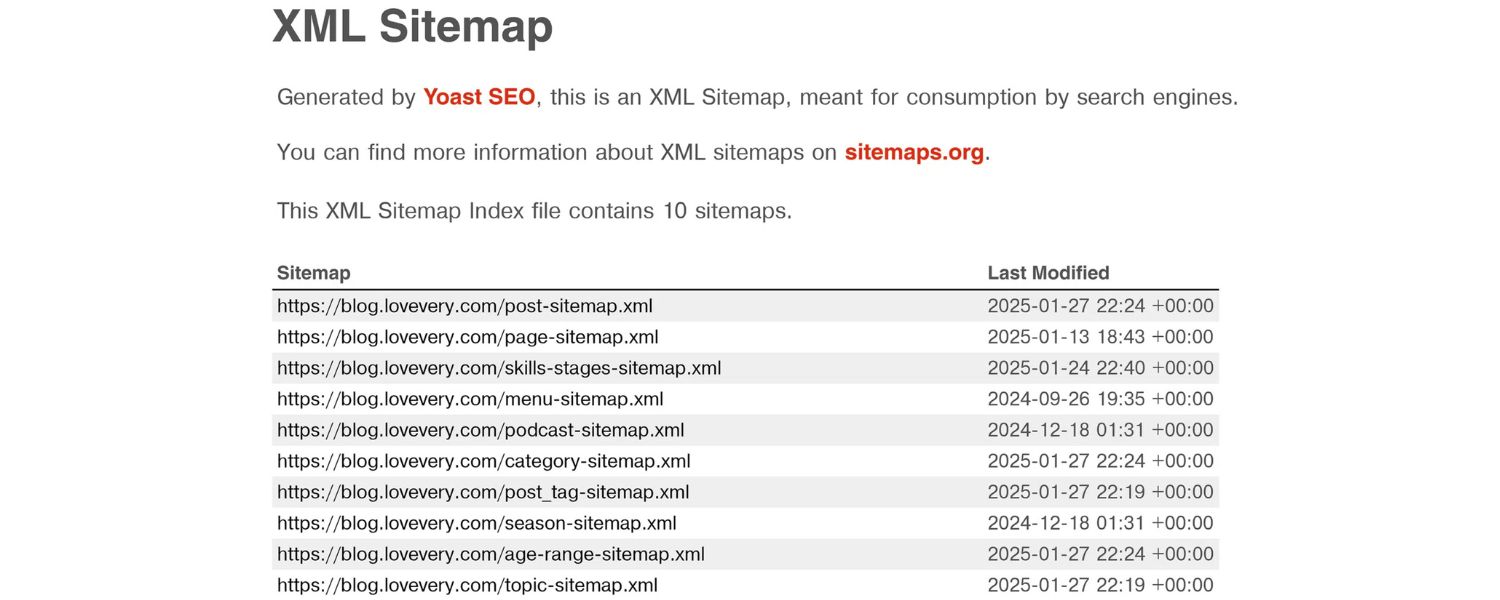
Your XML sitemap (if you have one, and you should for larger sites) is a file that lists the URLs you want search engines to index. It’s wise to include only your clean, canonical URLs in the sitemap. Omit any URLs with tracking parameters or session IDs or other non-canonical parameters. By doing so, you give a strong signal to search engines: “These are the pages that represent my content.”
For example, if you have a product page that can appear as product?id=123 or product?category=toys&id=123, and you decide the canonical is product?id=123 (or perhaps you even made it pretty like /product/123), only list that in the sitemap. Do not list both. If Google ever finds the other variants, it will know from canonical tags and from the absence in sitemap that they’re not to be treated as separate pages.
While Google has stated that even without a sitemap they usually figure it out, having a sitemap limited to canonicals is a reinforcement of your preferred URLs. It can also speed up indexing of the correct URLs. Conversely, if you were to accidentally list parameter URLs in the sitemap, you’re actively inviting Google to index duplicates – definitely avoid that.
Another benefit: if you later change which parameters you want indexed or not, updating the sitemap helps reflect that. For instance, say you initially allowed ?page=2 of articles to be indexed, but later decide it’s better to not index page 2 (preferring users land on page 1 and navigate). You’d remove those from the sitemap and ensure page=2 has a canonical to page=1.
After updating your sitemap, you can use Search Console’s Sitemap submission to inform Google of the changes. Submitting a clean sitemap ensures Google is focussing on the right URLs. It won’t automatically de-index all parameter URLs (Google might still keep some if they have external links, etc.), but it’s one more nudge in the right direction.
Lastly, if you have parameters that generate infinite URL possibilities (e.g., a calendar with date= every day, or sort by 10 different attributes combined), definitely exclude those patterns from the sitemap. Sitemaps have size limits too, and you don’t want to hit those with duplicate entries.
By maintaining a lean sitemap of your key URLs, you maintain control and help search engines navigate your site efficiently.
Conclusion & Call to Action
URL parameters are a double-edged sword: on one side, they enhance user experience by enabling filtering, tracking, and dynamic content; on the other side, they can complicate your SEO if unmanaged.
The good news is that by applying the best practices outlined above, from canonicalization and sensible site architecture to careful use of robots.txt and ongoing monitoring – you can enjoy the benefits of URL parameters without hurting your search rankings.
Remember, modern search engines have become smarter about URL parameters (Google even phased out its manual URL parameter handling tool in 2022 due to improved automatic handling).
But “smarter” doesn’t mean perfect. It’s ultimately up to you, as the site owner or SEO, to send clear signals about which URLs are important. Keep your URLs clean and your parameter use purposeful. When in doubt, consolidate and simplify.
By implementing these strategies, you’ll prevent duplicate content problems, preserve your crawl budget, and ensure that all your hard-earned SEO equity funnels into the right URLs. Your site will be more accessible, efficient, and user-friendly, all qualities search engines reward.
Now it’s your turn: take a look at your own website. Do you have URLs with “?” and “&” cropping up all over? If so, apply the tips from this guide to tidy them up. Even a few small tweaks can make a big difference in how search engines perceive your site.
Optimize your URL parameters today to unlock better SEO performance! If you found this guide helpful, feel free to share it with fellow webmasters or drop a comment with your own experiences managing URL parameters.
And as always, stay tuned for more expert insights on technical SEO – helping you rank higher and work smarter than the competition. Happy optimizing!

Why Roseville Startups are Choosing Offshore Marketers to Scale Smarter
Roseville is no longer just a quiet suburb of Sacramento;...

What Is PPC? A Practical Guide to Pay‑Per‑Click Advertising
Pay‑per‑click (PPC) is the “pay only when someone clicks” branch...

Google Search Issues Affecting Results in Some Regions
Google has confirmed a problem with one of its data...

Keyword Counts Dropped After Google’s num=100 Change
In September 2025, Google stopped supporting the &num=100 parameter. This...

Image SEO: Optimize Images for Higher Rankings & Traffic
Introduction Images make your website more engaging, but they can...


.png)
.png)
.png)
.png)
.png)

2024 ALL RIGHTS RESERVED MADE IN INDIA
.png)