
What Is a Subdomain? Domains, Uses & SEO Implications
September 8, 2025
Introduction
Ever visited a website like blog.example.com or support.google.com? These are examples of subdomains in action. In simple terms, a subdomain is an extension of your main domain name that helps organize your website into distinct sections.
As an online marketing expert with 25 years of experience, I’ve seen how smart use of subdomains can enhance user experience, enable business growth, and even impact SEO.
In this comprehensive guide, we’ll break down exactly what a subdomain is, why businesses use them, how they differ from regular pages (subdirectories), and best practices for using subdomains effectively. Let’s dive in.
What Is a Subdomain?

A subdomain is a prefix added to your primary domain name, creating a separate web address under your main domain. It appears before your main domain in the URL. For example, if your main website is example.com, you could have subdomains like blog.example.com or shop.example.com. In these cases, “blog” and “shop” are subdomains of the base domain “example.com.”
In the hierarchy of the Domain Name System (DNS), subdomains are essentially subdivisions of your root domain. A typical domain name has multiple parts:
1. Top-Level Domain (TLD): The extension at the end, such as .com, .org, or .net.
2. Second-Level Domain (SLD): The unique name you registered (e.g., “example” in example.com).
3. Subdomain: An optional prefix that comes before the SLD (e.g., “blog” in blog.example.com).
Using this structure, blog.example.com is a fully qualified domain name where “blog” is the subdomain, “example” is the second-level domain, and “.com” is the TLD. You can create multiple subdomains on a single domain, and each subdomain can function as an independent section of your site (in some cases almost like a separate website).
One very common subdomain is “www”, which actually stands for World Wide Web. Historically, websites used www as a subdomain for the main site (e.g., www.example.com), though many modern sites now drop the “www” altogether. Technically, www.example.com and example.com could point to the same place, but “www” is indeed a subdomain of the root domain in DNS terms.
Key characteristics of subdomains:
A. A subdomain is part of your domain name, not something entirely separate you need to purchase. Once you own a domain, you can create subdomains under it at no additional cost (though your hosting plan or DNS provider might impose practical limits).
B. Each subdomain creates a distinct web address. Visitors can type that subdomain URL directly to reach that section of your site.
C. Subdomains can be configured through your DNS records. Typically, you log into your domain registrar or hosting control panel and add a DNS record (like an “A” record or CNAME) for the subdomain, pointing it to the server or IP address where its content is hosted.
D. Subdomains often have their own content and functionality separate from the main site. You can even run a different platform or CMS on a subdomain (for example, your main site could be on a website builder, and your forum or blog on a subdomain might use WordPress or another software).
In summary, a subdomain is a convenient way to create additional, logically separate sections of your website, all while still staying under your main domain name.
Why and When to Use Subdomains
Subdomains are used to organize and separate content for different purposes. There are many scenarios where creating a subdomain makes sense. Let’s explore some of the most common use cases and reasons to use a subdomain:
1. Organizing Large or Distinct Sections of Your Site
If your website grows large or has multiple components, subdomains help keep things organized. They act like separate “departments” of your online presence. For instance:
A. Blog or News Section

Many companies host their blog on a subdomain like blog.example.com. This separates the content-heavy articles from the main corporate site. It also allows the blog to have its own design or content management system if needed.
B. Help Center or Documentation
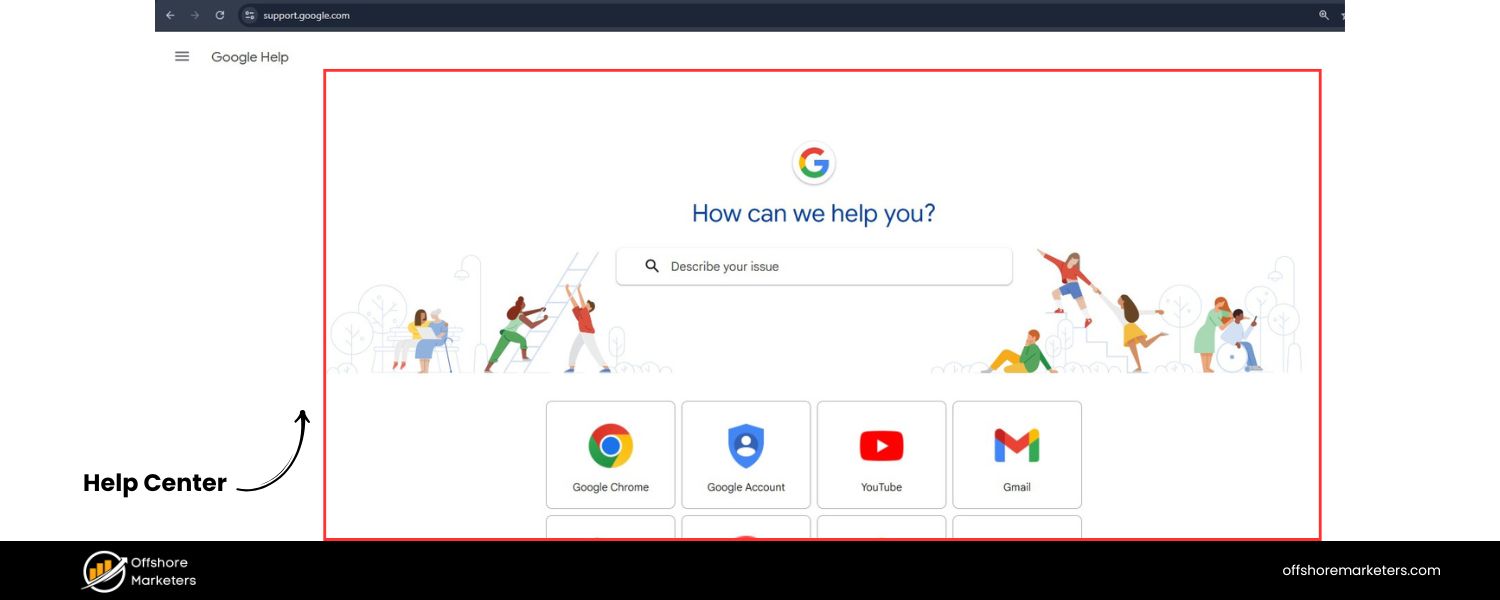
A support site with FAQs, user guides, or a knowledge base might live on support.example.com or help.example.com. This way, users seeking help know they’re in a dedicated help area, and it doesn’t clutter the main site navigation.
C. Forum or Community
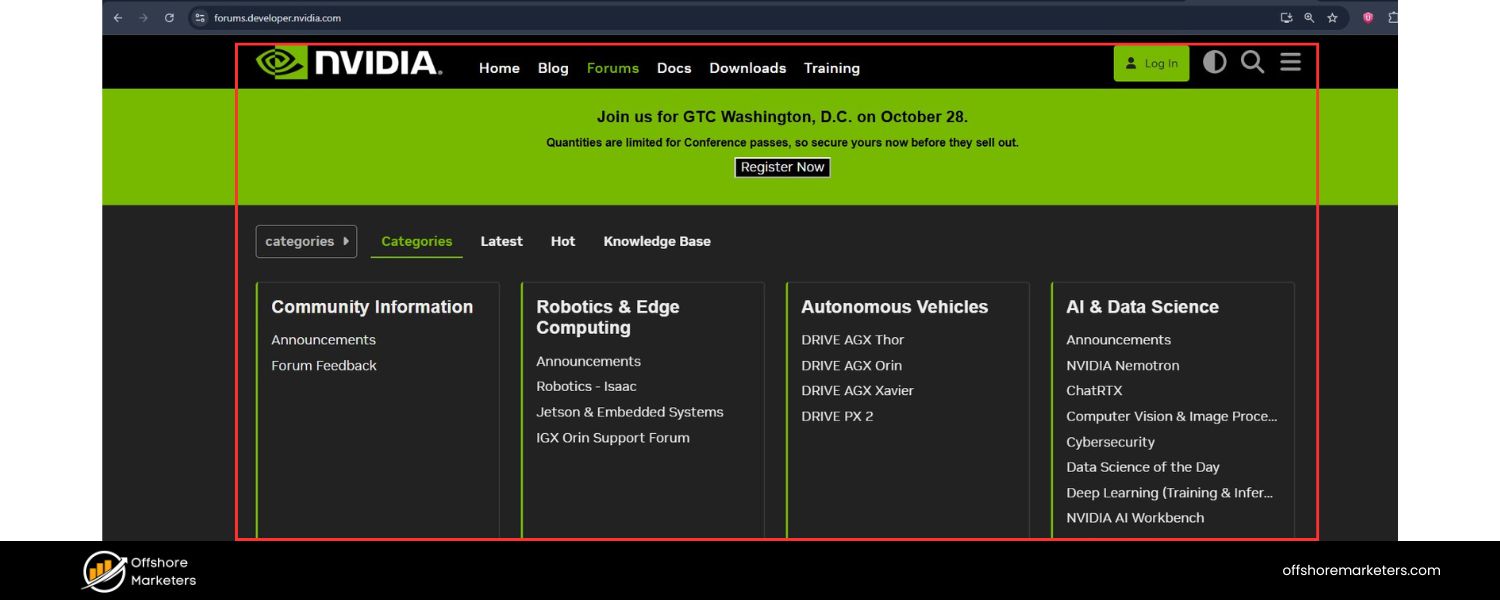
User forums or communities often reside on subdomains (e.g., community.example.com or forum.example.com). These sections function differently (lots of user-generated content, discussion threads) and benefit from being distinct from the main marketing site.
By using subdomains for these sections, you give each part of your site its own space and navigation. This makes it easier for visitors to find what they need. For example, someone looking for articles can go straight to blog.yoursite.com instead of navigating from the homepage.
In my experience, this clear separation improves user experience and engagement, since each subdomain can be tailored to its specific audience and purpose.
2. E-Commerce or Online Store
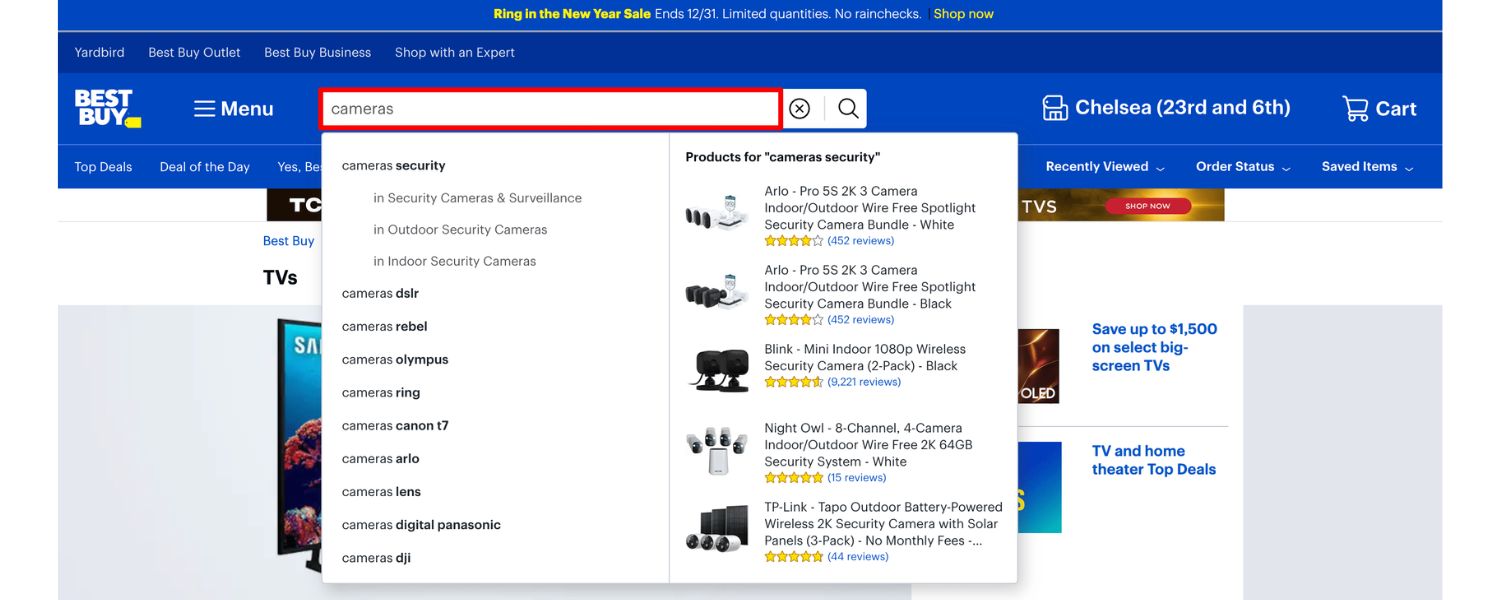
Sometimes your website has an online store that is substantial enough to warrant its own section. You might not want your main site (especially if it’s mostly informational or service-oriented) to intermingle with product listings, shopping carts, and checkout pages. A subdomain like shop.example.com or store.example.com is a perfect solution.
For example, imagine you run a popular blog or content site and decide to start selling merchandise. By launching the store on a subdomain, you can use a dedicated e-commerce platform there, design the store pages differently, and not disrupt the main site.
Visitors ready to shop can go directly to shop.yoursite.com, while those interested in content can stay on www.yoursite.com. This separation also allows your online store to have all the e-commerce functionality (product search, user accounts, checkout process) without overloading your main site.
3. Targeting Different Regions or Audiences (Geo-Targeting)
Subdomains are often used for localized content – whether by region or by audience segment. Examples include:
A. or Region Sites
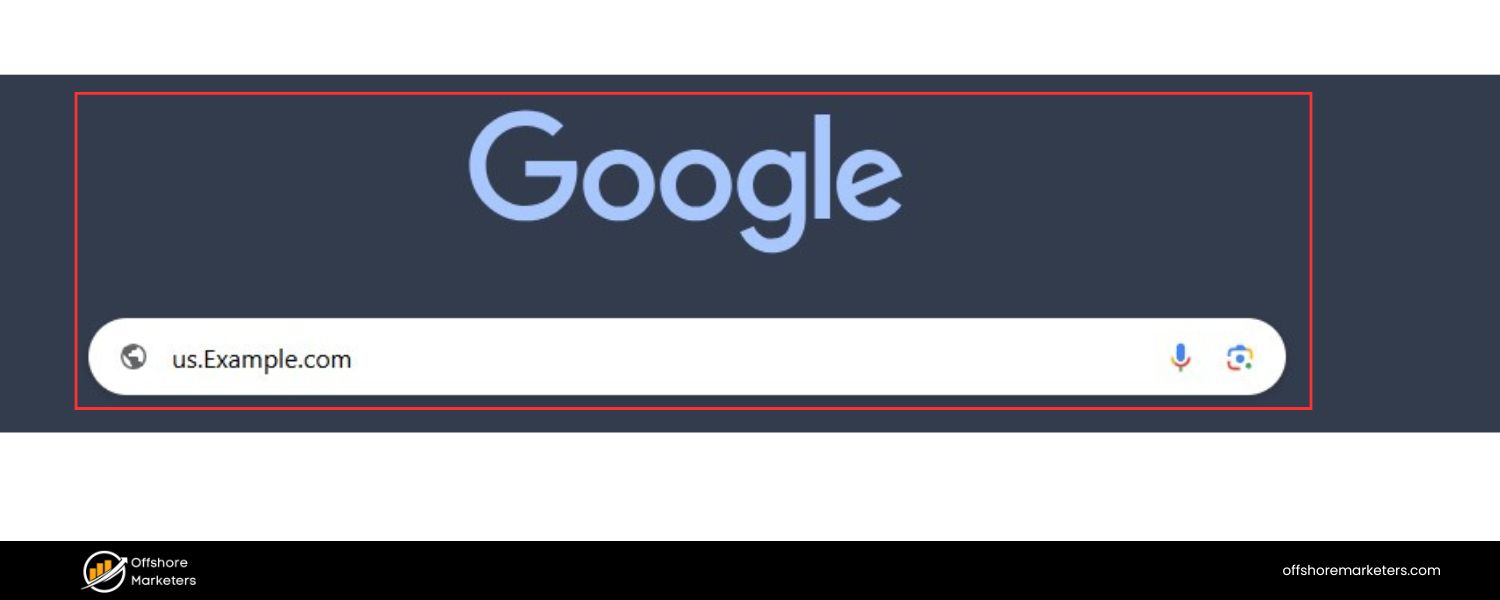
If your business serves different countries or regions, you can use country-code subdomains like uk.example.com for the United Kingdom, us.example.com for the United States, or eu.example.com for Europe. Each subdomain can present region-specific content, currencies, or legal information tailored to that locale.
B. City or Location Pages
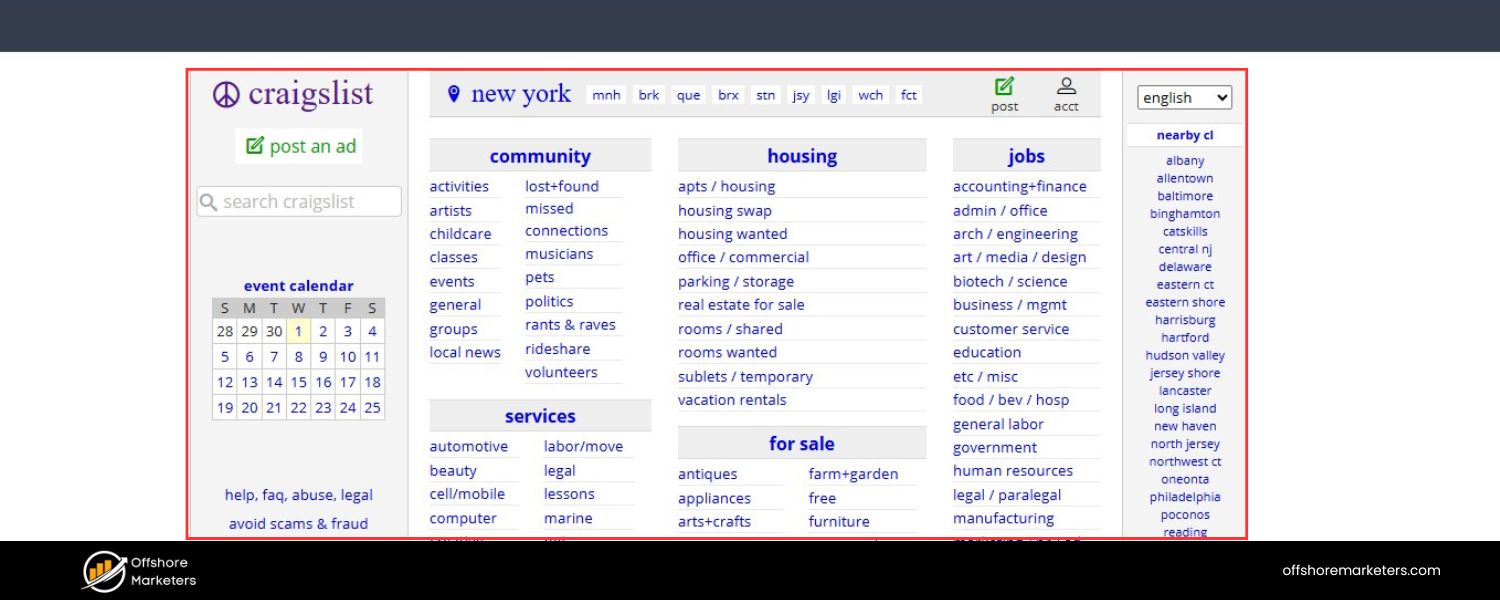
A chain of restaurants might use subdomains for each city, like london.restaurant.com and newyork.restaurant.com, each featuring that location’s menu and info.
C. Audience Segmentation
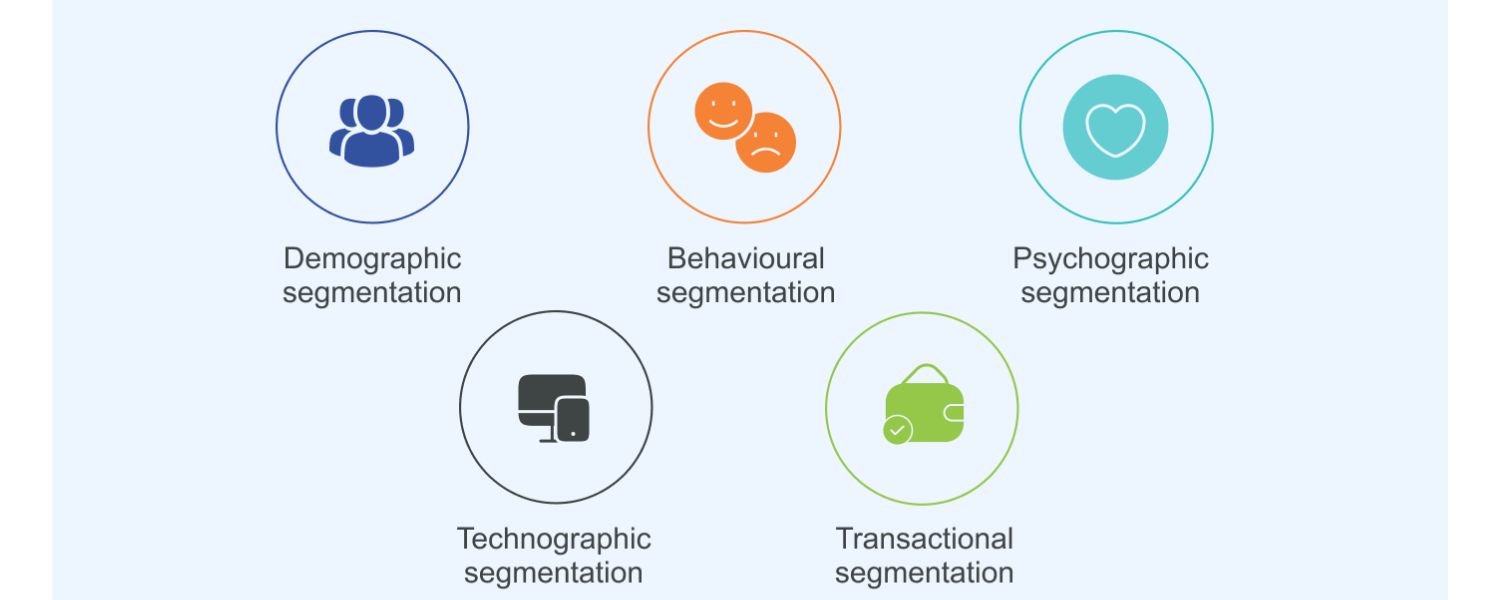
Suppose you have distinct customer types (say, one part of your site for enterprise clients and another for individual consumers). You might split these into subdomains like enterprise.example.com and consumer.example.com to create a customized experience for each group.
Using subdomains for geographic or demographic targeting can be powerful. It signals to users (and search engines) that the content is specially catered. For local SEO, having a subdomain with the country or region name can also help associate that site with searches from that locale.
However, be mindful: maintaining multiple regional subdomains means maintaining separate sites, so ensure you have the resources and strategy for each.
4. Multi-Language Websites
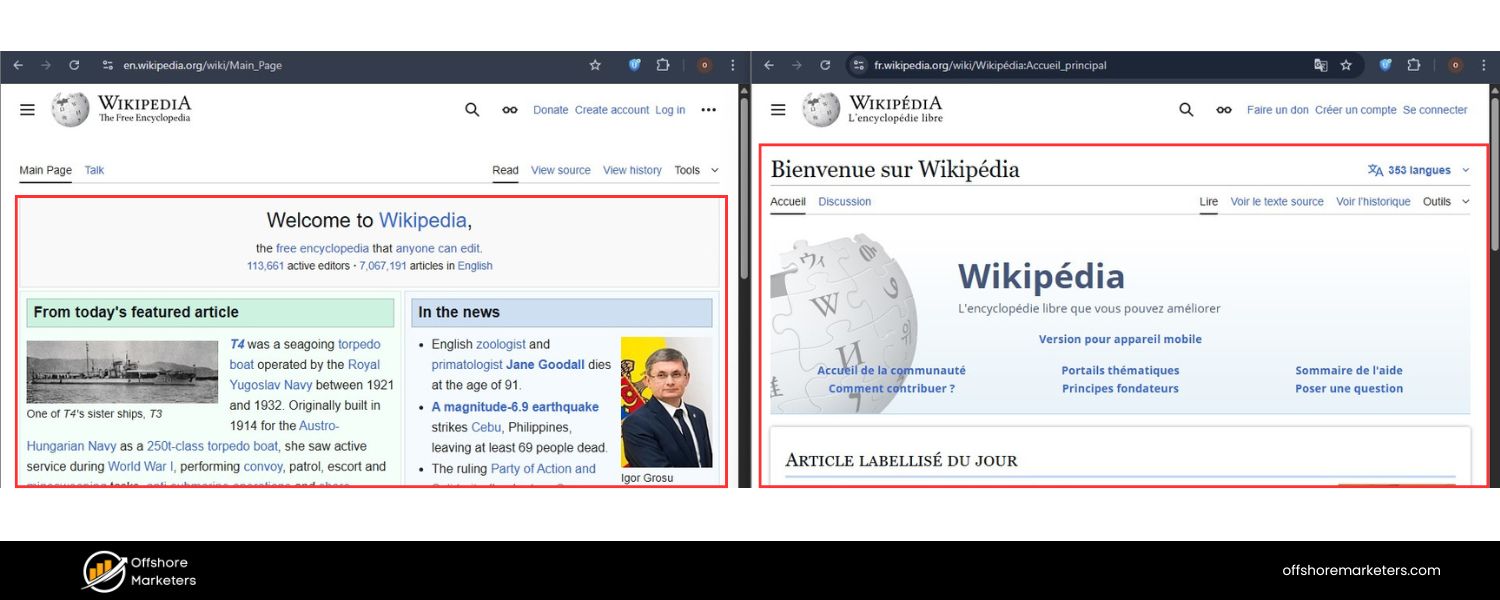
Similar to regional targeting, some websites serve content in multiple languages and choose subdomains for each language version. For example, Wikipedia famously uses language subdomains: en.wikipedia.org for English, es.wikipedia.org for Spanish, de.wikipedia.org for German, and so on. Likewise, you might have fr.yoursite.com for French and jp.yoursite.com for Japanese content.
Using subdomains for languages is one approach to multilingual sites (the other common approach is using subfolders like example.com/fr/). A subdomain per language can make it clear that each language site is a separate entity, possibly even hosted on servers in that region. It can also simplify site management if different teams handle each language.
Note:
In recent years, many SEO experts lean toward using subdirectories for different languages (e.g., example.com/fr/) because it consolidates SEO authority on one domain. However, if your language sites are vastly different in content or managed completely separately, subdomains can still be a viable choice. Just remember to use proper hreflang tags and ensure each language subdomain provides unique value.
5. Separate Web Applications or Services
Your main website might be just one facet of your online presence. Perhaps you offer a web-based application, tool, or service that is distinct from your marketing site. Subdomains allow you to host those applications separately. For example:
A. Customer Portal or App
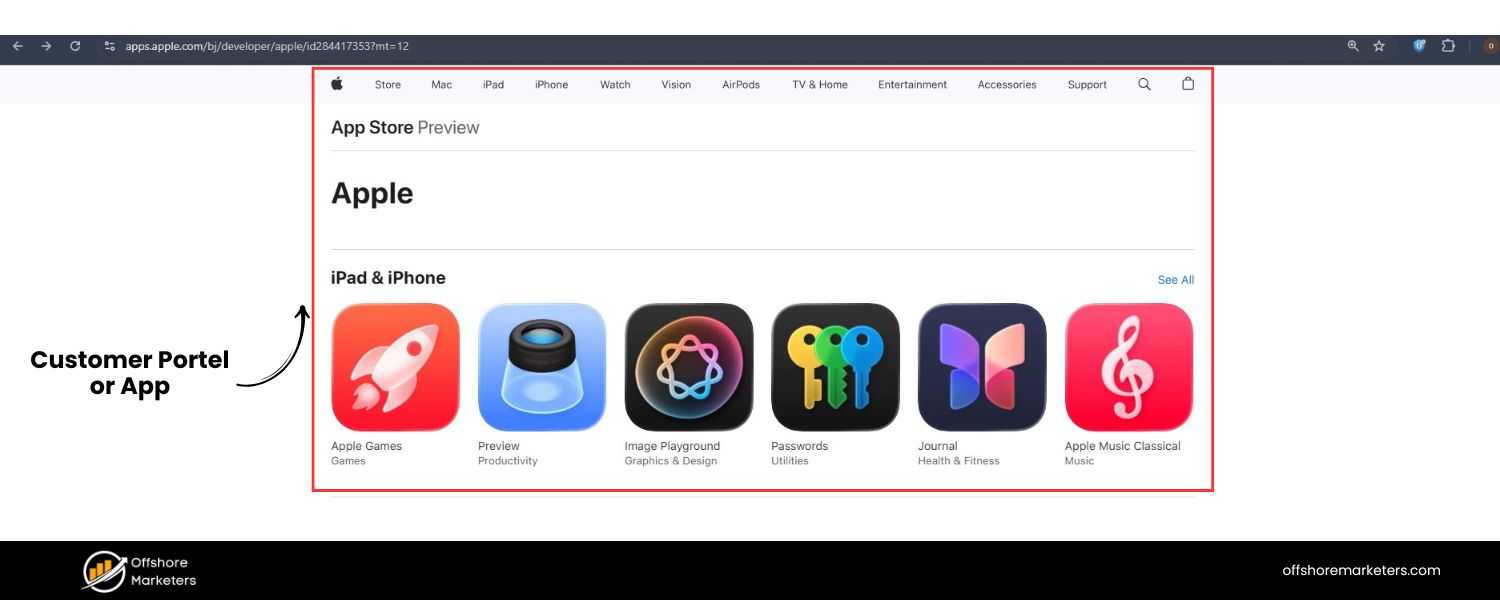
If you provide an online software or dashboard for customers, it could live on a subdomain like app.example.com or dashboard.example.com. Users know this is a different section where they might need to log in for personalized content.
B. Microsites and Campaigns

For special marketing campaigns, product launches, or temporary promotions, companies sometimes create microsites on a subdomain (e.g., springfestival.example.com). This keeps the campaign content isolated from the main site structure, which can be cleaner and easier to manage short-term.
C. Partner or Affiliate Sites

If you run distinct programs like an affiliate hub, you might host that on partners.example.com or affiliates.example.com to give it a unique space focusing only on those users.
In each case, the subdomain can have its own functionality and even run on a different tech stack or server if needed. This flexibility is a major advantage of subdomains: you’re not constrained to the same platform as your main site.
For instance, your main site could be static HTML or built with Wix, and your forum.example.com could be powered by a specialized forum software – and they coexist nicely via subdomains.
6. Testing, Staging, and Development Environments
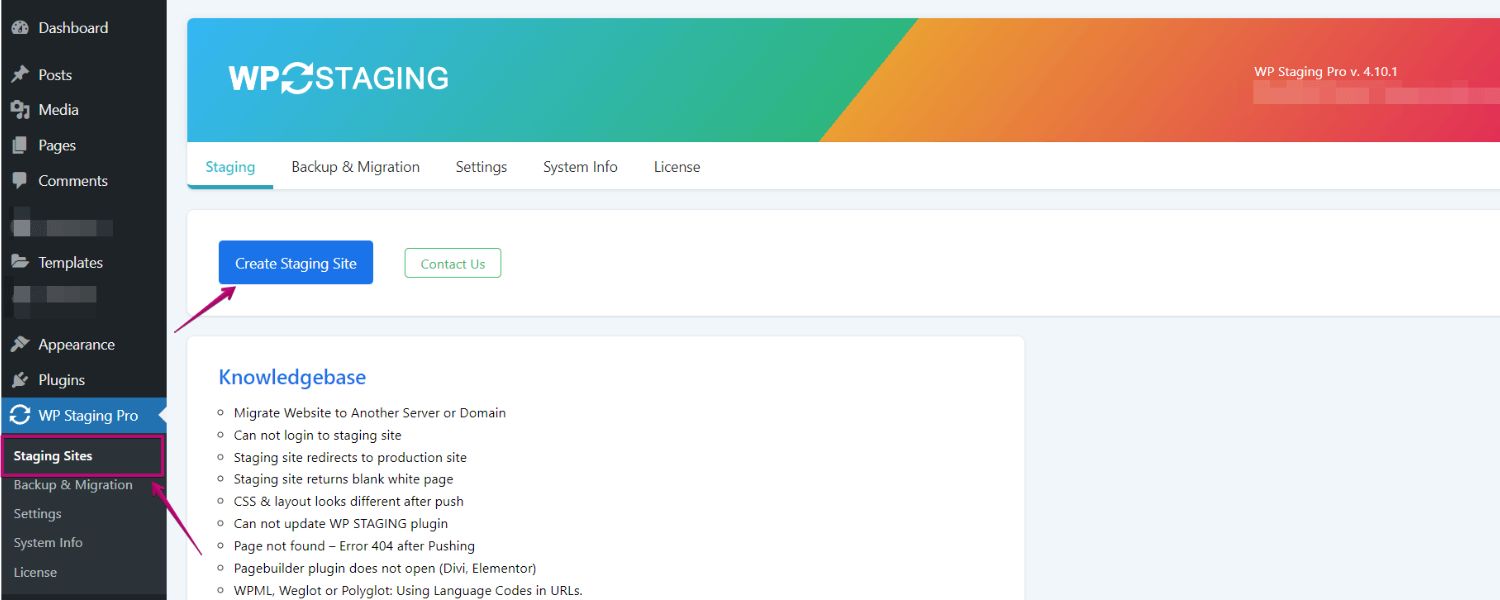
Web developers love subdomains for testing and staging. A staging site is a clone of your website where you test new features or design changes before making them live. It’s common to set up a private subdomain like staging.example.com or dev.example.com for this purpose.
With a staging subdomain, you can experiment freely without affecting the live site. Only those with the link (and possibly a password) can access it. This way, you ensure everything works perfectly on the subdomain test site, and then you deploy changes to the main site.
Using a subdomain for staging keeps it closely related to your domain (so you can test things like cookies, relative links, etc. in a similar environment) while still isolating it from public view.
Even if you’re not a developer, knowing that subdomains can serve as testing grounds is useful. It highlights just how versatile subdomains are for various behind-the-scenes needs.
7. Improving User Experience by Segmentation

Overall, subdomains can improve user experience by directing visitors to the specific part of your site that matters to them, without distraction. Imagine a customer who needs technical support – sending them directly to support.yourcompany.com means they don’t have to wade through your main marketing pages to find help. Likewise, a prospective client wanting to read your insightful articles can jump straight to blog.yourcompany.com.
From a branding perspective, subdomains keep these experiences under your primary domain umbrella (reinforcing your brand name) while clearly signaling that each section serves a unique purpose. Users tend to appreciate when a site is organized logically, and subdomains are one of the tools to achieve that.
Summary of common subdomain uses:
A. Blogs (blog.yourdomain.com)
B. E-commerce stores (shop.yourdomain.com)
C. Support and documentation sites (support.yourdomain.com)
D. Forums/communities (community.yourdomain.com)
E. Region or country-specific content (uk.yourdomain.com, de.yourdomain.com)
F. Language-specific sites (es.yourdomain.com for Spanish, etc.)
G. Web applications or dashboards (app.yourdomain.com)
H. Partner or affiliate portals (partners.yourdomain.com)
I. Staging/test sites (staging.yourdomain.com)
If any section of your website has a different focus, audience, or functionality that diverges significantly from the main site, a subdomain is a strong option to consider.
Advantages of Using Subdomains
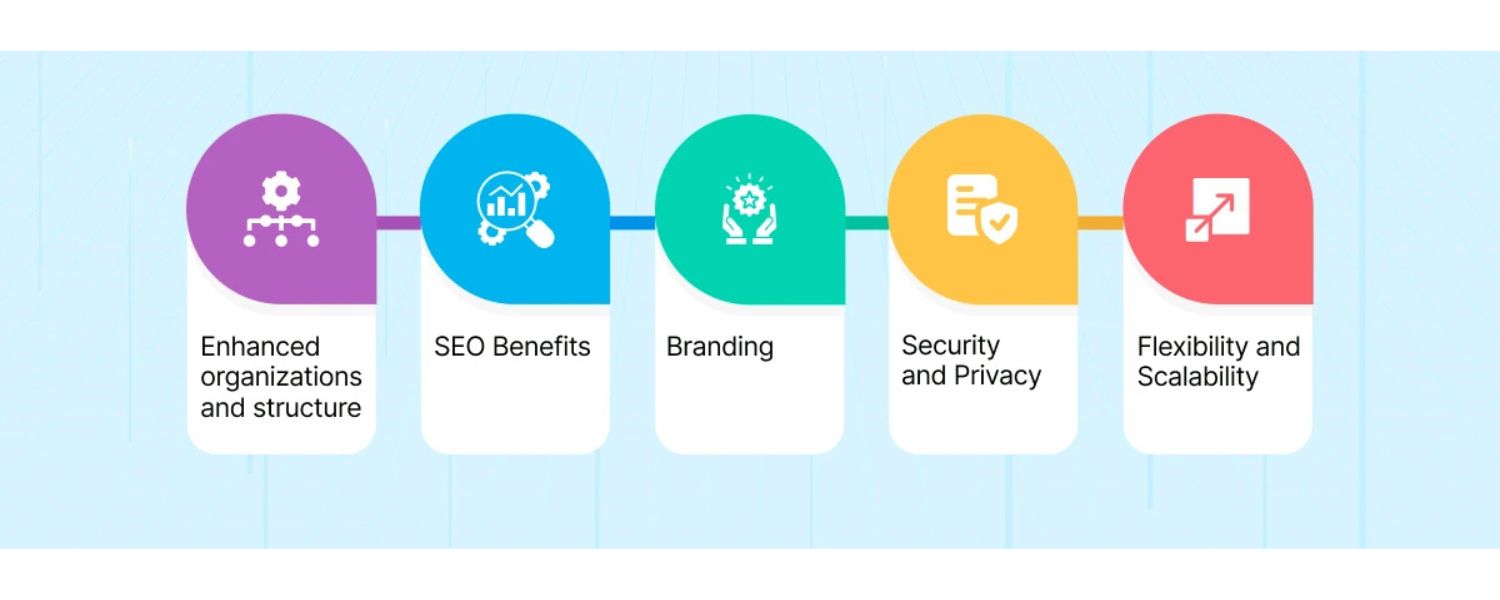
Why go through the trouble of setting up subdomains? When used correctly, subdomains offer several key benefits:
A. Better Organization
Subdomains keep your main site uncluttered. Each subdomain can house a large amount of content relevant to one area (blog posts, forum threads, product listings, etc.) without overwhelming the structure of your primary site. This division makes maintenance and navigation easier.
B. Focused Content & User Experience
Because a subdomain essentially acts as its own site, you can tailor the design, navigation menu, and content specifically for that audience. For example, your help center subdomain might have a search bar and support ticket links front-and-center, which would not make sense on your main homepage.
C. Flexibility in Technology
You can use different platforms or tech stacks on subdomains. Maybe your main site is on a custom CMS, but you want a WordPress blog – a subdomain allows you to run WordPress just for the blog. Similarly, subdomains can point to different servers or services (even a third-party hosted service) while still appearing under your domain.
D. Branding Opportunities
Subdomains allow you to expand your brand presence without buying new domain names. They all carry your primary domain name, which reinforces brand identity. If you run multiple projects or sub-brands, subdomains keep them connected to the parent brand. (For example, Google uses many subdomains like docs.google.com, maps.google.com, etc., which all carry the Google name.)
E. Niche Authority & SEO Segmentation
In some cases, having a subdomain can help you build authority in a niche area without diluting the focus of your main site. If your main domain is about broad services, and you have a subdomain focusing on a specific topic (say a blog about industry insights), that subdomain can target keywords and audience relevant to that niche. Over time, it might become an authority in that space, effectively boosting your overall brand’s reach.
F. Scalability
As your business or site grows, subdomains provide a scalable way to add new sections. You’re not constrained by the structure of your existing site navigation. Want to launch a new initiative? You can spin it up on a new subdomain and build it out as needed, without reorganizing the entire main site.
G. Security Isolation
This is more technical, but segmenting parts of your site on subdomains can sometimes improve security. If one subdomain’s application is compromised by a hacker, it doesn’t automatically mean the others are compromised, since they can be isolated applications. (Of course, you still need robust security overall, but isolation can add an extra layer of protection.)
It’s worth noting that subdomains are optional. You don’t have to use any if your site is small or straightforward. But having the option means you can expand and organize content in a logical way when the need arises.
Potential Drawbacks or Considerations
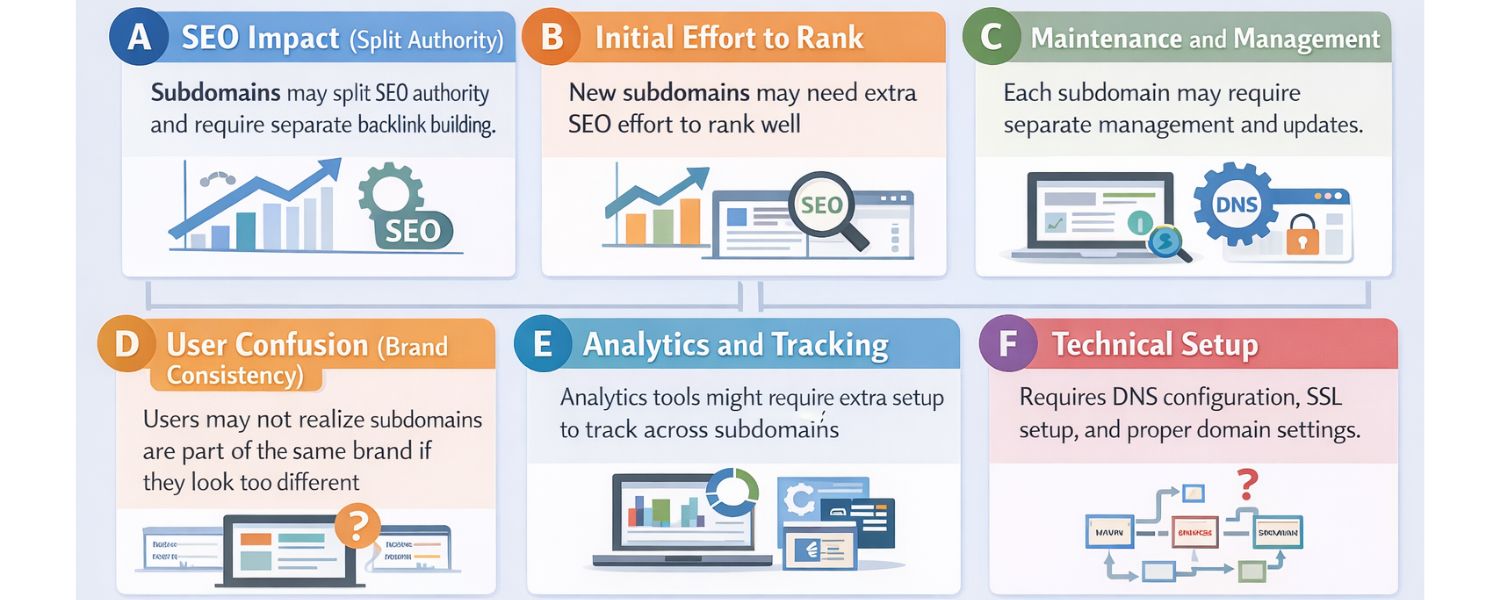
No strategy is without downsides. To use subdomains wisely, keep these considerations in mind:
A. SEO Impact (Split Authority)
Perhaps the biggest debate around subdomains is their effect on SEO. Search engines like Google typically treat subdomains as separate sites from the main domain. This means any backlinks or “SEO authority” your main site has might not automatically transfer to a new subdomain (and vice versa).
In practice, a blog on a subdomain might not benefit from the SEO strength of your main domain’s homepage, for example. We’ll discuss this in depth in the SEO section below, but the key point is that subdomains can dilute combined SEO power if not managed carefully.
B. Initial Effort to Rank
Launching content on a new subdomain can sometimes feel like starting from scratch in search rankings. You may need to invest effort in SEO for that subdomain specifically (getting backlinks to it, creating lots of high-quality content there, etc.) to get it to rank well.
If that same content were on your main domain in a subdirectory, it might have ranked faster due to the main site’s existing authority.
C. Maintenance and Management
Each subdomain you create is like running an additional website. There are more pages to update, possibly a separate CMS to manage, maybe even separate hosting considerations. This can increase the workload on your team.
For example, ensuring consistent branding or keeping navigation links updated across many subdomains can be challenging if they are all separate installations.
D. User Confusion (Brand Consistency)
While subdomains carry your primary domain name, average users may not always realize two subdomains belong to the same website or brand, especially if the design or URLs look too different. For instance, a user might wonder if shop.yoursite.com is as trustworthy as yoursite.com if the design differs greatly. To mitigate this, maintain some brand consistency (logo, footer, etc.) across subdomains or clearly indicate the relationship.
E. Analytics and Tracking
By default, web analytics tools might treat subdomains as separate sites. If you want a unified view of user behavior across your whole online presence, you’ll need to configure your analytics (like Google Analytics) to track across subdomains.
This is doable (through cross-domain tracking or setting the cookie domain to the root), but it’s an extra step. Forgetting to do so could lead to fragmented data, where a single user’s journey between www.example.com and blog.example.com is not recorded seamlessly.
F. Technical Setup
Subdomains require DNS configuration. While it’s not difficult, you do need access to your domain’s DNS settings to add subdomain records. You’ll also need to ensure your SSL certificate covers the subdomain (which might mean using a wildcard SSL certificate or adding a certificate for that subdomain).
If you’re not comfortable with these technical steps, it might be a small hurdle (though most hosting providers have guides or support to help).
G. Too Many Subdomains
It is possible to overdo it. If you split your site into a dozen different subdomains without a clear strategy, you could end up diluting your content and confusing users/Google about which site is authoritative for what. Each subdomain should have a clear purpose.
It’s usually better to have a few well-maintained subdomains than dozens of thin sites. Remember, subdomains are not a way to cheat SEO or “get more websites” – they should serve a structural or strategic role.
In short, subdomains come with great power and flexibility, but use them thoughtfully. Next, we’ll delve deeper into one of the most important considerations: how subdomains compare to subdirectories, especially in terms of SEO.
Subdomain vs. Subdirectory: What’s the Difference?
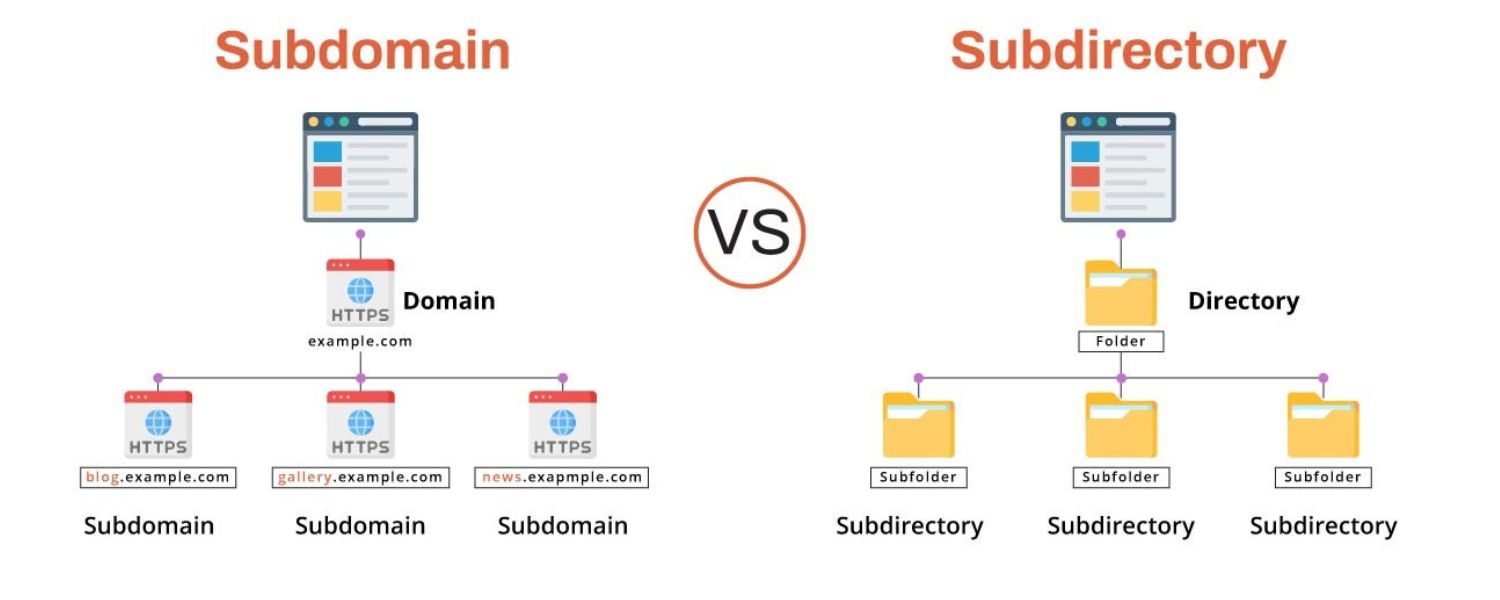
When organizing a website, you often face a decision between using a subdomain or a subdirectory (also known as a subfolder). We’ve learned what subdomains are – now let’s clarify subdirectories and the key differences:
1. A Subdirectory is a folder within your main site’s structure. It appears after your domain in a URL. For example, example.com/blog is a “blog” subdirectory on the main site example.com. The content in that folder is part of the main website.
2. A Subdomain, as discussed, comes before the domain. For example, blog.example.com is a subdomain separate from the root example.com site.
In URLs:
1. Subdomain format: subdomain.yourdomain.com (e.g., store.yourdomain.com).
2. Subdirectory format: yourdomain.com/subdirectory (e.g., yourdomain.com/store).
Functionally, both methods create a section for “store” on your site. The difference lies in structure and treatment by browsers and search engines.
How search engines see them
1. Subdomains = Separate Sites: Search engines typically index subdomains as independent entities. The main domain and subdomain are crawled separately. From an SEO perspective, Google might not automatically associate store.yourdomain.com with yourdomain.com strongly, since it could be a totally different site (in Google’s eyes).
2. Subdirectories = Part of Main Site: A subfolder is clearly part of the main domain’s website. All content in yourdomain.com/store/… is attributed to the single domain. Authority, backlinks, and trust flow naturally between the main site and its subdirectories.
To visualize:
Imagine your website is a tree. Using subdirectories means you’re growing new branches on the same tree. Using a subdomain is like planting a new tree that is planted next to the original – it’s related because it’s in the same orchard (same brand), but it has to grow its own roots.
When to consider a subdirectory (folder) instead of a subdomain
1. If the content is closely tied to your main website’s topic and purpose, a subdirectory often makes more sense. For example, a blog that discusses topics directly related to your business might do better as yourdomain.com/blog so that all that SEO content benefits the main site domain.
2. If SEO is a high priority and you want to maximize the link equity and authority on one single site, subfolders help aggregate that strength. A new page on a high-authority domain (under a folder) can often get indexed and rank faster than a page on a brand new subdomain with no existing authority.
3. Subdirectories are simpler to manage if you already have a well-structured site. You can usually use the same CMS, same hosting, and just add a section, without needing separate configurations for a new site.
When to consider a subdomain
1. If the content serves a different purpose or audience than the main site, and/or requires a different structure or technology, a subdomain is beneficial. For example, a documentation knowledge base for existing customers might not need to rank on Google (you provide it for people who already use your product), so you don’t mind it being separate. Putting it on docs.yourdomain.com isolates it from your marketing site.
2. If the section needs a different look or functionality that the main site cannot accommodate easily, subdomain is the way. Maybe your main site is on a hosted platform that doesn’t support a forum, so you create a forum subdomain on different forum software.
3. In cases of significantly different content domains: e.g., a company offering two unrelated product lines might use separate subdomains for each line, essentially treating them as separate websites under one brand umbrella.
SEO considerations (the big debate)
For years, SEO professionals have debated subdomain vs subfolder for optimizing search rankings. The traditional view was that subdomains can hurt SEO because they split your content into multiple “sites,” whereas subfolders concentrate it into one.
Many SEO case studies found that moving a blog from a subdomain to a folder on the main site led to improved rankings due to the combined authority.
Google’s official stance (as stated by Google’s John Mueller and others) is that Google is fine with either subdomains or subdirectories, and their algorithms are good at figuring out that some subdomains are part of the same overall site. However, in practice, it’s often observed that a new subdomain needs to earn its own reputation.
Key SEO points to remember
1. If you launch a subdomain, be prepared to treat it as its own site in SEO terms: submit it to Google Search Console separately, build internal and external links to it, and avoid duplicate content with your main site.
2. Use subdomains only when you have a clear reason; don’t create multiple subdomains with very similar content to your main site, as this can lead to keyword cannibalization (your subdomain and main domain competing for the same keyword – not good).
3. Subfolders are usually preferable for adding content that you want to directly boost your main site’s SEO. For example, a blog with industry keywords could bring traffic and authority to your main domain if it’s a folder. If it’s a subdomain, the main site may not see as much benefit from those blog backlinks and content.
Example to illustrate
Suppose you run example.com selling gardening tools. You also have a blog with gardening tips.
1. If you put the blog on blog.example.com, Google might treat that blog as a separate “garden tips website” affiliated with example.com. Your e-commerce site example.com might not automatically inherit the SEO benefits of the blog’s great content.
2. If the blog is on example.com/blog, then every blog post is part of example.com. When those blog posts earn backlinks or rank for keywords, it directly lifts the authority of example.com as a whole, which could help your product pages rank better too.
That said, subdomains can rank perfectly well on their own (plenty of sites have blog.domain.com with high traffic). It’s just a bit more to manage.
Bottom line:
Choose subdirectories for content closely related to your main site’s core topic or SEO strategy. Choose subdomains for content that is distinct in purpose or requires separation. Many times it “depends” on your specific case, and you can even use a mix of both in one overall website.
How to Create a Subdomain (Basic Steps)
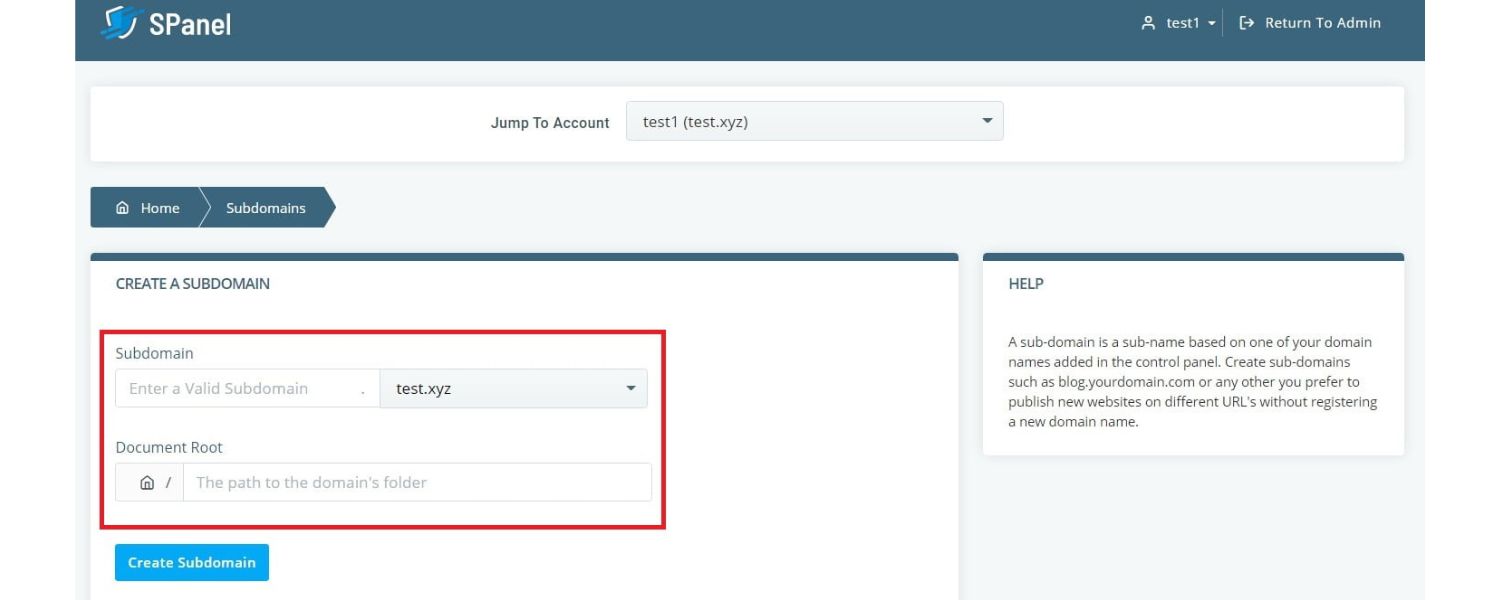
Creating a subdomain is usually straightforward, and you don’t need to buy a new domain to do it. Here’s a general step-by-step guide:
1. Own a Domain Name
You need an existing domain (e.g., yourdomain.com) to add a subdomain to. Ensure you have control over the domain’s DNS settings (usually via your domain registrar or hosting provider).
2. Go to Your DNS or Domain Management Settings
Log in to where your domain’s DNS is managed. This could be your registrar’s dashboard (like GoDaddy, Namecheap, etc.) or your web hosting control panel (like cPanel, Plesk, or a custom panel). Look for an option like “DNS Management,” “Zone Editor,” or “Subdomains” section.
3. Add a New DNS Record for the Subdomain
Typically, you’ll add an A record or CNAME record:
A. An A Record maps a name (like blog.yourdomain.com) to an IP address of a server. If your subdomain’s content is hosted on the same server as your main site, you can often use the same IP.
B. A CNAME Record maps the subdomain to another hostname. This is useful if you want subdomain.yourdomain.com to actually point to another domain or an external service. For example, some people map a subdomain to a linktr.ee or to a GitHub pages site, etc.
4. If your control panel has a “Subdomain” creator, it may handle the DNS records for you. For instance, in many hosting cPanels, you just enter the subdomain name and it sets up the DNS and a folder for that subdomain automatically.
5. Specify the Subdomain Name
When adding the record, you’ll specify the prefix (the subdomain text). For example, to create blog.example.com, enter “blog” as the name (often the system will append the main domain automatically).
6. Assign the Destination
If using an A record, enter the server IP address where the subdomain’s site will live. If using CNAME, enter the target domain (for instance, you might CNAME shop.yourdomain.com to yourdemoshop.shopify.com if integrating with a Shopify store, just as an example).
7. Save the DNS Record
Save or add the record. DNS changes can take some time to propagate (anywhere from a few minutes to a few hours globally), so be patient.
8. Create the Subdomain Site or Directory
DNS is only part of it – you also need content for that subdomain. If the subdomain is hosted on your existing server, you’ll need to set up a directory or site for it. Many hosting providers allow you to assign a root folder for each subdomain.
For example, you might have a folder /public_html/blog that corresponds to blog.yourdomain.com. Upload an index.html or install a CMS in that folder to build the subdomain site.
If it’s on a separate server or service, ensure that server knows to respond to requests for the subdomain. (Usually, when you use a separate service, they give instructions, like “create a CNAME to xyz.service.com and we’ll serve your content on your subdomain.”)
9. Add SSL Certificate (HTTPS)
If your main site uses HTTPS (which it should, nowadays), you’ll want your subdomain to be secure as well. Obtain an SSL certificate that covers the subdomain. Many providers offer wildcard SSL certificates that cover .yourdomain.com (all subdomains).
Alternatively, some hosting platforms like Let’s Encrypt allow you to issue a free certificate for each subdomain. In any case, make sure https://subdomain.yourdomain.com works without security warnings.
10. Test the Subdomain
Once DNS has propagated and your subdomain site is set up, visit the new URL in a browser to ensure it’s loading correctly. It should display the content or application you intended to host there.
That’s it! The specifics can vary slightly depending on your host. For instance, if you use a website builder or a cloud platform, they might handle a lot of this for you behind the scenes. But fundamentally, creating a subdomain involves adding a DNS record and setting up a website or folder for that subdomain’s content.
Tip:
If you’re not comfortable doing this manually, check your host’s documentation. Many hosts have one-click tools for subdomains. For example, some control panels let you input “subdomain name” and automatically create the DNS entry and a corresponding folder in your hosting space.
Best Practices for Managing Subdomains
Once you have subdomains in play, keep these best practices in mind to get the most value from them and avoid common pitfalls:
1. Have a Clear Purpose and Strategy

Don’t create a subdomain just because you can. Each subdomain should serve a specific, justifiable purpose. Before adding a new subdomain, ask: Could this content live under the main site instead? What’s the benefit of separating it? Having a strategy prevents a proliferation of subdomains that might dilute your site’s focus.
For example, if you plan to start a forum but aren’t sure it will have enough activity, consider if it’s truly needed as a separate subdomain or if a section on the main site could suffice.
2. Avoid Duplicate Content and Keyword Overlap
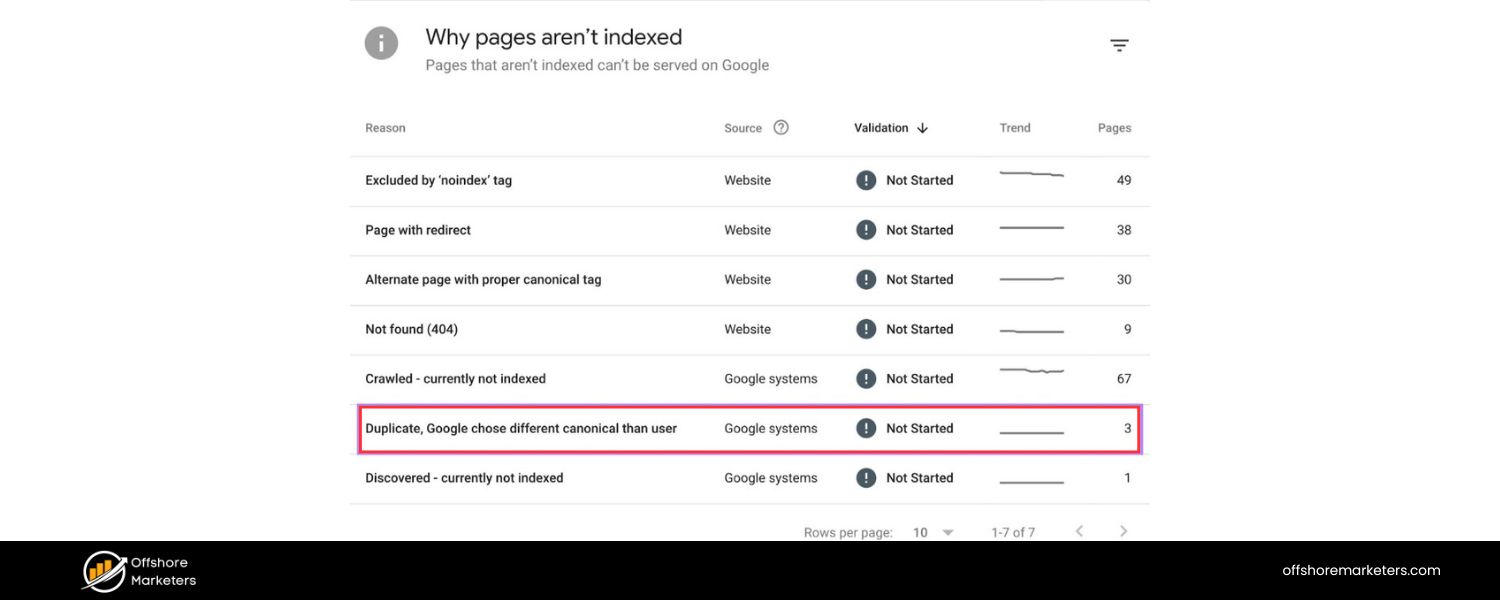
Ensure that your subdomain isn’t targeting the exact same keywords or content as pages on your main domain. Since search engines view them separately, you could end up competing with yourself. For instance, don’t have “guides” on both the main site and a subdomain repeating similar info.
Decide the best home for that content. If you do use subdomains, make sure each one tackles a different intent or topic area.
3. Provide Navigation Links Between Sites
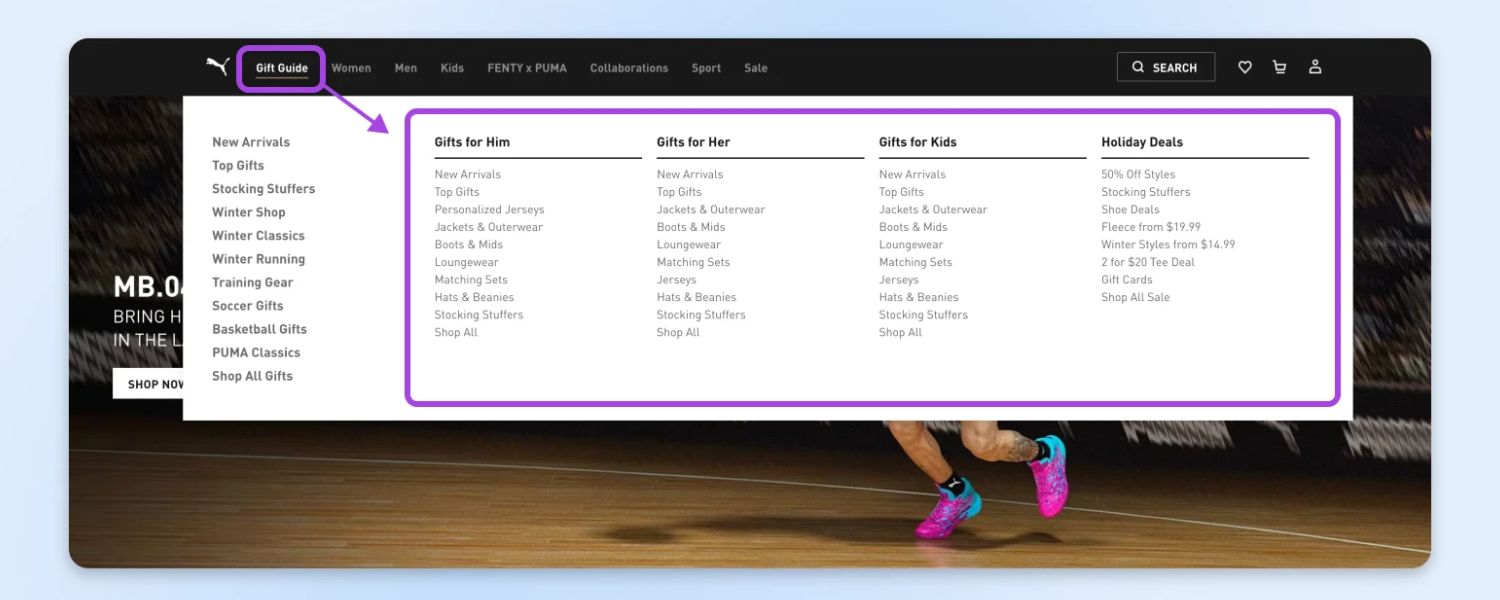
Users should be able to tell that your subdomain is part of your overall website family. Include links in the header or footer to your main site and other key sections. This not only aids user navigation but also helps search engine crawlers discover the subdomain from your main site (and vice versa).
Internal linking between your main site and subdomains can distribute some authority and is good for user experience. For example, your main site’s menu could have “Blog” that links to your blog subdomain, and your blog could clearly link back to “Home” or “Main Site.”
4. Unify Branding Where Possible
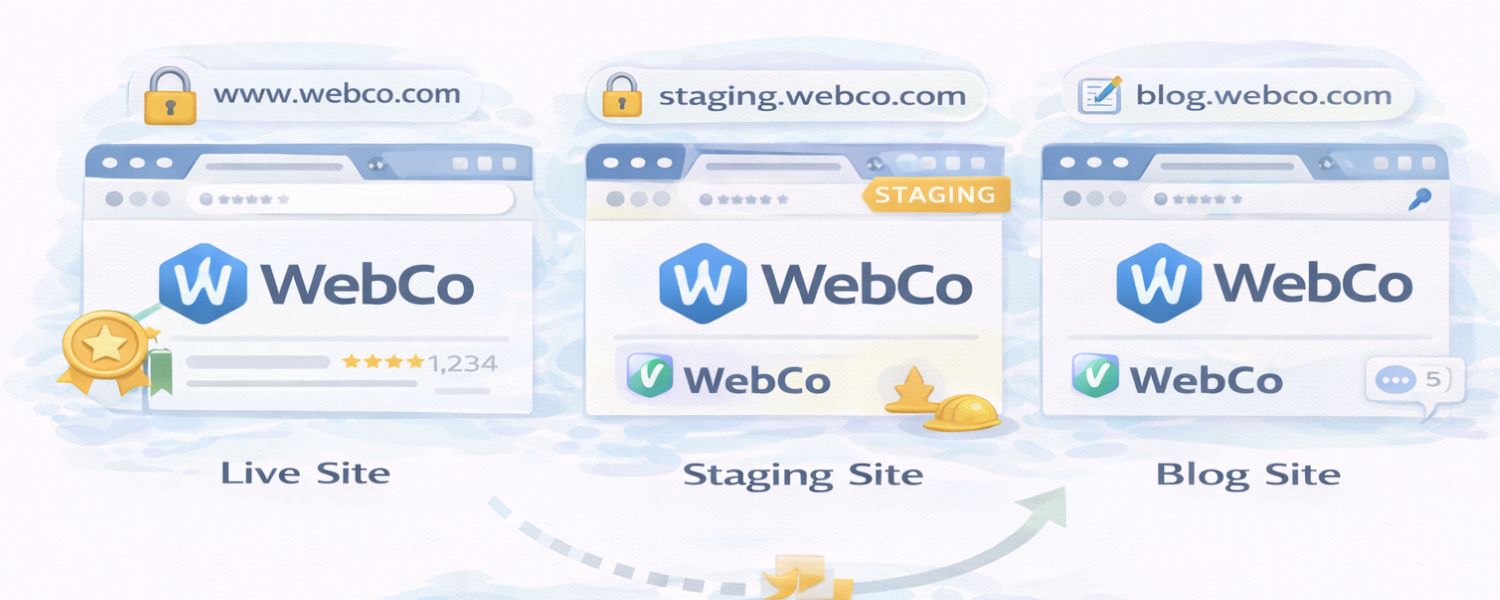
While each subdomain can have its own look, maintain some consistency in branding elements. Use your same logo or company name on each subdomain site. This reassures visitors that shop.yourdomain.com is officially yours and not a phishing site or something unrelated. Consistent branding also strengthens overall brand recognition.
5. Configure Analytics and Search Console
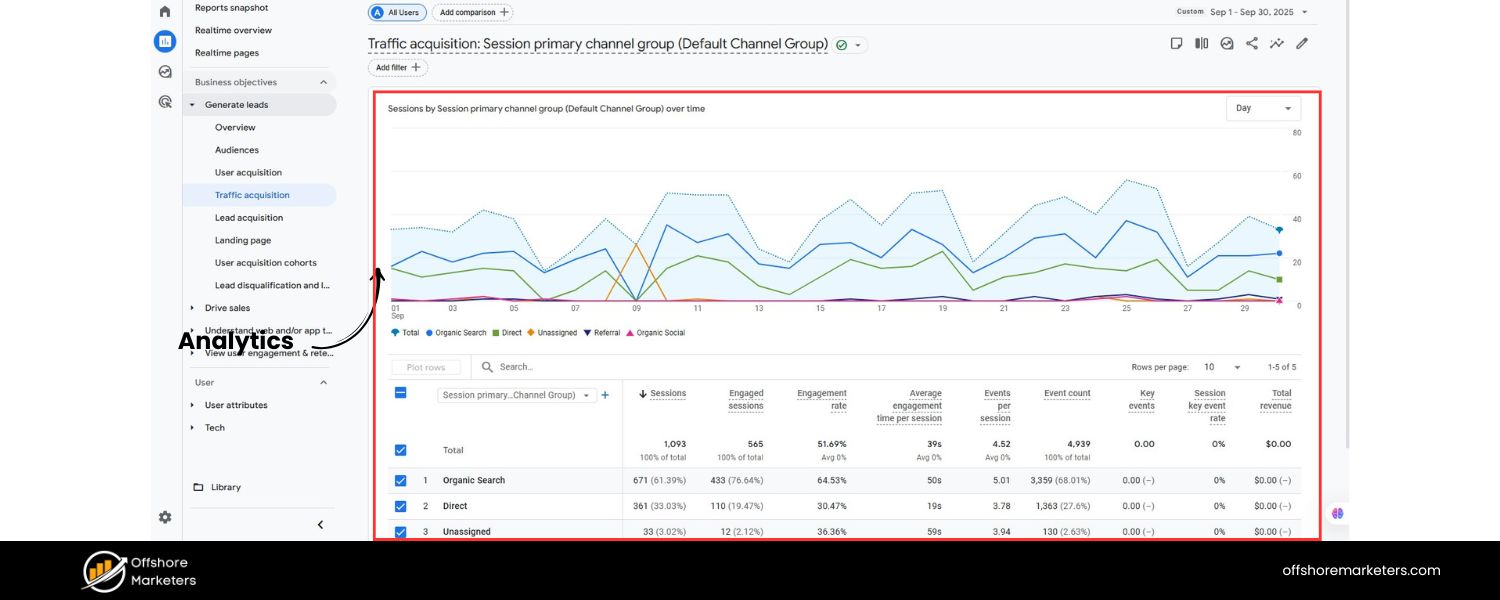
To effectively measure performance, set up your analytics to track across subdomains. In Google Analytics Universal, this might involve setting your cookie domain to .yourdomain.com and using filters to see a combined view. In GA4, cross-domain measurement can be configured as well.
Additionally, add each subdomain as a property in Google Search Console (or use the newer Domain Property that automatically covers all subdomains of a domain). This way, you can monitor indexing, search traffic, and any issues for each subdomain.
Remember, if you only add the root domain as a URL-prefix property, Search Console will not include subdomains unless it’s a domain-wide property.
6. Mind Your SEO Basics on Each Subdomain
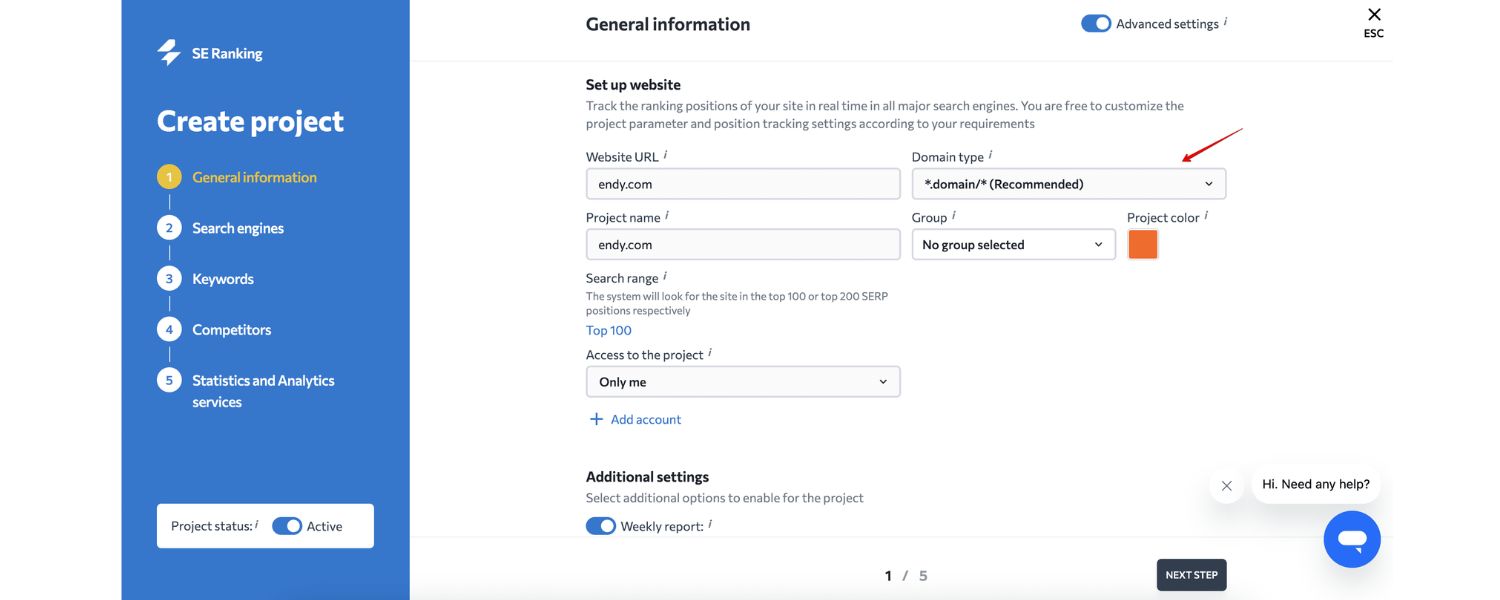
Treat each subdomain site with the same SEO care you’d give your primary site. This means doing proper keyword research for its content, optimizing titles and meta descriptions, generating unique content, earning backlinks, and so on. If you launch a subdomain but never optimize or update it, it could stagnate and not contribute much value.
7. Use Subdomains Sparingly for SEO (if concerned)
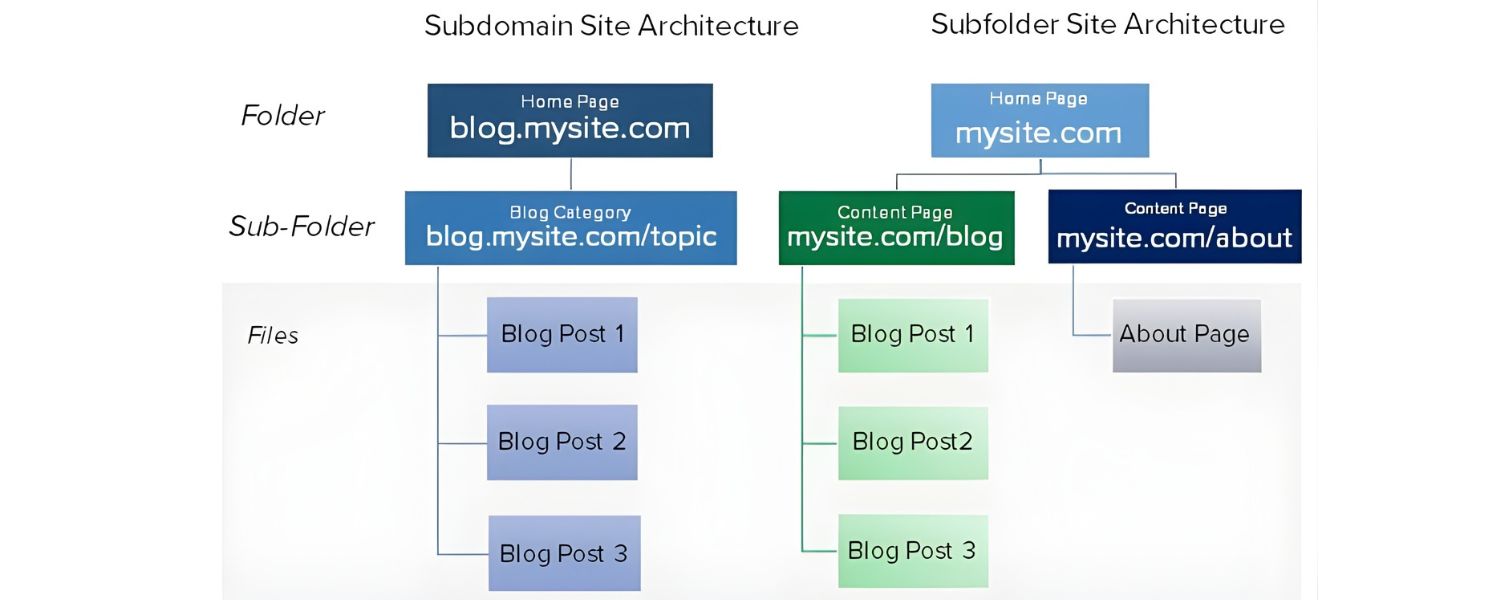
If your goal is purely to rank content and drive traffic, consider whether a subfolder might achieve that with less effort. Save subdomains for when they’re truly needed.
For example, I often advise clients to keep their blog on the main domain (for SEO power) unless there’s a compelling reason not to. On the other hand, I recommend subdomains for things like help centers or forums that have a different purpose beyond pure search traffic.
8. Monitor Indexing and Performance
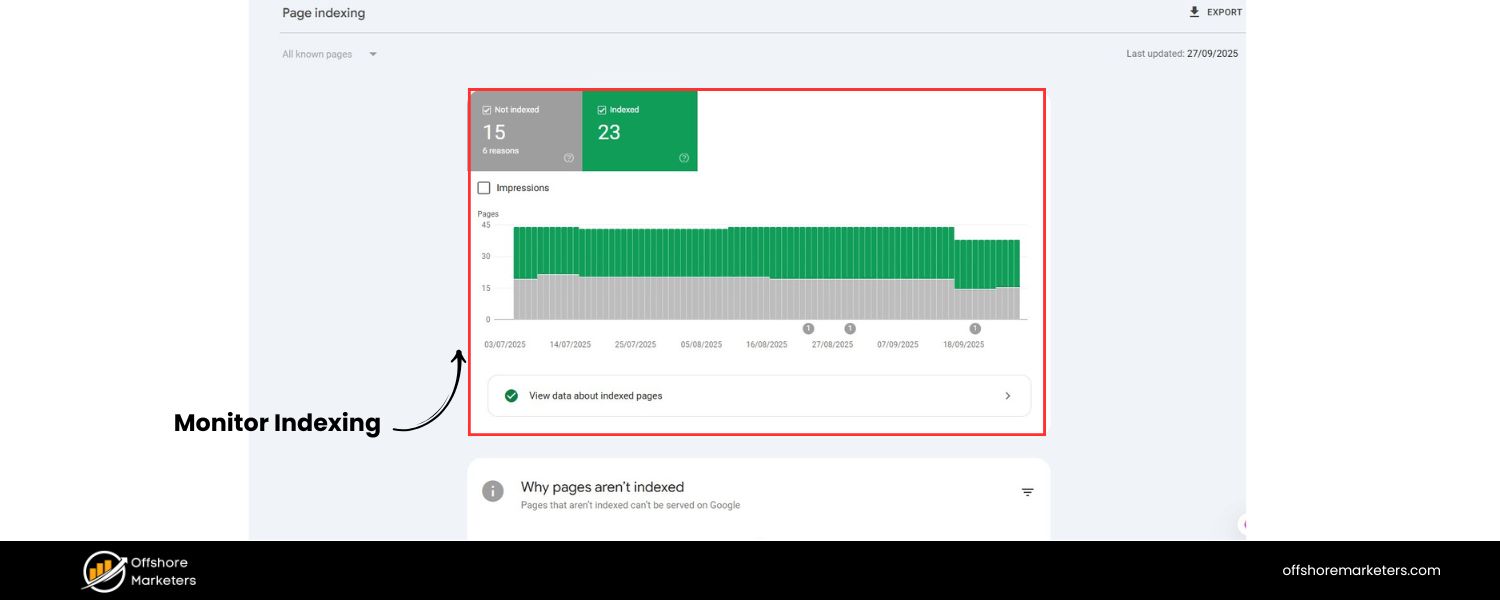
Keep an eye on how search engines crawl your subdomains. If one isn’t getting indexed well, it might need more internal links from the main site or a sitemap submission. Also monitor user metrics: If users on one subdomain aren’t easily finding their way back to your main site, maybe you need clearer calls-to-action or links to guide them.
9. Limit Multi-Level Subdomains
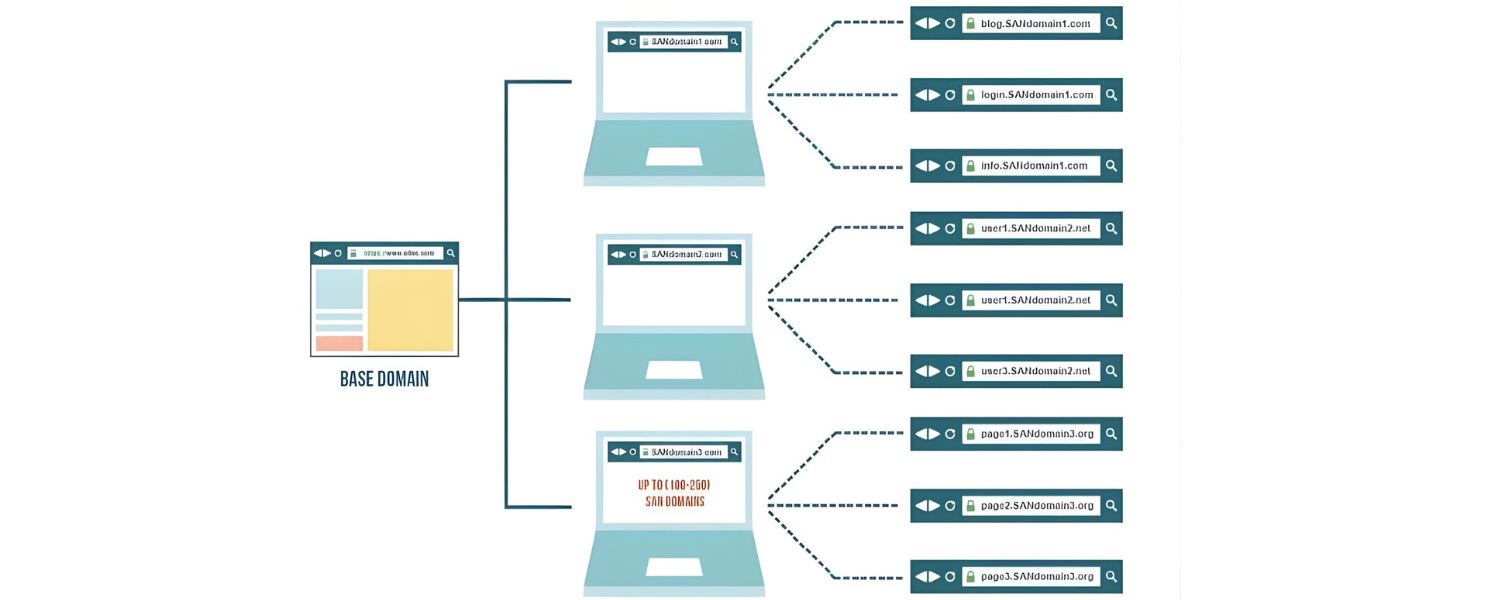
Technically, you can have subdomains of subdomains (e.g., uk.shop.example.com as a sub-subdomain). However, this can get confusing quickly for users and management.
It’s usually better to keep it to one level (a prefix before the domain). For internationalization, some brands do use two levels (like en.site.com, fr.site.com for language, potentially with country as well like en.uk.site.com), but consider using URL parameters or folders in those cases. Simpler is usually better.
10. Consider SEO Consolidation if Needed

Over time, you might find that a subdomain you created would actually perform better as a subdirectory. Don’t be afraid to consolidate if it makes sense. It’s a project to merge a subdomain into the main site, but it can be done with proper 301 redirects. Conversely, if a section outgrows the main site, you can spin it off to a subdomain with planning.
The structure of your site is not set in stone, but changes should be well-planned (and usually avoided too frequently because each change can cause temporary traffic fluctuations).
By following these best practices, you’ll leverage subdomains where they make sense and avoid common mistakes that could hinder your SEO or confuse your audience.
Do Subdomains Affect SEO? (The SEO Impact Explained)
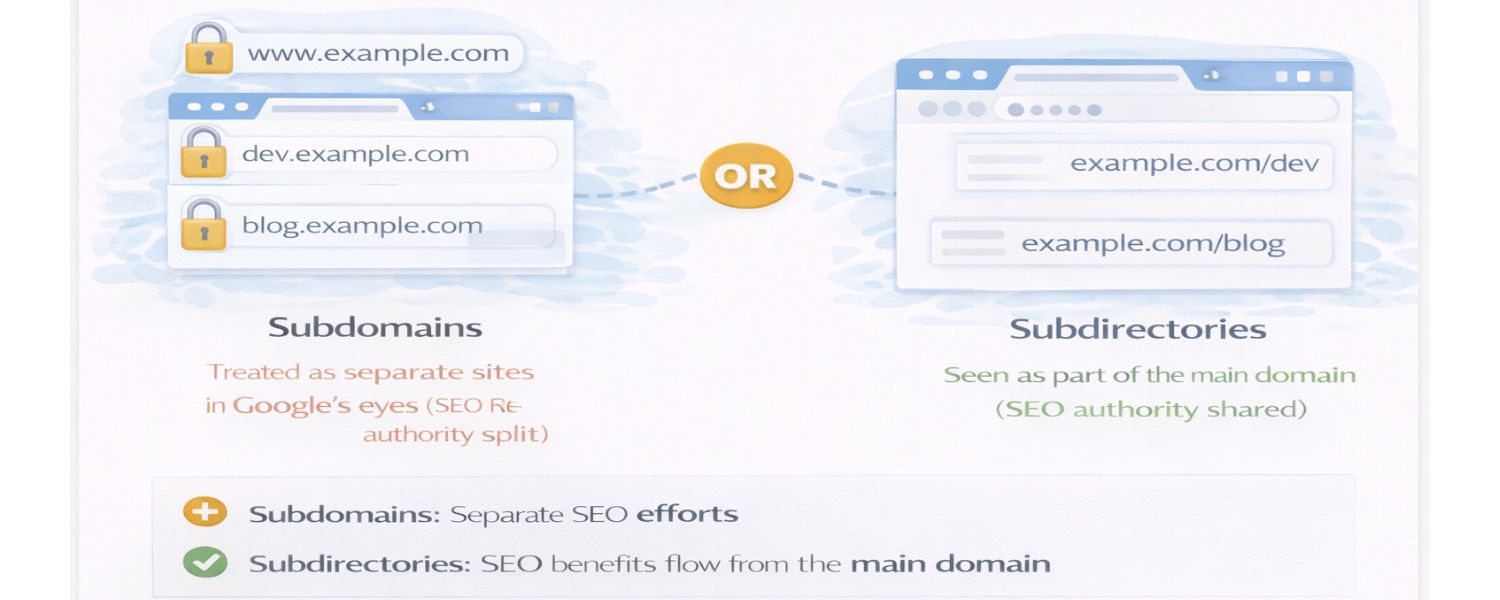
Because SEO is a crucial aspect for most websites, let’s summarize the impact of subdomains on search optimization in clear points:
1. Separate SEO Identities
A subdomain is treated by Google as a separate site in many respects. This means your subdomain needs to build its own reputation (through quality content and backlinks) to rank well. Your main domain’s authority doesn’t automatically transfer fully.
2. Link Equity Does Not Flow Automatically
Links pointing to your main domain don’t directly boost your subdomain’s rankings. If you want your subdomain to benefit, you’ll need specific backlinks to it or strong internal links from the main site. Think of it as starting a related but new website in the eyes of Google.
3. Opportunities for Multiple Rankings
On the positive side, having content on a subdomain could allow you to occupy more spots in search results. In some cases, Google might show a result from your main domain and another from your subdomain for the same query, if both are relevant. This could increase your overall visibility. (However, this benefit is situational and not a guarantee.)
4. Keyword Cannibalization Warning
If your main site and subdomain cover the same topics, they might compete. Be careful to differentiate the focus. For instance, if example.com and blog.example.com both publish articles on the same topic, Google might not know which to rank higher, and you might hurt both pages’ performance.
Avoid this by assigning distinct roles: maybe the main site has product info and the blog subdomain has general tips, they complement rather than duplicate.
5. Google’s Guidance
Google has stated that using subdomains or subfolders is largely a matter of organization and does not inherently result in a penalty or boost. The key is to do what’s best for your content and users. They have also improved at understanding when a subdomain is associated with the main domain (especially if you interlink them and the branding is consistent). So it’s not “bad” to use subdomains. It just requires mindful SEO work.
6. Indexing and Crawl Budget
If you have many subdomains, ensure Google can find them. Link to them from your main site or submit sitemaps. Also, consider that Google allocates crawl resources per site; a subdomain might have its own crawl budget. In large setups, this means Google might crawl your subdomain less frequently than your main site, depending on its content and importance.
7. Analytics for SEO
Track search performance separately for each subdomain (via Search Console). You may notice differences in which keywords each ranks for. Use this data to refine content strategy on each. Perhaps your main site targets broad competitive keywords while your subdomain targets long-tail niche queries, that could be a smart division.
8. No Abuse or Thin Content
Don’t use subdomains to try and manipulate search rankings (e.g., making dozens of subdomains to monopolize results or to host duplicate content). This is against guidelines and won’t work long-term. Quality content and genuine value on each subdomain is essential.
In summary, subdomains neither inherently doom nor magically improve your SEO, it’s all about how you use them. Many high-ranking websites use subdomains effectively (think of news.google.com, developer.mozilla.org, or support.apple.com).
The important thing is to plan your site structure in tandem with your SEO strategy. If unsure, consult with an SEO professional about the best approach for your specific case.
FAQ: Common Questions About Subdomains
Finally, let’s address some frequently asked questions regarding subdomains:
Q1. Are subdomains free, or do I have to pay for them?
Subdomains are generally free to create as long as you own the main domain. When you register a domain name, you effectively have the right to create any subdomain under it. Most domain registrars and web hosts do not charge individually for subdomains.
However, there could be practical limits (for example, a basic hosting plan might limit you to a certain number of subdomains or databases). In some cases, if you’re using a site-building service, they might count subdomains as separate sites.
But in normal usage, you can make unlimited subdomains at no extra registration cost. Just keep in mind each subdomain might require hosting space or configuration, which should be covered if you have a robust hosting plan.
Q2. How many subdomains can I have on my domain?
Technically, there’s no hard limit, the DNS system allows for many levels of subdomains (and multiple subdomains at each level). In practice, your domain host might have a limit for convenience (e.g., “up to 100 subdomains” on a certain plan), but many allow unlimited.
It’s rare to need an extremely large number. The more important consideration is manageability. Each subdomain is like adding another website to maintain. So while you could create dozens, it’s usually wise to keep the number of subdomains to a reasonable count that you can keep updated and relevant. Quality over quantity definitely applies.
Q3. Is “www” considered a subdomain?
Yes – “www” is technically a subdomain of your domain. By convention, www.yourdomain.com has been used as the web address for the main website, but it is not fundamentally different from any other prefix. These days, many sites allow you to drop the “www” and just use the root domain (called the apex domain).
If you do that, it’s recommended to still set up a redirect from www to the non-www version (or vice versa) so that visitors using either address end up on the same site. But under the hood, www is simply a widely used subdomain that became standard for indicating a web service. You can choose to use it or not, based on preference, as long as your configuration is consistent.
Q4. Do subdomains require separate hosting or can they use my existing web host?
You don’t necessarily need a completely separate hosting plan for each subdomain. Most web hosting accounts allow you to add subdomains under the same plan and allocate directories for them. For example, on a typical cPanel host, you can create a subdomain and it will assign it to a folder in your main account’s space.
That said, you have the option to host a subdomain on a different server if you want. Some large companies might host different subdomains on different servers or services (for load balancing or using specialized platforms). For small to medium sites, though, it’s easiest to host subdomains on the same server, your host will just treat them as additional sites under your account.
Always verify your hosting plan’s terms: some entry-level plans might only support one site (one domain), whereas others support multiple subdomains and domains.
Q5. Do subdomains help or hurt SEO?
Subdomains can do both or neither, it depends on implementation. By themselves, subdomains are not a magic SEO boost. If used properly, they can help you target specific topics or audiences (which might aid SEO for those segments). If used poorly (like splitting related content unnecessarily), they can hurt by diluting your content’s collective authority.
The important thing is: search engines treat subdomains somewhat independently. So a well-optimized subdomain can rank just fine, but it won’t automatically get a boost from your main site’s SEO reputation.
If your question is motivated by “Should I put this content on a subdomain or keep it on my main site for best SEO?”, the general advice is to keep it on the main site unless you have a compelling reason to separate it.
Many SEO experts prefer subdirectories for consolidating SEO power. However, for certain use cases (as we’ve discussed), subdomains make sense despite the SEO considerations. In short, subdomains themselves are not bad for SEO, but splitting a site into subdomains requires thoughtful SEO planning. Always weigh the pros and cons for your specific scenario.
Q6. What’s an example of a good subdomain name?
A good subdomain name is short, clear, and relevant to the content it represents. Common examples are “blog”, “shop”, “support”, “forum”, “docs”, etc., because they immediately tell the user what to expect there. If you’re creating a subdomain for something specific, like a project or campaign, choose a name that reflects it (e.g., summerfest.yourdomain.com for a summer festival campaign).
Avoid overly long or complex subdomain names, remember, the user might have to type it or recognize it in search results. Also, stick to standard URL character rules (no spaces, use hyphens if needed). In general, keep it simple and descriptive.
Conclusion & Call to Action
In conclusion, subdomains are a powerful tool for website organization and expansion. They allow you to create dedicated spaces for different functions, be it a blog, store, support center, or a regional site, while still carrying your core brand in the URL.
We’ve learned that a subdomain is essentially a part of your domain that you can treat as a separate site, and this comes with advantages in flexibility and targeting specific audiences. We’ve also covered the important considerations around SEO and when to use subdomains versus keeping content on your main site.
As someone who has seen countless businesses evolve online, my advice is this: use subdomains strategically. When done right, they can improve user experience and even SEO (by focusing content niches). When done without a plan, they can overcomplicate things. So, assess your website’s needs carefully.
Ready to take your website to the next level? Think about whether a subdomain could enhance your current site structure. For example, if you’ve been hesitant to add a lot of content to your main site, launching a blog or resource center on a subdomain could be a great next step. Or if you’re planning to reach international markets, a region-specific subdomain might be just what you need to connect with those users.
Ultimately, the goal is to make your web presence as user-friendly, organized, and effective as possible. Subdomains are one of the tools in your toolkit to do that. Take action by evaluating your site’s structure today: Could a subdomain help highlight a section of your content or serve a particular customer segment better? If so, it might be time to implement one.

Why Roseville Startups are Choosing Offshore Marketers to Scale Smarter
Roseville is no longer just a quiet suburb of Sacramento;...

What Is PPC? A Practical Guide to Pay‑Per‑Click Advertising
Pay‑per‑click (PPC) is the “pay only when someone clicks” branch...

Google Search Issues Affecting Results in Some Regions
Google has confirmed a problem with one of its data...

Keyword Counts Dropped After Google’s num=100 Change
In September 2025, Google stopped supporting the &num=100 parameter. This...

Image SEO: Optimize Images for Higher Rankings & Traffic
Introduction Images make your website more engaging, but they can...


.png)
.png)
.png)
.png)
.png)

2024 ALL RIGHTS RESERVED MADE IN INDIA
.png)