
AMP Pages: What Are Accelerated Mobile Pages
August 2, 2025
Introduction: The Fast Mobile Web Promise of AMP
Imagine tapping a Google search result on your phone and the page loads almost instantly. That’s the experience Accelerated Mobile Pages (AMP) set out to create.
AMP pages are essentially stripped-down versions of webpages optimized for near-instant loading on mobile devices.
Google launched the open-source AMP project in 2015 as a response to the sluggish mobile web, aiming to compete with fast-loading formats like Facebook Instant Articles and Apple News.
In the mid-2010s, AMP was a big deal—publishers adopted it to boost mobile user experience and potentially gain favor in Google search results.
But as we reach 2025, you might be wondering: Are AMP pages still relevant, or have modern web technologies left them behind?
In this comprehensive guide, we’ll explain what AMP pages are, how they work, their SEO benefits and drawbacks, and whether you should use or avoid AMP in today’s landscape.
What is an AMP Page? (Accelerated Mobile Pages Explained)
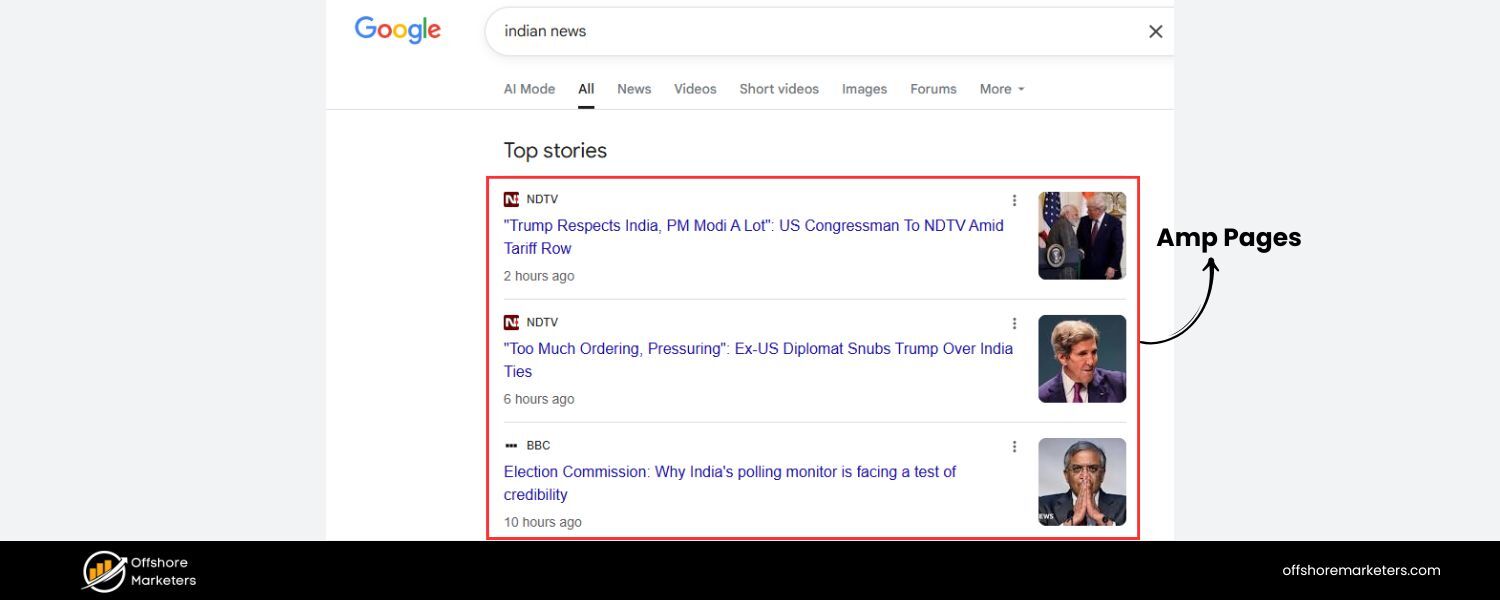
An Accelerated Mobile Page (AMP) is a lightweight version of a webpage designed to load extremely fast on mobile devices.
These pages use a special set of HTML, JavaScript, and caching rules defined by the open-source AMP framework.
In simple terms, an AMP page is a pared-down webpage that prioritizes speed over fancy features. Google spearheaded AMP to improve mobile browsing, where large, bloated pages often caused slow load times on phones.
By enforcing strict limitations on code and leveraging Google’s content delivery network for caching, AMP pages can appear almost instantly after a user clicks them in search results.
How AMP Works: Under the hood, AMP has three key components:
1. AMP HTML
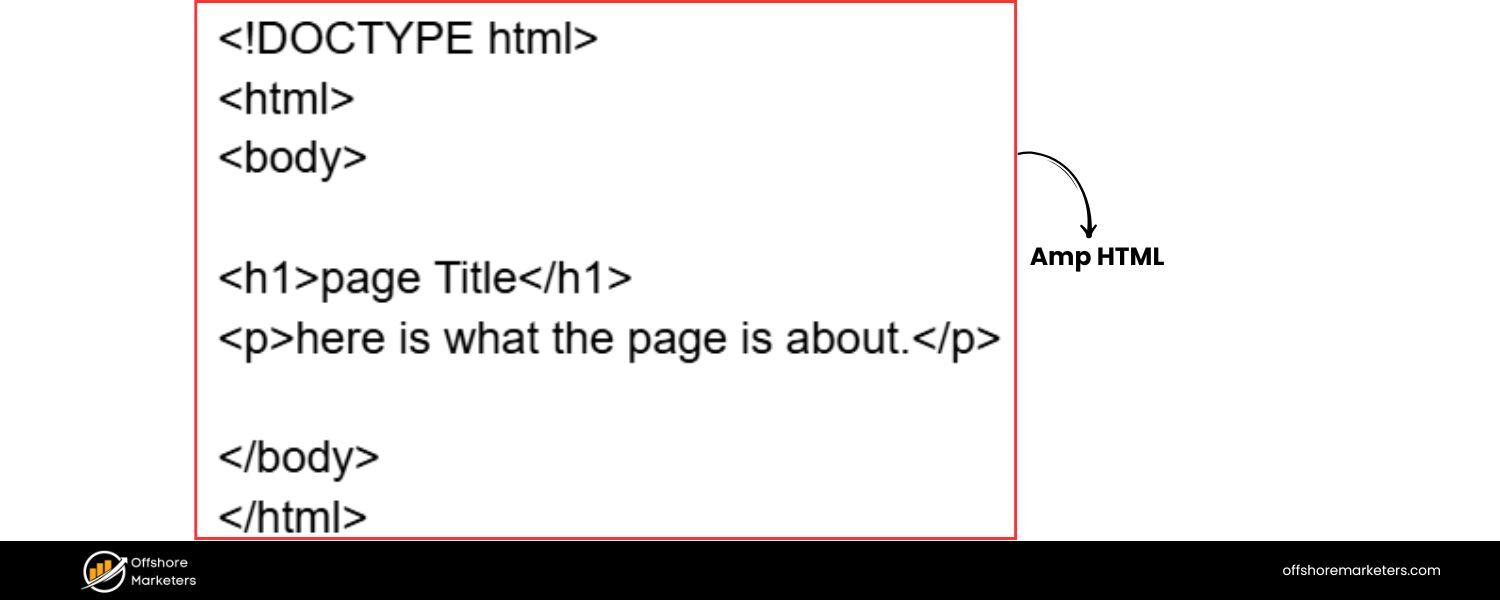
A subset of HTML with certain tags and scripts restricted or replaced by AMP-specific ones. This ensures the page is streamlined and free of slow-loading elements.
For example, developers must use an tag instead of the standard for images, and all custom CSS must be inline and under a 50KB limit.
2. AMP JavaScript
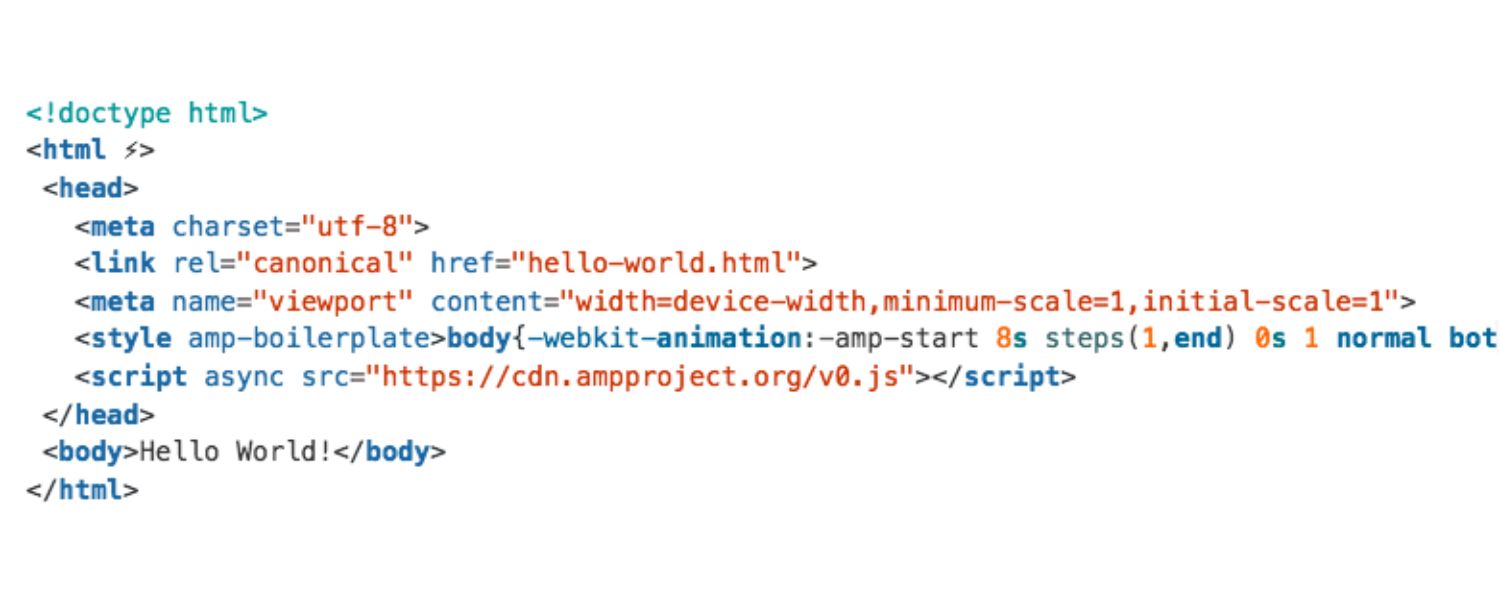
Rather than allowing any JavaScript (which can block rendering), AMP provides its own asynchronous JS library.
This library handles resource loading efficiently and offers pre-built components for interactive features, so publishers don’t need to add extra scripts that could slow the page.
Essentially, AMP’s JS is optimized to manage the page loading sequence for maximum speed.
3. AMP Cache
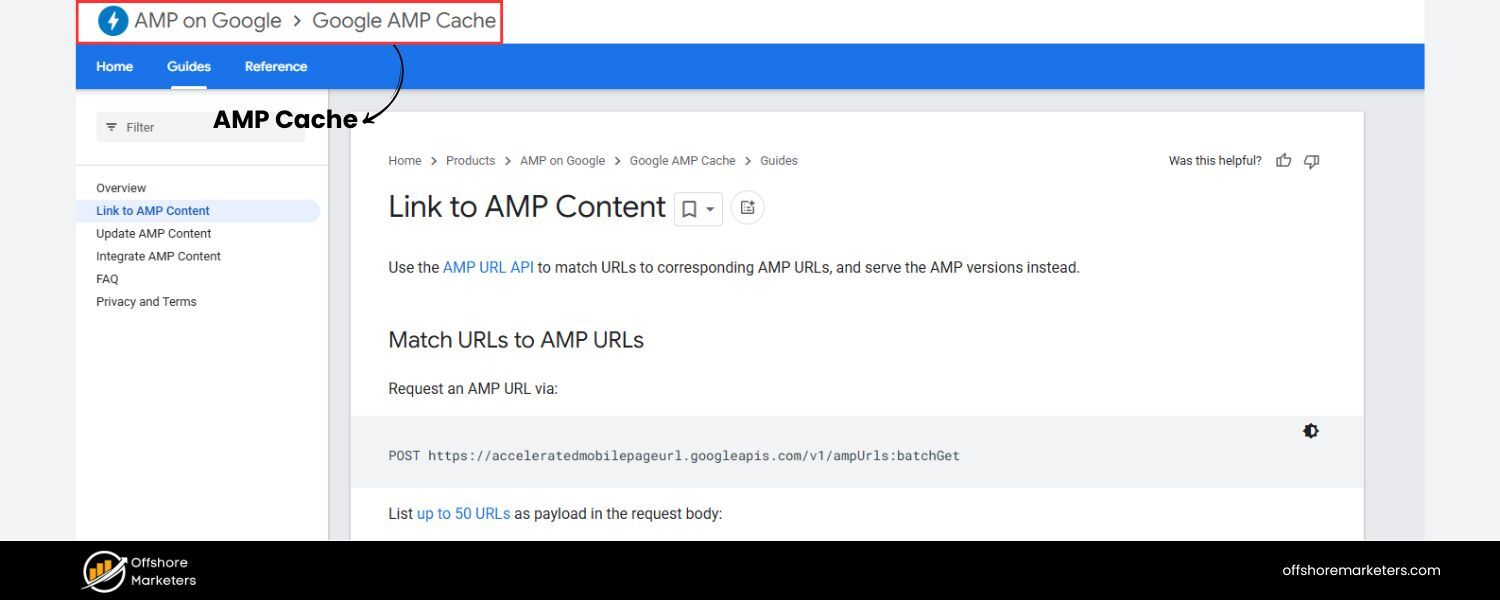
Perhaps the secret sauce of AMP’s speed, the AMP Cache is a content delivery network (CDN) that stores copies of AMP pages on servers around the world.
Notably, Google’s AMP Cache will automatically cache any valid AMP page and serve it to users directly from Google’s servers.
This means when you click an AMP result on Google, you often get the page from Google’s cache (or another provider like Cloudflare or Bing’s cache), already pre-fetched and ready to view.
The result is a near-instant load, since the content is delivered from a server geographically close to you and has been stripped of slow elements.
Regular mobile page vs. Accelerated Mobile Page.
The AMP version (right) is a simplified, fast-loading variant of the regular mobile webpage (left), with fewer scripts and design elements.
To illustrate, the image above shows a comparison between a normal mobile-friendly webpage and its AMP version.
The AMP page has a basic layout with minimal interactive features, allowing it to load much faster. In fact, Google has cited that the median AMP page can load in under a second, far quicker than many traditional mobile pages.
By enforcing a uniform, performance-first approach, AMP effectively created a framework where speed is the default.
A Brief History of AMP: Rise, Peak, and Evolution
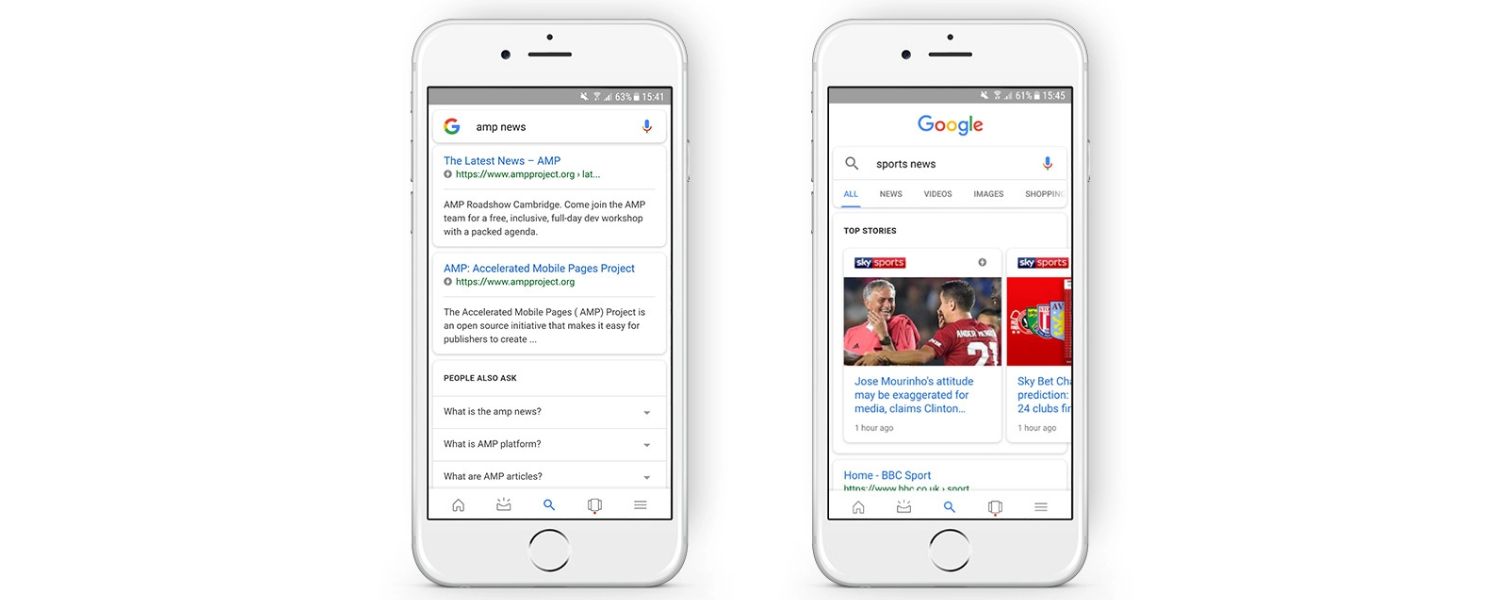
When AMP launched, it was adopted rapidly by news publishers and content platforms looking to improve mobile engagement.
Google first integrated AMP pages into search results in 2016, initially in a special “Top Stories” carousel for news articles.
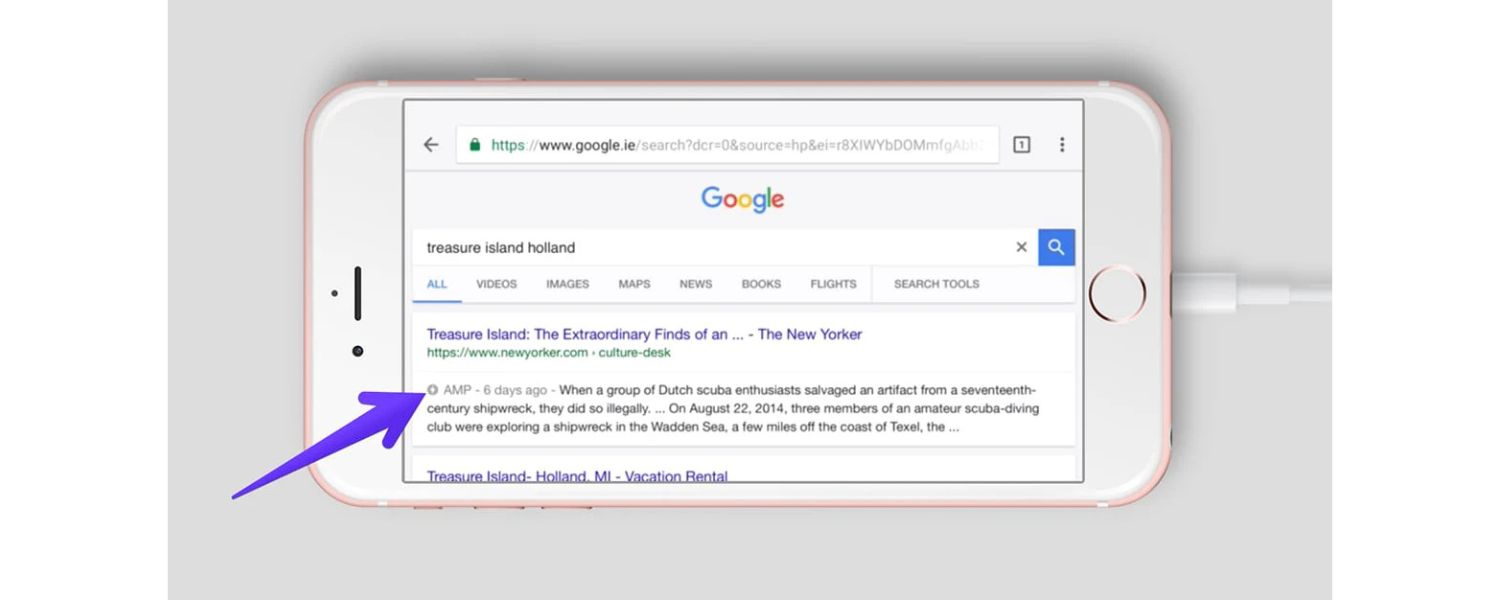
Those lightning, symbols in mobile search results indicated an AMP article, signaling to users that it would load blazingly fast.
By 2017–2018, AMP had expanded beyond news: e-commerce sites, blogs, and even Wikipedia started offering AMP versions of their pages.
At its peak, AMP saw significant uptake. Google reported that as of 2018, over 31 million domains had published 5 billion AMP pages.
Large platforms like Twitter, Pinterest, LinkedIn, and WordPress.com integrated AMP support, and many CMS platforms offered plugins to generate AMP versions of content.
The AMP Project held annual conferences and continued to add features, trying to address criticisms and expand AMP’s capabilities (for example, introducing AMP Stories and AMP for Email in 2018, and even allowing some custom JavaScript by 2019).
However, not everything was smooth sailing. As AMP usage grew, so did scrutiny and criticism (more on that in the next section). Google also began to shift its stance over time.
In 2018, the web at large was moving to a “mobile-first” approach in design and Google’s indexing. Websites were becoming responsive and faster by default, diminishing the need for a separate AMP version.
By 2021, several turning points signaled that AMP’s heyday was ending:
1. No More AMP Requirement for Top Stories
Google removed the requirement that content had to be AMP to appear in the Top Stories news carousel in Search.
As of mid-2021, any fast, mobile-friendly page meeting Google’s Core Web Vitals could qualify for Top Stories placement.
This was a huge change; previously, many publishers felt forced into AMP to be visible in Top Stories. After this update, AMP was no longer a ticket to special treatment, non-AMP pages could compete equally.
2. Disappearance of the AMP Badge
Google also dropped the AMP lightning bolt icon from search results. Users can no longer easily tell if a result is an AMP page before clicking.
This subtle shift indicated Google’s move toward a more uniform presentation of results, whether AMP or not, and arguably reduced the incentive for publishers to maintain AMP if users wouldn’t even know the difference.
3. Major Publishers and Platforms Migrate Away
In 2021, major news publishers and platforms like Twitter began phasing out AMP.
Twitter, for example, announced it would stop linking to AMP pages and would instead send users to the original publisher site by the end of 2021.
Large publishers such as The New York Times, CNN, and Vox Media reportedly started dropping AMP in favor of their own fast mobile pages around the same time.
These moves suggested that many in the industry no longer saw AMP as worth the trade-offs.
4. Google’s Own Shift in Focus
Google introduced Core Web Vitals as ranking signals in 2021, a set of metrics (like loading speed, interactivity, and visual stability) that apply to all webpages.
With this change, any page (AMP or not) that is well-optimized can rank well, and AMP is just one of many ways to achieve good scores.
In fact, Google’s Search team began retiring some of the specific ranking boosts that AMP pages once enjoyed.
By late 2022, it was clear that AMP was no longer explicitly favored in Google’s algorithms, beyond the general benefits of speed and user experience.
Benefits of AMP Pages: Why Publishers Embraced Them
Why did so many sites jump on the AMP bandwagon in the first place?
There are several advantages of AMP pages that made them attractive, especially a few years ago:
1. Blazing Fast Load Times
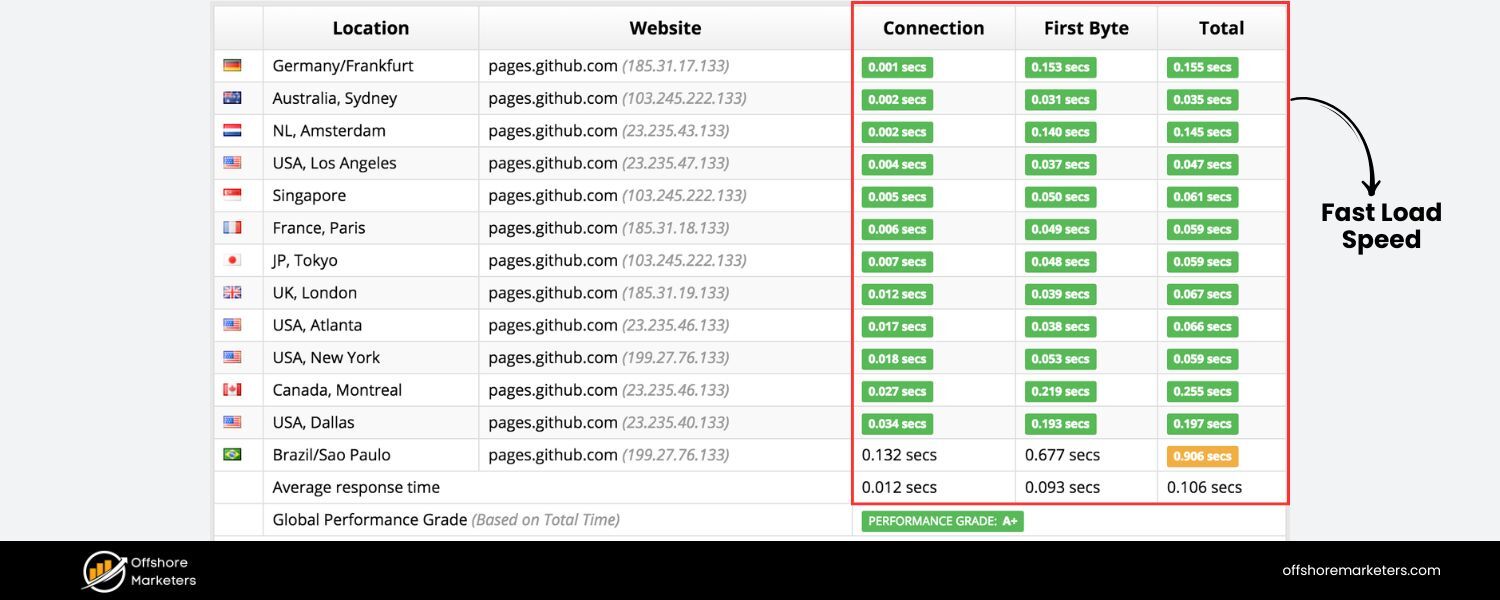
Speed is the core benefit. AMP pages load almost instantly, often in under a second, thanks to minimized code and caching. This can dramatically improve mobile user experience, reducing bounce rates.
Google noted early on that AMP could deliver pages that load 4× faster than traditional mobile pages, leading to longer dwell times and higher engagement in some cases.
2. Improved Mobile User Experience

With faster loads and a design focused on content (text, images, videos), users on slow connections or older devices can consume content with minimal frustration.
Scrolling is smooth and pages are responsive because AMP forbids heavy scripts that can jank the page.
In markets with limited bandwidth or on slower networks, AMP makes a noticeable difference by cutting down data usage significantly (e.g. an AMP news article might be less than half the size of its normal page).
3. Initial SEO Boost (Top Stories Visibility)
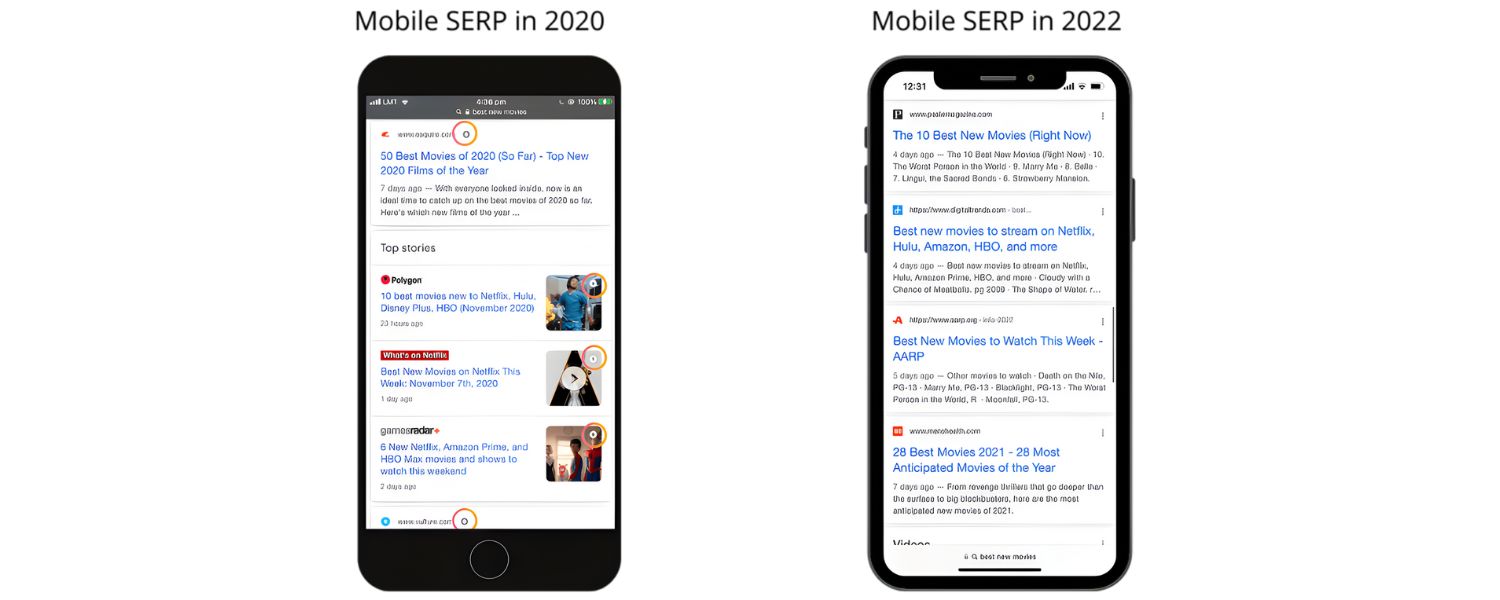
In its early years, AMP offered an indirect SEO advantage.
Google’s mobile search gave AMP pages preferential treatment by featuring them in the coveted Top Stories carousel and marking them with an eye-catching icon.
Many publishers saw AMP as a way to increase visibility on Google and potentially get more clicks. Faster pages also contributed to better search rankings via the Page Experience and site speed factors.
(It’s important to note that Google has stated AMP itself is not a direct ranking factor, but the speed improvements and user engagement can positively impact Search Engine Optimization.)
4. Supported by Major Platforms
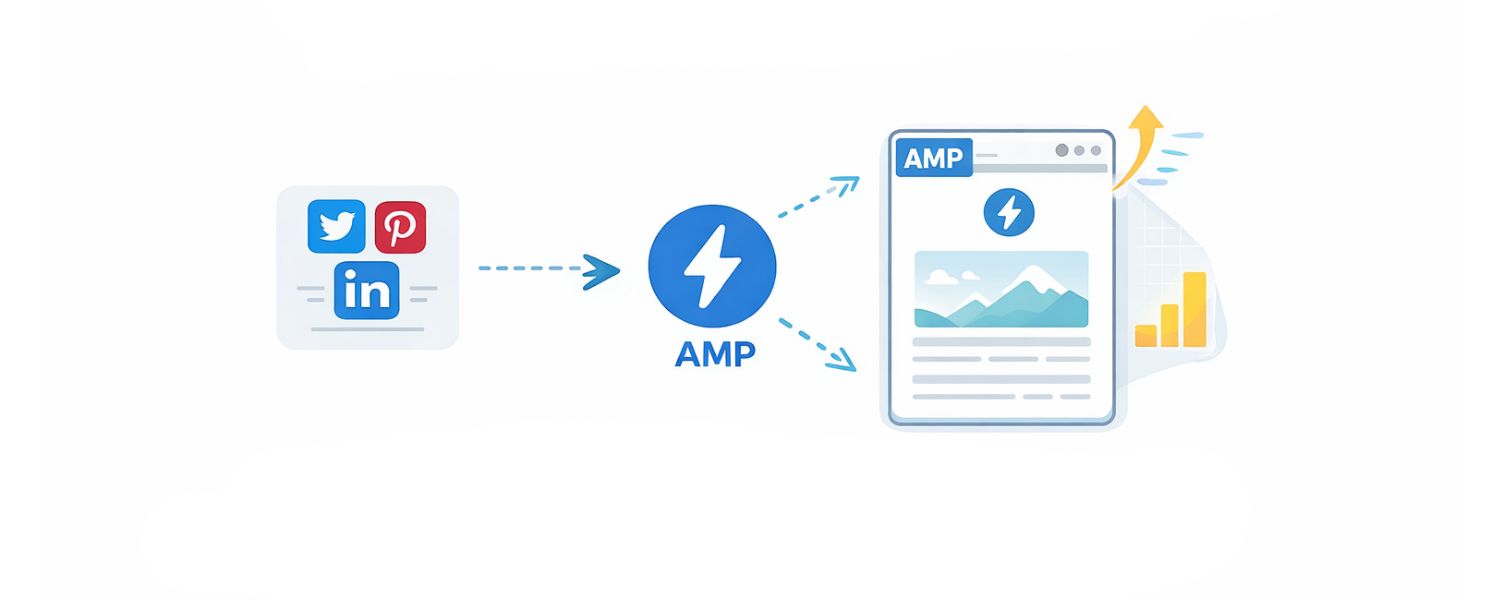
Because AMP was backed by Google and later adopted by others, it became a sort of “standard” for mobile content.
Apart from Google Search, platforms like Twitter, Pinterest, and LinkedIn at one point integrated AMP for faster external content.
This broad support meant that sharing an AMP link on these platforms could ensure users see a fast version of your page.
Additionally, both Google and Bing provided free hosting of AMP content via their caches, effectively giving even small sites access to a global CDN for their content.
5. Easy Implementation (with the Right Tools)
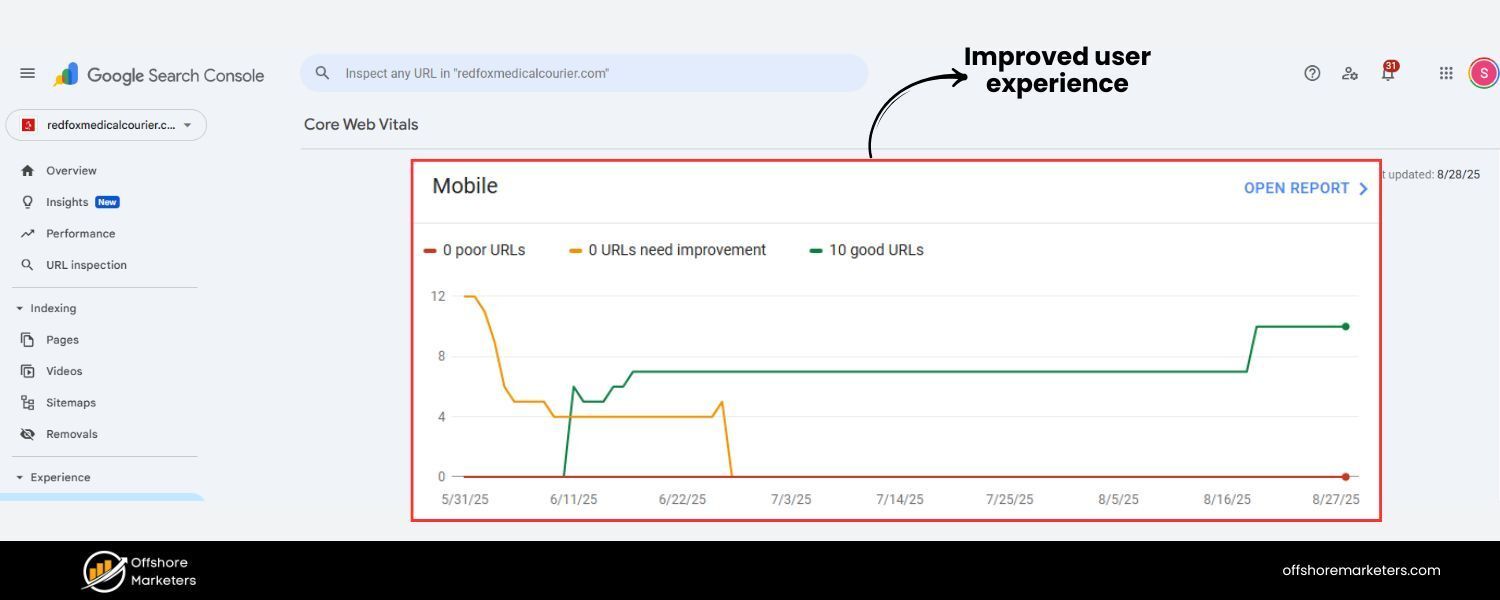
For sites using popular content management systems, implementing AMP could be as simple as installing a plugin (e.g., the official WordPress AMP plugin) and creating a basic template.
This ease of setup meant even publishers without big development teams could get a mobile speed boost without completely overhauling their main site.
It was a “quick fix” to pass Google’s mobile friendliness tests and later Core Web Vitals, especially if the original site was slow.
6. Google AMP Cache & Preloading
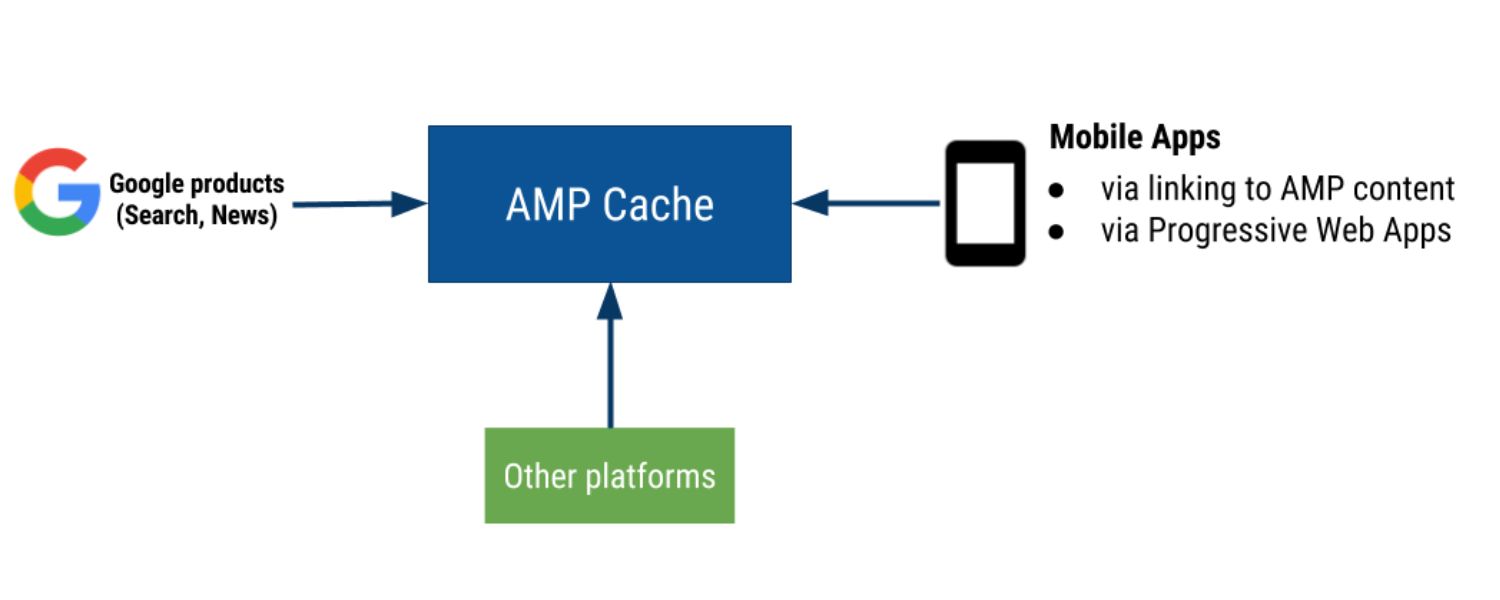
Because Google often preloads AMP content (for example, when an AMP page is likely to be clicked next in Search), users sometimes get instant page loads.
AMP’s caching and preloading effectively cheat the typical latency of fetching a document from a distant server, the content is already waiting on Google’s server, resulting in a near-immediate paint of the page on the user’s screen.
This kind of speed is difficult to achieve with a regular webpage without specialized optimization.
In summary, AMP has been a convenient shortcut to a fast, clean mobile experience. For a time, it gave publishers a competitive edge in reaching mobile audiences.
But these benefits came with trade-offs and criticisms that grew louder over the years.
Drawbacks and Controversies of AMP Pages
Despite the advantages, AMP has faced significant criticism from web developers, publishers, and privacy advocates.
It’s important to understand the limitations and controversies around AMP, especially if you’re weighing its value today:
1. Limited Design and Functionality
AMP’s speed comes at the cost of strict limitations. Early AMP pages were very bare-bones – no dynamic features, limited styling, no custom JavaScript, and many familiar web elements were disallowed.
Although the AMP project gradually added more components (navigation menus, lightboxes, forms, etc.), AMP pages are still less flexible than standard pages.
This can hurt user experience in some cases. For example, interactive elements or complex features (think interactive maps, custom scripts, advanced animations) are hard or impossible to implement in AMP.
Even certain normal behaviors like custom fonts or third-party widgets can slow down AMP or are prohibited.
Some users have complained that AMP pages feel too stripped down – “spartan” to the point of impacting usability or aesthetics.
Faster isn’t always better if the page can’t do what users expect; for instance, a news AMP article might not show the interactive infographics or comment sections available on the full site, potentially reducing user engagement.
2. Google’s Control and the URL Problem
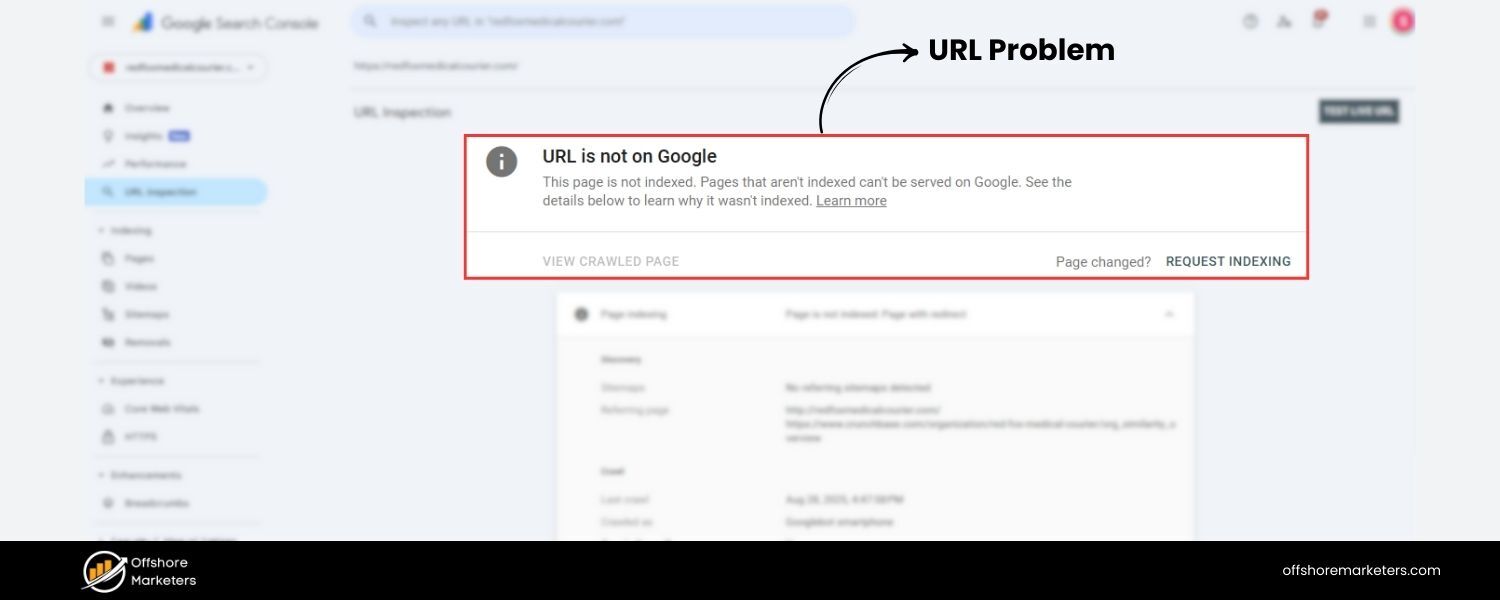
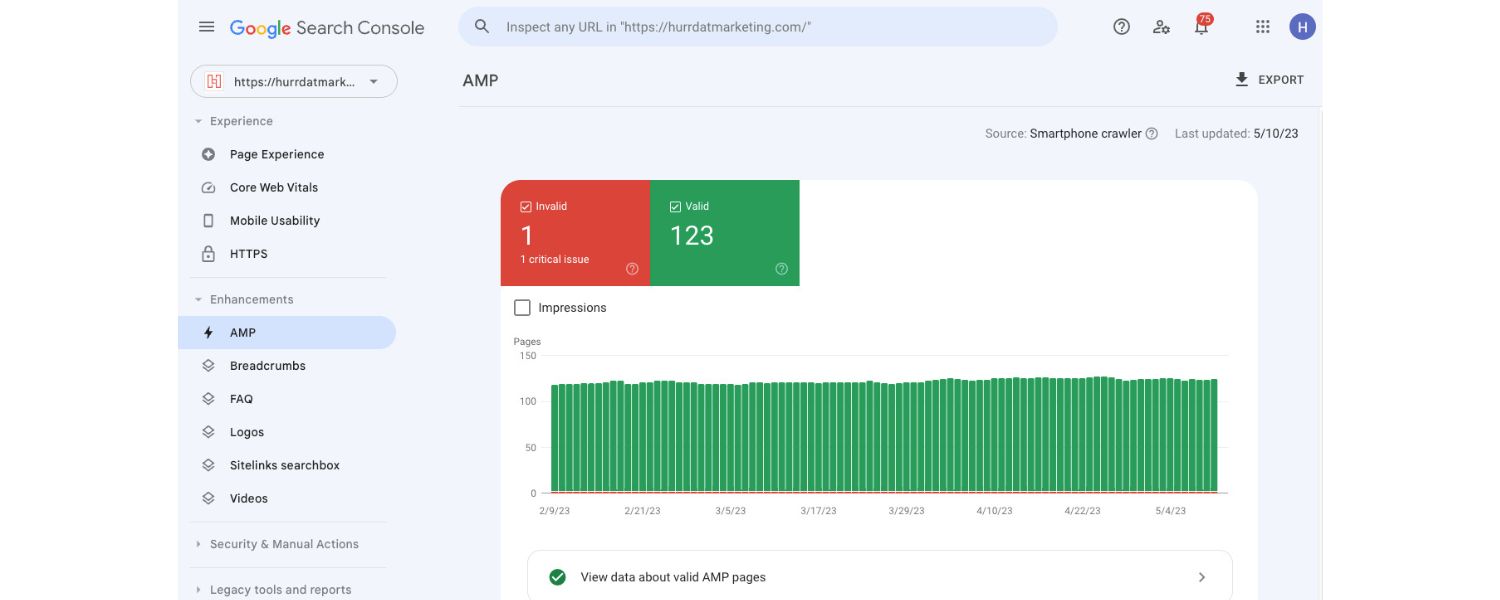
When you click an AMP result on Google, you’re often taken to a Google-hosted copy of the page (served from google.com/amp or a Google cache URL).
Originally, this meant users might not even realize they weren’t on the publisher’s actual website, which raised concerns about content ownership and branding.
Although Google later implemented a technology called Signed Exchanges to display the publisher’s URL even when content is served from Google’s cache, not all browsers support it and the perception remains that Google “steals” the pageview.
Critics argue this keeps users within Google’s ecosystem (with a persistent Google header bar on AMP pages encouraging you to go back to search) and deprives publishers of direct visitor interaction.
In essence, AMP could funnel traffic and data to Google at the expense of the open web.
3. Forced Adoption & Monopolistic Concerns
Because Google gave AMP preferential treatment, many sites felt forced to implement AMP or risk losing visibility.
Detractors likened this to Google abusing its search monopoly, pushing the web towards a Google-controlled format by dangling the carrot of better rankings.
An antitrust lawsuit in 2020 even alleged that Google AMP was used anti-competitively, with claims that Google throttled the loading of non-AMP pages to make AMP look better by comparison.
(Google denied these claims, but the controversy highlighted the mistrust many had toward AMP’s true purpose.)
4. Ad Revenue and Monetization Challenges

For ad-supported publishers, AMP was a mixed bag. While AMP supports ads, it imposes some limits: for instance, only one ad tag per page is allowed in certain cases.
More importantly, AMP initially didn’t support header bidding, a popular technique that lets multiple ad exchanges bid on inventory to boost revenue.
Google’s own ad platforms (AdSense/DoubleClick) worked on AMP, but publishers relying on other ad networks or custom ad setups found AMP’s restrictions hurt their revenue potential.
Although workarounds and support have improved over time, some publishers reported decreased ad income or difficulty implementing sponsored content and subscriptions on AMP pages.
5. Analytics and Tracking Gaps
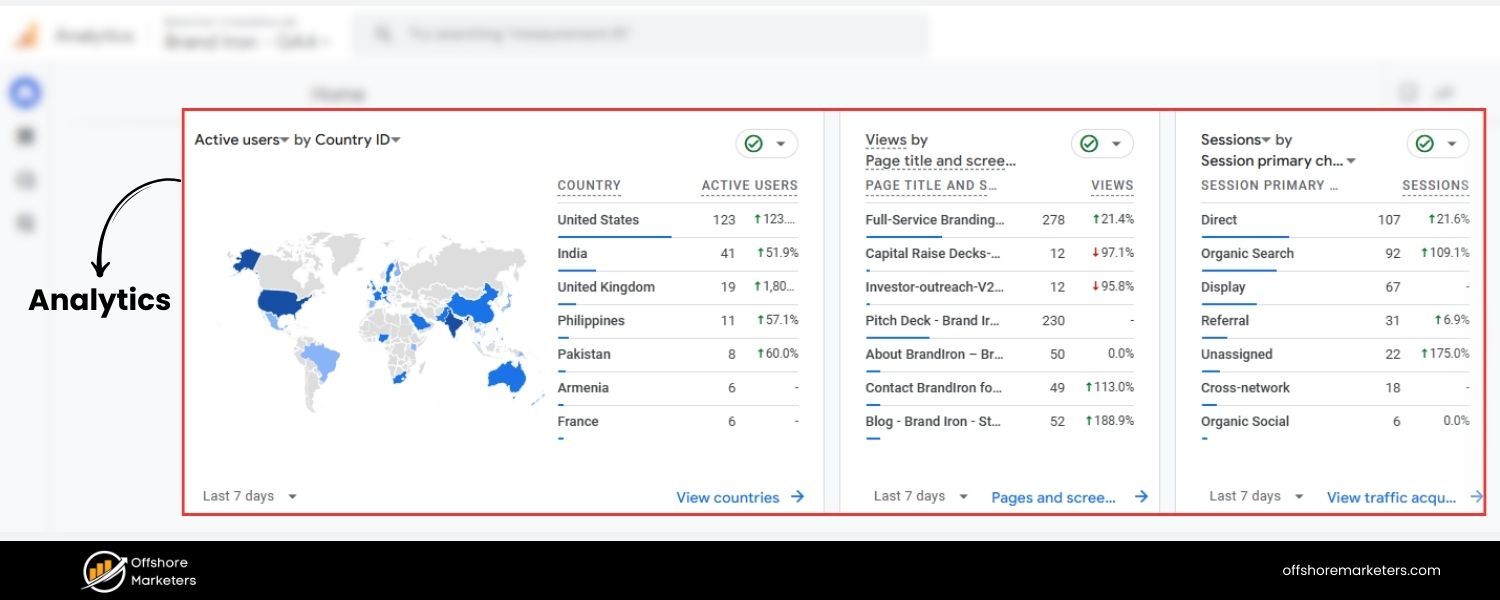
In the early days of AMP, analytics tracking was problematic. Because the content is served from Google’s cache on a different URL, measuring user behavior required special care.
Metrics like unique visitors, session duration, or bounce rate could become skewed if not set up properly to treat the AMP page and canonical page as one.
Even with AMP analytics components, some discrepancies persist.
Many publishers found their analytics data fragmented, an AMP page might appear as a separate pageview, and tracking the user journey from an AMP page to a non-AMP page was non-trivial.
While these issues have been mitigated to an extent, the complexity remains higher than just running a single version of your site.
6. SEO and Duplicate Content Worries
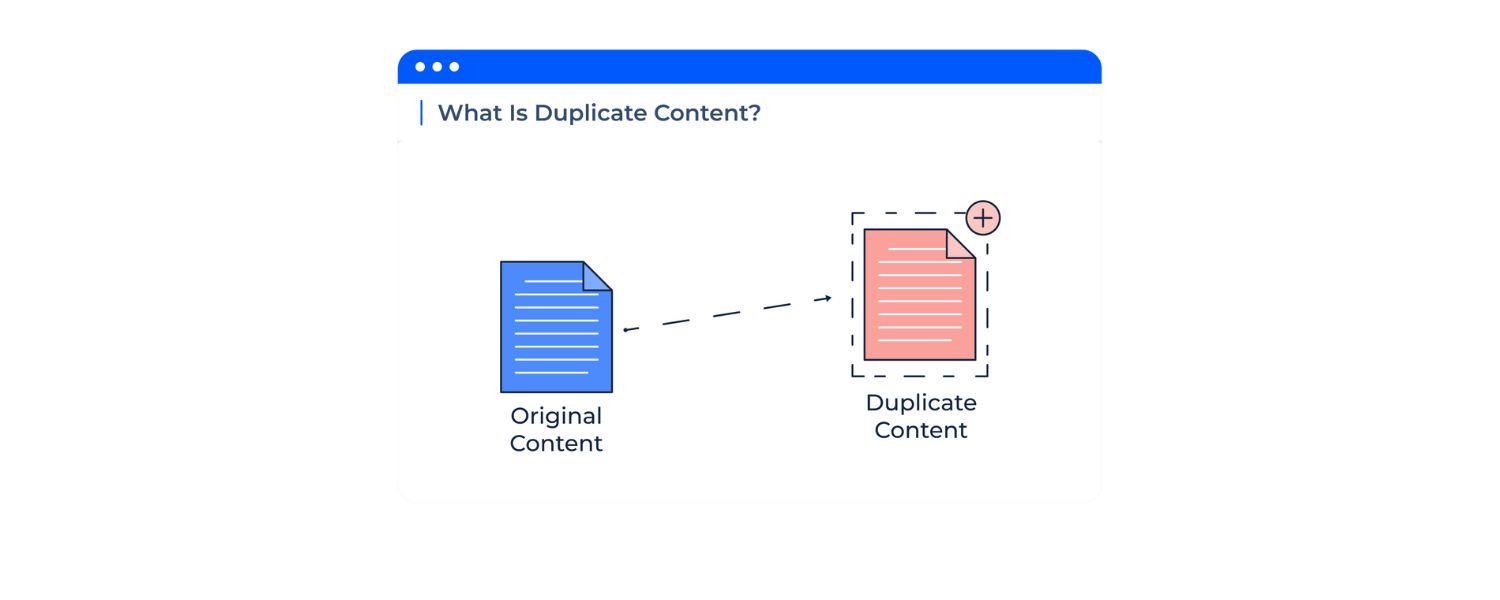
AMP requires maintaining a separate version of each page (unless your AMP page is the only version).
This means you have multiple URLs for the same content, typically one “normal” page and one “/amp” page.
Google expects the AMP page to reference a canonical URL and vice versa, but there have been cases where Google indexed both, causing duplicate content in search results.
If the rel=canonical tags or metadata are misconfigured, you might compete with yourself in search rankings.
Managing two versions also complicates SEO efforts since you need to ensure both versions are optimized and in sync content-wise.
7. User Experience Issues on Some Devices
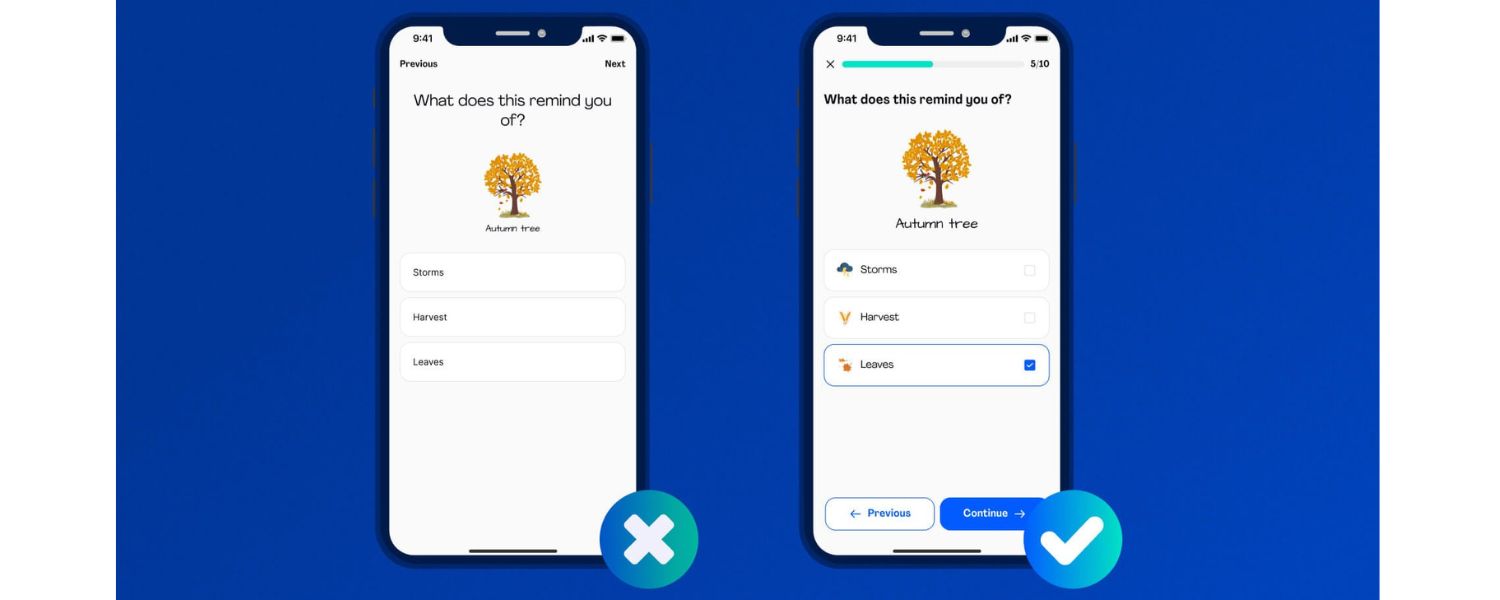
Interestingly, despite AMP’s goal of improving UX, some users reported quirks, especially in earlier implementations.
For example, AMP used a custom scrolling behavior on iOS that broke the expected functionality, users couldn’t use the scroll-to-top tap on the iPhone status bar on AMP pages, and the in-page search (Find on Page) didn’t work.
There were also reports of AMP pages rendering poorly on certain browsers (like squeezed layouts on iPad, or no margins on desktop if an AMP link was opened there).
While these are edge cases, they underscore that a one-size-fits-all approach to mobile pages can have downsides.
8. Overhead of Maintaining Two Sites
Last but not least, AMP adds complexity for site owners. You essentially have to maintain two versions of your content.
This doubles the work in some respects – two sets of templates, two testing workflows, possibly even separate feature sets.
Any change or update must be done twice if you want parity between AMP and non-AMP pages. This is a burden on developers and content teams, and it can lead to inconsistencies.
For example, if you forget to update an AMP page after changing the main page, users might see outdated info.
It’s a lot of hassle when modern responsive design techniques can often achieve a fast mobile experience without a duplicate site.
In summary, AMP’s warts include giving more leverage to Google, limiting what your pages can do, potential hits to revenue/analytics, and added maintenance overhead.
These issues have led many to sour on AMP, especially as alternatives emerged.
Is AMP Still Relevant in 2024 and Beyond?
With all the changes in the past few years, a burning question for site owners is whether AMP pages are still relevant in 2024/2025.
The short answer: AMP is no longer the must-have it once seemed, and for many websites, it may be unnecessary or even counterproductive today.
Here’s why the landscape has shifted:
1. Every Site Is Mobile-First Now
Back when AMP launched, a lot of sites still had clunky desktop-first designs that loaded slowly on phones. But now, responsive design and mobile-first development are standard.
As one SEO director put it, “AMP is redundant because every website is mobile-friendly now… normal pages have essentially caught up, offering full functionality that AMP pages lack while still being optimized for mobile”.
In other words, the gap AMP was trying to fill has narrowed.
A well-built responsive page using modern best practices (compressed images, minified scripts, caching, etc.) can load nearly as fast as an AMP page — and sometimes faster, since it can use more advanced techniques than AMP allows.
2. Google’s Algorithms Don’t Favor AMP Specifically
Google has confirmed that AMP itself is not a ranking factor. What matters are speed and page experience.
Originally, AMP was a shortcut to meet those criteria, but now site owners can achieve the same results without AMP. Google’s Core Web Vitals apply equally to all pages.
A non-AMP page that scores well on Largest Contentful Paint (LCP), First Input Delay (FID), and Cumulative Layout Shift (CLS) will rank just as well as an AMP page that scores similarly.
As of May 2023, analysis showed AMP and non-AMP pages rank equally in Google’s Top Stories carousel. There’s no longer a built-in advantage to being AMP.
The removal of the AMP badge and the Top Stories change were clear signals: Google cares about performance, not the specific technology used to achieve it.
3. Major Players Abandoning AMP
The industry trend is moving away from AMP. Many prominent publishers have publicly dumped AMP and seen no ill effects – in fact, some saw improvements.
For example, SearchEngineLand (a leading SEO news site) reported positive results after dropping AMP, and Outside Magazine saw an increase in page views once they ditched AMP in favor of their regular mobile pages.
These real-world cases undermine the notion that you need AMP to succeed in search or to satisfy users. When Twitter and LinkedIn stopped supporting AMP links in their apps, it further reduced AMP’s reach.
If your AMP pages are no longer being used by these platforms, maintaining them yields less benefit.
4. User Awareness and Skepticism
Savvy users have grown skeptical of AMP. Some actively avoid AMP pages, using browser extensions to be redirected to the original site.
The reason is the perception (sometimes valid) that AMP pages might be incomplete or that by using them, you’re feeding more data to Google.
This isn’t a universal sentiment, but as AMP became more controversial, it lost some goodwill among portions of the tech-savvy audience.
5. AMP’s Evolving (But Uncertain) Future
The AMP project isn’t dead – it’s adapting.
There are ongoing efforts like Bento AMP, which aims to let developers use AMP components on regular pages without the full AMP framework.
Google has also pushed formats like AMP Stories (a visual slideshow format in search results) and AMP Email, indicating they still see use-cases for the technology. But these are niche applications.
The core idea of AMP for general mobile pages is fading. Google itself has shifted focus to broader initiatives (like performance optimization guidance, Page Experience updates, and technologies such as Progressive Web Apps).
The fact that AMP is not prominently featured in Google’s 2024 strategy for search and web development suggests it’s not a priority going forward.
So, is AMP “dead”? Not officially – Google Search still supports AMP results, and AMP pages will still load lightning-fast for users.
If you have a thriving AMP setup that your audience likes, there’s no urgent need to rip it out. However, AMP is no longer a differentiator.
It’s become one solution among many for a fast mobile site, and arguably an outdated one given the constraints.
Many websites can achieve equal or better performance by investing in good site development (clean code, optimized assets, better hosting, etc.) without maintaining two versions of their pages.
Industry experts now often recommend focusing on your core mobile site rather than AMP, unless you have a specific reason to keep it.
AMP was a useful stop-gap; today, modern web tech and Google’s own policies have caught up and rendered the stop-gap less relevant.
Should You Use AMP in 2025? Tips for Website Owners

If you’re an online publisher or business owner, you have a decision to make: continue with (or implement) AMP, or put your efforts elsewhere.
Here are some guidelines to help you decide, based on the latest insights:
1. New Website or No AMP Yet – Focus on a Fast Responsive Site
If you are building a new site (or never implemented AMP in the first place), the general advice is don’t bother with AMP in 2025.
Instead, invest in making your primary site mobile-friendly and fast. Use responsive design, optimize your images, minimize JavaScript bloat, and leverage caching/CDNs.
A well-built site can meet Google’s speed and experience criteria without needing a separate AMP version.
Skipping AMP also means you won’t have to worry about duplicate pages or complex setups.
In short, build for mobile from the ground up (mobile-first design), and you’ll likely see all the SEO and usability benefits AMP would have given you.
2. Already Using AMP- Evaluate Its Impact
For sites that already have AMP implemented, evaluate whether it’s truly benefiting you.
Check your analytics: Are your AMP pages getting significantly more traffic or engagement than your regular pages? Are they mainly appearing in Google Search or Google News still?
If AMP is working well (for example, your site is news-heavy and AMP pages still appear in Top Stories or Google Discover often), you might choose to keep AMP a while longer.
There’s nothing inherently wrong with keeping them if they cause no issues – just know that you likely aren’t getting a special ranking boost anymore, only the speed benefits.
If your site templates are heavily AMP-dependent for performance, you could maintain them while you work on speeding up your main site in parallel.
On the other hand, if you suspect AMP is holding you back (maybe your AMP pages have lower ad revenue or lack features that drive conversions), it could be time to let go.
Many publishers have removed AMP and, after an initial adjustment period, saw their overall traffic and metrics improve.
Google now indexes the non-AMP pages preferentially as long as they’re fast, so you likely won’t lose rankings by dropping AMP – just make sure your main pages are up to par on speed.
3. Planning to Remove AMP- Do It Safely
If you decide to disable AMP pages, you’ll want to do it carefully to avoid any disruptions in SEO or user experience.
Simply deleting AMP pages can lead to broken links or a drop in traffic if not handled properly.
Here’s a brief checklist (as detailed guides from Google and SEO experts suggest):
A. Ensure Non-AMP Pages are the Canonical
Before removal, double-check that your non-AMP page is referenced as the canonical in the AMP page HTML and that Google has indexed the primary version.
This way, search results should point to your main page once AMP is gone.
B. Remove AMP from Search Index
Use Google Search Console’s AMP reports to find all your AMP URLs.
Once you disable or delete them, consider adding noindex tags to AMP pages or use the removal tool to expedite their disappearance from search results.
Google’s documentation suggests using a Link: ; rel=“canonical” header or a redirect to guide GoogleBot away from AMP pages.
C. Set Up Redirects
To preserve any traffic from old AMP links (for instance, links shared on social media), set up 301 redirects from the AMP URLs to the corresponding normal page URLs.
If you used a CMS plugin for AMP, it might have a feature to do this automatically when you turn off AMP support. If not, you can manually add redirect rules on your server or via a plugin.
D. Monitor After Removal
Keep an eye on your analytics and Google Search Console after removing AMP.
You may see a temporary dip as Google recrawls and adjusts, but it should recover if everything is set up right. Check for any spike in 404 errors (indicating missed redirects) and for any user feedback issues.
If you’ve optimized your main pages well, you might even see improvements in engagement or ad revenue post-AMP, as was the case for some who made the switch.
4. Alternatives to AMP for Speed
Remember, the primary goal that led to AMP, fast mobile pages, can be achieved in other ways.
Make sure you’re leveraging techniques like lazy-loading images, compressing files, using efficient CSS, and perhaps adopting newer technologies like Progressive Web Apps (PWA) or Server-Side Rendering for your site.
These can deliver near-instant interactivity and offline capabilities (in the case of PWAs) without locking you into the AMP framework. Google’s own PageSpeed
Insights and Lighthouse tools can guide you on what to fix to speed up your pages.
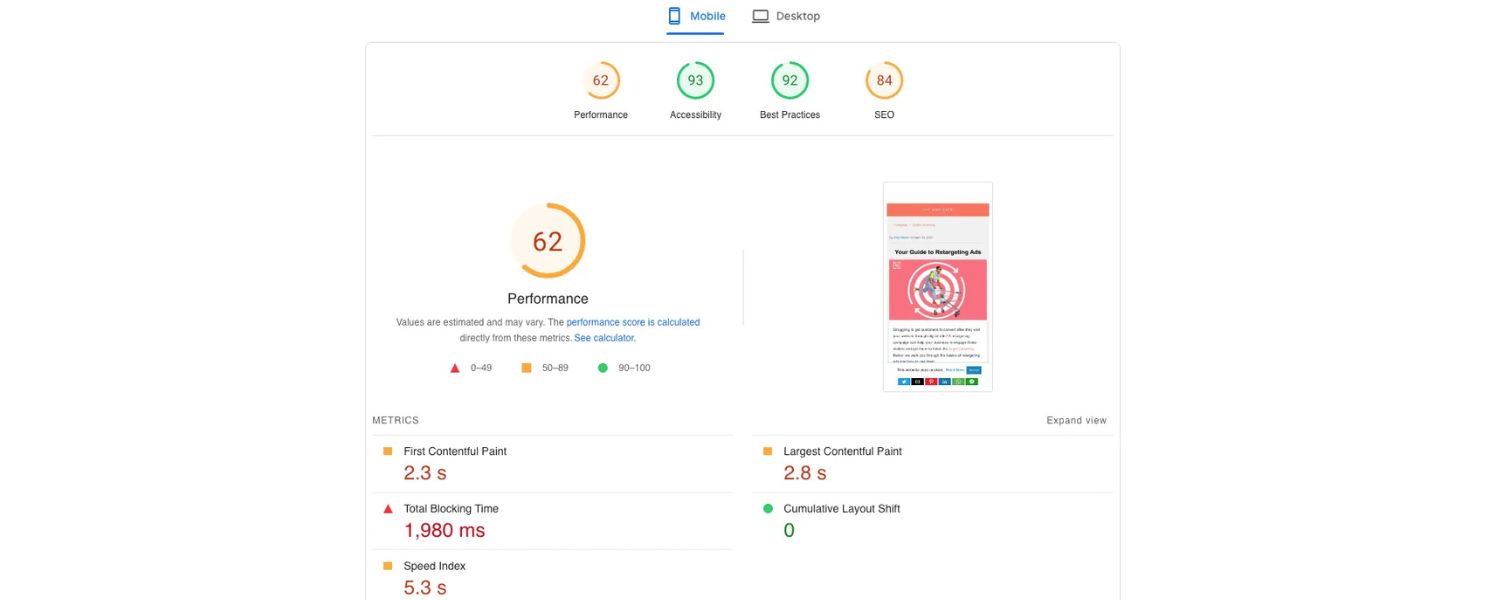
In 2024, focusing on Core Web Vitals improvements (e.g., optimize for a Largest Contentful Paint under 2.5s, etc.) is more beneficial than focusing on AMP specifically, because those metrics directly impact your SEO and user satisfaction.
Conclusion: AMP in 2025- A Legacy Tool or Still Useful?
Accelerated Mobile Pages were born out of a noble goal: to make the web faster and better for mobile users.
In practice, AMP did help push the web forward, it set a high bar for performance that encouraged everyone to speed up.
Here in 2025, however, AMP pages are no longer the shiny new trick for SEO or mobile optimization.
They’re more of a legacy approach, one that might still have specific uses (like in Google’s few AMP-based formats or for websites that haven’t modernized), but which most site owners can safely live without.
The bottom line:
Focus on building a fast, user-friendly website by modern standards. If you do that well, you don’t need AMP to rank high on Google or delight mobile visitors.
On the other hand, if you have an existing AMP setup that you’re happy with, you can keep it, just recognize it’s not giving you an edge, it’s merely keeping you in the pack of fast sites.
The web has evolved to make speed accessible to all developers, not just those using AMP.
In the spirit of the open web, many are choosing the flexibility of standard web technologies over the constraints of AMP.
As Google’s own stance shifts towards a broader performance focus, we’re likely to see AMP continue to fade in prominence.
Newer initiatives (perhaps the next AMP-like project or improved browser features) could further obviate the need for AMP.
Call to Action:
Are you unsure about your site’s mobile performance or considering making the switch away from AMP?
Take a hard look at your site’s speed on mobile using tools like Google’s PageSpeed Insights. Compare your AMP and non-AMP pages.
If you find room for improvement, start optimizing your main site — image compression, removing render-blocking scripts, using a better hosting or CDN, and test again.
The faster you can make your core website, the less AMP matters. Ultimately, providing an excellent user experience is the goal, whether via AMP or otherwise.
Keep your users’ needs at the forefront, and you’ll make the right choice. Here’s to a faster, user-first web in 2025 and beyond!
Advantages and limitations of AMP at a glance:
While AMP offers near-instant load times and improved mobile UX, it comes with design/feature restrictions and is no longer specially favored by Google.

.png)
Shopify SEO: Guide to Ranking Your Store and Driving Sales
Most Shopify store owners set up their store, list their...

Content Marketing : Definitive Guide to Strategy, Content Types, and Measurable ROI
Content marketing generates 3x more leads than outbound marketing at...

Above the Fold: Guide to Conversions, Rankings and Faster Pages
Above the Fold in 2026: The Complete Guide to Conversions,...

Off-Page SEO Checklist: Guide to Building Real Authority
Most websites spend months creating great content, only to wonder...

What Is Keyword Bidding? The Complete Strategy Guide for Smarter Ad Spend
Most advertisers believe the highest bid wins the auction. It...

What Is Google Trends? The 2026 Marketer’s Complete Guide
If you are not already pulling weekly insights from Google...
If you want a growth partner who will get to know every aspect of your business and treat your budget like their own — we are the right fit.
.png)


.png)
.png)
.png)
.png)
.png)
.png)
2026 ALL RIGHTS RESERVED MADE IN INDIA
