
ChatGPT Search: AI-Powered Web Searching Reinvented
September 5, 2025
Introduction
Imagine a search engine that not only finds information for you but also explains it in a conversational way, complete with sources for trust. That’s exactly what ChatGPT Search offers.
It combines the natural language understanding of OpenAI’s ChatGPT with real-time web results, letting you ask questions and get up-to-date answers as if you were chatting with an expert.
No more sifting through pages of links, ChatGPT Search brings the information straight to you in a human-friendly format. In this blog, we’ll explore what ChatGPT Search is, how it works, its advantages over traditional search engines, and tips to make the most of this AI-driven search experience.
What is ChatGPT Search?
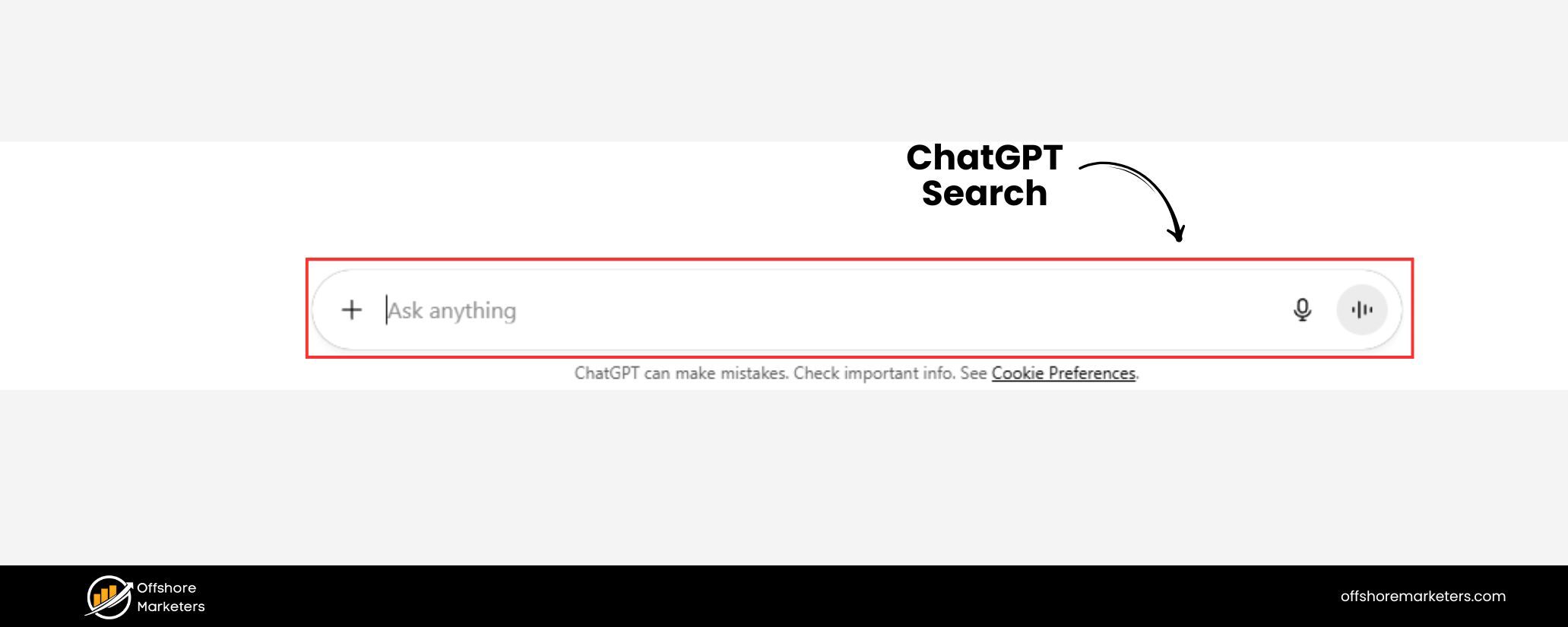
ChatGPT Search is a new feature that enables ChatGPT to search the web for current information and blend those results into its answers. In essence, ChatGPT has evolved into an AI-powered search engine inside a chat interface.
OpenAI introduced this capability in late 2024 as a way to get “fast, timely answers with links to relevant web sources” directly from ChatGPT.
Unlike the original ChatGPT (which was limited to knowledge from its training data cutoff), ChatGPT Search can pull in up-to-the-minute facts, whether it’s today’s news, latest sports scores, stock market updates, or weather forecasts.
It does so by leveraging a specialized version of OpenAI’s GPT-4 model that is fine-tuned for search, along with live results from third-party search providers (one of which is Microsoft Bing) and content from trusted partners.
In practical terms, this means you can ask ChatGPT questions about current events or any topic and get an answer that includes information from the web, all within the chat.
For example, if you ask about this week’s top news or tomorrow’s weather in a city, ChatGPT Search will fetch the latest data and present it in conversational form. It seamlessly combines the convenience of a chat assistant with the breadth of internet search results.
According to OpenAI, the goal is to allow users to engage with information in a new way, asking follow-up questions, drilling deeper into a topic, and having the AI remember the context of your conversation to refine results.
This conversational approach can save you the effort of performing multiple separate searches and piecing together answers yourself.
Crucially, ChatGPT Search doesn’t just spit out an answer; it also provides citations (references) for the information it finds.
Each time the AI pulls content from the web, it will cite the source, you’ll see small reference numbers or a “Sources” button that you can click to verify where the information is coming from.
This helps build trust and transparency, addressing one of the common criticisms of AI chatbots (that they can generate answers without showing evidence).
As the president of Vox Media noted during the launch, “ChatGPT search promises to better highlight and attribute information from trustworthy news sources, benefiting audiences while expanding the reach of publishers…”.
In other words, publishers are on board too, OpenAI has partnered with dozens of major news organizations (AP, Reuters, Vox, Condé Nast, Hearst, and more) to license their content for use in ChatGPT’s answers.
Rather than replacing content creators, ChatGPT Search aims to connect users with high-quality content and even drive traffic to original sources in the process.
It’s also worth noting that ChatGPT Search is now widely available. Initially, this feature rolled out to ChatGPT Plus subscribers and a waitlist group in late 2024, but as of early 2025 it has become available to all users in regions where ChatGPT is offered.
In other words, even free users can use ChatGPT Search now, no special signup or payment required. You can access it through the ChatGPT website (chatgpt.com) or the official ChatGPT mobile apps, and it’s built right into the standard ChatGPT interface.
How to Use ChatGPT Search (Step-by-Step)
Using ChatGPT Search is very straightforward. If you’ve used ChatGPT before, the interface remains the same with one key addition – a “Search the web” option. Here’s how you can use this powerful feature:
ChatGPT’s interface featuring the web search option (globe icon) next to the message input, allowing users to send their query to the web.
1. Open ChatGPT (Web or App)
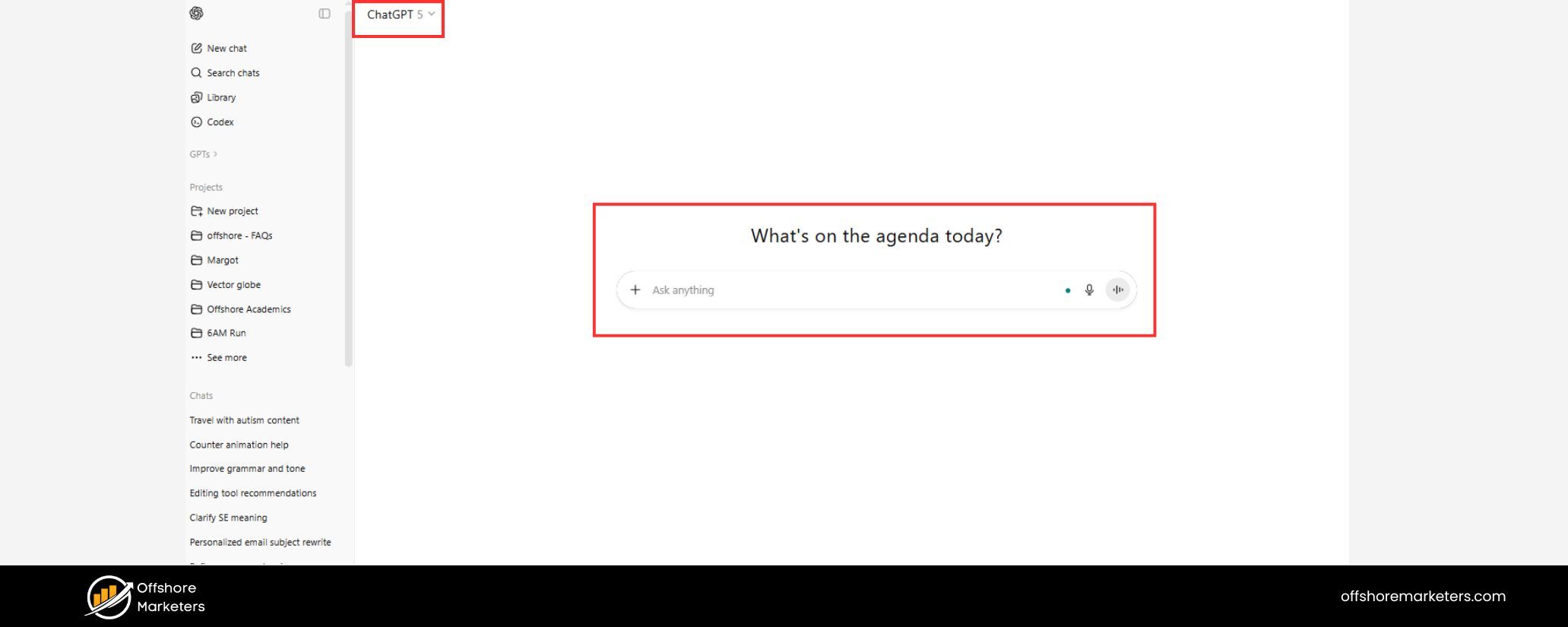
Log in to your account on chatgpt.com or open the ChatGPT mobile app. Make sure you have the latest version if you’re on mobile, since the search feature is a newer addition. Free users and Plus users both have access as of now, so no need for any special activation.
2. Enable the Web Search mode
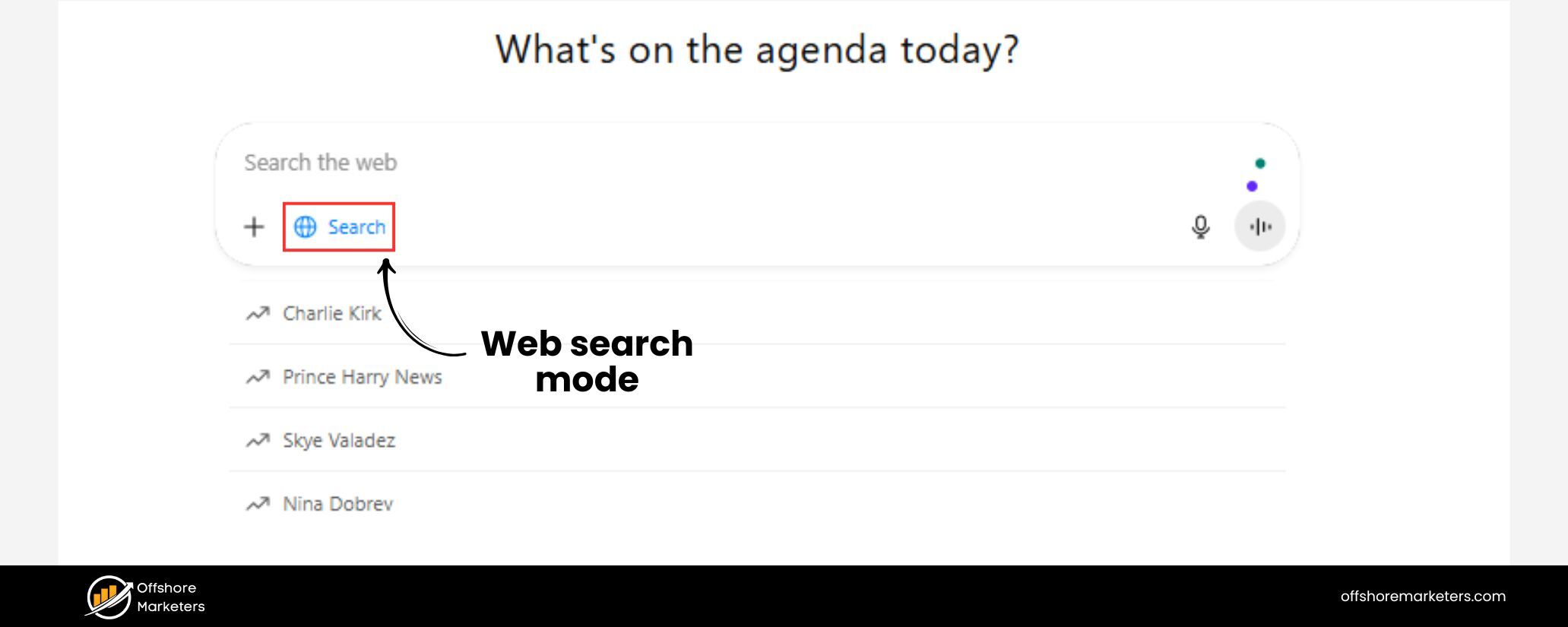
Look for the web search icon (globe icon) near the message input field. On the web interface, it appears as a small globe or magnifying glass button in the chat box.
Click this “Search” icon to turn on web search for your next query. (If you prefer, you can leave it on automatic – ChatGPT will decide to search the web on its own when your question needs up-to-date info. But clicking the icon gives you manual control.)
3. Ask your question naturally
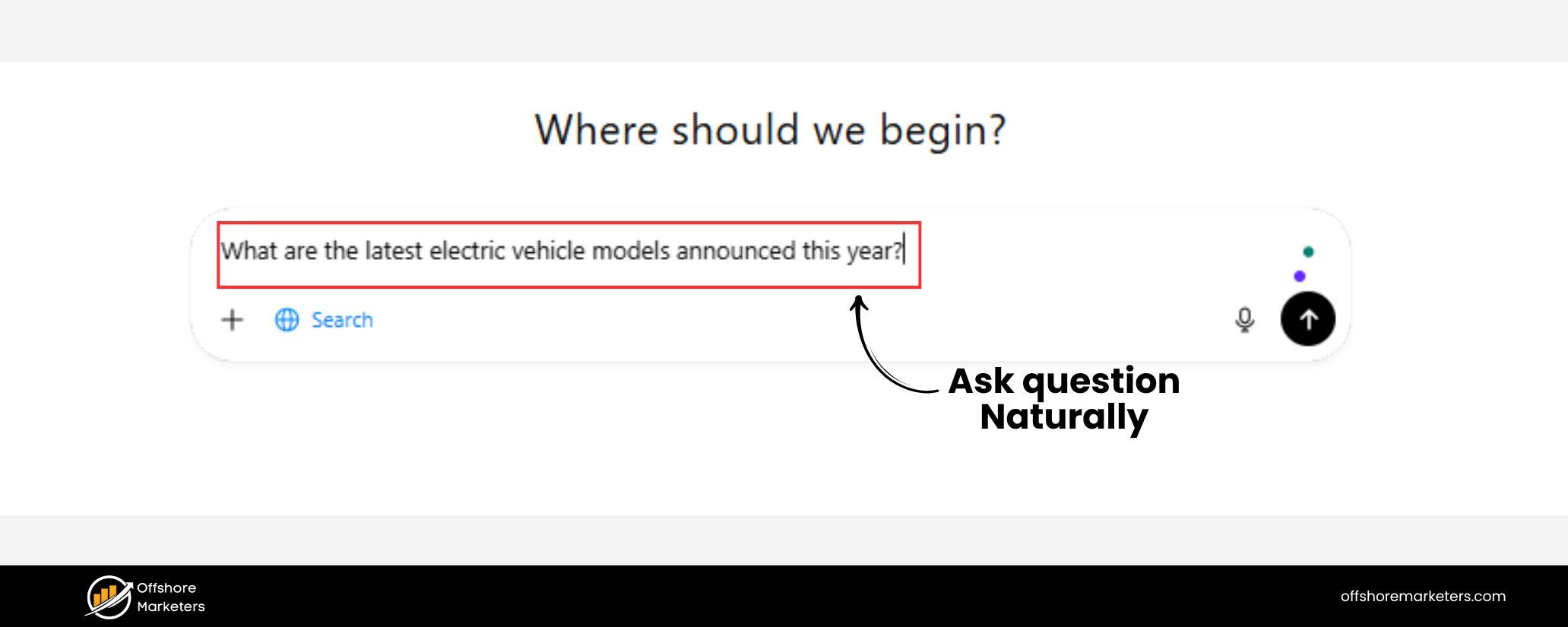
Type your question or prompt just as you normally would. You don’t need to phrase it like a typical search engine query – feel free to ask in complete sentences or a conversational tone.
For example: “What are the latest electric vehicle models announced this year?” or “Who won the football match last night and what was the score?” ChatGPT will then conduct a web search in the background to find relevant information.
4. Wait for the AI to compile results
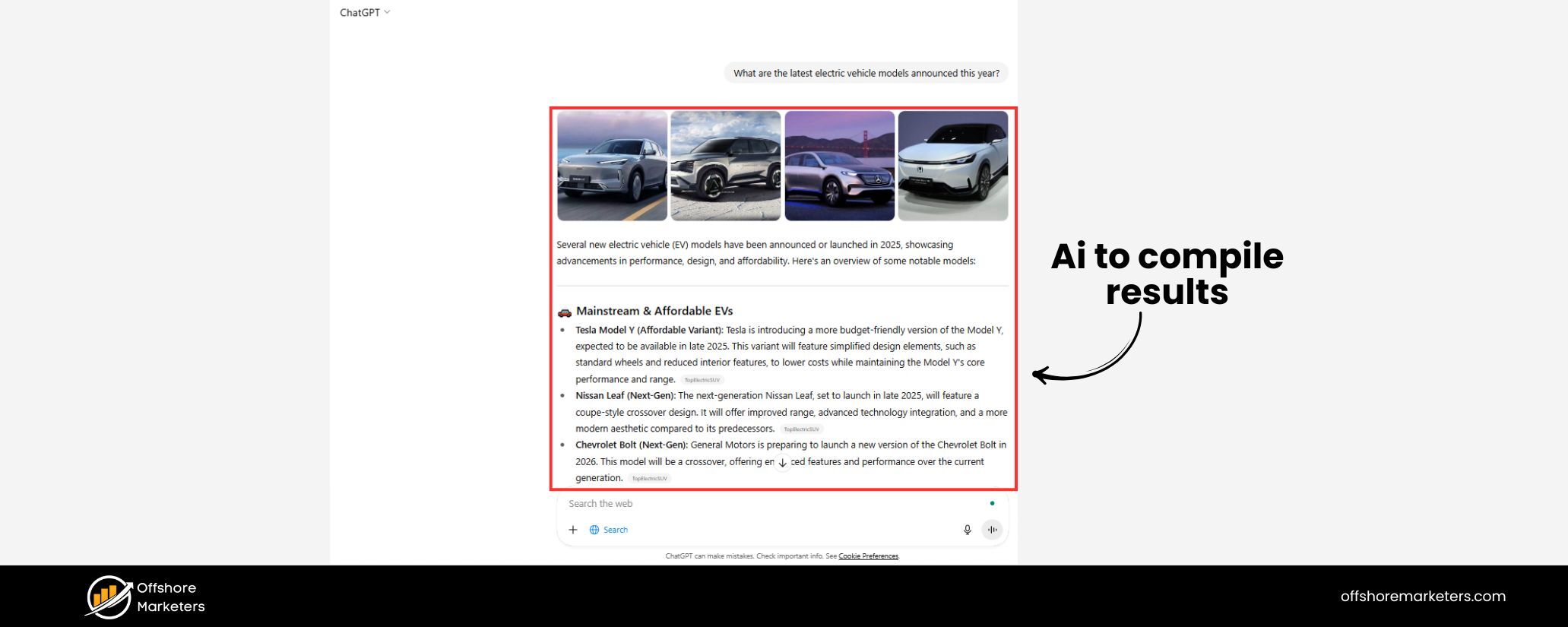
ChatGPT will briefly display a message like “Searching for answers…” as it fetches data from the web. Within a few seconds, you’ll see the response appear.
This answer will be written out by the AI, synthesizing the information it found, and crucially it will include inline citations (numbers next to facts or statements).
Don’t be surprised if the style looks like a mini-article or summary – ChatGPT is compiling the key points for you rather than just listing raw links.
5. View sources and verify information
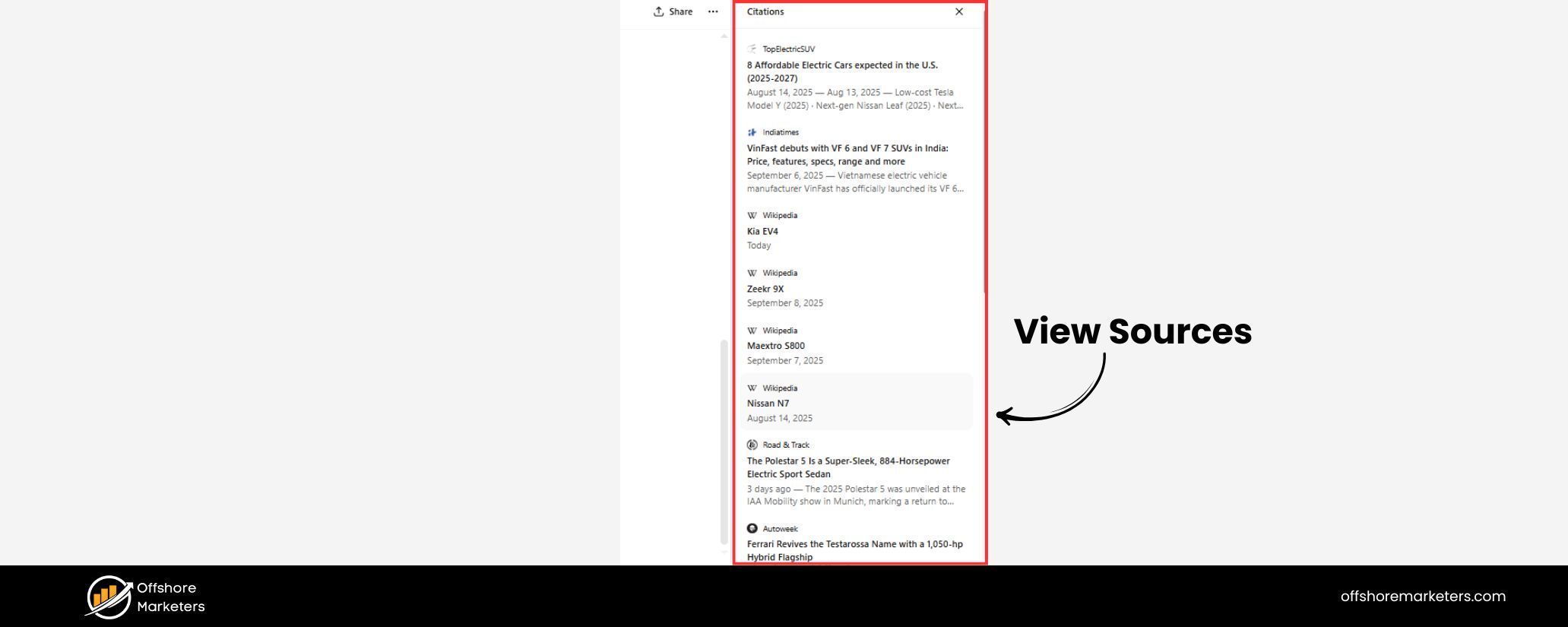
After you get the answer, you can click on the sources (the citation numbers or the “Sources” button) to see where the information came from. ChatGPT will show a sidebar or footnote list with the titles of articles, websites, or posts it used, each linked to the original page.
This is your opportunity to verify facts or read more detail from the original source. For instance, if ChatGPT says “according to The Verge,…”, you can click through to read that full The Verge article.
This transparency is a huge advantage of ChatGPT Search over the older ChatGPT experience, where you had to take the AI’s word for it.
6. Ask follow-up questions to refine
One of the best ways to use ChatGPT Search is to treat it like a conversation. If the initial answer is unclear or prompts another question, just ask a follow-up in the same chat.
Because ChatGPT remembers the context, you can refine your search without starting from scratch. For example, after asking about electric vehicles, you might follow up with “Which of those have the longest battery range?” – ChatGPT will use the context (the list of EV models) and search further if needed to give you a focused answer.
This iterative querying is much easier than doing multiple separate searches on Google and trying to connect the dots yourself.
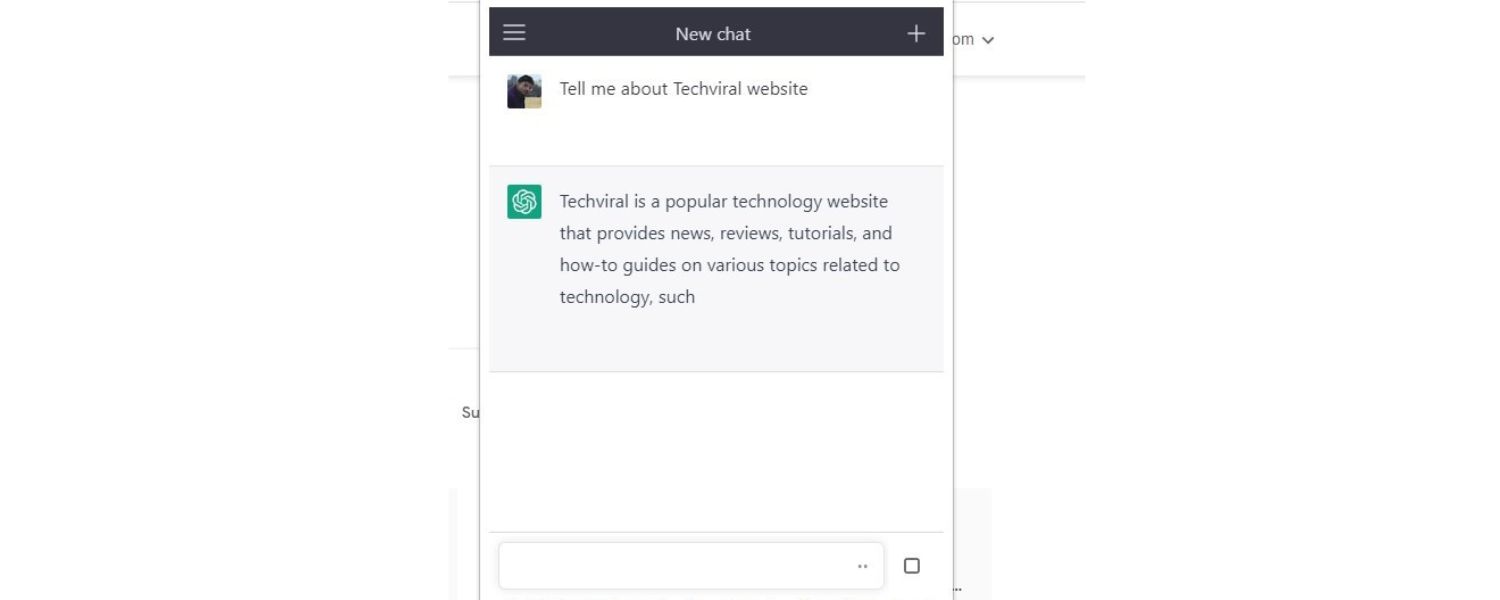
Tip: If you want to integrate ChatGPT Search into your everyday browsing, OpenAI has also provided a Chrome extension that lets you use ChatGPT as your default search engine in the browser.
By installing this extension, any time you type a query in Chrome’s address bar, it can be answered by ChatGPT Search instead of Google.
This is a bold move (as one user noted, it’s essentially trying to intercept traffic that would normally go to Google), but it can be quite convenient if you prefer ChatGPT’s style of answers.
The extension will automatically invoke ChatGPT when you search, giving you an AI-curated answer with citations on the fly. It’s an optional but powerful way to make AI search a part of your workflow.
Key Features and Benefits of ChatGPT Search
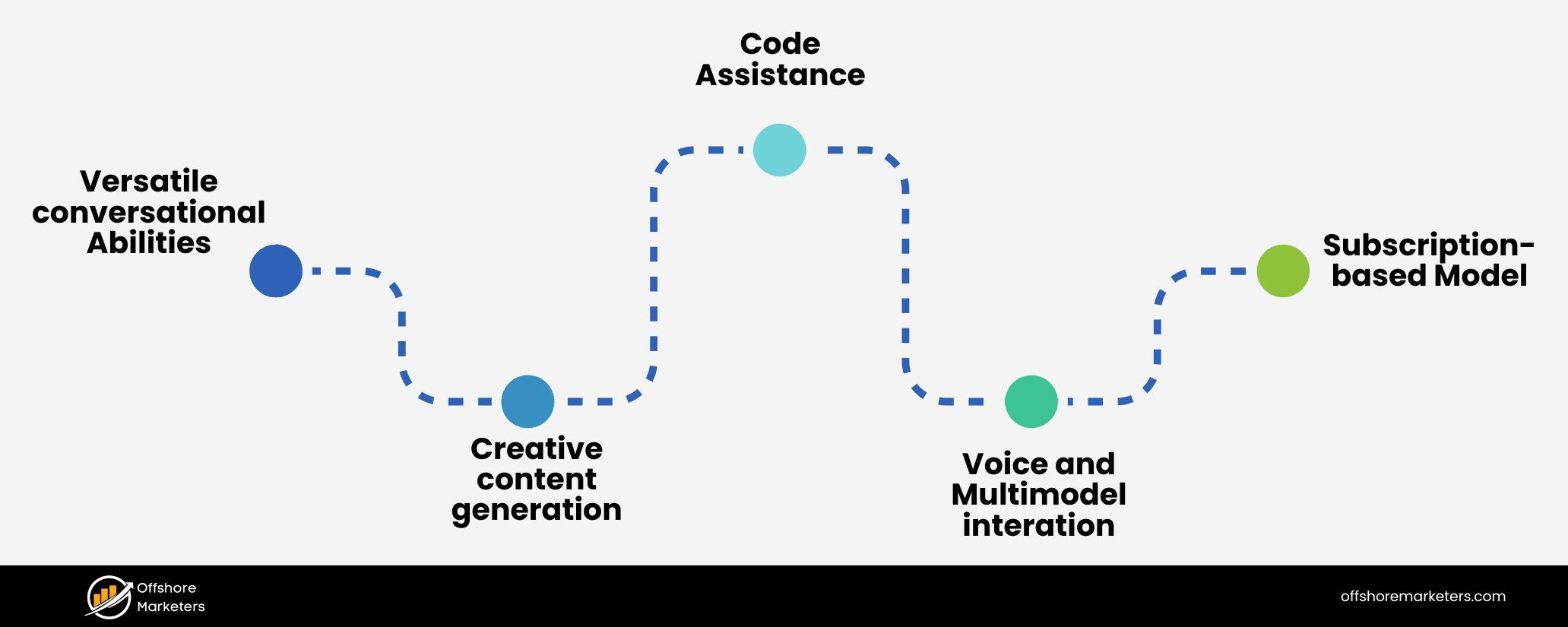
Why use ChatGPT Search instead of a traditional search engine or the older ChatGPT model? Here are some of the standout features and benefits that make this new search paradigm exciting:
1. Natural, Conversational Queries
With ChatGPT Search, you can ask questions in plain English (or whichever language you prefer) without worrying about crafting the perfect keyword string.
The AI understands context and intent, so you can phrase questions just like you’d ask a person. This makes searching more intuitive, especially for complex questions.
In fact, OpenAI’s CEO Sam Altman remarked that for many queries, ChatGPT Search feels “faster and easier” as a way to get the info you’re looking for. You spend less time figuring out how to ask and more time getting answers.
2. Up-to-Date Information
Unlike the original ChatGPT which had a knowledge cutoff, ChatGPT Search can pull in real-time data from the web. That means you can get answers about today’s news, current market prices, live sports results, or any recent event.
For example, if there’s a breaking news story, ChatGPT Search can summarize it for you with information from news websites that have published within minutes.
It’s not limited to its training data – it continually updates its answers with fresh content. This keeps the AI’s responses relevant and timely, essentially bridging the gap between static AI knowledge and the dynamic world of the internet.
3. Integrated Sources and Citations
Every factual claim or piece of data that ChatGPT finds online is attributed to its source. You’ll notice superscript numbers or a list of references accompanying the AI’s answer.
By clicking these, you can see the original source (whether it’s an article, blog post, research paper, or even a social media post). This level of transparency is a game-changer.
It builds trust in the answers and allows you to double-check information easily. If you’ve ever been skeptical of an AI-generated answer, the citations reassure you that “I got this from here, you can verify it.”
It’s also helpful for digging deeper – if ChatGPT gives a brief summary, you have the link to read the full context if you want.
4. Deeper Answers with Context
ChatGPT doesn’t just give you one-shot answers; it can consider the context of your conversation to provide richer, more tailored information.
For instance, you could have a multi-turn dialogue: “ChatGPT, what’s the weather forecast for Rome this weekend?” It might answer with the forecast and cite a source.
Then you ask, “Great, any recommendations for outdoor activities there given that weather?” – now ChatGPT can use both the live weather info and its general knowledge to suggest ideas.
This context retention means the search results become more personalized and relevant to your true intent, something a traditional search engine wouldn’t easily know without you explicitly searching again.
5. No Ads or Clutter
One of the immediately noticeable benefits of ChatGPT Search is the clean, focused experience. You pose a question and you get an answer.
There are no banners, sponsored links, SEO-filled pages, or other distractions that typically crowd a Google search results page. This can save time and make the experience more pleasant.
You’re not scrolling past ads or skipping irrelevant results – ChatGPT’s AI is doing the filtering for you. Of course, it’s not perfect (sometimes the AI might include an irrelevant source or miss a detail), but overall it strives to cut through the noise that often comes with traditional web searching.
6. Visual and Structured Results
In certain categories like weather, stock data, sports scores, or maps, ChatGPT Search can present information in a nicely formatted way.
OpenAI partnered with providers to incorporate things like weather forecasts, stock tickers, or map snippets directly in the answer.
For example, asking for the weather might show a brief forecast table or asking for “NFL scores” might list recent game scores in an easy-to-read format. This makes results more digestible, as opposed to just linking you to another site for the information.
7. Reduced Misinformation (via Web Check)
One issue with AI language models is that they can sometimes “hallucinate” – i.e. make up answers that sound plausible but are incorrect. By integrating a web search, ChatGPT has an ability to fact-check itself in real time.
OpenAI’s team has noted that being able to pull information from the web can improve answer accuracy and relevancy.
The head of OpenAI’s media partnerships explained that access to the web decreases hallucinations because the AI can verify details instead of relying purely on its training memory.
In practice, this means you’re more likely to get correct, up-to-date answers. And if ChatGPT isn’t sure about something, it tends to include a source or even multiple sources that you can cross-verify. Of course, AI isn’t infallible (more on limitations later), but this hybrid approach of AI + search is a step toward more reliable responses.
ChatGPT Search vs. Traditional Search Engines
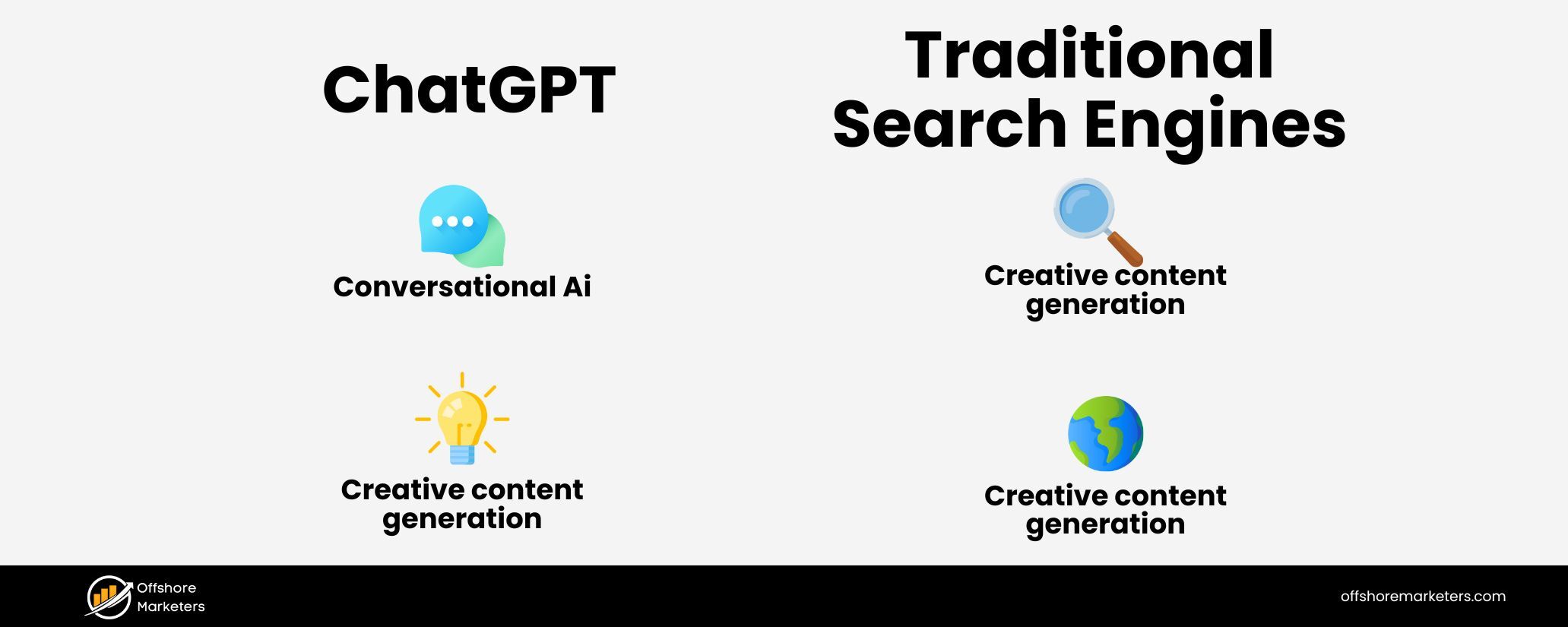
With these benefits in mind, you might wonder how ChatGPT Search compares to using Google or Bing directly. Is this AI-driven search going to replace traditional search engines? Let’s look at some comparisons:
1. Answer Format
Traditional search engines like Google provide you a list of links (and maybe a short snippet for each) and leave it to you to click and read the details.
ChatGPT Search, on the other hand, gives a cohesive answer, written in natural language, often synthesizing information from multiple sources. It’s like the difference between getting a research report versus a bibliography of references.
For many queries, especially those asking for an explanation or advice, users find ChatGPT’s single, well-written answer more convenient than clicking through several links.
Sam Altman noted that this format can be a “faster/easier way” to get information for a lot of questions. On the flip side, if you enjoy exploring multiple sources, you can still do so via ChatGPT’s citations – but the initial heavy lifting of finding and summarizing is done for you.
2. Conversational Search Experience
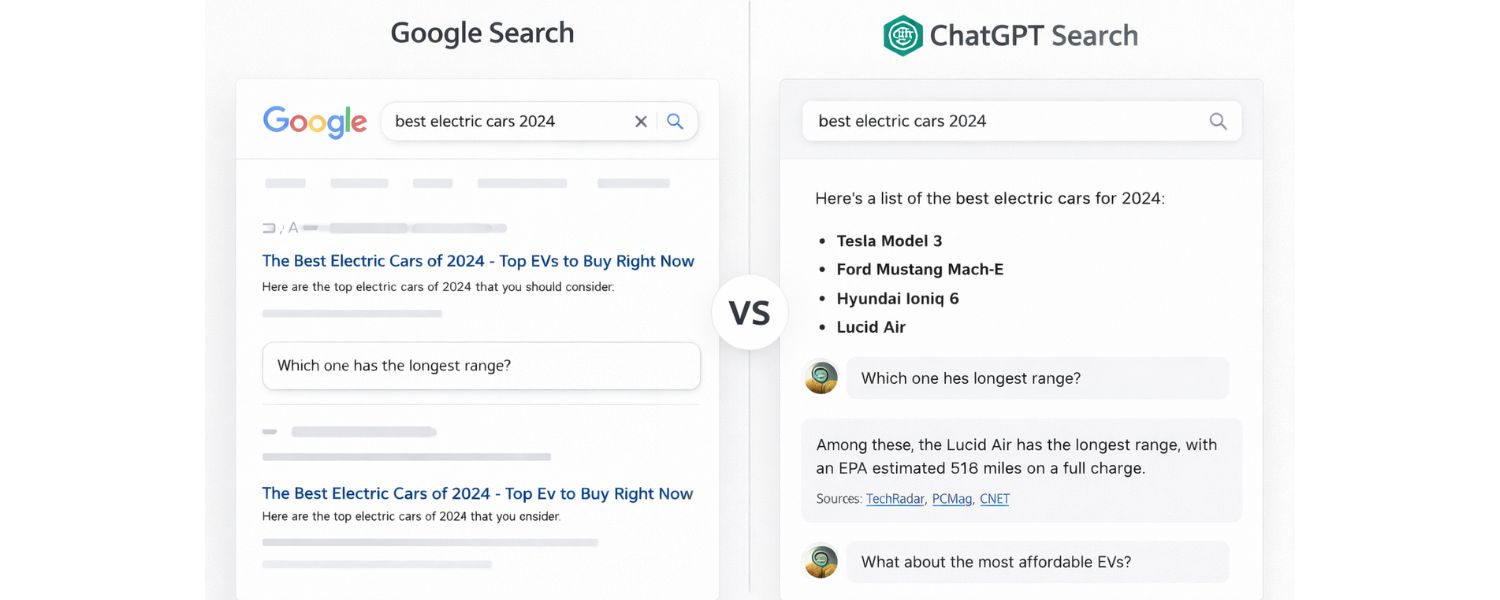
Google has been the go-to for finding answers, but it’s fundamentally a keyword-based tool – you enter a query, get results, enter a refined query, and so on. With ChatGPT, the experience becomes a conversation.
You don’t have to start over if the first answer isn’t exactly what you need; you can clarify or deepen the query in context.
This gives ChatGPT a more interactive, assistant-like feel compared to the static question-answer loop of a normal search engine. It’s a bit like having a knowledgeable librarian you can talk with, versus looking up entries in an index yourself.
3. No Advertisements
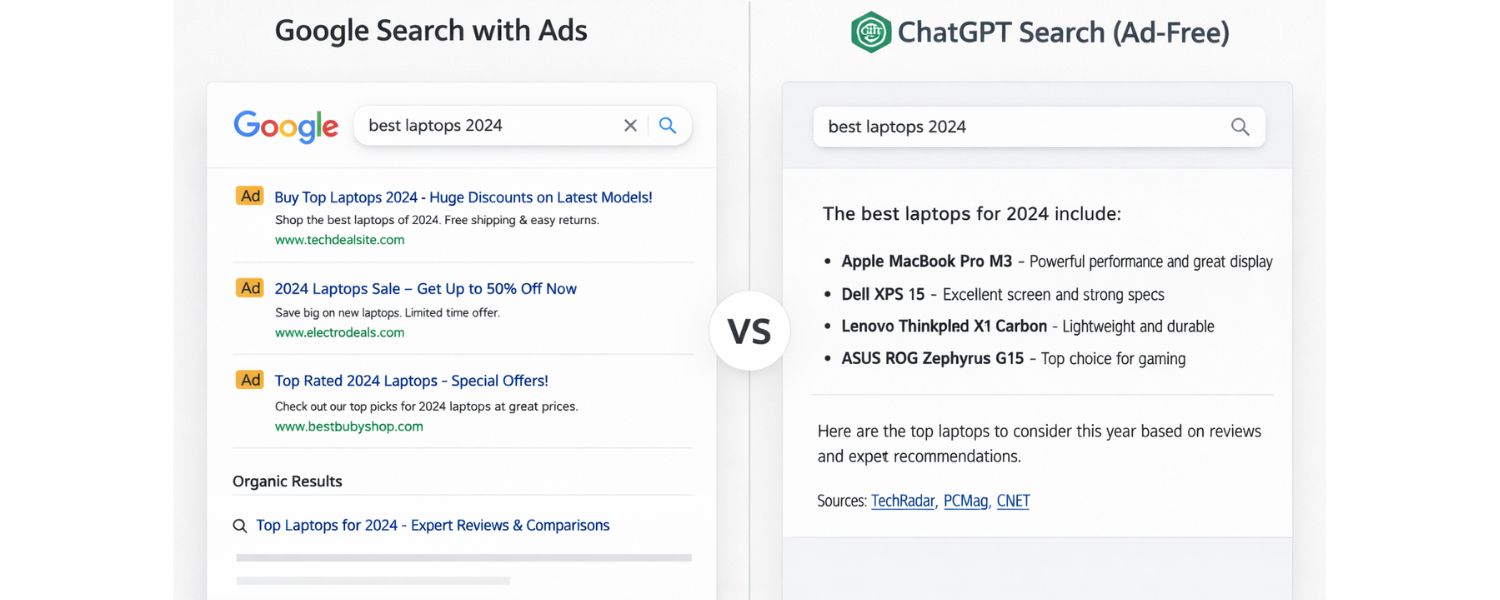
Google’s search results these days often begin with ads and sponsored content, which can sometimes be misleading or not what you want. ChatGPT Search presents no ads at all. The interface is just your question and the answer.
For users, this is a breath of fresh air – the focus is purely on getting information, not on any commercial placements. That said, it’s worth considering that Google’s entire business model revolves around those ads, whereas ChatGPT (especially for free users) currently isn’t monetizing via ads.
This could indicate a big shift in how search might be monetized in the future (perhaps via subscriptions like ChatGPT Plus, or other means), but as a user experience, ad-free answers are certainly appealing.
4. Quality of Sources
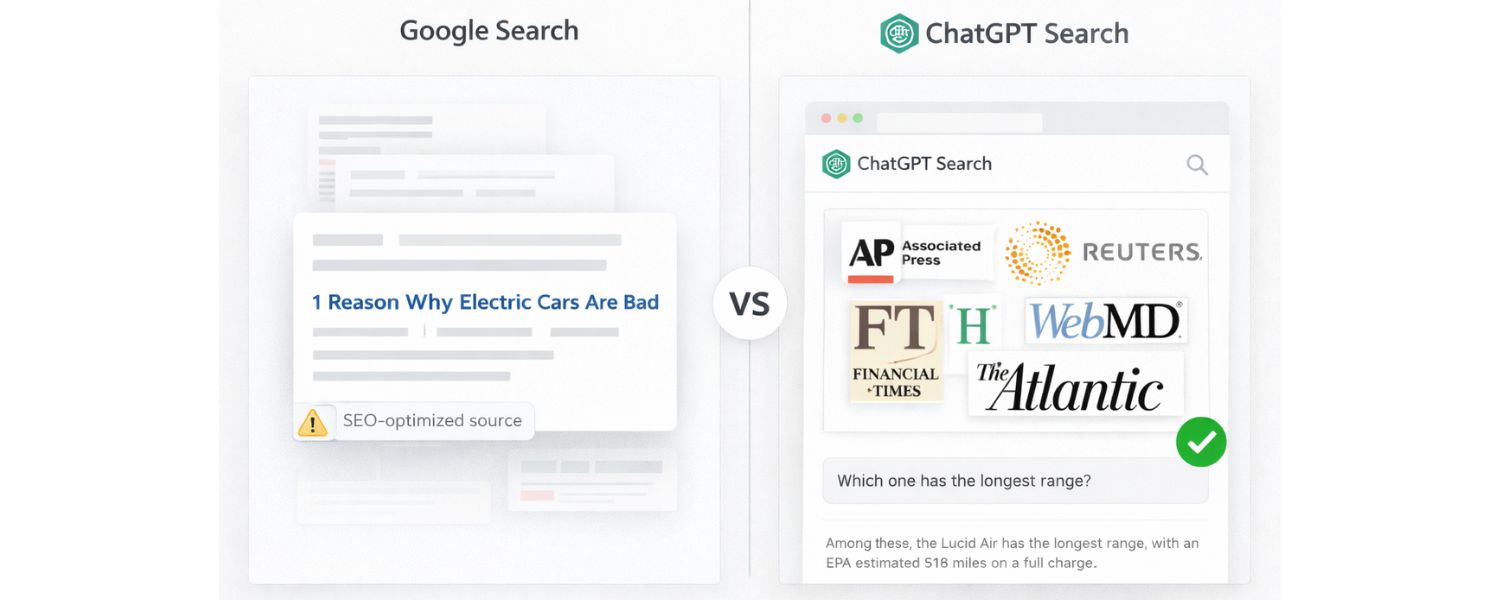
Google’s algorithm is very good, but it sometimes surfaces content that is SEO-optimized yet not very authoritative. ChatGPT Search actively pulls from a curated set of reputable sources and licensed content from real publishers.
The list of partners (Associated Press, Reuters, The Atlantic, Financial Times, etc.) reads like a who’s who of credible media. This doesn’t mean ChatGPT ignores the rest of the web (it will still fetch from the open internet), but there is an emphasis on trustworthy information.
In fact, some publishers who have been hesitant about AI scraping their content have agreed to collaborate here because ChatGPT Search drives traffic back to them via citations.
Google, by contrast, often just shows a snippet and users might never click through to the publisher (a point of tension known in the context of Google’s featured snippets). ChatGPT’s approach could be seen as more publisher-friendly while also giving users direct info – a fine balance.
5. Comprehensiveness vs. Specificity
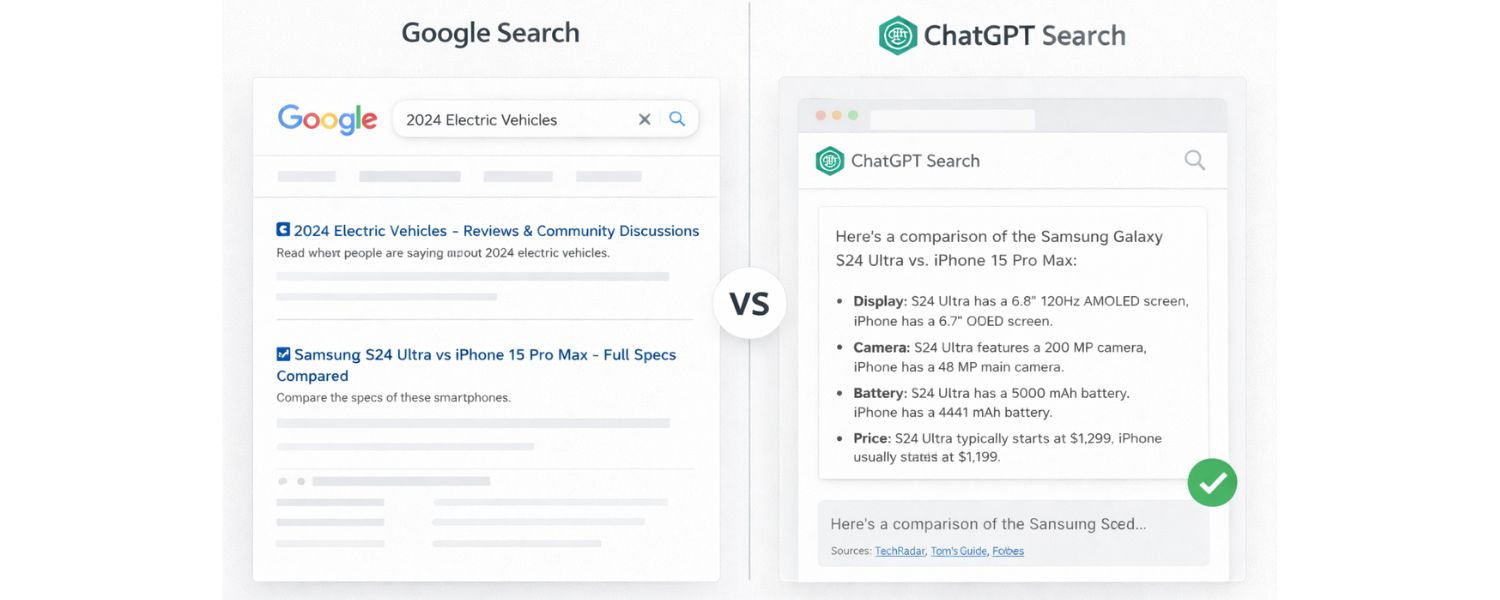
There are times when a traditional search engine might be preferable. For instance, if you want a broad survey of opinions (say product reviews or forum discussions) or if your query is very navigational (like “official website of X”), a quick Google search might get you exactly the one link you need.
ChatGPT’s strength is in exploratory, explanatory, or analytical queries – where you’d otherwise have to gather information from multiple places and piece it together.
It shines when asked to compare things, summarize a topic, or give multi-step advice. A standard search engine might show you a comparison tool or individual pages, but ChatGPT will attempt to do the comparison for you in one go.
On the other hand, if you need that one exact data point from an obscure PDF, a direct search might find it faster. So there is still a place for traditional search, but those places are starting to shrink as AI search gets more capable.
6. Competitive Landscape
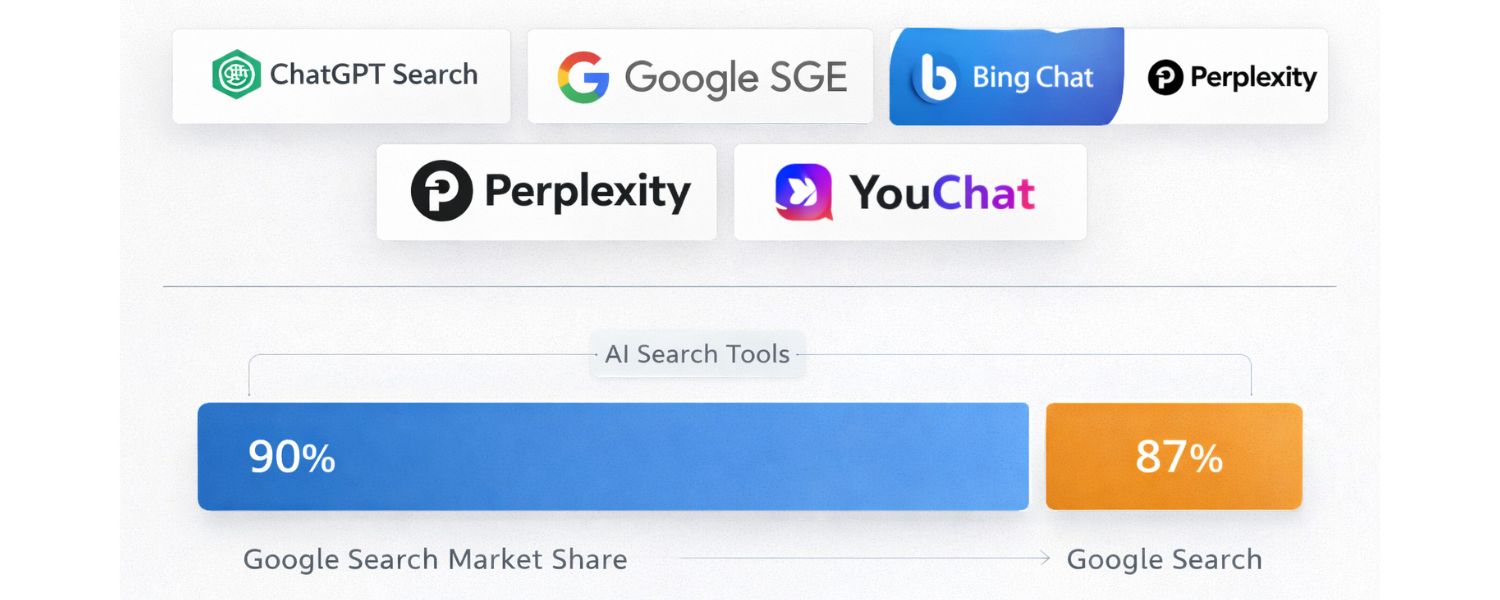
It’s interesting to note that ChatGPT Search enters a landscape where others are also blending AI with search. Microsoft’s Bing Chat (powered by OpenAI’s tech as well) similarly offers an AI chatbot that can search the web.
Google itself, feeling the pressure, introduced its AI “Search Generative Experience” (SGE), which provides AI-generated summaries on top of search results.
And there are independent AI search engines like Perplexity and YouChat that have been positioning themselves as “ask anything” search assistants.
The emergence of ChatGPT Search is significant because ChatGPT already had a massive user base from its chatbot usage; now those users have less reason to leave the ChatGPT app and go to Google for information searches.
Early reports even showed that AI-based search tools have begun nibbling at Google’s dominance – worldwide Google search market share dipped from about 90% to 87% recently, a small but notable change.
ChatGPT Search is likely to accelerate that trend by keeping more searches within its ecosystem. Google’s response (AI overviews, Bard chatbot, etc.) shows that a search revolution is underway, with conversational AI at the forefront. Understanding how competitors are appearing in AI search results is now a core part of competitive benchmarking.
Limitations and Considerations
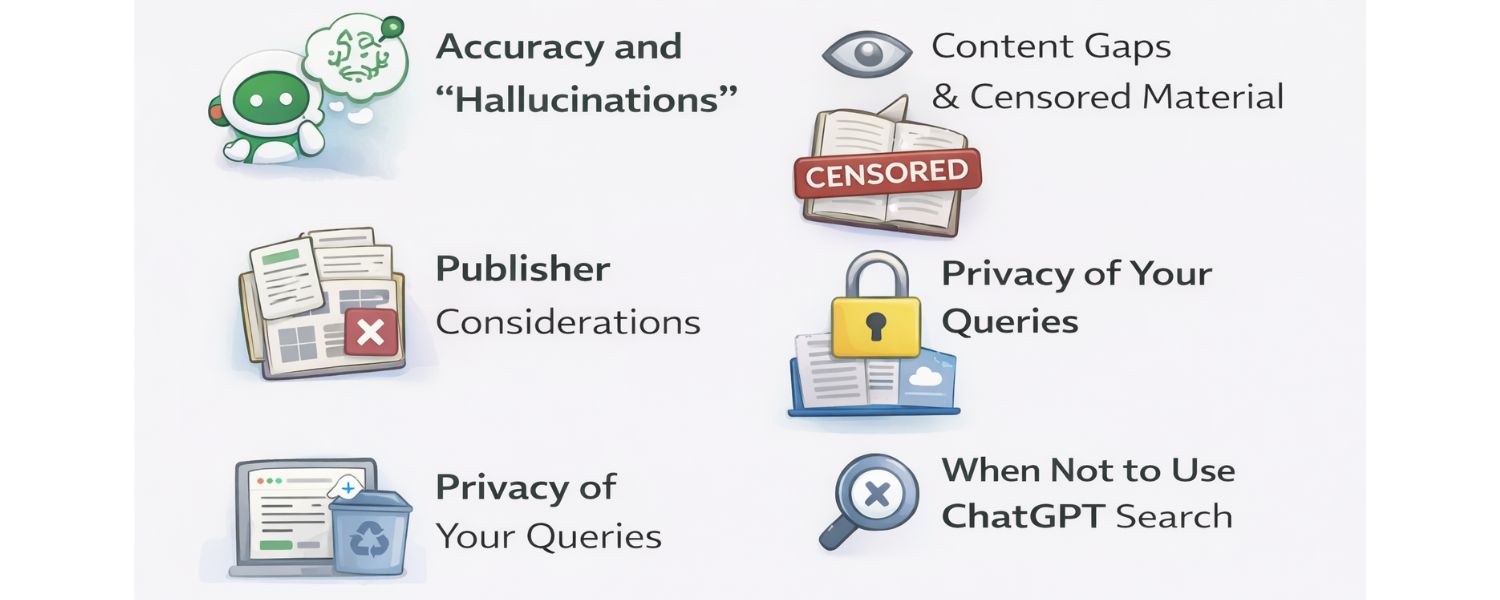
While ChatGPT Search is powerful, it’s not a magic solution for everything. As with any technology, there are some limitations and things to be mindful of:
1. Accuracy and “Hallucinations”
Despite integrating web results, ChatGPT can still sometimes produce incorrect or misleading answers. The live web info greatly reduces the chances of mistakes, but it doesn’t eliminate them entirely.
You might occasionally see the AI cite a source but misinterpret what the source said (just as a human might misread something). Or it may give an outdated answer if, say, the source it found wasn’t the most recent.
Always glance at the sources and use your judgment, especially for critical queries. The good news is that the presence of citations makes it easier to fact-check the AI.
If something sounds off, you can click the link and confirm. In complex domains (medical, legal, etc.), treat ChatGPT’s answers as a helpful summary but not a final authority.
Misinformation is an area OpenAI and others are actively trying to tackle; for example, OpenAI has claimed that the ability to search the web and cite sources helps cut down on AI hallucinations.
Nonetheless, as one tech journalist put it, ChatGPT Search will still “screw up in ways both big and small” on occasion. It’s wise to keep that in mind.
2. Content Gaps and Censored Material
ChatGPT Search will only show you what it can find on the web and what it’s allowed to show. If something is behind a paywall or not indexed, you might not get that info.
Also, OpenAI likely maintains safe-search filters, so certain sensitive or inappropriate content might be filtered out even if it exists online.
In some cases, if you search for a very niche piece of data, ChatGPT might come back empty-handed or with a generic answer.
Remember that ChatGPT doesn’t literally “browse” the web like a person clicking through, it sends queries to search APIs and reads the results behind the scenes. If it can’t find a good answer in those results, it may fall back to its trained knowledge or say it doesn’t know.
3. Publisher Considerations
One interesting aspect of ChatGPT Search is how it balances giving you answers vs. encouraging you to visit the source websites.
The AI’s goal is to answer your question without making you do extra work – which is great for you, but if you get everything you need from the AI’s summary, you might not click the source link at all.
Some publishers worry about this (will AI reduce their web traffic?). OpenAI’s approach to partner with publishers is meant to address that: sources are clearly credited, and presumably traffic is shared.
From a user perspective, this is mostly a non-issue (you just want a good answer), but it’s something happening behind the scenes in the industry.
Over time, more content owners might opt in or out of being included in AI search results. For now, enjoy the fact that a lot of premium content is being aggregated for you in ChatGPT’s answers – just be aware that if you need more detail, those external sites are a click away and often have more extensive coverage.
4. Privacy of Your Queries
A common question is, “If I use ChatGPT Search, who can see my queries or the content of what I ask?” By default, your conversations with ChatGPT (including any search-enabled questions) are private between you and OpenAI (and, by extension, the search provider handling the query).
However, there was a recent situation to note: ChatGPT allowed users to create shareable links of conversations (to send a chat to a friend, for example), and it briefly had a feature where these shared chats could be indexed by Google and other search engines.
This meant some people’s public-shared ChatGPT Q&As started showing up in Google search results! For instance, random users found strangers’ ChatGPT conversations (some containing personal info) via Google.
OpenAI quickly realized this was problematic and disabled the discoverability of shared chats (as of July 2025). The takeaway for you: unless you explicitly share a chat and make it public, your ChatGPT queries won’t end up on Google.
Just exercise caution if you do use the share feature, don’t share anything sensitive, because once on the open web, it could be seen by others. In general usage, though, your searches via ChatGPT are not being posted for the world to see.
(Do note that OpenAI might log them for model training or service improvement, as per their privacy policy, but that’s no different from using ChatGPT normally).
Also, as mentioned, if ChatGPT uses Bing under the hood for search, some query data (like the search terms and your general location) may be shared with Microsoft to perform the search.
This is similar to how if you search on Bing or Google, those companies see your query. Just something to be aware of – it’s standard, but privacy-conscious users should know their query travels through a search provider.
5. When Not to Use ChatGPT Search
If you just need a quick fact that you’re 100% sure will be on Wikipedia or a specific site, a direct search engine query or going to that site might be faster. ChatGPT’s strength is synthesis and understanding.
It may be overkill for very simple look-ups (e.g., “currency conversion 5 USD to EUR” might be faster with a quick search widget).
Also, ChatGPT currently can’t show you things like real-time navigation (Google Maps directions) or highly personalized content (like your emails or account info – obviously it has no access to those).
For those, regular apps and searches remain necessary. Think of ChatGPT Search as your research assistant, not necessarily your all-purpose tool for every single thing. Knowing when to use which tool is key to maximizing productivity.
Searching Your ChatGPT Conversations (Chat History Search)
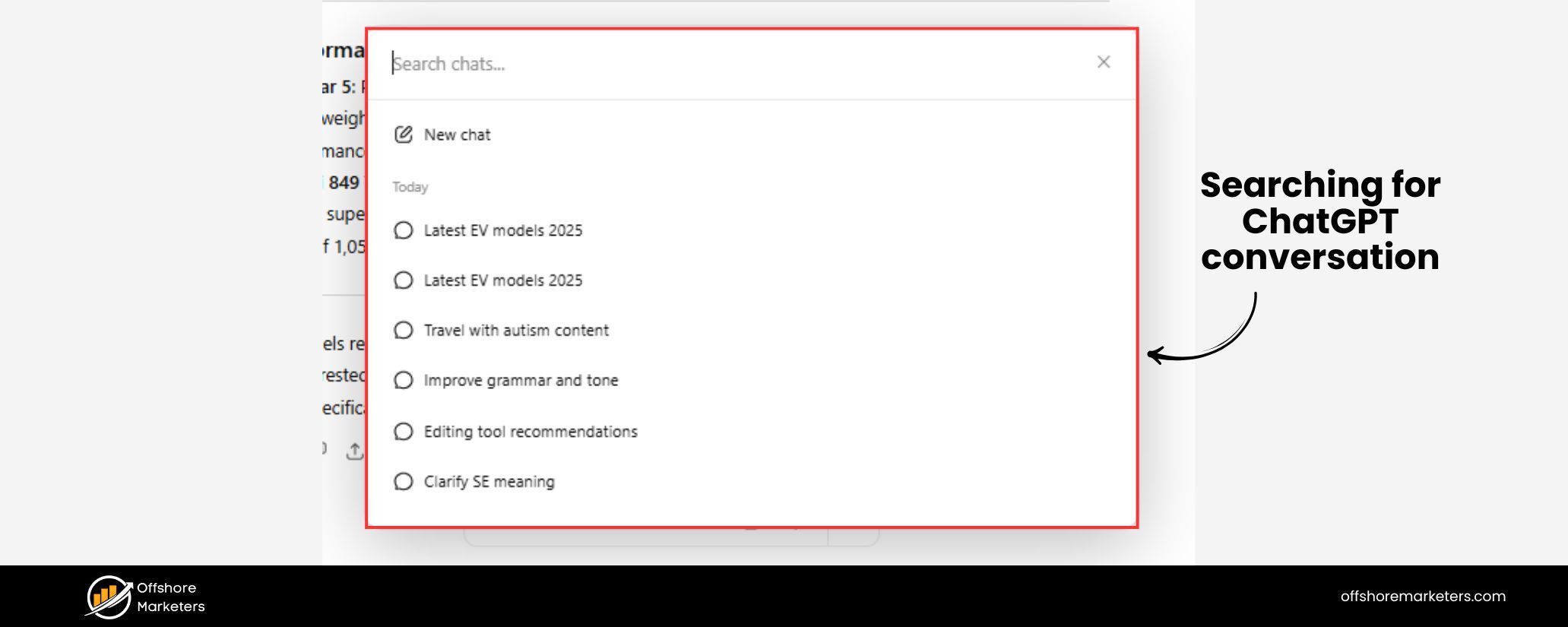
Aside from searching the web, ChatGPT has another handy search capability: the ability to search within your own chat history. If you’re a heavy ChatGPT user, you might have dozens or hundreds of past conversations.
Finding that one conversation where you discussed “vacation plans” or got a great recipe can be tedious by scrolling – but not anymore. OpenAI introduced a chat history search feature that lets you quickly locate past chats by keyword.
Here’s how it works: On the ChatGPT interface (web or mobile), you’ll see a magnifying glass icon or a search bar in your list of conversations (typically on the left sidebar on web).
Click that and type a keyword or phrase you remember from the conversation you’re trying to find. ChatGPT will instantly filter your past conversations to those that match the keyword, either in the conversation title or the content of the messages.
It’s an exact-match search for now, so you might need to be specific. For example, typing “recipe” will surface any chat where the word “recipe” was mentioned. This feature works on both web and mobile in a similar way (on mobile, open the sidebar to find the search bar).
The convenience here is huge – you essentially have a personal knowledge base of all your previous Q&A with ChatGPT, and you can reference it anytime.
Planning a trip and recall that months ago you asked ChatGPT about “things to do in Paris”? Just search your history for “Paris” and that chat will come up, ready to continue or review.
The search is almost real-time (conversations become searchable minutes after they happen). Even if you archived some old chats, they will still appear in search results (archiving just hides them from the sidebar, but they’re not gone).
Of course, if you delete a conversation, it’s removed from the search index too, ensuring that your deleted content truly disappears from your view.
This chat history search is a different facet of “ChatGPT Search,” but it’s incredibly useful for productivity. It turns ChatGPT into not just an assistant for external info, but also a way to recall your own interactions.
Many of us treat ChatGPT as an idea generator, note-taker, or brainstorming partner – now with a search function, it’s much easier to pull up that great idea or piece of code ChatGPT gave you previously without scrolling endlessly. It’s like having a searchable archive of your AI brainstorming sessions.
Note: The history search currently doesn’t cover any content you created in the new ChatGPT “canvas” feature (if you used the canvas mode for drafting or coding) – those aren’t indexed for search.
It focuses on the text conversations. Also, for performance, only your most recent chats show in the sidebar by default; older ones are stored but hidden until you search or manually load them.
This is just a technical detail – rest assured nothing is lost, and search will retrieve any older chat when needed. Overall, this addition shows how ChatGPT is becoming not just a forward-looking answer engine, but also a repository of knowledge you’ve built with it over time.
The Future of AI-Powered Search
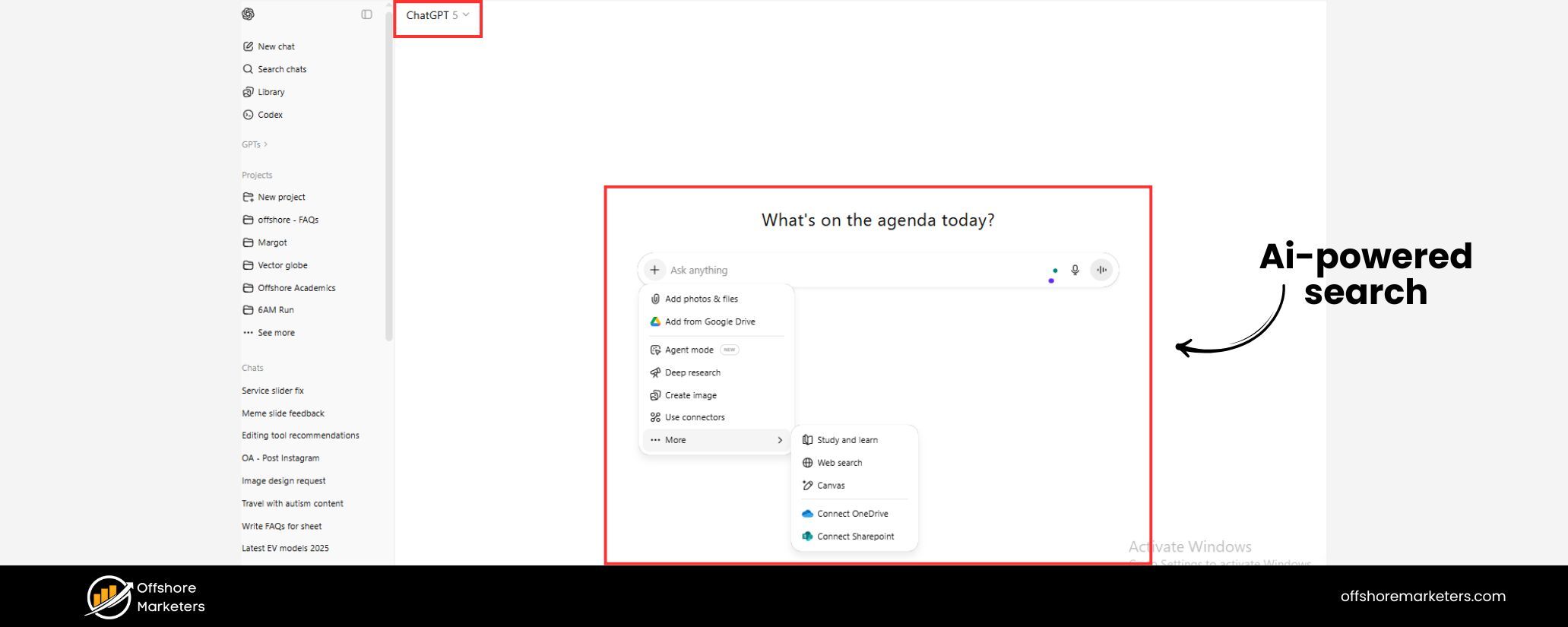
ChatGPT Search is a significant leap in how we find information, but it’s also just the beginning of a new era. Both OpenAI and other companies are rapidly iterating on AI search capabilities. So, what can we expect moving forward?
For one, OpenAI has hinted at continuous improvements to ChatGPT Search. They plan to make it even better for specific domains like shopping and travel, where search queries might involve comparing prices or finding booking options.
We might see the AI get smarter at handling those use-cases – possibly integrating with shopping search engines or travel databases to give more tailored answers (imagine asking ChatGPT Search for “best 4K TVs under $500” and getting a neatly curated, up-to-date selection with reviews).
The integration of structured data (like in the weather/stocks examples) could expand to things like product specs, flight prices, etc., making the results even more useful.
Another likely development is broader multi-modal integration. We already saw that ChatGPT can now handle images and voice in some modes; combining that with search opens up new possibilities.
In fact, OpenAI mentioned bringing the new search experience to their voice mode and even to a canvas (visual) interface.
This could mean you might speak a question to ChatGPT on your phone and hear a narrated answer that was sourced from the web, or see a visual element (like a map or chart) as part of the answer when appropriate.
It’s easy to imagine future smart assistants – whether on your phone, smart glasses, or car – using ChatGPT Search behind the scenes to answer just about any question you ask, out loud, in real time.
Competition will also drive innovation. Google isn’t standing still – their AI features in search will likely evolve to try and match or surpass ChatGPT’s user experience.
Microsoft’s Bing will continue to leverage OpenAI’s tech with its own twist (like images in answers, or integration with Windows/Office products). Smaller players and startups might pioneer niche features the big guys haven’t thought of.
All this is great for us as users, because search is becoming smarter and more convenient. The days of typing awkward queries and wading through 10 blue links are numbered; in their place, we’ll have dialogues with AI that can understand nuance and deliver pinpoint information.
However, with great power comes responsibility. AI-driven search will face challenges around bias, transparency, and trust. It’s one thing for an AI to summarize the web; it’s another to ensure it’s not amplifying false information or one-sided perspectives.
OpenAI’s approach of citing sources and partnering with trusted publishers is a solid step toward maintaining quality. Expect more developments on that front: perhaps user feedback mechanisms (to report a bad answer), or even community-rated sources feeding into the AI’s choices.
There’s also an ongoing discussion about how AI search results should be evaluated – for example, if ChatGPT Search gives you a medical answer with sources, who is accountable if that advice is wrong? These are questions regulators and companies will be wrestling with.
From a broader perspective, ChatGPT Search represents a shift in how we think about accessing knowledge. It blends the line between a knowledgeable friend and a search engine.
As this technology improves, using an AI like ChatGPT might become the default way younger generations “search” – they might rarely visit a traditional search engine at all. It’s akin to how smartphones changed computing; AI assistants might change search habits.
We’ll likely still have the open web and search engines, but AI will be the intermediary more and more.
OpenAI’s vision, as they stated, is to help users “discover publishers and websites, while bringing more choice to search”. More choice, indeed – now we have a choice to ask an AI for answers, not just search engines.
And if the last couple of years are any indication, the capabilities will grow exponentially. Who knows – a year from now ChatGPT might not only show you information but also take actions (with your permission), like booking a ticket or ordering a product as part of the search conversation (this starts to veer into the territory of AI assistants/agents).
In summary, the future of search is AI-centric, conversational, and personalized. ChatGPT Search is one of the clearest manifestations of that future today. It’s exciting to witness and even more exciting to use in our daily lives.
Conclusion: A New Era of Search is Here (Call to Action)
In conclusion, ChatGPT Search is changing the game when it comes to finding information. By fusing a conversational AI with the vast resources of the web, it offers an experience that is both user-friendly and richly informative.
You ask in plain language, it answers with evidence, it’s as simple as that, yet the impact is profound. No longer do you need to scan through pages of search results or wonder if your AI assistant is up-to-date; ChatGPT Search handles both in one place.
For anyone keen on productivity and staying informed, now is the perfect time to give ChatGPT Search a try.
The feature is readily available to all users, so you can hop onto ChatGPT and start asking those burning questions about current events, product advice, research for work or school, or even just fun trivia – and watch as it brings you answers with the latest info.
As an expert with decades in the tech and marketing industry, I can confidently say this approach to search is not a passing fad but a glimpse into the future of how we interact with knowledge. It’s efficient, engaging, and continually learning to serve us better.

.png)
Shopify SEO: Guide to Ranking Your Store and Driving Sales
Most Shopify store owners set up their store, list their...

Content Marketing : Definitive Guide to Strategy, Content Types, and Measurable ROI
Content marketing generates 3x more leads than outbound marketing at...

Above the Fold: Guide to Conversions, Rankings and Faster Pages
Above the Fold in 2026: The Complete Guide to Conversions,...

Off-Page SEO Checklist: Guide to Building Real Authority
Most websites spend months creating great content, only to wonder...

What Is Keyword Bidding? The Complete Strategy Guide for Smarter Ad Spend
Most advertisers believe the highest bid wins the auction. It...

What Is Google Trends? The 2026 Marketer’s Complete Guide
If you are not already pulling weekly insights from Google...
If you want a growth partner who will get to know every aspect of your business and treat your budget like their own — we are the right fit.
.png)


.png)
.png)
.png)
.png)
.png)
.png)
2026 ALL RIGHTS RESERVED MADE IN INDIA
