
Content Audit: Process for Improving Your Website Content
August 25, 2025
Introduction
In today’s digital landscape, it’s not enough to keep publishing new content, you must ensure your existing content is effective and up-to-date. This is where a content audit comes in. A content audit is the systematic process of inventorying and analyzing all the content on your website to assess its quality, performance, and alignment with your business goals.
By conducting regular content audits, you can uncover which pages are driving results and which ones need improvement or removal. The outcome: higher search rankings, more engaged visitors, and a stronger overall content strategy.
In this comprehensive guide, we’ll explain what a content audit is, why it’s important, and how to perform one step-by-step, along with pro tips, tools, and best practices from industry experts. Let’s dive in!
What Is a Content Audit?
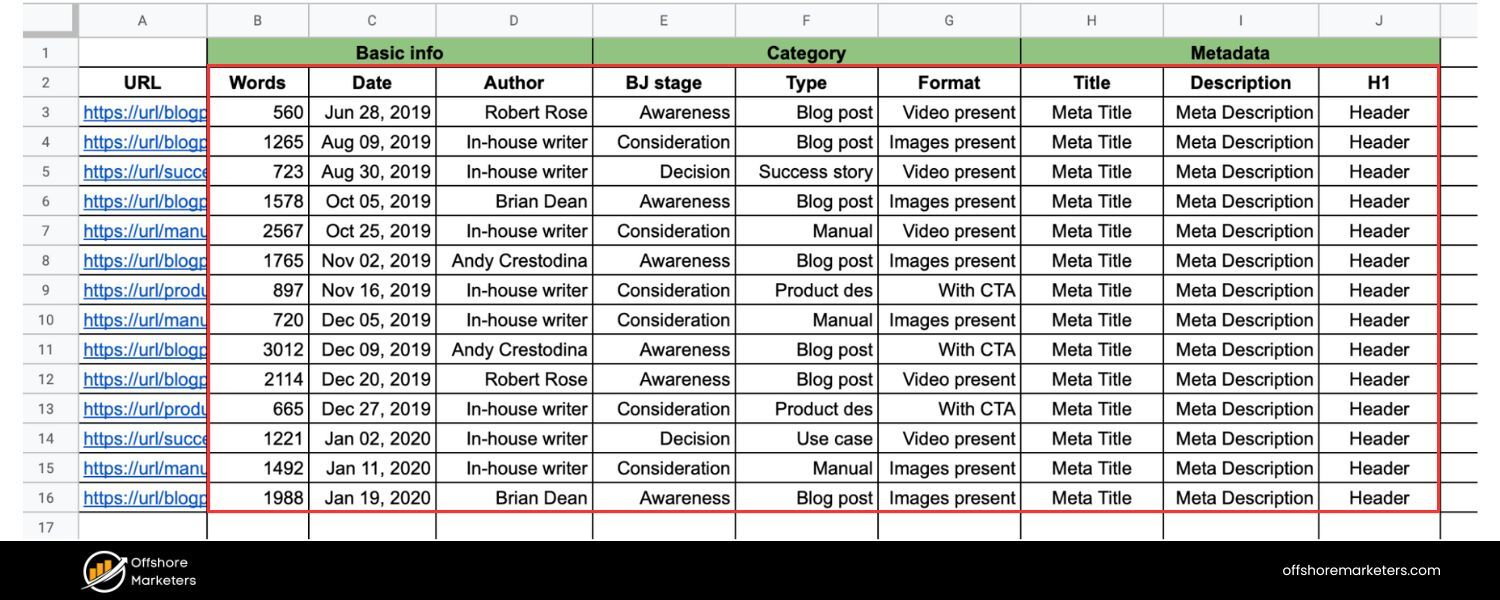
A content audit is the process of collecting and evaluating all the content on a website to gauge its quality, relevance, and performance. In simple terms, it’s a thorough check-up for your website’s text, images, videos, and other assets.
The goal is to answer critical questions: What content do we have? Is it any good? How is it performing? A content audit typically involves two phases: first, creating a content inventory (a quantitative list of all pages or assets), and second, doing a qualitative review of each item’s value.
The content inventory will tell you “What is there?” – e.g. the titles, URLs, and metadata of every page, while the content audit will tell you “Is it any good?”
In fact, content inventories and audits go hand-in-hand: the inventory provides the breadth and depth of content, and the audit judges the quality of that content.
Content inventories and content audits serve different purposes but work together. The content inventory catalogs the depth and breadth of content on your site (everything that’s there), while the content audit assesses the quality and effectiveness of that content.
In short: an inventory lists what you have, and an audit determines how well it’s working.
During a content audit, you examine each piece of content against specific criteria. For example, you might ask: Is this content accurate and up-to-date? Is it optimized for SEO with the right keywords and meta tags? Does it align with our brand voice and meet user needs?.
By answering these questions, a content audit helps identify content that should be updated, pruned (deleted or consolidated), or left as-is because it’s performing well.
Ultimately, a successful content audit gives you a clear map of your content’s strengths and weaknesses and guides your strategy for improvements.
Why Content Audits Are Important
Regular content audits are vital for maintaining a healthy website and content strategy. Over time, even the best websites accumulate outdated posts, broken links, and underperforming pages. A content audit shines a light on these issues and provides opportunities to fix them. Here are key benefits of conducting content audits:
1. Improve SEO and Traffic
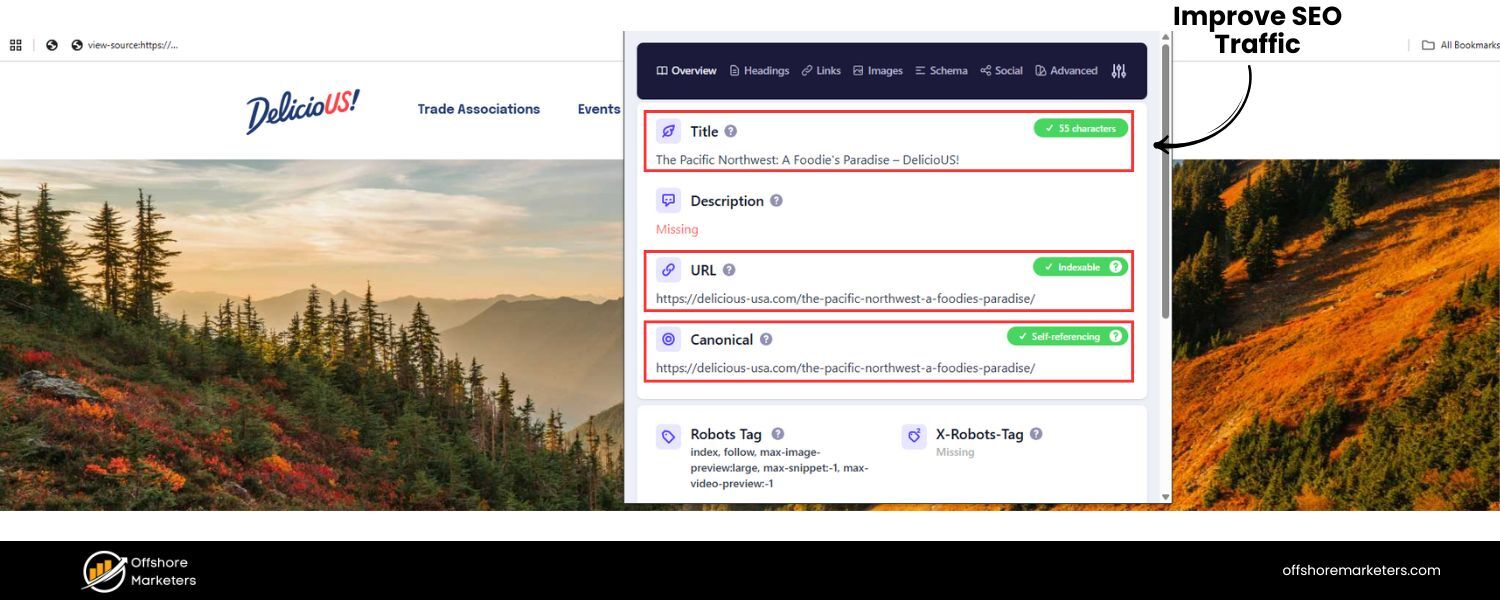
Audits help you spot pages that aren’t properly optimized for search engines. For example, you might find pages missing meta descriptions or headings without target keywords – issues you can then correct to boost SEO. Content audits also reveal content gaps (topics your audience is interested in that you haven’t covered). Want to future-proof your content strategy with evergreen assets? Connect with us today.
By updating and expanding content strategically, companies often see significant traffic gains, for instance, Semrush reported their blog’s organic traffic hit an all-time high after they audited and improved existing posts.
2. Enhance User Experience
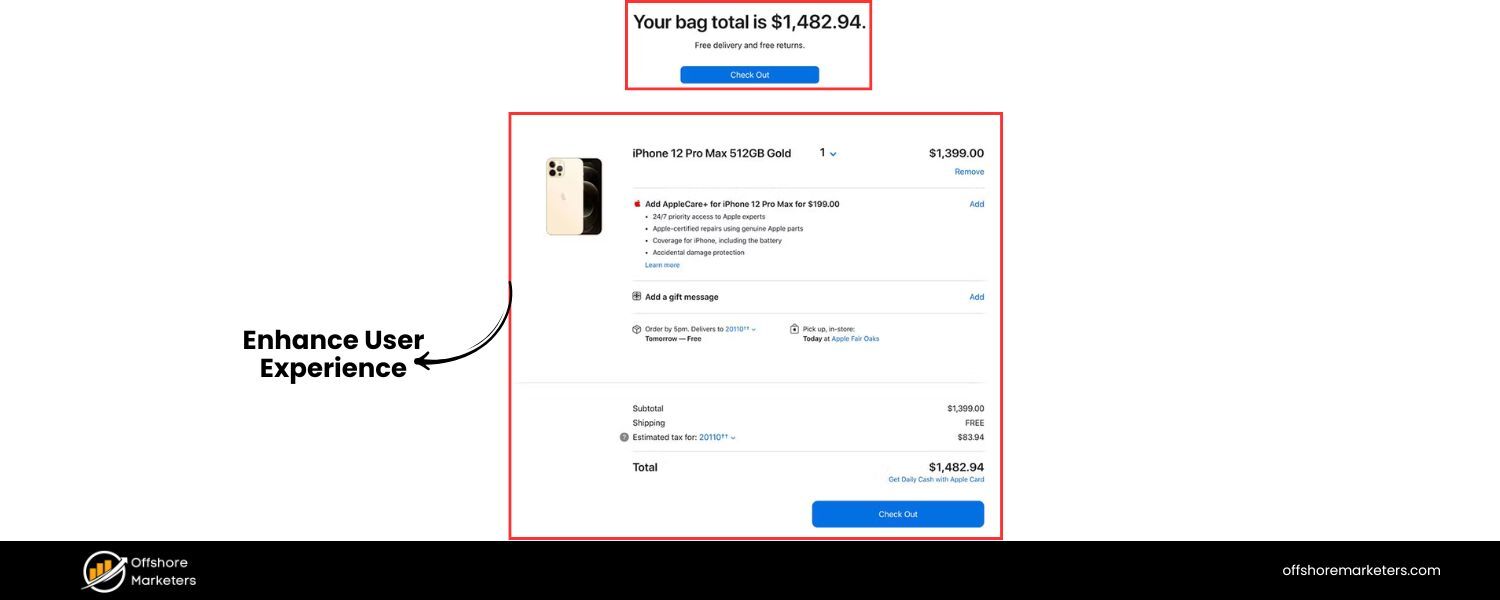
A thorough audit will uncover outdated or inaccurate information that could confuse readers or erode trust. Removing or updating such content ensures your audience finds current, relevant information.
Audits also find broken links, missing images, or poor site organization that hinder user experience. By fixing these, you make your site more navigable and reader-friendly, building trust with your visitors.
3. Content Quality and Relevance
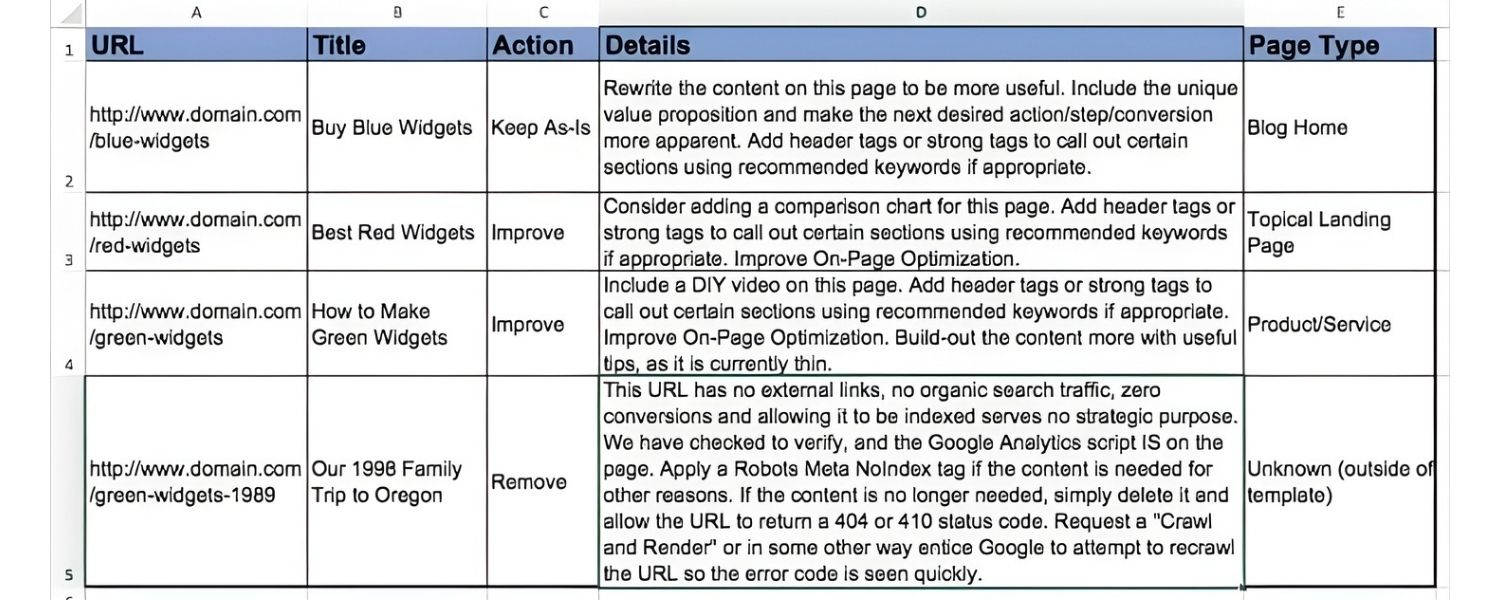
Content audits evaluate whether each piece of content still aligns with your brand guidelines and audience needs. You may discover, for example, a batch of blog posts with outdated branding or tone, or product pages with obsolete descriptions after a new launch.
Regular auditing helps keep all content on-message, high-quality, and relevant to your target audience’s current needs.
4. Identify Top Performers & Underperformers
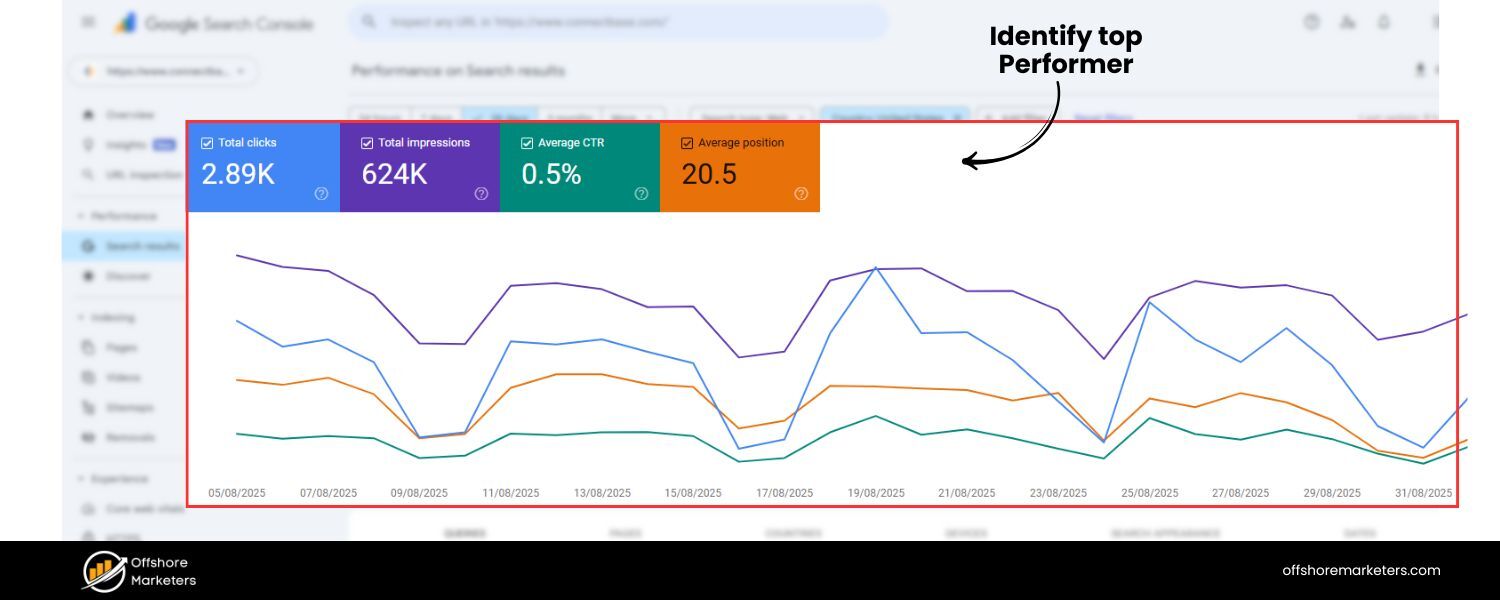
By analyzing metrics (like page views, time on page, bounce rate, conversion rate) for each page, an audit highlights what content is performing best and worst. Top-performing content can be celebrated and perhaps expanded or repurposed.
Underperforming content is a flag for improvement, maybe the topic is still valuable but the content needs a refresh, or maybe it’s not worth keeping. Either way, you get actionable insights on where to focus your content efforts.
5. Guide Content Strategy and Maintenance
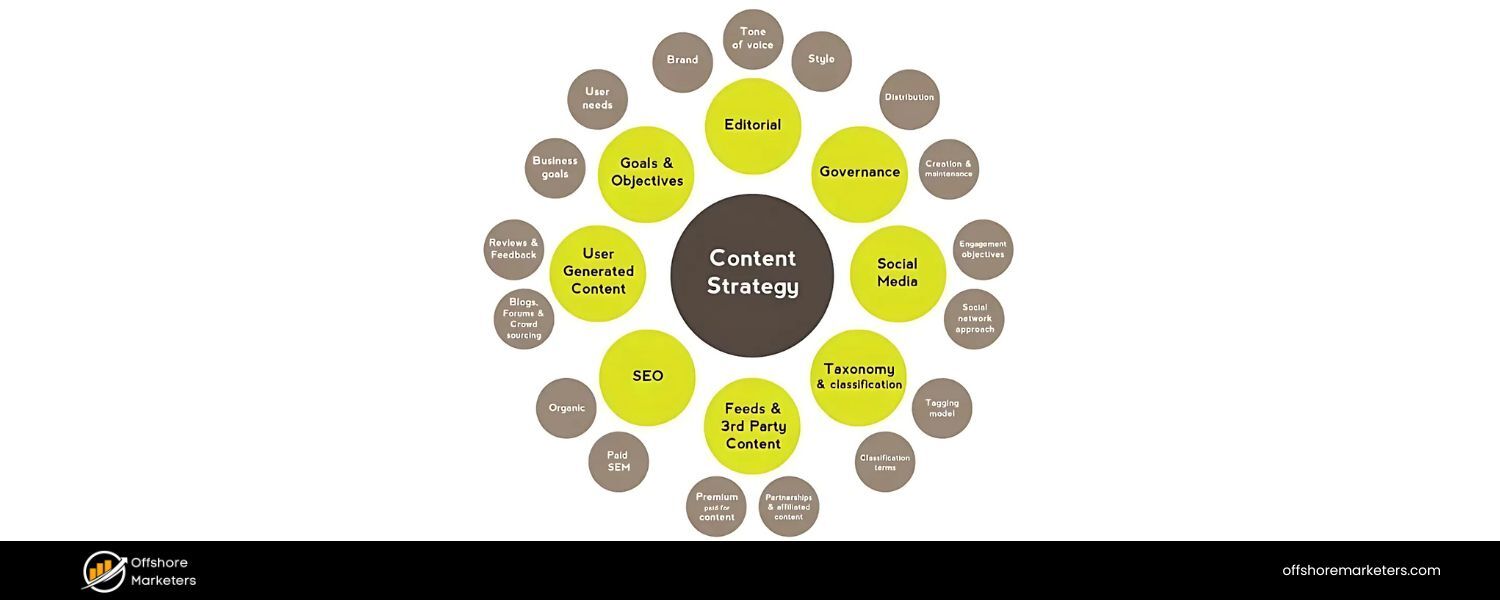
Think of a content audit as a roadmap for future content decisions. It helps in content planning, showing which topics or formats resonate most with your audience and which gaps to fill. It’s also extremely useful for content governance, establishing a regular process to maintain content quality.
Nielsen Norman Group notes that audits shift a team’s mindset from just pumping out content to managing content quality over quantity. In essence, audits ensure your content strategy evolves based on data, not guesswork.
In summary, a content audit keeps your website fresh, accurate, and effective, which in turn boosts SEO rankings, user satisfaction, and conversion rates. It’s far better to have a smaller library of high-performing, up-to-date pages than a huge site full of stale or redundant content, and an audit will guide you in making that a reality.
When (and How Often) Should You Conduct a Content Audit?
When is the right time to do a content audit? In truth, if you’ve never done one before, the answer is now. Websites are living entities; over time content accumulates and can become messy or outdated if not reviewed. Kicking off an audit sooner rather than later will benefit any site that hasn’t been evaluated in a while.
Beyond the first audit, experts recommend doing them regularly. For many organizations, an annual content audit is a good rule of thumb, for example, scheduling a review every year to update content for accuracy and SEO.
If your site publishes a high volume of content (e.g. daily news, frequent blog posts) or operates in a fast-changing industry, consider auditing more often, such as quarterly.
On the other hand, a smaller site that adds content infrequently might audit every 18–24 months. The key is to find a cadence that catches issues before they pile up.
Certain scenarios particularly warrant a content audit:
1. Before a Website Redesign or Migration
If you’re planning a major redesign or moving to a new CMS, auditing content is essential. It helps you decide what content to carry over, update, or trim during the redesign.
There’s no sense migrating pages that are outdated or irrelevant – a pre-migration audit streamlines the site and can save time and money by eliminating unnecessary content. (Just be prepared: stakeholders might resist deleting content (“But it’s always been there!”), so use the audit data to make a case for what stays vs. goes.)
2. When Content Growth “Runs Amok”
Many marketing teams focus on creating new content constantly, which is great – until it isn’t. Over years, you might find hundreds of blog posts or pages, some of which didn’t perform or have become obsolete.
If your site has never been pruned, it’s likely time for an audit to clean house. This ensures you’re not overwhelming users (and search engines) with outdated or redundant information, and it improves overall content quality and consistency.
3. After Major Changes in Brand or Strategy
If your company went through a rebranding, shifted its messaging, or changed product offerings, a content audit will identify pages that no longer align with the new direction. This includes updating old logos/images, tone of voice, product names, and key messaging across the site to maintain brand consistency.
4. In Highly Regulated Industries
In fields like healthcare, finance, or legal services, content accuracy and compliance are critical. Audits should be done frequently (even mandatory in some cases) to ensure information remains correct and meets current regulations. For example, a medical website must regularly audit content to remove outdated medical guidelines or data that could mislead users – patient trust and safety depend on it.
5. As Ongoing Maintenance
Many organizations adopt a rolling content audit approach. Rather than one massive audit every year, the content manager might review a portion of content each month or quarter on a rotating basis. This “little-and-often” method can be more manageable and keeps content quality in continuous check.
No matter when you audit, the first time can feel daunting – content audits have a reputation for being tedious and time-consuming. But as we’ll see, by breaking the task into steps and using the right tools, you can conduct an effective audit without feeling overwhelmed. Next, we’ll walk through how to run a content audit step by step.
Types of Content Audits (Scope and Focus)
Not all content audits are the same. You can adjust the scope and focus of an audit depending on your goals and resources. Here are a few types and approaches:
1. Full Site Audit
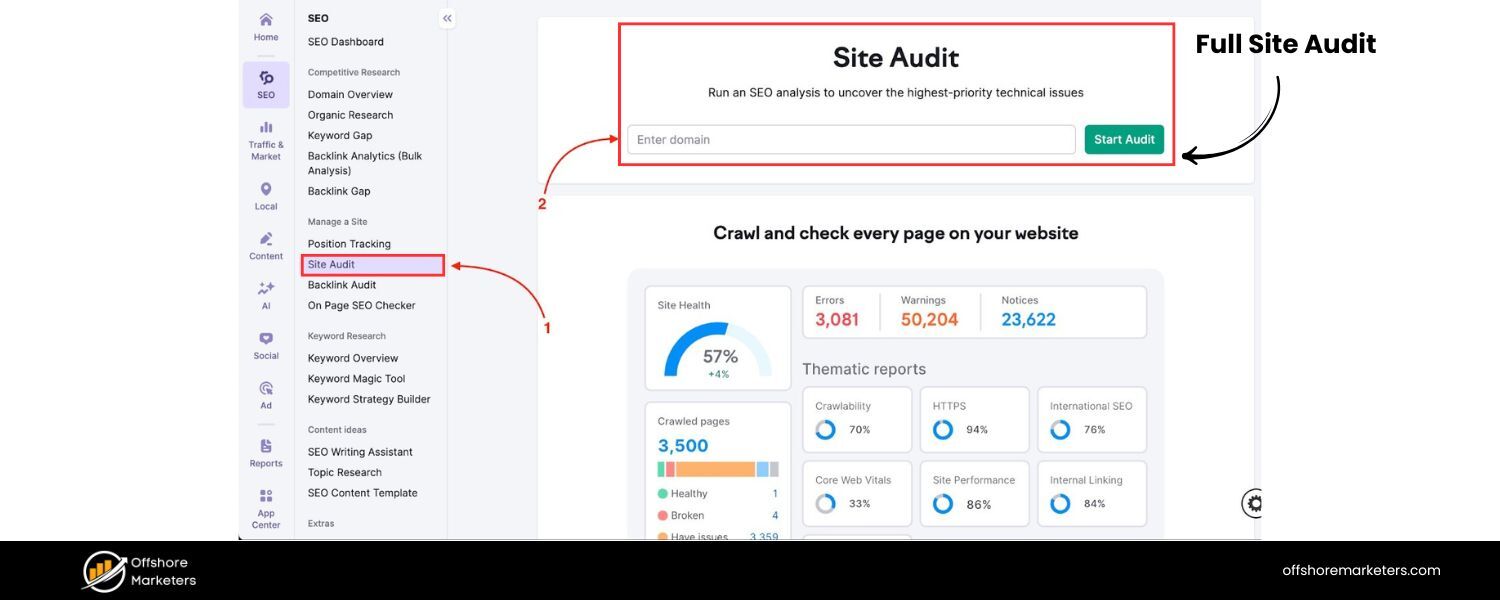
This is a comprehensive audit of every content item on your website. A full audit is ideal for a first-time baseline or if you’re doing a site overhaul. It delivers the most complete picture, but it can also be extremely time-intensive for large sites.
2. Partial Audit (Section or Topic-Based)
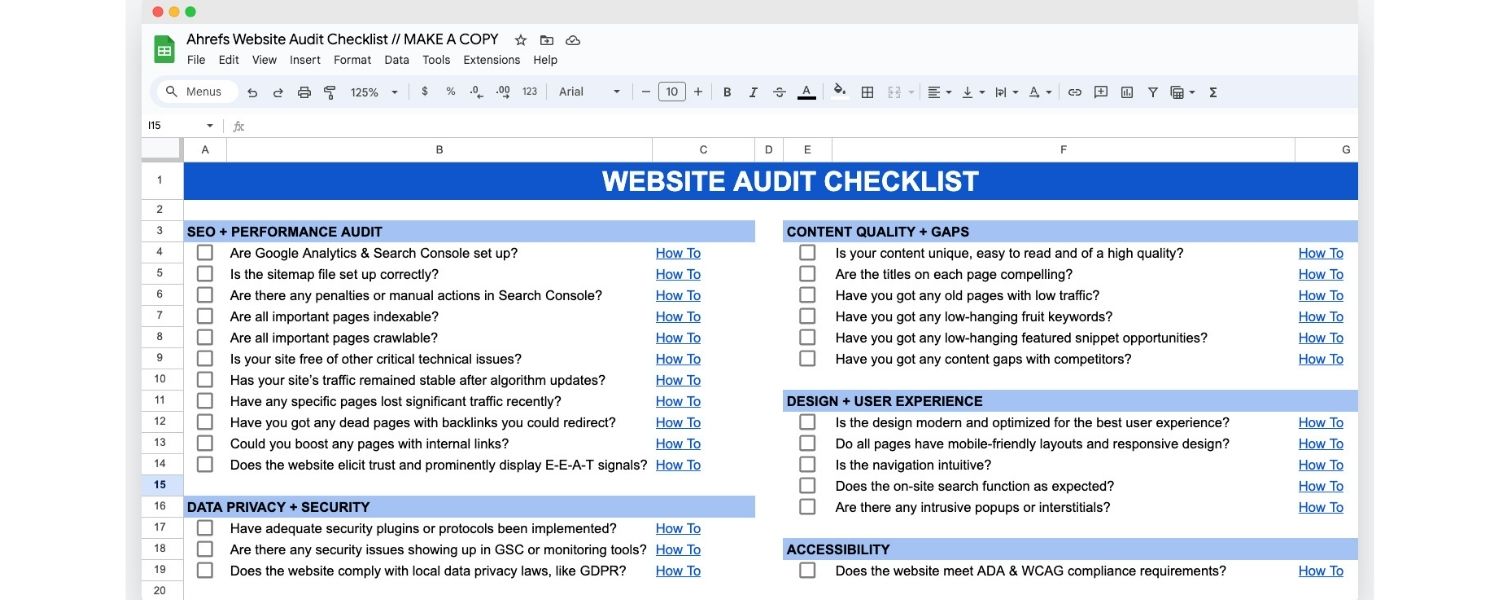
Instead of auditing the whole site, you might focus on a specific section (e.g. your blog, or the support articles section) or a content type. For instance, you might audit all your product pages, or all pages related to “Product X” if that area is a priority. Partial audits are useful when you have limited time or when only certain sections need immediate attention.
3. Content Sampling
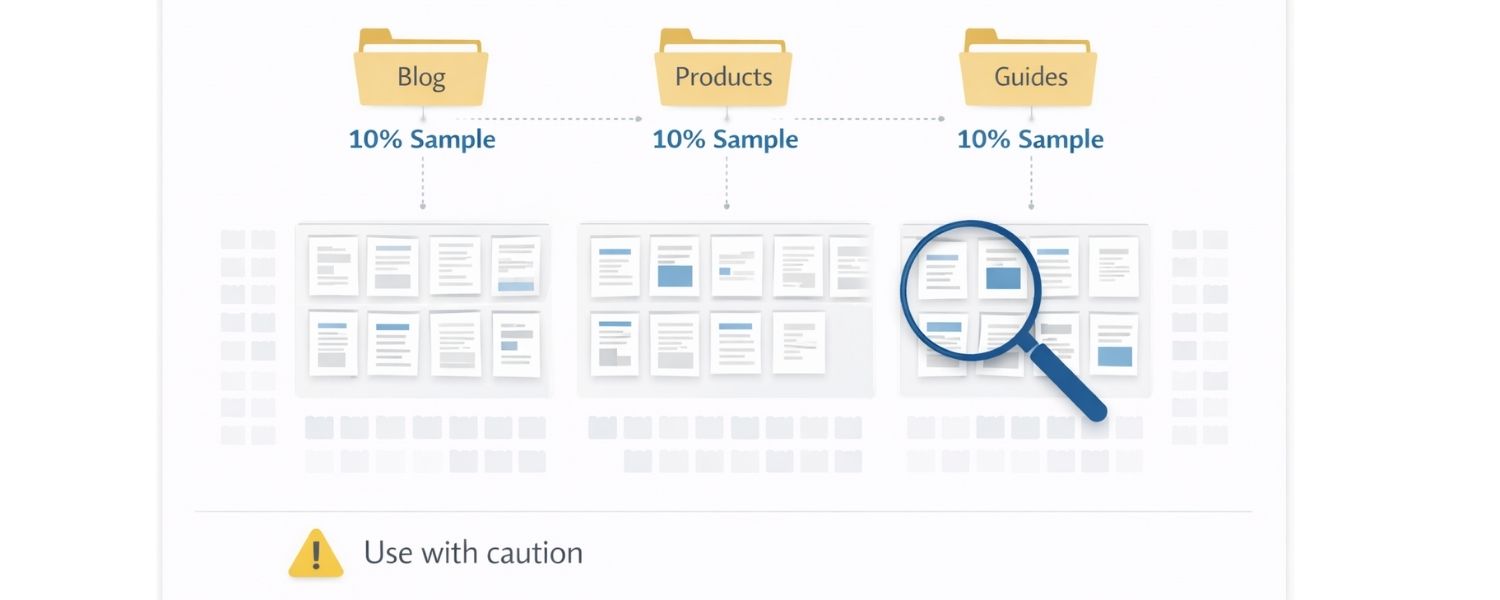
A content sampling audit involves examining just a sample of pages rather than everything. For example, you could sample 10% of pages from each section to gauge overall content health. This is faster, but it may miss issues on pages not sampled. Use sampling with caution, it’s usually a preliminary tactic or used in ongoing rolling audits between full audits.
4. Quantitative vs. Qualitative Audits
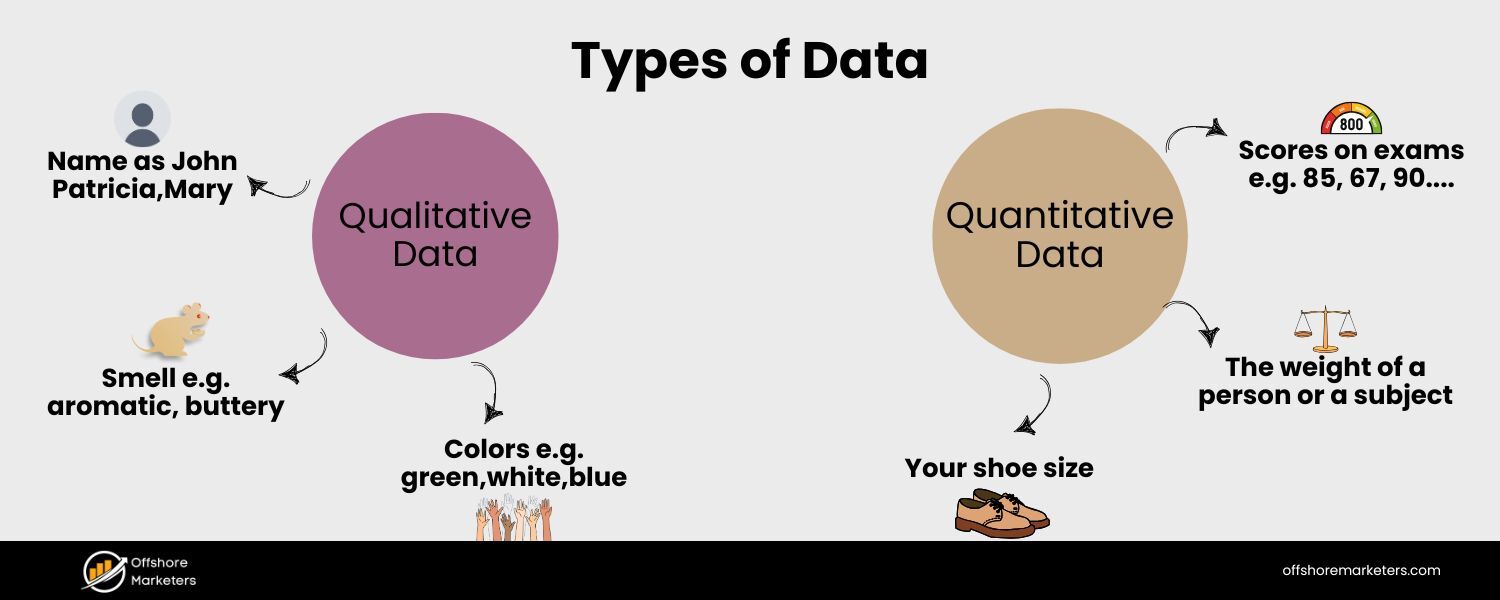
Sometimes people distinguish between a quantitative content inventory and a qualitative content audit. In practice, a thorough content audit includes both: first you gather quantitative data (the inventory and metrics), then you do qualitative analysis (assessing quality). However, you can choose to emphasize one or the other.
Aquantitative audit might focus just on raw data (e.g. number of pages, word counts, metadata completeness, page speed, etc.). A qualitative audit digs into content quality factors (accuracy, tone, usefulness, consistency). Most audits will blend these, but if you have a particular goal, you might tailor which metrics you collect.
5. Themed Audits (Specific Criteria)
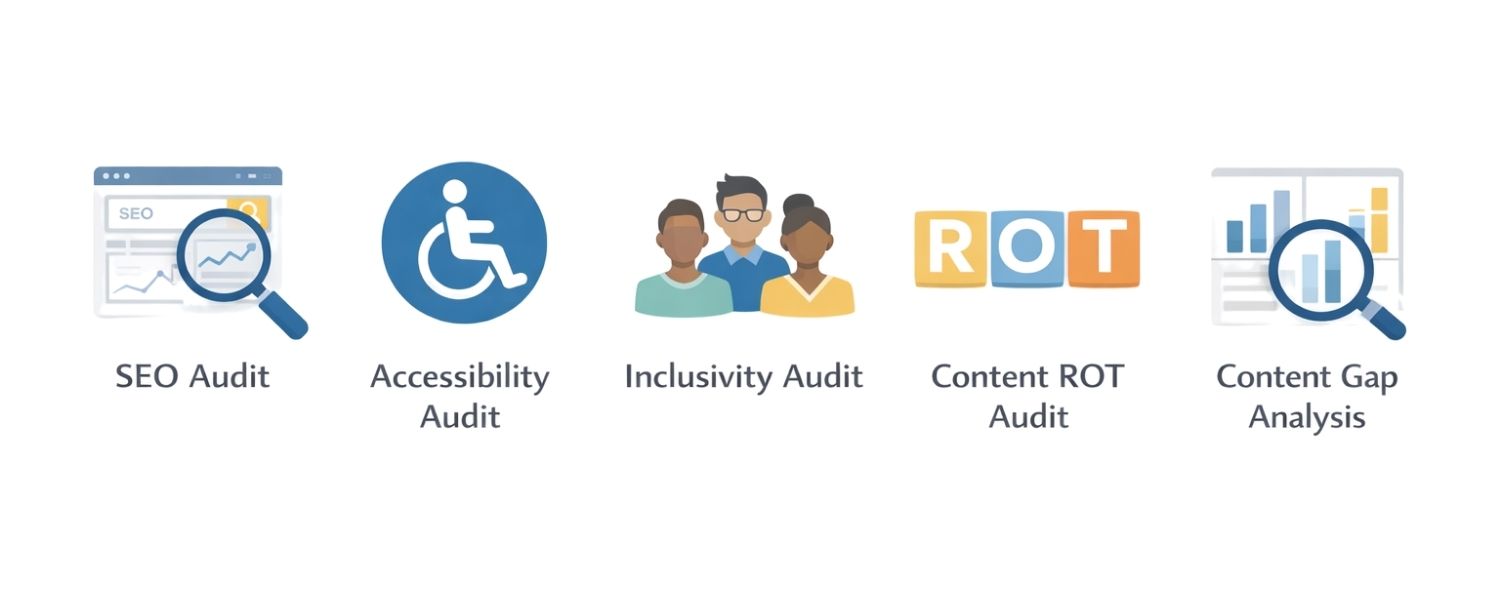
You can conduct an audit with a particular lens or goal in mind. For example:
- an SEO Audit – focusing on search performance indicators (keyword usage, backlinks, meta tags, organic traffic). An SEO audit is the first step toward higher rankings and more traffic. Reach out and let’s get started.
- an Accessibility Audit – reviewing if content meets accessibility standards (ALT text on images, proper heading structure, descriptive link text, etc.).
- an Inclusivity Audit – checking for inclusive language and representation in content, ensuring it’s free of bias or exclusionary terms.
- a Content ROT Audit – identifying content that is Redundant, Outdated, or Trivial (ROT) for removal or update.
- a Content Gap Analysis – auditing specifically to find topics not yet covered but that your audience is searching for (often by comparing to competitors).
Deciding the audit scope and criteria upfront is important Define what “success” looks like for your content and which metrics matter most to your goals (SEO, engagement, accuracy, etc.). This will help focus your audit so you gather relevant data and don’t get lost in endless analysis.
How to Conduct a Content Audit (Step-by-Step)
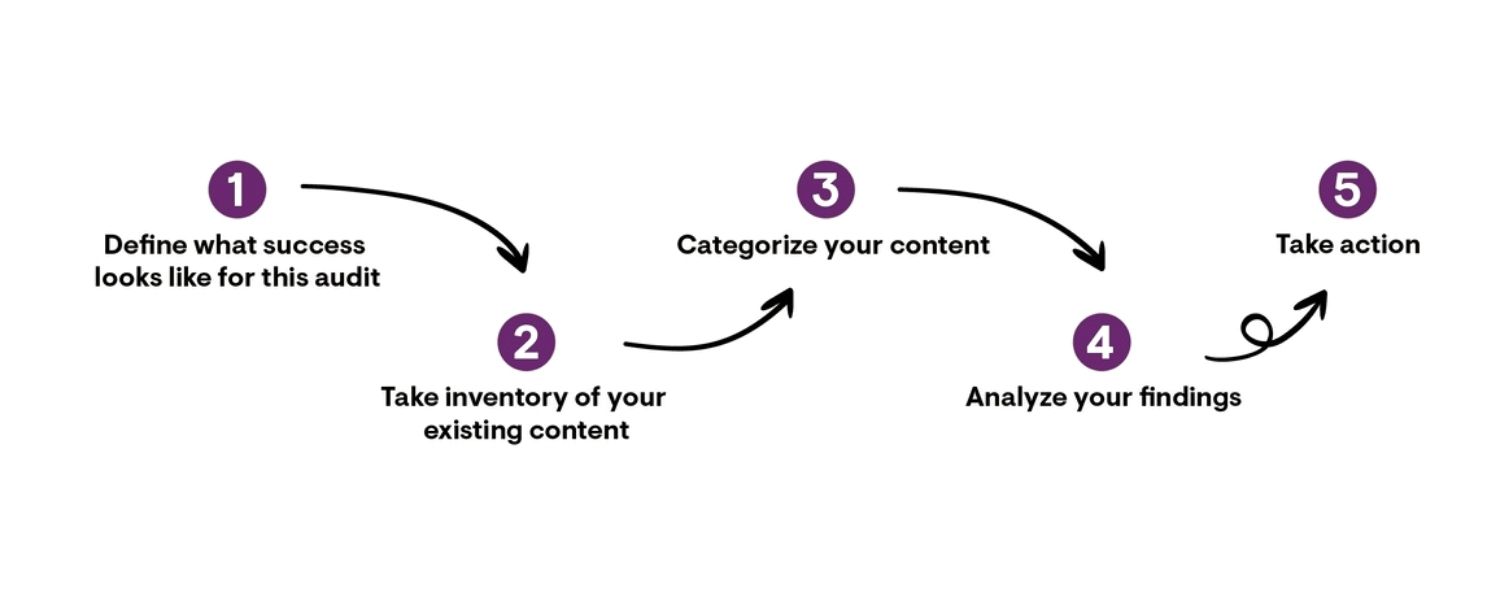
Performing a content audit becomes manageable when you break it into clear steps. As a marketing expert with 25 years of experience, I recommend the following step-by-step process, which incorporates best practices from across the industry.
We’ll also mention helpful tools and tips at each step. Use this as a checklist to ensure you don’t miss anything important during your audit.
Step 1: Define Your Goals and Audit Focus
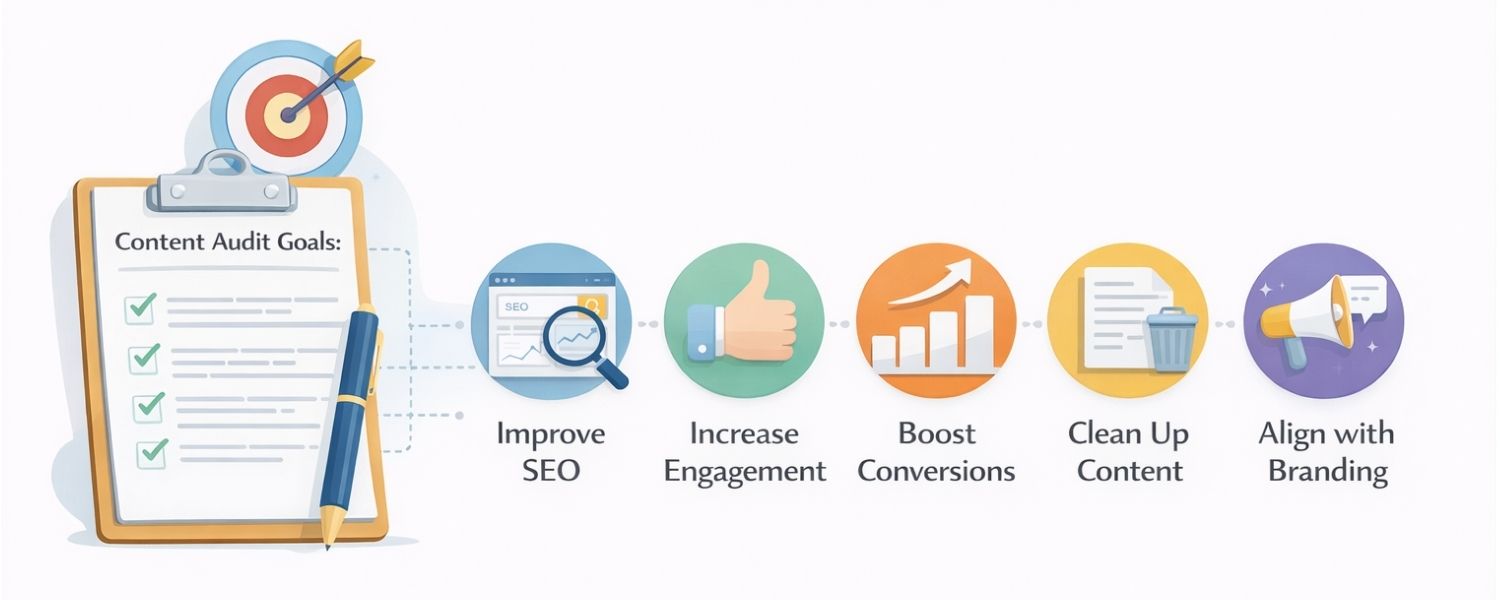
Every successful audit starts with clear goals. Ask yourself: What do I want to accomplish with this content audit? Having a defined objective will guide all other steps – from what content you include to which metrics you analyze.
Common goals for a content audit include:
A. Improving SEO results
Perhaps you want to boost organic traffic and rankings. In this case, your audit will focus on SEO metrics (keyword optimization, content length, backlinks, technical SEO issues) and identify pages that need SEO updates.
B. Increasing user engagement
If engagement (time on page, low bounce rate, social shares, etc.) is a priority, your audit will look at how compelling and user-friendly the content is. You might flag pages with high bounce rates or low time-on-page for revision.
C. Improving conversion rates
For those focused on conversions (like leads or sales), you’ll examine whether pages have clear calls-to-action and how well they guide users to the desired action. Pages with lots of traffic but few conversions might need better CTAs or content tweaks.
D. Content cleanup and consolidation
Your goal might simply be to trim the bloat – identifying redundant or outdated pages to remove or merge. In that case, you’ll look for very low traffic pages, duplicates, or obsolete information (the ROT analysis approach).
E. Aligning with new branding or messaging
If your goal is consistency, you might focus on qualitative factors – checking every page for tone, style, and brand alignment, or compliance with regulations in regulated industries.
Make your goal as specific as possible. For example, instead of a vague “improve SEO,” a specific goal could be “increase organic traffic by 20% in six months” or “achieve an average Google rank of #3 for our primary keywords. Specific goals will later help you measure success after implementing changes.
They also help determine the scope of your audit – e.g. if the goal is SEO improvement, you might audit only content that can affect SEO (blog posts, landing pages) and skip sections like legal/terms pages. On the other hand, a broad quality goal might mean auditing the entire site.
Document your goals and communicate them to your team or stakeholders involved in the audit. This ensures everyone knows why you’re doing the audit and what to look for. It will keep the process focused and prevent “mission creep” where you start adding extra tasks unrelated to the core objectives.
Finally, consider who needs to be involved in this audit. While one person may lead it, a content audit is often a team effort. If SEO is a focus, loop in an SEO specialist; if legal compliance matters, have someone from the legal team on board to review for regulatory issues.
Content creators, designers (for visual content), and subject matter experts might all play a role in evaluating and updating content in their areas of expertise. Getting the right people involved early – even if just to consult or provide data – will make your audit more effective.
Step 2: Gather Your Content- Create a Content Inventory
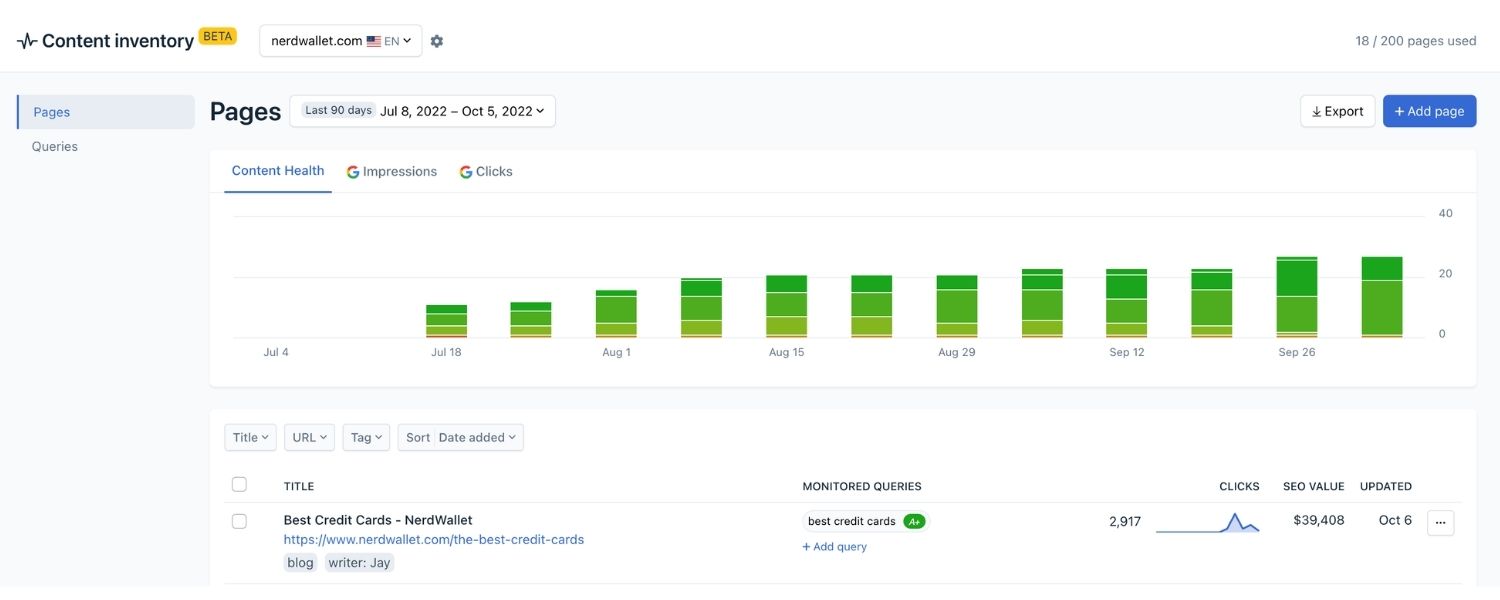
With goals in mind, the next step is to collect all the content you plan to audit. This is the content inventory phase: essentially making a giant list (usually in a spreadsheet) of all your pages and content assets.
If you have a small website (just a few dozen pages), you might compile this list manually by clicking through the site or using your sitemap. But for most sites, you’ll want to leverage tools to speed up this process:
A. XML Sitemap
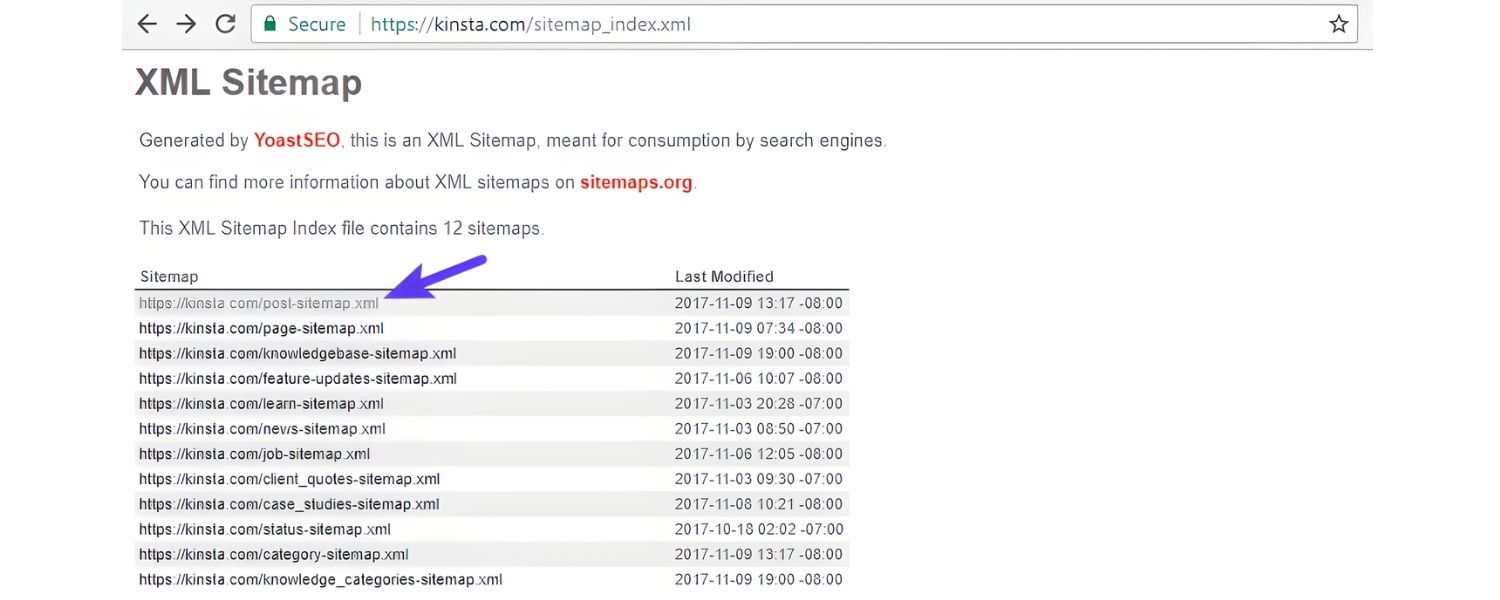
If your site has an XML sitemap, it’s a great starting point. Many content audit templates let you import a sitemap to get a list of URLs. You can usually find your sitemap at yourdomain.com/sitemap.xml or generate one via your CMS. Some tools can ingest the sitemap to produce the content list.
B. Website Crawler Tools
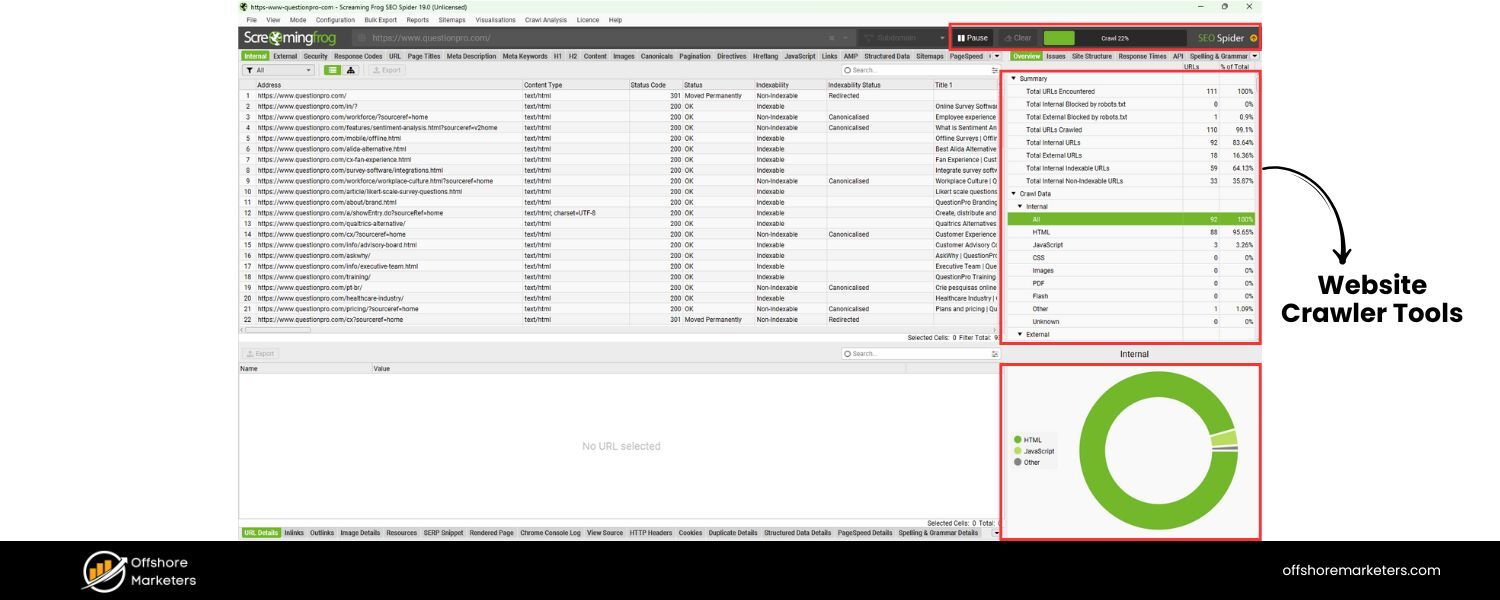
Tools like Screaming Frog SEO Spider, Ahrefs, SEMrush, or Siteimprove can crawl your site and extract all URLs automatically. For example, Screaming Frog (which has a free version for up to 500 URLs) will scan your site and list pages, along with key data like status code, page title, and word count.
Ahrefs’ Site Audit tool or Semrush’s Site Audit can do similarly. If you have access to these, they can save a lot of time versus manual collection.
C. CMS Export
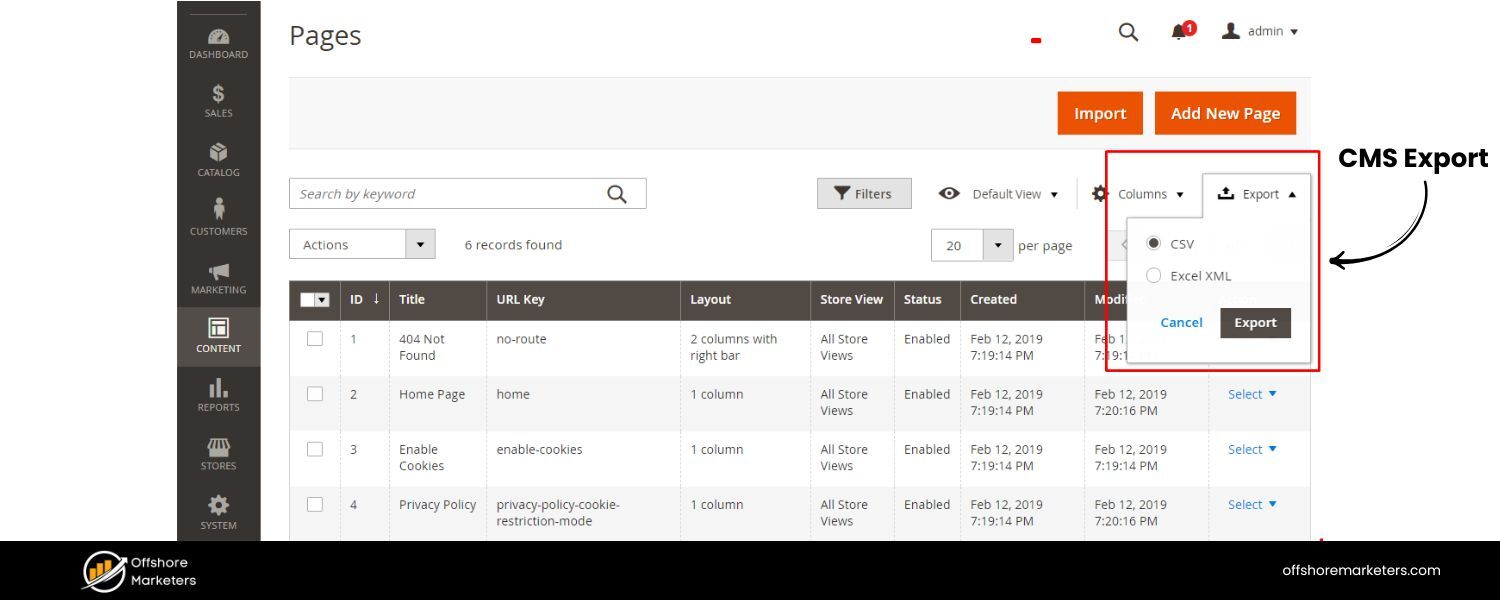
Some content management systems allow you to export a list of pages or do a content report. If you’re using WordPress, for example, plugins or built-in tools might list all posts and pages. If using a headless CMS or enterprise CMS, check if it offers a content inventory export. (In the absence of that, a crawler is the fallback.)
Using a crawler or audit tool not only lists the pages but often pulls helpful basic info. HubSpot’s guide suggests collecting at least URL, page title, content type, and last modified date for each page in your inventory.
You may also log things like word count, or whether the page has certain elements (like a CTA or video) to inform your audit. Yale University’s content audit template, for instance, includes columns for page URL, title, primary topic, target audience, and more.
Pro Tip:
Keep your inventory organized in a spreadsheet or content audit template. You can use a template provided by experts – for example, HubSpot offers a free content audit template spreadsheet, and the University of Oregon provides a content audit Excel template. Starting with such a template can ensure you don’t forget important columns to record.
Common columns include: URL, Title, Content Type, Author, Publish Date, Last Updated, Word Count, Meta Description, Tags/Categories, Pageviews (past year), Bounce Rate, Conversion Rate, etc., depending on your goals.
If your website is massive (thousands of pages), you might not want to audit every single page in one go. This is where prioritization helps. One approach is the 80/20 rule – focus on the 20% of pages that drive 80% of your traffic or conversions.
For instance, after crawling your site, filter the list to the top pages by organic traffic or by important sections, and concentrate on auditing those first. You can always audit the less critical pages later or in phases.
As Ahrefs’ Head of Content suggests, if you have thousands of pages, auditing just the top content (like those with the most backlinks or visits) will yield most of the benefits without drowning in data.
The outcome of Step 2 should be a complete content inventory list in a spreadsheet, which will serve as the backbone for the analysis to come. Now it’s time to dig into that content and see how it’s doing.
Step 3: Collect Data and Evaluate Content Performance
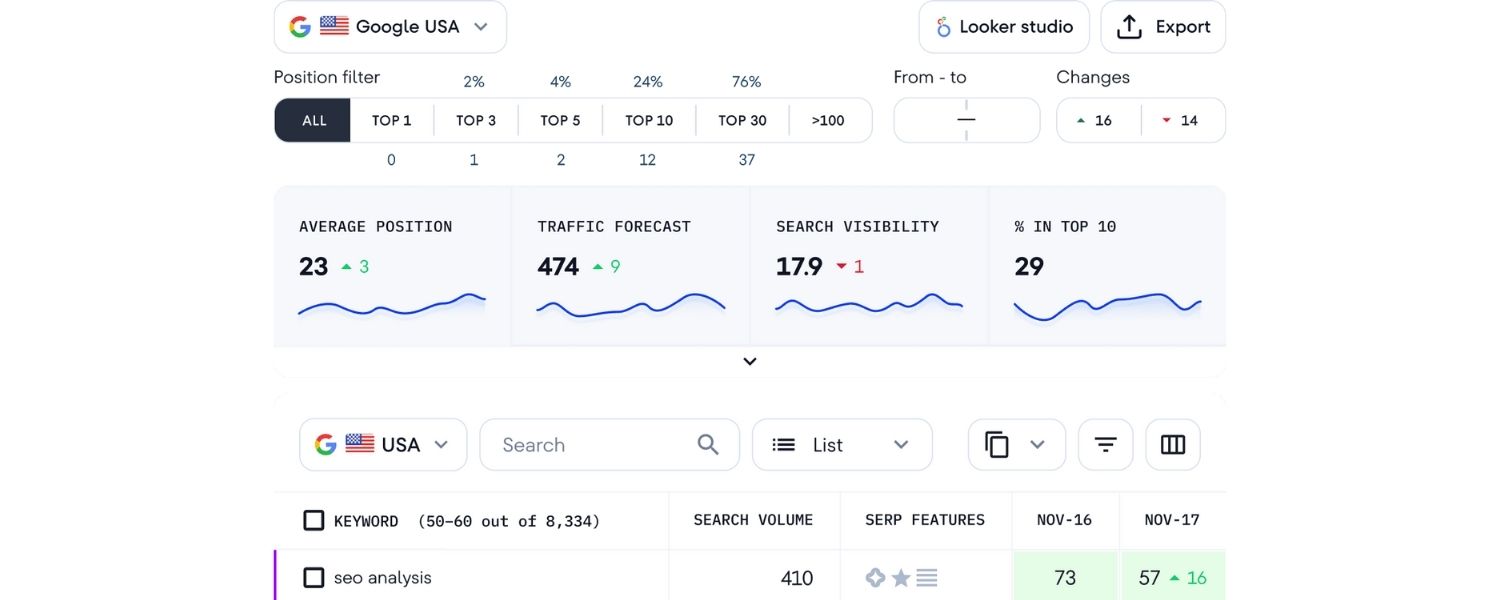
With your inventory in hand, the next step is to gather performance data and evaluate the quality of each content piece. Essentially, you’ll be annotating your spreadsheet with metrics and notes that help answer:
How is this content doing, and does it meet our standards? This is the heart of the audit – analyzing content against your chosen criteria.
Gather Key Performance Metrics:
For each URL in your inventory, compile relevant metrics. Common ones include:
A. Traffic
How many visits or pageviews did the page get in the last 3, 6, or 12 months? This indicates popularity or findability. Low or zero traffic might flag a page as underperforming (or perhaps not indexed).
You can get this from Google Analytics or whichever analytics tool you use. (Tip: Use at least a 3-6 month window to account for seasonality. Many auditors use a 12-month view for a full picture.)
B. Engagement Metrics
Look at bounce rate, average time on page, and possibly scroll depth (if available via tools like Hotjar). A high bounce rate or very short time on page can signal that content isn’t satisfying user intent or is hard to read.
On the flip side, a long average time on a blog post might indicate it’s engaging. Note these metrics to identify outliers – e.g. pages that people exit immediately might need attention.
C. SEO Metrics
If SEO improvement is a goal, record things like the page’s current keyword rankings (for its primary keywords), organic traffic, and backlink count. For example, note the primary keyword and what position the page ranks in Google currently. Also, how many other websites link to this page (backlinks) – since backlinks contribute to authority.
SEO tools or Google Search Console can provide this. If using Ahrefs or SEMrush, you might get an “authority score” or similar for each page. These help identify pages that rank poorly and might need optimization or consolidation (and pages with strong backlinks that you definitely want to keep).
D. Conversion Data
For pages that have conversion goals (sign-ups, sales, downloads), check your funnel or conversion analytics. What’s the conversion rate on that page? Does it contribute to leads or revenue? If a page gets traffic but no conversions, that’s worth noting for possible improvement in CTAs or content alignment with the offer.
E. Technical Issues
Note any technical SEO or usability issues per page. Many site audit tools will highlight problems like broken links on the page, slow load times, missing meta tags, or mobile usability issues.
If your crawl or audit tool reports, say, “5 broken links on this page” or “Title tag too long,” include that in your spreadsheet columns (e.g. a column for “SEO issues”). You don’t need to deep-dive into technical fixes at this stage, just capture the fact that an issue exists so you can address it later.
Now you have both the list of content and a bunch of data points for each. It’s time to evaluate what it all means:
Qualitative Content Assessment:
Beyond numbers, you must assess the quality and relevance of each content item:
A. Read or skim the content on each page (at least the main sections) and ask
Is it still accurate and up-to-date? If you find outdated references (e.g., an event page for 2022 or a blog post with old statistics), mark that page as needing an update.Accuracy is crucial for credibility – outdated info can harm trust or even pose legal issues in some industries.
B. Relevance and Audience Fit
Determine if each page is still relevant to your target audience and aligned with user needs. For instance, if your company has shifted focus, some older content might not fit your current product or messaging strategy.
Yale’s content audit guidelines suggest asking“Does it meet audience needs? Is it written for the user?”. If a piece no longer addresses current audience pain points, it might be a candidate for repurposing or retirement.
C. Content Quality & Completeness
Judge the quality of writing and information. Is the content well-written, clear, and free of fluff? Does it cover the topic adequately or leave questions unanswered? Mark pages that are thin (very short or superficial content) – these might need expansion or merging with other pages.
Also check forduplicate or overlapping content: if two pages cover the same topic, consider consolidating them. Consistency with your editorial standards matters too – e.g., tone of voice, style, and factual correctness should all be reviewed.
D. SEO Elements and Optimization
Check if the page follows on-page SEO best practices. Does it have a unique, keyword-rich title tag and a meta description? Are headers (H1, H2, H3) used appropriately and do they include keywords where relevant? HubSpot notes that adding keywords to headings can give search engines more clues about the page.
If you find pages with missing meta descriptions or none of the target keywords in the content, flag them for SEO optimization. Also verify internal linking: does this page link to other relevant content on your site? Strong internal links help users navigate and boost SEO by spreading link equity.
E. Calls to Action (CTAs)
If the page is supposed to drive an action, is there a clear CTA present? For example, a blog post might have a CTA to download a whitepaper, or a product page should prompt the user to request a demo. Note whether each page has an appropriate, working call to action (or any conversion elements). If a key page lacks a CTA, that’s a quick fix opportunity.
F. Accessibility & Inclusivity
Consider reviewing content for accessibility standards. Does the page have images with alt text? Is the content written in plain language that’s easy to understand? Are videos captioned? Accessibility tools or plugins (or Siteimprove, as Yale uses) can help flag issues.
Also check for inclusive language – for instance, ensuring content doesn’t unintentionally use biased terms. These factors might not be in every audit, but they are increasingly part of content quality checks. If your organization values accessibility and inclusivity (as it should), include these checks in your audit criteria.
As you evaluate, be sure to take notes in your spreadsheet. Many content audit templates have a column for “Notes” or “Observations” where you can jot down qualitative findings per page (e.g., “Contains outdated pricing info”, “No CTA present”, “Excellent evergreen article – high quality”, etc.). This context will be invaluable when it’s time to decide what to do with each piece of content.
Pro Tip:
It can be tempting to start fixing things as you notice them, like quickly updating a typo or removing a sentence. Resist diving into edits during the audit itself.
As one expert cautions, “it’s easy to start analyzing data before you’ve finished categorizing”, but doing so can break your momentum and lead to inconsistent analysis. Instead, note the issue and move on. You’ll tackle the fixes in the next phase.
The audit is about capturing a snapshot and diagnosing issues; the “treatment” comes after the diagnosis is complete for all content.
By the end of Step 3, you have a richly annotated content inventory. You know which pages are your all-stars (high traffic or conversions), which are the stragglers (low performance), and the state of content quality and SEO for each. Now comes the big question: What should you do with each piece of content?
Step 4: Decide What to Do – Action Items for Each Content Piece
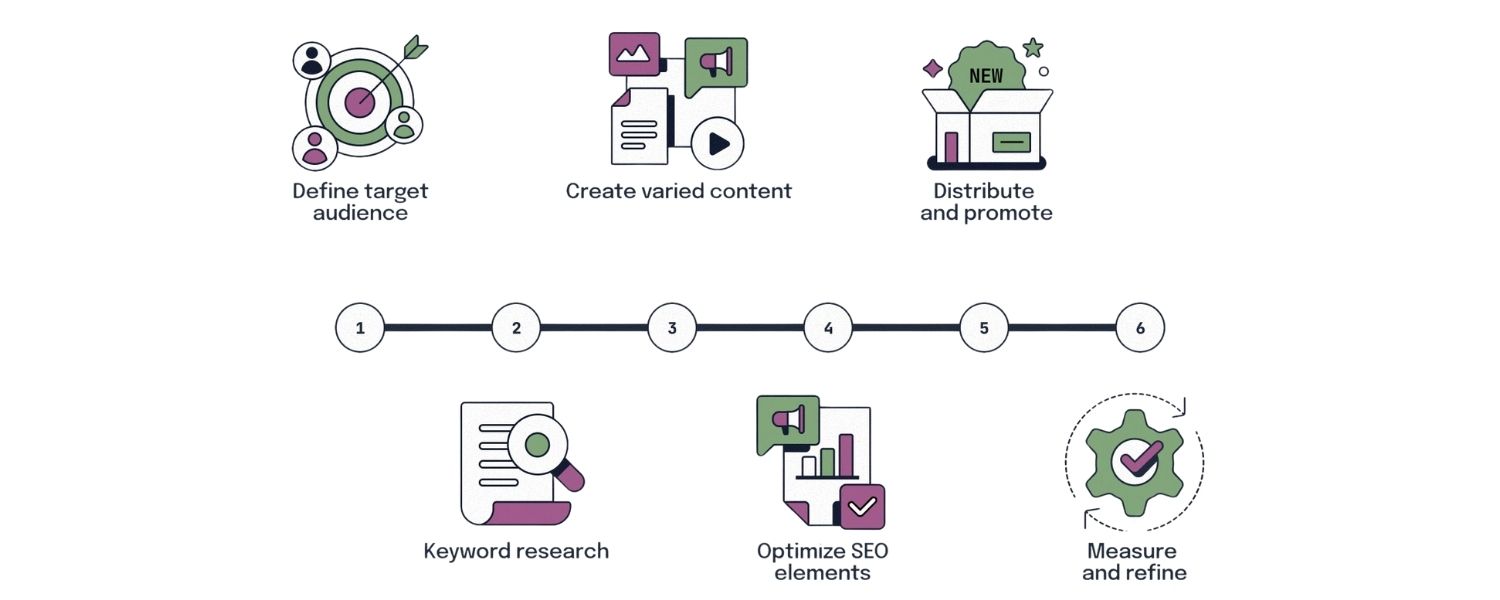
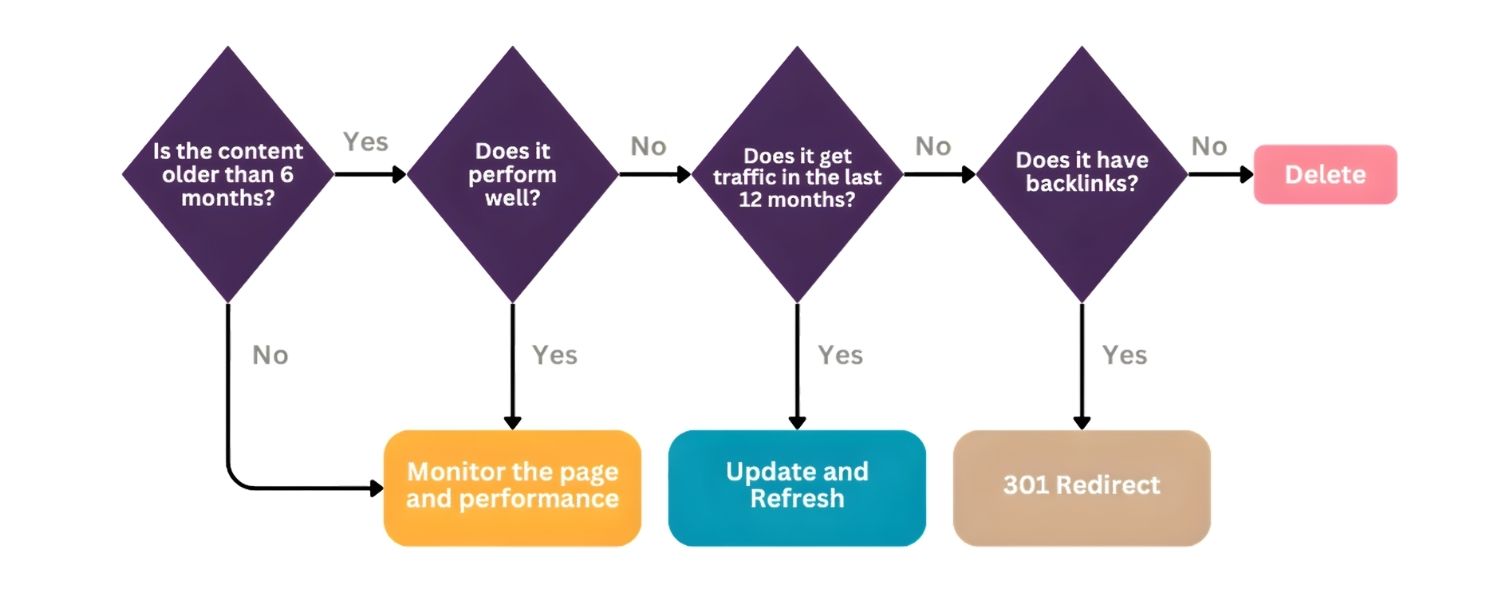
This step is where analysis turns into strategy. Based on all the data and qualitative review, you’ll assign an action or “fate” to each content item in your audit. In other words, for every page, decide: Do we keep it as-is, update it, consolidate it, or delete it?.
Many content auditors use a simple classification for each page after an audit, such as: Keep, Update, Consolidate, or Remove. Let’s break down these typical action decisions:
A. Keep (Maintain as-is)
The page is performing well, is accurate and aligned with goals, and doesn’t need significant changes. Very few pages will be 100% perfect, but “Keep” means no major action is needed aside from routine future monitoring.For example, a blog post that consistently ranks #1 and brings in leads might be left untouched (aside from minor refreshing as needed) because it’s already a success. Criteria for Keep: Strong performance metrics (meets or exceeds goals), content is up-to-date and high quality, no urgent fixes required.Even when keeping, double-check if anything needs a light refresh (e.g., updating a stat or two). If everything checks out, mark it as Keep.
B. Update (Revise/Improve):
The content has potential or value, but it isn’t fully meeting standards and could perform better with improvements. This will likely be a large portion of your pages. “Update” can cover a range of interventions:
- Refresh the information: adding new data, examples, or bringing content up-to-date if it’s aged.
- SEO optimize: incorporating target keywords more naturally, improving title/meta, adding internal links, etc., if the page isn’t ranking as desired.
- Improve quality: expanding sections that are thin, rewriting portions to make them clearer or more engaging, and ensuring the content fully answers the user’s intent.
- Fix issues: addressing any problems you noted (broken links, missing alt text, slow load speed) as part of the update.
C. You’d choose “Update” when a page has some value
(e.g., it gets a bit of traffic or targets a relevant topic) but isn’t hitting the mark yet. For instance, a blog post ranking on page 2 of Google could be updated with more comprehensive content and better SEO to try for page 1. Or a product FAQ that’s a few years old might need an update with current info.Always tie the update to the goal: if SEO is the goal, focus the update on search intent satisfaction and on-page SEO best practices; if engagement is the goal, you might focus on making content more readable and adding media to keep readers interested.
D. Consolidate (Merge) & Redirect
This action is for situations where you have multiple similar or overlapping pieces of content that could be stronger combined into one. Instead of having two or three mediocre pages competing on the same topic, you create one definitive page. Steps typically include:
- Identify duplicate or very similar topics (e.g., two blog posts about “Email Marketing Tips”).
- Choose the one that’s either performing best or is most comprehensive to serve as the main page.
- Merge relevant content from the others into this main piece, enhancing it with the best parts from each.
- Set up 301 redirects from the redundant pages to the main updated page. A 301 redirect ensures that any backlinks or visitors hitting the old URLs are seamlessly sent to the new page, preserving SEO value.
E. Consolidation is especially beneficial for SEO
Because it prevents your own pages from competing with each other for the same keywords (known as keyword cannibalization) It also funnels link equity into one stronger page. Use this action when your audit finds pages that are basically covering the same ground or when you have a very weak page that could augment a stronger one.Example: You have three old blog posts on “Instagram for Business” with similar advice. Consolidate them by creating one updated guide, and redirect the old URLs to it. After consolidation, the single page stands a better chance of ranking and providing value than the three did individually.
F. Remove (Delete or Archive)
Sometimes the best action is to remove content entirely. This might be the case for content that is irredeemably outdated (and not worth updating), completely off-topic or low-quality, or content that served a one-time purpose (like an event announcement from 2015) that no longer needs to live on the site. The audit likely surfaced pages with near-zero traffic and no strategic value – these are prime candidates for removal.
- When deleting, you’ll want to ensure any important backlinks are handled. If a page has no backlinks and no traffic, deleting and letting it return a 404 might be fine. However, if it does have some backlinks, it’s better to 301 redirect it to the most relevant alternative page on your site, so users (and link equity) aren’t lost.If there’s no relevant page to redirect to, you might leave a custom 404 page that gently guides users to your site’s search or suggests related content.
- Always double-check that the page isn’t unexpectedly generating conversions or serving a niche audience before deletion – your analytics can tell you this. For instance, maybe that 2015 event page still gets a trickle of visits or ranks for some keyword – if so, consider at least adding a redirect or updating it, rather than outright deletion.
- If you have a governance policy for archiving (like some organizations must keep content for X years for compliance), follow those rules by perhaps moving content to an archive section not accessible to users but stored internally.
Step 5: Implement Changes and Monitor Results
The final step is turning your action plan into reality. A content audit has no impact until you take action on the insights. This phase can take weeks or months depending on how many changes you have and the resources at your disposal. Here’s how to approach implementation:
A. Schedule and Assign Tasks
If you have a content team or multiple stakeholders, assign owners to each task. For instance, a content writer or editor might handle updating the blog posts, your web developer might take care of setting up redirects for removed pages, and a designer might be needed if any page redesign or new graphics are part of the updates.Use a project management tool (like Trello, Asana, etc.) to track these tasks and set deadlines. This ensures accountability and that nothing falls through the cracks.
B. Tackle Quick Wins First
Start with changes that are relatively easy and high-impact. For example, fixing broken links across the site or adding missing meta descriptions are straightforward tasks that can improve UX and SEO immediately.Updating a few key pages with critical corrections (like pricing or compliance info) might also be urgent. Quick wins build momentum and show stakeholders the value of the audit.
C. Content Updates & Creation
For pages marked “Update,” this is when content writers/editors update the copy. Follow the specific recommendations from your audit notes for each page (e.g. “add section about X”, “include stats from 2024”, “incorporate keyword Y in headings”). Ensure the updated content is reviewed and edited for quality.If new content needs to be created to fill gaps (perhaps your audit found missing topics that you plan to address with new pages), begin developing those as well as part of the action plan.
D. SEO and Technical Fixes
Implement SEO optimizations like improved title tags, meta descriptions, alt texts, and internal links for the respective pages. Also, fix any technical issues discovered – for example, if certain pages had slow load times, work with developers to optimize images or code.If mobile usability issues were flagged, address those to ensure pages are mobile-friendly. Set up all the 301 redirects for pages you’re consolidating or deleting (test them to make sure they point correctly to target pages). Remove any navigation links or references to content you’ve removed.
E. Quality Assurance
After making changes, do a round of QA. Click through the updated pages, verify formatting, check that new internal links work, and that redirects are functioning. Ensure that consolidated pages now contain the best content from all merged pages and none of the old pages are accessible. Essentially, double-check that the implementation matches your plan.
F. Communicate Changes
If your content audit is part of a larger project or involves stakeholders, communicate the changes made. For example, if numerous pages were removed or significantly changed, let relevant teams (sales, customer service, etc.) know in case they need to update their materials or bookmarks.Transparency helps everyone understand the improvements and can prevent confusion (like someone wondering “Hey, where did page X go?” internally).
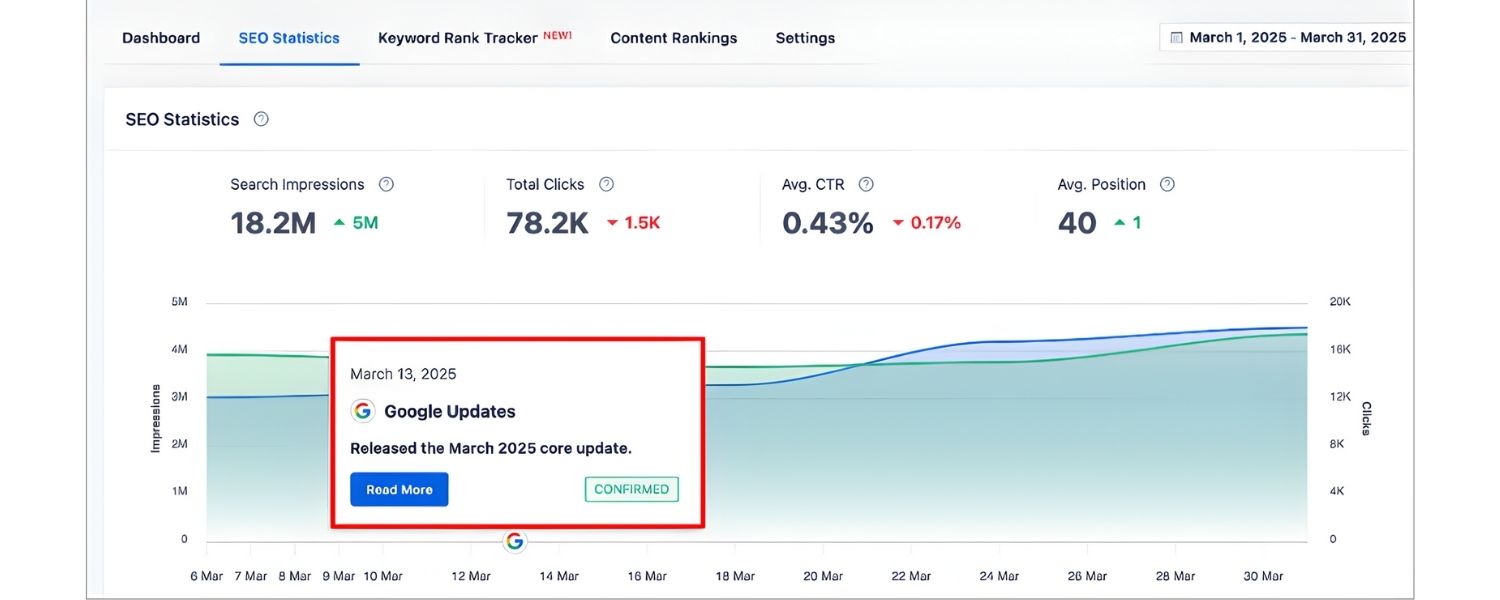
Once changes are live, it’s critical to monitor the results over time. SEO improvements, for instance, won’t happen overnight – search engines might take a few weeks or months to re-crawl and re-rank updated pages. In general, give it a few months, then compare key metrics against your initial baseline (from before the audit changes):
- Check if organic traffic to your site or specific pages has increased (or at least not decreased, in the case of removed content).
- See if rankings for target keywords improved for the pages you optimized.
- Look at engagement metrics – did bounce rates drop on updated pages? Are users spending more time on the refreshed content?
- If conversion was a goal, is there an uptick in conversions or conversion rate on the pages where you added CTAs or made improvements?
It’s possible not every change will have the desired effect. Some pages might still underperform, or you might see only partial progress toward your goal. Use this data to iterate: you might need to do another mini-audit on the stubborn pages, or perhaps further promotion (like building backlinks or sharing on social media) to support the content.
Remember, content auditing is an ongoing process, not a one-time event. Many organizations incorporate it into their annual or quarterly routines. The insights from each audit (and the subsequent improvements) will cumulatively lead to a far more effective content library.
As one expert put it, “once you have completed the process you should have a clear path to improve site content over time” – and by regularly training your team and refining content quality, “you will see results over time”.
Now that we’ve covered the how-to, let’s summarize some best practices and tools that can make your content audits even more efficient.
Tools and Resources to Streamline Your Content Audit
Conducting a content audit can be complex, but thankfully there are many tools that help automate and simplify parts of the process. Here are some categories of tools and examples:
1. Analytics Tools
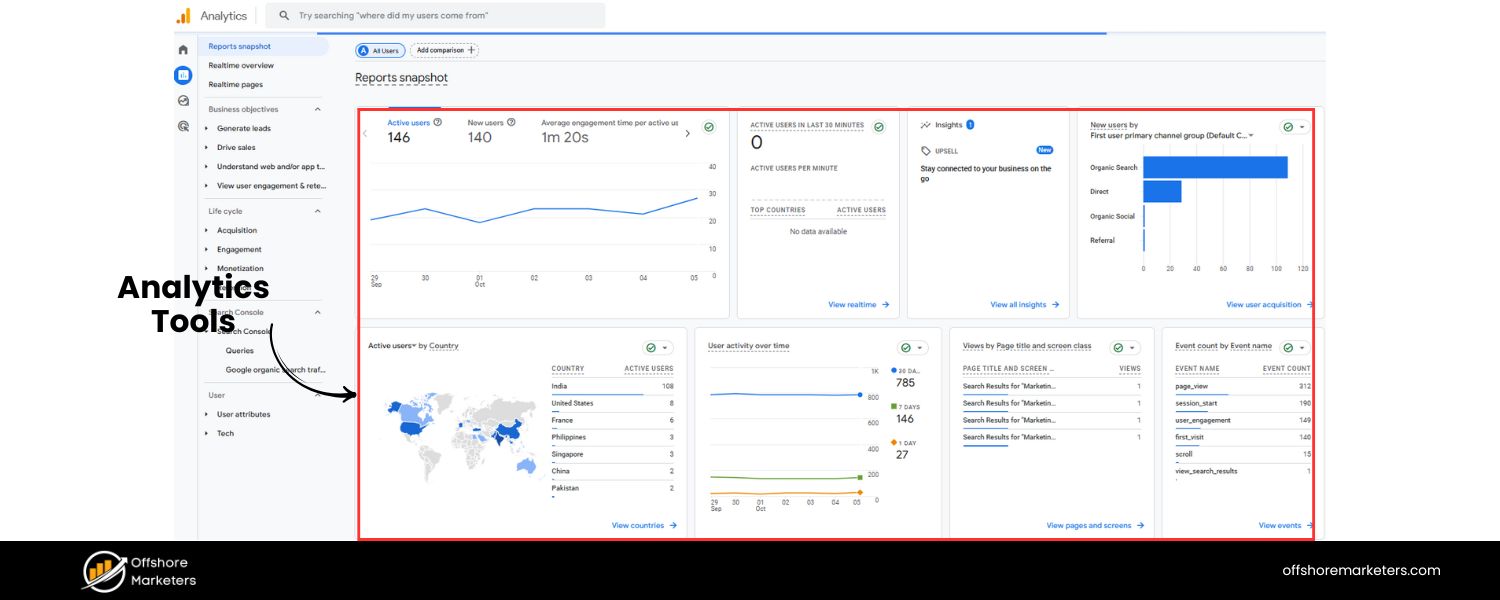
To gather performance data, tools like Google Analytics are indispensable (and free). GA will provide pageviews, bounce rate, time on page, and conversion goals for your pages. If you connect it with Google Search Console, you can also see click-through rates and search queries. These data points feed directly into your audit analysis.Other analytics platforms (Adobe Analytics, Matomo, etc.) can also be used, but the key is having reliable data on how users engage with each page.
2. Crawling and Indexing Tools
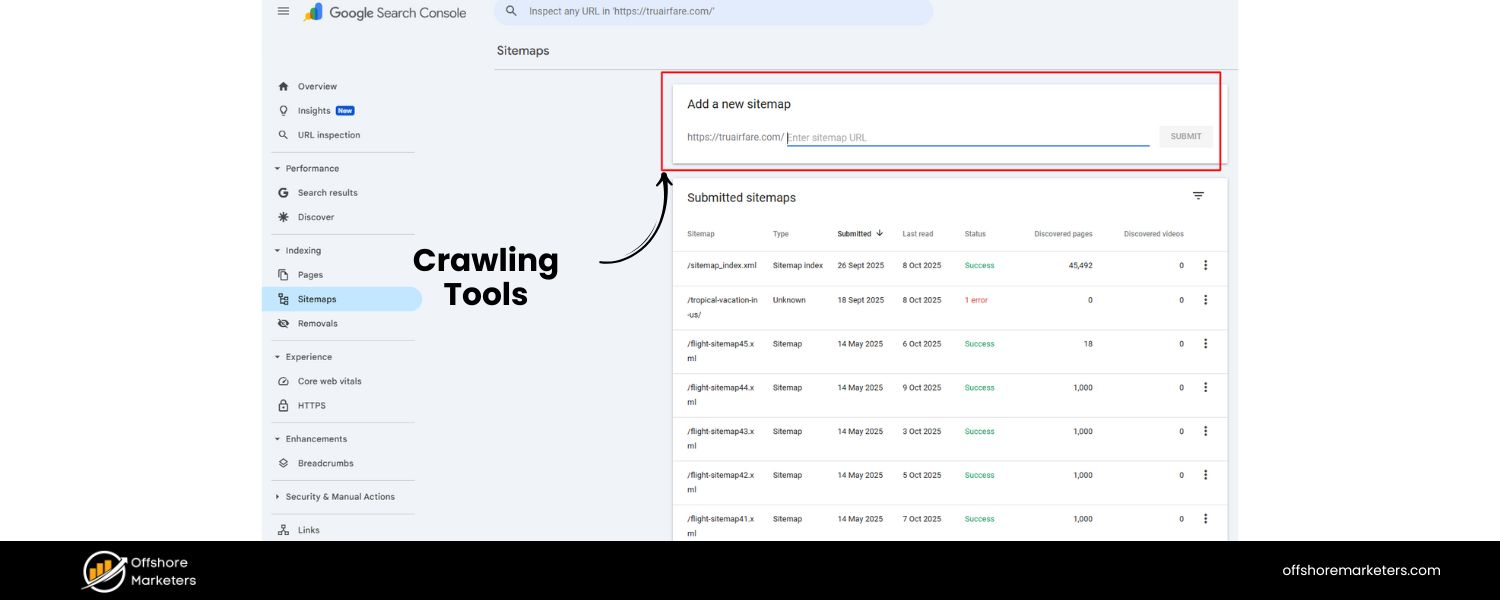
As mentioned, Screaming Frog SEO Spider is excellent for generating a content inventory and checking technical aspects in bulk (like identifying all pages with missing meta descriptions or H1 tags).Ahrefs Webmaster Tools (AWT) and Semrush Site Audit are also powerful for exporting lists of URLs and associated SEO metrics. These tools can save hours of manual work and often highlight issues (404 errors, duplicate titles, etc.) as part of their reports.
3. Content Audit Templates & Spreadsheets
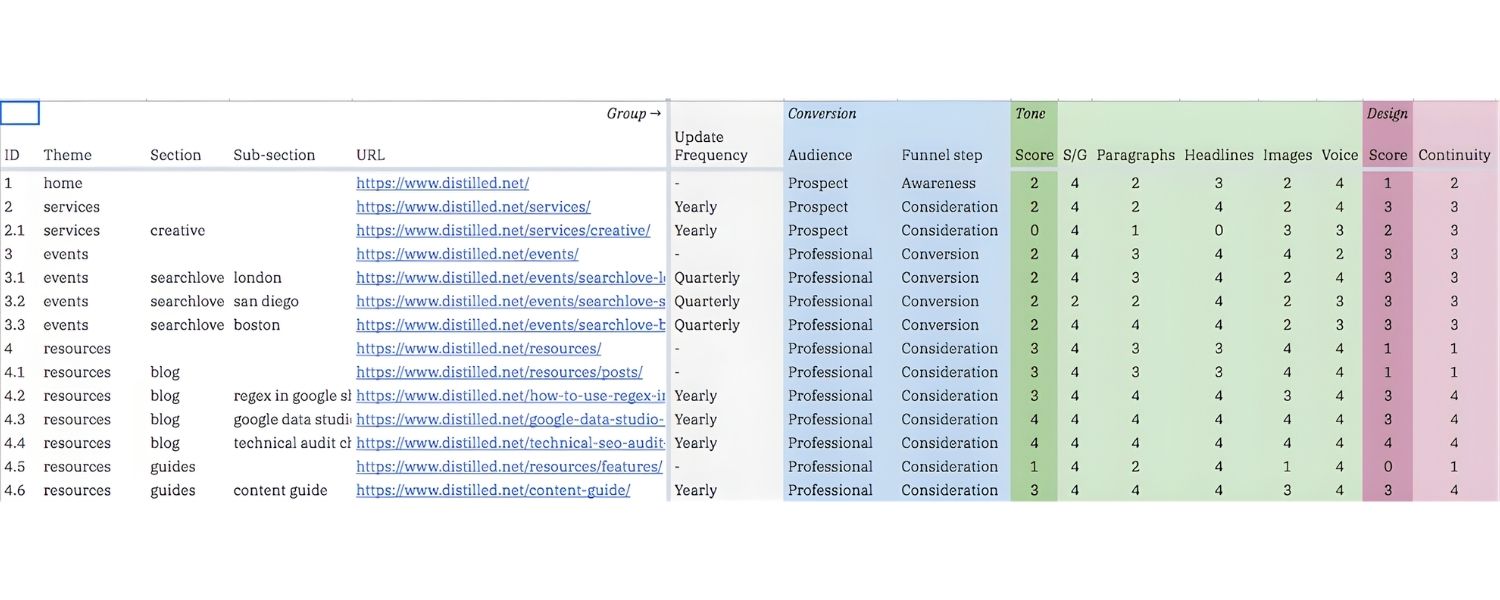
Using a pre-made content audit template can be a lifesaver for organization. HubSpot’s content audit kit and Semrush’s SEO content audit template (a Google Sheets template) are popular options. They provide column structures and sometimes formulas to help rate content.The USDA even provides a simple Content Audit Template in Excel form (an interesting resource for a straightforward inventory layout). Choose a template that suits your goals, or customize your own. The important thing is having a structured place to compile and analyze the data.
4. Project Management Tools

Since an audit involves many tasks, tools like Trello, Asana, Monday.com, or Jira can help track the progress of content updates and ensure accountability.You can create a board or project with columns like “To Update,” “In Progress,” “Needs Review,” “Done” to manage the implementation phase of your audit. These tools aren’t specific to content auditing, but they greatly help in executing the action plan methodically.
5. SEO Optimization Tools
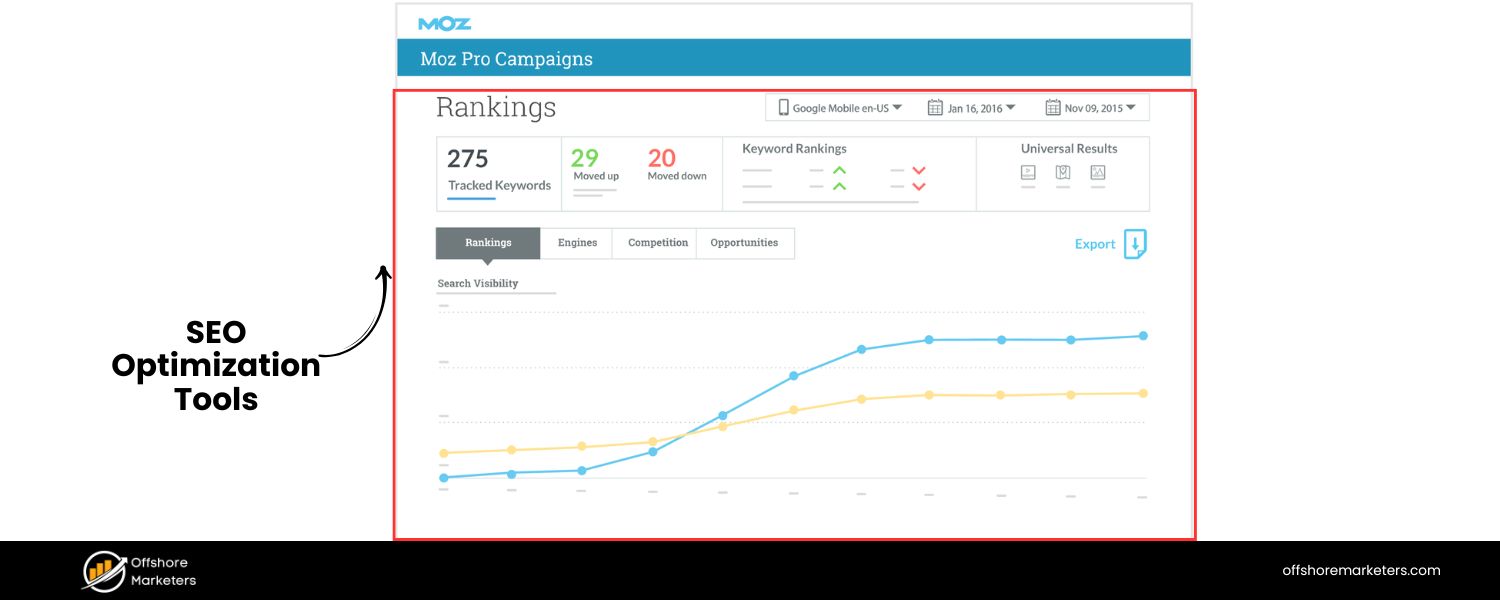
For deeper analysis on optimization, consider SEO suites like Moz, Ahrefs, or Semrush. They can help you perform tasks like keyword research (to find new keywords to target in your content updates), competitive content gap analysis (seeing what topics competitors cover that you don’t), and backlink analysis. Some, like Ahrefs, even have content-specific audit features.For example, Ahrefs’ content audit tool can identify underperforming pages based on traffic and backlinks, essentially pointing you to pages that may need pruning or improvement. These insights supplement your audit by providing an external perspective of your content’s performance on the web.
6. User Behavior Tools
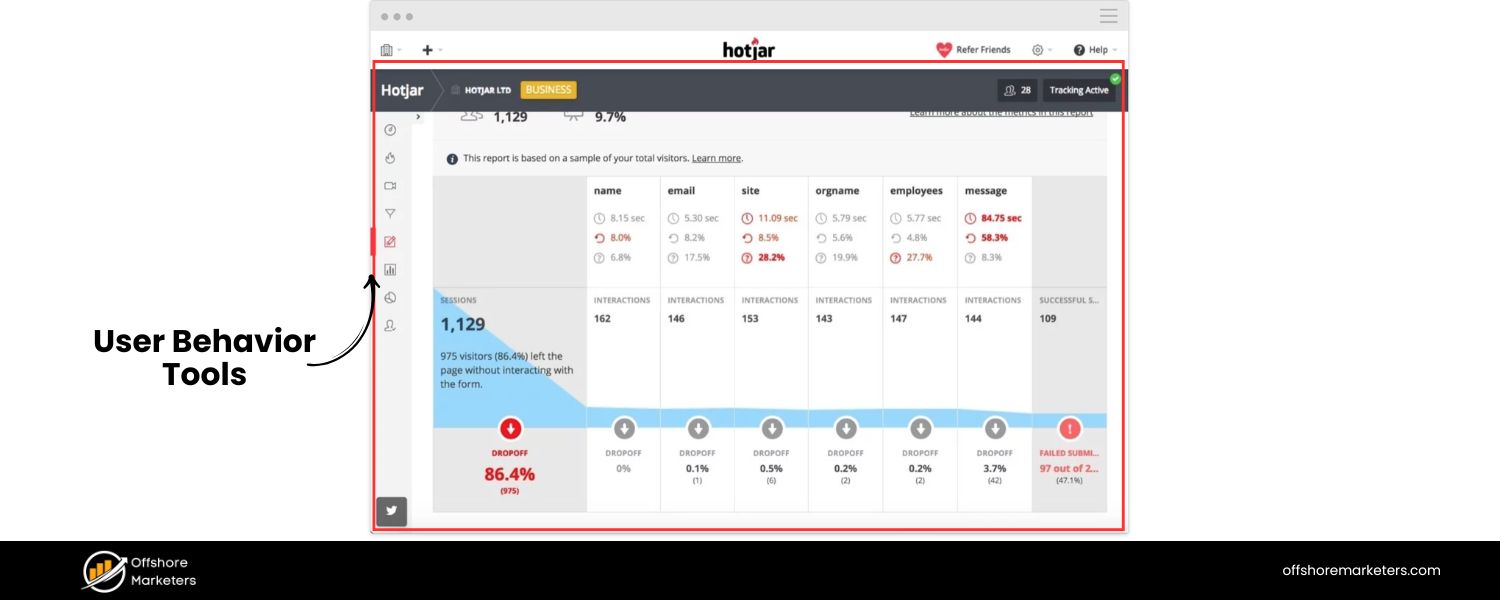
To complement quantitative data, heatmap and session recording tools like Hotjar or Crazy Egg can show how users interact with pages. During an audit, you might use these to discover that users never scroll past the first paragraph on Page X, or that they are clicking an element that isn’t actually a link (indicating confusion). Such findings can guide your content improvements (e.g., moving important info higher on the page, or making a non-link into a real link because users want it). These tools add a qualitative layer to your audit beyond what Google Analytics can tell you
7. Content Management System (CMS) Features
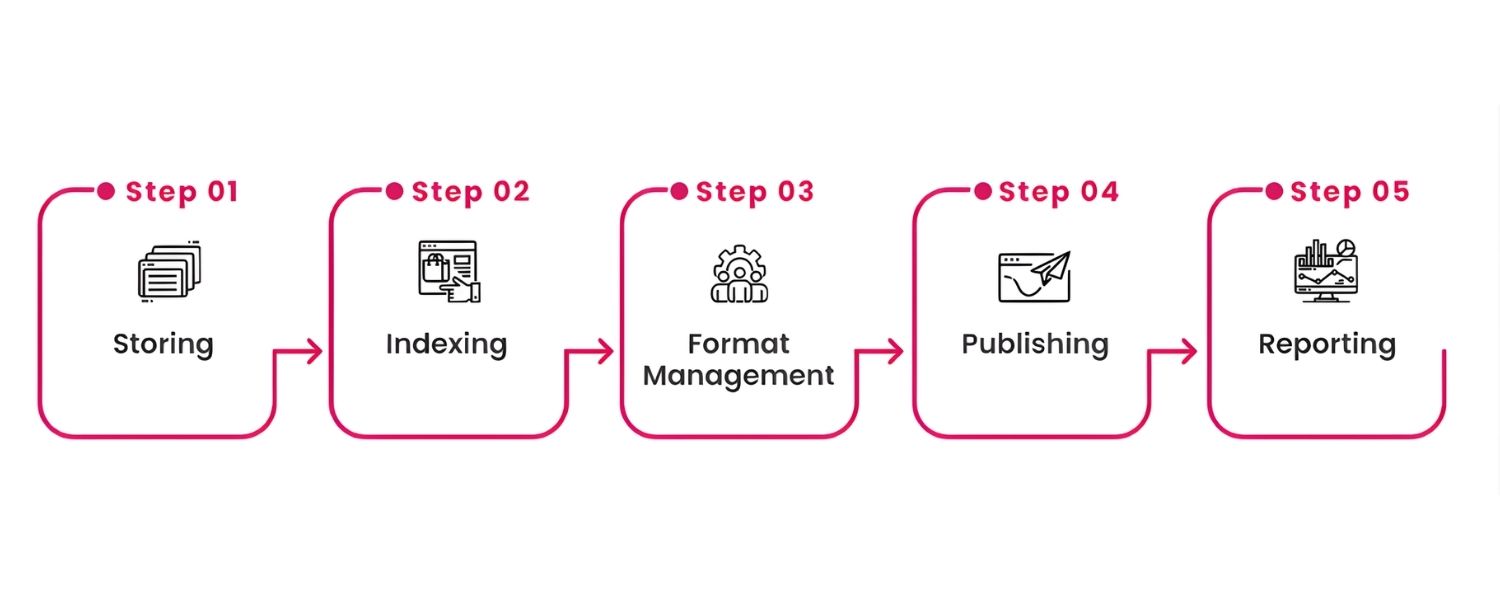
Don’t overlook tools or plugins within your CMS. For instance, if you use WordPress, the Yoast SEO plugin can give each page an SEO “score” and readability analysis. This can quickly flag pages that lack meta tags or have readability issues (like very long sentences or missing subheadings).Some CMSes have broken link checkers or accessibility checkers built-in or available via plugins. Utilizing these during an audit can speed up finding certain issues (Wholegrain Digital’s Website Carbon or Siteimprove for accessibility are examples, the latter of which Yale uses for scans).
In summary, combine tools to cover the bases: one for crawling, one for analytics, one for managing the project, and any specialty tools needed for your particular focus (SEO, accessibility, etc.). These will drastically reduce manual effort and ensure you don’t miss critical data.
Just remember, tools can gather data, but human insight is irreplaceable in auditing, you’ll still need to interpret the data and make judgment calls on content qualitAs Nielsen Norman Group emphasizes, tools can automate parts of the process, but actual people must handle the qualitative assessment to decide what content stays or goes.
Best Practices and Tips for an Effective Content Audit
Having conducted content audits for many clients over the years, I want to share a few best practices and tips to ensure your audit is successful:
1. Start Small if Needed
If the idea of auditing tens of thousands of pages is paralyzing, start with a subset. You might audit one section at a time. For instance, do the blog this month, the knowledge base next month.
“If there’s more content than you can handle, start with a manageable yet impactful subset,” advises Nielsen Norman Group. You’ll make progress and can expand the scope as you gain confidence.
2. Involve Stakeholders Early
Content decisions can be sensitive (people get attached to content they created!). By involving others early, such as letting the product team know you’ll be auditing support docs, or getting input from sales on which content they find most valuable – you build buy-in.
Also, when you eventually recommend removing or altering something, it won’t come as a surprise. Communicate the purpose and criteria of the audit to everyone concerned. This transparency helps avoid resistance and ensures cooperation, especially if you need information from them (e.g., asking subject matter experts to review technical accuracy of content).
3. Be Objective and Data-Driven
It’s easy to have pet pieces of content that you “feel” are great, or conversely to assume something is useless without evidence. Let the data and established criteria guide you.
If a page has hadzero visits in 18 months and is not aligned to any current business goal, it’s a strong case for removal, even if someone high up likes that page. Conversely, if a piece has mediocre traffic but you see potential with some tweaks (and it aligns with strategy), then the data is telling you to update and promote it rather than kill it.
Use the audit as a chance to remove personal bias and make content decisions based on performance and strategic value.
4. Consider Content Ownership
Identify who is responsible for each content piece moving forward. A content audit often reveals that some content has no clear owner (especially on older sites). Part of your action plan can be assigning owners to content, which aids future maintenance.
For example, decide who will be in charge of updating the blog posts vs. the product pages. Mightybytes notes that knowing content ownership helps spot red flags like one person overloaded with all updates or pages that fall through the cracks because no one owns them. Setting ownership and governance processes ensures your content stays healthy after the audit.
5. Don’t Neglect Meta Content
When auditing, pay attention not just to on-page text but also to metadata and behind-the-scenes content. Check if PDFs or downloadable resources on your site are up-to-date (they often get forgotten). Ensure images have alt tags and that video or audio content has transcripts or captions.
These elements affect user experience and SEO, and a content audit is a chance to rectify omissions (e.g., add alt text to images that are missing it for better accessibility and SEO).
6. Use a “Content Matrix” for Redesigns
If your audit is part of a redesign or migration, consider creating a content matrix document. This maps old content to new site structure. Yale mentions using a content matrix to decide how content from an old site will fit into a new one.
In practical terms, a content matrix is often a spreadsheet where you list old URLs and note the corresponding new URL (or action, like “remove”) and any notes for rewriting. It helps ensure nothing important is lost during a redesign and that the new site has everything needed from the old site (or consciously left out). It’s a helpful companion to the audit when executing a site overhaul.
7. Take User Feedback into Account
If you have access to user feedback (comments on articles, support tickets, etc.), incorporate that into content decisions. Perhaps your support team knows that customers frequently complain that a certain help article is confusing – your audit update for that piece would then prioritize rewriting it for clarity.
Or maybe blog readers have commented requesting more info on a topic, a sign you should expand that content. User behavior and feedback are a gold mine to complement the audit. Even checking on-site search queries (what users search for on your site) can highlight content gaps.
8. Prioritize “Risks, Opportunities, Gaps, and Gems”
A clever framework from Yale’s guidance is to summarize audit findings into Risks, Opportunities, Gaps, and Hidden Gems.
A. Risks are problems, e.g., broken links, content errors, anything that could harm user experience or credibility. Address these first.
B. Opportunities are areas to exploit – content themes to double down on, or format improvements (like many pages might be slow, so improving performance is an opportunity).
C. Gaps are missing content your audit uncovered, topics you don’t have but should, or pages that are too thin and need more content. Fill these gaps in your strategy.
D. Hidden gems are great content pieces that are underutilized, maybe an excellent blog post buried deep in your site that could be surfaced or promoted better, or an old piece that could be repurposed into a new format for more reach.
Using these categories when presenting audit results can help stakeholders grasp where the focus needs to be (fix the risks, pursue the opportunities, fill the gaps, leverage the gems).
9. Document and Celebrate Improvements
After implementing changes, document what was done and any positive outcomes (even small ones). Did the audit lead to a 15% increase in organic traffic? Or maybe the website’s overall page count was reduced by 20% by removing ROT content, making the site leaner.
These successes are worth celebrating and also serve as justification for doing future audits. It proves the ROI of the effort. Moreover, keep a log of changes, this is useful context for the next time you audit. For example,“Page X was updated in June 2025 with new pricing info”, so if you audit in 2026, you know that was recently handled.
By following these best practices, your content audit will not only be thorough but also actionable and smoothly executed. It transforms from a daunting content cleanup into a strategic exercise that continuously improves your content marketing effectiveness.
Conclusion: Take Charge of Your Content Strategy (Call to Action)
A content audit is more than a housekeeping task, it’s a strategic opportunity to refine and elevate your entire content marketing effort. By auditing your content, you discover what’s working, fix what’s broken, and make informed decisions to better serve your audience and meet your business goals.
Now that you’ve learned how to conduct a content audit from start to finish, the next step is to put it into action. Set aside time on your calendar to kick off your first (or next) audit. You might start with a single section of your site or dive into a full audit, either way, begin the process of evaluating your content. Use the steps and tips outlined in this guide as your roadmap, and leverage the recommended tools to ease the workflow.
Remember, auditing content isn’t a one-and-done chore. It’s a regular practice of content governance and continuous improvement. By making content audits a habit (say, annually or quarterly), you ensure your website stays current, competitive, and aligned with user needs. This proactive approach will help you stay ahead of competitors who might let old content languish.
Ready to boost your content performance? Gather your team, download a content audit template, and start digging into your content. The payoff will be a leaner, more impactful content library that drives better SEO rankings, engages your readers, and achieves your marketing objectives.
Don’t let valuable content die a “slow, painful death” in obscurity, audit and reinvigorate it to unlock its full potential.
Finally, if you need expert assistance or a fresh set of eyes, consider reaching out for a professional content audit. With 25 years in the marketing industry, I’ve seen firsthand how a thorough content audit can transform a website’s success. Take action today: conduct your content audit and watch your content strategy reach new heights!
needed. You might mark some updates as high-priority (e.g. a critical product page with outdated info) versus low-priority (a low-traffic blog post that can be fixed later). You can also include a timeline or due date for each action, or group them into phases.
For example, “Quick fixes: update these 5 pages this quarter; Longer-term: rewrite these 10 pages next quarter,” and so on. This essentially forms your content improvement plan.
Pro Tip:
Don’t toss aside content with low SEO metrics too quickly. As one SEO content manager advises, a page with low organic traffic isn’t necessarily useless, consider repurposing or promoting it rather than just deleting For example, if an old blog post has great info but no traffic, could you update it and share it on social media to give it new life?
Or turn it into a video or an infographic? Always ask if underperforming content might have untapped value via a different format or channel.
By the end of Step 4, you have a clear game plan for every page: what you’re keeping as-is, what gets updated (and how), which ones will be merged, and which will be removed. This plan is essentially the deliverable of the audit – it’s the strategic roadmap that comes out of all your analysis. Now, it’s time to execute that plan.

Why Roseville Startups are Choosing Offshore Marketers to Scale Smarter
Roseville is no longer just a quiet suburb of Sacramento;...

What Is PPC? A Practical Guide to Pay‑Per‑Click Advertising
Pay‑per‑click (PPC) is the “pay only when someone clicks” branch...

Google Search Issues Affecting Results in Some Regions
Google has confirmed a problem with one of its data...

Keyword Counts Dropped After Google’s num=100 Change
In September 2025, Google stopped supporting the &num=100 parameter. This...

Image SEO: Optimize Images for Higher Rankings & Traffic
Introduction Images make your website more engaging, but they can...


.png)
.png)
.png)
.png)
.png)

2024 ALL RIGHTS RESERVED MADE IN INDIA
.png)