
Redirects: What They Are & How to Use Them
September 8, 2025
Introduction
Every seasoned digital marketer knows that even a simple website change can make or break your traffic. Imagine reorganizing your site or changing a URL, only to watch your hard-earned Google rankings plummet and users hit dead-ends. In my 25 years of marketing experience, I’ve seen countless site migrations fail due to improper redirects, causing massive SEO losses that could have been avoided.
The good news is that URL redirects, when used wisely, can seamlessly guide visitors and search engines to the right content with no harm to your rankings. This comprehensive guide will demystify redirects, explain the different types (like 301 vs 302), show you how to implement them across various platforms, and outline best practices so you can preserve your SEO and provide a smooth user experience. Let’s dive in!
What Are URL Redirects?
A URL redirect (also called URL forwarding) is essentially a behind-the-scenes instruction that automatically sends a visitor from one web address to another. Think of it like setting up mail forwarding at the post office: if someone sends a letter to your old address, the postal service directs it to your new address.
Similarly, when a browser or Googlebot requests an old URL that you’ve redirected, the web server quickly tells it: “This page has moved – here’s the new location.” The result is that users (and search engines) arrive at the new page without having to manually find it.
Illustration: A 301 redirect sends visitors from an old URL to a new URL automatically. The browser receives a “301 Moved Permanently” response for the old address and then fetches the content from the new address.
Under the hood, redirects work through special HTTP status codes. When you set up a redirect, your server returns a response code in the 300 range (such as 301 or 302) along with a “Location” header pointing to the new URL. Upon receiving that, browsers immediately load the new address given in the response.
Aside from a barely noticeable extra fraction of a second (the time it takes to get the new request), users typically won’t even realize a redirect happened – they’ll just see the content at the new URL. This makes redirects a powerful tool for site maintenance and user experience, ensuring that anyone trying to visit an outdated link still ends up in the right place.
Why Redirects Matter (Preventing Broken Links and Beyond)
URL redirects are vital for both preserving your SEO rankings and maintaining a smooth user experience. They serve many important purposes on websites. Here are some of the most common reasons you would use a redirect:
1. Preventing Broken Links
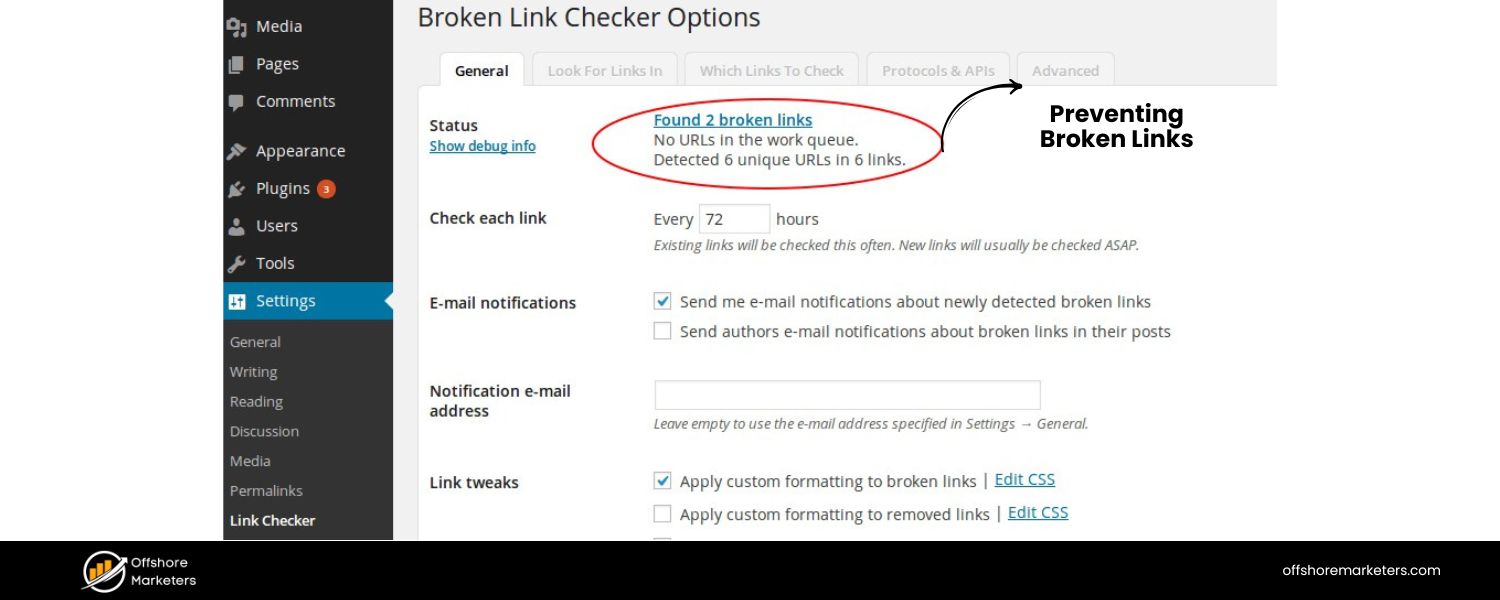
If you remove a page or move it to a new URL, a redirect ensures visitors don’t hit a dreaded 404 error page. Instead, they’re automatically taken to the new page that replaced the old one. This spares users from dead-ends and keeps them on your site.
It also preserves any valuable backlinks that were pointing to the old URL by passing those visitors (and link equity) along to the new page instead of letting them slip away
2. Site Redesigns and Content Migrations
When you overhaul your website structure or merge two sites, many URLs will change. Redirects make the transition seamless by mapping each old URL to its new counterpart.
For example, if you change your domain name or move from oldsite.com/page to newsite.com/page, implementing 301 redirects site-wide will transfer both users and search engines to the new domain. This way, you “bring along” your existing traffic and search rankings to the new site rather than starting from scratch.
3. Changing URL Structure or Renaming Pages
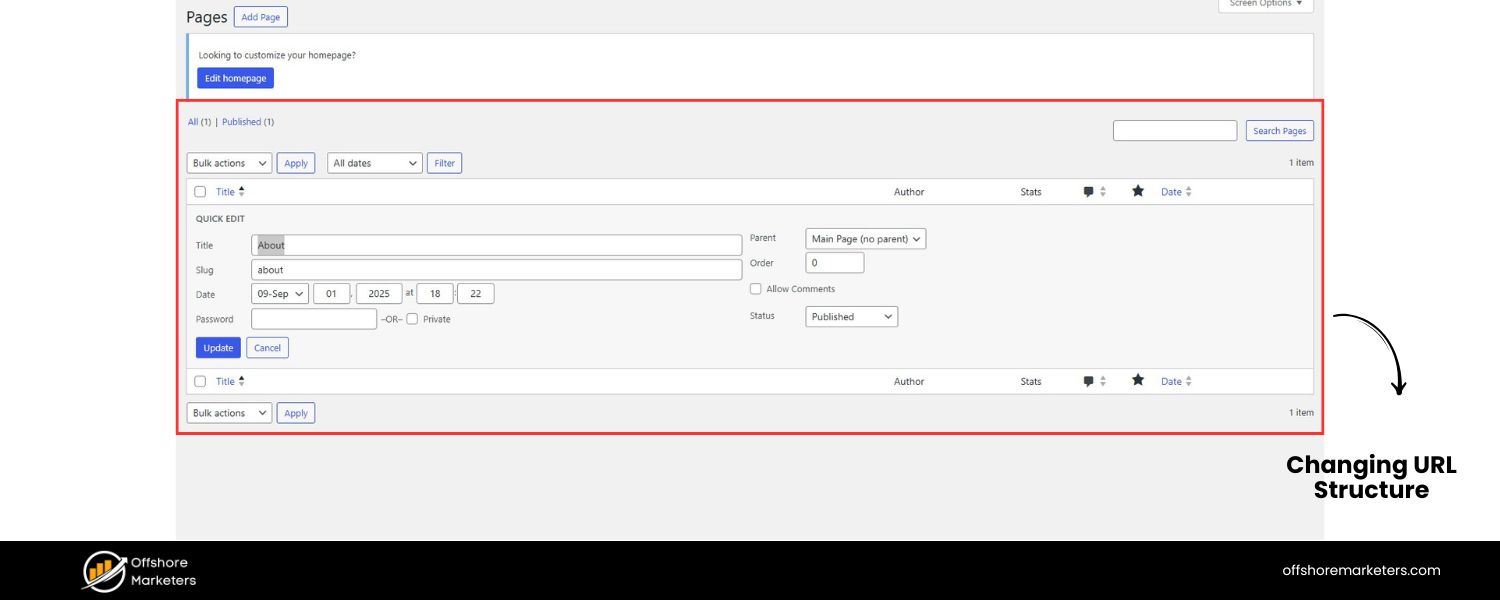
Maybe you decided to clean up your permalink structure or you’ve optimized a page’s URL with new keywords. Using redirects allows you to update URLs without losing the traffic and SEO strength the old addresses had accumulated.
For instance, if /services.htm becomes /services/ or you rename a blog post slug, a redirect from the old path to the new one will ensure any bookmarks or search results still work. This helps you maintain your search engine rankings even as you improve URL structure.
4. Consolidating or Deleting Content
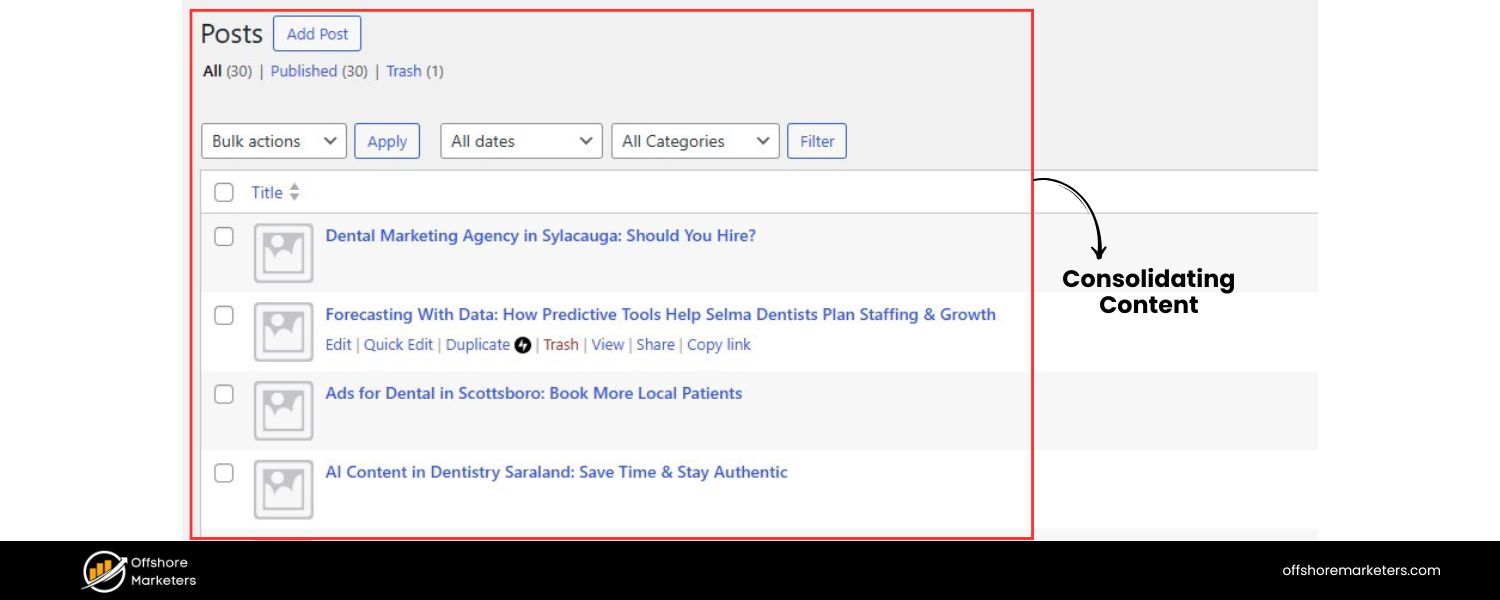
Sometimes you might merge two similar pages into one more comprehensive page, or prune thin content from your site. In these cases, you should redirect the removed pages to the single new page that covers the topic. This way, any traffic or SEO value from the old URLs is consolidated at the new page.
If there is no close replacement for deleted content, you might choose not to redirect (serving a 404 or 410 Gone instead), but never leave formerly important URLs in limbo without at least considering a redirect – broken links can hurt your site’s perceived quality.
5. Multiple Domains or URLs for One Site
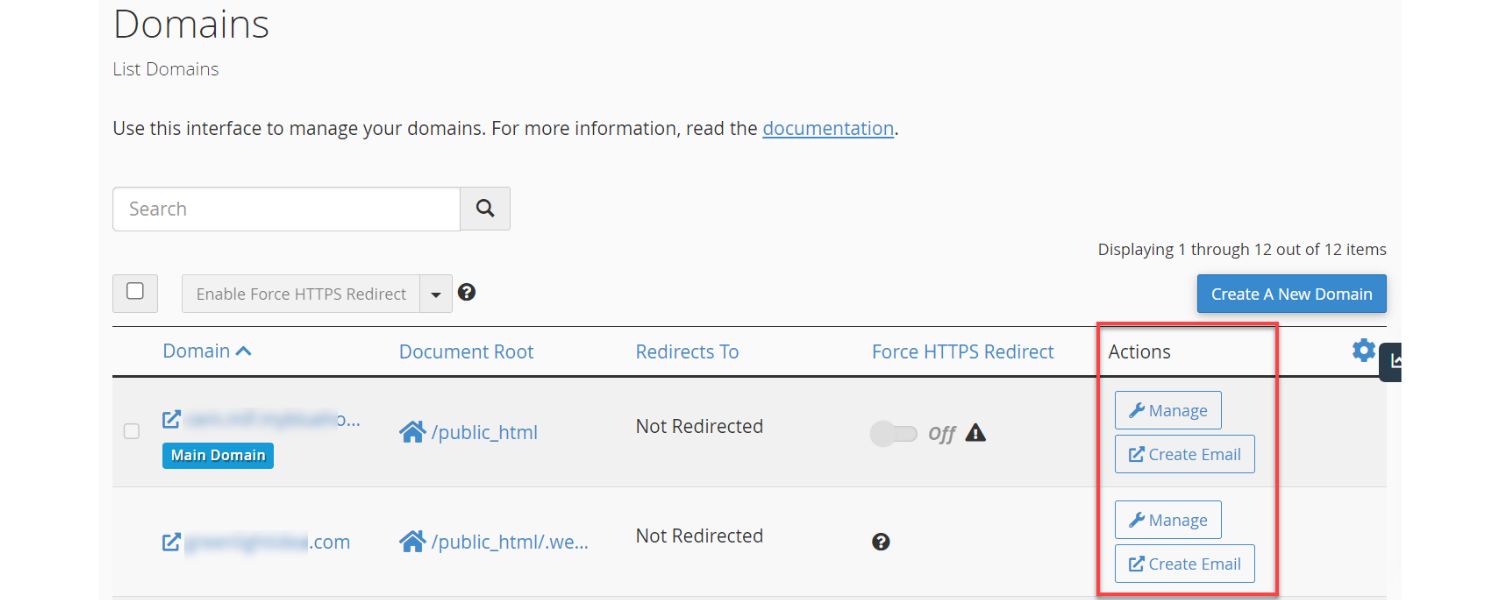
Often, a website might be accessible under several URLs (for example, with or without “www,” or various domain extensions like .com and .net). To avoid duplicate content and concentrate your SEO signals, you should pick one primary URL and redirect the others to it.
For example, if both http://yourdomain.com and http://www.yourdomain.com work, choose one as canonical and set up redirects from the other. Similarly, companies often register common misspellings or alternate domains and forward them to the main site so that users still land in the right place.
6. Temporary Site Maintenance or Campaigns
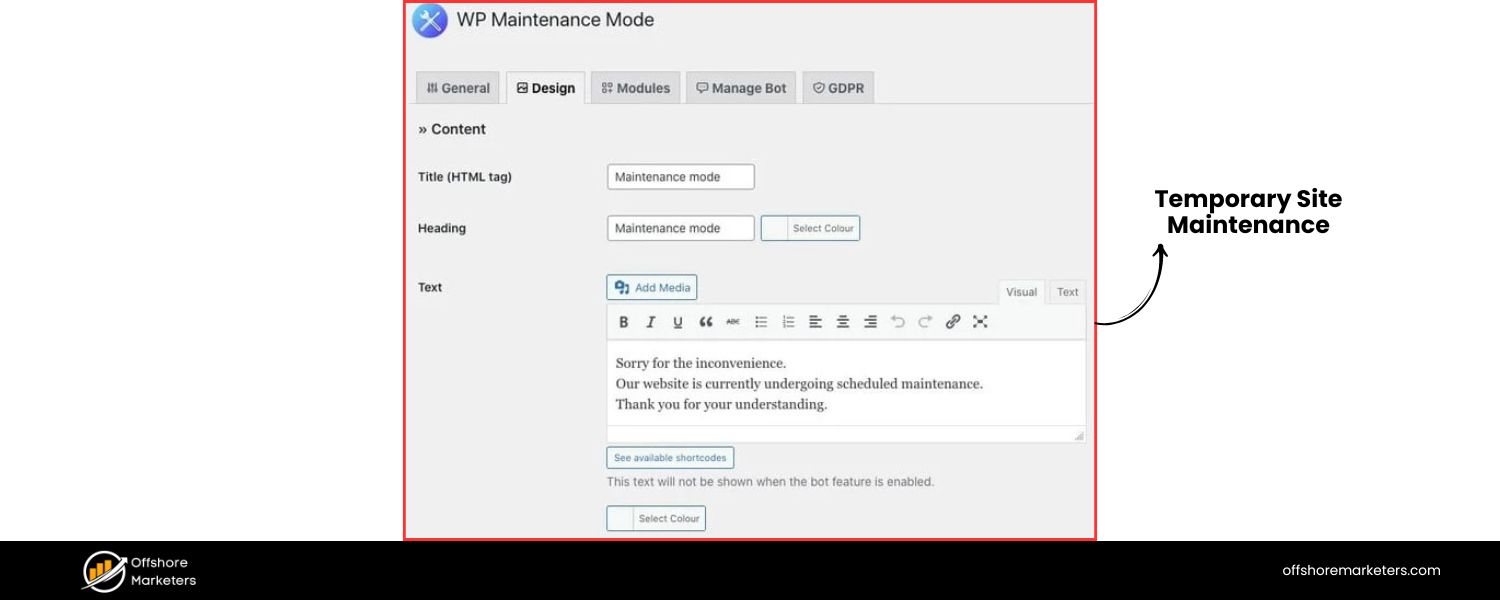
Redirects aren’t only for permanent moves. If your site or a page is temporarily down for maintenance, you can use a temporary redirect to send users to a “maintenance in progress” page or an alternate page in the meantime.
After the downtime, you remove the redirect and things go back to normal. Another use-case: running a seasonal promotion – you might temporarily redirect an old page to a special campaign landing page for a short period. Temporary redirects guide users during short-term changes without telling search engines that the move is permanent.
In short, redirects matter because they keep your traffic flowing where it should. They protect your site from the negative impacts of broken links: frustrated users, loss of credibility, and loss of “link juice” (ranking power from backlinks).
By properly redirecting moved or retired URLs to relevant new destinations, you preserve the organic traffic and SEO rankings that you worked hard to build. Google’s own documentation emphasizes using redirects in these scenarios to make transitions as seamless as possible for both users and search engines.
Types of Redirects: 301, 302, 307, and More
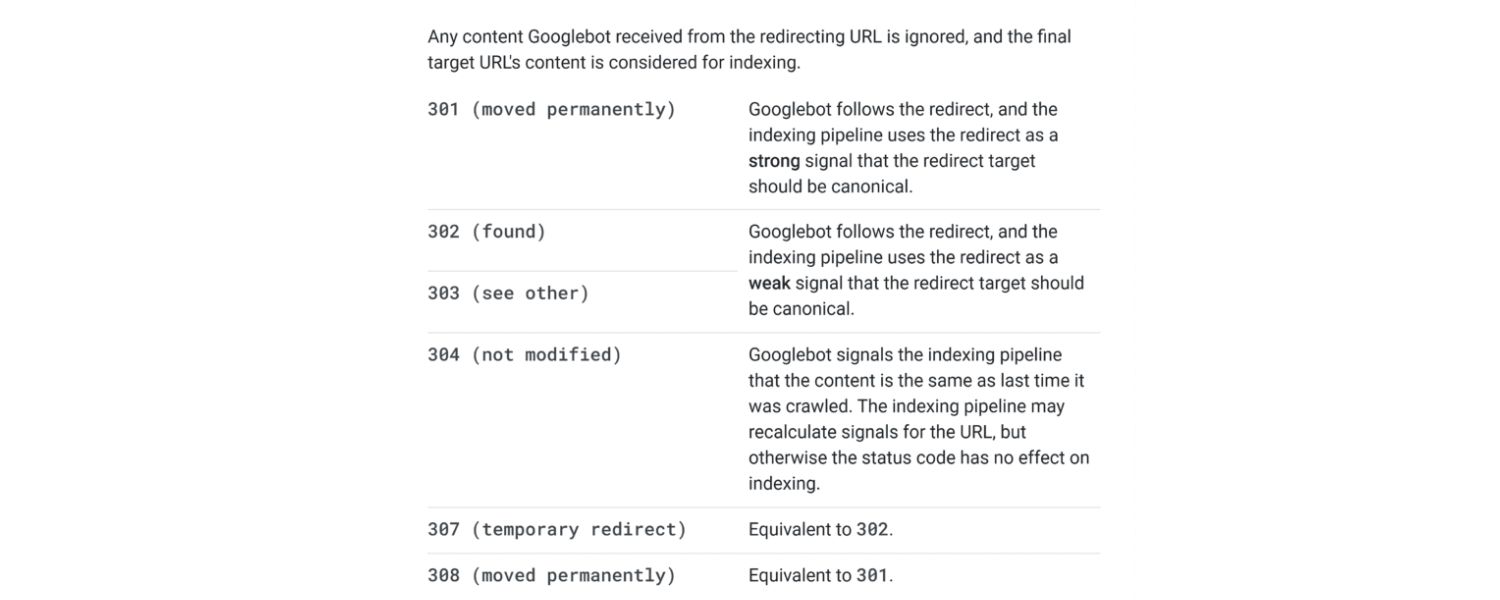
Not all redirects are the same. There are several HTTP status codes and methods that indicate a redirect, each with slightly different meaning. The two main categories are Permanent vs Temporary redirects, and it’s crucial to choose the right type for your situation. Let’s break down the common types of redirects and what they mean:
1. 301 – Moved Permanently
This is the most important and commonly used redirect for SEO purposes. A 301 redirect tells browsers and search engines that a page has permanently moved to a new location. It is the go-to choice when you want to permanently forward traffic and ranking signals from an old URL to a new one.
Search engines interpret a 301 as “this old URL is gone, the new URL is what should be shown in search results going forward.” As a result, a 301 redirect passes virtually all of the original page’s SEO value to the new page.
(In the past, it was thought some “link juice” was lost in a 301, but Google has stated that 301 redirects do not dilute PageRank in modern times – more on that in the SEO section below.)
2. 308 – Permanent Redirect
The 308 status code is another type of permanent redirect, similar in purpose to 301. The difference is technical: 308 was introduced to be an explicit permanent redirect that does not allow the HTTP method to change.
In practice, 308 redirects are less commonly used, but some server frameworks use 308 for certain scenarios. For most site owners, using a 301 vs 308 doesn’t make an appreciable difference – both signal a permanent move. The key is that they both tell search engines to treat the new URL as the replacement canonical URL.
3. 302 – Found (Temporary Redirect)
A 302 indicates that the redirect is temporary. This means the original requested URL is intended to come back later. For example, if you’re A/B testing or doing maintenance, you might redirect page A to page B with a 302, planning to remove that redirect eventually.
Search engines seeing a 302 will generally keep the old URL in their index (assuming the move is fleeting) and continue to check for the original page in the future. In other words, a 302 tells Google “don’t forget about the original URL, this redirect is just a temporary detour.”
Users still get forwarded to the new page, but Google might not immediately transfer SEO signals because it expects the change to be reversed. (However, note: if a 302 redirect stays in place for a very long time, Google may eventually treat it akin to a 301, as a permanent change. So use 302 only if you genuinely intend a short-term redirect.)
4. 307 – Temporary Redirect
This is the HTTP/1.1 equivalent of 302 with more strict handling (it preserves the request method and body). Like 302, a 307 means temporary – the resource might be back at the original URL soon. For most purposes, 302 and 307 are interchangeable in outcome (browsers handle them similarly, and search engines view both as temporary). If your server or framework returns a 307, just know it’s a temporary redirect like a 302.
5. 303 – See Other
This redirect code is a special case primarily used after form submissions or API calls. A 303 instructs the client to fetch a different URL with a GET request. Essentially, it’s saying “the result of your action can be found at this other URL.” It’s not commonly used for general page redirects in websites, except in specific web application flows (e.g., after a form submission to prevent resubmitting on refresh). For typical site SEO, you won’t be manually using 303s; you’ll stick to 301/302.
In summary, use 301/308 for permanent changes (content moved forever) and 302/307 for temporary changes (content moved temporarily or under maintenance). The permanent vs temporary distinction is important because Google uses it as a strong hint for indexing: a permanent redirect makes Google start indexing the new URL in place of the old, whereas a temporary redirect usually means Google will keep the old URL around in the index longer, assuming it may come back.
Other Redirect Methods
Aside from these server-side HTTP status codes, there are a few other ways to redirect, though they are generally less ideal for SEO:
1. Meta Refresh Redirect
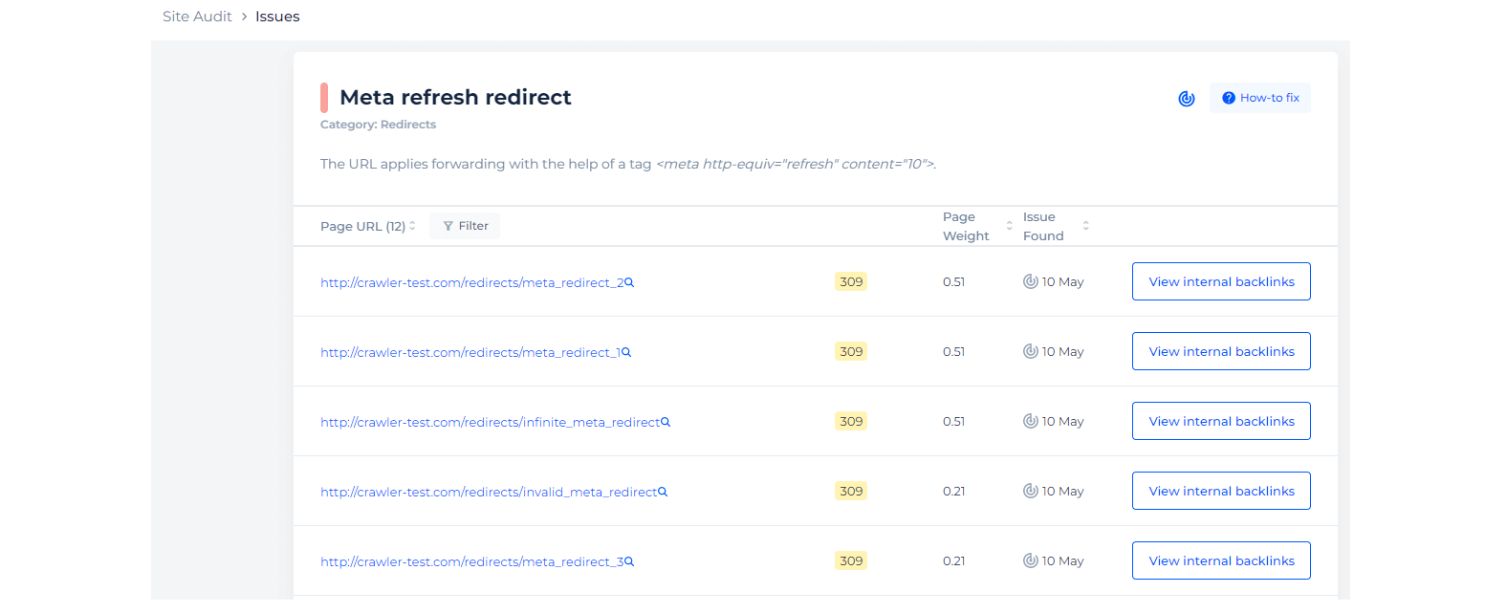
This is an HTML technique using a <meta http-equiv=”refresh”> tag in the page’s <head> section. For example, a meta refresh tag can say refresh content=”0; URL=newpage.html”, which causes the browser to load the new page after 0 seconds (immediately).
Site owners sometimes use this if they don’t have server control. Google treats an instant meta refresh (0-second delay) as a permanent redirect, and a delayed meta refresh (e.g. 5 seconds with a “Click here if not redirected” message) as a temporary redirect.
While meta refresh works, it’s not as smooth as a true 301 and might not be as user-friendly (users might briefly see a blank or the old page). Use it only if server-side redirects aren’t possible.
2. JavaScript Redirect
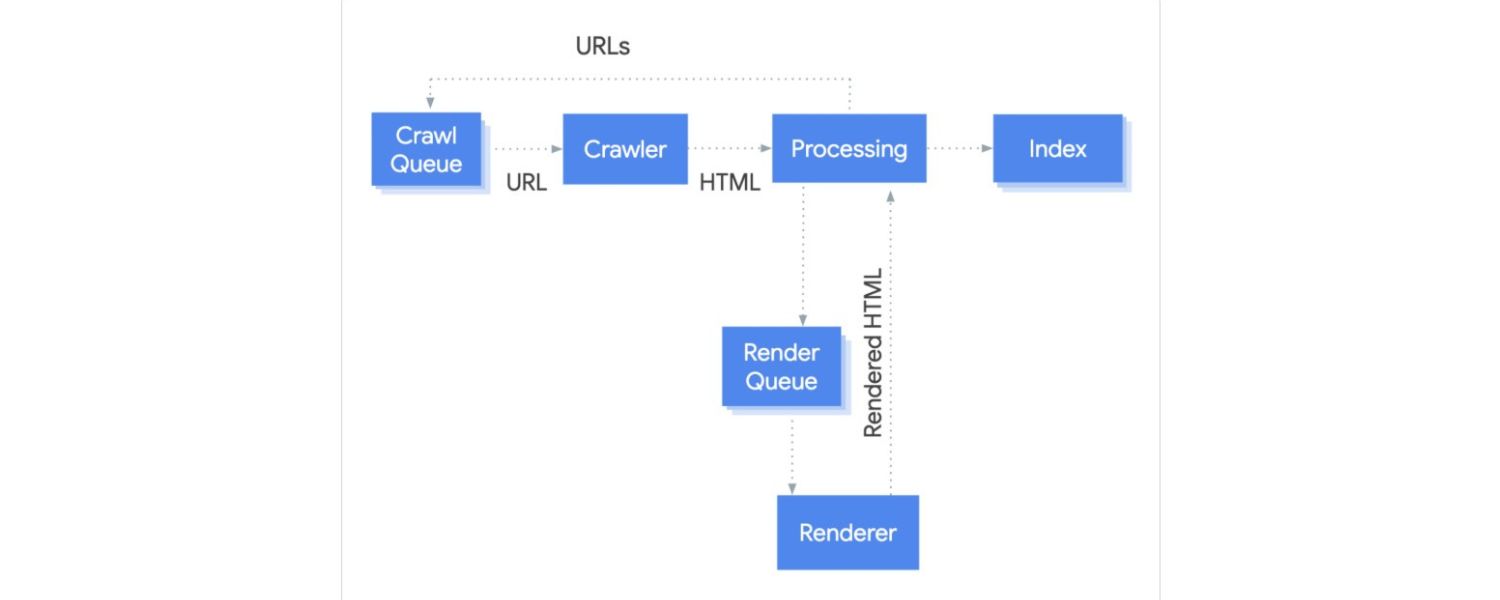
This involves using a script on the page to change the location (e.g., setting window.location.href in JavaScript). Like meta refresh, this will eventually redirect the user, but it’s dependent on the browser running the script. Search engines can handle JavaScript redirects nowadays, but there’s a catch: if the crawler fails to execute the JS for some reason, it might miss the redirect.
Google’s bots usually execute JS, but it happens after an extra processing delay. For critical redirects (like site moves), relying on JavaScript alone is not recommended. Use it only as a last resort if you absolutely cannot do a server or meta redirect.
3. Frame or Script-Based Forwarding
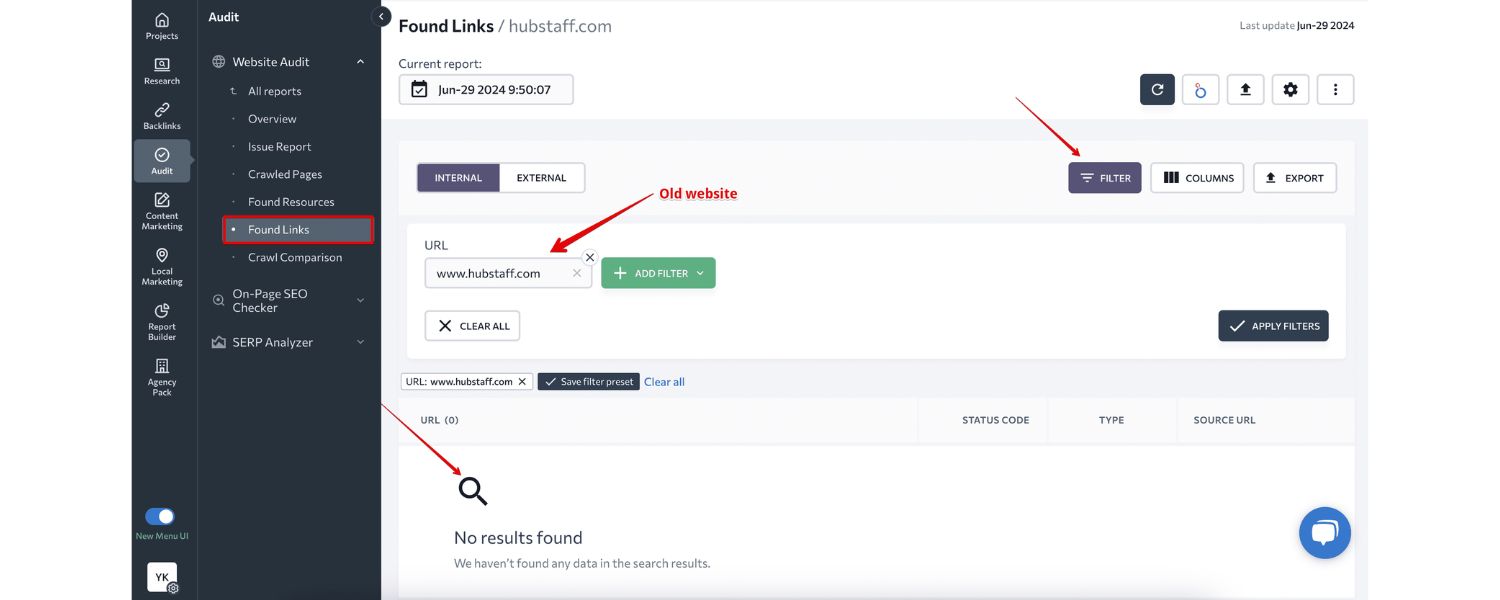
In some cases, a site may use an <iframe> or other tricks to display another page’s content under a different URL (often called domain masking). For example, showing the content of newsite.com while the browser still shows oldsite.com.
This is generally not a true redirect and is not recommended – it confuses users and offers zero SEO benefit (search engines will still see the content at the original source). Avoid these hacks in favor of proper 301 redirects.
In summary, server-side 3xx redirects are the gold standard. They are most reliably interpreted by search engines and provide the fastest, cleanest experience for users. Meta refresh and JavaScript redirects can work in a pinch, but they carry more risks (Google might not see a JS redirect if rendering fails, for instance). So whenever possible, implement a proper 301 or 302 at the server level.
Redirects and SEO: Best Practices to Preserve Your Rankings
One of the biggest concerns webmasters have is how redirects will affect search engine optimization. The good news: when done correctly, redirects should not harm your SEO. In fact, they are essential to protecting your SEO when you change URLs or restructure your site. Here are some SEO best practices and guidelines regarding redirects:
1. Use the Correct Redirect Type
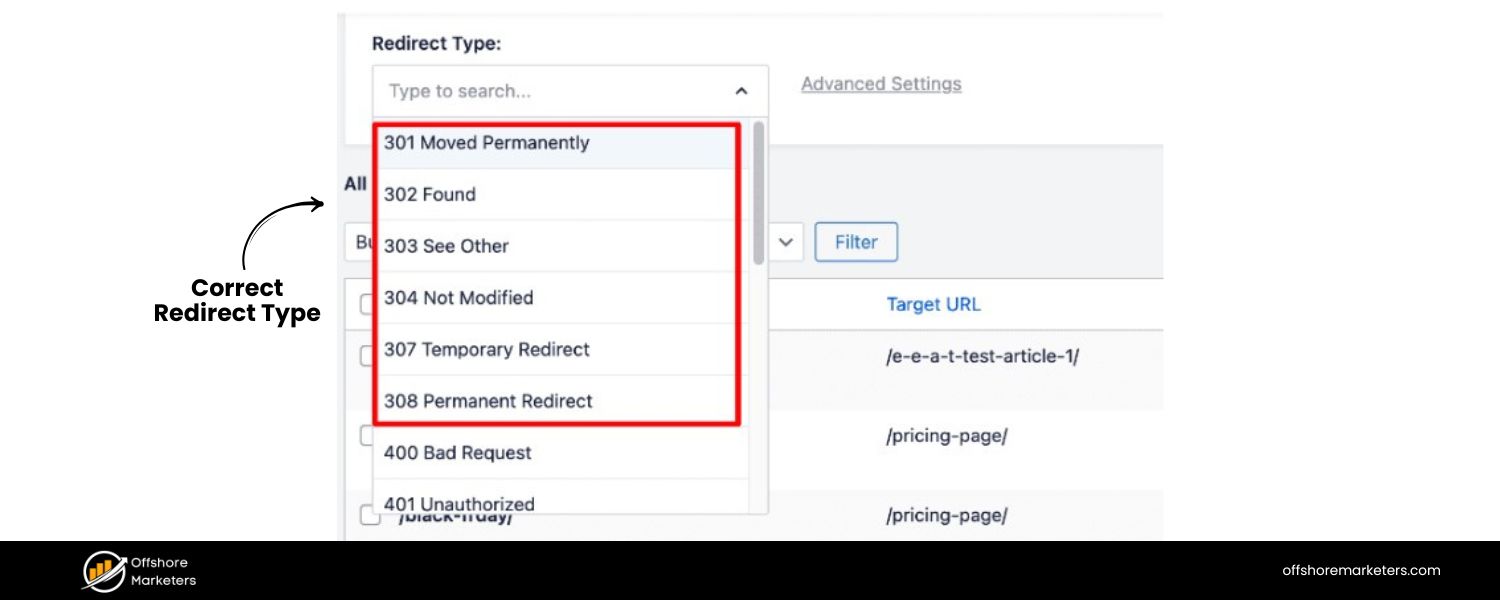
Match the redirect to your intent. If you permanently moved a page, use a 301 (permanent redirect). This signals to Google that it should consider the new URL as the definitive version moving forward. If you only need a short-term redirect, use a 302/307.
Using a 302 in place of a 301 for a permanent change can be a mistake – it might confuse search engines, which could keep indexing the old URL. Conversely, using a 301 for a truly temporary change could cause Google to drop the original URL from its index, which you might not want. So, choose wisely based on whether the change is permanent or not.
2. SEO Equity and PageRank
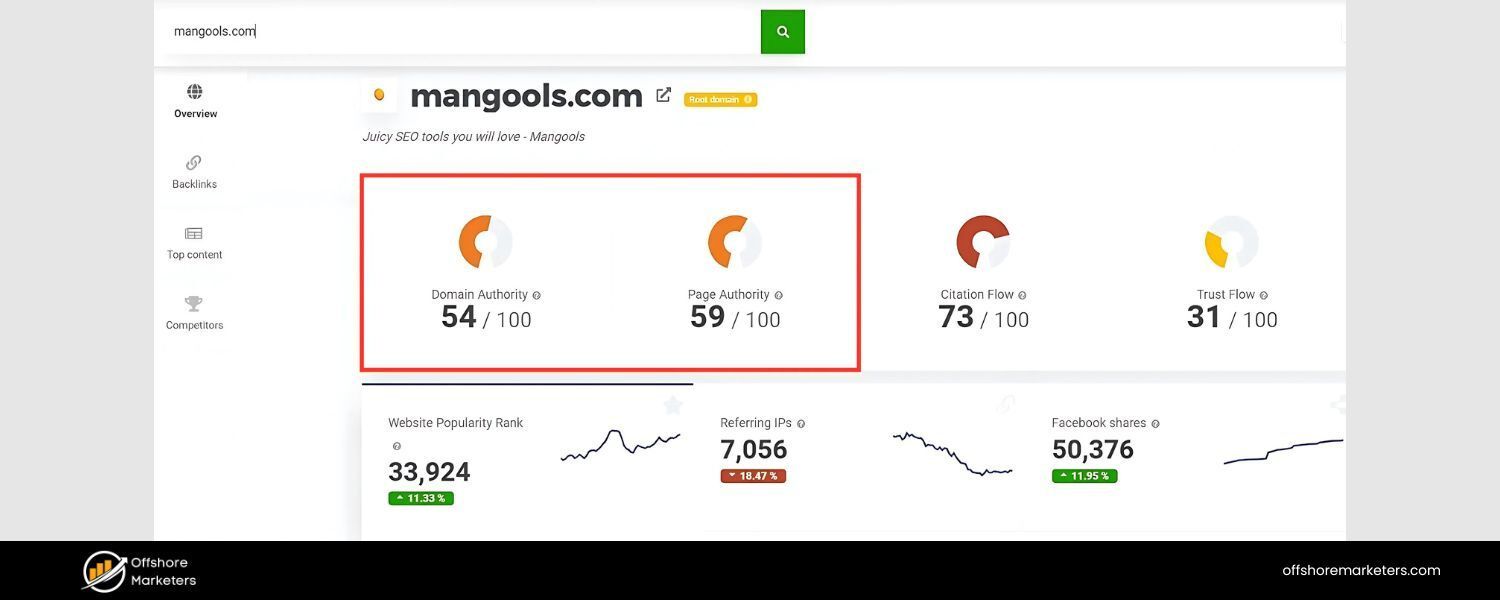
In the early days of SEO, it was commonly believed that a 301 redirect would cause some loss of “link juice” or PageRank (an estimated ~15% loss was often thrown around). However, Google has publicly clarified that 3xx redirects do not inherently cause PageRank loss anymore.
In 2016, a Google representative (Gary Illyes) announced that “30x redirects don’t lose PageRank anymore.” This means that if you implement a redirect from Page A to Page B, B should receive essentially the full ranking benefit that A had. In other words, a proper 301/302 will pass on the SEO authority to the new page just fine, as long as the content is equivalent and the redirect is implemented correctly.
Therefore, don’t hesitate to use redirects when you need them – they are far better than leaving users and search bots hitting broken links. (Do note that while the redirect itself doesn’t dilute PageRank, it can take search engines some time to consolidate signals, and there might be a brief period where the new page isn’t ranking exactly as the old one did. Usually, this is temporary. If the new page’s content is significantly different, that could also affect rankings, but that’s not the redirect’s fault.)
3. Avoid Redirect Chains
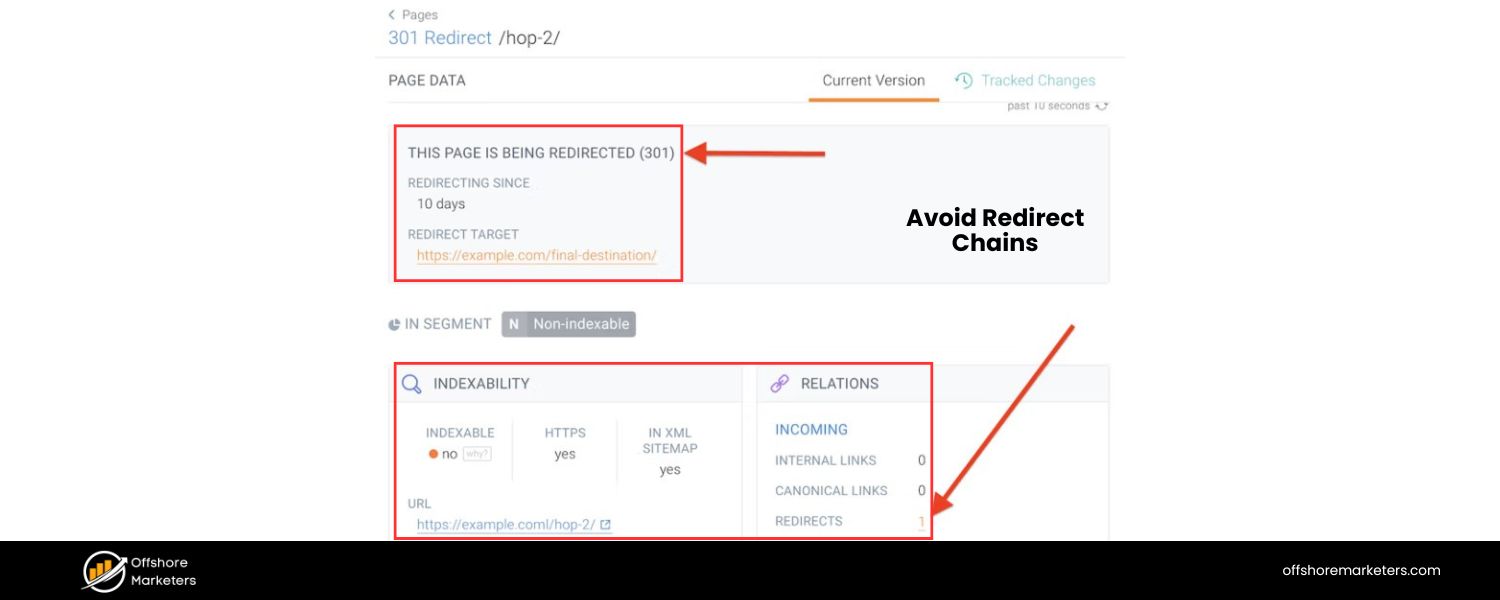
A redirect chain is when you have multiple hops in a redirect sequence – for example, Page A -> Page B -> Page C. Chains often happen unintentionally over time (say you redirected A to B, then later decided B to C, etc.). They can slow down page loading (each hop is another request) and potentially confuse crawlers.
Google will follow a few chained redirects (and users will eventually end up at C), but it’s not ideal. Each additional step is another opportunity for something to go wrong or for drop-off. Best practice is to update your redirects to skip intermediate steps. If A ultimately needs to go to C, change that redirect to point directly to C in one step (and remove B->C if B is no longer needed).
This way, you have a clean direct redirect which is faster and more SEO-friendly. In fact, Search Engine Roundtable once noted that double redirects can slow Google’s processing of the change. While Google is pretty good at handling chains up to a point, it’s wise to keep them to a minimum (no more than 1 hop if you can help it).
4. No Redirect Loops
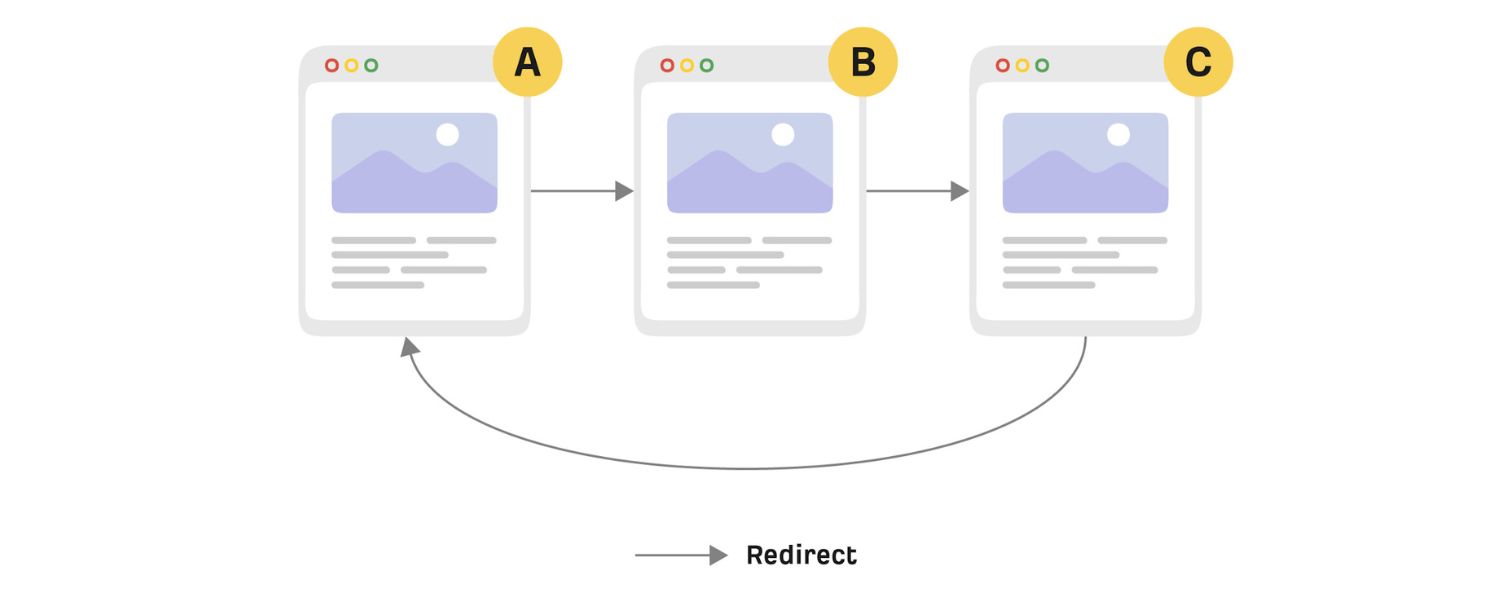
This may sound obvious, but ensure your redirects do not form a loop. A loop occurs when Page A redirects to B, but somewhere down the line B redirects back to A (or A->B->C->A). This creates an infinite cycle that traps both users and crawlers.
Browsers will eventually give up, and search engines will be unable to index the content. Always test your redirects after setting them – if the page never loads or you see repeating patterns, fix the rules to eliminate loops. Loops usually happen due to misconfigured rules (for example, redirecting a domain to itself incorrectly). Proper testing and using tools can catch this.
5. Maintain Redirects for a Sufficient Time
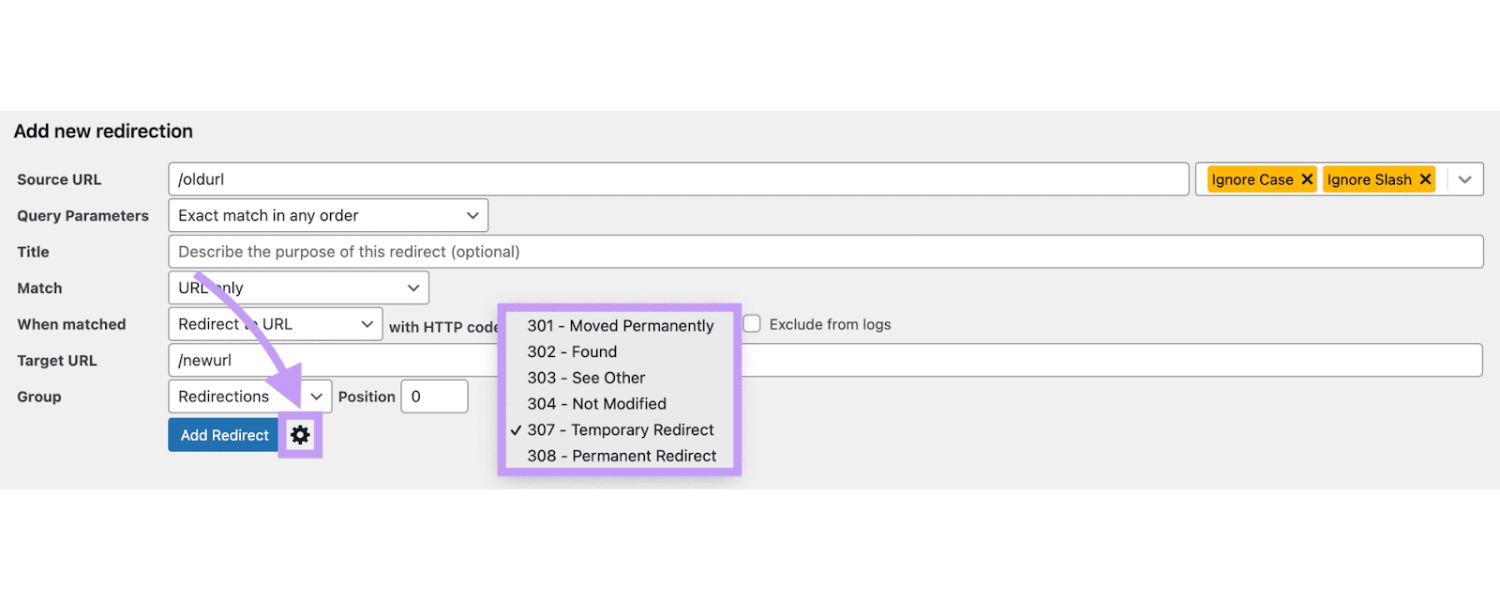
For permanent changes, it’s not enough to set up a redirect and then remove it a few weeks later. You should keep 301 redirects in place ideally for a year or more. Google’s documentation suggests that leaving redirects for at least 12 months gives their crawlers ample time to discover the change and update the index fully.
If you remove a redirect too soon, users coming from old links will face broken pages, and search engines that haven’t seen the new URL might treat the old link as a dead end. There’s generally little harm in leaving legacy 301 redirects indefinitely – they don’t consume much server resources – especially for important pages that had backlinks.
So err on the side of caution and keep them live. (One exception: if you mistakenly set up a wrong redirect, of course you should correct or remove it. But for intended moves, give them a long lifespan.)
6. Relevance Matters
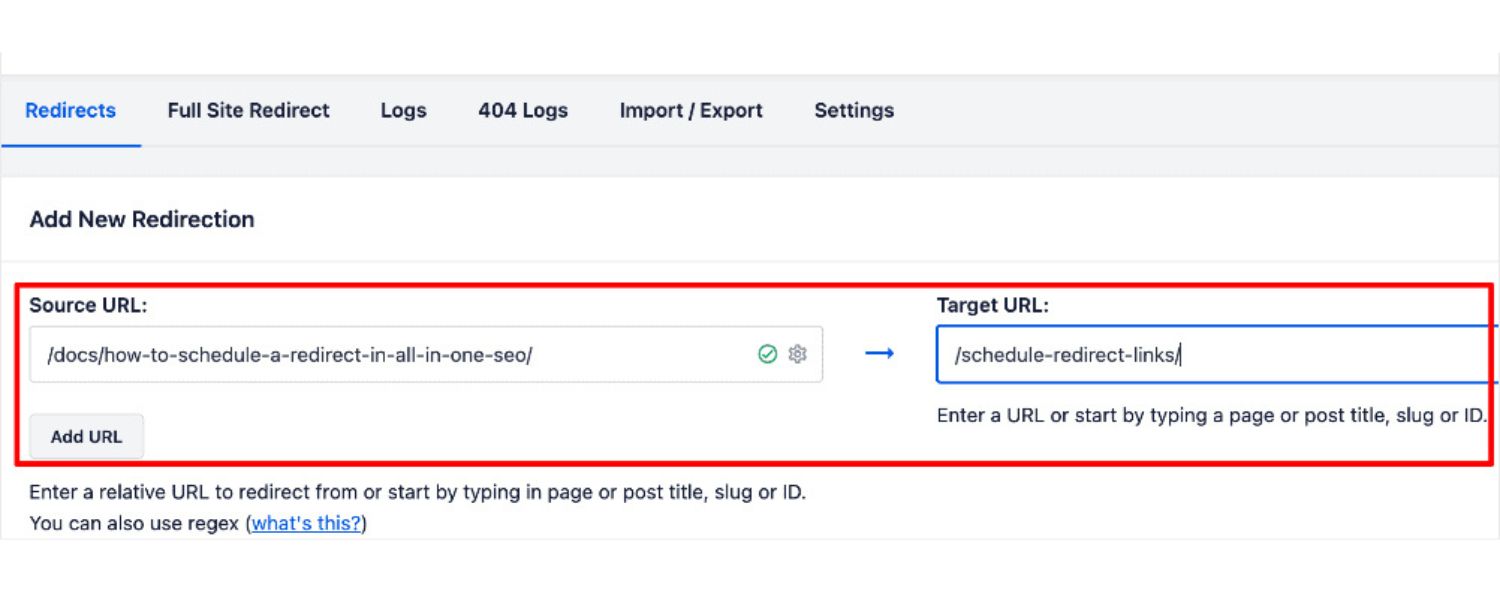
When redirecting, always point to a page that is relevant to the one that was moved or deleted. For example, if you discontinue a product page, redirecting it to a closely related product or category page is good practice. Redirecting it to an unrelated page (like your homepage) can create a poor user experience and might be treated by Google as a soft 404 (they sometimes treat mass redirects to the home page as essentially “page not found”, since the content isn’t equivalent).
The aim is to satisfy the user’s intent as much as possible. If no relevant page exists for a removed piece of content, you might decide to let it return a 404/410 instead of a misleading redirect. But for anything that has a clear replacement or equivalent content, use a redirect.
7. Update Internal Links and Sitemaps
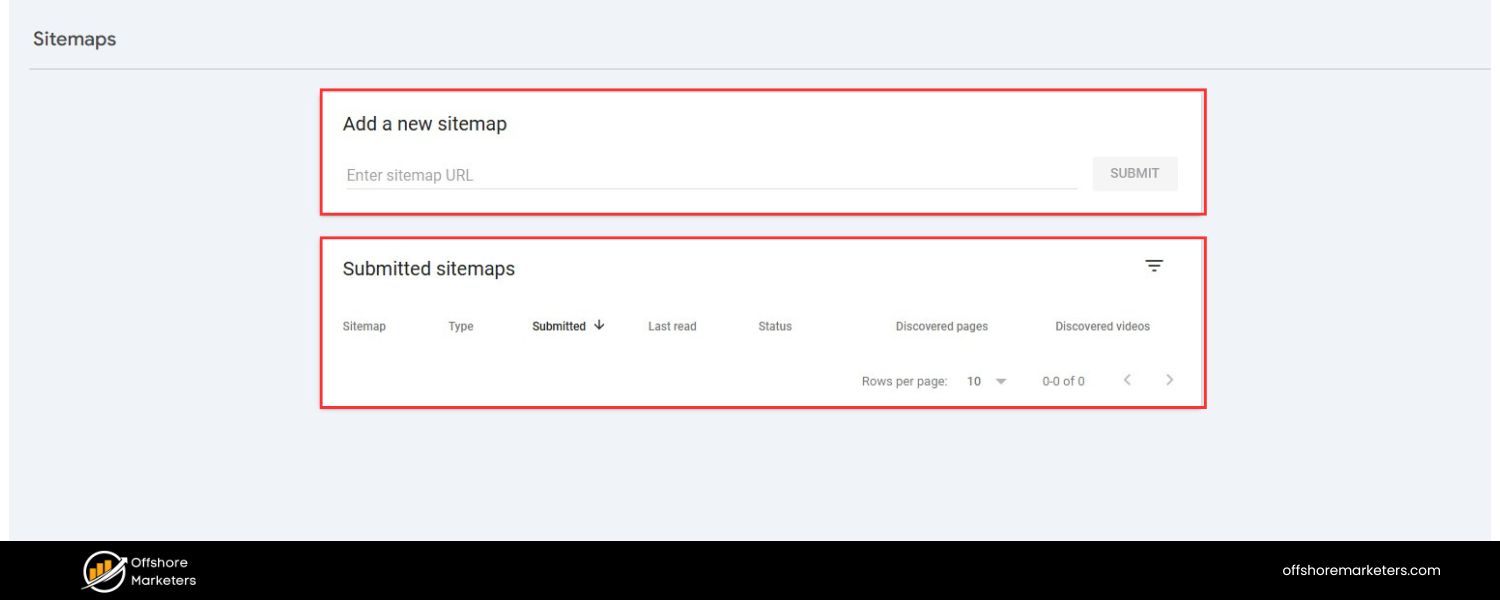
While redirects will catch any traffic that goes to the old URLs, it’s best to update your internal links to point directly to the new URLs once you’ve moved content. This reduces reliance on the redirect (improving load time for users navigating your site) and sends clear signals to search engines that you’ve fully transitioned.
Similarly, update your XML sitemap with the new URLs so crawlers discover them faster. Think of redirects as a safety net for external links and user bookmarks; internally, you want your site to eventually clean up references to the old links.
8. Monitor & Fix 404 Errors
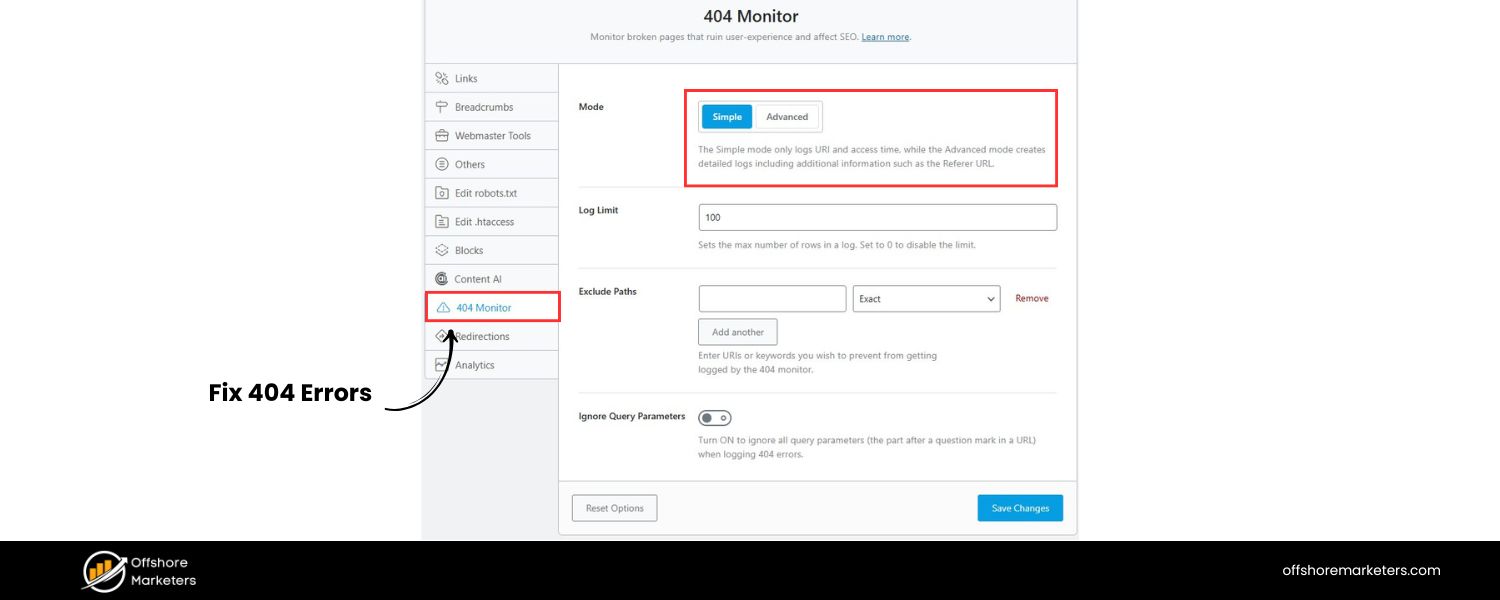
Keep an eye on crawl error reports (for example, in Google Search Console) or analytics to see if users are hitting broken URLs. Each 404 is an opportunity: if that URL should really point somewhere, add a redirect for it. Often after a site redesign, you might miss a few URLs – monitoring will help catch those. There are also WordPress plugins and other tools that log 404 hits so you can proactively redirect those to appropriate pages.
9. Don’t Abuse Redirects (No Sneaky Redirects)
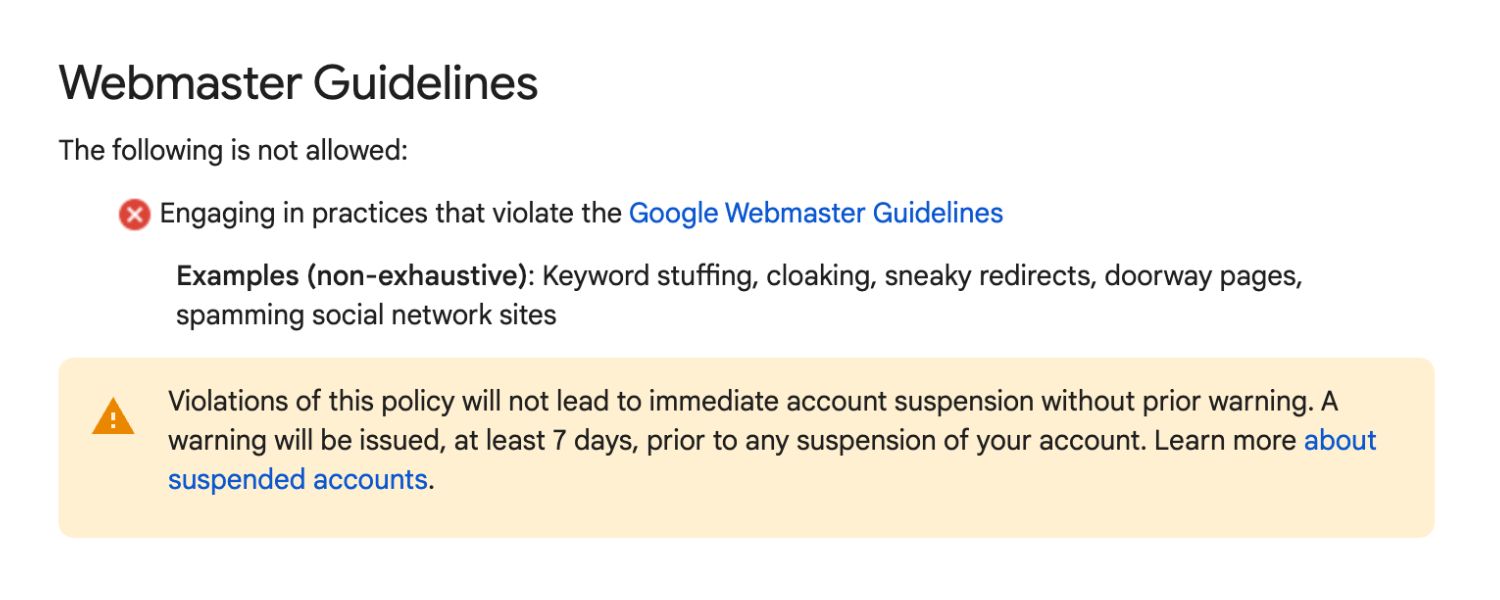
Use redirects only for their intended purpose – guiding users when content moves or URLs change. Do not use “sneaky” redirects as a gimmick to show different content to search engines versus users (a known spam technique). For example, redirecting a user to a completely different site or page than promised, or redirecting only certain user agents (like bots) to manipulate search rankings, is a violation of Google’s guidelines.
Google defines sneaky redirects as a form of cloaking/spam and can penalize sites for this. So ensure your redirects are transparent and genuine. If a page is redirected, it should be because that’s genuinely where the equivalent content now resides, not to serve up something unrelated.
1o. Watch Out for Open Redirects (Security)
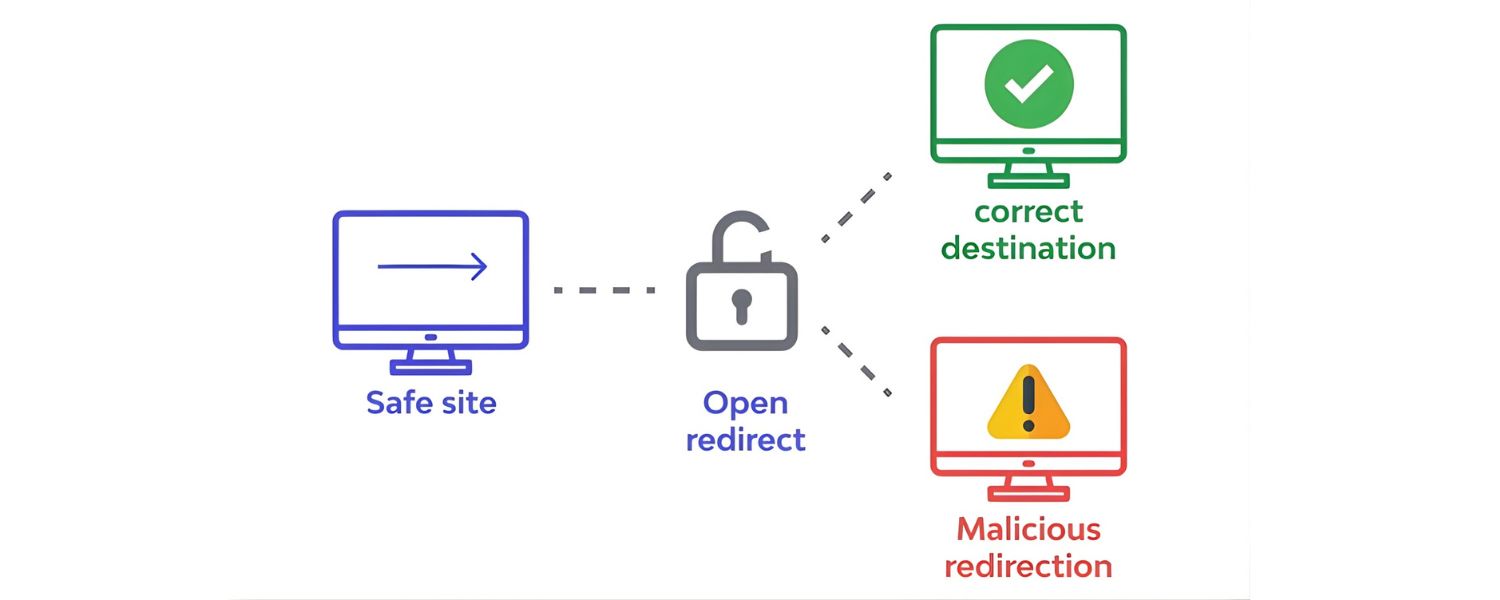
This is a more technical point, but worth noting. An open redirect is a situation where your site takes a parameter (like ?url=) and redirects to whatever URL is provided. If not handled carefully, attackers can exploit this by tricking users into clicking your site’s link that then redirects to a phishing site. For instance, a link like yourdomain.com/redirect.php?url=malicious-site.com could send users to a malicious page while making it look like a legit domain at first.
In June 2022, TechRadar even reported that over 25 popular websites (including Google and Instagram) had open redirect vulnerabilities in their code. To avoid this, never blindly redirect to an arbitrary external URL based on user input.
If you have to implement something like a redirector, whitelist allowed domains or sanitize inputs. While this is more of a security best practice than SEO, it’s important for protecting your users and your site’s reputation.
In essence, when handled correctly, redirects are SEO savers, not saboteurs. They allow you to change your site structure, URLs, or content without forfeiting the equity you’ve built up. Google’s crawler will follow redirects and eventually drop the old URL in favor of the new if it sees a consistent 301.
By following the best practices above – choosing the right code, avoiding chains, keeping redirects in place, and staying user-focused – you can ensure that your redirects actually boost your SEO strategy (by consolidating authority) rather than hurt it.
How to Implement Redirects (Step-by-Step on Different Platforms)
Now that we’ve covered the what and why of redirects, let’s get into the how. Implementing a redirect will depend on what kind of website or server setup you have. The general idea is always: specify the old URL and the new target URL, along with the type of redirect (301 or 302). Here’s how you can set up redirects in various common environments:
1. On Apache (htaccess) or IIS Servers
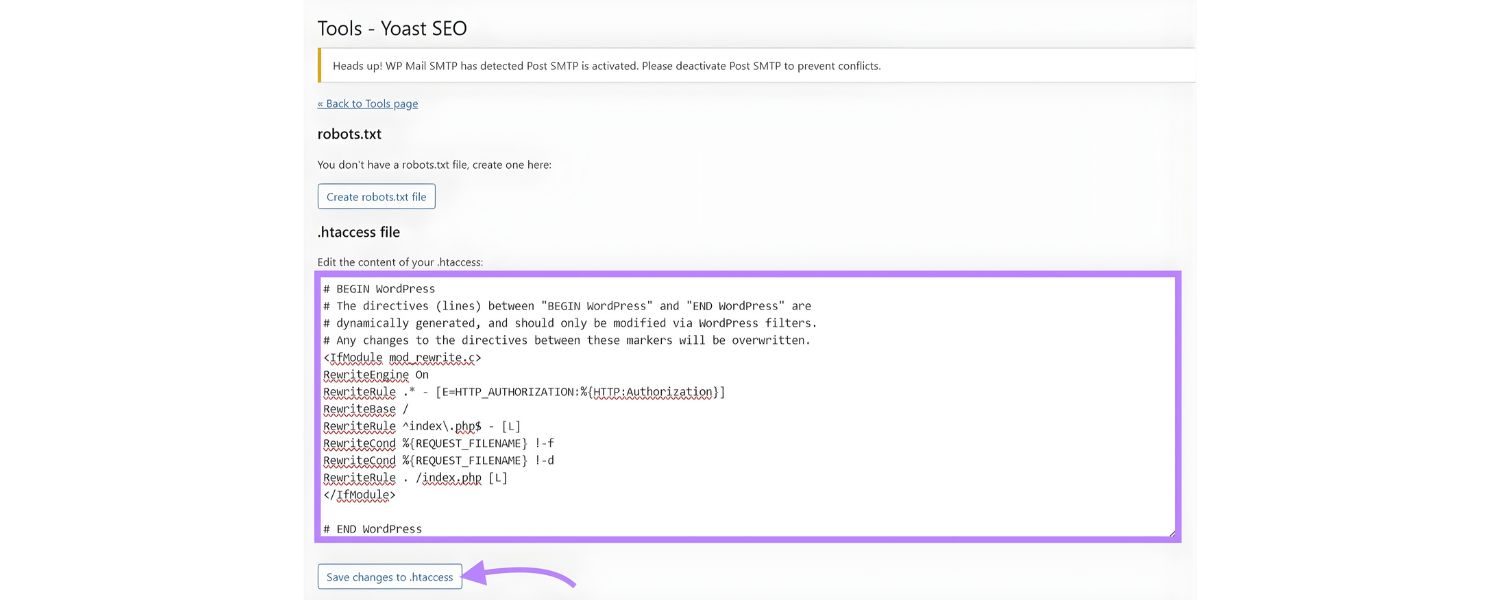
If your site is on an Apache web server (common for many Linux-based hosts), you can use a special file called .htaccess in your website’s root or appropriate directory to create redirects. A simple syntax is:
Redirect 301 “/old-page.html” “/new-page.html”
This line in .htaccess would permanently redirect yourdomain.com/old-page.html to yourdomain.com/new-page.html. You can also specify full URLs. For more complex matching (like redirecting whole directories or patterns), Apache’s mod_rewrite can be used. For example:
RewriteEngine On
RewriteRule “^old-folder/(.*)$” “new-folder/$1” [R=301,L]
This would take anything under old-folder/ and send it to the corresponding path under new-folder/ with a 301 redirect. On Microsoft IIS, you would use the web.config or IIS manager’s URL Rewrite module to set up similar rules through a graphical interface or XML settings. The principle is the same: original path and new destination with a status code.
2. On Nginx Servers
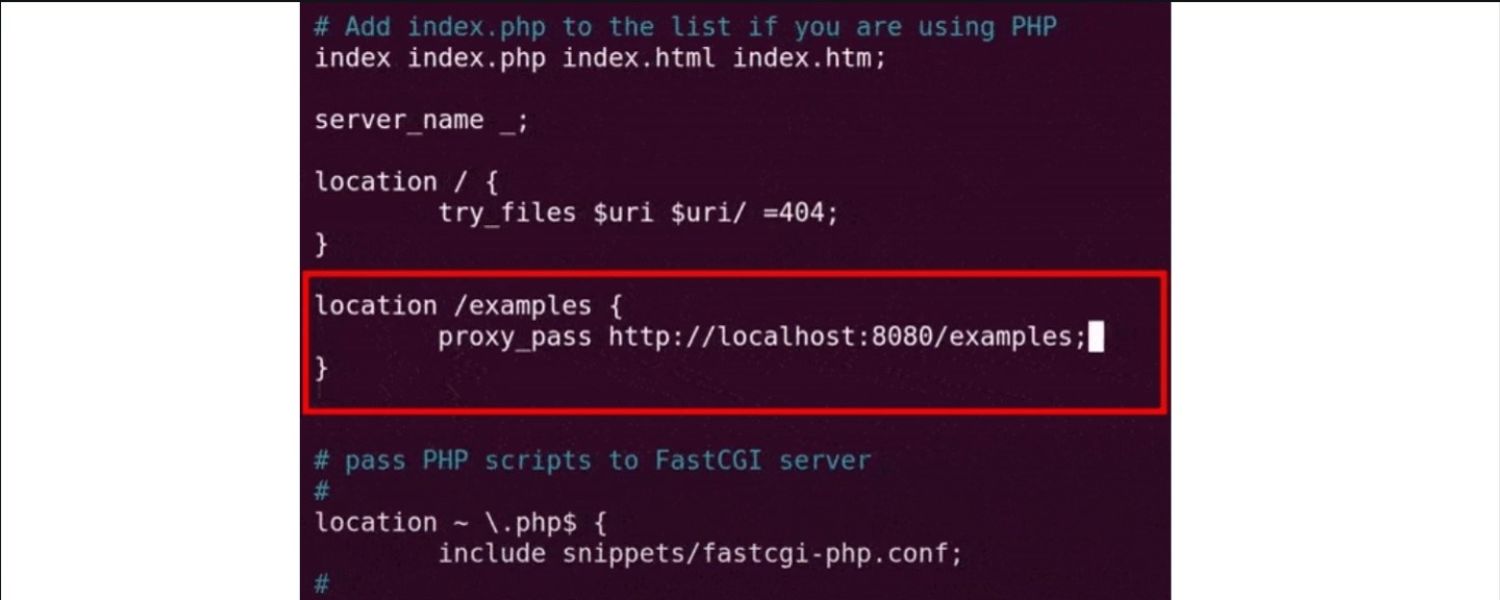
Nginx doesn’t use .htaccess, so redirects are configured in the server’s configuration files. A basic Nginx rule looks like:
location /old-page.html {return 301 /new-page.html;}
This will issue a 301 redirect for the specific page. For an entire site or pattern, you might use rewrite directives or multiple location blocks. For instance, to force all http:// traffic to https:// (common scenario for HTTPS migration), you could do:
return 301 https://$host$request_uri;
A. Inside an server block listening on port 80
Because Nginx config is a bit more technical, consult your server admin or host documentation if you’re not comfortable editing it. Many hosts that use Nginx also provide a UI or will handle redirect setup for you if you ask.
B. Using a Hosting Control Panel (cPanel)
If you’re not a developer, tools like cPanel (provided by many web hosts) make setting up redirects easier through a user interface. In cPanel, you’ll typically find a Redirects option under the Domains section.
There, you can “Add Redirect” by choosing the domain, typing the path of the old page (or selecting “All Public Domains” for domain-wide redirects), and entering the target URL. You’ll also select whether it’s permanent (301) or temporary (302) from a dropdown.
Once you save, cPanel automatically updates your server config (usually editing the .htaccess for you in the background). It’s a straightforward way for non-technical site owners to manage simple redirects.
C. Within a CMS (WordPress, etc.)
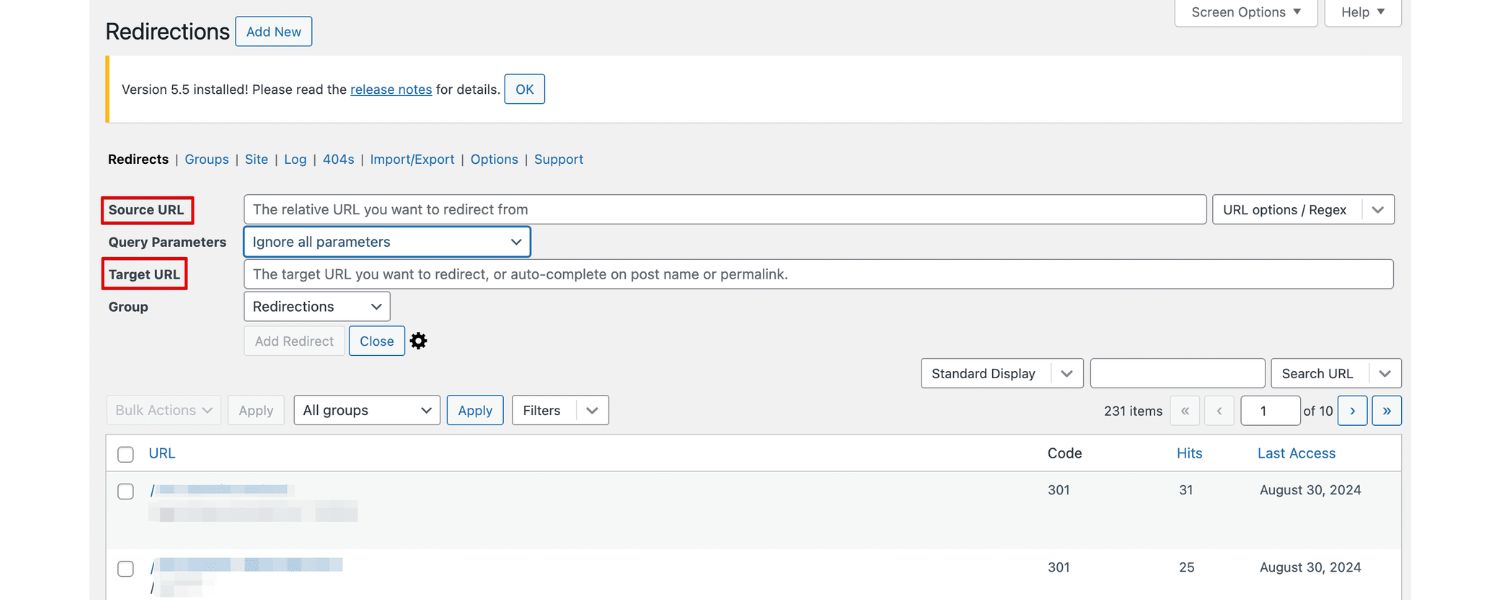
Many content management systems have plugins or built-in features for redirects. For example, on WordPress, you can use popular plugins like Redirection, Yoast SEO Premium, or All in One SEO (AIOSEO) which offer redirect managers. With such a plugin, you typically go to its Redirects section, input the old URL and the new URL, choose “301 Permanent” or “302 Temporary” from a menu, and add it.
The plugin will handle injecting the necessary code (often in the .htaccess or via PHP) to execute the redirect. This is very handy if you’re not comfortable editing server files. WordPress even has some managed hosting (or default behaviors) that auto-create redirects when you change a post’s URL slug.
Other CMSs like Shopify or Magento have their own admin interface for URL redirects (e.g., in Shopify’s admin there’s a URL Redirects tool where you set “redirect from” and “redirect to”). The key is to explore your platform’s documentation – chances are, there’s an easy method to set up redirects without touching code.
3. Modern Frameworks (Next.js, etc.)
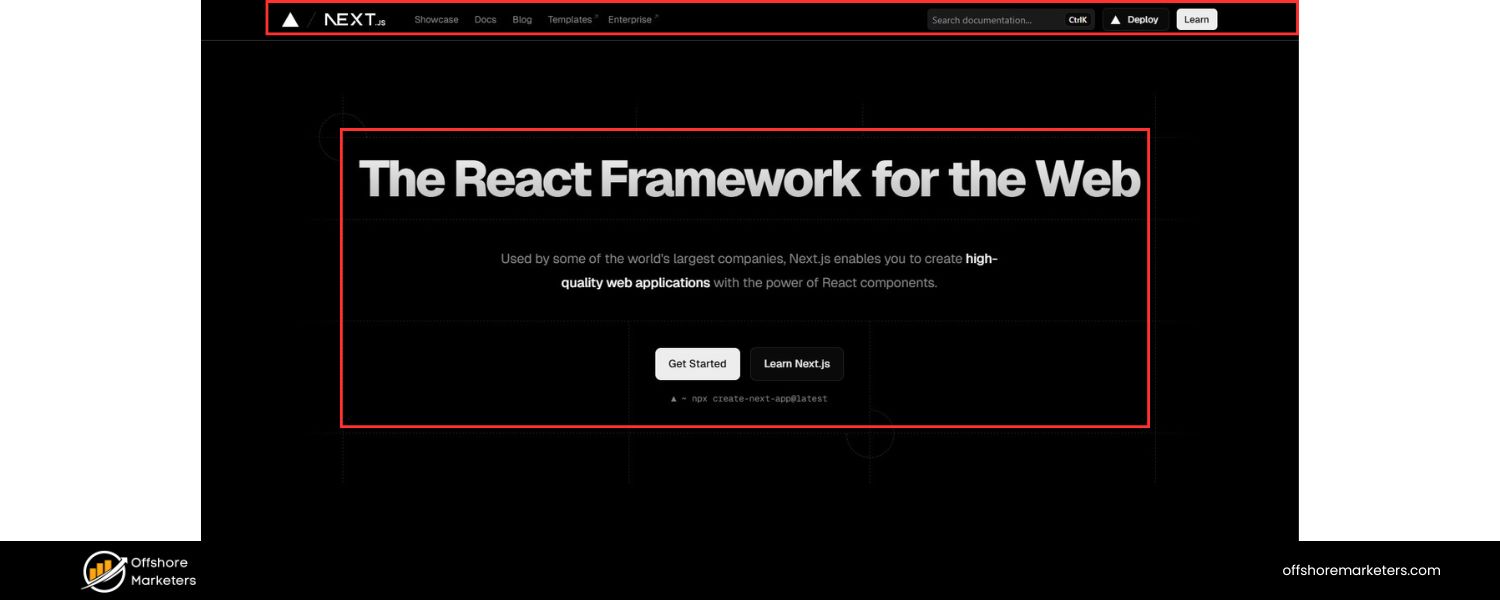
If your site is built with a JavaScript framework or static site generator, you might have configuration-based redirects. For instance, Next.js allows you to define a list of redirects in your next.config.js.
You can specify source (the old path), destination (the new path), and whether it’s permanent: true/false. When you build and deploy the app, Next.js will configure these redirects at the server level (or edge level on Vercel).
Similarly, frameworks like Gatsby or tools like Netlify allow a _redirects file where you list your redirects. These approaches let developers keep track of redirects in version control and make deployment of changes easy. Example for Next.js:
// next.config.js
module.exports = {
async redirects() {
return [
{
source: ‘/old-blog/:slug’,
destination: ‘/new-blog/:slug’,
permanent: true,
},
];
},
}
A. This would permanently redirect any URL that matches /old-blog/[something] to /new-blog/[that-same-something]. It’s a programmatic way to handle many redirects cleanly.
B. Using a CDN or DNS provider (Cloudflare, etc.)
Some services in front of your site can also handle redirects. Cloudflare, for example, offers Page Rules or the newer Redirect Rules in its dashboard. You can create a rule like: “If URL matches oldsite.com/*, Forwarding URL to newsite.com/$1 with status 301.”
This is particularly useful if you’re moving domains or want to redirect certain traffic at the edge before it even hits your server. Cloudflare’s rules let you do wildcard pattern matching and are applied globally (so even if your server is down, Cloudflare could still redirect).
Another scenario is if you have configured your DNS to point to a new domain, some domain registrars also provide domain forwarding services which essentially issue a redirect from the old domain to the new one.
Regardless of method, always test your redirects after setting them up. Enter the old URL in your browser and see if it lands on the new URL. You can also use server header checking tools (like an online HTTP status code checker or browser dev tools network tab) to verify that you receive the intended 301/302 status and that the Location header is correct. Testing ensures that you didn’t accidentally create a typo in the destination or set the wrong code.
By implementing redirects using one of the above methods, you ensure that anyone accessing the old URLs (whether via bookmarks, external links, or search results) will seamlessly get to the right content. The specific approach will depend on your technical comfort level and where your site is hosted, but the end goal is the same: map old to new, and choose 301 vs 302 appropriately.
FAQs about Redirects
Q1: Do 301 redirects hurt my Google rankings?
No – a 301 redirect, when done properly, should not hurt your Google rankings. In fact, Google expects you to use a 301 to signal a permanent page move. According to Google’s own guidance, a 301 passes on the ranking signals to the new URL.
There is no inherent “penalty” or significant PageRank loss for using a 301 redirect. You might see a very short-term fluctuation when the new page first replaces the old in the index, but in general, Google will treat the new page as if it were the old one in terms of authority.
The key is to make sure the content on the new page is relevant and that you’re not changing the intent. Also, avoid chaining multiple redirects – that can slow down crawling slightly. But a single 301 from A to B is a standard, safe practice that protects your rankings rather than harms them.
Q2: What’s the difference between a 301 and a 302 redirect (and which should I use)?
The difference lies in the intent and how search engines handle them. A 301 means “Moved Permanently” – you use it when a page has permanently changed its address. This tells search engines to index the new URL in place of the old one and pass over the SEO value.
A 302 means “Found” (temporary redirect) – use it when a page is temporarily at a different URL but will eventually return to the original URL. Search engines seeing a 302 will generally keep the old URL indexed, assuming the change is temporary. If you’re unsure, ask yourself: Am I going to want traffic to return to the old URL later? If no, use 301.
If yes (or you’re just not ready for Google to drop the old URL), use 302. For SEO, if a change is permanent, always use a 301. Misusing a 302 for a permanent change can result in search engines not ranking your new page as well because they’re waiting for the original to come back.
Q3: How can I easily create redirects if I’m not technical?
There are a few user-friendly options. If your host uses cPanel, you can use the Redirects tool in cPanel’s interface to add redirects without touching code – just fill out a form. If you’re on WordPress, use a plugin like Redirection or All in One SEO’s redirect manager; these plugins give you a simple form in your WordPress dashboard to input old and new URLs and they handle the rest.
Many other website builders (Wix, Squarespace, Shopify, etc.) have built-in redirect managers or apps – search their help docs for “URL redirect” or “URL forwarding.” And if all else fails, contact your hosting support – they might set up a redirect for you if you provide the details.
You don’t necessarily need to hand-code anything to set up a redirect. The key is to act quickly: as soon as you change a URL or remove a page, use one of these methods to add a redirect, so users are always taken to the right place.
Conclusion: Redirects as Your SEO Safety Net
URL redirects are an indispensable tool in any webmaster or marketer’s toolkit. When used correctly, they ensure visitors and search engines seamlessly reach your content even if your URLs change over time.
Instead of losing hard-won traffic to 404 errors or confusing duplicate links, you can channel it to where it belongs and preserve your site’s SEO strength.
We’ve learned that choosing the right redirect type (permanent vs temporary) is crucial, and that modern best practices allow you to use redirects without fear of PageRank loss. By avoiding common mistakes like redirect chains or loops, and by planning redirects during site changes, you set your website up for long-term success and stability.
In the fast-paced world of website management, almost nothing stays the same forever – content gets updated, sites get restructured, new domains come into play.
Redirects are your safety net through all these changes, catching any traffic that would otherwise fall through the cracks. They keep user experience smooth (no one likes clicking a search result and seeing “Page Not Found”) and they keep search engines confident in your site’s integrity.
Now it’s your turn:
next time you revamp your site or spot a broken link, put these redirect strategies into action. Ensure every old URL points somewhere useful, and you’ll not only avoid SEO disasters – you’ll actually strengthen your site by consolidating equity and guiding users to the best content you have. Don’t wait until broken links are hurting your rankings or user trust. Proactively plan and implement redirects as part of your SEO maintenance.
Finally, if managing all of this still feels overwhelming, remember that you don’t have to do it alone. Whether you’re facing a big website migration or just want an expert to audit your site for redirect opportunities, we’re here to help.
With decades of experience, we can craft a redirect strategy that safeguards your traffic and boosts your SEO. Preserve your hard-earned rankings – implement smart redirects today and keep your online presence running at full strength!

Why Roseville Startups are Choosing Offshore Marketers to Scale Smarter
Roseville is no longer just a quiet suburb of Sacramento;...

What Is PPC? A Practical Guide to Pay‑Per‑Click Advertising
Pay‑per‑click (PPC) is the “pay only when someone clicks” branch...

Google Search Issues Affecting Results in Some Regions
Google has confirmed a problem with one of its data...

Keyword Counts Dropped After Google’s num=100 Change
In September 2025, Google stopped supporting the &num=100 parameter. This...

Image SEO: Optimize Images for Higher Rankings & Traffic
Introduction Images make your website more engaging, but they can...


.png)
.png)
.png)
.png)
.png)

2024 ALL RIGHTS RESERVED MADE IN INDIA
.png)