
Voice Search Optimization: Boost Rankings in the Voice Era
July 11, 2025
Introduction
Voice search isn’t just a fad, it’s rapidly becoming a dominant way people find information online. With the surge of smart speakers and virtual assistants like Alexa, Google Assistant, and Siri, more users are speaking their queries instead of typing.
In fact, over a quarter of consumers in the US and UK use voice assistants daily, and experts predict voice queries could make up as much as 75% of all searches in the next few years.
For businesses and website owners, this means voice search optimization is no longer optional, it’s a necessity. Optimizing your content for voice search can boost your traffic and keep you a step ahead of competitors.
“Adapting strategies to optimize content for voice search should be one of the highest priorities for small-business owners,” as one Forbes expert put it.
In this comprehensive guide, we’ll explore what voice search optimization is, why it’s so important, and most importantly, proven SEO strategies to help your website rank for voice queries.
From using conversational keywords to improving site speed and leveraging schema markup, we’ll cover all the tactics you need to capture those coveted voice search results. Let’s dive in and get your site ready for the voice-first era of search!
What Is Voice Search Optimization (and Why It Matters)
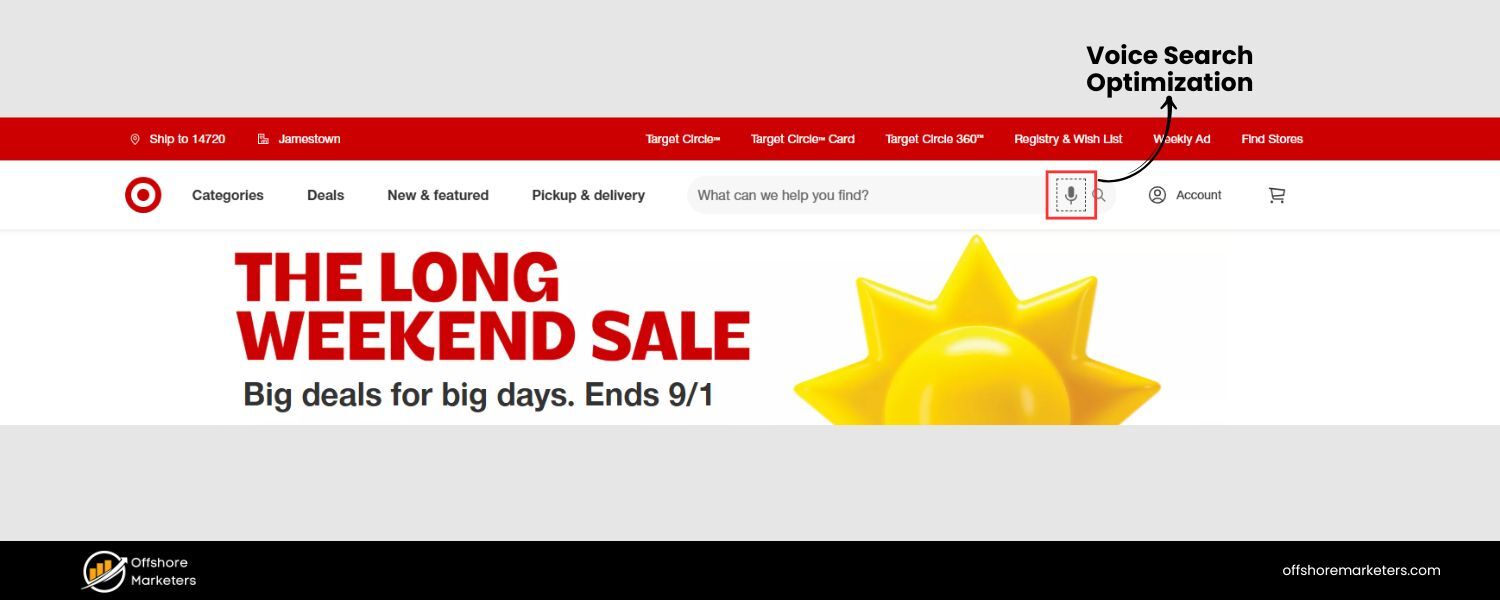
Voice search optimization is the process of adjusting your website’s SEO strategy so that your content is easily discoverable when people use voice-activated search.For more about SEO strategy, refer to SEO Strategies and Services.
In simpler terms, it means structuring your content to answer spoken queries in a natural, concise way that voice assistants can readily pick up.
The principles are similar to traditional SEO, but with a twist – voice queries tend to be longer, more conversational, and often phrased as questions (like “Where’s the best coffee shop near me?”) rather than the terse keywords people type into a search box.
So, why put effort into optimizing for voice search? Here are a few compelling reasons:
A. Explosive User Growth:
Voice technology usage has skyrocketed. 128 million Americans used voice search monthly in 2020, an 11% increase from the previous year. Mobile voice searches alone jumped 35% year-over-year recently.
Smart speakers are now in over 30% of households in some countries. This growth means a huge and growing audience might be missing your site if you ignore voice SEO.
B. Changing Search Behavior:
Voice queries fundamentally differ from typed ones. They’re typically longer and in natural language – averaging 2–3 words for text vs. ~4–5 words for voice on average – and often include question words like who, what, where, when, why, or how.
They also frequently have local intent (“near me” searches) or are looking for quick answers. This shift favors content that directly answers questions clearly and conversationally.
C. Hands-Free Convenience:
Users love voice search for its convenience, it’s eyes-free, hands-free, and fast. Whether multitasking at home with a smart speaker or on the go with a phone, people turn to voice for quick answers.
If your content is optimized to be that quick answer, you win the click (or the spoken result).
D. Competitive Edge:
Despite voice search’s growth, many businesses have been slow to integrate it into their SEO strategy. This is an opportunity.
By optimizing now, you can leapfrog competitors who aren’t voice-ready and capture a share of this rising traffic. Failing to rank for voice queries means missing out on customers and ceding ground to those who do.
E. Better Overall SEO:
Here’s a bonus – optimizing for voice often improves your overall SEO. Why? Because voice search favors the highest-quality results. In fact, about 75% of voice search answers also rank in the top 3 of traditional search results.
Voice assistants typically read just one answer (there’s no second page on Alexa!), often the featured snippet or top result. So by aiming to please voice algorithms, you’re essentially doubling down on best practices that boost your rankings for everyone.
In short, voice search optimization matters because it aligns your content with how real people ask questions.
It’s about being the answer when your audience speaks a query, and as voice usage keeps growing, those answers translate into real traffic and revenue.
Below, we’ll cover the top strategies to optimize your site for voice search. From keyword research to technical tweaks, these steps will help ensure that when someone says “Hey Google…”, it’s your content that gets the spotlight.
1. Focus on Conversational, Long-Tail Keywords
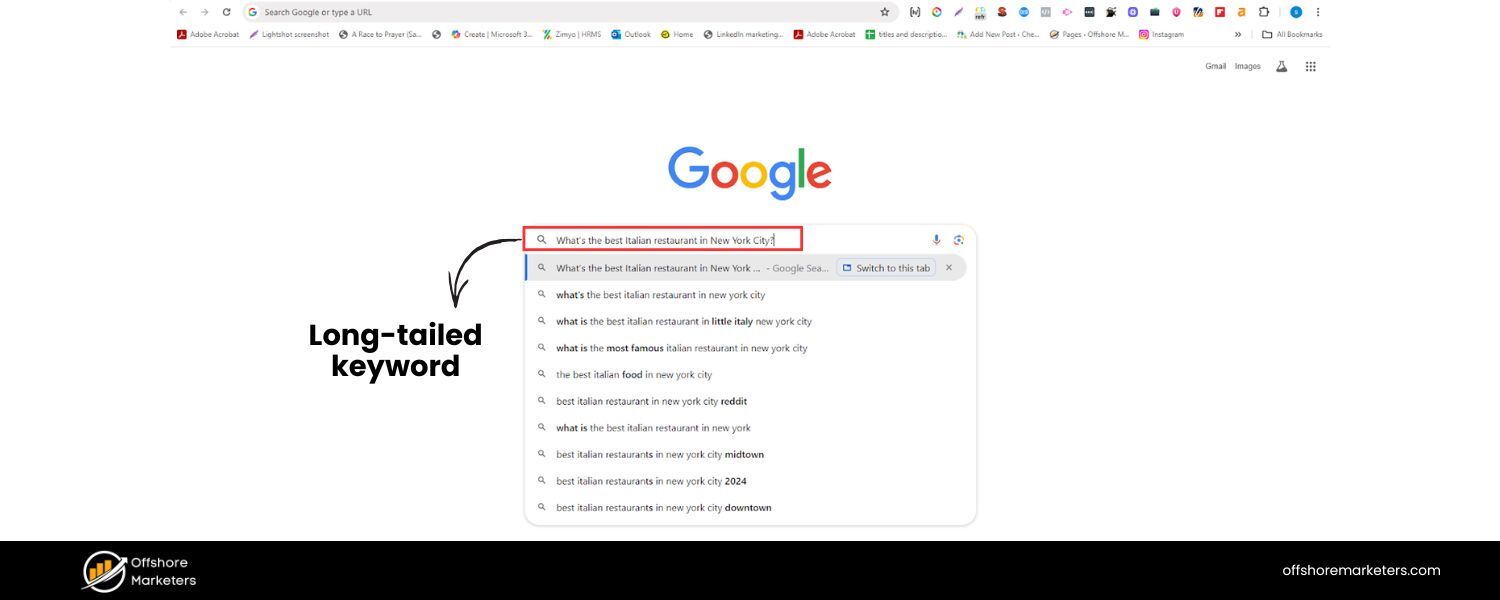
One of the most fundamental shifts with voice search is the emphasis on conversational, long-tail keywords. People talk to voice assistants in a more natural, chatty manner than they type.
For example, a typical text search might be “best Italian restaurant NYC”, while a voice searcher might ask “What’s the best Italian restaurant in New York City?”. Notice the voice query is longer and in the form of a full question.
To capture these queries, research and target long-tail keywords that mirror how people actually speak. These are often 3-5 word phrases (or more) that include question words or natural phrasing.
In fact, long-tail terms make up around 70% of all search queries overall, and they’re especially crucial for voice. They tend to have lower competition and higher relevance to specific user needs.
Here’s how to optimize your keyword strategy for voice:
A. Brainstorm Question Phrases:
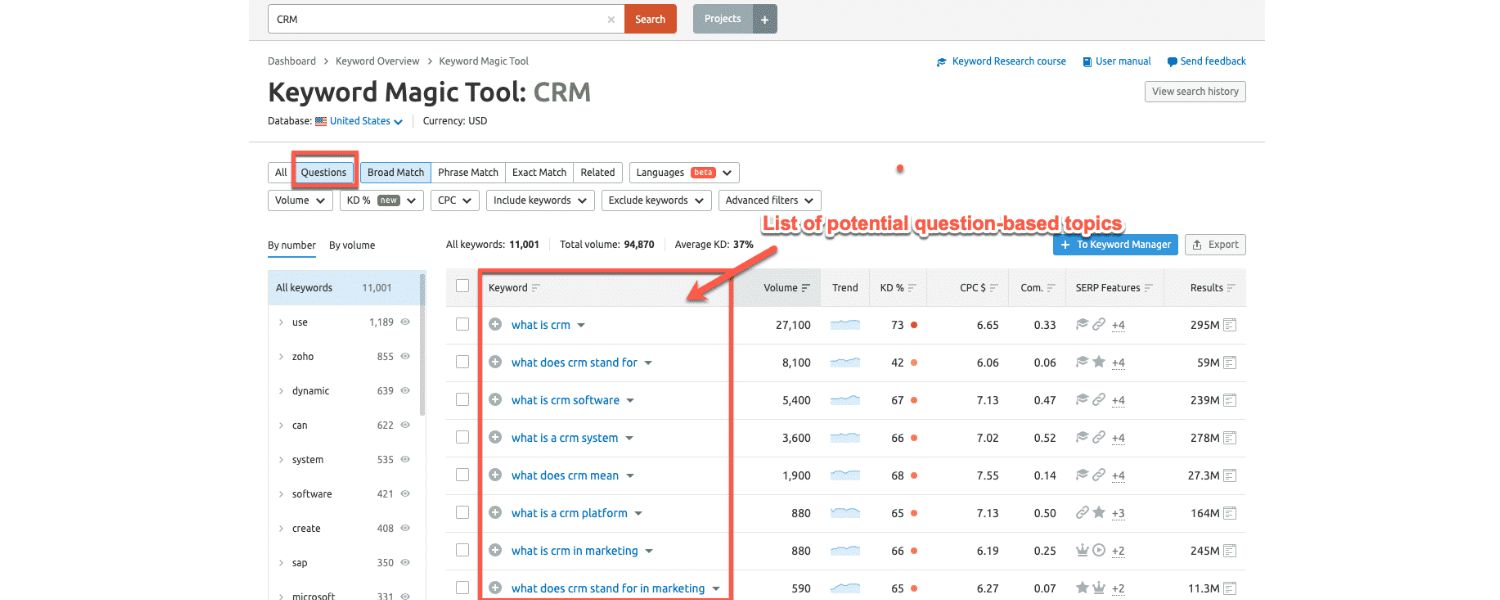
Think about the common questions customers ask about your business or topic. Start with the basic 5 W’s – Who, What, When, Where, Why – plus How.
For example, if you run a travel site, a typed query might be “best family resorts Florida,” but a voice query could be “What are the best family-friendly resorts in Florida?”
B. Use Voice Keyword Research Tools:
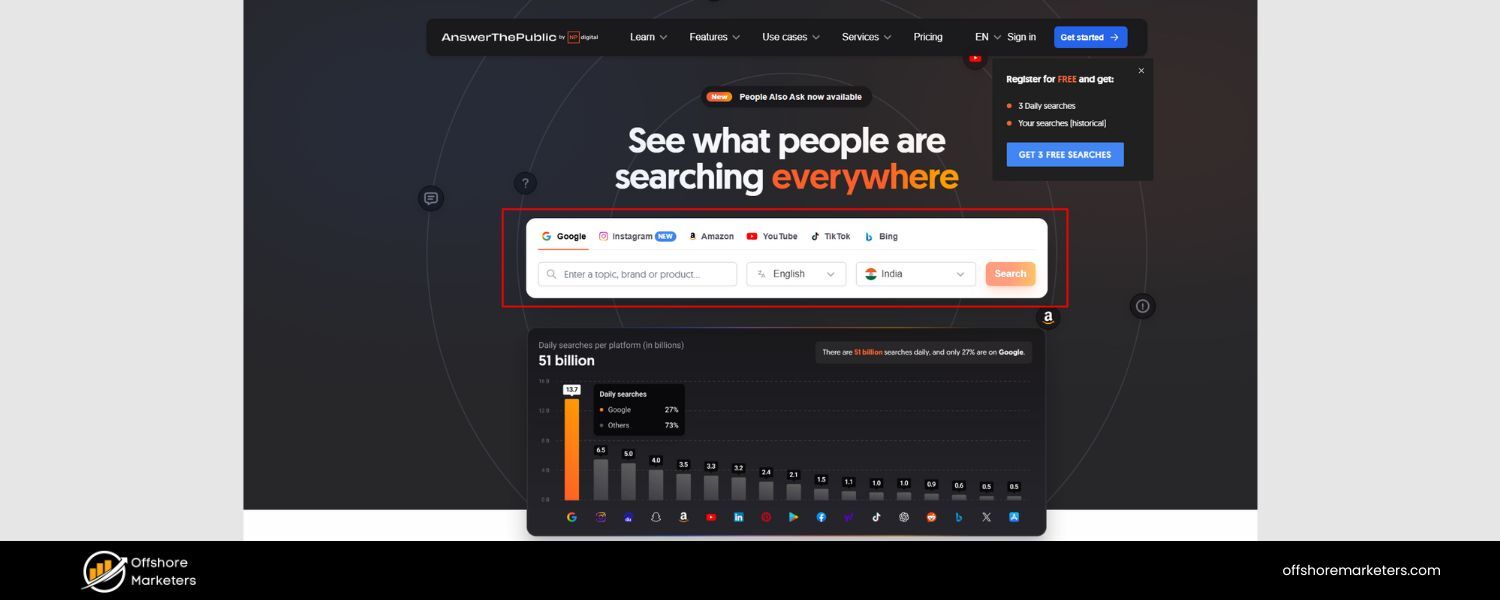
Take advantage of tools specifically good at surfacing question-based queries. Free tools like AnswerThePublic and AlsoAsked allow you to enter a keyword and see dozens of related questions people are asking online.
Google’s own “People Also Ask” box and auto-suggestions can also hint at natural phrasing. These are goldmines for finding real voice-style queries.
C. Incorporate Long-Tail Keywords Naturally:
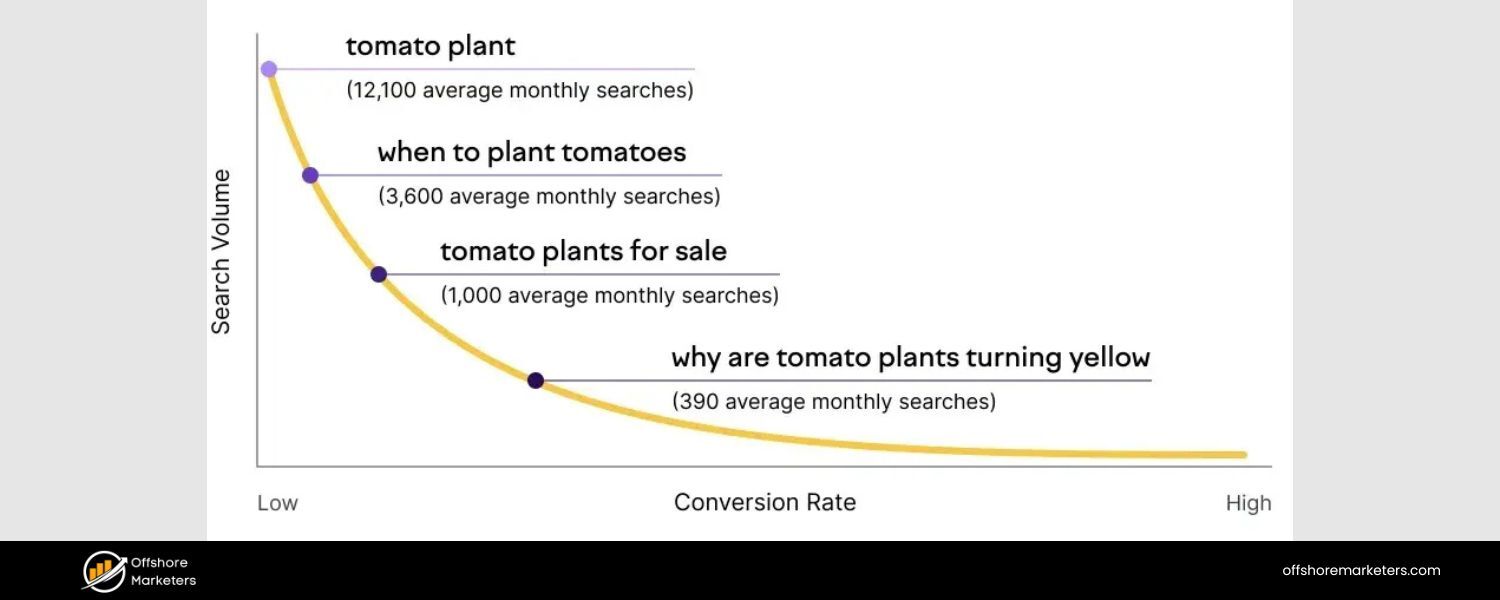
Once you identify these phrases, sprinkle them naturally into your content. Great places include FAQ sections, headings, or as part of longer sentences in your text.
For instance, a blog post might include a subheading like “How do I choose the right running shoes?” and then answer it. By including the full conversational query, you increase your chances of matching a voice search verbatim.
D. Prefer Natural Language over Jargon:
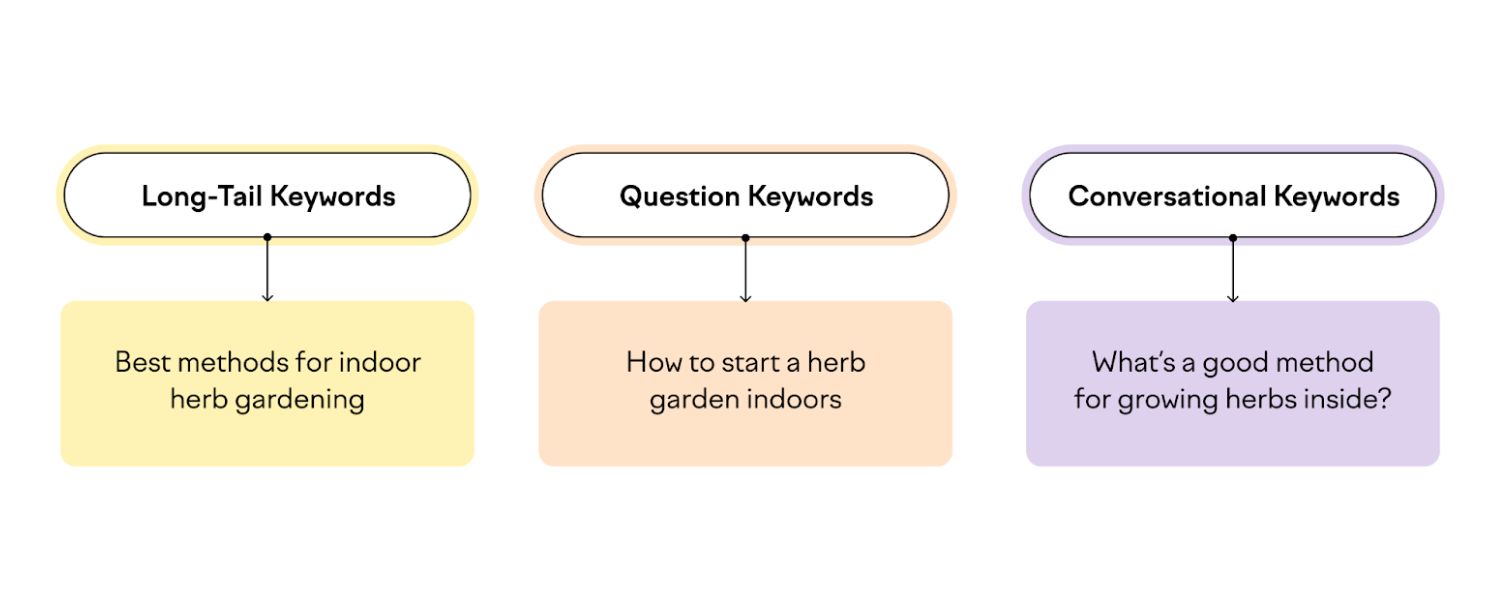
Make sure the wording feels like how a person would ask it. Instead of a stiff phrase like “optimize HVAC efficiency unit”, say “How can I make my HVAC unit more efficient?” The content beneath can then answer in a straightforward way.
Pro tip: It can also help to add Q&A content explicitly – for example, a Q&A page or an FAQ section on relevant pages. Voice assistants love FAQ pages because they pair a question and answer in a concise format. Learn more about FAQs in Content Marketing.
We’ll talk more about FAQ pages later, but keep in mind that simply formatting some of your content as a question followed by a clear answer can boost voice visibility.
By mastering conversational, long-tail keywords, you’re aligning your SEO with the very phrases your audience is speaking aloud.
This increases the likelihood that your page is the one Alexa or Google Assistant chooses to answer the user’s question. Remember, you don’t have to guess – use the tools and your own customer insights to find those questions, and then be the one to answer them!
2. Structure Content to Answer Questions (Aim for “Position Zero”)
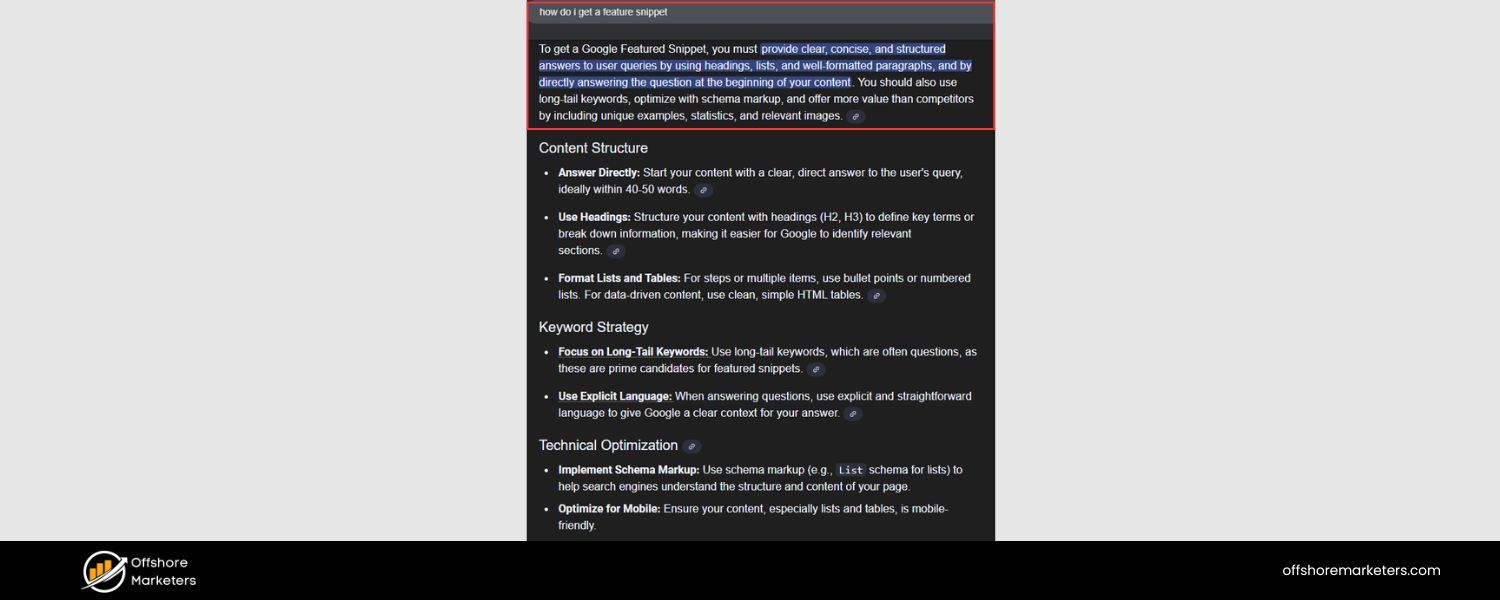
When people use voice search, they’re often looking for quick, concise answers. They might ask a question like “How do I fix a leaky faucet?” or “What’s the capital of Australia?”
Voice assistants typically respond by reading a short snippet of text that directly answers the query. Where does that text usually come from? Featured snippets.
Featured snippets (often called “position zero” in SEO) are those highlighted answer boxes at the very top of Google’s search results.
Getting featured is a huge win for voice SEO: studies show roughly 40% of voice search results come from featured snippets. In many cases, the voice assistant will pull the snippet content to answer the user, citing the source.
So, the strategy is clear: aim for position zero by structuring your content to answer common questions directly and clearly. Here’s how:
A. Provide Direct Answers in 30 Words or Less:
Google prefers brief, bite-sized answers for voice. On average, Google Home responses are about 29 words long. Try to answer the core question of a section within one short, succinct paragraph.
If a user asks “What is [Topic]?”, your page should have a sentence or two that explicitly defines or answers that.
Think of it as the blurb you’d want read aloud. For instance: “Meta descriptions are HTML attributes that provide a brief summary of a webpage’s content.” A clear, direct statement like that is snippet-friendly (and voice-friendly).
B. Use Question-and-Answer Format:
Incorporate the question itself in your content, followed by the answer. This could mean writing a heading that is literally a question (e.g., “How can I improve my website’s page speed?”) and then answering it immediately below.
This format helps Google understand that your page has a distinct answer to that specific query. Many voice queries start with “who/what/how/why” etc., so matching that format can increase your chances of selection.
C. Leverage Bulleted or Numbered Lists:
If the query asks for a list or steps (“What are the steps to do X?” or “Top 5 Y”), consider responding with a list format. Google often features bulleted or numbered lists as snippets for list-type queries.
For example, an article titled “How to save energy at home” might have a section “Tips to Save Energy:” and then bullet points like 1) Install LED bulbs, 2) Unplug appliances not in use, etc. If a voice query is “How do I save energy at home?”, Google might read out those bullet tips.
D. Include “How to” and “Best” style content:
A lot of voice searches are instructional (how-tos) or advice-seeking (best XYZ for ABC). Creating content that explicitly addresses these can earn snippets.
For instance, a post on “How to Optimize Your LinkedIn Profile” or “10 Best Ways to Stay Healthy in Winter” inherently targets question-based searches and can be formatted for snippets (with steps or a list of tips).
E. Use FAQ Pages:
Building a dedicated FAQ page on your site can be incredibly useful. As mentioned, FAQs naturally pair a question with its answer.
They’re concise and focused – perfect for voice. A robust FAQ that covers frequent queries about your product or industry can rank for a variety of voice questions. Just be sure each answer is clear and not overly long-winded.
To improve your odds of getting a featured snippet, also pay attention to formatting and placement. Google often pulls from content that is high up on the page and clearly visible as an answer.
So don’t bury your Q&A at the very bottom; make sure important questions are addressed promptly. Additionally, use proper headings (H2/H3) to signal the structure. For example:
How do I fix a leaky faucet?
A leaky faucet can often be fixed by replacing the rubber washer inside the tap. First, turn off the water supply…
In summary, think like Jeopardy: phrase answers in the form of a question, then answer it succinctly. By doing so, you target those featured snippet positions that voice assistants love to read from.
If you can capture “position zero” for a relevant query, you’ve basically won the voice search result for that question, since the assistant will likely use your content to answer the user.
3. Prioritize Local SEO for “Near Me” Queries
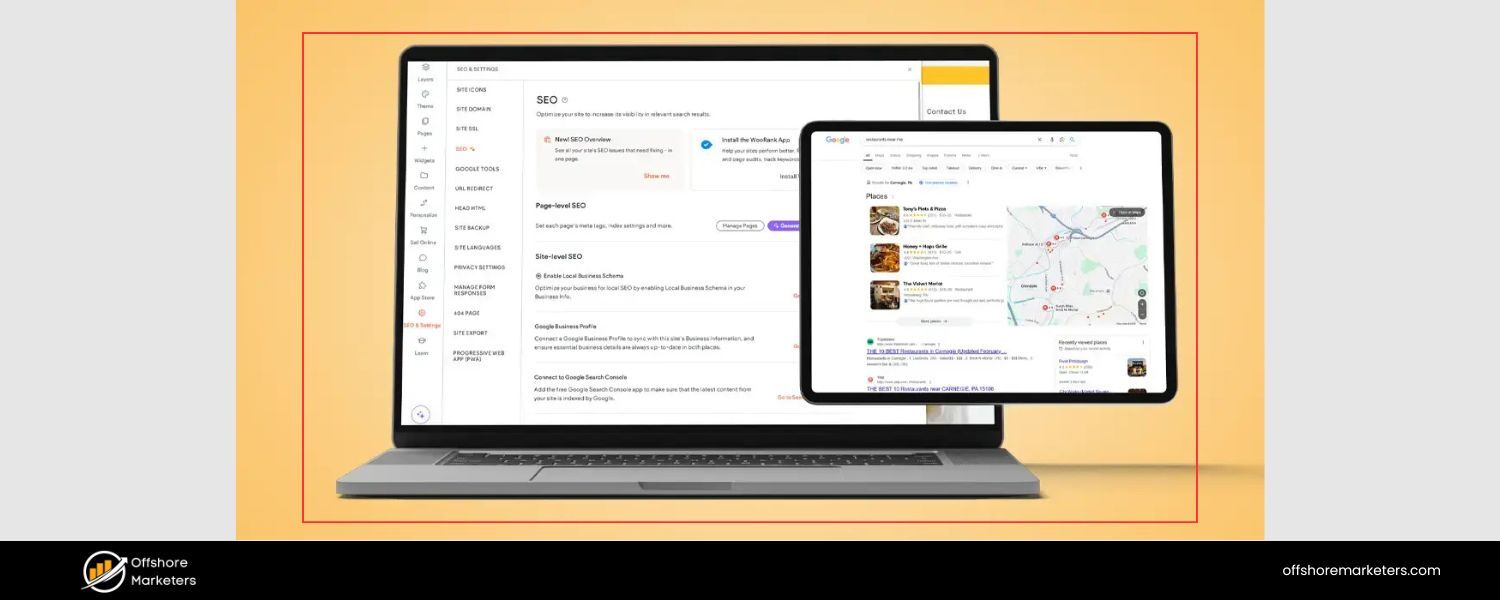
A huge proportion of voice searches have a local intent. When people are on the go or using mobile devices, they often ask voice assistants for local information, like “Where is a good pizza place near me?” or “What time does [store name] open?”
In fact, more than half of U.S. consumers (58%) have used voice search to find information about a local business. That’s why local SEO is a critical part of voice search optimization – especially for any business with a physical location or local service area.
To capture these “near me” and local queries, make sure to implement the following:
A. Claim and Optimize Your Google Business Profile: 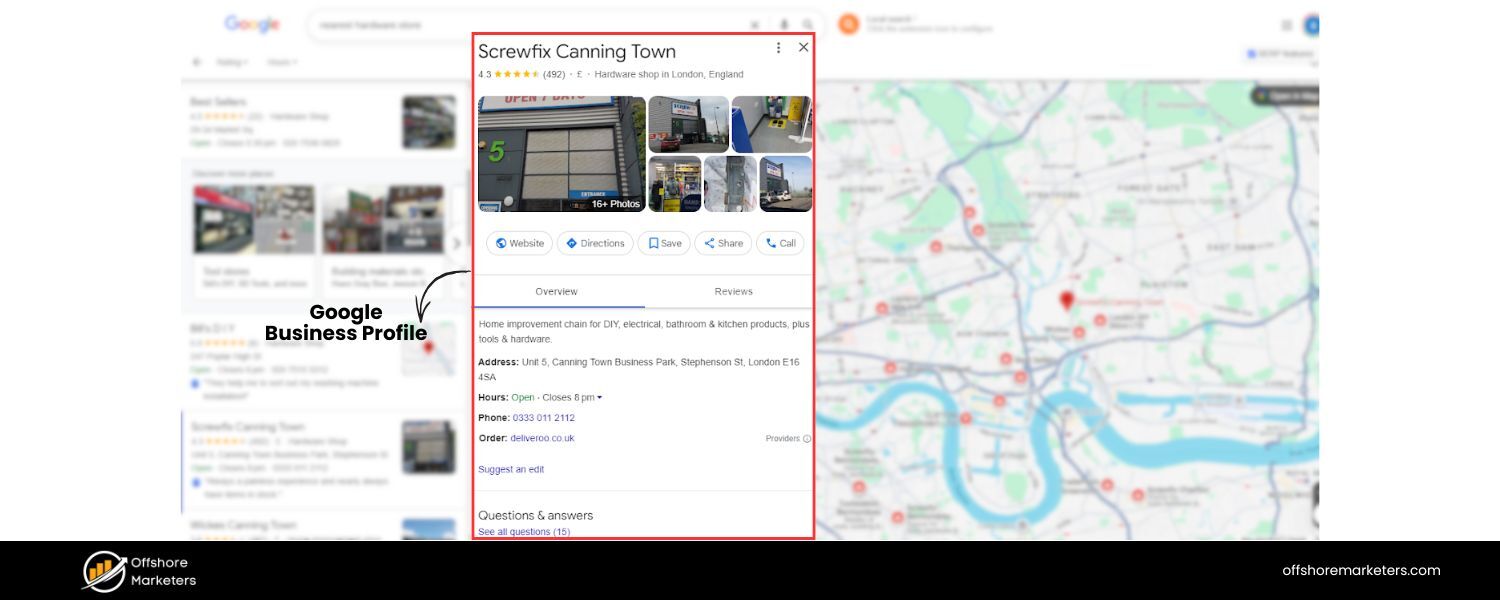
Google’s own data shows that voice searches for local businesses often pull information from Google’s local listings. Ensure you have an up-to-date Google My Business (Google Business Profile) listing.
Fill out all the details: business name, address, phone (NAP info), hours, website, and a description of your services. Choose the correct business categories (and sub-categories) so Google knows what you are. Add photos if relevant – profiles with photos tend to get more engagement.
This will help you appear in responses to queries like “nearest hardware store” or “best [your service] in [city].” Voice assistants trust Google’s local data for answers.
B. Include Location Keywords on Your Site: 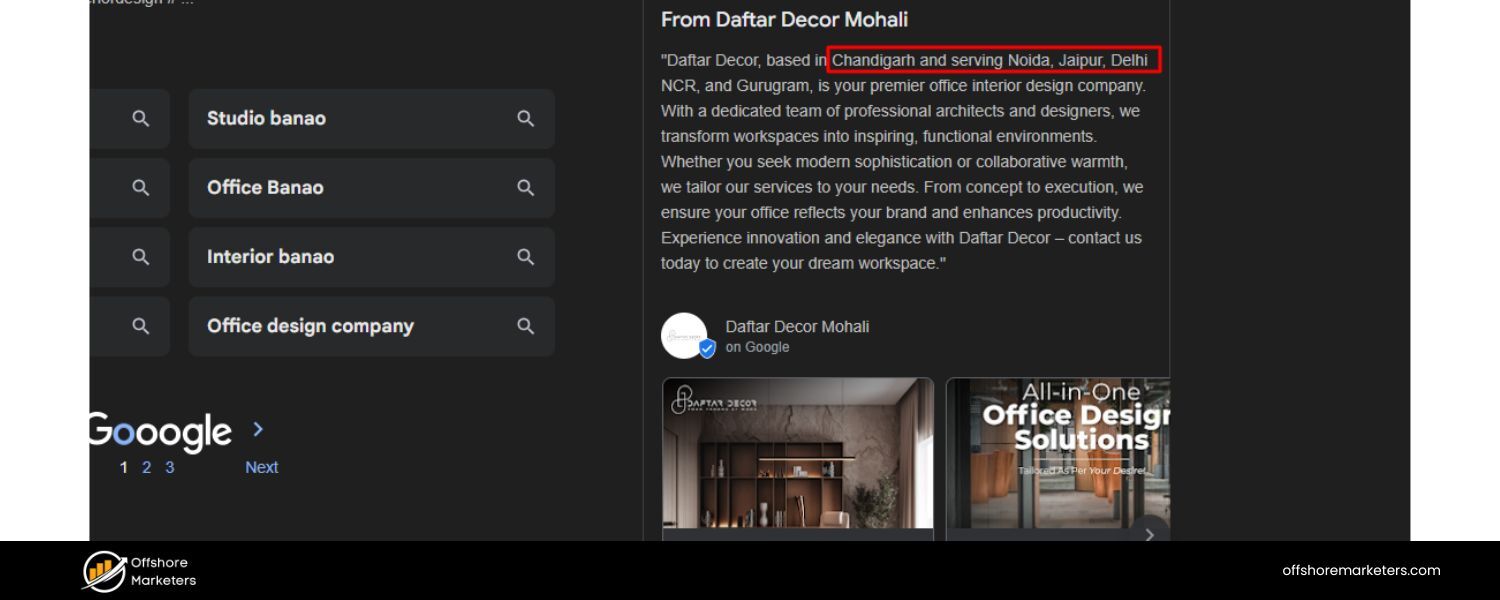
While voice queries might say “near me,” Google will match that with businesses in the vicinity. To improve your chances, incorporate your city/neighborhood names and relevant local terms in your site content.
For example, a dentist’s website should mention the city name in key places (title tags, H1, content) like “Trusted Family Dentist in Austin, TX.” Also consider creating dedicated pages for each location you serve or each office/branch, if applicable (e.g., “Plumbing Services in Seattle” page). This helps you rank when someone asks for that service in your area.
C. Optimize for “Near Me” Phrases:
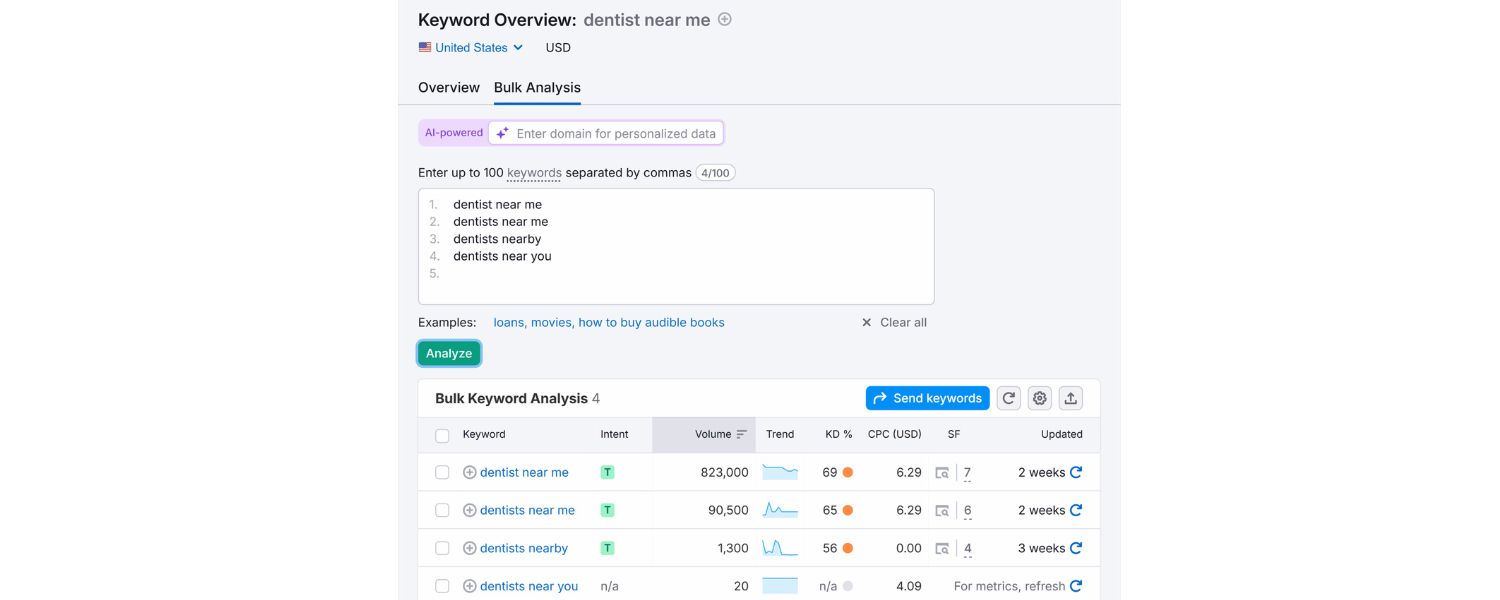
It can help to explicitly include phrasing like “near me” in your content in a natural way. For instance, a blog post might mention “If you’re looking for a budget-friendly hotel near Times Square, here are some options…”
This signals that your content is relevant to that “near me” context. Don’t overdo it, but a few mentions where appropriate (especially in combination with actual location names) can be beneficial.
D. Encourage Customer Reviews: 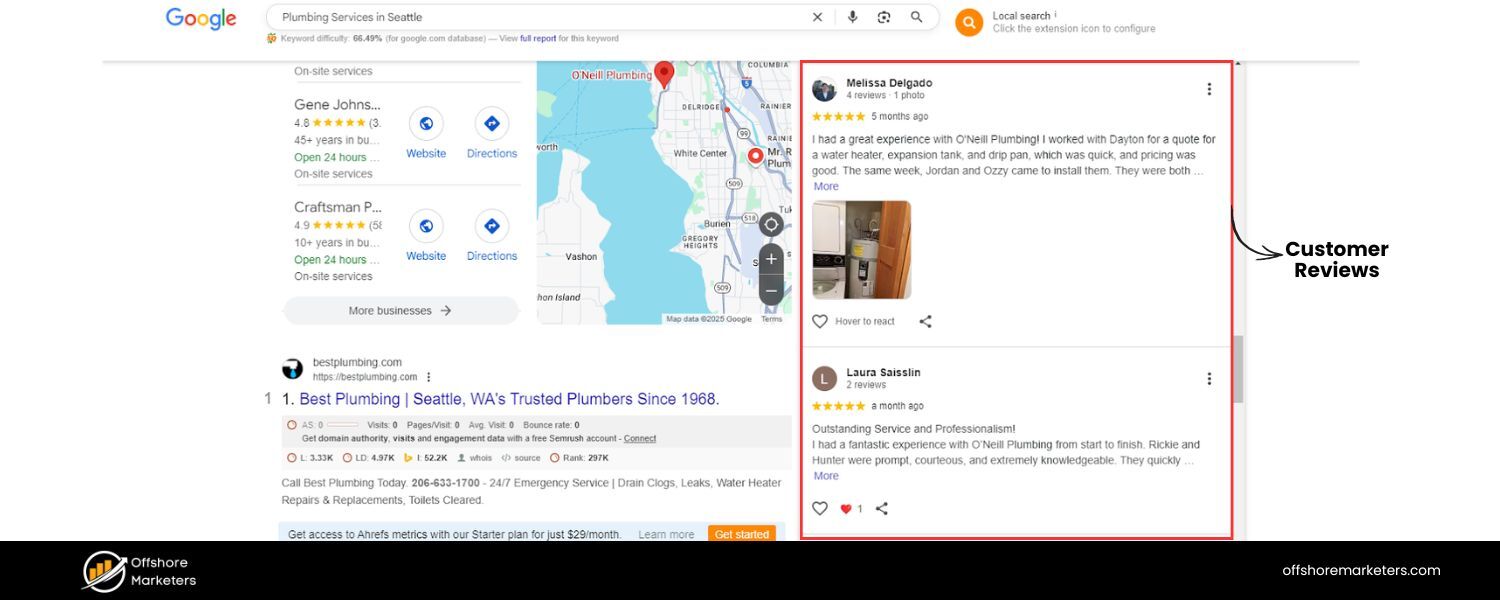
Voice searches often surface ratings and reviews. Google Assistant might say “The top result has a 4.5-star rating” for example.
Ask happy customers to leave reviews on Google, Yelp, or Facebook. A strong rating not only improves your local SEO but can also be mentioned by voice assistants when people search for “best” or “top-rated” local businesses.
E. Ensure Consistent NAP Everywhere: 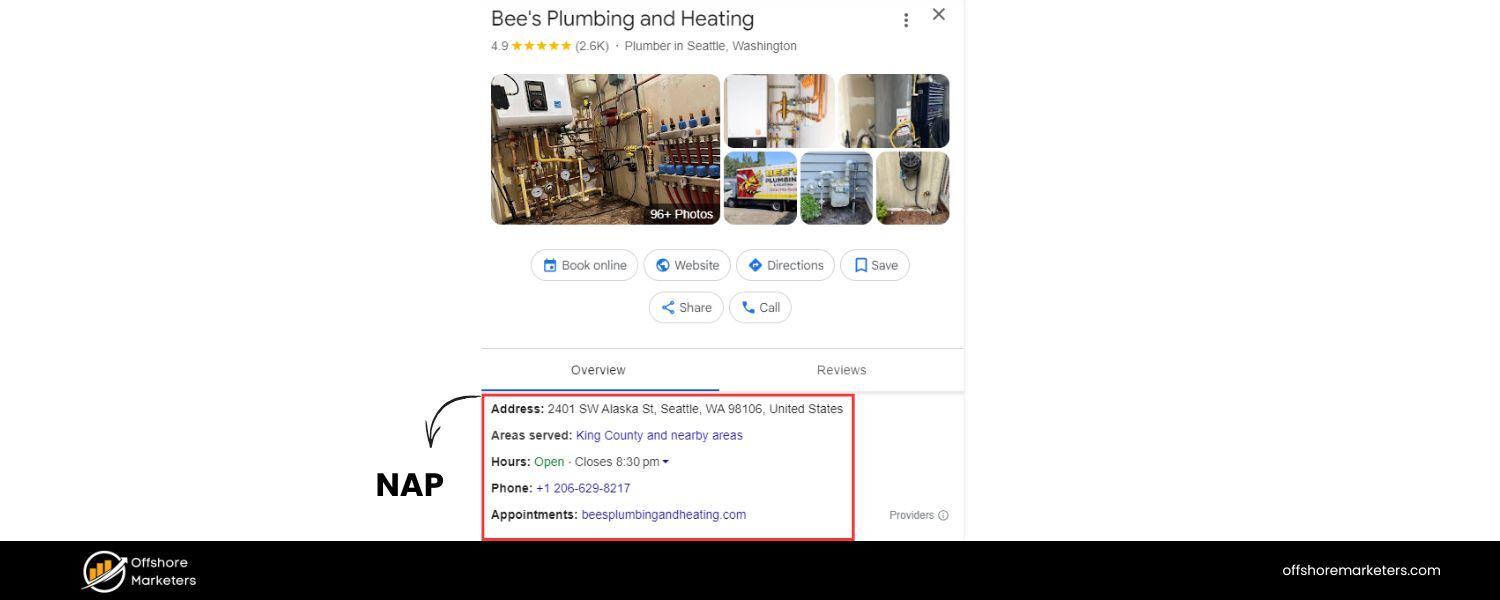
Consistency is key in local SEO. Make sure your Name, Address, Phone number are uniform across your website, Google listing, and other directories.
Voice queries rely on accurate data – you don’t want Siri giving out an old phone number or wrong hours. Keep your info updated, and if anything changes (like a new address or holiday hours), update your Google Business Profile immediately.
F. Leverage Schema for Local Business:
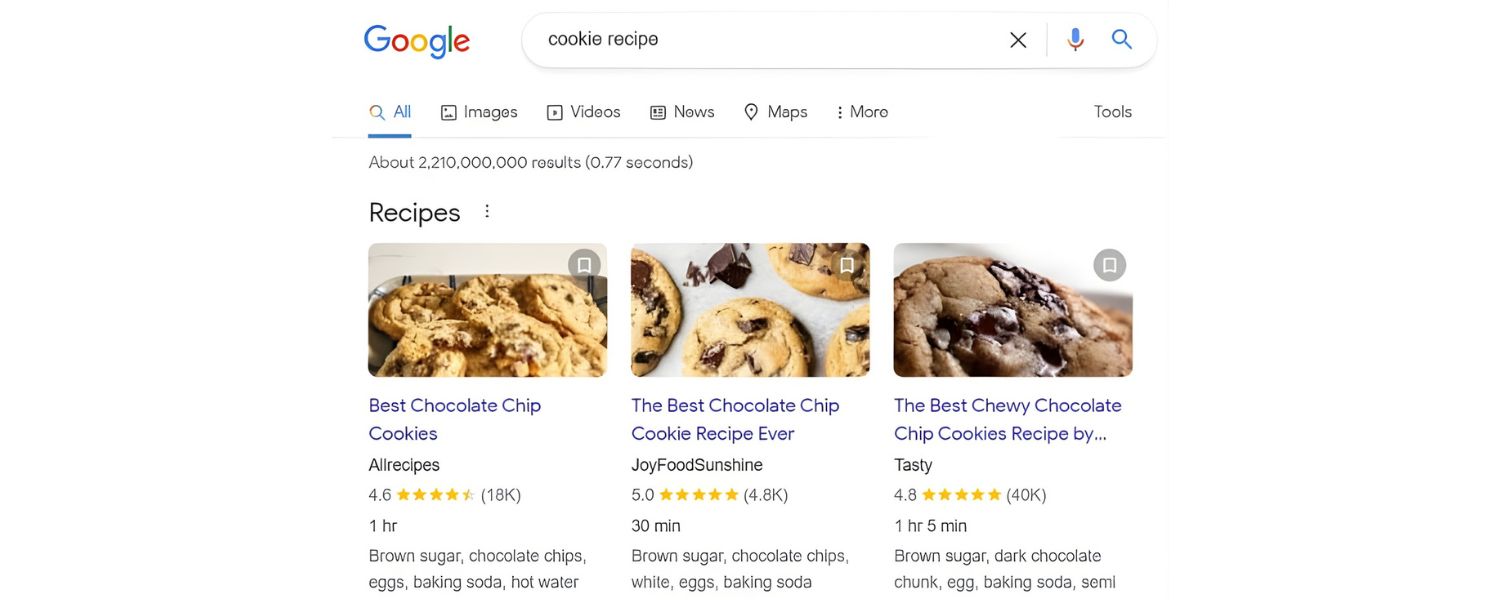
Consider adding LocalBusiness schema markup to your website’s code. This structured data can reinforce your business details (address, geo-coordinates, opening hours, etc.) for search engines.
It’s another signal that can improve your chances of showing up in voice search results for local queries.
G. Respond to Q&A on Google:
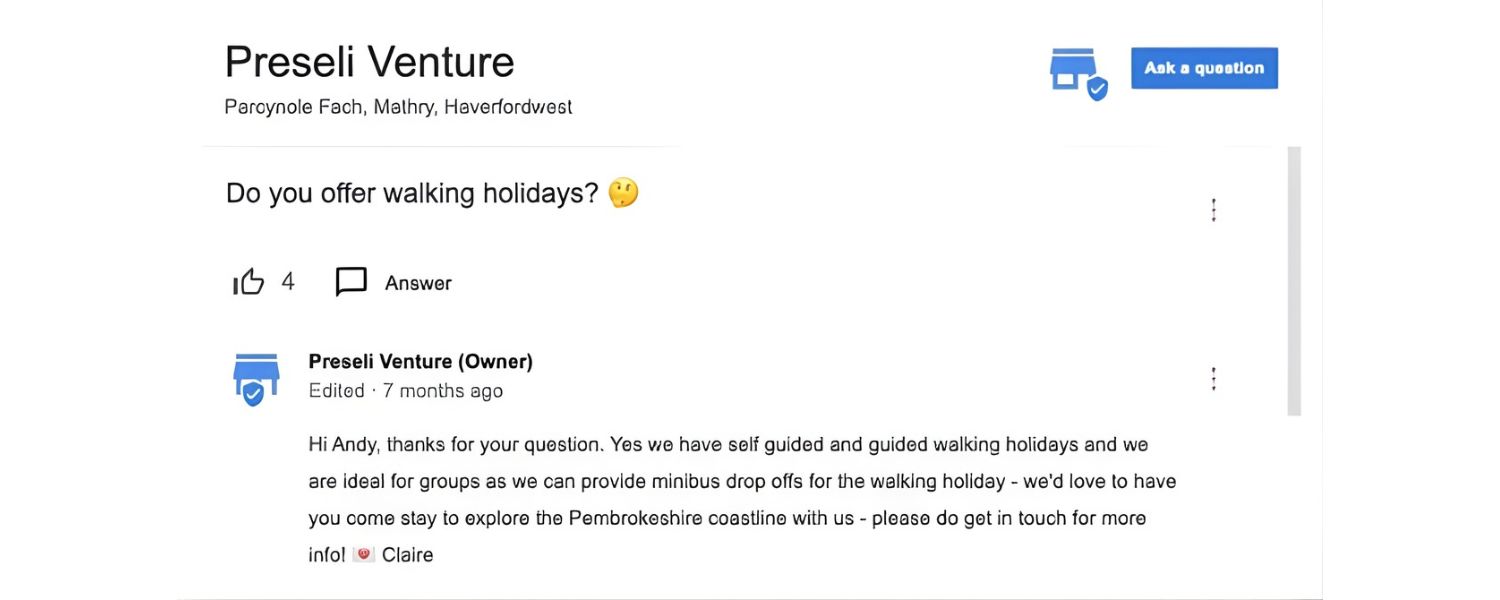
On Google Business Profiles, users can ask questions. Keep an eye on those and answer them promptly.
Those Q&As can sometimes appear in search results and might be referenced by Google for voice answers (if someone asks a similar question about your business).
Local voice searches often happen on mobile devices (“find a coffee shop near me”) or smart speakers for nearby info. By optimizing your presence both on your site and via Google’s business listings, you increase the likelihood that your business is the one an assistant recommends.
As a simple test, try asking your own phone a question like “find a [your business type] near me.” If you’re not the answer, take that insight and work on your local SEO until you are!
Remember: Voice search + Local = a powerful combo. People ready to act (visit a store, make a reservation, get directions) often use voice for convenience. If you make it easy for voice assistants to pull up your info, you’ll tap into that ready-to-engage audience.
4. Speed Up Your Website for Quick Voice Answers
When it comes to voice search, speed is absolutely critical. Voice users expect instant answers, after all, one of the advantages of voice search is convenience and speed.
If your website is slow or clunky, it won’t just frustrate users, it could also hurt your chances of being chosen as a voice result.
Google has indicated that page speed is a ranking factor, especially for mobile searches, and this carries over to voice.
Consider this: The average voice search result page loads in about 4.6 seconds, which is roughly twice as fast as the average webpage.
Faster sites tend to rank better, and that’s even more pronounced for voice results. Why? Because if Google is going to read an answer from your page, it wants that page to load quickly and provide a smooth user experience.
Here are steps to ensure your site is speedy enough for voice search SEO:
A. Run Speed Tests: 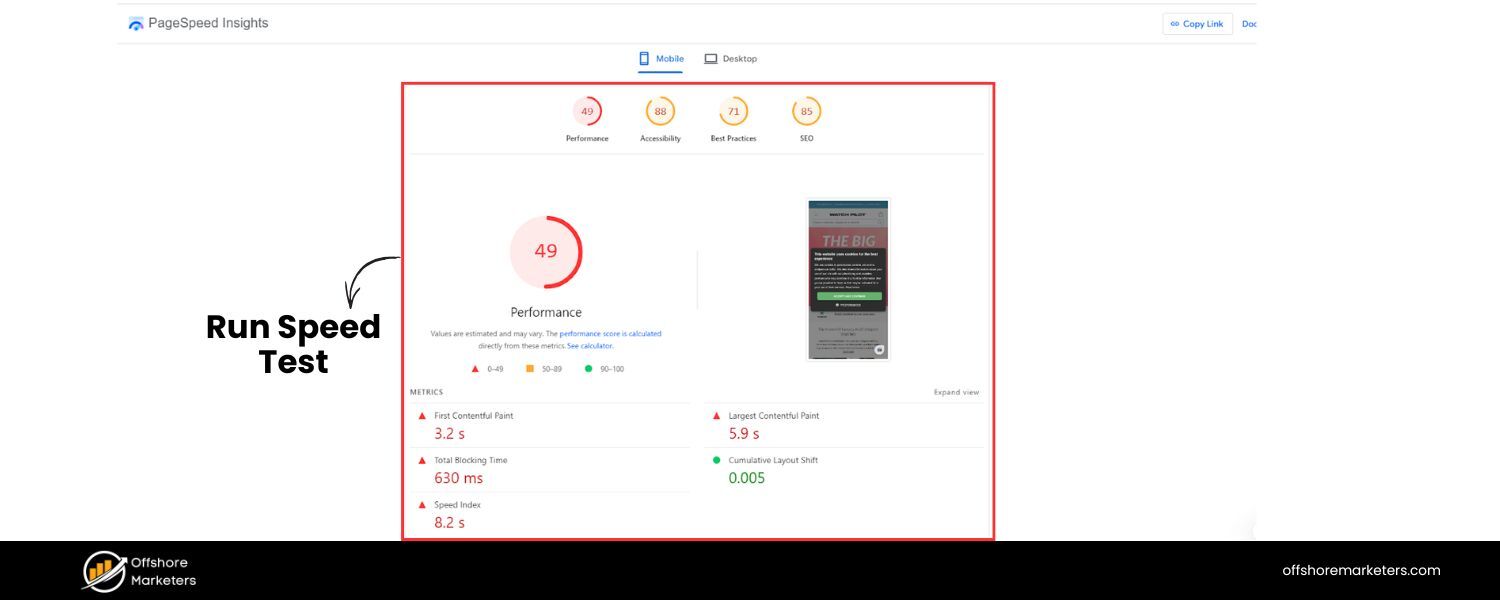
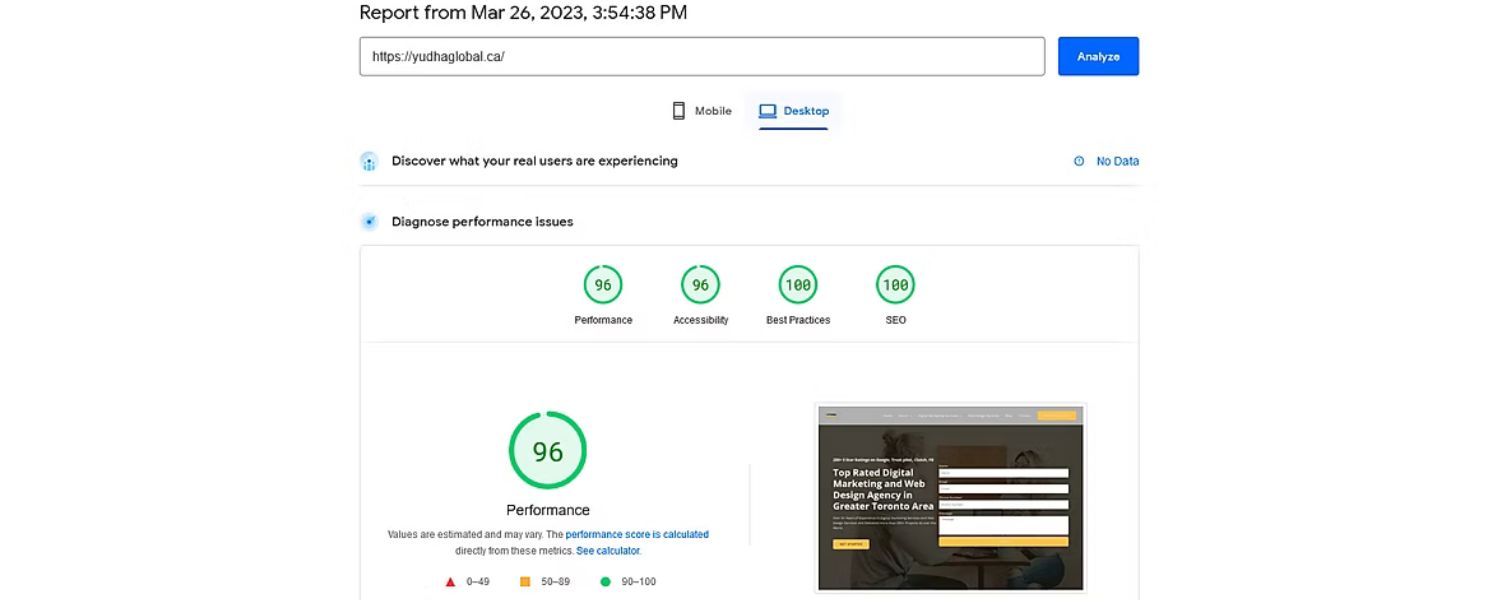
First, diagnose your current load times. Use tools like Google PageSpeed Insights or GTmetrix to measure your site’s performance.
These tools not only give you a speed score but also itemize what’s slowing you down (large images, render-blocking scripts, etc.).
B. Optimize and Compress Images: 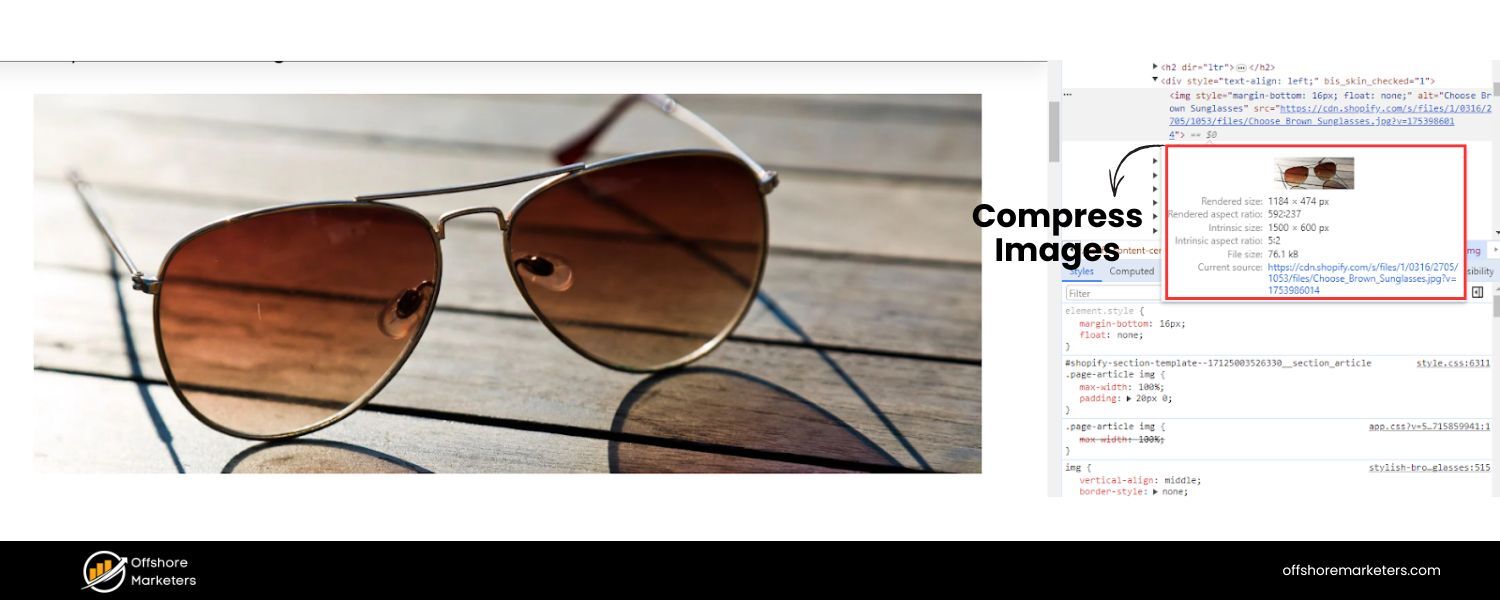
Images are often the biggest resource. Compress images using modern formats (WebP, for example) or compression tools so they load faster.
Only use images at resolutions actually needed for display, and implement lazy-loading for images further down the page so they don’t all load at once.
C. Minify Code:
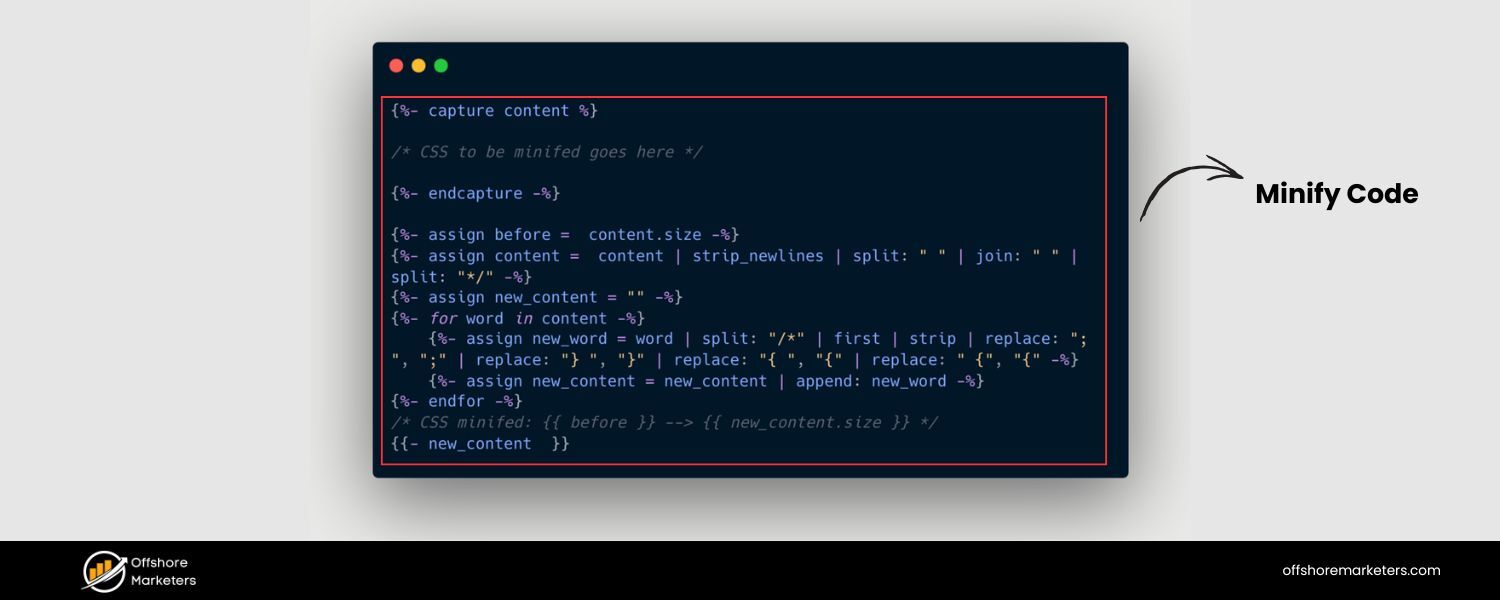
Minify your CSS, JavaScript, and HTML. This means removing unnecessary characters, spaces, and comments in code files to shrink their size.
Many speed testing tools or site plugins can do this automatically. Smaller files = faster load.
D. Enable Browser Caching:
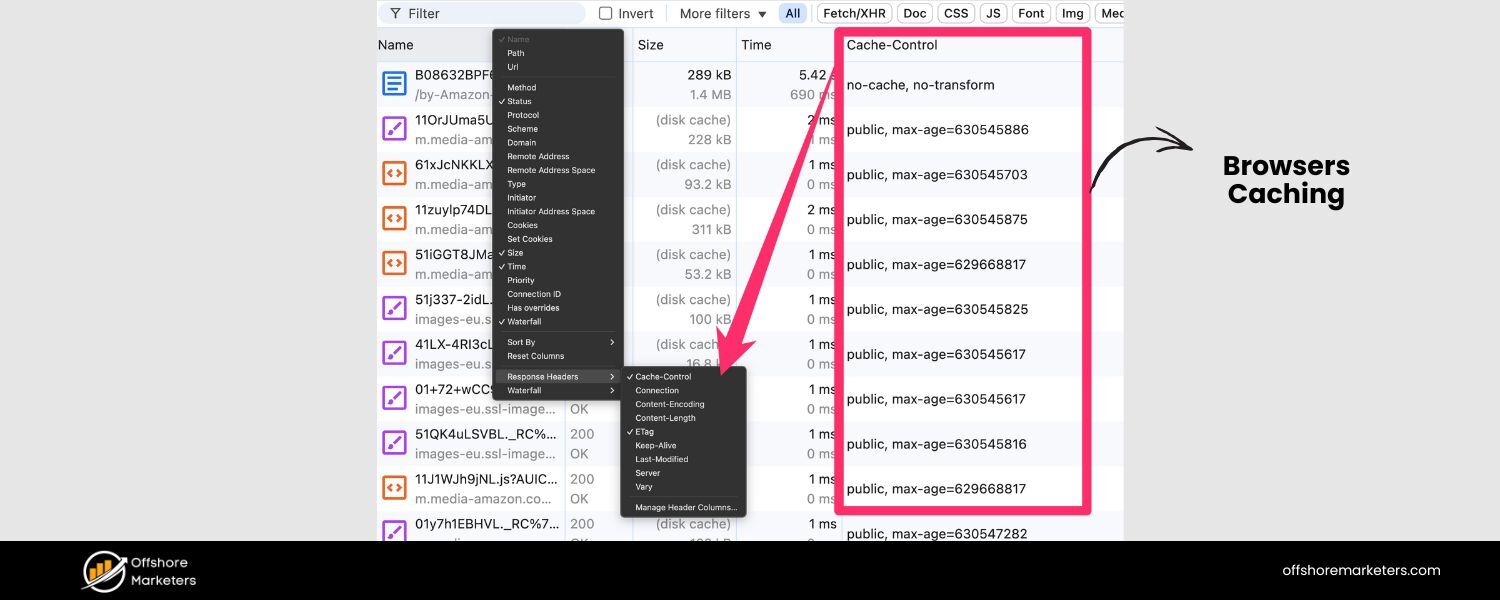
Set up caching so returning visitors (or second-page views) can load faster. This instructs browsers to store certain files so they don’t need to re-download everything on each visit.
E. Use a Content Delivery Network (CDN):
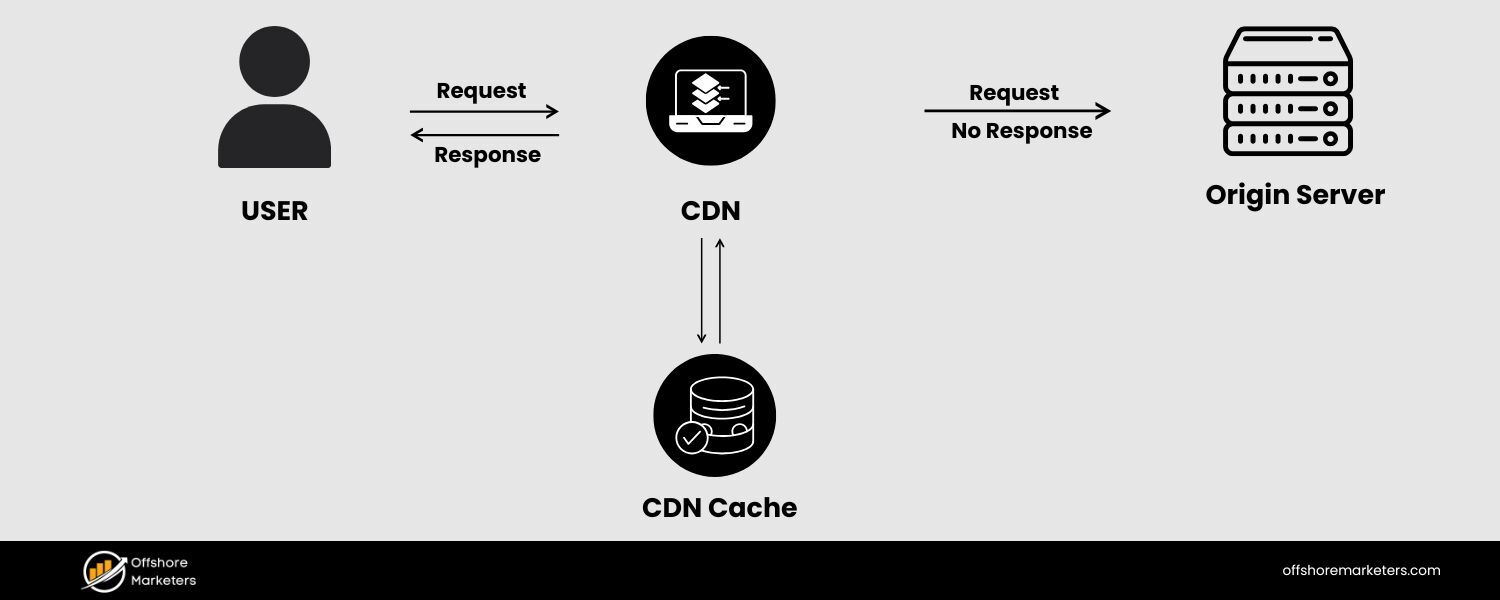
A CDN can serve your content from a network server closest to the user, speeding up delivery.
This especially helps if you have a global audience. Services like Cloudflare or Fastly can significantly cut down latency.
F. Reduce Redirects:
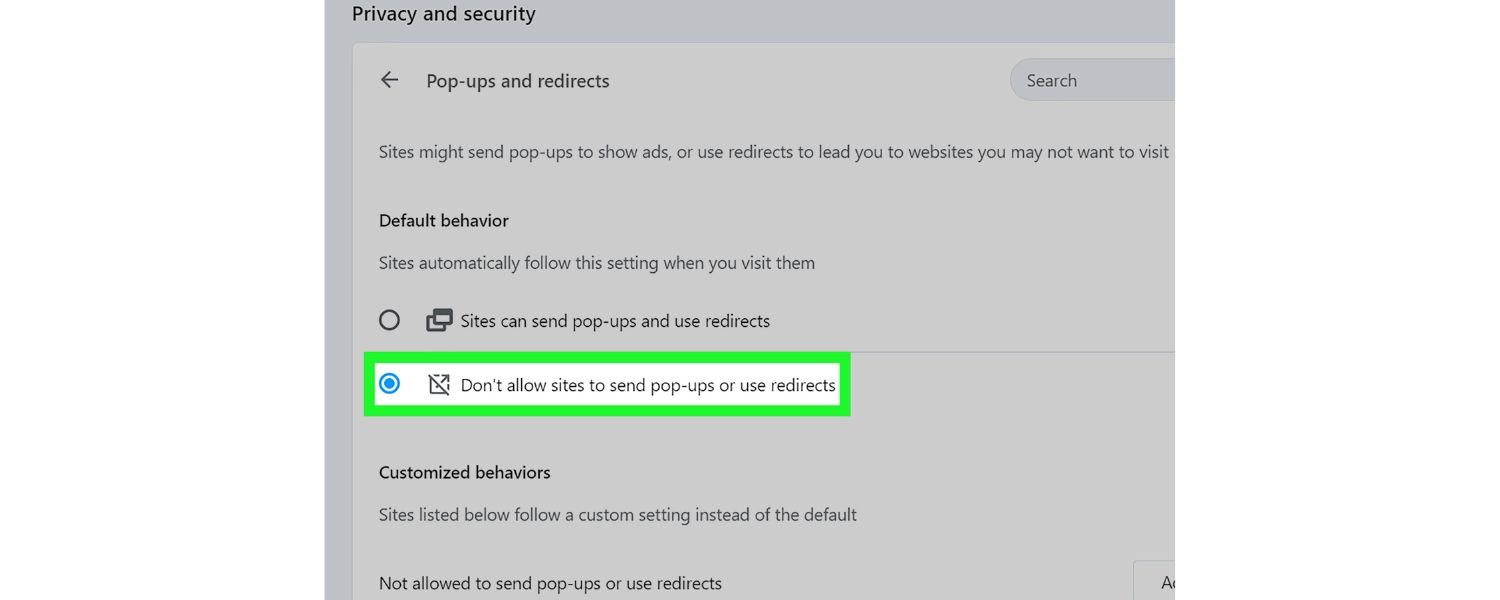
Too many redirects create additional HTTP requests, slowing things. Streamline your links and try not to daisy-chain URLs.
G. Clean Up Your Plugins/Apps:
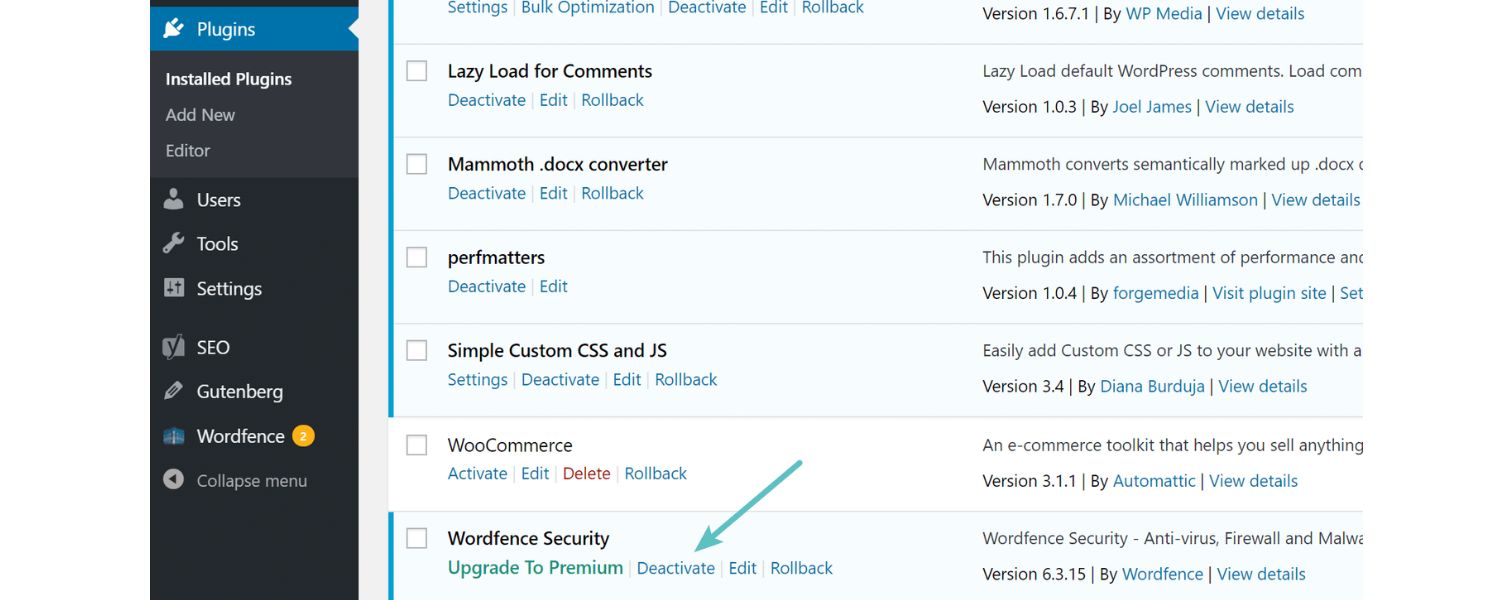
If you use a CMS like WordPress, deactivate and remove any unnecessary plugins. Ensure the remaining ones are efficient and updated. Bulky third-party scripts can drag performance down.
H. Mobile Optimization:
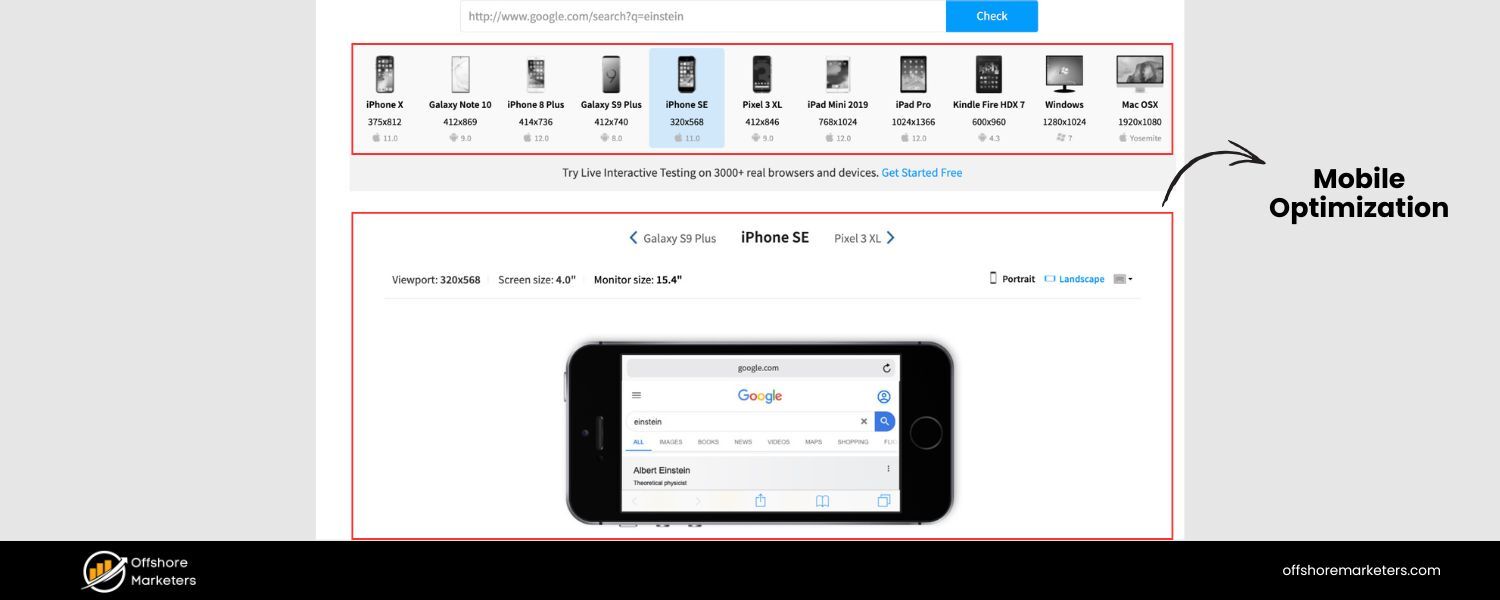
Since most voice searches happen on mobile devices, make sure your mobile site is as fast and functional as your desktop.
Use responsive design (most modern sites do) and test on actual phones. Google’s Mobile-Friendly Test tool can flag issues, but you should personally see how snappy your site feels on a phone with average connectivity.
The payoff for speeding up your site is two-fold. First, better SEO – Google is more likely to rank a faster site higher, which in turn increases the chance of being the voice result.
Second, happier users – anyone who clicks through (or visits later) will have a smoother experience, which means they’re more likely to stay, read, or convert.
Lastly, note that page speed isn’t just about raw seconds; it’s also about perceived speed.
Even if your full page takes a bit to load, if you can get meaningful content (like the headline or answer text) to appear quickly, the user/voice assistant has what they need. So, optimize the critical rendering path, i.e. prioritize loading above-the-fold content fast.
In summary, shave off every unnecessary millisecond. For voice search especially, fast = favored. A lean, quick-loading site sets you up for success in the voice SEO game (and SEO in general).
5. Ensure a Mobile-Friendly, Easy-to-Navigate Site
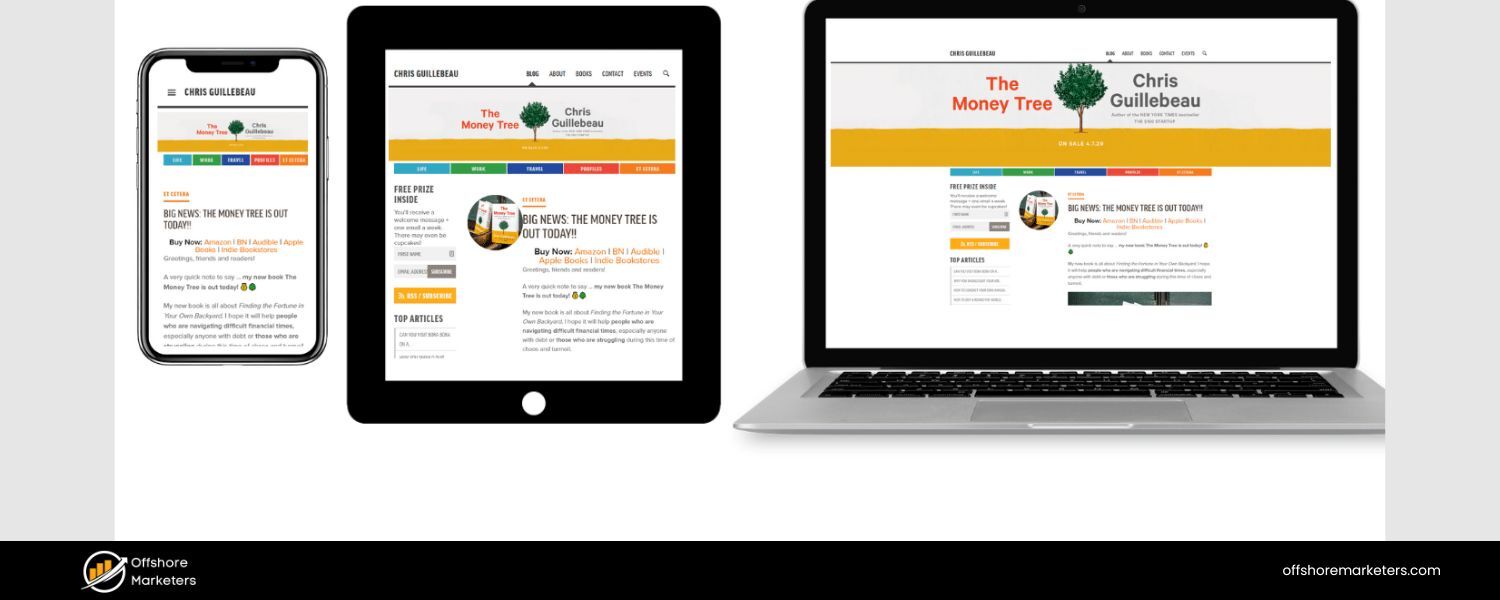
Voice searches overwhelmingly happen on mobile devices (think of all those “Hey Google” queries on smartphones).
Additionally, Google has moved to mobile-first indexing, meaning it primarily uses the mobile version of your site for ranking and indexing.
To succeed in voice search SEO, you must have a mobile-friendly website that provides an excellent user experience on smaller screens.
Key considerations for mobile (and voice) optimization include:
A. Responsive Design:
Your site should automatically adapt to different screen sizes and orientations. A responsive design ensures that whether someone visits on a phone, tablet, or desktop, the content is easy to read and navigate.
Text shouldn’t require zooming or horizontal scrolling on mobile. Most modern website themes are responsive by default, but double-check how your pages look on various devices.
B. Simple Navigation:
On mobile, menu systems need to be clean and straightforward. Use clear headings, avoid deep nested menus when possible, and make sure links/buttons are easily tappable (adequate size and spacing).
A voice user might click through from a result to your site; once they arrive, don’t lose them with a confusing menu.
C. Avoid Intrusive Pop-ups:
Nothing irks a mobile user (or Google) more than a pop-up that’s hard to close on a phone screen. Google actually penalizes sites with intrusive interstitials on mobile.
If you use pop-ups or banners, ensure they are easily dismissible and don’t cover the whole screen, especially on first landing pages.
D. Readable Font Sizes:
Use legible font sizes and contrast. Tiny text that requires pinching to zoom will hurt user experience and indirectly your SEO.
Google’s mobile-friendly criteria include having a base font size that’s easily readable on a phone.
E. Test on Real Devices:
Emulators and Google’s tests are helpful, but nothing beats real-world testing. Whip out your smartphone (and ask friends or colleagues with different phones/browsers) to navigate your site.
Is everything functioning? Does it load quickly on mobile data? Are contact forms or interactive elements working properly with touch?
F. Mobile Page Speed:
We covered speed above, but it’s worth reiterating here – optimize your site specifically for mobile performance.
Mobile devices can be on slower networks; optimizing images, enabling AMP (Accelerated Mobile Pages) for important content, or simplifying your code for mobile can all help.
G. Touch-Friendly Design:
Ensure that buttons, links, and form fields are large enough and spaced out enough for finger taps.
Nothing is more frustrating than trying to tap a tiny link with your thumb and hitting the wrong thing.
H. Mobile-Specific Schema:
If relevant, you can use MobileAction schema or other mobile-related structured data, but generally if your site is responsive, you don’t need separate mobile URLs or content.
Consistency is key; you want the same valuable content on mobile that desktop users see.
A mobile-friendly site not only helps you rank better (since Google’s index is mobile-first) but also complements voice search behavior.
Think of scenarios like driving – a user doing a voice search might tap a result to get directions or call your business. If your site has a click-to-call button or opens directly in Google Maps, that’s a great user experience.
Ensure features like phone numbers or address on your site are clickable (using tel: and geo: links or appropriate markup) to facilitate those quick actions.
In summary, treat mobile users like first-class citizens (because they are!). By making your site mobile-friendly, you inherently make it voice-friendly, since the two often go hand-in-hand.
Google even provides a Mobile-Friendly Test tool – use it, fix any issues, and you’ll be well-positioned for both mobile and voice SEO success.
6. Implement Structured Data (Schema Markup)
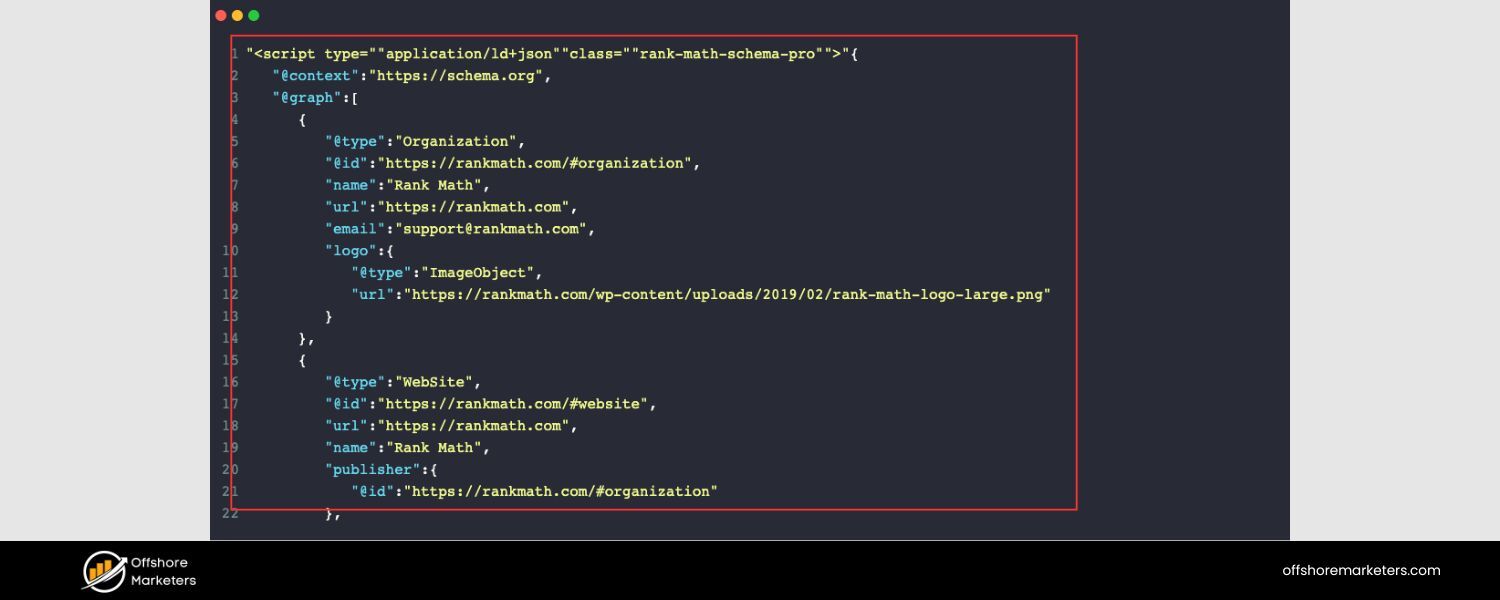
Search engines aren’t just looking at your plain text – they also appreciate when you give them extra clues through structured data.
Schema markup is a form of structured data that you can add to your HTML, which helps search engines better understand the content and context of your pages.
For voice search, schema can be especially useful because it can highlight the exact bits of information that might be read aloud in response to a query.
Think of schema markup as adding “tags” to parts of your content saying, “Hey Google, this text is a review rating,” or “This is an FAQ question,” or “This is a recipe ingredient.”
By doing so, you make it easier for search algorithms to pull out the precise info needed for search results – including voice answers.
Here’s how leveraging structured data can boost your voice search optimization:
A. Use FAQ and How-To Schema:
If your page features a Q&A format (like an FAQ section) or a how-to guide with steps, use the appropriate FAQPage or HowTo schema.
Google often provides rich results (like accordion-style FAQs or step-by-step instructions) in SERPs when this markup is present, and these formats are very voice-friendly.
A voice assistant can directly jump to the “Question” and “acceptedAnswer” in your FAQ schema to answer a user query. Learn more about implementing How-To Schema in Mastering Content Optimization.
B. Local Business Schema:
As mentioned in the local SEO section, implement LocalBusiness schema for pages about your business/location. This can reinforce details like your address, phone, opening hours, coordinates, etc.
Voice queries seeking info about your business (“Is [Your Business] open now?”) are more likely to get a correct answer if your structured data is in place. For more on Local SEO strategies, see Local SEO Checklist.
C. Speakable Schema (Beta):
Google has introduced a specific schema called Speakable (currently in beta and mainly for news articles) that indicates which parts of a page are best suited for voice playback.
If you run a news site or frequently publish articles, adding Speakable markup to highlight key points or summaries could give you an edge with Google Assistant and other text-to-speech scenarios. It basically tells the assistant, “Read this part of the page to the user.”
D. Review and Rating Schema:
If applicable, add schema for product reviews, ratings, and other such elements. Voice searches for “best [product]” or “[product] reviews” might trigger answers that include average star ratings or other summary info.
Providing that via schema (AggregateRating, etc.) ensures the assistant has the data readily available.
E. Event and Organization Schema:
For queries about events (“What time is the concert at X arena?”) or organizations (“Who is the CEO of Company Y?”), structured data like Event schema or Organization (with CEO as an attribute) can directly feed answers. While not every website will need these, consider it if relevant.
F. Keep Schema Updated and Error-Free:
Use Google’s Rich Results Test or Schema validators to ensure your markup is correctly implemented.
Errors in schema won’t necessarily hurt your site, but they mean you won’t get the benefit of that structured info.
Also, update schema when things change – e.g., if you add new FAQs, or your business hours change, reflect it in the markup too.
G. Don’t Rely Only on Schema:
Schema boosts your chances, but remember, as Siteimprove notes, you still need to rank well for voice results.
Schema helps you create those rich results (featured snippets, etc.) which voice queries often pull from, but it’s not a magic button for ranking.
Use it in combination with the quality content and SEO practices discussed throughout this guide.
By implementing structured data, you’re basically speaking the search engine’s language and making their job easier.
That in turn can increase your visibility, especially for voice. For example, if someone asks, “What are the ingredients for lasagna?” and you have a recipe page with proper Recipe schema listing ingredients, Google can gracefully answer with “The ingredients for lasagna are [list of ingredients].”
If your competitor’s similar recipe lacks schema, you’ve got the edge because your info is more accessible.
In summary, mark up what matters. Identify key pieces of information on your site that align with common voice queries and tag them with schema.
It’s an upfront effort that can pay off in the form of richer search results and more consistent voice answers featuring your content.
7. Craft Content in a Conversational, “Voice-Friendly” Tone
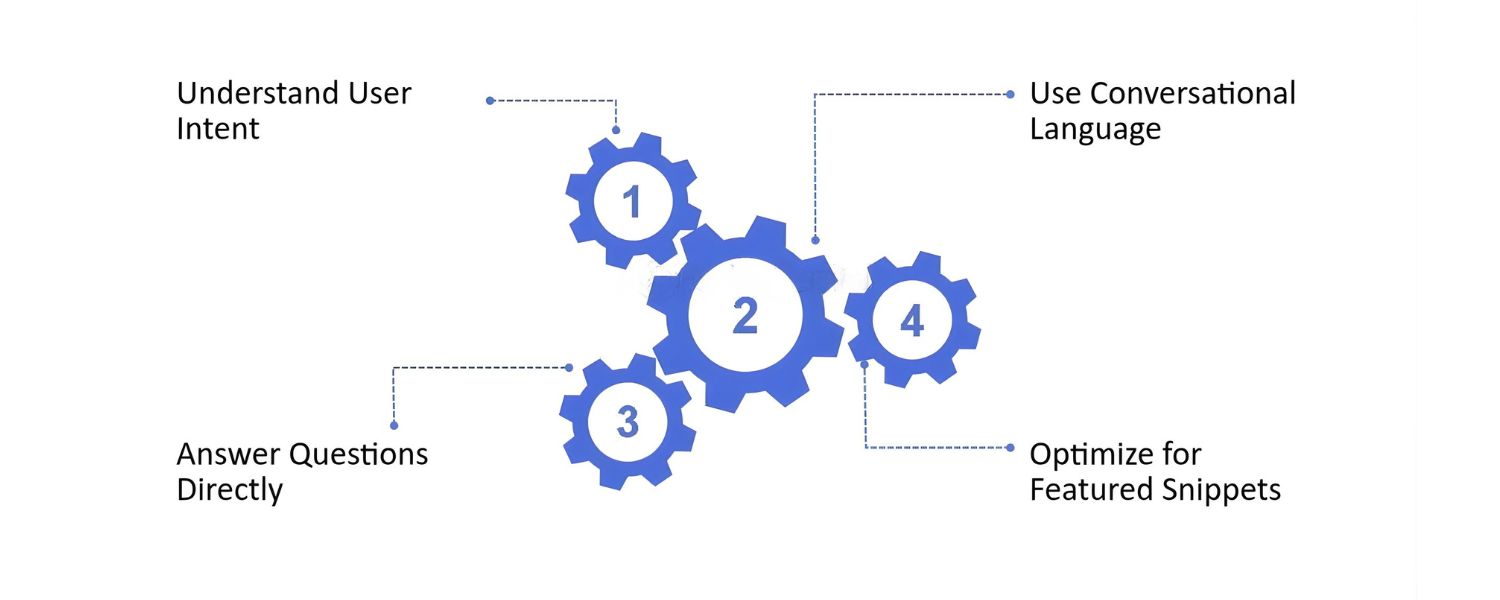
Writing for voice search isn’t exactly the same as writing for print or even traditional web articles.
To excel in voice SEO, your content should not only answer the right questions (as we covered) but do so in a clear, conversational tone that sounds good when read aloud.
After all, what’s delivered in voice search is essentially your written content spoken by a virtual assistant. You want that to be easily understood in an instant.
Key tips for creating voice-friendly content:
A. Use Natural Language:
Embrace a conversational style in your writing. This means using everyday words and phrasing, as if you’re speaking to the reader.
For instance, say “You can find a lot of great deals on smartphones in our store” instead of “Consumers may locate numerous discounted smartphones within our inventory.” The former sounds like human speech; the latter is too stiff for voice.
B. Keep Sentences Short and Simple:
Long, winding sentences can be hard for voice assistants to parse and for listeners to absorb. Aim for conciseness. A good guideline is to break up long thoughts into sentences that are maybe 20 words or fewer.
Mix in some shorter sentences for clarity. This doesn’t mean dumbing down content – just make it punchy and to the point.
Studies have found that content written at about a 9th-grade reading level or lower tends to perform better in voice search, likely because it’s straightforward and jargon-free.
C. Address the User (if appropriate):
Using second person (“you”) can make content feel more conversational and engaging.
For example, “You might be wondering how this works…” can resonate well, as though you anticipate the user’s question – which in fact many voice queries are (they often start with “how do I…” or “what should I…” etc.).
D. Provide Context, Then Answer:
Sometimes, especially for complex questions, it helps to briefly contextualize the answer. For example: “Why is my indoor plant’s leaves turning yellow?
There are a few common reasons. Overwatering is the most frequent cause, as it can lead to root rot…” and so on. The point is to answer clearly but also naturally lead the user through the explanation, almost like you’re having a mini conversation.
E. Avoid Overloading with Keywords:
In the past, some content creators might have tried to jam keywords awkwardly for SEO. That absolutely doesn’t work for voice (and barely works for text SEO nowadays).
Don’t force repetitive phrases. If you’re targeting “best running shoes 2025”, you don’t need to repeat that exact phrase verbatim a dozen times.
Focus on variants and natural mentions in sentences that actually make sense when spoken.
F. Use Structured Formatting:
While this tip was covered with snippets and schema, it bears repeating as a content style point: break content into digestible sections with headings, bullet points, and lists where appropriate.
This not only helps readers scan, but it also helps voice assistants identify parts of your answer.
For instance, if you list “5 Tips to Improve Wifi Signal” as bullet points, the assistant could choose to enumerate them in a voice response. If it were one giant paragraph, it’s harder to break down.
G. Write with Questions in Mind:
Even within a narrative article, you can pose rhetorical questions that mirror what users might ask. Then answer them. It keeps the tone conversational.
For example: “So, how do you actually perform a factory reset on your phone? It’s simpler than you think – here’s the process…” This method acknowledges the user’s intent and seamlessly provides the answer.
H. Test by Reading Aloud:
A great litmus test is to read your content out loud to yourself. Does it sound natural? Do you stumble on any sentence?
Does it actually sound like something you’d say to a friend if explaining the topic? If not, revise those parts. Some content that looks fine on paper might feel awkward when vocalized. A quick read-aloud pass can catch those issues.
By making your content more conversational and user-friendly, you’re not only optimizing for voice search but also creating a better experience for all your readers.
It’s a win-win: people find your content engaging and helpful, and search algorithms notice the positive user signals (like time on page, lower bounce rates) that result from that quality content.
Remember, the ultimate goal of voice assistants is to simulate a helpful human conversation.
The closer your writing is to a human conversational answer (while still being correct and authoritative), the better it’s going to perform in voice search results.
Aim to be the friendly expert in your writing – someone who can explain things clearly and personably in a one-on-one conversation. That’s the tone to strive for.
8. Don’t Forget Accessibility and Inclusivity
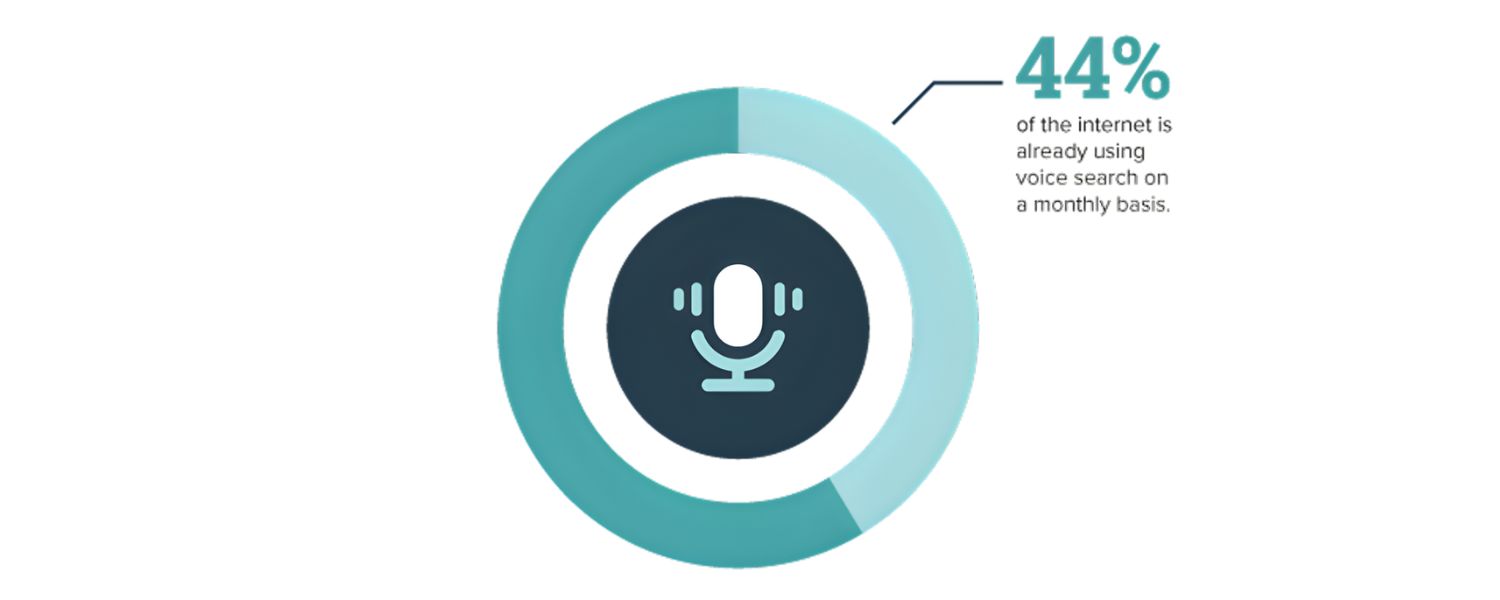
Optimizing for voice search goes hand-in-hand with making your site accessible. Why? Voice technology is a boon for users with visual impairments or mobility challenges who rely on audio and voice interfaces to navigate the web.
By making your content more accessible, you inherently make it more friendly to voice assistants and vice versa. Plus, search engines are increasingly factoring accessibility into rankings as part of overall page experience signals.
Here are some accessibility-focused practices that also benefit voice SEO:
A. Provide Alt Text for Images:
Always include descriptive alt text for your images. Alt text (the text read by screen readers in place of images) helps visually impaired users understand content, and it also gives search engines context about the image.
While a voice assistant might not “read” alt text in a typical query, having descriptive alt tags can indirectly help your content rank in image searches or be understood better.
Moreover, if someone does a voice query like “What does the graph on XYZ page show?”, a well-described image could help provide the answer.
B. Use Clear Heading Structure:
Organize your page with semantic headings (H1, H2, H3, etc.) in a logical outline.
This not only helps screen reader users navigate, but it also helps search engines parse the hierarchy of information on your page.
A voice assistant can jump to the relevant section of an article more easily if your headings are meaningful and properly structured.
C. Transcripts/Captions for Multimedia:
If you have videos or audio on your site (podcasts, interviews, tutorials), provide transcripts or captions.
This makes the content accessible to those who can’t hear the audio – and also makes it indexable by Google.
For instance, if someone asks a voice query that’s answered within a video’s spoken content, Google can’t “hear” the video, but a transcript on the page can surface that answer.
D. Readable Font and Contrast:
Ensure your font choices, sizing, and color contrasts are accessible (e.g., meeting WCAG guidelines).
While this is more about visual UX, it keeps users on your page once they arrive from a voice search.
If they immediately leave because they can’t read your text, that could be a negative signal.
E. Avoid Accessibility Barriers:
Elements like Flash or poorly coded widgets can be problematic. Also ensure all interactive elements can be operated by keyboard only (for those who can’t use a mouse or touchscreen).
This doesn’t directly influence voice search, but it’s part of good web hygiene that can indirectly affect overall SEO health.
F. Leverage Accessibility Tools:
Consider using automated accessibility checkers (like WAVE or Siteimprove’s Accessibility checker) to scan for issues.
They can catch missing alt text, form label issues, etc. which you can then fix.
Google’s algorithms notice when content is well-structured and user-friendly, which overlaps a lot with accessibility.
G. Write for Humans:
This overlaps with our section on conversational tone, but it’s worth noting here: writing clearly and avoiding unnecessary jargon or complex language not only helps with voice comprehension but also aids people with cognitive disabilities or those who speak English as a second language. Clarity is inclusive.
By prioritizing accessibility, you not only broaden your audience (reaching users who might otherwise have difficulty), but you also often end up with cleaner, more structured content that search engines appreciate.
There’s a reason why accessible content is often high-quality content, it’s well thought out, organized, and considerate of the end-user’s needs. Those are exactly the kinds of pages Google likes to elevate.
Furthermore, voice search itself is an accessibility feature for many. People who cannot easily use a keyboard or screen can still get information via voice queries.
Ensuring your site caters to them is both the right thing to do ethically and a smart thing to do SEO-wise.
It can improve your reputation (users are more likely to engage with and recommend a site that’s easy for everyone to use) and could boost rankings as algorithms incorporate more user experience signals.
In a nutshell, optimize for voice, but design for all. The more accessible and user-friendly your site is, the more likely it will shine in voice search results and beyond.
9. Build Authority with Quality Content and Backlinks
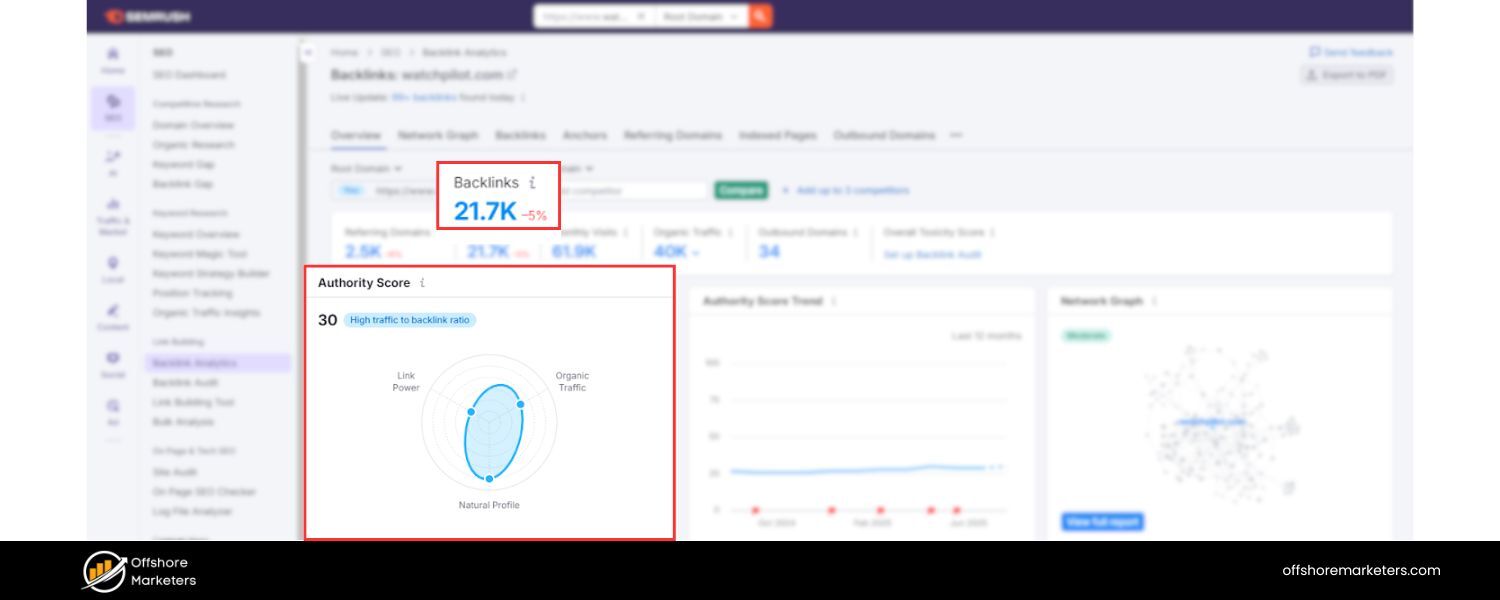
We’ve covered a lot of tactical tweaks, but let’s not overlook the bigger SEO picture: authority and credibility.
Google (and other search engines) want to deliver answers from trustworthy, authoritative sources – especially for voice, where the assistant is essentially vouching for the answer it speaks out.
If your site is known to have high-quality content and good reputation (via backlinks, mentions, etc.), it significantly increases your chances of being the chosen voice answer.
A few ways to boost your site’s authority for voice (and SEO in general):
A. Create Comprehensive, High-Quality Content:
Content that thoroughly answers users’ questions tends to attract more backlinks and shares, and also gives search engines confidence in your page.
For voice queries, having the most informative and complete answer (while still concise up front) makes it more likely Google picks your result.
This might mean longer-form articles that cover a topic in depth. Don’t be afraid to exceed your competitors’ word counts (as long as you’re providing value) – more comprehensive content can signal expertise.
In fact, long-form content often ranks well and thus is more frequently used in voice results.
B. Aim for E-A-T (Expertise, Authoritativeness, Trustworthiness):
In Google’s quality guidelines, E-A-T is crucial, especially for YMYL (Your Money Your Life) topics.
To improve E-A-T: showcase author credentials (why you’re an expert on this topic), cite credible sources (outbound links to authoritative sites can help), keep content updated, and generally present information in a balanced, accurate way.
If Google trusts your site’s expertise, it will happily use your content to answer voice queries.
C. Earn Backlinks from Reputable Sites:
Backlinks are like votes of confidence. A page that has many quality sites linking to it is more likely to rank highly. And as we noted, voice answers usually come from top-ranking pages.
Focus on a smart link-building strategy: perhaps guest posting, creating share-worthy infographics or research, or simply organically earning links by having the best content on the subject.
Local businesses can benefit from links in local news, community sites, or industry directories (which also boosts local SEO authority).
D. Improve Domain Authority:
It’s not just page-level authority; your overall domain reputation matters. Brian Dean’s study of voice results found that the average Domain Rating (a measure of backlink authority) of voice result pages was DR 77 – quite high.
While you don’t need to chase a specific metric, this indicates that established, reputable domains have an edge. Continue to build your site’s authority over time through consistent SEO and PR efforts.
E. Leverage Knowledge Graph and Wikipedia:
Another angle – try to get your brand or website into Google’s Knowledge Graph. For example, having a Wikipedia page (if you or your business are notable enough) or being listed in reliable databases can raise your profile.
Voice assistants often pull info from Knowledge Graph panels (for queries like “Who is X?” or “What is Y?” definitions). If you can be part of that ecosystem (even indirectly by being cited on Wikipedia or other authoritative sources), it can help.
Getting into the Knowledge Graph is not straightforward, but focusing on accuracy of information about your brand across the web (on LinkedIn, Google My Business, industry sites) and getting some press can contribute to it.
F. Social Proof and Signals:
While social media signals aren’t direct ranking factors in the traditional sense, a strong social presence can indirectly boost your authority.
Content that gets widely shared or discussed might attract more backlinks and brand searches. Also, if a voice query asks for something like “the best [product]”, assistants may consider overall brand prominence and sentiment.
Make sure your online reviews and social profiles are positive and active (this ties back to local SEO as well with reviews).
G. Keep Content Fresh:
Especially for queries where information changes (tech, finance, health, etc.), keeping your content up-to-date is key.
Update publish dates when you make significant changes and indicate content is refreshed.
Freshness can be a ranking factor for certain queries, and a voice assistant would rather read a 2024 answer than a 2016 one for something like “latest smartphone features”.
In essence, think of authority building as laying the foundation. All the earlier tips (fast site, structured data, etc.) are like optimizing the upper floors of a building.
But without a strong foundation (authority), you may not reach those top rankings to begin with.
Strengthening your site’s authority ensures that when you implement the voice-centric optimizations, they’re happening on a site that Google already likes and trusts.
It’s worth noting that authority isn’t built overnight. It’s a gradual process of consistently publishing valuable content, fostering relationships, and possibly doing outreach to get your content referenced elsewhere.
But the payoff is big, not only for voice search but for all search. High-authority sites tend to dominate both voice and text results. So, invest time in making your site a respected resource in your niche.
10. Stay Updated and Continue Refining Your Voice SEO Strategy
The world of voice search is evolving quickly. What works today might change as user behavior shifts and as search engines/assistants get smarter.
To maintain an edge, it’s important to treat voice search optimization as an ongoing effort – regularly monitor, test, and tweak your strategy.
Here are some final tips to ensure you keep up with the voice search revolution:
A. Monitor Voice Search Performance:
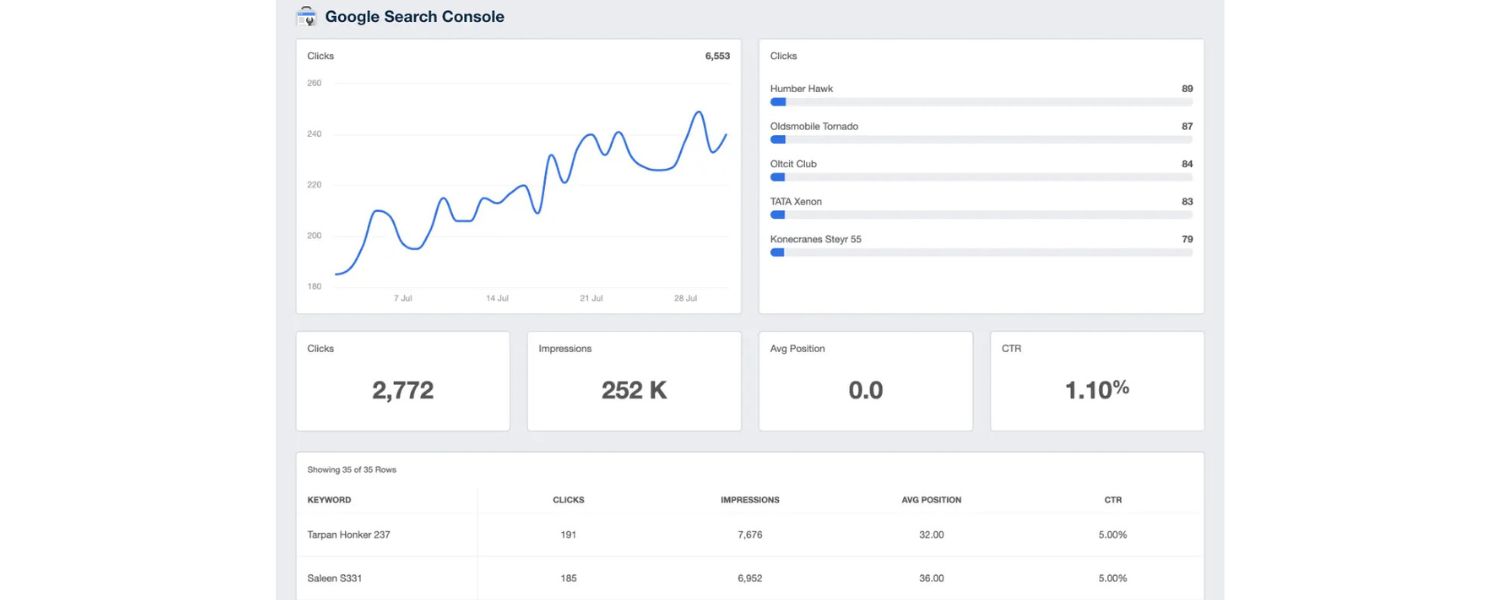
While Google doesn’t (yet) separate voice queries in Google Search Console, you can infer some by looking at queries that are long, conversational, or contain question words.
Keep an eye on these in your analytics. Are impressions and clicks for those queries improving as you implement changes?
You might also see if any pages suddenly started getting traffic after adding FAQ schema or speeding up – clues that your voice SEO changes worked.
B. Conduct Your Own Voice Searches:
Periodically play “mystery shopper” with voice assistants. Use Siri, Alexa, Google Assistant, and even Cortana, and ask questions related to your business or content.
See what answer comes up, and from which source. If it’s not you, analyze why that source might have been picked – do they have a concise answer that you lack?
Is their domain more authoritative? Use this insight to adjust. Also, check different devices – results can vary between, say, an Echo Dot and an Android phone.
C. Keep an Eye on Competitors:
Just as you likely track competitors for SEO generally, do so for voice. If a competitor gets featured in a voice result for a keyword you want, study their content.
They might have structured their page in a novel way or answered a question you don’t.
Aim to make your content even better. Remember, there’s usually only one voice search result spoken out (especially on smart speakers), so the competition is winner-takes-all.
D. Follow Voice Search Trends and Updates:
Voice technology is a hot area – new features roll out frequently. For example, Google might expand Speakable schema support, or Amazon Alexa might strike a deal to get data from a certain source.
Stay informed by following SEO news sites and blogs (many have sections on voice search). If a major update happens (like an algorithm tweak affecting voice results, or new guidelines for voice actions), be ready to adapt your strategy accordingly.
E. Optimize for Multiple Platforms:
We often default to Google, but recall that Alexa and Cortana use Bing for their web search results. It’s worth ensuring your Bing SEO is also in good shape (submit your site to Bing Webmaster Tools, etc.).
If you notice a lot of your audience uses Alexa, consider building an Alexa Skill for your brand or content.
Similarly, look at Google Actions for Assistant. These are more advanced, but they can give you a direct presence on voice platforms beyond standard search results.
F. Experiment with Content Types:
Voice search might expand beyond Q&A. For instance, voice commerce (people making purchases via voice) is growing.
If you’re in e-commerce, think about how to optimize product info for that scenario (clear product names, integrating with platforms like Google Shopping which might feed voice answers).
If you run a blog or news site, consider enabling podcasts or audio readings of your content – some assistants prefer audio content if available.
G. User Feedback:
If applicable, ask users if they found you via voice. Especially for local businesses, a quick question like “How did you hear about us?” could surface whether people are using Siri/Alexa/Google to find you. This kind of offline intel can reinforce your online data.
H. Maintain Best Practices:
Lastly, remember that voice SEO doesn’t exist in a vacuum. Continue applying all the standard SEO best practices: good meta tags, logical URL structures, internal linking, etc. A well-optimized site overall creates a strong backbone for voice optimization to shine.
By staying proactive and continually refining your approach, you’ll ensure your site remains voice-search ready even as the landscape changes.
Voice search isn’t a one-and-done checklist; it’s an ongoing part of SEO that will only become more significant as more users embrace talking to their devices.
To wrap up: voice search optimization is essentially about understanding how people ask for information verbally and making sure your site provides the best answer in the best format. It’s a blend of technical tweaks, content strategy, and old-fashioned SEO fundamentals.
Companies that invest in voice SEO now are positioning themselves for the future, a future where talking to tech is as normal as typing. Don’t wait until your competitors have secured those voice positions.
Start implementing these strategies today, test your results, and keep learning. With the tips we’ve covered, from conversational keywords to speedy, snippet-worthy content, you have a roadmap to make your site a top performer in the era of voice search.
Conclusion: Embrace the Voice Revolution (And Take Action!)
Voice search isn’t coming, it’s already here. Every day, more of your potential customers are saying “Hey Google” or “Alexa, find me…” instead of typing into a screen.F
This shift in behavior represents a massive opportunity for those prepared to meet it. By investing in voice search optimization, you’re not only keeping your SEO strategy current but also making your content more user-friendly and accessible across the board.
Let’s quickly recap the key steps we covered to make your website voice-search ready:
1. Use natural, long-tail keywords and questions that mirror how people speak. Capture those conversational queries so you can be the answer when asked.
2. Provide clear, concise answers and aim for featured snippets, position zero is prime voice real estate. Structure your content in Q&A formats and bite-sized paragraphs that voice assistants love.
3. Optimize for local searches if relevant: ensure your Google Business Profile is up to date and leverage local keywords so you show up for all those “near me” questions.
4. Improve your site’s speed and mobile-friendliness, because voice users won’t wait and mostly use mobile devices. A fast, smooth experience boosts your chances of ranking (and pleases every visitor, human or AI).
5. Add structured data to speak search engines’ language, schema for FAQs, How-tos, products, etc., can give you an edge in voice results. And don’t forget new options like Speakable schema for future-proofing.Write in a conversational tone and make your content easy to understand when read aloud. Voice assistants prefer content that’s written for humans, not robots – so keep it friendly, clear, and free of jargon.
6. Focus on authority and trustworthiness by publishing great content and earning quality backlinks. Voice assistants tend to choose answers from sites that have proven expertise and credibility.
7. Stay adaptable – monitor how your voice SEO efforts pay off, watch for new trends, and continually refine your approach as voice technology evolves.
By following these steps, you’ll position your brand to capture voice traffic and delight users who prefer asking questions out loud.
The result? More visibility, more engagement, and ultimately more business coming your way from voice search.
Now, it’s time to turn knowledge into action. Take the first step today: perform a voice search audit of your own site and see where you stand.
Implement a few changes, maybe add an FAQ section or speed up a slow page, and test with a voice assistant to witness the improvement. Bit by bit, you can transform your site into a voice search powerhouse.
Finally, remember that SEO is a long game, and voice is just the latest chapter. Those who adapt early will reap the rewards of increased traffic and customer loyalty.
So embrace the voice revolution. Optimize with the tips from this guide, and let your content speak for itself, literally!
Are you ready to dominate the search results that talk? Start optimizing for voice search now and make sure your business is the one that answers when your customers ask. Good luck, and see you (or rather, hear you) at the top of the voice search rankings!

Why Roseville Startups are Choosing Offshore Marketers to Scale Smarter
Roseville is no longer just a quiet suburb of Sacramento;...

What Is PPC? A Practical Guide to Pay‑Per‑Click Advertising
Pay‑per‑click (PPC) is the “pay only when someone clicks” branch...

Google Search Issues Affecting Results in Some Regions
Google has confirmed a problem with one of its data...

Keyword Counts Dropped After Google’s num=100 Change
In September 2025, Google stopped supporting the &num=100 parameter. This...

Image SEO: Optimize Images for Higher Rankings & Traffic
Introduction Images make your website more engaging, but they can...


.png)
.png)
.png)
.png)
.png)

2024 ALL RIGHTS RESERVED MADE IN INDIA
.png)